The four routes, and who ends up in the driver's seat
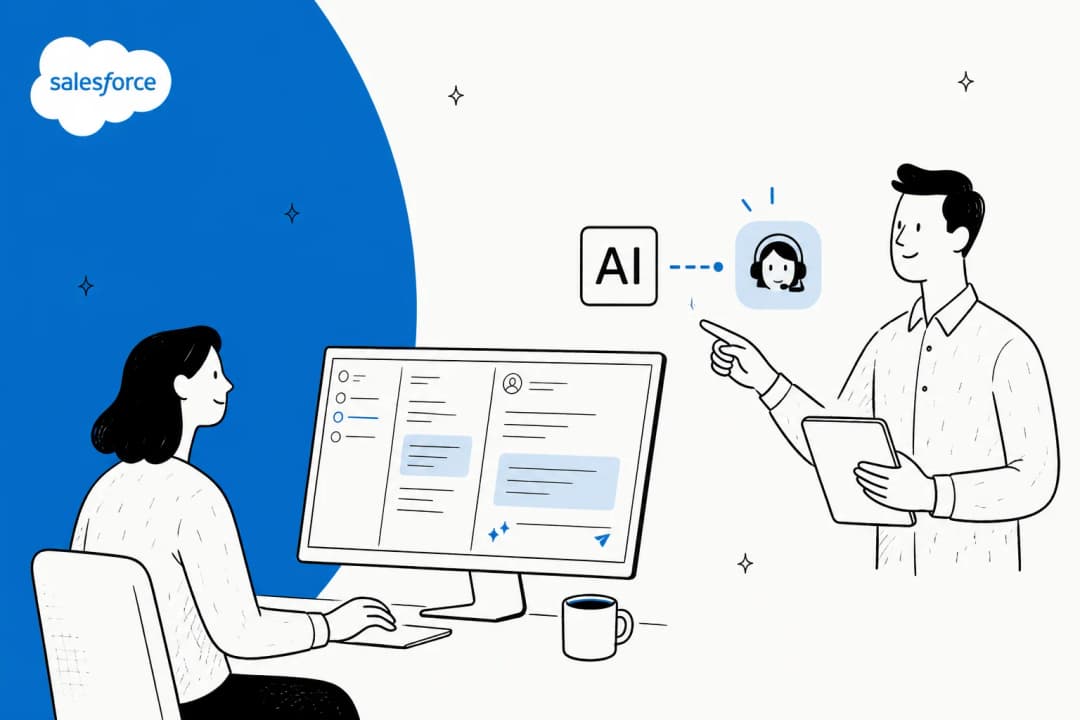
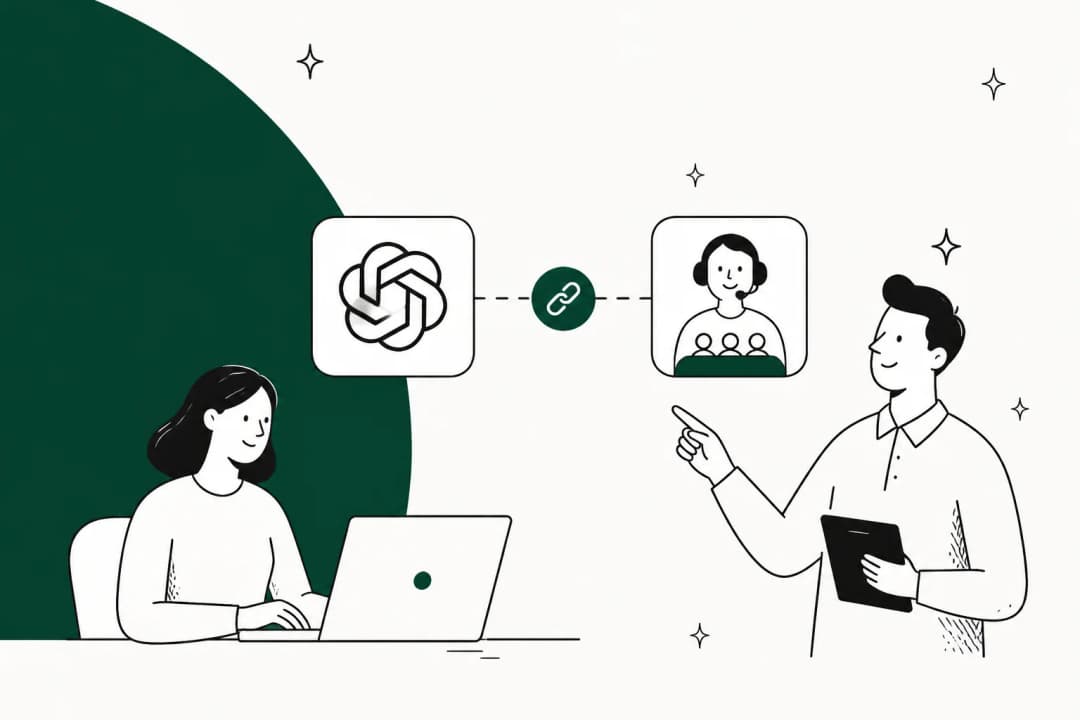
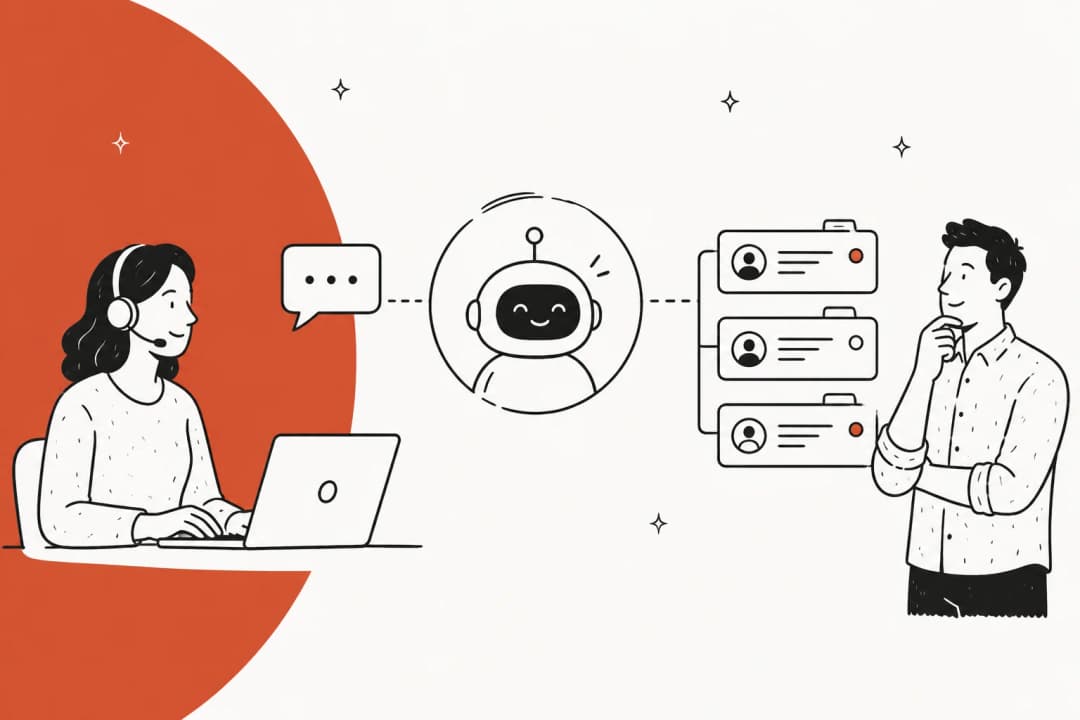
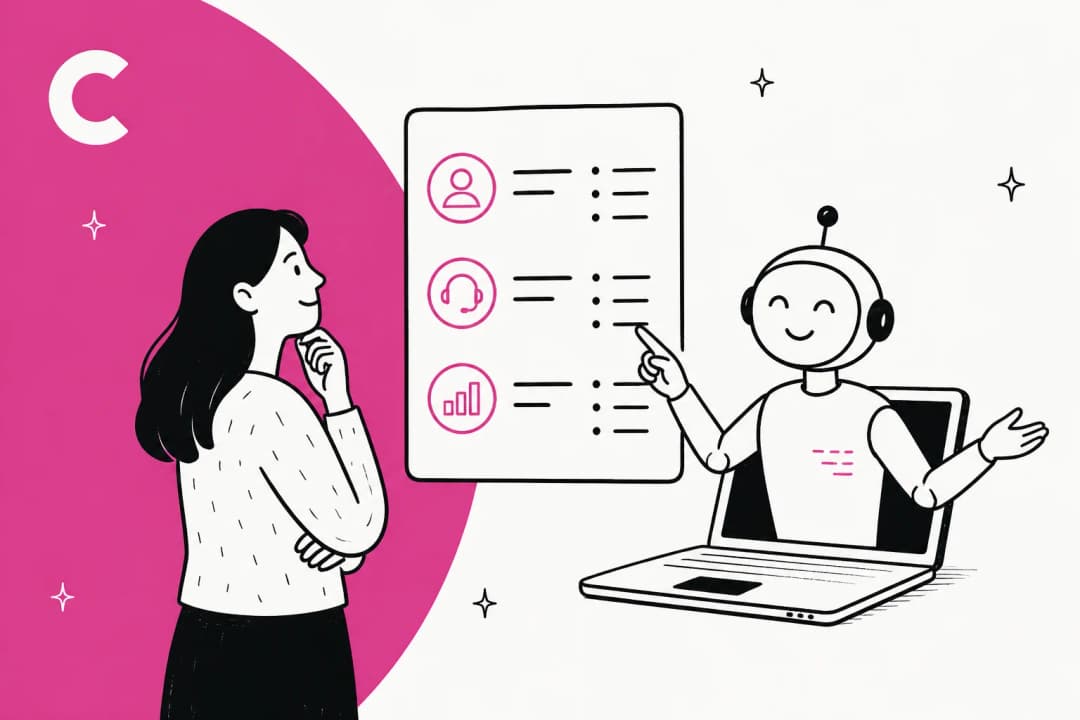
There is no single "Claude for Zoho Desk" product as such, so it helps to lay the whole field out before arguing over any one piece of it. Four things exist today, and they solve different problems.
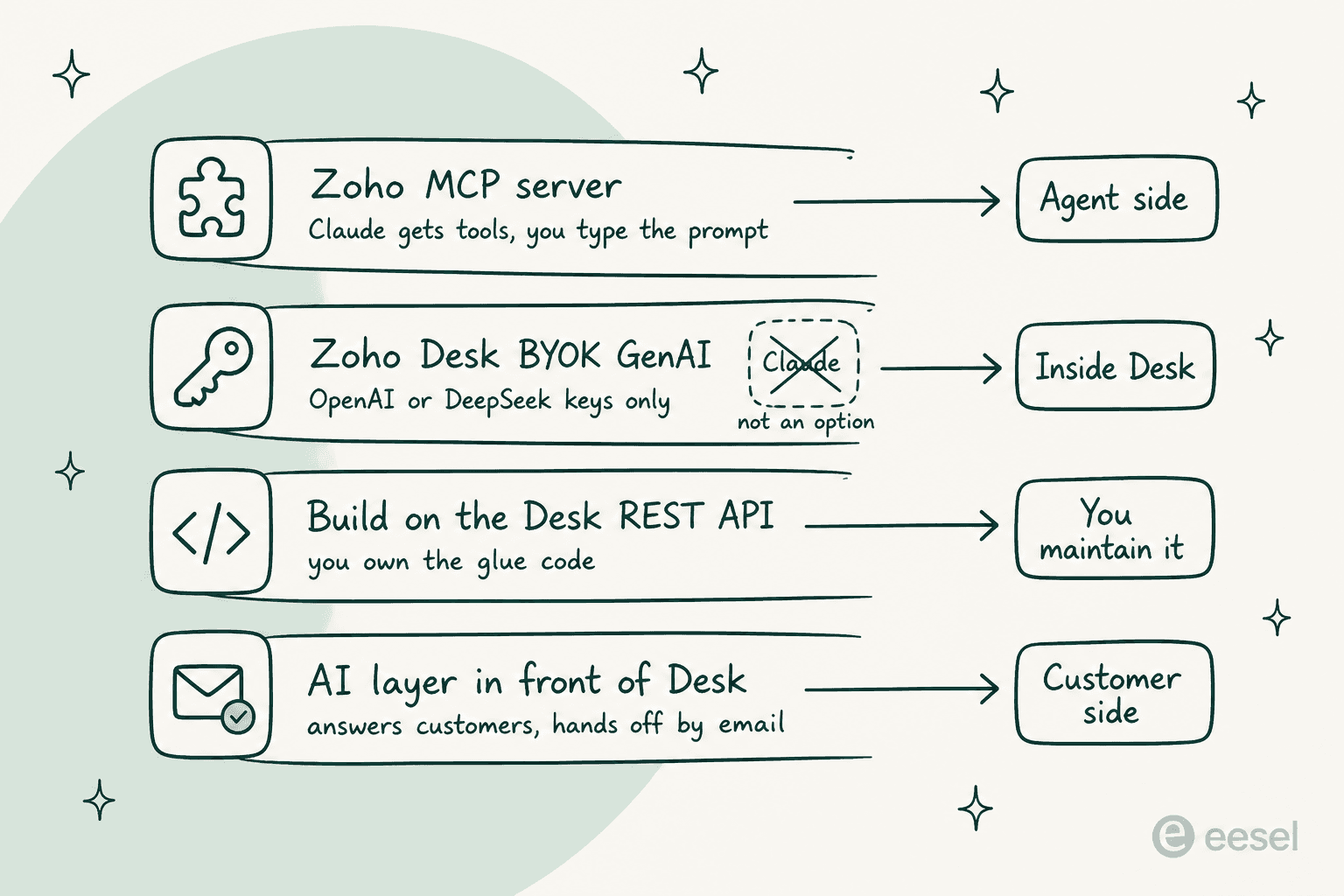
Route one is Zoho's own MCP server, the one Anthropic lists. You build the server, pick your Zoho Desk tools, then paste a URL into Claude. Free, official, and the fastest thing on this page.
Route two is Zoho Desk's built-in AI, a different animal altogether. Zia is Zoho's own model, and the bring-your-own-key option sitting next to it takes OpenAI or DeepSeek. This is the route people assume exists for Claude. It does not.
Route three is building on the Zoho Desk REST API yourself, Claude sitting as the model behind whatever you write. Total control. Also yours to own forever.
Route four is putting a customer-facing AI layer in front of the queue. A different shape of answer entirely, and the only one here which touches tickets while everybody is asleep.
The distinction that matters across all four of them is not really technical. It is about who is holding the wheel.
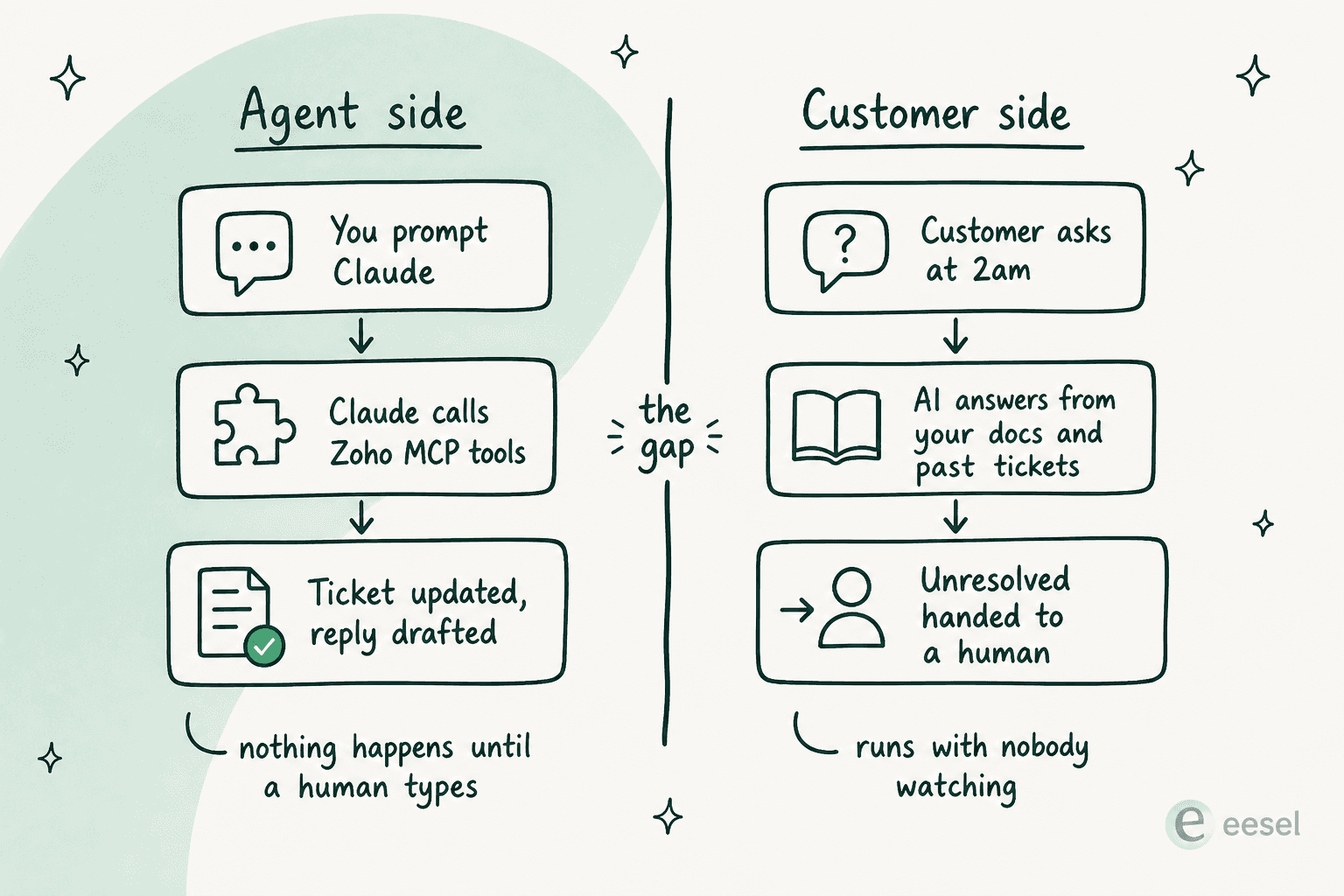
Agent-side AI makes a human faster. Customer-side AI removes the need of one on that ticket at all. Both are worth having, sure, but they are not substitutes, and most of the confusion I see in this space comes down to a team buying the one and then expecting the other.
This split is not some Zoho quirk either. It is the same conclusion I arrived on writing up Claude for Zendesk, and from a completely different starting point too, a first-party connector sitting in the vendor's own marketplace, still agent-side at the end of it.
Before the detail, the short version of which one you probably want.
One question decides it: who is the AI actually for?
Build a server in the Zoho MCP console, add the Zoho Desk tools you need, paste the generated URL into Claude as a web connector. Free today, roughly ten minutes.
- Good at: searching the queue, summarising threads, bulk status changes, drafting a reply for you to send
- Cost: $0 for the connector, your normal Zoho Desk API quota for the calls
- Watch: the MCP URL carries its own API key, and action logs are kept 30 days
Zoho Desk's Generative AI (BYOK) field takes an OpenAI key in most data centres, or a DeepSeek key in the CN one. Anthropic is not an accepted provider, and Zia has no model picker.
- What you get instead: Zia's own built-in model at no extra charge, from Professional at $23 per user per month
- Or: an OpenAI key on Express at $7, the cheapest generative option in Zoho Desk
Webhooks in, Claude in the middle, the Desk API out. This is the only do-it-yourself route that can act with no human present, because you control the trigger.
- Good at: anything, eventually
- Cost: Claude tokens, plus whoever maintains it in eighteen months
- Watch: retries, OAuth refresh, rate-limit backoff, and the safety rails you now own
A chat surface on your site answering from your help center and past tickets, escalating what it should not touch. Unresolved chats arrive in Zoho Desk as email tickets.
- Good at: the overnight and weekend volume no agent-side tool reaches
- Cost: per ticket or chat handled, no seat fees
- Watch: there is no native Zoho Desk plugin, so the handoff is by email
Route 1: Zoho's MCP server, the one Anthropic actually lists
Start with the thing that surprised me when I went and checked. Anthropic keeps a directory of remote MCP servers in its own developer docs, and it is a long list. No Zendesk entry in there. No Freshdesk entry, no Jira. What it does have is four Zoho rows, and one of them reads "Zoho Desk MCP for Customer Support Automation." Freshworks had to go ship its own bridge instead, which is more or less the whole story of Claude for Freshdesk.
That is a real distinction and worth to name, because it means the plumbing between Claude and Zoho Desk is not something you have to go invent. One small footnote on the listing though. Most rows in Anthropic's table publish an endpoint URL right there in the row, and the four Zoho ones do not. They link off to Zoho's documentation instead, which is the tell: Zoho MCP is not one fixed server that you point at. It is a builder.
What Zoho MCP actually is
Zoho's own framing here is blunt, and I appreciate that. The Zoho MCP documentation says plainly that Zoho MCP is not AI. What it is, is a service letting you create your own MCP server and stock it up with tools drawn from Zoho apps and third-party ones. Their tool manual counts 61 services and 12,543 tools across the catalogue, and Zoho Desk is one of them.
So the workflow goes: create a server, add the specific Desk tools you want exposed, connect it. The docs are candid on what that constrains, too. Their own example is that Zoho Mail publishes a sendEmail tool but nothing at all for downloading attachments, so no client is downloading an attachment, no matter how you phrase the prompt. The tool list is the ceiling here, and that ceiling is set by Zoho and not by Claude.
There is also pre-configured servers for common use cases, if assembling one from scratch is not how you want to spend the afternoon, and those can still be edited after the fact.
Connecting it to Claude, step by step
Zoho's implementation guide lists five clients, and it puts Claude.ai at the top, ahead of ChatGPT and Cursor and Windsurf and VS Code. Steps for Claude are short:
- Open the Connect section of the MCP console and copy the MCP URL.
- Go to
claude.ai/settings/integrations. - Click Customize, then Connectors.
- Add a new web connector, name it, and paste the URL.
- Find it in the Connectors list and click Connect.
- Walk the authorization prompts.
One asymmetry worth to plan around. Zoho notes that Cursor and VS Code support automatic configuration while the other clients do not, and they attribute this to those clients rather than to their own service. In practice it means the Claude setup is the manual paste-a-URL version. Still a few minutes only, and it is the same shape of setup as Claude for Gorgias, which also runs over MCP instead of a marketplace app.
Authorization runs on OAuth 2.1 in one of two modes, and picking the right one early saves you a mess later on. Authorization on Demand is the default, and it is per-user, so everyone authenticates the tools using their own Zoho account. Authorization via Connections works at organization level, where the Super Admin shares access and refresh tokens out to trusted members. Zoho's guidance is the first suits solo operators plus anyone who needs individual accountability, the second suits teams wanting centralized control. Worth knowing as well: their docs say log auditing is more accurate under Authorization on Demand, because the actions carry an individual ZUID.
The two security details I would not skip
Two things inside Zoho's own documentation deserve reading twice before you roll this out to a team.
First one is the MCP URL. Zoho generates it for you, and the API key is baked into the URL itself. Their caution on this is direct, treat your MCP Server URL like you would treat your password, because effectively it is an access URL for every tool sitting on that server. If it leaks there is a Regenerate API Key button in the Connect section. Convenient design, and it also means a URL pasted into the wrong Slack channel is a credential leak rather than a config leak.
Second one is retention. The Logs section indexes every action taken through your configured tools, reported using standard HTTP codes, filterable by time and by tool. The shelf life is 30 days, and after that entries get deleted. For a lot of teams this is fine. But if your compliance answer to "what did the AI change last quarter" has to be more than a shrug, you will want to export.
On Zoho's own read of the risk, their FAQ takes the question "is it safe to give an MCP Client like Claude create and update access to Zoho services" and answers it with the argument that a client's reach is strictly governed by the tools you configured. Correct as far as it goes, I think. It is also exactly why I would start on read tools and then add write tools deliberately, instead of adding everything on day one.
Limits worth knowing
Zoho imposes no cap at all on how many servers you create, nor on the number of tools per server. The real limits arrive from two other places.
The client is one of them. Zoho's FAQ notes Cursor currently refuses more than 40 tools on a single MCP server, and their general recommendation is keeping a server near 100 tools with 300 as the outer bound, specifically so the model is not getting confused over which tool to reach for. Anyone who has used Claude Code MCP tools at any scale will find that familiar. Splitting into a few focused servers is the recommended pattern.
Your API quota is the other one. Zoho is clear that calls made through MCP eat the same API limits as calls made directly, no separate MCP allowance and no extra charge on top. Which brings the price, and this is the part easy to miss: Zoho MCP is free to use as of now, with their FAQ committing to tell users in advance if pricing gets introduced. Set that against Freshworks' MCP gateway, which is metered per action, or against the ServiceNow MCP route, and the Zoho version looks generous.
What people actually report
Community reports on Zoho MCP are thinner than the documentation would suggest they should be, and they skew towards Zoho Books rather than Desk. Worth saying that plainly instead of dressing thin evidence up as a trend.
The most on-point thread is the exact one you would search for:
"I am reaching out as I was underwhelmed with the results achieved when integrating Claude with Zoho Books"

A reply in the same thread describes the workaround which a lot of technical users land on:
"I use Zoho extensively via API and Zoho One, but with Claude Code (CLI on a Linux VM). Works perfectly, but I didn't use any Zoho MCP."
That pattern of skipping the managed server and driving the raw API off a coding agent shows up repeatedly in r/Zoho, including in a Zoho Books automation thread asking whether anyone has managed it "using the mcp or any other connectors with claude or codex." Read the whole set together and the honest summary is this: the connector installs cleanly, and the disappointment tends to arrive one layer up, in what the tools expose and in how well the model picks between them.
Route 2: why you cannot point Zoho Desk's AI at Claude
This is the question I get asked most, usually phrased as "can we just put our Anthropic key into Zoho Desk". Answer is no. Worth being precise on why though, because the shape of that no tells you something useful.
Zoho Desk does have a bring-your-own-key generative AI option, yes. On the Zoho Desk pricing page the Express plan lists Generative AI (BYOK) and spells the accepted providers right out: connect your OpenAI key in the US, EU, AU, IN, JP, CA and UAE data centres, or your DeepSeek key in the CN data centre. That key is what powers sentiment analysis, contextual ticket summarization, smart reply suggestions. Anthropic is not on the list, and there is no model selector anywhere else in Zia to work around it with.
The same plan also carries AI Agents, and those can run either on your own key or on Zoho's model, up to 30M free tokens a month included. Zoho's Zia page describes Zia as the built-in LLM available at no additional cost, CN data centre availability still pending. So Zoho's bet is their own model first, then one external provider second.
That is a legitimate product decision, and not a gap I would sneer at. What it does mean is if your reason for wanting Claude is a preference on model quality, or an Anthropic contract you already signed, then Zia's generative features are simply not the surface where such a preference gets expressed.
The tier ladder, and which AI thing each plan buys
Worth being exact here, because a lot of the older writing on Zoho Desk AI, some of eesel's own included, described the AI features as Enterprise-only. That stopped being true.
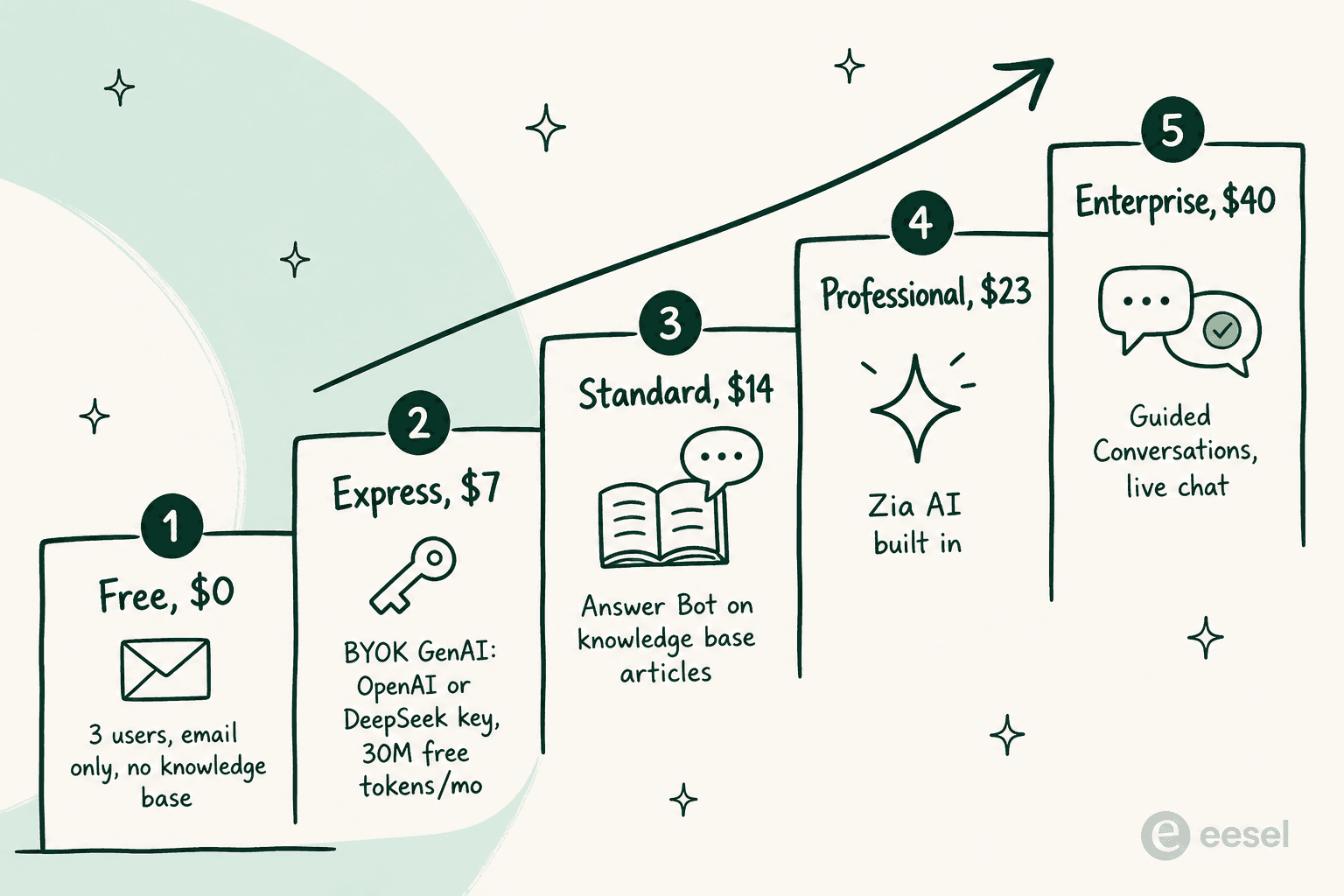
| Plan | Price (per user/mo, annual) | The AI you get | Notable non-AI unlock |
|---|---|---|---|
| Free | $0 | None | 3 users, email ticketing, no knowledge base |
| Express | $7 | AI Agents with 30M free tokens/mo, plus BYOK generative AI on an OpenAI or DeepSeek key | Social media channels, web forms, workflows |
| Standard | $14 | Answer Bot, drawing on knowledge base articles | Knowledge base, ASAP widget, business messaging, community forum |
| Professional | $23 | Zia AI built in: generative, predictive and analytical | Telephony, Blueprints, multi-department, webhooks |
| Enterprise | $40 | Guided Conversations | Live chat via SalesIQ, skill-based assignment, sandbox, multi-brand help center |
Two things fall out of that table. The cheapest way of getting a generative model touching your tickets is $7 a user, and it expects you to bring and to fund your own OpenAI key. Then the Answer Bot arrives at $14, and its training input is knowledge base articles.
That second point is the real constraint, and I want to state it carefully, because it is a fact and not a dig. Zoho's own description of Answer Bot is an AI reply assistant working from your KB. It is not reading your past ticket history, and authenticated sources such as Confluence or Google Docs are not connectable knowledge inputs. So if most of what your team knows lives inside resolved tickets rather than published articles, that gap matters more than any model choice does. It is the thing I dug into in the Zoho Desk AI review.
Two adjacent features that people conflate with Answer Bot. Summarising a long thread is its own separate thing, covered in my notes on contextual ticket summaries. What the bot is allowed to learn from at all is covered over in Zia knowledge base training.
If figuring out where your money goes across these tiers is the job, then the Zoho Desk pricing breakdown plus the Zia agents writeup cover the rest of the ladder.
Zoho's own Zia marketing page, which is where the built-in model gets described. This is the product page and not the in-app AI settings, so read it as positioning rather than as the configuration screen.
One more small thing which I checked so you do not have to. The Zoho Marketplace search endpoint returns a 404 on a claude query, so browsing for Claude-related Desk extensions by searching is not possible. Same behaviour I hit over on the Freshworks marketplace. Absence from a broken search is not evidence of absence though, so treat it as "unverifiable" and not as "none exist."
Route 3: build it yourself on the Desk REST API
If the MCP route's ceiling frustrates you, the next step is obvious, and technical teams take it often enough that I have lost deals over it. Webhooks out of Zoho Desk, Claude sitting in the middle, the Desk REST API to write back. Zoho Desk exposes webhooks from the Professional plan at $23, and that is the trigger you need.
I want to be fair on this route, because it works, and because eesel has lost customers to it. Three accounts churned from eesel to build in-house, an AR construction-tech firm among them, and one of the three, a DTC beauty brand, went specifically to the Claude API. "We'll just build it ourselves on the LLM API" is the most common competitive alternative eesel faces from technical buyers, and it is not a silly idea at all. If you have got an engineer with spare cycles and a narrow, well-understood workflow, then a custom build will fit that workflow better than any product will.
The thing I would ask you to price in is the second year. An eesel customer who chose to buy put it best:
"We could try to write our own LLM application but we didn't want to invest our time into that. We wanted something that we would not have to maintain."
Karel, GENERAL BYTES
The list of things you now own comes out longer than it looks at the design stage. OAuth token refresh. Retry and idempotency on webhook delivery, rate-limit backoff against your Desk API quota, prompt regressions every time you change models, an audit trail, plus the safety rails deciding when the AI must not answer. None of this is hard. All of it is yours forever, and it competes against whatever your engineers were actually hired to build.
There is a middle path worth to name here. Use Claude Code, or a similar coding agent, straight against the Desk API for one-off and batch work, which is exactly what the Reddit commenter above described doing. Good fit for migrations, for bulk cleanups, for reporting, and it needs no infrastructure whatsoever. Still agent-side though, and it still needs you sat at the keyboard. If you are earlier than all this and still choosing the queue itself, the AI ticketing system primer is the better starting point.
Route 4: an AI layer in front of Zoho Desk
Here is the honest framing of where eesel fits in all this, the part that is unflattering to eesel included.
eesel does not have a native Zoho Desk plugin. I have shipped eesel's first-party integrations for Zendesk, for Freshdesk, Gorgias, HubSpot, and Zoho Desk is not on that list today. So if what you want is an AI living inside the Zoho Desk agent console, eesel is not it, and the options in my AI integrations for Zoho Desk roundup will be the better read.
What eesel does instead, for a Zoho Desk shop, is sit in front of the queue. A chat surface on your site or in your app, trained on your help center and your docs and your past tickets, answering the questions which would otherwise have become tickets. Anything it should not be touching gets handed off to a human, and unresolved conversations arrive into Zoho Desk as email tickets, which is how they join your normal workflow.
If the category view is what you want rather than my pitch, the AI chatbot for Zoho Desk writeup covers who else plays in this slot. The best AI chatbots comparison is broader still.
That is a narrower claim than "AI for Zoho Desk", and it covers the one thing which none of the three routes above can: volume that arrives when nobody is logged in. The MCP route needs you to type. The BYOK route assists an agent already reading the ticket. A build needs you to have built the thing first. A layer in front of the queue is the only one out of the four which resolves a customer's question with no human in the loop at all.
The part making this defensible rather than a leap of faith is that you can check it before turning it on. eesel runs a simulation over your own historical tickets first, so you see the answers the AI would have given on real past conversations, and the resolution rate you would actually get, before one single customer sees any of it. That habit exists because I have watched a confident-sounding bot quietly give wrong answers to real customers. Once was enough.

The reporting view, which is the answer to that "what did the AI actually do" question which a 30-day MCP log cannot cover.
Pricing is usage-based. 40 cents per ticket or chat handled, counted once per conversation no matter how many replies it takes, no seat fees, and no platform fee on the standard plan. Trials start you with $50 of free usage and no credit card. A hard monthly spend cap is there if you want one.
If you run support on Zoho Desk and your problem is the after-hours pile rather than agent speed, eesel is worth 20 minutes of your time. It plugs into your help center and your past tickets, you watch it answer your real historical tickets before anything goes live, and unresolved chats land in Zoho Desk as tickets same as everything else. Free to try, and the demo is where that "will this work on my messy KB" question actually gets an answer.
What each route costs
Comparing these on price only works if you stay honest that they are not buying the same thing. With that caveat in place:
| Route | What you pay | Zoho Desk plan needed | Who it serves | Runs unattended? |
|---|---|---|---|---|
| Zoho MCP server + Claude | $0 for the connector, plus your Claude subscription | Any plan with API access | Agents and admins | No |
| Zoho Desk BYOK generative AI | Your OpenAI or DeepSeek token spend | Express, $7/user/mo | Agents | Partly, inside Desk's own features |
| Answer Bot | Included | Standard, $14/user/mo | Customers, from KB articles only | Yes, within its KB |
| Zia AI built in | Included, no extra charge | Professional, $23/user/mo | Agents and customers | Yes, within Zia's scope |
| DIY on the Desk REST API | Claude tokens, plus engineering time forever | Professional, $23/user/mo for webhooks | Whatever you build | Yes, if you build it that way |
| eesel in front of the queue | 40c per ticket or chat handled | Any, handoff is by email | Customers | Yes |
The row that surprises people is the first one. The connector costs nothing, and Zoho charges no premium at all on API calls routed through MCP. If your only goal is letting your support leads interrogate the queue in natural language, this is close to free. Just do it this afternoon.
The row which gets underestimated is the DIY one, for the reasons already in the previous section.
What I would actually do
Concretely, and in the order I would do it.
If you are on Zoho Desk today and just curious: build the MCP server, add read-only Desk tools, connect it up to Claude, then spend a week asking it questions about your own queue. This is the cheapest introduction possible to what helpdesk AI can and cannot do for you. Costs nothing, and in that week you will learn more about your own ticket data than from any vendor demo. Add the write tools after, one at a time.
If you were hoping to run Zia on Claude: let that one go, and decide instead between Zia's built-in model at $23 and an OpenAI key on Express at $7. The tradeoff is less about model quality and more about who is holding the bill.
If your real complaint is answer quality rather than model brand: the input list is the thing to go fix, not the model. Answer Bot reads knowledge base articles. If your knowledge lives in past tickets, and in a few tools which are not Zoho, then no model choice repairs that. My notes on Zoho Desk AI accuracy go into where it usually breaks.
If the pile that hurts is the overnight one: none of the Claude routes touch it, and that is the whole argument for a layer in front of the queue. Test it against your own history before believing anyone's numbers, eesel's included. The general shape of that work is covered over in customer service automation.
If you are weighing Zoho Desk itself: the Zoho Desk alternatives roundup will be a faster read than another feature grid. The reviews roundup collects what users actually say once they get past the trial.
I have written the same conclusion about nine different helpdesks now, and it has stopped varying on me. Connecting Claude is the easy part, and has been for a year or so. What varies is how much of your support load sits on the side of the desk that Claude can reach. On Zoho Desk, thanks to a free MCP service and a quota policy which is unusually generous, the connection is easier than most of them. The side of the desk does not change.
If the shorter version of the field is what you want, start on the Zoho Desk AI overview. And for where the model vendors are steering all of this, there is my roundup of Anthropic's support updates.
Sources
Frequently Asked Questions
How do I connect Claude to Zoho Desk?
claude.ai/settings/integrations under Customize > Connectors as a new web connector, and click Connect to authorize it. Zoho's own documentation lists Claude first among the five supported clients. If you want a walkthrough of the AI already inside the product instead, start with setting up AI in Zoho Desk.Does Zoho Desk support Claude as its AI model?
Is the Zoho MCP server free?
What is the cheapest Zoho Desk plan with AI?
Can Claude reply to Zoho Desk tickets on its own?
Is it safe to give Claude write access to Zoho Desk?
What are the alternatives to using Claude with Zoho Desk?


Article by
Rama Adi Nugraha
Rama is a software engineer at eesel AI with two years of experience writing about B2B SaaS, AI tools, and customer support technology. Based in Bali, Indonesia, he brings a developer's perspective to product comparisons — cutting through marketing copy to what the integrations and APIs actually do.