Zendesk AI Confluence integration: two routes to connect your wiki

Rama Adi

Katelin Teen
Last edited September 7, 2026
Zendesk's AI agents answer from your Zendesk help center by default. Your real institutional knowledge, the runbooks and policies and product notes, usually lives in Confluence instead, so the first job is bridging the two. There are two ways to do it in 2026.
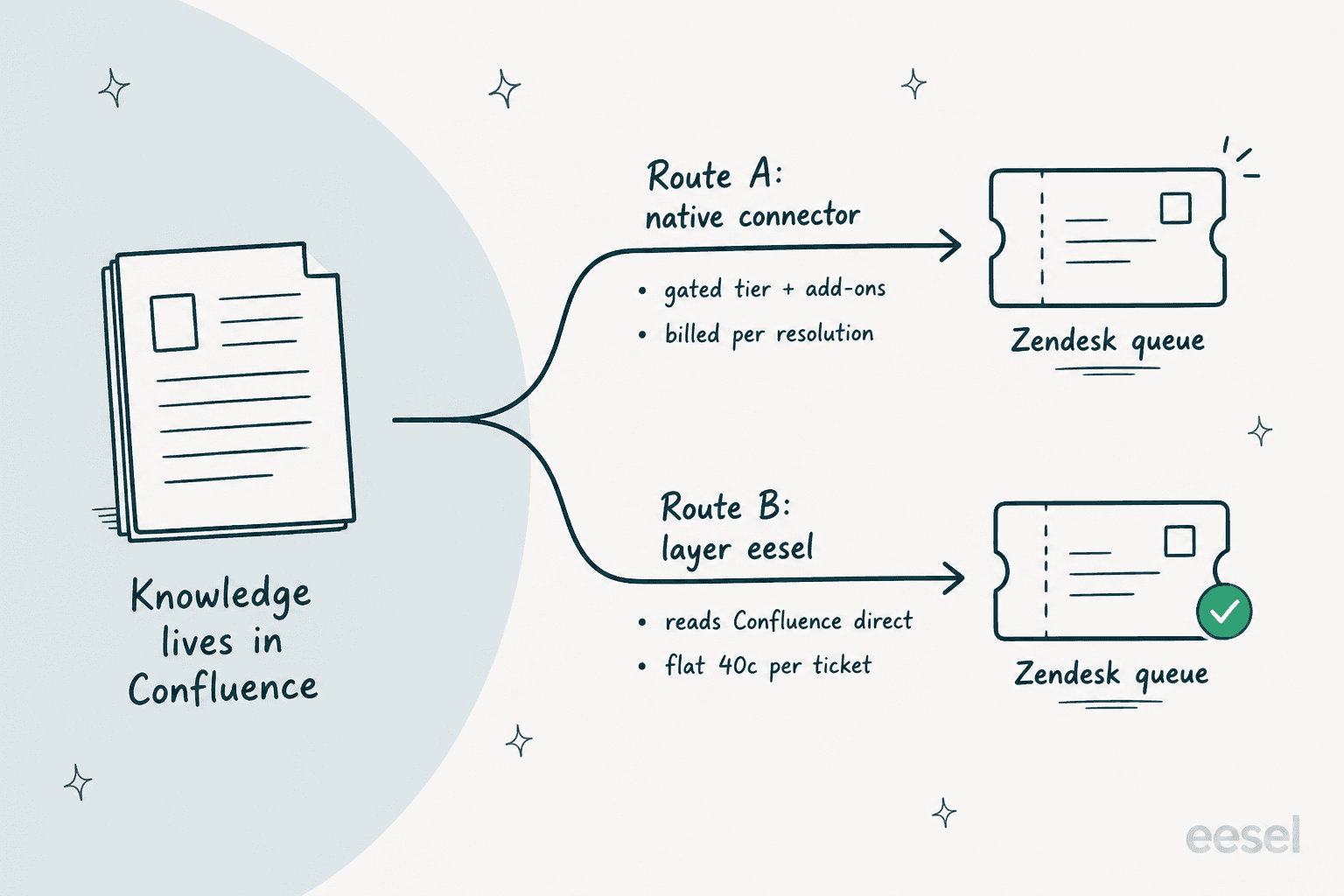
Route A, the native path. Zendesk ships a dedicated Confluence knowledge connector that pulls your spaces in so AI agents can answer from them. It works, but it sits behind a stack: a Knowledge Professional or Enterprise tier, the Copilot add-on ($50 per agent) for agent-side assist, a 50-source cap, a 24-hour refresh, and the automated-resolution meter at $1.50 to $2.00 per resolved ticket on top of your seats. It also indexes with the connector account's permissions, not per-user ones.
Route B, layer a tool on the same Zendesk. eesel joins your Zendesk queue as an AI agent and reads your Confluence spaces directly, alongside your past tickets and macros, on one agent. No migration, page-level permissions respected, and one fixed monthly price from $299/month for 500 credits (1 credit per ticket), with no seats or per-resolution meter. You can simulate it on old tickets before it answers a live one.
If Confluence is where your team actually writes things down, Route B is the shorter path to an AI that answers from it. Route A is the right call when you are committed to Zendesk's native agent stack and already on the plan tier it needs.
Why your Zendesk AI can't see your wiki yet
I build integrations for a living, so the first thing I do with any "AI for the helpdesk" claim is check where it actually reads from. With Zendesk's native AI agents, the default answer is your help center. That is fine if your help center is comprehensive. It rarely is. The polished, customer-facing articles are one thing; the answer to a gnarly ticket usually lives in a Confluence page a support lead wrote for the team, not for the public. Confluence even has its own AI search and Copilot, but neither of those helps a customer sitting in a Zendesk ticket.
I saw this play out with a support manager at a bus-tracking service running 200 to 250 Zendesk tickets a month. Their entire knowledge base had been written for administrators, but the tickets came from riders, a completely different audience. The AI kept answering confidently from the wrong material because that was the only material it could see. The model wasn't the problem. The knowledge boundary was.
So the real question isn't "is Zendesk's AI good," it's "can I point it at the wiki where the good answers actually live." Here are the two routes, side by side.
Route A: connect Confluence to Zendesk's native AI
The good news first, because it's real: Zendesk does support Confluence natively. In its own connector docs, Confluence is a named, dedicated knowledge connector, sitting alongside Google Drive, SharePoint, Notion, Guru, Salesforce and a universal REST connector for anything else. You point it at a Confluence site, pick the spaces you want, and that content becomes usable across Zendesk's knowledge experiences.
Connectors, federated search, and the Knowledge Graph
The one thing to get straight is that these are three different mechanisms, and mixing them up is where teams trip.
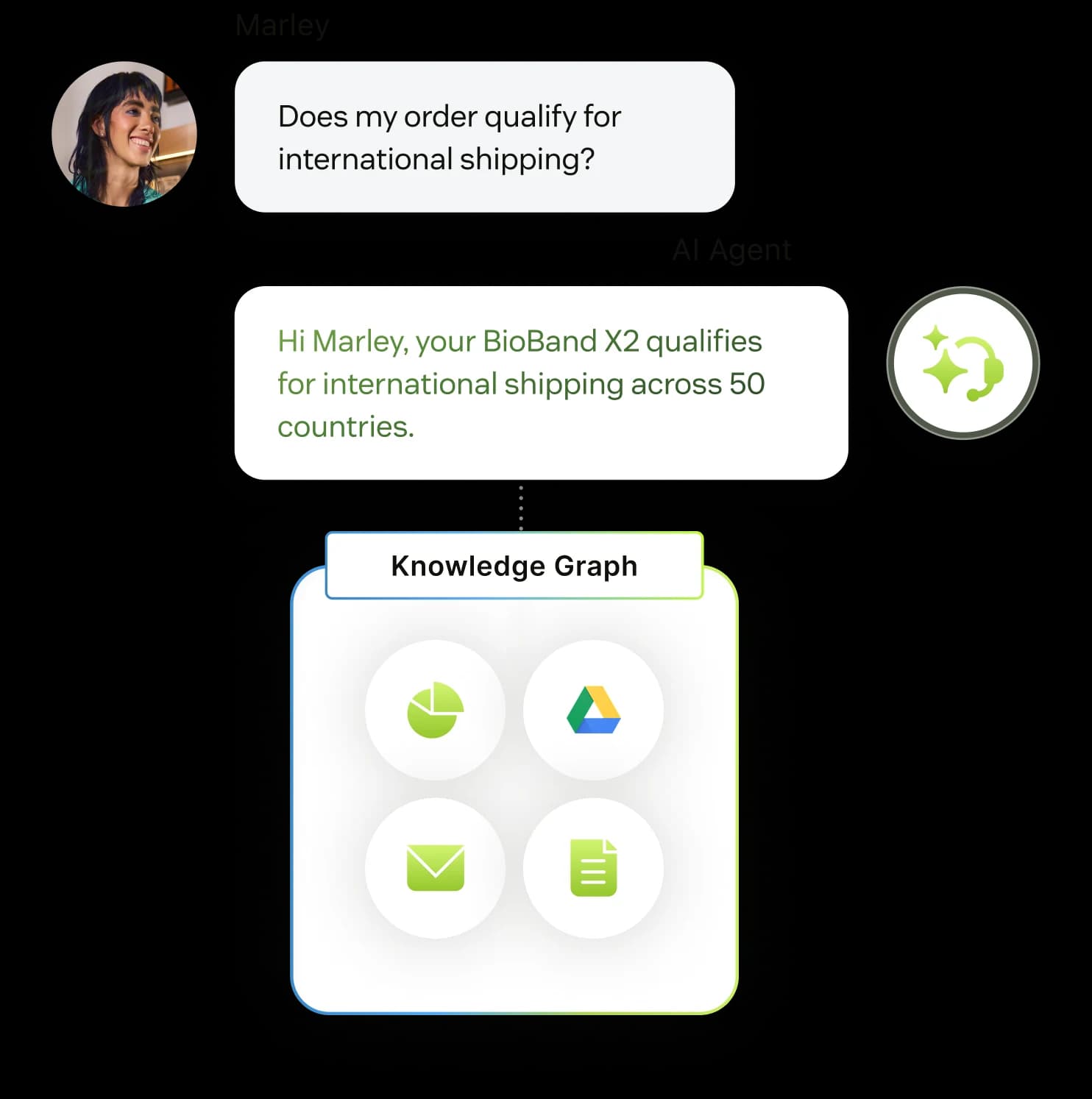
- Knowledge connectors ingest the actual content of a source (your Confluence spaces) into Zendesk, where it can feed generative AI answers across help-center generative search, Agent Workspace quick answers, and AI agent replies. This is the one you want for Confluence.
- Federated search indexes external pages so they show up as links in help-center search results and the agent context panel. It surfaces content; on its own it isn't the generative-answer path.
- Knowledge Graph is the marketing umbrella that ties it all together on the Zendesk Knowledge page. It's a name for the system, not a fourth setting to configure.
For AI agents specifically, external content is available on the Essential and Advanced levels, per Zendesk's external content docs. So the connector alone isn't the whole story; the agent has to be on a level that can use it.
What it actually costs to run
This is where the sticker price and the real price diverge. Connecting external content is available across the Suite plans (and on Support with Knowledge Professional or Enterprise), but the pieces that make Confluence useful to an AI agent stack up.
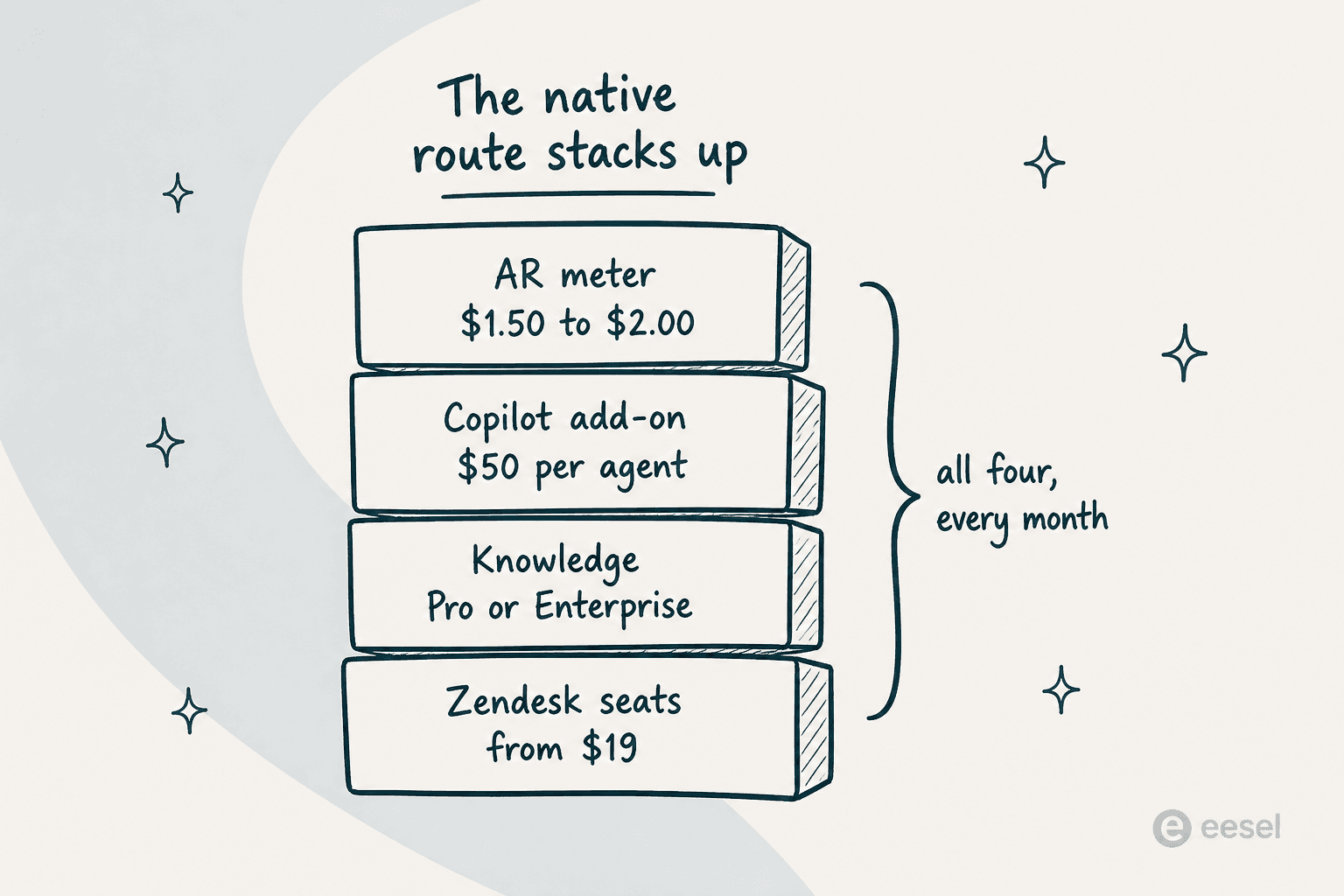
Start with seats, from $19 per agent per month on Support Team up to $115 on Suite Professional (billed annually). Agent-side auto-assist that uses your external sources needs the Copilot add-on at $50 per agent per month. And the part that surprises people: an external-grounded answer that resolves a ticket through an AI agent conversation still consumes an automated resolution, which Zendesk bills at $1.50 committed or $2.00 pay-as-you-go per verified resolution, on top of everything above. Pointing the AI at Confluence doesn't move it off that meter.
A plain generative-search answer in your help center that never escalates into an AI agent conversation doesn't consume a resolution; it counts against a separate 100,000-search monthly quota, after which you need the Generative Search Extender add-on. Useful to know, but most teams want the AI agent doing the resolving, and that's the metered path.
The limits worth knowing before you commit
None of these are dealbreakers, but they shape what the native route can do:
- 50 external content sources per account is the ceiling.
- The universal connector does a full refresh every 24 hours, so a page you edit this morning may not update in Zendesk until tomorrow.
- Confluence personal spaces aren't permitted, and only the first 20 spaces show in the dropdown (you type to find the rest).
- You must be a Knowledge admin to set connections up.
- On permissions, this is the real caveat: the connector indexes with the connecting account's permissions, and Zendesk states that source-specific per-user restrictions are not preserved for external content. So a page the connector account can see becomes answerable to anyone the AI serves, whether or not that end user should see it.
If you're already all-in on Zendesk's native AI agents and sitting on the right plan tier, Route A is a legitimate, supported path. For a lot of teams, though, the plan gates plus the per-resolution meter are exactly what sends them looking for a second option.
Route B: layer eesel on the same Zendesk
The other approach keeps Zendesk exactly as it is and adds the AI as a layer on top. eesel joins your Zendesk as a real AI agent over OAuth, reads your tickets, drafts and sends replies, updates fields, and routes to groups. What makes it fit this specific problem is that its knowledge sources are independent of where it's deployed, so the same agent that works your Zendesk queue also reads your Confluence.

Confluence as a source, Zendesk as the destination
eesel connects to Confluence through its Atlassian Marketplace app, which asks for read-only access: your pages and spaces, plus the user and group info it needs to respect permissions. It never gets write access. You install it into your Confluence Cloud site, pick the spaces or a parent page (everything nested under it, including pages you create later, comes along), and that knowledge becomes part of the same agent running in Zendesk.
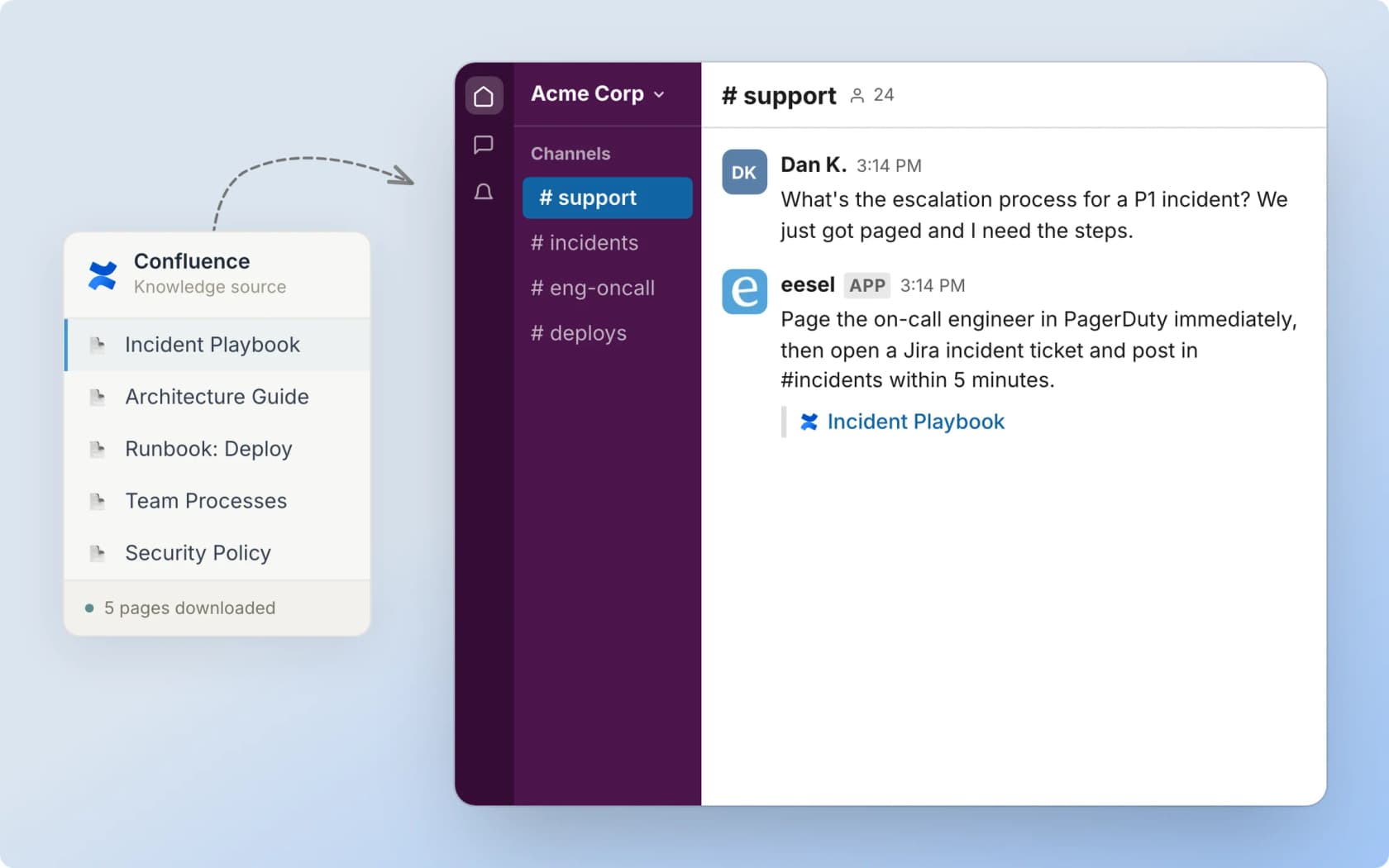
The docs put it plainly: "Every other integration on the agent is also a source, so a Confluence answer can draw on Notion, Google Drive, your helpdesk and your files at once." In practice that means one agent answering a Zendesk ticket by reading your Confluence runbook, your past resolved tickets, your macros, and a policy PDF, all in the same reply, with a citation on where the answer came from. That's the piece the native connector can't quite do in one place, because it treats external content as one input to Zendesk's own knowledge rather than unifying your sources under a single agent.
Permissions, done at the page level
Because eesel's Confluence app carries the group information it needs, it only indexes pages it's actually allowed to see. Restrict a space or a page in Confluence, and the agent won't surface it until you grant the app View permission. It's checked at both the space level (Space Settings, Space Access) and the individual page's restrictions.
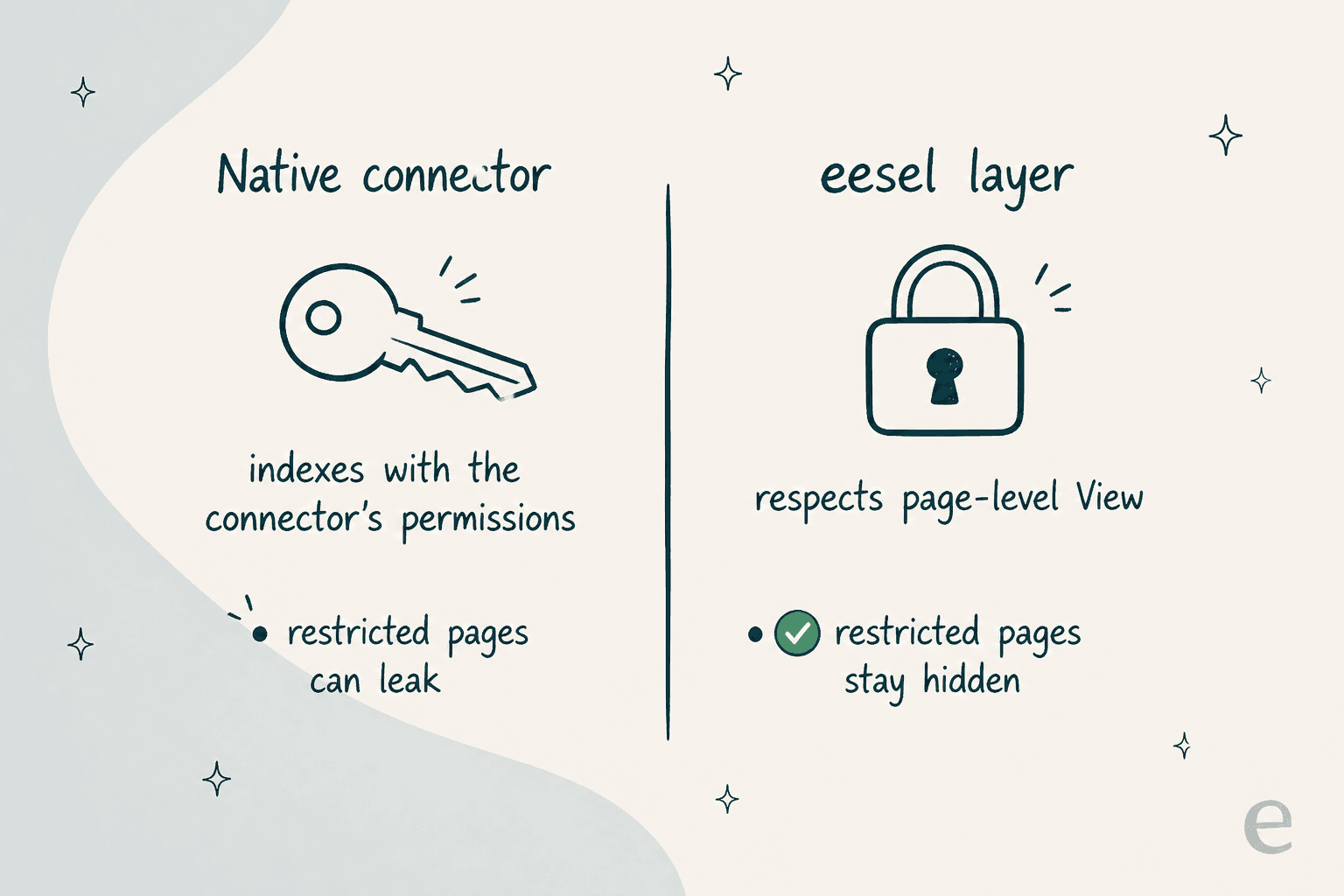
That's the sharpest practical difference between the two routes. If your Confluence has spaces that shouldn't be answerable to every customer, the per-page permission model is worth a lot.
Test before it answers a live ticket
The habit I trust more than any feature bullet is a dry run. eesel's simulation runs the agent over your past Zendesk tickets, scores how it would have handled each theme, and shows you the coverage gaps before a customer ever sees it. When a simulation flags that, say, refund questions only score 28 percent because the policy lives in a Confluence page you haven't connected yet, you connect it, re-run, and watch the number climb. That loop is the reason I never flip a switch and hope, a lesson eesel learned the hard way from years of watching confident bots give wrong answers on live queues.
Where it costs, and where it's honest about limits
Pricing is one fixed monthly price sized to volume: 1 credit per ticket the AI handles, from $299/month for 500 credits, with no per-seat fee, no platform fee, and no charge for connecting Confluence. There's a free plan with 100 credits and no card. If your team does 1,000 tickets a month but only routes 200 to the AI, only those 200 use credits. There's no separate meter for grounding on Confluence versus your help center, because it's all just the agent doing its job.
To be straight about the limits, since I'd want to know them before switching: the self-serve Confluence app is Cloud only and needs admin access, so Data Center is a managed setup rather than a click-to-install (the marketing page overstates this; the docs are precise). Page attachments aren't indexed, only the page text, so anything living in an attached PDF needs to be pasted into the page or uploaded to the agent directly. And the 3,000-pages-per-connection default truncates rather than fails past that, though you can ask to raise it.
Which route should you pick?
If you're deep in Zendesk's native agent stack, already on a Knowledge Professional or Enterprise tier, and comfortable with the per-resolution meter, the native Confluence connector is a supported, legitimate path, and you don't need a third-party layer to make it work. Read the Zendesk AI agents review, and the key Zendesk AI capabilities, if you're weighing that route on its own merits.
If Confluence is where your team actually documents things, you want the AI live in days rather than after a plan upgrade, page-level permissions matter, or the automated-resolution pricing makes you nervous at volume, layering eesel on the Zendesk you already run is the faster, cheaper way to get an AI that answers from your wiki. Either way, the thing to insist on is simple: the AI should read from where your best answers already live, not force you to migrate them into a help center first.
Try eesel for Zendesk and Confluence
If you want your Zendesk AI to answer from Confluence without migrating a single page, eesel is built for exactly this shape of problem. It joins your Zendesk queue as an AI agent, reads your Confluence spaces (plus Notion, Google Drive, and your own past tickets) with page-level permissions respected, and runs on a fixed monthly credit plan from $299/month with no seats and no per-resolution meter. You connect it over OAuth, simulate it against your ticket history, and go live in under 30 minutes.
You can start free and point it at a Confluence space today to see what it drafts against your real tickets.