IntegrateCloud AI Chatbot pricing 2026: a free app with a server bill behind it

Riellvriany Indriawan

Katelin Teen
Last edited October 22, 2026
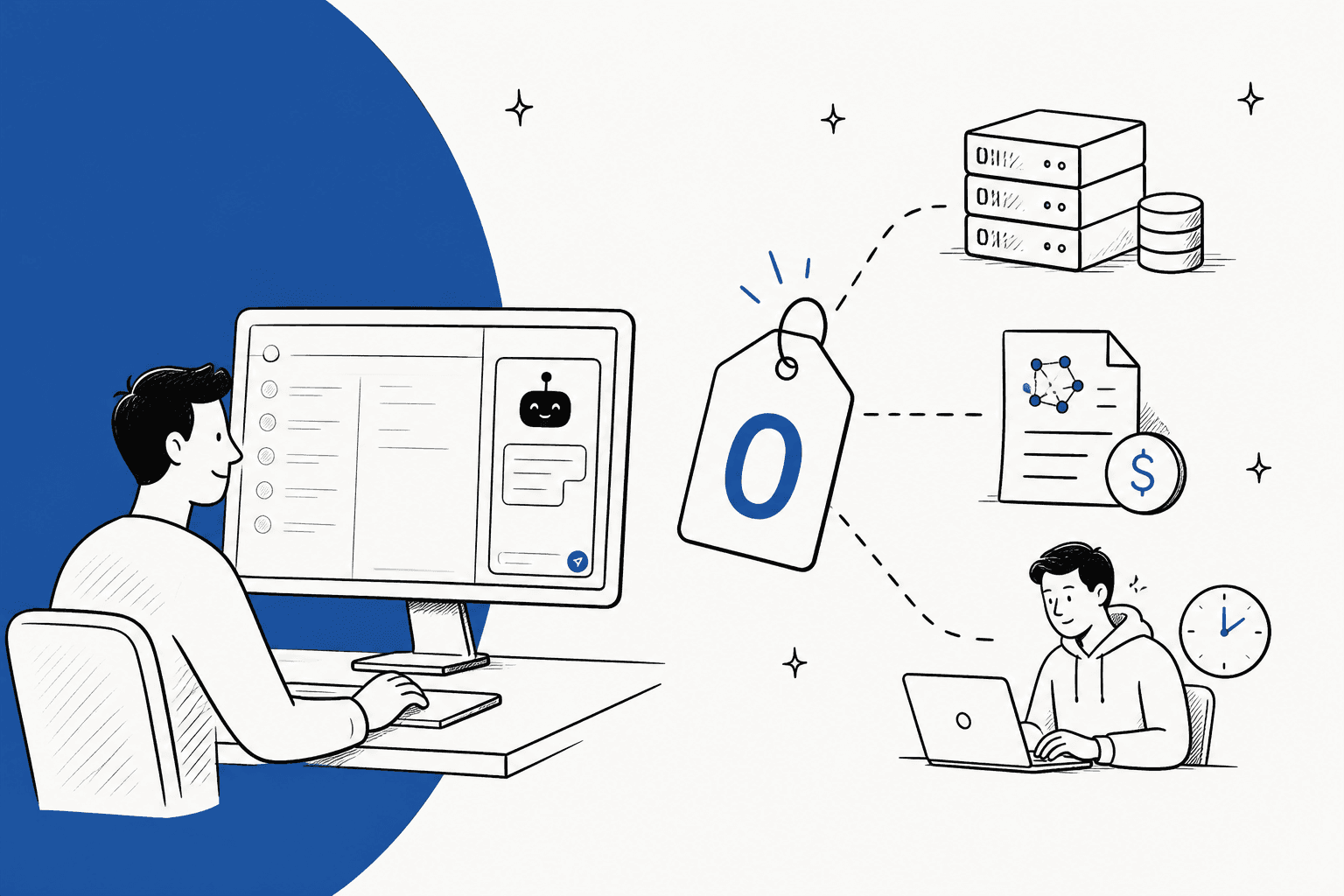
How much does the IntegrateCloud AI Chatbot cost?
I work eesel's support queue every day, so I live on the agent side of a ticket, which is exactly where this app sits. When I look at a "free" AI tool for agents, I ask two questions. Who keeps it running, and what happens on the day it breaks mid-shift? Here's every price I could find for the IntegrateCloud AI Chatbot, checked on the vendor's own pages on October 23, 2026.
| Where | What it says | Source |
|---|---|---|
| Zendesk Marketplace listing | "Free integration" | Marketplace listing |
| Same listing, install steps | Enter your own Chatbot backend URL; the backend must run on an HTTPS server reachable from Zendesk | Marketplace listing |
| Same listing, data disclosure | Crawled text and agent questions go to your configured backend; "No data is stored by IntegrateCloud" | Marketplace listing |
| IntegrateCloud support SLA | Free support in about 6 to 12 hours; premier support with a 2-hour SLA costs an extra $50 per month | SLA page |
| IntegrateCloud website | No page or price for the chatbot; the site covers its Jira, Azure DevOps, Asana and GitHub connectors | IntegrateCloud |
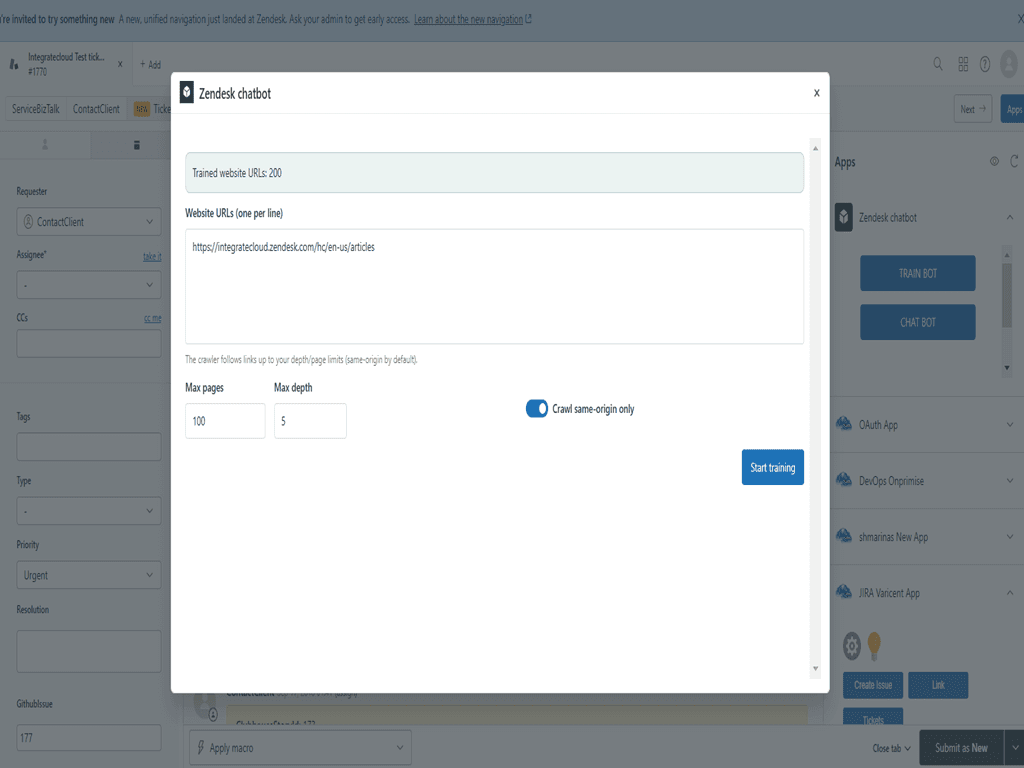
There's no conflict between the listing and IntegrateCloud's website on price, mostly because the website doesn't mention the chatbot at all. The naming wobbles a little: the listing title says "AI Chatbot Assistant by IntegrateCloud", its own description says "Zendesk Chatbot by IntegrateCloud", the window in the app says "Zendesk chatbot", and the developer field says "Integratedcloud". It's the same app under all four names, so don't let that throw you when you search for it.
The more useful numbers on the listing are the small ones. It shows "Less than 5" installs and no ratings, sits at version 1.0, and was last updated on April 22, 2026. That's a brand-new app. Free is a fair price for a 1.0, but it means you'd be one of its first users, with little public feedback to lean on.
What does the free app actually include?
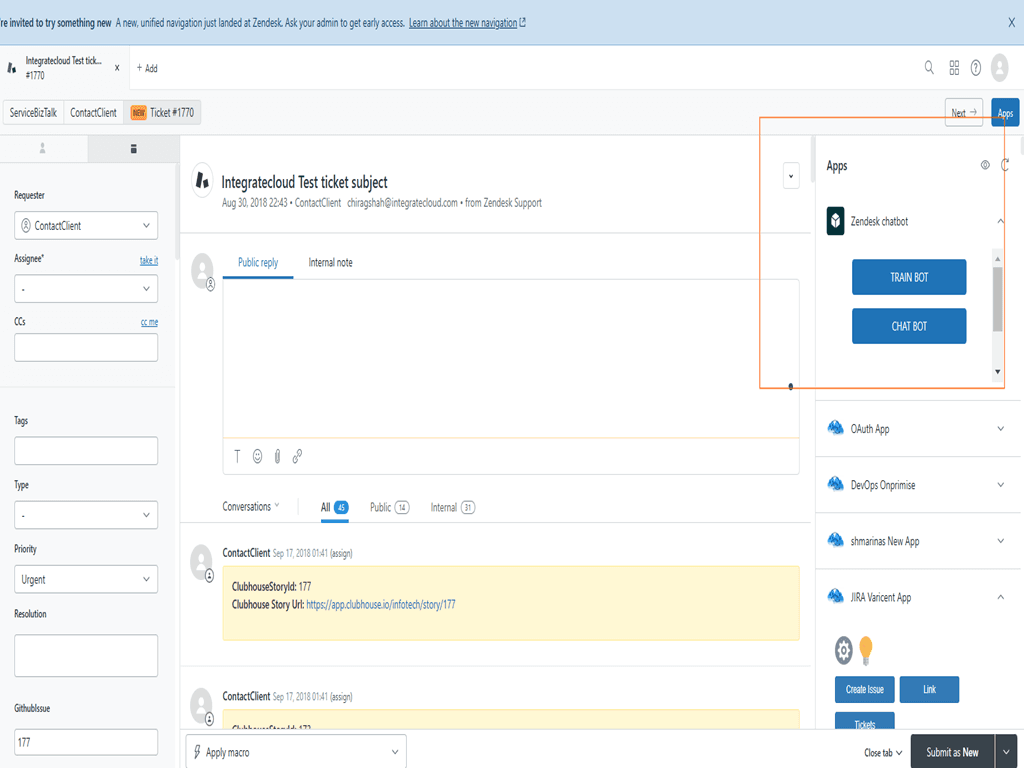
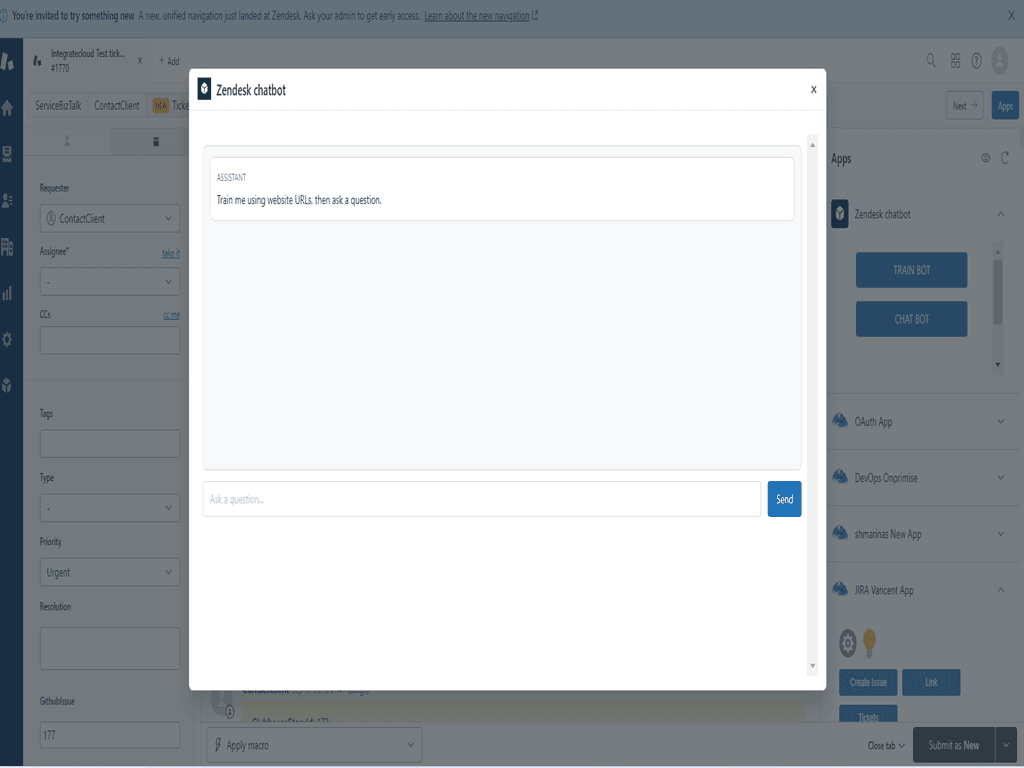
The listing names three features, and they're worth reading closely because they tell you where the line between "the app" and "your job" sits.
- Train Bot. You add website URLs and a crawler follows links up to the depth you choose. Training runs in the background, and you can stop, resume or cancel a job. The listing screenshot shows the defaults: 100 max pages, a max depth of 5 and a same-origin toggle.
- Chat Bot. Agents ask questions in plain language and get answers from your content, with source links so they can check before replying.
- Custom Backend. You set your own backend URL so the app connects to "your preferred AI/embedding service".
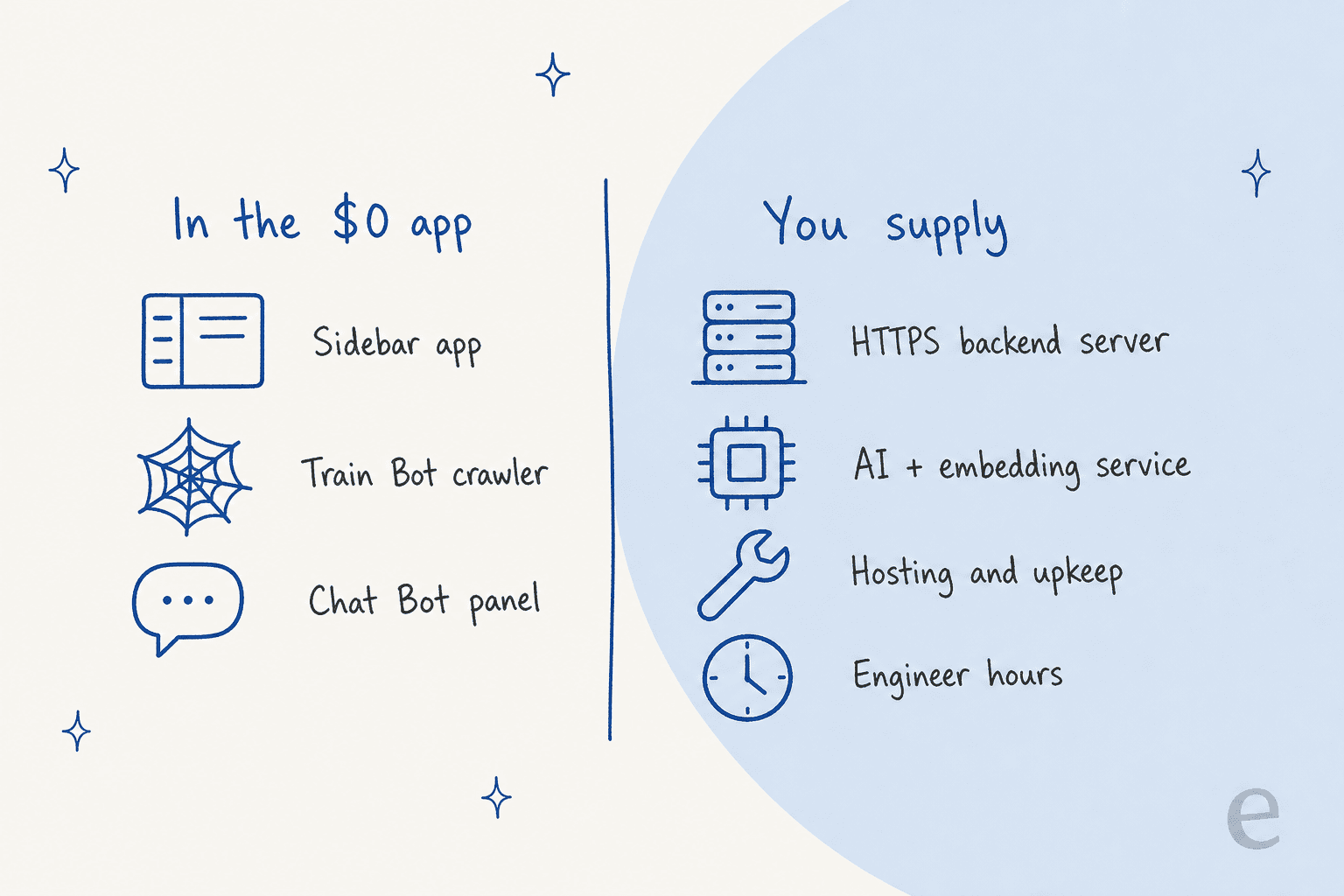
So the $0 buys you the front end: the sidebar app, the crawler screen and the chat panel. The part that does the AI work, turning pages into something searchable and writing the answer, is a backend you provide. The listing doesn't link to a ready-made backend, and I couldn't find one published by IntegrateCloud. If you've ever looked at how support RAG pipelines are built, that's the piece you'd be building.
One more thing to know before the money talk: this is an agent assist tool, not a customer-facing bot. It answers your agents in the ticket sidebar. It doesn't reply to customers, draft into the ticket or close anything. That shapes what it can save you, which I'll come back to.
Where does the real cost come from?
From the backend. Every piece of the AI work runs on infrastructure you own, and the listing is upfront about it: crawled text "is sent to the user-configured backend URL for embedding and indexing", and agent questions go to the same backend to fetch answers.
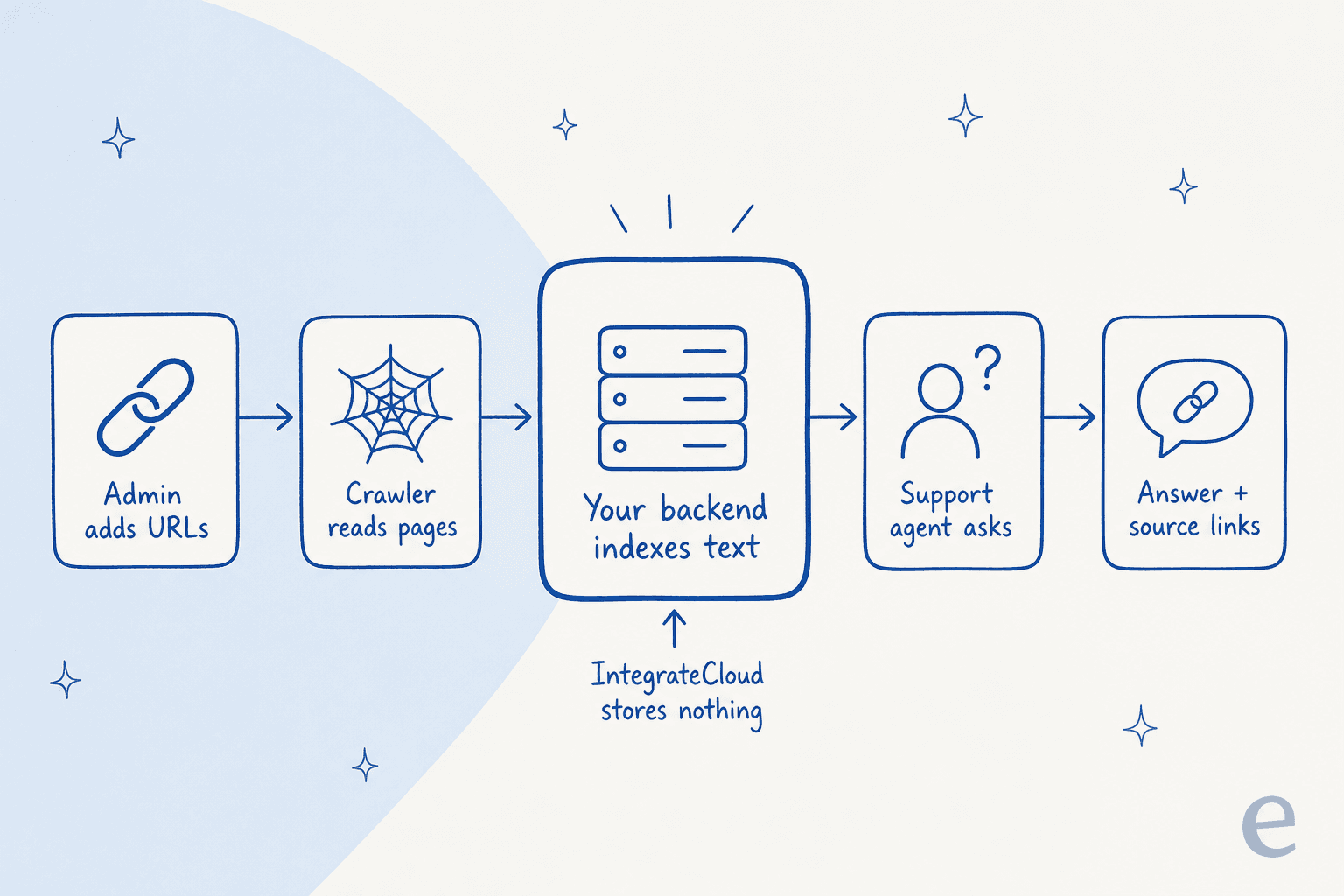
That's a real selling point if your security team wants support content to stay inside your own walls. It's a question that comes up on eesel's sales calls too. One technical evaluator at a B2B hardware company wanted to be sure the AI would answer only from approved knowledge, never from general web data. With IntegrateCloud, you get that by owning the whole stack. My write-up on Zendesk AI data privacy covers what the built-in options promise instead.
Owning the stack means paying for three things:
- A server. Something has to run the backend on HTTPS around the clock, because agents ask questions whenever tickets arrive. Your hosting bill depends on your provider and setup, and IntegrateCloud doesn't publish a recommended spec.
- An AI model. Your backend calls a model for each answer and an embedding service to index pages. Prices depend on what you pick. On OpenAI's pricing page, GPT-6 Luna is $0.10 per million input tokens and $0.50 per million output tokens, GPT-6.1 Sol is $2.00 and $10.00, and GPT-6 Astra is $10.00 and $50.00. My OpenAI API pricing breakdown has the rest.
- Someone to build and run it. A person writes the backend, connects the model, keeps the server patched and fixes it when a crawl fails. That's the line most "free" math leaves out.
Here's the part that surprised me when I ran the numbers. On a cheap model, the AI itself is close to free. Ten agents asking 15 questions a day each, at roughly 4,000 input tokens and 400 output tokens per question, comes to about $2 a month on GPT-6 Luna, or about $40 on GPT-6.1 Sol. The token bill is the smallest line on the page. The engineer is the biggest.
What does the full stack cost each month?
Stack it up and the $0 app is the thinnest layer.
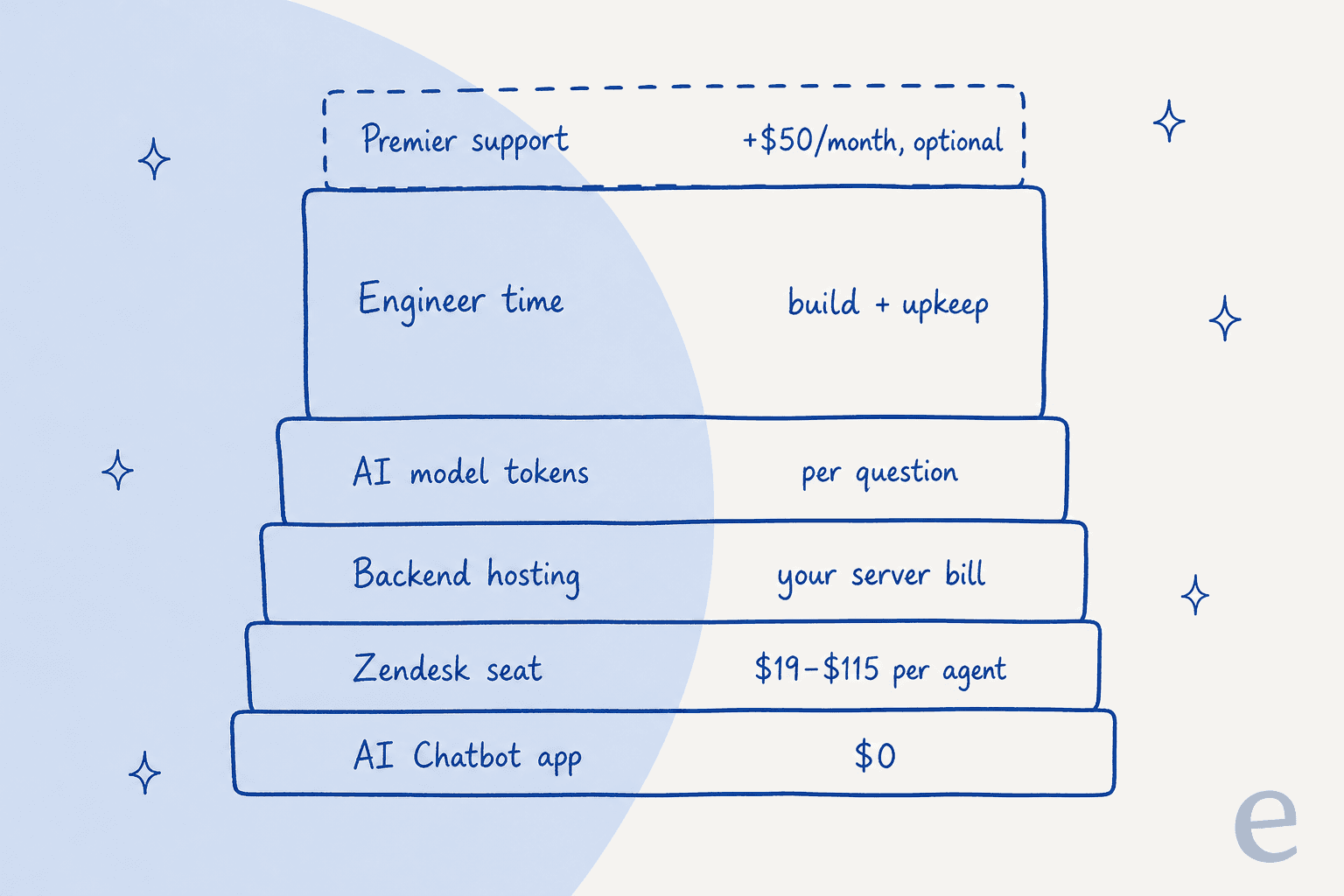
You also need Zendesk itself, which you're probably paying for already. On Zendesk's pricing page, Support Team is $19 per agent a month billed yearly ($25 monthly), Suite Team is $55 ($69 monthly) and Suite Professional is $115 ($149 monthly). My Zendesk pricing guide breaks down what each plan includes. I've left seats out of the calculator below, because you pay them whichever AI route you pick.
Plug in your own numbers. The defaults are examples, not quotes: change the hosting, hours and rate to match your team.
At the defaults, the stack comes to about $267 a month, and $240 of that is the engineer. That's the shift worth sitting with. With a self-hosted bot, you're not buying AI, you're buying a small software project. If your team already has an engineer who enjoys this kind of thing and a server to spare, the IntegrateCloud app is a cheap front end for it. If not, the hours are the price.
My take on the one-off build: I've left it out of the monthly math because nobody publishes a number for it. But someone has to write the backend before the first question gets answered, and that's real time. The build vs buy question is the whole decision here.
How does it compare with Zendesk's own AI?
The fair comparison isn't $0 against a big number. The tools do different jobs, and they bill in different units, so here's each one side by side.
| Option | What it does | How you pay | Sticker price | What you run yourself |
|---|---|---|---|---|
| IntegrateCloud AI Chatbot | Answers agents in the sidebar, with source links | Free app plus your own backend | $0 | Server, AI model, upkeep |
| Zendesk Copilot | Writing tools, ticket summaries and triage for agents | Per agent, per month | $50 per agent a month, billed yearly, on Suite Professional or higher | Nothing |
| Zendesk AI agents | Customer-facing bot that resolves requests | Per automated resolution | 5 to 10 included per agent a month; then $1.50 committed or $2.00 pay-as-you-go | Nothing |
| eesel AI helpdesk teammate | Drafts or sends replies inside Zendesk tickets, tags and routes | Per ticket worked, fixed monthly plan | 100 free credits, then $299 a month for 500 credits | Nothing |
Zendesk prices above come from Zendesk's pricing page, and eesel's from its own pricing page. Copilot's price is per agent, so a 10-agent team pays $500 a month for it, on top of Suite Professional seats. Against that, a self-hosted sidebar bot looks cheap, as long as your engineer hours stay low. If the native add-ons already feel like a stretch, my post on when Zendesk is too expensive has options. My Zendesk AI pricing guide and the Zendesk AI cost calculator go deeper on the native side.
The bigger difference is the job. A sidebar Q&A bot saves an agent the search: they still read the answer, write the reply and send it. Copilot's suggested first reply and tools like eesel go one step further and put a draft in the ticket. On the queue, that's the step that actually saves me time, because typing the reply is most of the work. My roundup of agent assist tools compares the options that draft for you, and my piece on ChatGPT in Zendesk covers the do-it-yourself route.
What does the listing tell you about the risk?
Price is only half of what "free" means. The other half is what happens when it stops working. Here's what IntegrateCloud's own pages say.
- It's new. Version 1.0, last updated April 22, 2026, fewer than 5 installs and no ratings on the listing.
- Its older sibling had a rough start. IntegrateCloud's earlier ChatGPT AI app is also free, shows 10+ installs and has one review, which reads "no funciona en nuestra cuenta" ("it doesn't work on our account"). It's a different app, but it's the closest track record there is.
- Support response times. The free tier answers in about 6 to 12 hours, and a 2-hour SLA costs $50 a month extra, per the SLA page. That page is several years old and covers its integrations in general.
- The company does charge for what it hosts. Its Asana integration is listed on the Zendesk Marketplace at $99.00 per month, and its Jira plans page shows $149 and $299 a month. The chatbot is $0 because you run the server, not because AI is a giveaway.
On the plus side, IntegrateCloud has a long list of Zendesk apps (Jira, Azure DevOps, Slack, GitHub and more) and holds 4.6 out of 5 from 62 reviews on Capterra, mostly for its connectors. One CTO who rated its Freshdesk connector 3 out of 5 on value for money still praised the team:
"Ok, Support and Sales Experience are very good and fast answers"

That matches what I'd expect from a team that ships practical Zendesk Jira-style connectors. A sync app and a live AI backend are different beasts, though. When a Jira sync hiccups, a ticket links late. When the AI backend goes down, every agent who leaned on it is back to searching the help center by hand, in the middle of a shift.
Is the IntegrateCloud AI Chatbot worth it?
Install it if you have an engineer with spare hours, you already run your own AI or embedding service, and your security team wants support content and agent questions to stay on your own servers. For that team, a free, simple front end in the Zendesk sidebar is a good deal, and IntegrateCloud taking no data is a real plus. Test it on a sandbox first, given how new it is.
Think twice if nobody on your team wants to own a server, you need answers that go straight into the reply rather than into a side panel, or you'd want help faster than 6 to 12 hours when it breaks. The "we'll just build our own" plan is a common one. A mid-market customer who left eesel for a cheaper tool wrote to eesel's founder that "long term we will just build our own, which is so possible now with AI." It is possible. It's also a job that someone has to keep doing every month. My guide to free AI chatbots and the list of open source chatbot platforms cover the self-run route in more depth.
eesel for Zendesk teams who don't want to host an AI backend
Everything the IntegrateCloud app asks you to build is what eesel runs for you. eesel's Zendesk integration connects in a few clicks, learns from your help center, macros, website and past tickets, and puts a draft reply in the ticket as an internal note or sends it, whichever you choose. There's no backend URL to set and no server to patch. It can also read sources like Confluence if your answers live there.
The closest match to what IntegrateCloud does is Dokument 24. It points eesel at about 1,900 pages from its own website and 640 Zendesk tickets and articles, and on a customer's first message eesel leaves a Danish draft as an internal note for the team to send. If nothing covers the question, it says it doesn't have the information rather than guessing. In a month that was about 680 tickets prepared and 670 drafts. At larger scale, SE Ranking runs one agent per product on about 16,800 pages of knowledge across Zendesk chat and email, and smava has run eesel on its Zendesk since December 2024, at about 27,000 tickets a month.
The pricing is one number you can plan around. A ticket is 1 credit however many replies it takes, there's no per-seat fee, and plans start at $299 a month for 500 credits after 100 free credits, per the eesel pricing page. If you've weighed it against Zendesk's own AI, my Zendesk AI vs eesel comparison lays it out. Try eesel on your own Zendesk tickets and see the drafts before you pay anything.
Frequently Asked Questions
How much does the IntegrateCloud AI Chatbot cost?
The app itself costs $0. The Zendesk Marketplace listing marks it as a free integration. What you do pay for is the AI backend it needs: a server you host, the AI model it calls and the time to keep both running. You also need a Zendesk Support plan, which starts at $19 per agent a month billed yearly.
Does IntegrateCloud host the AI backend for the chatbot?
No. The listing says you enter your own backend URL in the app settings, that the backend must run on an HTTPS server Zendesk can reach, and that no data is stored by IntegrateCloud. So the hosting, the AI service and the bills for both sit with you. My guide to build vs buy covers that tradeoff.
Is IntegrateCloud AI Chatbot pricing cheaper than Zendesk Copilot?
On the app bill, yes. Zendesk Copilot is $50 per agent a month billed yearly and needs Suite Professional or higher, while the IntegrateCloud app is $0. Once you add hosting, model tokens and engineer time, the gap shrinks fast for a small team. The calculator in this post lets you plug in your own numbers.
Is there a paid support plan for IntegrateCloud apps?
Yes. IntegrateCloud's SLA page says free support answers in about 6 to 12 hours, and premier support with a 2-hour SLA costs an extra $50 per month. That page covers its integrations in general, not the chatbot by name. For a live support tool, that response time matters more than it does for a Jira sync.
What AI model does the IntegrateCloud chatbot use?
Whichever one your backend calls. The app is a front end that sends crawled text and agent questions to the backend URL you set, so the model and its price are your choice. On OpenAI's pricing page, GPT-6 Luna is $0.10 per million input tokens and GPT-6.1 Sol is $2.00. My RAG explainer covers how that setup answers from your docs.
Can customers talk to the IntegrateCloud AI Chatbot directly?
Not from what the listing describes. It sits in the Zendesk ticket sidebar as an agent assist tool: an agent asks a question and gets an answer with source links. For a bot that talks to customers, look at Zendesk AI agents or a tool that drafts and sends replies in the ticket.
What is a cheaper alternative to running your own Zendesk AI backend?
A hosted tool with a fixed price. eesel's Zendesk integration drafts replies inside tickets with nothing to host: 100 free credits, then $299 a month for 500 credits, with a ticket at 1 credit and no per-seat fee. My list of Zendesk AI alternatives has more options.