
You're staring at ticket #847 in your queue. The customer is asking about a refund policy exception, and you know you've answered this before. Somewhere. If only you could find that perfect response you wrote last month. This is where Zendesk AI content suggestions come in. They're designed to surface exactly what you need, when you need it.
This guide is for support agents who want to get the most out of Zendesk's AI features. We'll cover how to use macro suggestions, generative replies, and Agent Copilot in your day-to-day workflow. While Zendesk AI has its strengths, we'll also touch on alternatives like our AI Copilot for teams that need to pull from knowledge beyond their help center. For a broader look at AI support options, check out our guide to the best AI chatbots for Zendesk or read about the Zendesk ticketing process.

What are Zendesk AI content suggestions?
Zendesk AI content suggestions are AI-powered recommendations that appear while you're working on tickets. They analyze the ticket content and suggest responses based on your help center articles and past ticket resolutions.
There are three main types you'll encounter:
- Suggested macros: The AI recommends relevant macros based on the ticket subject and description. These appear at the top of your macros list.
- Generative replies: AI drafts full responses, which Zendesk's pricing page calls suggested first replies, based on existing macros and help center articles.
- Agent Copilot suggestions: Real-time recommendations for articles, macros, and next steps that appear in your workspace.
The system works by analyzing ticket intent and matching it to your knowledge base. It's powered by models from OpenAI (using zero data retention endpoints) or models hosted on Microsoft Azure, Amazon Bedrock, or Google Cloud Platform.
You may still see AI agents - Essential in older accounts: Zendesk made it legacy on May 11, 2026 and plans to remove it on December 10, 2026, in favor of a single agentic AI agent product. Learn more in our complete Zendesk AI review.
How to use macro suggestions effectively
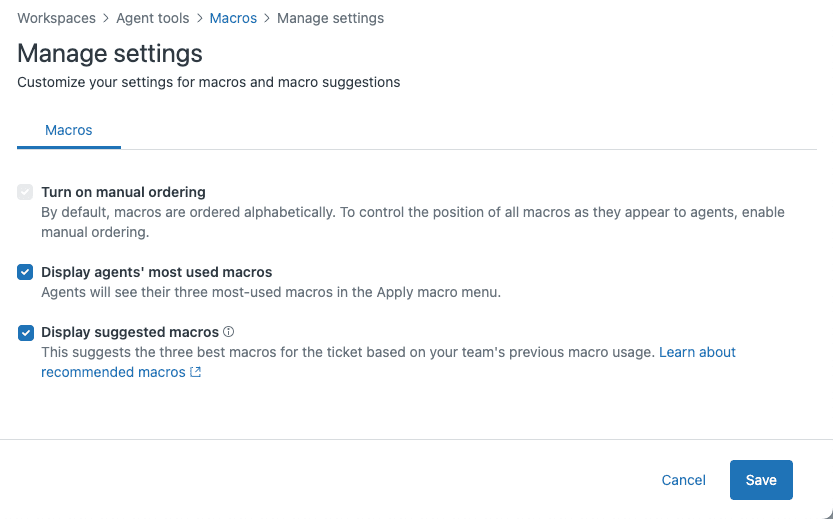
Suggested macros appear at the top of your macros list when you open a ticket. The system shows up to three recommendations based on machine learning analysis of your ticket text compared to past macro usage.
Here's the key: these suggestions are only as good as your team's macro usage history. Your account needs at least 100 tickets with shared macros applied in the last nine months for the feature to activate, according to Zendesk's documentation. New macros take about two weeks to be included in the ML model. Only shared macros are suggested, never personal ones.
When should you accept a macro suggestion? Let's break it down:
Accept it when the macro perfectly matches the scenario. If the customer is asking about your standard return policy and the suggested macro covers exactly that, go for it.
Customize it when the customer context requires personalization. Use their name, reference their specific order number, or acknowledge their unique situation before applying the macro content.
Ignore it when the suggestion misses the mark. The AI isn't perfect, and sometimes it suggests macros that aren't relevant.
Best practices to keep in mind:
- Always review before sending. Don't blindly click and send.
- Add personal touches. Use the customer's name and reference specific details from their ticket.
- Check if the macro answer is still accurate. Macros can become outdated if nobody's maintaining them.
Your feedback matters. When you don't use a suggested macro, or when you edit it significantly before sending, that behavior helps train the system. Over time, the suggestions align better with how your team actually works. For more on AI-powered macros, see our guide to AI macros.
Working with generative replies
Generative replies appear in your agent workspace as drafted responses you can review, edit, or discard. They're created by analyzing your help center articles and generating conversational responses based on that content.
Before using a generative reply, evaluate it carefully:
- Does it actually answer the customer's question? Sometimes the AI generates plausible-sounding responses that miss the mark.
- Is the tone appropriate? A formal response might not suit an angry customer who needs empathy.
- Are there hallucinations or incorrect details? The AI can occasionally include information that isn't in your help center.
When editing generative replies, keep the structure but adjust the specifics. The AI often creates well-organized responses with clear paragraphs. You can keep that framework while adding personal touches or correcting details.
For frustrated customers, add empathy. The AI might write "We understand your concern," but you might want to say "I'm really sorry this happened to you. Let me fix this right away."
Include next steps or follow-up information. The generative reply might answer the immediate question, but you should add what happens next: "You should see the refund in 3-5 business days. I'll send you a confirmation email once it's processed."
When should you regenerate versus write from scratch? Regenerate when the response is close but needs a different angle. Write from scratch when the ticket is complex, emotionally charged, or requires information the AI couldn't possibly know.
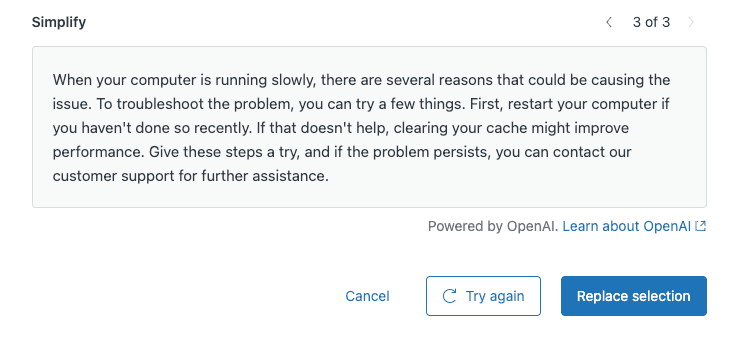
Always check the source articles. Zendesk's generative replies cite which help center articles they pulled from. If the sources look wrong, the response probably is too. You can learn more about using AI to enhance help center content in Zendesk's generative AI documentation.
Making the most of Agent Copilot
Agent Copilot is Zendesk's proactive AI assistant that works alongside you in the ticket workspace. It's available as a $50 per agent per month add-on for Suite Professional and Enterprise plans.
Copilot provides real-time suggestions as you work:
- Article recommendations appear while you're reading tickets, helping you find relevant help center content quickly.
- Macro suggestions show up when you're composing replies, similar to the standalone suggested macros feature.
- Context-aware recommendations appear based on ticket content, customer history, and your team's past responses.
Tips for working with Copilot:
- Don't let suggestions interrupt your flow. Use them as shortcuts, not crutches. If you're in the zone handling a ticket, finish your thought before checking Copilot's recommendations.
- Learn from Copilot's suggestions to improve your own responses. If Copilot consistently suggests certain phrasing or approaches, there might be something to learn from that pattern.
- Flag when suggestions are consistently off-target. Your admin can use that feedback to improve the knowledge base or adjust Copilot settings.
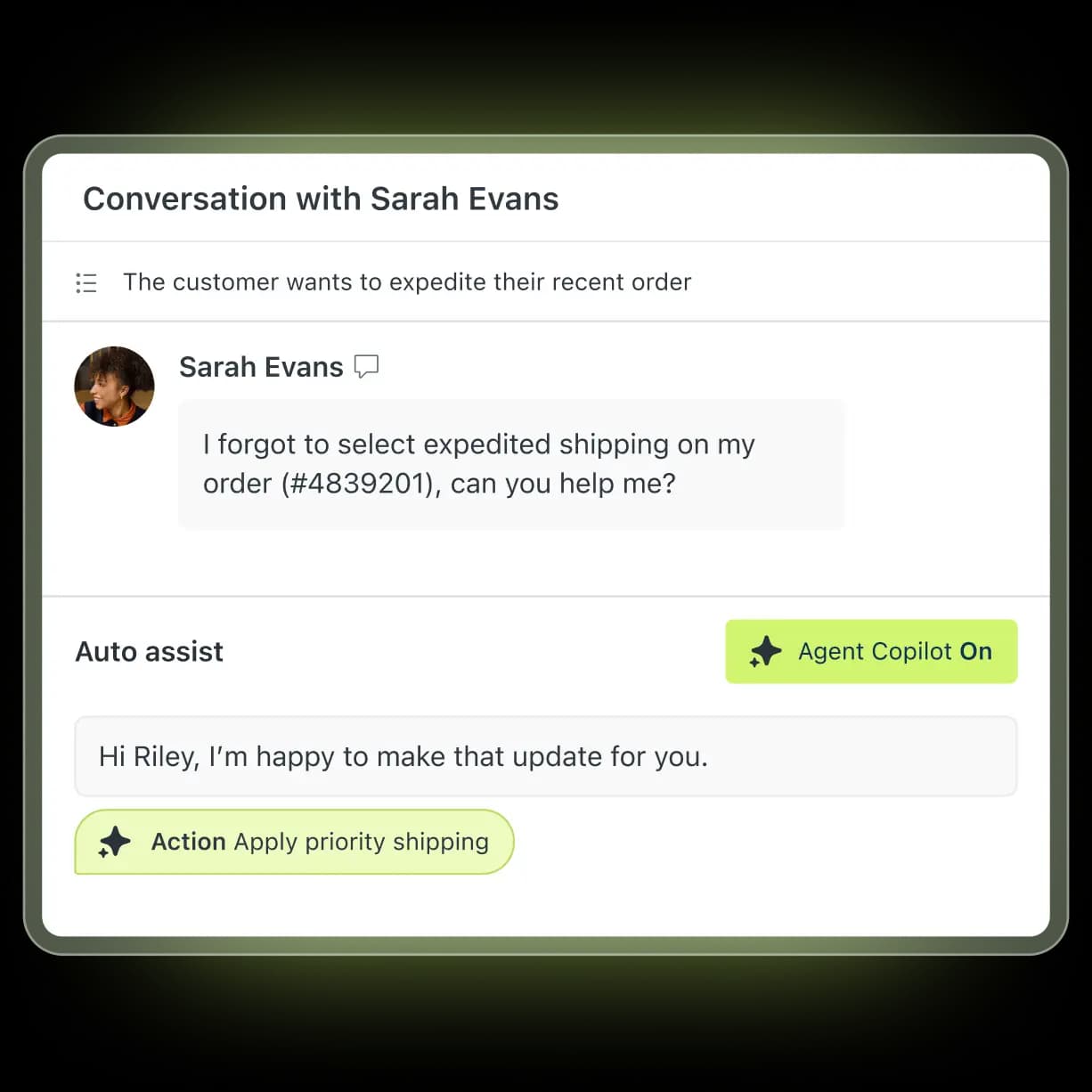
Copilot learns from agent behavior over time. The more your team uses it and provides feedback, the better its recommendations become.
How agents can improve AI suggestions
The feedback loop is what makes AI suggestions improve over time. Your input as an agent directly impacts the quality of future recommendations for your entire team.
Specific actions you can take:
- Click "Not helpful" on bad suggestions and briefly explain why. This trains the system faster than silently ignoring suggestions.
- Suggest missing macros or articles to your admins. If you find yourself writing the same response repeatedly and there's no macro for it, speak up.
- Report outdated information in suggested content. If a macro suggests a policy that's no longer accurate, let someone know.
- Share patterns you notice with your team lead. Comments like "The AI always suggests the wrong macro for billing issues" help identify gaps in your knowledge base.
Good feedback helps the whole team. When you take a moment to mark a suggestion as unhelpful, you're not just helping yourself. You're training the model to be better for everyone.
There's a direct connection between agent expertise and AI improvement. The AI learns from what agents actually do, not just what's theoretically correct. Your judgment calls become part of the training data.
When to trust AI suggestions (and when not to)
Building judgment about when to use AI suggestions takes time. Here's a framework to help you decide:
Green light scenarios (go ahead and use):
- Simple, common questions with clear answers
- Routine procedures documented in your help center
- Standard troubleshooting steps
Yellow light scenarios (proceed with caution):
- Complex issues requiring investigation
- Customers showing frustration or urgency
- Edge cases not covered in standard documentation
Red light scenarios (handle manually):
- Escalated or high-priority tickets
- Issues requiring empathy and de-escalation
- Situations with missing context or incomplete information
Learning when AI helps versus when human touch is essential is part of becoming a better support agent. The AI is a tool, not a replacement for your judgment. For more on building effective AI-powered support, see our guide to AI for customer service.
Expanding beyond Zendesk's limitations
Zendesk's first-reply suggestions draw on your macros and help center articles, per its pricing page. Zendesk's knowledge connectors can import external sources such as Confluence, SharePoint, and public websites, but anything you haven't connected or imported stays invisible to the AI.
Teams often need more than what Zendesk AI offers:
- Knowledge in tools outside Zendesk's connector list, such as Notion or Google Docs, alongside Confluence
- Need to learn from past ticket resolutions, not just published help center articles
- Want one AI that takes actions across several systems, not only inside Zendesk
This is where alternatives like our AI Agent come in. We integrate directly with Zendesk but pull from a broader range of knowledge sources. We can learn from your past tickets, not just your help center. And we can take real actions through API connections.

We don't see ourselves as a replacement for Zendesk. Many teams use us alongside Zendesk AI, letting Zendesk handle the straightforward queries while we tackle the complex ones that require deeper knowledge or system actions. For more on getting the most from your Zendesk setup, see our guide to Zendesk ticket automations.
Getting the most from Zendesk AI content suggestions
Let's recap the key practices:
- Review all AI suggestions before sending
- Add personal touches to generic responses
- Provide feedback on unhelpful suggestions
- Know when to handle tickets manually
AI suggestions improve with agent feedback. The more you engage with the system and provide input, the more useful it becomes for you and your team.
Try implementing one tip from this guide in your next shift. Maybe it's checking the source articles on generative replies, or taking an extra moment to mark an unhelpful macro suggestion.
For teams ready to explore more advanced AI options, our platform offers simulation capabilities that let you test AI responses on past tickets before going live. We also integrate with knowledge sources beyond your help center, giving you a more complete picture when suggesting responses.
Ready to see how AI can transform your support workflow? Try eesel AI free or book a demo to see our AI Copilot and AI Agent in action.