

What is the IntegrateCloud AI chatbot?
IntegrateCloud is a small company best known for connectors that sync Zendesk tickets with Jira, Azure DevOps, Asana and GitHub. Its AI Chatbot Assistant is a newer side project: a ticket sidebar app whose tagline is "AI assistant for agents. Train on URLs for instant answers with sources."
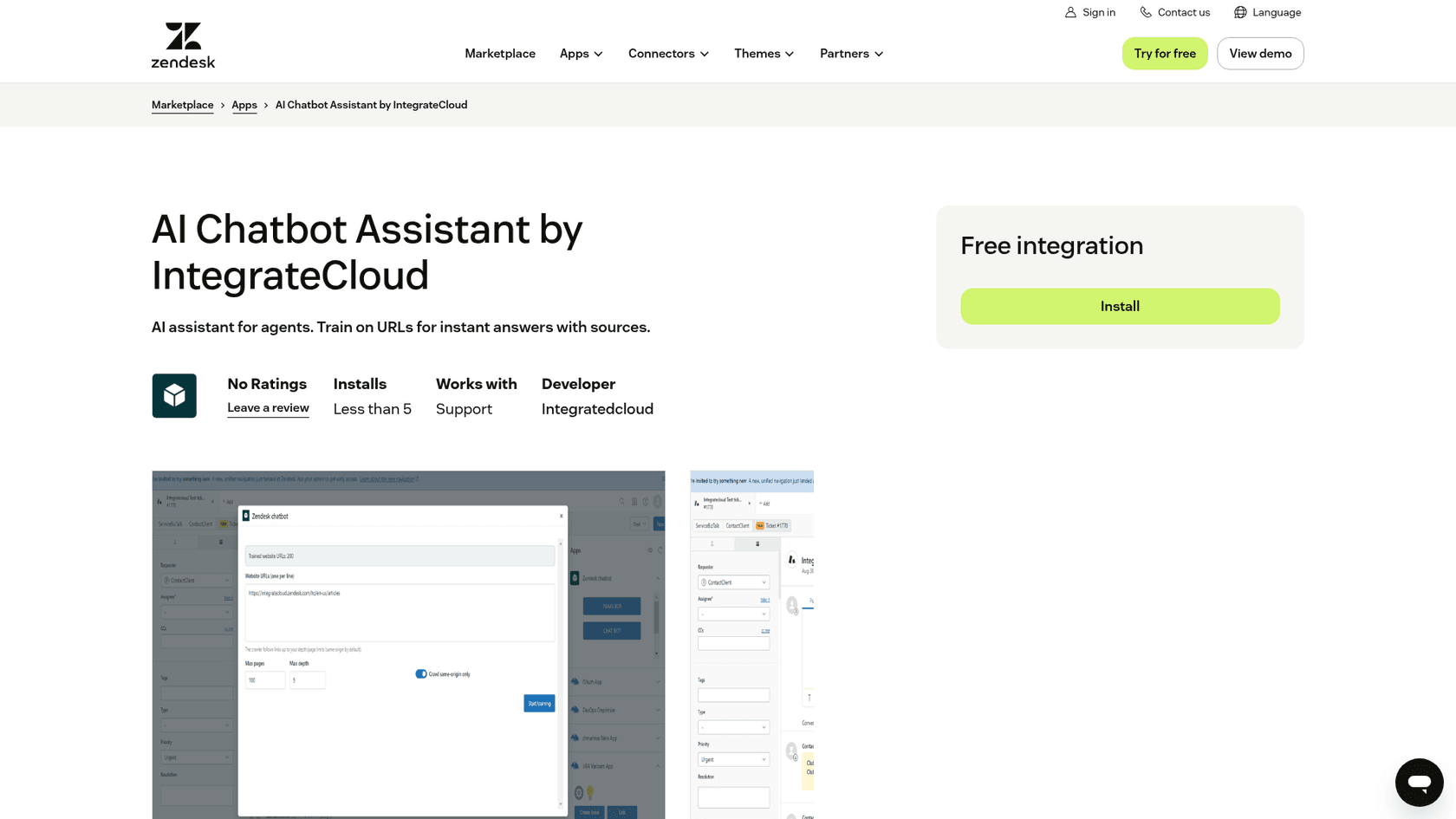
I build AI agent features for a living, so my first question with any "chatbot" app is where the model lives. Here the answer is unusual: nowhere in the app. I read the full Marketplace listing, the install notes, IntegrateCloud's help center and the screenshots the listing ships with. I didn't stand up a backend and run it on live tickets, so where I describe behavior, it's what IntegrateCloud documents and shows.
The quick facts from the listing:
| Detail | What the listing says |
|---|---|
| Price | Free integration |
| Version | 1.0, last updated April 22, 2026 |
| Installs | Less than 5 |
| Ratings | No Ratings |
| Works with | Zendesk Support |
| Category | AI and Bots |
| Developer | Integratedcloud (support via email and integratecloud.com) |
| AI model | None included; you supply a backend URL |
The developer name on the listing is spelled "Integratedcloud", while the company site is IntegrateCloud. Same publisher, judging by the "More apps by Integratedcloud" section, which lists its Jira, Slack and Azure DevOps connectors.
How does the IntegrateCloud AI chatbot work?
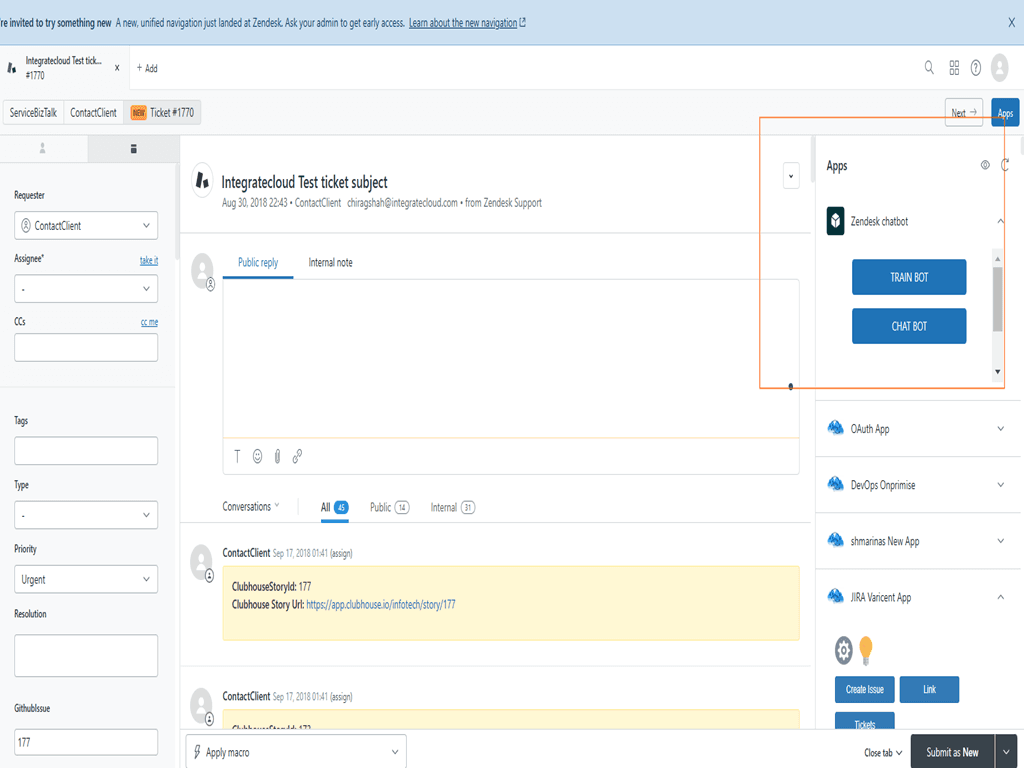
The app has two buttons in the ticket sidebar, Train Bot and Chat Bot, and one setting that does all the heavy lifting.
Under the hood this is retrieval-augmented generation: crawl pages, turn their text into embeddings, then pull the closest chunks when an agent asks a question and have a model write an answer from them. The interesting design choice is that IntegrateCloud built only the Zendesk end of that pipeline. The listing's data disclosure says page text "is sent to the user-configured backend URL for embedding and indexing," and that "No data is stored by IntegrateCloud."
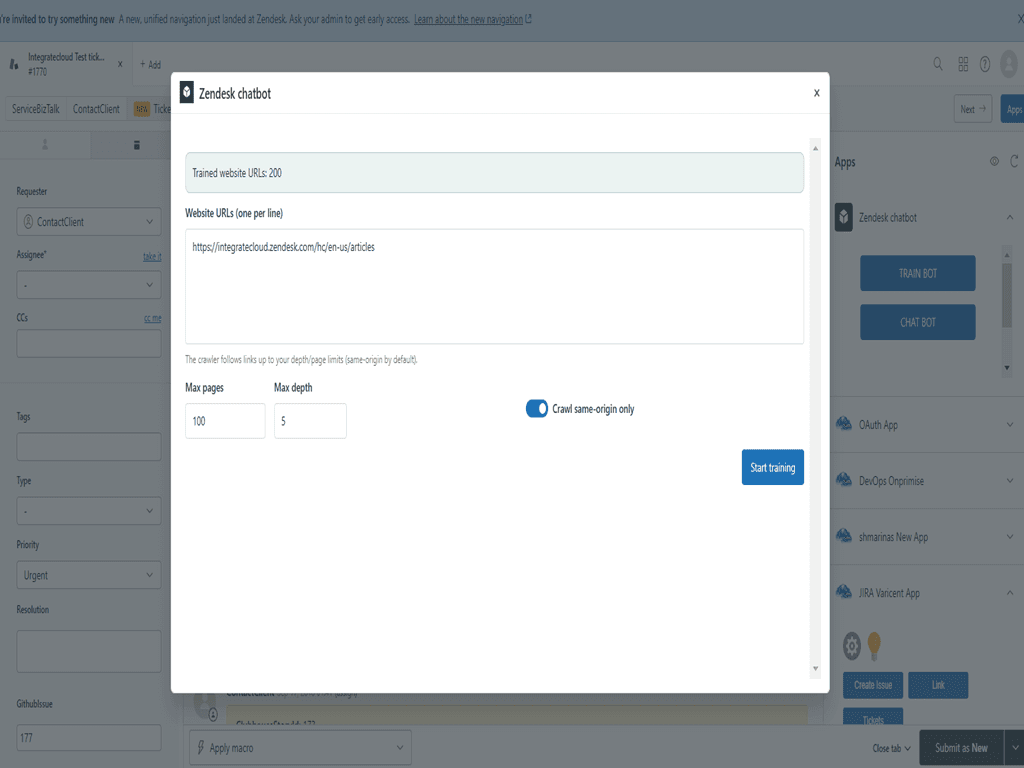
Train Bot: crawl your URLs
The Train Bot screen takes website URLs, one per line. The listing says the crawler follows links "up to your chosen depth," runs in the background, and lets you stop, resume or cancel a job. The screenshot shows the controls: a Max pages field set to 100, a Max depth field set to 5, and a "Crawl same-origin only" toggle switched on.
Two things stood out to me. First, the sources are URLs only. There's no option shown for uploading files, connecting Google Drive or Confluence, or learning from your past Zendesk tickets, which is where most of a support team's real answers live. Second, a public help center works fine with this, but anything behind a login (an internal wiki, a private docs site) depends on what your own backend can reach.
Chat Bot: ask in the sidebar
The Chat Bot panel is a plain chat box. Before training, it greets you with "Train me using website URLs, then ask a question." Afterwards, agents ask in natural language and the listing says the bot "answers using your specific content and provides source links for verification."
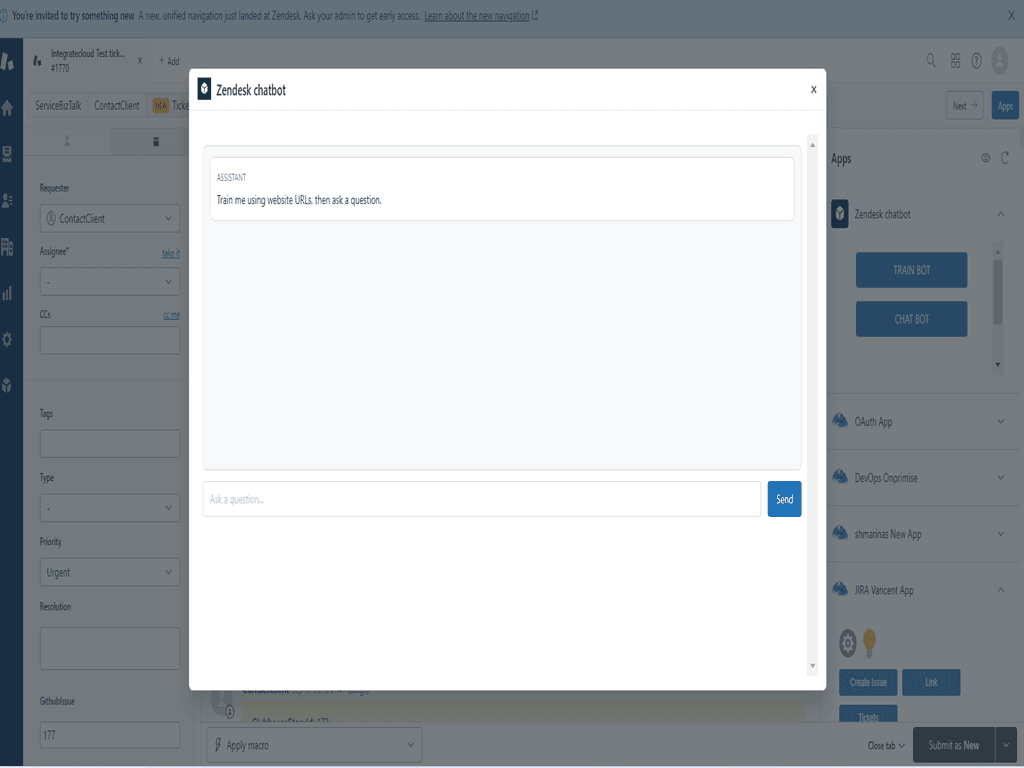
Source links are the best part of the design. An agent can click through and check the answer before pasting anything to a customer, which matters a lot when a bot is guessing. What the panel doesn't do, based on everything the listing shows, is read the ticket in front of the agent, draft a reply into the composer, or touch tags and fields. The agent copies the question in and copies the answer out.
Custom backend: the part you build
The install notes are short and honest: "enter your Chatbot backend URL in app settings" and "Ensure your backend is running on an HTTPS-enabled server and is reachable from Zendesk." The listing calls this connecting "your preferred AI/embedding service."
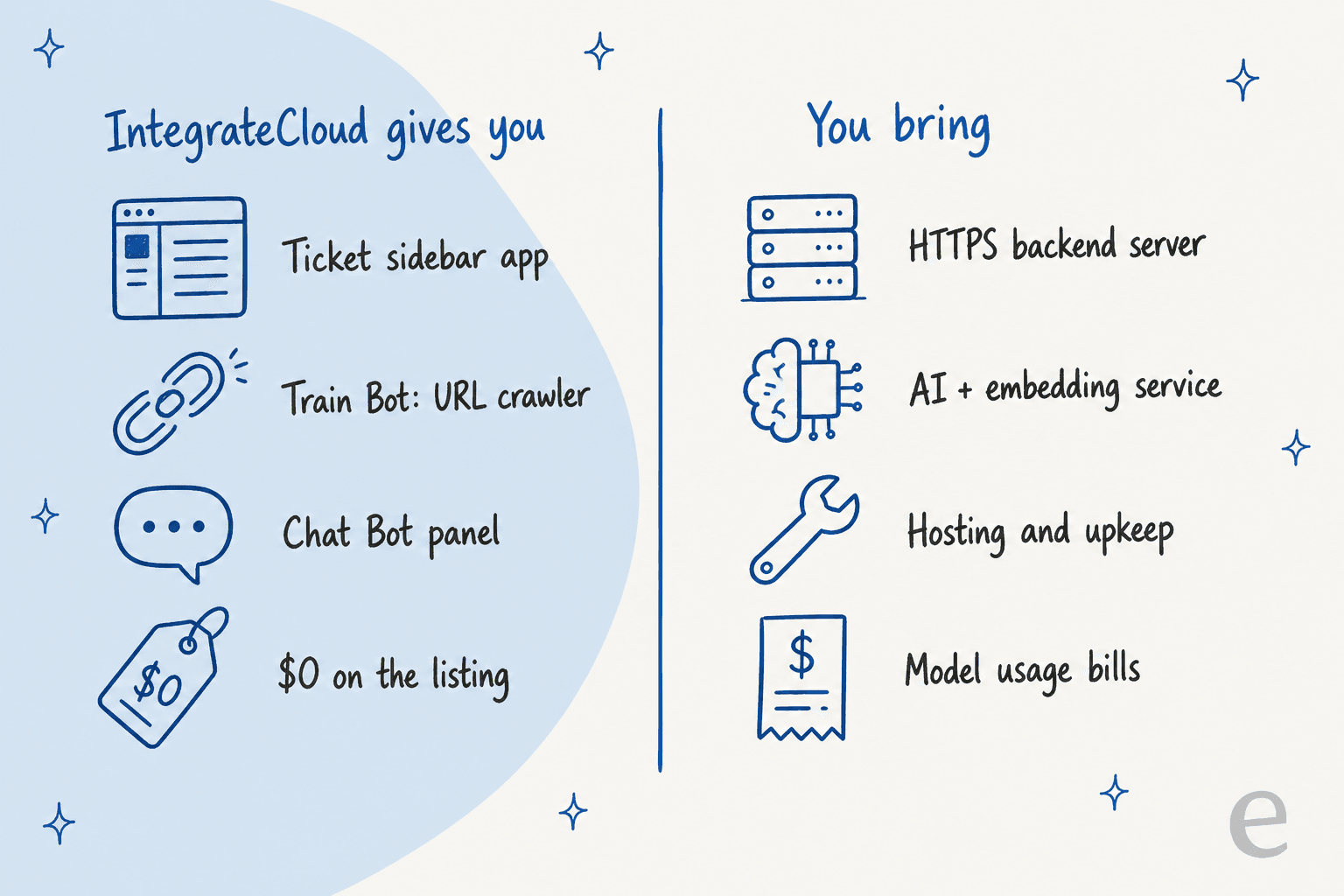
I couldn't find documentation from IntegrateCloud on what that backend has to look like: which endpoints it must expose, what request format the crawler sends, or whether a reference server exists. Without that, "free" means you or a developer are building the service the app talks to. That's the single biggest thing to know before you click Install.
What does the IntegrateCloud AI chatbot cost?
Installing the app costs nothing. IntegrateCloud's own site has no published price for the chatbot, and its pricing page is a price calculator for the connector apps. So the honest answer is "$0 for the app, plus whatever your backend costs." For a sense of what IntegrateCloud charges elsewhere, here's what its own pages list:
| IntegrateCloud product | Listed price | Source |
|---|---|---|
| AI Chatbot Assistant (Zendesk) | Free integration | Zendesk Marketplace |
| ChatGPT AI By IntegrateCloud (older Zendesk app) | Free integration | Zendesk Marketplace |
| Asana Integration By IntegrateCloud | $99.00 per month | Zendesk Marketplace |
| Jira integration, Plus plan | $149/mo, valid up to 5 users | IntegrateCloud Jira plans |
| Jira integration, Premium plan | $299/mo | IntegrateCloud Jira plans |
| Premier support, 2-hour SLA | Extra $50 per month (free tier: 6-12 hours) | IntegrateCloud help center |
The backend bill depends entirely on what you run. If you point it at a hosted model, you pay that provider per token for both embeddings and answers (my OpenAI API pricing guide breaks down one common option), plus hosting for the server and a vector store. If you self-host an open model, the cost moves to hardware. Either way, add the engineer time to build and patch it. A team that already pays for Zendesk Copilot, which Zendesk's pricing page lists at $50 per agent per month paid yearly, gets agent-side AI without running anything.
What do users say about IntegrateCloud?
Nobody has reviewed this app yet. The listing reads "No Ratings," and I found no Reddit, G2 or X discussion of it. The closest signal comes from two places, and both need a caveat.
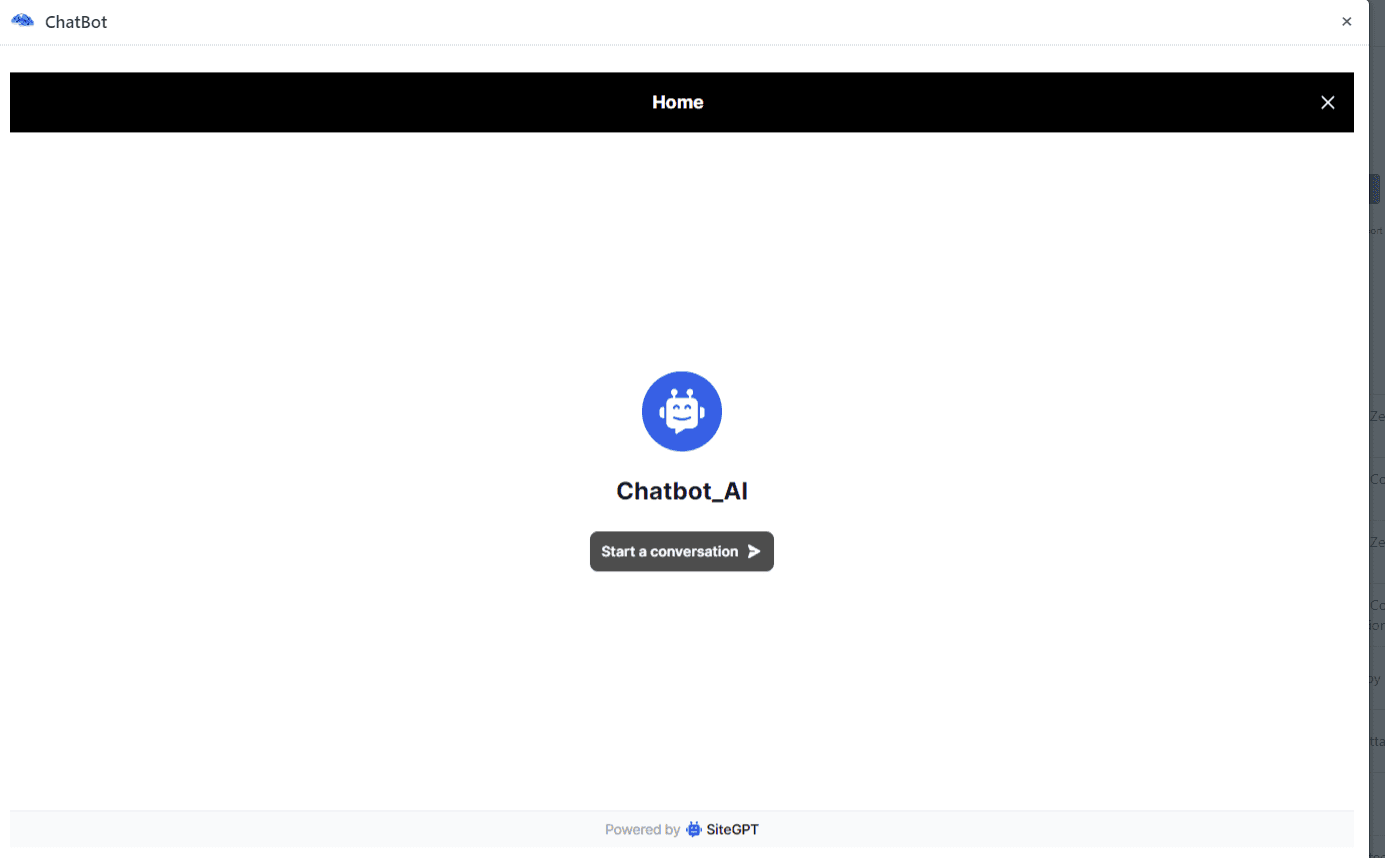
The first is IntegrateCloud's older AI app, ChatGPT AI By IntegrateCloud. It's a different product (trained on your Zendesk Help Center, version 2.0, last updated April 3, 2025, 10+ installs), and its one Marketplace review, from over two years ago, reads in Spanish "no funciona en nuestra cuenta," meaning it didn't work in their account. One of its listing screenshots also shows a "Powered by SiteGPT" footer inside the chat window, which suggests that app wrapped a third-party chatbot builder (see my SiteGPT pricing breakdown for what that tool is).
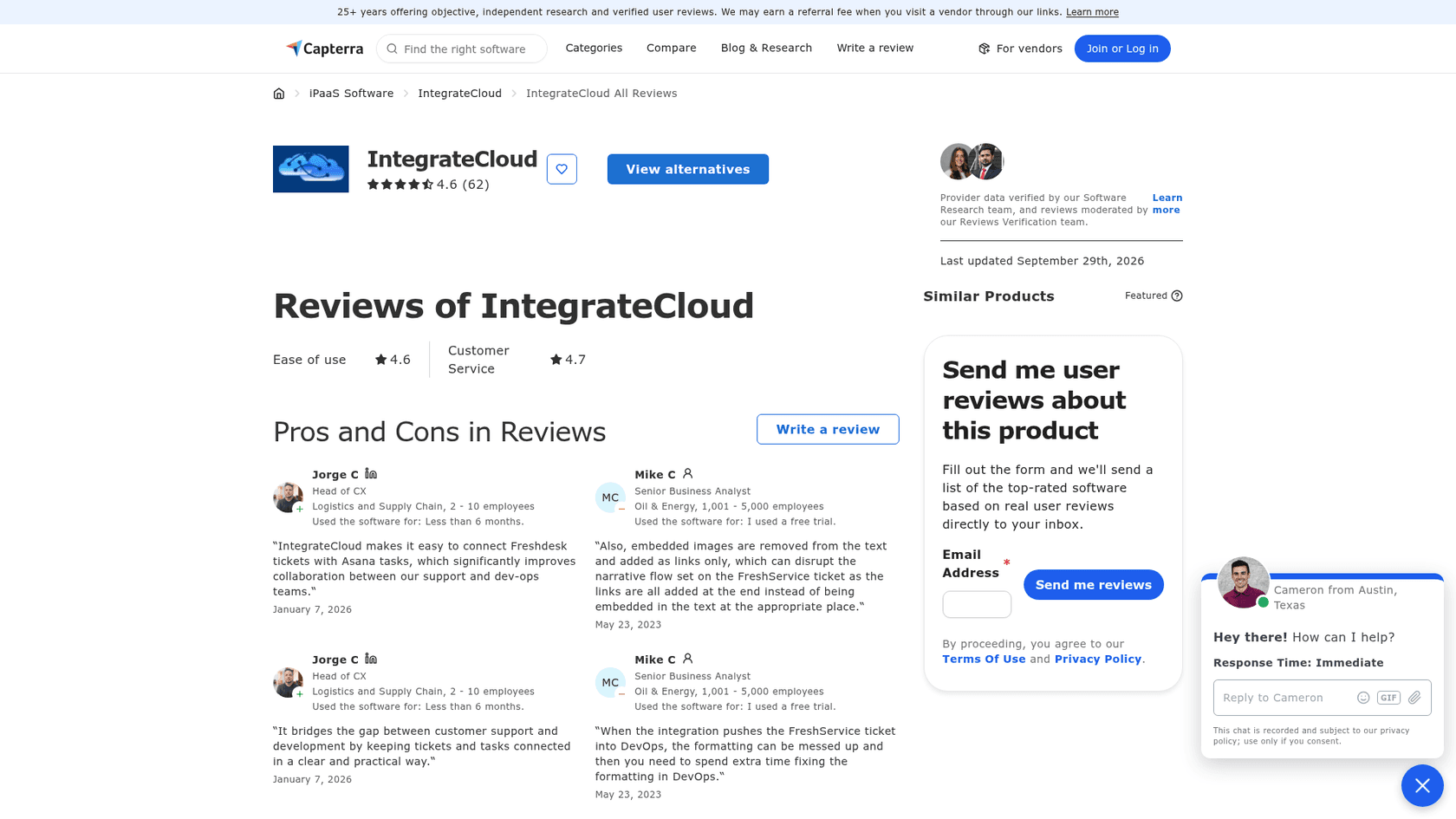
The second is IntegrateCloud's company profile on Capterra, which holds 4.6 from 62 reviews, with 4.6 for ease of use and 4.7 for customer service. Those reviews are about its ticket connectors, not the chatbot, but they tell you what working with the team is like.
The praise is mostly about bridging support and engineering:
"IntegrateCloud makes it easy to connect Freshdesk tickets with Asana tasks, which significantly improves collaboration between our support and dev-ops teams."

And value comes up when people compare it to general automation tools. One reviewer who switched from Zapier wrote that "It was cheap and much better than the expensive options out there." The complaints are about rough edges in how data moves between systems:
"When the integration pushes the FreshService ticket into DevOps, the formatting can be messed up and then you need to spend extra time fixing the formatting in DevOps."
Several reviewers also mention the interface: "Not the most aesthetic integration" in one review, "UI can be a bit more attractive" in another. That matches what the chatbot screenshots show, a functional but bare panel.
IntegrateCloud AI chatbot pros and cons
Here's how I'd sum it up after going through everything IntegrateCloud has published.
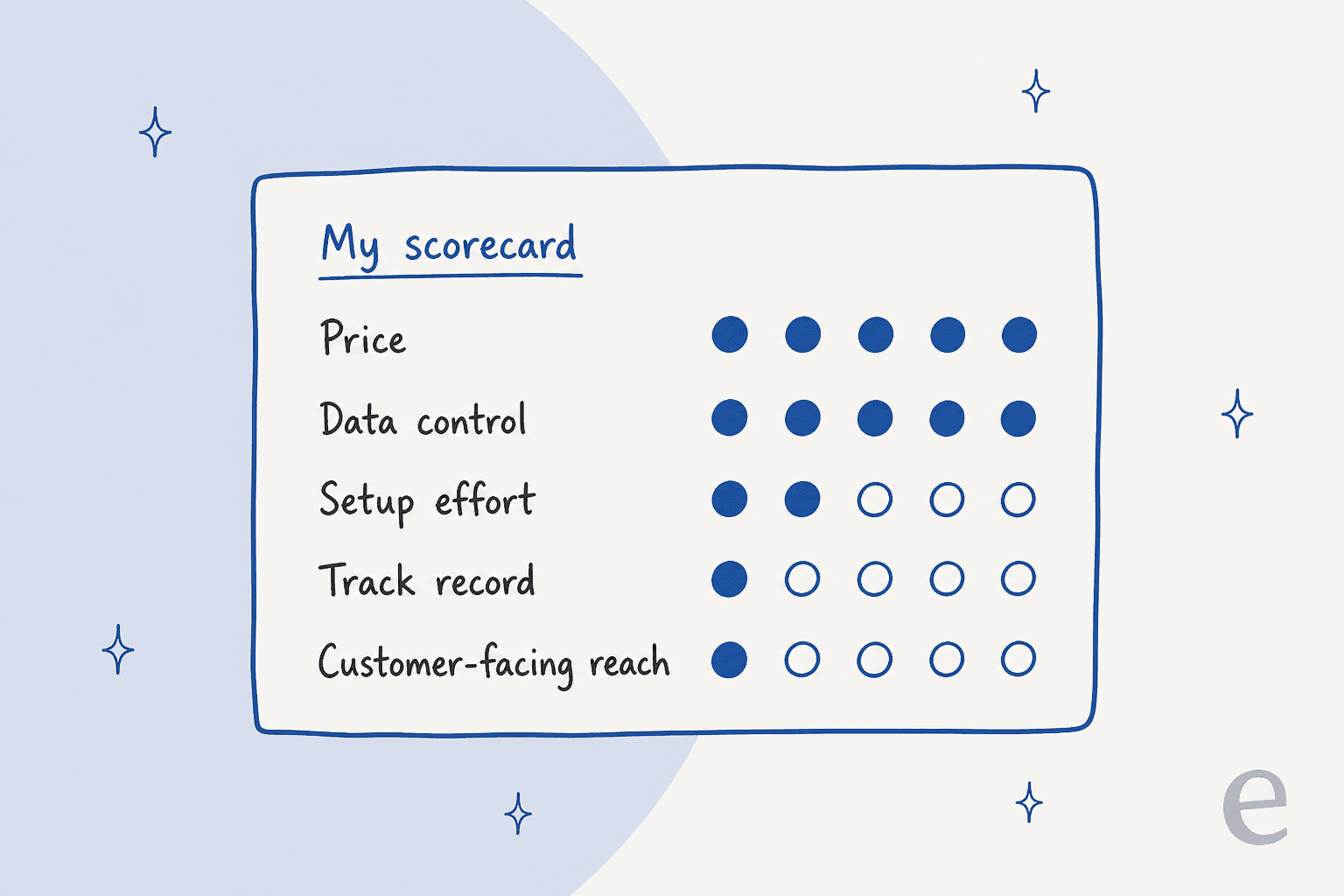
Pros
- Free on the Zendesk Marketplace, with no seat or usage fee from IntegrateCloud.
- Answers carry source links, so agents can verify before replying.
- You choose the AI and keep the data on your own infrastructure. For a team with strict data rules, that's a real plus.
- The crawler has sensible controls: page limit, depth limit, same-origin toggle, and background jobs you can stop or resume.
Cons
- No AI included. You build and host the backend, and I found no public spec for it.
- Agent-facing only. It doesn't answer customers, draft into the reply box, or act on tickets.
- URL crawling is the only documented knowledge source, so past tickets, macros and internal docs are out unless your backend handles them.
- Version 1.0 with fewer than 5 installs and no reviews, and the older ChatGPT app's only review said it didn't work.
- Free support is a 6-12 hour turnaround per IntegrateCloud's help center; a 2-hour SLA is an extra $50 a month.
Who should use the IntegrateCloud AI chatbot?
I'd pick it in one situation: you already run a retrieval service (maybe your engineers built one for your docs site), and you want agents to query it without leaving Zendesk. Then IntegrateCloud saves you building a Zendesk sidebar app from scratch, and the price is right.
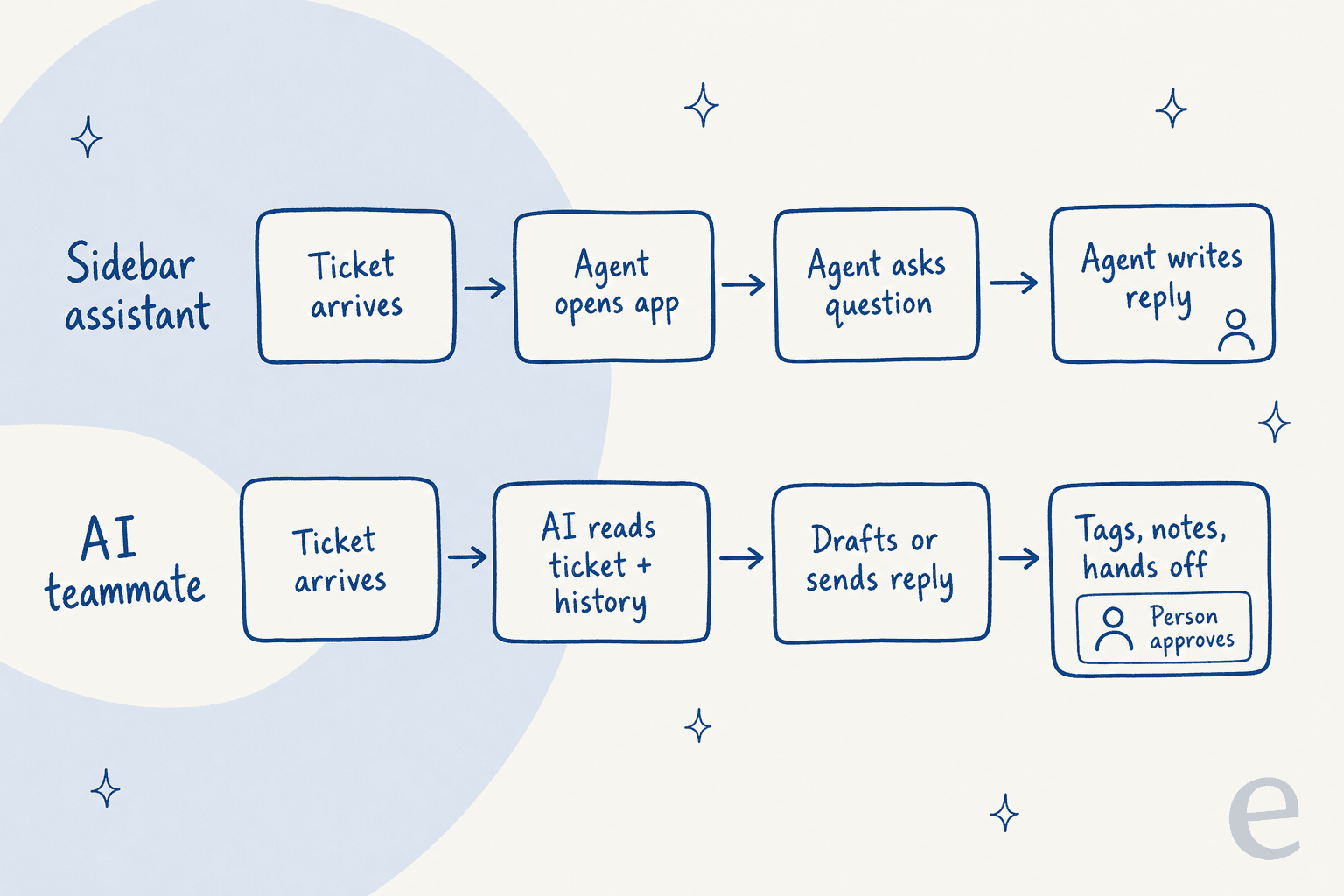
I'd skip it if you're looking for AI to take work off your agents' plates. A sidebar Q&A box still has an agent opening the app, phrasing a question, reading the answer and writing the reply. That's the gap between agent assist and an AI that works the ticket itself.
If what you want is built into Zendesk, the native options are Zendesk Copilot for agents and Zendesk AI agents for customers. Copilot is the $50-per-agent add-on, and Zendesk's pricing page bills AI agent resolutions beyond your allowance at $1.50 committed or $2.00 pay-as-you-go.
To compare third-party tools, my best AI for Zendesk roundup is the next stop. And if price is what brought you to this app, my guide to a free Zendesk AI chatbot covers the no-cost routes.
How eesel handles the same job in Zendesk
I work on the agent side of eesel, so I'll be specific about where it differs. eesel is an AI helpdesk teammate that connects to Zendesk through its Zendesk integration, with nothing for you to host. It learns from your help center, your past tickets and connected docs, then reads each ticket and drafts or sends the reply, leaves internal notes and hands off to a person where it should.

Three Zendesk customers show the range:
- Called in by an agent. At Adverscale, which runs several US passport application services from one Zendesk, an agent writes @eesel in an internal note and the teammate, Emily, takes it from there. Between 8 August and 8 September 2026 she handled about 2,400 tickets, sent about 1,600 replies and left about 2,700 internal notes. Refunds always go to a person.
- Trained on website pages, like the IntegrateCloud crawler. Lesson Pro answers from about 4,000 tickets, articles and web pages, roughly 2,100 from Zendesk and 1,900 from its own site. In a month it worked about 1,900 tickets across two Zendesk accounts and drafted about 560 replies for the team to approve.
- Trained on internal runbooks. Cactus Club Cafe uses it for restaurant tech support: about 750 Zendesk tickets in a month, 790 draft replies and about 1,650 runbook and policy lookups.
eesel is the better fit when you want the AI to do the ticket work, not just answer questions about it. It isn't free once the trial runs out: eesel pricing starts at $299 a month for 500 credits, where a ticket or chat is 1 credit, after 100 free credits to test. If all you need is a docs search box for agents and you have the engineers, IntegrateCloud costs less.
My verdict on the IntegrateCloud AI chatbot
AI Chatbot Assistant by IntegrateCloud is a free Zendesk front end for an AI you build yourself. The design is sensible (crawl controls, source links, your data stays with you), but with version 1.0, fewer than 5 installs, no reviews and no published backend spec, it's an early kit. I'd give it a 2.5 out of 5 for most support teams, and a fair shot for an engineering-led team that already has the backend and just wants it in the Zendesk agent workspace.
If you'd rather have Zendesk AI that drafts the reply instead of answering a question about it, eesel plugs into your Zendesk in a few minutes, learns from tickets you've already solved, and you can simulate it on past tickets before it touches a live one. Try eesel free with 100 credits.
Frequently Asked Questions
Is the IntegrateCloud AI chatbot free?
The Zendesk Marketplace lists AI Chatbot Assistant by IntegrateCloud as a free integration. The catch is that the app needs a chatbot backend URL you host yourself, so the AI, embedding and server costs land on your own bills. My free Zendesk AI chatbot guide covers other no-cost routes.
What does the IntegrateCloud AI chatbot do in Zendesk?
It adds a Train Bot and Chat Bot panel to the Zendesk ticket sidebar. Admins crawl website or docs URLs, and agents ask questions and get answers with source links. It is an agent assist tool, not a customer-facing Zendesk chatbot.
Does the IntegrateCloud AI chatbot reply to customers?
Not in this app. The listing describes an assistant for agents in the ticket sidebar, so a person still writes and sends every reply. For bots that answer customers directly, see my Zendesk AI agent review or eesel's Zendesk integration.
Is the IntegrateCloud AI chatbot review score good?
There is no score yet. The Zendesk listing shows no ratings and fewer than 5 installs. IntegrateCloud as a company holds 4.6 from 62 Capterra reviews, but those cover its Jira, Azure DevOps and Asana connectors. My best AI for Zendesk roundup compares tools with a longer track record.
How does the IntegrateCloud AI chatbot compare to Zendesk Copilot?
Zendesk lists Copilot at $50 per agent per month paid yearly, with suggested replies and summaries built into the agent workspace. The IntegrateCloud app costs nothing on the listing but only answers questions from crawled URLs, and you run the AI yourself. More in my Zendesk Copilot breakdown and the Zendesk AI pricing guide.
Where does my data go with the IntegrateCloud AI chatbot?
Per the listing, crawled page text goes to the backend URL you configure for embedding and indexing, and agent questions go to that same backend. IntegrateCloud says it stores no data. That is good for control, but the security work moves to you. My Zendesk AI data privacy post covers what to check.
What is a good IntegrateCloud AI chatbot alternative for Zendesk?
If you want AI that works the ticket rather than waiting for questions, eesel's AI helpdesk teammate runs inside Zendesk, learns from past tickets and drafts or sends replies. Plans start at $299 a month for 500 credits after 100 free. My Zendesk AI alternatives list has more.