AI for Zendesk: how to add AI agents to your queue in 2026

Rama Adi

Katelin Teen
Last edited September 4, 2026
The two ways to put AI on your Zendesk queue
Before you compare features, it helps to know that "AI for Zendesk" splits into two categories that get talked about as if they were one.
The first is native Zendesk AI: the AI agents, Copilot, and knowledge features that Zendesk builds and sells inside its own Resolution Platform. The second is a third-party AI layer that connects to Zendesk through the API and Marketplace, reads the same tickets, and acts inside the same queue, but comes from a different vendor with a different pricing model.
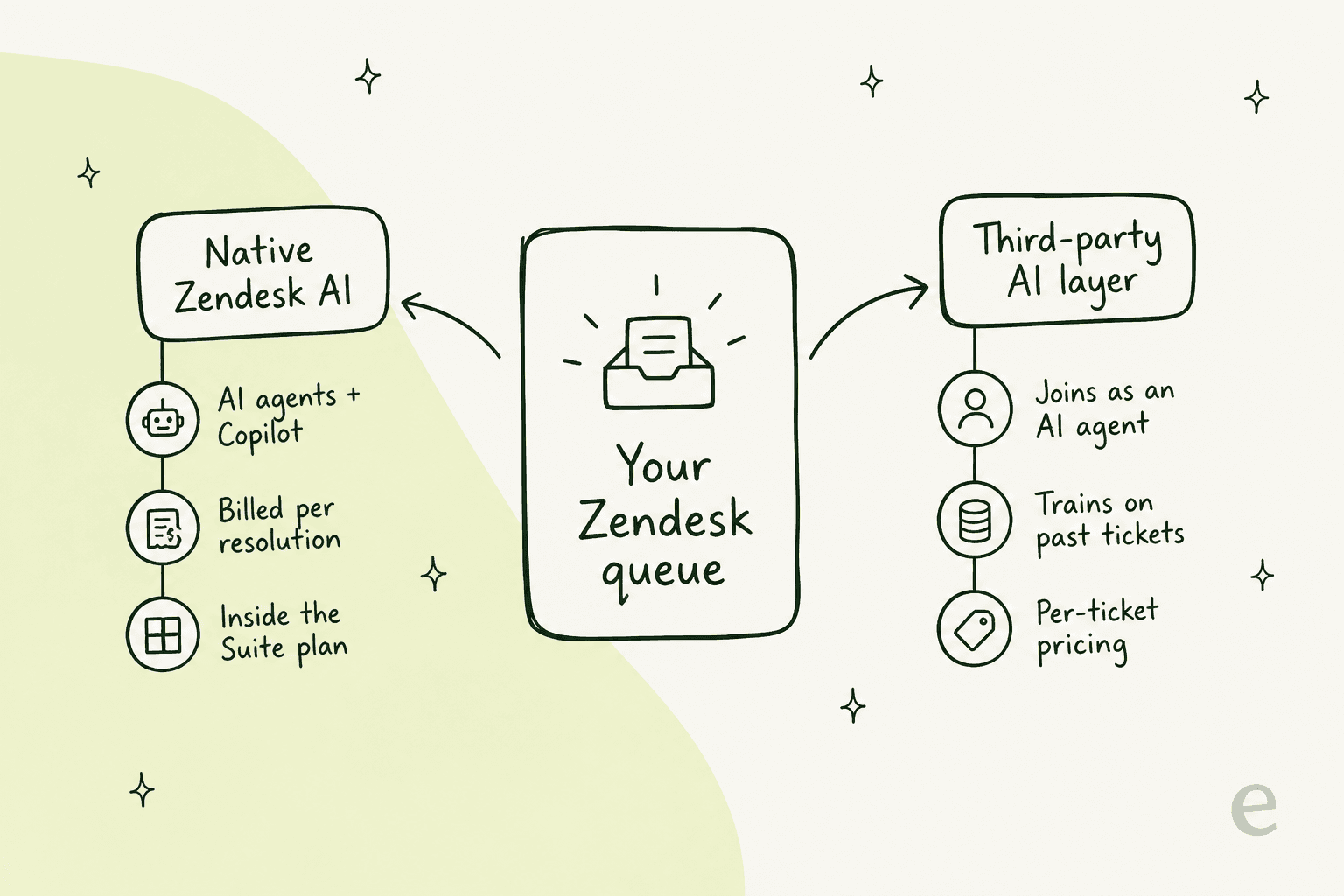
Neither is automatically right. The native route wins on "it's already there." The layer route wins on control and cost predictability. The rest of this guide walks both so you can pick with your eyes open.
One quick note on where I'm coming from. I work on the team that builds eesel's Zendesk integration, so I've spent a lot of time in the API that both routes rely on. That's also taught me to be honest about the hard parts: we've watched a confident-sounding bot quietly give a wrong answer, which is exactly why the "test before you trust it" section below matters more than any feature list.
Option 1: Zendesk's own AI agents and Copilot
If you're already paying for Zendesk Suite, you have AI sitting in the box. There are two pieces worth knowing.
AI agents (the autonomous bit)
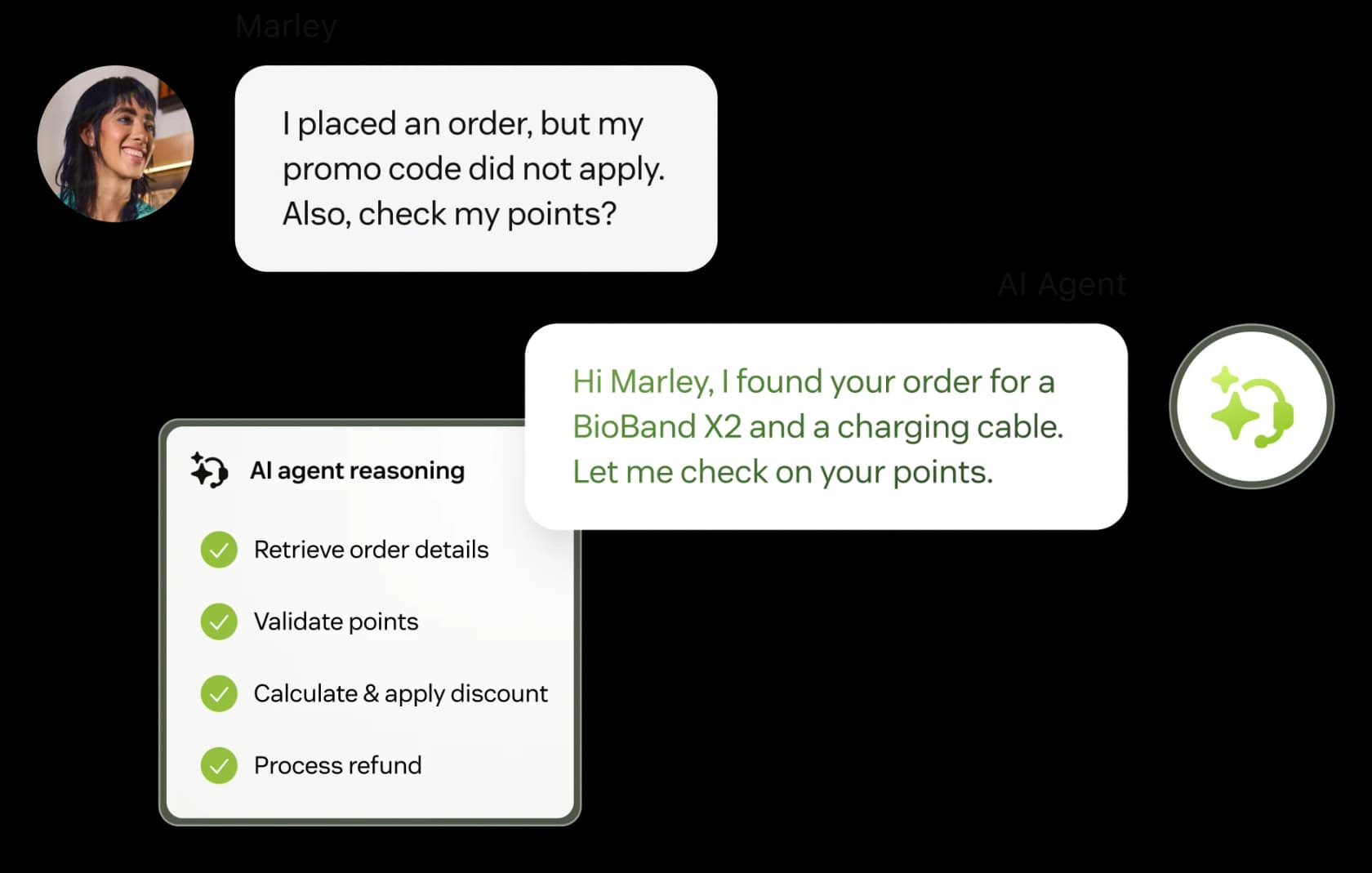
Zendesk AI agents are the bots that resolve a customer request end to end across messaging, email, and voice. Zendesk positions them against old-school chatbots: they reason across a multi-step request, take actions in other systems through Action Builder, and improve from real interactions. Marketing puts the ceiling at "up to 80%+" of issues with support for 80+ languages.
The vendor's own customer numbers are strong: Best Egg reports an 80% automation rate on messaging and $500K+ in annual savings, and Fortnum & Mason cites a 90% drop in live chat processing time. These are Zendesk-published figures rather than independent benchmarks, so read them as a ceiling, not a promise, but they're real deployments. For a fuller feature tour, our rundown of Zendesk AI capabilities and our Zendesk AI review both go deeper than a marketing page will.
Copilot (the assist-the-agent bit)
Copilot is the other half: an assistant for your human agents. Auto Assist suggests a ready-to-send reply, drafts from your knowledge, summarizes long tickets, and (on higher tiers) auto-classifies every incoming ticket with Intelligent Triage.
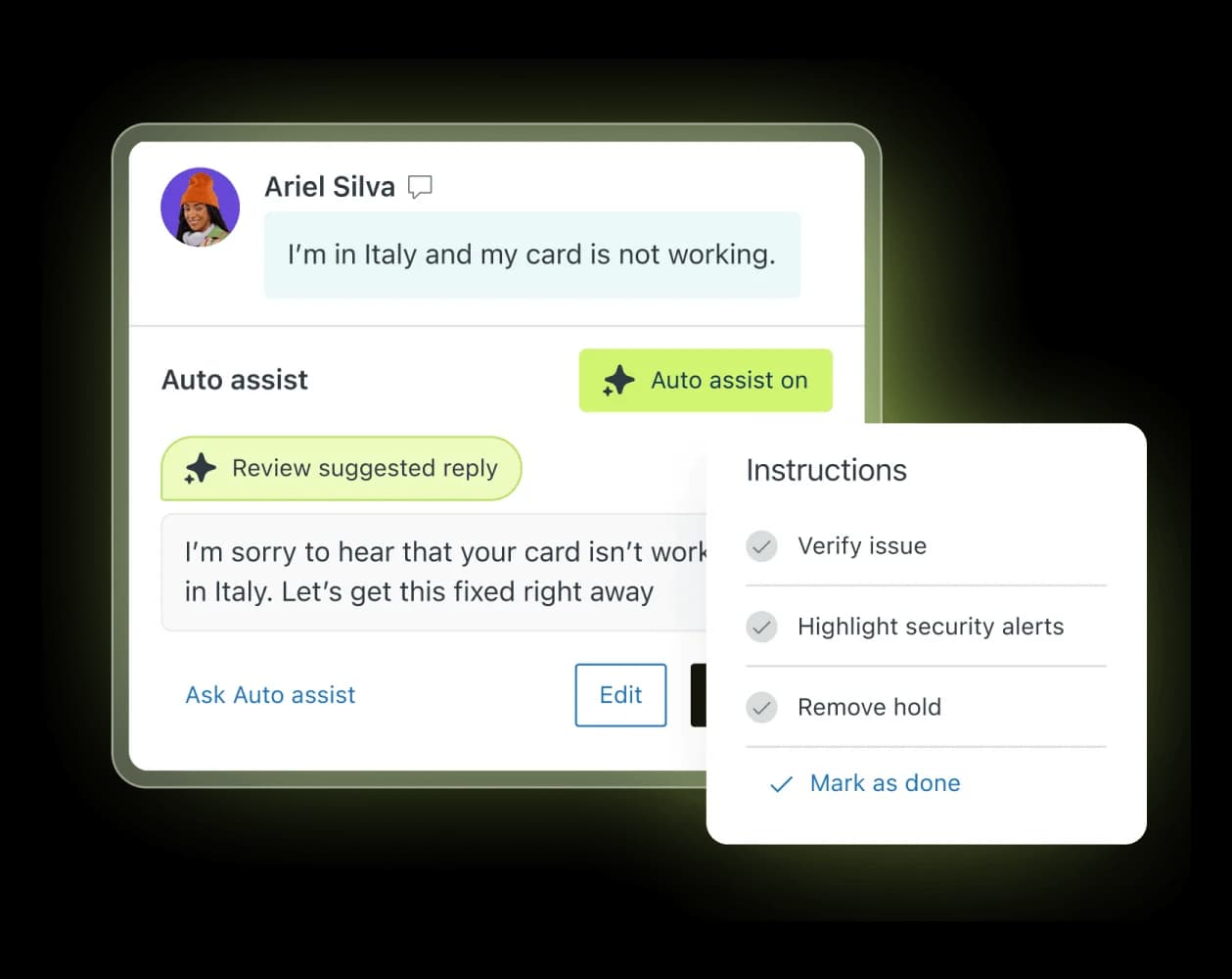
Worth flagging up front: Copilot is mostly a paid add-on, not something bundled into every plan. On Suite Professional, the writing tools and ticket summaries are pooled at 5 uses per agent per month (capped 500 per instance), and the fuller Auto Assist experience is priced separately. That matters for the budget, which brings us to the part everyone actually asks about.
What native Zendesk AI actually costs
Here's the single most important thing to understand about native AI for Zendesk: the AI is not priced by seat, it's priced by outcome. The billing unit is the automated resolution (AR), which Zendesk defines as a customer request the AI resolved without escalating to a human.
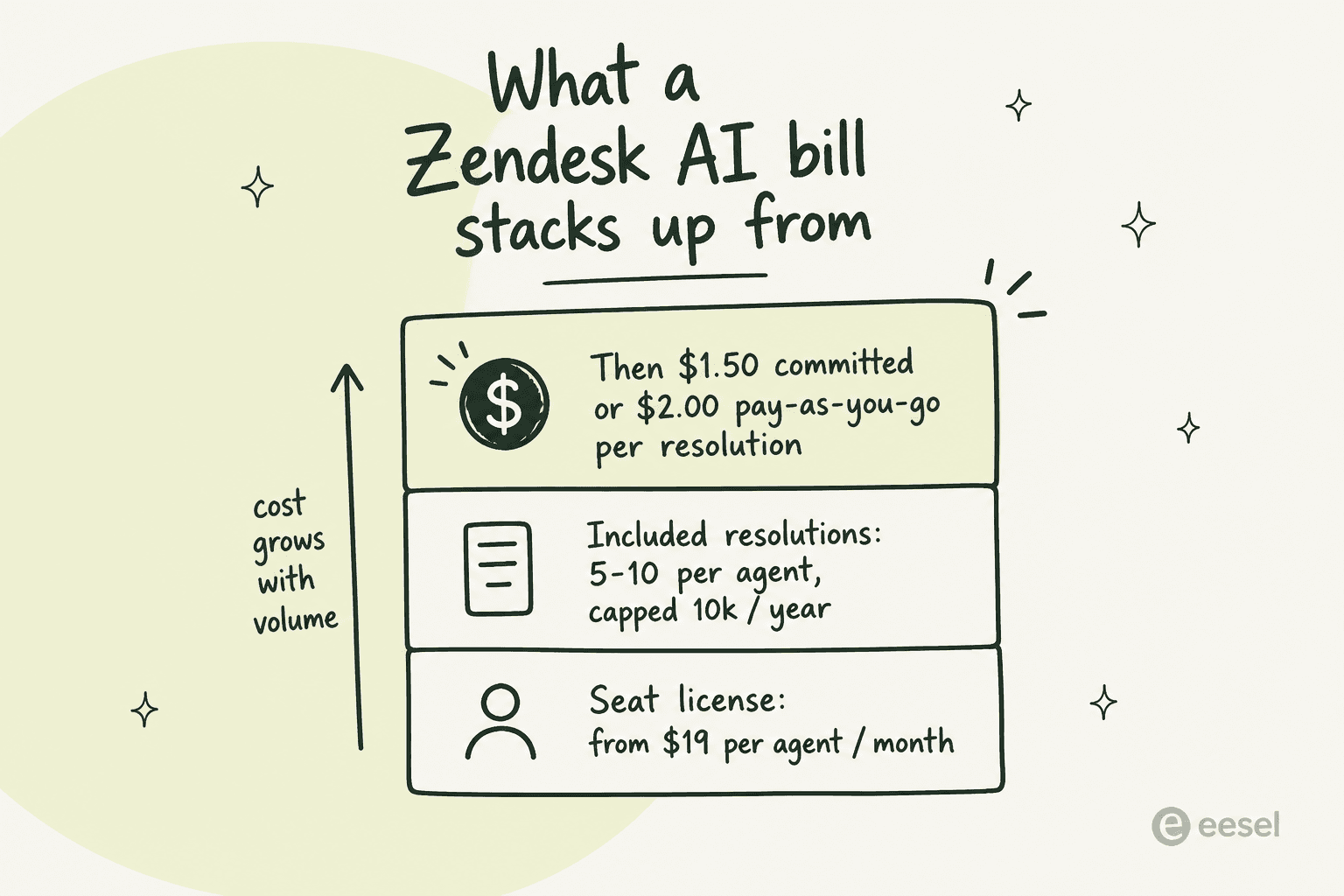
Your Zendesk AI bill stacks up from three layers:
| Layer | What it costs |
|---|---|
| Seat licenses | Support Team $19, Suite Team $55, Suite Professional $115 per agent/month (annual) |
| Included ARs | 5 per agent/month (Support Team, Suite Team); 10 per agent/month (Suite Professional); capped at 10,000/year |
| Extra ARs | $1.50 each on a committed volume, $2.00 each pay-as-you-go |
So once you burn through the small included allowance, every resolution the AI handles costs you $1.50 to $2.00. Zendesk lists the same committed and pay-as-you-go rates across all three self-serve plans, which is unusually clean for enterprise pricing. If you want to model your own numbers, Zendesk publishes an AI pricing calculator, and we've written up the dynamic resolution model separately.
The model is fair in theory (you only pay when the AI actually closes something), but it has a real-world edge that Zendesk admins have been vocal about:
"From what I can see in regards to this new 'Automated Resolution' pricing model, we'll be paying about $1.50 ~ $1.20 per resolution."

At high volume, per-resolution pricing scales linearly with your ticket count. A team automating 3,000 tickets a month at $2.00 is looking at $6,000 a month in AR charges alone, before seats. That's not a reason to avoid it, but it is the reason a lot of teams start pricing the second route.
Option 2: a third-party AI layer on top of Zendesk
The alternative is to leave Zendesk exactly as it is and bolt an AI agent onto it from outside. This is what tools like eesel do, and the mental model is different: instead of a feature you switch on inside Zendesk, it's a teammate that joins your queue.
The important part is that a good layer doesn't add a separate chatbot widget or a second inbox. eesel joins as a real AI Agent inside Zendesk: it reads tickets, drafts and sends replies, adds internal notes, updates ticket fields, and routes to groups, the same way a human agent would.

How a layer joins the queue
Under the hood, the flow is a pipeline that fires on the triggers you already use in Zendesk.
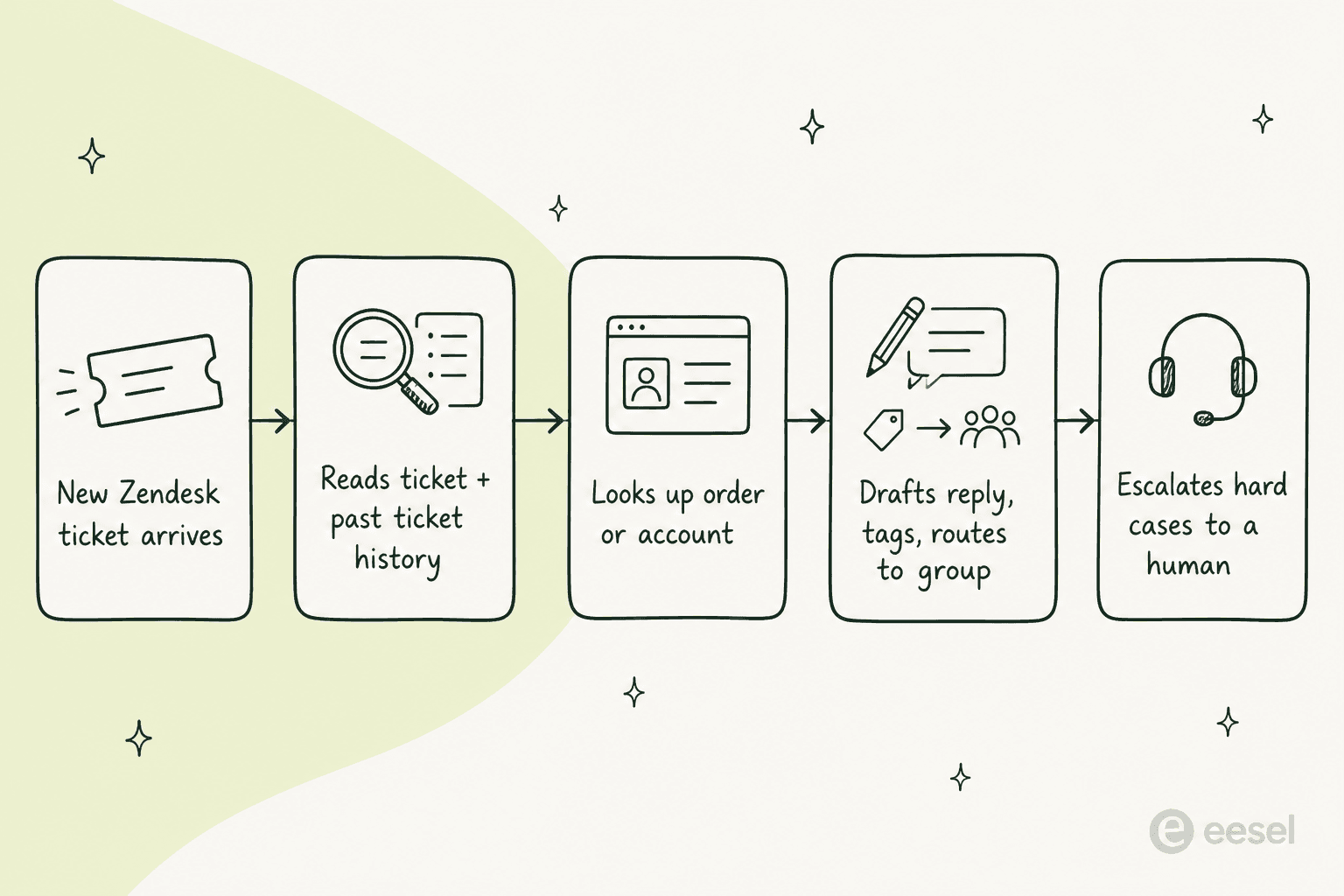
A trigger like "any new customer message" or "first customer message" (for triage) fires the agent. It reads the ticket plus past ticket history, looks up an order or account through a custom action, then drafts a reply, tags the ticket, and routes it to the right group. Anything it isn't confident about gets escalated to a human, and the agent respects your existing Zendesk triggers, automations, SLA policies, and business hours rather than bypassing them.
What it trains on
This is where a layer earns its keep. During a full OAuth connection, eesel imports three Zendesk-native sources: your help center articles, your shared and personal macros, and your past tickets (filterable by status and date, with optional PII redaction before anything is indexed). Training on solved tickets is what makes the agent sound like your team instead of a generic bot. You can point it at Confluence, Notion, or Google Docs on top of that, with data privacy controls on what gets indexed.
What it costs
eesel uses one fixed monthly price sized to volume, where 1 credit is one ticket no matter how many back-and-forth messages it takes, with no platform fee and no per-seat pricing. Here's the same volume from the native example, priced both ways:
| Tickets automated / month | Native Zendesk AI ($2.00 PAYG) | eesel (Teammate plan) |
|---|---|---|
| 500 | $1,000 | $299 (500 credits) |
| 1,000 | $2,000 | $499 (1,000 credits) |
| 3,000 | $6,000 | $1,349 (3,500 credits) |
The gap is the effective per-ticket rate, and it's the main reason teams comparing Zendesk AI alternatives end up looking at a layer. To be fair to Zendesk: native AI needs zero new vendor, zero new contract, and zero integration work, which has real value if your team is small and your volume is low enough to live inside the included allowance.
Test it before you trust it
Whichever route you pick, the rule is the same: don't point AI at live customers on day one. This is the part that separates a good rollout from a support-quality incident.
The failure mode is a bot that sounds confident and is quietly wrong. The fix is simulation: run the AI against your past Zendesk tickets, see where it's strong and where it has gaps, fill the gaps, and only then let it touch a real ticket. eesel's simulation surfaces per-topic coverage (for example "Refund policy, 28%") and points you at the exact tickets that expose a gap, so you can close it before go-live. Native Zendesk gives you sandbox and staging environments on its higher tiers for a similar purpose.
The safe rollout order, in both worlds, looks like this:
- Connect your knowledge and past tickets.
- Simulate against history and check coverage per topic.
- Go live in draft-only mode so a human approves every reply.
- Flip the easy, high-volume ticket types to autonomous once you trust them.
- Widen scope gradually, keeping escalation rules tight.
We've seen this work at real scale. On the eesel side, Smava runs a fully automated Zendesk agent processing 100,000+ tickets a month in German, and Gridwise reported the agent resolving 73% of tier-1 requests in its first month. Those numbers only happen because the team simulated first and widened scope on purpose, not because someone flipped a switch on a Friday.
Setting up AI for Zendesk
The practical steps differ by route, but both are doable in an afternoon.
Native Zendesk AI lives in your admin center. AI agents are included in Suite and Support plans, so you configure the bot, connect it to messaging or voice (AI agents for voice require Zendesk Voice; for messaging you need messaging enabled), point it at your knowledge, and set your automated-resolution budget. There's a deeper walkthrough in our Zendesk AI agents guide.
A layer like eesel is a Marketplace install:
- Install the eesel app from the Zendesk Marketplace and authorize it with OAuth (you need Zendesk admin rights).
- Let it auto-import your help center, past tickets, and macros. No manual training or data labeling.
- Describe, in plain language, which tickets it should handle, how it should write, and when to escalate. There's no rules engine to wire up.
- Simulate, start in draft mode, then go live. The integration is multibrand-aware, so each Zendesk brand can have its own triggers, actions, and bot account.
If you're mostly after agent-side speed rather than full automation, the narrower AI draft replies setup is the lightest possible starting point.
So which should you actually pick?
Here's the honest decision, stripped of vendor spin.
- Stay native if your volume is low, you want the fewest vendors, and outcome-based pricing suits you. It's already in your plan, and for a small team living inside the included AR allowance, it can be close to free.
- Add a layer if you want to test on your own tickets before go-live, keep predictable monthly costs at scale, or train the agent explicitly on your ticket history and macros. This is where per-resolution pricing starts to hurt and a flat per-ticket rate wins.
For most teams past a few hundred automated tickets a month, the deciding factor isn't features (both resolve tickets well), it's the meter and the safety net. If the $1.50 to $2.00 per resolution math scares you, or you want a proper dry run before any customer sees an AI reply, that's your signal to look at a layer. If neither of those is a worry, native is the least-effort path. For a wider field, our roundup of Zendesk AI alternatives and the broader AI customer service software field both go deeper.
Try eesel on your Zendesk queue
If the layer route sounds right, eesel's Zendesk integration is built for exactly this: it joins your existing queue as an AI agent, trains on your past tickets and macros, and lets you simulate it on real history before it ever replies to a customer. Setup is a Marketplace install that takes under 30 minutes, pricing is one fixed monthly price from $299 with no per-seat fee, and you can start in draft mode and widen scope at your own pace.
You can try eesel free with 100 credits and no credit card, which is more than enough to run a full simulation on your own Zendesk tickets and see the coverage numbers for yourself before you commit to anything.