What a multi-client helpdesk is, and who needs one
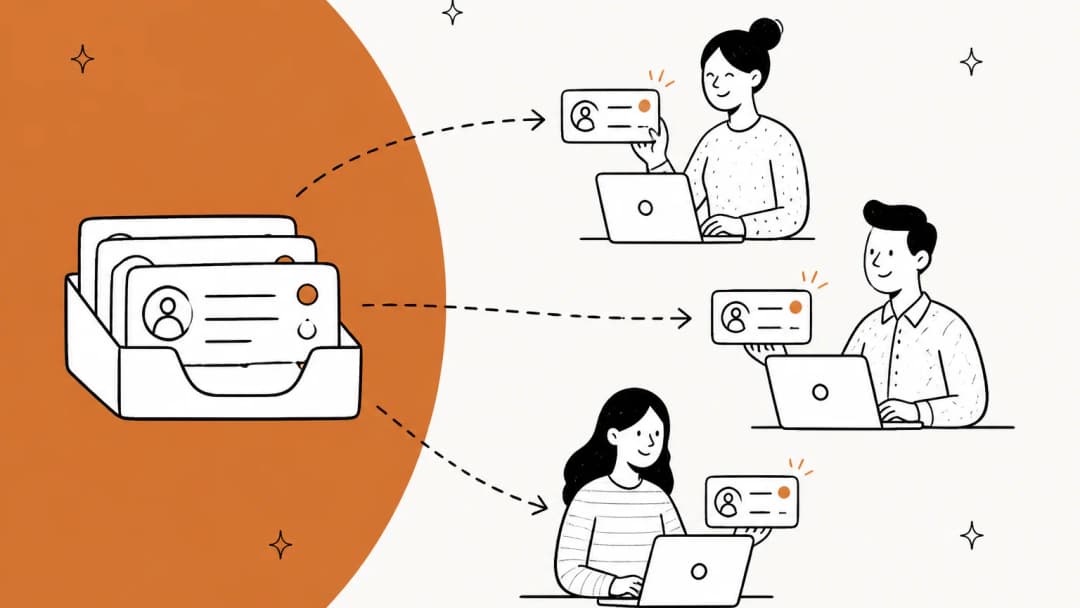
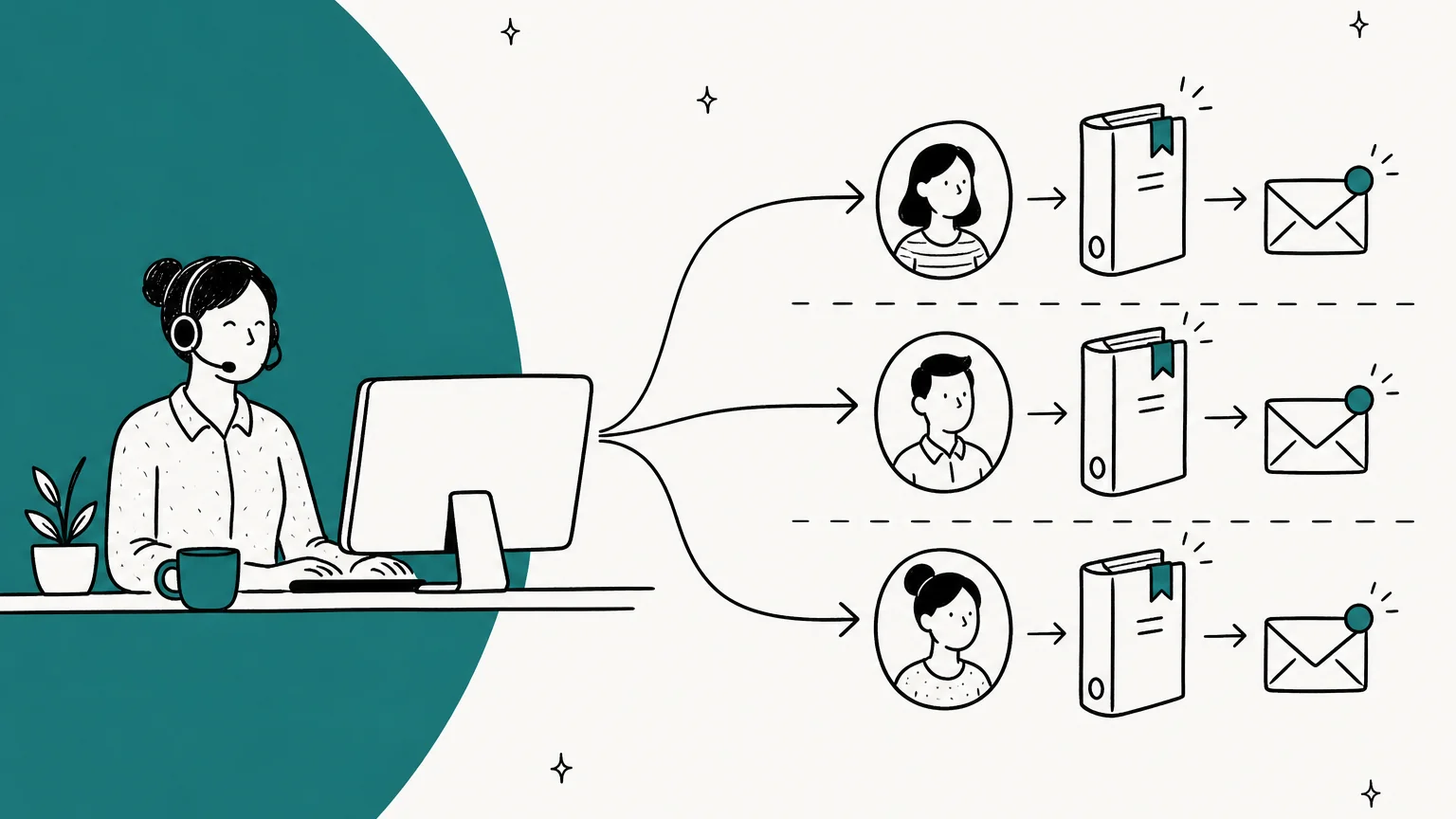
A multi-client helpdesk is a single helpdesk account set up so one support team can serve several separate businesses, each with its own customers, voice and rules. Every helpdesk vendor calls the "client" something different: a brand in Zendesk and Deskpro, a product or Workspace in Freshdesk, an Inbox in Help Scout, a workspace in Front, a store in Gorgias, a department in Zoho Desk, a customer in HaloPSA.
Four kinds of teams run one:
- Agencies that sell support as a service to several brands, often next to marketing or development work. My post on AI support for agencies covers that business model.
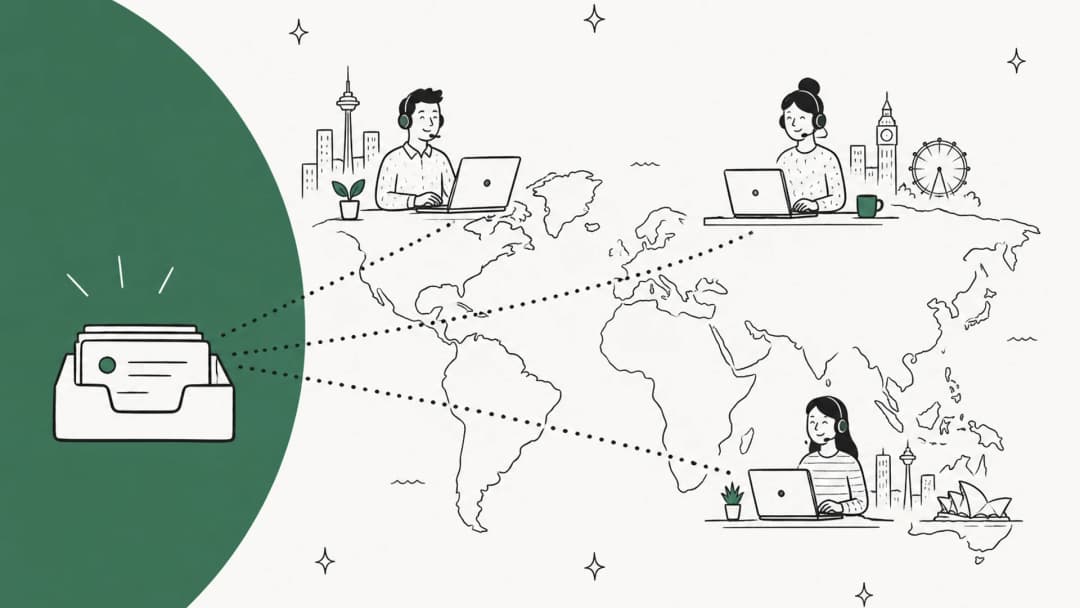
- Outsourced support teams (BPOs) that staff the queue for client companies. See my guide to outsourcing customer service.
- MSPs running IT support for many client companies, usually on a PSA tool. My MSP ticketing system roundup goes deep on those.
- Multi-brand companies with one support team behind several storefronts or product lines.
I've spent the last couple of years building the helpdesk integrations behind eesel, and multi-brand setups are where I've learned the most. Earlier this year, a 3-brand Gorgias team, a Zendesk team needing two agents with different article sets, and a separate-brand Zendesk setup all hit the same wall on eesel: per-brand configuration was too hard to do on your own, and two users on one account churned over it. That's why each Zendesk brand now connects to eesel on its own and can point at its own agent. Today one multi-brand wellness company on Zendesk runs five dedicated AI agents on eesel, one per brand, each learning from that brand's own tickets.
The lesson from those rollouts is the thesis of this post. Splitting the inbox takes an afternoon. Keeping clients from bleeding into each other is the real project.
The inbox is the easy part
Every helpdesk I looked at can give each client its own front door. The trouble is the room behind it.
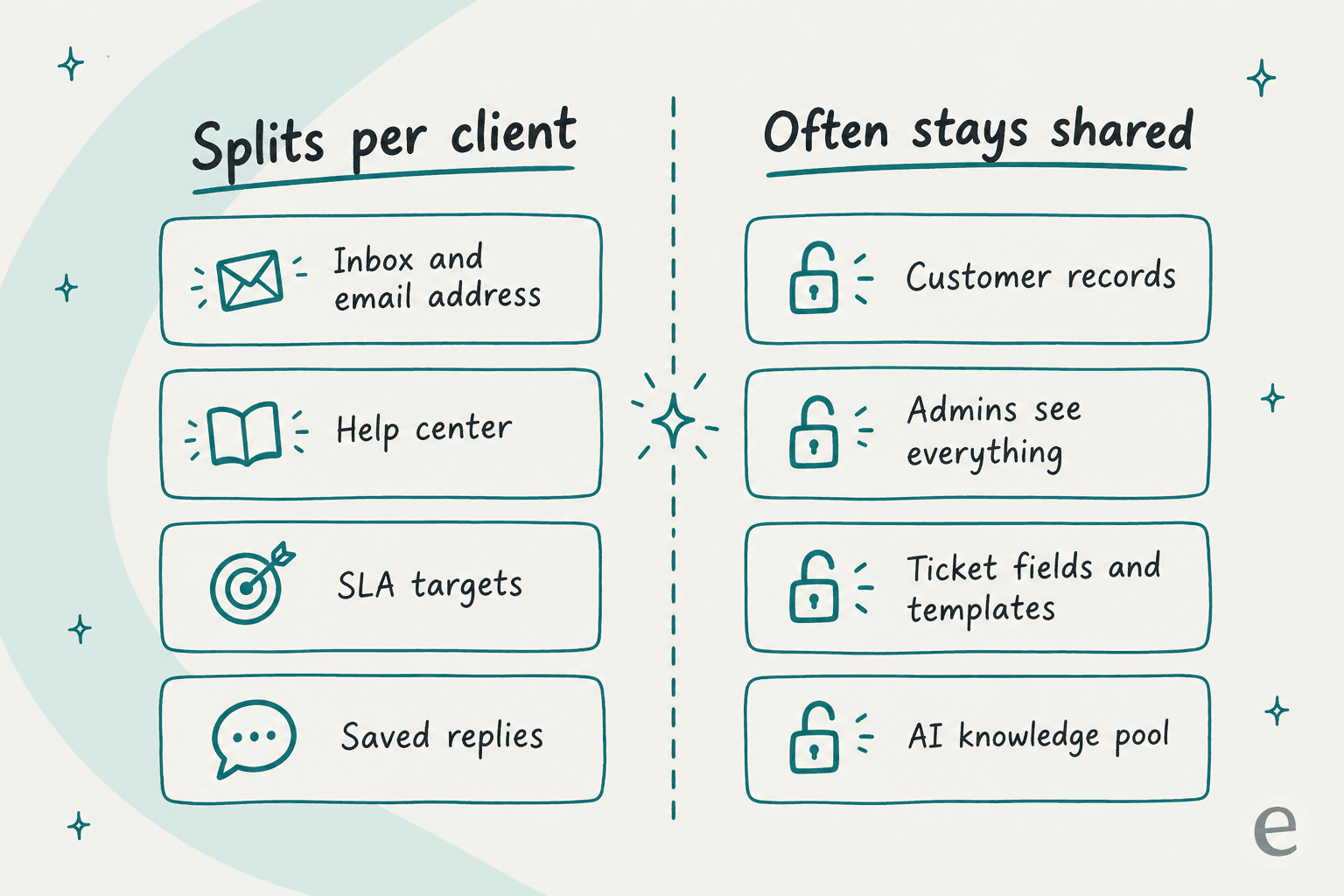
Here's what splits cleanly per client in most tools:
- Email address and inbox. Zendesk creates a support address per brand, Help Scout gives each Inbox its own shared mailbox, and Gorgias gives each store its own support email and signature.
- Help center. Each Zendesk brand can have its own help center, each Freshdesk product gets a portal, each Zoho Desk department can get a branded one on Enterprise.
- SLA targets. Help Scout sets SLA policies per Inbox, Deskpro per brand, HaloPSA per site.
- Saved replies and macros. Help Scout scopes saved replies per Inbox; Gorgias has brand-specific macros and rules.
And here's what tends to stay shared, straight from each vendor's docs:
| What stays shared | Where the vendor says so |
|---|---|
| Customer records | Zendesk: "You cannot segment end users or orgs by brand" (multibrand docs). Front: workspaces "do not provide contact data silos" (Front help). Freshdesk: contacts and companies aren't Workspace-scoped. HubSpot: contacts are filtered by a Brands property, not separated |
| Admin access | Zendesk admins are added to every brand and can't be removed. Freshdesk admins join every Workspace automatically. HubSpot Super Admins can always view restricted assets |
| Ticket fields and templates | Freshdesk shares ticket fields, forms, templates, roles and global automations across Workspaces (Workspaces docs). Zendesk has one email template for the whole account |
| Knowledge editing | In Help Scout, a plain User can "create and edit articles on every Docs site" even if they're limited to one client's Inbox (roles docs) |
None of this is a flaw in those products. They were built for one company with several brands, which is a different trust model from an agency holding ten unrelated clients' data. You just need to know which model you're buying.
The three ways a multi-client setup leaks
When a multi-client helpdesk goes wrong, it's almost always one of three things. I'd design your setup backwards from these.
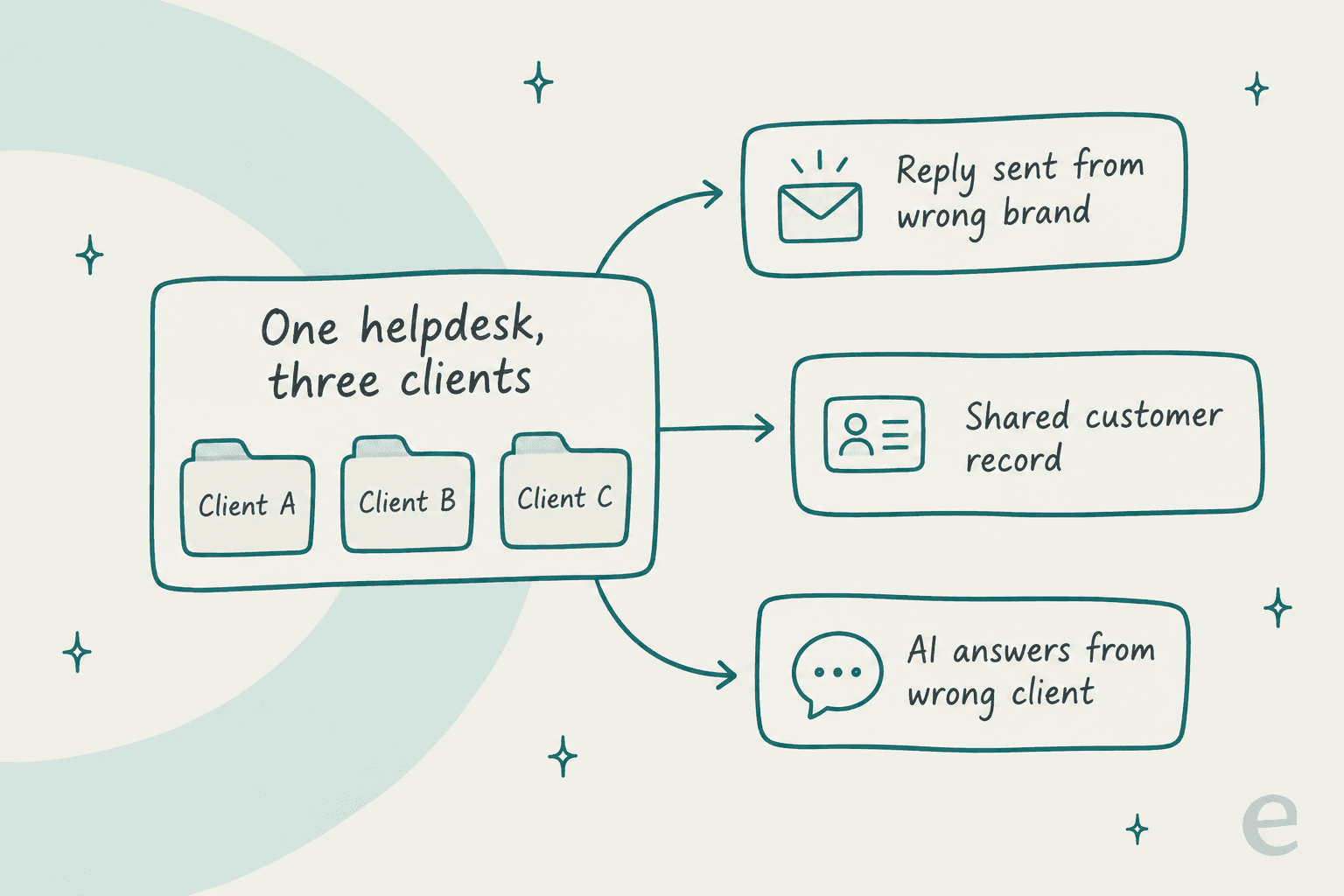
1. A reply goes out from the wrong brand
This is the one clients notice, because their customer gets an email signed by someone else's company. The causes are mundane. In Zendesk, the account has a single email template, so brand-specific emails need separate triggers, and "you have only one set of triggers" to scope with brand conditions. A support address's brand can't be changed later; you delete it and recreate it. Triggers can even assign a ticket to an agent outside their brand, who then hits an access error.
It isn't only a brand problem. An MSP on Reddit described a client forwarding another vendor's ticket email, which matched a ticket number in their PSA:
"which resulted in that ticket number found on the email title reopening a closed ticket we had for another client and then having our client wonder why we never followed up"

The fix is boring and works: one support address per client, brand conditions on every trigger that sends email, and a test ticket into each client's address after any change.
2. A customer record is shared across clients
If two of your clients share end customers (common for a BPO serving several brands of one parent, or an MSP whose client staff move between companies), the contact record usually lives once in the account. Front warns that custom fields are shared when the same contact writes into two workspaces. HubSpot's brand-associated contact properties are "available for all contacts, not just the contacts associated with the Brand" (HubSpot docs).
For most multi-brand companies that's fine, even useful. For an agency holding unrelated clients' data, it's the strongest argument for separate accounts.
3. The AI answers from the wrong client's knowledge
This is the newest leak and the one I worry about most, because nobody reads every AI reply. If one AI agent can see five clients' help centers, sooner or later it gives client A's refund policy to client B's customer.
Each helpdesk's own AI handles this differently. Zendesk ties an AI agent to one brand's help center, allows only one active AI agent per channel, and for email recommends one agent tailored by brand rather than several. Freshdesk lets each Freddy AI agent pick which portal it learns from, but caps website sources at 25 per account, so 10 clients with 3 URLs each won't fit (Freshdesk docs). I cover the AI side in detail further down.
A support lead setting up Zendesk for two regions ran into exactly this on Reddit:
"Zendesk AI pulls knowledge from the Help Centers linked to the same brand, regardless of language or region. So if a Brazilian customer asks something, the AI might base its answer on all related contents, even in articles just created for US."
Their alternative was one brand per region, with separate help centers and AI configurations. For a multi-client setup, that's the only version I'd trust.
How each helpdesk handles multiple clients
Here's the side-by-side. Prices are per agent per month on annual billing from each vendor's pricing page as of October 2026, and "hard wall" means a setting that stops an agent seeing another client's tickets, not a view filter.
| Helpdesk | Client unit | Cheapest plan with it | Clients included | Hard agent wall | Per-client AI | What stays shared |
|---|---|---|---|---|---|---|
| Zendesk | Brand | Suite Professional $115 | 5 (300 on Enterprise) | Enterprise only (department spaces) | AI agent per brand help center; 1 per channel | End users, orgs, email template, admins |
| Freshdesk | Product or Workspace | Pro $55 | 5 products (unlimited on Enterprise); 30 Workspaces on Enterprise | Workspaces, Enterprise $89, on request | Freddy AI agent picks a portal; 25 URLs per account | Contacts, roles, ticket fields, templates |
| Help Scout | Inbox | Standard $25 (2 Inboxes) | 2 / 5 / 10, extra Inbox $10 | All plans | One AI Agent per client Beacon | Docs editing across all sites |
| Front | Workspace | Professional $65 | 5 (unlimited on Enterprise) | Workspace roles; custom roles on Enterprise | Knowledge sources per workspace | Contacts, billing, integrations |
| Gorgias | Store | Any plan (billed per ticket, from $50/300 tickets) | "One store or 30" | Not documented | One AI Agent per Shopify store | Account-wide roles |
| Zoho Desk | Department | Professional $23 | 10 (50 on Enterprise) | Department assignment | Answer Bot per department | Not stated in docs |
| HubSpot Service Hub | Brand (add-on) | $1,000/mo per brand on Marketing Hub Enterprise | Up to 100 | No brand-based rule found | One customer agent per brand | Contacts |
| Deskpro | Brand | Team $39 (min 5 agents) | 3 / 10 / unlimited help centers | Per-brand permissions | Not documented per brand | Not stated |
| HaloPSA | Customer > Site | £69, one tier | Unlimited, customers free | Client restrictions per agent | KB lists per customer | Not stated |
My read: Zoho Desk and Help Scout are the cheapest real walls, Freshdesk Workspaces are the deepest one, and Zendesk is the most capable but asks Enterprise money for the wall. Below is what you'd actually click in each.
Zendesk
Zendesk calls it multibrand, managed under Admin Center > Account > Brand management. Suite Growth and Professional get 5 brands and 5 help centers; Suite Enterprise and Enterprise Plus get 300. The current Zendesk pricing page lists Suite Team with one help center, so Suite Professional at $115 is the cheapest public plan with more than one.
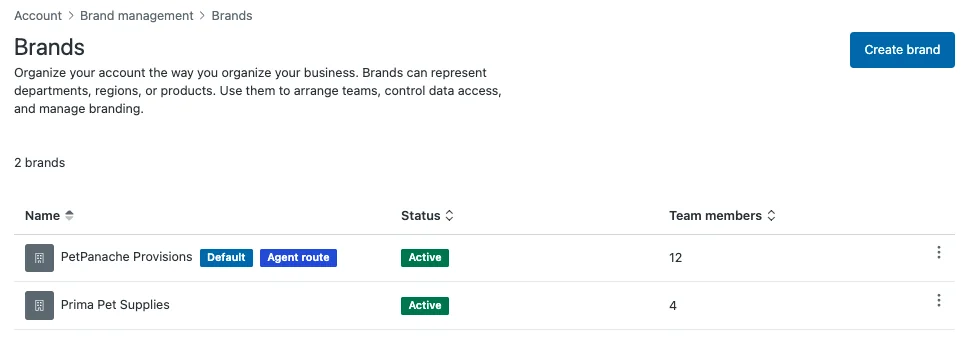
Running brands from one queue does work well once it's set up. One Zendesk reviewer on G2 liked having "one team working from the same queue" across two brands, with the honest caveat every multi-brand admin will recognise:
"Keeping triggers and automations consistent across both brands took more care than I expected, built a rule for one brand once and completely forgot to mirror it over to the other"

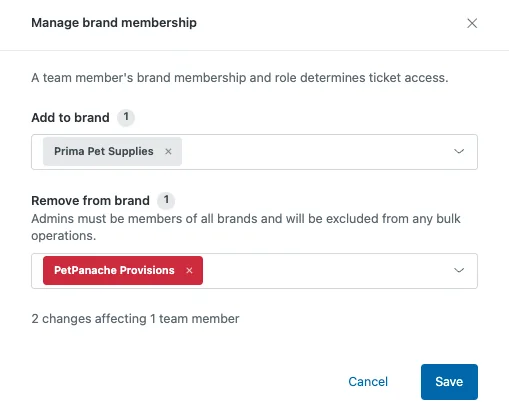
The catch is access. Department spaces, which limit agents to the brands they're members of, need Customer Service Suite Enterprise or Support Enterprise. New team members join all brands by default, and admins "must be members of all brands." On Growth and Professional, the workaround is a group per brand plus "tickets in their groups" on each agent's profile. My Zendesk multi-brand setup post has the click-by-click.
Freshdesk
Freshdesk has two layers. Multiple Products gives each client a mailbox, portal and knowledge base, up to 5 on Pro ($55) and unlimited on Enterprise ($89). But "agents can see tickets from all products in their ticket view" unless you add routing and ticket scope rules.
The newer layer is Workspaces: up to 30 independent support operations in one account, each with its own agents, groups, SLAs, automations, email, portals and knowledge base. It's Enterprise-only and switched on by request. One agent license covers every Workspace the agent belongs to, which matters for a BPO with shared staff.
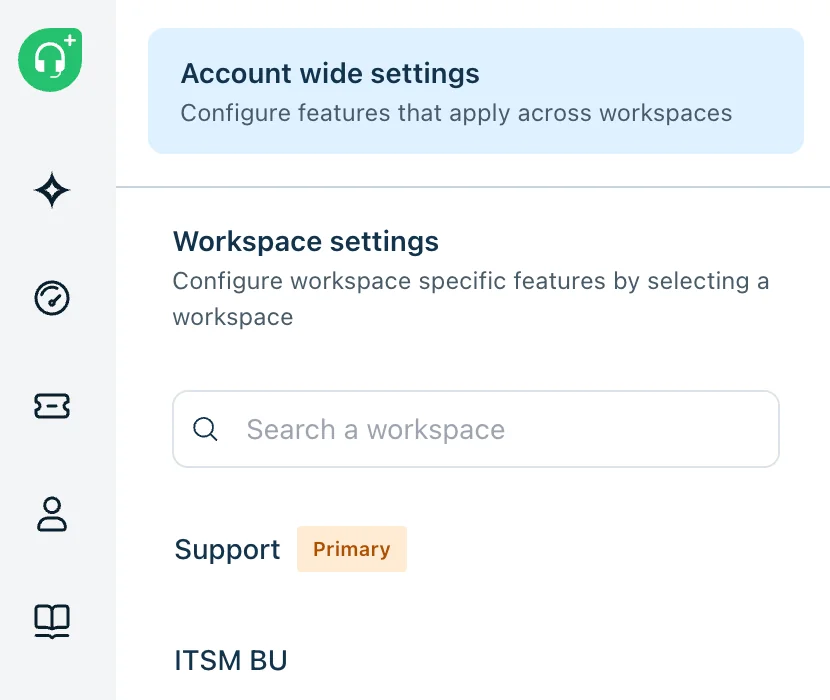
Two Workspace details worth knowing before you commit: a Workspace can't be deleted once created, and Freshdesk itself says separate billing or legal ownership may call for separate accounts. My Freshdesk AI breakdown covers Freddy's plan gates.
Help Scout
Help Scout's unit is the Inbox, and it has the most agency-friendly default I found: a User "only has access to Inboxes as specified," on every plan. Plans include 2, 5 or 10 Inboxes, extras are $10 a month, and Docs sites (help centers) are 2, 3 or 5 with extras at $20. Saved replies and SLAs both live per Inbox.
For AI, you create one AI Agent per client with its own knowledge sources, then link it to that client's Beacon (chat widget). AI Answers costs $0.75 per resolution on the Help Scout pricing page.
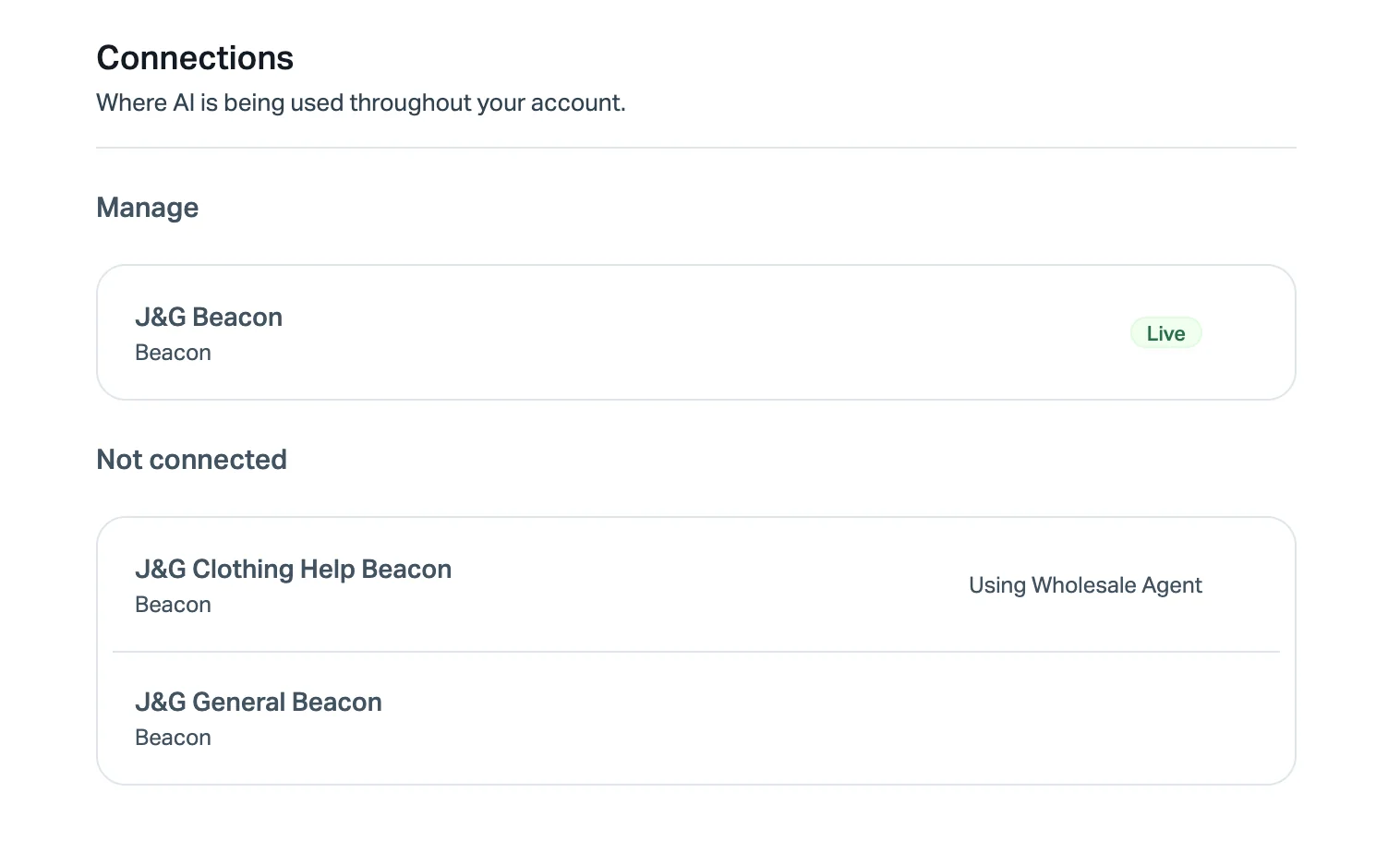
The gap: Docs aren't walled off. Restricting a User to client A's Inbox doesn't stop them editing client B's help center. If your clients care who touches their articles, keep authoring to a small group. More in my Help Scout alternatives post.
Front
Front splits clients into workspaces, each with "their own workflows, analytics and resources such as tags or message templates." Starter gets 1, Professional ($65) up to 5, Enterprise unlimited. Each teammate gets a workspace role per workspace: No access, Admin or Member.
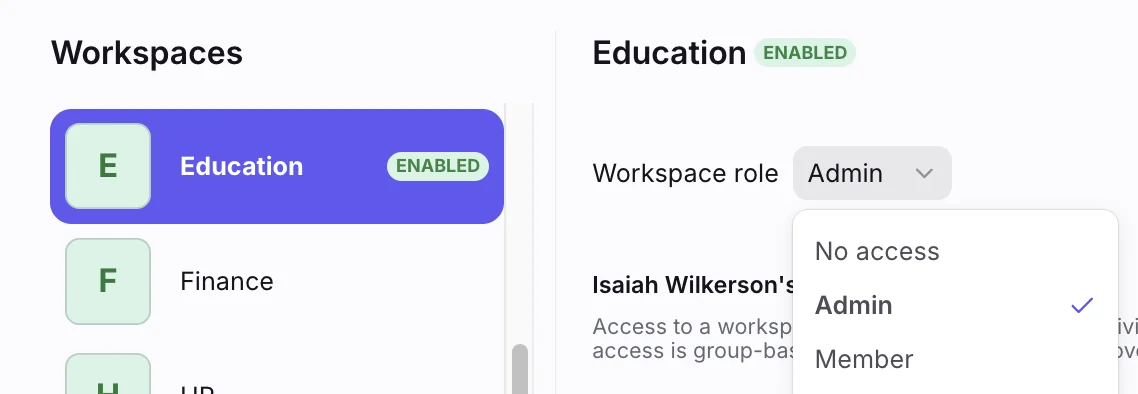
Front AI knowledge sources sit in workspace settings, so one workspace per client is also how each client gets its own AI knowledge. Plans are set at the organization level, so you can't put one client on Starter and another on Enterprise. My Front AI post covers Autopilot pricing, which starts at $0.05 per conversation.
Gorgias
Gorgias is the natural fit for an agency running several ecommerce stores, because it bills per ticket, not per agent: "Whether you have one store or 30, you can manage them all within a single Gorgias helpdesk." Each store gets its own channels, support email, macros and rules, and "you get a dedicated AI Agent for each Shopify store you connect," with up to 100 guidance entries per store.
Two caveats from the docs: the per-store AI Agent is worded for Shopify stores, and I found no setting to restrict an agent to one store's tickets. Deleting a store "will remove all related integrations and data," so offboard a client deliberately. My guide to managing multiple brands in Gorgias goes further.
Zoho Desk, HubSpot, Deskpro and HaloPSA
- Zoho Desk uses departments: up to
10on Professional ($23),50on Enterprise ($40), and up to500with an add-on. Once assigned, an agent "can access and view only those tickets that belong to that department" (Zoho docs). Branded help centers per department need Enterprise, and switching to a separate login per brand can't be undone without Zoho support. My Zoho Desk AI post covers Zia. - HubSpot Service Hub handles multiple brands through HubSpot Brands, a
$1,000-a-month-per-brand add-on sold only on Marketing Hub Enterprise. It unlocks one customer agent per brand; my HubSpot AI alternatives post covers cheaper routes. HubSpot's own chart says Brands don't suit "significantly different business / data models," which describes most agencies. - Deskpro gives each brand its own help center, SLA targets and reporting, and says a Brand A agent "has no visibility into Brand B tickets unless explicitly granted." Its pricing page caps branded help centers at
3,10and unlimited by plan. - HaloPSA is built for MSPs: customers, sites and users, per-site SLAs, per-customer KB lists and client restrictions on each agent, at one price of
£69per agent with customers and portal users free.
Brands in one account, or separate accounts?
This is the question I'd answer before touching any settings, because it's expensive to reverse. Two questions decide it.
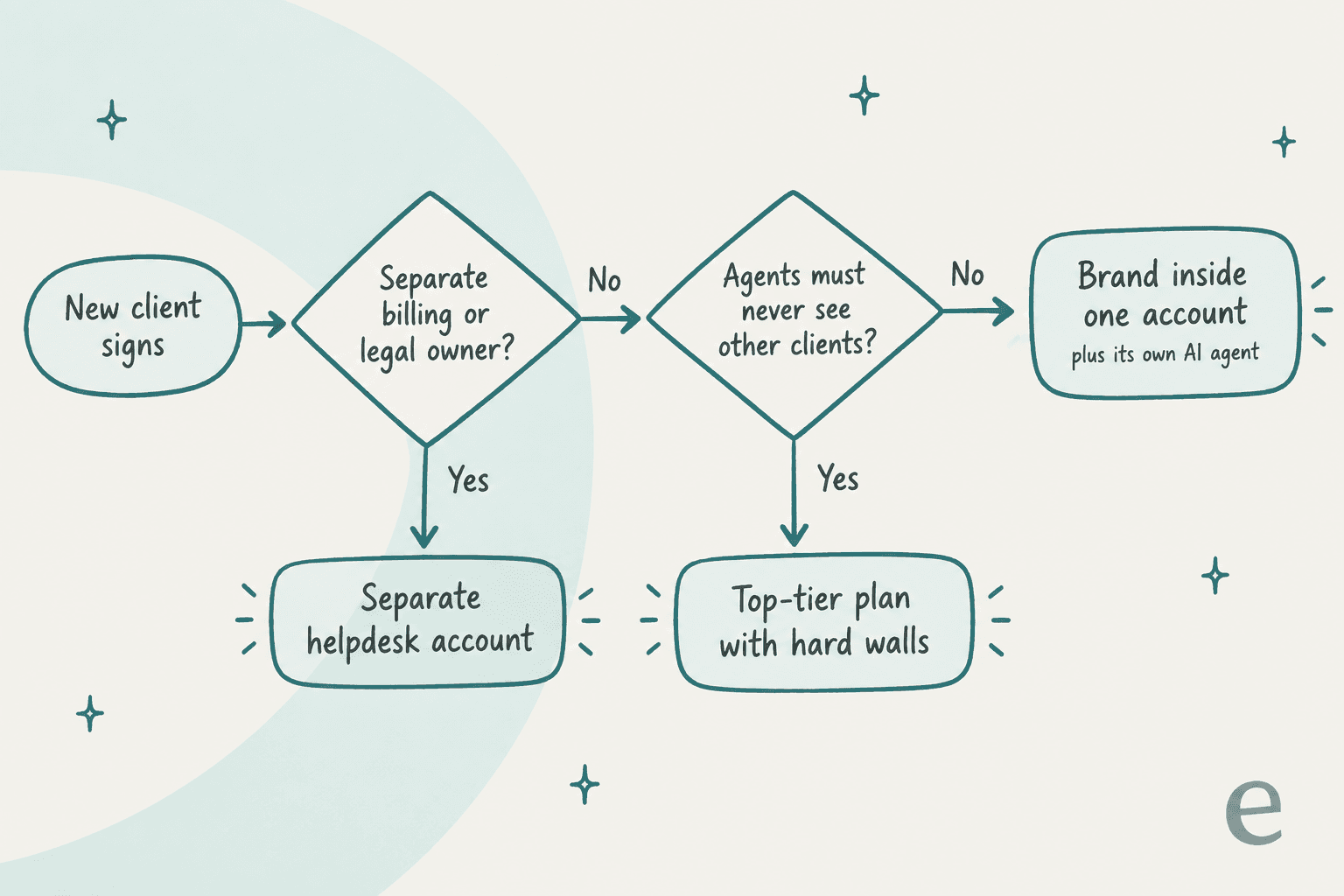
- Does the client need its own billing or legal ownership of the data? If yes, give it its own account. Freshdesk's own Workspaces guide points this way, and it's the only setup where shared contact records stop being a question.
- Must agents be unable to see other clients' tickets? If yes, budget for the plan with a hard wall: Enterprise in Zendesk or Freshdesk, any plan in Help Scout, department assignment in Zoho Desk. A view filter is not a wall.
If both answers are no, a brand inside one account is cheaper, easier to staff across clients and gives you one place to report from. Most multi-brand companies land here. Most agencies with unrelated clients and strict contracts don't.
That second question is the one that catches people. A Zendesk admin whose partners wanted their referral customers' data kept away from offshore agents found the in-app tools didn't reach that far:
"I'm finding no easy out of box solution is evident...brands and organizations don't do the trick. A second ZD instance though could be"
If a client's contract says "only these agents, only this data," start from separate accounts and work backwards. My post on AI for offshore support covers the onshore and offshore split in more depth.
How to set up a multi-client helpdesk in 7 steps
Once you've picked one account or several, here's the order I'd do it in. Steps 1 to 3 prevent the wrong-brand reply; steps 4 to 7 keep each client's service level honest.
- Create one client unit per client and name it the client's way. One brand, product, Inbox or workspace each. Use the client's customer-facing name, because it shows up in emails and help center headers.
- Give each client its own support address and signature. Then add the brand condition to every email-sending trigger or ticket routing rule. Send a test ticket into every address.
- Change the default access before you add agents. In Zendesk, new team members join every brand unless you change it. Decide per agent which clients they work, and keep admins to as few people as you can, since admins see everything in most tools.
- Set SLA targets per client from the contract. Clients pay for different response times. Use per-client SLA policies (Help Scout per Inbox, Zendesk with a brand condition, Freshdesk per Workspace). My SLA best practices guide covers targets, and Zendesk SLA conditions covers the brand filter.
- Build a separate knowledge base per client. One help center per client, owned by someone who knows that client. A shared knowledge base is the root of most cross-client wrong answers, human or AI. My knowledge base management post covers ownership.
- Give each client its own AI agent and test it on that client's past tickets. Never one AI agent across clients. More on this in the next section.
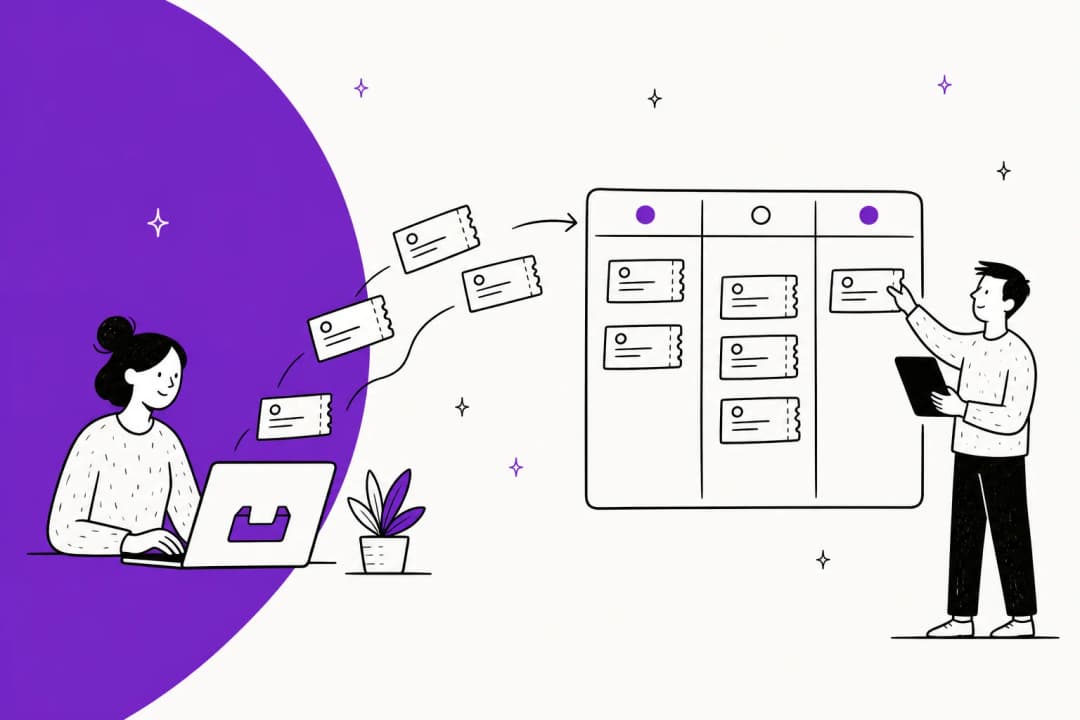
- Report per client, every month. Filter by the client unit for volume, first response, resolution and CSAT, so billing and contract reviews come from the same numbers. Tag every ticket with the client at creation so reports survive a ticket being moved.
If you're adding offshore or shift-based staff across clients, my posts on follow-the-sun support and support shift handoff cover the handover side.
Where AI fits when every client is different
AI is where a multi-client helpdesk earns the most and risks the most. The volume case is easy: one multi-brand ecommerce operator on a sales call with eesel handles 500+ tickets a day, dominated by refunds, unsubscribes and order tracking, across several brands. Those tickets look the same at every client. The answers don't, because every client has its own refund window, shipping partner and tone.
That's why I'd hold three rules:
- One AI agent per client, with only that client's knowledge. Not one agent with a "check which brand this is" instruction.
- Per-client actions. Client A may allow automatic refunds under
$50; client B may allow none. The permission should live on the client's agent, not in a shared prompt. - Prove it on each client's history first. A rollout that works for one client tells you nothing about the next.
Here's how that maps onto eesel. I'll be specific, because I built some of this.
Each client gets its own agent in one workspace. Whether you're on Zendesk, Help Scout or Front, every eesel plan includes unlimited agents and seats, and helpdesk agents run under one account "each with its own knowledge and instructions." For Zendesk, "each brand connects separately, and each can go to a different agent with its own triggers and actions," and eesel imports tickets and help center articles from that brand only (eesel Zendesk docs). Freshdesk, Gorgias and Zoho Desk accept several connected accounts per workspace, with each automation belonging to one account. One gotcha I'd flag from building it: sign in to Zendesk as an agent of the brand you're connecting first, or Zendesk sends you to your default brand and that's the one that gets connected.

Knowledge stays where you put it. An integration can be removed from one agent and kept for others. If a client's ticket history shouldn't feed an agent, switch its Tickets source off; telling the agent in its instructions to ignore past tickets doesn't stop it learning from them. Your data is used only for your own agents and isn't used to train the underlying models (eesel security docs).
Actions are per agent. "Every action runs on its own, asks you first, or stays off. You choose per agent" (eesel actions docs). So the refund rule for client A never touches client B.
Test each client before it goes live. The Simulation skill replays real past tickets and compares the agent's answers with what your team actually sent. For a BPO, that's a per-client go-live check you can show the client, and my support error analysis guide covers what to do with the misses. The docs also recommend rolling out one queue or one brand at a time; anything outside it stays with your team and costs nothing.
Script it if you run many clients. If you're onboarding a new client every few weeks, the eesel CLI lets you do it from a terminal. eesel agents create makes a new agent for the new client, and every command takes --agent <name> so you can update one client's instructions or knowledge without touching the rest. Set EESEL_API_URL and EESEL_API_TOKEN and the same commands run from a script or CI job. Every workspace is also an MCP server, so a coding agent like Claude Code or Cursor can drive the same setup. For an agency that onboards clients the same way every time, that turns a checklist into a script.
Pricing pools across clients. eesel's pricing is a fixed monthly credit plan where a ticket or chat is one credit: Free with 100 credits, then Teammate from $299 for 500 credits up to $1,899 for 5,000, with no seat or platform fee and optional overage at $0.80 a credit. Because credits sit at the workspace level, six small clients draw on one plan rather than six subscriptions.
What eesel doesn't do, so you can plan around it: there's no reseller or white-label program today (an agency running 22 workspaces across 10+ client companies asked eesel for one, and I'd rather say so than imply otherwise). Team roles (Owner, Editor, Viewer) apply to the whole workspace, not to one client's agent, so if a client needs its own login with its own permissions, give that client its own workspace. And earlier this year a vacation-rental support outsourcer using eesel as a copilot told the eesel team their customers "frequently share screenshots" that agents had to transcribe by hand, so if your clients' tickets are image-heavy, test that on a sample before going fully autonomous. My post on white-label AI covers the reseller question more broadly.
Try eesel for your multi-client helpdesk
If you run support for several clients or brands, eesel gives each one its own AI helpdesk teammate in a single workspace. Connect each Zendesk brand on its own (or several Freshdesk, Gorgias or Zoho Desk accounts), train each agent only on that client's tickets and help center, set its actions and tone separately, and replay its past tickets before it answers anyone. It's free to try with 100 credits, and every plan includes unlimited agents, so adding your next client costs nothing until its tickets start coming in.

Frequently Asked Questions
What is a multi-client helpdesk?
Which helpdesk is best for supporting multiple clients?
How much does a multi-client helpdesk cost?
Can one Zendesk account support multiple clients?
How do I stop agents seeing another client's tickets?
Can an AI agent handle several clients in one helpdesk?
Should each client get a separate helpdesk account?
How do I report on each client separately in a multi-client helpdesk?



Article by
Rama Adi
Rama is a software engineer at eesel AI with two years of experience writing about B2B SaaS, AI tools, and customer support technology. Based in Bali, Indonesia, he brings a developer's perspective to product comparisons — cutting through marketing copy to what the integrations and APIs actually do.