Helpdesk
The software a team uses to receive, organize, track, and resolve customer or employee support requests in one central place.
What a helpdesk means
A helpdesk is the software a team uses to receive, organize, track, and resolve support requests in one central place. It collects incoming questions from different channels, turns each one into a trackable record, routes it to the right person, and gives the team the history and tools to answer it. The word also refers to the support team itself, but in software terms it is the system that runs their work.
In customer support, the helpdesk is the operational hub: it is where a question becomes a ticket, where agents reply, where managers watch volume and response times, and where the knowledge base and automation live. Without it, requests scatter across personal inboxes and chat threads and nothing is tracked.
What makes a helpdesk different
A helpdesk is more than a shared email account because it adds structure around every request:
- Ticketing turns each conversation into a numbered record with a status, owner, and full history, so nothing gets lost.
- Multi-channel intake pulls email, live chat, web forms, and social into one queue instead of separate apps.
- Routing and assignment, often via skills-based routing, sends each ticket to the agent best placed to handle it.
- A knowledge layer stores macros, canned replies, and help articles so answers stay consistent.
- Reporting, covering metrics like first response time and CSAT, shows how the team is actually performing.
Laid out around a center, those pieces are easier to see as one connected system.
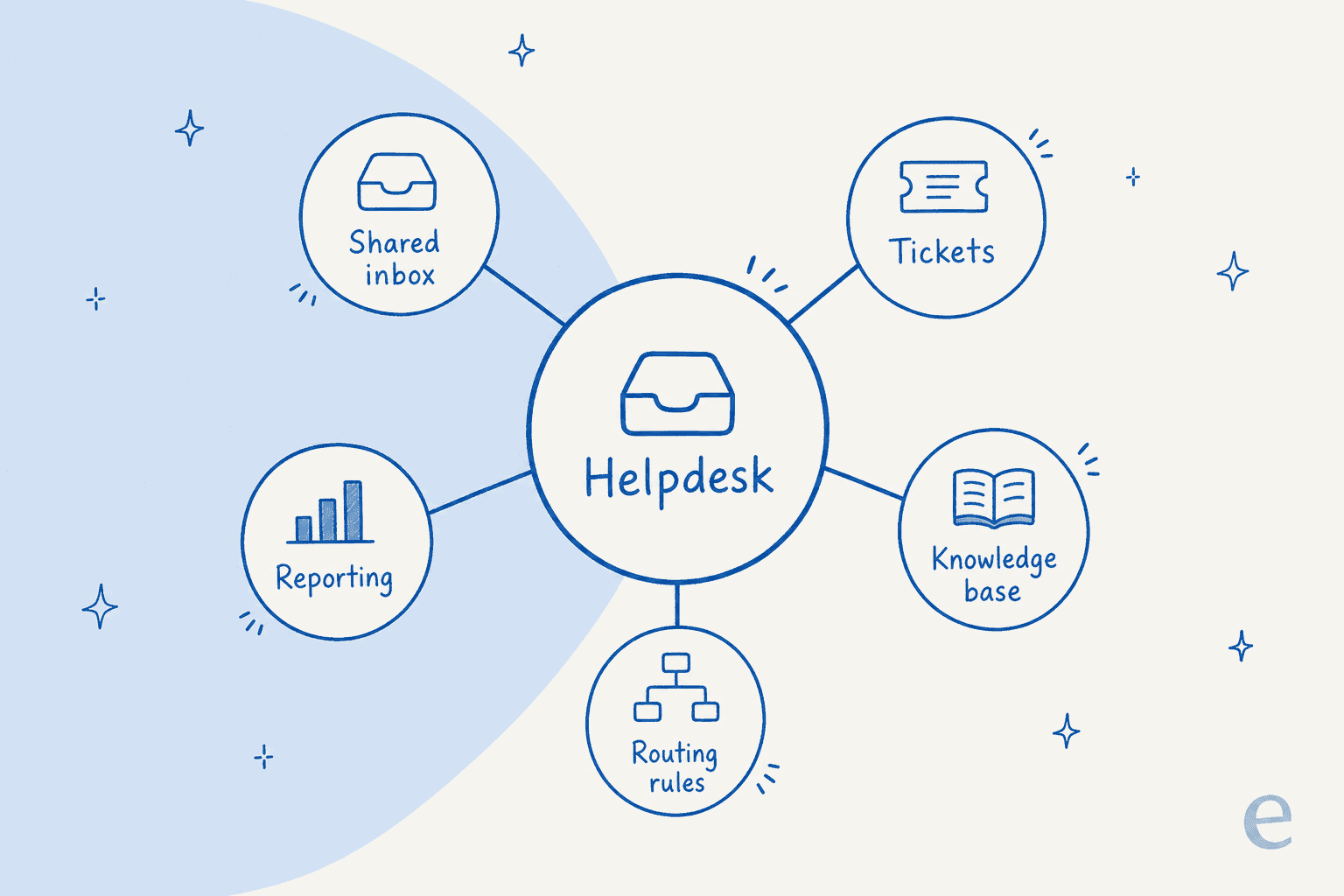
The helpdesk sits at the hub, with the shared inbox, ticket records, knowledge base, routing rules, and reporting all wired into it. None of them does much alone; the value comes from having them share one place and one history.
How a helpdesk works
A typical helpdesk runs the same flow for every request:
- Capture. A customer message arrives through any connected channel and becomes a ticket.
- Organize. The ticket is tagged, prioritized, and routed to a queue or an agent.
- Resolve. The agent replies, pulling on knowledge-base content and past tickets, until the issue is closed.
- Measure. The system logs timing and satisfaction data so the team can spot bottlenecks.
This is also where AI now sits. An agent like eesel AI connects to the helpdesk you already run, such as Zendesk, Freshdesk, or Gorgias, learns from your past tickets and help center, and resolves the repetitive requests before they reach a person, while routing the rest with full context attached.
Helpdesks in practice
The helpdesk a team picks shapes everything downstream: which channels they can support, how cleanly they can automate, and how much they can actually learn from their own data. Because so much support history accumulates inside it, the smartest move is rarely ripping it out, it is layering AI and automation onto the helpdesk already in place so the team keeps its ticket history, integrations, and reporting while resolving more of the queue without adding headcount.
Add an AI agent to your helpdesk
eesel AI plugs into the helpdesk you already use, learns from your past tickets, and resolves the repetitive ones automatically.