Ticketing system
A ticketing system is software that turns each incoming request into a trackable ticket and manages it through to resolution.
What a ticketing system means
A ticketing system is software that captures each incoming request as a discrete, trackable record (a ticket) and manages that ticket through its full lifecycle from creation to resolution. Every ticket carries the details of one issue: who raised it, what they need, the full conversation history, its priority, and its current status. The system keeps those tickets organized, assignable, and searchable, so work does not get lost and progress can be measured.
In customer support, a ticketing system is the backbone that lets a team handle high volumes of requests without dropping any. It is what turns a stream of emails, chats, and form submissions into structured items that can be prioritized, routed to the right agent, and reported on. Without one, support is a guessing game; with one, every request has a paper trail.
What makes a ticketing system different
A ticketing system adds structure that a mailbox or chat tool cannot:
- A unique record per request. Each ticket has an ID, an owner, and a status, so any item can be found, reassigned, or audited later.
- Status tracking. Tickets move through clear states (open, pending, resolved, closed), which makes the real workload and any backlog visible.
- Routing and assignment. Tickets are sent to the right agent or queue automatically, often through ticket routing or skills-based rules.
- Automation and SLAs. Rules can tag, escalate, or trigger actions, and timers track each ticket against an SLA so commitments are kept.
- Reporting. Because every interaction is a structured record, the system can report on volume, resolution time, and agent performance with real data.
These capabilities are what separate a true ticketing system from email with folders.
The status tracking above is easier to follow as the path a single ticket walks.
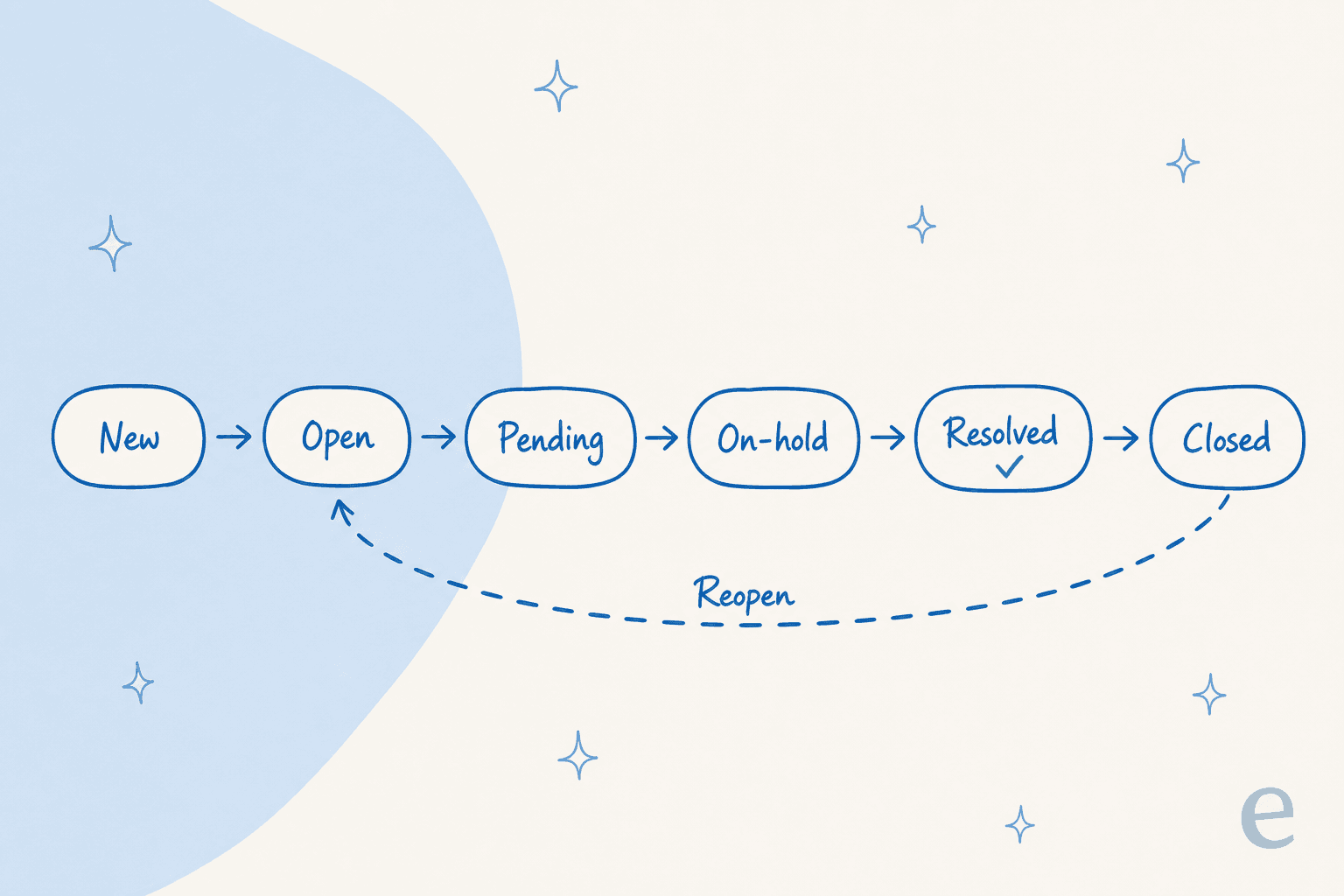
A ticket moves through defined states, from new through open, pending, and on-hold to resolved and closed. The dashed reopen arrow is the part teams forget: a closed ticket can come back, which is why a closure is not always the end of the work.
How a ticketing system works
The core loop is consistent across tools:
- Create. A request from any channel becomes a ticket with a unique ID.
- Triage. The ticket is categorized, prioritized, and tagged.
- Route. It is assigned to the agent or queue best equipped to resolve it.
- Work. Agents (or automation) reply, take actions, and update the ticket as they go.
- Resolve and report. The ticket is closed, the customer is notified, and the data feeds performance reporting.
An AI agent like eesel AI operates inside this loop: it reads each new ticket, grounds its reply in your help center and past tickets, resolves the ones it can, tags and routes the rest, and escalates cleanly when there is no safe answer.
A ticketing system in practice
The value of a ticketing system is only as good as the discipline around it. Tickets left in vague states, inconsistent tagging, and routing rules nobody maintains quietly degrade every report the system produces. The teams that get the most out of one keep their categories tight, watch where tickets stall, and test any automation against historical tickets before letting it touch live queues, so the structure that makes the system useful does not slowly rot from neglect.
Want the full playbook? See our guide to the AI ticketing system.
Add AI to your ticketing system
eesel AI plugs into your ticketing system, resolves common tickets on its own, and routes the rest with context attached.