Shared inbox
A shared inbox is a single email mailbox that multiple team members can access and manage together to handle incoming messages collaboratively.
What a shared inbox means
A shared inbox is a single email mailbox that several people on a team can read, manage, and reply from together, so incoming messages are handled as shared work rather than landing with one individual. Instead of a personal account that only one person sees, a shared inbox gives the whole team one synchronized view of the same conversations, usually with tools to assign messages, leave internal notes, and track which ones are answered. Common addresses like support@, sales@, or billing@ are the classic example.
In customer support, a shared inbox is often the first system a team uses to handle customer email collaboratively. It turns a chaotic, forwarded-around mailbox into something closer to a queue, where each message has an owner and a status, and where two agents are not accidentally replying to the same customer.
What makes a shared inbox different
A shared inbox solves the specific problems that personal mailboxes and forwarding create:
- One synced view. Everyone sees the same conversations and their current state, so context does not get trapped in one person's account.
- Assignment and ownership. Messages can be assigned to a specific agent, which makes it clear who is responsible and prevents items from being silently ignored.
- Collision detection. The inbox flags when two people open the same message, which avoids duplicate or conflicting replies to the customer.
- Internal collaboration. Private notes and @mentions let the team discuss a message inline, without the customer ever seeing it or a separate thread spinning up.
- Light reporting. Even basic shared inboxes show volume and response times, an early step toward measuring first response time.
It stops short of full ticketing, which is the line where teams usually graduate to a helpdesk.
The shared inbox is really one rung on a ladder, and most teams climb it as their volume grows:
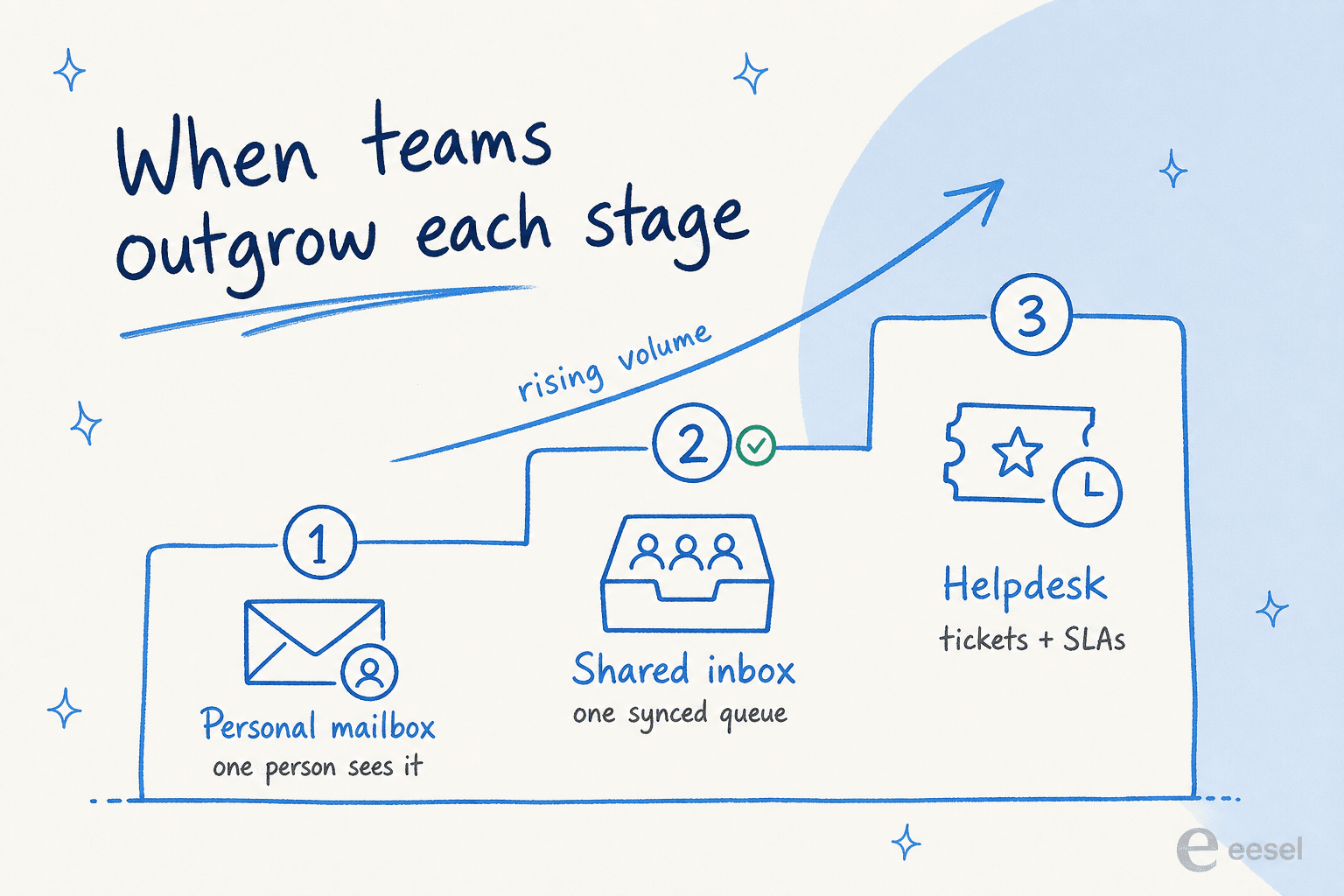
A personal mailbox keeps everything trapped with one person. The shared inbox is the middle stage where a team works one synced queue together. Once tickets, SLAs, and reporting become non-negotiable, the same team graduates to a full helpdesk.
How a shared inbox works
A shared inbox runs on a simple cycle:
- Receive. A message arrives at a shared address and appears for the whole team at once.
- Assign. Someone takes ownership, or a rule routes it automatically, so it has a clear owner.
- Collaborate. Agents add internal notes or loop in a teammate before responding.
- Reply. The assigned agent answers from the shared address, keeping the conversation in one place.
- Resolve. The message is marked done, and the next person sees an accurate, up-to-date queue.
An AI layer like eesel AI can sit inside this loop: it reads each incoming message, drafts a grounded reply or resolves the question outright, tags and routes the rest, and hands off to a person when it is unsure.
A shared inbox in practice
A shared inbox works well until volume outgrows it. The early signs are familiar: messages sitting unassigned, the same customer getting two answers, and no real way to report on what the team is actually handling. Teams that stay on a shared inbox too long end up rebuilding ticketing badly inside email. The practical move is to treat the shared inbox as a stage, lean on assignment and notes hard while it fits, and plan the jump to a ticketing system before the cracks start costing response time.
For the full breakdown, see shared inbox vs ticketing system.
Add AI to your shared inbox
eesel AI drafts replies, resolves common questions, and triages messages in your shared inbox before an agent ever opens them.