Live chat
Live chat is a real-time messaging channel that lets customers and support agents converse instantly through a website or app.
What live chat means
Live chat is a real-time messaging channel that lets a customer and a support agent hold a text conversation instantly, usually through a widget on a website or inside an app. Unlike email, where replies are asynchronous and may take hours, live chat is synchronous: messages appear as they are typed, and the customer expects an answer within the same session. It is the digital equivalent of walking up to a help counter and getting an answer on the spot.
In customer support, live chat is one of the highest-intent channels a team runs, because the person reaching out is often mid-task and stuck right now. That immediacy is its strength and its pressure: response speed and accuracy matter more here than almost anywhere else, which is why live chat is a common first home for support automation.
What makes live chat different
Live chat behaves differently from email or phone, and that shapes how teams handle it:
- Real-time expectation. Customers expect a reply in seconds or minutes, not hours, which pushes first response time to the front as the key metric.
- High intent. People who open a chat are usually actively trying to do something, so a fast, correct answer often directly affects a sale or a churn moment.
- Concurrency. A single agent can handle several chats at once, unlike a phone call, which changes the staffing math entirely.
- Context-rich. Chat can pull in the customer's page, account, or order in the moment, so the agent can answer with full context.
- Automatable. Because questions are short and often repetitive, live chat is a natural fit for an AI chatbot front line.
These traits make live chat both the most demanding channel and the most rewarding one to get right.
It helps to picture where live chat sits relative to the other channels a team runs.
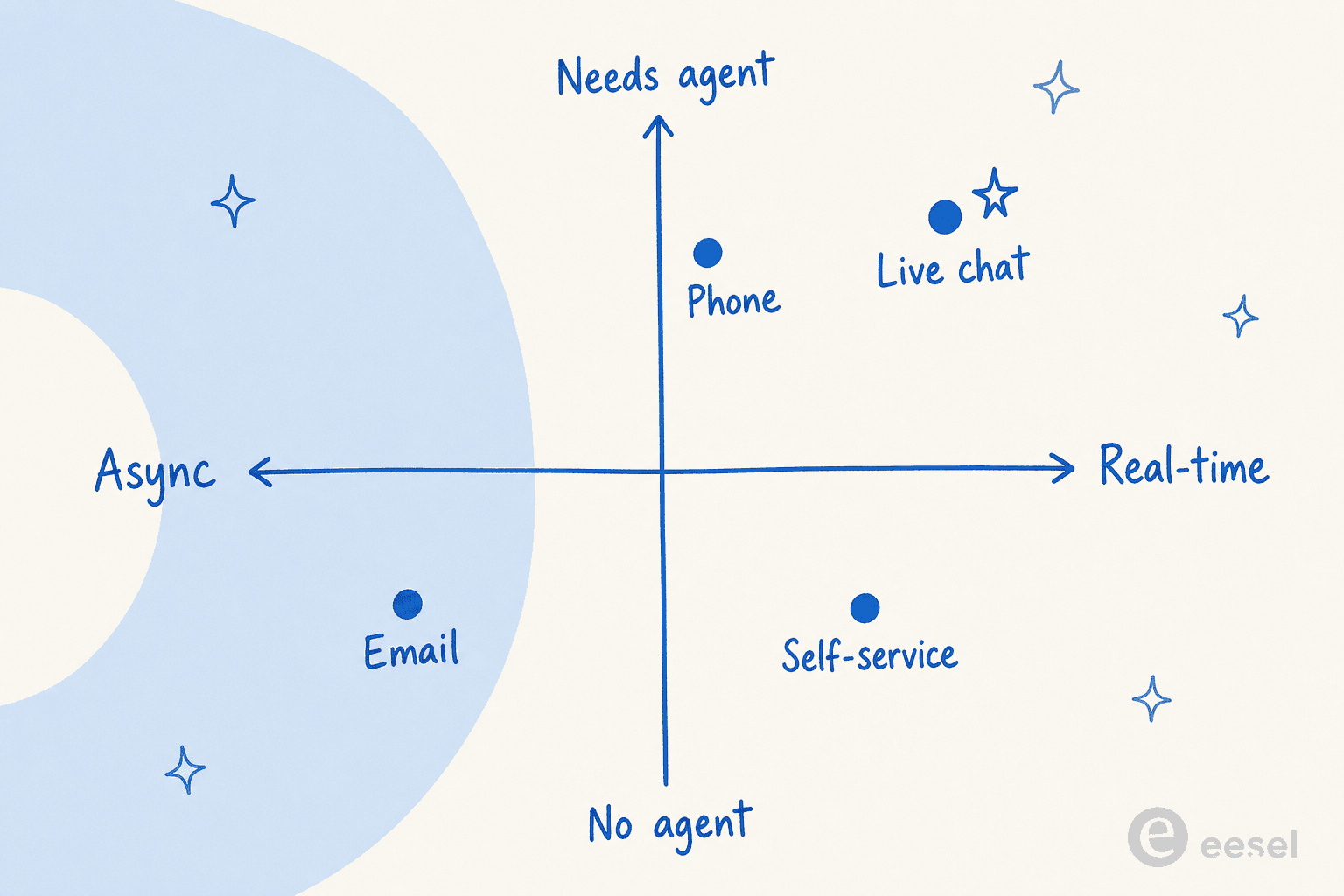
Mapping channels by how fast they respond and whether they need a person puts live chat in the top-right corner: real-time and agent-led, sharing the speed axis with phone while email lags on the async side and self-service answers instantly without anyone stepping in.
How live chat works
A typical live chat flow looks like this:
- Initiate. A customer opens the chat widget, sometimes prompted by a proactive message based on their behavior.
- Route. The conversation is directed to an available agent, a queue, or an automated responder.
- Converse. Messages pass back and forth in real time, with the agent pulling up account or order context as needed.
- Resolve or escalate. The question is answered, or the chat is handed off to a specialist or a human if it started with a bot.
- Close and log. The conversation is saved as a record for reporting and future reference.
An AI agent like eesel AI sits at the front of this flow: it answers instantly from your own knowledge, takes actions where allowed, and hands the chat to a human with full context when it is unsure or the topic is sensitive.
Live chat in practice
The trap with live chat is treating availability as the only goal. A chat widget that is always open but slow or staffed by people guessing at answers does more damage than no chat at all, because it raises the customer's expectation and then misses it in real time. The teams that run live chat well keep their knowledge tight, set honest hours or clear automated coverage, and prove any AI front line against real conversations before it goes live, so the speed live chat promises is actually delivered.
We go deeper on this in our guide to live chat trends and tools.
Put AI on your live chat
eesel AI answers live chat instantly from your own knowledge and hands off to an agent when a question needs a person.