What is customer support error analysis?
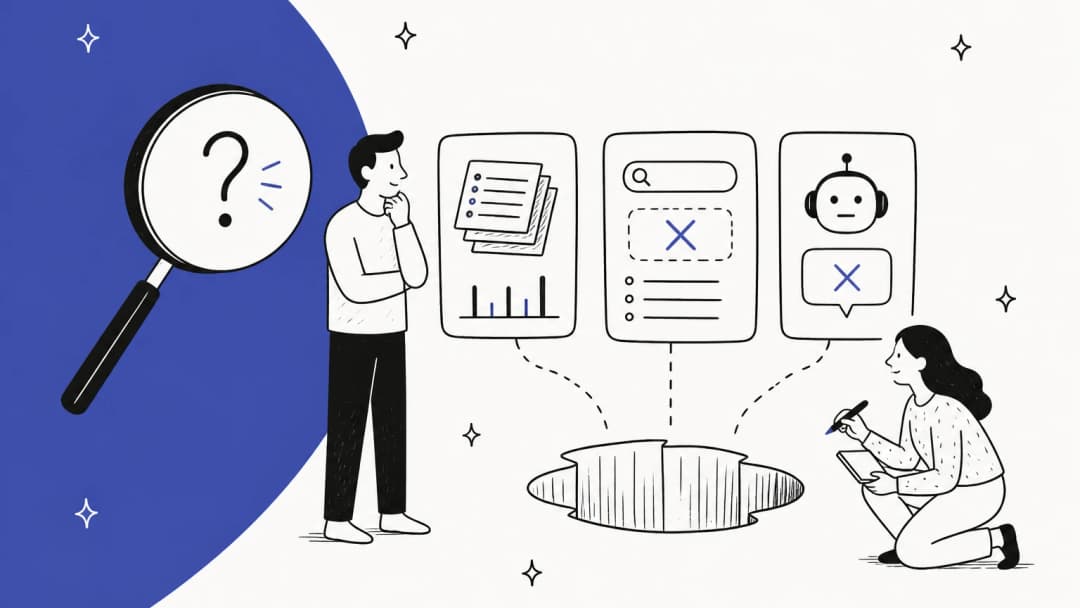
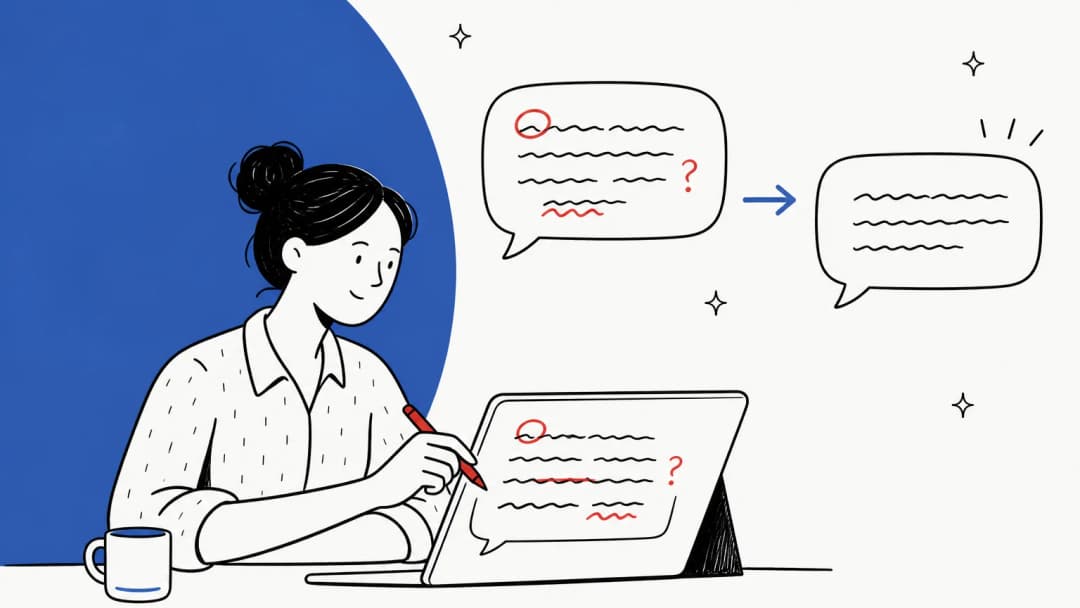
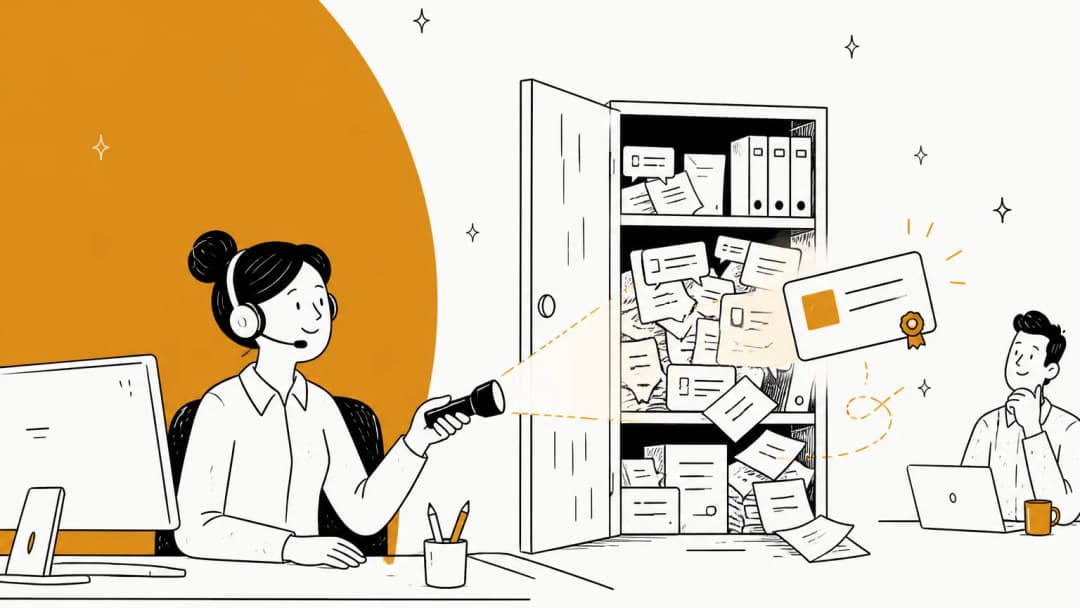
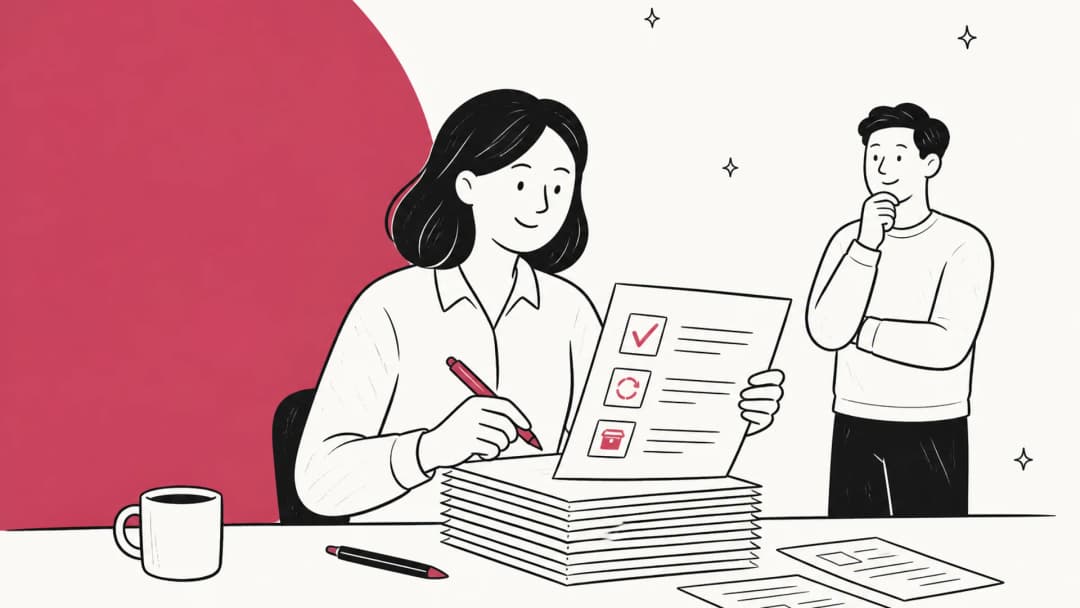
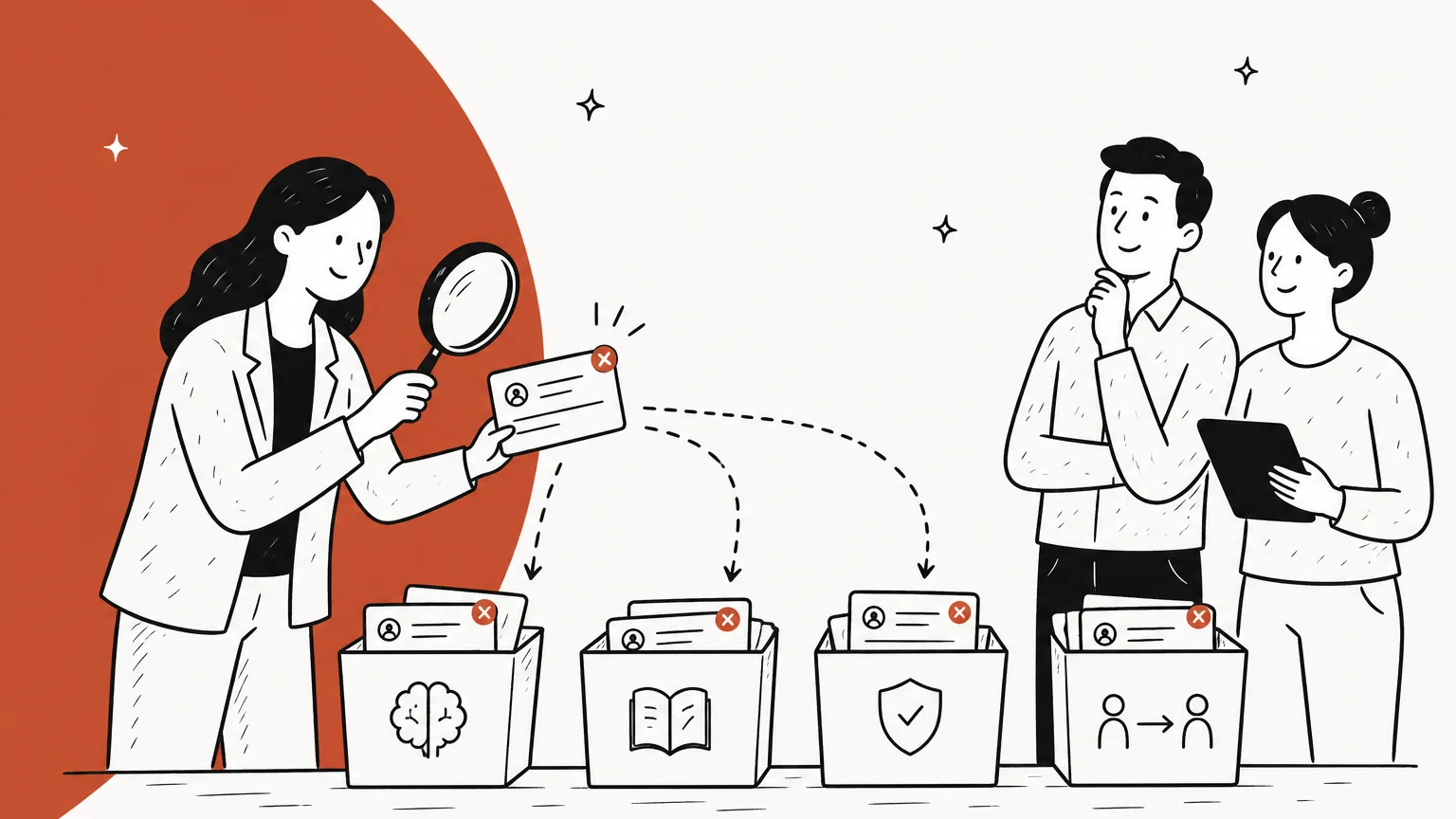
Customer support error analysis is a repeatable review of wrong or weak support replies, where each failure gets a root cause label, the labels get counted, and the most common cause gets fixed at its source. It works the same way whether the reply came from an agent, a macro or an AI agent.
The term comes from machine learning, where it's the step people skip. A Hacker News commenter put it bluntly more than a decade ago:
"3) Do error analysis/run diagnostics. Go to 1. It is the last step I find inexperienced people usually lacking. You need to examine your errors and find commonalities among them."

That's the whole idea. One wrong reply is an anecdote. Forty wrong replies sorted into buckets is a to-do list.
It's easy to confuse with support QA, so here's how I'd separate them:
| Support QA | Error analysis | |
|---|---|---|
| Question it answers | How good was this agent's reply? | Why do replies go wrong, and where? |
| Unit of review | One agent, one scorecard | One failure, one root cause |
| Sample | Random or assigned tickets | Tickets that already went wrong (reopens, bad CSAT, escalations, rejected drafts) |
| Output | A score and coaching notes | A ranked list of causes, each with an owner |
| Who fixes it | The agent | Whoever owns the cause: the KB writer, the policy owner, the AI admin, the product team |
QA still matters. Error analysis is what you do with the failures QA finds, so they stop repeating. I build AI agents at eesel, and the most useful hour in any rollout is the one where someone reads 50 failed tickets and writes down why each one failed.
Why most support errors aren't the agent's fault
When a customer gets a wrong answer, the instinct is to find who sent it. But read what agents say about their own mistakes and a pattern shows up fast: the agent was working from bad information.
"Yes..and they're always outdated never load.. and if you have questions the supervisor will always refer you back there and give you a bad review saying you must not have checked it."

Policy changes are the classic case. The update lands in an email or a chat channel, and the knowledge base article doesn't change:
"Emails get buried so fast man I swear I will find a important update like 3 days later after already giving wrong info to 10 customers. The knowledge base is good when they actually update it but half the time someone forgot to change the article"
One wrong answer, ten customers. Coaching that agent fixes nothing, because the next agent will read the same stale article. In another thread, an agent described asking for help on a discount question: the supervisor said $30 a month, one coworker said no discount, another said half, and a coach needed ten minutes to confirm it was half. Three people, three answers. That's a missing source of truth, not a careless agent. My guide to policy change management covers how to stop this one at the source.
AI agents fail the same way, just faster. When Cursor's support bot told users a logout was a new "one device" policy, Hacker News treated it as an AI hallucination story. Cursor's cofounder explained the actual root cause in the thread:
"For context, this user's complaint was the result of a race condition that appears on very slow internet connections. The race leads to a bunch of unneeded sessions being created which crowds out the real sessions. We've rolled out a fix."
The bot had no document explaining the bug, so it explained the symptom with something plausible. The wrong answer was the last link in a chain that started with a product bug nobody had written up. If you only "fix the AI," you miss the part that actually broke. My post on AI hallucinations in support goes deeper on that pattern.
And sometimes the "error" isn't an error at all. Here's the breakdown from that e-commerce trial, where agents could send an eesel draft as-is or rewrite it. Only 12% of drafts went out unchanged across 284 chats, which sounds terrible until you look at why:
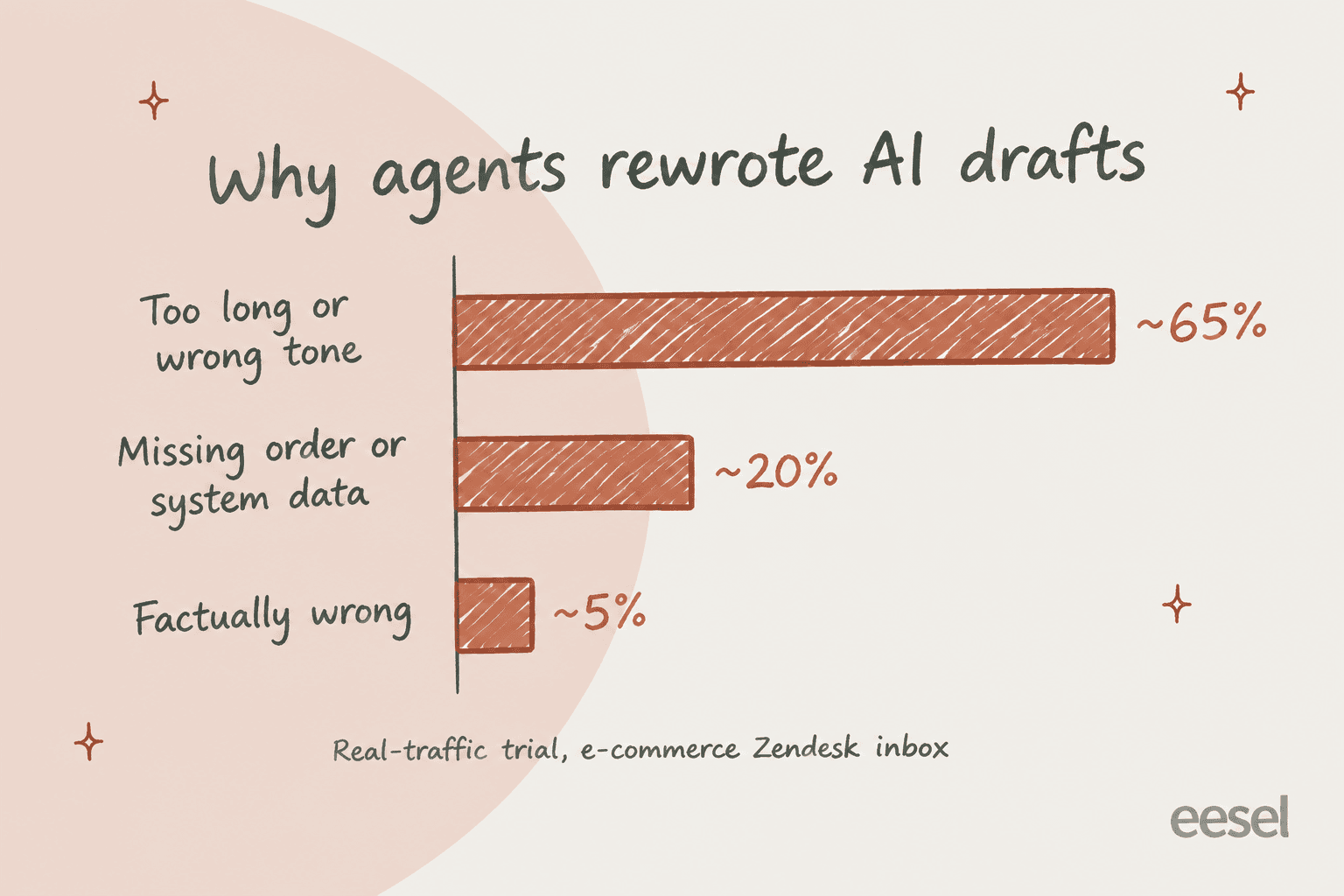
Agents typically turned 8 to 15 sentence drafts into 1 to 3 sentence replies. Most rewrites were a style problem, solvable by training on the team's own sent replies and a clear AI brand voice. About a fifth needed data from systems that weren't connected yet. The "accuracy problem" was mostly a length problem and a data-access problem. That's exactly what error analysis is for: it stops you from spending a month rewriting help articles when the real fix is "keep it to three sentences" and "connect the order system."
The six places a support reply goes wrong
Every wrong reply has a first failure. The trick is to stop at the first one, because everything after it is a consequence. If the AI pulled the wrong article, it doesn't matter that the reply was also too long.
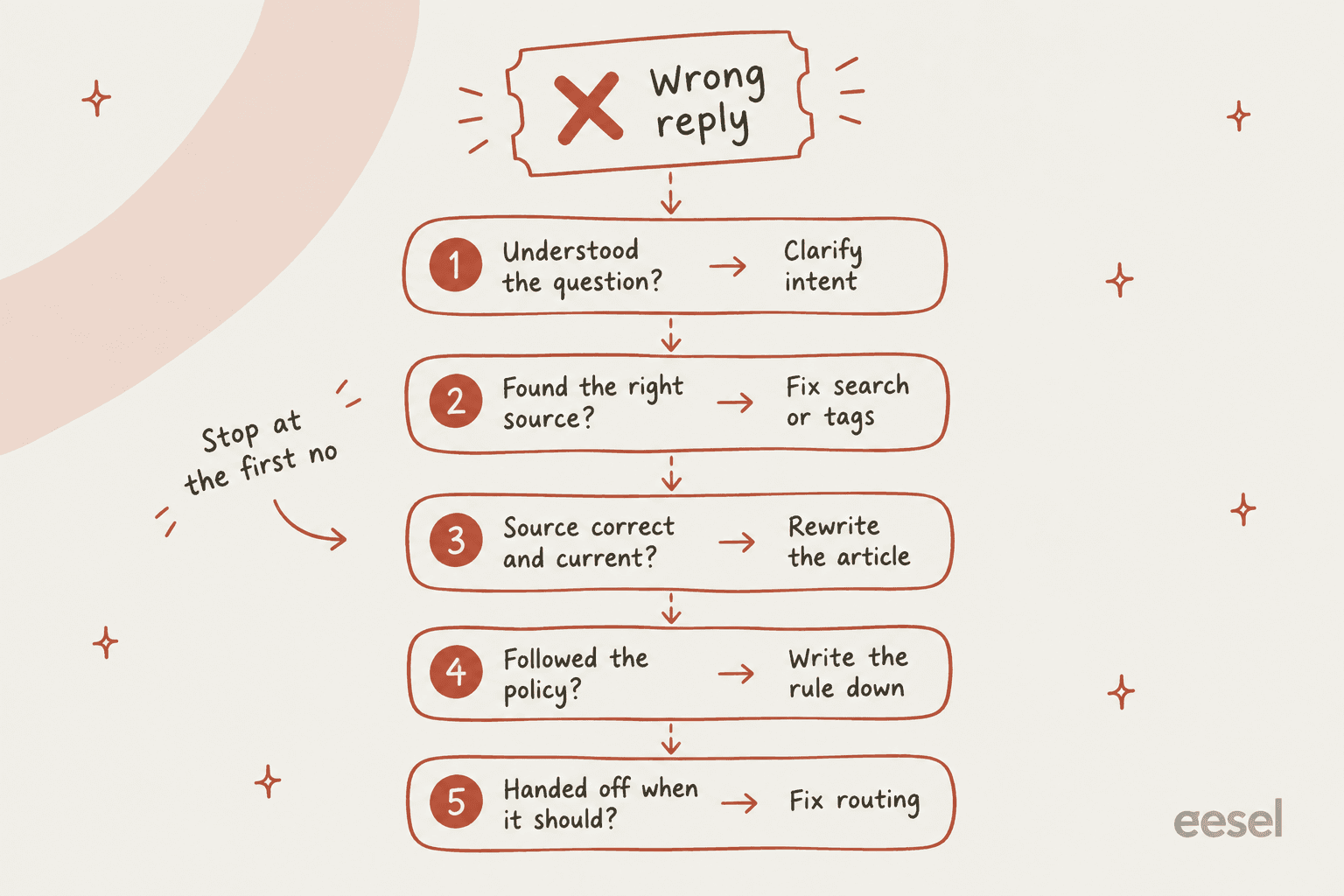
I use six buckets, the five checkpoints above plus a sixth for replies that are correct but don't land. Pick a bucket to see what it looks like, how to spot it, and who fixes it.
Notice that only the first bucket is about how the question was read. Buckets two to five are about knowledge, rules and routing, things a support lead can change once and fix for everyone. That's why error analysis pays off faster than coaching individuals: one article fix can stop the same mistake across every agent and the AI at once.
How to run a customer support error analysis in 7 steps
You can run your first pass in about two hours. After that, it's a 30-minute weekly habit.
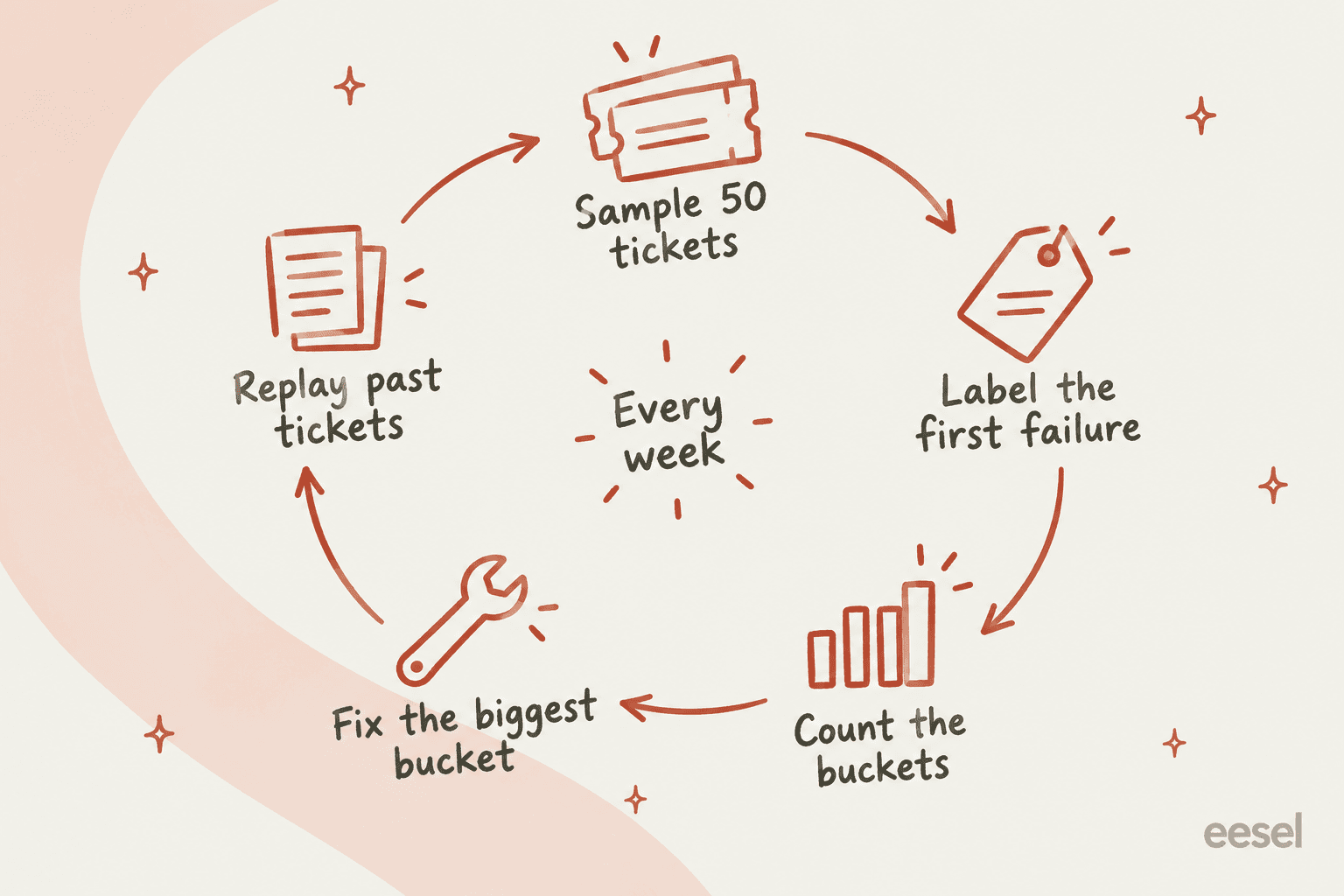
- Pull the failures, not a random sample. Reopened tickets, bad CSAT, escalations from the AI, tickets where an agent rejected or rewrote an AI draft, and repeat contacts within a few days. Zendesk Explore has Reopens and One-touch tickets metrics for this, and my guide to the reopened tickets metric shows how to filter them.
- Take 50. Fewer and one weird week skews everything. More and nobody finishes. If your volume is low, take everything from the last month.
- Read each one and label the first failure. Use the six buckets above. One label per ticket. If you can't decide in 30 seconds, label it "unclear" and move on.
- Count the buckets. This is the step that changes minds. "The AI is bad" turns into "14 of 50 were the same stale returns article."
- Fix the biggest bucket at its source. Rewrite the article, write the rule into your support SOPs, change the routing. Give each fix an owner and a date.
- Replay past tickets to check the fix. Run the same kind of question back through your agent or AI and see if the answer changed. Don't just wait for next week's tickets.
- Repeat weekly, and track the bucket mix. A healthy program sees the top bucket shrink and a new one take its place.
Step one is where most teams quietly fail, because the obvious metric lies. A ticket the AI "resolved" can still be a failure:
"Don't track deflection without tracking subsequent contact. A bot might "successfully" complete a chat, but if the user submits an email ticket 20 mins later – that bot was trash. You have to analyze repeat contact rates to get true transparency."
HubSpot's own docs make the same point: deflections "do not always indicate resolution", since a customer may simply leave (HubSpot knowledge base). So match bot conversations to follow-up tickets from the same customer before you trust any resolution rate. My post on measuring AI deflection covers the matching.
For step four, a simple tally is enough at first. An IT manager on Reddit described exactly this: count how many tickets tie back to the same cause and connect the dots, without forcing the team through a full "5 whys" every time. Once the buckets are stable, move them into your helpdesk as tags or QA root causes so the counting happens on its own. My support ticket analysis guide has a template for the tally sheet.
How to analyze errors from an AI support agent
Error analysis on an AI agent is easier than on people in one important way: the AI can show its work. You can see what it searched, what it found and why it chose its answer. You'd never get that from a human agent at the end of a long shift.
The catch is that you have to actually read it. A Hacker News commenter who builds agents made the case for doing it by hand, even when you have automated scoring:
"there's still a huge benefit in looking at traces yourself and labeling them. It's time-consuming, yes, but you'll learn a lot about the ways an agent fails in your particular domain, it gives you more reliable golden datasets, you have a mechanism to evaluate your judges, etc."
When you read AI traces, the six buckets still apply, but the evidence looks different:
- Misread question: the AI's stated intent or use case doesn't match the customer's question.
- Wrong source: the sources list shows an article that's close but wrong.
- Bad or missing source: the AI cited the right article and the article is wrong, or it found nothing and answered anyway. That second one is the dangerous version. When retrieval comes back empty, a model can fill the gap from general knowledge. In one eesel setup for a vehicle-telematics team on Zendesk, the bot confirmed support for car models that weren't in the product's database, because the help center said "we support all models."
- Policy not followed: the rule exists in your team's heads but not in the AI's instructions.
- Should have handed off: the conversation hit a topic on your handoff list, or should have, and kept going. My guide to AI handoff covers what belongs on that list.
One warning from experience: don't jump straight to swapping the model. Simon Willison asked on HN the right question: if you switch models without evals in place, "how will you tell if the model switch actually helped?" And often the model isn't the problem at all. Another commenter noted that teams blaming the LLM found "upstream calls to services that produce data" were the real cause. In support terms: the order lookup returned nothing, so the AI guessed. That's the 20% bucket from the trial above.
If your AI drafts for agents rather than replying directly, every rejected or rewritten draft is free error-analysis data. Treat the edit as a label. My guide to training an AI support agent covers how to feed those edits back.
What each helpdesk shows you when an answer goes wrong
Every major helpdesk now gives you some way to see why its AI answered the way it did. They differ a lot in what they show, and in whether you can test a fix against past tickets.
| Helpdesk | Where you see the "why" | Sources shown per answer? | Built-in reason codes | Test a fix against history? | Gate | Source |
|---|---|---|---|---|---|---|
| Zendesk | Conversation logs: per-message Plan, Response before customization, active instructions | Per conversation (Resources used), not per article on plain knowledge replies | Custom resolutions incl. Unresolved, Escalation failed; QA root causes with tiers | Not documented in bulk | Logs on all Suite plans; QA needs the QA or WEM add-on | Zendesk docs |
| Freshdesk | AI Agent Studio Analyze: Improve tab, Knowledge usage, Ticket logs | Answer Source in tests; per-source counts of answers and feedback | Improve types: New content, Edit content | Test tab: up to 100 typed or generated queries | Growth, Pro, Enterprise | Freshdesk docs |
| Gorgias | Show reasoning under every AI message; AI Feedback tab | Yes, with thumbs up or down per source | "What went wrong" dropdown; 3 handover reasons; Opportunities: Fill knowledge gap, Resolve conflict | One existing ticket at a time | Feedback needs Lead or Admin | Gorgias docs |
| HubSpot | Coaching opportunities; agent insights in Help Desk | Yes, knowledge sources cited per reply | Reason: Knowledge, Handoff, Experience, Action, Other | Not documented | Pro or Enterprise plus HubSpot Credits | HubSpot docs |
| Help Scout | Beacon Sessions tab, Improvements | Only when the AI fails or asks to clarify (Attempted Sources) | Contact helped, Contact not helped, Human escalation | Not documented | All paid plans, $0.75 per AI resolution | Help Scout docs |
| Front | AI replies hub | Yes, with the exact excerpt pulled from each source | Not documented for AI handoffs | One existing conversation at a time | Copilot or Autopilot add-on; Smart QA $20/seat/month | Front docs |
All features and gates checked on each vendor's own docs in October 2026.
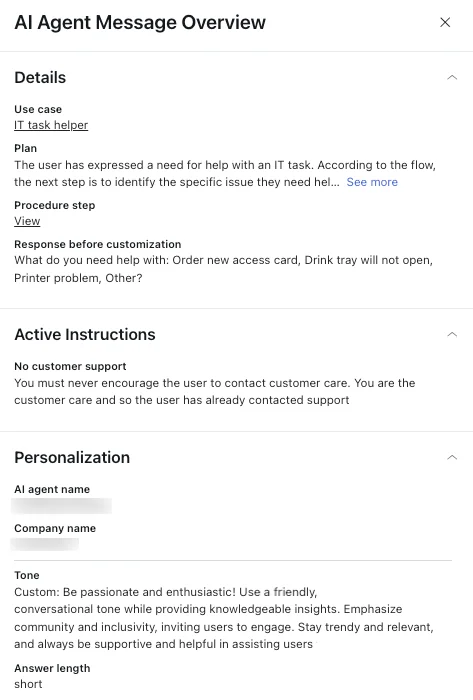
Zendesk's message-level view is the most detailed for its generative procedures. The Plan field shows the AI's reasoning, and Response before customization shows the text before your persona and instructions were applied, which tells you whether a bad reply came from the reasoning or from your tone settings:
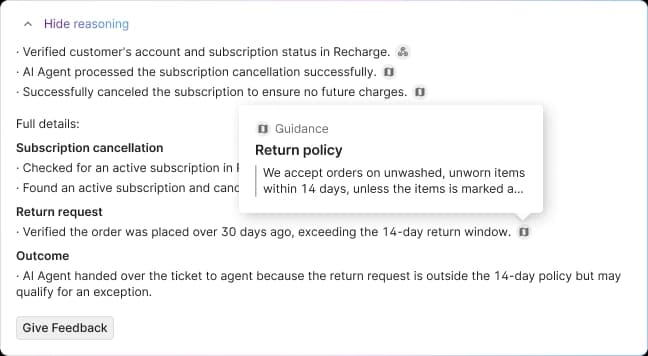
Gorgias makes reasoning readable to any role, which matters more than it sounds. When agents can see why the AI handed over or answered, they can report the cause instead of just "the bot was wrong":
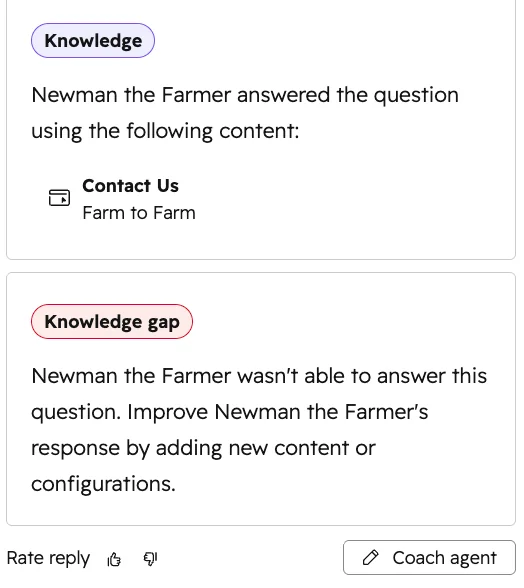
HubSpot labels each AI reply with what it used, or flags it as a knowledge gap. That label is basically bucket three, done for you:
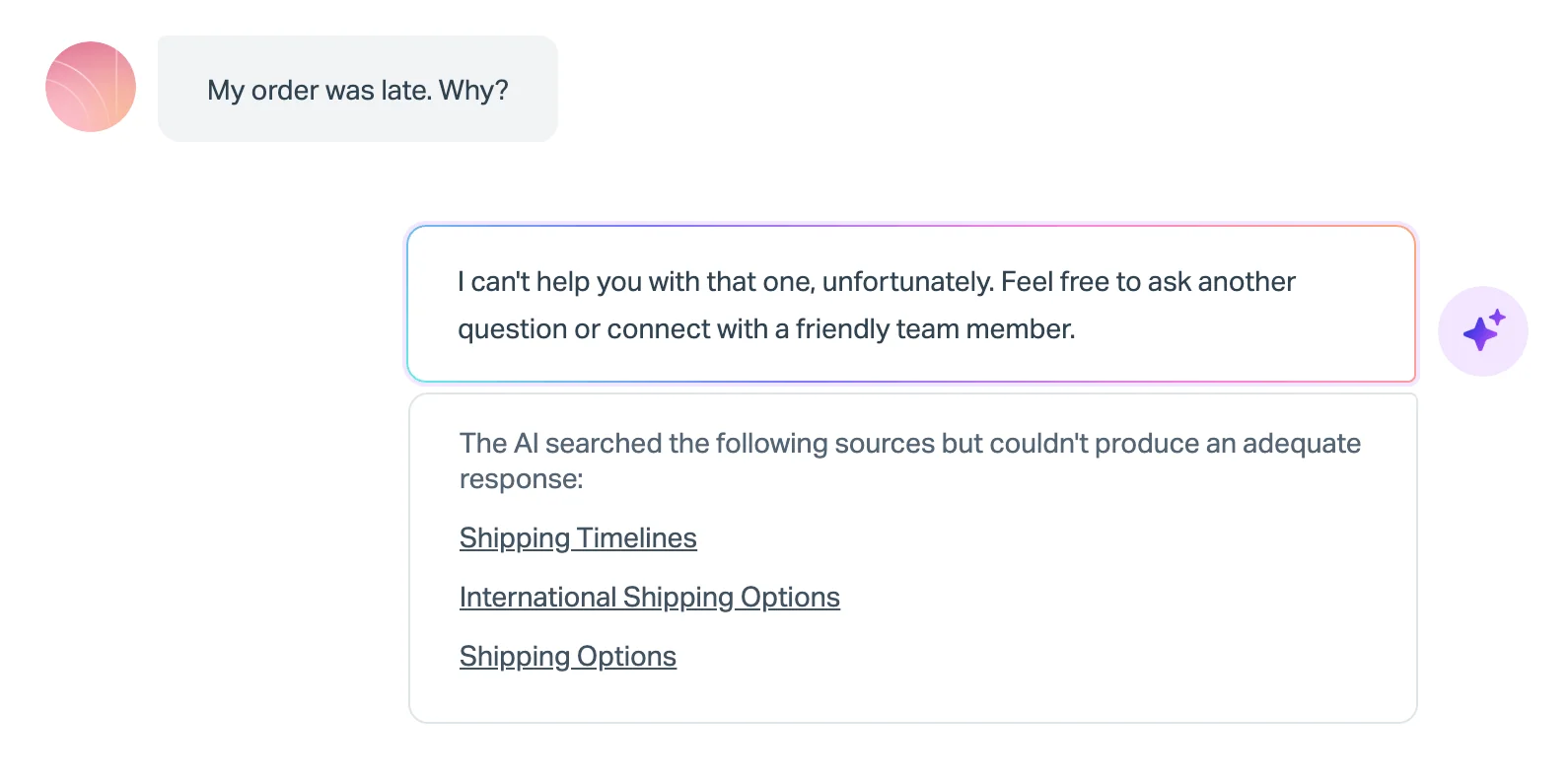
Help Scout only shows sources when the AI fails, but for error analysis that's the moment you need them. A reply that searched three shipping articles and still couldn't answer "my order was late, why?" points at a missing article, not a bad model:
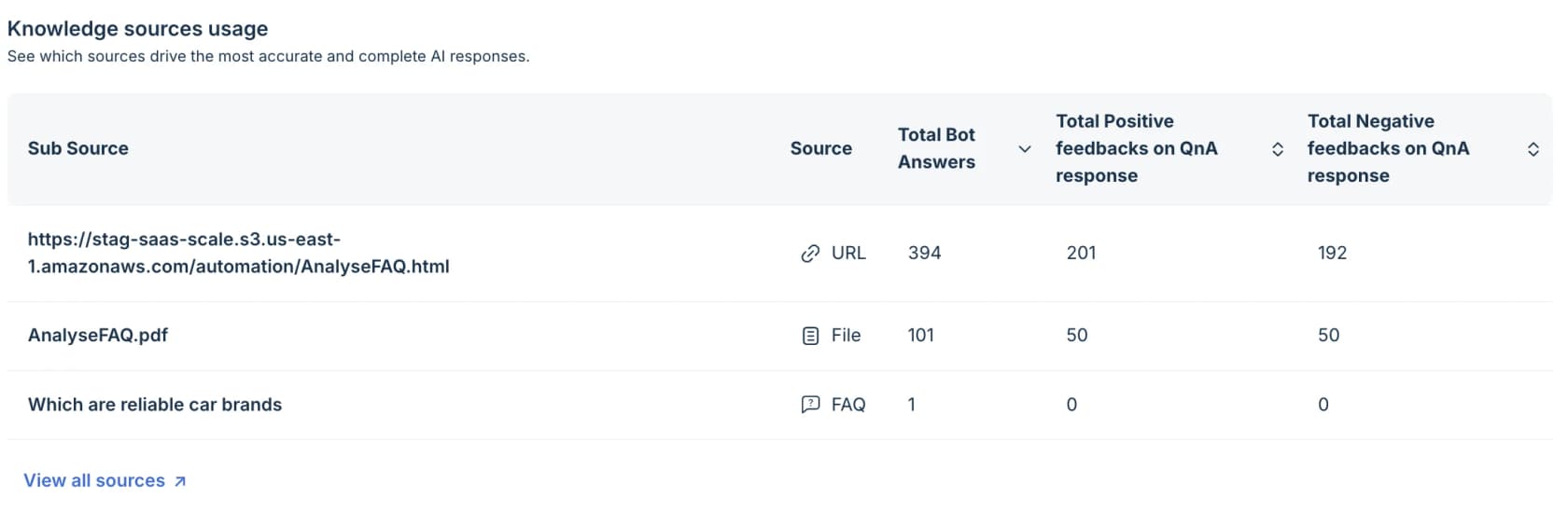
Freshdesk's Knowledge usage table is the best built-in view for bucket two. It counts how often each source was used in bot answers, next to positive and negative feedback. Freshdesk's own guidance is that a frequently cited source with a high negative-to-positive ratio is your top content review target:
Two things to know before you lean on any of these. First, Freshdesk's Root Cause Analysis, despite the name, explains ticket volume spikes with a tree map, not individual wrong answers, and it's Enterprise only. Second, the "test a fix" column is the weak spot across the board. Gorgias and Front let you re-run one existing ticket at a time, and Freshdesk tests typed or generated questions. That's useful for spot checks, but it won't tell you whether last week's fix moved the error rate across 50 real tickets.
Where to log root causes so you can count them
Reading traces finds the cause. Counting needs the cause stored somewhere you can report on. Here are the best built-in places I've found.
Zendesk QA root causes. Reviewers can add an optional root cause when they score a category, picked from a list you define, organized in tiers and sub-tiers, and reported on in dashboards. It's built for negative ratings, which is exactly the error-analysis sample. It needs the QA or WEM add-on. My Zendesk QA overview and guide to scorecard criteria cover setup.
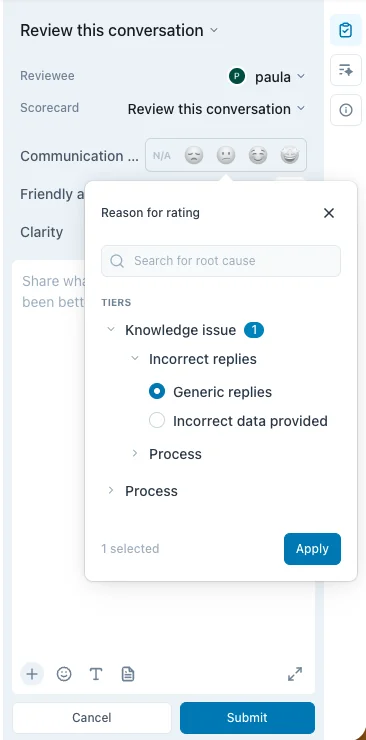
I'd set up tiers that match the six buckets, with sub-tiers for your most common cases ("Bad or missing source > Returns", "Bad or missing source > Shipping"). Zendesk QA also scores AI agents on scorecards and has a BotQA dashboard for escalation and bot repetition rates, though it only supports bots installed from the Zendesk Marketplace.
HubSpot coaching opportunities. Each one carries a Reason (Knowledge, Handoff, Experience, Action, Other) and a Type, including Knowledge gap, Knowledge conflict and "Flagged by Help Desk rep." It's the most complete set of built-in reason codes I found, and it maps neatly onto buckets three and five.
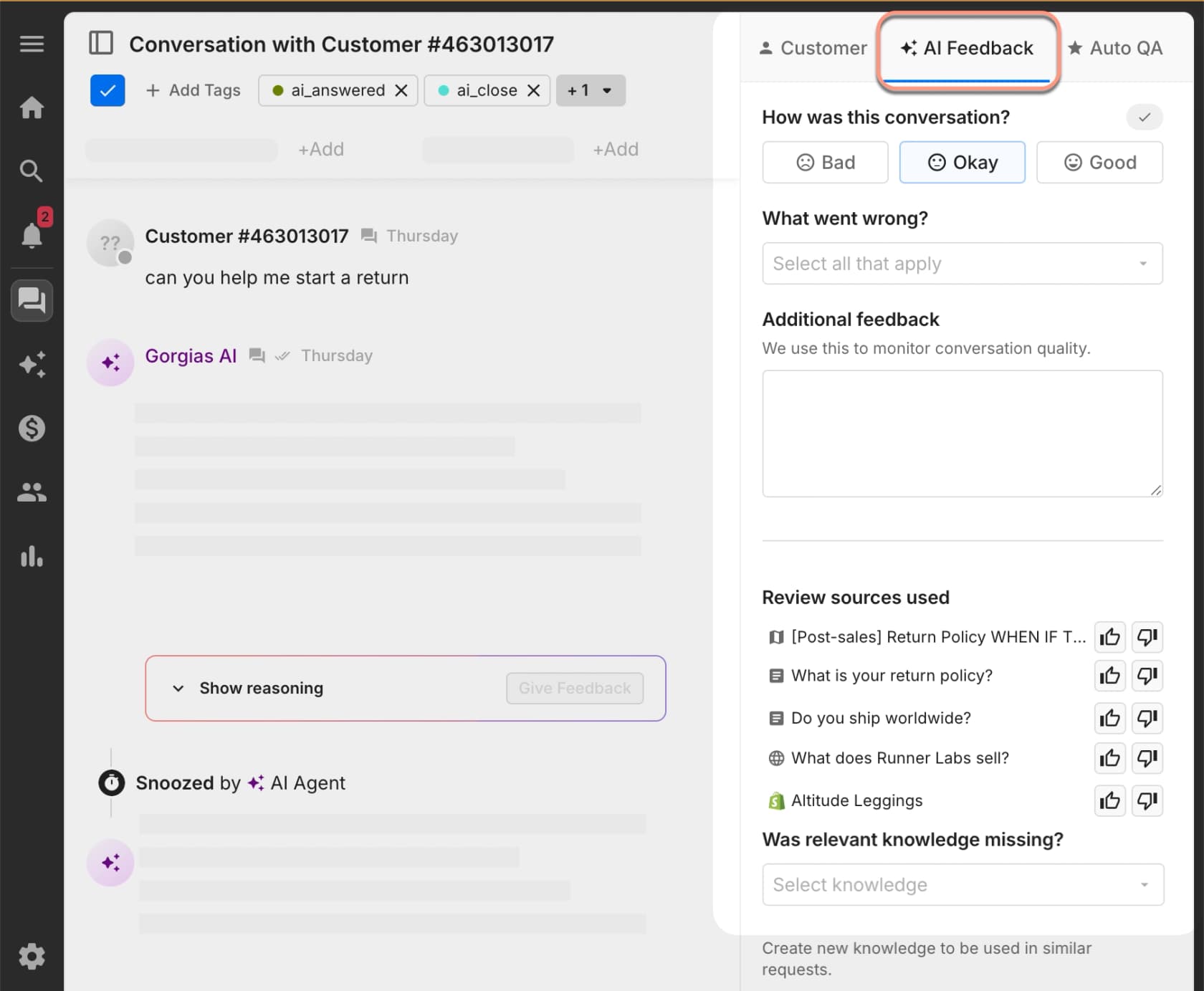
Gorgias AI Feedback. On a Bad or Okay rating, leads pick from a "What went wrong" list, thumb individual sources up or down, and can point to the knowledge that should have been used:
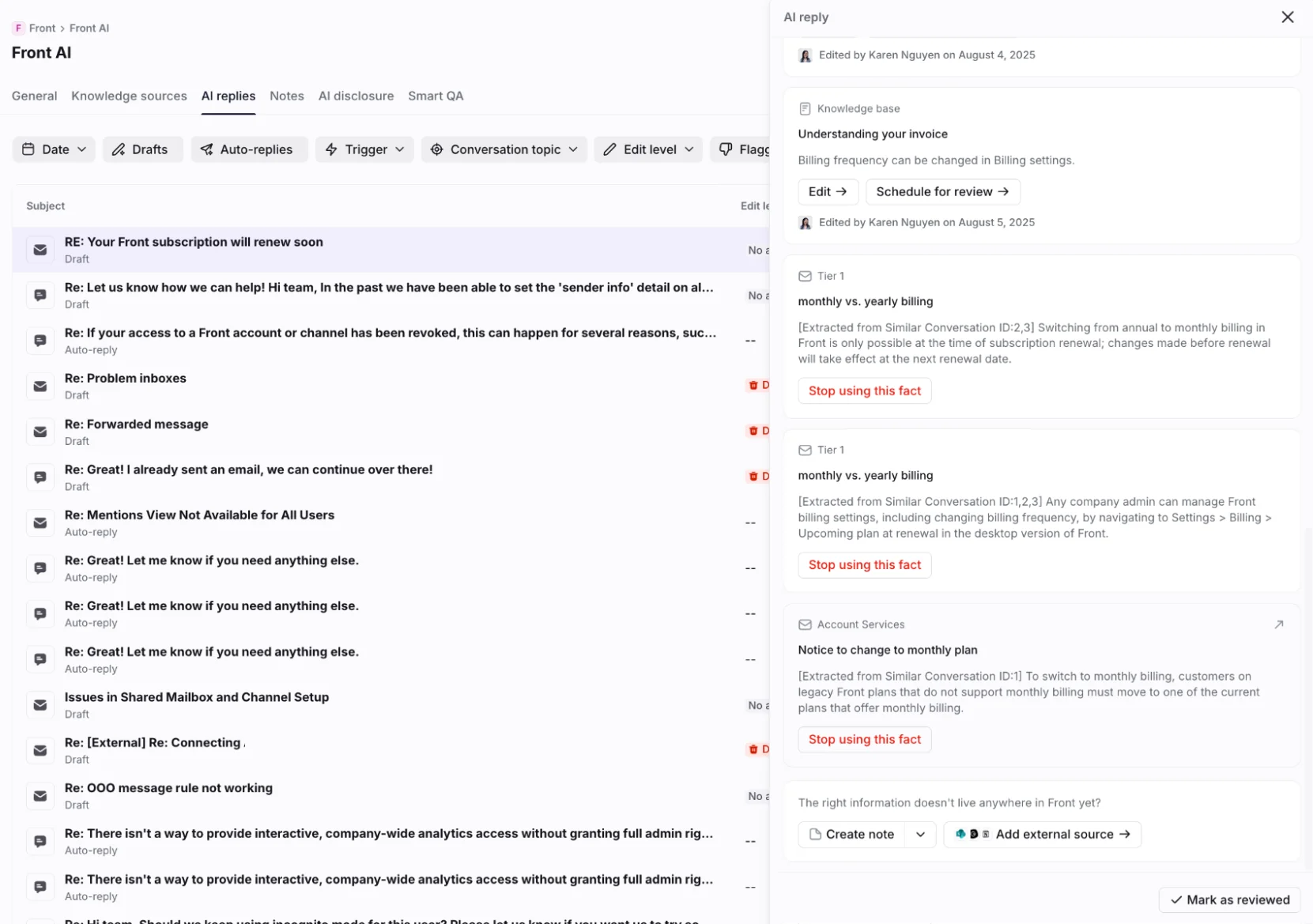
Front's AI replies hub. Not a reason code, but the fastest fix path I've seen: every source behind a reply, with the exact excerpt, and inline Edit, "Stop using this fact" and Create note actions.
If your helpdesk has none of these, a ticket tag per bucket works fine. Keep the list short. Six tags get used; thirty get ignored. My guide to AI support tagging shows how to apply them without adding clicks for agents.
Fix the system, not the person
Error analysis only works if people tell you about errors. That stops the moment it becomes a way to catch people out. Agents are clear about how that feels:
"Hold hands up it was something I missed (or didn't consider) but the complaint feedback was otherwise good so it stung to get a fail rather than a learning and fix it"
Sometimes the metric itself is the root cause. One agent described being penalized for holds over three minutes, when confirming the right answer takes three minutes or more:
"If I put them on hold that long, some get annoyed or escalate. Either way, I'm doomed: penalized if you placed the caller on hold for more than 3 mins or returned back to the caller and tell them you needed more time."
If a target pushes people to answer before they've checked, wrong answers are the predictable result. Put "the KPI" in your bucket list when it shows up. My post on customer service KPIs covers which ones backfire.
None of this means nobody is accountable. The distinction I like is from a thread on blameless reviews: people are "still held to account for their decisions and actions but are not blamed for their results." An agent who skipped the article should hear about it. An agent who followed a wrong article should get a thank-you for finding it.
What a good loop looks like in practice, from an agent whose team gets it right:
"But where I work if an agent finds inaccurate information, requests information, or has figured something out that isn't in KB all we have to do is send a message to our supervisor and they pass it along to our head of sales, and the next day KB is updated."
Next-day KB updates. That's the target. Pair it with a regular knowledge base audit and a knowledge gap analysis, and use agent feedback sessions for the errors that really are individual.
The same applies to an AI. One HN commenter said of a human rep's mistake that they wanted "better training/docs so it doesn't happen again", not someone fired. Treat the AI the same way, and route repeat human errors into coaching rather than write-ups.
How eesel handles error analysis
I build AI agents at eesel, so I'll be specific about what ours does and doesn't do here.
It shows its work on every ticket. Every run in eesel's Activity page shows where it happened, what triggered it, what sources it searched, what it did, its reasoning step by step, and whether it hit a knowledge gap. In Zendesk, every draft names its sources. So labeling a wrong answer takes one click into the run, not a guess.

Corrections become rules. When an answer is wrong, you tell it what was wrong, in the ticket or in chat, and it writes the correction into its own instructions, or edits the existing rule if one already covers it. One Zendesk admin taught it a policy-bucket fix in two lines: "I have a rule in CS where we do not address a cancel or refund request when there is an issue attached to it." Then, on the next draft: "This is incorrect. You have not provided troubleshooting steps yet." That rule now applies to every future ticket, not just that one.
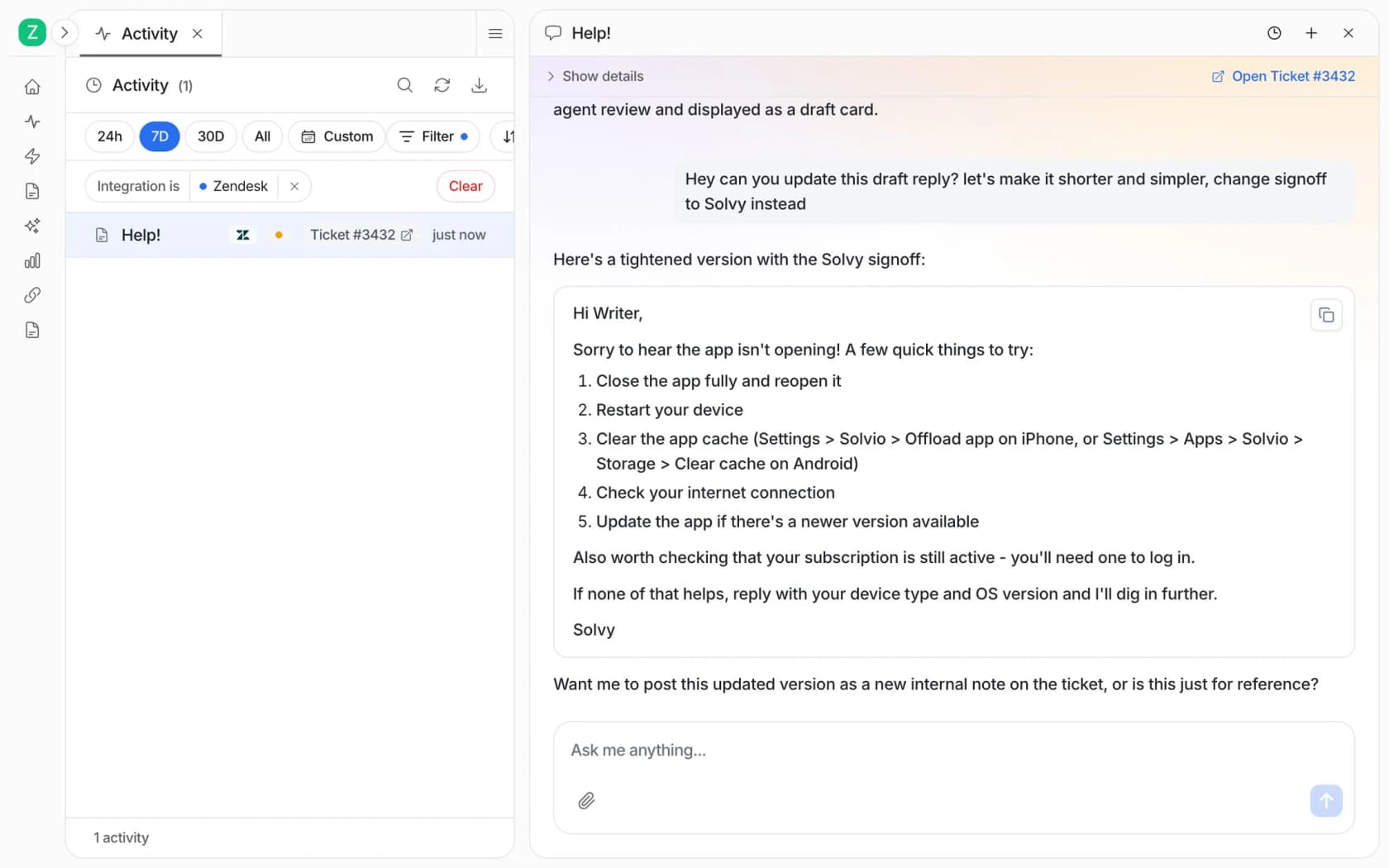
It finds the pattern for you. The "Analyze and improve replies" skill looks at what your team rejected or edited, finds the pattern, and suggests fixes. That's steps three to five of the method above, run on your own data.
It replays real past tickets. The simulation skill runs your agent against real resolved tickets, compares each answer with what your team actually sent, scores it by ticket theme, and suggests instruction changes. In the docs' example run on 20 tickets, 17 matched the team's reply quality, and the report found the real gap wasn't the wording but the actions agents took, like checking a log or escalating to engineering:
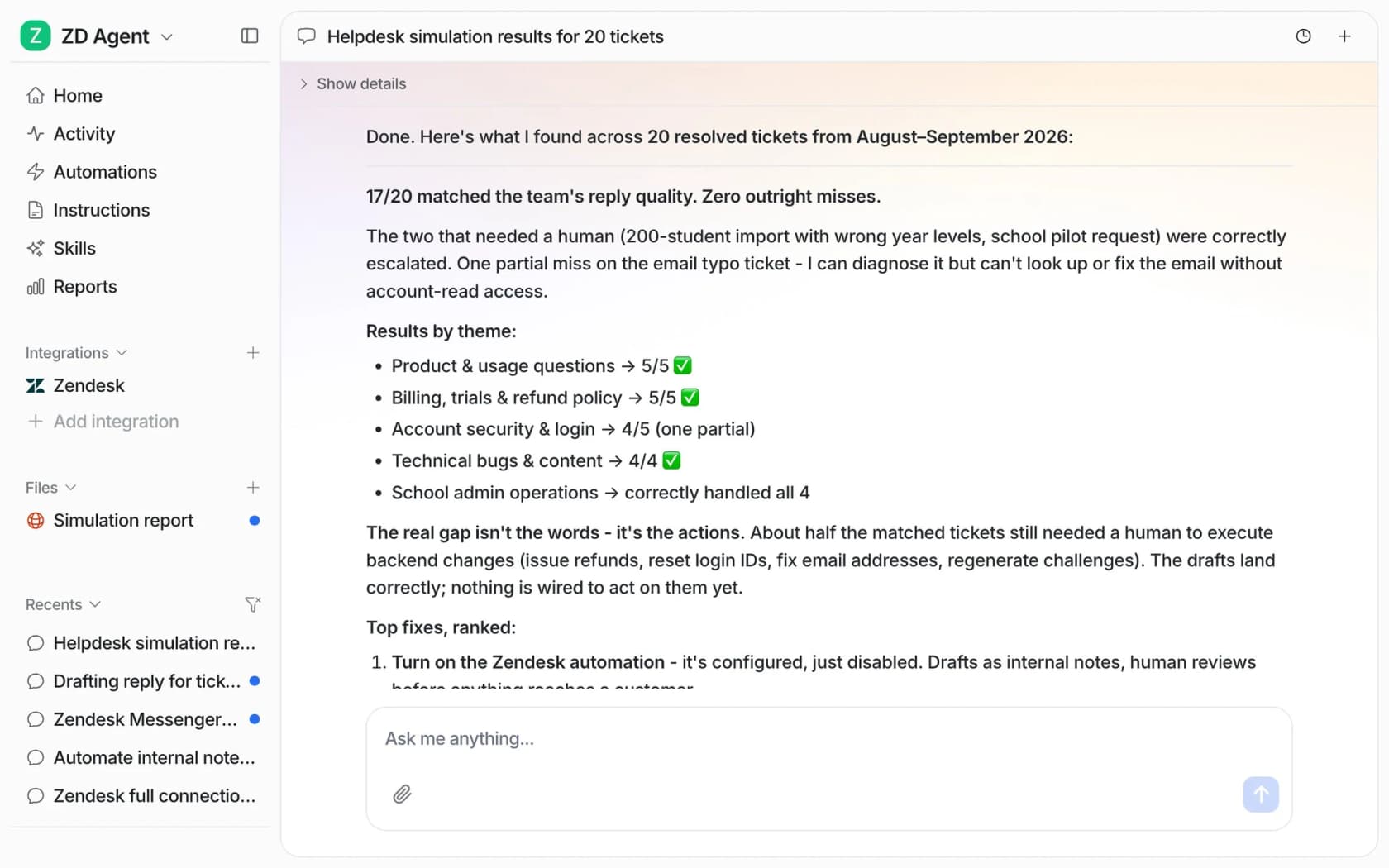
That's the step I'd never skip. It's the only way I know to check that a fix worked across dozens of real tickets before customers see it. And if your team works from a terminal or scripts, the eesel CLI lets you correct the agent and print its current rules from the command line, so a coding agent can run the weekly review too.
What it isn't: a replacement for a QA scorecard on your human agents. Its AI CSAT is an AI's rating of answers, not customer feedback, and I'd keep your human QA program running alongside it. My roundup of support QA tools covers that side.
Run your error analysis with eesel
If your AI or your team keeps making the same mistakes, eesel's AI helpdesk teammate gives you the error trail in one place. It joins your existing Zendesk, Freshdesk, Gorgias or Help Scout queue, logs what it read and why on every ticket, turns your corrections into standing rules, and replays real past tickets so you can see a fix work before it goes live. Start it on drafts as internal notes, run a simulation on last month's tickets, and you'll have your first bucket count by the end of the day. It's free to try with 100 credits, and paid plans start at $299 a month on the eesel pricing page.
Frequently Asked Questions
What is customer support error analysis?
How do you do error analysis on support tickets?
What are the most common root causes of wrong support answers?
How is error analysis different from support QA?
How do I analyze errors from an AI support agent?
Does Zendesk have a root cause field for support errors?
Which metrics show that a support answer was wrong?
Can AI help with customer support error analysis?


Article by
Kira
Kira is a writer at eesel AI with a Computer Science background and over a year of hands-on experience evaluating AI-powered customer service tools. She focuses on breaking down how helpdesk platforms and AI agents actually work so that support teams can make better buying decisions.