What customer support language quality actually means
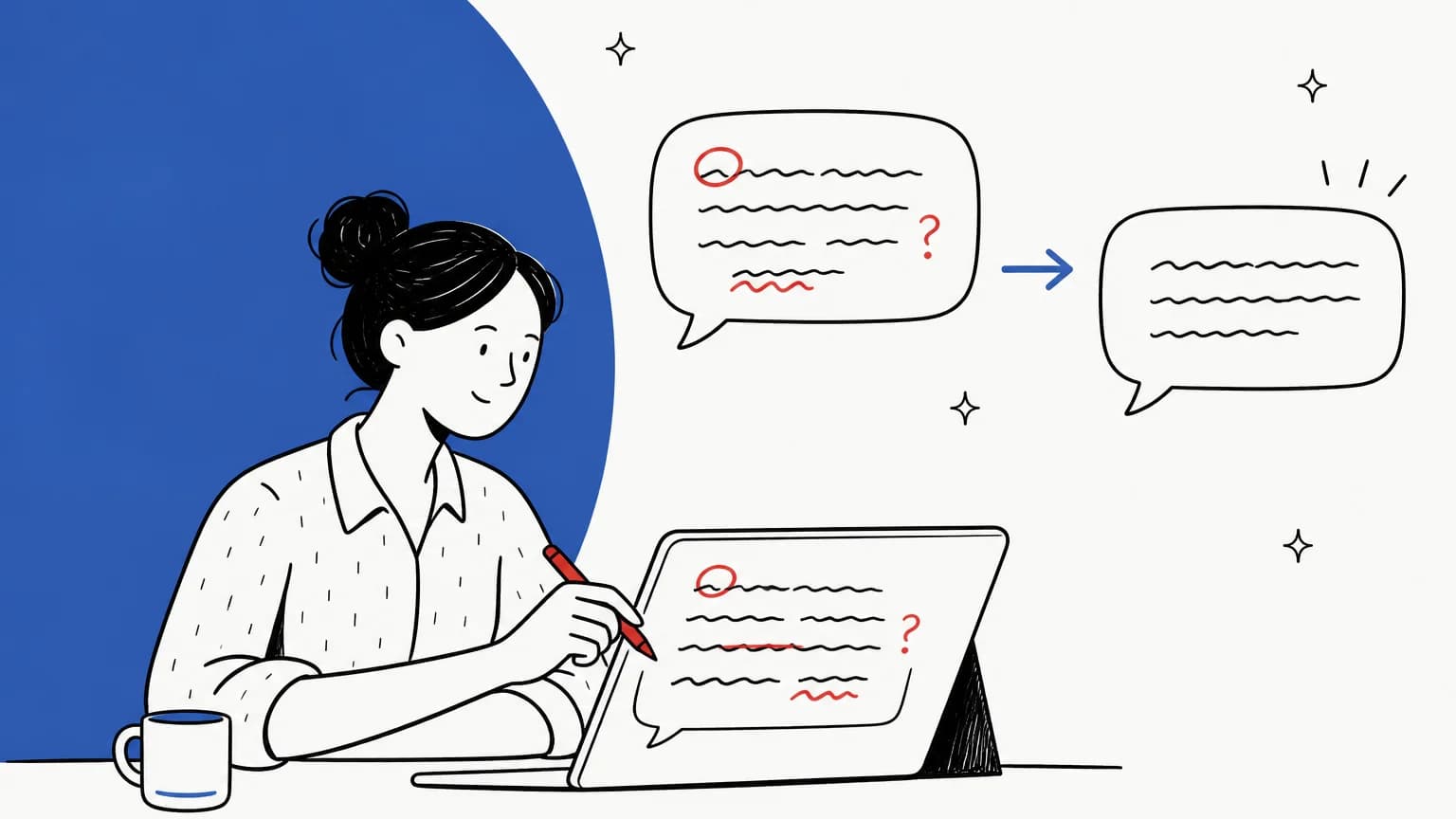
I work on eesel's support queue every day, and the replies that get complaints are almost never the ones with a typo. They're the ones that are four paragraphs long when the customer asked a yes-or-no question, or the ones that read like a legal notice when the customer was clearly upset. So when a team says "our language quality is slipping", the first thing I ask is which layer.
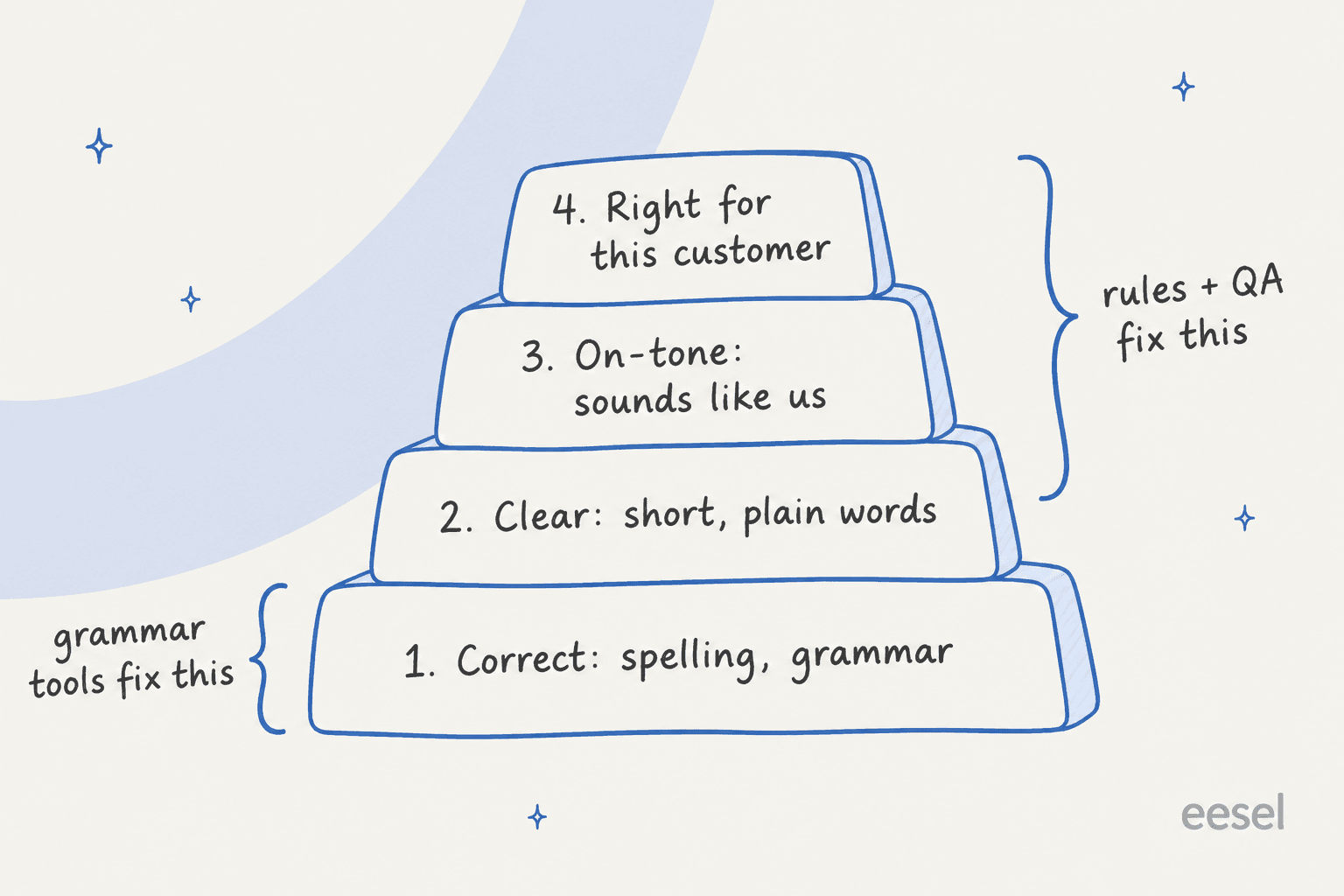
Here's how I split it:
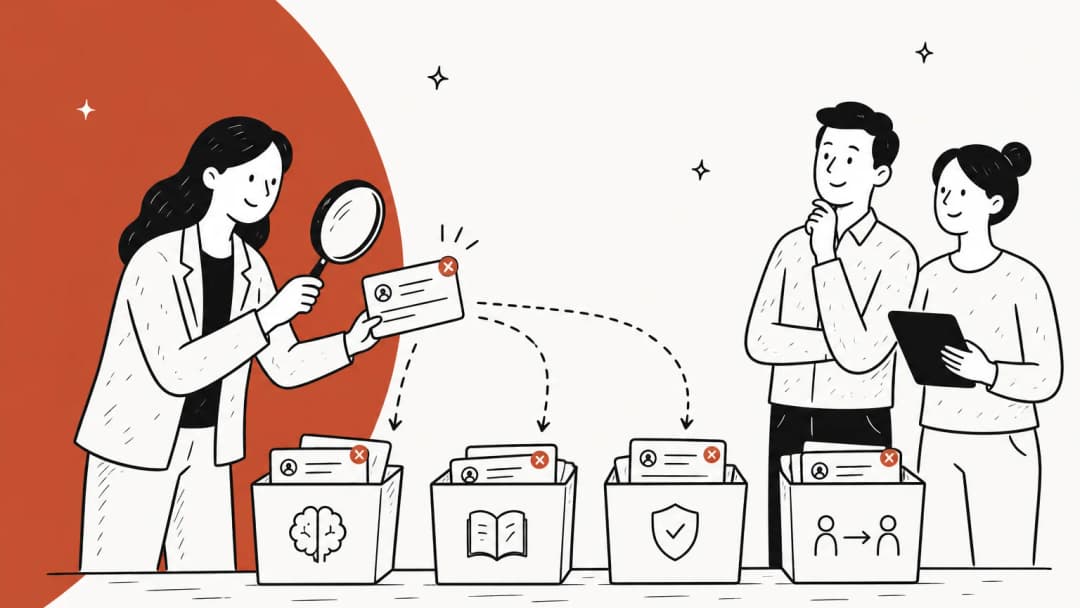
- Correct. Spelling, grammar, punctuation, product names spelled the way you spell them. Software is very good at this now.
- Clear. Short sentences, plain words, one ask per message, the answer before the explanation. Software can flag long sentences, but it can't tell you the customer needed step 3 first.
- On-tone. Sounds like your company, at the right level of warmth. A 22-year-old fashion brand and a payroll provider shouldn't write the same refund reply.
- Right for this customer. Their language, their formality, their mood, their history with you. This is the layer an angry repeat customer notices.
The useful thing about splitting it this way is that each layer has a different fix, and most teams overspend on layer one and underspend on the other three. If you've already got a support translation glossary and multilingual setup, layer four is mostly covered for language; what's left is formality and mood.
Why it matters more than it looks
Customers read language quality as a proxy for competence. If the reply is sloppy, they assume the fix will be too. This shows up again and again in public threads, and the bigger the brand, the harsher the judgment.
"I was shocked by the middle school level English grammar coming from the company's official customer support. Who knew you could get so much wrong in seven sentences! Bad image for a luxury product."

The more surprising version: typos can make a real reply look fake. When a fan posted a genuine LEGO customer service email, the first reaction in the thread was that it couldn't be real.
"Sorry, ain't no way that's legit. The typos, the casual secret-leaking…I'm desperate for more sets just like everyone else, but I highly doubt that actually came from LEGO."

That's a trust problem, not a style problem. In a world where customers are already wary of phishing emails, a support reply full of slips looks exactly like the scam your security team trains people to ignore.
And it's not only about errors. A reply can be grammatically perfect and still land badly because it's a canned response pasted without reading the question:
"you'd email with a problem and get a reply that was obviously just someone copying and pasting big chunks of superficially relevant text from some database. So it can happen with people too."
That's layers two and three failing while layer one passes.
How to measure language quality on your QA scorecard
You can't fix what you only notice when a customer complains. The standard move is to add language categories to your support QA scorecard and score a sample of tickets each week. The newer move is to let software score all of them.
What Zendesk QA scores automatically
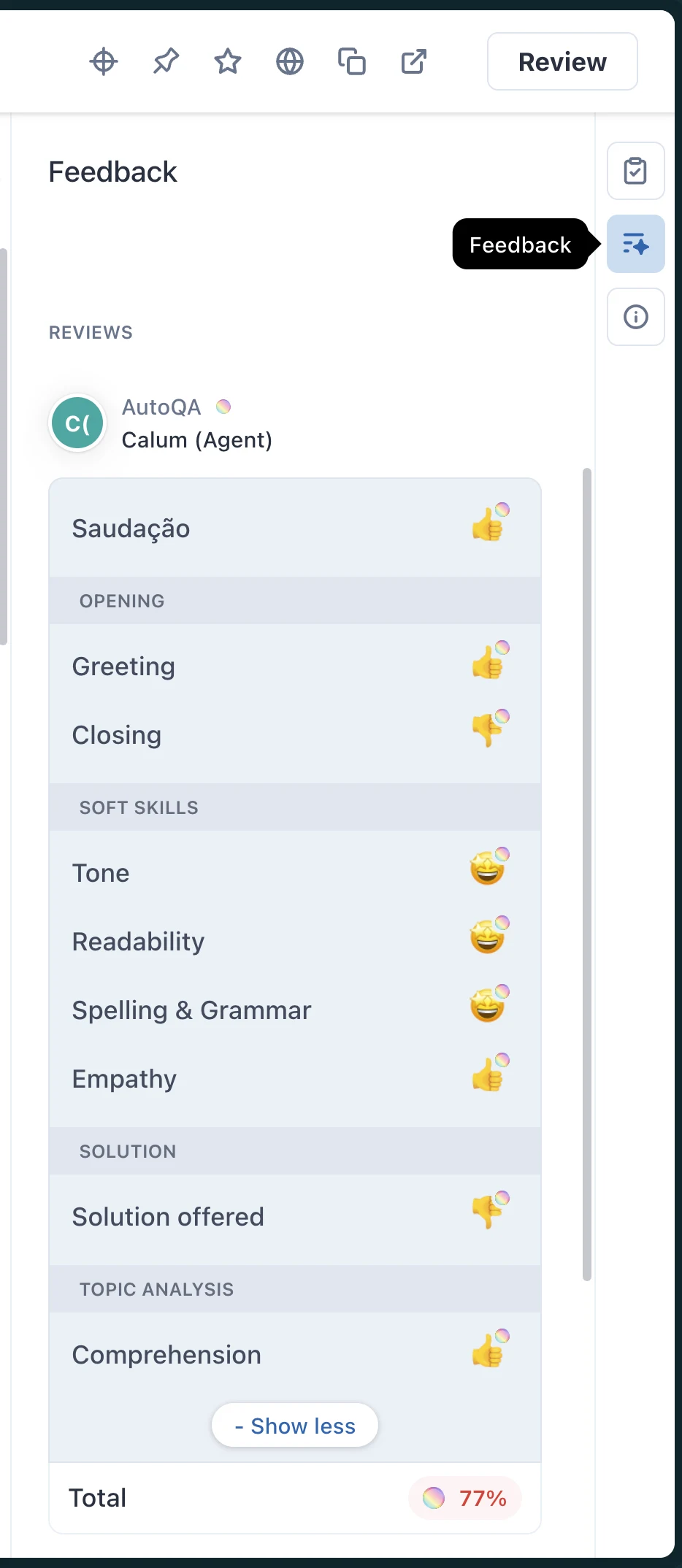
Zendesk QA (the product formerly called Klaus) is the clearest example of automated language scoring I've found, because it documents every category. Its AutoQA feature ships eight system categories that are autoscored by default across "100% of your ticket volume":
| AutoQA category | What it checks | Score type | Languages |
|---|---|---|---|
| Spelling and grammar | Grammar mistakes, misspellings and style errors, with each error highlighted | Customizable | 9 variants: English (US, UK), German, French, Polish, Spanish, Portuguese (Brazil, Portugal), Dutch |
| Readability | Word complexity and sentence length | Fixed 3-point scale | English and Spanish only |
| Tone | Positive or negative tone weights | Customizable | All, but only with the LLM setting on |
| Empathy | Whether the agent was empathetic to the customer's concern | Thumbs up/down | All, LLM only |
| Comprehension | Whether the agent understood the issue | Thumbs up/down | All, LLM only |
| Greeting | Whether the agent greeted the customer | Thumbs up/down | All with LLM; 8 languages without |
| Closing | Whether the agent closed properly and offered more help | Thumbs up/down | All with LLM; 8 languages without |
| Solution offered | Whether the agent proposed a solution | Thumbs up/down or N/A | All, LLM only |
All rows from Zendesk's autoscoring categories article.
A few details matter more than the table suggests:
- The pure writing checks have the narrowest language coverage. Spelling and grammar covers 9 language variants, and readability covers only English and Spanish. If half your queue is Italian or Japanese, those two categories go quiet for that half.
- Tone scoring changes on October 6, 2026. Zendesk announced that Tone will "focus exclusively on concrete, professional conduct, such as whether a response is polite or impolite", with new labels for warmth, helpfulness, courtesy and empathy. It warns teams "might see an average decrease of 15% in their tone scores". If your tone trend line drops next week, that's probably the model, not your team.
- Bots get graded too. AutoQA checks spelling and grammar "in both agent and bot interactions", and the Zendesk QA page says AI agent tickets are analyzed "without extra charge". That's useful if you're grading AI agents with the same scorecard as humans.
- Short tickets are skipped. A ticket needs one customer message, one agent message and at least 10 words, and it's only scored once it's Solved or Closed.
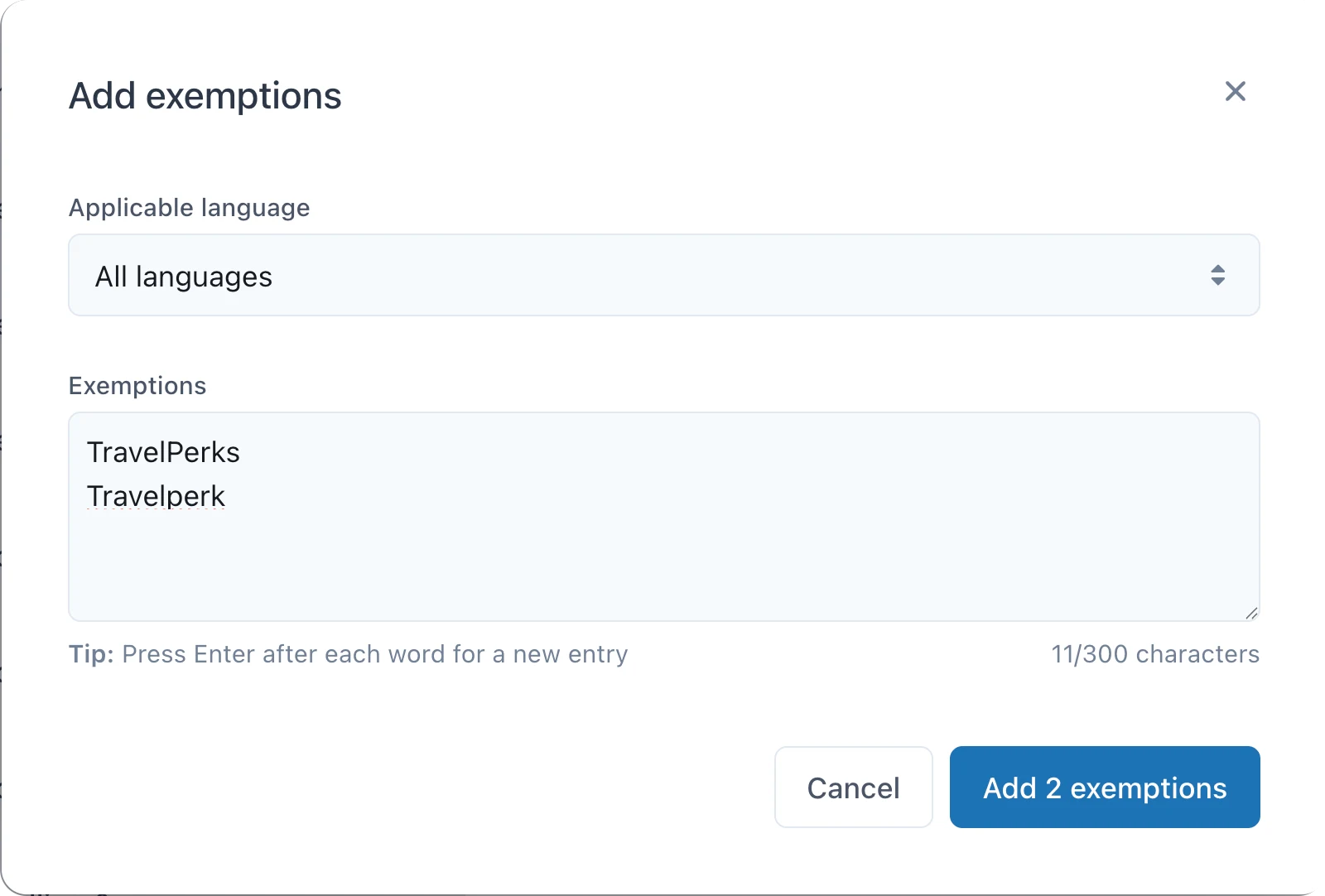
You can also teach the spelling check your own vocabulary. Admins can add up to 300 exemptions per language, which is where your product names, SKUs and brand spellings go so they stop counting as typos.
The catch I'd flag to any team lead: Zendesk itself says automated evaluations are "for guidance only" and shouldn't drive performance decisions. The automated score (AQS) only counts toward your manual quality score (IQS) once a human submits the review. Use it to find patterns, like the agent who misspells the same three words every week, then coach on those.
On price, AutoQA needs the QA add-on or the Workforce Engagement add-on, and Zendesk's pricing page doesn't print a standalone QA price. The listed Workforce Engagement Bundle is $50 per agent per month, paid yearly, on top of your Zendesk plan (Suite Team starts at $55).
What other QA tools do
Other QA platforms mostly let you build a language check rather than shipping one:
- Rippit (formerly MaestroQA) rebuilt itself as an AI-first platform that scores 100% of conversations with QA agents you define. Its legacy AutoQA metrics are LLM, phrase match and process based, so grammar is a custom metric you write. Its published plans run Free (100 agent runs), Starter at $185/month and Growth at $495/month.
- evaluagent scores qualitative items through custom scorecard lines rather than a dedicated grammar score, from $35 per user per month.
If you're on Zendesk, my guide to AI for Zendesk covers what sits on top of QA. If you're picking between platforms, my roundups of AI for support QA and call center quality assurance go deeper.
How to fix language quality before the reply goes out
Measuring after the fact tells you where the problems are. Fixing before send is where you stop them reaching customers. Every major helpdesk now has some kind of AI writing menu in the composer, but the options vary more than you'd expect. Only some of them have a named grammar fix.
| Helpdesk | Feature | Grammar option? | Tone and length options | What you need | Price |
|---|---|---|---|---|---|
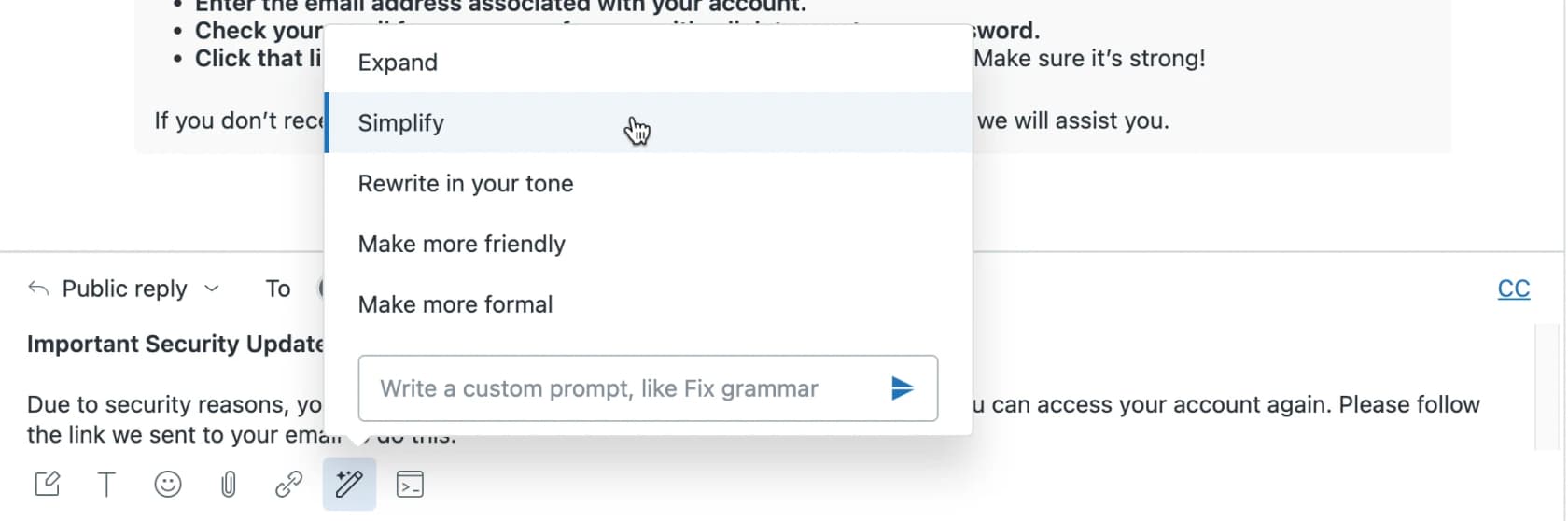
| Zendesk | Enhance writing | No named option (custom prompt only) | Expand, Simplify, Make more friendly, Make more formal, Rewrite in your tone | Professional+ gets 5 uses per agent per month, pooled; unlimited with Copilot | Copilot $50/agent/month, paid yearly |
| Freshdesk | Writing Assistant | Folded into Rephrase ("clarity, grammar, and accuracy") | More formal, Less formal, Expand, Expand as email | Pro or Enterprise plus Freddy AI Copilot | $29/agent/month add-on |
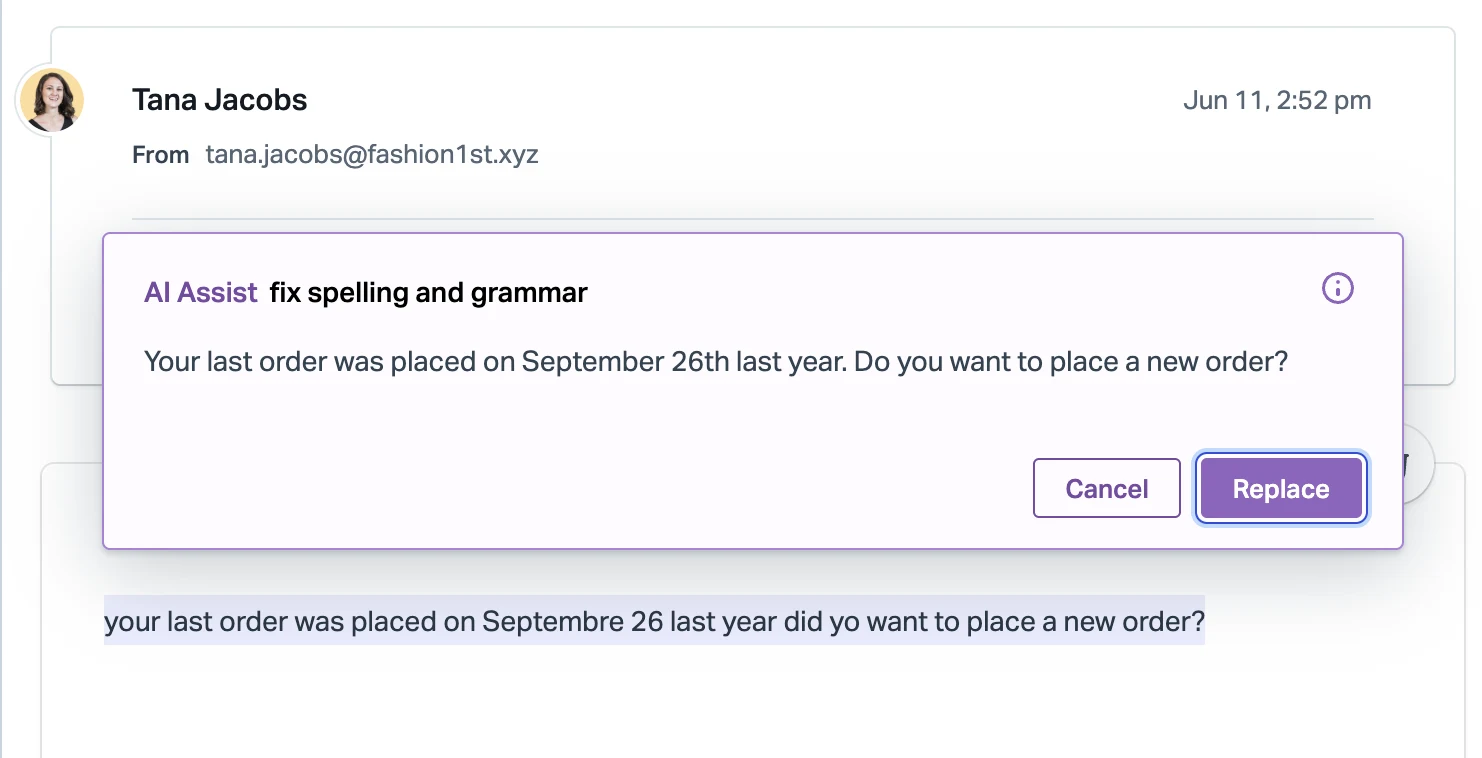
| Help Scout | AI Assist | Yes: Fix spelling and grammar | Longer, Shorter, Friendlier, More professional, Translate | Plus or Pro (per-user plans) | Included |
| Front | Compose | Yes: spelling, punctuation, grammar | Tone, expand or condense, translate (18 languages) | Starter and up; custom prompts need Copilot | Included (200 uses/day); Copilot $20/seat/month |
| HubSpot | AI assistant (conversations inbox) | Yes: Proofread | Change tone, Rewrite, Expand, Shorten | All plans, including Free | Included (1,000 uses/day) |
| Gorgias | None documented for agent drafts | No | Translation only | All plans | Included |
Sources: each vendor's help center, checked 2026-10-05. Zendesk's free writing tier is capped at 500 uses per account per month.
Two things jump out. First, Zendesk's writing menu has no grammar button; its custom prompt box literally suggests typing "Fix grammar" yourself, and the free tier runs out at 5 uses per agent per month. Second, HubSpot's Proofread is included on every plan, but HubSpot's own docs warn it "tends to produce inconsistent results in non-English languages". My posts on HubSpot AI tone suggestions and Front AI Compose cover each one in more detail.
Help Scout's version, included on its Plus and Pro plans, is the cleanest one-click fix I've seen in a composer:
On Freshdesk, the Writing Assistant sits behind the Freddy AI Copilot add-on, which only works on Pro ($55) and Enterprise ($89). My Freddy Copilot pricing breakdown shows what that adds up to per seat.
Dedicated grammar tools for support teams
If your helpdesk's built-in option is thin, a browser-based grammar tool covers every helpdesk at once. The three I'd look at:
| Tool | Price | Team style rules | Helpdesk coverage | Languages | Worth knowing |
|---|---|---|---|---|---|
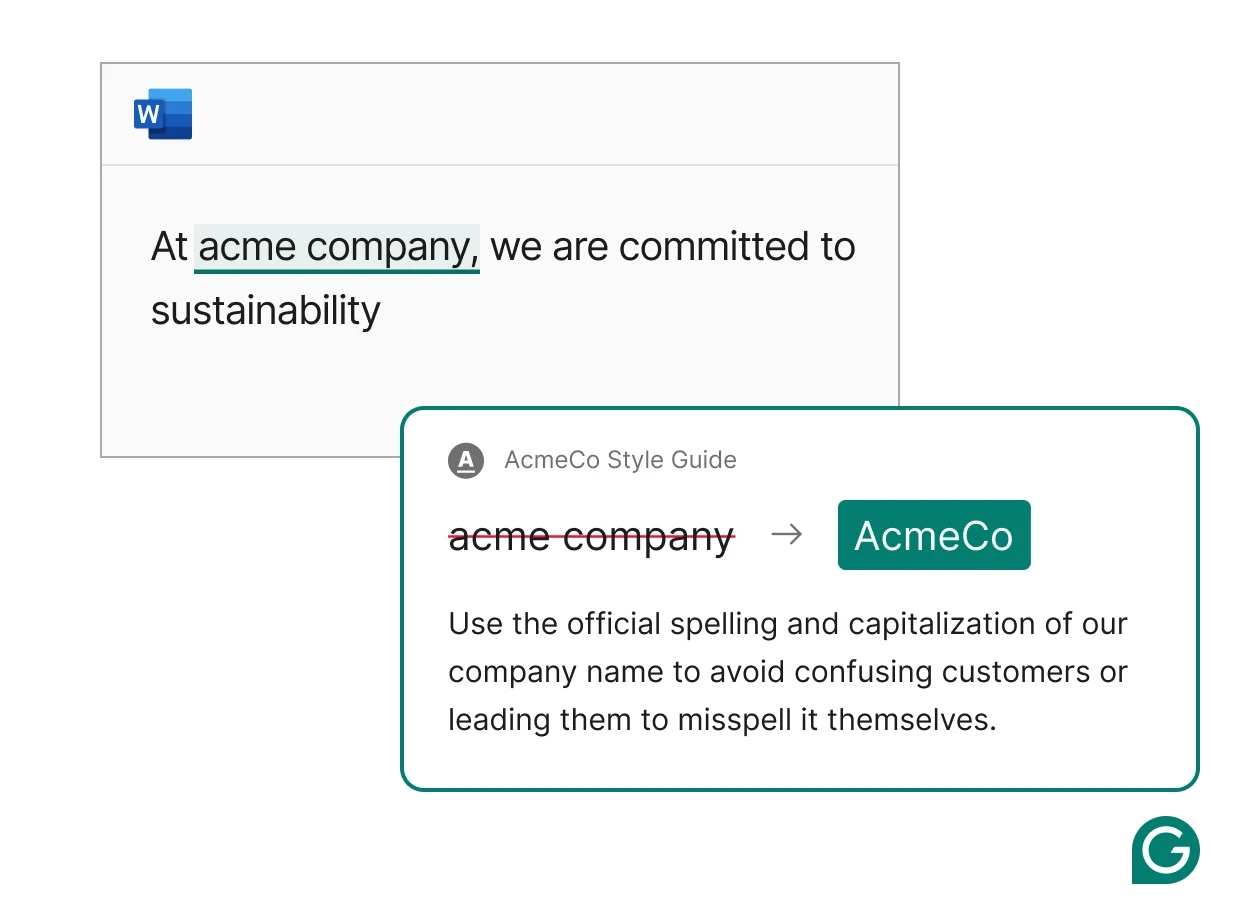
| Grammarly | Free; Pro $12/member/month annual ($30 monthly); Enterprise custom | Pro: 1 style guide, 1 brand tone. Enterprise: unlimited | Browser extension; Zendesk, Gmail and Salesforce named | 23 named | Brand tone feedback can be limited to your helpdesk site |
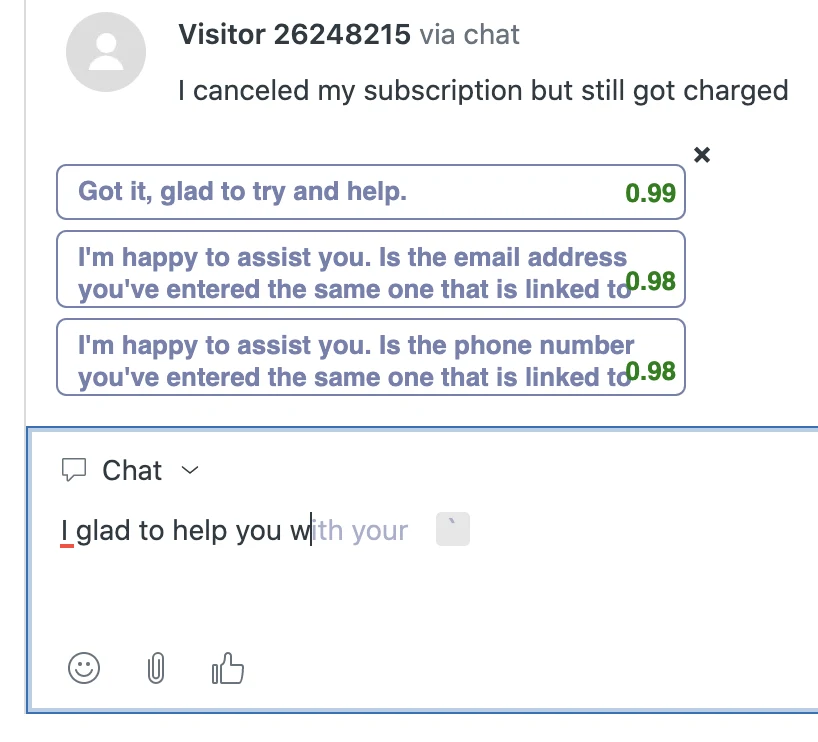
| Sapling | Free; Pro $25/month ($12 annual); Enterprise from 10 seats at $15/seat/month | Snippets, team controls on Enterprise | 26 support integrations incl. Zendesk, Freshdesk, Gorgias, Help Scout | Multiple (Spanish, French, German, Portuguese, Italian, Chinese, Japanese named) | Self-hosting, SOC 2 Type II, HIPAA with BAA |
| LanguageTool | Teams $66.40/user/year (20% promo price on 2026-10-05) | Team style guide and team dictionary | Browser add-on only | 31 listed, deepest in about 7 | Cheapest per seat for a team style guide |
Grammarly is the default for a reason: its style rules enforce how your product names are spelled, and brand tones give agents tone feedback as they type. The limit on Pro is one of each, so a company with two brands needs Enterprise. My Grammarly alternatives list covers the rest.
Sapling is the one built for support specifically. It runs inside the Zendesk agent view with grammar checks plus autocomplete and suggested replies:
All three fix the words. None of them know whether the answer is right, whether the refund policy changed last week, or whether this customer has written in three times already. That's the ceiling of the bottom layer.
Where to catch errors: three checkpoints
Putting the measuring and fixing together, there are three places a reply can be caught, and a good setup uses all three for different jobs.
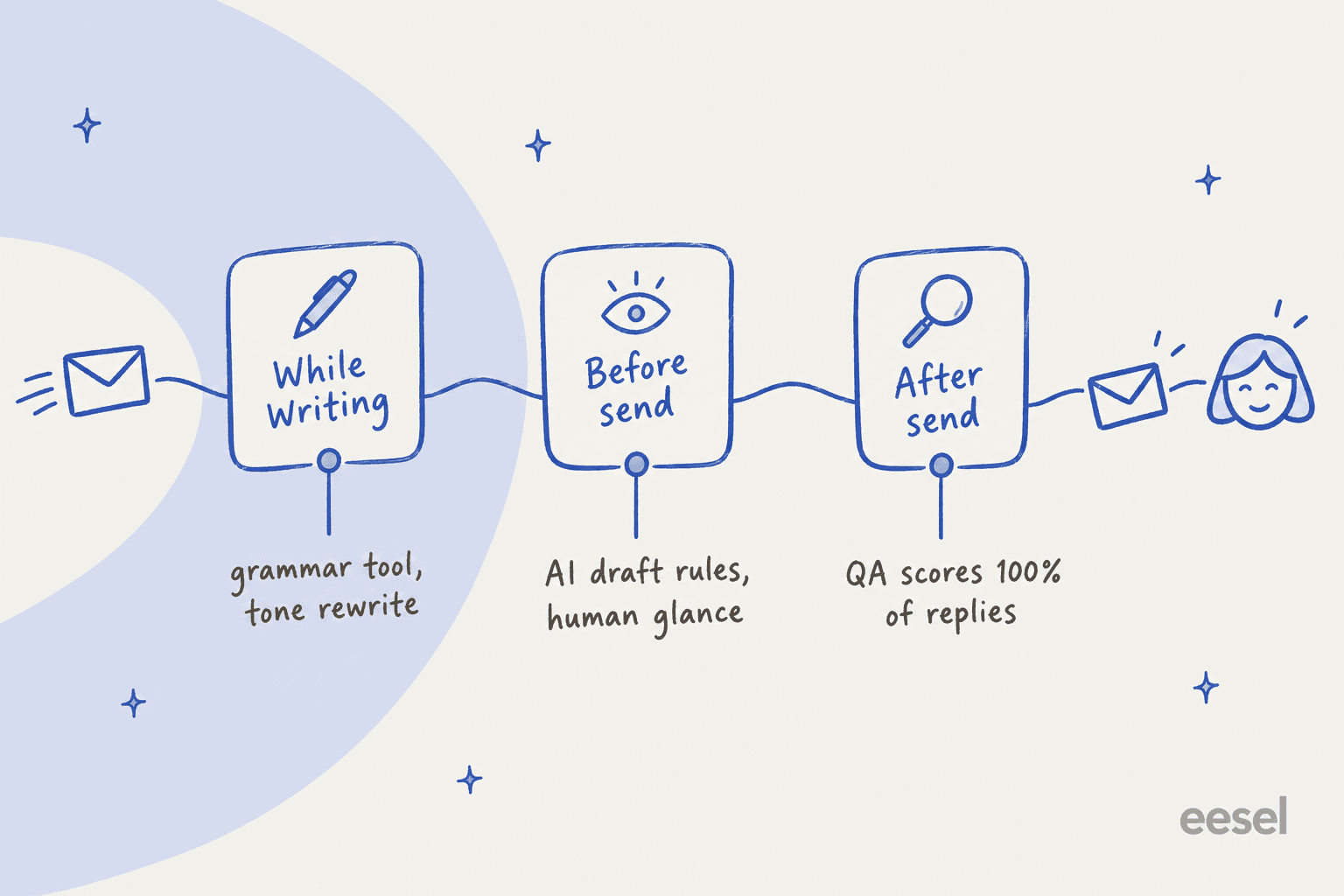
- While writing: a grammar tool or the composer's AI menu handles layer one. Cheap, instant, and agents stop thinking about it after a week.
- Before send: rules for tone and length, applied either by the agent or by the AI that drafts the reply. This is where most of the quality is won or lost.
- After send: QA scoring finds the patterns, such as the agent who over-apologizes or the macro that confuses everyone. Feed those back into checkpoint 2.
Most teams I talk to only have checkpoint 1 and a manual QA sample of a few tickets per agent per week. The gap is checkpoint 2.
What AI drafting changes
Here's the part I didn't expect when eesel started putting AI drafts in front of agents. AI essentially ends the spelling and grammar problem. It doesn't end the language quality problem. It moves it up the pyramid.
In one real trial, eesel ran on a roughly 1,000-ticket-a-month e-commerce inbox on Zendesk and I went through what agents did with the drafts. The drafts were directionally right most of the time, and only about 5% of rewrites were because eesel got a fact wrong. But agents sent only 12% of drafts as-is. The dominant pattern was "glance and rewrite": agents turned 8 to 15 sentence drafts into 1 to 3 sentence replies, and about 65% of rewrites were about length and tone.
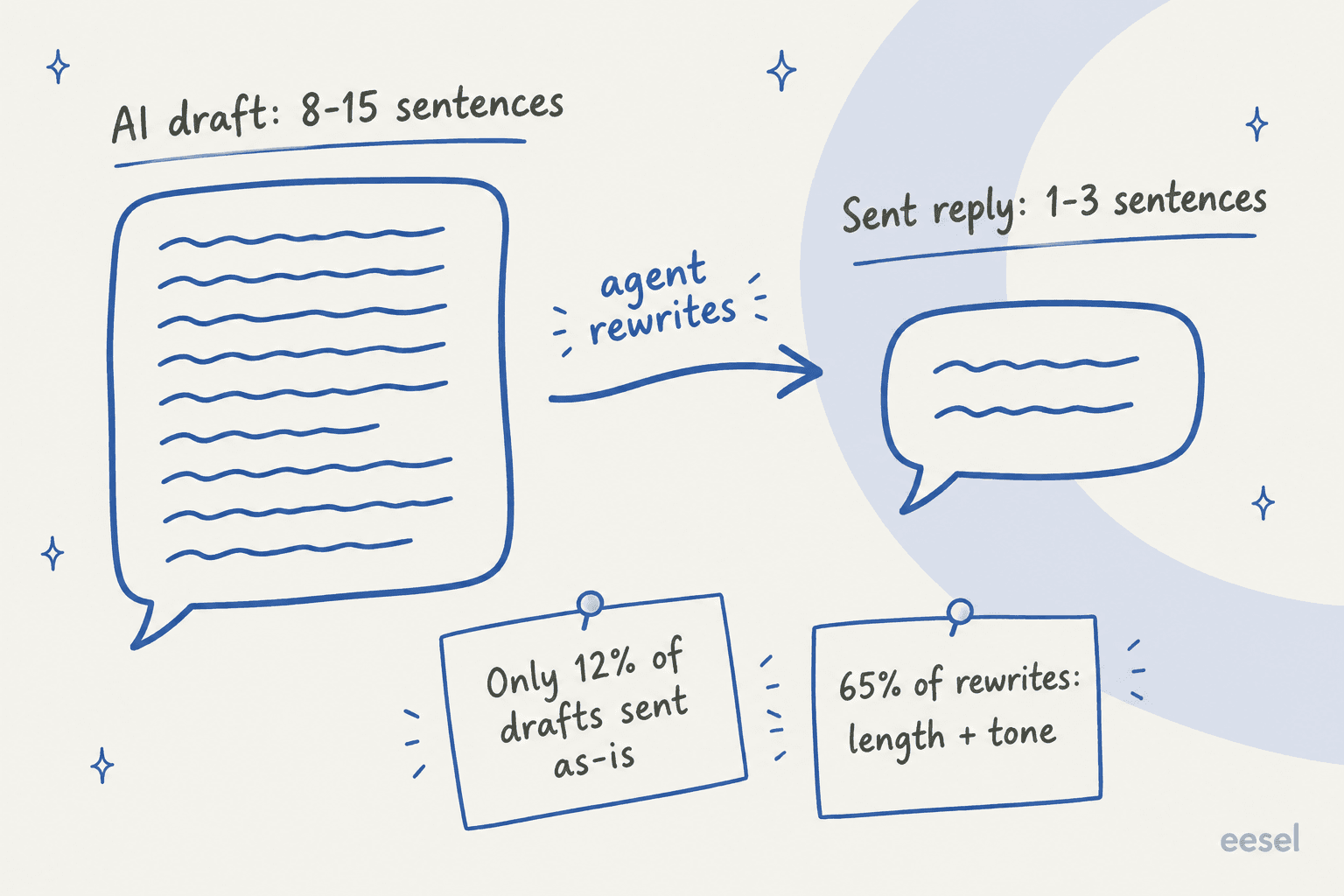
The fix wasn't a grammar tool. It was teaching the AI how that team actually writes, from the replies they'd already sent. eesel's analysis estimated that training on about 200 recent agent replies could push as-is adoption from 12% toward 30 to 40%.
So if you're rolling out AI drafts, the language quality question to ask isn't "does it spell correctly?" It's "does it write like us?" A HN commenter made the same point from the customer's side, that the robotic feel started long before AI:
"The way support is setup nowadays humans are basically forced to be robots anyway, given a set of canned responses for each scenario and almost no latitude of their own. At least the robot responds instantly."
When AI replies sound robotic, it's usually because they were set up from the help center alone and never saw a real agent reply. My guide to AI brand voice goes through the setup.
Language quality for offshore and non-native English teams
This is where language quality gets uncomfortable to talk about, so I'll be direct: a lot of the pressure on language quality comes from teams that moved support to offshore or nearshore agents and then saw CSAT drop on written channels. Fluent written English is a real hiring cost:
"I worked in Europe where it was not acceptable to address the customer in broken English. Easily $15 an hour."
The mistakes that hurt most aren't grammar errors. They're regional phrases that are correct where the agent lives and confusing where the customer lives:
"Consider for example phrases like "Kindly do the needful" or "out of station". Phrases they say daily that are completely foreign to American ears."
And small slips get read as rudeness even when the content is fine. That's unfair to the agent, but the customer only sees the email.
What I'd do for a non-native team, in order:
- Write a one-page phrase list. Banned phrases (with the replacement), approved greetings and sign-offs, and how to say no politely. This does more than any grammar tool.
- Put a grammar tool in the composer and make it the default, not optional. Help Scout, Front and HubSpot already have one built in; on Zendesk or Freshdesk add Grammarly or Sapling.
- Use templates for the hard messages. Refund denials, delays, and apologies are where tone goes wrong. Build good email templates or AI macros for those and let agents adapt them.
- Coach on patterns, not slips. QA tools like Zendesk QA have dashboard cards for repeated spelling and grammar mistakes per reviewee. One coaching conversation on a repeated mistake beats twenty red marks.
- Consider an AI drafting layer. It levels the bottom two layers for everyone, and the agent's judgment goes into the top two. My AI vs offshore cost runs the numbers.
A simple language quality program, step by step
If you're starting from nothing, this is the order I'd go in. It takes about two weeks to set up and then runs itself.
- Pick your four categories. Spelling and grammar, clarity, tone, terminology. Write one sentence defining "good" for each, with a real example reply from your queue.
- Pull 30 recent tickets and score them by hand. You'll see the real problem in an afternoon. Usually it's length or tone, not typos.
- Fix the bottom layer with tooling. Turn on the composer's grammar option or a grammar tool for every agent, and add product names to its dictionary or exemption list.
- Write the top layers down. A short tone guide (two or three adjectives, plus words you never use), a length rule ("answer in the first two sentences"), and examples of empathy statements that sound like you. Put it in your support SOP.
- Score continuously. Either automated scoring on every ticket or a weekly manual sample. Watch trends per agent and per macro.
- Close the loop. Every repeated mistake becomes a rule, a template fix, or a coaching point. New hires get the rules on day one; it's a good fit for your agent onboarding and training scenarios.
Common mistakes to avoid
- Treating grammar as the whole job. A grammatically perfect reply that buries the answer in paragraph three is a bad reply.
- Scoring tone without defining it. "Be friendly" means different things to different reviewers. Calibrate on five example tickets first.
- Using automated scores for performance reviews. Even Zendesk says not to. Use them to find patterns, then let a human judge.
- Ignoring non-English queues. Check which languages your QA tool actually scores. Readability in Zendesk QA, for example, is English and Spanish only.
- Adding AI without your own examples. An AI copilot trained only on the help center will write like the help center. Long, formal, complete. That's rarely how your best agent writes.
eesel for support language quality
If you're adding AI to your queue, the language quality question is whether it writes like your team. That's the part eesel's AI helpdesk teammate is built around. On a full connection it reads your help center, macros and past tickets so it knows how your team answers before it drafts anything.
It works inside Zendesk, Freshdesk, Help Scout, Gorgias and other helpdesks, drafting as internal notes first so your agents stay in control.

Tone and length rules go into plain-language instructions ("answer in two sentences, no 'I apologize for any inconvenience'"), and when you correct a draft in chat, it saves the correction as a rule so it holds next week. Before anything goes live, the simulation skill replays real past tickets and scores each answer. One service desk lead put the result well:
"It is getting us to the right articles really quickly and easily, as well as curating well-formed responses with consistent, on-brand tone, still keeping our own style and still keeping that human touch."
Eddie Stephens, Service Desk Lead, CartonCloud
Plans start at $299 a month for 500 credits, where a ticket is one credit however long it runs, and there's a free tier to test on your own tickets. Try eesel on a slice of your queue and compare its drafts against what your team actually sent.
Frequently Asked Questions
What is customer support language quality?
How do you measure language quality in customer support?
Does Zendesk check grammar in support replies?
Is Grammarly good for customer support teams?
How do I improve language quality for offshore or non-native English agents?
Does AI fix customer support language quality?
What should a language quality section on a QA scorecard include?


Article by
Riellvriany Indriawan
Riell is a designer and writer at eesel AI with about two years of experience researching CX platforms, AI chatbots, and helpdesk software. She combines her design background with a sharp eye for how these tools actually look and feel in practice — making her comparisons unusually visual and user-focused.