What quality assurance means when the agent is AI
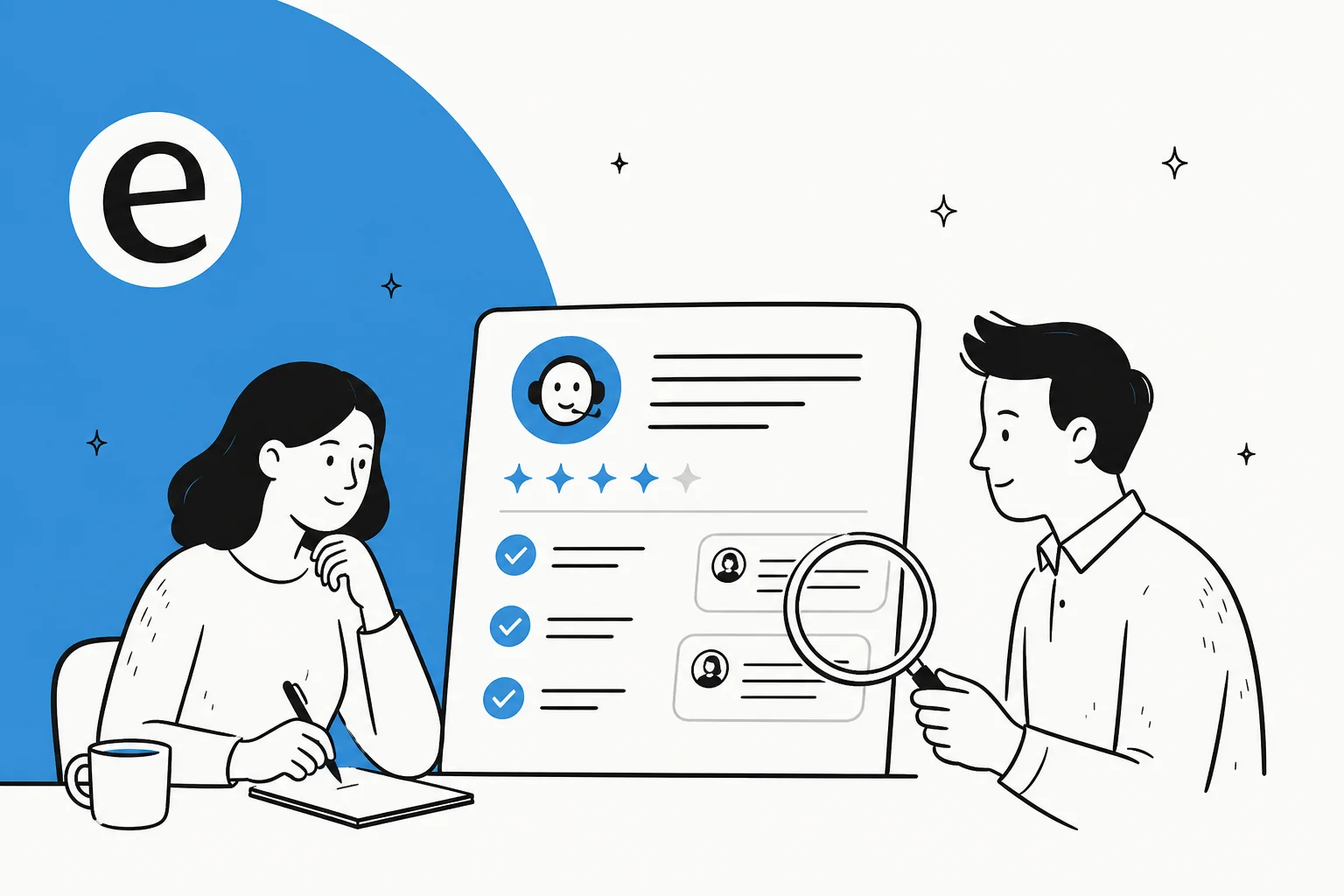
Traditional support QA is a sampling game. A team lead pulls maybe 2-5% of last week's tickets, scores them against a rubric (Did the agent solve it? Were they kind? Did they follow policy?), and coaches the humans who slipped. It works because humans are mostly consistent and fail in predictable ways.
An AI agent breaks two of those assumptions. It handles far more volume than any sample-by-hand process was designed for, and it fails in unfamiliar ways. A new human hire rarely invents a refund policy on the spot; an ungrounded AI will, and it'll do it in a confident, well-written sentence that looks exactly like a correct answer. So QA stops being "coach the outliers" and becomes "verify the system," closer to the kind of AI agent evaluation you'd run on any automated pipeline.
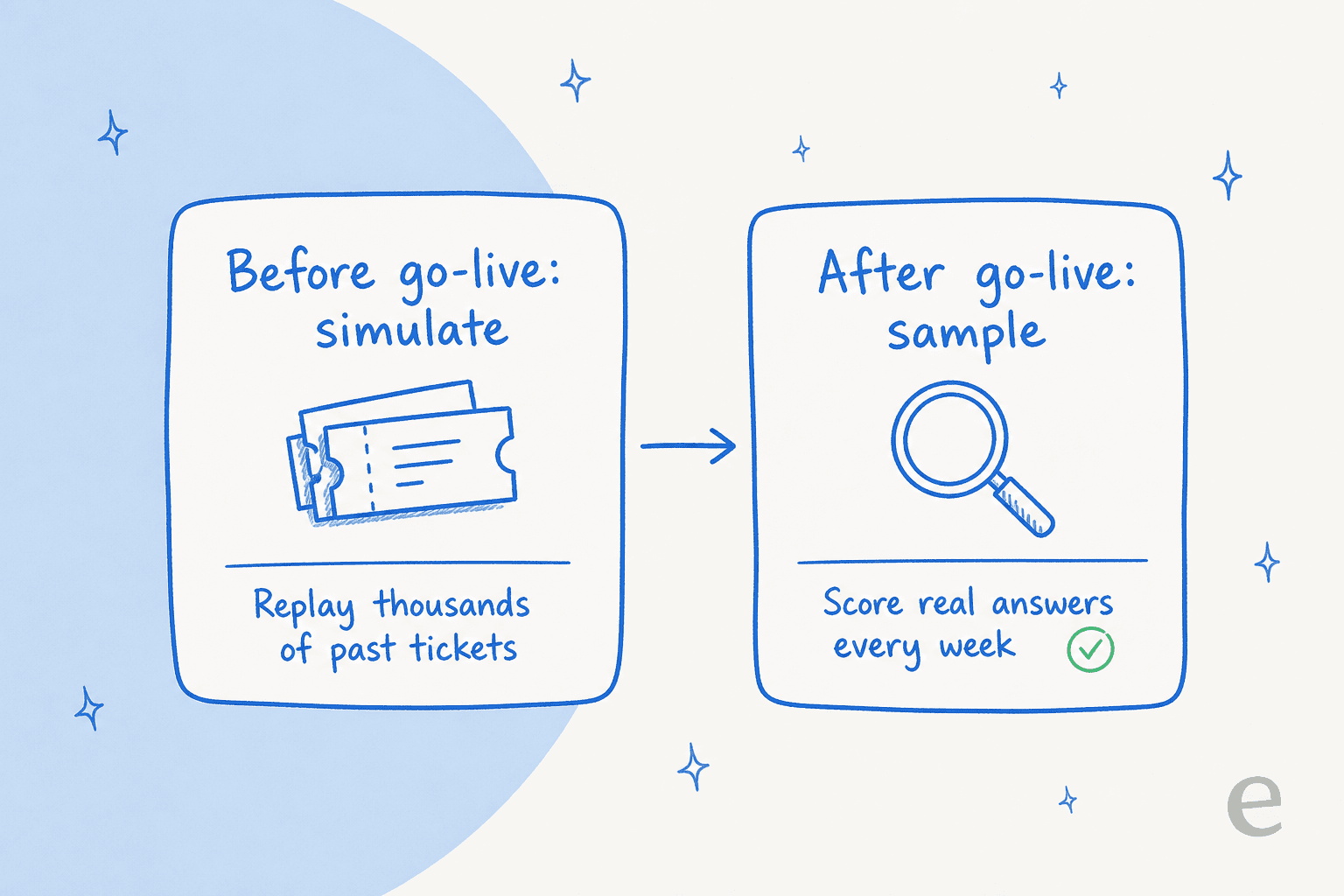
The reframe that matters: quality assurance for an AI agent is something you do in two places, before it goes live and after, not a monthly report you read once the damage is done.
Why deflection rate is the metric that lies to you
If you only QA one number, please don't let it be deflection rate. It counts conversations that didn't reach a human, which quietly bundles two very different outcomes: customers the AI actually helped, and customers who gave up.
Support practitioners feel this in their gut. One ops lead on r/CustomerExperience put the failure mode plainly:
"My boss loves our deflection numbers but I don't trust them. I tried to run a report on tickets that were re opened within 24 hours but customers just open ANOTHER ticket instead of using the closed one. It makes it look like the bot did a good job when it really just pissed the customer off."
A reply in a related thread drew the line even harder: "A bot might 'successfully' complete a chat, but if the user submits an email ticket 20 mins later, that bot was trash."
That's the whole problem with optimizing for tier-1 deflection alone. Silence is not the same as resolution. The metric you actually want is resolution paired with reopen and repeat-contact rates, so a customer who bounced out in frustration shows up as a loss instead of hiding inside a pretty dashboard number.
The metrics that actually tell you if your AI support is good
No single number does the job. Good AI support metrics work as a panel, where each one catches a failure the others miss:
- Resolution rate is the headline, but define it honestly as "customer's problem solved without a human," not "conversation ended." This is the number worth forecasting and tracking over time. Resolution rate is the closest thing to a single source of truth.
- Factual error rate is the AI-specific one. Out of a graded sample, how many answers were confidently wrong? This is your hallucination check, and it's the metric most teams forget to build.
- Escalation quality asks whether the agent handed off cleanly and at the right moment. A clean human handoff on a hard ticket is a good outcome, not a failure.
- Reopen and repeat-contact rate is the lie-detector for deflection. If "resolved" tickets keep coming back, they weren't resolved.
- AI CSAT, measured separately from human CSAT. Track AI CSAT on its own so a good bot score isn't propped up by your best human agents, and the other way around.
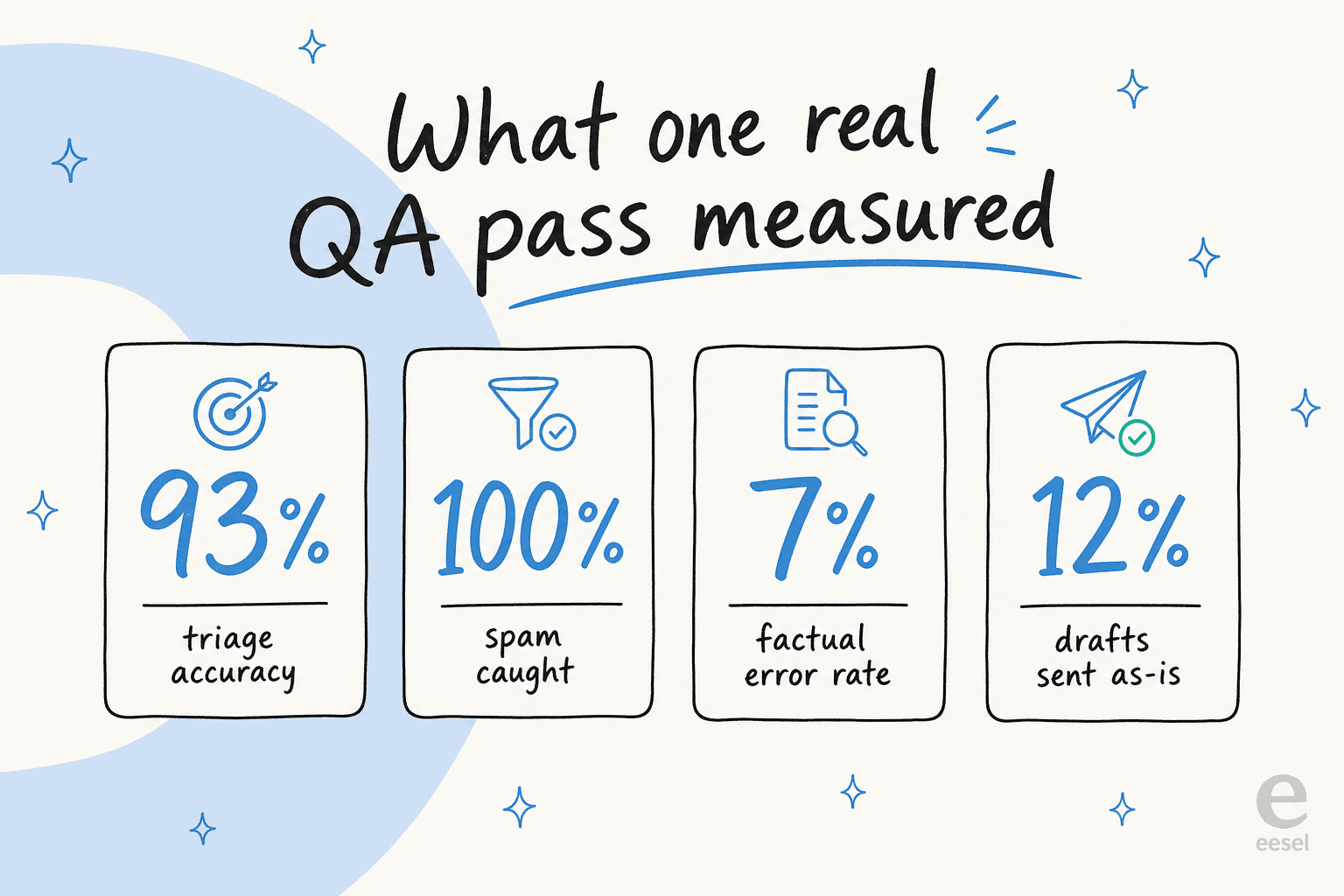
Here's what a real grading pass looks like once you put numbers to it. When the team ran QA on one trial, a German online jewelry retailer doing roughly 1,000 tickets a month on Zendesk and Shopify, the picture was specific instead of vague: 93% triage accuracy, 100% spam detection with zero false positives on the 22% of the inbox that was junk, but only 12% of drafts good enough to send untouched and a 7% factual error rate. That spread tells you exactly where to spend the next week, which no deflection number ever could.
The same Reddit thread I keep coming back to had someone lay out almost this exact panel. As one Reddit practitioner who'd talked to many support teams put it: "Deflection rate looks nice on dashboards, but it hides quality issues. Better metrics would be: Automated resolution rate, AI vs human CSAT, Escalation time, Reopen rate after bot responses." When the people running real Zendesk automation and the people building it land on the same list, that's the list.
QA before you go live: simulate against your own tickets
This is the part most teams skip, and it's the most valuable thing in this whole post. You do not have to find out whether your AI is good by letting it loose on real customers and reading the angry replies. You can find out first.
The method is simulation: take the agent, point it at thousands of your historical, already-resolved tickets, and have it generate the answer it would have sent, then compare against what your human team actually did. Because you already know the right answer, you get a forecast of resolution rate, a list of topics the AI is shaky on, and a factual error rate, all without a single live customer in the blast radius. It's the safe version of adversarial testing, run against your real ticket history instead of a synthetic test set.
This isn't theoretical for us. eesel runs a simulation mode that does exactly this before any agent goes live, and the reason it exists is scar tissue. I've watched a confident-sounding bot quietly give a wrong answer, and so has everyone who's deployed one. One of our customers, a Danish vehicle-telematics team on Zendesk, hit the classic version early: because their knowledge base said "we support all models," the AI cheerfully told customers it supported car brands that weren't actually in their database. The only reliable way to catch that class of bug is to see the wrong answers before customers do, against your own tickets.
QA after you go live: sample, grade, and tune
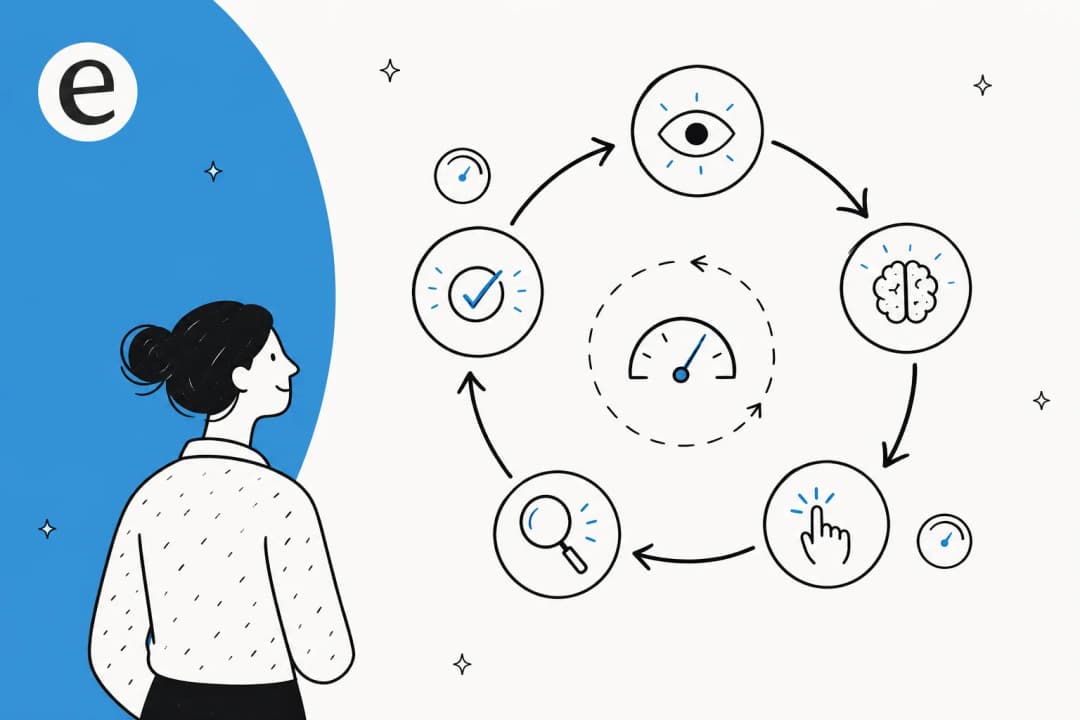
Once you're live, quality assurance becomes a rhythm. Pull a fresh sample of real conversations every week, grade them against the panel above, and feed what you learn back into the agent. Your helpdesk already keeps the raw material: most platforms expose conversation logs you can pull a sample from, and a good analytics dashboard turns that into a trend instead of a one-off read.

The grading itself doesn't have to be heavy. Approve and reject answers with a reason ("too formal," "missed the refund policy"), and make sure that signal actually trains the agent rather than disappearing into a void. A surprising number of buyers ask us this exact question during evaluation, some version of "do you track if I approve or reject answers, and does it change anything?" If the feedback loop is real, every QA pass makes the next week's answers better. If it isn't, you're grading into a vacuum.
One thing to watch for: how the agent behaves when something breaks, like your helpdesk API throttling mid-conversation. Amogh, eesel's founder, has a line about this that stuck with our team: if a failure is silent, it's "silent-failure class, the worst class for trust." An AI that fails loudly and hands off is doing QA's job for you; one that fails quietly and guesses is the thing your weekly sample exists to catch.
The hardest part: trusting the AI to know what it doesn't know
Every metric above gets easier the moment the AI stops trying to answer everything. This is the single most common thing I hear from teams evaluating us, and it's worth more than any model upgrade.
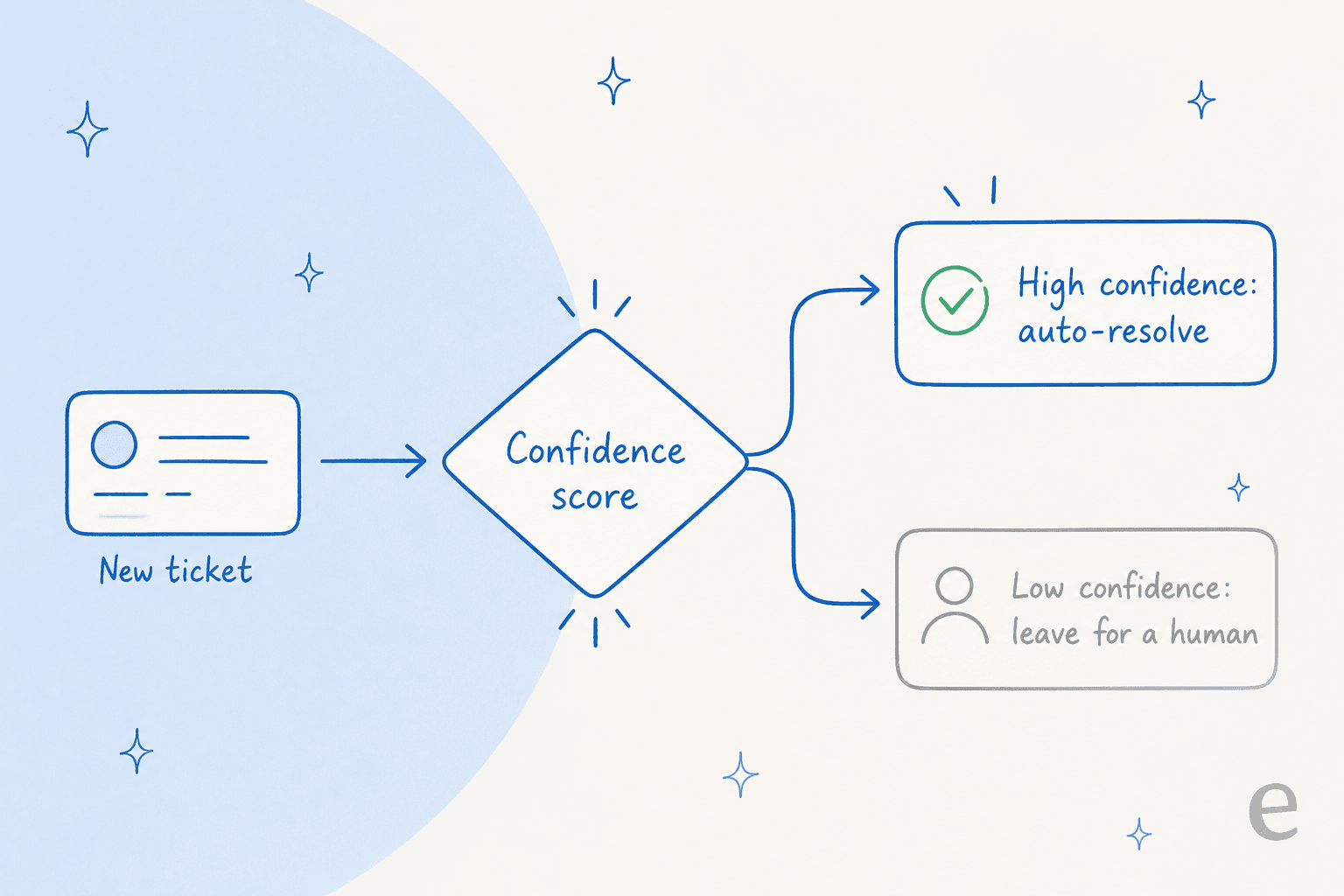
A CX lead at a DTC supplements brand on Gorgias, running about 7,000 tickets a month, framed it better than I ever could: the AI will never answer 100% of questions, but if it tries and just says "sorry I don't know," nobody can go back and check 7,000 tickets to see if it actually did a good job. What they wanted was an AI that "is only handling the tickets that it's confident to handle and all the other ones, leave them alone."
That's confidence-based routing, and it's the highest-leverage QA control you have. When the agent only speaks up above a confidence threshold and quietly routes the rest to a human, your factual error rate drops, your escalations become meaningful, and the answers you do need to QA are a smaller, higher-quality set. The same Reddit thread had a sharp warning attached: a practitioner reminded everyone not to "fall for the 'zero hallucination' stuff" while reframing the whole conversation around resolution over deflection. Confidence routing is how you get there honestly: not by claiming the AI never errs, but by keeping it quiet when it might.
For regulated teams this is non-negotiable. One co-founder of a legal-tech company told us they could only adopt AI because they could "set exact guardrails on sourcing and it always provides transparent citations," the difference between being helpful and crossing into giving legal advice. Citations and confidence gates aren't features, they're the QA.
A QA workflow you can actually run
If you want a concrete starting point, here's the loop I'd set up for any team standing up an AI agent, whether you're on Zendesk, Freshdesk, or any helpdesk with AI:
- Simulate first. Before launch, replay the agent against a few thousand past tickets and read a sample of the would-be answers. Set your go-live bar on the forecasted resolution rate, not on vibes.
- Launch narrow. Turn the agent on for one or two confident topics, not the whole ticket queue. Confidence routing makes this easy.
- Grade weekly. Sample real conversations, score them on resolution, factual errors, and escalation quality, and reject bad answers with a reason that trains the agent.
- Watch the lie-detectors. Track reopen and repeat-contact rates next to deflection so a frustrated customer can't hide as a win.
- Alert on drift. Set monitoring so a sudden quality drop pages you between reviews.
Run that for a month and you'll have something most "we deployed an AI" stories never get: a defensible answer to "how do you know it's good?"
Try eesel for AI support you can actually QA
Most of this post is just describing how eesel works, because quality assurance is the thing we built the product around. You connect your helpdesk and knowledge base, eesel trains on your past tickets and docs, and before you go live its simulation mode replays the agent across thousands of your historical conversations so you can forecast resolution rate and read the wrong answers in private. After launch, confidence-based routing keeps the agent quiet on anything it isn't sure about, and the reporting shows you what to grade each week.

It's free to try and you can run a full simulation on your own tickets before committing to anything, which is the most honest QA there is: see how it would have answered your real customers, then decide. Try eesel and start with a simulation.
Frequently asked questions
What is AI customer support quality assurance?
How do you measure the quality of an AI support agent?
Is deflection rate a good metric for AI support quality assurance?
How do you stop an AI support agent from hallucinating?
How often should you QA your AI support agent?
Can you test an AI support agent before going live?


Article by
Riellvriany Indriawan
Riell is a designer and writer at eesel AI with about two years of experience researching CX platforms, AI chatbots, and helpdesk software. She combines her design background with a sharp eye for how these tools actually look and feel in practice — making her comparisons unusually visual and user-focused.