What customer support coaching software actually does
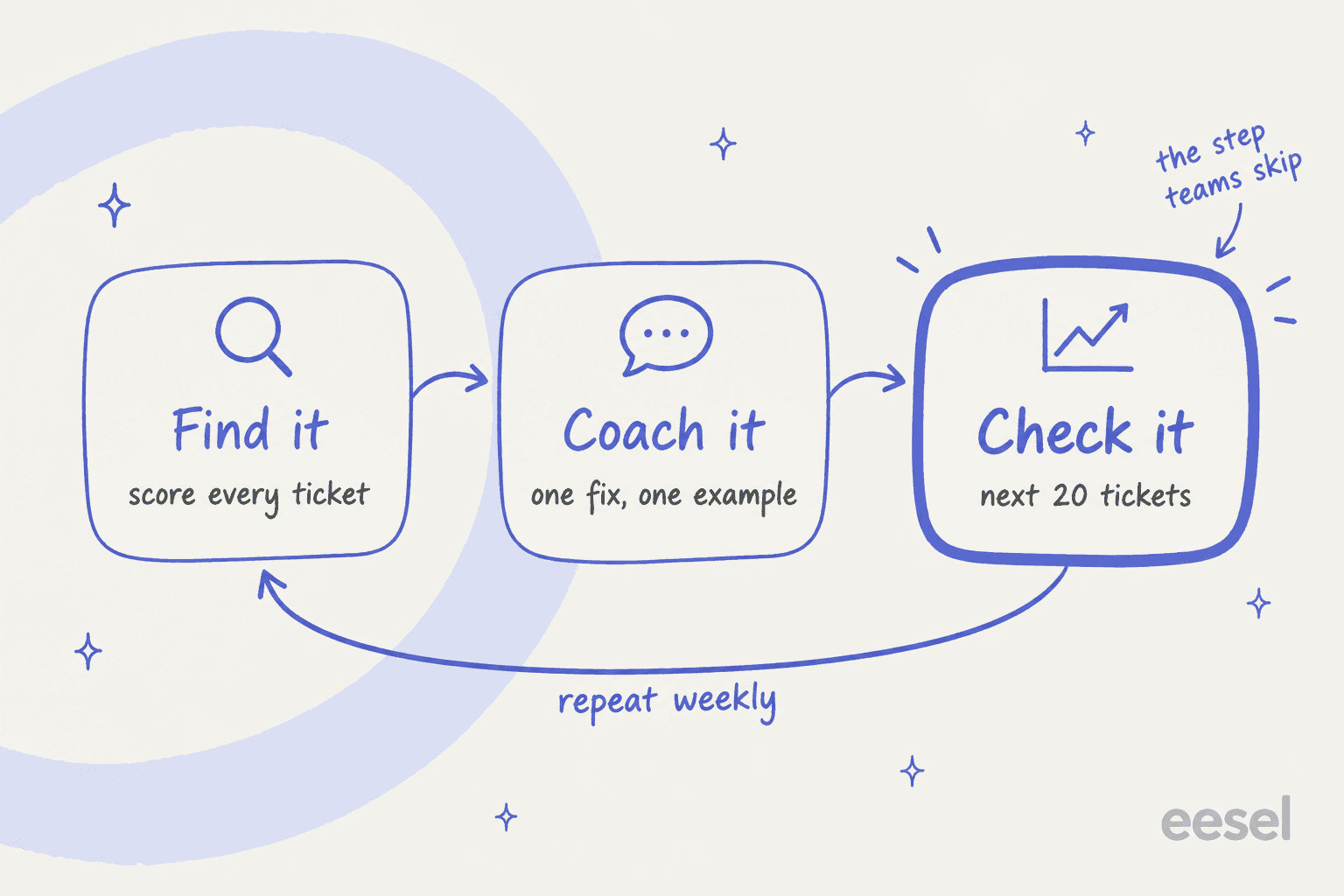
Strip the marketing and every coaching tool does three jobs:
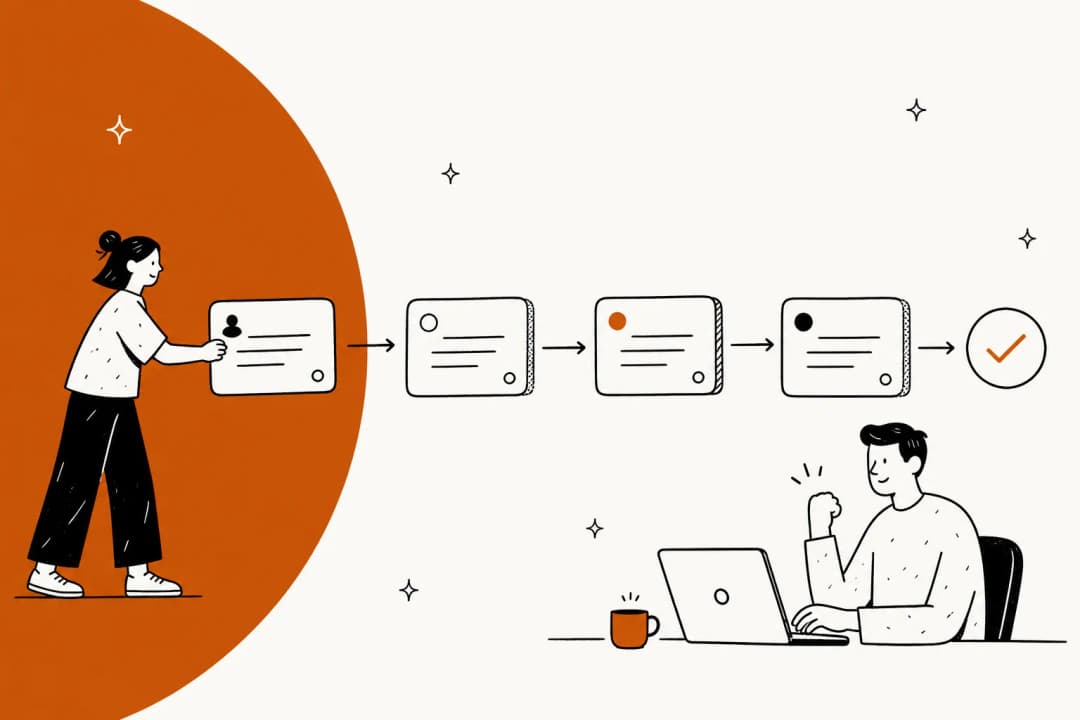
- Find it. Surface the conversations worth coaching. This used to mean a lead pulling five random tickets a week. Now it's auto QA scoring every ticket and flagging the outliers.
- Coach it. Turn the finding into feedback: a pinned conversation, a 1:1 session, a real-time nudge during a call, or a practice roleplay.
- Check it. Re-score the agent on the same behavior and see if it moved.
I write about support tools for eesel and spend a lot of time on what buyers actually type into search. "Coaching software" searches almost all land on quality assurance vendors, so most of this list is QA with a coaching layer. That's fine, as long as you know which of the three jobs you're short on.
Step one is mostly solved. A G2 reviewer on Level AI put it plainly:
"Our QA has migrated from 2% manual volume to nearly 100% automated volume as a direct result of using Level AI."

Step two is where tools differ most, and step three is where teams quietly drop off. This agent on r/callcentres had been scored but never coached:
"I've gotten the same QA scores for weeks now. I haven't reviewed a single call with my boss yet and I've been graded on 8 or 9 calls."

A score nobody talks through isn't coaching, it's surveillance. So when you compare tools, look past the scoring demo and ask how the coaching gets delivered and how you'd know it worked.
How I picked these tools
I read each vendor's own product pages, help docs and pricing pages, and pulled G2, Capterra and Reddit reviews from the last two years. My AI QA tools list covers the scoring side in more depth. Most tools here are quote-only enterprise products I haven't run on a live queue, so I lean on their documentation and on what reviewers report. Where a vendor claim isn't checkable, I say so.
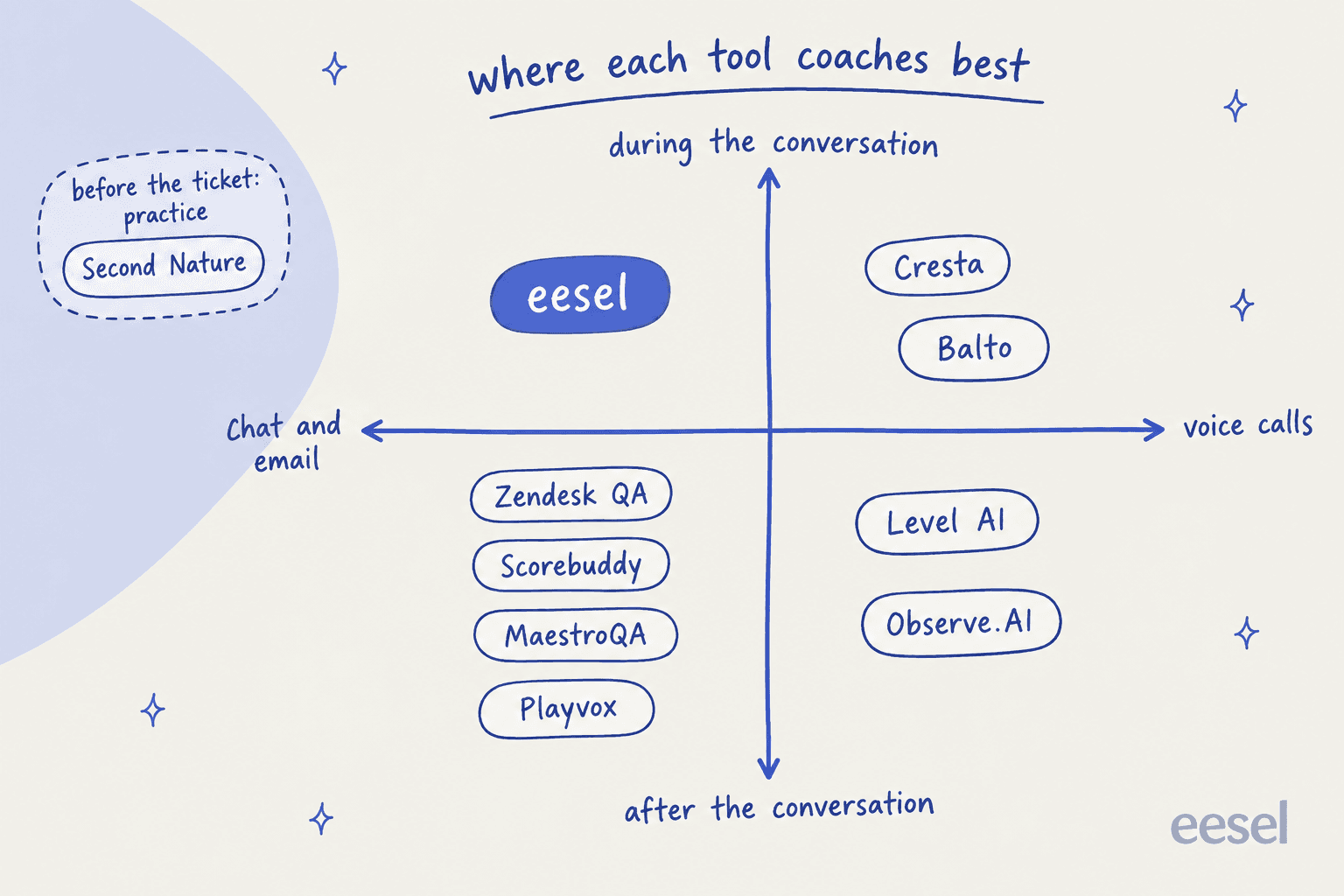
I sorted them by two things that decide fit faster than any feature list:
- Channel. Chat and email teams on a helpdesk need different tools from voice contact centers. Several voice-first vendors list no helpdesk connector at all.
- Timing. Does the tool coach after the conversation (QA plus sessions), during it (real-time prompts or drafts), or before it (practice)?
Customer support coaching software compared
| Tool | Best for | Channels | How it finds moments | How it coaches | Practice | Agent disputes | Helpdesk connectors | Public price | G2 |
|---|---|---|---|---|---|---|---|---|---|
| eesel | Coaching on the ticket itself | Chat, email, helpdesk | Reviews what agents edit or reject in AI drafts | Drafts on live tickets; corrections saved to instructions | Simulation of the AI on past tickets | n/a | Zendesk, Freshdesk, Gorgias and more | Free (100 credits), then from $299/mo, unlimited seats | n/a |
| Zendesk QA | Chat and email teams on Zendesk | Chat, email, voice | AutoQA on 100% plus Spotlight flags | Sessions, pins, quizzes | No | Yes | Zendesk (required), Aircall | $35/agent/mo add-on | Capterra 4.9 (24) |
| Scorebuddy | QA teams that want coaching plus courses | Voice, chat, email | AI auto scoring (500 or 1,000 AI scores/mo by plan) | Coaching module with GROW, OSKAR, CLEAR | No (LMS add-on) | Request a review | Zendesk, Freshdesk, Kustomer, HubSpot, Salesforce | Quote-only | 4.5 (835) |
| MaestroQA (Rippit) | Mid-market QA programs on Zendesk | Chat, email, voice | AutoQA on 100% | Coaching with to-dos and templates | No | Appeals | Rippit: 2 helpdesks incl. Zendesk | Free, $185/mo, $495/mo | 4.8 (325) |
| Playvox | Omnichannel teams that also want WFM | Chat, email, voice | Workload distribution, sampling or focused | Coaching plans with goal tracking | No | Sign off or dispute | Zendesk, Freshdesk, Kustomer, Help Scout, Salesforce | Quote-only (NiCE) | 4.8 (1,163) |
| Level AI | Voice-heavy centers on a helpdesk | Voice, chat, email | QA-GPT on 100% | Manage, Discover, Create, Share | No | Yes | Zendesk, Salesforce, Gorgias, Freshworks, Front | Quote-only | 4.6 (220) |
| Observe.AI | Large regulated voice centers | Voice, chat | Quality Agents on 100% | Performance Agents coaching plans | Roleplay vs synthetic customer | Yes | Zendesk, Freshdesk, ServiceNow, Front | AWS: $828/agent/yr | 4.6 (270) |
| Cresta | Enterprise voice with live guidance | Voice, chat | Quality Management on 100% | Coach plans plus real-time guidance | Training Simulator | Not documented | CCaaS-first (Five9, Genesys, Amazon Connect) | AWS: Agent Assist $150,000/yr | 4.3 (46) |
| Balto | Script and compliance-heavy calls | Voice | AI QA on 100% | Live prompts, scores at call end | No | QA inbox | None listed (CCaaS only) | Quote-only | 4.8 (596) |
| Second Nature | Roleplay practice before go-live | Practice only | n/a (no live tickets) | Scored AI roleplay | Yes | Request score review | None (LMS, Salesforce) | Quote-only | 4.7 (438) |
1. eesel
Best for: chat and email teams whose coaching keeps circling the same answers, and teams running an AI agent in the queue that needs coaching too.
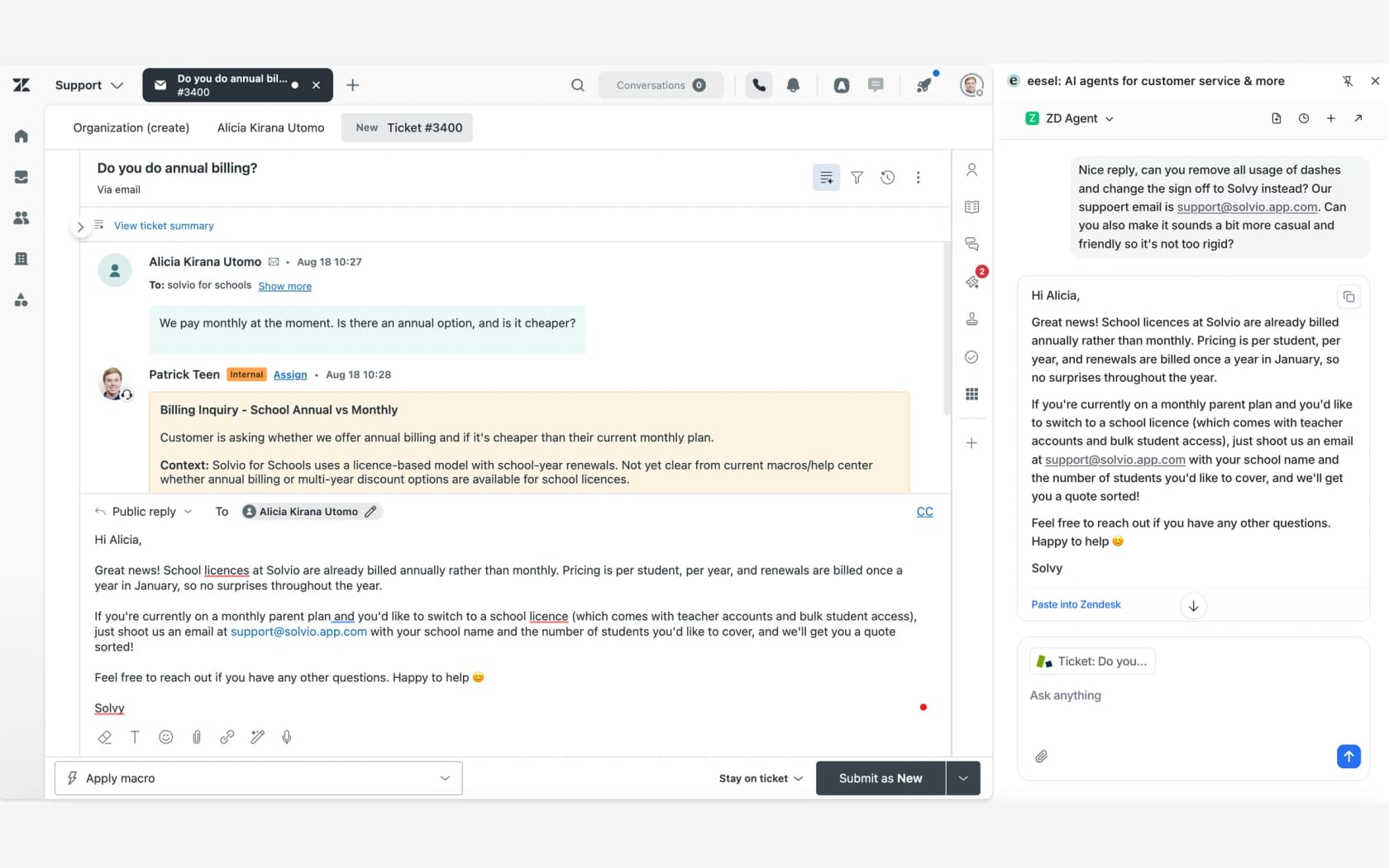
I'll be upfront: eesel is not a QA scorecard tool for human agents, and it won't run your 1:1s. It's an AI helpdesk teammate that coaches at a different point, on the ticket, before the reply goes out. It connects to your helpdesk, reads your help center, macros and past tickets, and drafts replies an agent checks and sends, a human-in-the-loop setup. Its Zendesk setup can sample up to 1,000 recent tickets "so it already knows how your team answers."
How it finds coachable moments
eesel looks at what your team does with its drafts. The Analyze and improve replies skill reads which drafts agents edited or rejected, finds the pattern, and suggests fixes. In one trial I looked at, agents sent drafts as-is only 12% of the time, and about 65% of their rewrites were length and tone, not wrong facts. That's a coaching finding: the fix was teaching the AI the team's style, not retraining agents.
How coaching gets delivered
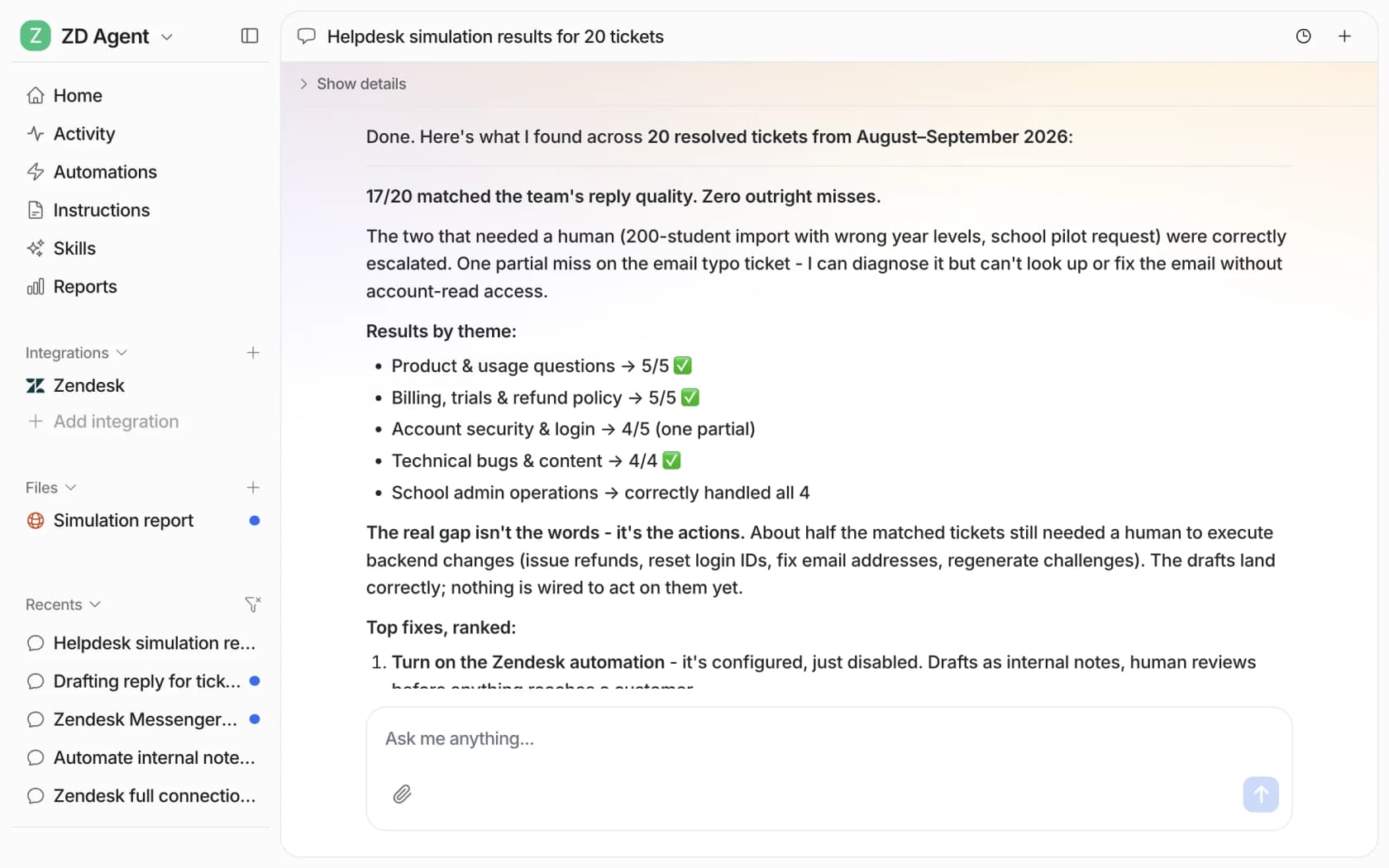
When a lead corrects the agent, eesel "writes the correction into its own instructions," per its memory docs. Then the simulation skill replays real past tickets and scores the answers against what your team sent. The docs example sampled 20 resolved tickets and found 17 matched the team's reply quality, with five ranked fixes.
For new agents, the draft is the coaching. They see how your team answers that exact question before they type. One small-business founder on Freshdesk wrote this in a G2 review:
"...when we re-test, it correctly incorporates the coaching. We'll be moving forward with a subscription and are looking forward to seeing huge return on investment, specifically on enabling newer team members to have a 24/7 supervisor that coaches them on how to handle inquiries."
Pricing
Free plan with 100 credits, then the Teammate plan from $299 a month for 500 credits, with unlimited agents and seats (pricing). A ticket or chat is one credit. Seats don't cost extra, so every trainee gets it.
Pros and cons
- Pro: coaching lands on the next ticket for the whole team, not one agent per session.
- Pro: simulation on your own past tickets before anything goes live.
- Pro: unlimited seats, so cost doesn't grow with headcount.
- Con: no human QA scorecards, calibration or coaching sessions. Pair it with a QA tool if you need those.
- Con: voice isn't a channel.
Verdict
My take: pick eesel when the same corrections keep coming up in coaching and the root cause is "nobody knows how we answer this." Skip it as a replacement for a QA program. Most teams I'd point here run it next to Zendesk QA or Scorebuddy.
2. Zendesk QA
Best for: chat and email teams already on Zendesk Support or Suite who want coaching built from the same scores they already see.
Zendesk QA started life as Klaus, which Zendesk acquired in 2024. It's now an add-on that scores conversations from both human agents and Zendesk AI agents.
How it finds coachable moments
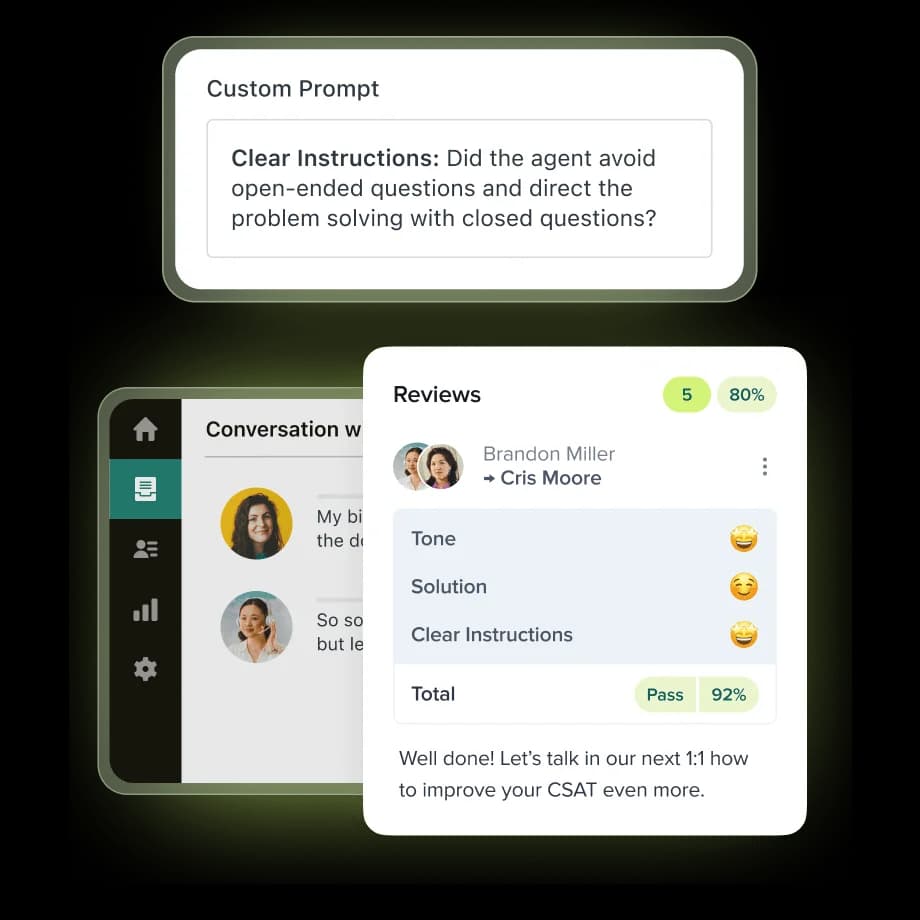
AutoQA scores every solved ticket on 8 system categories: Greeting, Empathy, Spelling and grammar, Closing, Solution offered, Tone, Readability and Comprehension (autoscoring). You can add up to 10 custom AI prompt categories. Spotlight flags risky tickets like churn risk or escalation requests without scoring them. Recurring review assignments ("review five technical tickets per week for each agent") cover the human side.
How coaching gets delivered
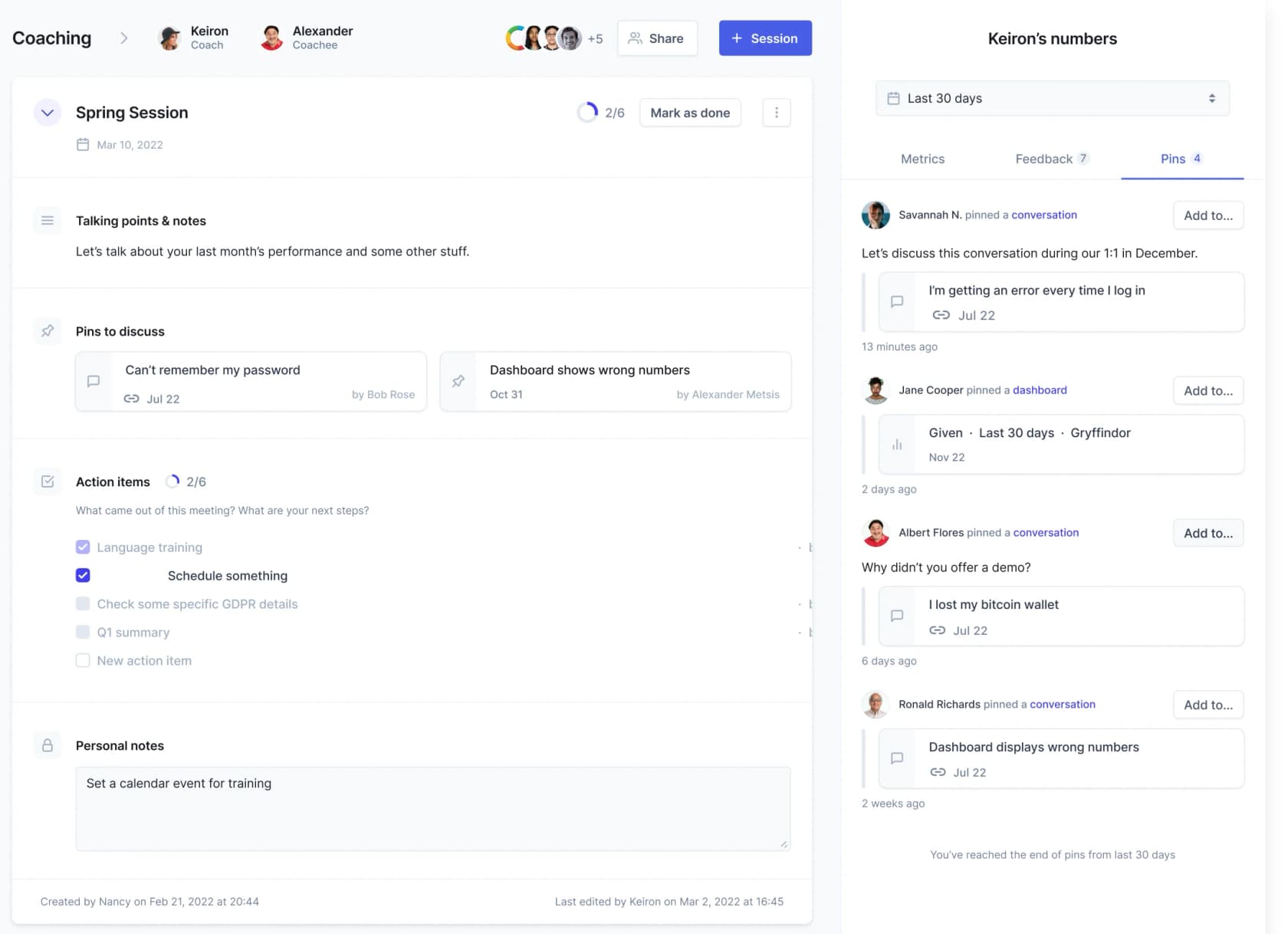
Coaching sessions pull together talking points, pinned conversations and the agent's metrics, including IQS (Internal Quality Score) and quiz results. The sessions overview shows whether agents reviewed their feedback and how coaching moved the IQS, which covers the "check it" step better than most tools here. Agents can dispute reviews, and reviewers can run calibration. Quizzes are multiple choice, one attempt per person, and assigned by workspace rather than by agent.
Pricing
The QA add-on is $35 per agent per month on yearly billing, or $50 bundled with workforce management (pricing). It needs a Zendesk seat underneath: Suite Professional plus QA is $150 per agent per month on annual billing. Scoring Zendesk AI agents costs nothing extra.
Pros and cons
- Pro: the cheapest published price for full QA plus coaching on this list.
- Pro: coaching sessions, disputes, calibration and AI agent scoring in one place.
- Con: needs a Zendesk seat; other helpdesk connections sync every 4 to 6 hours.
- Con: setup takes work. A Capterra reviewer wrote: "There is a bit of learning curve in the beginning, especially when setting up the scorecards and deciding which criteria are actually important for your team" (Capterra).
Verdict
My take: the default for Zendesk teams. If you're on Zendesk and haven't tried it, start here before buying a standalone platform. My scorecard criteria guide helps with the setup part.
3. Scorebuddy
Best for: dedicated QA teams on any helpdesk that want coaching frameworks and training courses inside the QA tool.
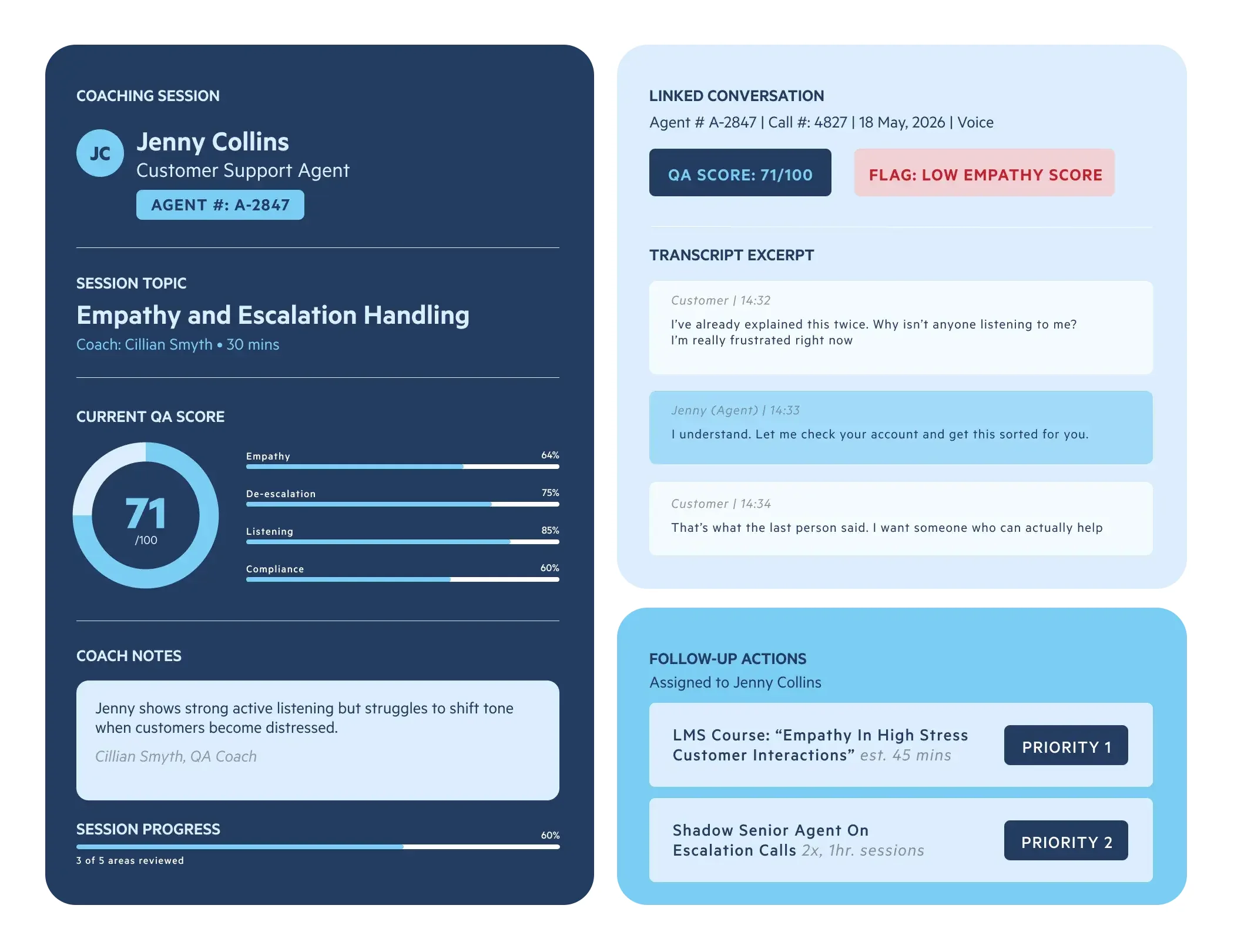
Scorebuddy, now branded ScorebuddyCX, has been a QA tool for years. It ties scoring, coaching and an LMS together.
How it finds coachable moments
AI Auto Scoring evaluates voice, chat and email, and the coaching dashboards show "who needs coaching and for what skill" (Coaching). One catch: AI scoring arrives on the Accelerate plan with 500 monthly AI scores, and Elite gives 1,000 (pricing). On a busy queue, that's a sample, not every ticket.
How coaching gets delivered
Each coaching session links to the real conversation that triggered it, with follow-up materials and progress tracking. It ships with three coaching frameworks: GROW, OSKAR and CLEAR. The LMS add-on lets you assign a course from inside a session. Agents get a personal dashboard and can request a review if they disagree with a score.
Pricing
Quote-only on annual contracts, priced by users and package, with a 14-day free trial (pricing). Plans are Foundation, Accelerate and Elite. The coaching module starts at Accelerate, and the LMS is an extra on Accelerate or Elite.
Pros and cons
- Pro: the widest helpdesk connector list of the QA tools here, including Zendesk and Freshdesk.
- Pro: coaching frameworks and courses live next to the scores.
- Con: coaching and LMS are plan-gated and quote-only.
- Con: a G2 reviewer noted it "can feel a bit slow or overly click-heavy, especially when you're doing a lot of evaluations" (G2).
Verdict
My take: strong for a QA team of two or more that wants structure. If you only need light coaching on one helpdesk, the built-in option is cheaper.
4. MaestroQA (now Rippit)
Best for: mid-market support teams on Zendesk that want a mature QA program and don't mind a heavier setup.
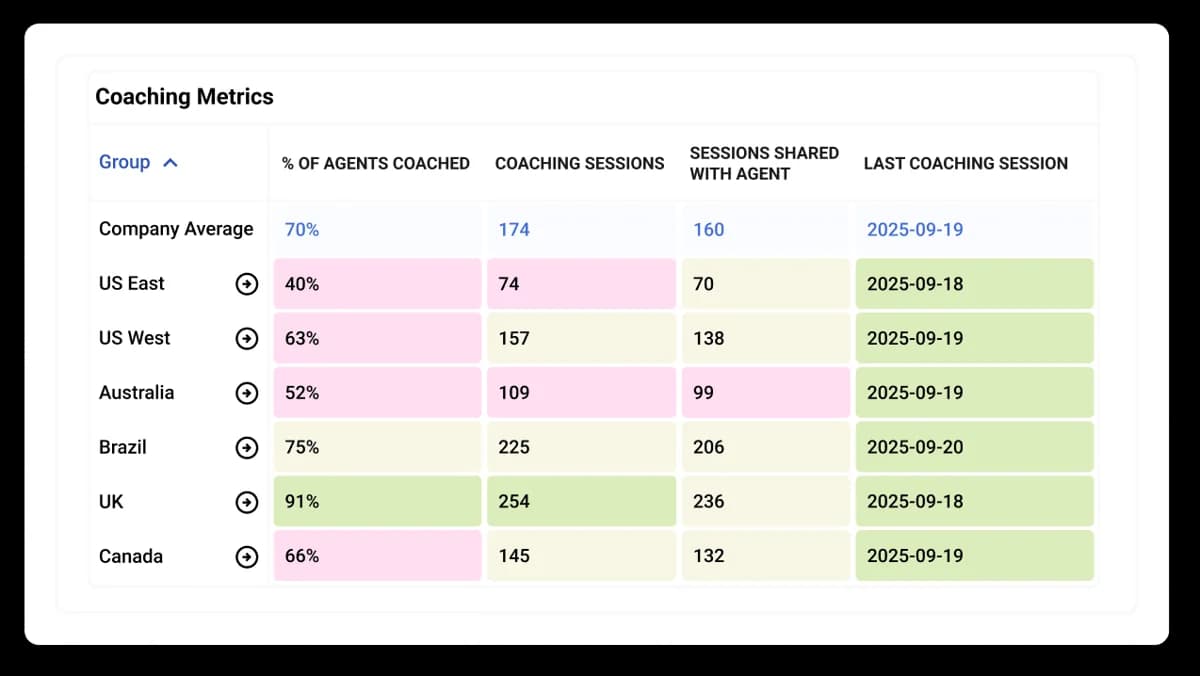
MaestroQA was the usual Zendesk QA shortlist pick for years. In February 2026 it rebranded to Rippit and rebuilt itself as an AI agent platform. The legacy product is still sold.
How it finds coachable moments
AutoQA analyzes 100% of tickets using LLM, phrase-match and process metrics, then you drill into flagged areas with targeted manual QA (AutoQA). The coaching dashboard tracks who's coaching, how often and on what topics.
How coaching gets delivered
Coaching uses templates, embedded conversation examples, to-dos and follow-ups tied to real interactions. Appeals have a multi-approval workflow, and calibration and grader QA are built in. On the Rippit side, an Employee Coaching agent template "sends coaching notes to managers." Reviewers rate the coaching side well:
"What's great about MaestroQA is that it stops treating quality reviews like a simple "pass/fail" test and turns them into a way to actually coach people."
Pricing
Legacy MaestroQA is quote-only. Rippit lists Free (100 agent runs), Starter at $185 a month (300 runs), Growth at $495 a month (1,000 runs) and custom Enterprise (pricing). Rippit's own example: coaching 20 agents each week uses 20 agent runs a week.
Pros and cons
- Pro: deep QA workflow with appeals and calibration.
- Pro: Rippit finally publishes prices.
- Con: Rippit connects to only two helpdesks so far, Zendesk among them, versus the long legacy list.
- Con: the rebrand worries some QA-focused buyers. One G2 reviewer wrote: "The rebrand of MaestroQA to Rippit shifted the focus away from a QA brand so we won't be renewing our contract" (G2).
Verdict
My take: still a good QA engine. Before signing a multi-year legacy contract, ask what the roadmap is now that the company's focus has moved to AI agents.
5. Playvox
Best for: omnichannel support teams that want QA, coaching and workforce management from one vendor.
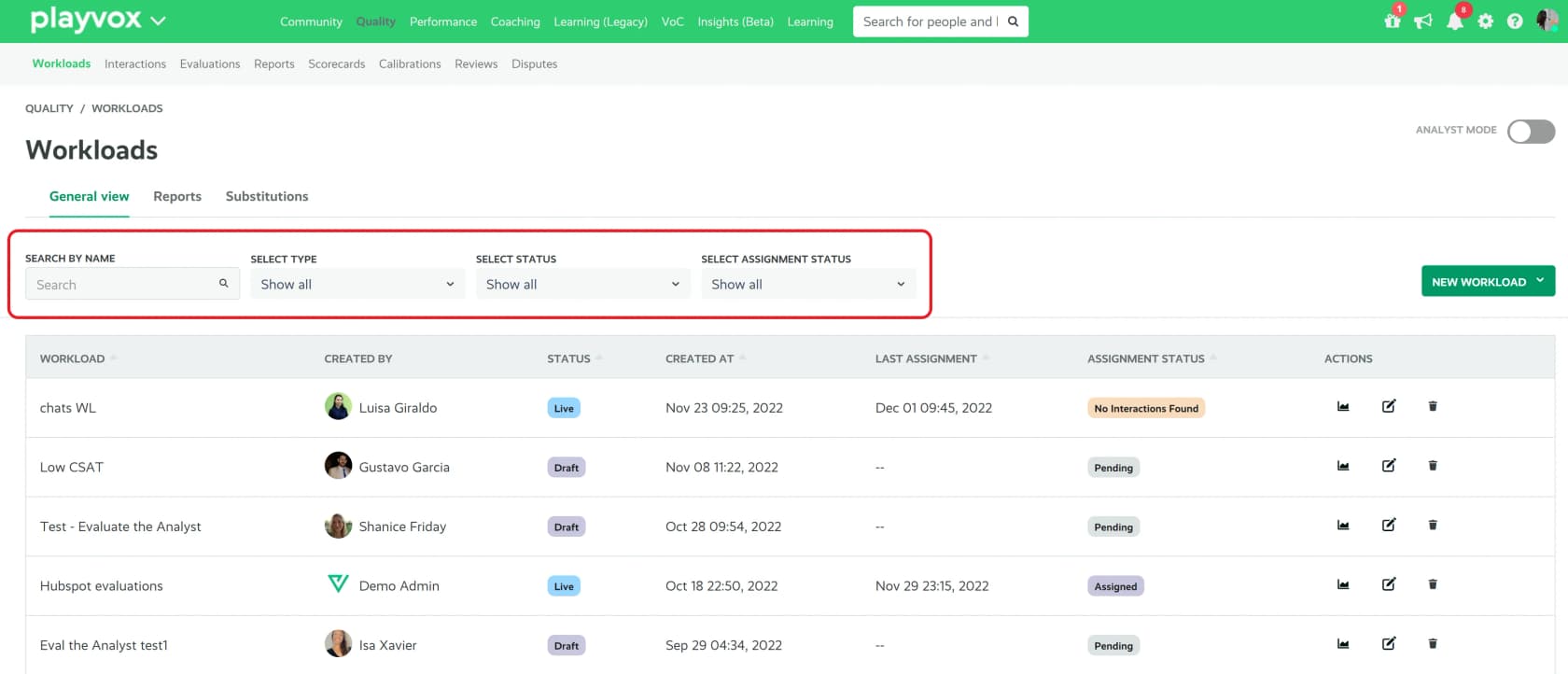
Playvox is now sold as part of NiCE, which lists it inside its performance management suite. It has the biggest review base on this list.
How it finds coachable moments
Playvox QM "automatically distributes work based on your criteria," with random sampling or a narrow focus, and filters interactions by CRM or contact center data (datasheet). The datasheet doesn't state an AI auto-scoring coverage figure, so treat it as a strong manual QA workflow rather than a score-everything tool.
How coaching gets delivered
"After gaps are identified, coaches can build plans using current and historical data, and automatically track progress against goals once a session is complete" (same datasheet). Agents get notified when an audit is done and can sign off or dispute it, per a Capterra reviewer:
"Once An audit is complete for an agent PlayVox will send a notification to the agent as it relates to the score and agent can either sign off or dispute audit."

Pricing
Quote-only through NiCE. G2 reviewers report a 3-month implementation.
Pros and cons
- Pro: 4.8 on G2 from 1,163 reviews for the quality management product (G2).
- Pro: connects to Zendesk, Freshdesk, Kustomer, Help Scout and Salesforce.
- Con: the public product material I found is dated, and AI scoring isn't described.
- Con: heavy for a team under 20 agents.
Verdict
My take: a safe pick if you also need scheduling and want one vendor. If AI scoring on every ticket is the reason you're buying, get a live demo of it first.
6. Level AI
Best for: voice-heavy contact centers that also run chat and email on a helpdesk.
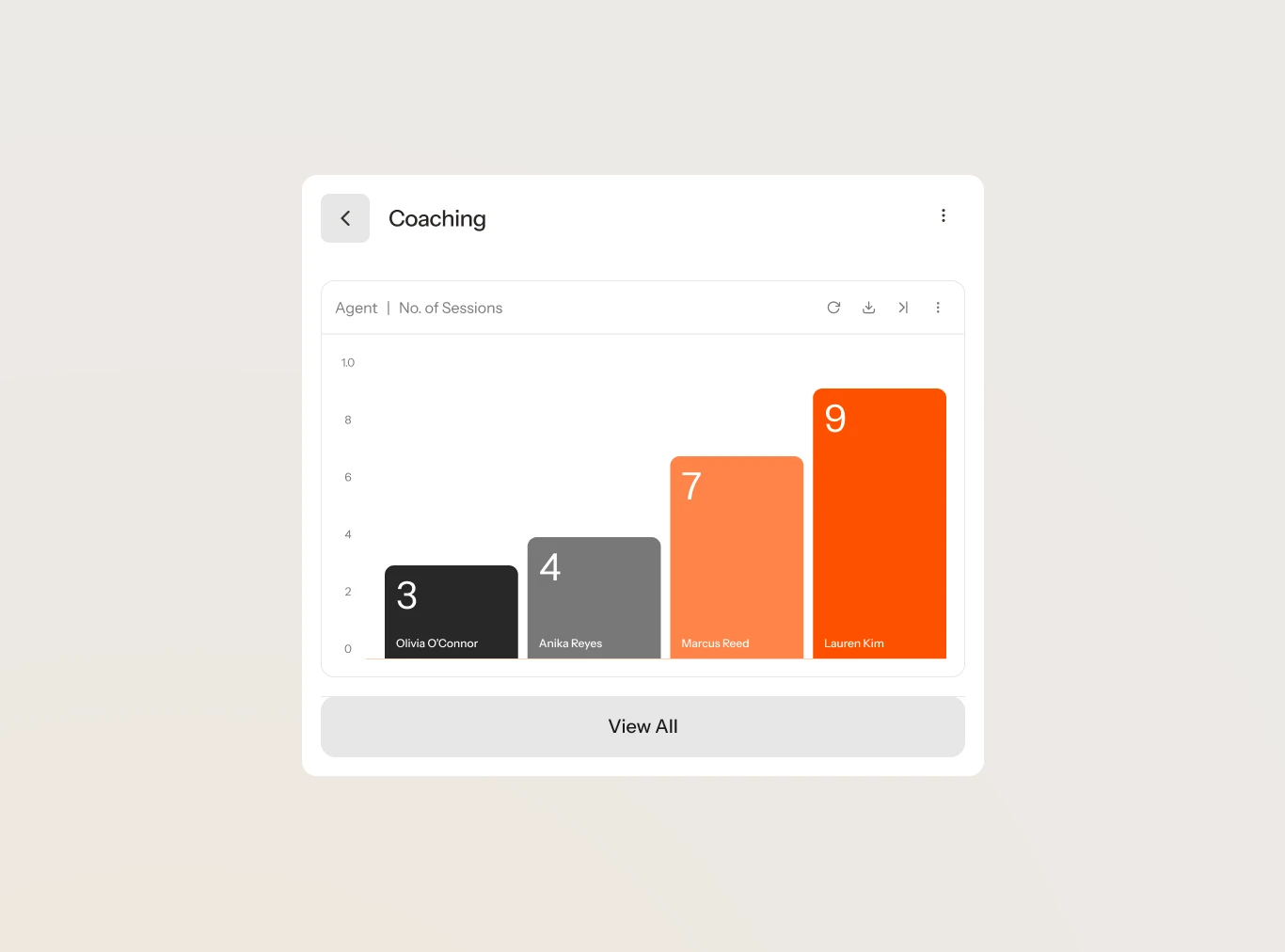
Level AI is a contact center AI platform that scores interactions, coaches agents, assists them live and runs virtual agents.
How it finds coachable moments
QA-GPT scores calls, chats, emails and bot conversations with "100% coverage," using a model trained on your data "to evaluate over 90% of the standards and metrics that scorecards cover" (QA). The coaching Discover view filters by QA score, sentiment, topic or coaching need, and AI Workers recommend coaching plans.
How coaching gets delivered
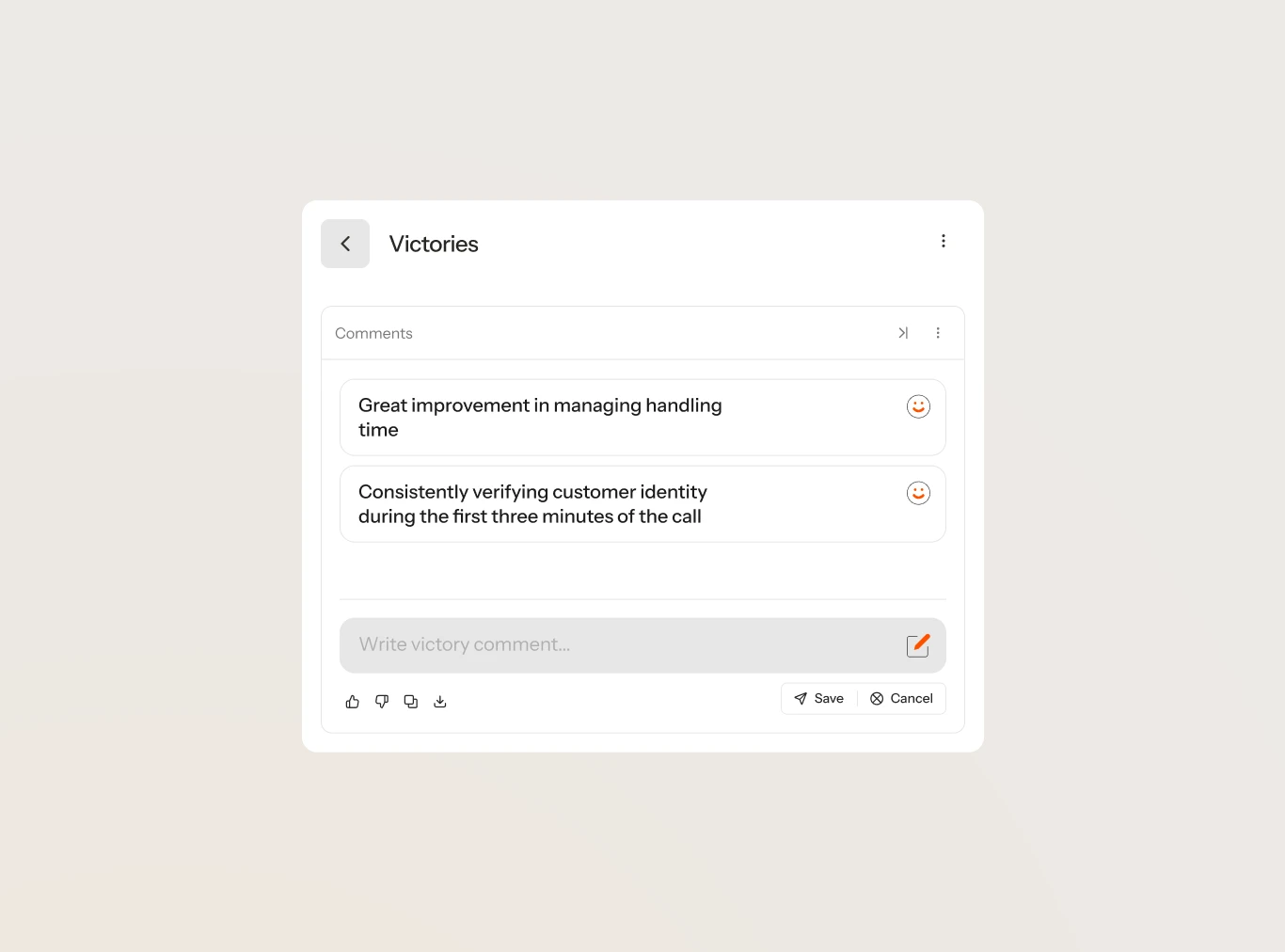
Coaching runs in four steps: Manage, Discover, Create and Share (Agent Coaching). Feedback goes out with conversation examples and action items, and agents can accept the coaching or add comments. Managers get notified about pending coaching tasks.
Pricing
Quote-only, with no public price (Level AI pricing). Level AI's own case study says Extra Space Storage cut coaching prep from about two hours to 30 minutes (case study).
Pros and cons
- Pro: helpdesk connectors for Zendesk, Salesforce, Gorgias and Freshworks, not just phone systems.
- Pro: agents can respond to coaching inside the tool.
- Con: coaching adoption varies. A G2 reviewer said: "Coaching feature hasn't served us as a company very well. There has been slow adoption based on how the coaching feature is set up and the AI options available" (G2).
- Con: reviewers flag AI QA scores that need tuning to their scorecards.
Verdict
My take: one of the better fits for a mixed voice and helpdesk team. Ask to see the coaching workflow with your scorecard, not the demo one. My Level AI review goes deeper.
7. Observe.AI
Best for: large, regulated voice contact centers.
Observe.AI calls itself an agentic CX platform, with AI agents for customers and Quality, Performance and Insights agents for the team.
How it finds coachable moments
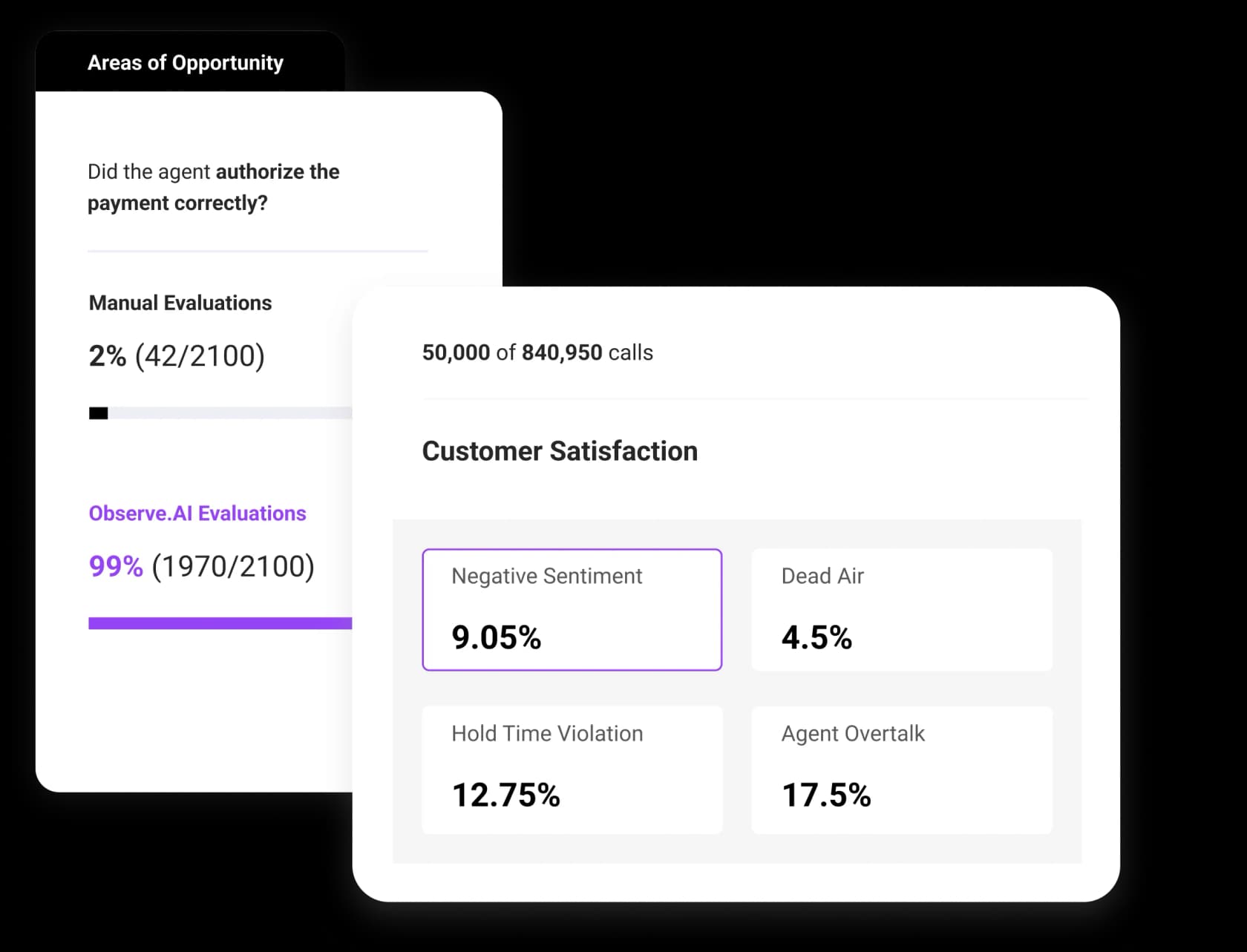
Quality Agents "automatically assess 100% of customer interactions," with evidence linked to transcript moments. The dashboard above also tracks negative sentiment, dead air and hold violations. Its pitch names the problem directly: "QA on 2% of calls... 98% of what your customers experience is never reviewed." Calibration has auto-suggest and auto-fill.
How coaching gets delivered
Performance Agents generate coaching plans from evaluations, including roleplay against a synthetic voice customer (homepage). Evaluations include agent acknowledgement and dispute options. A Companion Agent gives live guidance and compliance nudges during calls.
Pricing
The vendor's pricing page is gone, but its AWS Marketplace listing shows QA, coaching and insights at $828 per agent on a 12-month contract, about $69 per agent per month. Real-time AI is another $828 per agent.
Pros and cons
- Pro: the only voice-first tool here with a public price anchor.
- Pro: acknowledgement and disputes are built into evaluations.
- Con: transcription accuracy. A G2 reviewer said results "sometimes need manual verification" (G2).
- Con: built for large centers; 12-month minimum terms.
Verdict
My take: strong for voice at scale, and the AWS price makes budgeting easier. For an email-first team, it's more tool than you'll use.
8. Cresta
Best for: enterprise contact centers that want real-time coaching during calls and chats.
Cresta sells three lines: AI Agent, Agent Assist and Conversation Intelligence, which covers QA, coaching and training.
How it finds coachable moments
Quality Management auto-scores "situational agent behaviors and outcomes across 100% of conversations" (Quality Management). Outcome Insights compares CSAT for agents who did or didn't perform a behavior, which is a smart way to decide what's worth coaching.
How coaching gets delivered
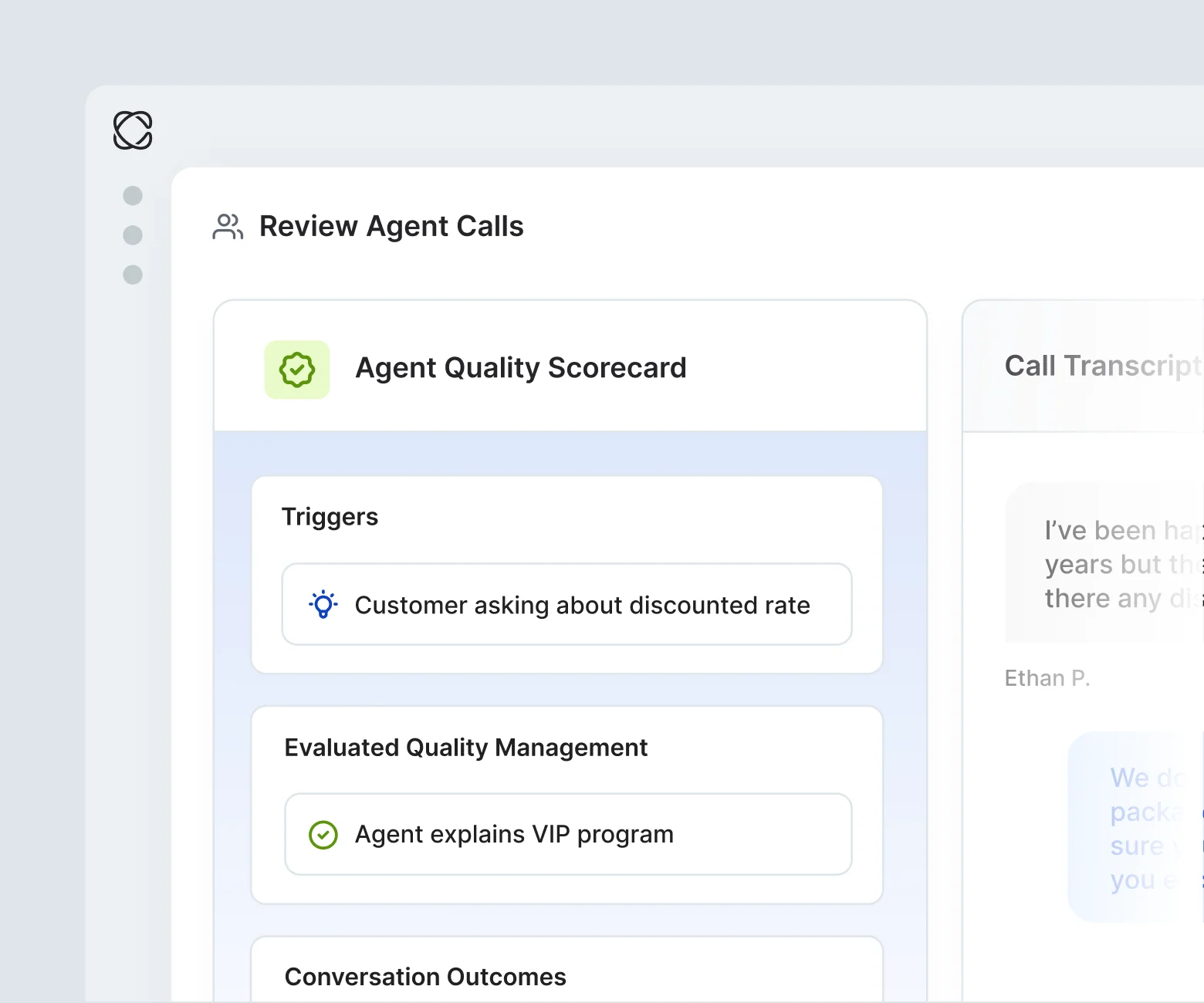
Three ways. Coach builds personal coaching plans from QA and outcome data. Behavioral Guidance is Cresta's agent assist layer, with real-time hints during the conversation. The Training Simulator, launched on July 9, 2026, builds practice sessions from real customer conversations.
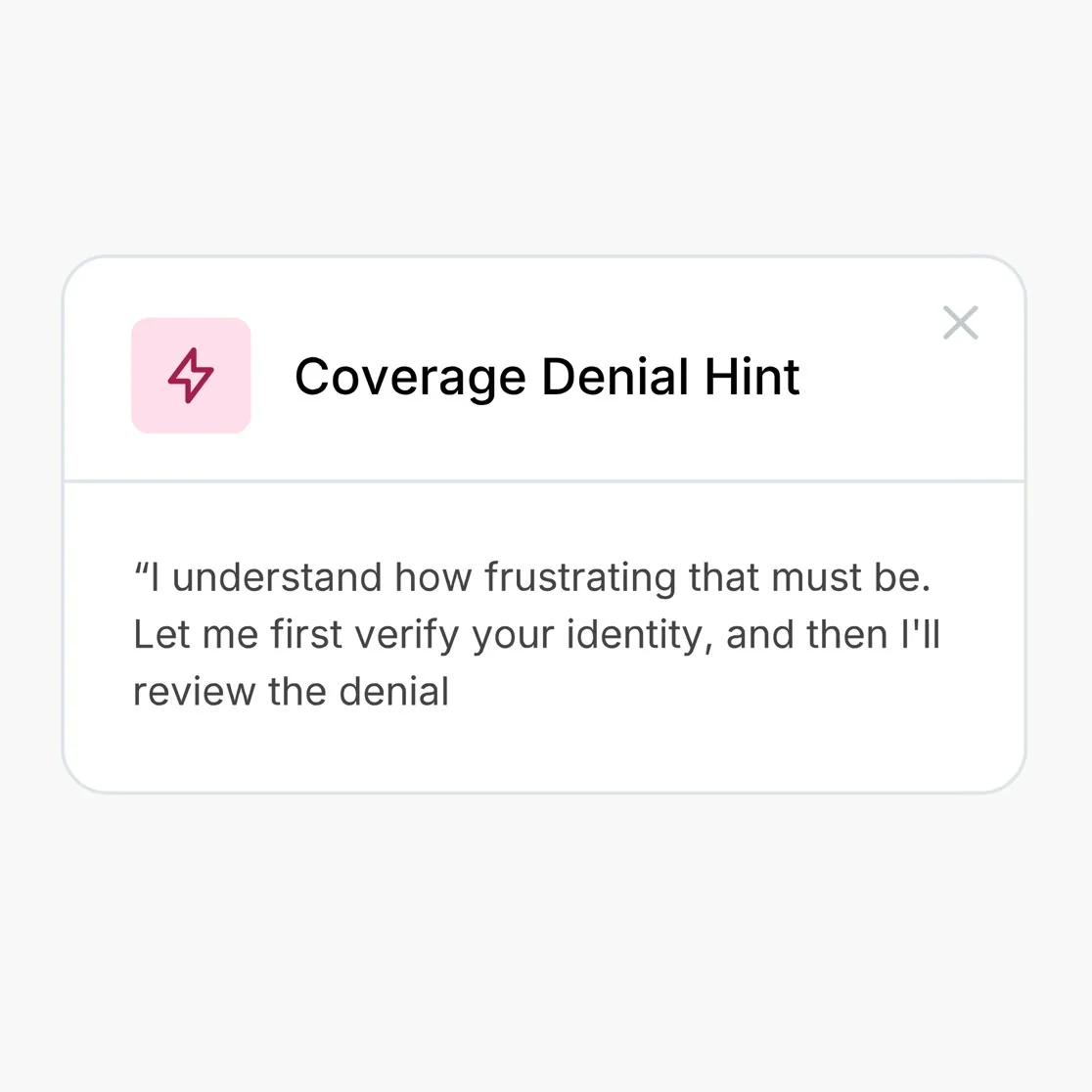
Reviewers credit the live prompts most:
"Representatives are getting prompts real-time to improve conversations without waiting for call reviews with a manager. Seen B players rising up the ranks."
Pricing
Quote-only. The only public figure is Agent Assist on AWS at $150,000 per year for chat and $150,000 for voice (AWS). More in my Cresta pricing breakdown.
Pros and cons
- Pro: covers all three timings: practice, live and after.
- Pro: ties behaviors to outcomes, not just scorecard ticks.
- Con: enterprise pricing and long tuning; one reviewer says you need "almost an AI linguist."
- Con: CCaaS-first, with no dedicated Zendesk or Freshdesk connector page.
Verdict
My take: the most complete coaching stack here for a large voice center (my Cresta review has more). Out of reach and out of scope for a 15-person helpdesk team.
9. Balto
Best for: script and compliance-driven voice teams in insurance, collections or healthcare.
Balto started with real-time call guidance and now bundles agent assist, AI QA, compliance and coaching under one license.
How it finds coachable moments
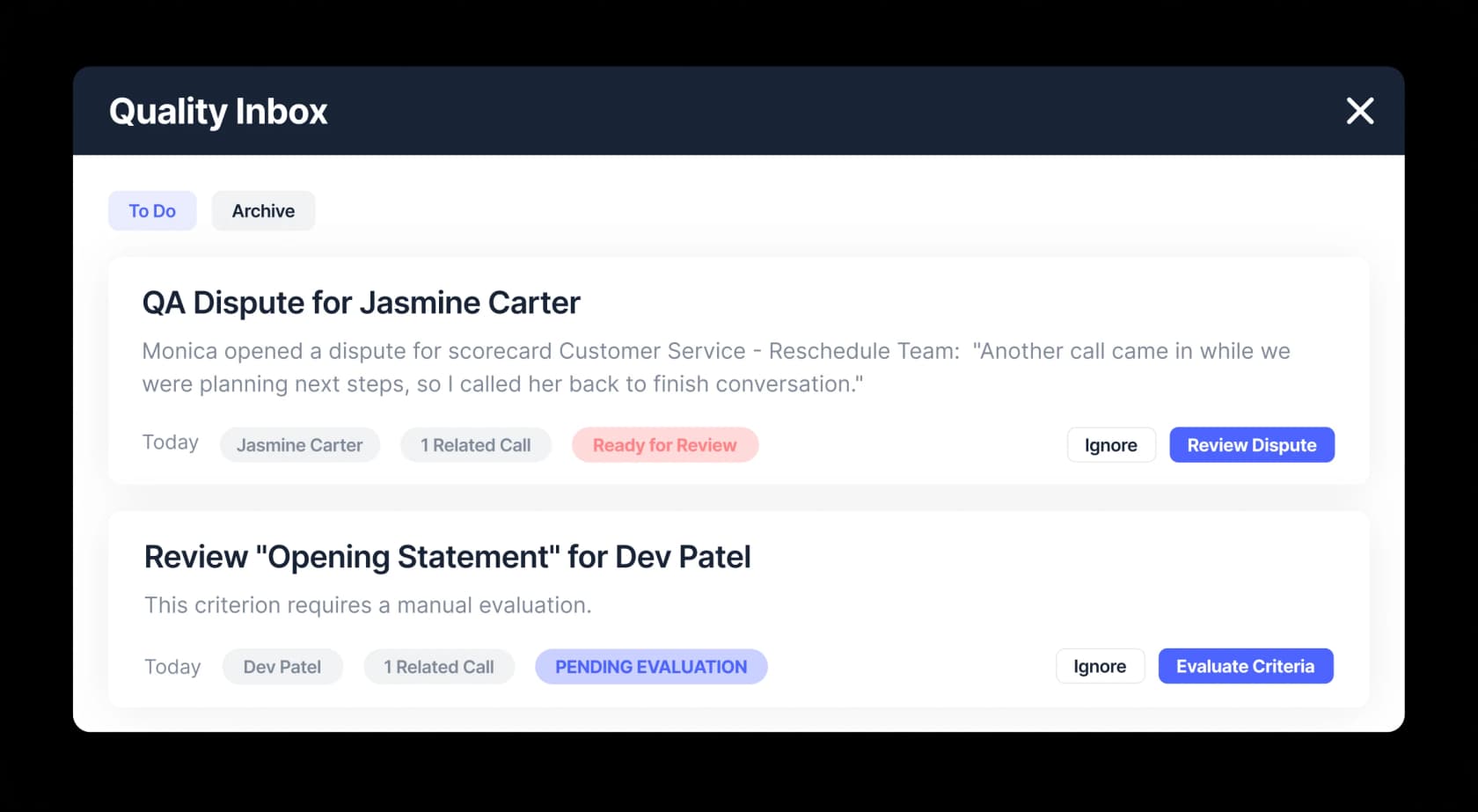
AI QA "automatically scores 100% of conversations" and puts grey areas, edge cases and agent disputes in one inbox (QA). Supervisors get alerts when a call goes off-script.
How coaching gets delivered
Scores show to agents when a call ends, with AI explanations and leaderboards. During the call, Balto shows script and objection prompts. The live prompts are the main draw, and also the main complaint:
"I dislike that Balto gives me the same reminder call after call, and it isn't always relevant. Because of that, I end up tuning out the recommendations since many of them don't feel accurate."
Pricing
Quote-only, with per-seat or concurrent licensing and free admin licenses (G2 pricing).
Pros and cons
- Pro: 4.8 on G2 from 596 reviews, though many recent reviews carry G2's "Incentivized" tag.
- Pro: fast feedback, since scores land at the end of each call.
- Con: no Zendesk, Freshdesk or Gorgias connector listed (integrations).
- Con: prompts can pile up on fast calls.
Verdict
My take: good for scripted phone work. Not a fit for a ticket-based helpdesk team; my list of agent assist tools has chat-first options.
10. Second Nature
Best for: practicing hard conversations before agents touch real customers.
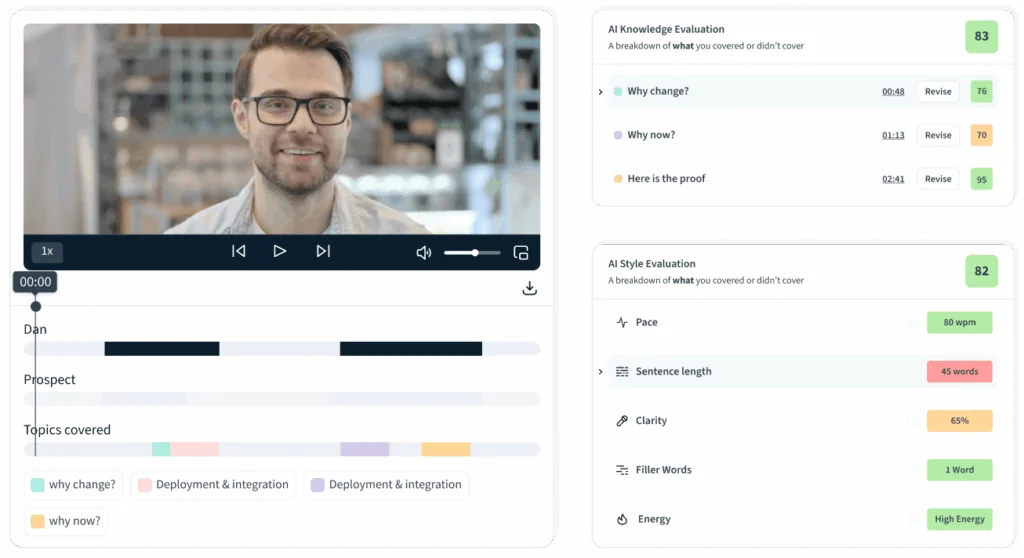
Second Nature is an AI roleplay platform, sales-first, with a customer support use case.
How it finds coachable moments
It doesn't read your live tickets. You build scenarios from PDFs, decks or audio, and the support page says agents can "role-play tough conversations, including real past calls."
How coaching gets delivered
Agents hold spoken conversations with AI personas and get scored "within 45-90 seconds" (FAQ). The default weighting is 70% knowledge and 30% style. Managers see completion rates and proficiency heatmaps, and reps can request a score review.
Pricing
Quote-only; the pricing page returns not found.
Pros and cons
- Pro: a safe place to practice refunds, escalations and angry customers.
- Pro: 4.7 on G2 from 438 reviews (G2).
- Con: no helpdesk integration, and the case studies are mostly sales teams.
- Con: practice can drift from reality. An agent on Reddit put it this way: "Most mock calls I've done end up teaching people how to pass the mock call" (Reddit).
Verdict
My take: worth it for voice teams with long agent onboarding. Build scenarios from your real past tickets, or the practice won't match the queue. My training software roundup covers more practice tools.
Already on Front or Gorgias? Check what's built in
Two helpdesks now score tickets natively. Neither has a coaching module, but for a small team they may be enough.
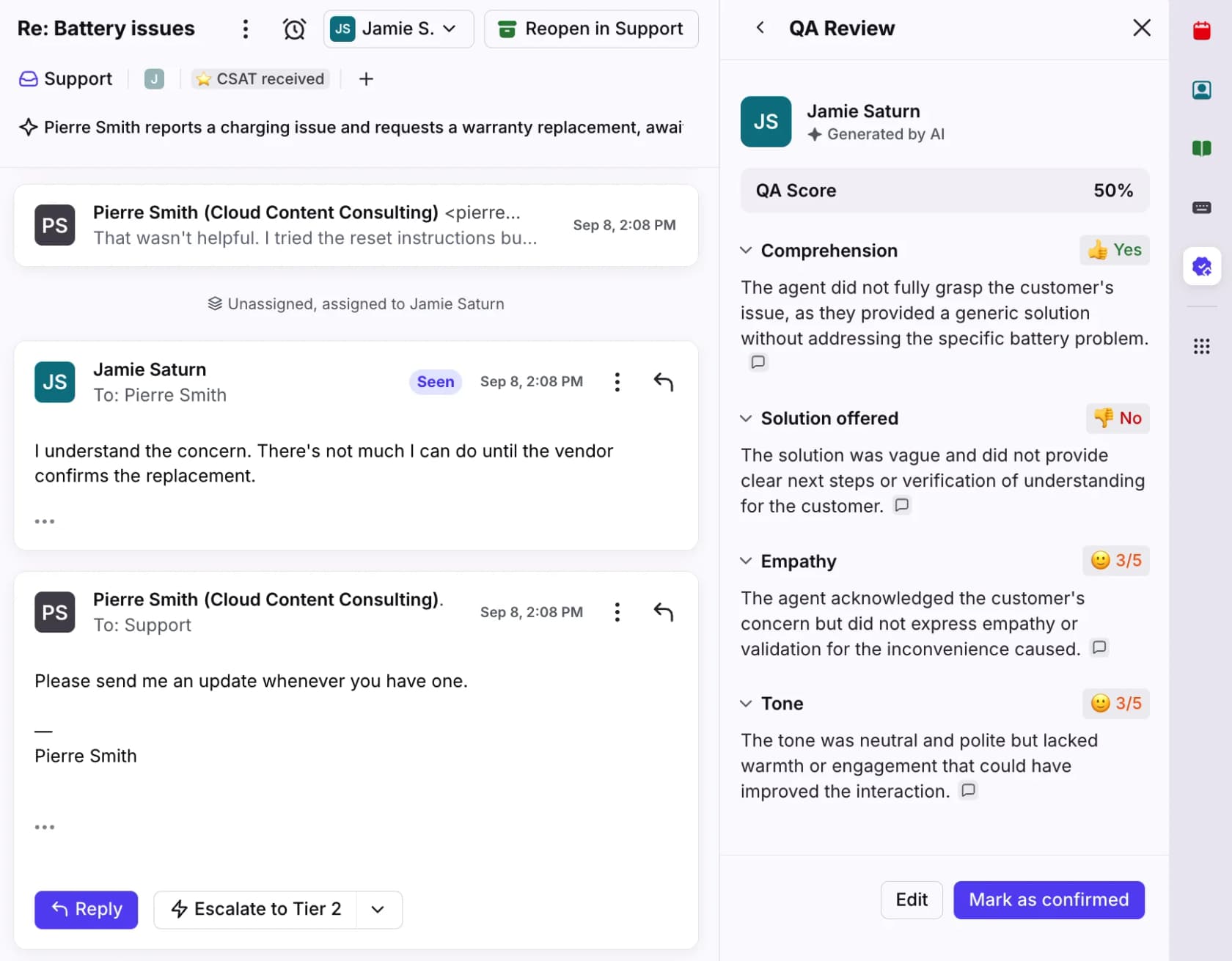
- Front Smart QA scores resolved shared-inbox conversations on criteria like Empathy, Tone and Solution offered, with up to 10 custom criteria. It's $20 per seat per month, or included in Enterprise at $105 (Smart QA). Agents see their own results. There's no dispute path, and coaching happens through comments.
- Gorgias Auto QA auto-scores three criteria (resolution completeness, communication, language proficiency) 12 hours after close (Auto QA). It's included with an AI Agent subscription. One limit to know before you rely on it for coaching: only owners, admins and leads can see scores, not agents.
More on both in my posts on Front AI and Gorgias AI pricing.
Which coaching tool fits your team?
Pick the line that sounds most like your team.
My team is...
Tap an option to see where I'd start.
Your AI agent needs coaching too
Here's the shift most coaching software guides miss. If an AI agent answers part of your queue, it makes mistakes that need coaching like any new hire, and the loop runs much faster.
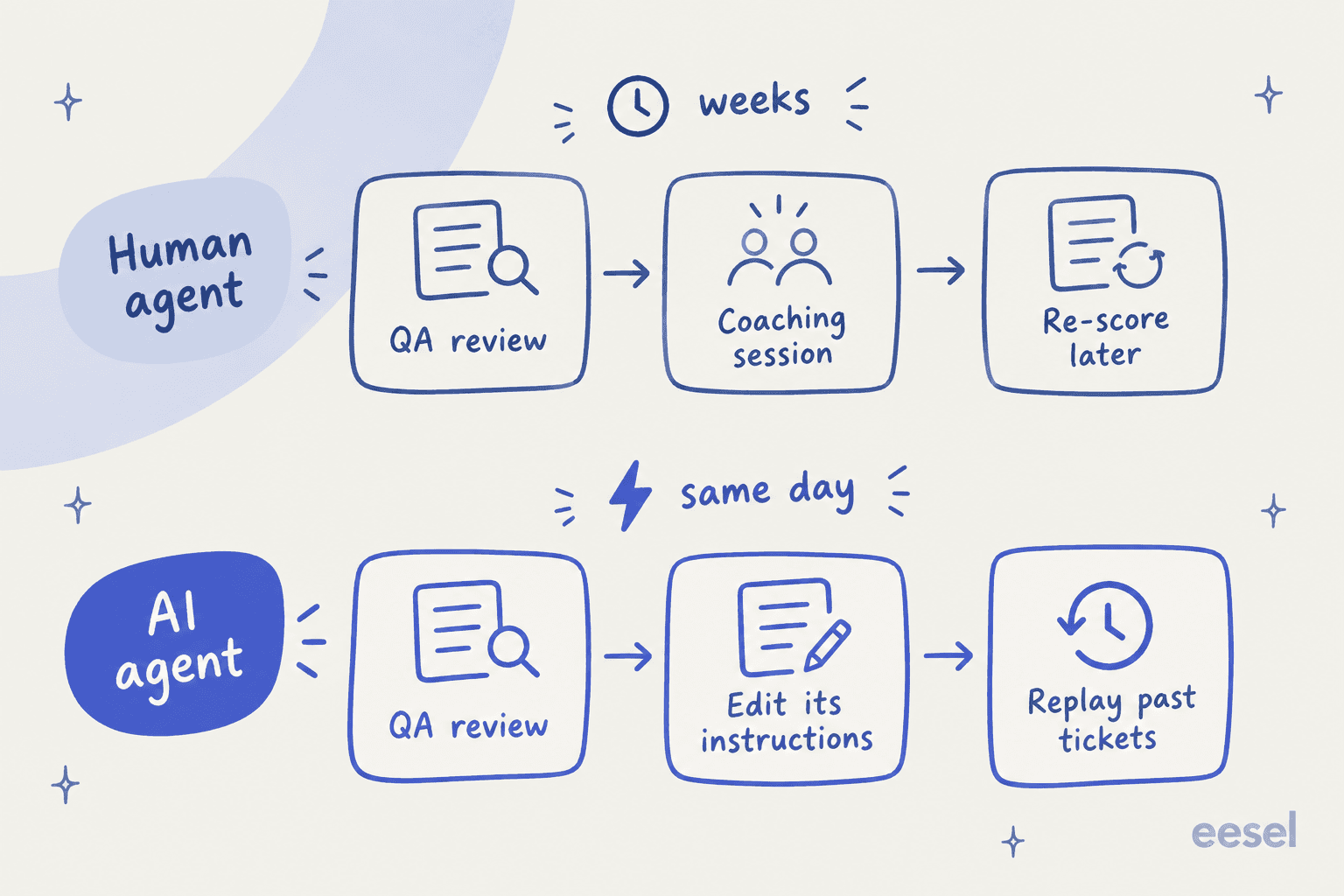
A human agent takes a session, a few weeks of tickets and a re-score. An AI agent can take the correction, replay last month's tickets and show you the result that afternoon. Zendesk QA already scores AI agents on the same scorecards at no extra cost. eesel goes a step further: your correction becomes part of its instructions, and the simulation checks it on past tickets before it goes live.
There's also a knock-on effect for the human team. When the AI drafts every reply, a lead's correction coaches every agent at once, because they all see the improved draft on their next ticket. That's why I'd split coaching into two buckets:
- Habits (tone, empathy, ownership) belong in 1:1s, with QA scores as evidence.
- Missing answers (policy, product steps, "how we say this") belong in the knowledge base, macros or AI instructions, where one fix reaches everyone.
My post on AI agent coaching covers the setup in more detail.
How to roll out coaching software without agents hating it
The tool matters less than how you use it. Agents on Reddit are clear about what goes wrong.
Score what the customer cares about. One tech support agent described a scorecard where "only 30% of our score was actually fixing the user's problem" (Reddit). If greetings and closings outweigh the solution, your agents will optimize for greetings. Start with the scorecard criteria that track resolution.
Calibrate before you coach. If three reviewers give one conversation three scores, every coaching session turns into an argument about the score. This lead's routine is a good benchmark:
"...every month we'd pick a random call, all score separately, then get together and decide the correct score for each quality point. Whatever we all decided on, we had to be within 3% of that score (and certain elements had to be 100% on point)."
Tell agents when a dispute changes their score. A small thing that builds trust fast. An agent on r/callcentres said: "We don't even get notified if the status changes" (Reddit). Zendesk QA, Level AI, Observe.AI and Playvox all have dispute flows; check that yours notifies the agent.
Coach one thing per session, then check it. Pick one behavior, show one example ticket, and re-score the next 20 tickets on that behavior. That's the "check it" step from the loop above, and it's what turns a QA program into coaching. My QA feedback examples show the wording.
Watch the numbers next to QA. CSAT, first contact resolution and average handle time tell you whether higher QA scores mean happier customers. If QA goes up and CSAT doesn't, the scorecard is measuring the wrong thing.
For the wider QA setup, see my guides to support QA with AI and call center QA.
Try eesel for coaching on the ticket
If your coaching sessions keep landing on the same answers, eesel fixes them at the source. It plugs into Zendesk, Freshdesk or Gorgias in minutes, learns how your team answers from past tickets, and drafts replies your agents check and send. When a lead corrects it, the correction goes into its instructions, and you can replay past tickets to confirm the fix before it reaches customers.

It's free to start with 100 credits and unlimited seats, so every agent and trainee gets it. Try eesel next to the QA tool you already use, and see how many coaching notes stop repeating.
Frequently Asked Questions
What is customer support coaching software?
What is the best customer support coaching software for Zendesk?
How much does customer support coaching software cost?
Can AI coach customer support agents?
What is the difference between QA software and coaching software?
Do I need coaching software if I only have 10 agents?
How do you measure whether support coaching works?
Is AI roleplay useful for support agent coaching?


Article by
Kurnia Kharisma
Kurnia is a software engineer and writer at eesel AI with two years of SEO experience, writing about AI tools, helpdesk software, and customer support. He pairs a developer's understanding of how these products are built with search-driven research into what actually ranks and resonates with the people searching for them.