What is Level AI?
Level AI is a contact center platform that scores, coaches, and partly automates customer conversations. The homepage pitch today is "full stack AI agents for the entire customer experience journey," but when you look at what the product is really built around, it's still quality assurance, which is the job of checking whether agents followed the script and the policy, and also kept the tone your team expects.
A few numbers first, so you have a sense of the company. Level AI was founded by Ashish Nagar, a former product leader on Amazon's Alexa team, and CTO Sumeet Khullar. It raised a $39.4 million Series C in July 2024 led by Adams Street Partners, bringing total funding to $73.1 million. Its About page claims 1 billion+ customer interactions analyzed per year across 100+ businesses. Its case studies name VistaPrint, Smartsheet, and Extra Space Storage, and the Series C post adds Affirm, Penske, and Carta.
If you want the wider company and product overview first, start with my Level AI guide. On G2, 162 of its 220 reviews sit in the Contact Center Quality Assurance category, and the split between company sizes is pretty clear: 123 mid-market and 72 enterprise reviewers versus 23 small businesses. So in practice this is a tool made for teams that have a QA department, and not for a two-person support desk.
How I reviewed Level AI
I work eesel's support queue every day, so QA is the part of support I live with: reading back conversations, spotting the answer that was technically right but landed badly, and working out whether a fix is a coaching problem or a docs problem. Writing useful QA feedback is half the job. That's the lens I brought to this review, more or less.
Level AI is demo-gated, there is no free trial and no public help center either, so I didn't get to run it on my own queue. Instead I read every product page and FAQ, the Q1 and Q2 2026 release notes, six customer case studies, the security page, and 220 G2 reviews. I also went through every marketplace where a price could be hiding. Where Level AI's own pages contradict each other, I point it out.
One more bias I should declare up front: eesel has spent years putting AI on live support queues, and the lesson I've watched stick is that an AI score is only as good as the test behind it. That is the reason every eesel rollout gets simulated against historical tickets before the agent answers anyone, so I read Level AI's accuracy claims with that in the back of my mind.
What Level AI does
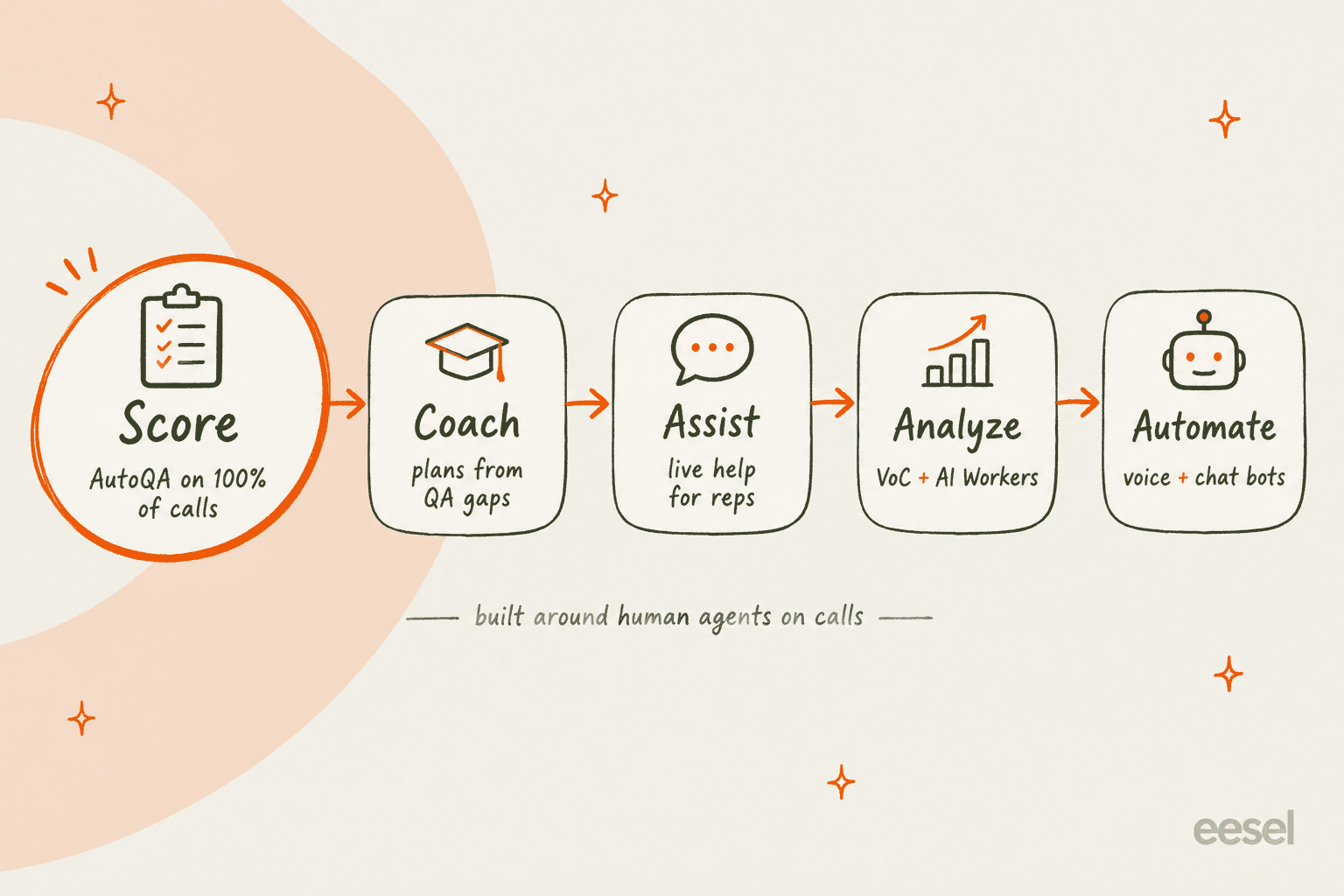
Level AI sells one platform that has five jobs bolted together. Scoring is the anchor here, and everything else is either feeding it or acting on what it finds.
AutoQA and QA-GPT: the core product
AutoQA is the main reason most teams end up buying Level AI. The QA product page promises to score "100 percent of calls, chats, emails, and bot conversations," against a manual baseline Level AI puts at "often around 1% to 3%" of interactions. That gap, basically, is the whole case for AI-assisted QA.
The scoring engine is QA-GPT, which Level AI describes as a proprietary model trained on your contact center data that can "evaluate over 90% of the standards and metrics that scorecards cover." What I like is how practical the scorecard mechanics are in day-to-day use:
- Keep your own scorecard. You can bring an existing rubric (including ones you use for external reporting), or you can start from Level AI's library of pre-trained questions.
- Hybrid scoring. Objective items like the greeting or identity verification get auto-scored. Subjective items like empathy can go to a human instead, and then both roll up into one score.
- Conditional N/A. Questions can be switched off by call type or by department, so a billing dispute doesn't get marked down for skipping a sales pitch.
- Evidence on every answer. Each auto-score comes together with the transcript quote and the timestamp it's based on.
- Overrides that teach. Evaluators can overrule a score, and those corrections then feed back into how future conversations get scored.
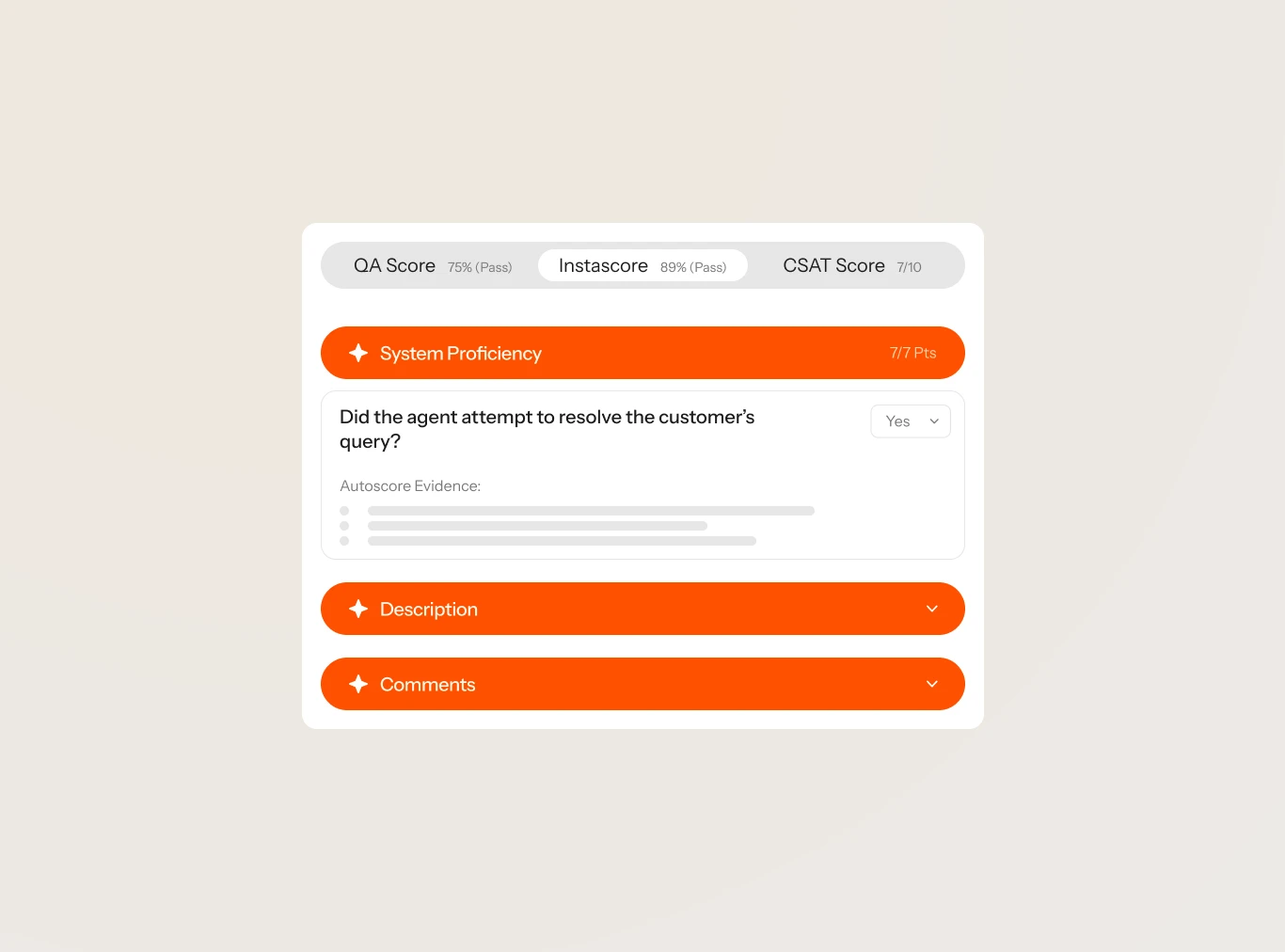
To me that evidence trail matters more than the 100% headline. If a score is something you can click into and check, it's a score a QA lead can actually defend in front of an agent. If you're comparing approaches, my guide to call center QA covers what a defensible rubric looks like.
Two things on the product pages don't line up with each other, and it's worth knowing them before you sit in a demo. The QA page says QA-GPT "even monitors agents' screens" to score, while the screen recording FAQ says scoring from screen data is still on the "product roadmap." And the QA page claims reviews are "10x faster" while Level AI's automated QA landing page says "5x faster." Ask them which one applies for your setup.
Coaching and screen recording
Coaching sits downstream of scoring. The coaching module filters conversations by QA score, sentiment, or topic, and AI Workers draft a personalized coaching plan that a manager can edit and send. It's an after-the-call tool, and the live guidance part lives in Agent Assist instead.
Screen recording is the quieter strength of the product, and easy to overlook. It captures up to four monitors with what Level AI calls "90%+" redaction accuracy, and it's the feature behind one of the better customer quotes on the site: Vista's Global Director of Quality says it "added 'eyes' to a process where we only had 'ears' before." If agent coaching is your main goal, note that one enterprise G2 reviewer said the coaching feature "has not been used/adopted" at their company.
Agent Assist for live calls
Agent Assist is a copilot for human reps during a call or chat. It transcribes live, surfaces the next-best action and the right knowledge article, writes call summaries, and includes Phi, a knowledge bot agents can ask mid-conversation for a cited answer. Managers also get a live board showing every call's status and sentiment, and on top of that compliance flags whenever a rep skips a required disclosure.
The widget can be embedded in Salesforce, Zendesk and Five9. If you are weighing up this category, my roundup of agent assist tools puts it next to the alternatives.
iCSAT, Voice of the Customer, and AI Workers
iCSAT is Level AI's inferred satisfaction score. It blends a sentiment model, a customer-effort model (repetition, transfers, time), and whether the issue was resolved into a single score for every conversation, and no survey is required. That's useful when only a sliver of your customers ever answer surveys, though Level AI doesn't publish the weighting, or any validation figure for it. My piece on AI CSAT explains the trade-off with inferred scores.
The newer layer is AI Workers, launched in May 2026. These are role-specific agents that answer questions about your conversation data, such as "What are the top reasons for customers asking for a refund?", and Level AI says almost 100 enterprise CX teams had run over 25,000 worker runs at launch. One limit worth noting, from the custom worker launch: you can't yet upload your own policy or knowledge documents to a custom worker.
Virtual agents for voice and chat
Level AI also builds bots that face the customer directly. The virtual agent page describes "humanlike voice and chat agents in 50+ languages," and the 2026 releases have been voice-heavy: outbound calling in September, and a Context Handoff feature that passes a four-part briefing card to the human agent, which Level AI says cuts 60 to 90 seconds off each escalated call. Handoff is the point where most bots lose the customer's trust, so it's worth reading up on escalation quality.
The smart part here is that Level AI grades its own bots with VA Pulse, a score weighted 40% on decisioning, 35% on speed and safety, and 25% on conversation quality, with any reply slower than 2.5 seconds marked as a fail. Few vendors audit their bots with the same rubric as their humans, and this is one of them.
What it isn't, though, is a ticket agent. Email isn't a listed channel for the virtual agent, no helpdesk is named on the page, and a Zendesk Marketplace search for Level AI returns zero apps. The latency numbers also differ depending on which page you read: "<2 s" on the virtual agent page and "<500 ms" on the Voice AI page. If you're shopping for phone bots specifically, compare it against my list of AI voice agents.
How accurate is Level AI's AI scoring?
This is the question that decides if Level AI saves your QA team time, or if it creates a second job of checking the AI. The honest answer is that the claims get softer the closer you look at them.
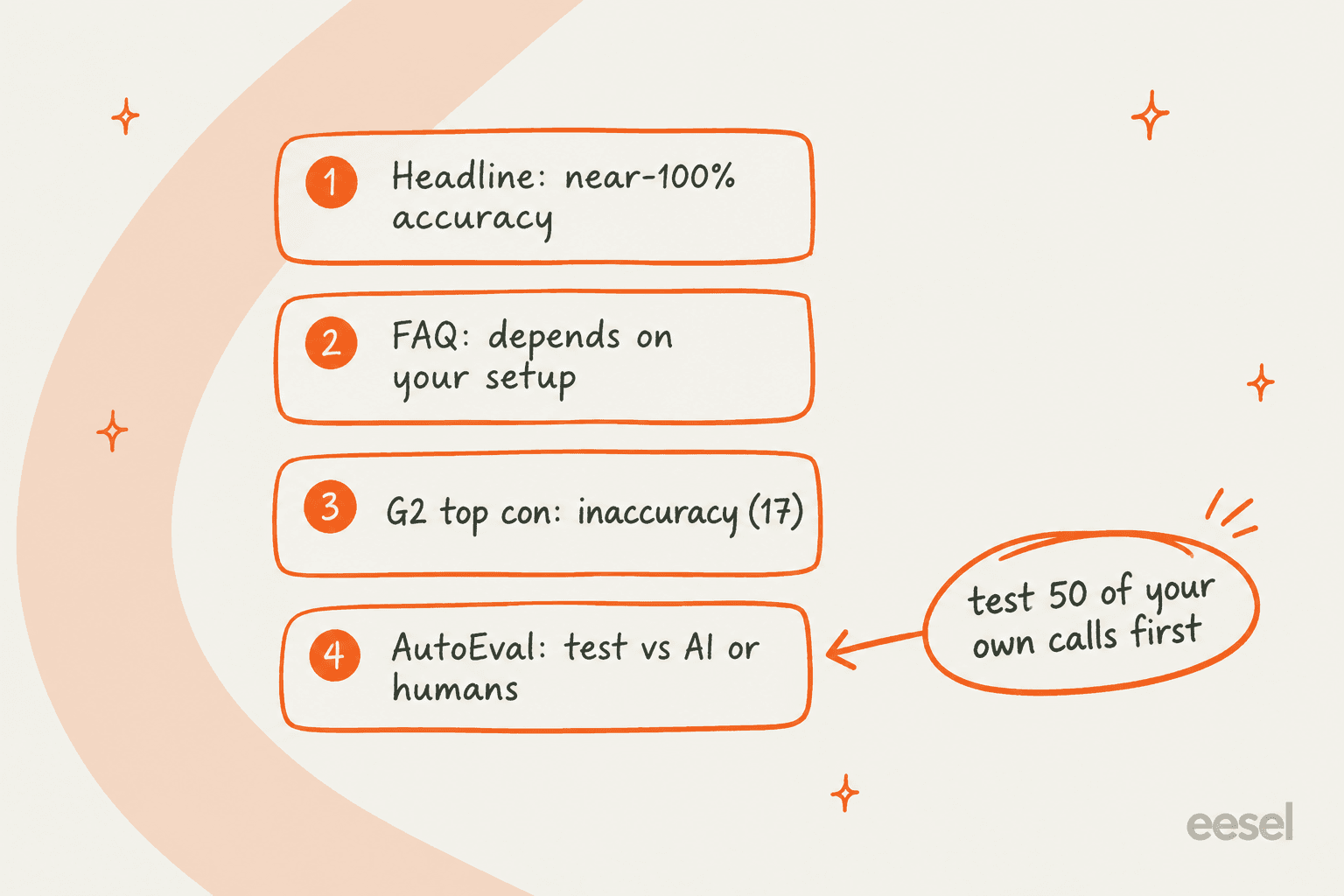
Here is what each source says, one by one:
- The headline. The QA page claims QA-GPT scores "the most subjective scorecard questions with near-100% accuracy." No method or sample size is given.
- The FAQ, same page. "The accuracy of AI-based QA depends on how well the evaluation criteria and scoring logic are configured." That's the more honest sentence of the two, and it's the one you should plan around.
- The original benchmark. The 2023 QA-GPT launch post claimed "over 90%" accuracy "compared to a consensus of human QA managers." That is a real kind of test, but again there's no sample size given.
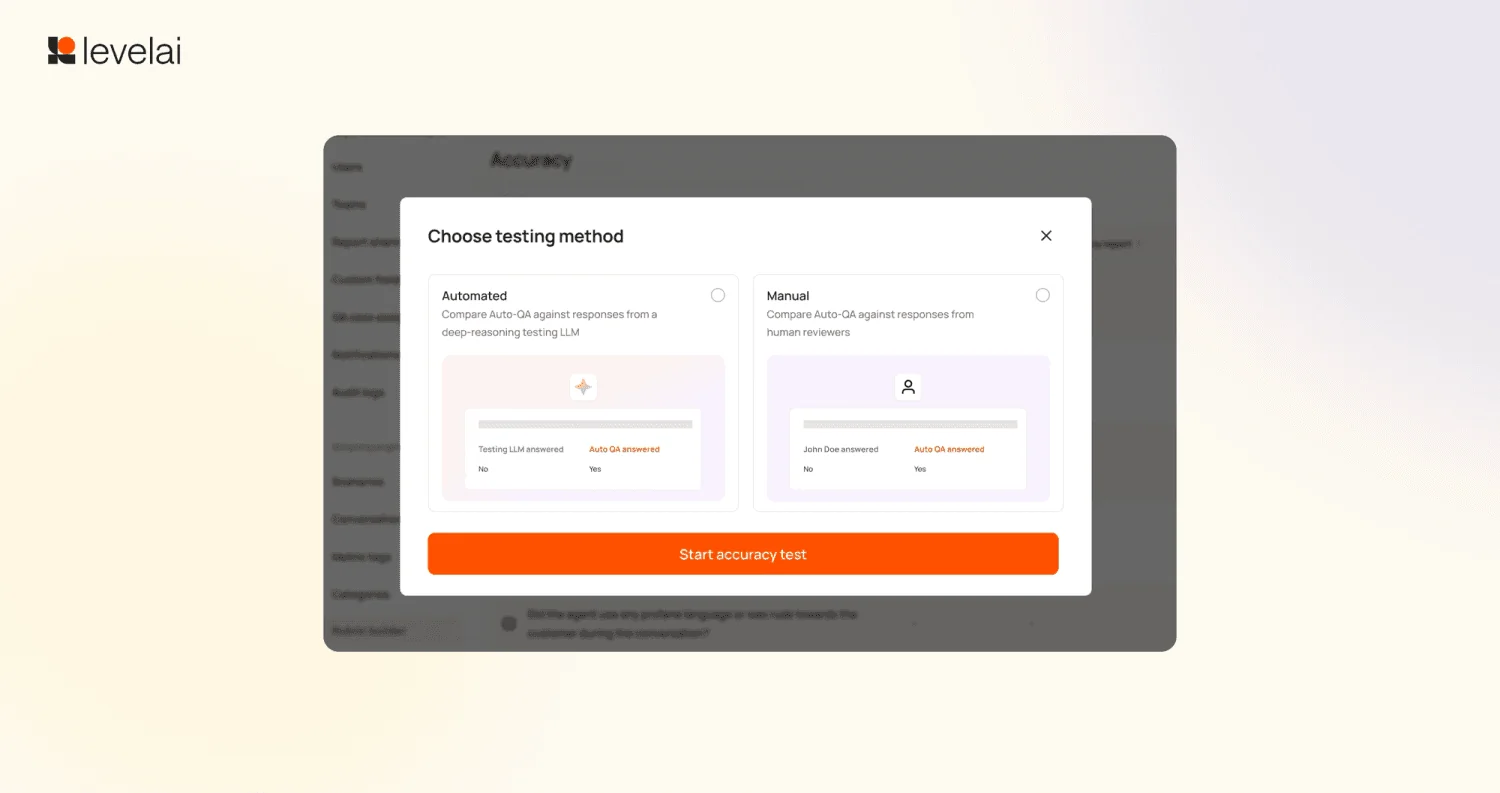
- The 2026 tooling. AutoEval, from the Q1 2026 release notes, has a "deep-reasoning LLM" grade the same questions as AutoQA and shows where they disagree. The test screen also has a Manual mode, which compares AutoQA against your own human reviewers. Pick the manual mode, because a second AI agreeing with the first one proves less than your best auditor agreeing.
- The users. On G2's pros and cons summary, Inaccuracy is the top con with 17 mentions, and G2's summary calls it "inaccuracy in AI QA scores."
None of this means that the scoring is bad. Accuracy shows up as a pro in 27 G2 mentions too, and a calibrated rubric on clear criteria is where models do well. What it means is that accuracy is something you earn during setup. The good news is Level AI does give you the tool for it: new AutoQA questions can be tested on 50 conversations in a sandbox before they go live. Use that sandbox on your hardest calls, not your cleanest ones, and after launch keep a human sampling a slice of the scores every week.
This mirrors what comes up on eesel's sales calls too. A CX lead at a DTC supplements brand on Gorgias, doing about 7,000 tickets a month, put the stakes in plain words:
"I cannot go and check all my 7,000 tickets to see if the AI actually made a good answer"
Swap "answer" for "score" and that's the AutoQA buying decision in one line. If you can't trust the scores without rechecking them, then 100% coverage is just 100% more data you have to audit.
What users say about Level AI on G2
Overall, the G2 picture is a strong one. Level AI holds a 4.6/5 rating from 220 reviews, with 78% five-star. One small thing I noticed: Level AI's own site badge says "4.7 (200+ reviews)," which is running a little behind G2's live number.
| G2 measure | Level AI |
|---|---|
| Overall rating | 4.6/5 (220 reviews) |
| Ease of Use | 8.9 |
| Ease of Setup | 8.8 |
| Ease of Admin | 9.0 |
| Quality of Support | 9.0 |
| Time to implement | 3 months (19 responses) |
| Return on investment | 4 months (18 responses) |
| Average discount | 8% |
The sub-scores come from G2's Level AI vs Observe.AI page; the discount figure is from G2's review page. The praise is pretty consistent, and it's mostly about the move from sampling to near-total coverage.
"Our QA has migrated from 2% manual volume to nearly 100% automated volume as a direct result of using Level AI. We also have iCSAT on 100% of contacts rather than traditional CSAT on just a fraction."

"Instead of sampling a handful of calls by hand, we can now review trends across thousands of interactions and immediately pull up the exact examples we need for training or root-cause analysis."
The complaints cluster in three places. The first is accuracy, which I covered above. The second one is dashboards and configuration:
"At times, the analytics dashboard can be somewhat ambiguous. It is occasionally unclear how certain metrics are being calculated or visualized, which can make it difficult to fully trust the data without secondary validation."
The third is stability. Slow Performance has 14 mentions, and one enterprise reviewer said they often "discover" updates "because of bugs they cause." Price, interestingly, doesn't come up as a theme in the reviews I read.
A fair caveat: 7 of the 10 reviews on G2's first page are dated June 24, 2026, which looks like a review-collection drive. That's common and is not a red flag on its own, but it's worth giving the older reviews some weight too.
Results Level AI customers report
The case studies are the place where Level AI shows real operational wins. These are the vendor's own figures, quoted exactly from each case study.
| Customer | Team size | Result as stated |
|---|---|---|
| VistaPrint | 1,200 to 1,700 agents | Over-crediting fell from 20% to 8% within six months |
| Empyrean | ~400 agents | QA from 3% to 100% of calls; 13k+ agent hours saved a year |
| Ollie | 50 agents | QA coverage from under 1% to about 90%, same QA headcount |
| Purple | Not stated | 100% QA coverage on voice calls over 2 minutes |
| Smartsheet | Not stated | Inferred CSAT rose from 2.95 to 3.31, February to July |
| Extra Space Storage | 500 agents | Coaching prep from about two hours to 30 minutes |
VistaPrint's over-crediting drop is the most convincing number here, because it's a money metric, and it's tied to a behavior that QA can actually catch. Two of the pages also have internal mismatches worth noting: Extra Space's headline says "120 Min saved" while the body describes 90 minutes, and Ollie's headline says 30% of QA scores come from Auto QA while the body says "half."
The Smartsheet number deserves a second look too, since iCSAT is Level AI's own inferred score and not a customer survey. It's evidence that the model's read of sentiment moved, which is useful, but that's not the same thing as customers telling you they're happier. Pair it with the support metrics you already trust.
Integrations and security
Level AI's integrations page shows 51 tiles, weighted heavily toward phone systems. The page itself calls the list "non-exhaustive", and it doesn't say what each integration actually does.
| Category | Examples from the integrations page |
|---|---|
| Phone and contact center (14) | Five9, Genesys, Amazon Connect, Nice, Talkdesk, Twilio, Dialpad |
| Helpdesk | Zendesk, Freshworks, Kustomer, Gladly, Gorgias, Front |
| CRM | Salesforce |
| Workforce management | Calabrio, Assembled |
The Five9 and Genesys connections have their own partnership pages, and there's also a Salesforce AppExchange listing, which requires Service Cloud and lists English as its supported language. If workforce planning is a part of your stack, the Assembled partnership from February 2026 says integration features "will roll out over the coming months."
Security is a real strength for regulated buyers. The security page lists SOC 2 Type II, ISO 27001, HIPAA with a BAA, PCI DSS, HITRUST CSF, and GDPR, and it says names, card numbers and SSNs get redacted before any AI processing happens. Infrastructure runs on Google Cloud, and customer data isn't used to train shared models. The one gap for EU buyers is that no hosting region or data residency option is stated anywhere.
Level AI pricing
Level AI doesn't publish a price. Its /pricing page returns a 404, and every route I checked ends up at "talk to sales."
| What I checked | What it shows |
|---|---|
| Level AI website | No pricing page; only "Schedule a demo" |
| Capterra listing | "Contact vendor"; "Free trial not available" |
| G2 pricing page | Not listed by the vendor; 8% average discount |
| Salesforce AppExchange, Five9 Marketplace | Listings exist, no price shown |
| AWS, Zendesk, Google Cloud marketplaces | No Level AI listing |
| ROI calculator | Asks for monthly interactions, agent count, channel mix |
The billable unit is not published either. The ROI calculator asks for interaction volume and agent count, which tells you what sales will size the deal on, but it doesn't tell you how you'll be billed. Before you sign anything, get the unit in writing: per agent, per interaction, or platform fee, plus what happens when volume spikes. My breakdown of AI customer service costs covers the questions worth asking.
When it comes to total cost, budget for the time and not only the license. Three months to implement means your QA team is running old and new processes side by side for a whole quarter.
Level AI pros and cons
| Pros | Cons |
|---|---|
| Scores 100% of calls, chats, emails and bot conversations | Accuracy claims outrun the evidence; inaccuracy is G2's top con |
| Evidence and timestamps on every AI score | Quote-only pricing, no trial, no public help center |
| Hybrid scorecards and conditional N/A logic | About 3 months to implement |
| Same QA rubric for human agents and bots (VA Pulse) | Dashboards and labels take trial and error to configure |
| Deep phone system integrations (Five9, Genesys, Nice) | Virtual agent doesn't work helpdesk tickets |
| Strong security list including HITRUST and PCI DSS | Some product pages contradict each other on key claims |
Who should use Level AI?
The fit question really comes down to two things: how many agents you have, and whether your work arrives as calls or as tickets.
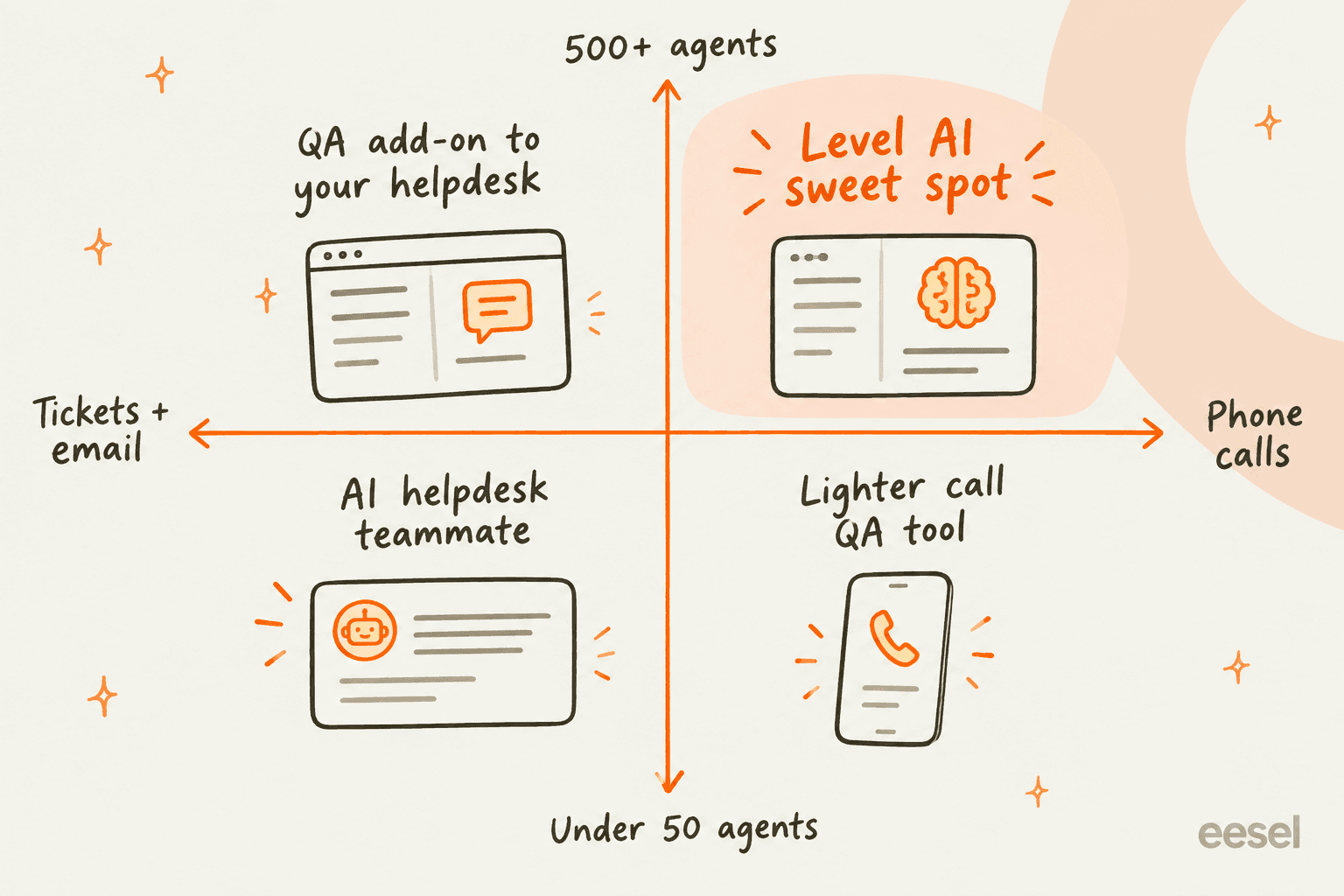
Level AI fits contact centers with hundreds of agents, a real QA function, and a lot of phone volume. If you run on Five9, Genesys or Nice and you need HIPAA or PCI controls, plus your QA team is buried in manual call sampling, then this is a serious option. The case studies sit squarely in this group.
Level AI is a stretch for teams under about 50 agents, or teams whose work is mostly email and helpdesk tickets. You'd be buying an enterprise QA platform with a three-month rollout and a sales-led contract, just to grade a queue that a lighter QA tool or Zendesk QA could cover. If you want the closest like-for-like comparison, read my Cresta review; Cresta plays in the same large contact center space.
If your problem isn't "we can't grade enough conversations" but more "we can't answer enough tickets," then you need something that does the work, not something that scores it.
eesel for teams that work a ticket queue
eesel is an AI teammate platform, and the teammate that matters here is the AI helpdesk teammate. Where Level AI grades your human agents on their calls, eesel joins your helpdesk as a new agent itself: it reads your help center, macros, and past tickets, then drafts or sends replies, tags, and routes inside Zendesk, Freshdesk, Gorgias, Front, and other helpdesks. It's an AI helpdesk tool that tests itself before launch.
The QA angle is built in from the start. Before eesel answers a customer, its simulation skill replays hundreds of your past tickets, scores each answer against what your team actually sent, and suggests instruction changes where it fell short. It's the same "test before you trust" discipline that Level AI asks of its AutoQA users, only applied to the agent itself. You can start in draft mode, so a human approves every reply, and then switch actions over to auto one at a time.

Pricing is public. The free plan gives you 100 credits with no card, and the Teammate plan starts at $299/month for 500 credits, where a ticket or chat is one credit however many replies it takes, with unlimited agents and seats. One honest limit to mention: eesel has no phone channel, so if your volume is calls, Level AI or a voice agent is the right tool. If it's tickets, try eesel on your own queue and watch the simulation before it touches a customer.
Frequently Asked Questions
Is Level AI worth it?
For a voice-heavy contact center with a few hundred agents and a QA team stuck sampling 1% to 3% of calls, yes. Level AI's AutoQA scores every call, chat and email, and its G2 rating is 4.6/5 from 220 reviews. For a small team that works tickets and email, a lighter support QA tool or an AI helpdesk agent is a better fit.
How much does Level AI cost?
Level AI does not publish pricing. Its /pricing page returns a 404, Capterra lists the price as "Contact vendor", and there is no free trial. You get a quote after a demo. For comparison, see how Cresta pricing and Zendesk AI pricing work.
How accurate is Level AI's AutoQA?
Level AI claims near-100% accuracy, but its own FAQ says accuracy depends on how well your scoring logic is configured. Inaccuracy is the most-tagged con on G2 (17 mentions). Use the built-in sandbox to test new rubric questions on 50 of your own conversations before trusting the scores, the same discipline behind good AI support QA.
What does a Level AI review on G2 say?
Reviewers praise ease of use (60 mentions) and moving from manual sampling to near-full QA coverage. The most common complaints are AI scoring and transcription accuracy, slow performance at high volume, and dashboards that are hard to configure. Ease of Use scores 8.9 and Quality of Support 9.0.
Does Level AI work with Zendesk?
Partly. Zendesk is on Level AI's integrations list, and its Agent Assist widget can be embedded in Zendesk, but there is no Level AI app on the Zendesk Marketplace and its virtual agent is a voice and chat bot, not a ticket agent. If you want AI that answers Zendesk tickets, look at a helpdesk-native option.
What are the best Level AI alternatives?
For call center QA and real-time coaching, Cresta is the closest match. For QA inside a helpdesk, Zendesk QA fits teams already on Zendesk. For ticket queues where you want AI to answer and grade itself, eesel's AI helpdesk teammate is built for that job.
How long does Level AI take to implement?
G2 reviewers report an average of 3 months to implement and 4 months to see a return on investment. Level AI has no public help center, so setup runs through its team. Plan for calibration time on your scorecard criteria before you rely on automated scores.


Article by
Riellvriany Indriawan
Riell is a designer and writer at eesel AI with about two years of experience researching CX platforms, AI chatbots, and helpdesk software. She combines her design background with a sharp eye for how these tools actually look and feel in practice — making her comparisons unusually visual and user-focused.