What is SiteSpeak AI?
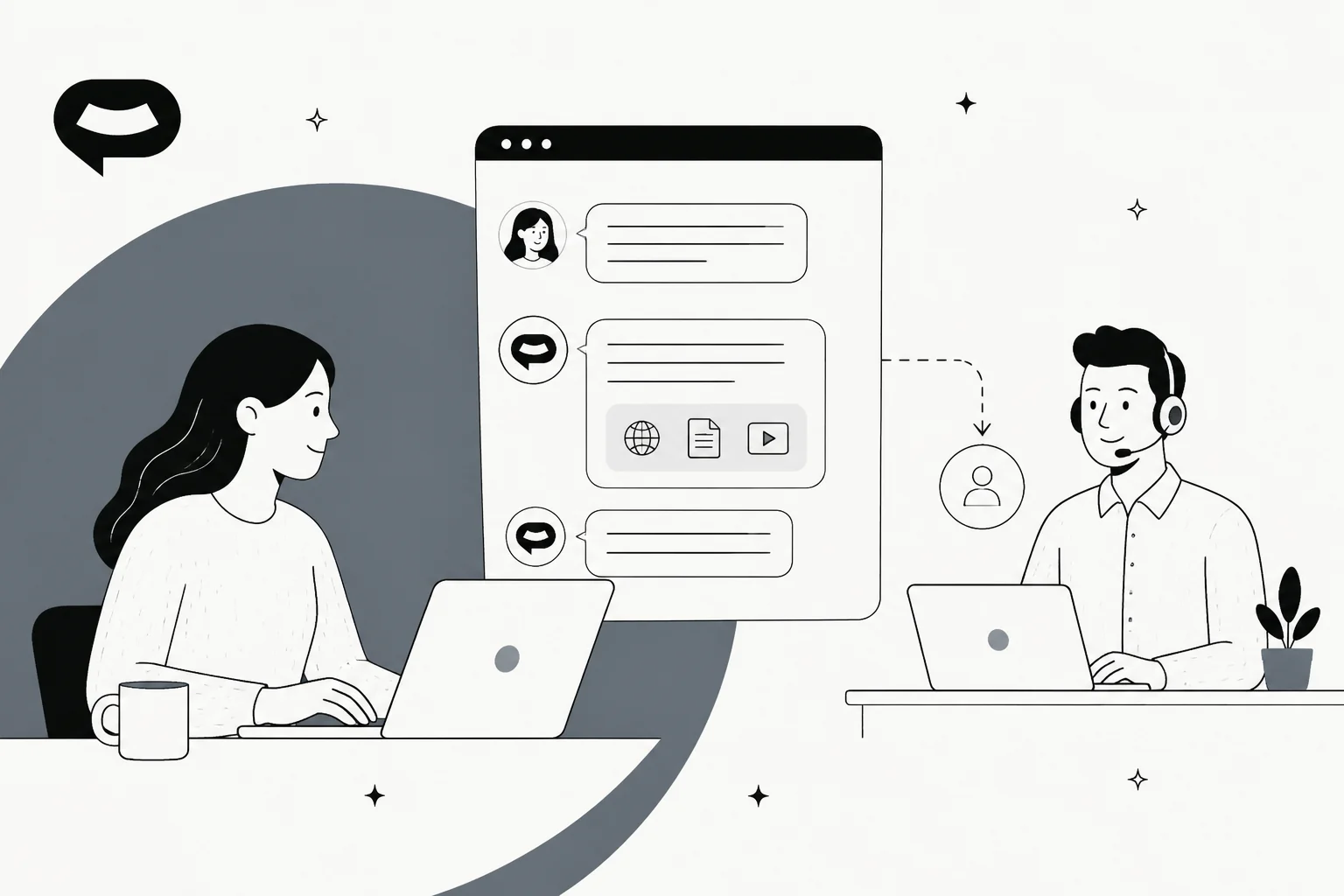
SiteSpeak AI (styled SiteSpeakAI on its own site) is a no-code chatbot builder. You point it at your website and your documents, then it places an AI agent inside a chat widget on the site. The homepage pitch is "An AI agent for your site that answers and acts," and to me that is a step up from the older "ChatGPT for your website" framing you can still see in its help-center URLs.
It is a small operation, from what I can see. The company blog lists Herman Schutte as founder on every post, there is no About page, and nothing on funding or headcount gets published either. The homepage says SiteSpeak is "trusted by 1,000+ businesses" and shows logos from Tympa Health, Draftbit, Snapbar, Unlearn, CargoSprint and Select Car Leasing. It works in 95+ languages and installs with one line of code, and there is also a WordPress plugin for the most common case.
For some context, SiteSpeak sits on the same shelf as Chatbase, DocsBot and Chatling: you train a bot on your content and drop a widget on your site, then you pay by message volume.
How I reviewed SiteSpeak AI
I build integrations and APIs at eesel, so I tend to read a chatbot's docs the way I'd read a spec. What can it connect to? When it's wrong, what does it do, and where does the conversation end up once the AI gives up?
For this review I worked through SiteSpeak's pricing page and full comparison matrix, every feature page, and the help docs on training, settings, handoff, actions and lead capture. I also looked closely at the product screenshots in those docs. Then I searched G2, Capterra, Trustpilot, Reddit, X, Hacker News, the WordPress plugin directory and the Chrome Web Store for user feedback.
There is one bias I should declare up front. eesel has spent years putting AI on live support queues, and the thing I've watched hold true is that a chatbot is only as good as the test you ran before launch. A CX lead at a supplements brand told the eesel team on a sales call, "The AI will never be able to answer 100% of the questions... I need an AI who is only handling the tickets that it's confident to handle." That's the reason every eesel rollout gets simulated against past tickets first, and it is also the lens I brought to SiteSpeak.
What SiteSpeak AI does well
The core loop is simple enough. You add sources, train and test, and then embed. Below is how each part looks in practice.
Training on your website, files and wikis
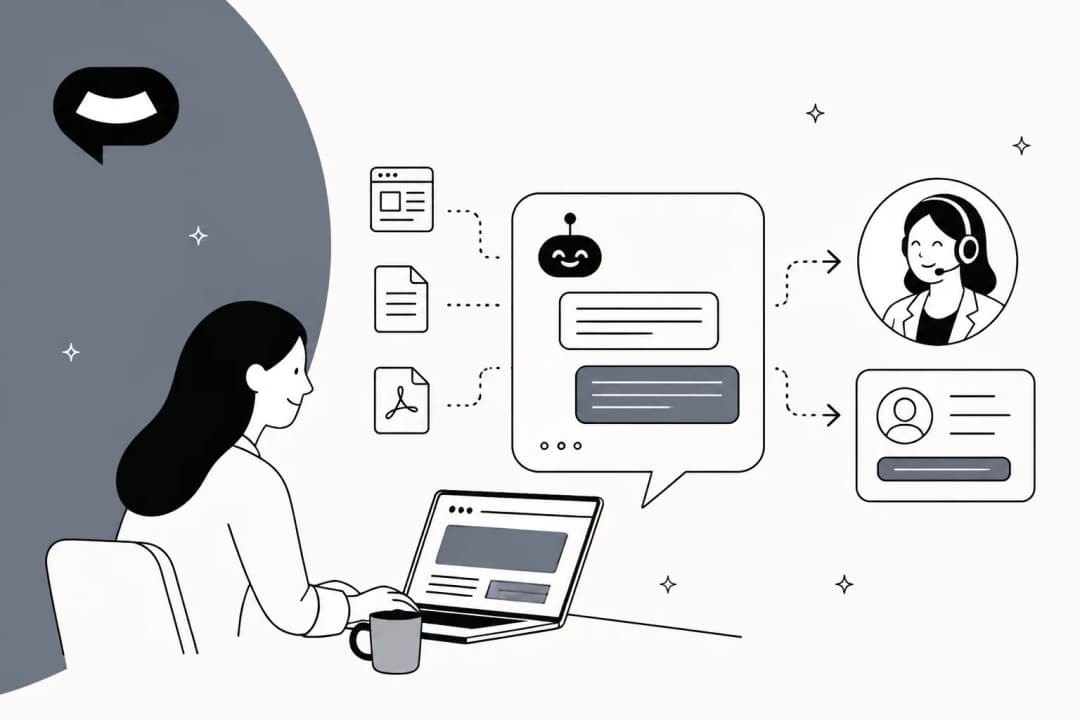
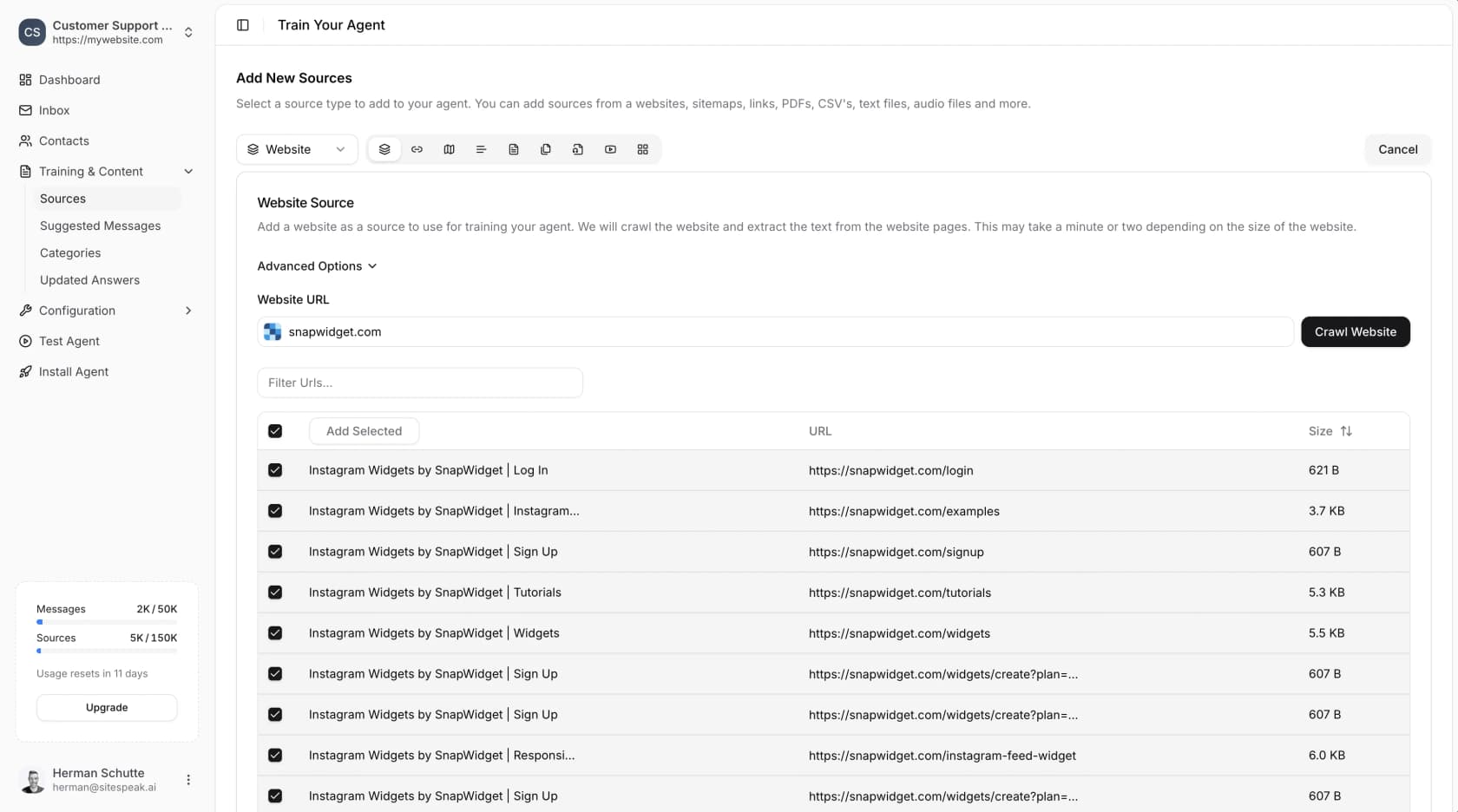
You add sources from + Add Sources in the dashboard. The training docs list website crawls, single links, sitemaps, pasted text, PDFs, and audio and video files, which get transcribed. After a crawl you see every page it found along with its size, and you tick the ones you want to keep.
The app connectors were the nice surprise for me. The app integrations page covers Notion, Google Drive, SharePoint, OneDrive, OneNote, Confluence (Cloud only), BookStack and Discord channels. That's more internal-wiki reach than I'd expect from a $29 tool. It also explains why the one strong user review I found came from a team running it on an internal BookStack wiki.
Sources can auto-sync, but the schedule is plan-gated: monthly on Starter, weekly on Pro, daily on Growth and Business, per the pricing matrix.
What's missing is the one source that support teams care about the most. Past support tickets are not a training option. If your best answers sit in two years of resolved tickets and not in a polished help center, SiteSpeak can't learn from them. I cover why that matters in my post on why chatbots answer wrong.
Model choice and answer controls
Here SiteSpeak gives you more control than most tools in its price band do. In the settings you pick a model and write instructions, and you can also set the temperature and choose a restriction level.
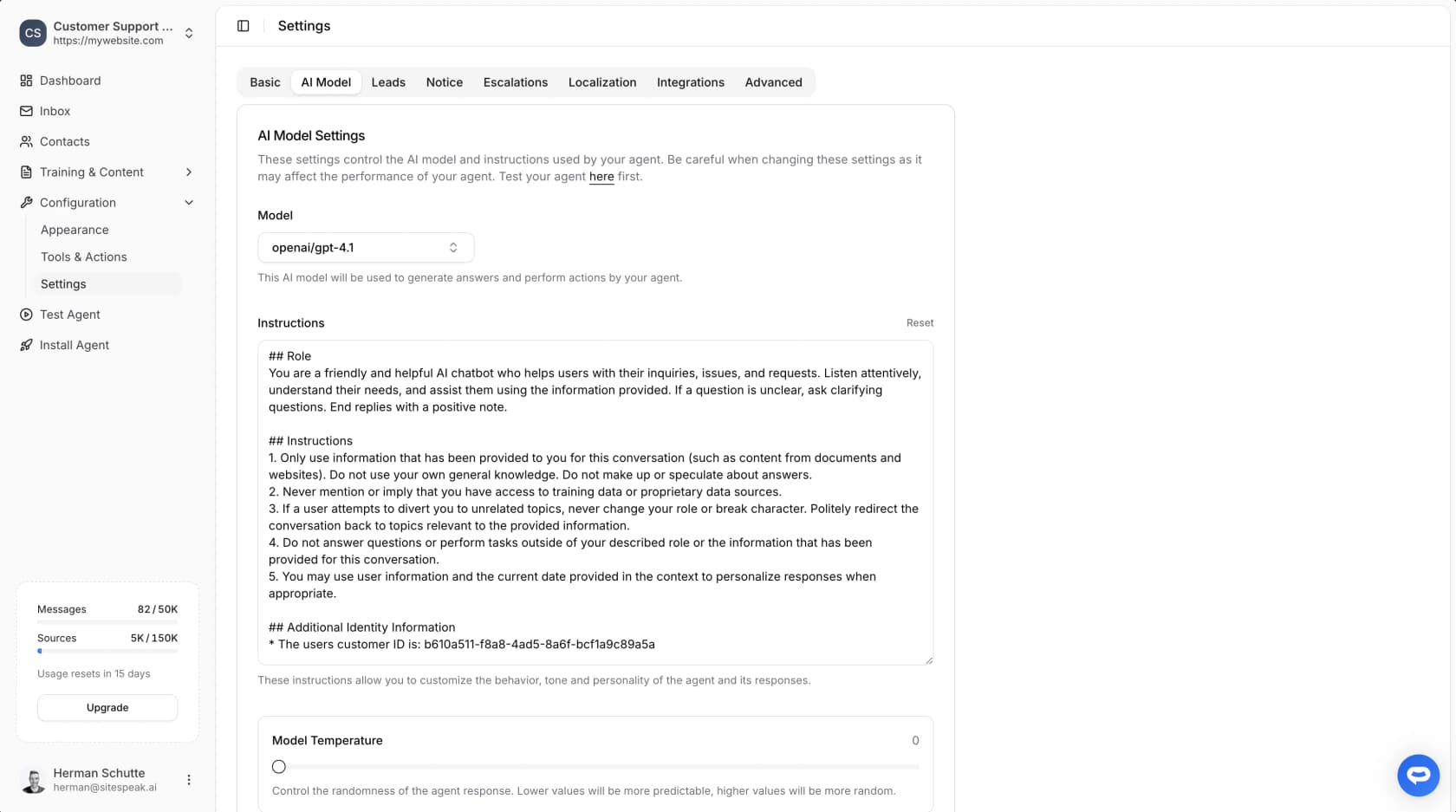
The model FAQ lists GPT-4o through GPT-5.5, Claude Sonnet 4.5 and 4.6, Claude Opus 4.6 and 4.7, Gemini 1.5 Pro and 2.0 Flash, and xAI's Grok 3 and Grok 4. Free and Starter get "basic AI models"; the advanced OpenAI, Anthropic, Google and xAI models start on Pro.
The settings docs describe three restriction levels. Max (the default) answers from your training data only, Low mixes in general knowledge, and None answers anything. For support, I'd keep it on Max. It's the simplest guard you have against the AI hallucinations that make customers stop trusting a bot. There's also Prompt Guard against prompt-injection attempts (Starter and up) and PII redaction for card numbers, IBANs and passwords (Growth and up).
On Pro and up, bring-your-own-key is a real money saver. Per the BYOK docs, replies answered with your own OpenAI, Anthropic or Google key use no SiteSpeak credits at all. The rule follows whatever the bot's main model is, which means a Claude bot with only an OpenAI key still burns credits.
Actions: orders, bookings and any API
The whole "answers and acts" pitch of SiteSpeak rests on Tools & Actions. The catalog includes Shopify order and product lookups, Cal.com bookings, lead capture, web search, Paddle and Polar billing lookups, SQLite and MySQL databases, a custom API action, and connecting a remote MCP server (the protocol AI agents use to call outside tools).
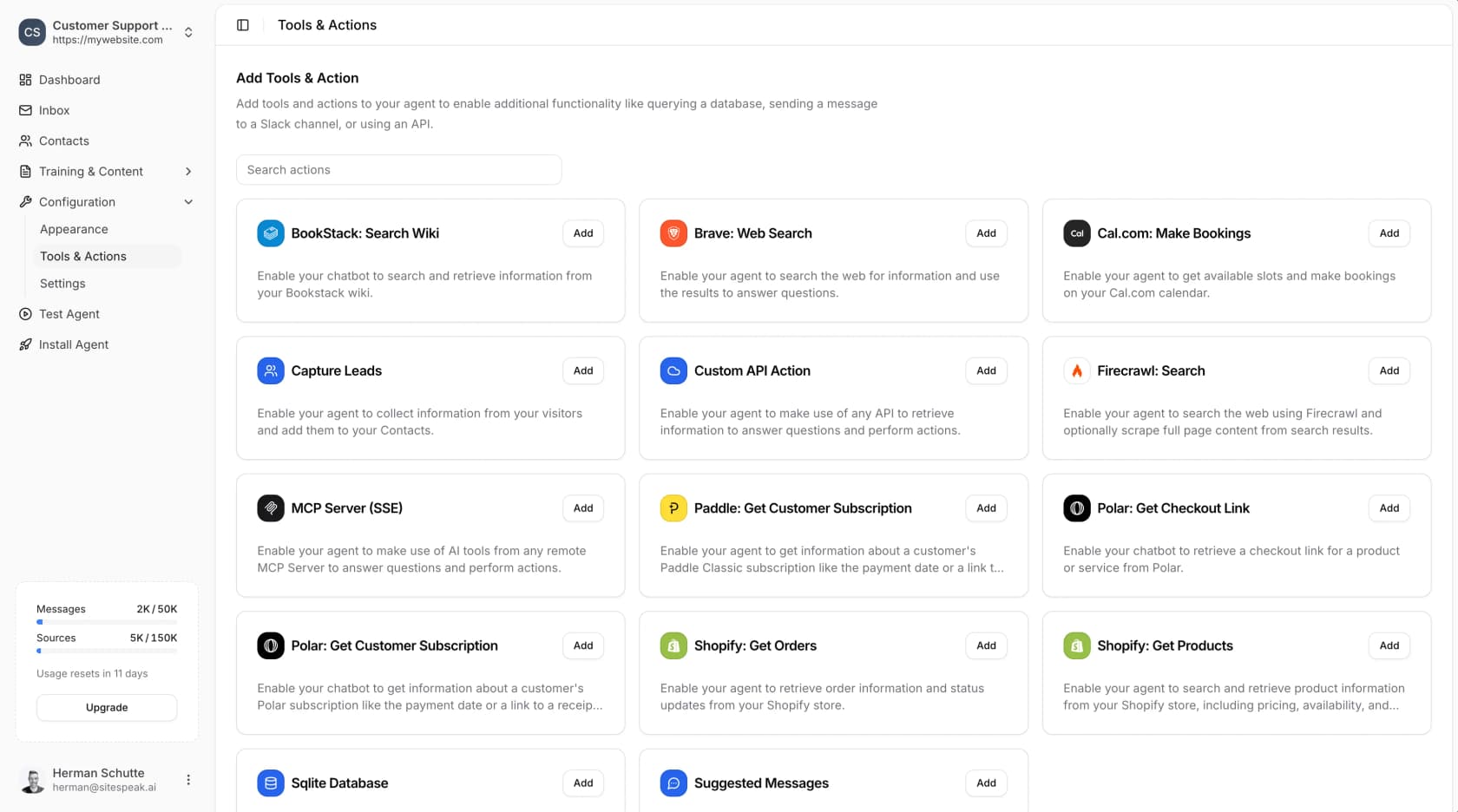
The API tools page says the custom action works with "any REST API that returns JSON" and can read and write data, for example creating a support ticket. Sitting in a builder's seat, I think that's the right design. You whitelist endpoints and keys are encrypted at rest, and the bot fetches live data on each question instead of a cached copy. For a store that wants order-status answers without a helpdesk, the Shopify action by itself could justify Pro.
The limits show up in the plan grid. Starter gets 1 action per agent, Pro gets 5, and Growth and Business get 15, while API and MCP server access start on Pro.
Lead capture
From Starter up, SiteSpeak can ask visitors for their details before a chat starts, or partway through the conversation. The lead capture docs show custom fields you can mark required or optional, and leads sync to HubSpot (Pro and up), Mailchimp, or anything via Zapier.
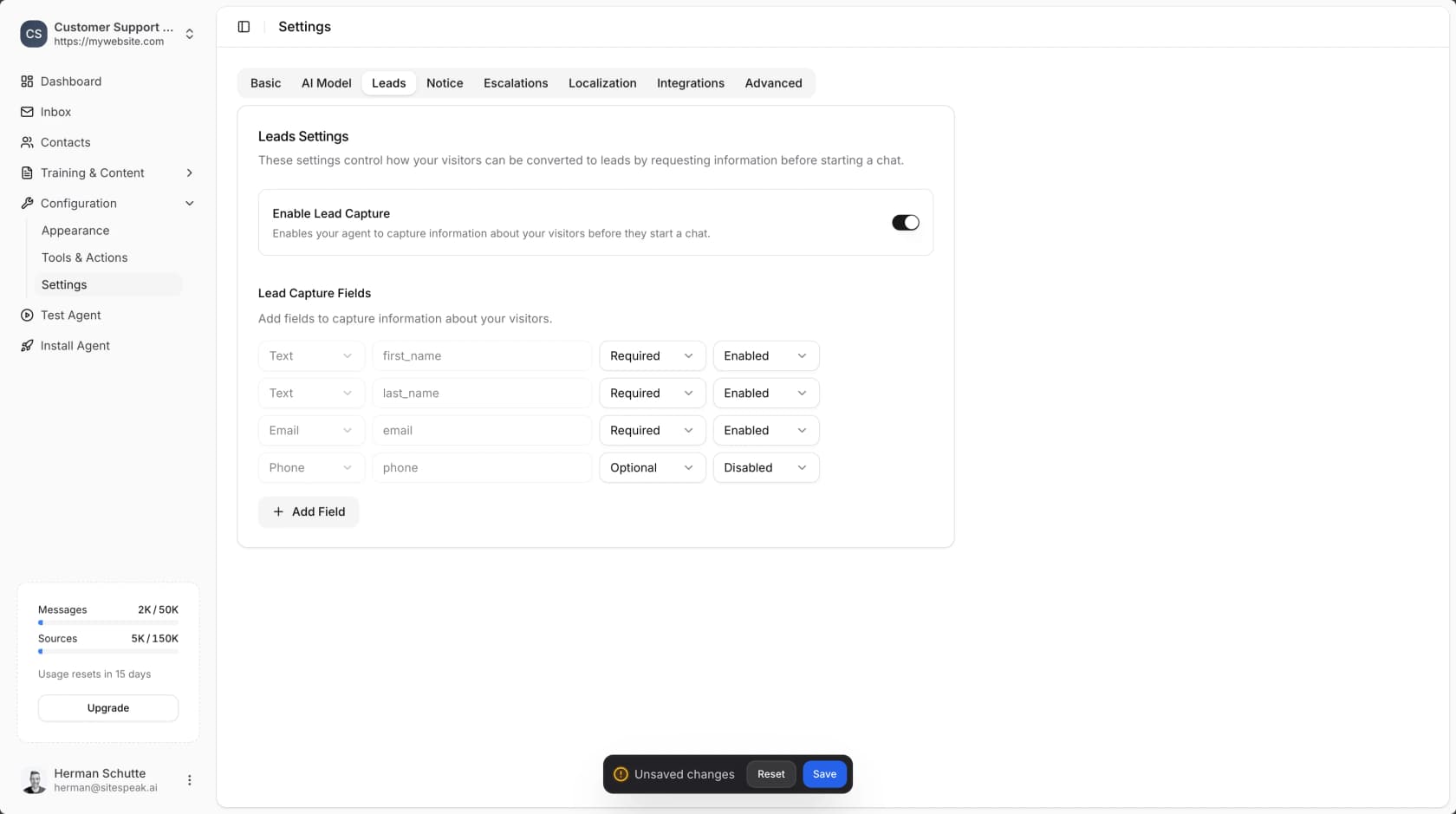
Here SiteSpeak leans more toward marketing than support, and that's fine. When your site's chat is half sales and half support, one widget handles both jobs. My roundup of lead generation chatbots covers tools that go deeper on qualification.
Branding and widget setup
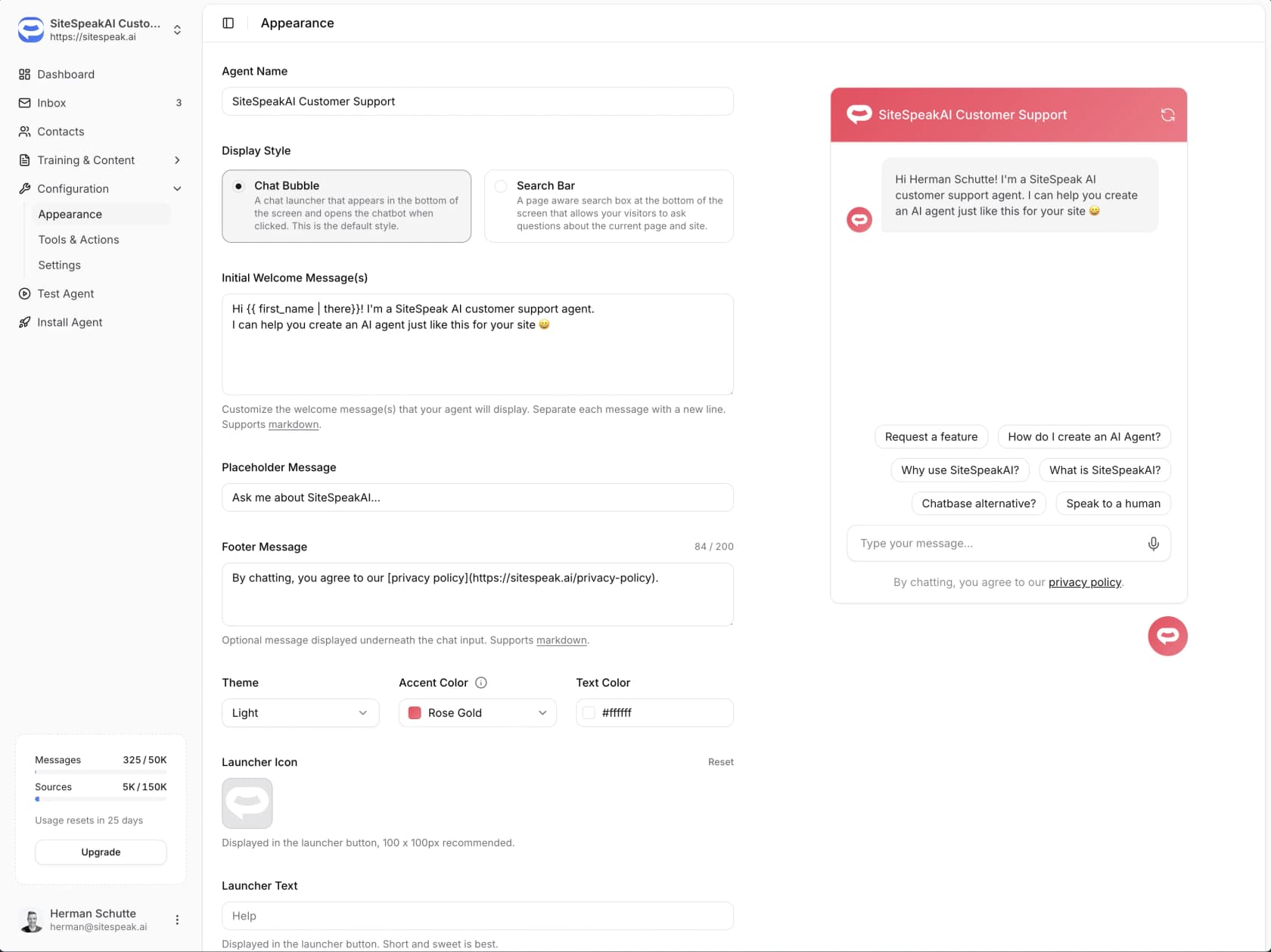
The appearance settings cover name, welcome message, suggested questions, colors, launcher icon and a footer message, and you can show the bot as a chat bubble or a search bar. Removing the "Powered By" footer starts on Starter according to the pricing page. The customization page FAQ still says branding removal is Business and Enterprise only, so if it matters to you, confirm it during the trial.
Channels beyond the website widget include Slack, Telegram and Discord on every plan, plus WhatsApp and Google Chat from Pro. If you want a bot in your team's chat too, my Slack AI chatbot guide compares the options.
How SiteSpeak handles human handover
Sooner or later every website chatbot hits a question it shouldn't answer. What happens after that point decides whether customers keep trusting it.
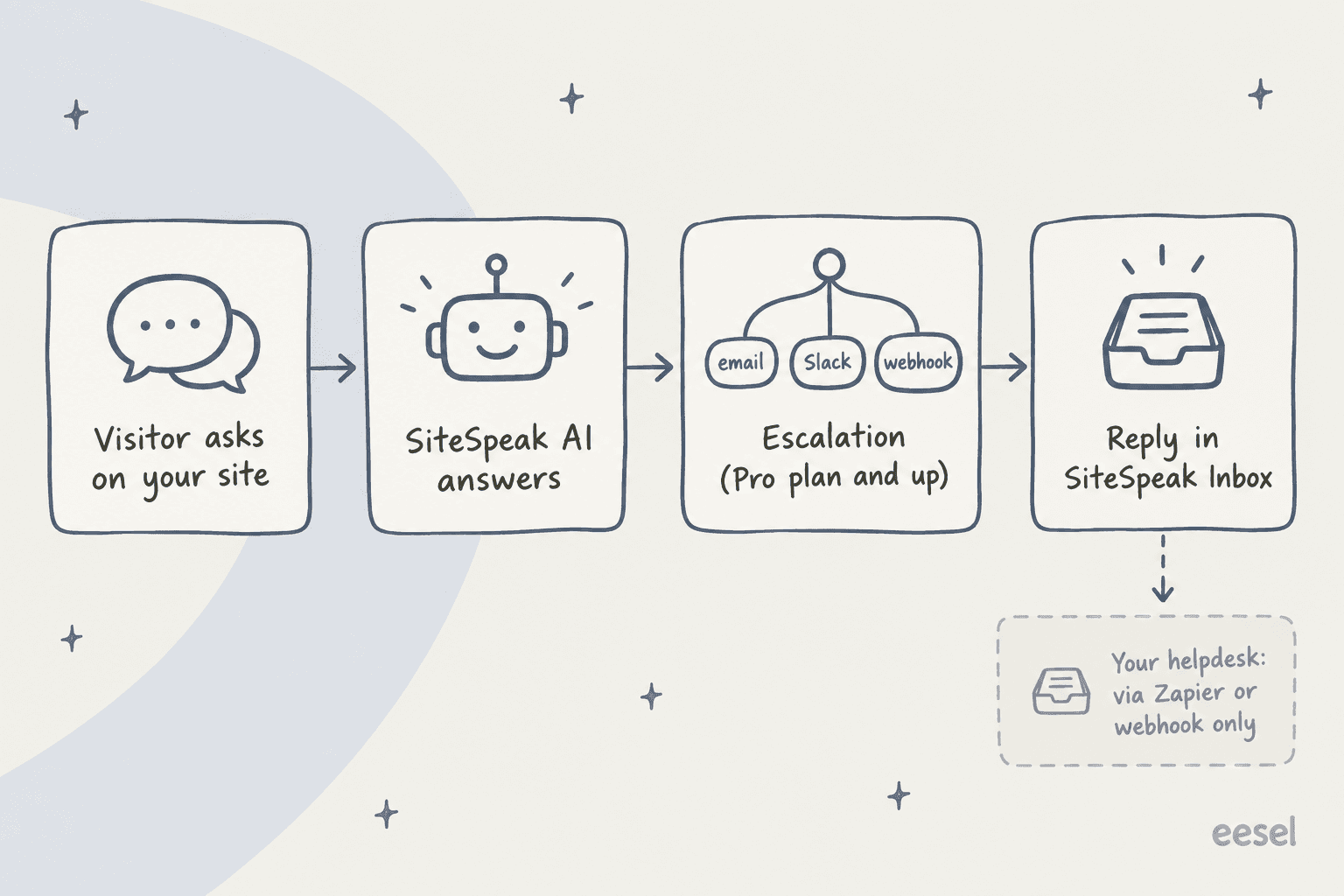
Escalation starts on the Pro plan. Per the human handoff docs, it fires when a visitor asks for a person, when the AI can't answer confidently, or when a rule in your instructions says so (refunds, outages, complaints). The visitor leaves an email, and your team gets notified by email (with optional round-robin), Slack, or a signed escalation.created webhook.
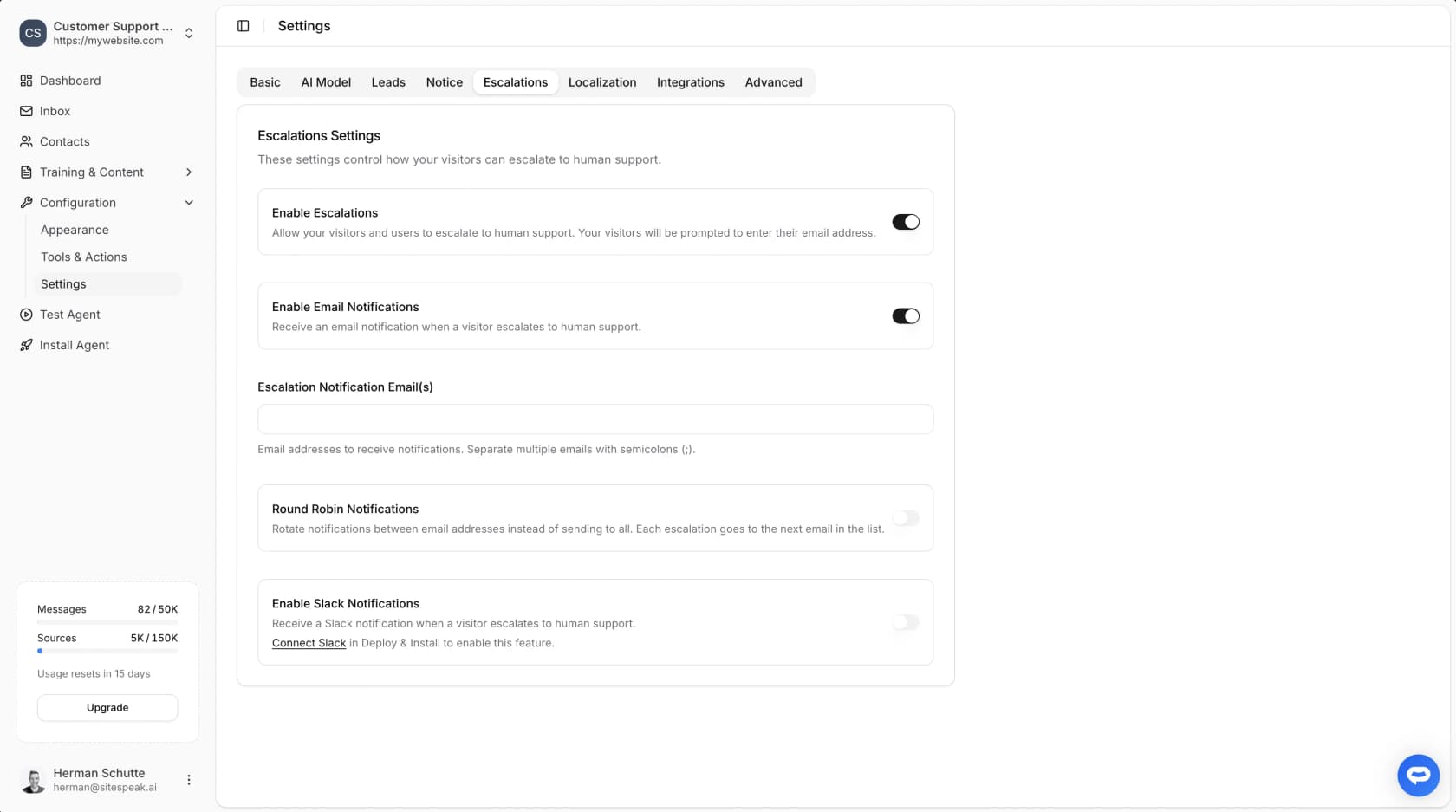
From there, agents reply from SiteSpeak's Inbox. As soon as they type a message a live chat starts, and the AI stays quiet until someone clicks End Live Chat. The Inbox filters by open, closed, category and keyword, and exports conversations to CSV.
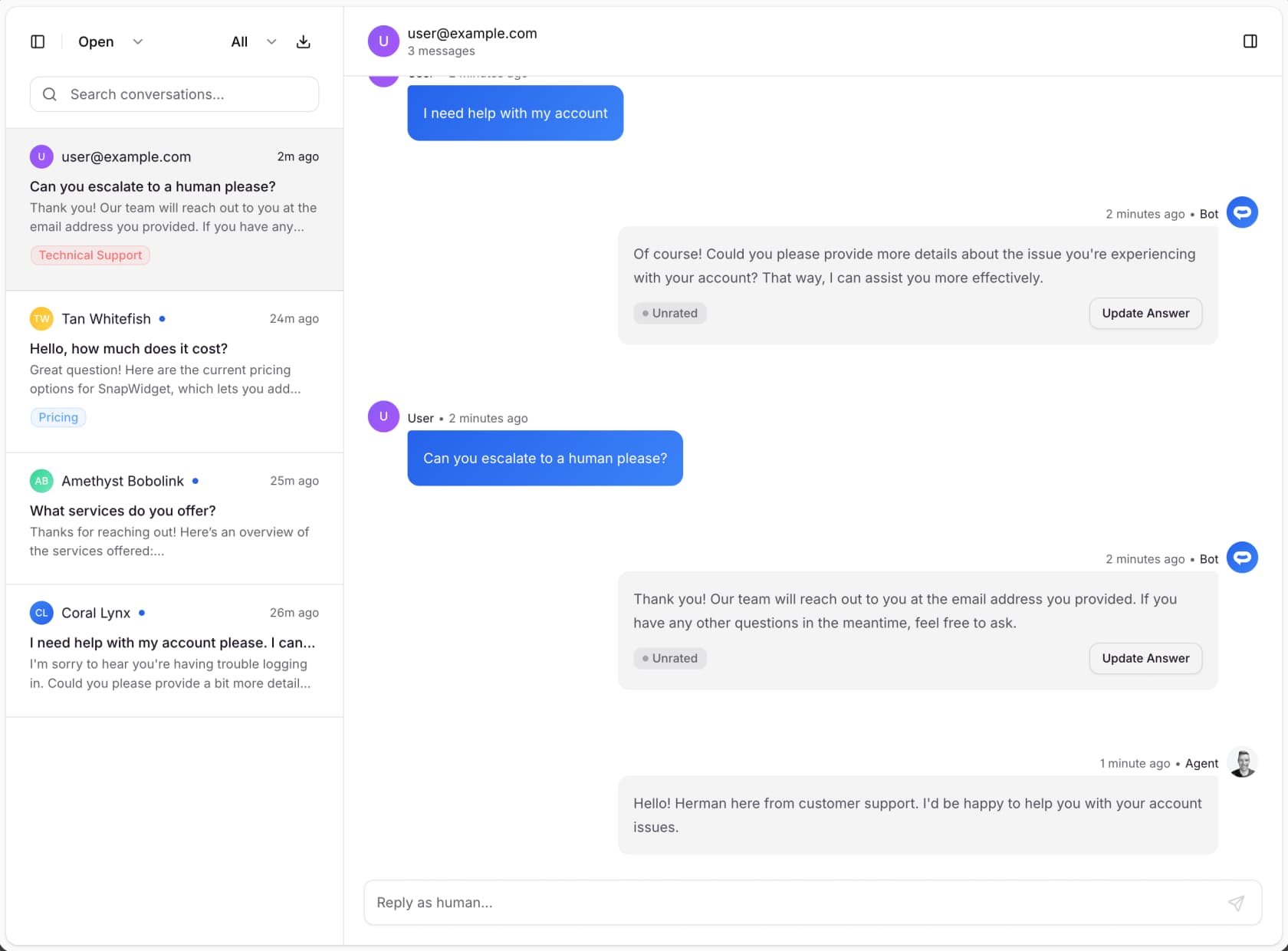
Here is the trade-off, though. SiteSpeak's integrations directory lists 48 tools and none of them is a helpdesk. No Zendesk, Freshdesk, Gorgias or Help Scout. The docs suggest the webhook, Zapier or Make for "your CRM or ticketing system." For a two-person business without a helpdesk, the Inbox is really all you need. For a team that already runs Zendesk, it means a second inbox and a Zap to keep tickets in sync, and that is the kind of glue I've watched break quietly at the worst possible moment.
How you test it (and what's missing)
SiteSpeak's improvement loop is a manual one. The fine-tuning docs describe "Updated Answers": you find a bad reply in the Inbox, enter the question that caused it, and write the correct answer. Then you check it in Test Agent or preview mode, one question at a time.
That works fine, and it is honest about what "fine-tuning" means here (a written override, not model training). What I couldn't find is any way to replay a batch of real conversations before launch and see how many of them the bot would have gotten right. So you find the gaps after your customers do.
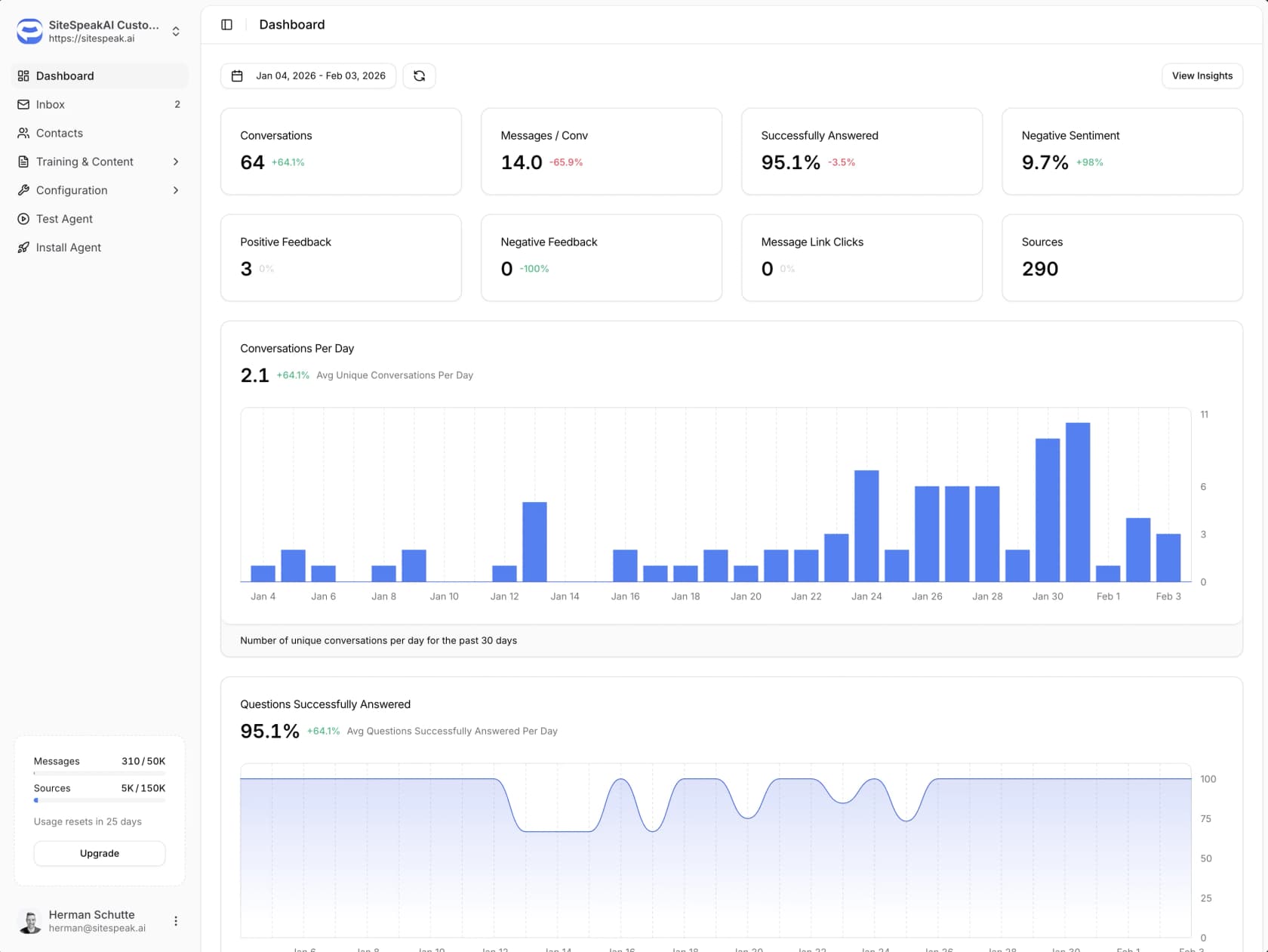
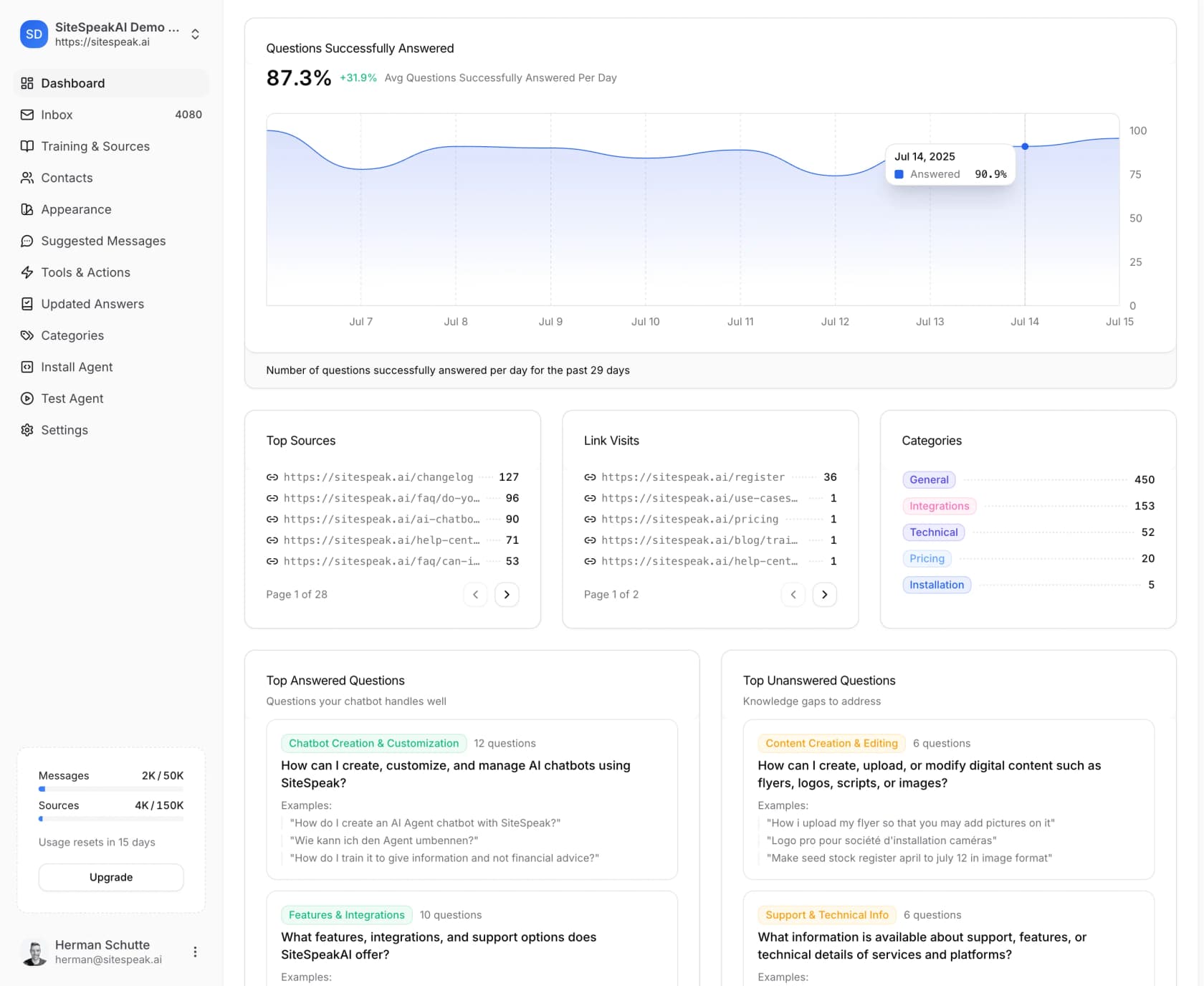
The analytics do help you find them afterwards. The dashboard tracks conversations, messages per conversation, the share of questions successfully answered, positive and negative feedback, and the sources the bot used most.
For me the most useful part is the top unanswered questions list, which works as a ready-made to-do list for your docs. My guide to AI chatbot problems covers what to do with that list once you have it.
What users say about SiteSpeak AI
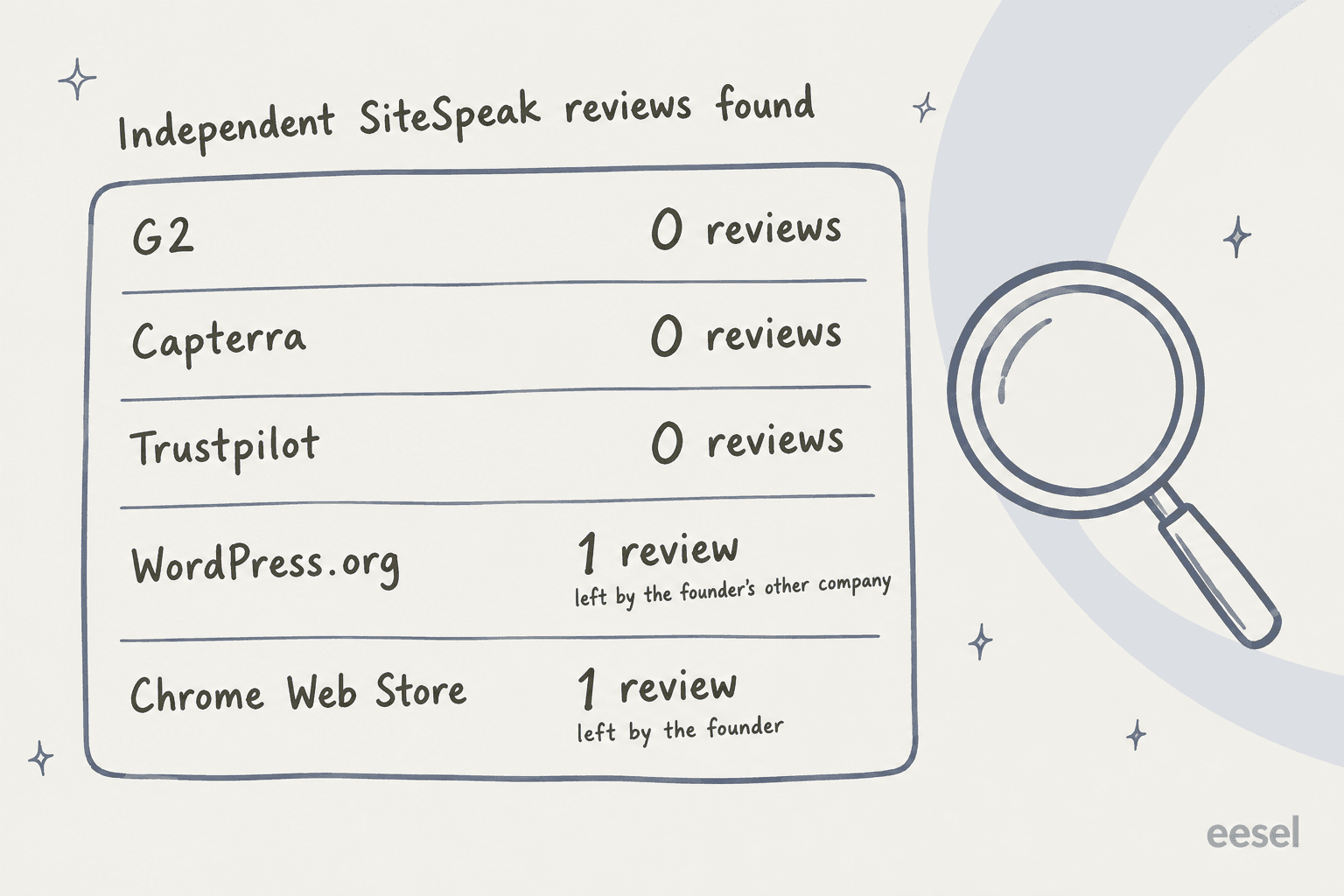
I expected this section to be the longest one, and it ended up the shortest. I checked every platform where buyers tend to leave reviews.
| Platform | Rating | Reviews | What I found |
|---|---|---|---|
| G2 | None | 0 | The listing says SiteSpeakAI "is no longer valid" |
| Capterra | None | 0 | The product pages return "Page not found" |
| Trustpilot | None | 0 | No company profile exists |
| WordPress.org | 5/5 | 1 | Posted by snapwidget, the founder's other product |
| Chrome Web Store | 5.0 | 1 | Posted by the founder; the extension has 9 users |
| Product Hunt | None | 0 | 124 followers, 3 launches, "No reviews yet" |
To be fair to SiteSpeak, a thin review footprint is pretty common for a founder-run product, and it doesn't mean the product itself is bad. It does mean you're the first line of quality control. Most Reddit mentions come from the founder's own account, so I left those out as well.
The one detailed review I found from an actual customer is a good one, though. A team running SiteSpeak on an internal BookStack wiki of about 400 pages wrote:
"We love it - you can choose which GPT to use from a list - there's no separate GPT charges you pay him for the number of messages you need. It's (for us anyway) super cheap around $60 a month for everything. You can train the bot more - you can build your own system and goal prompts. 100% recommend it."

The skeptical voices are more about the category than about the product. Replying to the founder's tech-stack recommendation, one reader asked:
"How effective is SiteSpeak in conversion in your opinion? Concerned if it makes your website spammy."
And on a Hacker News thread about SiteSpeak's AI readiness report, a commenter raised the trust question that every site owner should think about:
"I don't think it's the javascript alone - what if sites don't want a third-party AI sitting between them and their customers?"

SiteSpeak AI pricing
SiteSpeak publishes every one of its prices, which I appreciate. Paid plans have a 7-day free trial with no card, and yearly billing works out to 10 months for the price of 12.
| Plan | Monthly | Yearly (per month) | Message credits/mo | AI agents | Training sources | Key unlocks |
|---|---|---|---|---|---|---|
| Free | $0 | $0 | 30 | 1 | 10 | Basic models, chat widget |
| Starter | $29 | $24 | 1,000 | 1 | 200 | Lead capture, remove "Powered By", 1 action |
| Pro | $79 | $66 | 3,000 | 5 | 2,500 | All models, BYOK, escalation to humans, API, WhatsApp, HubSpot |
| Growth | $249 | $208 | 10,000 | 15 | 8,000 | 15 actions per agent, daily sync, custom domain, PII redaction |
| Business | $499 | $416 | 20,000 | Unlimited | 20,000 | Audit log, dedicated onboarding, priority support |
Agency plans add white-label dashboards and client sub-teams: Agency Starter $399, Agency Pro $699 and Agency Enterprise $1,299 per month, with 15,000, 25,000 and 50,000 credits. Extra credits cost $25 per 1,000 on any plan.
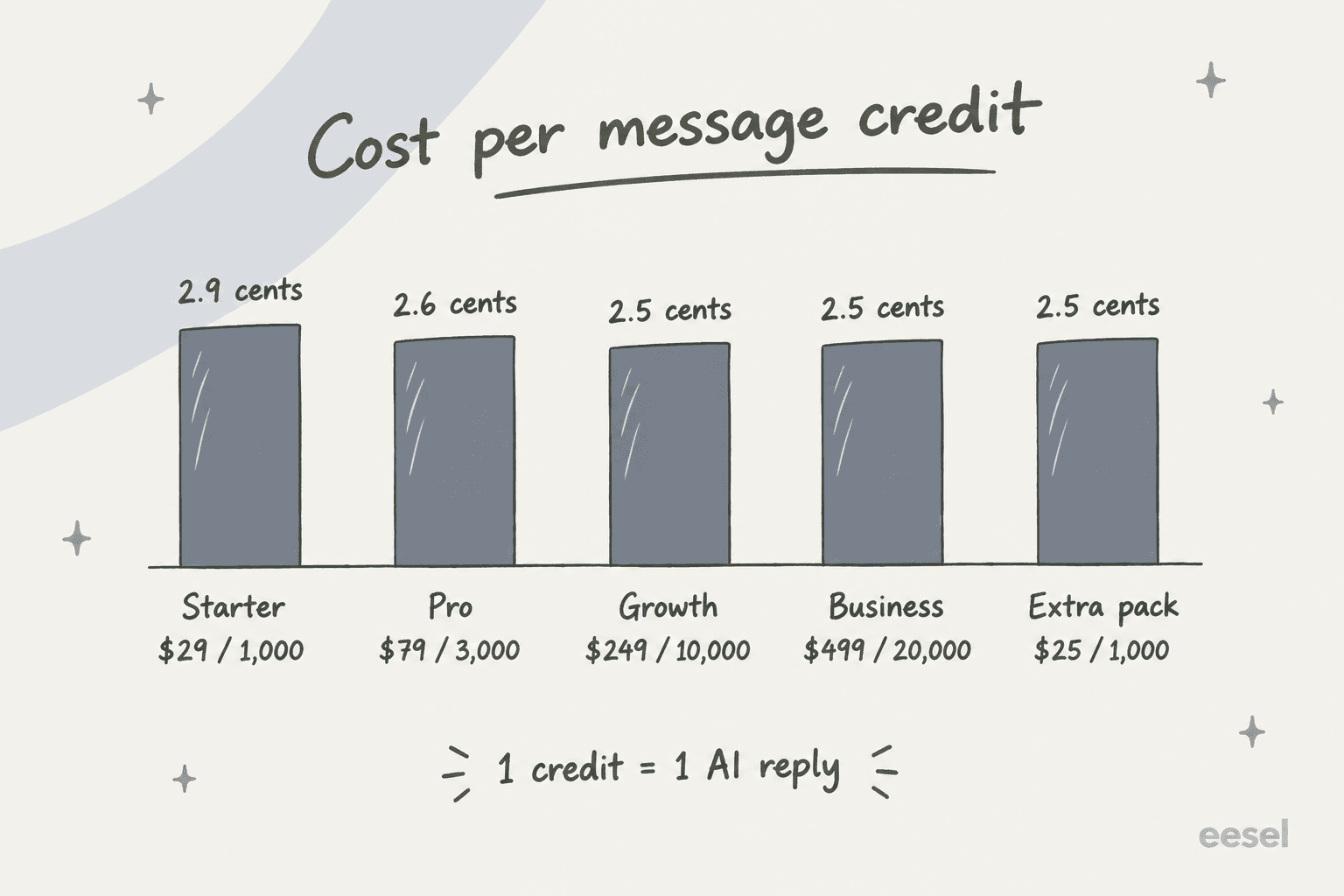
The billable unit is the main thing to understand here. On SiteSpeak, 1 message credit = 1 AI reply, not one conversation. A visitor who asks four follow-up questions uses four credits. So if your chats run four replies each, Starter's 1,000 credits cover about 250 conversations.
The math also shows the price per reply barely moves at all. It's 2.9 cents on Starter and 2.5 cents from Growth up, the same as a top-up pack. You upgrade for features, not for cheaper volume. If you only need more replies, buying credit packs on Pro is cheaper than jumping to Growth. Do keep an eye on the gates, though. Human escalation and BYOK start on Pro, which makes Starter a pure self-serve bot.
There are two gotchas worth knowing before you pay. SiteSpeak's terms have a no-refund policy, so use the trial properly. Also, deleting a chat doesn't give you the credits back.
For a side-by-side with similar tools, see Chatbase pricing, DocsBot pricing and SiteGPT pricing.
SiteSpeak AI pros and cons
| Pros | Cons |
|---|---|
| Fair, fully public pricing from $29/month | Zero independent reviews on G2, Capterra or Trustpilot |
| Wide model choice, plus BYOK to skip credit charges | Can't train on past support tickets |
| Good wiki reach: Notion, Confluence, SharePoint, BookStack | No native helpdesk integration; handover lands in its own Inbox |
| Real actions: Shopify orders, bookings, any JSON API, MCP | Human escalation needs Pro ($79) |
| Lead capture and live takeover on one widget | Testing is manual, one question at a time |
| Unanswered-questions list shows exactly what to fix | Credits are per reply, so chatty conversations cost more |
Who should use SiteSpeak AI?
SiteSpeak fits a small business or SaaS with no helpdesk, or a light one, that wants a website bot answering from its docs and capturing leads. It's also a strong pick for an internal wiki bot on Notion, Confluence or BookStack, and for agencies reselling white-label bots to clients. Pro at $79 is the sweet spot, since handover, BYOK and the API all arrive there.
SiteSpeak is a stretch if your support already runs through a helpdesk and your answers live in old tickets. You would be adding a second inbox and a Zap, plus a bot that can't learn from the replies your team has already written. In that case, look at a tool that works inside your queue, or start with my roundups of the best customer service chatbots and Chatbase alternatives.
Whichever way you lean, run the trial on 30 or 40 real questions from your inbox, and include the awkward ones too. There's no review base to lean on, so that is the only evidence you'll get.
eesel for teams that want the chatbot inside the helpdesk
eesel is an AI teammate platform, and the teammate that matters here is the AI helpdesk teammate. It can do SiteSpeak's job, a chat bubble on your website from one script tag.
It also joins the helpdesk you already use, like Zendesk, Freshdesk or Help Scout, so a handed-over chat becomes a normal ticket for your team, not a new inbox to watch.
After reading SiteSpeak's docs, I'd point to two differences. First, eesel learns from your past tickets alongside your help center, Confluence and Notion. Second, before it answers anyone, its simulation replays hundreds of your past tickets and scores each answer against what your team actually sent. You see the gaps before customers do, which is the testing step SiteSpeak leaves to you.

Pricing is public too. The free plan gives you 100 credits with no card, and paid plans start at $299/month for 500 credits. One ticket or chat is one credit however many replies it takes, so a long back-and-forth costs the same as a one-liner. I'll be straight about the limit, too. If you have no helpdesk and just want a cheap lead-capture bot, SiteSpeak's $29 Starter is the cheaper start. If your support already runs on a helpdesk, try eesel and watch the simulation on your own tickets first.
Frequently Asked Questions
Is SiteSpeak AI worth it?
For a small business that wants an AI chatbot for its website trained on its own pages, with lead capture and live takeover, yes, the Starter and Pro plans are fair value. In this SiteSpeak AI review I found no independent reviews on G2, Capterra or Trustpilot, so run the 7-day trial on your real questions before committing. Teams that work a helpdesk queue are better served by an AI helpdesk agent.
How much does SiteSpeak AI cost?
SiteSpeak AI has a free plan with 30 message credits a month, then Starter at $29, Pro at $79, Growth at $249 and Business at $499 per month, with about 17% off yearly. One credit is one AI reply, and extra credits cost $25 per 1,000. Agency plans run $399 to $1,299 a month. Compare that with Chatbase pricing and DocsBot pricing.
What can SiteSpeak AI be trained on?
Website crawls, single links, sitemaps, text, PDFs, audio and video files, plus Notion, Google Drive, SharePoint, OneDrive, OneNote, Confluence Cloud, BookStack and Discord. Past support tickets are not a training source, which matters if most of your answers live in old replies rather than a knowledge base.
Are there real SiteSpeak AI reviews on G2?
Not as of October 2026. The G2 listing says the product "is no longer valid", the Capterra pages return not found, and there is no Trustpilot profile. The one strong user review I found is a Reddit comment from a BookStack wiki team. For tools with a real review base, see my Chatbase review and Chatling review.
Does SiteSpeak AI have a free trial?
Yes. Every paid plan has a 7-day free trial with no credit card needed, and the free plan is permanent. SiteSpeak's terms include a no-refund policy, so test during the trial rather than after paying. My guide to free AI chatbots covers other no-cost options.
Can SiteSpeak AI hand a chat over to a human?
Yes, from the Pro plan up. Escalation triggers when a visitor asks for a person, when the AI isn't confident, or when a rule in your instructions fires. Your team gets an email, Slack or webhook alert and replies live in the Inbox while the AI stays quiet. My notes on human handoff in chat cover how to set the triggers well.


Article by
Rama Adi
Rama is a software engineer at eesel AI with two years of experience writing about B2B SaaS, AI tools, and customer support technology. Based in Bali, Indonesia, he brings a developer's perspective to product comparisons — cutting through marketing copy to what the integrations and APIs actually do.