

What is WPBot?
WPBot is a "native, no code" chatbot for WordPress made by QuantumCloud. You install it like any plugin, it adds a chat window to your site, and you configure it from a WPBot Control Panel in your WordPress admin. The pitch on the homepage is "Get the #1 ChatBot for WordPress", with lead capture, automated support and AI answers in one plugin.
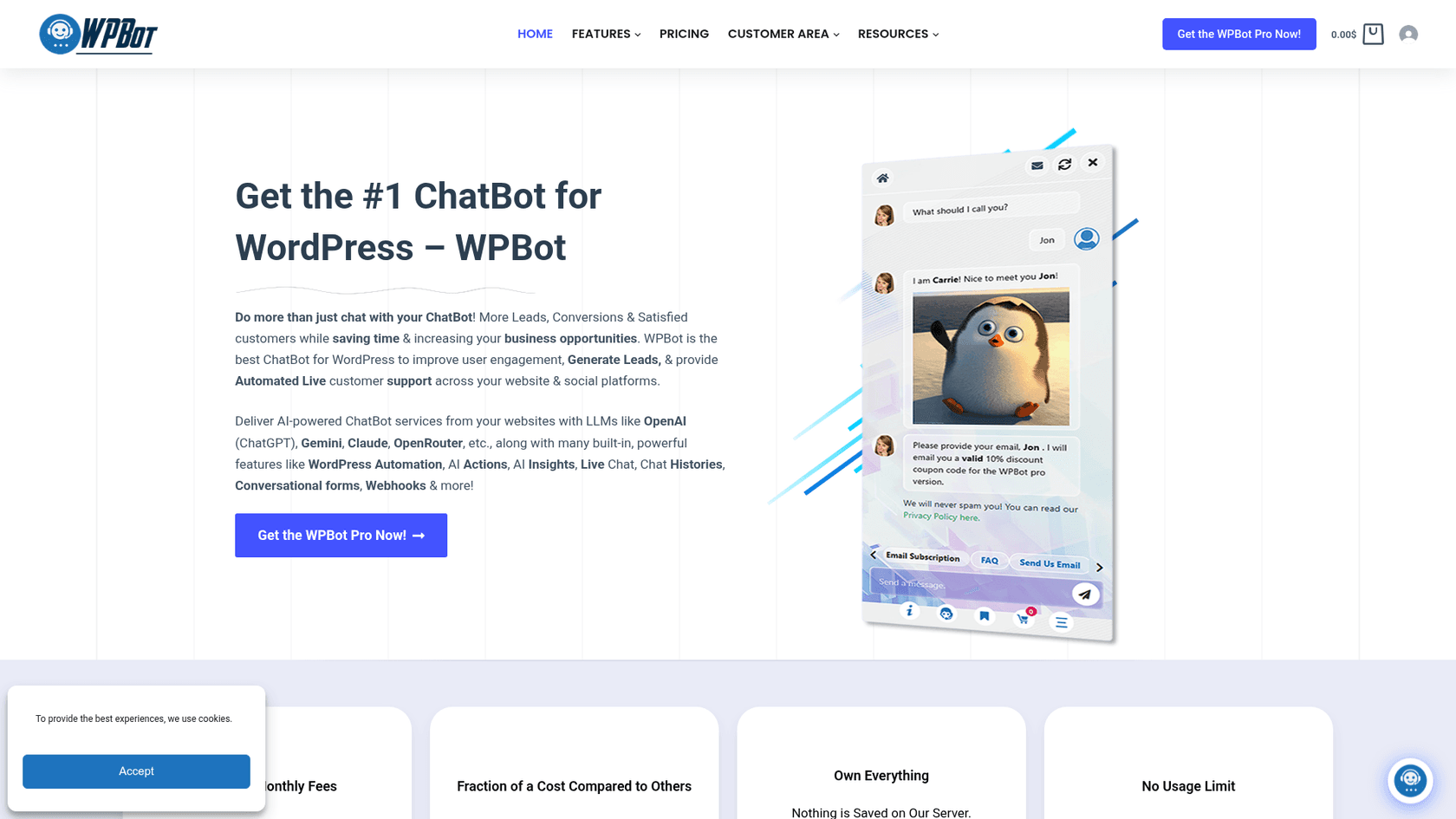
The model is freemium. A free plugin on WordPress.org does the core job, and WPBot Pro adds paid "modules" on top: live chat, WooCommerce, conversational forms, WhatsApp, Messenger, Telegram, voice and more. Which modules you get depends on your license tier.
That puts it in the same family as other self-hosted AI WordPress plugins like AI Engine and AI Puffer, rather than hosted chat tools like Tidio.
| WPBot at a glance | |
|---|---|
| What it is | Chatbot plugin for WordPress, free core plus paid Pro modules |
| Company | QuantumCloud |
| On WordPress.org since | August 2018, version 8.8.6 updated October 19, 2026 |
| AI engines | OpenAI, Gemini, Grok, OpenRouter (Claude, DeepSeek, Mistral, Llama and more), DialogFlow, all with your own key |
| Answers without AI | Simple text responses, FAQ builder, site search, button menus, forms |
| Channels | Website chat; Messenger, Instagram, WhatsApp (Meta or Twilio) and Telegram on Master |
| Human handoff | Live chat from the WP dashboard or Slack, Master license only |
| Price | Free; Pro $39, $99, $189 a year, or $149, $279, $369 lifetime |
| Data | Chat sessions stored in your WordPress database |
| Requirements | WordPress 6.2+, PHP 7.4+ |
How WPBot answers questions
The part that sets WPBot apart is that it doesn't need AI at all. It can run in a button-driven "menu" mode or a natural language mode, and it pulls answers from several places before (or instead of) asking a language model.
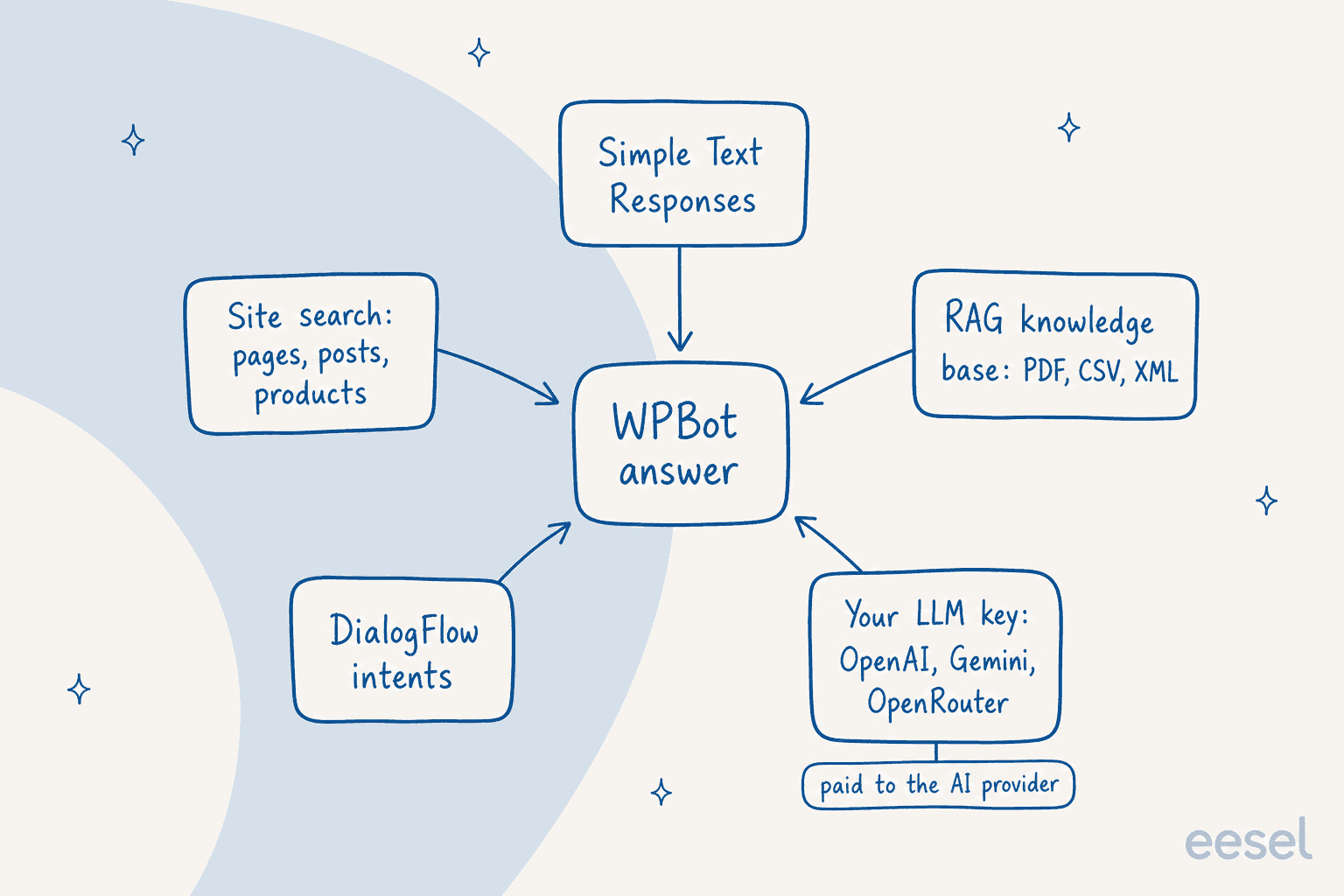
Here are the five sources in plain terms:
- Simple Text Responses. You write a question and answer pair, and WPBot matches visitor phrasing against it with an adjustable "phrase matching accuracy". The Pro module adds more of these.
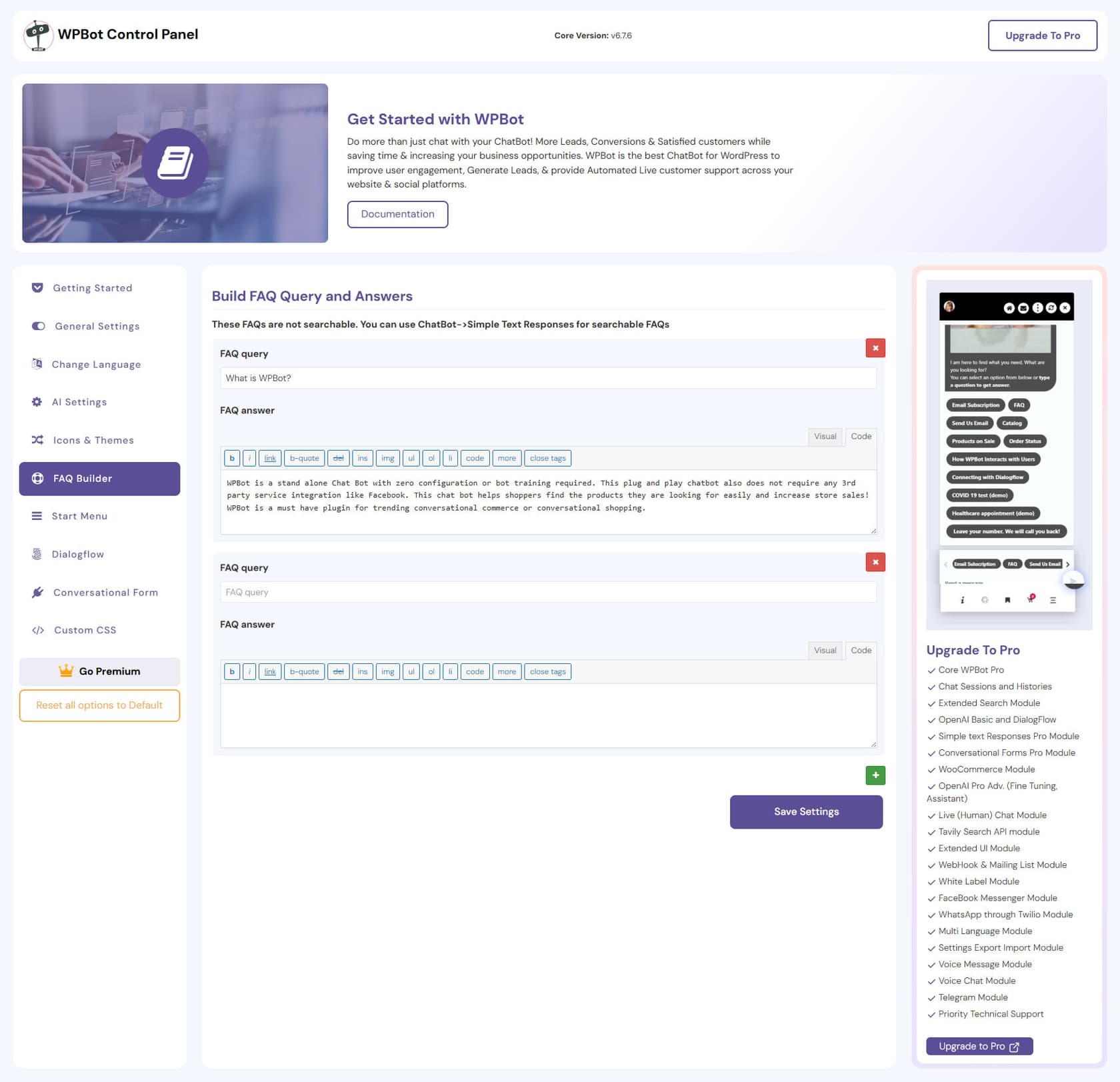
- FAQ builder and start menu. Buttons and canned answers. Note the FAQ builder's own warning in the panel: these FAQs "are not searchable," so put anything you want matched into Simple Text Responses.
- Site search. WPBot searches your pages and posts, and the Extended Search module (all Pro tiers) adds custom post types and WooCommerce products with prices.
- RAG knowledge base. RAG means retrieval-augmented generation: the plugin finds the relevant chunk of your content and hands it to the AI with the question. WPBot can index your site, custom post types and uploaded PDF, CSV and XML files. Starter gets the "Basic" version, Professional and Master the "Advanced" one.
- Your AI model. OpenAI, Gemini, Grok, OpenRouter or DialogFlow, with your own key. Professional and Master add OpenAI GPT Assistants and fine-tuning. WPBot itself recommends RAG over fine-tuning.
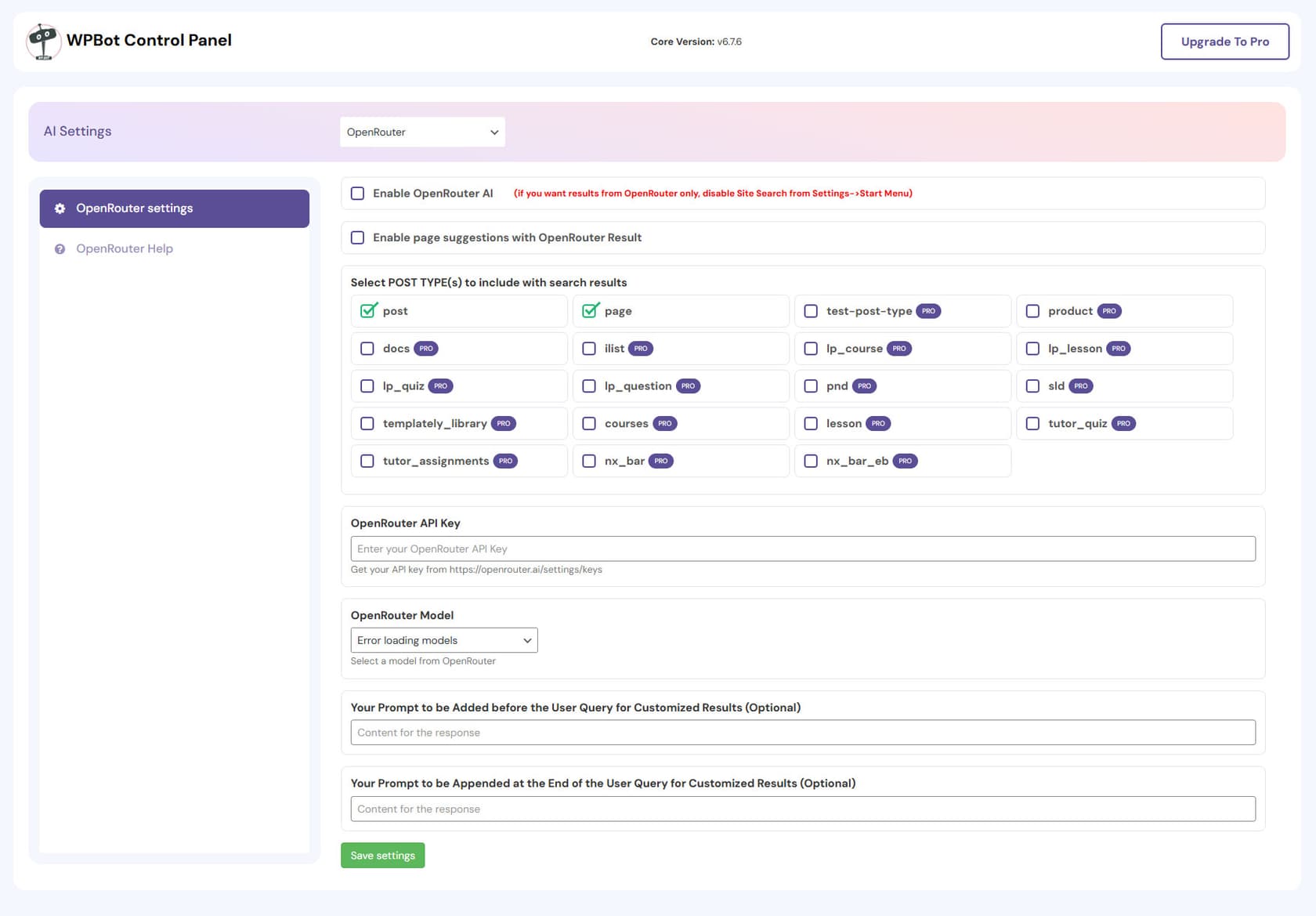
The upside of this layering is cost control. WPBot's docs say you can "dramatically decrease" your OpenAI bill by answering common questions with the free built-in features, and only sending the rest to the model. You can also restrict AI calls by keyword, and cap AI queries per user role over a 24- or 48-hour window, per its rate limit guide. That's a sensible design, and it's the same thinking I'd use for any bot billed per LLM token.
The downside is that you're the one deciding which source answers which question. Five sources means five places for an answer to drift out of date. If a price changes on your site but an old Simple Text Response still says the old number, the text response wins. That's the same trap as the "we support all models" article above, and my guide to AI hallucinations in support covers how to keep sources clean.
Where your data lives
This is one of WPBot's real strengths. Per its privacy FAQ, "All the chat session data saved by the WPBot chatbot is saved in your WordPress database. No data leaves your server." Questions sent to OpenAI or DialogFlow go to those services directly, not through QuantumCloud. For a site owner who doesn't want a third-party chat vendor holding transcripts, that's a clean setup. It also means backups, retention and GDPR requests for chat logs are your job.
WPBot features by module
WPBot Pro is sold as a bundle of modules, and the tier decides the bundle. These are the modules that matter most for support, from the modules page.
Live chat with a human
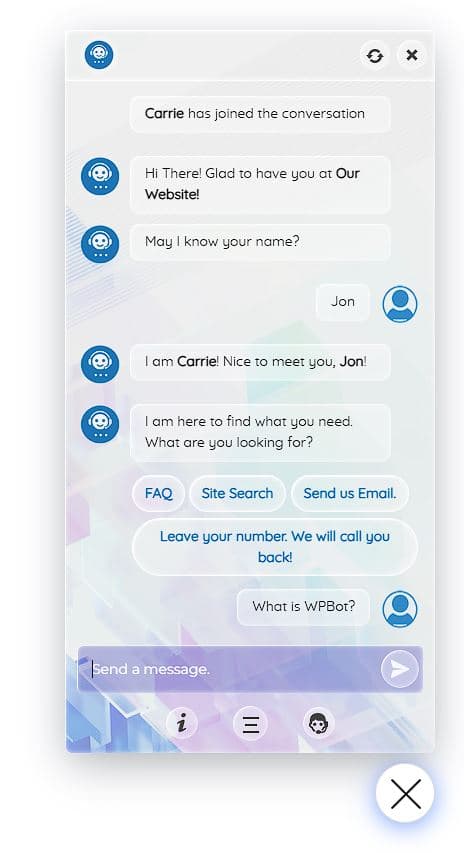
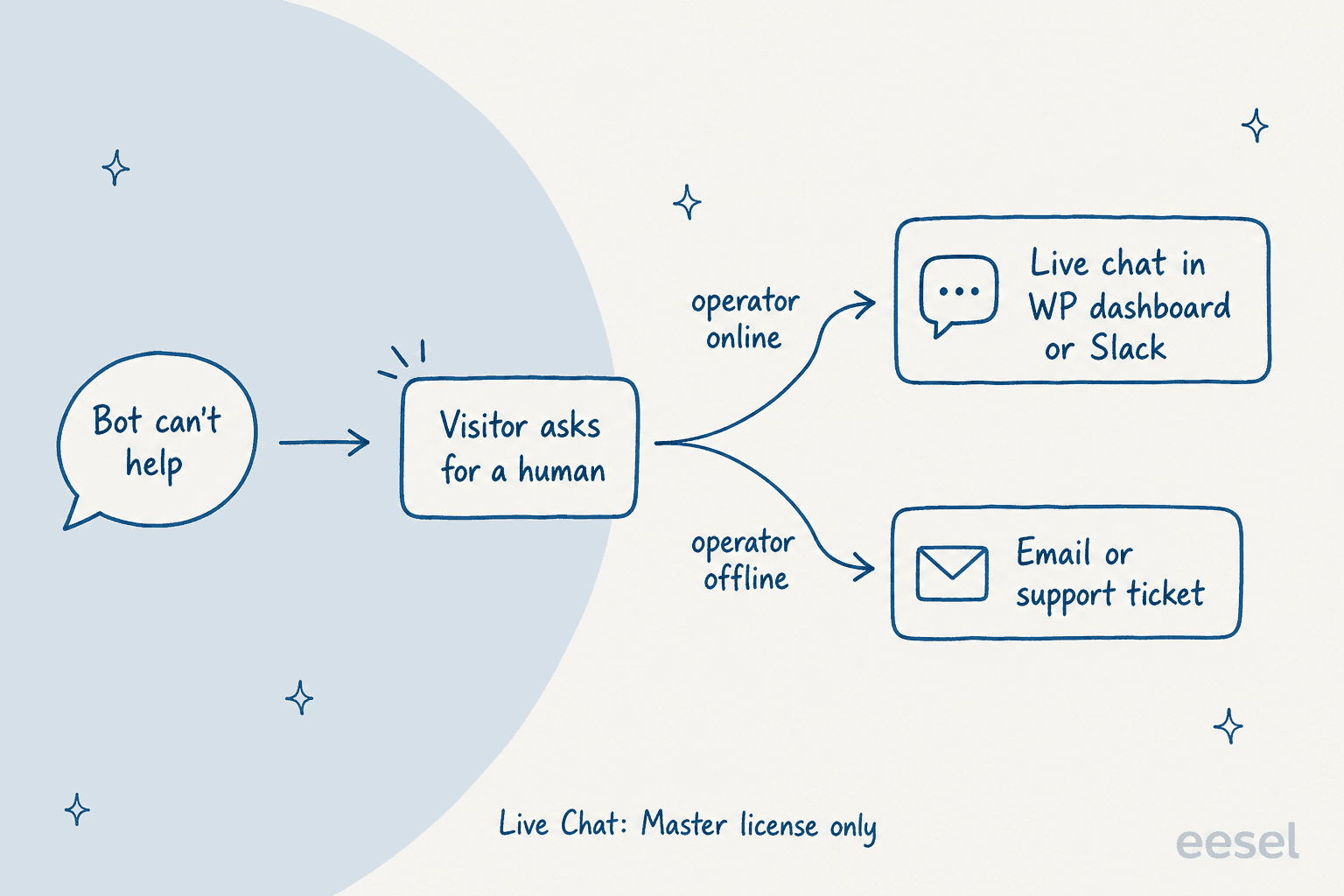
The Live Chat module lets visitors ask for a person by clicking a button or typing a command. Operators reply "with Slack or from WordPress dashboard," with operator accounts, chat history, translation, and an option to hide live chat when no operator is online. It's included only in the Master license.
What I'd note: the handoff is a button the visitor presses, not a judgment the bot makes. There's no documented step where the bot hands a person a summary or the reason it gave up. Master also includes an "AI Powered Support Ticket" module, which WPBot describes as a support ticket system for WordPress with AI features, so offline requests can become tickets inside WordPress. If your team already works in Zendesk, Freshdesk or Gorgias, that's a second queue to watch. My guide to human handoff in chat covers what a good handover carries.
WooCommerce
The WooCommerce module (Professional and Master) lets shoppers search products, see sale and featured items, add to cart from the chat window and view their order history "with or without logging in." It also includes retargeting messages on exit intent or scroll depth and abandoned cart recovery. Order history in the chat is the piece many plugins skip, and it's a real help for "where is my order" chats. My WISMO automation guide explains why those chats pile up.
Conversational forms and automations
Conversational Forms is a drag-and-drop builder for menu-driven conversations, lead forms, job applications, calculators and surveys, with 12 templates. Form entries save to the database on Pro. A WordPress Automator (Basic on Starter, Pro on Master) builds visual workflows, and the Webhook module (Master) connects forms to Mailchimp, HubSpot CRM, FluentCRM and Zapier.
Other channels, languages and voice
Master adds Messenger, Instagram, WhatsApp (through Meta or Twilio) and Telegram, a Multi Language module, voice messages and a voice chat module using OpenAI Whisper and Google Cloud speech. Each channel needs its own setup on the platform side. For Messenger and Instagram, for example, you create a Meta app and grant permissions yourself. WPBot's support says plainly: "The plugin cannot magically access your FaceBook account." My guide to WhatsApp support for ecommerce covers what that channel takes.
Chat sessions and reports
The Chat Session module (all Pro tiers) saves every conversation by date, shows statistics and charts, and can email you a daily AI summary of the conversations. That summary uses your AI key, so it adds to the bill. Worth knowing, given one review below.
WPBot pricing
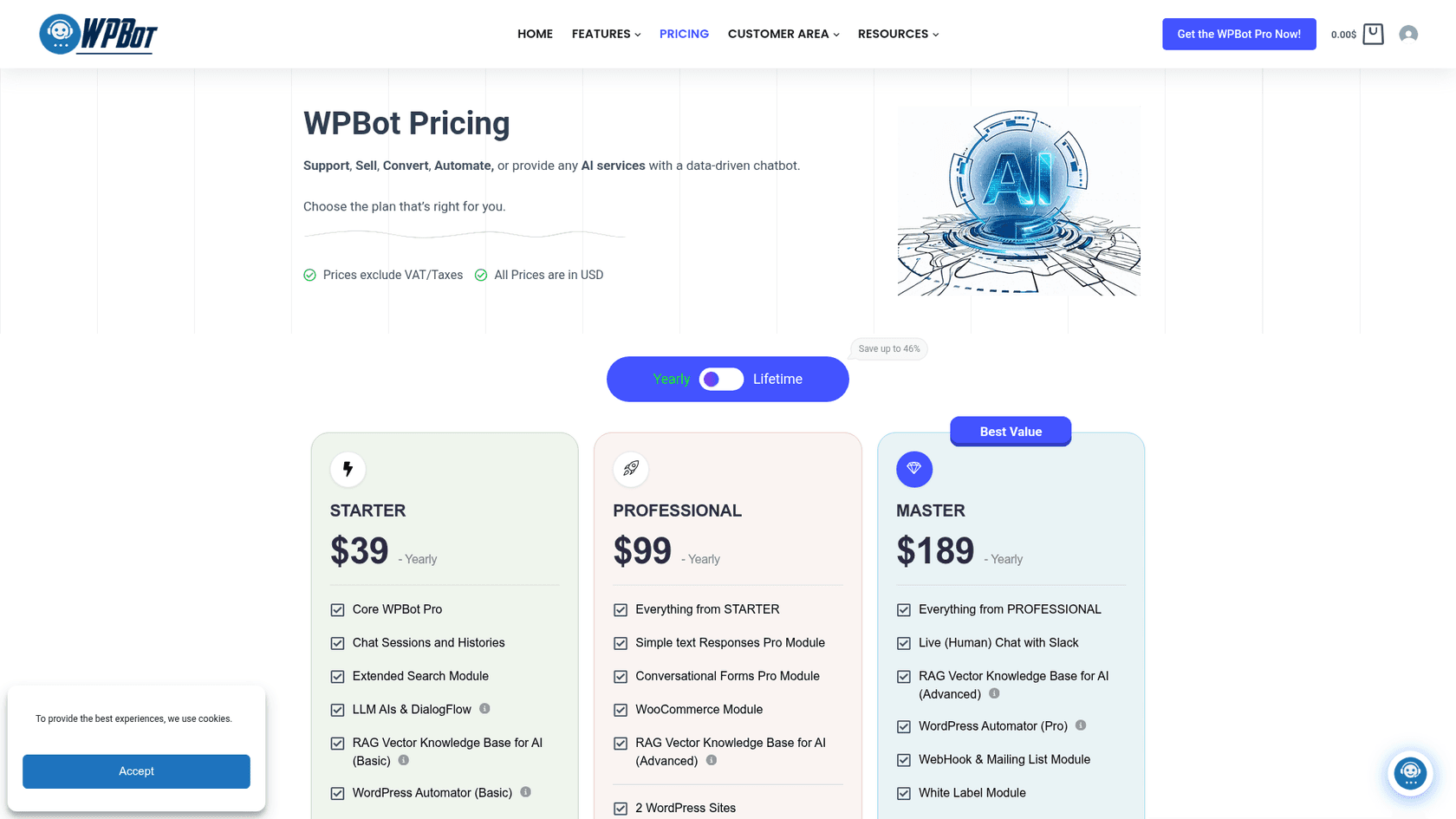
WPBot sells licenses, not seats or conversations. You pay once a year or once for life, and the license tier sets the modules and the number of sites. These prices are from WPBot's pricing page, in USD, excluding VAT.
| License | Yearly | Lifetime (list price) | Sites, yearly / lifetime | What it adds |
|---|---|---|---|---|
| Free | $0 | $0 | No license needed | Core chatbot, site search, simple responses, AI with your own key |
| Starter | $39 | $149 ($230) | 1 / 5 | Core Pro, chat sessions, Extended Search, LLMs and DialogFlow, RAG Basic, Automator Basic, a chatbot theme |
| Professional | $99 | $279 ($480) | 2 / 10 | Everything in Starter, Simple Text Responses Pro, Conversational Forms Pro, WooCommerce, RAG Advanced, GPT Assistants and fine-tuning |
| Master | $189 | $369 ($680) | 5 / 50 | Everything in Professional, live chat via Slack, AI support ticket, Messenger, Instagram, WhatsApp, Telegram, multi-language, voice, white label, webhooks, Automator Pro, Tavily search, priority support |
A few rules sit around the table:
- Your AI usage is extra. WPBot's help center says "you need to bring your own API key from the OpenAI or another supported AI platform" and pay that provider directly. WPBot's own rough estimate is "2US$/thousand responses" on GPT-4o or GPT-4.1 mini. Bigger models cost more; my OpenAI API pricing breakdown has the per-token rates.
- Lifetime includes updates. The lifetime licenses list "Product Lifetime Updates." The yearly ones don't, so you renew to keep getting updates.
- 14-day money-back guarantee. The pricing page promises a refund within 14 days "if the plugin doesn't work for you."
- Discounts on request. Non-profits can email for a discount, and agencies that outgrow the Professional or Master site count get 30% off extra licenses, per WPBot's help center.
The lifetime deals are generous. Master Lifetime at $369 for 50 sites works out to under $8 a site, once, which is why WPBot pitches it to agencies with white labelling. Against a hosted chatbot charging per conversation, like the ones in my chatbot cost guide, the license alone is cheap. The real monthly cost is your AI bill plus whatever time you spend configuring modules, which my WPBot pricing breakdown works through. My Tidio pricing and Chatbase pricing breakdowns show the hosted alternative.
What users say in their WPBot reviews
WPBot's ratings live almost entirely on WordPress.org. I couldn't find it on G2, Capterra or Trustpilot, and I found no Reddit or Hacker News threads about it, so the community voice below comes from the plugin directory.
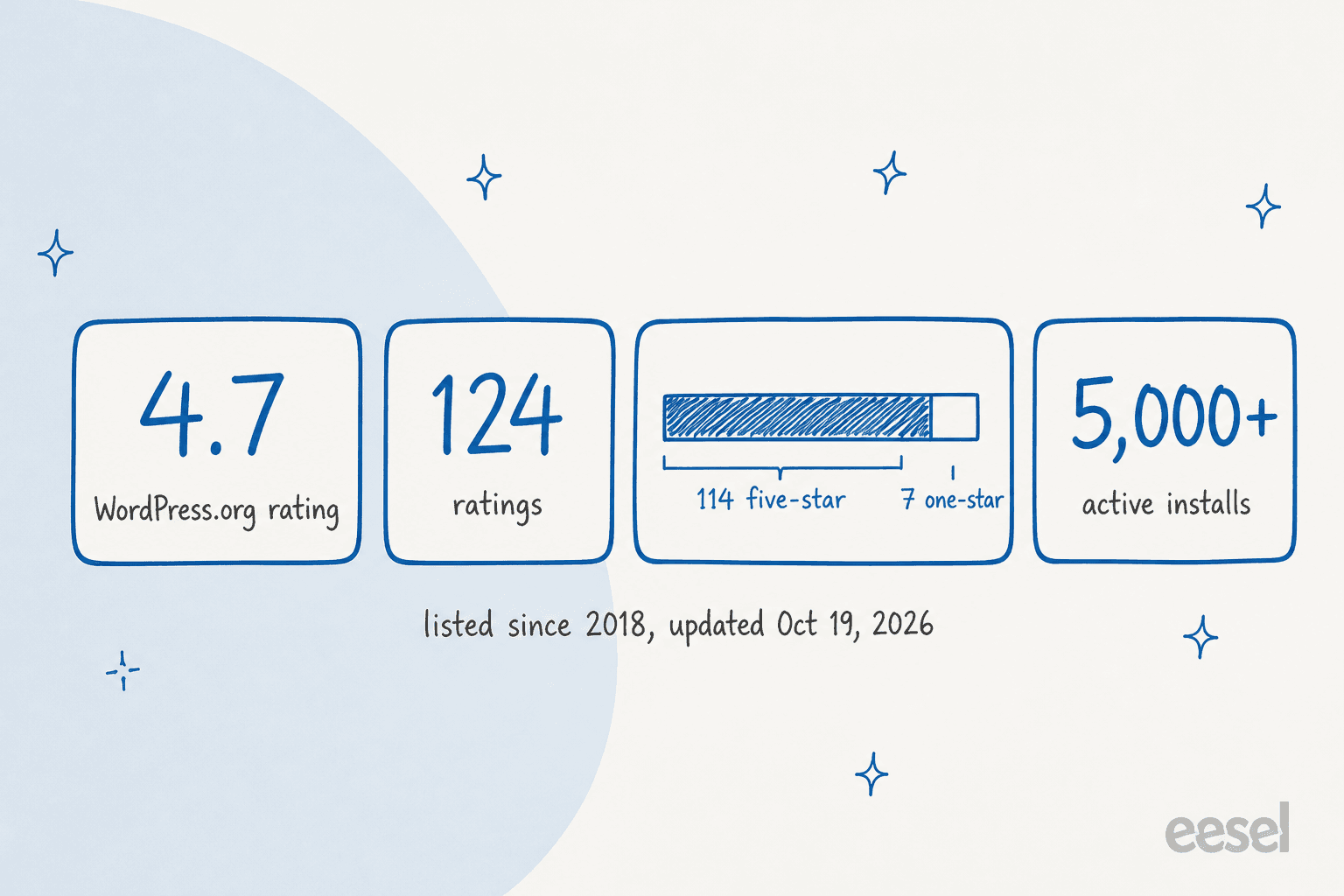
Of the 124 ratings on the WordPress.org listing, 114 are five-star and 7 are one-star, with almost nothing in between. The positive reviews are short and mostly about support speed and easy setup. A September 2026 reviewer said it is "running as advertised" for their sites:
"I don't pretend that I use all the advanced features; for the scope of my sites they are not needed; however what I use is running as advertised and I do get folks actually interacting with the bot a lot. Support is top notch!"
A July 2026 review said setup "was quick and easy with the AI Wizard" (Great Chatbot Plugin). That's consistent with what I'd expect: the core plugin with one AI key is quick to stand up.
The critical notes
The most detailed review is a one-star from November 2025, written by a buyer of the top tier after four months of testing. It's the most useful read on the listing, because it covers exactly the Master modules a support team would buy:
"I bought the top tier of WP BOT chatbot about 4 months ago considering all the comprehensive feature list mentioned on their site. In these 4 months I have tested this chatbot in-depth and can confidently say that most of the things mentioned in their plan does not work."
The specifics they reported: live chat routed to Slack, where a free Slack workspace limits how much history you keep; Messenger and Instagram needing a Meta app setup and still not auto-replying; the Extended UI module restyling their whole site; a chat session summary call to OpenAI four times a day; a repeated system prompt on every message adding tokens; and a GPT assistant giving wrong information about their site. WPBot's support replied that Slack live chat was added on customer request and "works great," that the reviewer's YAML had an error they pointed out, and that Meta permissions are required for any Facebook bot.
I'd read that thread as a warning about the setup work, not proof that the modules are broken for everyone. But two items match the docs: the daily AI summary does call your AI key, and live chat does depend on Slack or the WordPress dashboard. Budget time to test each Master module before you rely on it.
Older one-star reviews are about stability and security. A 2024 review said the plugin caused critical errors on the reviewer's site (It initially seemed great), and a 2023 review reported SQL injection vulnerabilities; WPBot replied that "some issues were found and patched promptly" and asked everyone to update. Both are old, the plugin has had many releases since, and it's tested up to WordPress 7.1.3. Still, the habit I'd keep with any chat plugin is to stage it first and keep it updated.
Pros and cons
| Pros | Cons |
|---|---|
| Lifetime licenses from $149, with 50 sites on Master for $369 | AI usage billed separately by your provider, on top of the license |
| Works without AI, so common questions cost nothing to answer | Human live chat, WhatsApp and the AI ticket module are Master only |
| Chat histories stay in your own WordPress database | Five answer sources to keep in sync; stale text responses win over AI |
| Wide model choice: OpenAI, Gemini, Grok, OpenRouter, DialogFlow | Live chat runs through Slack or the WP dashboard, not your helpdesk |
| WooCommerce order history and add to cart in the chat | Each social channel needs its own Meta or Twilio setup |
| Rate limits per user role to cap AI spend | Reviews are almost all on WordPress.org; the detailed ones are mixed |
Who WPBot fits, and who should skip it
Pick WPBot if you run one or a few WordPress sites, you're comfortable pasting an API key and tuning settings, and you want a chatbot you own outright. A blog or small service site can run Starter at $39 a year with the free built-in answers doing most of the work and AI handling the long tail for a few dollars a month. Agencies building chatbots for clients will find Master Lifetime hard to beat on price per site.
Look harder if you run a WooCommerce store and want live chat with people. You'll need Master, you'll answer chats from Slack or the WordPress admin, and you'll want to test the WooCommerce module's effect on page speed. Compare it with the tools in my WooCommerce AI chatbot roundup, or plugin rivals with their own pricing models like AI Engine and AI Puffer.
Skip it, or pair it, if your support already lives in a helpdesk. WPBot's handover goes to Slack, the WordPress dashboard or its own ticket module, so chats don't arrive in Zendesk or Gorgias with the order and the reason attached. For a team measured on resolution, not deflection, that seam matters more than the license price.
My WPBot verdict: 3.5 out of 5
WPBot earns its 5,000+ installs. It's flexible, it can answer without AI, it keeps your chat data on your own server, and the lifetime licenses are some of the cheapest in the category. On the core plugin with one AI key, for a site owner who likes to configure things, I'd score it 4.
The Master tier pulls the score down to 3.5. That's where the support features live (human live chat, social channels, tickets), and it's where the most detailed complaints point. You also run the AI bill, the Slack workspace and the Meta apps yourself. WPBot is great value if you treat it as a toolkit, and a lot of setup if you need a finished support channel. Before you buy, run the free version against your 20 most common questions, check the WooCommerce page speed, and use the 14-day refund window to test every Master module you're paying for. My guide to testing an AI agent has a checklist.
How eesel compares for WordPress support
eesel is an AI teammate you hire for a specific job, and for a WordPress site with a support queue, that job is the AI helpdesk teammate. It answers on your site through a chat bubble you add with a snippet on WordPress, and it works inside the helpdesk where your tickets live, such as Zendesk or Gorgias.
It connects to WooCommerce or Shopify for orders. eesel doesn't plug into WPBot; it would replace the bot on your site, or sit behind it in the helpdesk.

Two eesel customers show the difference from a plugin bot:
- BEAUTEK, a German B2B supplier to beauty and tattoo studios, runs eesel as the chat on its website and on Zendesk. Between August 8 and September 8, 2026 it answered 77 website chats in German and created 20 Zendesk tickets from chat, most of them sales leads, while drafting replies on about 110 Zendesk tickets.
- Question Beauty, a vegan cosmetics brand on Gorgias and Shopify, had eesel handle about 990 Gorgias tickets in the same month. It sent about 960 replies, looked up about 290 Shopify orders before answering delivery questions, and handed refunds and complaints to a person with a note explaining why.
| WPBot Pro | eesel | |
|---|---|---|
| Main job | Chatbot plugin inside WordPress | AI teammate for website chat and the helpdesk queue |
| Where the AI answers | Website chat; social channels on Master | Chat bubble, email, WhatsApp, helpdesk tickets |
| Learns from | Text responses, site search, RAG files, DialogFlow | Help center, website, past tickets, macros, docs |
| AI bill | Your own OpenAI, Gemini or OpenRouter key | Included in the plan |
| Order lookups | WooCommerce order history (Professional+) | WooCommerce, Shopify and other connected systems |
| Handover | Slack or WP dashboard live chat, WPBot tickets | Tickets in your existing helpdesk, with a note |
| Testing | Try it on your site | Simulation on past tickets before going live |
| Pricing | $39 to $189 a year, or $149 to $369 lifetime, plus AI usage | Free with 100 credits, then from $299 a month for 500 credits |
On price, I'll be straight: if you mainly need a bot on a blog or a small site, WPBot is far cheaper. Starter at $39 a year plus a few dollars of AI usage is hard to argue with, against $299 a month for 500 credits on eesel's pricing, where a ticket or a chat is 1 credit. eesel earns its cost when the chat has to read orders, work tickets and hand off into a real queue, the way it does for teams using AI for Gorgias or AI for Zendesk.
Try eesel on your WordPress site
If WPBot's license price appeals but you'd rather not run the AI key, the Slack workspace and the module setup yourself, eesel gives you one AI teammate for your WordPress chat and your helpdesk. It reads the WooCommerce or Shopify order, checks your policy, answers or drafts inside the ticket, and you can simulate it on your past tickets before it talks to a customer. You start with 100 free credits, no card.
Try eesel free, or see how the website chat bubble works.
Frequently Asked Questions
Is WPBot worth it? What does an honest WPBot review conclude?
For a WordPress site owner who wants a flexible chatbot they own outright, mostly yes. My WPBot review scores it 3.5 out of 5: the one-time lifetime licenses are generous and chat data stays in your own database, but you pay your AI provider separately, human live chat sits only in the Master license, and the top tier draws the most complaints. Compare it with other AI WordPress plugins first.
How much does WPBot Pro cost?
Per WPBot's pricing page, yearly licenses are $39 (Starter, 1 site), $99 (Professional, 2 sites) and $189 (Master, 5 sites). Lifetime licenses are $149, $279 and $369 for 5, 10 and 50 sites. Prices exclude VAT, and your OpenAI or other AI usage is billed separately. My chatbot cost guide shows how that compares.
Is WPBot free?
Yes, there is a free WPBot plugin on WordPress.org with 5,000+ active installations. It covers the core chatbot, site search, simple responses and connections to OpenAI, Gemini, OpenRouter or DialogFlow with your own key. Live chat, WooCommerce, WhatsApp and the advanced RAG knowledge base are paid. For other free options, see my Tidio alternatives.
Do I need my own OpenAI API key for WPBot?
Yes, for the AI answers. WPBot's help center says you need to bring your own API key from OpenAI or another supported platform and pay them directly. WPBot's own rough estimate is about $2 per thousand responses on GPT-4o or GPT-4.1 mini. My OpenAI API pricing breakdown has the current per-token rates.
Does WPBot work with WooCommerce?
Yes, from the Professional license up. The WooCommerce module lets shoppers search products, add to cart from the chat window and view order history, with or without logging in. It runs on the same site as your store, so check page speed after you turn it on. My guide to the WooCommerce AI chatbot options covers alternatives.
Does WPBot have live chat with a human?
Yes, but only in the Master license. Visitors ask for a human from inside the bot, and operators answer from the WordPress dashboard or from Slack. On a free Slack workspace, older message history isn't kept, which one reviewer flagged. My chatbot vs live chat guide covers when you need both.
Where does WPBot store chat data?
In your own WordPress database. WPBot's help center says chat session data never leaves your server and is never sent to WPBot, though questions are sent directly to OpenAI, DialogFlow or whichever AI service you connect. That makes it a good fit if you want to own your data, as in my build vs buy guide.