


What is AI Engine?
AI Engine is a WordPress plugin by Jordy Meow of Meow Apps, a small team that writes the plugin, the docs and the support. It connects your site to AI models you already pay for. You paste an API key, and the plugin gives you chatbots, content tools and a way for outside AI clients to work on your site.
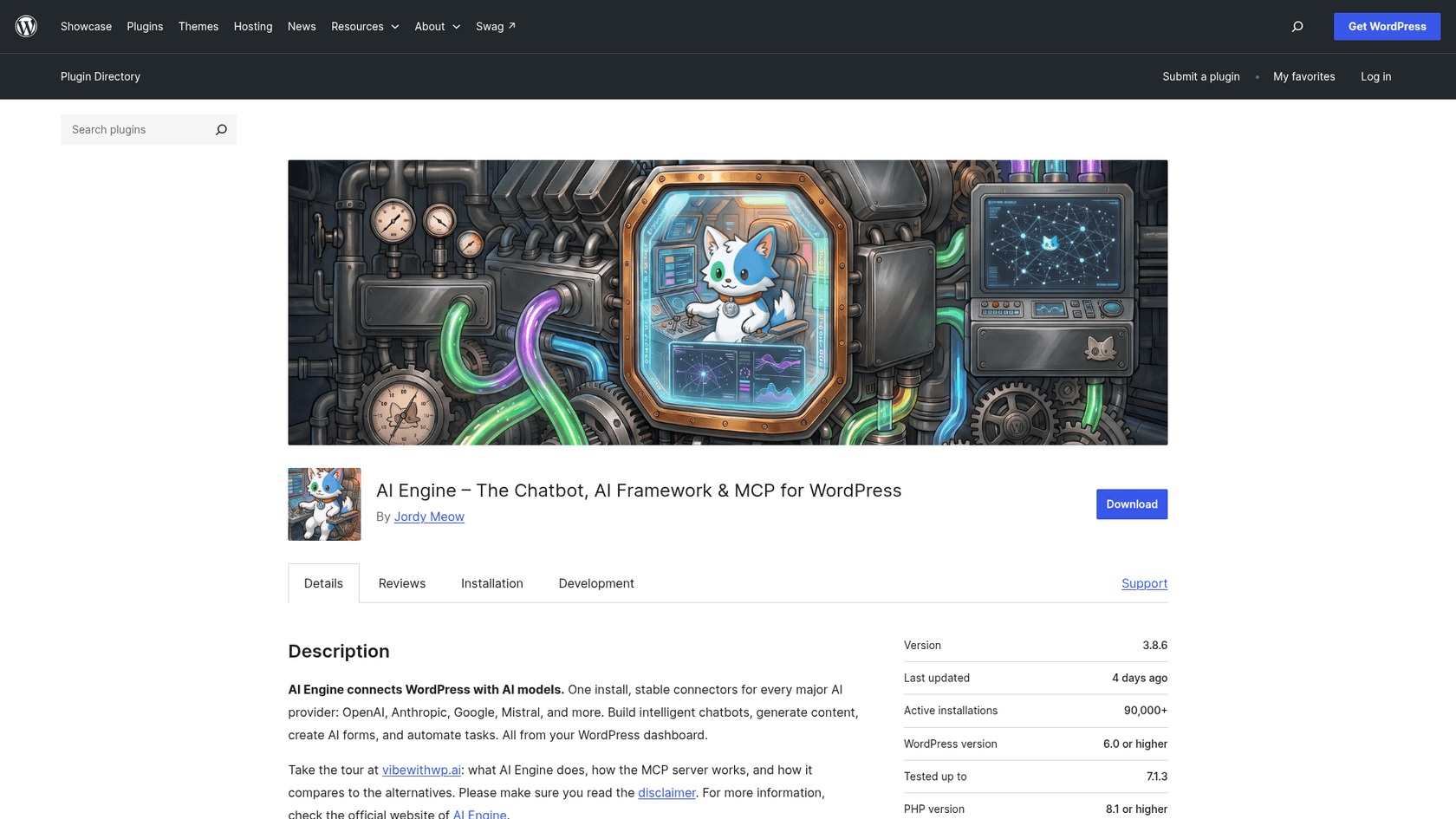
| AI Engine at a glance | |
|---|---|
| What it is | WordPress plugin: chatbots, content studio, AI forms, knowledge base, MCP server, usage insights |
| Install base | 90,000+ active installs (WordPress.org) |
| Rating | 4.9 from 871 reviews: 838 five-star, 7 one-star |
| Version | 3.8.6, released October 17, 2026; needs WordPress 6.0+ and PHP 8.1+ |
| Price | Free; Pro from $69 a year (1 site) to $1,699 lifetime (2,500 sites) |
| AI models | 11 connectors: OpenAI, Anthropic, Google, Mistral, xAI, Perplexity, OpenRouter, Replicate, Azure, OVHcloud and custom (vendor tour) |
| Usage billing | You pay your AI provider directly; the plugin adds no markup |
| Support | One year of developer support included with a license; WordPress.org forum shows 13 of 13 threads resolved |
The disclaimer is worth reading before you buy. AI Engine says plainly that you bring your own API key, that it does not guarantee accuracy, and that you are responsible for monitoring what the AI says. That is a fair position for a plugin. It is also exactly the part a support team needs someone to own.
What AI Engine does well
I went through the plugin's modules page, the docs for each module, and the reviews that mention them. Four things stood out.
A chatbot that answers from your own content
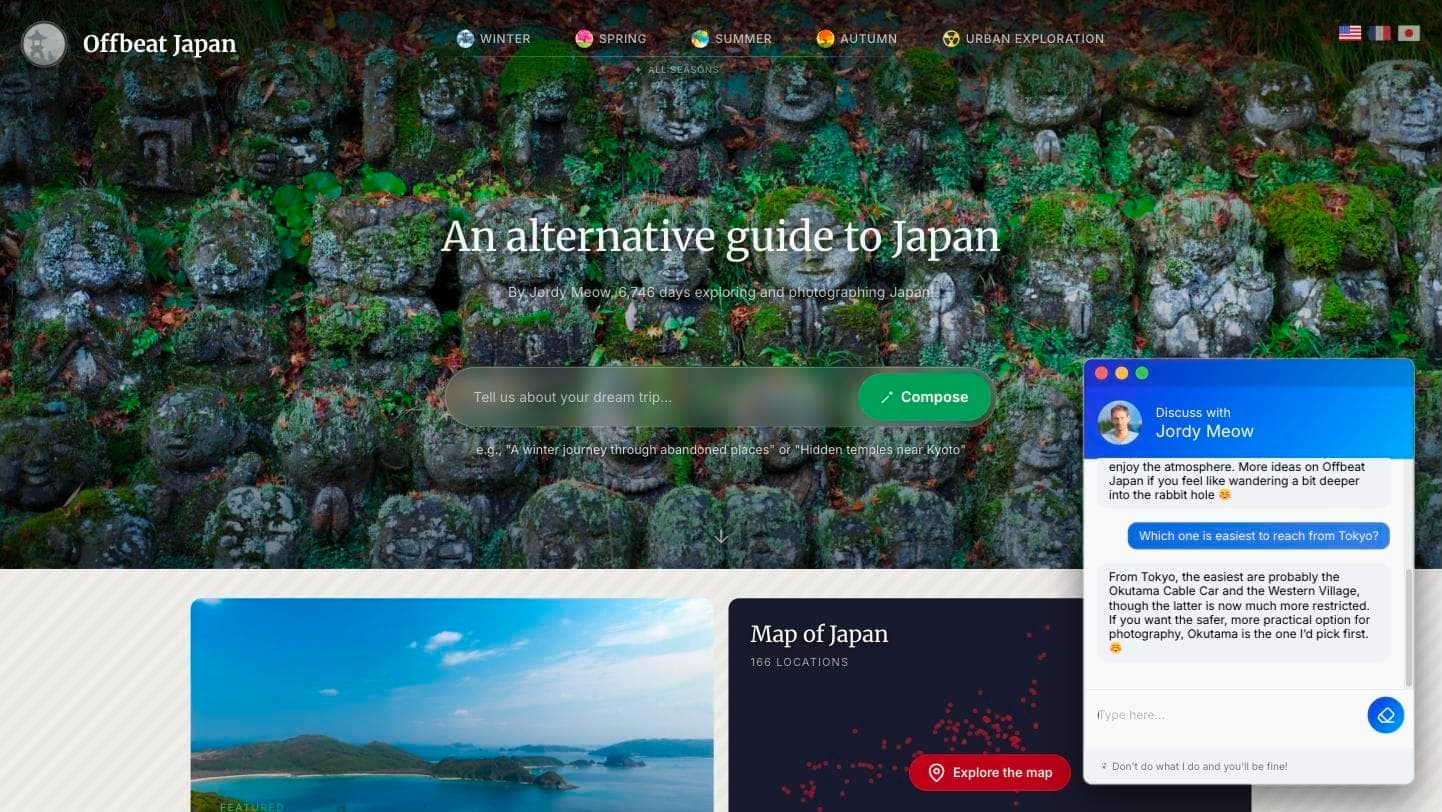
The chatbot is the feature most people install it for, and the docs call it the most used feature. It comes with five themes, popup, inline or fullscreen layouts, realtime voice, file uploads, a discussions log and conversation memory. On Jordy Meow's own Offbeat Japan site, it sits in the corner as a small window.
To answer from your own content rather than the model's general knowledge, you turn on the Knowledge module. It converts your posts, pages and PDFs into embeddings and uses RAG to pull the closest matches into each answer. You can store them in WordPress itself (the easiest option, per the knowledge docs), or in Chroma, Qdrant, Pinecone or an OpenAI Vector Store.
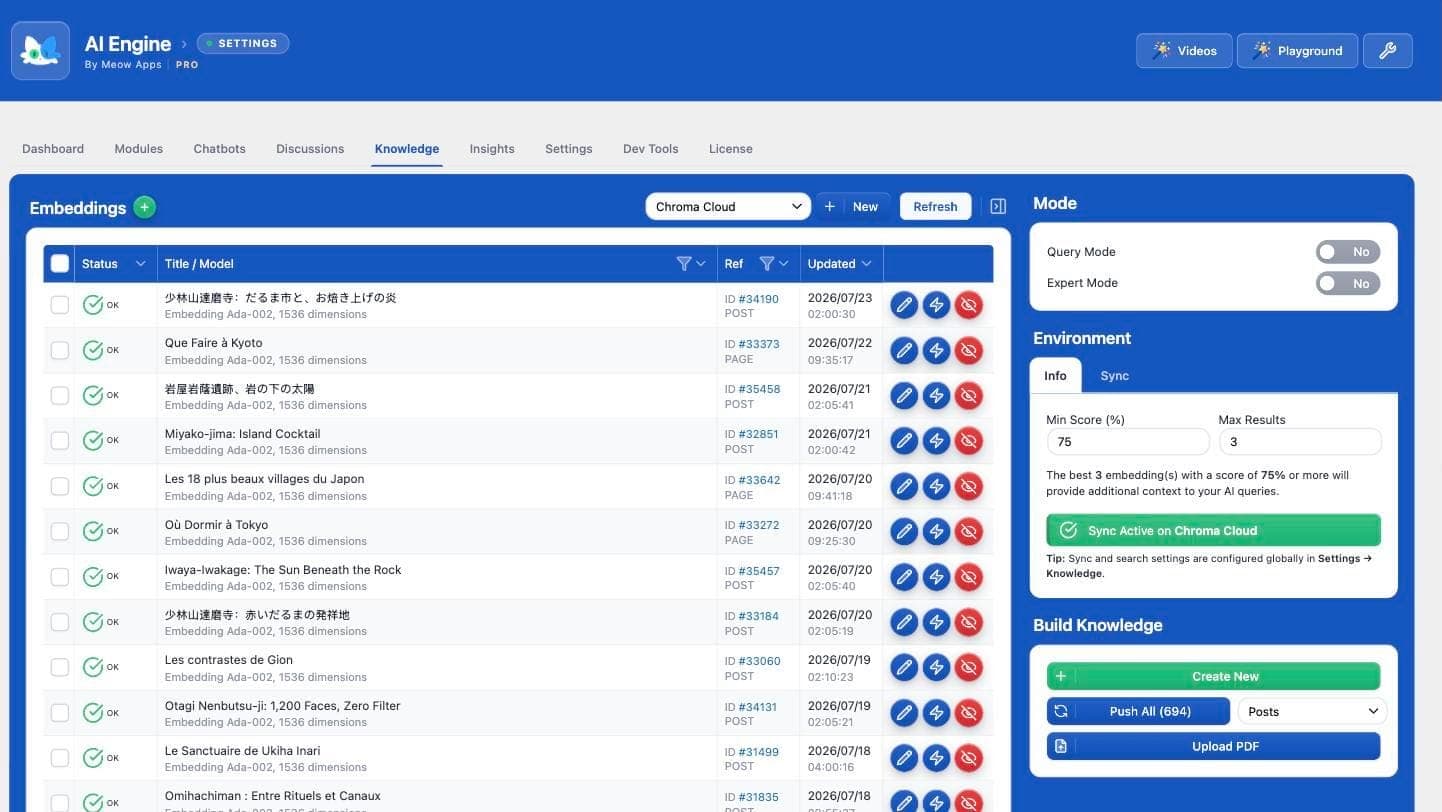
Two details I appreciated. The docs are candid that this is similarity search, not keyword search, so a keyword in the question does not guarantee a match. And the docs say the chatbot cannot "search the database" on request, so for real search you build it with function calling. A vendor that writes down its own limits makes my life easier. If you want the ground rules for this kind of setup, my guide to an AI knowledge base chatbot covers them.
An MCP server that lets Claude and ChatGPT run your site
This is where AI Engine is furthest ahead. Turn on the MCP module and your WordPress site becomes a server that Claude, Claude Code, ChatGPT, Cursor and OpenClaw can sign in to. The vendor's comparison page lists about 120 curated tools, about 40 of them in the free version, with OAuth sign-in so there is no token to paste, and tools gated to what the signed-in user may do. Advanced tools for WooCommerce, the database, themes and plugins are Pro.
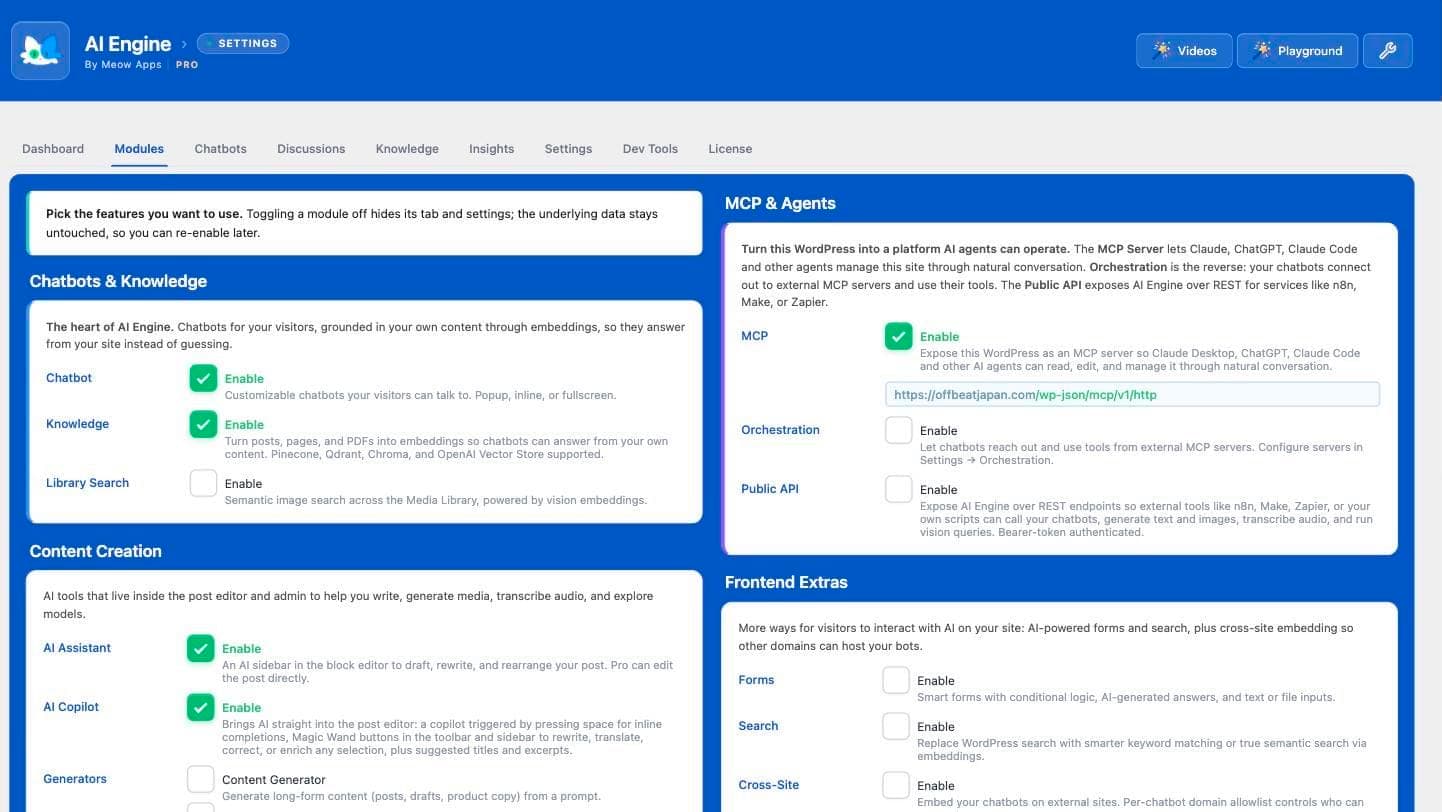
The strongest endorsement I found is a 5-star review from someone running it across production sites:
"I depend on this plugin the way you'd depend on a framework, and I audit every release before it reaches a client site."
Giving an AI write access to a live site is also the riskiest thing in this review, and the docs say so: by default only administrators can reach the MCP endpoints, and the Plugins and Themes options now state that they can read and edit files. A Reddit user who ran an older version had a worse experience, which I cover in the user-voice section. If you want the mechanics behind MCP in general, see my notes on an AI agent MCP server.
Content tools inside the editor
The free version includes a Copilot that corrects, shortens, lengthens, translates or rewrites text in the block editor, a Content Studio that goes from a brief to a draft, an Image Studio and a Playground that compares models side by side. Pro adds an Editor Assistant that can edit the post directly. If you are shopping specifically for writing help, my roundups of AI plugins for WordPress and WordPress AI content writers put it next to the rest.
A developer who ships fast
Version 3.8.6 landed on October 17, 2026, the third release in ten days. All three carry security fixes (six in total across 3.8.4, 3.8.5 and 3.8.6, from the changelog), including one that stops MCP returning API keys when it reads WordPress options. Frequent patching reads to me as active maintenance, and it also means you need to keep the plugin updated. Reviewers praise the support pace too:
"Every issue I've reported has been answered quickly and fixed within a day or two, with honest explanations along the way."
Using AI Engine for customer support
Here is the part that matters if you landed on this review from a "WordPress chatbot" search. AI Engine's own use-case list for the chatbot starts with support, lead generation and documentation. It handles the first step of support well: a visitor asks, the plugin finds matching content, a model answers.
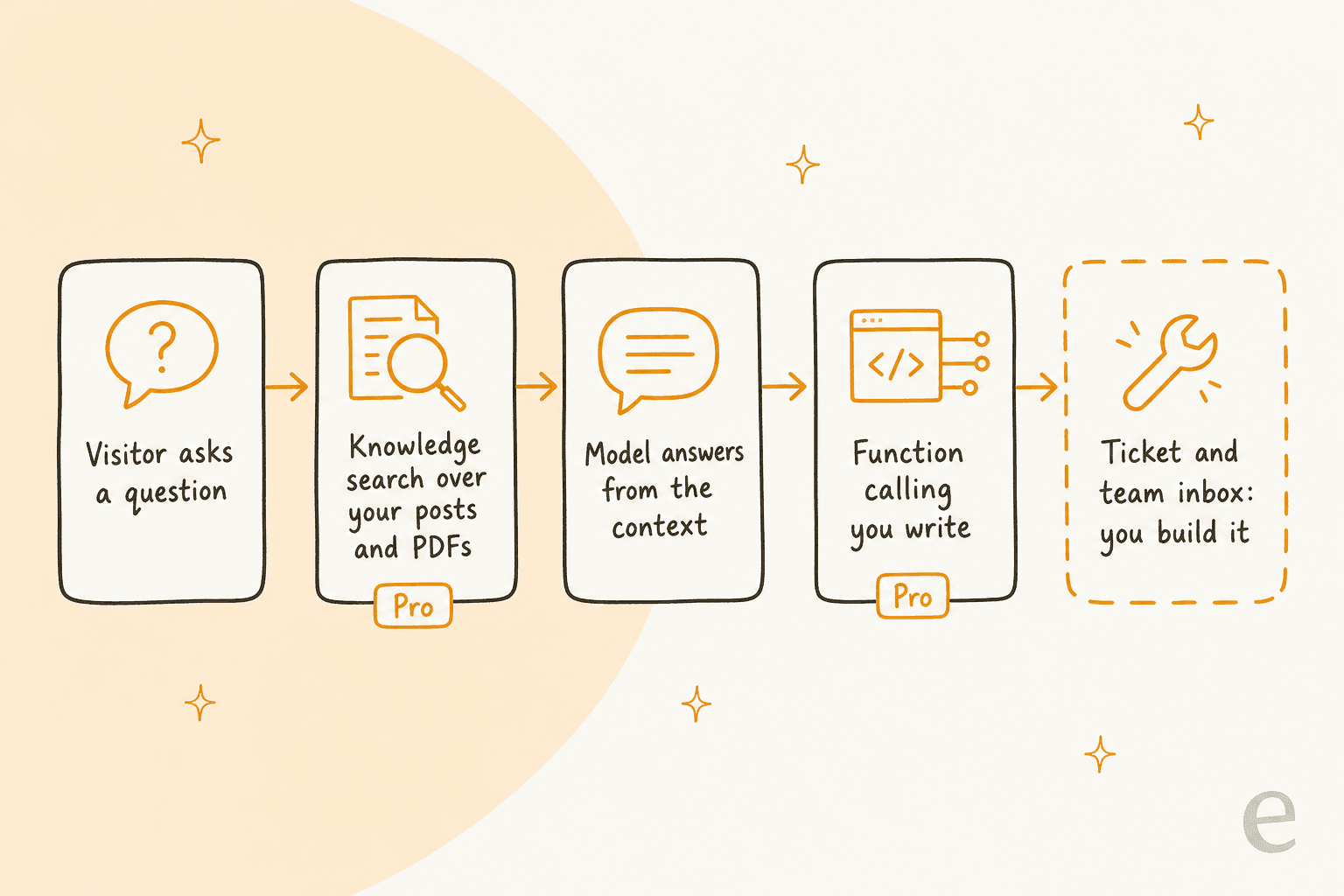
What I could not find is the second half of a support setup. Across the plugin listing, the docs and the feature pages, there is no ticket inbox, no assignment to a team member and no escalation rule that hands a conversation to a person. The closest feature is lead handoff to your forms. The Discussions screen stores conversations on your own server, which is a real privacy point, but it is a log rather than a queue. If a customer needs a refund decision, you would write that handoff yourself with function calling (Pro), usually with the free Code Engine plugin that holds the PHP. My guide on AI agent handoff lists what a good handoff carries over, and it is a good checklist for what you would be building.
A few other support-shaped limits from the docs:
- Moderation is basic. AI Engine has banned words and IPs, OpenAI moderation and a Cloudflare Turnstile add-on, and it states it has no built-in anti-spam. A public support widget gets bots, so plan for that.
- Accuracy is yours to manage. The knowledge base retrieves content; it does not check answers. One 2-star reviewer (an older review) wanted "a way to fully supply my own data to which the bot would use exclusively." My notes on AI hallucinations in support cover why that gap matters, and the glossary has a plain definition of AI hallucination.
- Testing is manual. There is a Playground and a moderation tester, but I found no replay of past tickets. At eesel, every rollout is simulated against historical tickets first, since the questions that bite are the ones nobody thought to test. My guide to testing an AI agent shows the method.
- Past tickets are not a source. Knowledge takes posts, pages and PDFs. If your best answers live in old conversations, see training AI on past tickets.
None of this is a flaw for a site owner who wants a smart FAQ bot. It becomes a gap when the chatbot is expected to be a support channel with accountability.
AI Engine pricing
The plugin is free on WordPress.org. Pro is sold by Meow Apps, and the prices below come straight from the AI Engine Pro page. Each license includes a year of developer support. There are no trials, but refunds are given when asked within 2 weeks.
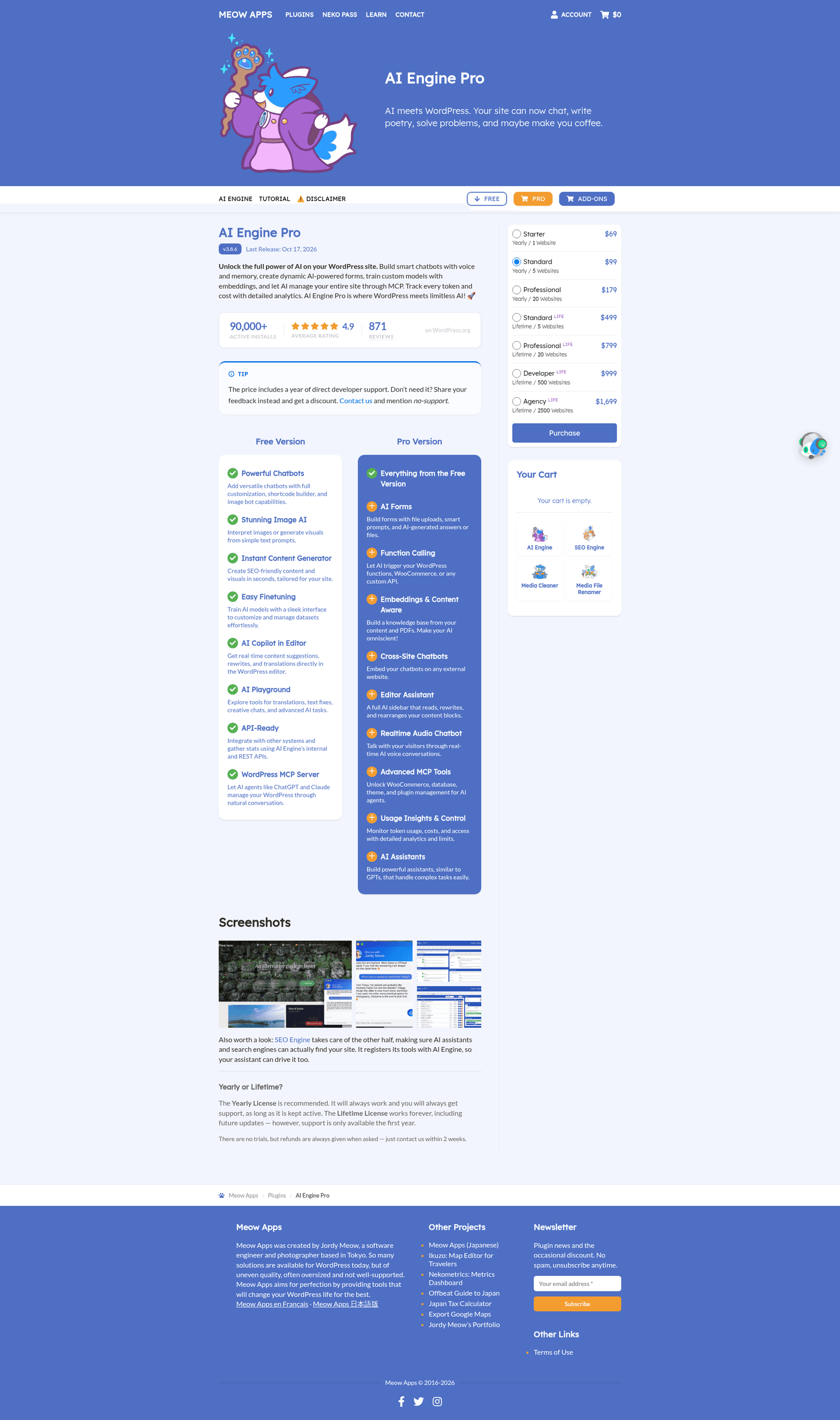
| Plan | Price | Term | Websites | Cost per site |
|---|---|---|---|---|
| Free | $0 | n/a | Unlimited | $0 |
| Starter | $69 | Yearly | 1 | $69 a year |
| Standard | $99 | Yearly | 5 | $19.80 a year |
| Professional | $179 | Yearly | 20 | $8.95 a year |
| Standard Life | $499 | Lifetime | 5 | $99.80 once |
| Professional Life | $799 | Lifetime | 20 | $39.95 once |
| Developer Life | $999 | Lifetime | 500 | $2.00 once |
| Agency Life | $1,699 | Lifetime | 2,500 | $0.68 once |
Meow Apps recommends the yearly license. Lifetime works forever including future updates, but support is included for the first year only. The arithmetic says Standard Life pays back against Standard after about 5 years ($499 against $99 a year), and Professional Life after about 4.5 years. For one site, the Starter plan has no lifetime option, so the choice is $69 a year or the 5-site Standard at $99.
The bill the plan card does not show
The license is the smaller part. AI Engine bills you nothing for tokens, because your own OpenAI, Anthropic or Google account does, and the price depends on the model you pick and how chatty your visitors are. Meow Apps does not publish a per-chat estimate, so I will not invent one. The honest way to plan is to turn on the Insights module (Pro), which tracks tokens and cost per query, and run a month on a spending limit set at your AI provider.
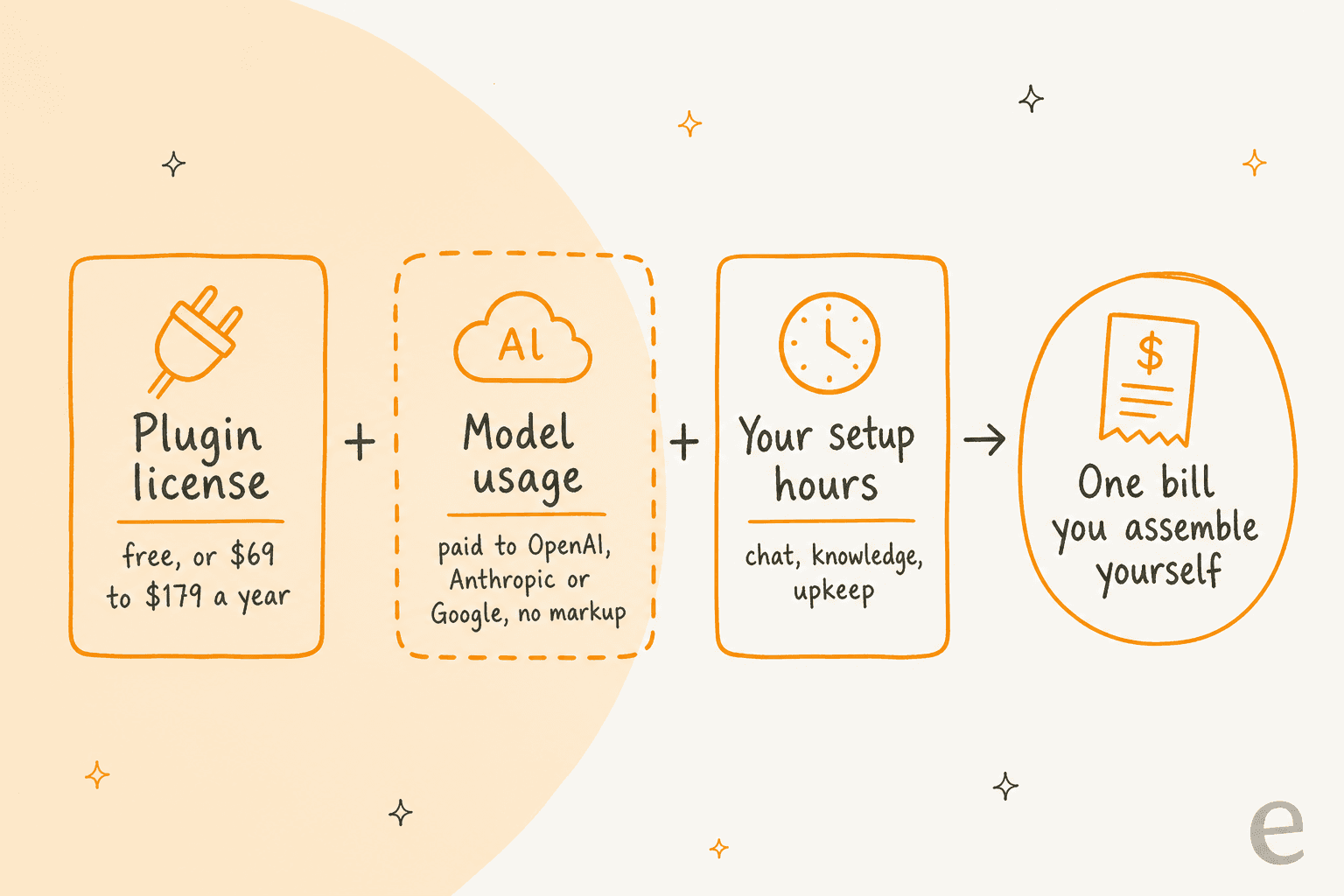
This split is what produces most of the low-star reviews. A 1-star review titled "Too complex. Hidden charges from OpenAI" says the plugin "won't work without a valid OpenAI subscription, and that service charges you." The developer's reply was that this is "like reviewing a car based on the fuel price." Both are right: the charge is real, and the plugin's disclaimer says so, but a first-time buyer can miss it. If you are budgeting a chatbot more generally, my guides to chatbot cost and chatbot ROI show the full model.
For comparison, eesel's pricing is one fixed monthly price with the model cost included: free with 100 credits to try everything, then $299 a month for 500 credits up to $1,749 for 5,000. A ticket or a chat is 1 credit however long it runs, and overage is $0.80 a credit if you turn it on. On cash alone, AI Engine Starter is far cheaper for one website's chat. They only compare when you count the build and upkeep hours, and when the job includes working tickets.
Which AI Engine setup fits you?
Pick the job you want done and the widget shows the plan it needs and the catch to plan for. It uses only what the vendor's pages and docs state.
What do you want AI Engine to do?
Pick one job. Plan names follow Meow Apps' Free and Pro lists.
Source: the Free and Pro lists on the AI Engine Pro page, the 3.6.5 changelog and the AI Engine docs, checked October 21, 2026.
What 871 WordPress.org reviewers say
The rating is lopsided in the best way: 838 five-star reviews, 18 four, 5 three, 3 two and 7 one, per the review page. I read the 30 newest (June 21 to October 14, 2026), and all 30 were five stars. The pattern I would flag is the same one across the best reviews: people rate the developer as much as the plugin.
The critical reviews cluster into four themes, which I find more useful than the average:
- The OpenAI bill and quota errors. Two of the seven 1-star reviews come from first-time users who hit "quota exceeded" before their provider account was set up to pay. The docs now have a quota page for exactly this.
- Complexity. "For IT pros only," wrote a 2-star reviewer, who concluded that "creating a custom GPT and linking it on the homepage does a better job." A 3-star review says "what a complicated interface." Even a 4-star review lands on "a bit of a learning curve."
- Documentation depth. A 4-star developer review: "A perfect Plugin and worth 5 Stars if – there would be a more in depth documentation." The same reviewer notes the team adds missing docs quickly when asked.
- What is Pro. A 1-star review called the Pro paywall on direct editing "greed." The developer replied that function calling takes continuous maintenance to stay compatible with changing models, and another user in the thread defended the pricing.
"Not for the beginner. Run up costs without knowing as the plugin is free but won't work without a valid OpenAI subscription, and that service charges you."
A bug that touched live data
The most useful non-review voice I found is a Reddit PSA from July 2026. A store operator wrote that a double-serialization bug in an earlier version of the MCP tools corrupted his product attributes, fixed in 3.5.9 but leaving dirty data behind:
"The bug fixes are great (thanks Jordy!) but it leaves dirty data if you fell foul of this."

The poster still says they like the plugin. The lesson is not to avoid it. It is that an AI with write access to your database deserves a staging copy, a backup and a changelog check before each update. A second Reddit user, on r/woocommerce, notes that product descriptions had to be generated one product at a time, which is a bulk-workflow limit, not a bug.
I did not find AI Engine discussion on G2, Capterra or Trustpilot, and Hacker News had no relevant threads. WordPress.org is where the people who use it talk about it.
AI Engine pros and cons
Pros
- Free to start, with chatbot, Copilot, Playground and an MCP server included.
- Pro from $69 a year per site, down to about $9 per site at 20 sites, with no markup on AI usage.
- 11 AI provider connectors, so you can switch models without changing plugins.
- Conversations and keys stay on your own server.
- Fast, responsive developer; 13 of 13 forum threads resolved.
- An MCP server that reviewers run on production sites.
Cons
- The knowledge base and function calling, which make the chatbot useful, are Pro.
- No ticket inbox, assignment or human handoff that I could find.
- You carry the model bill, the setup and the upkeep.
- Interface and docs have a learning curve, by several reviewers' accounts.
- Frequent security patches mean staying on the latest version.
- Accuracy and moderation are yours to manage, by the vendor's own disclaimer.
Who should use AI Engine?
Pick AI Engine if you run one or more WordPress sites and want AI inside them: a chatbot on your own content, Copilot in the editor, or Claude and ChatGPT managing posts through MCP. It is also a strong base for developers building on filters and REST endpoints. For that buyer, it is the best value I have found.
Skip it as your support channel if your volume is tickets from email, chat and social, you need a team to share a queue, or accuracy needs a test against your real history before launch. For WooCommerce stores with order and refund questions, the build effort is also real, which is why I wrote up AI support for WooCommerce. If you are comparing no-code builders more broadly, see my AI chatbot builder roundup, or my reviews of Botpress and Chatbase.
AI Engine or eesel: which job do you have?
AI Engine covers three jobs in one plugin, and eesel covers two of them with ready-made teammates. The right choice depends on the job, not the plugin.
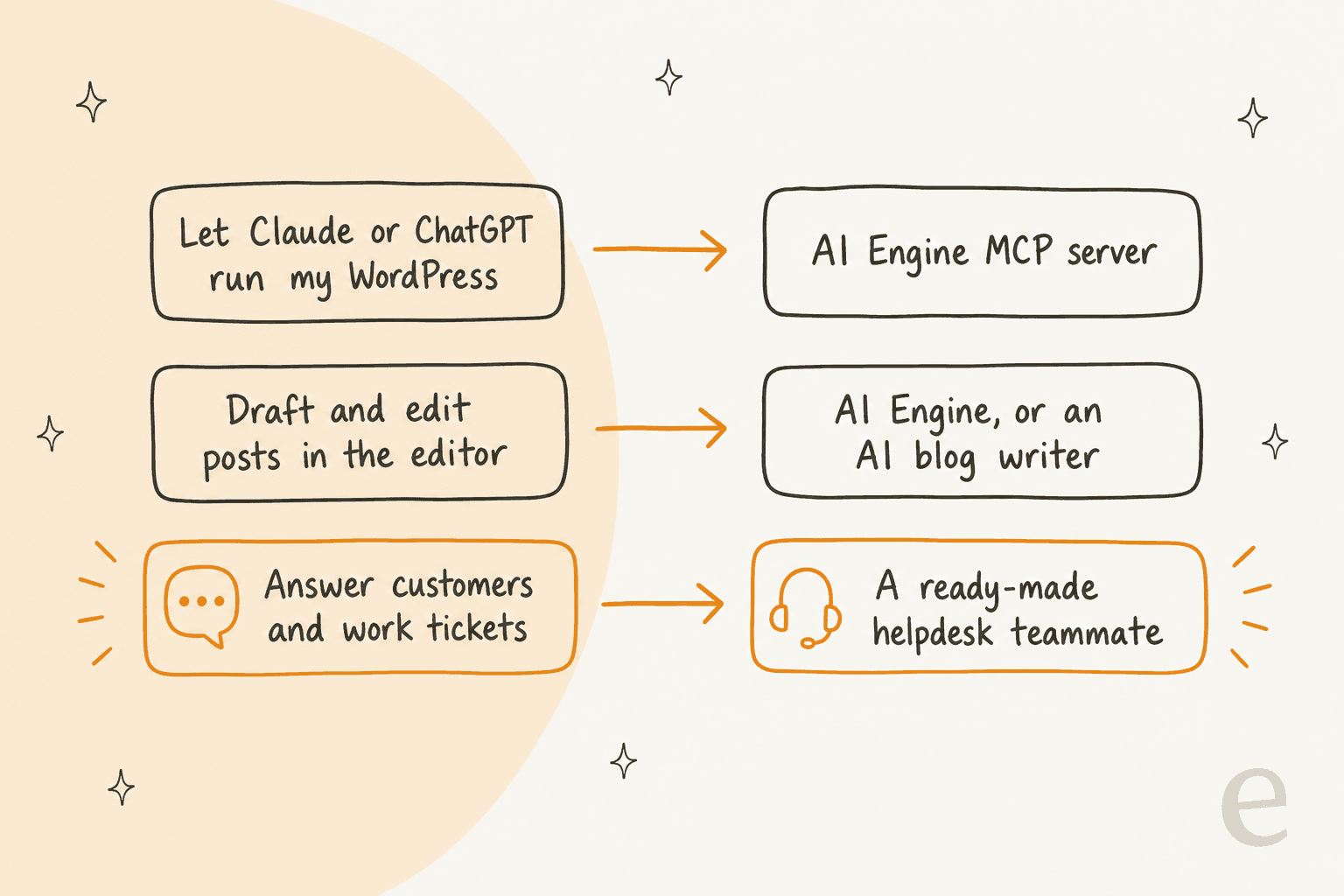
If the job is customer support
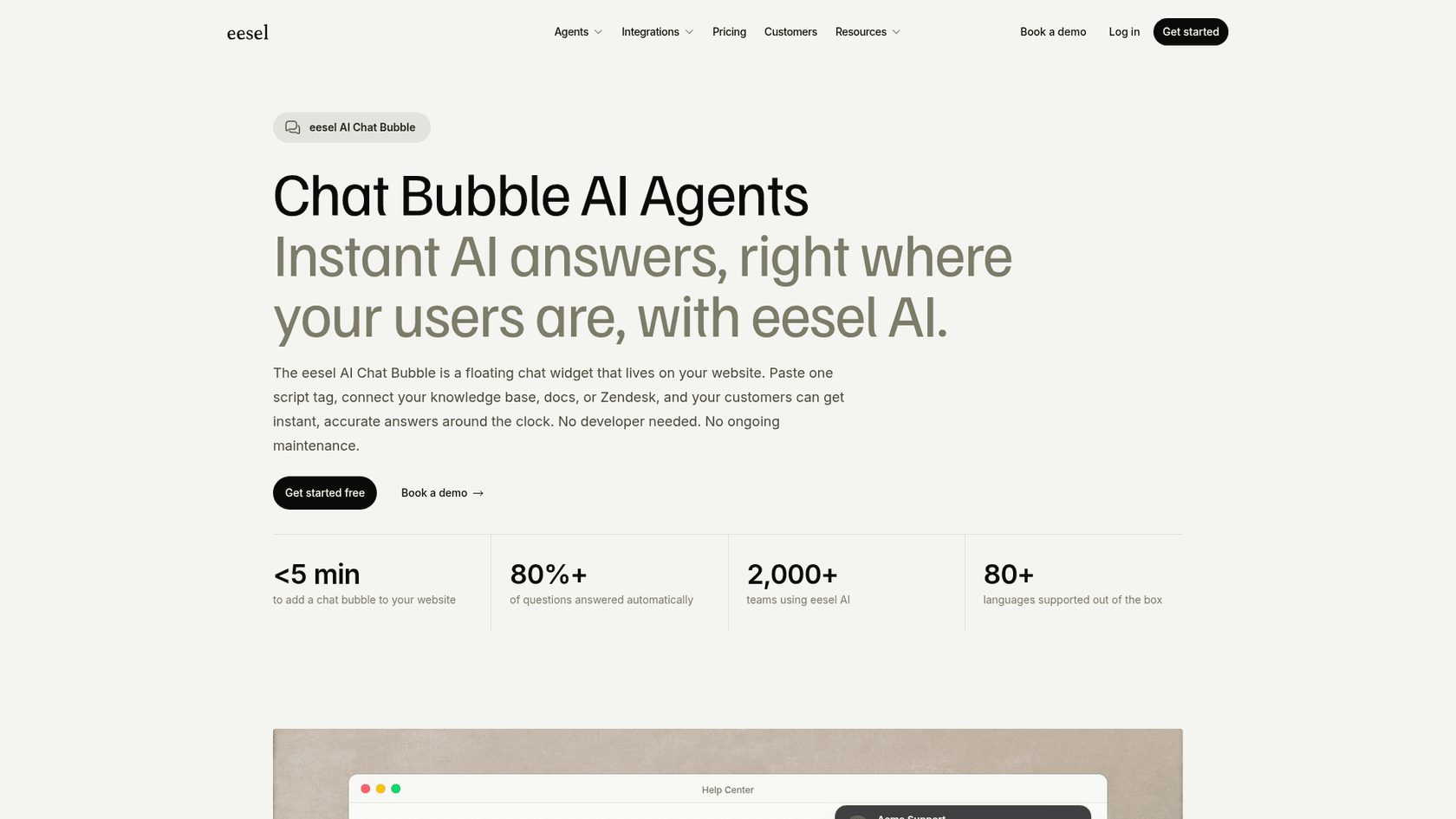
eesel's helpdesk teammate is the ready-made version of what the support section above describes as a build. It reads your help center and past tickets, works inside your existing helpdesk, and hands what it cannot do to a person with notes attached. On the website, the chat bubble goes live by pasting one script tag, which eesel's page says works on WordPress, answers in 80+ languages, and escalates by email, Zendesk or Freshdesk.
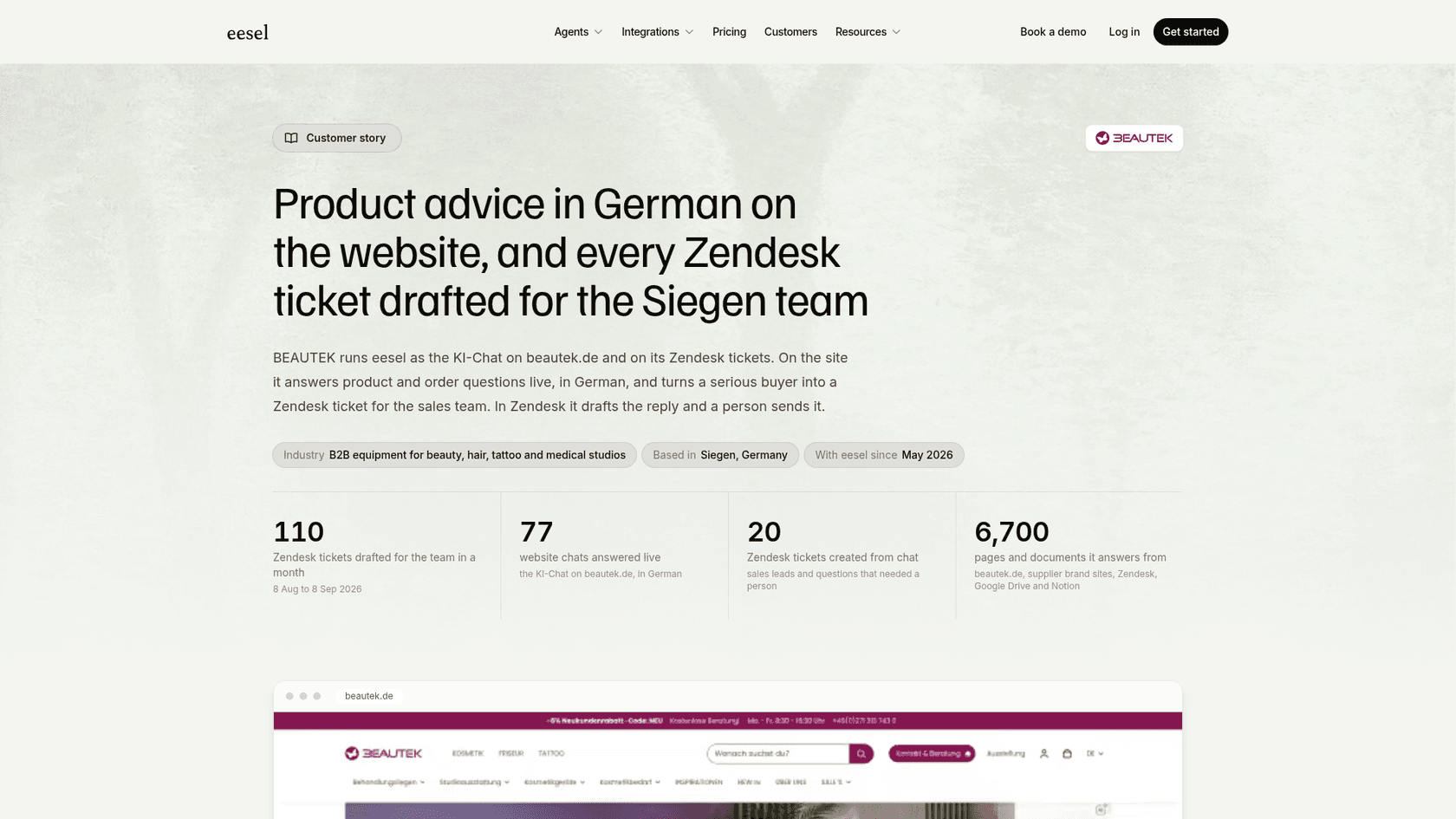
The proof I would point to is BEAUTEK, a B2B equipment supplier in Germany. It runs eesel as the chat on its site, and in the month from August 8 to September 8, 2026 it answered 77 website chats live in German and created 20 Zendesk tickets from chat, most of them sales leads. It reads about 6,700 pages and documents. That is the second half of the pipeline that AI Engine leaves for you to build. Nordbutiker does the same across four countries, with a separate bot for each brand, trained on each store's pages and Zendesk tickets.
If the job is content
AI Engine's Content Studio drafts inside WordPress, and it is fine for a single site's occasional post. For ongoing publishing, eesel's AI blog writer finds topics, researches, writes in your voice and publishes to WordPress on a schedule. See my AI blog writer review and the guide to auto-publishing for the trade-offs.
If the job is agents and terminals
AI Engine's MCP server makes WordPress something Claude can drive. eesel has the same idea from the other side: the eesel CLI lets you, a script or a coding agent such as Claude Code operate the same teammate the dashboard shows. npx @eesel/cli init chat-bubble --site https://your-site.com creates a chat bubble that reads your site, with no account needed for a 7-day trial workspace. eesel chat talks to the teammate, eesel files upload adds a policy PDF, eesel activity shows what it did, and eesel approvals lists actions held for a person. Every command prints JSON, and --dry-run shows a write before it runs. If you work from a terminal, see my guide to the AI agent CLI.
You can also run both. A site owner can keep AI Engine's MCP server for managing WordPress and put a ready-made teammate on the support side, which is the split I would pick for a store.
AI Engine alternatives
If AI Engine is not the right fit, the shortlist depends on the job. For a no-code chatbot trained on your site, my roundups of no-code chatbot tools and Chatbase alternatives are the starting points. For a chatbot on a store, see AI chatbots for ecommerce. If you are weighing a chatbot against an AI agent, my explainer on AI agents vs AI chatbots frames it.
Verdict: 4.4 out of 5
AI Engine earns 4.4 out of 5 as a WordPress AI toolkit. The score reflects a free tier that does a lot, Pro at a fair price per site, a stable MCP layer, a quick developer and 838 five-star reviews. Half a point comes off for complexity and for the work you carry: the model bill, the setup, security-patch upkeep and the knowledge and function calling that sit behind Pro.
As a customer support channel it is about 3.5 out of 5, because the chatbot is good and the rest of support is yours to build. That is a fair trade for a site owner and a poor one for a support team. If you are in the second group, a ready-made teammate is the shorter path.
Try eesel for support on your WordPress site
If your WordPress site needs a chat that answers from your help content and hands real cases to your team, eesel's chat bubble goes on with one script tag and works with the helpdesk you already use. Try eesel free with 100 credits, connect your site or help center, and test it on your real questions before it talks to a customer. If you are also publishing, the AI blog writer shares the same workspace.
Frequently Asked Questions
Is AI Engine worth it for WordPress?
For a WordPress site owner who wants a chatbot on their own content, editor helpers or Claude managing posts, yes: it is free to start, rated 4.9 from 871 reviews on WordPress.org, and Pro costs $69 to $179 a year. It is less suited to running customer support, where you would build the handoff yourself. My list of AI plugins for WordPress shows how it compares.
How much does AI Engine cost?
AI Engine is free, and Pro costs $69 a year for 1 site, $99 for 5 sites or $179 for 20 sites, with lifetime licenses from $499 to $1,699 (Meow Apps pricing). On top of that you pay your AI provider for tokens, which the plugin does not mark up. For the wider cost picture, see my guide to chatbot cost.
Is AI Engine free?
Mostly yes at the start. The free version includes chatbots, Copilot, the content generator, the Playground and the MCP server, while Pro adds the knowledge base (embeddings), function calling, AI forms, cross-site chatbots, usage insights and the Editor Assistant. You also need an API key from a provider such as OpenAI, which is billed separately. My notes on an AI knowledge base chatbot explain why the knowledge base is the feature that matters.
Can AI Engine work as a customer support chatbot?
It can answer visitor questions from your posts and PDFs, but I found no ticket inbox, team assignment or human handoff in its docs, so those are yours to build with function calling. If you want a teammate that works tickets inside your helpdesk, see the eesel AI helpdesk teammate and my guide to AI agent handoff.
What is the AI Engine MCP server and is it safe?
It turns your WordPress site into an MCP server that Claude, ChatGPT, Cursor and Claude Code can sign in to and use to manage content. By default only administrators can reach it, and the vendor lists about 120 curated tools, but a Reddit user lost data to a bug in an older version, so use staging and backups. See my primer on an AI agent MCP server.
Which AI models does AI Engine work with?
It has 11 connectors: OpenAI, Anthropic, Google, Mistral, xAI, Perplexity, OpenRouter, Replicate, Azure, OVHcloud and any custom OpenAI-compatible endpoint, so you can switch models without changing plugins. Each one is billed by its own provider. For a no-code comparison, see my list of no-code chatbot tools.
Is AI Engine secure and does it keep my data on my site?
AI Engine stores discussions and API keys on your own server, and Meow Apps says it does not process or store that data. The changelog also shows security fixes in each of the last three releases (3.8.4 to 3.8.6), so keep it updated. For what to ask any chatbot vendor, see my notes on chatbot SOC 2 and GDPR.
What are the best AI Engine alternatives?
It depends on the job: Chatbase alternatives and no-code builders for a site chatbot, an AI blog writer for publishing to WordPress, and a ready-made helpdesk teammate for tickets and website chat. My roundup of AI chatbot builders covers more options.