Running a WooCommerce store means juggling customer questions at all hours. From "Where's my order?" to "Do you have this in blue?", the inquiries never stop. And while you could hire more agents, that's expensive and hard to scale.
This is where AI support tools come in. They've evolved far beyond the rigid chatbots of a few years ago. Today's AI can understand context, pull order data, recommend products, and even process returns. The challenge is finding the right one for your store.
We tested and researched the leading options to bring you this guide. Whether you're a solo founder or running a growing team, one of these tools can help you offer 24/7 support without burning out.
What is WooCommerce AI support?
WooCommerce AI support refers to artificial intelligence systems that handle customer service tasks for online stores built on WordPress and WooCommerce. These aren't just chatbots that spit out pre-written responses. Modern AI support tools can:
- Answer questions about products, shipping, and policies by reading your help center and past tickets
- Look up order status and process returns by connecting to your WooCommerce backend
- Recommend products based on customer needs and browsing behavior
- Escalate complex issues to human agents with full context
- Handle conversations across email, chat, and social channels
The key difference from old-school chatbots is learning. Instead of manually programming every possible question and answer, these AI systems train themselves on your existing content. Connect them to your help center, past tickets, and product catalog, and they start answering questions in your brand voice from day one.
How we chose the best WooCommerce AI tools
To make this comparison useful, we evaluated each tool against the same criteria:
- Integration depth with WooCommerce: Does it connect to your product catalog and order data, or just embed a generic chat widget?
- Help desk compatibility: Can it work with your existing support stack (Zendesk, Freshdesk, Gorgias), or does it force you into a siloed platform?
- Automation rates and real-world performance: What percentage of conversations can it actually resolve without human intervention?
- Pricing transparency and value: Are there hidden fees, conversation limits, or surprise overages?
- Ease of setup and ongoing management: Can you get started in minutes, or does it require engineering resources?
We also verified all pricing and features directly from official sources in March 2026. No relying on outdated reviews or marketing claims.
Comparison table
Here's a quick-reference comparison of all six tools:
| Tool | Best For | Starting Price | WooCommerce Integration | Help Desk Integration |
|---|---|---|---|---|
| eesel AI | All-in-one sales & support | $299/mo | Native | Zendesk, Freshdesk, Gorgias |
| Amio | E-commerce chatbots | €150/mo | Product search | Freshdesk, Zendesk |
| Tidio + Lyro | Small businesses | Free / $32.50 AI | Native plugin | Tidio only |
| WoowBot | Budget-conscious stores | $4/mo or lifetime | Native plugin | None |
| AI Chat & Search Pro | One-time payment | $59 one-time | WordPress plugin | None |
| ZipChat AI | High-traffic stores | $49/mo | Script embed | Limited |
The 6 best AI tools for WooCommerce support
1. eesel AI
Best for: Established stores wanting AI that works with existing help desks
eesel AI is an AI teammate that integrates with your WooCommerce store and existing help desk. Unlike standalone chatbots that create parallel systems, eesel connects to Zendesk, Freshdesk, or Gorgias to automate tickets end-to-end while your team works in familiar tools.

Here's how it works: you connect eesel to your help desk, and it immediately learns from your past tickets, help center articles, and macros. No manual training. No uploading documents. It understands your business context, tone, and common issues from day one.
You start with guidance. Have eesel draft replies that agents review before sending. Limit it to specific ticket types. Set business hours. Then, as eesel proves itself, you expand its scope until it's handling full frontline support 24/7.
Key features:
- AI Chatbot for storefront with product recommendations
- AI Agent for autonomous ticket resolution inside help desks
- AI Copilot for drafting replies agents can review
- AI Triage for auto-tagging and routing tickets
- Learns from past tickets, help center, and connected docs
Pros:
- Works with existing help desk workflows (no migration needed)
- Full suite: chatbot, agent, copilot, and triage in one platform
- Trains on your company knowledge automatically
- Plain-English escalation rules (no coding required)
Cons:
- Higher price point than simple plugins
- May be overkill for very small stores
Pricing:
| Plan | Monthly Price | Annual Price | Bots | Interactions/mo | Key Features |
|---|---|---|---|---|---|
| Team | $299 | $239/mo | Up to 3 | 1,000 | Train on website/docs, Copilot, Slack, reports |
| Business | $799 | $639/mo | Unlimited | 3,000 | + Past tickets, MS Teams, AI Actions, bulk simulation |
| Custom | Contact sales | Custom | Unlimited | Unlimited | + Multi-agent orchestration, custom integrations |
2. Amio
Best for: E-commerce stores wanting a dedicated AI chatbot platform
Amio is a purpose-built AI chatbot for e-commerce that uses GPT-4o to handle customer conversations. Its standout feature is native product search within the chat widget, letting customers find products conversationally.
The platform is designed specifically for online stores. It connects to your product feed to answer questions about availability, pricing, and variants. It can also recommend products based on what customers are looking for, potentially driving additional sales.
Unlike many chatbots, Amio integrates with Freshdesk and Zendesk, so conversations can flow into your existing help desk when escalation is needed. This is a big plus if you're already using one of those platforms.
Key features:
- GPT-4o powered conversations
- Product search and recommendations in chat
- Multichannel support (Messenger, WhatsApp, Viber, email)
- Auto-refreshing knowledge base
- Chatbot templates for e-commerce
Pros:
- Strong product search capabilities
- Modern AI models (GPT-4o)
- Multiple channel support
- Help desk integrations (Freshdesk, Zendesk)
Cons:
- Standalone platform creates potential data silos
- European pricing (EUR) may complicate budgeting for US stores
- Higher price point than simple WordPress plugins
Pricing:
| Plan | Monthly Price | Key Limits | Features |
|---|---|---|---|
| Chatbot Starter | €150/mo | 400 automated messages | Chatbot, conversational designer, analytics, web-chat |
| AI Expert | €350/mo | 1,000 automated messages | + AI/ChatGPT, messengers, helpdesk integrations, proactive outreach, email bot, API |
| AI Scale | From €2,950/mo | Unlimited messages | + Fixed-price contracts, Slack support, dedicated success manager |
Additional costs: Chatbot Starter adds €100 for every extra 400 messages; AI Expert adds €150 for every extra 1,000 messages.
3. Tidio + Lyro
Best for: Small businesses and startups testing AI support
Tidio combines live chat, email marketing, and AI chatbots in one platform. Lyro is their AI agent powered by Claude. It's an easy entry point for stores that don't already have a help desk.
The platform is used by 300,000+ businesses worldwide, including Under Armour, The Body Shop, and Stanley. The free plan lets you test the waters with 50 conversations before committing to a paid tier.
Lyro claims up to 67% resolution rate, which is among the highest in the market. The Premium plan even includes a guaranteed 50% resolution rate with a money-back promise, which shows confidence in their AI.
Key features:
- Live chat + AI chatbot combo
- Visual flow builder for automation
- Email and Messenger integration
- Mobile app for agents (iOS and Android)
- Visitor analytics
Pros:
- Free plan available to test before buying
- Easy to get started
- Attractive chat widget design
- Modular pricing (buy only what you need)
Cons:
- Limited AI on lower tiers
- No native product search
- Locks you into Tidio as your help desk
- Costs escalate quickly with volume
Pricing:
Tidio uses a modular pricing model. You pay for the base platform, then add Lyro AI and Flows as needed.
Customer Service Platform:
| Plan | Monthly Price | Annual Price | Billable Conversations |
|---|---|---|---|
| Free | $0 | $0 | 50 |
| Starter | $24.17 | $290/year | 100 |
| Growth | From $49.17 | $590/year | From 250 |
| Plus | From $749 | $8,988/year | Custom |
| Premium | Contact sales | Contact sales | Custom |
Lyro AI Agent Add-on:
| Plan | Monthly Price | Conversations |
|---|---|---|
| Free | $0 | 50 (one-off) |
| Paid | From $32.50/mo | From 50/month |
4. WoowBot
Best for: Small stores on a budget wanting basic AI assistance
WoowBot is a WooCommerce-native plugin developed by QuantumCloud. It's marketed as a "Plug n' Play" solution that requires minimal setup and offers lifetime licenses.
The plugin supports multiple AI engines including OpenAI (GPT) and Google DialogFlow, giving you flexibility in how the AI responds. It can search and display products in chat, add items directly to cart, and check order status.
One unique feature is the "Bargaining Bot" addon, which lets customers negotiate pricing through the chat interface. This could be interesting for stores that want to offer dynamic pricing or close deals with hesitant buyers.
Key features:
- Native WooCommerce plugin
- Multiple AI engine support (GPT, DialogFlow, Gemini, Mistral, Ollama)
- Product thumbnails in chat
- Product search within conversations
- Add to cart directly from chat
- Order status checks
Pros:
- Very affordable (starts at $4/month)
- Lifetime license option (pay once, use forever)
- Native WooCommerce integration
- Simple setup
- No usage limits on conversations
Cons:
- No native help desk integration
- Limited support options on lower tiers
- Basic chat design
- Missing detailed product data in some modes
- No live agent handover in basic version
Pricing:
| Plan | Price | Features |
|---|---|---|
| Starter | $4/month (or lifetime) | Basic chatbot |
| Professional | $8/month (or lifetime) | Extended features |
| Master | $16/month (or lifetime) | Full feature set |
The lifetime option means you own the software forever with one payment, even without renewing support.
5. AI Chat & Search Pro
Best for: Stores wanting AI without recurring subscriptions
AI Chat & Search Pro is a WordPress plugin that offers a one-time payment model with bring-your-own API key pricing. It's built specifically for WordPress and WooCommerce, with a strong focus on data privacy.
Unlike SaaS solutions that store your data on their servers, everything stays on your WordPress installation. This is a big plus for GDPR compliance and data control. The plugin supports multiple AI providers including OpenAI, Gemini, and Mistral.
The semantic product search is a standout feature. Instead of keyword matching, it understands intent. Customers can describe what they're looking for in natural language, and the AI finds relevant products.
Key features:
- Semantic product search (intent-based, not keyword)
- Product cards in chat (image, price, stock)
- Product comparison within chat
- Order tracking integration
- Image and voice input support
- Unlimited conversations
Pros:
- One-time payment ($59) with no recurring subscription
- No conversation limits
- Data stays on your server (privacy-focused)
- Supports multiple AI models (OpenAI, Gemini, Mistral)
- GDPR friendly with Mistral AI option for EU compliance
Cons:
- Requires technical setup (bring your own API key)
- Search speed depends on your server CPU
- Limited support options
- No live chat handoff to human (planned feature)
Pricing:
| Plan | Price | Sites | Key Features |
|---|---|---|---|
| Free | $0 | Unlimited | Unlimited conversations, basic training, customizable design |
| Pro 1 Site | $59 | 1 | All training sources, AI lead capture, image/voice, Telegram/WhatsApp, integrations |
| Pro 3 Sites | $99 | 3 | Same as Pro 1 Site |
API Costs: Approximately $5 for ~2,000-3,000 messages (depending on model).
6. ZipChat AI
Best for: High-traffic stores wanting proactive sales engagement
ZipChat AI positions itself as a "conversational agentic commerce" platform. While primarily built for Shopify, it works with WooCommerce via embed script.
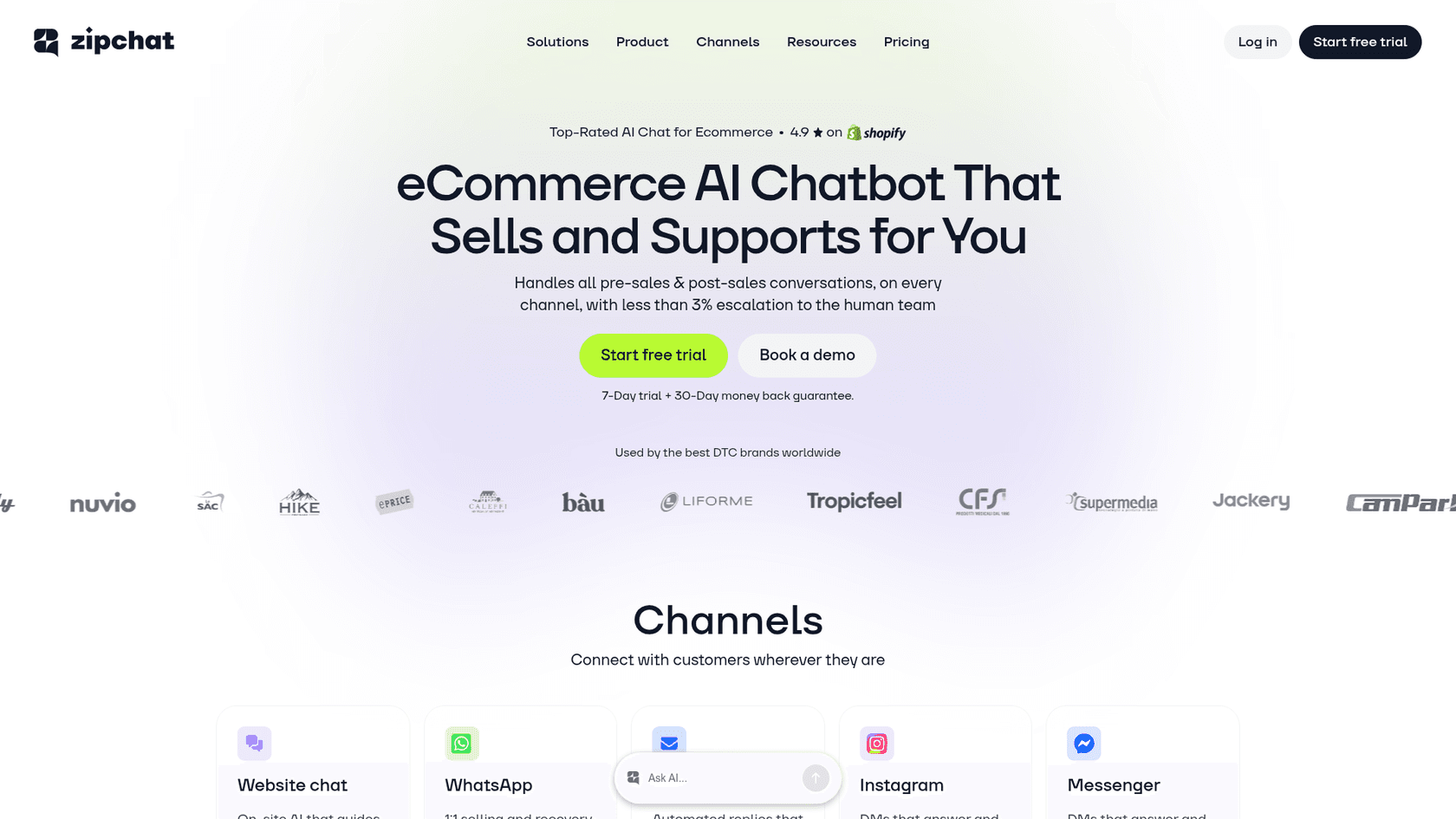
The standout feature is proactive engagement. ZipChat detects high-intent visitors based on behavior signals and initiates conversations to reduce cart abandonment. It claims less than 3% escalation to human teams and a 16% chat-to-sale conversion rate in clothing and fashion case studies.
The WhatsApp integration is particularly strong. You can run cart recovery campaigns and marketing messages through WhatsApp, with claimed 84% open rates and 22% purchase rates.
Key features:
- Proactive chat initiation based on visitor behavior
- AI product recommendations
- WhatsApp campaign integration (cart recovery, marketing)
- Order tracking (automated WISMO resolution)
- 95+ language support
- Creates unique Shopify discount codes in chat
Pros:
- Proactive engagement reduces cart abandonment
- Strong WhatsApp marketing capabilities
- True multilingual support (95+ languages)
- Quick training from website
- 30-day money back guarantee
Cons:
- Built for Shopify first (WooCommerce is secondary via embed)
- Monthly subscription costs add up
- WhatsApp campaigns add Meta per-message fees ($0.02/message in US)
Pricing:
| Plan | Monthly Price | Annual Price | Replies/Month | Sites |
|---|---|---|---|---|
| Starter | $49 | $470 (20% off) | 500 | 2 |
| Growth | $129 | $1,238 (20% off) | 1,500 | 5 |
| Pro | $249 | $2,390 (20% off) | 3,000 | 10 |
| Scale | $499 | $4,790 (20% off) | 6,000 | 20 |
| Enterprise | Custom | Custom | Unlimited | Unlimited |
Additional 250 replies cost $49 across all plans.
How to choose the right AI tool for your WooCommerce store
With six solid options, how do you pick the right one? Let's break it down.
Consider your current setup. If you already use Zendesk, Freshdesk, or Gorgias, look for AI that integrates directly (like eesel AI) rather than creating a parallel system. Your agents will thank you for not making them switch platforms.
Start with your biggest pain point. Are you drowning in repetitive tickets about order status and returns? Focus on AI agents that can resolve tickets end-to-end. Need 24/7 storefront support to capture sales while you sleep? Prioritize chatbots with strong product recommendation capabilities.
Test before you commit. Run simulations on past tickets when possible. See how the AI actually performs with your specific products and policies. Most tools offer free trials or money-back guarantees. Use them.
Factor in total cost. Look beyond the base price. Consider conversation limits, API costs, and add-on fees. A $4/month plugin sounds cheap until you factor in OpenAI API costs at scale. A $299/month platform might actually save money if it replaces multiple tools.
Plan for growth. Choose a solution that can scale from drafting replies to full automation as you gain confidence. You don't want to outgrow your AI in six months and have to migrate everything.
Get started with AI-powered WooCommerce support
AI support isn't just for enterprise stores anymore. Whether you're a solo founder or running a growing team, the right AI teammate can help you offer 24/7 support, reduce response times, and free your team to focus on complex issues that need a human touch.

The key is choosing a solution that fits your current workflow and can grow with you. Start with guidance, measure results, and level up to full autonomy when you're ready.
If you're looking for an AI that works with your existing help desk and learns your business automatically, try eesel AI and see how it performs on your past tickets before going live.