If you're running a WooCommerce store and searching for "Gorgias AI," you probably expect to find an AI-powered helpdesk that automates customer support. Here's the reality: Gorgias offers a solid WooCommerce integration, but the AI Agent features that make Gorgias famous only work with Shopify. This guide explains what you actually get with Gorgias and WooCommerce, what you don't, and your options if you need AI automation.
What is Gorgias?
Gorgias is an ecommerce-focused helpdesk used by over 15,000 brands. It centralizes customer conversations from email, live chat, social media, SMS, and voice into one platform. The company built its reputation on deep ecommerce integrations, particularly with Shopify, where its AI Agent can handle everything from order tracking to personalized product recommendations.
The platform has two main components: the Support Suite (a traditional helpdesk) and the AI Agent (automation that resolves tickets without human intervention). Understanding the difference matters because WooCommerce stores only get one of these.
The native Gorgias WooCommerce integration
Let's start with what the integration actually does. When you connect Gorgias to your WooCommerce store, you get real-time data sync. Customer profiles appear in a sidebar next to every ticket, showing contact information, complete order history, and fulfillment status. Your agents can see everything without switching between tabs.
During setup, Gorgias imports all your historical customer and order data. This means your team has full context from day one. When a customer emails about an order, the agent immediately sees what they bought, when it shipped, and their past interactions.
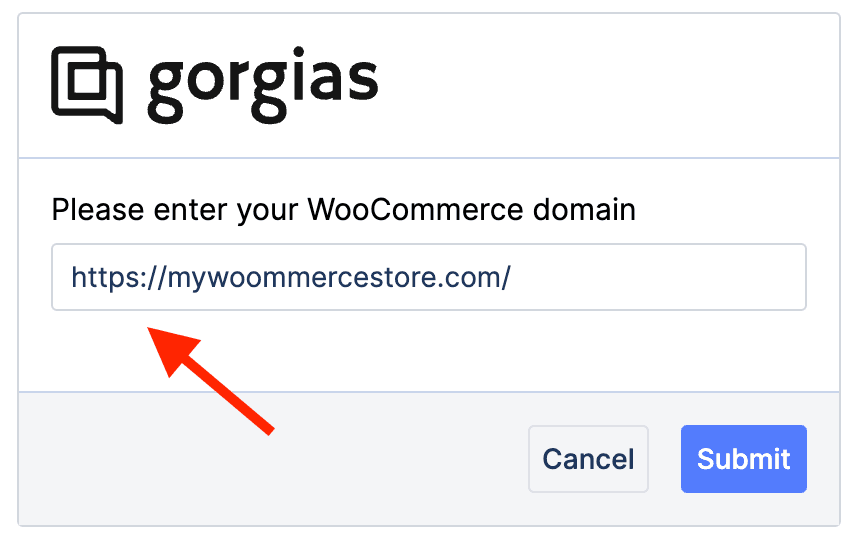
The setup process is straightforward:
- Go to Settings, then App Store in Gorgias
- Search for WooCommerce and click Connect
- Enter your WooCommerce domain
- Authorize the connection
- Let the initial data import complete
Here's what you can do with this integration:
- View complete customer profiles and order histories
- See real-time order status updates
- Access order details including items purchased and shipping addresses
And here's what you cannot do:
- Create, edit, cancel, or refund orders from within Gorgias
- Use WooCommerce data in automation Rules
- Access Automate features with WooCommerce data
The integration is view-only. For any order actions, your agents still need to log into the WooCommerce admin panel. This is by design. Gorgias treats WooCommerce as a data source, not an actionable integration.
The critical limitation: AI Agent and WooCommerce
Now for the part that often gets buried in marketing materials. According to Gorgias's official documentation: "AI Agent is not supported on BigCommerce, Magento or WooCommerce stores." The AI Agent requires "a Shopify store connected to Gorgias."
Source: Gorgias AI Agent documentation
What does this mean in practice? If you're on WooCommerce, you cannot use:
- The Shopping Assistant that recommends products and offers discounts
- The Support Agent that handles order tracking and returns automatically
- The 60% automation rate that Gorgias advertises
- AI-powered ticket resolution of any kind
You get the helpdesk with data visibility, but none of the AI automation. For WooCommerce stores expecting AI-powered support, this is a significant gap.
Workarounds and alternatives for WooCommerce AI automation
If you need AI automation for your WooCommerce store, you have a few options.
Option 1: Third-party automation tools
Zapier connects WooCommerce and Gorgias for workflow automation. You can create triggers like "when a new order is placed in WooCommerce, create a ticket in Gorgias" or "when an order is fulfilled, update the ticket." This is rules-based automation, not AI, but it handles repetitive tasks.
Arahi AI offers no-code workflow automation specifically between Gorgias and WooCommerce. It can sync orders, update records, and trigger actions based on events in either platform.
ChannelReply and other integration tools extend the native capabilities with additional data sync options.
Option 2: eesel AI as an automation layer
This is where we come in. eesel AI works alongside Gorgias rather than replacing it. We connect to your Gorgias account and your WooCommerce store, then add the AI automation that Gorgias doesn't provide for WooCommerce users.
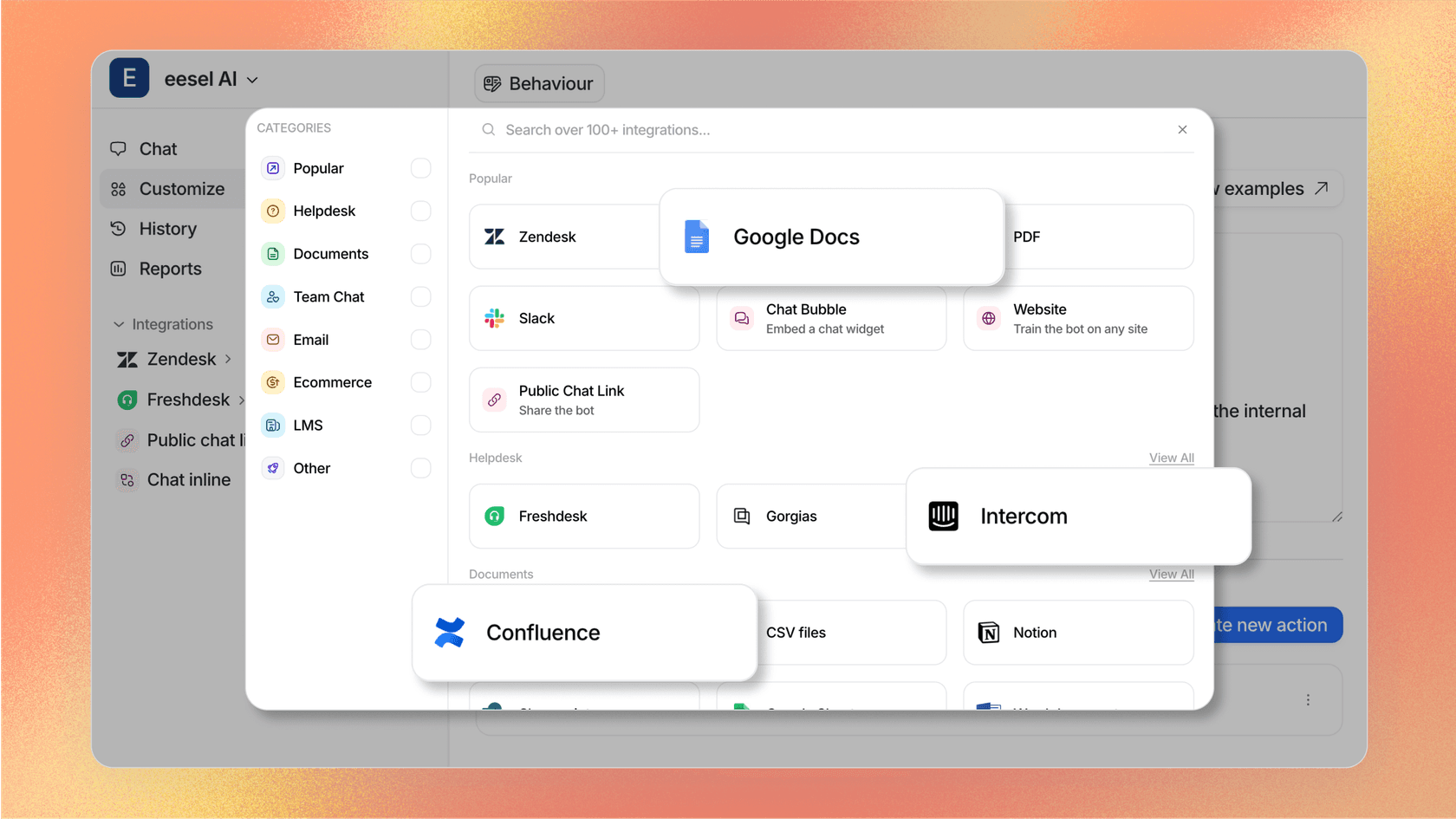
Here's how it works:
- We learn from your past tickets, help center articles, macros, and company docs
- Our AI Agent can handle Tier 1 support autonomously across email, chat, and tickets
- We provide an AI Copilot that drafts replies for your human agents
- AI Triage automatically tags, routes, and closes tickets based on your rules
- You can test everything in simulation mode before going live
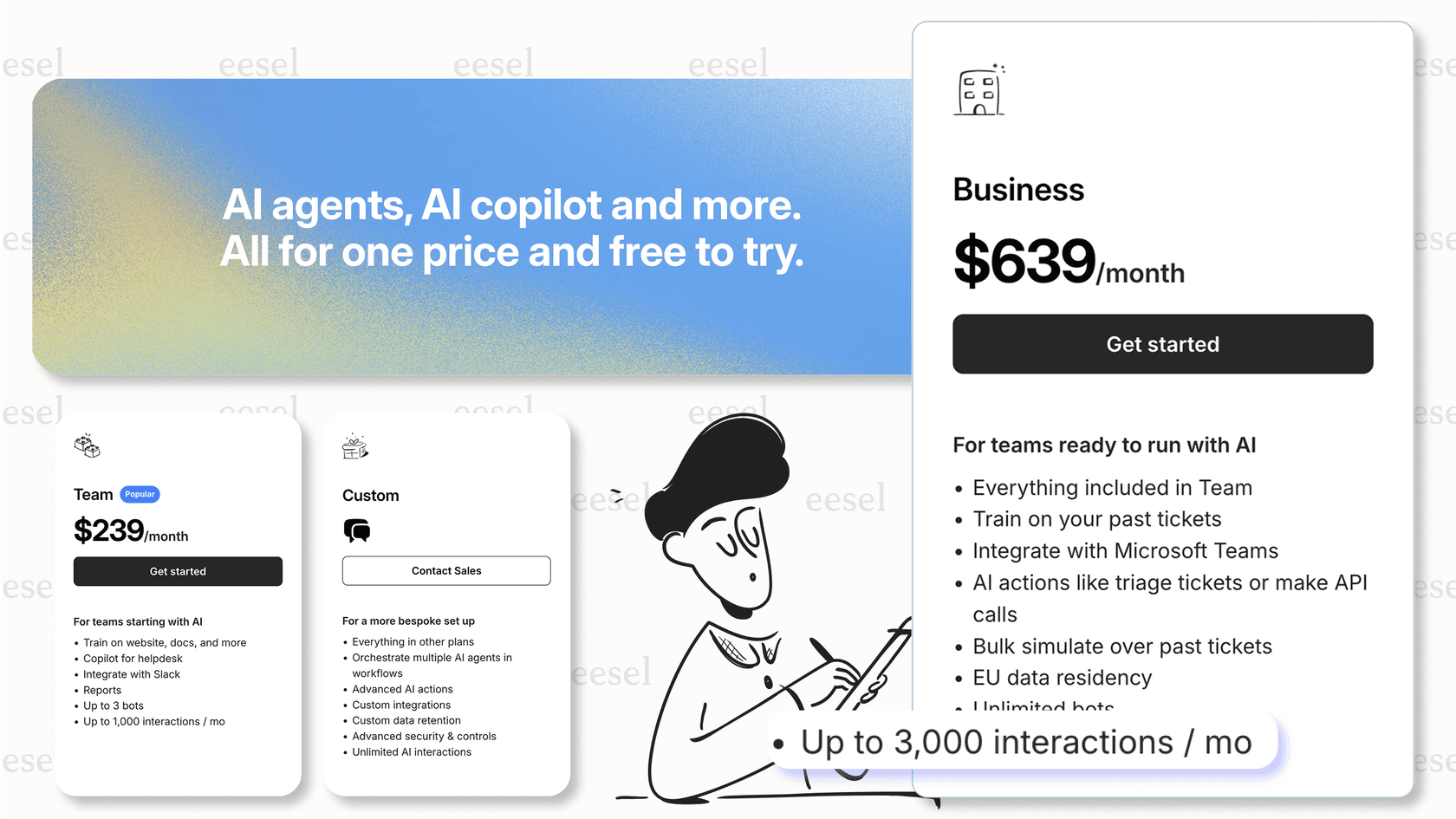
The key difference is pricing. Gorgias charges $0.90 per AI resolution on top of your helpdesk plan. We offer flat-rate pricing: $239 per month (annual) gets you up to 3,000 AI interactions, unlimited bots, and all features including AI Agent, Copilot, and Triage.
| Approach | Complexity | AI Capabilities | Cost Model |
|---|---|---|---|
| Native Gorgias + WooCommerce | Low | None (data only) | $10-750/mo for helpdesk |
| Gorgias + Zapier | Medium | Limited (rules-based) | Helpdesk + Zapier fees |
| Gorgias + eesel AI | Low | Full AI automation | $239-639/mo flat rate |
Gorgias pricing for WooCommerce users
Since WooCommerce stores cannot use AI Agent, you're only paying for the helpdesk. Here's the breakdown:
| Plan | Monthly Price | Annual Price | Included Tickets | Best For |
|---|---|---|---|---|
| Starter | $10/mo | N/A | 50 | Testing the waters |
| Basic | $50/mo | $600/yr | 300 | Small stores |
| Pro | $300/mo | $3,600/yr | 2,000 | Growing businesses |
| Advanced | $750/mo | $9,000/yr | 5,000 | Larger operations |
| Enterprise | Custom | Custom | Custom | High-volume stores |
Source: Gorgias pricing page
Overage costs range from $0.40 per ticket on Starter to $36 per 100 tickets on Pro and Advanced plans. Note that AI Agent pricing ($0.90-1.00 per resolution) is irrelevant for WooCommerce users since the feature isn't available.
If you want AI automation, factor in the cost of a third-party solution. Our Business plan at $639 per month (annual) includes 3,000 AI interactions and unlimited bots, which often works out cheaper than Gorgias's per-resolution model for stores with higher ticket volumes.
Who should use Gorgias with WooCommerce?
Gorgias makes sense for WooCommerce stores that:
- Need a centralized helpdesk with good data visibility
- Have a support team that benefits from order context in tickets
- Don't require AI automation (or plan to add it via third parties)
- Want an ecommerce-native platform rather than a generic helpdesk
It is not a good fit if you:
- Expected built-in AI Agent automation
- Need to perform order actions directly from the helpdesk
- Want AI-powered ticket routing or response suggestions out of the box
- Require deep automation using WooCommerce data triggers
Making the right choice for your store
The bottom line: Gorgias plus WooCommerce gives you a solid helpdesk with excellent data visibility, but no native AI automation. The AI Agent that makes Gorgias attractive to Shopify merchants simply isn't available for WooCommerce stores.
If AI automation is essential for your business, you have two paths. You can add third-party tools like Zapier for basic workflow automation, or you can layer on a solution like eesel AI that provides full AI Agent capabilities while keeping Gorgias as your core helpdesk.
The decision comes down to your store size and automation needs. For smaller stores that just need better ticket management, Gorgias alone may be sufficient. For growing stores that want to automate Tier 1 support, adding an AI layer becomes worth the investment.
We built eesel AI specifically for teams that want AI automation without replacing their existing helpdesk. If you're curious how it would work with your Gorgias setup, you can try it free for 7 days and test it on your past tickets before making any changes to your live workflow.