
What Claude Desktop adds
Claude Desktop is Anthropic’s native application for Claude. It is available on macOS and Windows, with a Linux beta route also documented by Anthropic. The desktop app matters most when Claude needs to work alongside local applications, files, or developer tools rather than only in a browser tab.
The app includes Chat, with Code and Cowork access subject to the relevant plan and platform requirements. Check the current installation guide for your operating system. Installing a desktop client or running an MCP server locally does not establish that Claude's model runs offline or that no data leaves the computer; review the actual tools and service data flow.
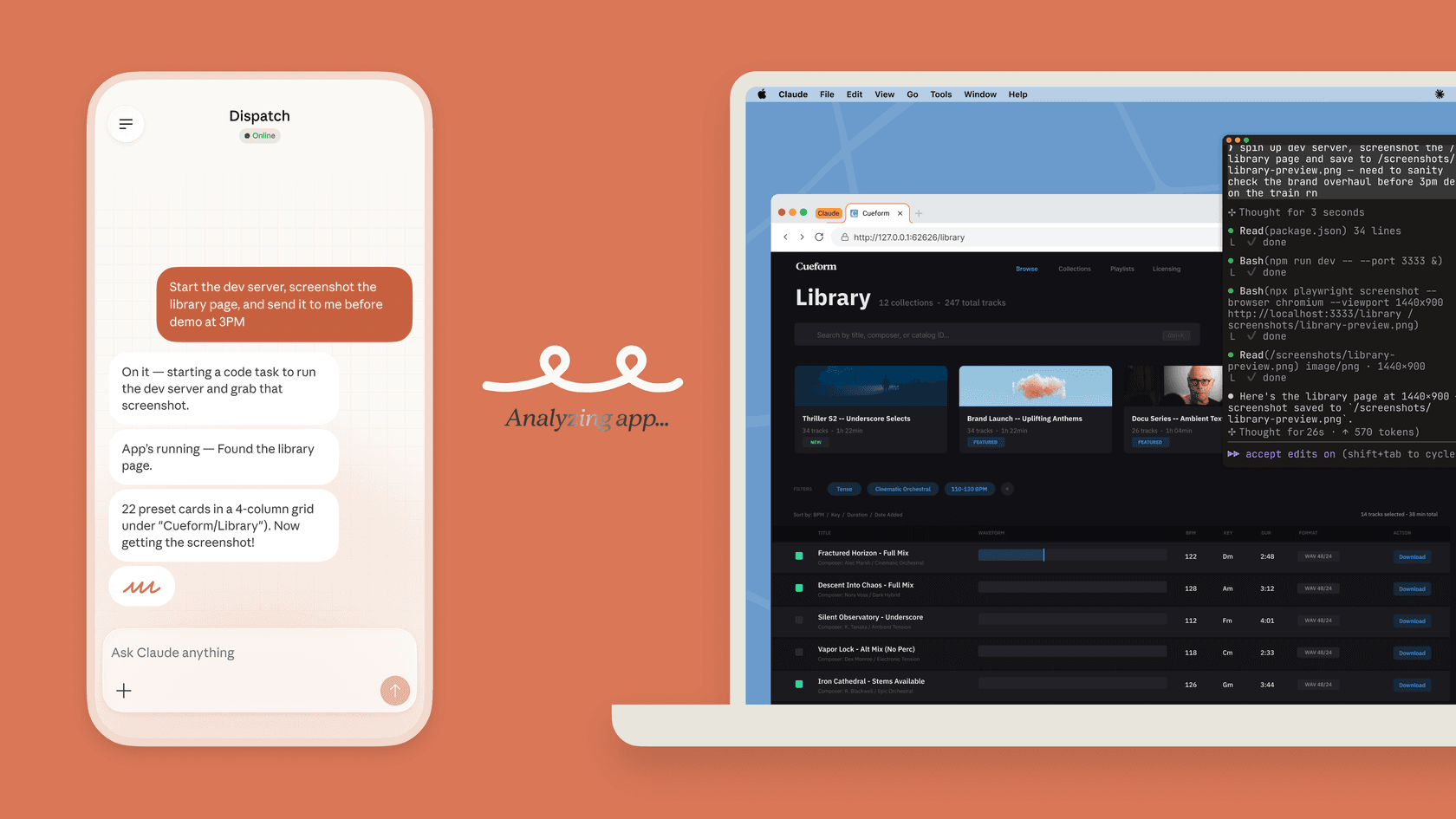
The cover is Anthropic's Dispatch illustration: a phone request alongside browser and coding work. It is not a screenshot of extension settings or a test performed for this article.
On macOS, Quick Entry opens Claude with a double press of Option. Anthropic documents Quick Entry for macOS 12 or later; voice input requires macOS 14 or later and the relevant system permissions. That is convenience, not a security model. A keyboard shortcut does not change what a connected tool can read or do.
Local MCP and desktop extensions are related, not identical
MCP is the open protocol that lets AI applications call external tools. A local MCP server runs on the computer where Claude Desktop is installed. Anthropic’s local MCP guide distinguishes this from remote MCP: local servers can reach local resources, while remote connections run through the cloud service.
A desktop extension is a packaged local server. Anthropic's extension architecture article explains the change from .dxt to .mcpb, the MCP Bundle format. Review the package's maintainer, executable code, and data access. An organization allowlist does not prevent someone from modifying local extension files after installation.
One technical limit is easy to miss. The desktop extension system includes a built-in Node runtime. That does not mean it automatically supplies every language runtime or dependency a local server may need. Read the extension’s requirements before promising a one-click rollout.
For a directory extension, open Settings > Extensions > Browse extensions, choose the approved tool, and complete its required settings. Custom packages use Advanced settings > Install Extension and a reviewed .mcpb file. Confirm that its tools appear in Claude before testing with non-sensitive input. Directory extensions update automatically by default; privately distributed packages can require manual replacement. Organization-managed custom packages have a separate version-upload process. Check the relevant distribution route rather than promising every extension updates the same way.
How to deploy Claude Desktop without surprising people
On Team and Enterprise, the extension allowlist is off by default. Once an owner enables it, unlisted extensions are blocked and existing installs are removed; users may need to reinstall approved extensions. Plan this change and tell affected users first. It is not a harmless switch to enable during an active workflow.
Anthropic's allowlist documentation shows the enabled switch, example extensions, and a removal menu. The listed tools illustrate the settings; they are not recommendations to grant messaging or Mac-control access.
Start with these decisions:
- Name the extension and its maintainer.
- State its local access and external destinations.
- Decide whether it is allowed, blocked, or limited to a pilot group.
- Test update and removal behavior before broad deployment.
Managed configuration is also available. Anthropic documents MDM configuration on macOS and Group Policy on Windows. Machine-level configuration overrides app-level configuration. That is useful for a security baseline, but it does not remove the need to review each extension’s capabilities.
A platform-maintainer review with eesel CLI
Consider a platform team evaluating a desktop tool that would post an incident summary whenever a new support ticket arrives. The support team may already have an eesel automation for that event. Before approving another trigger, the maintainer needs to inspect the existing connections, instructions, and automations so customers do not receive duplicate or conflicting updates.
The eesel CLI lets a person, script, or coding agent such as Claude Code, Codex, or Cursor inspect that setup from a terminal. It operates the same teammate and workspace as the dashboard. The maintainer can compare the JSON results with the proposed tool's trigger and access requirements, while the support owner sees the same configuration visually.
With Node.js 18.17 or newer, authenticate into the existing workspace and identify the actual teammate first. login stores credentials locally; the subsequent commands inspect existing state:
TARGET_EESEL_AGENT="PLATFORM_TOOLING_REVIEWER"
npx @eesel/cli login
npx @eesel/cli whoami
npx @eesel/cli agents
npx @eesel/cli status --agent "$TARGET_EESEL_AGENT"
npx @eesel/cli integrations --agent "$TARGET_EESEL_AGENT"
npx @eesel/cli instructions --agent "$TARGET_EESEL_AGENT"
npx @eesel/cli automations --agent "$TARGET_EESEL_AGENT"
npx @eesel/cli activity --agent "$TARGET_EESEL_AGENT"
Replace PLATFORM_TOOLING_REVIEWER with the actual teammate name or ID from agents. Compare each existing automation's event and instructions with the proposed desktop tool. For example, if both react to a new ticket and draft an incident summary, propose keeping one path or narrowing their conditions. activity helps inspect recent behavior; it is not proof that every future event will be handled correctly.
The owner reviews the exact proposed change and applies it only after approval, through the dashboard or an appropriate documented CLI flow. Before production, test a new incident, a repeated event, and a normal support question that should not trigger an incident summary. If a teammate chat is used for analysis, check billing, authorize the paid work, and verify action permissions first. The read-only inventory above neither installs a desktop tool nor changes an automation.
Where eesel is the better fit
Claude Desktop is flexible infrastructure for people who are comfortable choosing and managing local tools. eesel is a better fit when the job is already clear: handle the support queue or write a blog. Its AI helpdesk teammate arrives with the integrations, knowledge, and approval controls for that role, while its blog writer is built for the content role.
That does not make the desktop app irrelevant. A coding agent can use the eesel CLI to inspect a support workspace during a technical review. The support owner still owns the instructions, connected sources, actions, and customer release decision.
Sources
- Claude Desktop installation
- Local MCP servers in Claude Desktop
- Desktop extension allowlist
- Enterprise Claude Desktop configuration
- Quick Entry on macOS
- eesel CLI documentation
Use eesel CLI before approving a Claude Desktop rollout
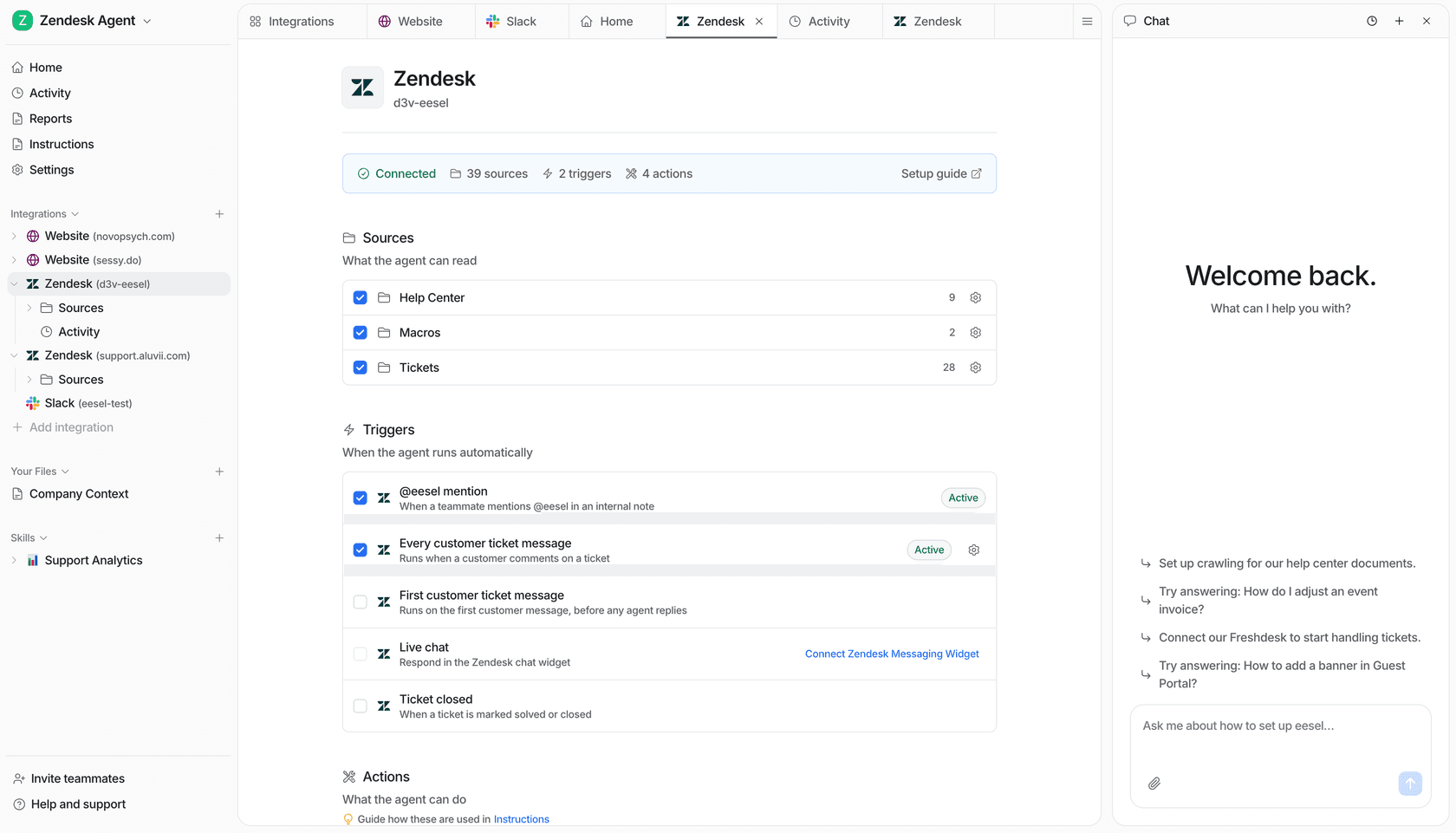
The owner can use the dashboard connection view alongside the CLI inventory when deciding whether a desktop tool overlaps with existing support setup.
Before a local Claude tool joins an engineering workflow, inspect the support teammate, integrations, instructions, and automations it may touch. eesel’s AI helpdesk teammate gives the owner a focused operating surface, and the CLI makes it visible to engineers. Try eesel.
Frequently asked questions
What is the Claude AI desktop platform?
Claude Desktop is Anthropic’s desktop application for using Claude outside a browser. It supports local MCP servers and desktop extensions, alongside Claude’s other product capabilities.
What is a Claude Desktop extension?
A desktop extension is an .mcpb bundle that packages a local MCP server for Claude Desktop. It is different from a remote connector and can access local resources, so install it only from a trusted source.
Do desktop extensions run locally?
Yes. Anthropic describes desktop extensions as local MCP servers bundled for installation. Their capabilities depend on the extension, so local access does not mean the extension is automatically safe or appropriate.
Can an administrator control Claude Desktop extensions?
Yes. Team and Enterprise owners can use the desktop extension allowlist. The allowlist is off by default. Enabling it removes existing installations and blocks extensions that the owner has not allowed.
What is Quick Entry in Claude Desktop?
Quick Entry is a macOS shortcut that opens Claude from another app. Anthropic documents it for macOS 12 or later; voice input has a separate macOS 14 requirement and needs the relevant permissions.