
A quick note on which Codex this is
Before the pricing table: there are two products called "OpenAI Codex" and they have nothing to do with each other. The original 2021 Codex was a GPT-3-family model fine-tuned for code that powered early GitHub Copilot. OpenAI deprecated it in March 2023.
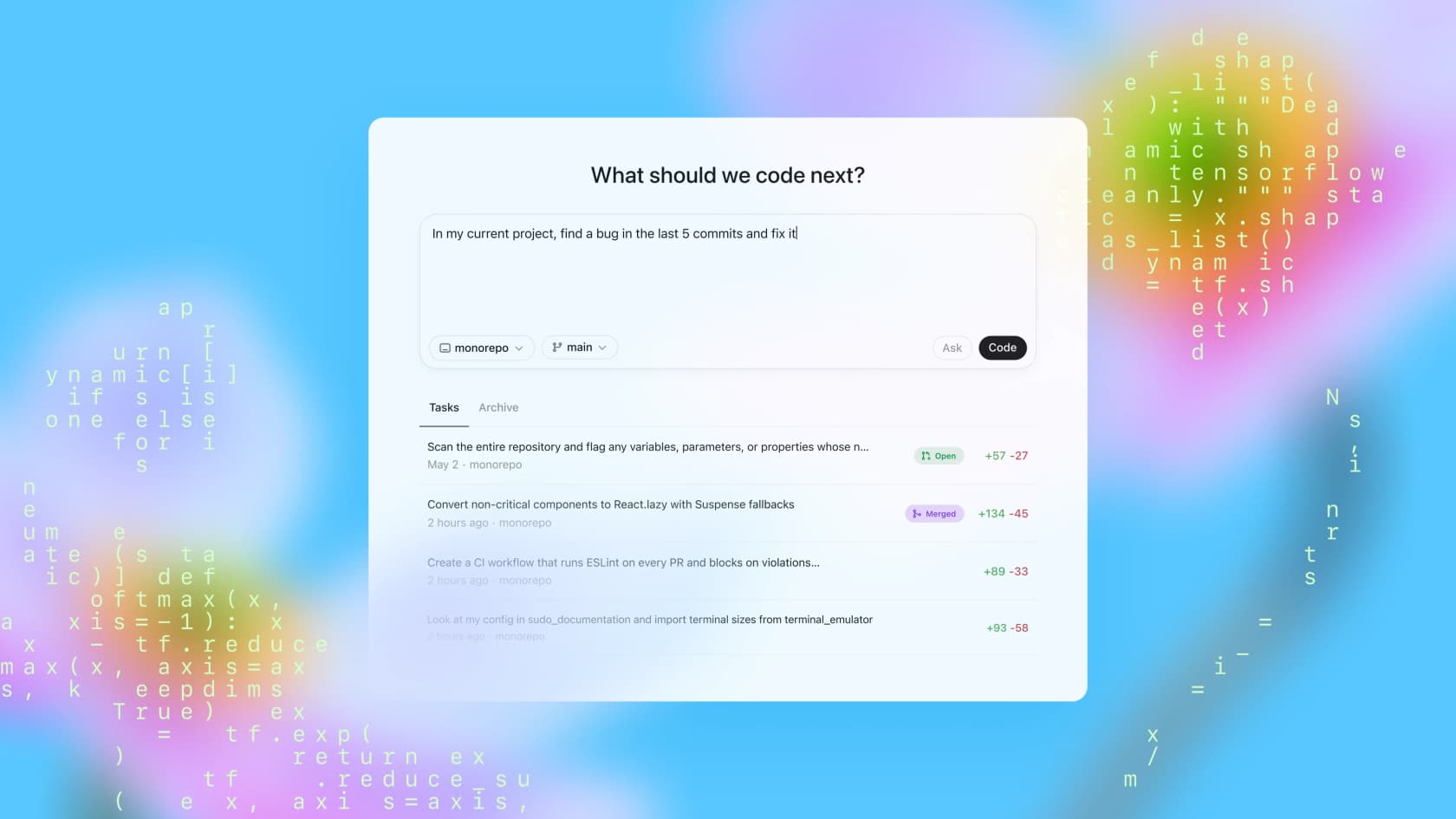
The current OpenAI Codex - launched May 2025 - is a cloud-based autonomous coding agent powered by GPT-5-family models. It works differently: you delegate a task and Codex works in an isolated sandbox for minutes to hours, then reports back with a diff, logs, and test citations. It's available on the web, VS Code extension (9.8M installs), CLI, iOS, and as of June 2026, Amazon Bedrock.
This post covers the 2025 coding agent. If you arrived here looking for the deprecated 2021 API model - it's gone.
OpenAI Codex pricing at a glance
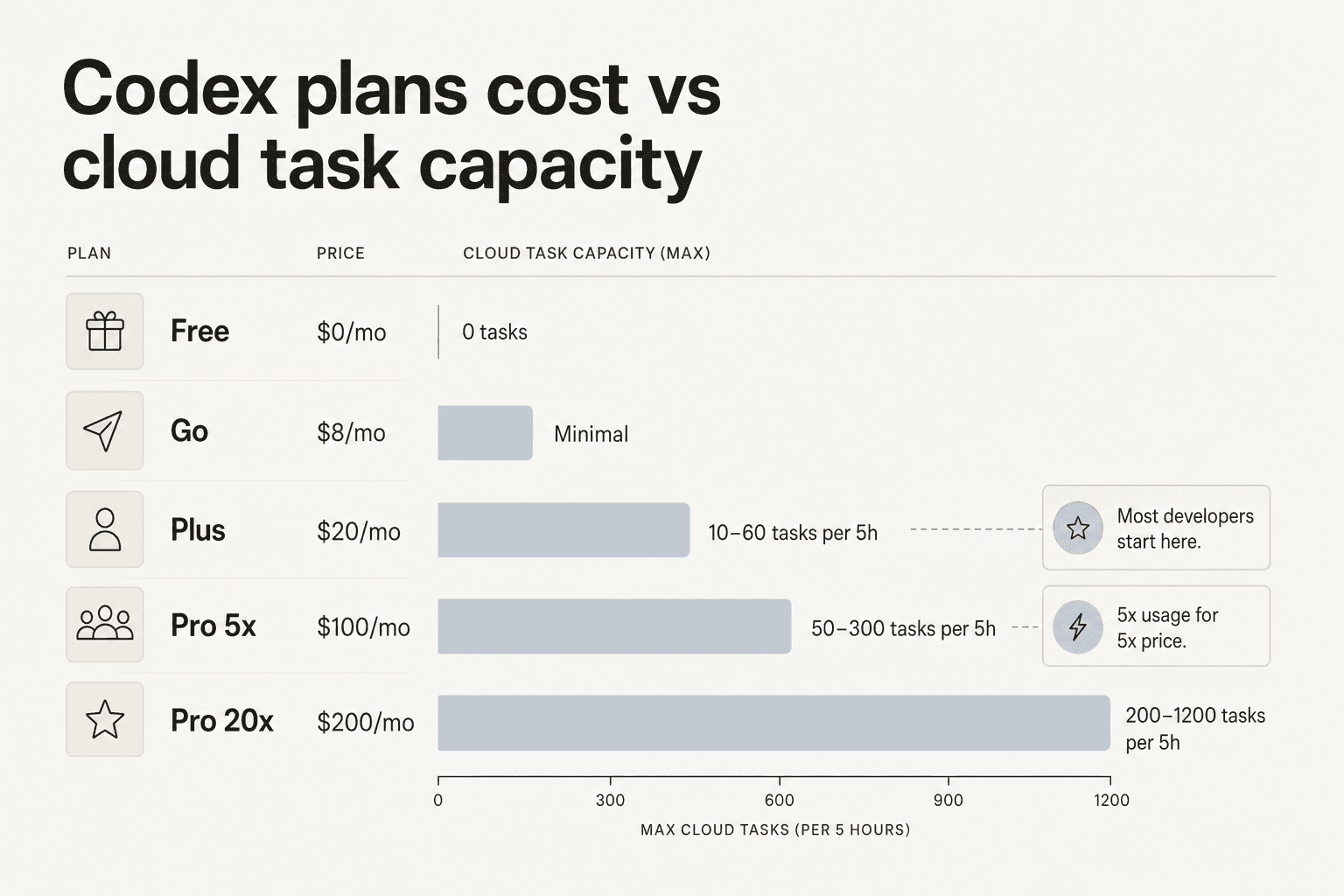
| Plan | Price | Cloud tasks / 5h | Code reviews / 5h | Key notes |
|---|---|---|---|---|
| Free | $0/mo | Trial only | None | No GitHub review, no Slack |
| Go | $8/mo | Limited | None | Lightweight tasks only |
| Plus | $20/mo | 10–60 | 20–50 | All cloud features included |
| Pro 5x | $100/mo | 50–300 | 100–250 | GPT-5.3-Codex-Spark preview access |
| Pro 20x | $200/mo | 200–1,200 | 400–1,000 | Highest consumer limits |
| Business | PAYG per seat | Same as Plus base | Same as Plus base | SSO, dedicated workspace, credit add-ons |
| Enterprise | Contact sales | No fixed limits | No fixed limits | Shared credit pool, SCIM, EKM |
All limits apply to a 5-hour rolling window, not a daily or monthly cap. That distinction matters - you can burn your full window in an intense two-hour session.
The two pricing tracks
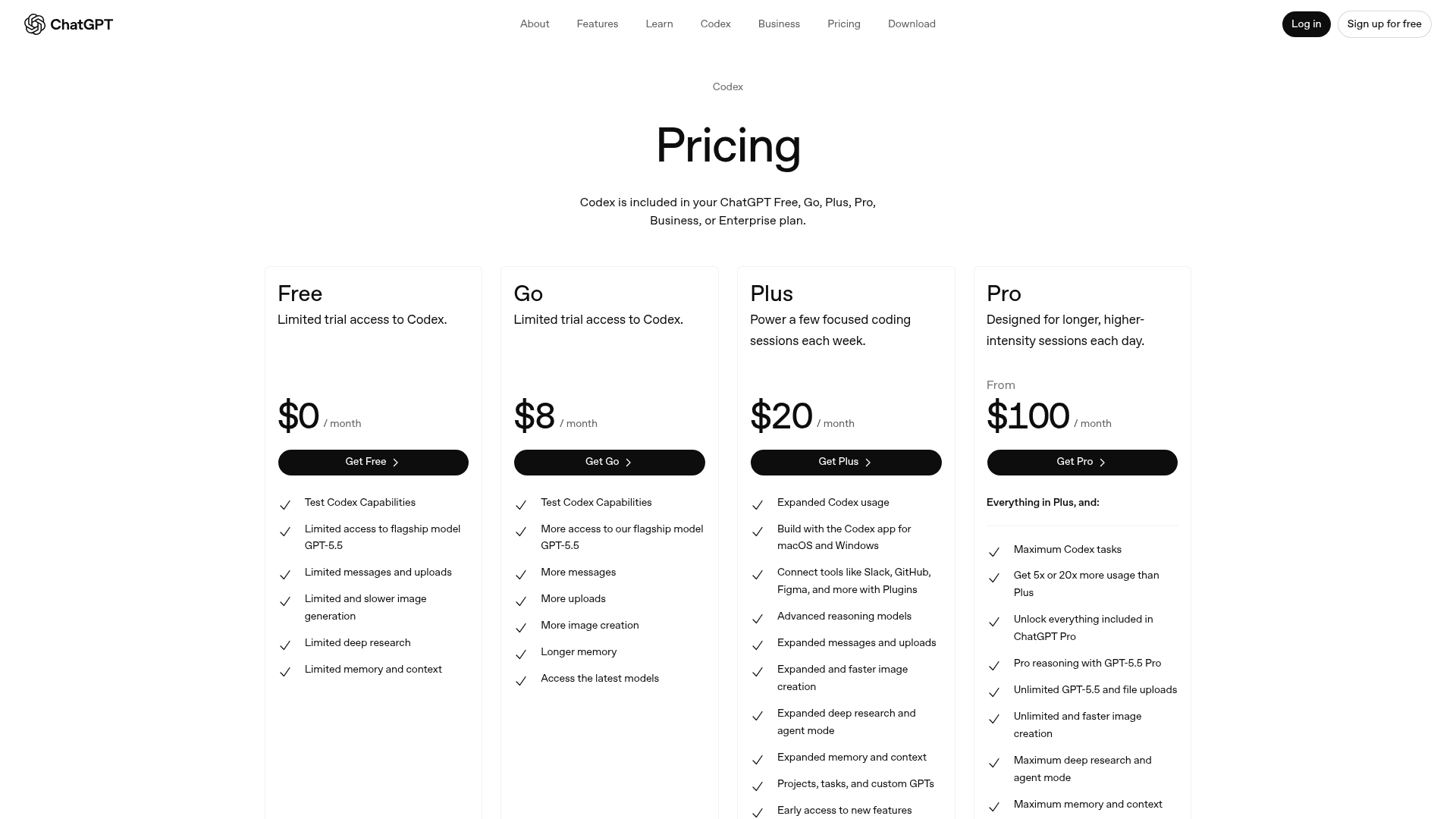
Codex has two separate pricing paths and the choice between them is more consequential than it looks at first.
Track 1 - ChatGPT subscription (bundled): Codex is included in every paid ChatGPT plan. This track includes the cloud features that make Codex useful as an agent: GitHub integration, automatic PR code review, Slack integration, and long-horizon task execution. If you're using Codex as your main engineering tool, this is almost certainly the right track. The subscription covers a lot of output at predictable cost.
Track 2 - API key (pay-as-you-go): Developers building Codex-powered tools, running it in CI/CD pipelines, or automating scripted workflows use the API key track instead. You pay per token at OpenAI API rates - no cloud features, no GitHub code review, no Slack integration, and new models arrive with a delay compared to subscribers. The API key track makes sense when you're embedding Codex into your own product or when the flexibility of token-level billing outweighs the feature loss.
A third path exists via GitHub Copilot Pro+ ($39/month), which gives Codex access through VS Code's Agent Sessions view on Copilot billing. Convenient if you're already on Copilot, but it means Codex limits are tied to a third-party billing layer that's less transparent than a direct ChatGPT plan.
Every plan, broken down
Free - $0/month
The free tier gets you limited trial access to Codex across the web app, VS Code, CLI, and iOS. You can run basic local tasks - short scripts, single-file edits, quick Q&A on your codebase - but the cloud features that power Codex's real differentiator (background task delegation, GitHub PR review, Slack) are locked. There's no time limit on the trial, but usage is thin enough that it mostly works as a "does Codex understand my stack?" sanity check before committing.
Most developers move off the free tier quickly. The cloud task limits are what make Codex meaningfully different from a chat window.
Go - $8/month
Go is a lightweight coding tier for simple tasks. Per the official pricing page, it covers "lightweight coding tasks" without the full cloud integration suite. The per-feature documentation is sparse. If you're evaluating Codex seriously, Plus is the tier worth testing - the $12 gap buys you the full cloud feature set.
Plus - $20/month
Plus is the practical baseline for working developers. It includes:
- All Codex surfaces: web, CLI, VS Code extension, iOS
- Cloud task delegation (background agents with GitHub repo access)
- Automatic GitHub PR code review
- Slack integration
- Access to GPT-5.5, GPT-5.4, GPT-5.3-Codex, and GPT-5.4-mini
Plus usage limits per 5-hour window:
| Model | Local messages | Cloud tasks | Code reviews |
|---|---|---|---|
| GPT-5.5 | 15–80 | - | - |
| GPT-5.4 | 20–100 | - | - |
| GPT-5.4-mini | 60–350 | - | - |
| GPT-5.3-Codex | 30–150 | 10–60 | 20–50 |
Note: ranges reflect adaptive limits that OpenAI adjusts based on system load. The lower bound is what you can count on; the higher bound reflects off-peak availability.
"The number of requests also seem to be reasonably high on the Plus subscription: 30-150 per 5 hours. It's crazy good and saves a lot of time."
u/pnkpune, r/OpenAI

Plus credits can be extended via the usage panel if you hit your window limit.
Pro 5x - $100/month
OpenAI added the $100/month Pro 5x tier on April 9, 2026 - a direct response to Claude Code's $100 Pro plan that had been pulling heavy users away from Codex. It delivers exactly what the name says: 5× the Plus limits across every model, plus access to GPT-5.3-Codex-Spark, a faster variant in research preview.
Pro 5x usage limits per 5-hour window:
| Model | Local messages | Cloud tasks | Code reviews |
|---|---|---|---|
| GPT-5.5 | 80–400 | - | - |
| GPT-5.4 | 100–500 | - | - |
| GPT-5.4-mini | 300–1,750 | - | - |
| GPT-5.3-Codex | 150–750 | 50–300 | 100–250 |
For developers running Codex as a persistent engineering teammate - delegating 30+ cloud tasks a day, running automated review on every PR, or using parallel agents across multiple repos - this is the tier that stops feeling like a constraint.
"I have the $100 CC license and $20 OpenAI plan. When CC can't resolve a difficult problem I give it to Codex and have it take forever but it has fixed numerous issues CC is unable to."
u/SequentialHustle, r/ClaudeAI
Pro 20x - $200/month
The original Pro plan, repositioned as "Pro 20x" when the $100 tier launched. It gives 20× the Plus limits: up to 200–1,200 cloud tasks and 400–1,000 code reviews per 5-hour window. Suitable for the most demanding individual users or teams billing through a single account.
At $200/month the position is unusual - expensive enough that many teams would deploy multiple Plus or Pro 5x seats instead. The main argument for Pro 20x is a single power user who needs maximum burst capacity: architects running large refactors across dozens of repos, or developers doing intensive agentic CI/CD work.
Business - pay-as-you-go per seat
Business gives each seat the same base limits as Plus, plus larger virtual machines for cloud task execution (which matters for build-heavy repos) and the ability to purchase credit add-ons. Key controls included: SAML SSO, MFA, a dedicated workspace, and a no-training-on-data guarantee by default.
Credit add-ons let teams extend past the per-seat window limits without upgrading everyone to Pro - useful when one or two developers are heavy Codex users and the rest are occasional.
Enterprise / Edu - contact sales
Enterprise removes fixed rate limits entirely and replaces them with a shared credit pool across the organization. You only pay for what developers actually use - more efficient than per-seat billing on a large team where Codex usage is uneven. The tier adds SCIM provisioning, Enterprise Key Management, RBAC, Compliance API audit logs, and data residency controls.
How the token credit system works
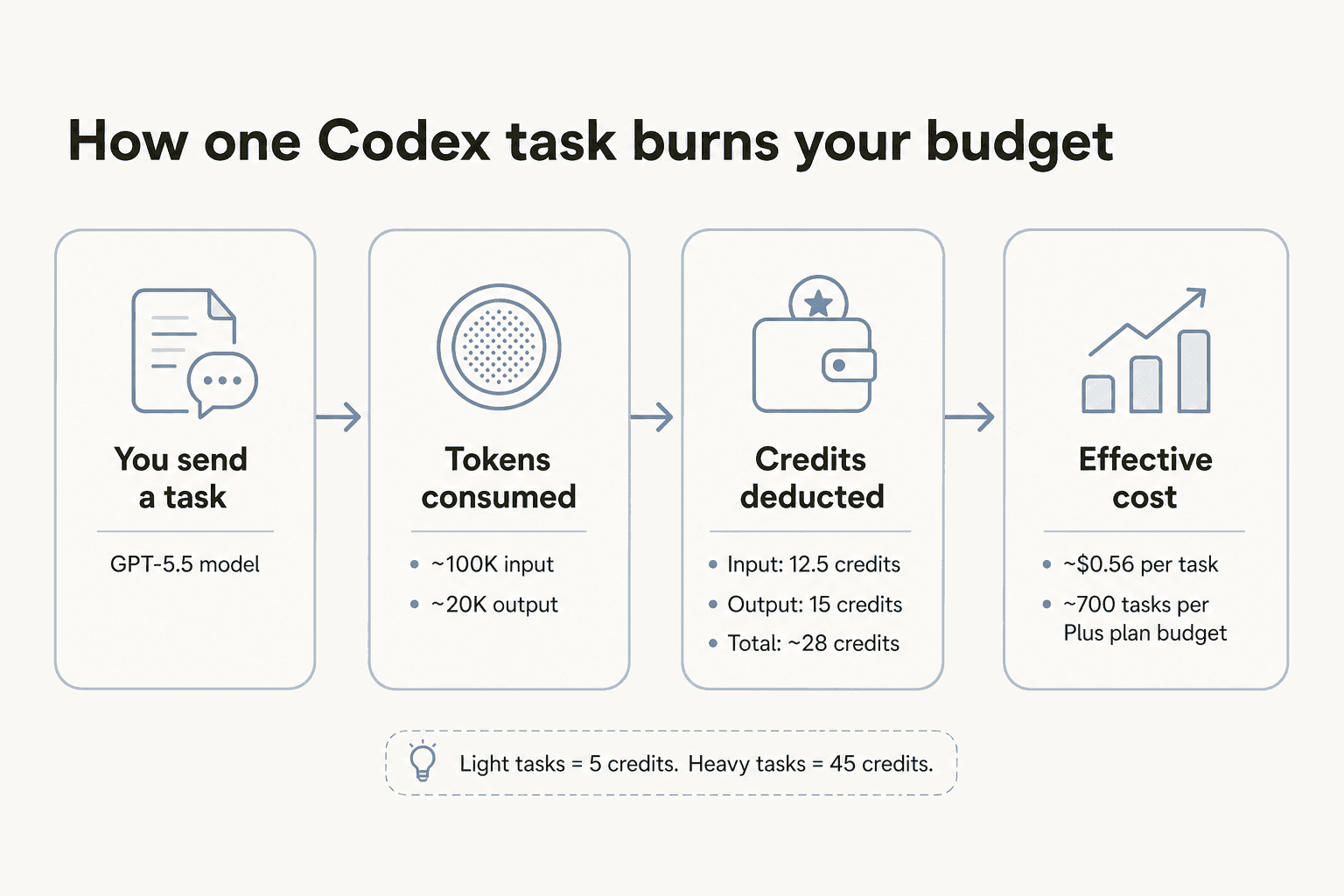
On April 2, 2026, OpenAI replaced per-message billing with token-based credit billing across all Plus, Pro, and Business plans - a change that made costs more variable and harder to predict, but also more fairly tied to actual compute consumed.
Here's how credits map to tokens:
| Model | Input (credits/1M tokens) | Cached input (credits/1M) | Output (credits/1M) |
|---|---|---|---|
| GPT-5.5 | 125 | 12.50 | 750 |
| GPT-5.4 | 62.50 | 6.25 | 375 |
| GPT-5.4-mini | 18.75 | 1.875 | 113 |
| GPT-5.3-Codex | 43.75 | 4.375 | 350 |
A typical Codex task using GPT-5.5 consumes 5–45 credits. The range is wide because it tracks context size: a "fix this function" task on a small file uses 5 credits; a "refactor this service to use dependency injection across all callers" on a large repo uses 45.
Three factors drive higher credit consumption:
- Large context - Codex loads your AGENTS.md, relevant source files, and recent git history before writing a line
- Fast mode - runs at higher compute cost, burns credits faster for supported models
- Code review - uses GPT-5.3-Codex and scans full file trees plus dependencies
A practical tip for stretching Plus limits: use GPT-5.4-mini for routine tasks like formatting, docstring generation, or simple refactors. It gives 60–350 messages per window versus 30–150 for GPT-5.3-Codex, at roughly 2.5× lower credit cost per token.
What you'll actually pay: worked examples
Freelancer, light-to-moderate use (Plus - $20/month): A solo developer using Codex for 20–30 cloud tasks per day - feature spikes, PR reviews, test generation - fits comfortably within Plus limits. The 5-hour rolling window covers any reasonable working session; 10–60 cloud tasks means 2–12 tasks per hour, which is faster than most humans review PRs. Monthly cost: $20, with occasional credit top-ups on crunch weeks.
Small team of 5 developers ($100–$180/month): Five Plus subscriptions at $20 each = $100/month. If one developer is noticeably heavier on Codex than the others, it may make sense to upgrade that one seat to Pro 5x while keeping the rest on Plus: 1× Pro 5x ($100) + 4× Plus ($80) = $180/month total, but the heavy user gets 5× the cloud task capacity. Compare this to upgrading everyone to Pro 5x ($500/month) - overkill for most teams.
Power user running Codex as a primary tool (Pro 5x - $100/month): 50–300 cloud tasks per 5-hour window means up to 1,200 cloud tasks per day across multiple windows - enough for automated PR review on every commit, parallel agents on several active features, and recurring automations. OpenAI's own estimate puts typical heavy-use costs at $100–$200/developer/month when billing via the API at comparable volume, making Pro 5x's flat $100 a competitive deal.
Enterprise (shared credit pool): Large orgs pay per token consumed across the whole team. The advantage: you're not paying seat fees for engineers who use Codex twice a week. The shared pool means a sprint where five engineers hit it heavily costs more than a quiet week - predictable in aggregate, variable day-to-day.

API pricing for developers building with Codex
The API key track bypasses the subscription model. You pay per token at OpenAI API rates, with no included cloud features.
From the original May 2025 launch on codex-mini-latest (via the Responses API):
- Input: $1.50 per 1M tokens
- Output: $6.00 per 1M tokens
- Prompt caching discount: 75% on cached input
For current GPT-5.3-Codex and newer API rates, the OpenAI pricing page has the live table - rates have shifted as the model family evolved.
Two important limitations on the API key track: you lose access to cloud features (GitHub code review, Slack, background agent execution with repo preloading), and new models become available to API key users with a delay compared to ChatGPT subscribers. If you're building a product on top of Codex, the API is right. If you're using Codex personally for your own development work, the subscription track is almost always better value.
The codex-mini-latest model is a smaller, faster variant designed for API use cases - reasoning and code generation tasks where you control the context and don't need cloud agent features.
Hidden costs and gotchas
The 5-hour window is rolling, not daily. This catches developers who do intense two-hour sessions. If you burn through your Plus cloud task limit between 9–11am, the window doesn't reset until 2pm - not at midnight. Spreading tasks across the day matters more than the absolute limit suggests.
Fast mode multiplies credit consumption. Fast mode produces outputs faster but burns credits at a higher rate. For non-urgent tasks - overnight refactoring, scheduled code review - normal mode is meaningfully cheaper.
Codex Sites is free in preview, pricing TBD. Codex can generate deployable web apps via "Codex Sites." The feature is currently free while in preview; OpenAI notes that pricing will be announced once it exits preview. Budget accordingly if you're building on it.
No accept/reject-per-change diff workflow. Unlike GitHub Copilot's inline suggestions, Codex applies edits directly. There's no "accept this change, reject that one" granularity in the VS Code extension - a significant friction point compared to Claude Code's Plan Mode, where you review the plan before any edits land.
"No plan mode: Man, I hate not planning. Over the past weeks I was having love sessions where with CC we were planning for 40 minutes and then it executed everything in 10. Codex just doesn't have that: one shot, adapt, one shot, adapt."
u/Davide_Fi, r/ClaudeAI
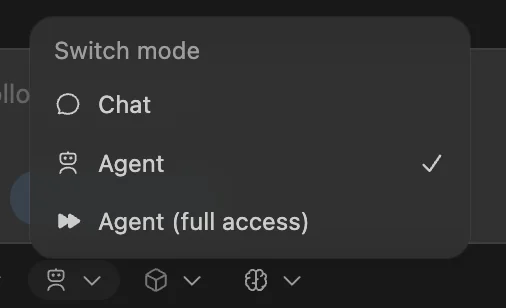
The permission approval loop is still broken. The "Allow every time" setting in the VS Code extension is widely reported as non-functional. You'll be approving commands repeatedly until OpenAI patches it - an irritant that adds friction to the automation-first workflow Codex is selling.
Model access delays on API key track. GPT-5.3-Codex and newer models become available to API key users after rolling out to ChatGPT subscribers. If you need the latest model capabilities on day one, the subscription track has a consistent time advantage.
How Codex pricing compares to GitHub Copilot, Cursor, and Claude Code
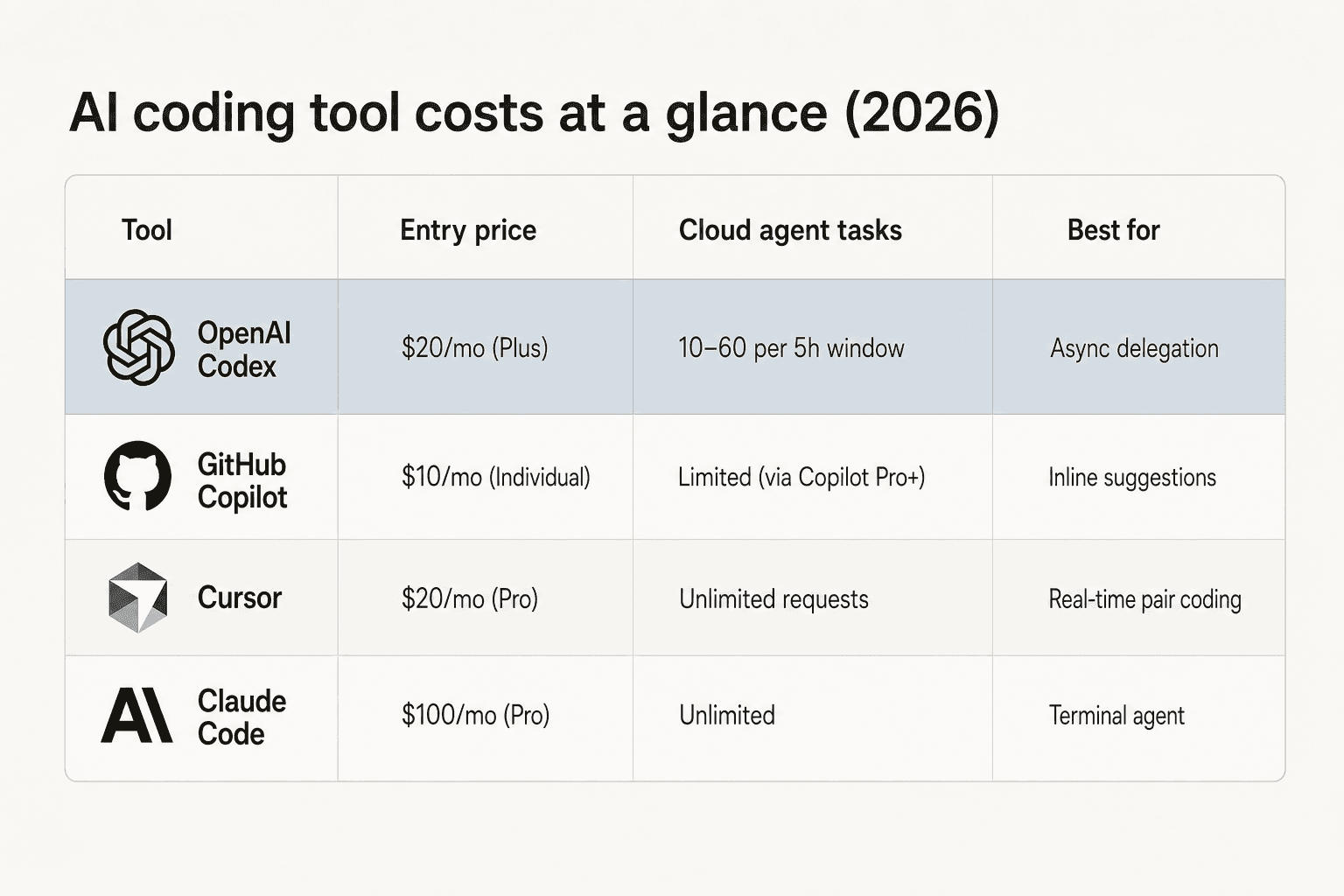
| Tool | Entry price | Style | Best for |
|---|---|---|---|
| OpenAI Codex Plus | $20/mo | Async agent (background) | Delegation, PR review, parallel work |
| GitHub Copilot Individual | $10/mo | Inline suggestions | Real-time typing assistance |
| GitHub Copilot Pro+ | $39/mo | Suggestions + Codex agent | Both workflows, single subscription |
| Cursor Pro | $20/mo | Real-time pair coding | Interactive, conversational refactoring |
| Claude Code Pro | $100/mo | Terminal agent + Plan Mode | Complex multi-step, plan-review workflows |
The real comparison worth making at each price point:
At $20/month - Codex Plus vs Cursor Pro. Same price, completely different paradigms. Codex runs tasks in the background while you work on other things; Cursor is your real-time coding partner. Most developers who use both describe Codex as better for complex backend tasks and Cursor as better for front-end interactive refactoring. The good news: $20 gets you both.
At $100/month - Codex Pro 5x vs Claude Code Pro. By early 2026, Claude Code overtook Codex in daily VS Code extension installs - Claude Code's Plan Mode and more transparent reasoning are the main differentiators. Many developers run both, paying $100 + $20 and routing tasks by complexity: Codex for difficult backend problems that need hours of autonomous work; Claude Code for iterative front-end and anything where plan-review matters.
At $39/month - Copilot Pro+. Copilot Pro+ gives you Copilot ghost text plus Codex agent via VS Code Agent Sessions - the most convenient single subscription if you use both. The tradeoff is less visibility into which limits apply where.
SWE-bench tells the capability story: Codex (GPT-5-Codex) scores 85.5% on autonomous task completion. At $20/month on Plus, that's a lot of autonomous capability for the price.
For a deeper comparison of the best AI coding assistant tools side by side, including Cursor, Claude Code, and Copilot alternatives, see the dedicated comparison.
Which plan should you actually choose?
The decision is simpler than six tiers make it look.
Start with Free - run 2–3 tasks on real work to confirm Codex understands your stack. Fifteen minutes tells you whether it's worth paying for.
Move to Plus ($20/month) if you're an individual developer who wants to delegate background tasks, get automated PR reviews, or supplement your primary IDE tool. Most developers stop here and stay here. The 10–60 cloud tasks per window is enough for a full day of typical use.
Upgrade to Pro 5x ($100/month) when you're consistently hitting Plus limits - running multiple parallel agents, using Codex for every PR, or relying on it as the primary worker on features rather than an assistant. The tell is repeatedly hitting the window ceiling multiple times a week.
Use Business when you need SAML SSO, a dedicated workspace, or the ability to buy credit add-ons per team - without going full Enterprise. It's the Pro-tier feature set for teams where billing and access control matter.
Talk to sales for Enterprise when you have 20+ engineers who'd use Codex regularly and want a shared credit pool rather than individual seat management. The per-seat model gets expensive fast at scale.
The API track is for builders: if you're embedding Codex into your own product, CI/CD pipeline, or internal tooling, not using it as your personal coding tool. Budget for $1.50/1M input + $6.00/1M output on codex-mini-latest, and check platform.openai.com/docs/pricing for current GPT-5.3-Codex rates.
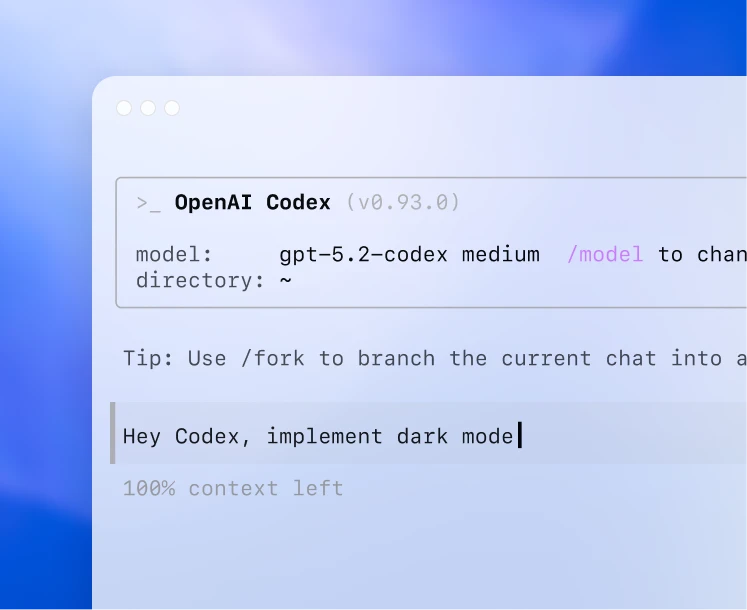
The VS Code Codex extension supports PyCharm, IntelliJ, Jupyter, Visual Studio, and Replit too - same pricing across all surfaces. The Codex iOS app and macOS availability follow the same per-plan limits. CLI and extension users share the same pool - running the Codex CLI open-source tool doesn't give you a separate bucket of credits.
One more integration worth knowing: Codex now runs natively via GitHub, meaning you can delegate tasks directly from a GitHub issue without opening VS Code. That integration is included in Plus and above.
Try eesel
Codex takes care of the development side of your stack. eesel handles the other side: the support queue, the internal IT tickets, the repetitive questions from customers and teammates that still need a real answer.
eesel deploys AI teammates across Zendesk, Freshdesk, Slack, HubSpot, Gorgias, and 100+ other tools - learning from your past tickets, drafting replies, routing escalations, and resolving tier-1 questions autonomously. Same "delegate the repeatable work, focus on what needs human judgment" philosophy that makes Codex compelling for engineering, applied to support.
Design.com runs 50,000+ monthly Freshdesk tickets through eesel. Smava handles 100,000+ German-language Zendesk tickets per month. Gridwise resolved 73% of tier-1 requests in month one.

eesel pricing starts at $299/month for 500 credits (1 credit per ticket or chat) with no platform fee and no per-seat fee. Try eesel with 100 free credits, no credit card required.
Frequently Asked Questions
How much does OpenAI Codex cost per month?
What is included in the free Codex plan?
Is the $20 Plus plan enough for daily Codex use?
How does OpenAI Codex pricing compare to GitHub Copilot?
What happens when you hit the Codex usage limit?


Article by
Kira
Kira is a writer at eesel AI with a Computer Science background and over a year of hands-on experience evaluating AI-powered customer service tools. She focuses on breaking down how helpdesk platforms and AI agents actually work so that support teams can make better buying decisions.