We’ve all been there. Staring at that blinking cursor in the WordPress editor, knowing you should be publishing content but feeling completely drained. As a marketer or creator, you know that keeping a blog active is one of the biggest hurdles to growing your audience. You have plenty of ideas, but the time it takes to research, write, edit, and hit publish is another story entirely. Your content calendar starts to feel less like a plan and more like a wish list.
This is where WordPress AI content writers come into the picture. These aren't just trendy gadgets; they're becoming a key part of a smart content workflow. They can help you brainstorm ideas, draft entire articles, and get them ready for search engines, all in a fraction of the time it would take you by hand.
But with a sea of options out there, how do you know which one is actually worth your money? To cut through the hype, I got my hands dirty and personally tested seven of the top contenders. Let’s find the right tool to get your content machine running smoothly.
What defines the best WordPress AI content writers?
So, what are these tools, really? Think of them as a writing assistant that’s always on call. They use artificial intelligence to help you create, edit, and fine-tune content for your website. This could be a simple plugin that gives you hints inside the WordPress editor or a full-blown web app that writes entire blog posts for you to copy over.
Their main purpose is to save you time and help you finally break through writer's block. They can whip up anything from a catchy headline to a product description or a full-length, SEO-friendly article. Some tools are built right into WordPress as plugins, which makes for a pretty seamless experience. Others are separate platforms that generate the content, which you then bring into your site. Both approaches have their upsides, and we’ll look at a mix of both.
My criteria for choosing the best WordPress AI content writers
Let's be honest, not all AI writers are built the same. A tool that spits out robotic, generic text is worse than nothing, it can actually hurt your brand. To make sure this list was actually useful, I judged each tool based on a few things that really matter for a WordPress site.
Here’s what I was looking for:
-
Quality of the output: How good is the writing, really? Does it sound natural and interesting, or does it have that "written by a robot" vibe? I was on the lookout for accuracy, readability, and a generally human-like tone.
-
WordPress integration: How nicely does it play with WordPress? A native plugin is always convenient, but a smooth copy-paste process from an external tool is just as good if the content quality is there.
-
SEO features: Does the tool just write, or does it help you write content that people will actually find on Google? I looked for features like keyword ideas, on-page optimization tips, and meta description generation.
-
Ease of use: How fast can you get going? A clunky interface or a big learning curve kind of defeats the purpose of a tool that's supposed to save you time.
-
Value for money: Is the price right for what it does? I weighed the features, limits, and overall benefits to see if the cost made sense for different kinds of users.
Comparison of the best WordPress AI content writers
Here’s a quick side-by-side look at how the tools compare.
| Tool | Best For | WordPress Integration | Pricing (Starts From) |
|---|---|---|---|
| eesel AI | Scaling SEO blog content | Publishes to WordPress | Free to start, then $4/post |
| Jasper | Marketing teams | Chrome extension | $59/month |
| Divi AI | Divi theme users | Native to builder | $277/year (in Divi Pro) |
| AI Engine | All-in-one AI toolkit | Official plugin | Free (requires API key) |
| Writesonic | Versatile content creation | Official plugin | $79/month (annual) |
| Rank Math SEO | SEO-focused content | Official plugin | Free (PRO from €8.99/mo) |
| Copy.ai | Sales & marketing workflows | No official plugin | $24/month (annual) |
The 7 best WordPress AI content writers for 2025
Alright, let's dive into the details of each tool, what makes it tick, and who I think it's for.
1. eesel AI
While it's not a plugin you install directly, eesel AI’s AI Blog Writer is an absolute beast for creating long-form, SEO-optimized articles tailor-made for WordPress. It’s my secret weapon for anyone who's serious about growing their blog traffic.
The process couldn't be simpler: you generate the article in the web app, and it publishes straight to WordPress (or Webflow, Ghost, and Notion) as a clean, perfectly structured post, headings and all.
Key features:
-
One keyword to a full post: You can generate a complete, genuinely good blog post from just a single keyword. You can also drop in a URL to give the AI context about your brand.
-
Automatic SEO assets: It doesn’t just write the article. It also shapes the meta title and meta description, and adds a TL;DR and FAQs marked up as structured data.
-
On-brand voice: The AI actually learns your brand's voice from your website. This means the content sounds like it came from you and can naturally mention your product without sounding like a cheesy ad.
My experience: Full disclosure: at eesel AI, we use this exact tool to run our own content strategy. It's not just something we sell; it’s the engine that powers our growth. It's behind 750k+ monthly impressions on our blog and 10x traffic growth in 90 days. The numbers kind of speak for themselves.
Pricing: The AI Blog Writer is free to start, then $4 per blog post with no platform fee.
Pros & cons:
-
Pros: Creates high-quality articles in minutes; delivers real, dramatic SEO results; learns your brand voice automatically; pay per post with no platform fee.
-
Cons: Not a native WordPress plugin, so you write in eesel's app rather than inside the WordPress editor.
Who it's best for: Marketers, founders, and SEO folks who want to scale up high-quality blog content and drive organic traffic without spending their entire life writing.
2. Jasper

You've probably heard of Jasper. It’s one of the biggest names in the AI content world, and for good reason. It’s a heavy-hitter built for marketing teams that need to create all sorts of content, from blog posts to social media ads.
Jasper works inside WordPress through its Jasper Everywhere Chrome extension, which brings its writing tools into the editor in your browser. This lets you use its templates and commands without ever leaving your WordPress tab.
Key features:
-
50+ content templates: A massive library of templates for pretty much any marketing task you can imagine.
-
Brand Voice & Knowledge: You can teach Jasper your brand’s tone and product details to keep all your content consistent.
-
Collaboration tools: Built with teams in mind, so you can work together on writing and editing.
Pricing:
-
Pro Plan: Starts at $59/month (if you pay annually) for one person, 2 brand voices, and 5 "knowledge assets."
-
Business Plan: Custom pricing for larger teams that need all the bells and whistles.
There’s a 7-day free trial available for the Pro plan if you want to take it for a test drive.
Pros & cons:
-
Pros: Incredibly powerful and flexible for marketing teams, great brand voice controls, and a browser extension that works in WordPress.
-
Cons: The price can be a bit much for solo bloggers or small businesses, and the sheer number of features can feel overwhelming at first.
Who it's best for: Established marketing teams and businesses that want one powerful tool to handle all their AI content needs.
3. Divi AI
If you build your sites with the Divi theme, then Divi AI is a total no-brainer. It's an AI writer and image generator baked directly into the Divi page builder by Elegant Themes. The integration doesn't get any tighter than this.
Since it’s part of the Divi Visual Builder, you can generate and tweak text and images right on the page you're editing. It makes the whole process of designing and writing content feel incredibly connected and smooth.
Key features:
-
In-line content generation: Create text or images inside any Divi module with a single click.
-
Context-aware: Divi AI looks at your site's existing content to generate new stuff that matches the style and context.
-
AI image editor: It comes with a surprisingly powerful image editor, similar to what you might find in tools like Photoshop's Generative Fill.
Pricing: Divi AI with unlimited generations comes bundled in Divi Pro.
-
Divi Yearly: $89 per year for the theme itself.
-
Divi Lifetime: $297 as a one-time payment.
-
Divi Pro: $277/year, which bundles Divi AI with cloud storage and VIP support.
Pros & cons:
-
Pros: Perfect, seamless integration for Divi users; you get unlimited generations; it learns from your site's context.
-
Cons: It’s completely locked into the Divi world, so it's not an option if you use any other theme.
Who it's best for: Web designers, agencies, and anyone who is all-in on using the Divi theme for their WordPress sites.
4. AI Engine
AI Engine is a popular plugin for the tinkerers out there. It’s less of a single-purpose tool and more like an AI toolbox you install right into your WordPress dashboard. Beyond writing content, it lets you create a chatbot, generate images, and a lot more.
It’s a native plugin that adds an AI "Copilot" to your editor and gives you a dedicated dashboard for all your AI tasks. It's a great choice if you like having more control.
Key features:
-
Content & image generation: Create articles and images from prompts withoutleaving WordPress.
-
Customizable chatbot: Build a ChatGPT-style chatbot you can add to your site to answer visitor questions.
-
AI tools: Includes handy utilities for translation, refining text, and training the AI on your own content.
Pricing: The plugin itself is free, but it works on a pay-as-you-go model. You connect your own OpenAI API key (or one from another service) and only pay for what you actually use.
- Pro Version: Premium plans start at $79/year for one site and unlock cool features like AI forms and a realtime audio chatbot.
Pros & cons:
-
Pros: Super flexible, the pay-as-you-go model can be very cheap for light users, and the chatbot feature is a huge bonus.
-
Cons: You have to be willing to get your hands a little dirty to set it up (you'll need to get and add your own API key), and the quality really depends on how good you are at writing prompts.
Who it's best for: Users who want a powerful and versatile AI toolkit inside WordPress and are cool with a usage-based price.
5. Writesonic
Writesonic is a solid all-rounder that's good at creating everything from SEO articles to marketing copy. It finds a nice middle ground between generating long blog posts and handling other marketing tasks.
It has an official plugin that lets you publish content from the Writesonic platform straight to your WordPress site in one click, which definitely speeds things up.
Key features:
-
AI Article Writer: Their latest version is designed to generate factual, SEO-friendly articles that include citations.
-
Built-in SEO tools: The platform has its own SEO checker and keyword research tools.
-
Chatsonic: A ChatGPT-like assistant that can pull real-time data from Google, which is great for writing about current events.
Pricing:
-
Free Trial: A 7-day free trial with no card; there's no permanent free plan.
-
Starter: $79/month (paid annually) for 15 articles.
-
Basic: $199/month (paid annually) for 2 users and 25 articles.
-
Growth: $399/month (paid annually) for 3 users and 50 articles.
Pros & cons:
-
Pros: A good jack-of-all-trades tool for articles and marketing copy; getting real-time data is a major plus.
-
Cons: The credit system on some plans can be a bit confusing, and the interface doesn't feel quite as slick as some others.
Who it's best for: Bloggers and marketers who want an affordable, versatile tool to handle different types of SEO content.
6. Rank Math SEO
While Rank Math is famous as a top-notch SEO plugin, its "Content AI" features have turned it into a surprisingly capable AI writing assistant. It’s less about generating whole articles from scratch and more about helping you perfect the content you’re already writing.
The AI features are built right into the Rank Math meta box you probably already use in the WordPress editor. It gives you live suggestions to help you optimize your writing as you go.
Key features:
-
AI-powered suggestions: Get ideas for keywords, headings, and even questions for an FAQ section.
-
Real-time optimization score: Content AI works with the classic Rank Math SEO score to guide your writing.
-
Schema automation: Suggests and helps you add the right schema markup to get those fancy rich snippets in Google.
Pricing: The main SEO plugin is free. Paid plans list their regular prices in euros, and AI writing now comes as Rank Math AI, with a free trial included in each paid plan.
-
PRO: €8.99/month (billed annually) for unlimited personal sites, with a Rank Math AI Starter trial.
-
Business: €27.99/month (billed annually), with a Rank Math AI Creator trial.
-
Agency: €64.99/month (billed annually), with a Rank Math AI Expert trial.
Pros & cons:
-
Pros: Amazing for optimizing content for SEO in real-time; combines your SEO and AI tools in one convenient spot.
-
Cons: It’s more of an assistant than a full writer. It's best for improving what you've already written, not creating it from a blank page.
Who it's best for: SEO pros and writers who want AI-powered optimization advice baked right into their WordPress workflow.
7. Copy.ai
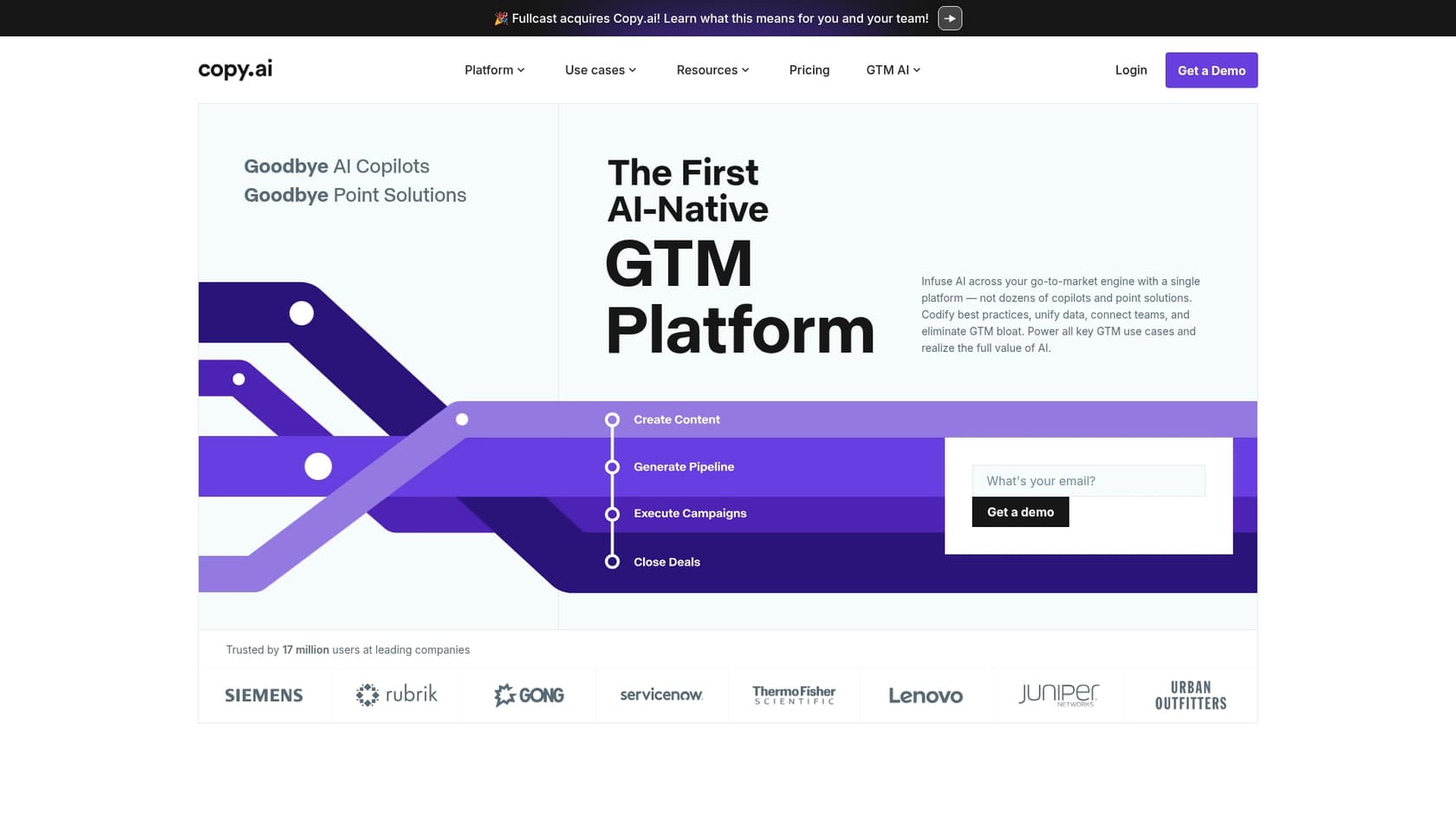
Copy.ai has shifted its game a bit recently. It's now aimed at sales and marketing teams, positioning itself as a way to automate entire content campaigns rather than just writing single articles.
It doesn’t have a WordPress plugin. The idea is to create your blog post and all the related bits (like social posts and emails) in the Copy.ai app, then copy the article over to WordPress.
Key features:
-
Workflow automation: Create templates that can generate a blog post, a handful of social media posts, and an announcement email all from one simple brief.
-
Chat interface: A powerful chat for brainstorming and quickly refining copy.
-
Multi-language support: Can generate content in over 25 languages.
Pricing:
-
Chat Plan (monthly): $29/month if you'd rather not commit to a year. The pricing page no longer lists a free plan.
-
Chat Plan: $24/month (paid annually) for 5 people and unlimited chat words.
-
Growth to Scale Plans: $1,000 to $3,000/month (paid annually) with workflow credits for larger teams.
-
Enterprise: Custom pricing for large organizations.
Pros & cons:
-
Pros: Fantastic for creating a whole suite of marketing materials from a single idea; the workflow automation can save a ton of time on campaigns.
-
Cons: No direct WordPress integration adds an extra step. Its main focus has moved away from being just a long-form blog writer.
Who it's best for: Marketing and sales teams who need to create a wide range of connected content and want to automate that whole process.
How to choose the right WordPress AI content writer
That's a lot to take in, right? Picking the right tool really just comes down to what you’re trying to do. Here’s a simple way to think it through.
-
First, what's your main goal? Are you trying to scale your blog with high-quality SEO articles? A specialized tool like the eesel AI Blog Writer is built for that exact job. Are you just looking for a little help with headlines and paragraphs inside the editor? Rank Math or AI Engine might be a better fit.
-
Think about your workflow. Do you spend all day inside the WordPress dashboard? A native plugin like Divi AI (for Divi users), or Jasper's browser extension, will feel the most comfortable. But don't write off an external tool. Sometimes a more focused, powerful app is worth the extra step of copying and pasting, especially if it gives you better results.
-
Check out the AI's "brain." A lot of tools use a generic AI model, which often leads to pretty generic content. Look for tools that can learn from your specific brand. For example, eesel AI reads your website to understand your product and voice, which is why its articles feel so much more relevant.
-
Don't forget the human touch. This is the most important part. AI is an assistant, not a replacement for you. The best way to use these tools is to let them generate a solid first draft. It’s then your job to go in, add your unique insights, tell your personal stories, and share your expert opinions. That’s the part AI can’t do, and it’s what will make your content truly great.
Automate your WordPress content, but keep it human
The world of WordPress AI content writers is full of powerful tools that can really save you time and help you create more content. From all-in-one marketing platforms like Jasper to deeply integrated assistants like Divi AI, there’s an option for just about every need and budget.
But the real secret is using these tools as a partner, not a replacement. Let the AI do the heavy lifting, the research, the drafting, the basic SEO. That frees you up to focus on what you do best: providing the strategy, expertise, and final human polish that turns a good article into a great one. That's how you really win with AI content.
Ready to see how AI can create a high-quality, SEO-optimized blog post for your WordPress site in minutes? Give the eesel AI Blog Writer a try for free. We used it to grow our own traffic 10x in 90 days, now it's your turn.
Frequently asked questions
How do the best WordPress AI content writers actually help me save time on content creation?
They automate various stages of content creation, from brainstorming and outlining to drafting full articles and optimizing for SEO. This significantly reduces the time you spend on initial content generation, allowing you to produce first drafts much faster.
What should I look for when choosing among the best WordPress AI content writers for my site?
Consider your primary content goals, how well the tool integrates with your WordPress workflow, the quality and originality of its output, and its built-in SEO features. Also, prioritize tools that can adapt to your brand's unique voice.
Will using the best WordPress AI content writers negatively impact my SEO, or will Google penalize my site?
No, Google does not penalize sites simply for using AI-generated content. The key is to use these tools as assistants to create high-quality, valuable, and human-edited content. When used responsibly, they can help you produce more optimized content that Google ranks favorably.
Do all the best WordPress AI content writers integrate directly into the WordPress editor as plugins?
While many offer direct plugins for seamless integration, others are external web applications. For external tools, you generate content on their platform and then copy-paste it into your WordPress editor. Both methods are effective, depending on your preferred workflow.
How do I ensure the content generated by the best WordPress AI content writers sounds natural and on-brand?
To ensure natural and on-brand content, select tools that offer features for learning or defining your specific brand voice. Always review and edit the AI's output, adding your unique insights, personal anecdotes, and expert perspectives to truly humanize the content.
Are there any free options among the best WordPress AI content writers to get started?
Yes, several options offer free plans or trials. For example, eesel AI's Blog Writer is free to start, and tools like AI Engine and Writesonic provide limited free versions or pay-as-you-go models, allowing you to test their capabilities without initial investment.
Beyond just writing articles, what other types of content can the best WordPress AI content writers help me create?
Many of these tools are quite versatile and can assist with a wide range of content needs. This often includes generating catchy headlines, meta descriptions, product descriptions, social media posts, email copy, and even supporting image generation or chatbot functionalities.