
AI tools are becoming essential for many who run a WordPress site. They can handle repetitive tasks, assist with content, and improve SEO from inside your dashboard. With so many options, choosing the right one can be challenging.
This guide reviews six AI WordPress plugins for SEO, page building, and workflow automation.
What are AI WordPress plugins?
AI WordPress plugins are extensions that integrate artificial intelligence directly into the WordPress dashboard. They function as assistants to handle time-consuming tasks.
They can perform tasks ranging from writing meta descriptions to building entire blog posts or powering a customer support chatbot. A key benefit is that they operate inside WordPress, eliminating the need to switch between applications. This integration is visually explained in the graphic below.
How we chose the AI WordPress plugins for this list
To compile this list, we evaluated each tool based on several key criteria:
-
Core Functionality: Plugins that effectively solve a specific problem.
-
Ease of Use: Plugins with intuitive interfaces suitable for non-developers.
-
Integration Quality: Tools that integrate smoothly with the WordPress ecosystem.
-
Real-World Value: The plugin must provide a clear benefit, such as time savings or improved site performance.
-
User Reviews and Reputation: Plugins with a positive reputation and feedback from the WordPress community.
Comparison of popular AI WordPress plugins
This table provides an overview of our selections to help you compare them and find a suitable option for your needs.
| Feature | AIOSEO | Divi AI | Uncanny Automator | AI Engine | WPForms | LiveChat |
|---|---|---|---|---|---|---|
| Primary Use Case | On-Page SEO Optimization | Integrated Web Design & Content | No-Code Workflow Automation | Custom AI Toolkit | AI Form Generation | AI-Powered Customer Support |
| Best For | Improving search rankings with TruSEO | Divi theme users | Connecting plugins & external apps | Developers & advanced users | Non-technical users creating forms | 24/7 customer engagement |
| Integrates With | Semrush, Social Media, Page Builders | Divi Builder | 210+ plugins & apps (incl. OpenAI) | OpenAI, Claude, Google Models | CRMs, Payment Gateways | 200+ tools (CRMs, etc.) |
| Starting Price | $49.50/year | Included in Divi ($89/year) | $149/year | Free (Pro for advanced features) | $49.50/year | From $19/agent/month |
A closer look at six popular AI WordPress plugins
Choosing the right tool depends on what you are trying to accomplish. Here is a detailed breakdown of each of these plugins.
1. AIOSEO
Used by over 3 million professionals, AIOSEO is a popular tool in the WordPress SEO space. Its AI features are designed to make on-page optimization more efficient. A key feature is the AI Title/Description Generator, which uses OpenAI to create optimized metadata with a single click. It also provides a TruSEO Score Analysis for real-time feedback and a Link Assistant that finds opportunities for internal linking.
-
Pros and Cons: A primary advantage of AIOSEO's deep integration into the SEO workflow. It saves time on tasks like writing meta descriptions by providing suggestions within the WordPress editor. A consideration is that the most advanced AI features are part of premium plans, and users need to review and select the AI-generated suggestions.
-
Pricing:
- Basic: $49.50 per year
- Plus: $99.50 per year
- Pro: $199.50 per year
- There's also a limited free version available.
2. Divi AI
Divi AI is designed for users of the Divi theme, used by over 974,000 customers. It functions as a content and image generator that lives inside the builder. It can write text, generate images, and write code for customization. A key feature is its context-awareness, learning from existing site content to produce copy and visuals aligned with your brand.
-
Pros and Cons: A major advantage is its integration with the Divi builder, creating a smooth workflow. The unlimited generation of text, images, and code is a notable feature. A limitation is its exclusivity to the Divi ecosystem.
-
Pricing:
- Divi AI is included with the Divi subscription, which starts at $89 per year.
3. Uncanny Automator
Used by over 50,000 companies, Uncanny Automator is an automation tool for WordPress sites. Its main function is to connect plugins and apps to create automated workflows without code. With its OpenAI integration, users can trigger AI actions based on site activity, such as generating a blog post draft from a form submission or summarizing new comments for a Slack channel.
Yes and it saves a lot of time. My little project plugin also optimises the speed of websites because I like seeing all my client sites in the 90s for performance and structure on gtmetrix. Just something else you can do with AI Agents.

-
Pros and Cons: Its main strength is its flexibility. It allows users to connect over 210 plugins and apps to build custom AI-driven workflows. The no-code builder makes it accessible, but it can have a steeper learning curve than other plugins. Users will also need their own OpenAI API key, which involves separate usage costs.
-
Pricing:
- Basic: $149 per year
- Plus: $249 per year
- Elite: $399 per year
- A free version is available, but it doesn't include the OpenAI integration and has limited "app credits."
4. AI Engine
AI Engine is a flexible tool for integrating AI into WordPress. It connects to different models (like OpenAI, Claude, and Google) and offers a range of tools. Users can build a customizable chatbot, generate content and images, create AI-powered forms, and fine-tune models. It is suitable for users who want to build custom AI solutions.
I have a client who is hiring me to start an AI project using AI engine. She has a writing coaching business, and the question we are seeking to answer - is it possible to train an AI on her methods so her learner can progress through the learning under the tutoring of the AI?
-
Pros and Cons: The main advantage is its versatility. It is developer-friendly, with internal APIs and tools for building various AI features. This flexibility can be a drawback for beginners, as the number of options can feel overwhelming compared to more focused plugins.
-
Pricing:
- A feature-rich free version is available.
- Users need to upgrade to the Pro plans for more advanced features like AI forms and embeddings.
5. WPForms
A form builder used by over 6 million professionals, WPForms has integrated AI into its platform to simplify form creation. Users can describe the desired form, and the AI form building feature constructs it. This is useful for creating complex forms like customer surveys, event registrations, or quote requests. The AI can also generate options for dropdowns and multiple-choice fields.
-
Pros and Cons: The main benefit is that it simplifies the creation of advanced forms, making the process faster and more accessible. It can save time for users who frequently build forms. Its AI is focused specifically on form creation and does not assist with other tasks like content writing or SEO.
-
Pricing:
- The AI features are included in all premium plans, which start at $49.50 per year.
6. LiveChat
Used by over 35,000 companies, LiveChat uses AI to enhance customer support on a WordPress site. Its AI chatbot can provide instant answers to common questions, qualify leads, and offer product recommendations. For human agents, the AI Copilot suggests replies, summarizes conversations, and helps refine text for brand consistency and faster response times.
-
Pros and Cons: A primary benefit is its ability to improve customer satisfaction by providing immediate, round-the-clock help. It also integrates with over 200 other tools. It is a specialized tool for customer interaction and does not include features for content creation or site backend management.
-
Pricing:
- Starter: $19 per agent/month (billed annually)
- Team: $49 per agent/month (billed annually)
- Business: $79 per agent/month (billed annually)
Streamlining content with an AI blog writer
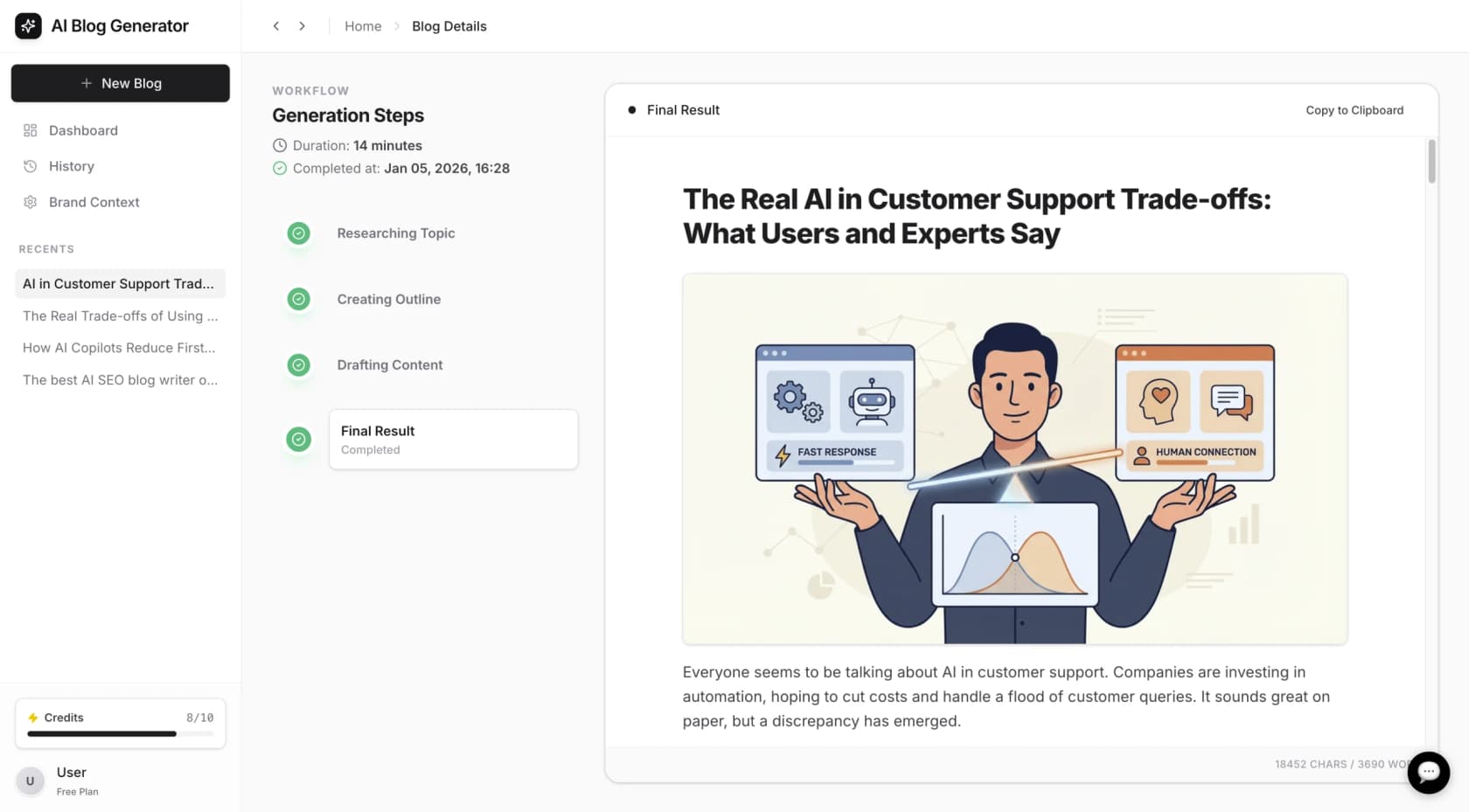
The plugins covered add specific AI functions within WordPress. For content creation, another approach is using a dedicated AI blog generation platform, as managing separate plugins for writing, SEO, and images can be complex.
A dedicated AI blog writer can handle research, SEO-friendly content writing, and the inclusion of media. An example is the eesel AI blog writer, a tool designed to generate a complete article from a single keyword. It operates outside of WordPress to produce content that can then be imported.
For a visual overview of how different AI plugins can enhance a WordPress site, the video below provides a walkthrough of several tools and their key features.
Choosing a plugin
The most suitable AI WordPress plugin depends on your specific needs. For on-page SEO, AIOSEO is a strong option. Divi users may find Divi AI beneficial. For workflow automation, Uncanny Automator is a suitable choice.
It's a useful tool to help you, not to make the job for you ;-)
If the main goal is to produce blog content, a dedicated AI writing tool can be effective. The eesel AI blog writer is an example of a tool designed for this purpose, aiming to streamline content creation and produce articles optimized for search.
Frequently asked questions
What are the best AI WordPress plugins for a small business blog?
For a small business blog, AIOSEO is a useful tool for SEO. If you use the Divi theme, Divi AI can help with content creation. The choice depends on your primary goal, whether it is search ranking, content creation, or task automation.
Are there any free AI WordPress plugins?
Yes, several AI WordPress plugins offer free versions. For example, AI Engine has a capable free version for experimenting with different AI features, and AIOSEO has a free plan that covers basic SEO needs. While the most powerful features are usually in the paid plans, the free versions are a good way to get started.
How do AI WordPress plugins help with SEO?
They help with SEO in a few key ways. A plugin like AIOSEO can automatically generate SEO-friendly titles and meta descriptions, analyze your content for optimization, and suggest internal links. This saves time and helps you follow best practices without needing to be an SEO expert.
Can AI WordPress plugins replace a human content writer?
While they are powerful tools for generating ideas, drafts, and even entire articles, they work best as assistants rather than replacements. AI plugins can handle research and first drafts, but a human touch is still needed for fact-checking, refining the tone, and adding unique insights.
What should I look for when choosing an AI WordPress plugin?
Focus on what you need most. If your site speed is a concern, avoid plugins that are too heavy. If you need to automate tasks, consider Uncanny Automator. If SEO is your priority, AIOSEO is a good option. Always check for compatibility with your theme and other plugins, and read recent user reviews to see how it performs in the real world.
Do AI WordPress plugins require an API key from services like OpenAI?
It depends on the plugin. Some, like Uncanny Automator and AI Engine, require you to bring your own API key from a service like OpenAI, which means you'll have separate usage costs. Others, like Divi AI or AIOSEO, bundle the AI usage into their subscription fee, so you don't have to worry about a separate bill.






