I’ve built my fair share of websites over the years. I started with the old-school, code-heavy platforms and eventually moved to drag-and-drop builders that promised the world but usually ended up being a source of frustration. The recent shift to AI-powered tools felt like a massive step up. Suddenly, the idea of getting a professional website live in a few minutes wasn't just a sales pitch, it was actually possible.
But with new tools popping up left and right, it’s tough to tell which ones are the real deal and which are just glorified templates. So, I decided to roll up my sleeves and test more than 20 of them myself. This guide is what came out of it: a no-fluff, hands-on look at the best tools for AI for website development to help you pick the right one without pulling your hair out.
AI for website development: What exactly is an AI website builder?
An AI website builder is a tool that uses artificial intelligence to do most of the heavy lifting when creating a website. You typically start with a simple text prompt, describing your business or what you do, and the AI spits out a full-fledged website with layouts, copy, and images in just a couple of minutes. As the diagram below shows, it simplifies the entire initial build into a single step.
This is a complete flip from how things used to be. Traditional builders like WordPress.com and its self-hosted sibling WordPress.org are incredibly powerful, but they demand a lot of manual work. You have to pick themes, hunt down plugins, and figure out hosting. AI builders take care of all that initial setup for you, giving you a huge head start.
How we chose the best tools for AI for website development
To separate the genuinely useful tools from the hype, I judged them on a few things that actually matter when you’re trying to get a business online, as illustrated in the graphic below.
-
How good is the AI's first draft? Does the site it generates look professional and make sense right away, or does it need a ton of work?
-
Is it easy to use? Can someone with zero tech skills jump in and start editing without getting completely lost?
-
Can you actually customize it? After the AI does its thing, how much freedom do you have to tweak the design? Or are you stuck with what it gave you?
-
Does it have room to grow? Does it come with the tools you'll eventually need, like SEO settings, eCommerce, and analytics?
-
Is it worth the money? Does the price feel fair for what you get, and can the tool grow with your business?
AI for website development: The best AI website builders at a glance
If you're in a hurry, here’s a quick look at the top players and where they shine.
| Tool | Best For | Starting Price (Monthly) | Customization Level | Code Export |
|---|---|---|---|---|
| Durable | Small businesses needing a site in minutes | $25 (Free plan available) | Medium | Not listed |
| Design.com | Small businesses and non-designers | Free options available; paid plans vary | High | Not listed |
| Wix AI | All-in-one functionality and scalability | About $17 (Free plan available) | High | Not listed |
| CodeDesign.ai | SEO-focused sites and code export options | $15 (Free plan available) | Medium | Yes |
| Framer | Designers who want high-fidelity, interactive sites | $10 (Free plan available) | High | No (publishes directly) |
| Relume | Agencies and designers needing a structured workflow | $18 (Free plan available) | High | Yes (to Figma/Webflow/React) |
| Mobirise | Users who want an offline app and full code ownership | $149 (KIT) | High | Yes |
| Mixo | Quickly launching landing pages and MVPs | $20 (Free plan available) | Low | Not listed |
| WordPress.com | Bloggers and content-heavy sites needing a robust CMS | $4 (billed annually) | High (with plugins) | No (content export only) |
A deep dive into the 9 best tools for AI for website development in 2025
Alright, let's get into the nitty-gritty. I spent real time with each of these platforms to see how they actually performed. Here’s the breakdown of what makes each one special and who should use it.
1. Durable
Why it's on the list: If you need a website yesterday, Durable is your tool. It’s built for one thing: getting service businesses online in under a minute. And it’s not just a website, it’s a whole suite of tools to help you run your business.
Pros:
-
Seriously fast setup: You answer three questions, and boom, Durable generates a multi-page site with copy, images, a contact form, and even a map to your business.
-
Built-in business tools: This is more than a website builder. It includes a simple CRM for managing contacts and invoicing tools for billing clients, all in one place.
-
The AI-written copy is solid: The text it generates is surprisingly sharp and professional. I found it needed very little editing before it was ready to go live.
Cons:
-
Design options are limited: You can change colors, fonts, and layouts, but you don't get the same deep creative control you'd find in a tool like Wix or Framer.
-
Limited code access: Custom code arrives on the paid Launch plan, and code export isn't listed, so deep custom builds are harder.
Pricing: A free plan is available, and the Launch plan is $25/month (less with yearly billing).
Best for: Small service-based businesses or solopreneurs who need a professional online presence immediately and want a simple, all-in-one platform to manage everything without any technical fuss.
2. Design.com
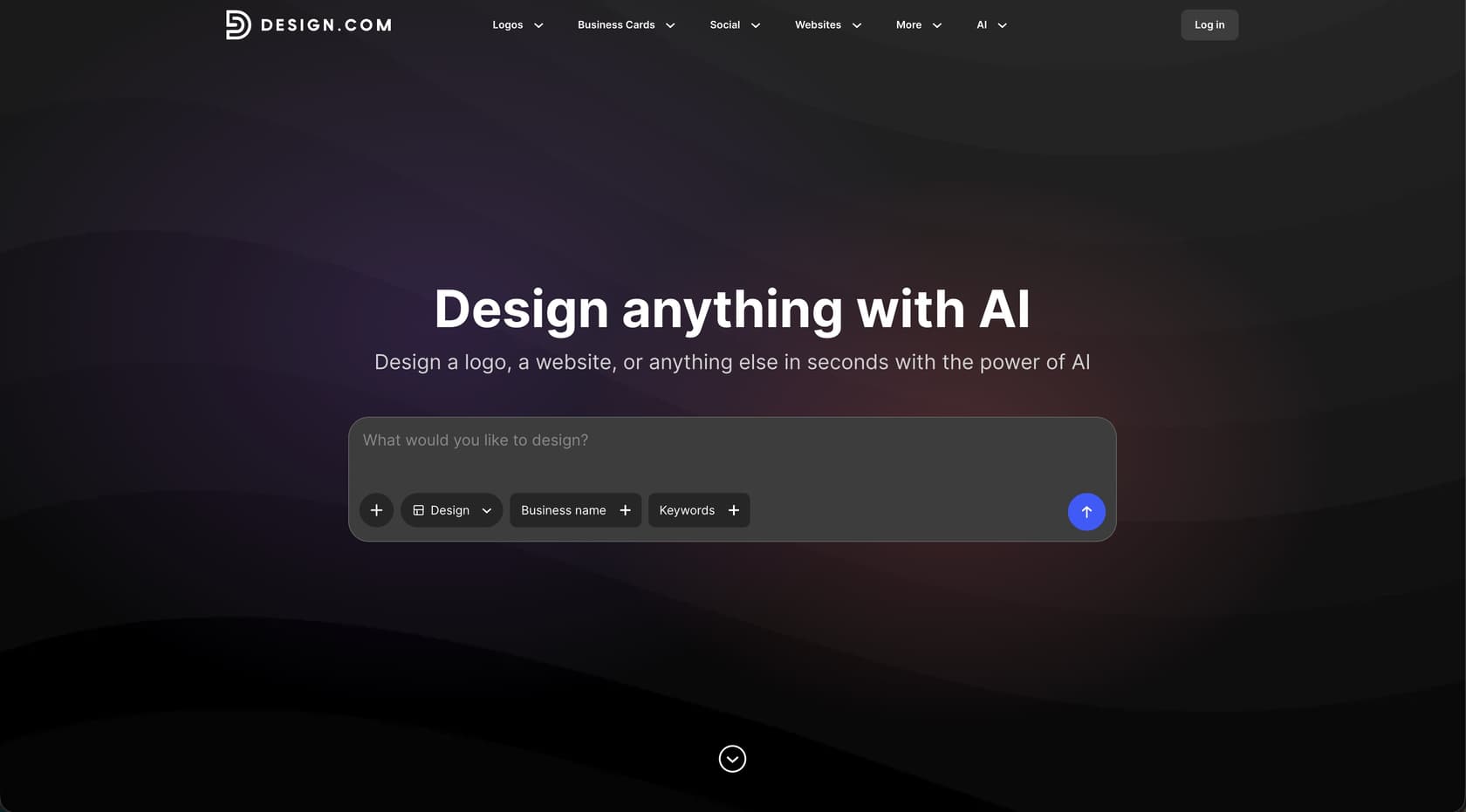
Why it's on the list: Design.com's AI website builder generates fully functioning, responsive websites in seconds using just a business name and a few words. It combines AI with a library of more than 3,000 website templates, giving you plenty of designs to choose from before customizing the fonts, colors, layouts, and other elements.
Pros:
- Fast website generation: Enter a few details, and AI can generate a complete website in seconds, with responsive designs ready for desktop, tablet, and mobile.
- Lots of design options: The platform can generate thousands of website variations across different industries and styles, so you're not limited to a single template.
- Easy customization: You can change fonts, colors, layouts, spacing, images, and other design elements through the built-in editor.
- Hosting included: Websites come with built-in hosting, so there's no need to find a separate hosting provider or handle complicated setup.
- Free options: You can browse, customize, and publish certain websites for free, including a Design.com-branded URL.
- Built for branding: You can create a logo and other branded assets on the same platform, then use them across your website and other marketing materials.
Cons:
- Works in the browser; no native app is listed.
Pricing: Free website options are available. Paid plans provide access to additional features and Design.com's wider collection of design tools and templates.
Best for: Small businesses, entrepreneurs, and non-designers who want to generate and launch a professional website quickly without dealing with code or separate hosting.
3. Wix AI website builder
Why it's on the list: Wix has been a major player in this space for a long time, and its AI tool cleverly pairs a conversational setup process with its already massive and time-tested platform.
Pros:
-
Taps into the entire Wix platform: Once the AI builds your site, you have access to everything Wix offers. That includes its advanced eCommerce features, an online booking system, and a full set of SEO tools to help you get found on Google.
-
You can customize everything: The AI gives you a great starting point, but you can switch over to the full Wix Editor anytime you want for pixel-perfect control over every single element on the page.
-
A more personal setup: The process kicks off with a chat where the AI asks about your goals and style. It feels like it's creating a project brief before it starts building, which is a nice touch.
Cons:
-
Can feel like a lot: The sheer number of features might be overkill if all you need is a simple, one-page website.
-
Need to pay for the important stuff: There's a free plan, but you have to upgrade to connect your own domain, get rid of Wix branding, and take payments.
Pricing: A free plan is available (with Wix branding). Paid options like the Light plan start at about $17/month (prices vary by region and tax).
Best for: Anyone who wants the speed of AI to get started but knows they'll need a powerful, scalable platform to grow their business down the road.
4. CodeDesign.ai
Why it's on the list: CodeDesign.ai hits a sweet spot. It generates clean, SEO-friendly websites and gives you the option to export the code and host it wherever you want.
Pros:
-
Built with SEO in mind: The tool generates sites from simple prompts with a clear focus on being search engine optimized from the get-go.
-
You can export your code: This is a big one. It lets you export your site as HTML, CSS, and even React, so you can host it on your own server if you want to.
-
Helpful AI copy editor: The "AI Magic" feature is pretty cool. It helps you rewrite and tweak your marketing copy right on the page to make it clearer and more effective.
Cons:
-
Customization isn't its strong suit: The design tools aren't as advanced as others, so you have less fine-grained control over the look and feel.
-
No built-in blog: It doesn't have a native content management system, which makes it a better fit for static websites or landing pages rather than a blog.
Pricing: The free plan lets you build up to two sites on a subdomain. Paid plans start at $15/month.
Best for: Marketers, startups, and freelancers who need to launch optimized landing pages fast and want the freedom to own and host their code themselves.
5. Framer
Why it's on the list: Framer's AI feels like it was built by designers, for designers. It's what you use when you want to create a visually stunning, polished, and interactive website that looks like it came from a top design agency.
Pros:
-
Gorgeous design output: Framer consistently creates beautiful, modern websites that look professional right out of the box.
-
Amazing animations and interactions: This is where it really stands out. It's fantastic for creating those smooth animations that make a site feel alive. They even offer a full course on it.
-
A powerful design editor: Once the AI builds a page, you can jump into an editor that will feel very familiar if you've ever used a tool like Figma.
Cons:
-
A bit of a learning curve: If you have no design background, the interface might feel a little intimidating compared to simpler builders.
-
Paid plan needed for a custom domain: The free plan is great for designing and collaborating, but you'll have to upgrade to connect your own domain name.
Pricing: A free plan is available. Paid plans start at $10/month per site (billed annually).
Best for: Web designers, creative agencies, and anyone who cares more about aesthetics and high-quality interactions than anything else.
6. Relume
Why it's on the list: Relume has a really smart, structured approach that's perfect for professional web projects. Instead of just spitting out a design, it starts by creating a sitemap from your prompt and then builds wireframes, which helps streamline the whole planning process.
Pros:
-
AI-powered sitemaps: This is a huge time-saver for agencies. It helps you map out an entire website structure in seconds, which can prevent scope creep down the line.
-
Built from real components: The wireframes it creates are made from a library of over 1,000 production-ready components, and they can also export to React.
-
Exports to Figma and Webflow: Relume is designed to slot right into a professional workflow. You can export your sitemaps and wireframes directly into the tools you already use.
Cons:
-
It's a workflow tool, not a hosting platform: You still need Figma or Webflow to finish the design and publish the site. Relume helps you get there faster, but it's not an all-in-one solution.
-
Priced for pros: The cost is geared towards agencies and freelancers, so it's a bigger investment for a casual user.
Pricing: There's a free plan, and the Site Builder's Starter plan starts at $18/month, with Pro from $40/month.
Best for: Web design agencies and freelance designers who want to automate the boring parts of project planning, like sitemapping and wireframing.
7. Mobirise
Why it's on the list: Mobirise is different because it's an offline desktop app. This gives you total control over your website files and the freedom to host your site anywhere you want, which is pretty rare these days.
Pros:
-
You can use it offline: Since it's a downloadable app for Windows and Mac, you can build your site without an internet connection.
-
You own all the code: You can export your entire site as a ZIP file and upload it to any hosting company. Your site is truly yours.
-
Massive library of building blocks: It comes with over 10,000 pre-made blocks, giving you a ton of drag-and-drop customization options.
Cons:
-
The interface feels a bit dated: The desktop app isn't as slick or modern as some of the newer, browser-based tools.
-
The AI can get carried away: The initial site generated by the AI sometimes includes extra sections that you'll probably want to delete.
Pricing: A free version is available. The KIT plan is $149 for all 220+ premium themes and extensions, and the BASE ($199) and GROW ($249) plans add premium AI and hosted online sites.
Best for: Anyone who values control, wants to work offline, and likes the idea of owning their website code to host it wherever they choose.
8. Mixo
Why it's on the list: If you need a landing page launched, like, yesterday, Mixo is your go-to. It's built for one thing: turning an idea into a live, professional landing page in about 60 seconds.
Pros:
-
Lightning-fast generation: It's the quickest tool I tested for creating single-page websites. Just feed it a prompt, and out comes a polished page.
-
Good at writing conversion-focused copy: The AI is great at writing punchy, natural-sounding marketing copy that gets right to the point.
-
Built-in email collection: It comes with integrated forms, making it perfect for validating a new idea and building an early-adopter list.
Cons:
-
Customization is very limited: On the basic plan, you're pretty much stuck with the structure it generates. You can only make small tweaks.
-
You have to upgrade for branding and a domain: The free plan shows a Mixo badge on a Mixo-branded URL; paid plans remove it and add a free domain for the first year.
Pricing: A free plan is available. The Business Site plan is $20/month and the Premium Site plan is $40/month, with 20% off for annual billing.
Best for: Startups trying to validate an idea, marketers running a quick campaign, or anyone who just needs a simple, effective landing page online right away.
9. WordPress.com
Why it's on the list: Most people know it as a traditional CMS, but WordPress.com has added an AI Website Builder that mixes prompt-based creation with the unmatched power of its content management system.
Pros:
-
Incredibly robust for content: It uses the powerful WordPress Block Editor, giving you sophisticated tools for writing and managing your content.
-
A massive ecosystem of plugins: On the right plans, you can access over 50,000 plugins that let you add almost any feature you can think of, from fancy forms to social media feeds.
-
Perfect for content-heavy sites: It's the clear winner for blogs, news sites, and any business that plans on publishing a lot of articles.
Cons:
-
The AI is just the starting point: The AI gets you set up, but you're quickly dropped into the full WordPress environment, which doesn't feel as simple as AI-first builders.
-
The best features are on pricier plans: To really unlock what makes WordPress great, like installing your own plugins, you'll need to spring for a more expensive plan like Business.
Pricing: A free plan is available. Paid plans start at $4/month, with the popular Business plan costing $25/month (both billed annually).
Best for: Bloggers, content creators, and businesses that need a world-class CMS and just want a little AI help to get started.
How to choose the right tool for AI for website development
Feeling a bit lost in all the options? No worries. Here’s a simple way to figure out which tool is your best bet.
-
First off, what are you actually trying to do? If you need a business site online today, check out Durable. If you're just testing an idea with a landing page, Mixo is the fastest. For a full-featured site that can grow with you, Wix AI is a solid choice.
-
How comfortable are you with tech? If you're a designer who lives in tools like Figma, you'll feel right at home with Relume or Framer. If you want zero technical stress, Durable was made for you. And if you want total control and the ability to own your code, Mobirise is the way to go.
-
What kind of content will you have? If you're planning a big blog or a content-heavy site, the power of WordPress.com is hard to beat. For simpler, more static sites, tools like CodeDesign.ai or Mixo will do the job just fine.
-
What's your budget and long-term plan? You can test the waters with a free plan from Wix, Framer, or CodeDesign.ai. If you know you'll need things like an online store or booking tools later on, pick a platform like Wix AI that can grow with you from day one.
The verdict: Is AI for website development the future?
Yeah, there's no question AI has changed how websites get made. It’s not about replacing developers or designers, but about letting anyone with an idea actually build it, without needing a computer science degree. For the pros, these tools are amazing for automating the most annoying parts of their jobs.
The "best" tool really just depends on what you care about most. Is it speed? Creative control? Long-term flexibility? Code ownership? Each platform on this list has a different answer.
The good news is that it has never been easier or faster to get yourself online. The right tool is out there, and with AI, you can go from a thought in your head to a live website in the time it takes to brew a pot of coffee.
Frequently asked questions
How quickly can I get a website up and running using AI for website development tools?
Many AI for website development tools are designed for rapid deployment, often allowing you to generate a functional website in just a few minutes. Platforms like Durable and Mixo are specifically optimized for getting a professional site or landing page live almost instantly after answering a few prompts.
Can I fully customize a site generated by AI for website development tools, or am I stuck with the initial design?
While AI for website development provides a strong starting point, the level of customization varies. Tools like Wix AI and Framer offer extensive editing capabilities after generation, allowing for pixel-perfect control. Simpler tools like Mixo might have more limited customization options on their basic plans.
How does AI for website development impact my website's search engine optimization (SEO)?
Many AI for website development tools are built with SEO in mind, generating clean code and suggesting relevant content. CodeDesign.ai, for example, focuses on creating SEO-friendly sites from the start, though you'll still need to implement a solid SEO strategy to rank effectively.
Do I own the code or content created through AI for website development platforms, and can I move it elsewhere?
Ownership and portability depend on the specific AI for website development tool. Some platforms, like Mobirise and CodeDesign.ai, allow you to export your site's code for full ownership and hosting anywhere. Others operate as closed ecosystems, meaning your site lives on their platform, but you always own your content.
Are there free options available for AI for website development, or do I need to pay to use these tools?
Yes, several AI for website development tools offer free plans, often with some limitations like subdomain hosting or branding. Wix AI, Framer, CodeDesign.ai, Mobirise, and WordPress.com all provide free tiers, allowing you to try them out before committing to a paid subscription for more features or a custom domain.
Is AI for website development suitable for complex projects, or just for simple landing pages?
AI for website development is versatile enough for both. While tools like Mixo excel at rapid landing page creation, platforms like Wix AI and WordPress.com, with their robust ecosystems and scalability, can handle complex multi-page websites, e-commerce stores, and extensive content management systems.