


What is AI Puffer?
AI Puffer is a WordPress plugin built by one developer, Senol, who put the first version on WordPress.org on December 7, 2022, a week after ChatGPT launched. It began as "GPT-3 AI Content Generator" (still its plugin address), became AI Power, and is now AI Puffer. The listing's FAQ confirms it is the same plugin, with the same settings and data.
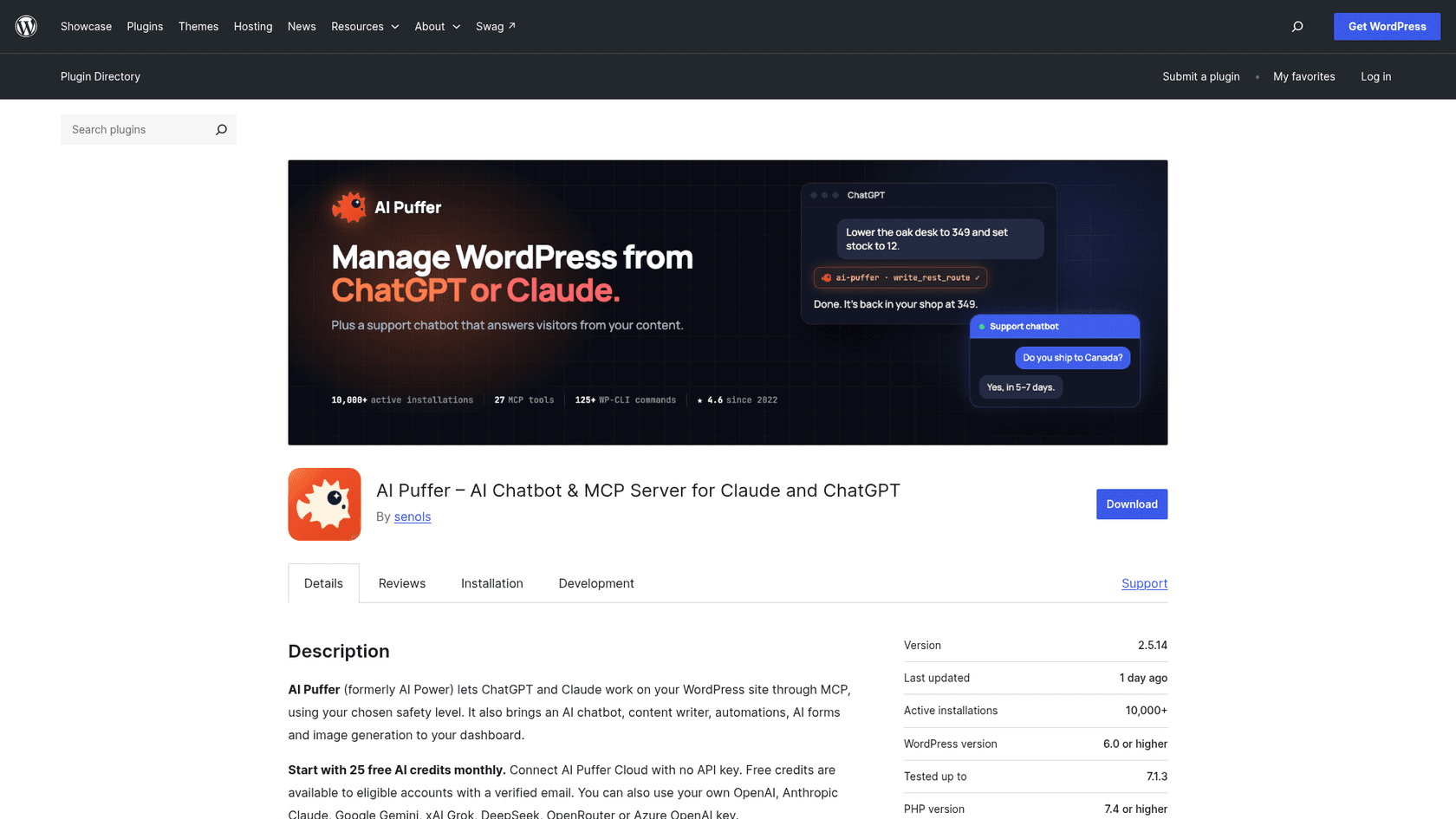
| AI Puffer at a glance | |
|---|---|
| What it is | WordPress plugin: chatbot, content writer, automations, AI forms, images, knowledge base, MCP website management |
| Install base | 10,000+ active installs (WordPress.org) |
| Rating | 4.6 from 166 reviews: 144 five-star, 14 one-star |
| Version | 2.5.14, released October 20, 2026; needs WordPress 6.0+ and PHP 7.4+ |
| Price | Free; Pro $9.99, Pro Plus $14.99, Pro Max $29.99 a month (one site) |
| AI models | AI Puffer Cloud on credits, or your own OpenAI, Anthropic, Google, xAI, DeepSeek, OpenRouter or Azure key |
| Assistants | ChatGPT, Claude, Cursor and Claude Code over MCP, 32 tools as of October 20, 2026 |
| Data | Chat logs, usage records and local knowledge stay in your WordPress database |
The part most coverage misses is how new the headline feature is. Website management arrived in version 2.4.99 on October 14, 2026, per the changelog, and four releases have expanded it since. The listing now leads with "MCP Server for Claude and ChatGPT," but the 4.6 rating was earned over three years by the chatbot and the writer. Judge the two halves separately.
What AI Puffer does well
I went through each module's chapter in the manual, the WordPress.org screenshots, and the reviews that mention them. Four things stood out.
A chatbot you can set up in five minutes
The chatbot is the oldest and most reviewed part. A new install creates a bot called Customer Support, and the chatbot manual walks you through five steps: pick a model, choose "Learn my website", write instructions or pick the Customer support template, set a color and greeting, and publish it on every page. You can create unlimited chatbots, each with its own model.
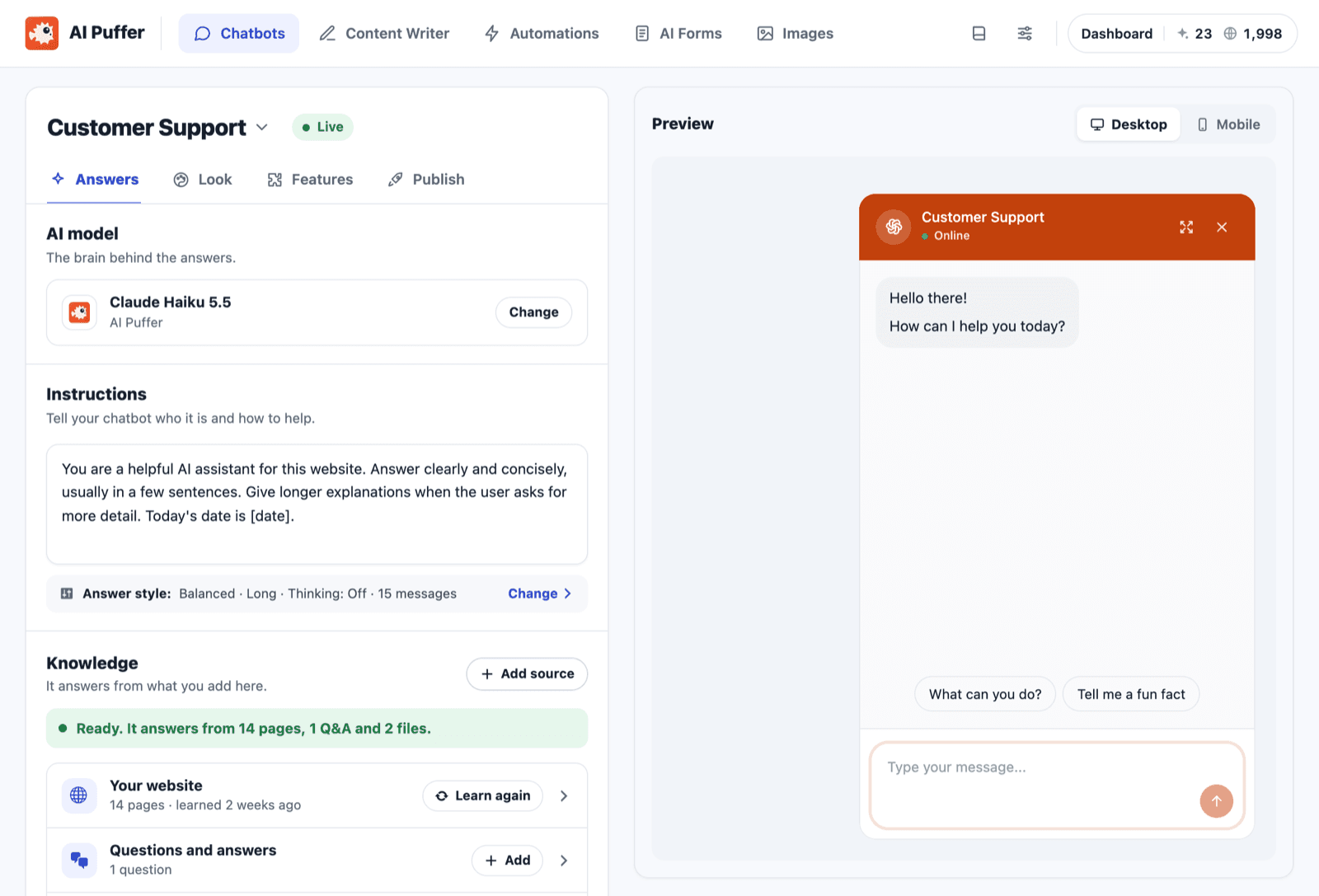
It answers from your pages, posts, products, Q&A pairs and pasted text, using retrieval rather than training a new model. You choose how close a match must be (loose, normal or strict), and it can read the page the visitor is on. Files such as PDFs and Word docs are a paid feature. Knowledge can sit in your WordPress database (up to 10,000 pieces per store, per the knowledge base docs) or in OpenAI, Google, Pinecone, Qdrant or Chroma. If vector databases are new to you, the built-in option is the one to start with.
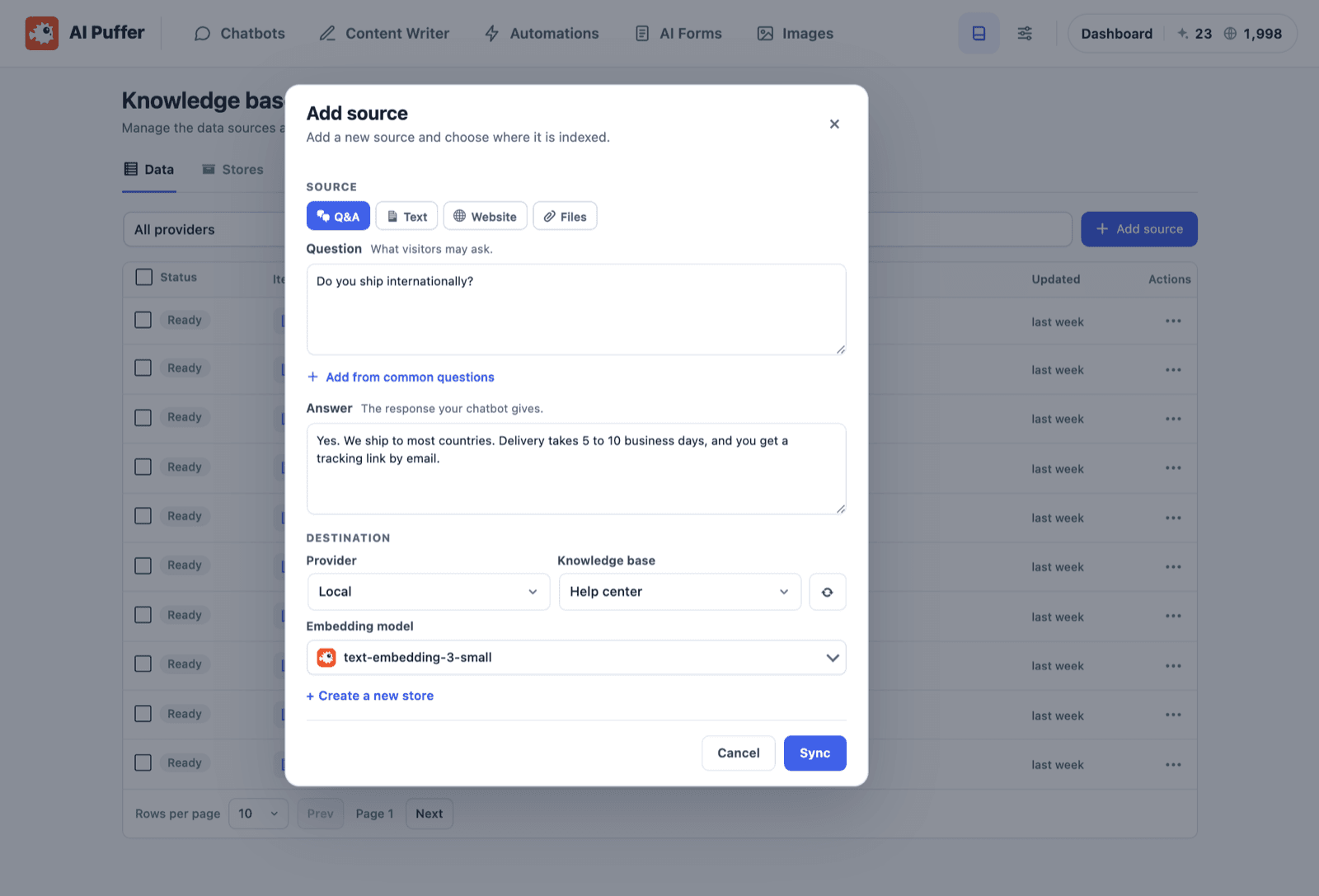
The most recent review praises exactly this combination:
"The knowledge base you can feed it is technically unlimited and the personality/behavior tweakable to the nth degree."
One detail I liked as someone who reads a lot of bot transcripts: each saved conversation shows which pieces of knowledge the bot used and how closely each matched. That is the quickest way to see why it answered what it did. My guide to an AI knowledge base chatbot covers what to feed a bot like this.
ChatGPT and Claude working on your site
Connect an assistant under Settings, approve it once, and you can ask Claude to "set its stock to 12 and lower it to 349" for a WooCommerce product, turn notes into a draft, or fill missing alt text. The tools reference lists 32 tools, from create_draft to write_rest_route, plus WP-CLI commands that can run on up to 50 sites at once. No WordPress password is ever asked for; the assistant acts as a WordPress user you pick.
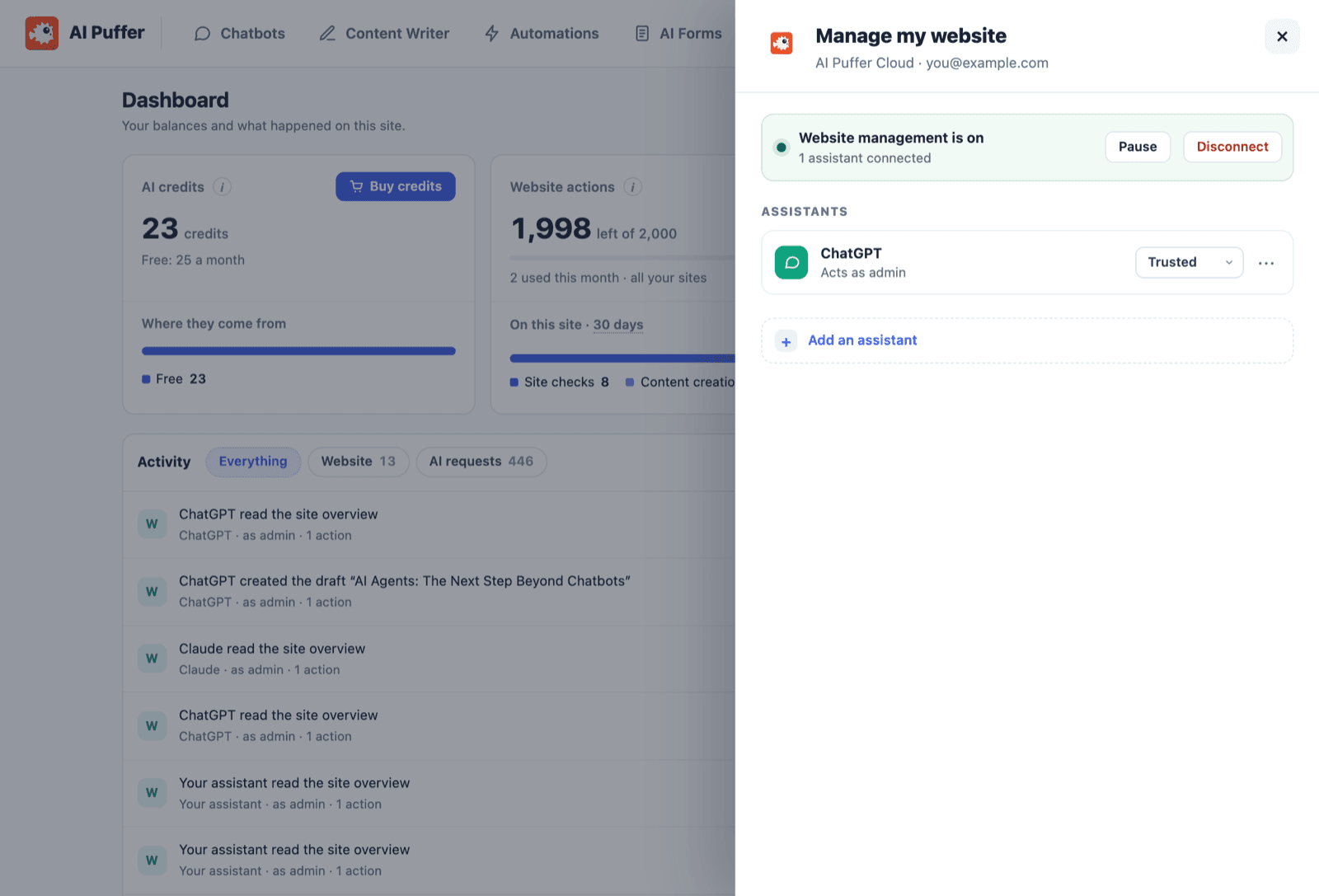
The design choice I would flag is the default. The listing says new connections default to Trusted, which "runs supported changes directly, including publication, plugin changes and deletion." Standard asks for approval in WordPress before anything goes live. Both are reasonable, but a first-time user who clicks through setup ends up with an assistant that can publish without asking.
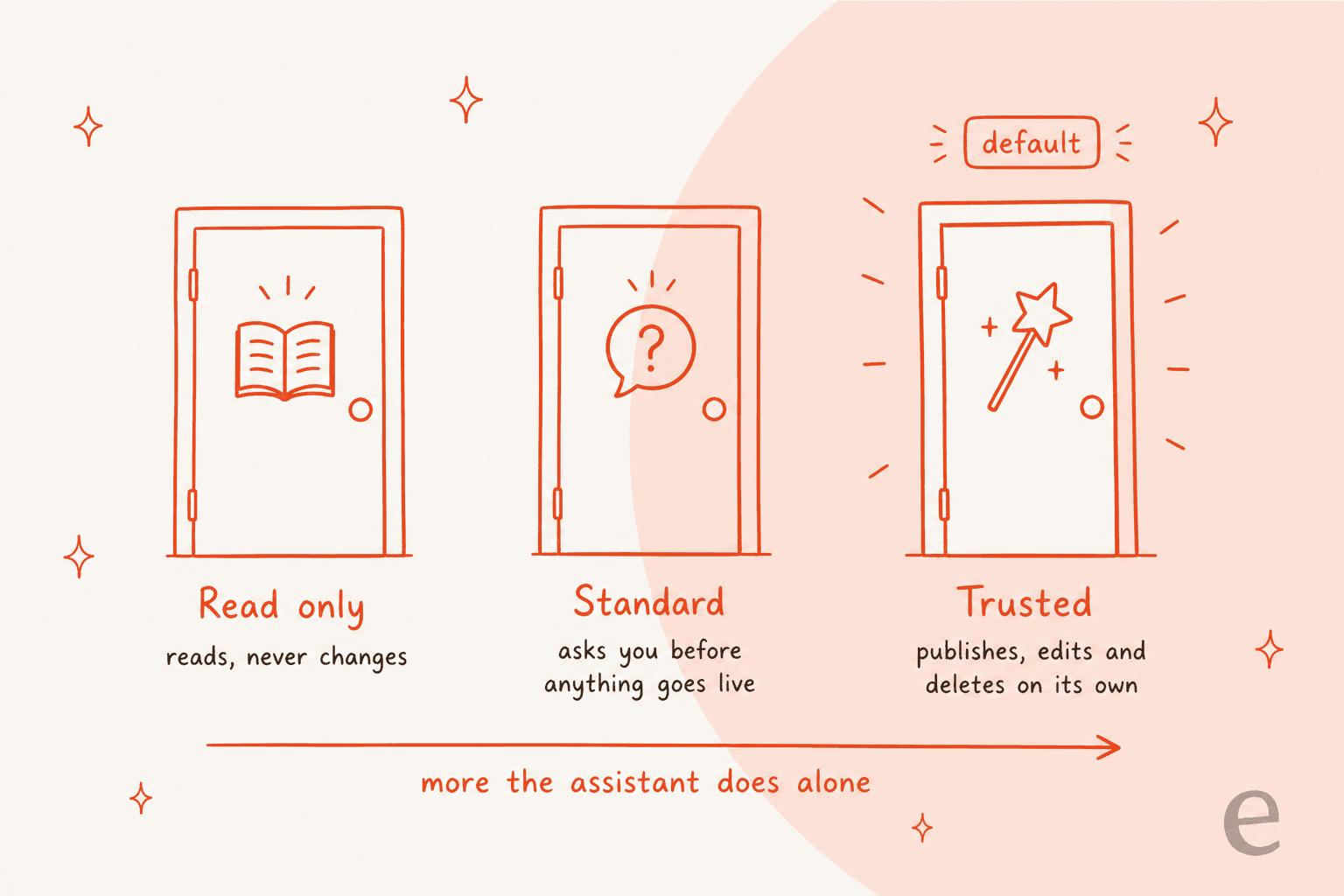
If I were turning this on for a store, I would pick Standard, connect as a Shop manager rather than an admin (the Connect Claude guide suggests the same), and keep backups. My explainer on the Model Context Protocol covers why tool permissions matter, and the glossary entry on prompt injection covers the risk on the other side.
A content writer for volume
The Content Writer drafts posts from a topic and keywords, one at a time, from a batch, or from a CSV, RSS feed, web page or Google Sheet (the last three are paid). It writes SEO fields for Yoast, Rank Math, All in One SEO and The SEO Framework, and Automations can schedule the whole thing.
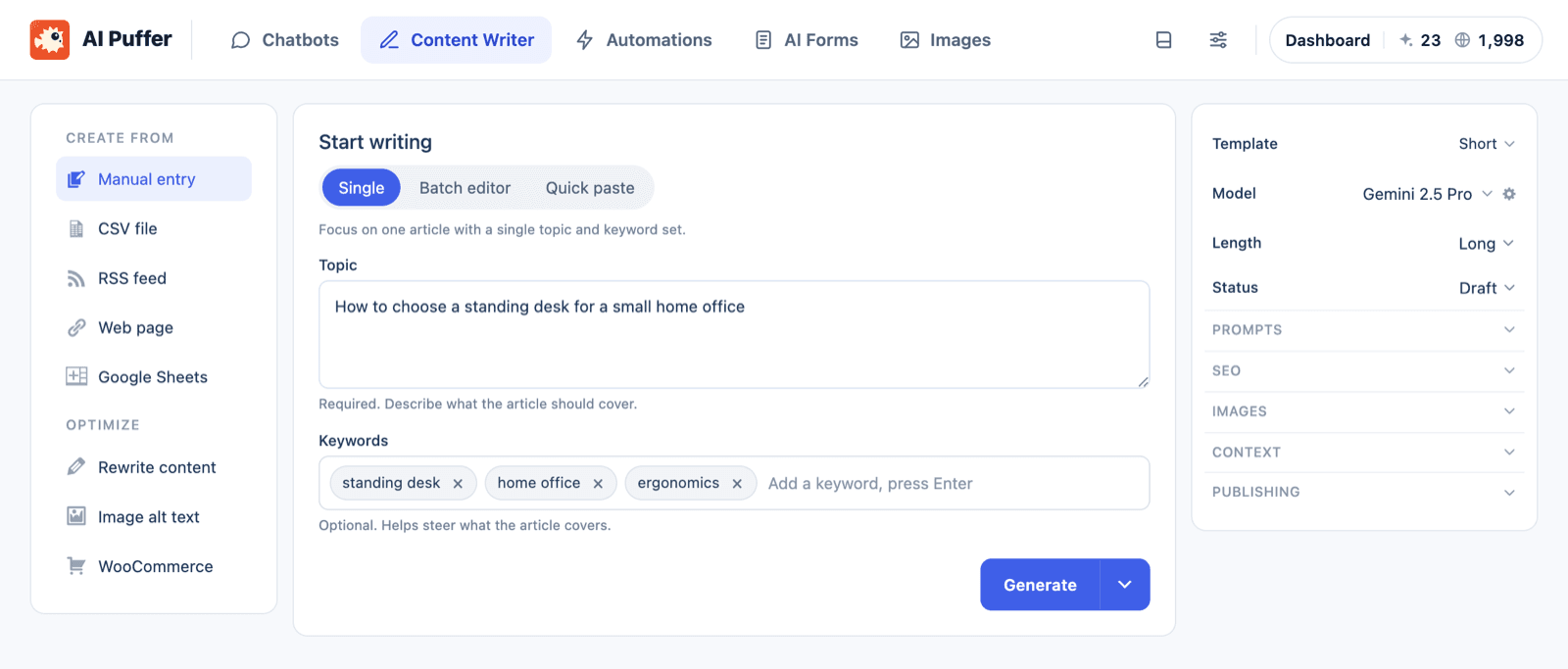
One reviewer called it "hard to beat in terms of speed and the useful range of features and automations" and praised the WooCommerce product descriptions. If writing is your main job, my roundups of WordPress AI content writers and the AI WordPress writer guide put it in context.
A free plan that does a lot
The free plugin includes chatbots, the writer, topic and CSV automations, AI forms, images, knowledge storage and website management. That is more than most WordPress AI plugins give away. The AI usage still costs something, but 25 credits a month on AI Puffer Cloud means you can test without a card or API key.
Using AI Puffer for customer support
This is the section that matters if you found this review from a "WordPress support chatbot" search. The chatbot's default name is Customer Support and its template list starts there, so the vendor clearly has this use in mind. It handles the first step well: a visitor asks, it finds your content, a model answers.
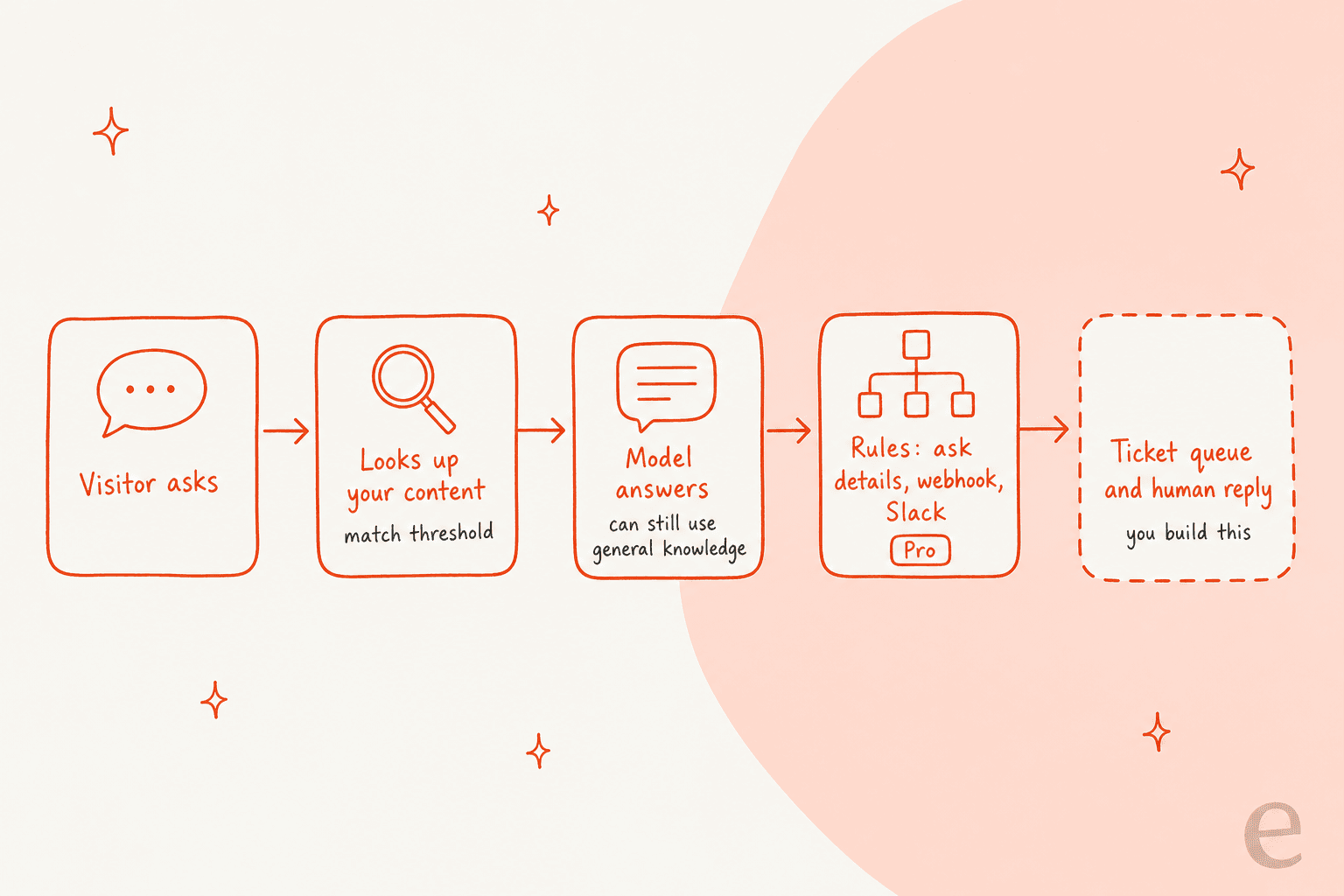
What I could not find is the rest of a support setup. There is no ticket queue, no assignment to a teammate and no live takeover in the docs. The closest feature is Rules and connected apps, both paid: a rule can show a form in the chat, ask for contact details, or send the conversation to a webhook, and connected apps can push chat events to Slack, HubSpot, Notion, Pipedrive, Zapier, Make or n8n. That is a notification, not a handoff. Someone still has to see the Slack message, find the visitor and reply somewhere else.
A few other support-shaped limits from the manual:
- It is not limited to your content. The listing's FAQ says the model "can still use its general knowledge or make mistakes" and tells you to write a fallback into the instructions. Plan to read early transcripts closely.
- Testing is manual. There is a live preview, but I found no replay of past conversations or tickets. At eesel, every rollout is simulated against historical tickets first, because the questions that cause trouble are the ones nobody thought to ask. My guide to testing an AI agent shows the method.
- Past tickets are not a knowledge source. It learns from pages, products, Q&A, text and files. If your best answers live in old conversations, see training AI on past tickets.
- Moderation is basic but present. Blocked words, blocked IPs, IP anonymizing, OpenAI moderation, and per-guest or per-role usage limits, per the limits docs.
None of this is a flaw for a site owner who wants a helpful FAQ bot on a service site. It becomes a gap when the chat is meant to be a support channel that somebody is accountable for. For a store, my guide to AI support for WooCommerce lays out what that channel needs.
AI Puffer pricing
The plugin is free on WordPress.org. Paid plans are sold through Freemius, the vendor's reseller, and every paid tier unlocks the same features. Only the monthly allowances differ. The prices below come from the pricing page and the plans and usage chapter.
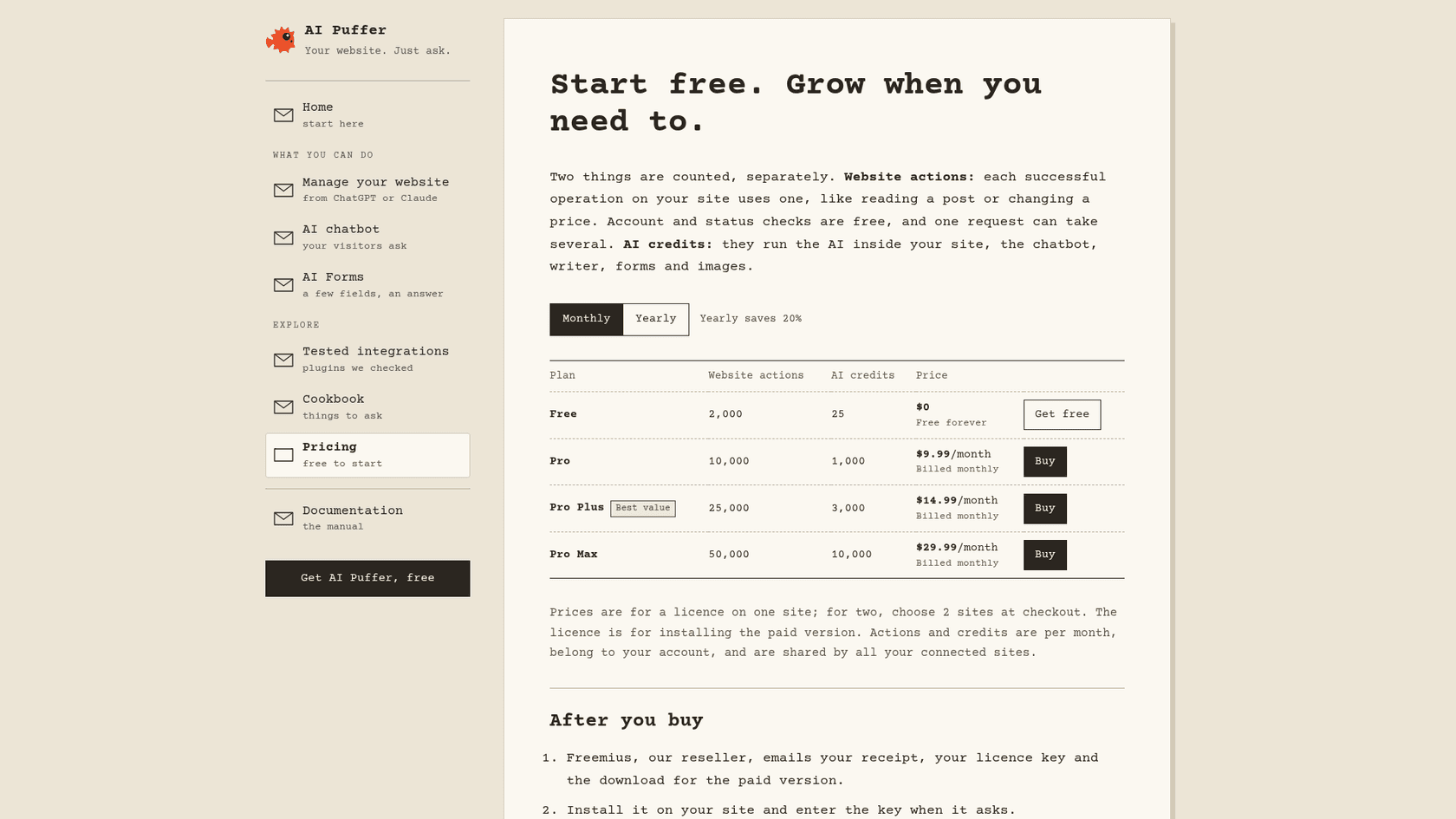
| Plan | Website actions a month | AI credits a month | Monthly | Paid yearly (per month) | Yearly total |
|---|---|---|---|---|---|
| Free | 2,000 | 25 | $0 | $0 | $0 |
| Pro | 10,000 | 1,000 | $9.99 | $7.99 | $95.88 |
| Pro Plus | 25,000 | 3,000 | $14.99 | $11.99 | $143.88 |
| Pro Max | 50,000 | 10,000 | $29.99 | $23.99 | $287.88 |
A few terms that change the math:
- Prices are per site licence. For two sites you choose 2 sites at checkout. The allowances belong to your account and are shared across every connected site, so they do not multiply.
- Allowances reset monthly, even on yearly plans. Unused actions and included credits do not roll over. Extra credits you buy never expire.
- Paid features are the same on every tier. File uploads, Rules, external embeds, realtime voice and Ollama come with Pro; Pro Plus and Pro Max only add allowance.
- Old lifetime licences keep plugin access but do not include the monthly allowances, per the listing.
Two meters, and the one that matters for a chatbot
The plan card counts two different things, and the bigger numbers are the ones a chatbot does not use. Website actions are what ChatGPT or Claude spend when they work on your site: reading a post, creating a draft and publishing it are three. AI credits run the AI inside your site, which is the chatbot, the writer, forms and images.
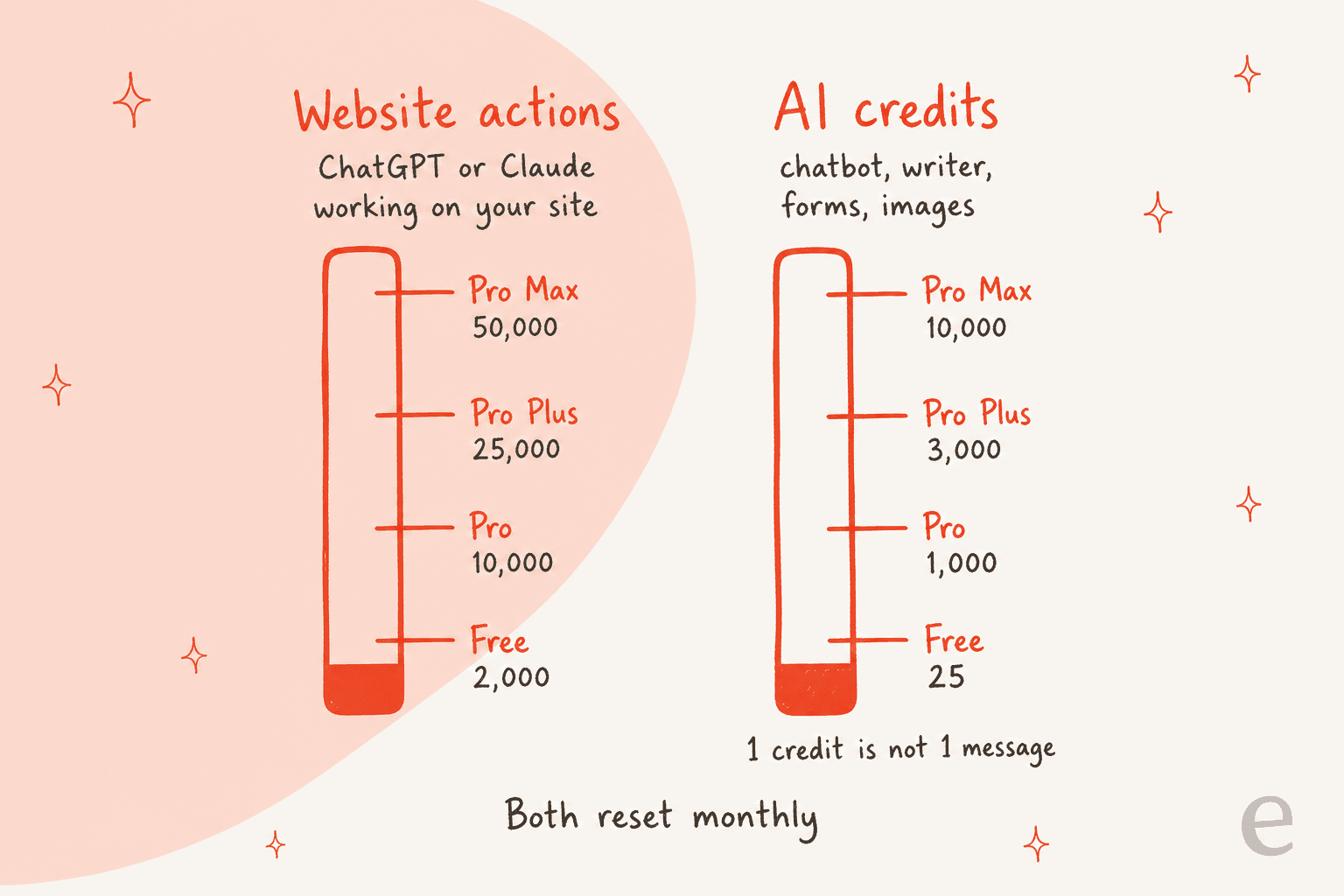
The vendor is upfront that one credit is not one message: cost depends on the model and the request size, with a minimum per text request, and longer answers, more context and images cost more, per the Cloud docs. The vendor does not publish a per-chat estimate, so I will not invent one. The honest way to plan is to run a month on Pro, watch the AI requests view on the dashboard, which lists every request with its cost, and size up from there.
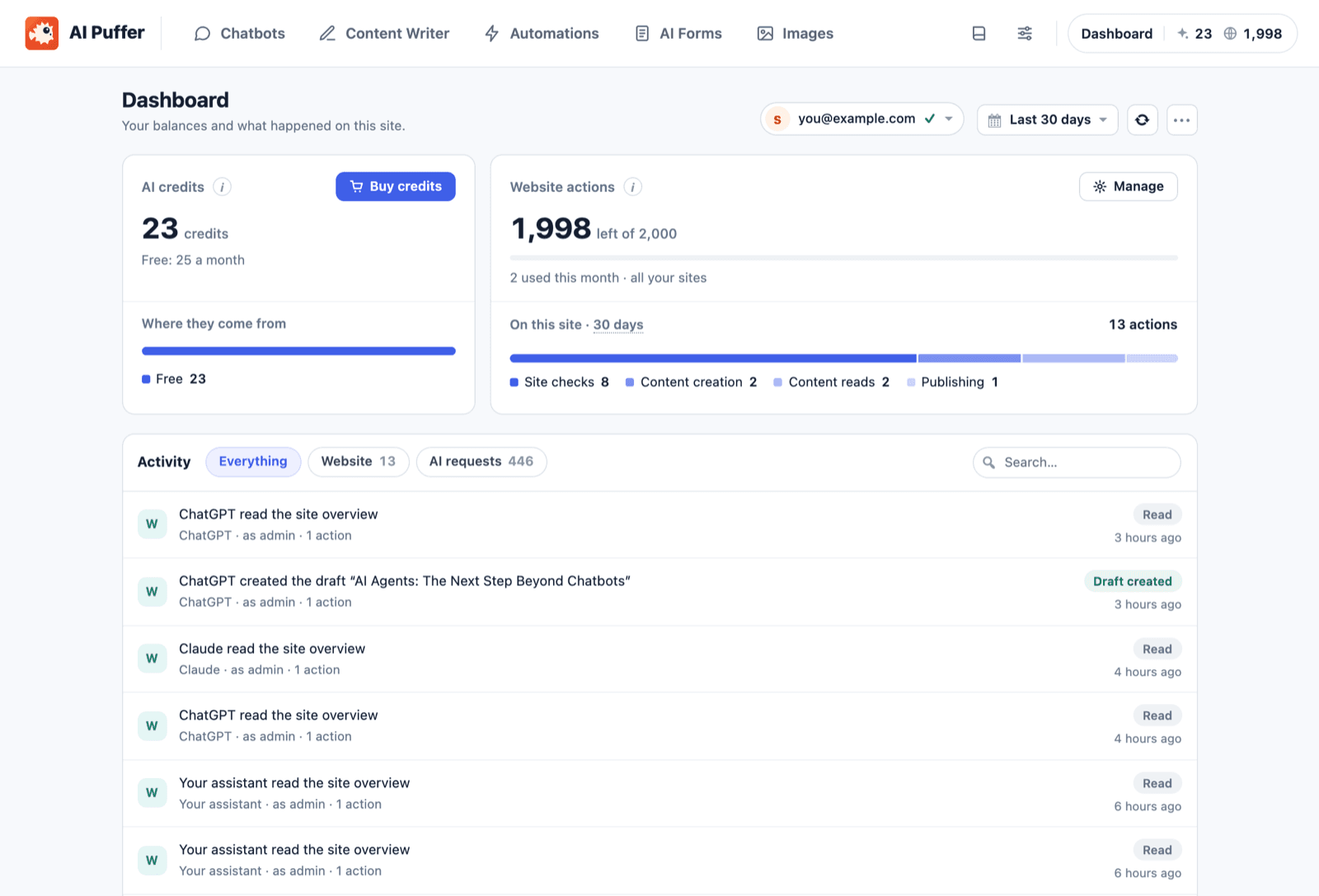
You can skip credits entirely by pasting your own provider key, which your provider bills directly. You will need one anyway for web search, image editing, video and live voice, since Cloud models do not do those. My guides to chatbot cost and chatbot ROI show how to budget that side.
For comparison, eesel's pricing is one fixed monthly price with model costs included: free with 100 credits to try everything, then $299 a month for 500 credits up to $1,749 for 5,000, where a ticket or a chat is 1 credit however long it runs. On cash alone, AI Puffer is far cheaper for one website's chat. The two only compare once you count the hours to build and watch the handoff, and whether the job includes working tickets.
Which AI Puffer plan fits your job?
Pick what you want AI Puffer to do. The card shows the plan it needs and the catch to plan for, using only what the vendor's pages and manual state.
What do you want AI Puffer to do?
Pick one job. Plan names and limits follow the AI Puffer pricing page and manual.
Source: aipower.org pricing, plans and usage, and the chatbot chapters of the AI Puffer manual, checked October 21, 2026.
What 166 WordPress.org reviewers say
The rating breaks down as 144 five-star, 2 four, 5 three, 1 two and 14 one, per the review page. The pattern underneath the average is time. All 10 reviews posted in 2026 are five stars, and 11 of the 14 one-star reviews date from 2023 to January 2024, when this was a GPT-3 content generator. Read old one-star reviews as history, not as a verdict on the current plugin.
The praise clusters around three things: the knowledge base, flexibility in the free version, and a responsive developer.
"Great plugin and easy to implement. It works smoothly and integrates nicely into the site. Support was also excellent!"
The critical reviews worth weighing are the recent ones:
- Bugs and a confusing interface. A three-star review from October 2025 said the plugin had "too many bugs, bad suggested prompts and confusing UX and documentation" but "still good (slow) support." The developer replied the same morning, listed each issue, and noted he runs the project alone.
- Updates that break customizations. A one-star review from July 2025 said an update "completely broken all the work on customising it from the old version."
- What the free plan leaves out. A one-star review from August 2025 is a single line about file uploads being a paid feature.
- Accuracy. An early three-star review titled "Makes Up Stuff" warned to "check for accuracy before publishing," which still applies to any model-backed writer.
"There is clearly a potential but they will need time to make it really performing correctly."
The one-person team cuts both ways. Reviewers repeatedly praise how fast Senol answers, and the changelog shows five releases in the week before I wrote this. It also means a lot of change lands quickly, so I would test updates on staging before they reach a live store. I found no AI Puffer discussion on Reddit, G2, Capterra or Trustpilot that came from actual users, so WordPress.org is where the voice of the user lives.
AI Puffer pros and cons
Pros
- Free plan includes the chatbot, writer, automations, forms, images and website management.
- Paid plans from $9.99 a month, with every paid feature on every tier.
- No API key needed to start, or bring any of seven providers.
- Chat logs and local knowledge stay in your WordPress database.
- Conversations show which knowledge was used and how closely it matched.
- Recent reviews are uniformly positive, and the developer replies quickly.
Cons
- No ticket queue, assignment or live handoff for support chats.
- AI credits are not messages, and the vendor publishes no per-chat estimate.
- Website management is days old and defaults to Trusted.
- One developer means fast change, and some reviewers report breaking updates.
- File knowledge, Rules and external embeds are paid.
- Web search, image editing and live voice need your own provider key.
Who should use AI Puffer?
Pick AI Puffer if you run a WordPress site, especially a service business, and want a chatbot that answers from your pages, a writer for steady posting, or ChatGPT and Claude doing routine site edits. At $0 to $9.99 a month, it is one of the cheapest ways to get all three in one plugin. It is a closer fit than AI Engine if you want hosted credits instead of managing an API key.
Skip it as your support channel if customers expect a person to pick up when the bot cannot help, you need a shared queue, or accuracy needs testing against real history before launch. For WooCommerce stores with order and refund questions, the handoff work is real. If you are comparing no-code builders more broadly, see my no-code chatbot tools roundup, or my Chatbase review.
AI Puffer or eesel: which job do you have?
AI Puffer covers three jobs in one plugin. eesel covers two of them with ready-made teammates, and the right pick depends on which job you are hiring for, not on which plugin has more features.
If the job is customer support
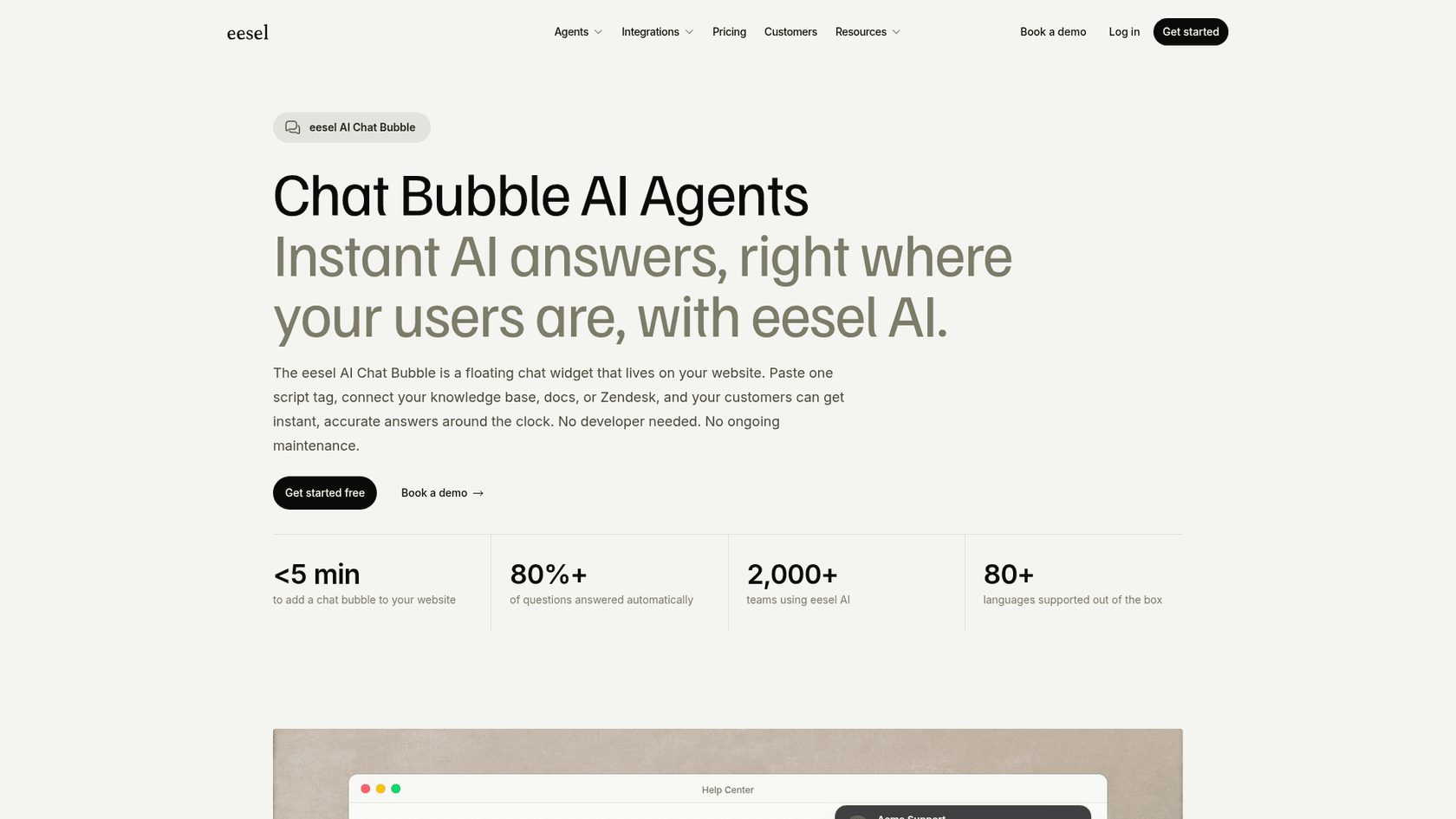
eesel's helpdesk teammate is the ready-made version of the half AI Puffer leaves you to build. It reads your help center and past tickets, works inside the helpdesk you already use, and hands what it cannot do to a person with notes attached. On a WordPress site, the chat bubble goes live by pasting one script tag, answers in 80+ languages, and you set when it escalates by telling it, for example "always escalate to a human if someone mentions a refund."
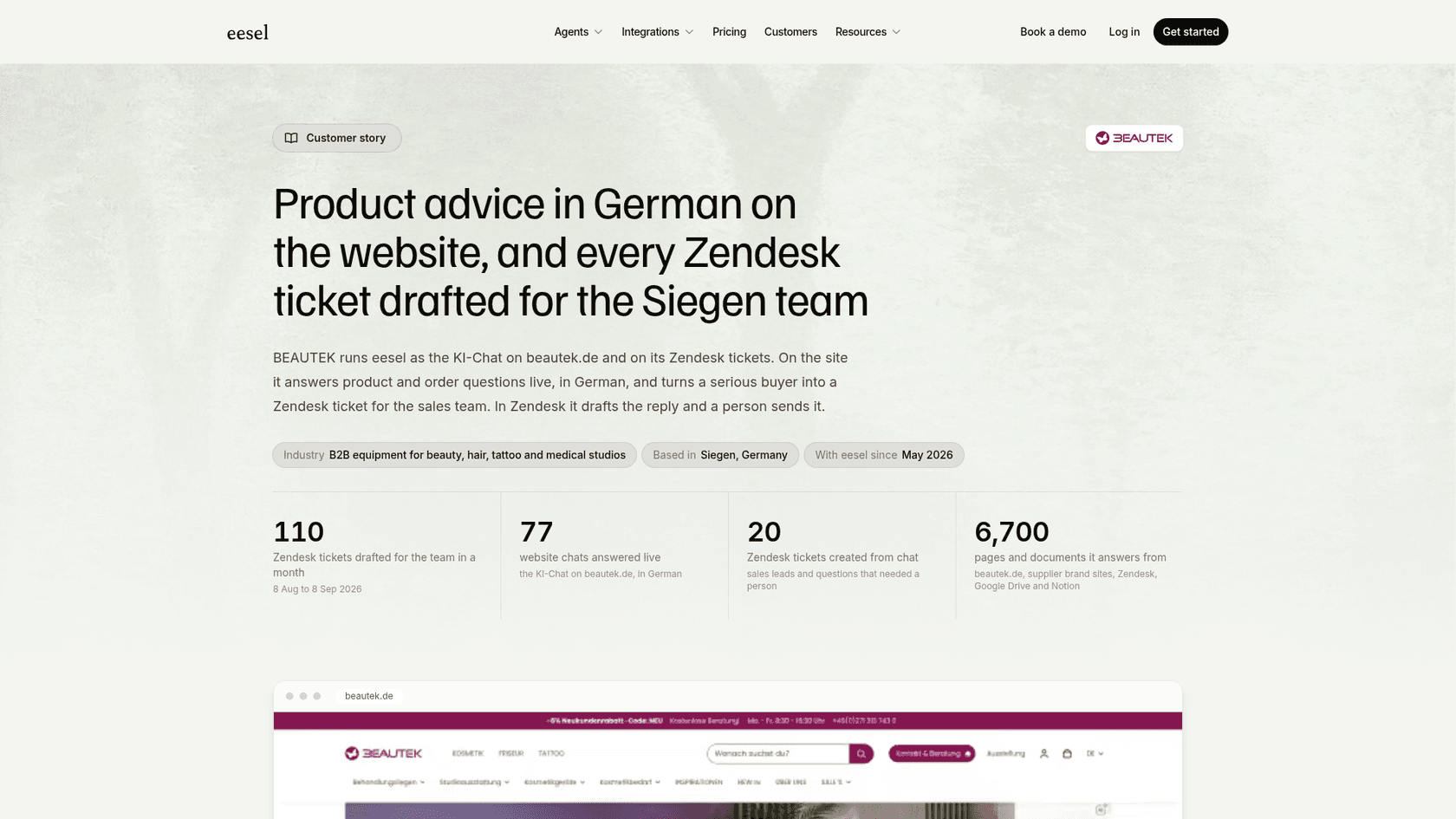
BEAUTEK, a German supplier of studio equipment, is the clearest example. From August 8 to September 8, 2026, eesel answered 77 website chats live in German and created 20 Zendesk tickets from chat, mostly sales leads and questions that needed a person, while reading about 6,700 pages and documents. Rúngne, a Norwegian climbing apparel brand, shows the handover itself: when a customer asks for a person on live chat, the agent says the team will take over, asks for an email if there is none, and stops.
Nordbutiker runs the same setup across four countries, with a separate bot for each brand that reads its own store's pages. If your site runs WooCommerce, the WooCommerce integration lets the teammate look up orders before it answers.
If the job is content
AI Puffer's writer is fine for a single site's steady posting. For a researched, scheduled publishing pipeline, eesel's AI blog writer finds topics, researches, writes in your voice and publishes to WordPress. My AI blog writer review covers the trade-offs.
If the job is agents and terminals
AI Puffer makes WordPress something Claude can drive. eesel comes at the same idea from the other side: the eesel CLI lets you, a script or a coding agent such as Claude Code operate the same teammate the dashboard shows. npx @eesel/cli init chat-bubble --site https://your-site.com creates a chat bubble that reads your site without an account, eesel activity shows what the agent did, and eesel approvals lists actions held for a person. Every command prints JSON, and --dry-run previews a write. My guide to the AI agent CLI goes further.
You can also run both. A site owner can keep AI Puffer for site edits and the writer, and put a ready-made teammate on the support chat, which is the split I would choose for a store.
Verdict: 4.1 out of 5
AI Puffer earns 4.1 out of 5 as a WordPress AI toolkit. The score reflects a generous free plan, low paid prices with every feature on every tier, hosted credits that remove the API-key step, a chatbot that shows its working, and a developer whose recent reviews are all five stars. Points come off for the credit math the buyer cannot predict, a website management layer that is barely a week old and defaults to the most permissive setting, and reports of updates that broke customizations.
As a customer support channel it is about 3.3 out of 5. The chatbot is good at answering, but support also means a queue, a person who picks up, and a test against real conversations before launch, and those are left to you. That is a fair trade for a service site's FAQ bot and a poor one for a team that answers customers for a living. If you are in the second group, a ready-made helpdesk teammate is the shorter path.
Try eesel for support chat on WordPress
If your WordPress site needs a chat that answers from your help content and hands real cases to your team, eesel's chat bubble goes on with one script tag and works with the helpdesk you already use, the way BEAUTEK turns site chats into Zendesk tickets. Try eesel free with 100 credits, connect your site or help center, and test it on your real questions before it talks to a customer.
Frequently Asked Questions
Is AI Puffer worth it for WordPress?
For a WordPress site owner who wants a chatbot on their own content, a post writer, or ChatGPT and Claude making edits, yes: the free plan covers a lot and Pro starts at $9.99 a month. It is less suited to running customer support, where the queue and handoff are yours to build. My list of AI plugins for WordPress shows how it compares.
How much does AI Puffer cost?
AI Puffer is free with 2,000 website actions and 25 AI credits a month. Pro is $9.99 a month, Pro Plus $14.99 and Pro Max $29.99, or $7.99, $11.99 and $23.99 a month paid yearly, per the AI Puffer pricing page. Paid plans unlock the same features; only the monthly allowances differ.
Is AI Puffer the same as AI Power?
Yes. AI Power was renamed AI Puffer, and the WordPress.org listing says it is the same plugin with the same folder, settings and data, so updating keeps your bots and history. It started in 2022 as a GPT-3 content generator. I compared it with another long-running option in my AI Engine review.
Does the AI Puffer chatbot answer only from my content?
No. The vendor's FAQ says it answers from your content when it finds a good match, but the model can still use general knowledge or make mistakes, so you tell it in the instructions what to do when nothing matches. My notes on AI hallucinations in support cover how to test for that.
Can AI Puffer hand a chat to a human?
Not into a ticket queue that I could find. On paid plans, Rules can ask for contact details and send the chat to a webhook, Slack, HubSpot or another connected app, but there is no live takeover or assignment in the docs. My guide to AI agent handoff lists what a full handoff carries over.
Is it safe to let ChatGPT or Claude manage my site with AI Puffer?
It can be, with care. New connections default to Trusted, which publishes, changes plugins and deletes without asking, so I would switch to Standard, connect as a limited WordPress user, and keep backups. For the protocol itself, see my notes on an AI agent MCP server.
Do I need an OpenAI API key for AI Puffer?
No. AI Puffer Cloud runs the chatbot, writer and forms on AI credits with no key, and the free plan includes 25 credits a month. You can also bring your own OpenAI, Anthropic, Google, xAI, DeepSeek, OpenRouter or Azure key, which your provider bills directly. A credit is not one message, so check the AI requests view on the dashboard during your first month.
What are the best AI Puffer alternatives?
It depends on the job: AI Engine alternatives and no-code builders for a site chatbot, an AI blog writer for publishing, and a ready-made helpdesk teammate for tickets and website chat. My roundup of AI chatbot builders covers more options.