Vector database
A vector database is a database built to store and search high-dimensional vectors, returning the items whose vectors are most similar to a query vector.
What a vector database means
A vector database is a database designed to store high-dimensional vectors and retrieve the ones most similar to a given query vector, rather than matching exact values the way a traditional database does. Each record is an embedding, a list of numbers that encodes the meaning of some text or image, and the database's core job is to answer the question "which stored items are closest to this one?" quickly, even across millions of vectors. It uses specialized indexes for approximate nearest-neighbor search so that similarity lookups stay fast at scale.
In customer support, a vector database is the component that makes it possible to ask "what does our help center say about this?" in plain language and get back the most relevant passages in milliseconds. It is the retrieval layer that turns a pile of documents into something an AI can actually search by meaning.
Why a vector database matters
- It searches by similarity, not exact match, so a customer's phrasing can find the right article even with zero shared keywords.
- It scales nearest-neighbor search, using indexes that keep lookups fast across millions of embeddings instead of comparing every record one by one.
- It is the storage half of retrieval. Embeddings give you comparable vectors; the vector database is where they live and get queried.
- It supports metadata filtering, so you can narrow results to a product line, language, or document type before ranking by similarity.
- It keeps knowledge current, because you can add, update, or remove vectors as your source content changes without retraining any model.
Here is what that similarity lookup actually looks like when a question comes in.
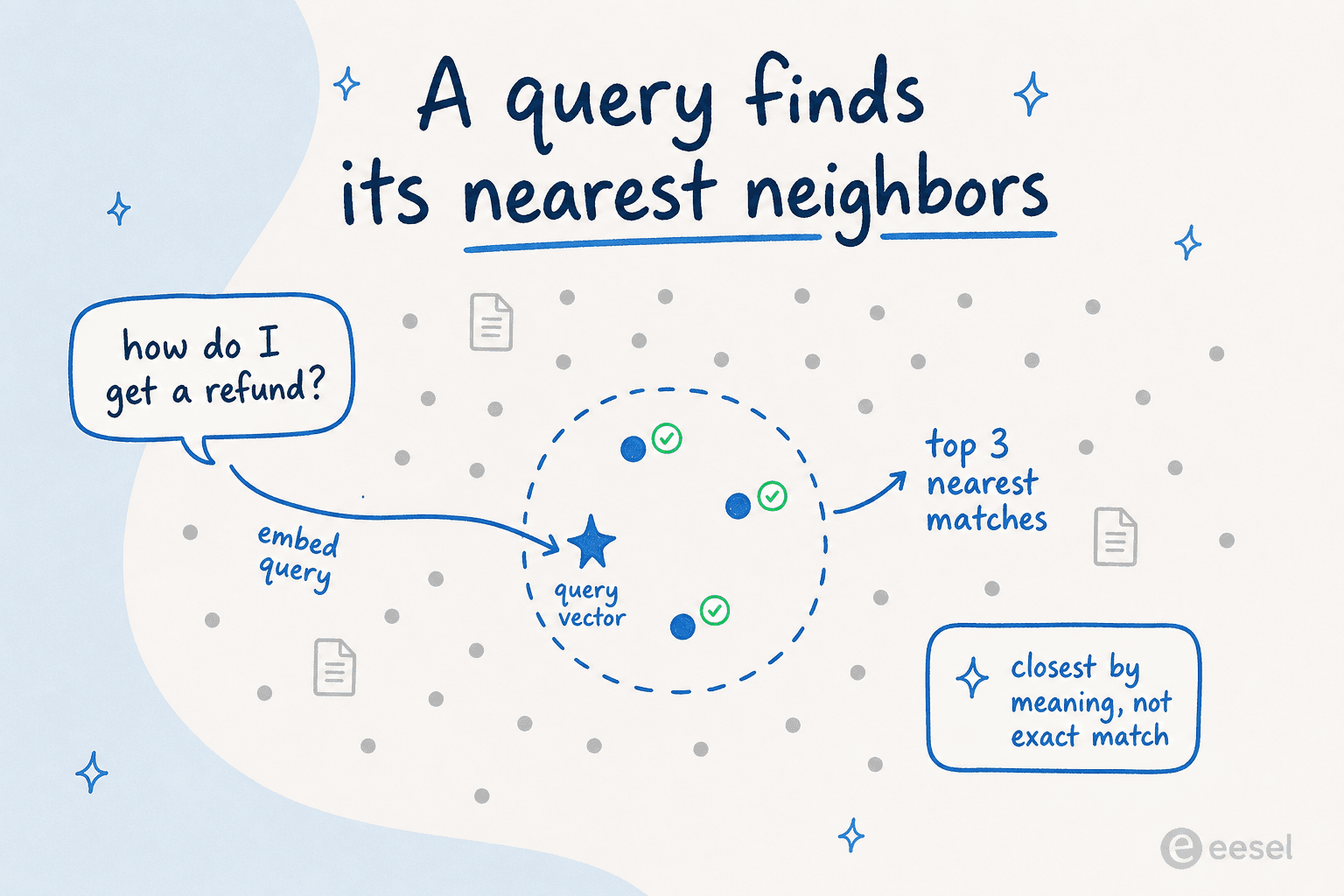
The customer's question becomes its own vector, dropped in among every stored document vector. The database then grabs the handful sitting closest to it, which become the passages the AI answers from, rather than scanning for an exact keyword.
How a vector database works
The retrieval loop runs like this:
- Index the content. Each chunk of your knowledge base is embedded and stored as a vector, often with metadata attached.
- Embed the incoming query. A customer's question is converted into a vector with the same embedding model.
- Run the similarity search. The database finds the stored vectors closest to the query vector, optionally filtered by metadata.
- Return the top matches. Those passages become the grounding material an AI uses to compose its answer.
A support agent like eesel AI relies on this layer without exposing it: it embeds your help center, docs, and ticket history into a vector store, then queries it on every customer message to pull the closest passages before answering. The vector database is the difference between an AI that guesses and one that retrieves your real content first.
A vector database in practice
The practical lesson is that a vector database is only as good as what you put in it. Stale articles, duplicate docs, and contradictory policies all get embedded and returned just as readily as your best content, so the database faithfully surfaces the mess you feed it. Teams that get the most out of vector search treat their knowledge base as the real work: prune the duplicates, fix the conflicts, and keep it current. The infrastructure rarely fails; the source content is what determines whether retrieval helps or hurts.
Want the full picture? See our guide to vector databases.
The retrieval engine behind better answers
eesel AI uses vector search over your help center and tickets to find the most relevant content before it replies.