Meow AI Engine alternatives 2026: 8 WordPress chatbots to try

Riellvriany Indriawan

Katelin Teen
Last edited October 20, 2026

Why do people look for Meow AI Engine alternatives?
AI Engine does a lot right. It is free to start, has 11 model connectors, and its wordpress.org listing shows 13 support threads opened in the last two months and 13 resolved. I covered the product in my AI Engine review. The reasons people look elsewhere are narrower than "it's bad":
- Pro holds the features support chats need. AI Engine Pro is $69 a year for 1 site, $99 for 5 and $179 for 20, and Knowledge (embeddings from your posts and PDFs), Function Calling and AI Forms sit behind it. There is no trial, with refunds on request within 2 weeks. My pricing breakdown has the full table.
- You pay two bills. Meow Apps bills the license, and your AI provider bills every token. One Reddit commenter put it bluntly when comparing WordPress chatbot plugins:
"No matter what you pick, OpenAI usage itself is always a metered cost somewhere in the stack, so “free forever” is mostly marketing fiction."

- There is no inbox behind the bot. I could not find a ticket queue or human handoff in the AI Engine docs, listing or feature pages. Discussions are a log, not a queue.
- You run it. The disclaimer says you supply the key and monitor the content, and the last three releases (3.8.4 to 3.8.6) each list security fixes. That is good hygiene, and it is also upkeep.
None of those is a reason to leave if a free chatbot on your own key does the job. They are reasons to look at a different shape of tool.
What should you test before switching?
My rule is to test any replacement against 20 to 30 real visitor questions and compare answer accuracy, source freshness, handoff, chat history, speed and monthly cost. The sales call above adds one more: score the widget, not just the answer. Open it on a phone, ask something it cannot answer, and ask for a person.
Two choices decide most of the rest. The first is who pays the AI provider:
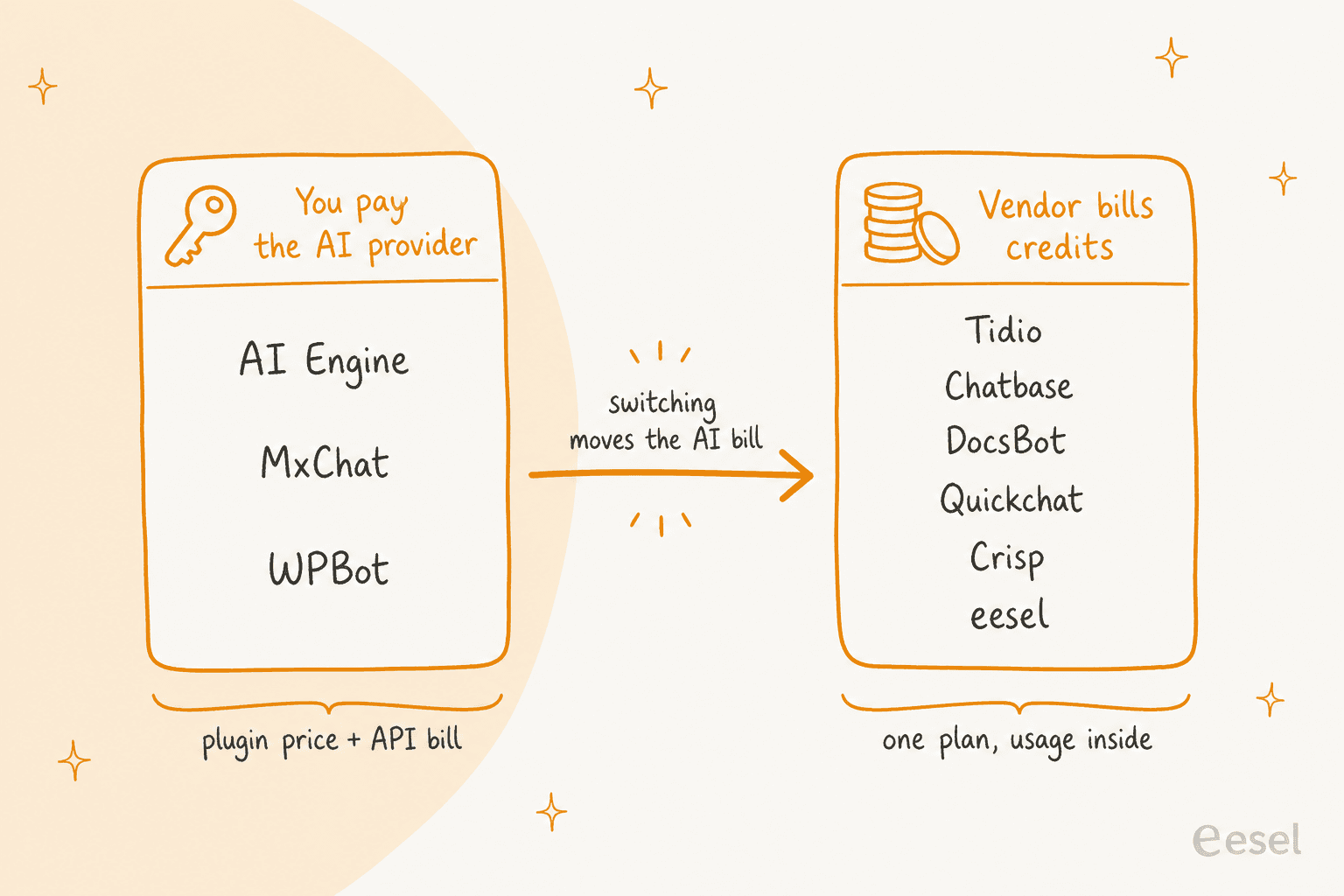
Switching between the left lane and the right one changes what your monthly bill is made of, not just its size. If you stay on a plugin, a model like GPT-6 Luna or Claude Haiku 5.5 keeps chats cheap. My OpenAI and Anthropic pricing guides show the per-token math.
The second choice is where the chatbot is set up:
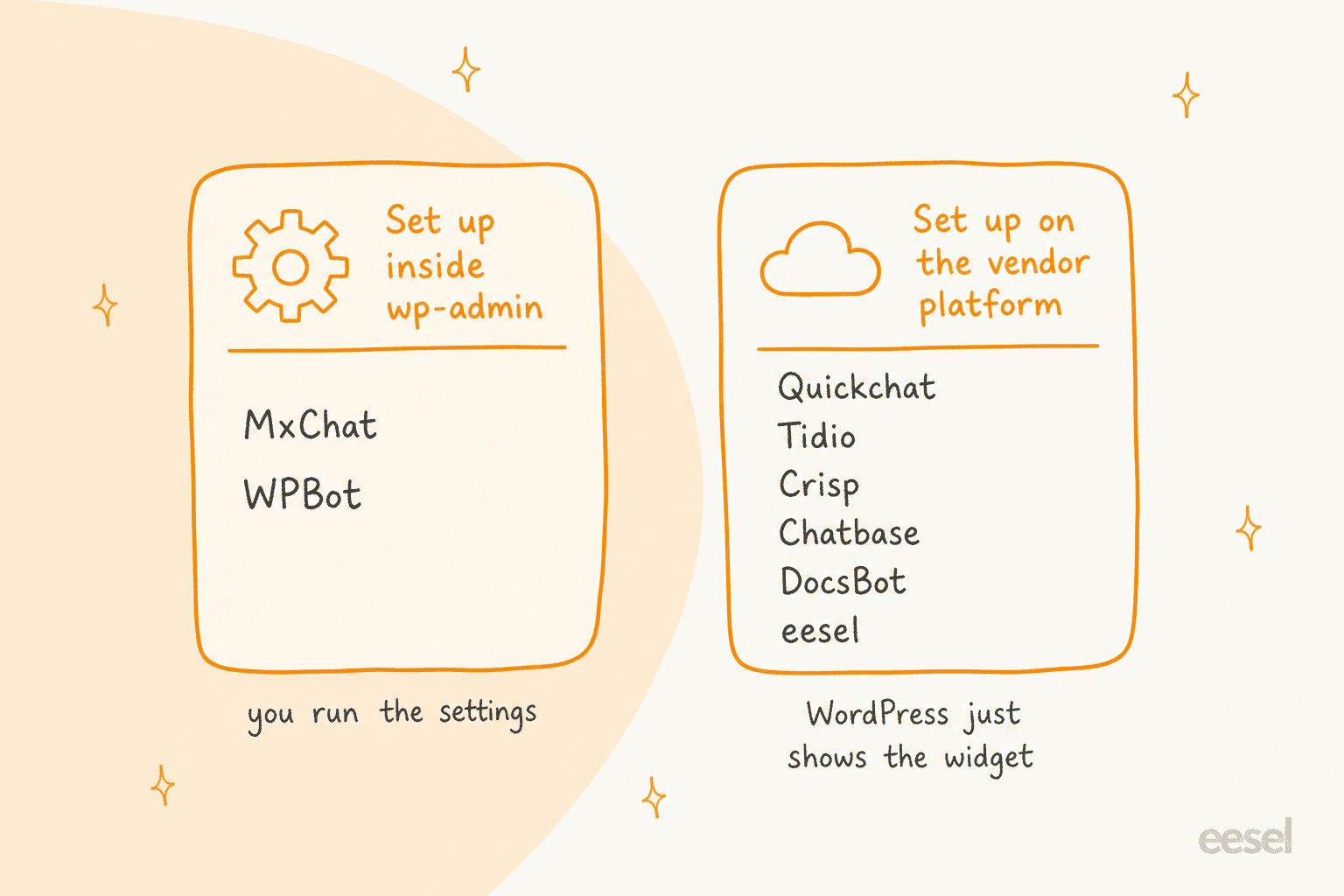
Everything on the right still shows up on your WordPress pages. The difference is that knowledge, instructions and conversation history live in the vendor's dashboard instead of wp-admin.
The 8 Meow AI Engine alternatives at a glance
Prices come from each vendor's own page, checked October 21, 2026. AI Engine is the first row so you can compare against it.
Price and billing
| Tool | Type | Entry paid price | Free option | Who bills the AI | Trial or refund |
|---|---|---|---|---|---|
| AI Engine (baseline) | WordPress plugin | Pro $69/year, 1 site | Free plugin | You, via your own API key | No trial, refund within 2 weeks |
| MxChat | WordPress plugin | $69.97 one time, 1 site | Free plugin | You, via your own API key | Not stated on pricing page |
| WPBot | WordPress plugin | $39/year, 1 site | Free core plugin | You, via your own key | 14-day money-back |
| Quickchat AI | Hosted agent + official plugin | $9/month, 150 credits | Free, 50 credits, non-commercial | Vendor credits | Free plan |
| DocsBot | Hosted agent | $49/month, 5k credits | Free, 1 bot, 100 credits | Vendor credits | 14-day money-back |
| Chatbase | Hosted agent + official plugin | $32/month billed yearly, 700 credits | None listed | Vendor message credits | 7-day trial |
| Tidio | Hosted inbox + plugin | $24.17/month, 100 billable conversations | Free, 50 billable conversations | Vendor, per Lyro conversation | 7-day trial |
| Crisp | Hosted inbox + plugin | $45/month per workspace | Free, no AI credits | Vendor, USD Hugo credits | 14-day trial |
| eesel | Hosted agent, script tag | $299/month, 500 credits | Free, 100 credits | Vendor, 1 credit per chat | Free plan, no card |
Setup and features
| Tool | Knowledge sources | Human handoff | WordPress install | WooCommerce | Security or compliance noted | WordPress.org record |
|---|---|---|---|---|---|---|
| AI Engine | Posts, PDFs via embeddings (Pro) | None found in docs | Plugin | Add-on and MCP tools | You monitor content; discussions stored on your server | 90,000+ installs, 4.9 (871) |
| MxChat | Site, sitemaps, PDFs, URLs, YouTube, manual | Slack | Plugin | Add-on in Pro | Not stated on pricing page | 2,000+ installs, 5.0 (30) |
| WPBot | Site pages, documents, RAG knowledge base | Live chat with Slack (Master) | Plugin | WooCommerce module (Professional) | Says nothing is saved on its server | 5,000+ installs, 4.7 (124) |
| Quickchat AI | Knowledge Base articles, URLs | Hands off to a human, per its page | Official plugin + Scenario ID | AI Actions for live data | DPA and SLAs on Enterprise | 10 installs, no ratings yet |
| DocsBot | Websites, documents, WordPress XML export | Escalation tickets (Standard) | Embed code, plugin listed | Not stated | Client-side PII redaction (Business) | 10 installs, no ratings yet |
| Chatbase | Files, URLs | Helpdesk inbox (Standard and up) | Official plugin or embed | Not stated | SSO, HIPAA-eligible, audit logs (Enterprise) | 5,000+ installs, 3.4 (13) |
| Tidio | Site content, knowledge base | Live chat inbox, handoff rules | Plugin | Integration, per Tidio | SOC 2 and HIPAA on custom AI agents | 70,000+ installs, 4.8 (395) |
| Crisp | Knowledge base, docs | Native shared inbox | Plugin | Cart and order sync guide | Not stated on pricing page | Not checked |
| eesel | Your pages, help center, helpdesk, Drive | Ticket in your helpdesk | Script in theme footer | Integration | SOC 2 Type II underway; HIPAA on Enterprise | Not a plugin |
Which alternative fits you?
Pick the job you need done and the widget points at where I'd start.
What are you replacing AI Engine for?
One job, one starting point.
Prices from each vendor's pricing page, checked October 21, 2026.
Pick the job to see where I would start and what to watch for.
1. MxChat: the closest WordPress-native swap
Best for: WordPress owners who want the nearest thing to AI Engine with a one-time price.
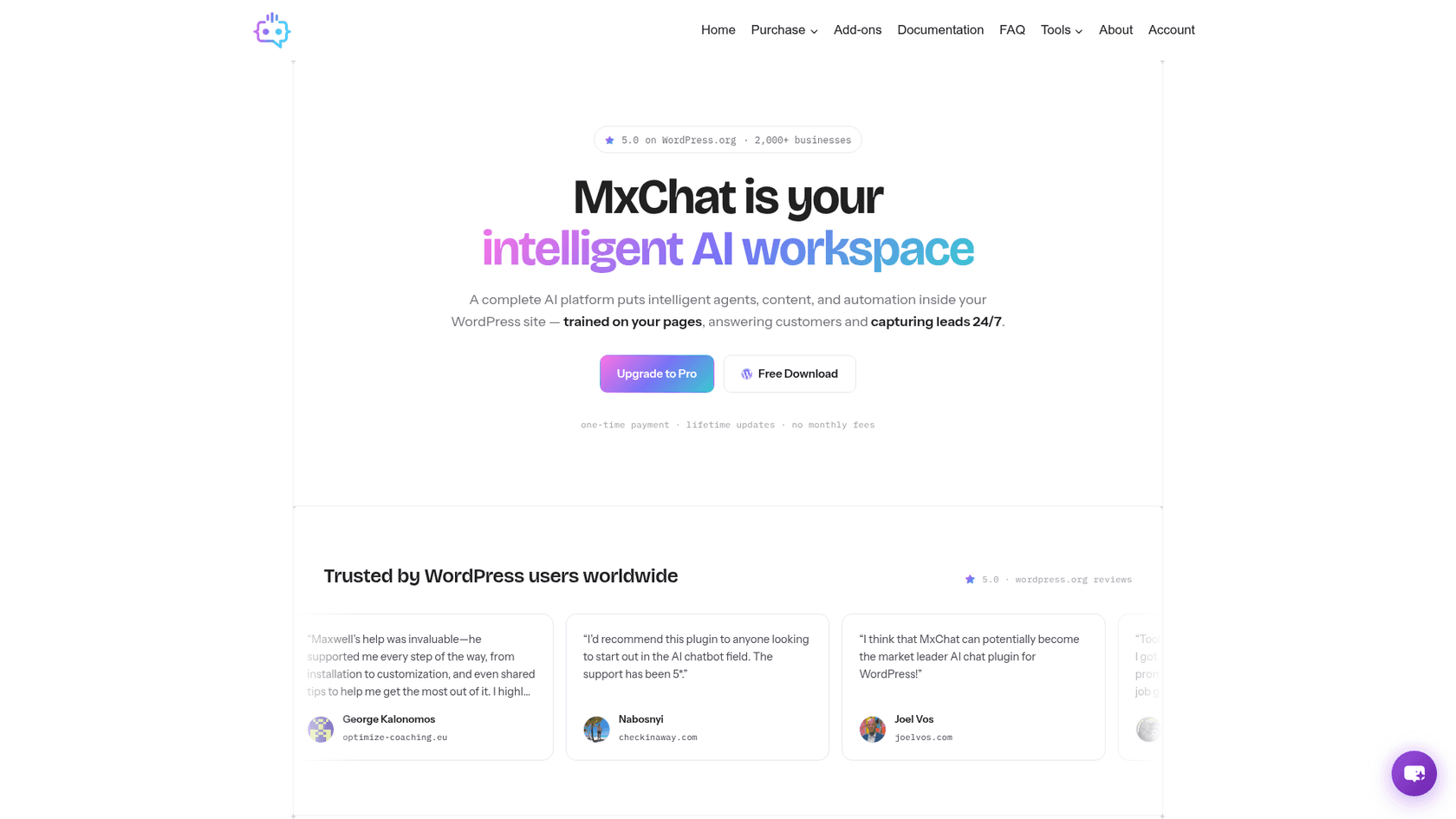
MxChat is a plugin like AI Engine, set up in wp-admin on your own keys. It connects to OpenAI, Claude, Gemini, Grok and DeepSeek, plus 100+ models through OpenRouter, and trains on your site, sitemaps, PDFs, URLs, YouTube videos or manual input. It also lists a real-time debug panel that shows what the chatbot retrieved, which is handy when you are testing answers. Handoff goes to Slack, and the WooCommerce add-on adds product cards, cart management and order inquiries.
Pricing: the plugin is free on WordPress.org. MxChat Pro is $69.97 one time for 1 site, with lifetime updates and 14+ add-ons (WooCommerce, forms, multi-bot, MxChat Anywhere) included. Model usage is billed by your provider.
Pros:
- A one-time license with every add-on included, against AI Engine's yearly Pro tiers.
- 100+ models and an optional Pinecone vector store for large knowledge bases.
- A WordPress.org record of 5.0 from 30 ratings, last updated October 17, 2026.
Cons:
- About 2,000 active installs, so a smaller community than AI Engine's 90,000+.
- One license key covers 1 site, so an agency pays per site.
- Handoff is a Slack message, not an inbox with history.
One Reddit commenter weighed it against WPBot on price:
"On another note, I'm seeing MxChat having a lifetime pass for 50€, while WPBot is on a per year basis. Wouldn't you think MxChat would be a better fit?"
The vendor's page now lists $69.97, so check the current price before you buy.
Verdict: pick MxChat if you like AI Engine's model and just want a cheaper, simpler license. Skip it if you need a team inbox.
2. WPBot: free core with scripted flows and AI
Best for: sites that want button menus and lead forms alongside an AI mode, with a free starting point.
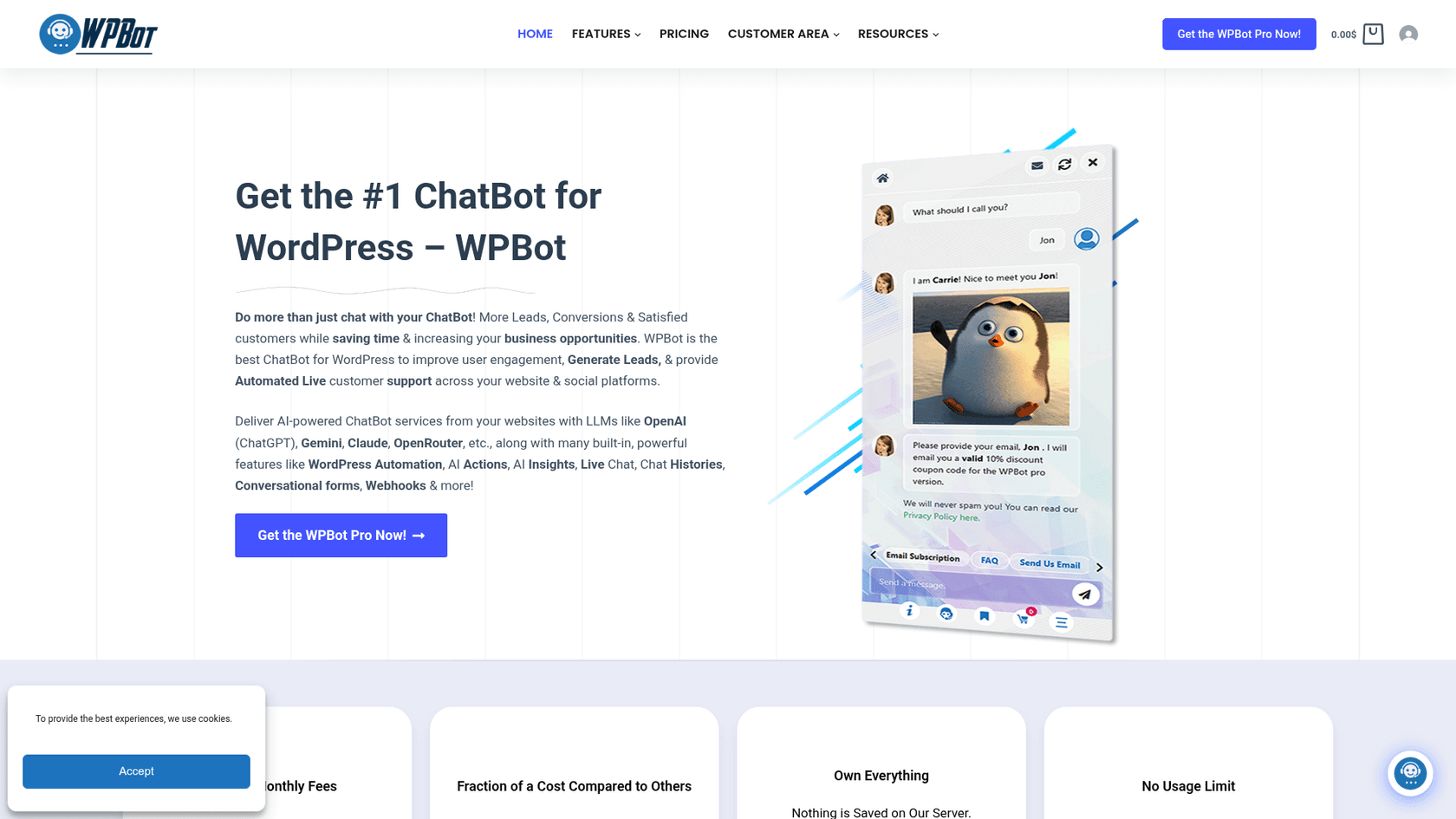
WPBot can run in natural-language mode or as a button-menu bot, with or without an LLM. It connects to OpenAI, Gemini, OpenRouter (for Claude, Grok, DeepSeek, Mistral and Llama) and DialogFlow. The Professional plan adds conversational forms, a WooCommerce module and an advanced RAG knowledge base, and the Master plan adds live chat with Slack plus Messenger, Instagram, WhatsApp and Telegram modules.
Pricing: the core plugin is free. WPBot Pro yearly is Starter $39 (1 site), Professional $99 (2 sites) and Master $189 (5 sites). Lifetime is Starter $149 (5 sites), Professional $279 (10 sites) and Master $369 (50 sites). There is a 14-day money-back guarantee, and AI usage is billed by your provider.
Pros:
- A free core with a 4.7 average from 124 ratings and 5,000+ active installs.
- Scripted flows and forms work even when the AI is off, which suits lead capture.
- The lifetime tiers cover 5 to 50 sites, which suits agencies.
Cons:
- Features are spread across three tiers, so handoff and channels need Master.
- Yearly plans cover only 1, 2 or 5 sites.
A Reddit user summarised where it sits:
"WPBot is the closest to a middle ground - free core, OpenAI integration, works in any language, can train on your pages and documents, and has proper multilingual support in the Pro tier."
Verdict: pick WPBot if you want forms and menus as much as AI. Skip it if you only want a clean knowledge chatbot.
3. Quickchat AI: a hosted agent with an official plugin
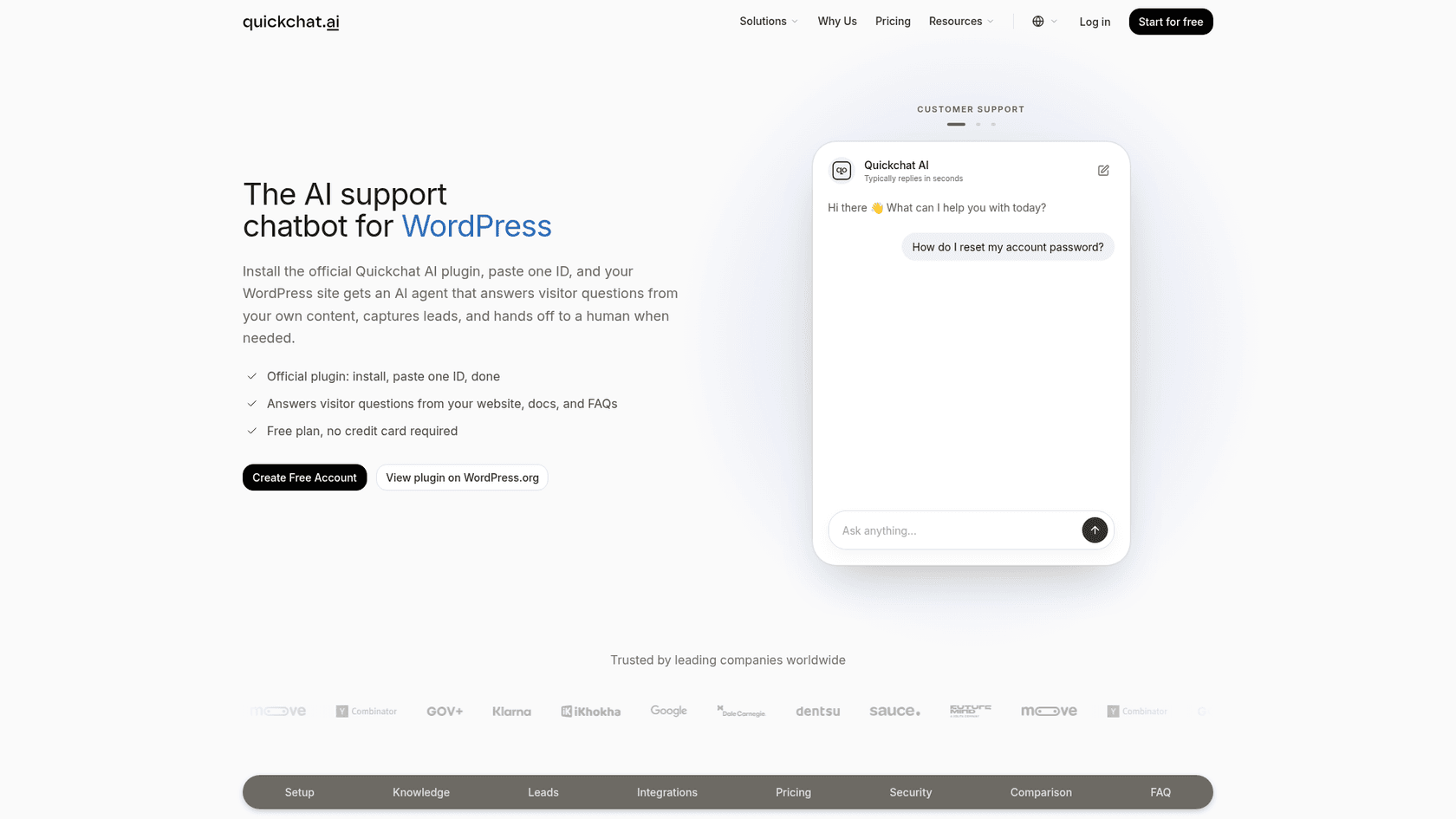
Best for: a small business that wants the AI bill inside the plan and a cheap way to start.
Quickchat's official plugin shows the widget while you manage the Knowledge Base, behavior and appearance in the Quickchat app: install, paste a Scenario ID, save. Tasks that need live data, like an order lookup, are separate AI Actions. The page says the agent answers from your content, captures leads and hands off to a human when needed.
Pricing (per Quickchat's pricing page):
| Plan | Monthly price | AI credits per month | Knowledge Base articles |
|---|---|---|---|
| Free (personal, non-commercial) | $0 | 50 | 50 |
| Starter | $9 | 150 | 100 |
| Basic | $29 | 500 | 300 |
| Essential | $99 | 3,000 | 500 |
| Professional | $299 | 9,000 | 1,000 |
| Business | $999 | 30,000 | 2,000 |
| Enterprise | From $0.50 per resolution | Custom | Custom |
Annual billing is listed at $90, $290, $990, $2,990 and $9,990 for Starter through Business. A standard-model reply uses 1 credit and bigger models use more, up to 4. Enterprise starts at 2,000 resolutions a month.
Pros:
- The lowest commercial entry on this list at $9 a month.
- All integrations and unlimited AI Actions are on the free plan.
- A resolution-based price exists at the top end.
Cons:
- The free plan is not for commercial use, so a business site starts at Starter.
- Credits vary by model, so the same plan lasts a different number of replies.
- The WordPress plugin is new: version 1.0.0, 10 active installs and no ratings yet.
Verdict: pick Quickchat for a low-cost hosted start. Skip it if you need a proven WordPress.org track record.
4. DocsBot: knowledge sources first
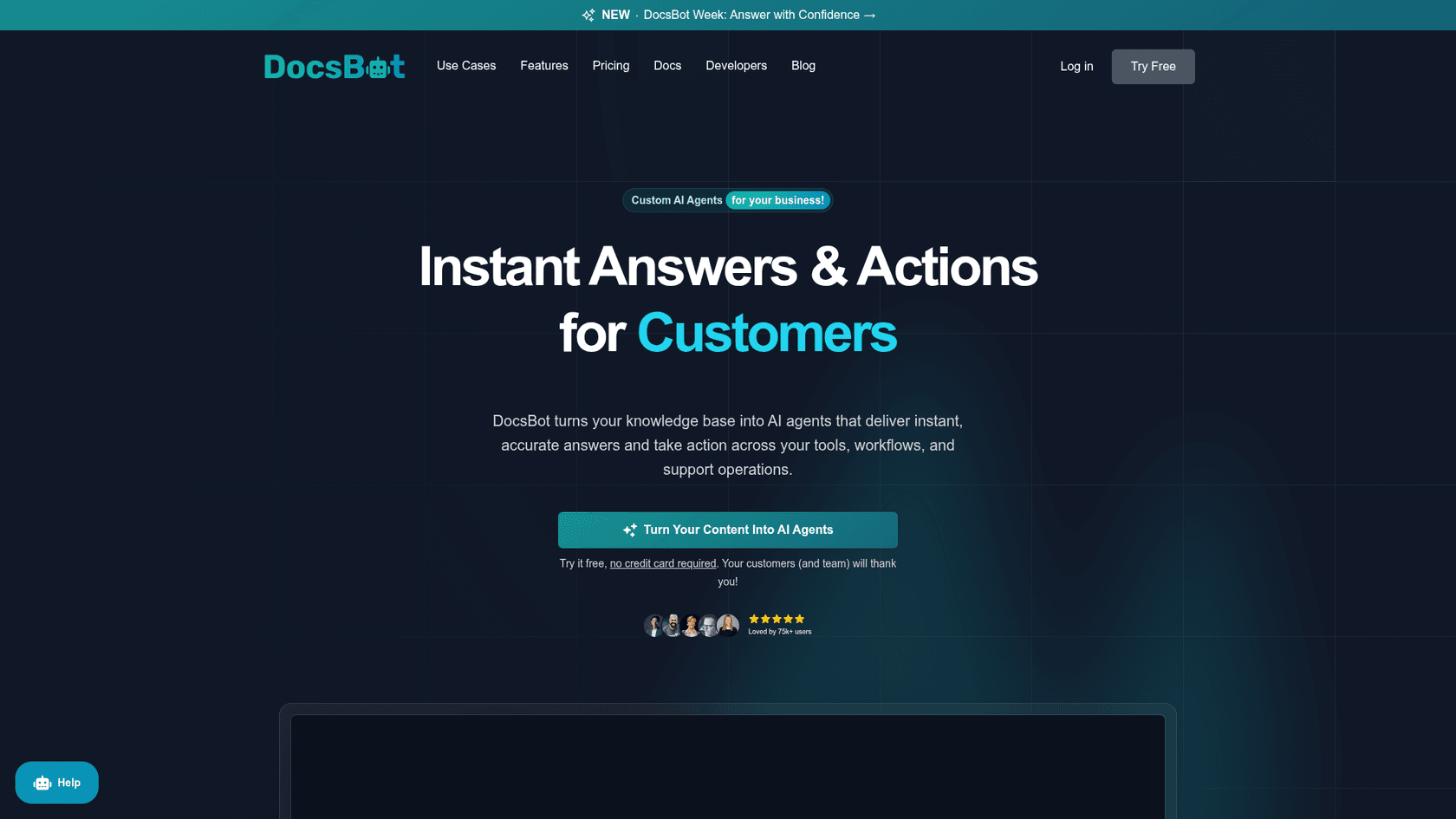
Best for: documentation-heavy sites where the answers live in many places.
DocsBot turns a knowledge base into agents that answer and take action. Sources include websites and a WordPress XML export upload, and the Personal plan adds Slack, Messenger, WhatsApp and Telegram, lead forms and Zapier workflows. Standard adds escalation ticket creation, a Help Scout integration and web search. A DocsBot WordPress plugin is also listed (version 1.0.2, 10 active installs), and the usual embed widget works too. I compared the product with eesel in DocsBot vs eesel.
Pricing (per the pricing page, monthly view, with two months free on annual):
- Free: $0, 1 bot, 50 source pages, 100 monthly AI credits.
- Personal: $49, 1 bot, 5k source pages, 5k credits, 1 user.
- Standard: $149, 3 bots, 15k pages, 15k credits, 5 users.
- Business: $499, 10 bots, 100k pages, 60k credits, 10 users.
Add-ons run $49 per extra 5k credits and $19 per extra bot, and there is a 14-day money-back guarantee.
Pros:
- Real actions: skills, MCP connections, Stripe billing actions and booking tools.
- A free plan that lets you test one bot on your own pages.
- Business adds client-side PII redaction and sentiment reports.
Cons:
- Credits start at 1 per message and rise with larger models and actions.
- Unbranded chat widgets are listed on the Business plan only.
- The WordPress plugin is new.
For a deeper read, see my DocsBot review, pricing guide and alternatives list.
Verdict: pick DocsBot if your content lives in docs, PDFs and help articles. Skip it if you want a WordPress-native plugin.
5. Chatbase: the quickest hosted FAQ bot
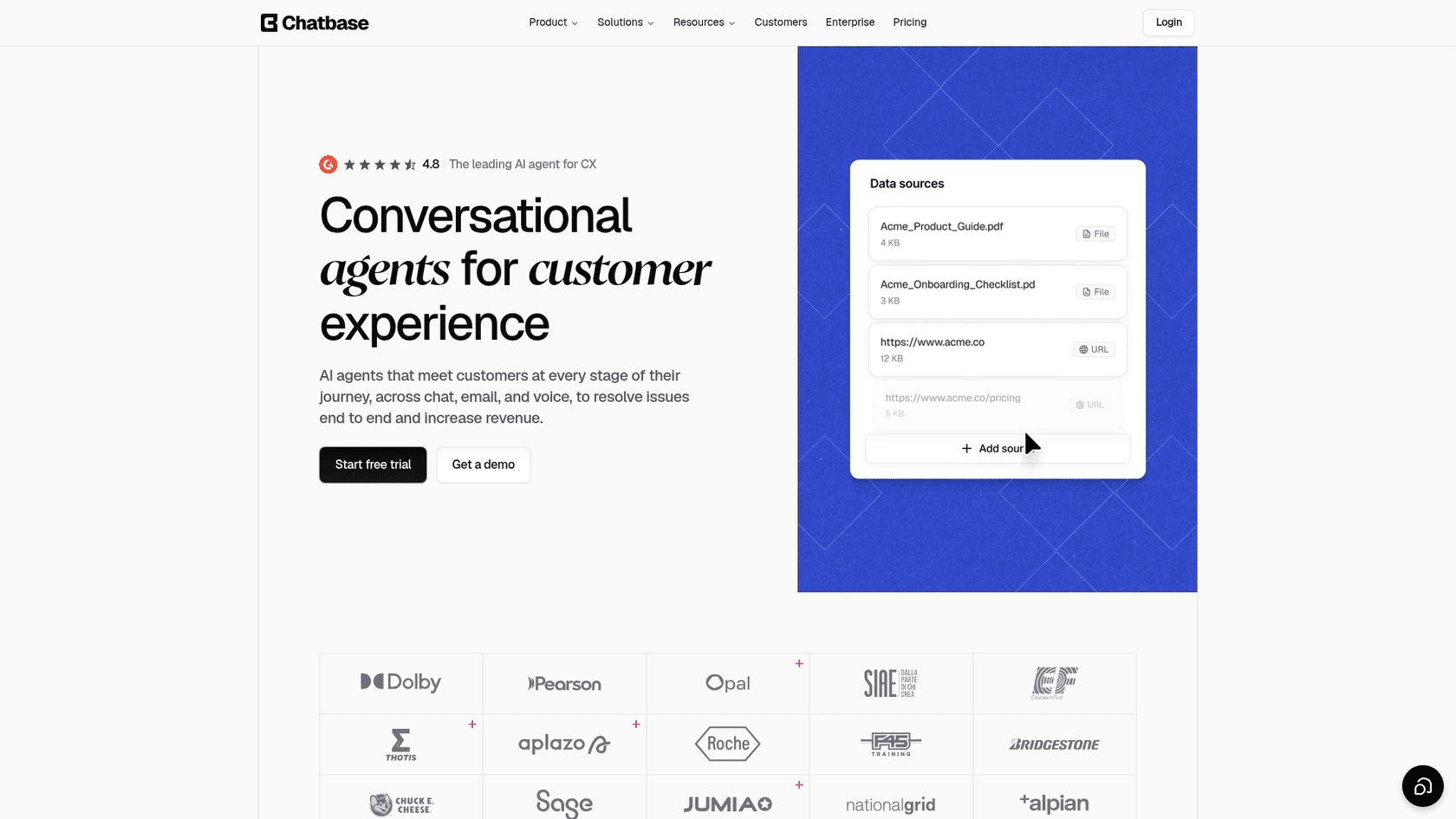
Best for: a site owner who wants a hosted bot built from a URL and a few files this afternoon.
Chatbase builds an agent from files and URLs, then deploys it as a widget or through its official WordPress plugin (5,000+ installs, version 1.0.4). One Reddit user's advice for a WordPress FAQ bot:
"For straight up FAQs with site crawling, Chatbase is probably the easiest starting point. You literally paste in your website URL, it reads the content, and the bot starts answering questions based on what's already on your site."
Pricing (per the pricing page, billed yearly, with higher monthly rates):
| Plan | Per month, billed yearly | Message credits | Members | Notable |
|---|---|---|---|---|
| Hobby | $32 | 700 | 2 | 7-day trial |
| Standard | $120 | 4,000 | 3 | Helpdesk inbox, voice, API access |
| Pro | $400 | 15,000 | 5 | Advanced analytics, tickets as a source |
| Enterprise | Custom | Custom | Custom | SSO, HIPAA-eligible, audit logs |
Extra credits cost $40 per 1,000, extra agents $300 a year each, and removing "Powered by Chatbase" $1,188 a year.
Pros:
- The fastest path from URL to working bot on this list.
- A documented API, which one Trustpilot reviewer uses for automated quality tests and credit monitoring.
- A helpdesk inbox arrives at the Standard plan.
Cons:
- No free plan is listed, only a 7-day trial.
- The official plugin averages 3.4 from 13 ratings.
- Pricing changes for older plans drew this comment on Trustpilot:
"One point for improvement: pricing changes for existing (legacy) customers. Our plan conditions became significantly less favorable over time, and this was communicated only briefly by email – not proactively, and not in the public changelog."

The same reviewer called the product and support excellent. I cover the product in my Chatbase review and pricing guide.
Verdict: pick Chatbase for a fast FAQ bot. Skip it if you want a free tier or a plugin-sized price.
6. Tidio: chat, inbox and AI in one WordPress plugin
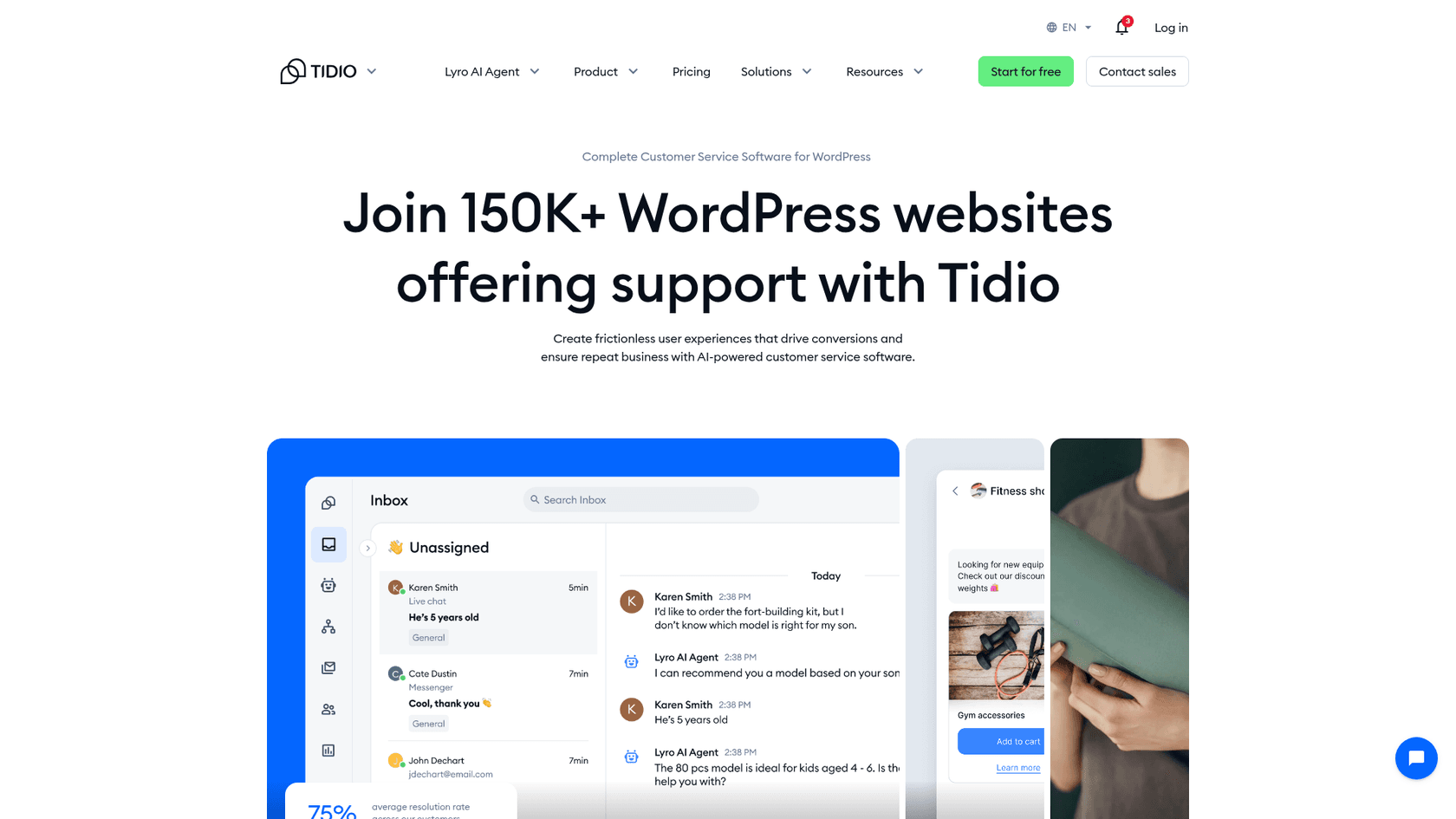
Best for: small shops that want live chat, an inbox and an AI agent from one install.
Tidio pairs its Lyro AI agent with a live chat inbox, tickets and Flows automation, and its WordPress plugin has 70,000+ active installs and a 4.8 average from 395 reviews. Lyro answers from your content, follows handoff rules and lets you step in. One Reddit user setting it up described it plainly:
"And to my knowledge, it’s actual AI. It scraped my site and can answer questions based on the knowledge it got from my site."
Pricing (per Tidio's pricing page, annual rates, 2 months free):
- Free: 50 billable conversations, 50 Lyro conversations (one-time), 100 Flows visitors.
- Starter: $24.17 a month, 100 billable conversations.
- Growth: from $49.17 a month, from 250 billable conversations.
- Lyro add-on: from $32.50 a month, from 50 conversations, also sold on its own.
- Plus: from $300 a month. Premium: custom, with pay-per-resolution billing.
A billable conversation is one that includes a message from a human agent.
Pros:
- A 7-day trial and a free tier for testing.
- Chat, tickets and AI in one inbox, with 40+ automation templates.
- The biggest WordPress install base on this list apart from AI Engine.
Cons:
- Three meters (billable conversations, Lyro conversations, Flows visitors) make the bill harder to predict.
- Support complaints exist: one Trustpilot reviewer wrote that "Tidio’s AI replies were very good, but for two months of trying, its Customer Support was the worst I have ever experienced" (review). Tidio replied that its human agents picked up the conversation and refunded two months.
My Tidio AI pricing and Tidio alternatives guides go deeper.
Verdict: pick Tidio if you want chat and AI together on a small shop. Skip it if you want one flat, easy-to-predict bill.
7. Crisp: a flat per-workspace inbox with Hugo
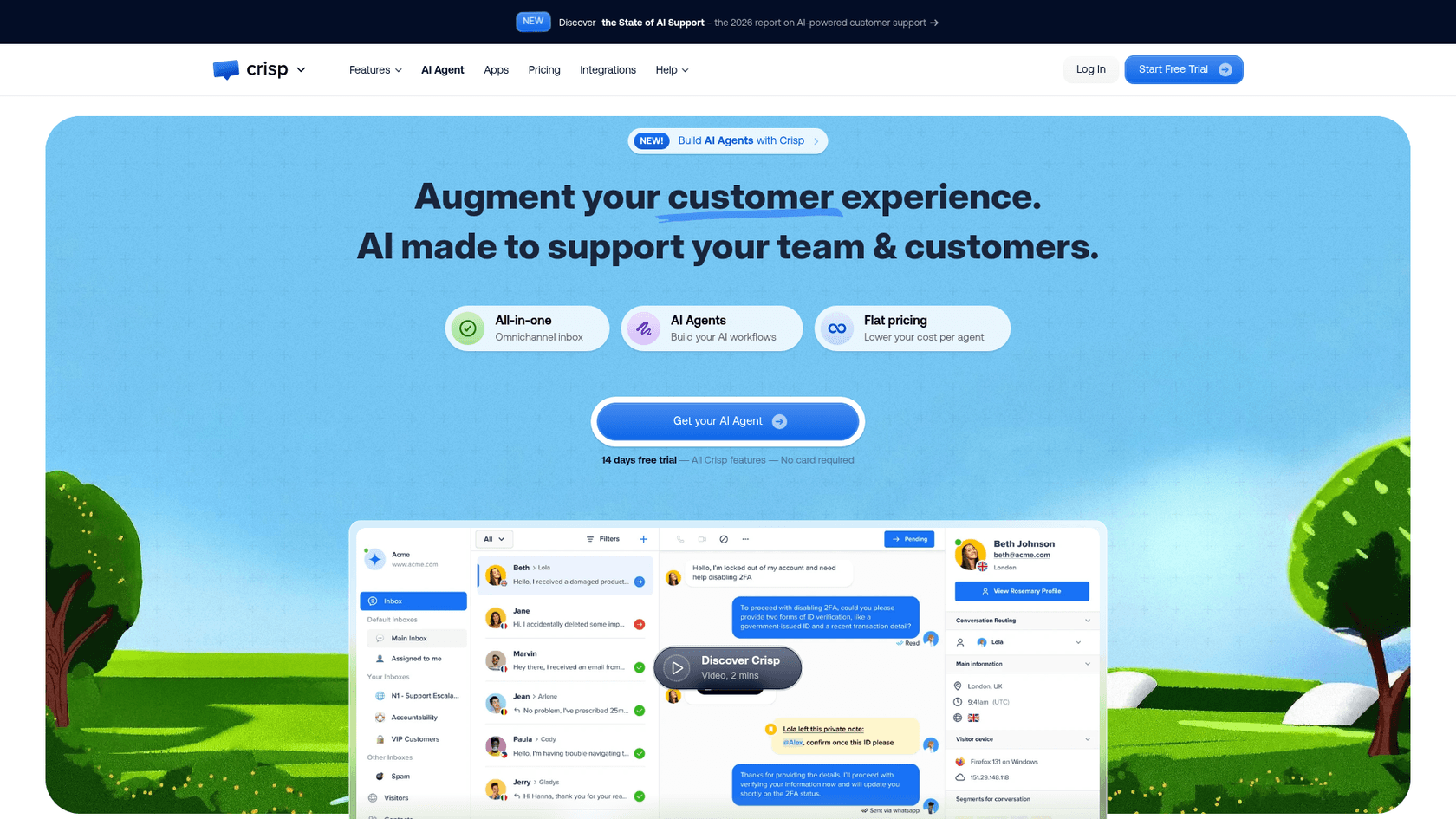
Best for: a team that wants a shared inbox first and an AI agent second.
Crisp charges a flat rate per workspace, with its AI agent Hugo included from the Mini plan. A WordPress plugin adds the chatbox without editing your theme, and a separate guide covers WooCommerce cart and order sync.
Pricing (per Crisp's pricing page and its Hugo billing article):
| Plan | Per month, per workspace | Seats | Included Hugo credits |
|---|---|---|---|
| Free | $0 | 2 | None |
| Mini | $45 | 4 | $5 (about 90 automated conversations) |
| Essentials | $95 | 10 | $25 (about 450) |
| Plus | $295 | 20+ | $75 (about 1,350) |
Crisp estimates a Hugo conversation at $0.05 to $0.10. When credits run out, Hugo stops and conversations go to your team unless you enable Pay-As-You-Go. There is a 14-day free trial.
Pros:
- A real human inbox, with the omnichannel chatbot on Essentials.
- Seats are bundled, so adding teammates does not add a line item.
- A spend guard: Hugo stops instead of overspending.
Cons:
- AI is a USD allowance, so the number of answered chats depends on message length and model.
- The free plan has no AI credits.
See my Crisp pricing guide and Crisp AI alternatives list.
Verdict: pick Crisp when a person-first inbox is the priority. Skip it if you only want a bot.
8. eesel: the one built for support handoff
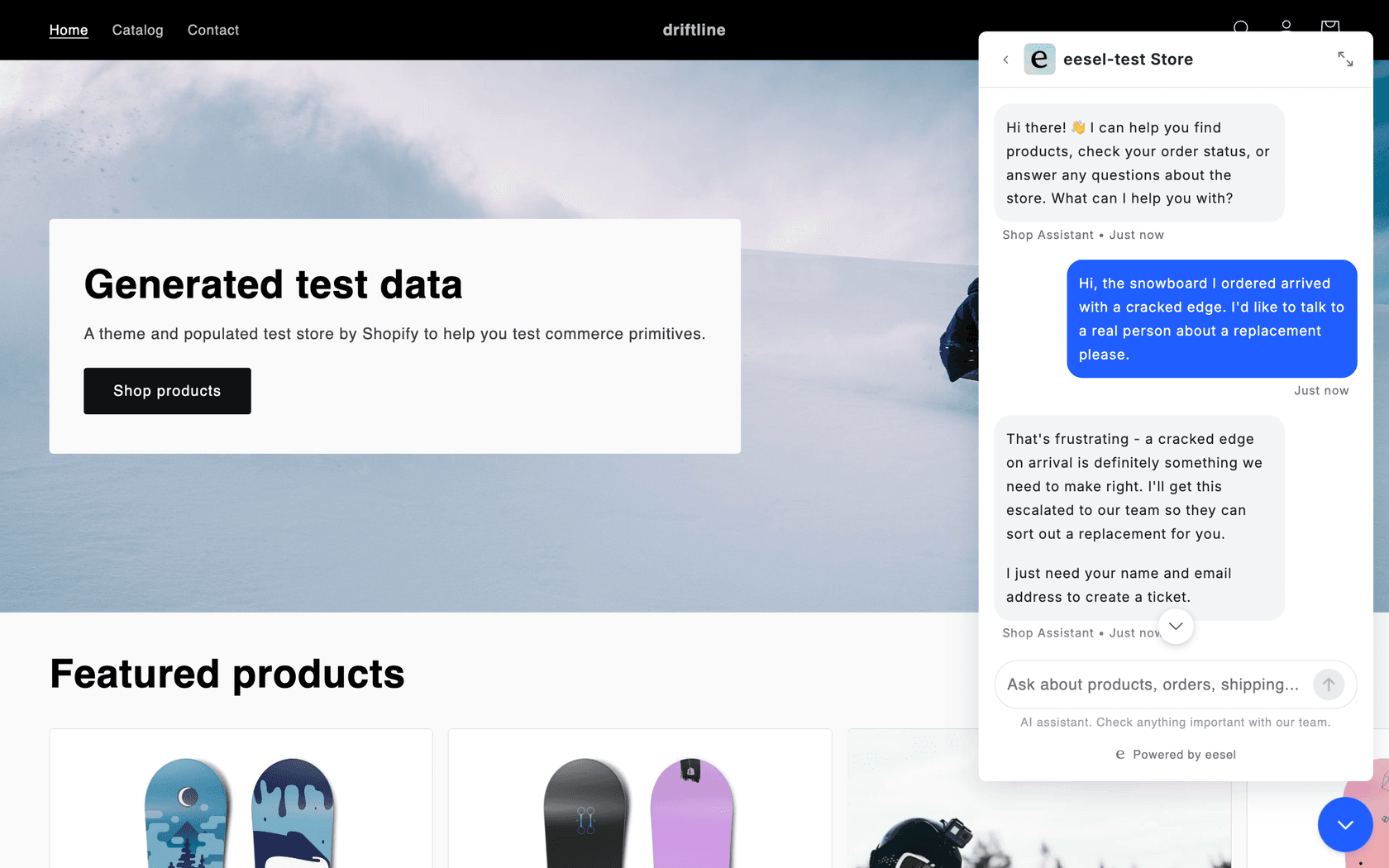
Best for: a WordPress or WooCommerce site where the chatbot has become a support channel.
eesel is an AI teammate you hire for a job, and its helpdesk teammate runs the chat bubble. It is not a WordPress plugin: you paste one script tag into the theme footer or custom-code setting, per the docs. The bubble answers from your pages and help center, links the page it used, and with WooCommerce connected it shows product cards and looks up orders. eesel's WordPress integration is about publishing posts, not chat.
When a visitor asks for a person, eesel asks for a name and email, creates a ticket in your helpdesk, tags it and tells the visitor the ticket number. If you already run a second widget, it can open Zendesk Messenger or Freshchat instead. It matches the AI Engine gap I described above: a human behind the bot. BEAUTEK in Germany answers from 6,700 pages and documents, and ClutchLoop runs its bubble in the customer's own language alongside Gorgias tickets.
Pricing (per eesel's pricing page):
- Free: $0, 100 credits, every integration and channel, unlimited agents and seats.
- Teammate: from $299 a month for 500 credits, up to $1,749 for 5,000. A ticket or chat is 1 credit however long it runs.
- Enterprise: custom, with SSO and MFA, HIPAA with a signed BAA and a dedicated person.
Pros:
- Model costs are in the price, with one credit per chat.
- Handoff creates a ticket with the conversation attached.
- 80+ languages, per eesel's page, and a setup measured in minutes.
Cons:
- Not a WordPress.org plugin, and the entry price is far above a plugin plus an API key.
- SOC 2 Type II is underway, not complete.
- It is built for support, so it is more than a brochure site needs.
Verdict: pick eesel if tickets and handoff matter more than the price. Skip it if you want a free plugin for a small site.
How do you switch from AI Engine without breaking the chatbot?
- Write down what the current bot answers: the 20 to 30 questions your visitors really ask, from your AI Engine discussions log.
- List the sources behind it: which posts, PDFs and pages sit in your Knowledge module.
- Rebuild those sources in the new tool, then run the 20 to 30 questions and score accuracy, speed and handoff.
- Keep AI Engine active on a staging site or a hidden page until the replacement passes. My guide to testing an AI agent covers a fuller scorecard.
- Switch the live widget, then watch the first week of conversations for answers the knowledge base could not support. Learn how to prevent AI hallucinations in support.
If you are still choosing between a plugin and a hosted tool, my build vs buy guide frames the trade, and AI chatbot vs live chat helps if you have not decided you need a bot at all.
Try eesel on your WordPress site
If your AI Engine chatbot now fields real support questions, eesel works as an AI helpdesk teammate that answers from your own pages, hands the tricky ones to your helpdesk, and keeps model costs inside one credit per chat. Paste the chat bubble snippet into your theme footer and test it on your 20 to 30 real questions with the 100 free credits before you pay.

If you work from a terminal or use Claude Code, the eesel CLI drives the same agent, so eesel status shows the chat bubble on your agent and eesel automations shows it switched on.
Frequently Asked Questions
What are the best Meow AI Engine alternatives for WordPress?
For a like-for-like plugin swap, start with MxChat ($69.97 one time) or WPBot (free core, Pro from $39 a year). For a hosted tool where the AI bill is built in, look at Quickchat, DocsBot, Chatbase, Tidio or Crisp. If the chatbot is now a support channel, eesel's chat bubble adds helpdesk handoff. My roundup of the best AI WordPress plugins covers the wider field.
Is there a free alternative to Meow AI Engine?
Yes, several. MxChat and WPBot both have free plugins on WordPress.org, Quickchat has a free plan for personal, non-commercial use, DocsBot's free plan covers 1 bot and 50 source pages, and Tidio and Crisp have free tiers. Free never covers the AI model itself: plugins need your own API key, and hosted tools meter credits. See my guide to chatbot cost for the full picture.
Is MxChat better than AI Engine?
It is a fair swap, not a clear upgrade. MxChat's Pro license is a one-time $69.97 for 1 site with its add-ons included, while AI Engine Pro is $69 to $179 a year. AI Engine has about 90,000 active installs and MxChat about 2,000, so expect a smaller community. Read my AI Engine review for what you would be leaving behind.
Which Meow AI Engine alternative has human handoff?
Crisp has a native shared inbox, Tidio has a live chat inbox for operators, and Chatbase adds a helpdesk inbox from its Standard plan. MxChat hands off via Slack, and WPBot's Master plan adds live chat with Slack. eesel creates a ticket in your own helpdesk. My guide to AI agent handoff lists what a good handoff includes.
Do I still need my own API key with these alternatives?
For the plugins, yes. AI Engine, MxChat and WPBot all run on your own OpenAI, Claude, Gemini or OpenRouter key, so the provider bills you directly. Quickchat, DocsBot, Chatbase, Tidio, Crisp and eesel bundle the model into credits or conversations. The OpenAI API pricing guide shows what a per-token bill looks like.
What is the cheapest Meow AI Engine alternative for a small business site?
On the sticker, Quickchat Starter at $9 a month and WPBot Pro at $39 a year are the lowest paid entries, and MxChat's $69.97 is a one-time cost. For plugins, add your API bill; for hosted plans, check how many credits the entry tier includes. My AI customer service cost guide helps you judge it.
Can I use Tidio, Chatbase or Crisp on a WordPress site?
Yes. Tidio has a plugin with 70,000+ active installs, Chatbase has an official plugin, and Crisp has a WordPress plugin that links your workspace. Each also works with a pasted script. If you run WooCommerce, see my guide to an AI chatbot for WooCommerce.
Should I switch away from AI Engine at all?
Only if one of three things is true: you want the AI bill folded into one plan, you need a human inbox behind the bot, or you want someone else to run the setup. If AI Engine already answers your visitors well, test a replacement on 20 to 30 real questions first. My guide to testing an AI agent before launch shows how.