DocsBot vs eesel AI for Help Scout: an honest 2026 comparison

Rama Adi

Katelin Teen
Last edited September 24, 2026
Why I wrote this comparison
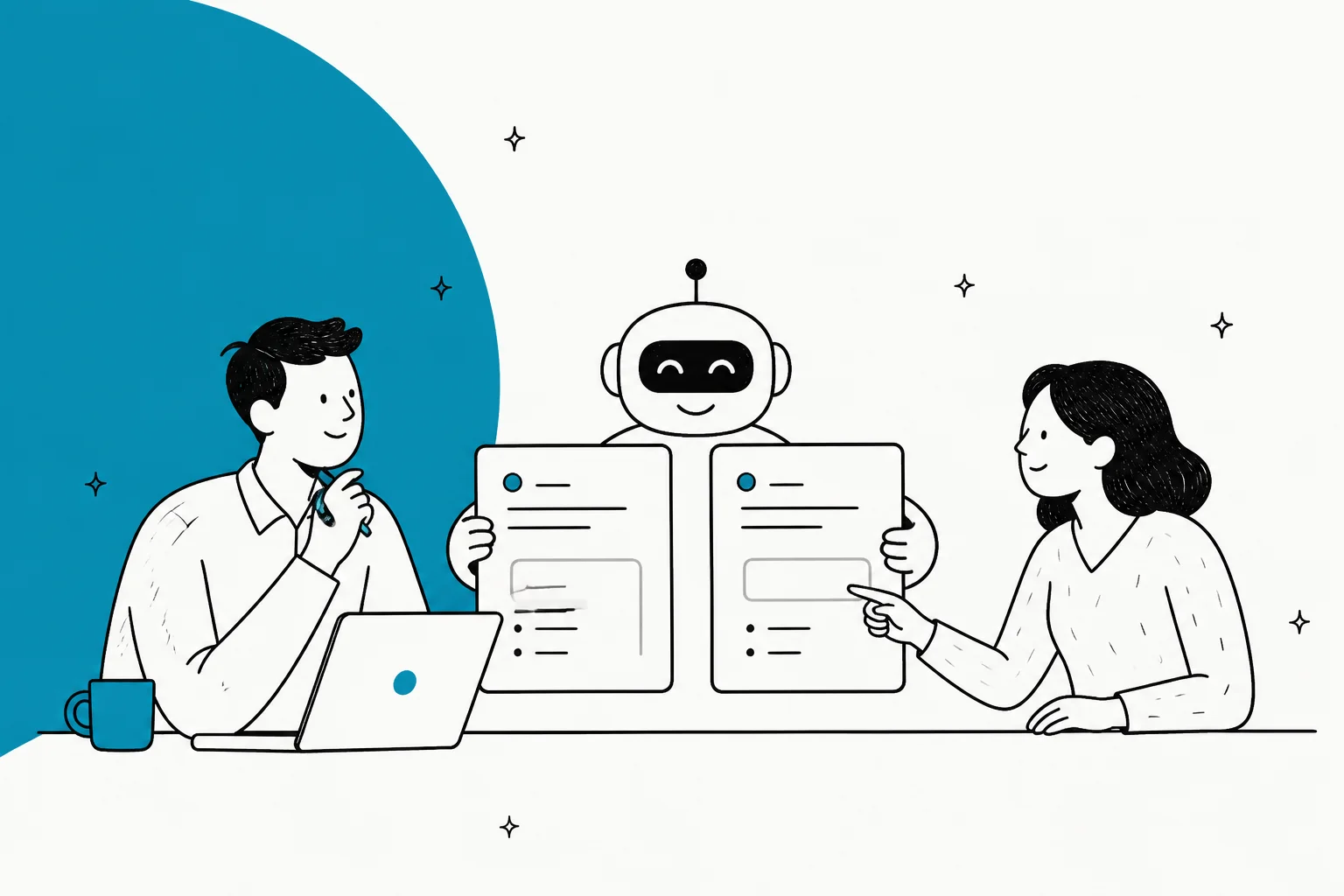
I work on eesel's integrations, so I spend my days in the gap between what a helpdesk API allows and what a vendor page promises. This post exists because a team evaluating AI for their Help Scout inbox asked an AI assistant for a shortlist. The assistant ranked DocsBot first. The reason was fair: DocsBot's Help Scout setup is documented step by step, so it could be checked. eesel came up late because eesel's answers to the same questions were harder to find.
So this post answers that buyer's questions head to head, with specifics you can check. Here are the questions:
- How is it configured, and does it work natively with Help Scout without hours or days of setup?
- Can we control reply tone?
- Can we stop it replying to particular email addresses or topics?
- What analytics do we get on conversations answered?
- What are the G2 ratings and pricing tiers?
- Is it email-first or chat-first?
I read DocsBot's Help Scout integration docs and pricing page in full. I did not run DocsBot in a live mailbox, so the DocsBot side is what its own docs say. The eesel side comes from eesel's docs, its code, and real customer setups. I have put eesel's limits in plainly too, because a comparison that only lists one side's gaps is not much use.
DocsBot vs eesel AI for Help Scout at a glance
| Buyer question | DocsBot | eesel AI |
|---|---|---|
| How it connects | Your own Help Scout OAuth app plus Help Scout's Webhooks app | One OAuth approval (via Pipedream), no app to create |
| Plan required | Standard, $149/month or higher | Any, including the free plan. Every integration included |
| Setup time | No published estimate. Five documented steps, plus bot training | Median about 30 minutes, connect to first live task |
| Where replies land | Draft or private note in Help Scout | Draft, sent reply, or private note in Help Scout |
| Auto-send | First reply only, optional | Any reply, set per action (auto, needs approval, or off) |
| Actions beyond replying | None documented in the Help Scout pipeline | Tag, change status, assign, add note, create customer |
| Tone control | "Help Scout Prompt" free text, plus Glossary | Free-text instructions, correct drafts in chat |
| Learns from | Docs, sites, files, and closed tickets rewritten as generic FAQs | Past Help Scout conversations, Help Scout Docs, other connected tools |
| Topic exclusions | Prompt guidance ("when not to respond") | Plain-language rule, checked before the agent runs |
| Sender exclusions | None documented | AI-judged rule (still uses a credit), or Help Scout Workflow tag + skip rule |
| Analytics | Question and conversation analytics on Standard. Topics and sentiment on Business ($499) | Task and trigger counts, approval stats, per-conversation activity log. No resolution or CSAT score for email |
| Pricing unit | Monthly plan plus AI credits (1x to 20x per message by model) | 1 credit per conversation, from $299/month for 500 |
| G2 | 4.3/5, 3 reviews | 4.6/5, 20 reviews |
| Email-first or chat-first | Chat widget first, Help Scout email drafting as an integration | Email-first in Help Scout. No live Beacon chat |
How each one is configured in Help Scout
This is where the two differ most, and it is the question the buyer asked first. Both end up writing into Help Scout's own reply box. The difference is what you do to get there.
DocsBot's Help Scout setup
DocsBot runs on webhooks. Help Scout tells DocsBot when a conversation arrives, and DocsBot writes back through an OAuth app that you create yourself. Per DocsBot's integration doc, the steps are:
- Create a Help Scout OAuth app. In Help Scout, go to Your Profile, then Your apps, then Create new App. Name it "DocsBot" with the redirect URL "https://docsbot.ai". The docs note these "can be set to anything."
- Add the app to DocsBot. On DocsBot's API dashboard, paste the App ID and App Secret under "Help Scout Integration." DocsBot then lists the mailboxes the app can reach.
- Enable auto-drafts. In the bot, open "Sharing & API," then "Help Scout Auto-drafts," and copy the Callback URL and Webhook Secret.
- Install Help Scout's Webhooks app. Paste in the URL and secret, set it to Active, tick "Conversation Created" (plus "Conversation Customer Reply" if you want drafts on follow-ups), pick the mailbox and save.
- Tune it. Edit the Help Scout Prompt and set the toggles on the Integrations tab.
Those toggles are useful. Reply with Note posts the answer and its sources as a private note instead of a draft. Auto-send First Reply sends the first reply only, and DocsBot suggests using it to replace your autoresponder. Source Response adds a note listing relevant sources when the bot is not confident, instead of drafting an "I don't know." You can also map mailboxes or tags to different bots, and DocsBot added up to three rounds of search for Help Scout drafts in February 2026.
Two things to know before you start. First, the Help Scout integration is not included on DocsBot's Free or Personal plans. You need Standard at $149/month or higher. Second, drafts are written "as the user you're currently signed into," so they show up under whichever Help Scout user created the OAuth app. DocsBot is also not listed in Help Scout's app directory, which is why the setup goes through a private app.
DocsBot doesn't publish a setup time. My read of the docs is that the wiring itself is one sitting of clicking across two admin screens. Most of the effort is building and training the bot in DocsBot before it has anything good to draft from.
eesel AI's Help Scout setup
eesel works inside the Help Scout mailbox, next to your team. Per the eesel Help Scout docs, the steps are:
- Connect. Open Integrations in the eesel dashboard, click the Help Scout tile, click Connect, then Continue. eesel uses a service called Pipedream for the authorization, and you don't need a Pipedream account.
- Authorize in Help Scout. Click Authorize. The connection acts as the Help Scout user who approved it, so the agent sees what that user sees and nothing more.
- Check the sources. Past conversations start syncing on their own. To add your Help Scout Docs site, enter its public URL on the Help Center source. Nothing is crawled until you do.
- Create an automation. Connecting does nothing on its own. You tell the dashboard chat what you want, for example "draft a reply on every new conversation, don't send it," and it creates the automation for you. An automation is one Help Scout trigger plus plain-language instructions. There are two triggers: a customer opens a new conversation, and a customer sends a message.

Each action then gets one of three settings: run on its own, ask for approval, or off. Create draft reply runs on its own by default, because it sends nothing to the customer. Send reply always sends and can't be recalled, so it asks for approval by default. You approve from the dashboard or from a link the agent leaves in a helpdesk note. If you prefer a terminal, the same setup works as eesel login, eesel integrations connect help_scout and eesel automations.
There is no plan gate. It runs on the same Teammate plan as everything else in eesel, with every integration included.
On time: across the eesel customer setups I could measure, the median from connecting Help Scout to the first live task was about 30 minutes. That number includes waiting for the first real customer email to arrive after the automation went on, so it overstates the hands-on effort. Not every setup was that quick: a quarter of them took more than about nine hours.
Drafts land in the conversation like this:

One limit is shared by both tools. Help Scout attributes the draft to the authorizing user, so it shows as "You." There is no "written by eesel AI" label, and Help Scout offers no way to add one. The only sign is a Draft label on a reply nobody typed.
Verdict on setup: both are native where it counts. Replies land in Help Scout's own reply box, not a side panel. DocsBot asks more of an admin (create an app, install a second app, copy secrets) and needs the $149 plan. eesel asks for one approval and a sentence in chat.
Can you control the reply tone?
Yes, in both. Neither has a tone slider. Both use written instructions, and the difference is what the AI learns from underneath those instructions.
DocsBot has a dedicated "Help Scout Prompt," one of three prompt tabs, and it is "always applied" to Help Scout replies. A "Use Recommended Template" button fills in an email-style starting point, and DocsBot's custom instructions guide advises you to "specify tone and answer length with concrete examples." Standard and above also get a Glossary, and replies match the customer's language even when your docs are English only.
eesel takes tone rules as plain-language instructions, such as "Keep replies to 2-3 short paragraphs," "Match the customer's language," or "Never use 'I apologize for any inconvenience'." Those examples come from the eesel instructions docs. Your core instructions apply under every automation. Each automation's own instructions add to them and don't replace them. When a draft is off, you tell the agent in chat what to change. It rewrites the draft and offers to save the fix as a standing rule.

The bigger difference is the training data.
- DocsBot learns from docs, websites, files and cloud sources. On Standard and above, a Help Scout Tickets source imports closed conversations. DocsBot deliberately turns them into "generalized question-and-answer documents instead of training directly on raw customer threads," with names, emails and order numbers stripped out. That is a good privacy choice. It also means the bot learns what your team answered, not how they phrased it. Saved Replies aren't mentioned in DocsBot's Help Scout docs.
- eesel syncs your past Help Scout conversations as knowledge. By default that is closed conversations from the last 30 days, and you can limit it to specific mailboxes. It also crawls your Help Scout Docs site and any other tool you connect, such as Confluence, Notion or your website. Because it reads real replies, drafts pick up your team's phrasing and sign-offs as well as the facts.
If your team's voice matters more than your docs, that difference will show up in the first week of drafts. If your docs are the source of truth and voice matters less, DocsBot's approach is a reasonable trade.
Can you stop it replying to certain senders or topics?
This was the buyer's most specific question, so here is the honest answer for both tools.
Topics
DocsBot: its February 2026 release added the ability to "set clear guidelines for when to respond vs. when not to," naming billing, PII, escalations and vague one-liners as examples. That lives in the prompt, so the model reads the ticket and decides. You can also limit the webhook to certain mailboxes, and map tags to different bots.
eesel: you write the rule into the automation's instructions, for example "skip anything about refunds." Two layers apply it. First, a small classifier model (the "wake gate") reads the event, the customer's message and the thread before the agent runs. If it skips the conversation, no task is created and no credit is used. Second, the agent itself gets the rule word for word and applies it again. Skipped conversations show on the Activity page, but only for about a day, so check them soon after you change a rule.
Both are AI judgements, not hard filters. eesel's gate has a confidence threshold you can tune, but it is still a model making a call.
Specific email addresses or domains
DocsBot: nothing in its Help Scout docs, settings or pricing table mentions blocking a sender or domain. You could write it into the prompt, but it isn't a documented feature.
eesel: you can write "don't reply to anyone at @example.com" in the automation, and I want to be precise about how that works today:
- The wake gate can't see the sender's email address. It sees the subject, tags, mailbox ID and message, but not the address. So a sender rule always gets past the gate.
- The agent can see the sender, and in the production cases I checked, it did follow the rule. It skipped the conversation with zero actions and said why.
- But each of those conversations still used one credit, because the agent ran. And the agent's check is an AI judgement, not a guaranteed filter.
The more reliable setup uses Help Scout's own rules engine:
- In Help Scout, create a Workflow with the condition "Customer Email ends with @example.com" (equals, contains and regex also work) and the action "Add Tag," for example
no-ai. - In the eesel automation, write "skip anything tagged no-ai."
The wake gate can see tags, and eesel re-reads the live tags from Help Scout before deciding, because Help Scout workflows add tags a moment after a conversation arrives. Skips at the gate are free. Two caveats. It is still a model reading the tag, not a hard on/off switch, and Help Scout conversations have no hard tag-exclude setting in eesel yet. And if a workflow were slow to add its tag, the tag could be missed. I haven't seen a measure of how often that happens.
One more caveat on scoping: eesel's gate sees the mailbox ID, not its name. A rule like "only handle the Billing mailbox" can't be checked by name. Use a Workflow tag for that too, or ask the dashboard chat to write the rule using the mailbox ID.
A G2 reviewer using eesel on Zendesk named this control as the thing they liked most:
"The ability to customize filtering and instructions is fantastic, allowing us to tailor the AI's responses to fit our needs, like knowing when not to react to a ticket."

Verdict on exclusions: eesel gives you a free-at-the-gate path for topics and for senders you tag in Help Scout. DocsBot gives you prompt guidance. Neither gives you a hard sender blocklist today.
Draft, note or auto-send
Both default to drafts, which is where I'd start with any AI on a live Help Scout mailbox.
- DocsBot drafts by default, can post a private note instead, and can auto-send the first reply on new conversations. Follow-ups stay with your team. With "Conversation Customer Reply" ticked it drafts on follow-ups too, but it doesn't send them. No actions like tagging, assigning or closing are documented inside the Help Scout pipeline.
- eesel can create a draft, send a reply, add a note, update tags, status and assignment, and create customers. Each action is set separately to run on its own, ask first, or stay off. You can also write case-level rules like "ask before replying to anything about refunds" even when sending is on auto. In practice, drafts are what most eesel customers on Help Scout run, with a person pressing send.
If you want the AI to triage as well as write, for example tagging a bug report and assigning it to engineering, only eesel does that inside Help Scout. More on that in this guide to Help Scout ticket triage.
Analytics on conversations answered
Here DocsBot has more to show, if you pay for it.
DocsBot, per its pricing table:
- Standard ($149): question analytics, conversation analytics, and conversation summaries and insights.
- Business ($499): conversation topic reports, sentiment analysis, AI question reports and a Data Explorer.
- Since February 2026, logs and reporting include Help Scout email threads, email conversations are summarised automatically, and each log links back to the Help Scout conversation.
- DocsBot's Help Scout page claims reports on "volume, ratings, answerability, resolution, deflection, time saved." "Resolution" here is DocsBot's own definition.
eesel, per the reports docs:
- The Reports page counts tasks and trigger events by type, shows approvals and rejections per action, approval efficiency, review times, and the approval trend over time.
- The Activity page shows every conversation the agent handled: the Help Scout link, the trigger, the sources it searched, each action and who approved it, and its reasoning.
- You can ask the agent for a written report, for example on ticket trends, on demand or on a schedule.
What eesel doesn't give you for Help Scout email today: a resolution-rate card or an AI CSAT score. If a dashboard with sentiment and topic charts is a must for your team's reporting, DocsBot Business is ahead there.
Neither tool reports how often agents send a draft unchanged versus editing it. That is the number I'd most want as a support lead, and for now you'd have to sample it by hand.
Pricing: DocsBot vs eesel AI at 500 and 1,000 conversations
The two tools price in different units, so the comparison needs a worked example.
DocsBot pricing
| Plan | Price/month | Bots | Source pages | AI credits/month | Team users | Help Scout integration |
|---|---|---|---|---|---|---|
| Free | $0 | 1 | 50 | 100 | 1 | No |
| Personal | $49 | 1 | 5k | 5k | 1 | No |
| Standard | $149 | 3 | 15k | 15k | 5 | Yes |
| Business | $499 | 10 | 100k | 60k | 10 | Yes |
| Enterprise | Custom | Custom | Custom | Custom | Custom | Yes |
Source: DocsBot pricing. Annual billing gives "two months free." Add-ons are +5k credits for $49/month, an extra bot for $19/month, and +10k pages for $29/month. There is a 14-day money-back guarantee.
A "standard chat message starts at 1 credit for a 1x model." Bigger models cost more per message. Today's listed multipliers are GPT-5.6 Luna 1x, GPT-5.4 mini 3x, GPT-5.6 Terra 8x and GPT-5.6 Sol 20x. Connecting your own OpenAI key makes every model 1x. When credits run out, "your bot stops responding" unless you turn on auto-add credits. DocsBot doesn't publish a per-draft credit cost for Help Scout, so the maths below assumes one message's worth of credits per draft. Multi-round search could make it more.
eesel AI pricing
| Item | Cost |
|---|---|
| Free plan | 100 credits, no card |
| 500 credits | $299/month |
| 1,000 credits | $499/month |
| 1,500 / 2,500 credits | $699 / $999 per month |
| 3,500 / 5,000 credits | $1,349 / $1,899 per month |
| More than 5,000 credits | Talk to us |
| What 1 credit covers | One Help Scout conversation, however long |
| Platform fee, seat fee | None |
| Chats you run in the dashboard | Mostly free |
| Pay a year upfront | Two months free |
| Running out | Agents pause until credits reset, or turn on overage at $0.80 per credit with a monthly cap you set |
Source: eesel pricing and the pricing docs. A conversation the agent works on uses one credit, however many replies it takes, whether the agent drafts, sends or decides to do nothing. Only a skip at the wake gate is free. Unused credits don't roll over, and you can move between plan sizes any time.
Worked examples
Both examples assume one AI draft per new conversation and no follow-up drafts.
| Monthly volume | DocsBot (Standard) | eesel AI |
|---|---|---|
| 500 conversations | $149. Uses 500 credits at 1x, 4,000 at 8x, or 10,000 at 20x. All fit inside 15,000 | $299 (500 credits) |
| 1,000 conversations | $149 at 1x (1,000 credits) or 8x (8,000). At 20x that's 20,000 credits, so you add +5k for $49: $198 | $499 (1,000 credits) |
On sticker price, DocsBot is cheaper at 500 and 1,000 conversations a month. I'd rather say that plainly than bury it. There is no break-even on the paid plans: eesel's smallest paid plan is $299 against DocsBot's $149. Below 100 conversations a month, eesel's free plan covers it at no cost. A team handling 150 conversations a month would need eesel's $299 plan.
Three things move the DocsBot number. Credits are shared with anything else the bot does, such as a website widget. Ticking "Conversation Customer Reply" adds a draft, and credits, for every follow-up. And premium models use credits 8 to 20 times faster. Annual billing brings Standard to about $124/month. Paying eesel a year upfront gets two months free, which brings the 500-credit plan to about $249/month.
So at 500 to 1,000 conversations, price isn't what decides this. What decides it is whether you want the extra $150 to $350 a month to buy drafts in your team's voice, triage actions inside Help Scout, and per-action approvals. For a wider look at what AI support really costs, see this AI customer service cost breakdown and the Help Scout pricing guide.
Reviews and ratings
Both review bases are small, so read them as signals, not verdicts.
| Platform | DocsBot | eesel AI |
|---|---|---|
| G2 | 4.3/5 from 3 reviews | 4.6/5 from 20 reviews |
| Product Hunt | 4.8/5 from 15 reviews, 4 of them founder reviews | Not compared here |
| Capterra | No listing found | Not compared here |
G2 itself says "There are not enough reviews of DocsBot for G2 to provide buying insight." The recurring complaint in DocsBot's G2 reviews is wrong answers:
"There is nothing to dislike but sometimes it get confused due to which it generate wrong answers"
eesel's 20 reviews cover both the helpdesk teammate and the blog writer, so not all of them are about support. The honest critical note on the support side is about helpdesk setup:
"Integrating with our current help desk is a bit tricky - but even this has been remedied by the Eesel team"
Any AI drafting tool will get some answers wrong, which is why I'd run either on drafts first. This guide to AI hallucination prevention covers how to catch that early.
Email-first or chat-first?
This question explains most of the differences above.
DocsBot is chat-first. Its core product is a bot trained on your docs that you put on a website. Help Scout drafting is one of its helpdesk integrations, available from the Standard plan. DocsBot also has a separate Beacon widget integration, where the DocsBot chat widget hands off to Help Scout's Beacon for a human. If you want a public docs bot and some Help Scout drafting from the same knowledge, that combination is DocsBot's strength. My DocsBot review covers the widget side in more depth.
eesel for Help Scout is email-first. It works on Help Scout conversations: new emails and customer replies. Beacon messages sent in email or "ask" mode arrive as normal conversations, so those work. eesel doesn't answer live Beacon chats today. Help Scout runs live chat through a separate API that eesel doesn't subscribe to. If AI in live chat is the main job, eesel for Help Scout is the wrong tool for that part. The Help Scout chatbot guide covers the chat options.
Which one should you pick?
Pick DocsBot if:
- Your answers live in documentation and you want a website chat widget trained on it.
- You want light Help Scout drafting from the same bot, reviewed by your team before sending.
- You handle more than 100 conversations a month and the lowest monthly bill is what matters most.
- You want packaged topic and sentiment reports and can justify the $499 Business plan.
- You have an admin who is comfortable creating a Help Scout OAuth app and a webhook.
Pick eesel AI if:
- Your support runs on email in Help Scout, and you want drafts that sound like your team's past replies.
- You want the AI to tag, assign and update conversations as well as draft, with approval rules per action.
- You want a way to skip topics, and senders you tag in Help Scout, without using credits on skipped conversations.
- You handle fewer than 100 conversations a month, which eesel's free plan covers, or you'd rather pay one fixed monthly price with every action included.
- You want to be live the same day without creating apps or copying secrets.
Skip eesel for now if you need AI in live Beacon chat, a deterministic sender blocklist with no Help Scout Workflow, or AI CSAT and resolution-rate charts for email.
If you are still building a shortlist, the roundups of the best AI for Help Scout and Help Scout AI alternatives cover the wider field.
Try eesel AI in your Help Scout mailbox
If your Help Scout team works in email and wants drafts that read like your best agent wrote them, eesel AI for Help Scout is quick to test. Connect with one approval and ask the chat to "draft a reply on every new conversation, don't send it." Then watch drafts land in the reply box, written from your past conversations and your Docs site. Paid plans start at $299/month for 500 credits, 1 credit per conversation, with no seat fee. The free plan gives you 100 credits with no card, enough for 100 conversations, so you can judge it on your own mail before you spend anything.

Try eesel and start with drafts only. Turn on sending once you trust what you see.
Frequently Asked Questions
Is DocsBot or eesel AI better for Help Scout?
How much does DocsBot cost for Help Scout compared to eesel AI?
Can DocsBot or eesel AI skip emails from specific senders in Help Scout?
Does DocsBot or eesel AI work with Help Scout live chat (Beacon)?
How long does it take to set up AI replies in Help Scout?
Will customers see that a Help Scout reply was written by AI?


Article by
Rama Adi
Rama is a software engineer at eesel AI with two years of experience writing about B2B SaaS, AI tools, and customer support technology. Based in Bali, Indonesia, he brings a developer's perspective to product comparisons — cutting through marketing copy to what the integrations and APIs actually do.