Help Scout AI ticket deflection: how to actually set it up

Rama Adi

Katelin Teen
Last edited September 8, 2026

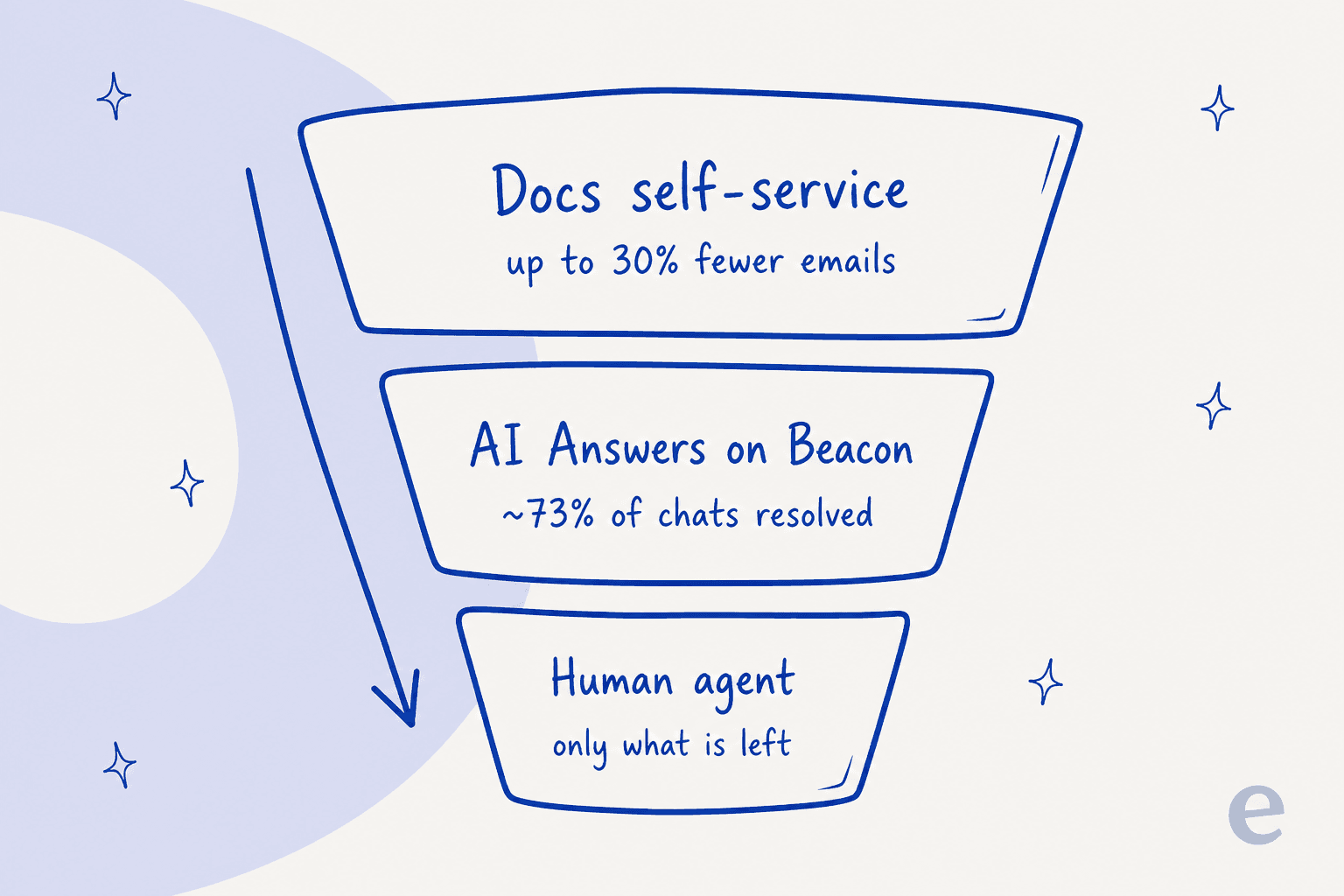
Help Scout gives you three native ways to deflect tickets, and they stack. Docs is your self-service knowledge base, which Help Scout says can cut email volume by about 30% on its own. AI Answers is an AI chatbot that lives in the Beacon widget, resolves questions from your Docs, and bills at $0.75 per resolution on top of your seat plan. Workflows auto-route and auto-close the repetitive stuff so agents never open it.
The catch: all of that mostly deflects on your website, before a ticket exists. The questions that arrive by email still land in the mailbox for a person. If your goal is to deflect those tier-1 email tickets too, a third-party AI agent like eesel joins your Help Scout mailbox, trains on your past conversations and Docs automatically, and drafts or sends replies on one fixed monthly price from $299 for 500 credits (1 credit per conversation) with no new seats. Set your Docs and AI Answers up first; add a mailbox agent when the email queue is the thing eating your team's day.
When you reach that point, an AI coding agent can handle the setup. It can connect eesel to your Help Scout mailbox with an admin's sign-off, index your Docs and past conversations, and draft a reply to a real email ticket for you to review. Beacon and AI Answers keep running on the website side.
What ticket deflection actually means in Help Scout
Deflection is a slightly slippery word, so let me pin it down. A deflected ticket is a customer question that gets answered without a human ever opening a conversation. The customer got what they needed from an article, a chatbot, or an automation, and your queue never grew. That is different from a faster reply (an agent still handled it) and different from an auto-reply (a canned message that usually still needs follow-up).
I work on eesel's integrations, and Help Scout is one I helped ship, so I spent a lot of time inside both Help Scout's own AI stack and its API. The thing worth understanding before you touch a single setting is that Help Scout deflects in layers, and each layer catches a different slice of volume. Get the order right and most repeat questions never reach an agent. Get it wrong and you pay for an AI chatbot that has nothing good to answer from.
Help Scout is popular with small and mid-market teams precisely because it stays simple, an inbox rather than a ticketing system, and that reputation is well earned:
"From your list, Help Scout's often a winner for simple email flows and mobile access."

That simplicity is exactly why deflection matters here. These teams don't have a queue-ops person tuning routing rules all day, so the deflection has to more or less run itself. Here's how to make it.
The three native layers, in the order you should set them up
Layer 1: Docs (your self-service knowledge base)
Everything downstream feeds off Docs, Help Scout's knowledge base product. It is the public help center customers can search, and, more importantly, it is the source your AI reads from. Help Scout says a good self-service setup can "reduce email volume by 30%" before any AI is involved, just by letting people find the answer themselves.
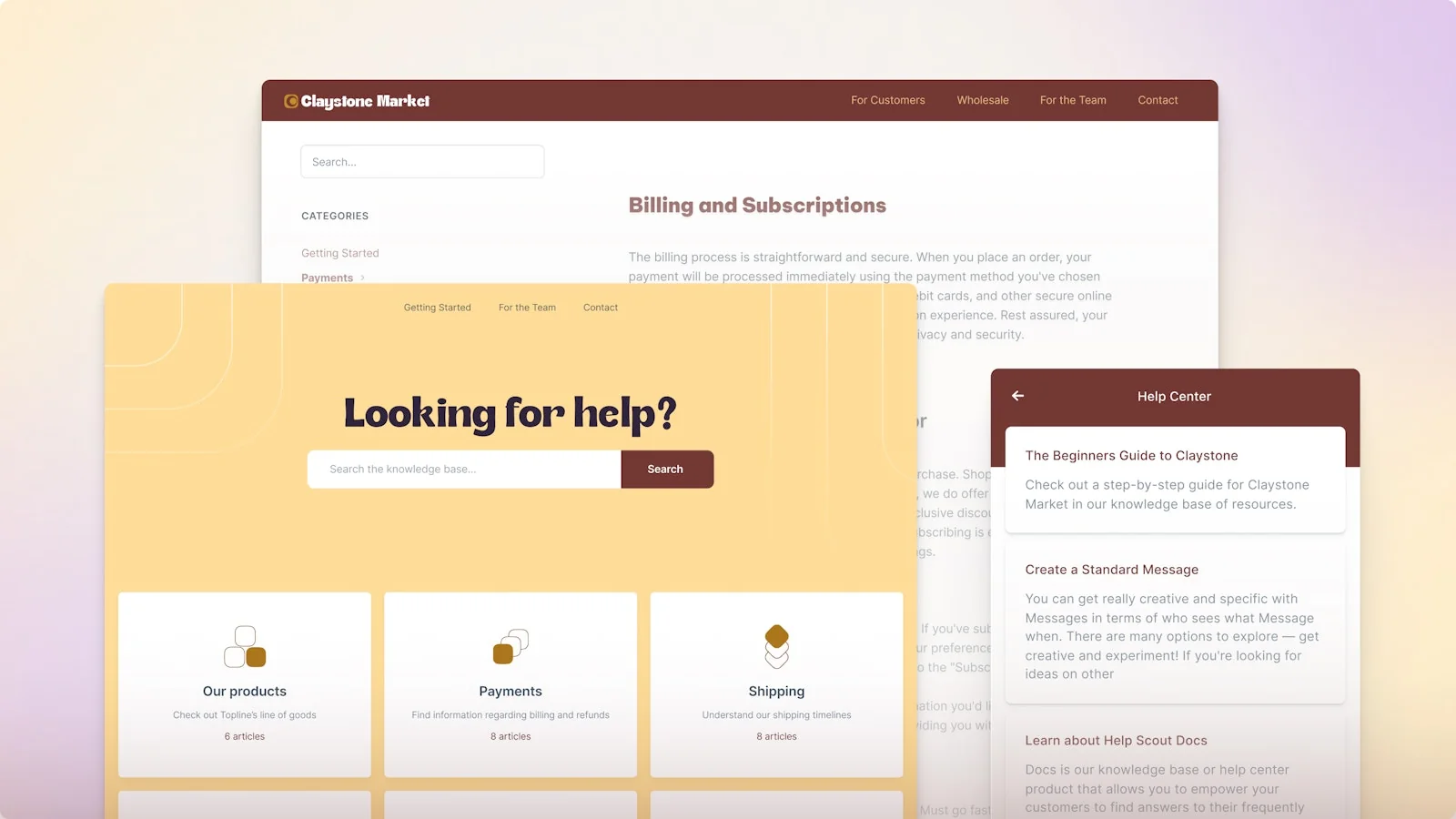
The practical move: pull your last month of conversations, find your ten most repeated questions, and make sure each one has a clear, current article. This is unglamorous and it is the single highest-impact thing you can do, because both the self-service search and the AI chatbot are only as good as the Docs behind them. On the Free plan you get 1 Docs site and 10 articles; every paid plan lifts that to unlimited articles.
Layer 2: AI Answers on Beacon (the chatbot)
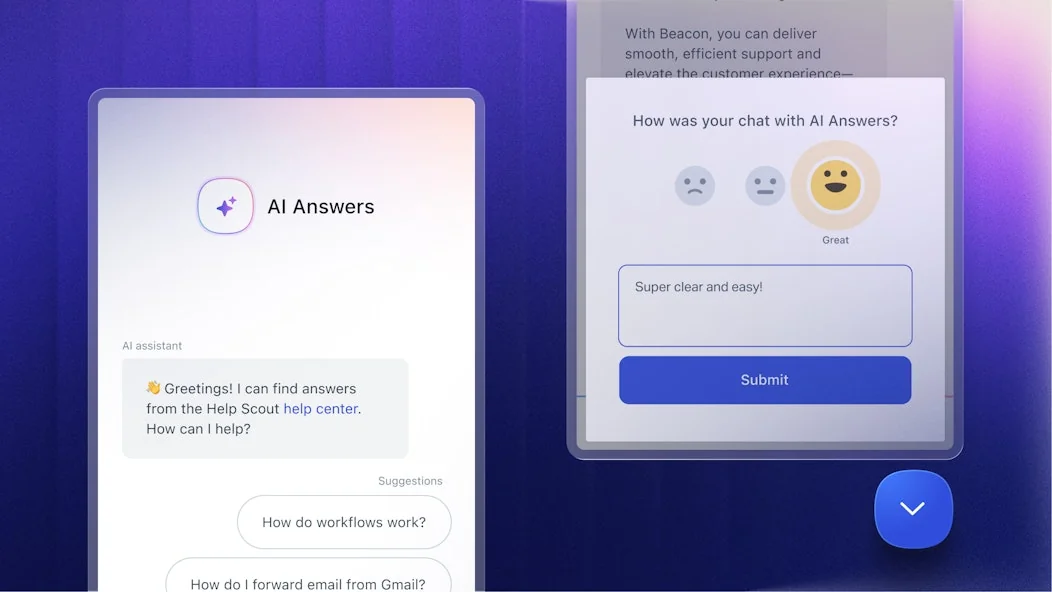
AI Answers is Help Scout's customer-facing AI agent. It sits inside Beacon, the embeddable help widget on your site or in your app, and it answers questions instantly by drawing on your knowledge base, web sources, and custom instructions.
A few numbers worth knowing before you switch it on:
- Resolution rate. Help Scout says companies average a 73.19% resolution rate with AI Answers, improving month over month. A resolution is counted "when the customer doesn't escalate, search the knowledge base, or indicate they need more help after a response."
- Cost. It is usage-based at $0.75 per resolution, billed on top of your seats. New accounts get three months of free resolutions, and you can prepay to save up to 33% or set monthly caps to keep spend predictable.
- Languages. It handles conversations in over 50 languages.
- Safety net. If the AI can't answer, the customer escalates to a human in a couple of clicks, so there are no dead ends.
The setup itself is light: turn AI Answers on, point it at your Docs, add a few custom instructions for tone and edge cases, and run it through some test scenarios privately before it faces a customer. That private test step matters, and it's the thing most teams skip.
Layer 3: Workflows (auto-route and auto-close)
Not every deflection is an AI answer. Workflows are Help Scout's if-this-then-that automation rules, and they quietly deflect a surprising amount of work by tagging, routing, or closing conversations that never needed a human.
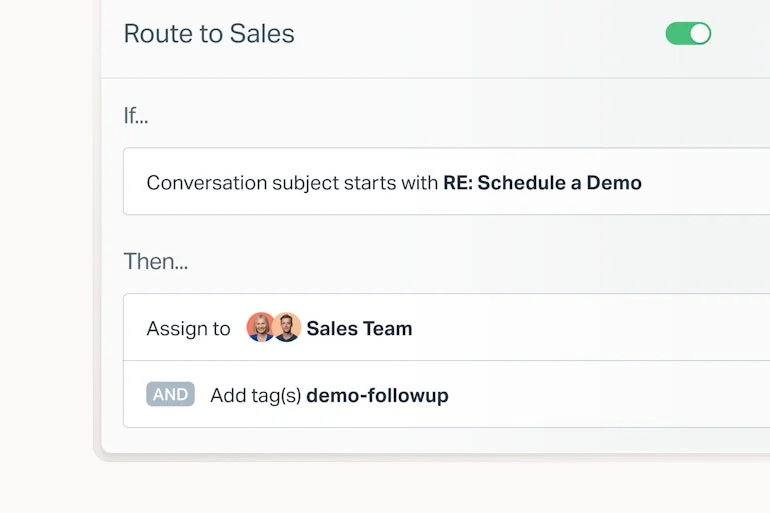
A classic one: auto-close conversations that are just "thanks!" replies, or route anything matching a known pattern (order confirmations, out-of-office bounces) straight to the right place. Standard plans include 150 basic workflows; Plus and Pro get advanced workflows. These don't feel like AI, but every conversation an agent doesn't have to read is a deflected one.
Where the native setup stops
Set those three up well and you'll deflect a real chunk of volume. Here's the honest limit, and it's a structural one, not a knock on the product: AI Answers deflects on the widget, before a ticket exists. It's a chatbot on your site. It's brilliant at catching the person who would otherwise have emailed you, but it doesn't do much for the person who did email you. Those conversations still land in the mailbox for a human to work.
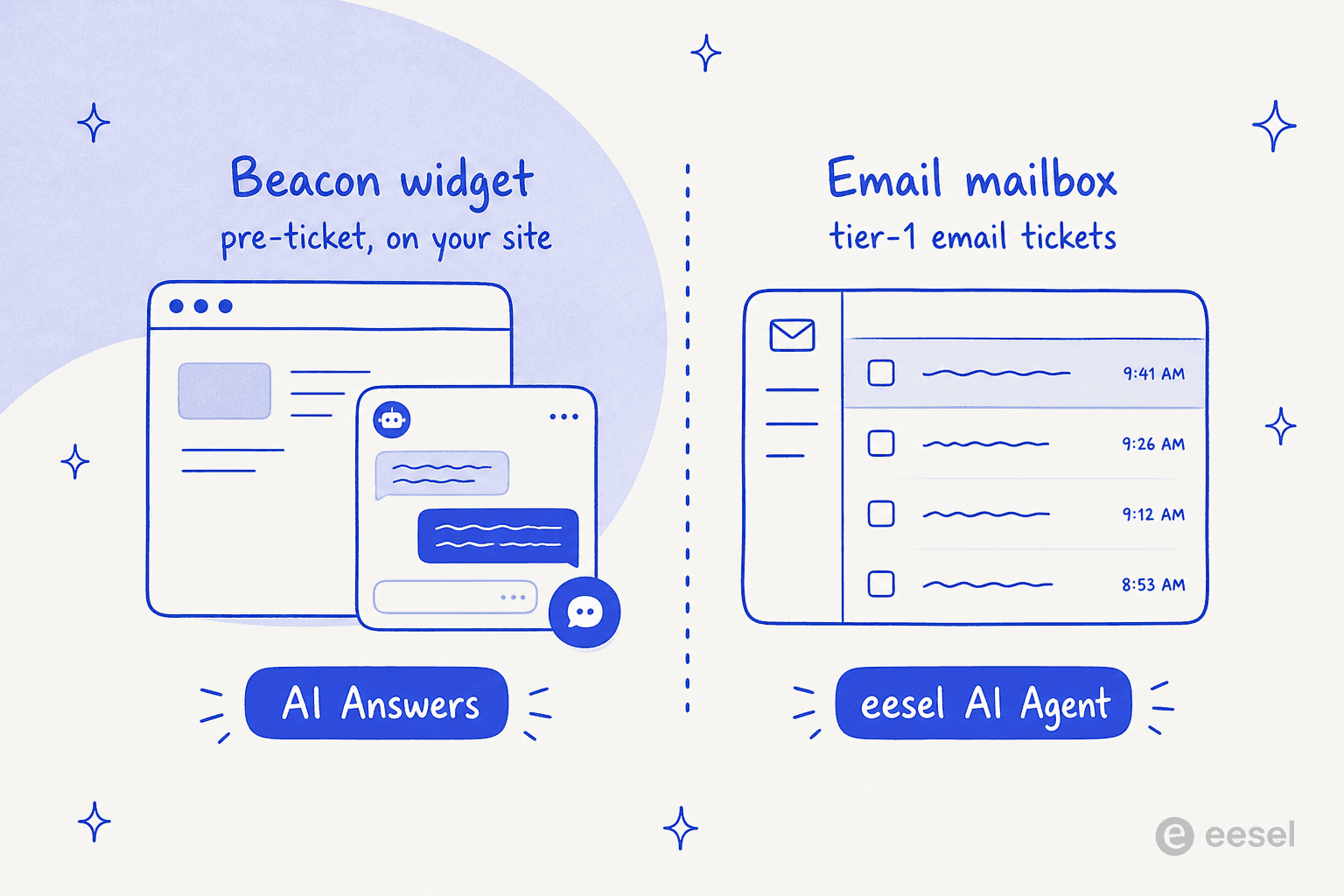
For a lot of Help Scout teams, email is the queue. If most of your inbound arrives as email rather than chat, the native AI is deflecting the smaller half of your problem. That's the gap worth naming before you decide you're done.
The other thing to watch is cost shape. At $0.75 per resolution, a high-volume deflection month is a real line item, and it's metered on the AI's definition of a resolution, not yours. That's fine, it's a fair model, but it's worth modelling against your actual volume before you assume deflection is free.
Deflecting the email tickets Help Scout AI leaves behind
This is the gap the eesel integration was built for, and it's the part I know best because I helped build it. Instead of a separate widget, eesel joins your Help Scout mailbox as a real AI agent. It reads incoming conversations, drafts and sends replies from the mailbox (customers see your team's address, not a bot), adds notes, updates tags, and routes to teammates exactly like a human agent would.

The setup is deliberately close to Help Scout's own simplicity:
- Connect. Authorize eesel through the Help Scout API from the eesel dashboard. Two clicks, no developer, no code.
- Let it learn. eesel automatically imports your Docs articles, past Help Scout conversations, and saved replies. There's no manual training or data labeling, and it picks up the tone your team already uses.
- Simulate. Before it replies to anyone, eesel runs the agent against your past Help Scout conversations and shows the resolution rate you'd have gotten. This is the "test on my own tickets" step the native private test doesn't quite cover, and it's the one that stops a confident-sounding bot from quietly giving wrong answers on day one.
- Go live your way. Run it in draft-only mode so a human reviews every reply, or in autopilot where it sends directly. Scope it to specific mailboxes, folders, or tags so it only touches what you trust it with.
Because it respects your existing Help Scout Workflows and routing, it slots into the setup you already built rather than replacing it. The integration page cites 85%+ average tier-1 resolution out of the box within a week, with setup under 30 minutes.
The cost comparison, plainly
The pricing shapes are different, and it matters at volume. Help Scout's AI Answers is $0.75 per resolution on the widget; eesel uses 1 credit per conversation handled in the mailbox, on a fixed monthly plan from $299 for 500 credits, with no platform fee and no per-seat pricing.
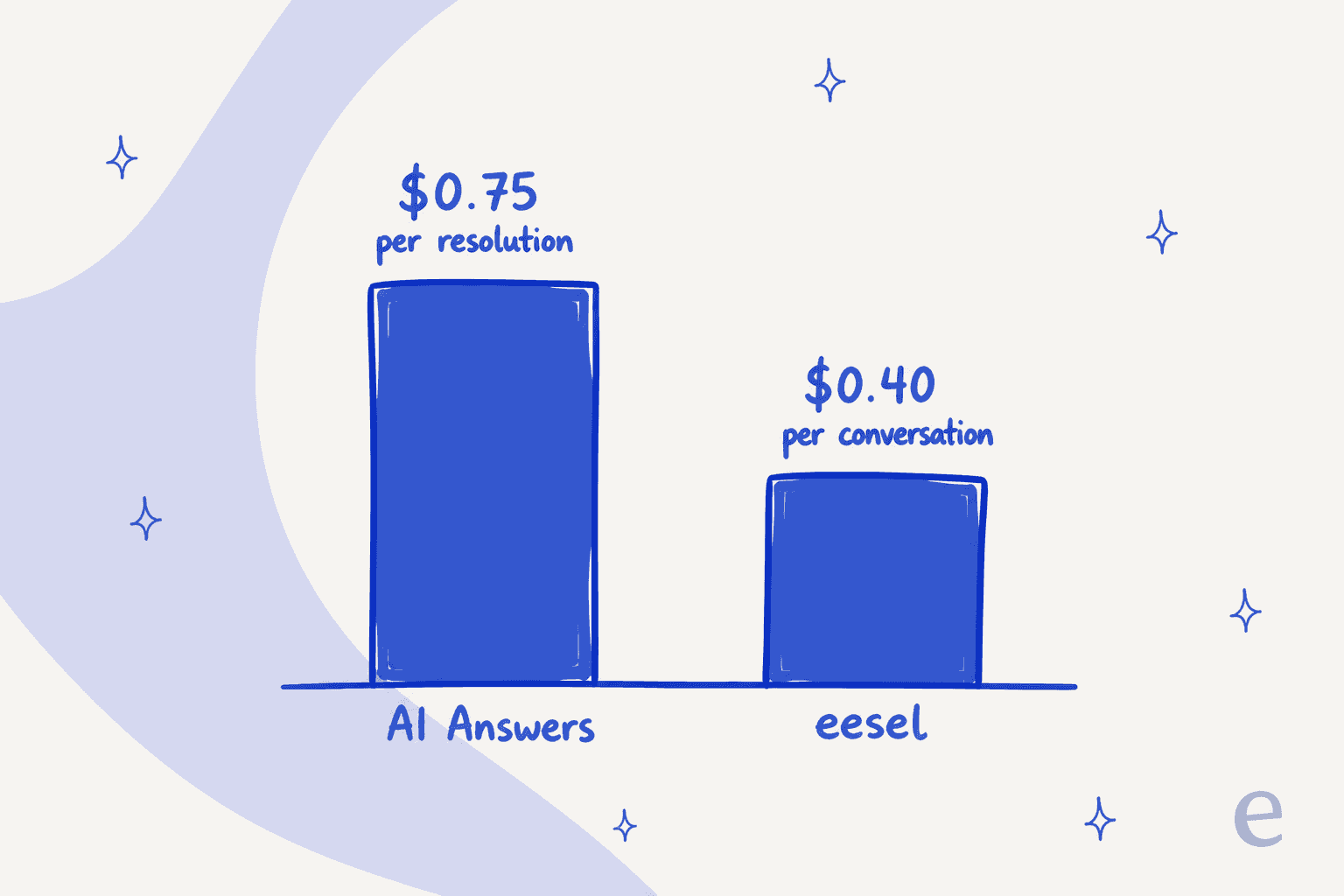
They're not either/or. The cleanest setup for a busy team is often both: AI Answers deflecting on the site, eesel deflecting inside the inbox, each priced to its own surface.
Native AI Answers vs an eesel mailbox agent
| Dimension | Help Scout AI Answers | eesel AI agent |
|---|---|---|
| Where it deflects | Beacon widget, on your site | Inside the Help Scout mailbox (email + Beacon) |
| Billing unit | $0.75 per resolution | 1 credit per conversation, from $299/mo for 500 credits |
| Per-seat fees | Seats $25 to $75/user/mo | No new seats |
| Knowledge sources | Docs, web, custom instructions | Docs, past conversations, saved replies, plus Confluence / Notion / Google Docs |
| Testing before launch | Private scenario testing | Simulation over your own past tickets |
| Modes | Autonomous chatbot | Draft-only (copilot) or autopilot |
| Setup time | In-plan, minutes | Under 30 minutes, no code |
| Languages | 50+ | 80+ |
Common mistakes when setting up deflection
A few things I see teams get wrong, in rough order of how much they hurt:
- Turning on the chatbot before the Docs are ready. The AI can only answer from what you've written. Thin Docs means a chatbot that escalates everything, and now you're paying per resolution for resolutions that aren't happening.
- Skipping the private test. Both Help Scout and eesel let you test before going live. Running the AI cold against real customers is how you get a confident wrong answer in front of someone on day one.
- Measuring the wrong number. A high "answered" count isn't deflection if customers keep escalating right after. Watch the escalation rate and CSAT on AI conversations, not just volume.
- Assuming widget deflection covers email. If your queue is mostly email, native AI Answers is deflecting the wrong half. Match the tool to where your tickets actually arrive.
- Ignoring the cost model at volume. $0.75 per resolution is reasonable, but model it against your real numbers before you assume deflection is free.
Try eesel for Help Scout
If the tickets eating your team's day arrive as email, that's the exact gap eesel fills. It works like a new hire that plugs into your Help Scout mailbox in a few clicks, already knows your Docs and past conversations, and you can watch it work on your own historical tickets in simulation before it replies to a single customer. On one fixed monthly price with no new seats, and draft-only mode if you want a human in the loop, it's a low-risk way to deflect the queue Help Scout's widget never sees. It's free to try with 100 free credits.
