


What "AI for Help Scout" actually means
I work on eesel's integrations, and Help Scout is one I helped ship. A run of small and mid-market teams we talked to loved the idea of putting an AI agent on their queue, then hit the same wall: their whole support operation lived in Help Scout, and most AI tools wanted to bolt a separate chat widget onto their website instead of working inside the mailbox they already used. Building the Help Scout integration meant learning both Help Scout's own AI stack and its API in more detail than I expected, so this is written from inside both routes rather than off a marketing page.
The confusion worth clearing up first: "AI for Help Scout" is really two different products, depending on who you want doing the work.
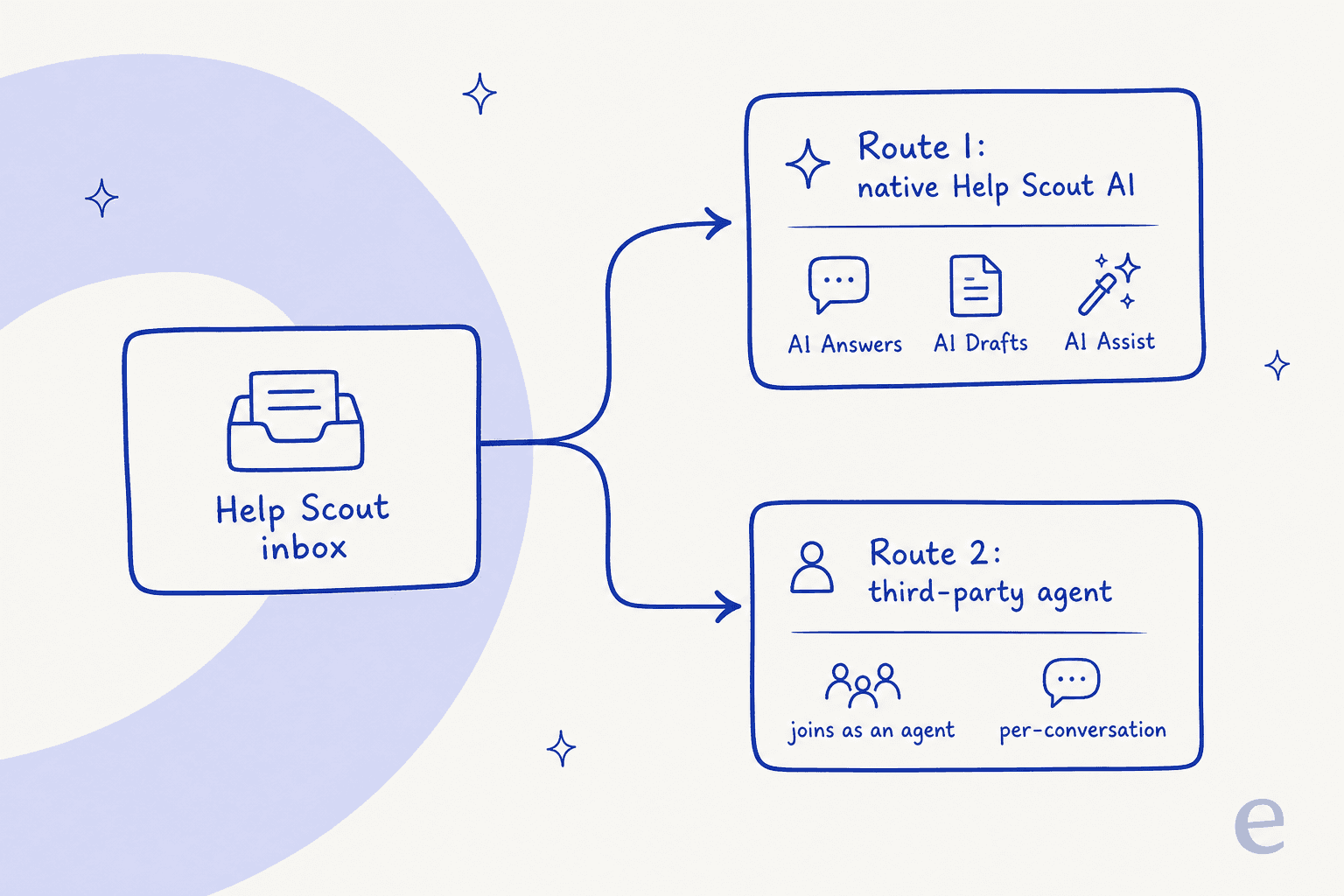
The native route is Help Scout building AI into the inbox you already pay for. The third-party route is a separate AI agent that plugs into Help Scout and does the queue work for you. Both are legitimate. They differ on what they are good at, how they bill, and how quickly you can trust them. Let me walk each one.
Route 1: Help Scout's native AI
Help Scout has quietly built out a full AI suite, and the nice part is that most of it is already included in the plan you are on. You turn features on from your account, and they show up right inside the conversation view rather than as a bolt-on.
Here is what each piece does, in plain terms:
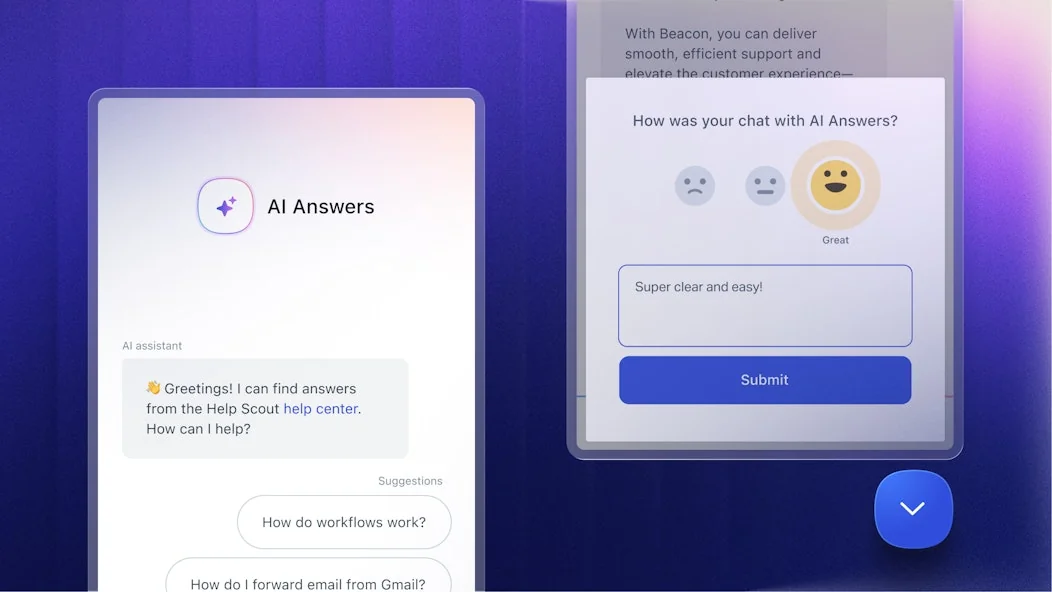
- AI Answers is the autonomous chatbot. It sits on your help center or website and instantly resolves customer questions using your Docs content and custom sources, with your team always one click away when something is too complex.
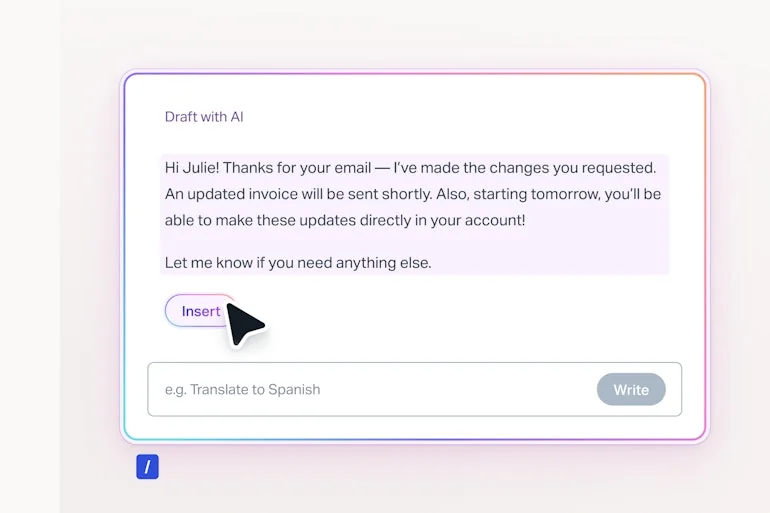
- AI Drafts writes a full reply for an agent to review, based on your past conversations and help content. Unlimited on Plus and Pro.
- AI Assist expands, shortens, edits, or translates the text an agent is already writing. Unlimited on every paid plan.
- AI Summarize condenses a long back-and-forth thread into bullet points so whoever picks it up next is caught up fast. Unlimited on Plus and Pro.
- AI Inbox assistant ships from Standard up.
AI Answers is the piece most teams mean when they say "add AI to Help Scout." It is a real deflection chatbot: it greets the customer, pulls answers from your help center, and suggests follow-up questions.
For your agents, AI Drafts is the workhorse. It reads the conversation and writes a complete reply you can insert with one click, then tweak.
How the native AI bills
The assist features (AI Assist, AI Drafts, AI Summarize) are bundled into the seat price, which is generous. The catch worth understanding is the AI Answers chatbot, which is metered separately at $0.75 per resolution on Standard, Plus, and Pro alike, per Help Scout's pricing.
The definition of "resolution" is fairer than most, and worth knowing before you budget.
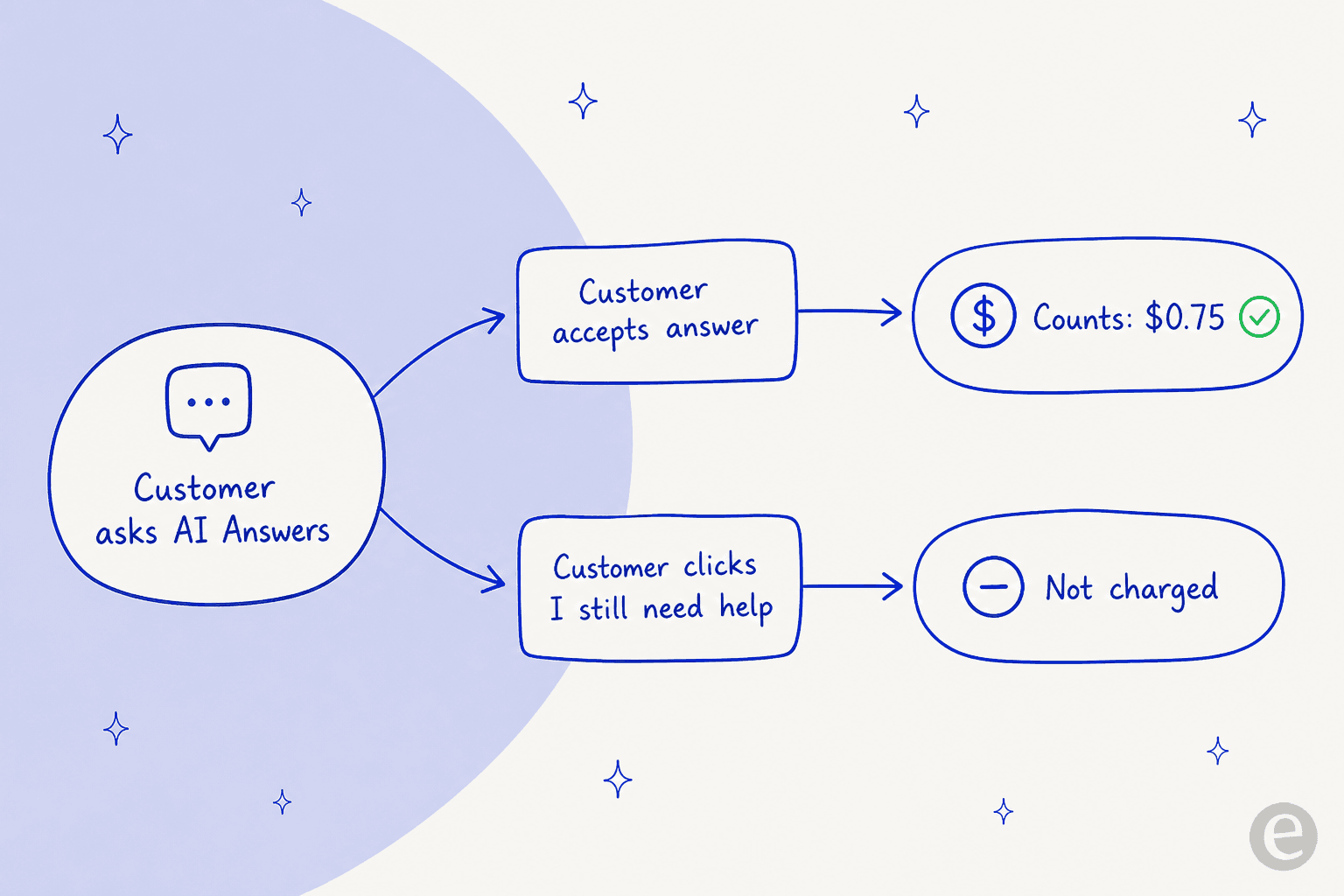
A resolution counts only if the customer gets an AI response and does not escalate, search the knowledge base again, or click "I still need help." If they ask for a human, you are not charged, and only one resolution is billed per conversation no matter how many questions the bot answers. There is also a 3-month free trial of unlimited AI Answers resolutions, and you can set a monthly spending cap that disables the chatbot automatically once you hit it.
Here is the honest place it adds up. Seats already run $25, $45, and $75 per user per month on Standard, Plus, and Pro. Layer the AI Answers chatbot on top and the meter runs with your volume: at 1,000 resolutions a month, that is an extra $750 on top of your seat bill. None of that is a knock on Help Scout, the per-resolution model is transparent, but it is a line item to plan for rather than a rounding error.
| Plan | Price / user / mo (annual) | AI Assist | AI Drafts | AI Summarize | AI Answers chatbot |
|---|---|---|---|---|---|
| Free | $0 | - | - | - | - |
| Standard | $25 | Unlimited | - | - | $0.75 / resolution |
| Plus | $45 | Unlimited | Unlimited | Unlimited | $0.75 / resolution |
| Pro | $75 | Unlimited | Unlimited | Unlimited | $0.75 / resolution |
One more thing worth flagging honestly, because it is the most common complaint I see from Help Scout users evaluating the native AI: AI Answers draws from your Docs and custom sources, but it is a knowledge-base chatbot rather than an agent that learns from your full ticket history or takes actions inside the mailbox. That is exactly the gap the second route leans into.
Route 2: add a third-party AI agent
The other way to add AI for Help Scout is to bring in an agent built specifically to work a support queue, and connect it to Help Scout through the API. This is the route I know best, because eesel is one of these agents.
The mental model is different from a chatbot widget. eesel joins as a real AI Agent inside your Help Scout mailbox. It reads conversations, drafts and sends replies, adds private notes, updates conversation fields, and routes escalations to teammates, the same actions a human agent takes. There is no separate inbox and no widget bolted onto your website.
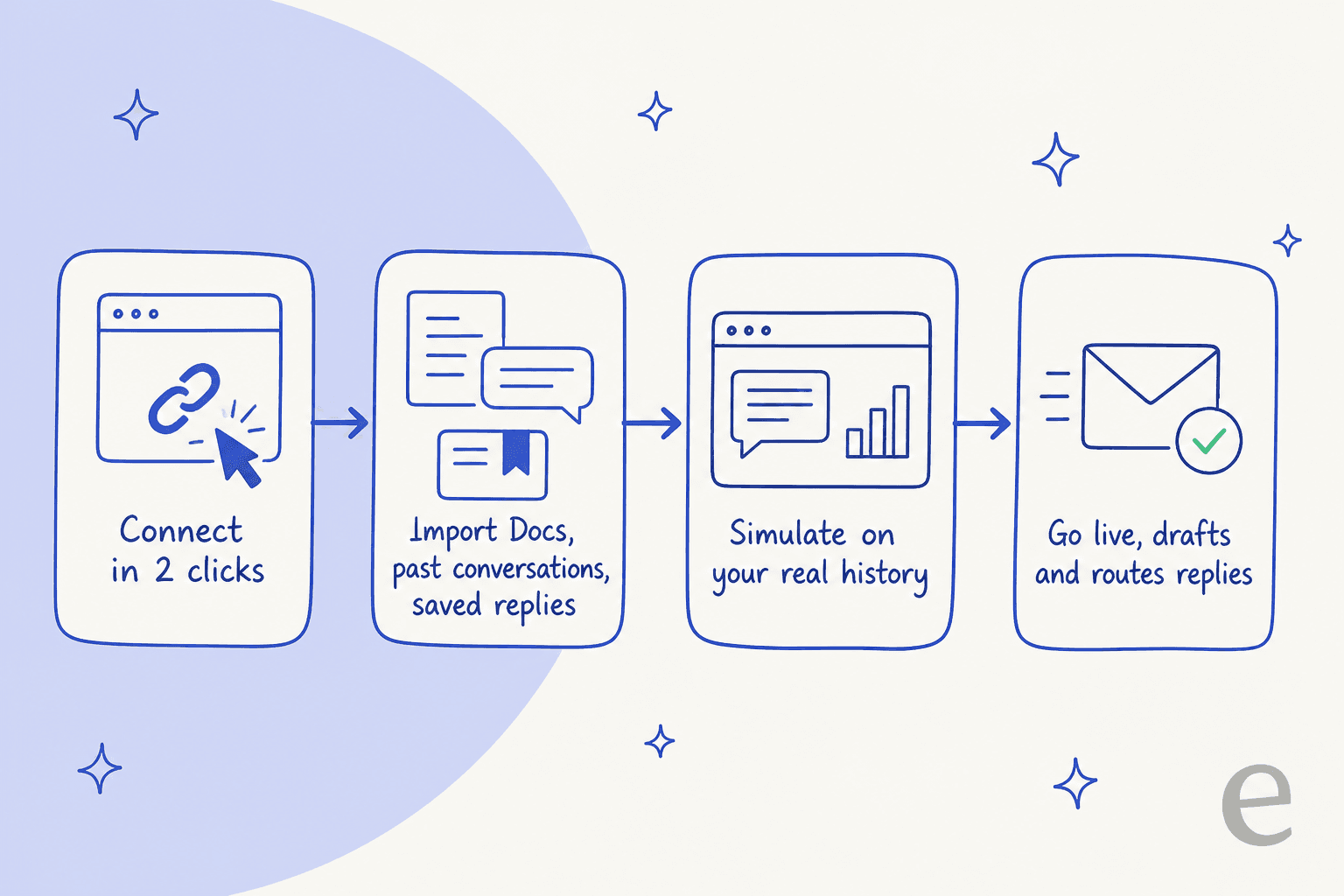
What makes the third-party route quick to trust is where the knowledge comes from. On connection, eesel automatically imports your Help Scout Docs articles, past conversations, and saved replies, plus optional sources like Confluence, Notion, or Google Docs. No manual training or data labeling. eesel publishes an under-30-minute setup and an 85%+ average tier-1 resolution out of the box in the first week.
You configure it by describing what you want, not by wiring a rules engine. Tell it which conversations to handle, how to write, and when to escalate, in plain language.

This is not theoretical for Help Scout specifically. EntryLevel, an EdTech platform, runs multiple eesel agents triaging and responding to Help Scout tickets after replacing a previous chatbot with something more customizable. CartonCloud, a logistics SaaS, wired 717 knowledge items into eesel to power both Help Scout support and internal Q&A. Those are real Help Scout rollouts, not a generic demo.
Two more things worth naming, because they are the parts that make the queue-work route feel safe:
- It respects your existing Help Scout setup. eesel works alongside your workflows, saved replies, and routing rather than replacing them. You can connect multiple mailboxes and run a separate agent per mailbox, each with its own knowledge and tone.
- It simulates on your own history. Before it touches a live customer, eesel replays your past Help Scout conversations and scores its answers against what your team actually sent, so you get a real read on accuracy instead of a demo-day guess. That is the flavor of testing that turns "we think it will work" into a number you can show your boss.
Native or third-party: which route fits you
Neither route is universally right. Here is the honest split, dimension by dimension.
| Dimension | Native Help Scout AI | Third-party agent (eesel) |
|---|---|---|
| Where it runs | Chatbot on your help center + assist in the mailbox | Inside the Help Scout mailbox, as an agent |
| Best at | Docs-based deflection and agent assist | Fast tier-1 deflection, drafting, and actions in the queue |
| Learns from your past tickets | Draws from Docs; AI Drafts uses past content | Yes, full conversation history automatic on connect |
| Testing before go-live | 3-month free trial + spending caps | Simulates over your real past conversations |
| Billing unit | Per seat + $0.75 per AI Answers resolution | 1 credit per conversation handled |
| Headline price | $25 to $75 / seat + AI Answers usage | From $299/mo (500 credits), no seats |
| Setup | On by default in-plan | Under 30 minutes via the API |
If most of what you want is a clean self-service chatbot on your help center plus assist tools for your agents, Help Scout's native AI is hard to beat on convenience: it is right there, and the assist pieces are already paid for. If your priority is resolving the repetitive tier-1 questions inside the mailbox, keeping costs tied to volume rather than headcount, and testing on your own tickets first, the third-party route is usually the shorter path.
The two are not even mutually exclusive. Plenty of teams keep AI Assist on for their agents and let a third-party agent handle the front line of the queue.
What it costs, in real numbers
Sticker prices hide the real bill, so here is a worked example at a small team scale.
Say you run a five-agent Help Scout team on Plus. Five seats at $45 is $225 per month, and that already includes unlimited AI Drafts, AI Assist, and AI Summarize, which is a good deal for agent assist. Now add the AI Answers chatbot for self-service. If it resolves 1,000 conversations a month at $0.75 each, that is $750 on top, so roughly $975 a month all in.
Compare the volume-based route. eesel uses 1 credit per Help Scout conversation handled, however many back-and-forth messages it takes, on one fixed monthly price with no platform fee and no per-seat pricing. If that same team handles 1,000 conversations a month through the agent, that fits the 1,000-credit plan at $499, and it does not change when you add a sixth agent to Help Scout. The unit to watch is the billable one: eesel counts conversations handled, not resolutions, so there is no surprise multiplier hiding in the definition.
Neither model is "cheaper" in the abstract. Help Scout's assist tools are a bargain because they are bundled with the seat, while the AI Answers chatbot scales its meter with your deflection volume. eesel's meter scales with total conversations handled and skips the per-seat line entirely. Pick the one whose meter matches how your team actually grows.
There is a reason to get this right beyond the monthly total. Help Scout users have long memories about pricing changes, and one Reddit thread about a past model shift is still the loudest sentiment in the community:
"HelpScout changed back to user-based pricing. Guess too many people cancelled including me... Helpscout lost all trust with this flip-flopping on pricing."

The lesson for anyone layering AI on top is to know your billable unit cold before you commit, whichever route you take, so a volume spike does not become a surprise.
Try eesel for Help Scout
If the route you want is an agent that joins your Help Scout mailbox and starts clearing tier-1 tickets, that is precisely what eesel for Help Scout is built to do. Connect it through the Help Scout API, let it learn from your past conversations, Docs, and saved replies, and start in draft-for-review mode so your team stays in control while you build trust.

The one differentiator I would point at: simulation over your real Help Scout history. Before the agent replies to anyone, you see how it would have handled the tickets your team already answered, scored against what you actually sent. It is free to try with 100 credits, setup runs under 30 minutes, and it respects the workflows, saved replies, and security setup you already have in Help Scout.