


What "AI for Freshchat" actually means
I work eesel's support queue, so I spend my days on the exact live-chat surface this post is about: a customer types a question into a little bubble, and something has to answer it fast and correctly or the conversation goes sideways. We have spent the last three-plus years putting AI on live support queues, and the thing that stuck with me is how easily a confident-sounding bot gives a wrong answer to a real person mid-purchase. That is why every rollout we do now gets simulated against real historical chats before it ever replies to a customer.
So when someone asks "how do I add AI for Freshchat?", the honest answer is that it is really two different products depending on who you want doing the work.
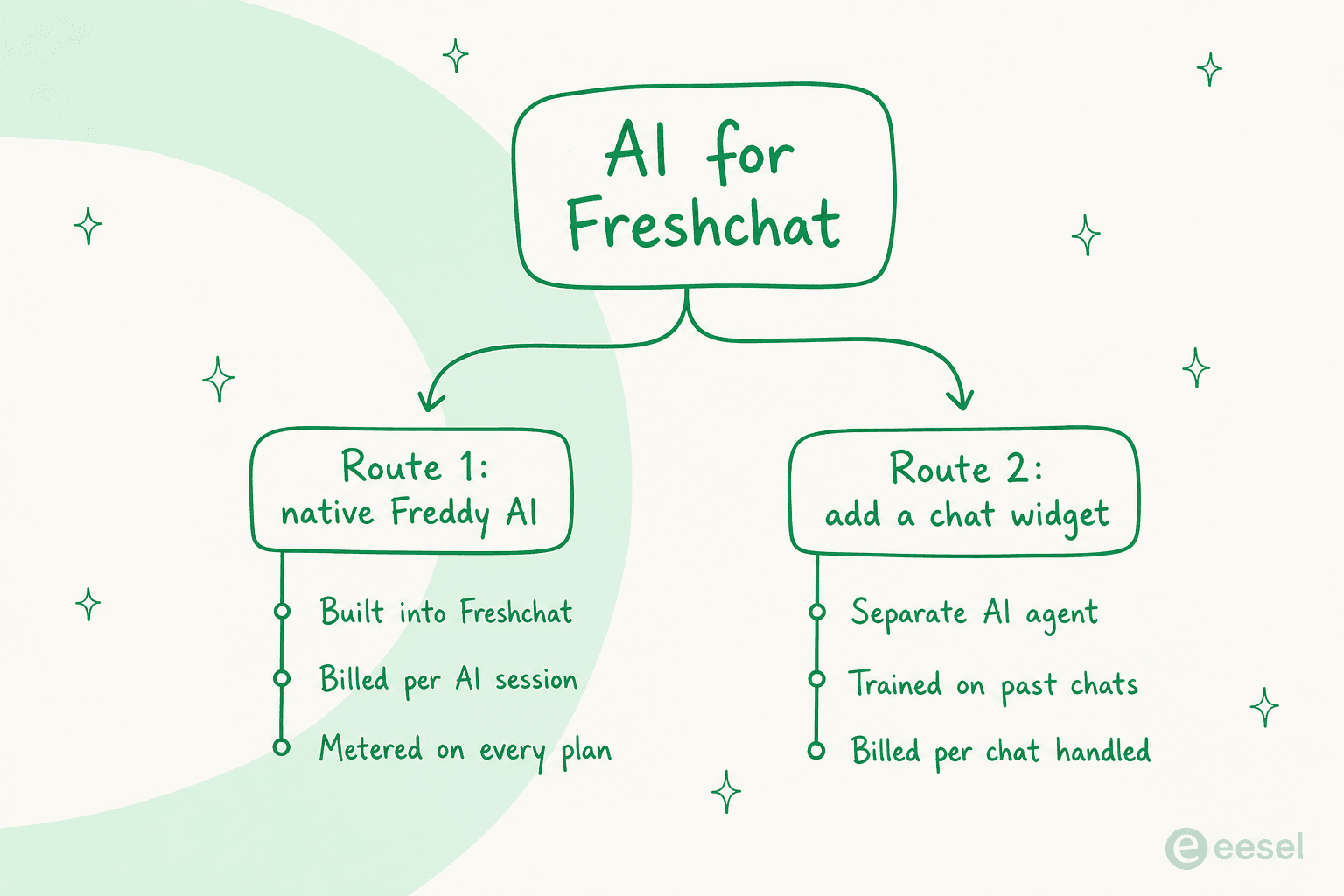
The native route is Freshworks building AI into the chat product you already pay for. The dedicated route is a separate AI agent that does the front-line chat work for you. Both are legitimate, and they differ on what they are good at, how they bill, and how fast you can trust them. Let me walk each one.
Route 1: Freshchat's native Freddy AI
Freshchat is Freshworks' live chat product, the conversational front end of the broader Freshdesk Omni suite, and Freshworks says it is trusted by 74,000+ businesses. Its AI layer is Freddy, and it comes in three pieces:
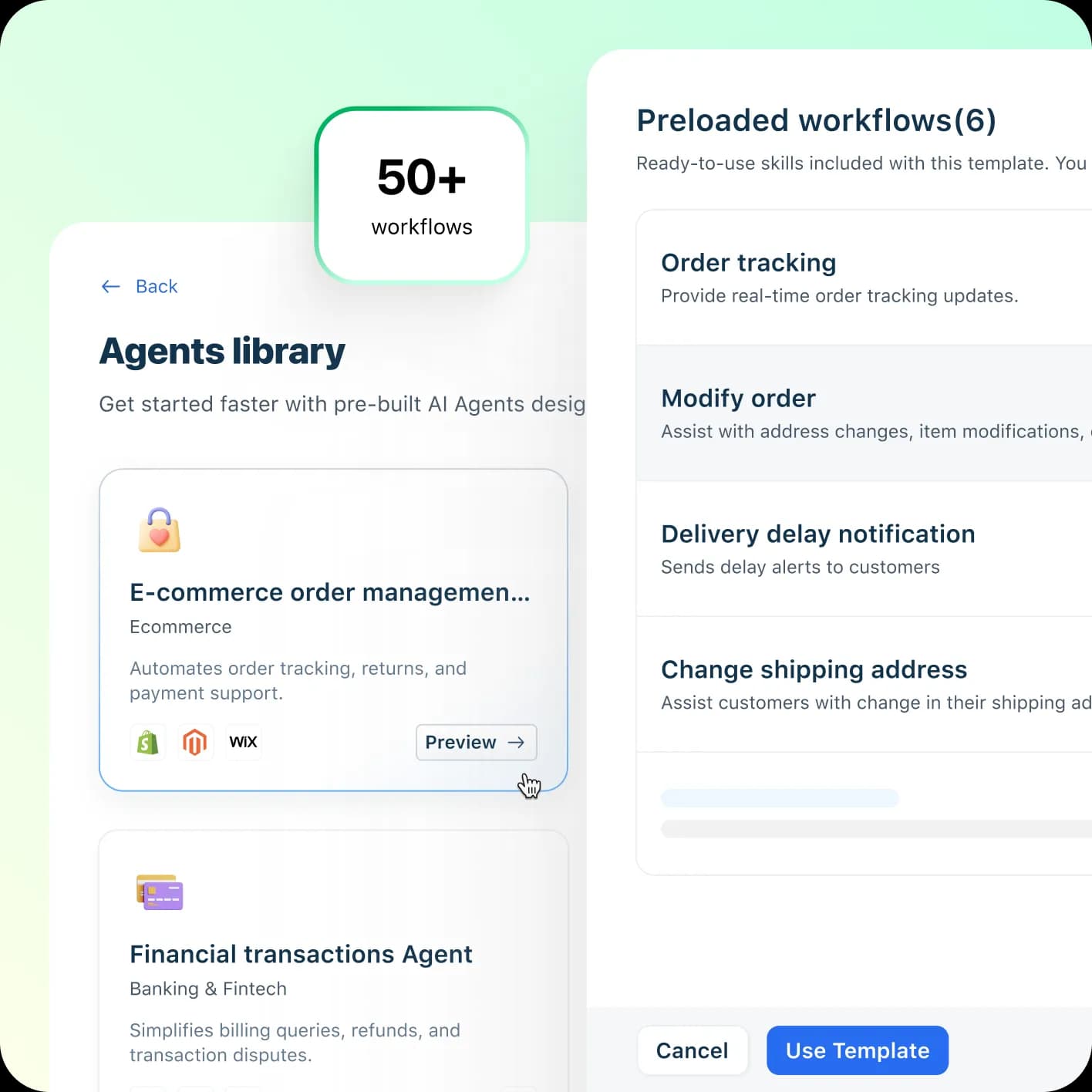
- Freddy AI Agent is the autonomous, no-code bot (what used to be called Freshbot). Freshworks markets Freddy AI Agent as resolving up to 80% of queries across channels, speaking 60+ languages, with a library of 50+ agentic workflows for things like order tracking and refunds. You build it in AI Agent Studio and train it from a knowledge base.
- Freddy Copilot is agent-side assist: reply suggestions, tone and length rewrites, grounded in conversation history.
- Freddy AI Insights is an analytics beta bundled with a Copilot license.
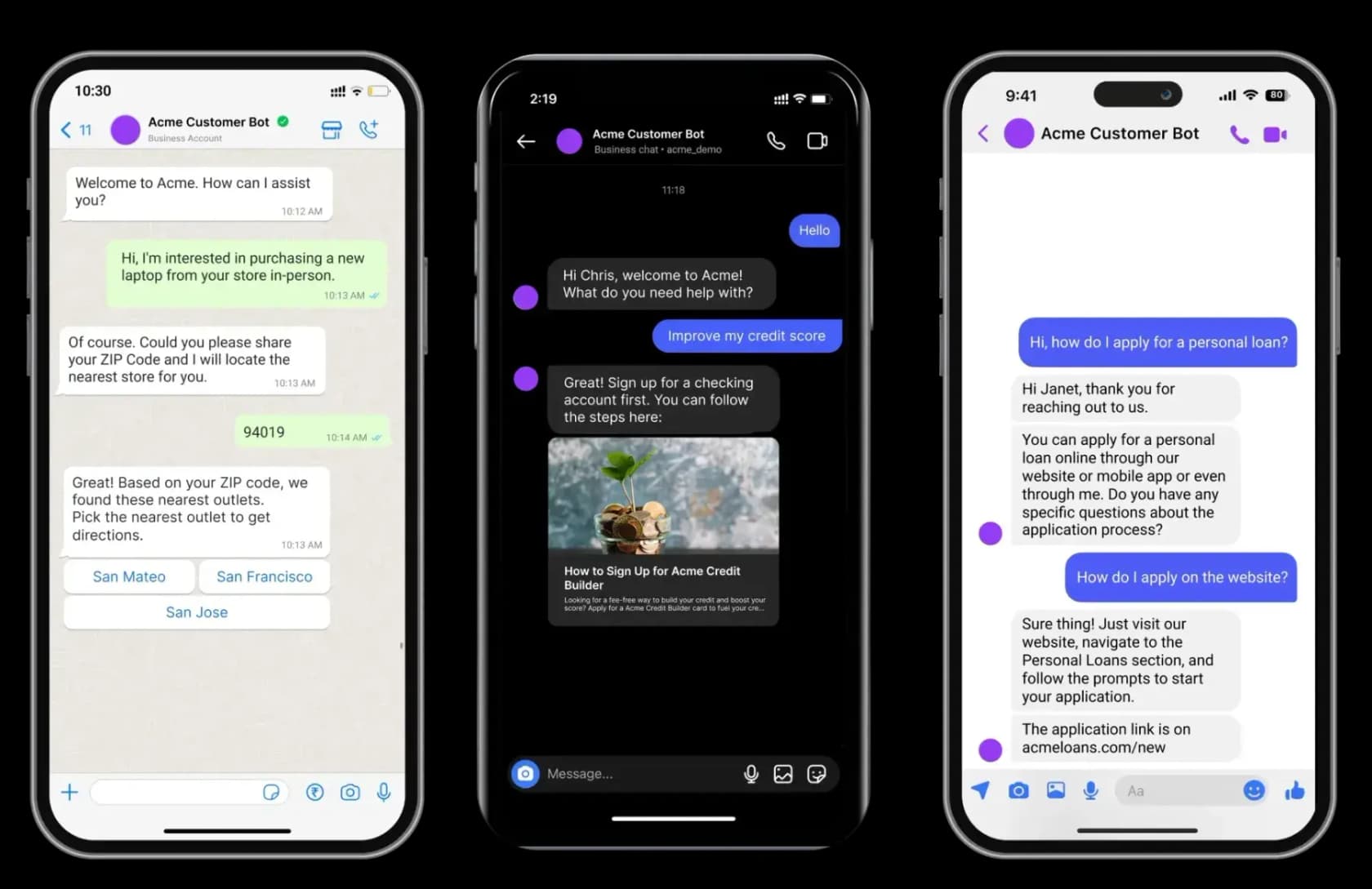
The AI Agent's real strength is channel coverage. Because Freddy lives inside Freshchat, it answers on web chat, WhatsApp, Facebook Messenger, Instagram, and the rest of Freshchat's messaging channels natively, without you wiring anything up.
The AI Agent Studio ships pre-built workflow templates, so you are not starting from a blank canvas. Pick an e-commerce order-management agent, say, and it arrives with order tracking, order modification, and delivery-delay flows already scaffolded.
That said, the AI Agent's answer quality is the most consistent product criticism I found in user reviews, and I will come back to that in the sentiment section. The 80%, 60+ languages, and sub-two-minute resolution figures are all vendor self-claims on marketing pages, not independently benchmarked, so treat them as the ceiling rather than what you will hit on day one.
Where the native route gets expensive
Here is the part that catches teams out. Freshchat is a per-agent platform, and the AI you actually want sits on top as metered usage and per-seat add-ons. Start with the seats:
| Plan | Price / agent / mo (annual) | Agent cap | What you get |
|---|---|---|---|
| Free | $0 | up to 10 | Website chat + email + team inbox only |
| Growth | $19 | per agent | Adds WhatsApp, Messenger, Instagram, SMS, LINE, real-time dashboards |
| Pro | $49 | per agent | Adds custom dashboards, routing, multiple SLA policies |
| Enterprise | $79 | per agent | Adds skills-based assignment, extra security |
All prices are the annual rate from Freshchat's pricing page; the monthly-billed rate is higher. Note that the Free plan is website chat and email only, so every social channel starts on Growth.
Now stack the AI on top. Freddy AI Agent gives you 500 free sessions once, then bills $49 per 100 sessions, which works out to about $0.49 per session. Freddy Copilot is $29 per agent per month, and it is gated to Pro and Enterprise only. The one detail worth pinning down is what a "session" is: it is all of a customer's interactions with the AI agent inside a rolling 24-hour window, not a single message and not a single resolution.
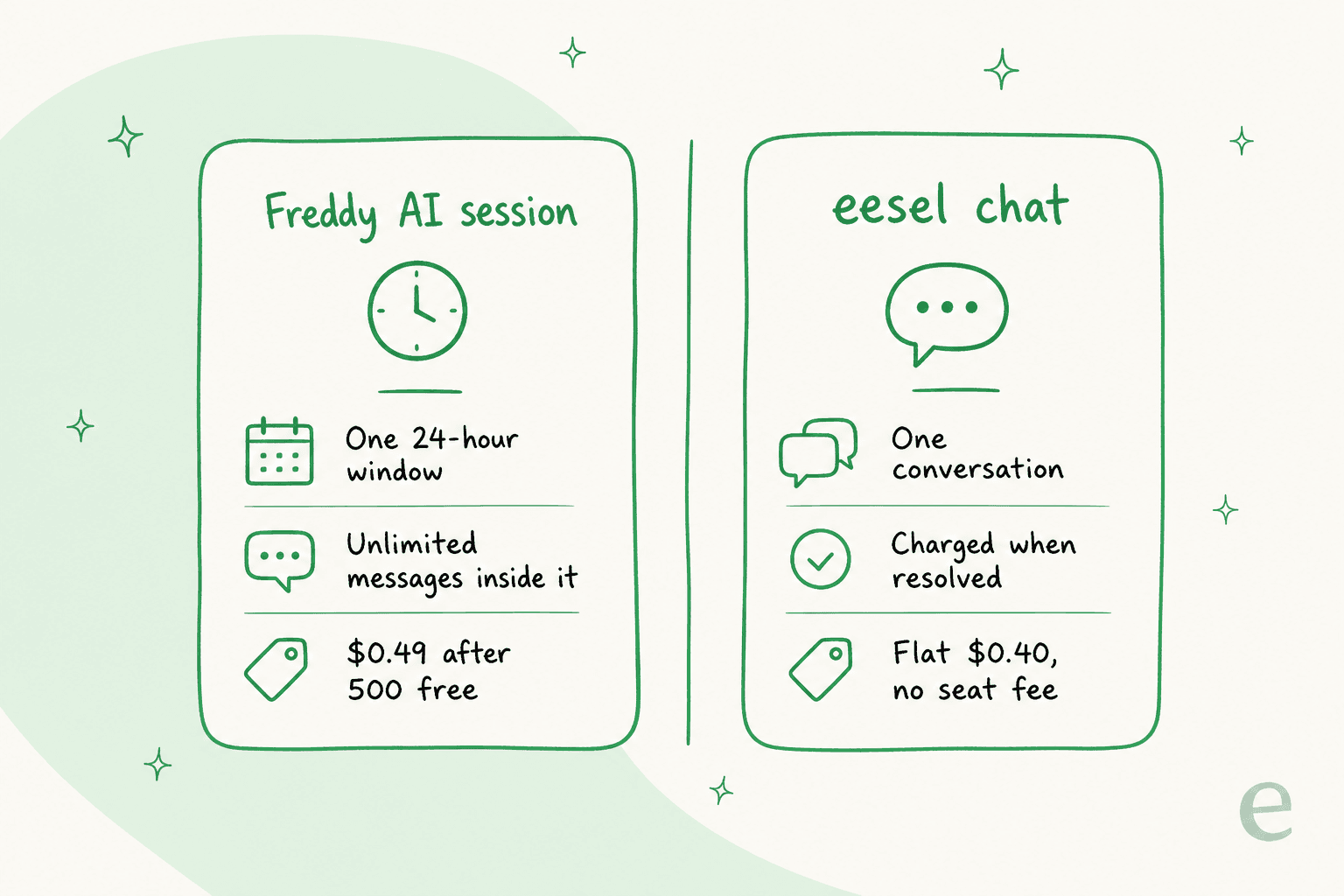
That 24-hour window is genuinely generous if a customer keeps coming back the same day. The catch is that the meter runs on every plan, so heavy chat volume carries a direct usage cost no matter which seat tier you are on, and multilingual automation in particular burns sessions because non-English chats still consume the AI agent.
Route 2: run a dedicated AI chat widget
The other way to add AI to your Freshchat setup is to bring in an agent built specifically to work the front line of live chat, and run it as its own widget on your site. This is the route I know best, because eesel is one of these agents.
The important honesty here, and the reason this route works differently from the Front or Freshdesk versions of this guide: eesel integrates with Freshdesk ticketing, not with the Freshchat messaging widget. There is no eesel-inside-Freshchat connector. So on Freshchat, eesel runs as a separate chat bubble or inline embed that you drop onto your website with one script tag. It sits in front of your live chat, answers what it can, and hands the rest over.
The mental model is a deflection layer. The widget answers tier-1 questions before they ever become a chat your team has to staff, and the moment it is out of its depth, or the customer just asks for a person, it cleanly hands over. A real example from our logs: an end-user on an SEO tool's website asked the bubble how to delete keywords, then how to delete search engines, got both answered from the docs, then typed "Can I talk to a human?", and the agent handed straight over to the helpdesk. That deflect-then-handover shape is the whole point.
Three things make this route different from switching on a native bot:
- It trains on your past chats out of the box. Point it at your help center, past conversations, Google Docs, Confluence, or Notion, and it learns your real answers rather than a hand-built flow. Training on a customer's own history is the single most-requested thing I hear from teams.
- You can simulate it before it goes live. eesel runs your AI over thousands of your own historical chats and scores the answers against what your team actually sent, so you get a deflection number you can trust before a single customer sees it. This is the piece I care about most after watching bots go live blind.
- It is one fixed monthly price. 1 credit per chat handled, from $299/month for 500 credits, with no per-seat fee and no platform fee. A session-based meter and a per-chat credit are not the same unit, which is exactly what the cost math turns on.
"We chose eesel AI because it offers multi-channel data input options. By linking our CSVs, Zendesk, and Google Docs as sources, we can make the most of our vast documentation, even if it's scattered."
a CTO at a D2C mattress brand running a chat bubble and public chat link
If your support already lives in Freshdesk tickets rather than only Freshchat, that is where eesel's native Freshdesk integration comes in, joining the queue as a real agent that drafts and sends replies. For pure Freshchat live chat, the widget is the fit.
What it actually costs, side by side
Sticker prices hide the real gap, so here is a worked example at a realistic size: a 10-agent team on Freshchat Pro, running Copilot, handling 1,000 AI chats in a month.
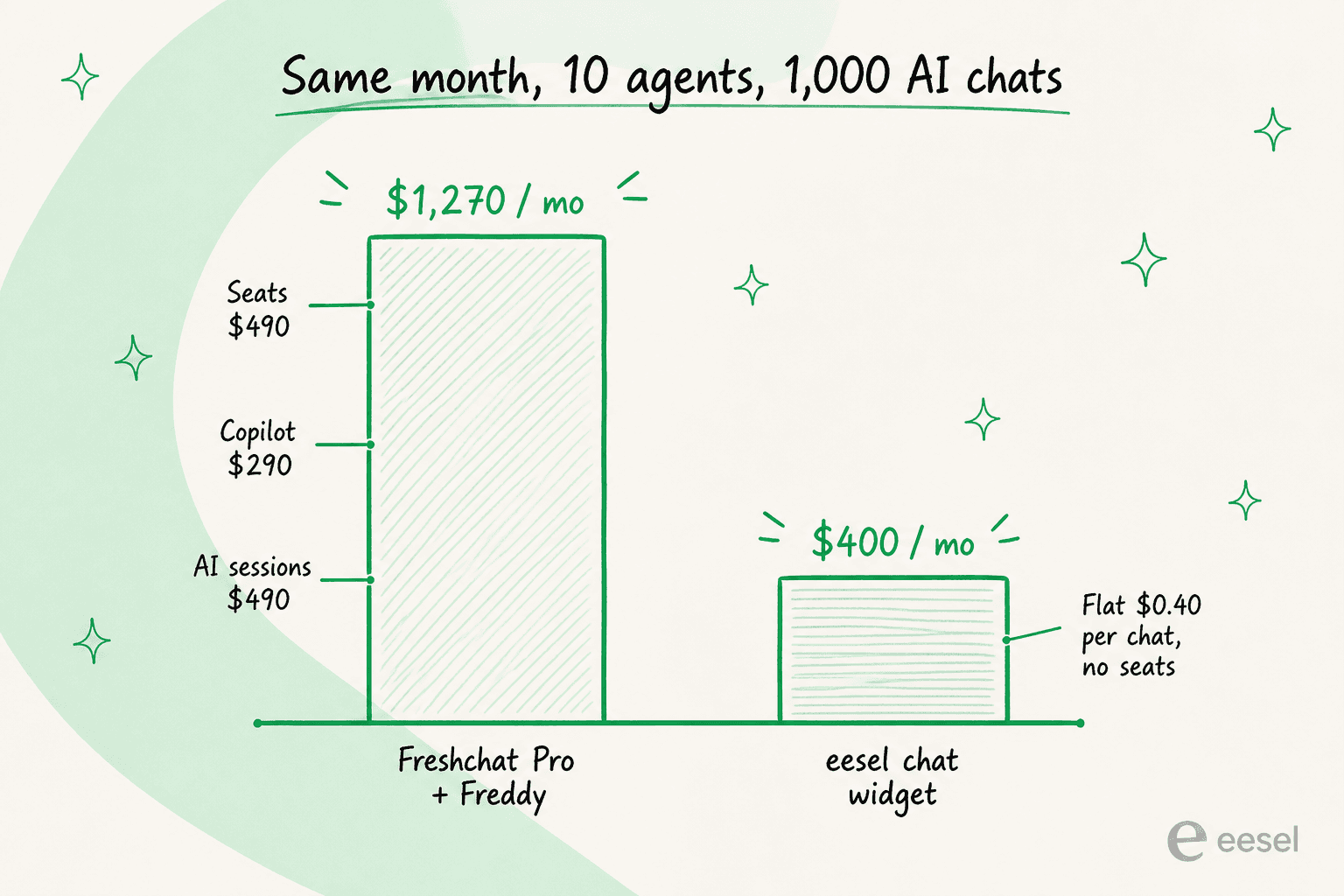
| Line item | Freshchat Pro + Freddy | eesel chat widget |
|---|---|---|
| Seats (10 agents) | $490 (Pro at $49) | $0 |
| Agent assist | $290 (Copilot, $29 × 10) | included |
| AI usage (1,000 chats) | ~$490 (Freddy sessions after the free 500) | $499 (1,000-credit plan) |
| Monthly total | ~$1,270 | ~$499 |
A couple of fair caveats. The 500 free Freddy sessions are a one-time credit, so in a steady month you are paying for the full volume. And Freshchat's seats buy you a full live-chat platform with its own inbox, routing, and channels, so you are not comparing like for like on features, you are comparing what it costs to get AI answering chats. The point of the table is the shape: the native route bundles AI onto premium seats plus a usage meter, while a dedicated widget is a single fixed monthly number. If you are automating a lot of chat, that difference compounds fast.
What real users say about Freddy
I always trust the review platforms more than the marketing page, so here is the honest read. Freshchat sits at 4.4/5 on G2 across 499 reviews and 4.1/5 on Capterra across 128. People genuinely like the unified multi-channel inbox and the price, and onboarding gets consistent praise.
The most consistent product criticism, though, is the AI bot itself, and it shows up even in otherwise positive reviews.
"The AI capabilities feel basic and outdated."
Akash B., Configuration Analyst, Banking, Capterra

"The bot currently offered is not that great, despite training several times its not upto the mark. They really need to work on this."
Verified User, Manager in Customer Service, TrustRadius
That is not a hit on Freshchat as a live-chat tool, which many reviewers rate well. It is a specific, recurring note that the native bot needs work, and it is exactly the gap a dedicated agent trained on your own history is built to fill. The lesson I take from it is the one I keep repeating: whichever route you pick, do not ship the AI without testing it on your real conversations first.
Which route should you pick?
Here is how I would actually decide, having sat on the queue side of both:
- Pick native Freddy AI if you want AI answering natively across Freshchat's own channels (WhatsApp, Instagram, web), you are already committed to the Freshworks stack, and your chat volume is modest enough that the per-session meter stays cheap. Just price the seats plus Copilot plus session usage together before you commit, not line by line.
- Pick a dedicated widget like eesel if your main goal is to deflect tier-1 chat before it reaches an agent, you want it trained on your past chats without building flows by hand, you want to simulate the deflection rate before go-live, and you would rather pay one fixed monthly price than seats plus a meter.
Neither is wrong. They are just answers to different questions. And nothing stops you running both: Freshchat for the human queue and a deflection widget in front of it. In the first month, we have seen a dedicated agent resolve 73% of tier-1 requests for one customer, which is the kind of number that changes the staffing math on a busy chat channel.
Try eesel for Freshchat live chat
If your Freshchat channel is drowning in the same tier-1 questions, eesel drops an AI chat widget on your site that learns from your help center and past chats, answers instantly, and hands anything it is unsure about to a human. Because it runs as its own bubble, you do not have to wait on a native connector, you paste one script tag and go live. The part I would not skip: simulate it on your own history first, so you know your deflection rate before a customer ever sees it. It is free to try, with plans from $299/month for 500 credits (1 credit per chat) and no seats. The free plan includes 100 credits.
