

First, a scar worth sharing
I have spent a couple of years living in search intent and support content, and my instinct when someone types "ChatGPT for Freshchat" is to translate it. Nobody actually wants the ChatGPT app bolted to their chat window. They want the thing behind ChatGPT, a strong language model, answering customer questions in their chat, without inventing answers.
That distinction is the whole post, and it is one my own team learned the hard way.
We have spent the last three-plus years running AI on live support queues, and the lesson that stuck came from our own product. Early on, before we had a hard fallback for when knowledge-base retrieval came back empty, one customer's bot invented subscription details about solar cells and sent them to real customers. Another, asked something it had no answer for, cheerfully replied "Oxygen" from the periodic table. The models were fine. The plumbing around them was not.
That is "ChatGPT for Freshchat" in one paragraph. The model is the easy 10%. The grounding, the guardrails, and the "only answer what you are confident about" logic are the 90% that decides whether the bot helps your team or generates angry follow-ups. Keep that in mind as we walk the four routes.
What "ChatGPT for Freshchat" actually means
Quick context first, because Freshchat is a slightly different animal from Freshdesk. Freshchat is Freshworks' live chat and messaging product, the conversational front end of the wider Freshdesk Omni suite. It puts a chat widget on your site and pulls WhatsApp, Instagram, Messenger, and SMS into one inbox, and Freshworks says it is used by 74,000+ businesses.
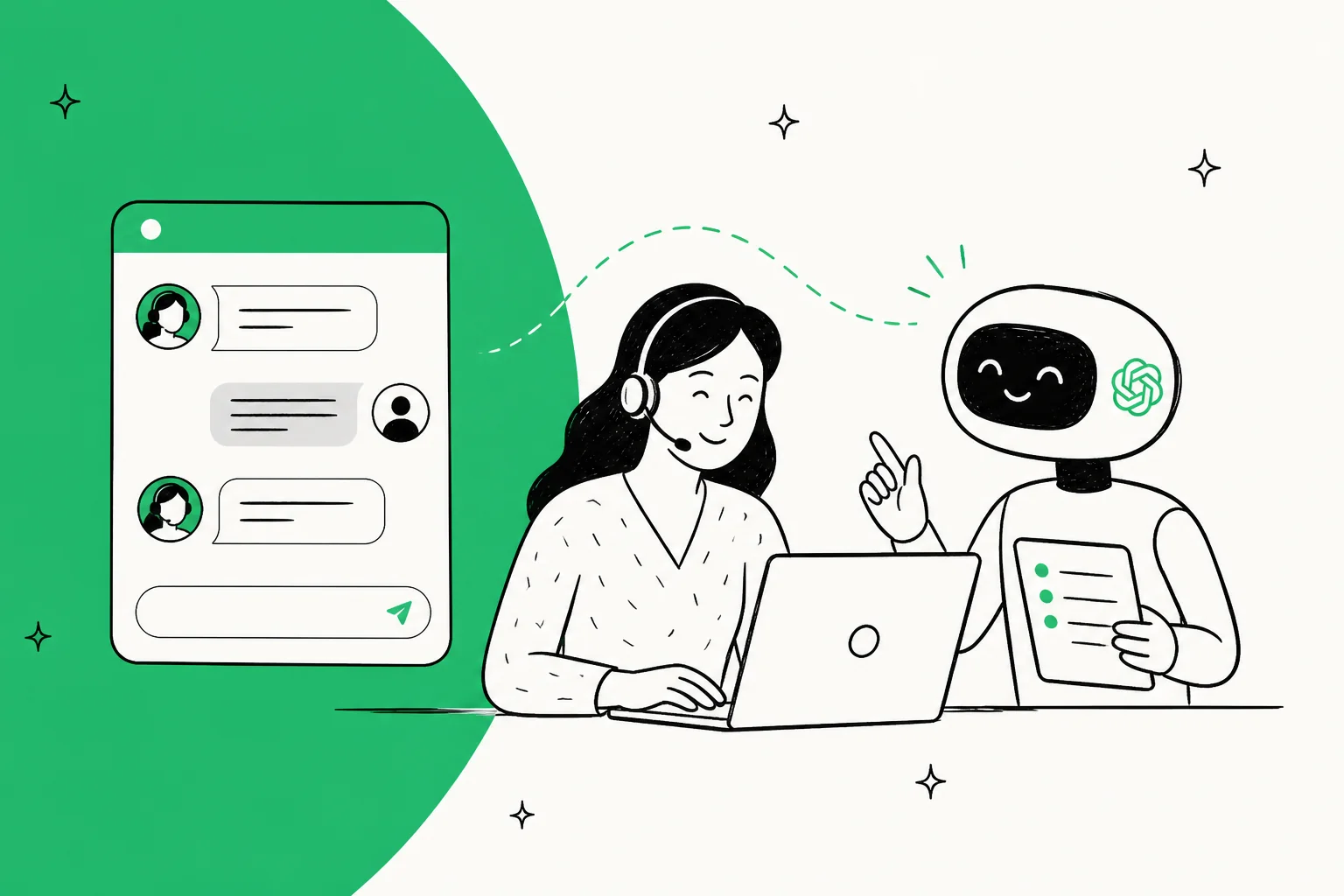
When someone searches for "ChatGPT for Freshchat," they usually want one of two outcomes: an AI that drafts replies for agents to review (a copilot), or an AI that answers chats end to end (an agent). Both are possible. Neither requires an app literally called "ChatGPT."
Here are the four real paths, from lightest to most hands-off.
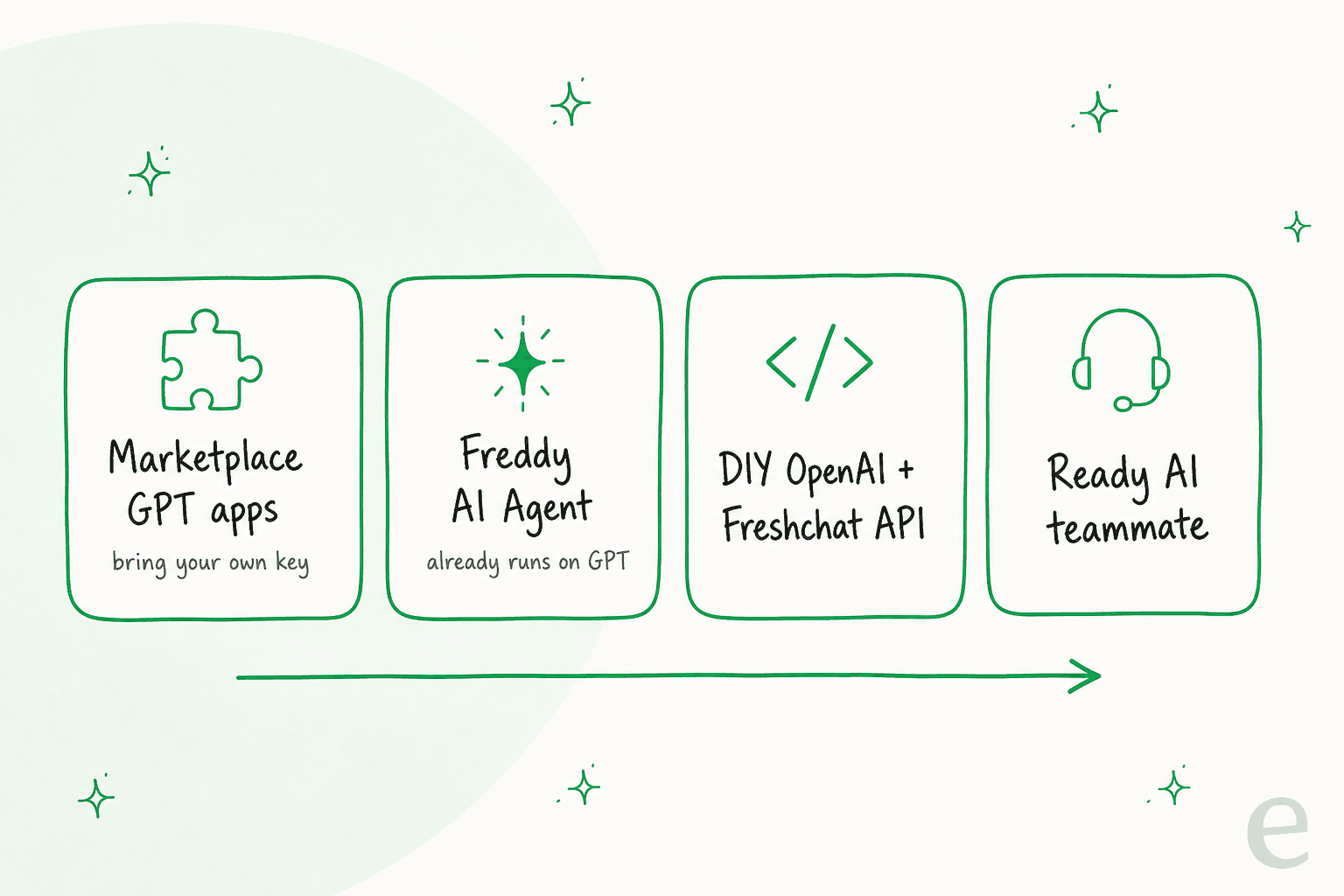
Route 1: marketplace GPT apps (bring your own key)
The Freshworks Marketplace has a shelf of GPT-powered apps, all published by independent developers rather than by OpenAI. Most do a narrow job inside a conversation: summarising a thread, rephrasing a reply, or translating an incoming message.
They almost all work the same way: you install the app, paste in your own OpenAI API key, and the app calls GPT for that one task. A few let you pick the provider (OpenAI, Anthropic Claude, Google Gemini, or Azure OpenAI) and pay the model cost directly.
Where this fits: these are copilot-style helpers for individual agents. They are cheap and quick to try. What they are not is an autonomous agent grounded in your knowledge base. If your goal is "help my agents type faster," Route 1 is fine. If your goal is "resolve chats without a human," keep reading.
Route 2: Freddy AI (you may already have ChatGPT and not know it)
Here is the reframe I promised. Freshchat's native AI, Freddy AI Agent, is not powered by some in-house model. Per Freshworks' own Freddy AI Trust FAQ, its generative capabilities are "powered by enterprise-grade Azure OpenAI models." That is the same GPT family that sits behind ChatGPT. So if you already pay for Freddy, you are already running ChatGPT inside Freshchat.
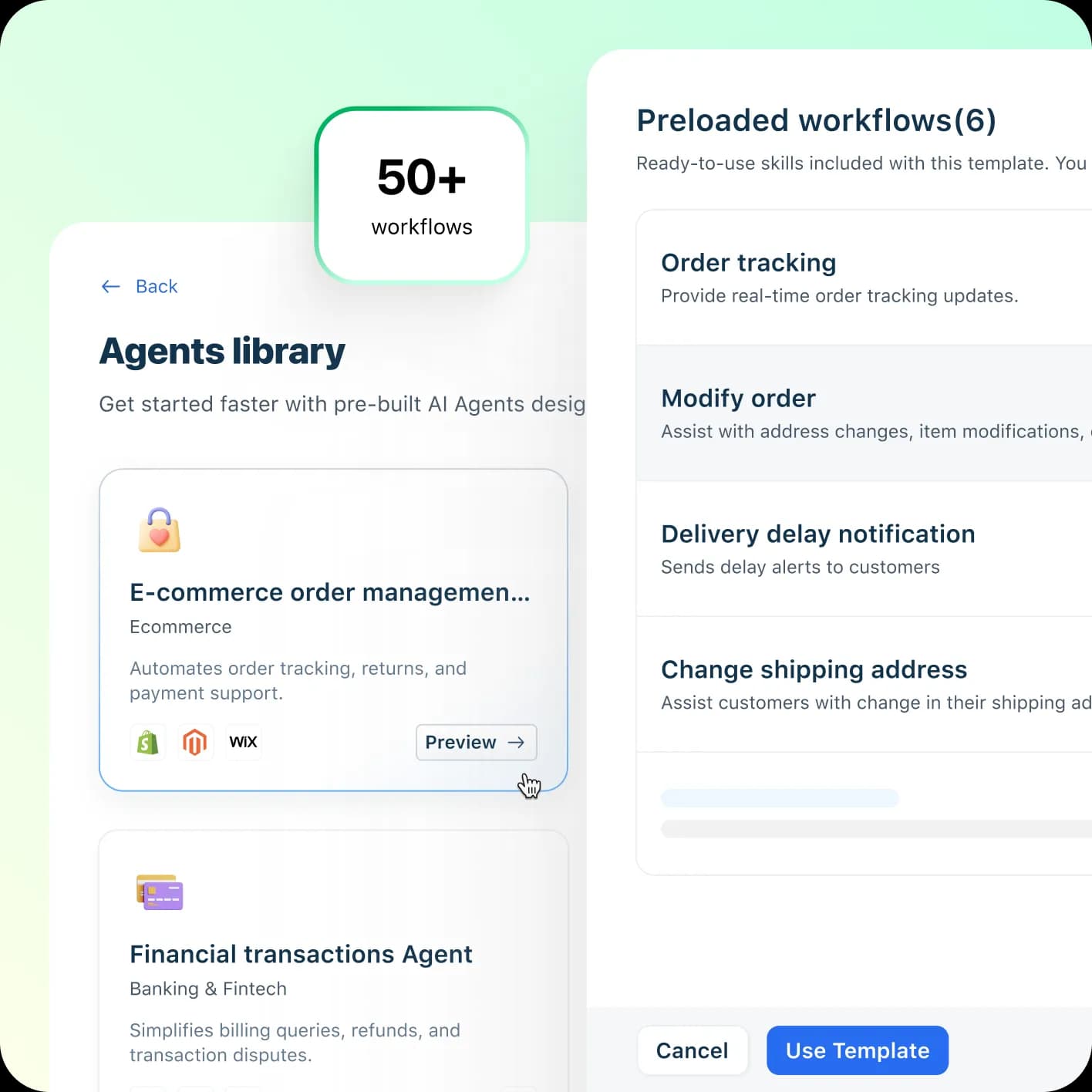
Freddy comes in three parts: the Freddy AI Agent (customer-facing, resolves queries), Freddy AI Copilot (agent-facing, drafts and summarises), and Freddy AI Insights (analytics). You build agents no-code in AI Agent Studio, set a persona and escalation rules, and point it at your knowledge. Freshworks says it ships with 50+ agentic workflows and can speak 60+ languages.
Two honest limits worth naming, because they shape the decision:
- You cannot choose the model or bring your own key. Freddy runs on Freshworks-selected Azure OpenAI models. There is no model selector. If part of your reason for wanting "ChatGPT" was control over the model, Freddy does not give you that.
- The pricing is per session, and it adds up. More on the exact numbers below, but Freddy AI Agent bills $49 per 100 sessions once your free allowance runs out, and a session is billed whether or not the AI resolved anything.
There is one more thing worth being straight about, because it is the most consistent complaint in Freshchat reviews: the native bot's answer quality gets mixed marks.
"The AI capabilities feel basic and outdated."

Freddy is the path of least resistance if you are happy staying inside the Freshworks ecosystem. For a full breakdown, our Freddy AI review and Freshchat pricing guides go deeper.
Route 3: build it yourself with the OpenAI API
This is the route the search term literally describes: take the OpenAI API, take the Freshchat API, and connect them. It is real, and for a genuinely custom workflow it can be the right call.
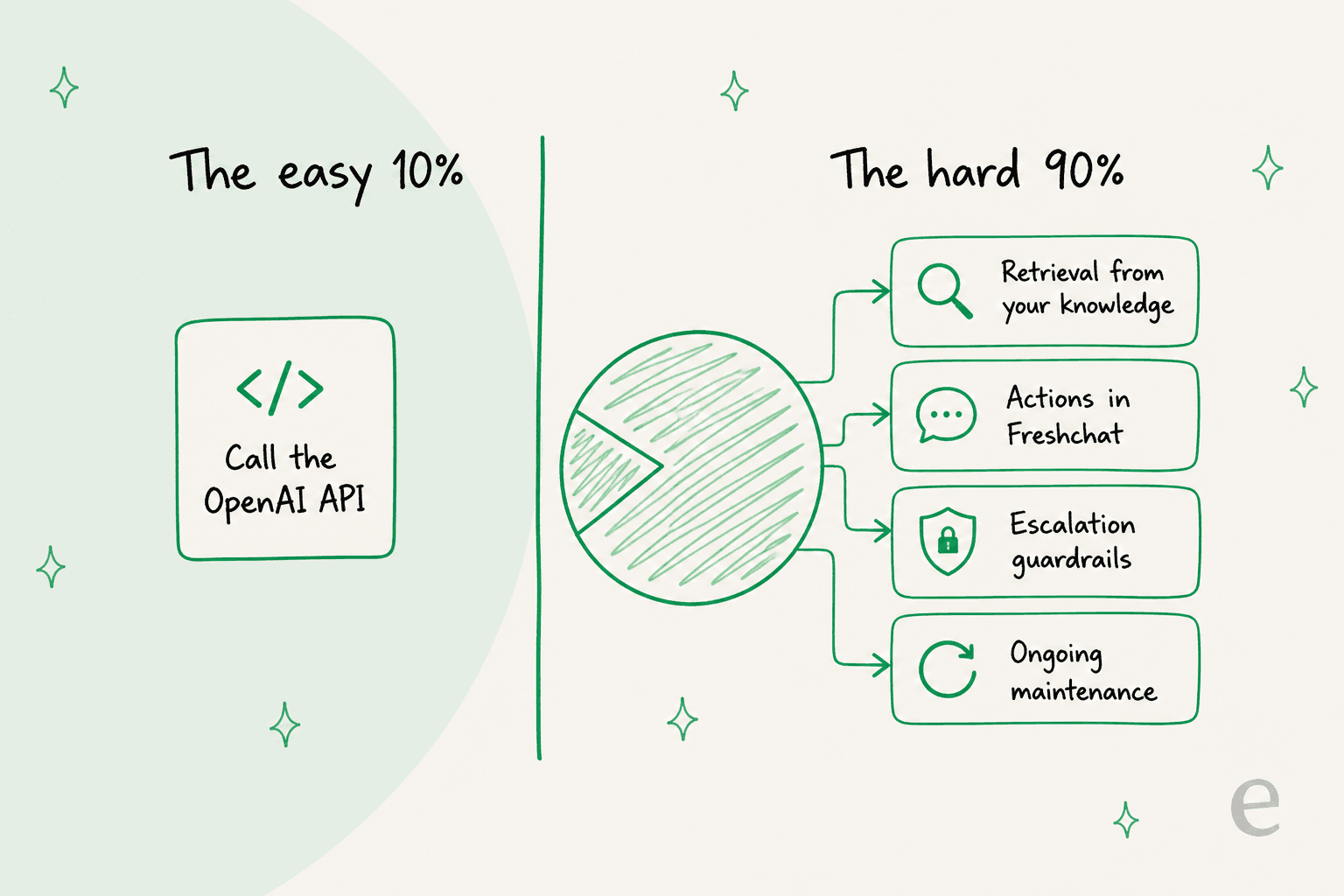
So what is the catch? The catch is that "connect ChatGPT to Freshchat" is the smallest line item on the real bill. The rest is:
- Retrieval. ChatGPT does not know your refund policy. You have to build a pipeline that pulls the right help articles and past chats into each prompt, or the model will confidently make things up (see the scar above).
- Actions. Drafting a reply is easy. Looking up an order, checking a subscription, or routing to the right team means writing and testing Freshchat API calls for every action.
- Guardrails. You need logic that makes the AI answer only what it is confident about and hand off the rest, not guess like a rule-based bot would.
- Maintenance. Every prompt change, every model upgrade, every new edge case is now your team's job, forever.
That last word, maintain, is the one that gets underestimated. I hear the same trade-off from real buyers constantly. One engineering lead we worked with put the whole calculation in a single sentence:
"We could try to write our own LLM application but we didn't want to invest our time into that. We wanted something that we would not have to maintain."
Karel, GENERAL BYTES (case study)
Building the demo is fun. Owning it at 2am when a model update quietly changes behaviour is not. If your team has the engineering appetite and a workflow no product covers, build it. Otherwise, Route 4 exists precisely so you do not have to.
Route 4: drop in a ready AI chat agent
The buy option skips the build entirely. Instead of stitching ChatGPT to Freshchat yourself, you install an AI agent that already knows how to answer chats from your knowledge on day one.
Worth being precise here, because it is a real difference from the Freshdesk story: eesel AI connects natively to the Freshdesk ticketing product, but it does not plug inside the Freshchat messaging widget. For live chat, the clean pattern is to run eesel's own chat widget on your site, a floating bubble added with one script tag, or embed it inline in a help center or docs page. It answers from your content and escalates to a human via email or your connected helpdesk when it should.
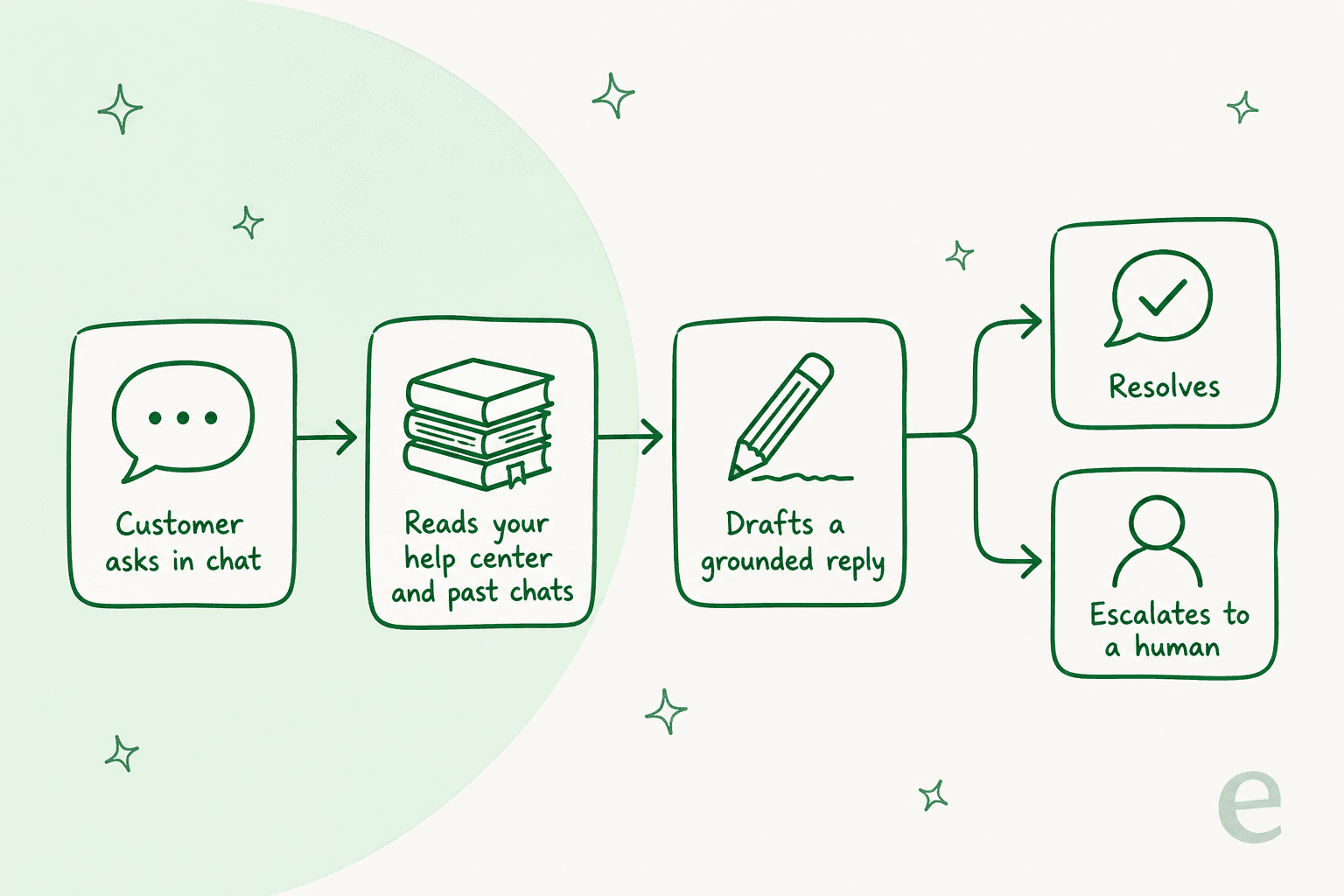
Here is what "works from your knowledge" actually means, because it is the whole point:
- It answers only from your knowledge. eesel trains on your help center, past chats, Google Docs, Confluence, and a website crawl, and it says so rather than guessing when it lacks an answer. That is the fix for the hallucination problem that makes DIY builds risky.
- You configure it in plain English. Change how it writes, which questions it handles, and when it escalates by describing what you want. There is no rules engine to wrangle.
- You can test it before it goes live. eesel runs a simulation against your own past conversations first, so you see how it would have answered real history and where your docs have gaps, before a single customer talks to it.
The widget supports 80+ languages out of the box, escalates by topic or confidence, and is SOC 2 Type II certified with an EU data residency option. To be fair about limits: eesel is a specialist support agent, not a general-purpose ChatGPT you chat with about anything, and if you want to hand-pick the underlying LLM that control is Enterprise-only.
What each route actually costs
Cost is where the routes diverge most, so here is the honest comparison. Freddy meters AI usage per session on top of your Freshchat seats; eesel sells a fixed monthly plan of credits (1 credit per chat) with no seat fee; a DIY build trades predictable software cost for engineering time.
| Route | What you pay | The gotcha |
|---|---|---|
| Marketplace GPT app | App fee (often flat monthly) + your own OpenAI API usage | Narrow scope; you manage the key and the model bill |
| Freddy AI Agent | Freshchat seat + $49 per 100 sessions after 500 free | Billed per session regardless of outcome; Copilot is a separate $29/agent/mo add-on, Pro and up |
| DIY OpenAI build | API tokens + engineering + maintenance time | The build is 10% of the cost; owning it is the other 90% |
| eesel AI | From $299/mo (500 credits), no per-seat fee | 1 credit per chat handled, however long, whether or not it resolves; self-serve can't pick the model |
A worked example makes the Freddy math concrete. On Freshchat Pro, 10 agents with Copilot and 1,000 AI sessions in a month runs 10 x $49 in seats, plus 10 x $29 for Copilot, plus 10 session packs at $49, which is $1,270 a month on annual billing. Route the same 1,000 chats to eesel and it is a $499 a month plan for 1,000 credits (1 credit per chat), with nothing charged for the chats your humans handle. The units are not identical (a Freddy session versus an eesel credit), so treat it as directional, but the shape of the difference is real.
How to actually set it up
If you have decided you want a real agent rather than a copilot accessory, the setup is genuinely short. Here is the flow for the drop-in route, which is the one most teams land on:
- Sign up and connect knowledge. Create a free eesel account and point it at your help center, past chats, and docs. It imports and syncs automatically.
- Scope it. Decide which questions it handles and write its tone and escalation rules in plain English.
- Simulate. Run it against your past conversations to see resolution rate and knowledge gaps before go-live. This is the step DIY builds usually skip and regret.
- Add the widget. Paste one script tag to drop the chat bubble on your site, or embed it inline in a help article.
- Go live gradually. Start with the easy question types, review, then widen the scope once you trust it.
That is the same shape whichever route you pick: connect, ground it in your knowledge, scope it, test it, roll out slowly. The routes only differ in how much of steps 1 through 3 you build versus buy.
Try eesel AI for your live chat
If the goal behind "ChatGPT for Freshchat" was really "an AI that answers chats without making things up," a ready agent gets you there faster than wiring the OpenAI API yourself. eesel AI runs as a chat widget trained on your own help center and past conversations, answers in 80+ languages, and lets you simulate the whole thing on historical chats before it answers a single customer.
It starts at $299 a month for 500 credits (1 credit per chat), no per-seat fee, and you can start free with 100 credits, connect your knowledge, and watch the simulation tell you exactly how it would have handled last week's conversations. That preview, before any risk, is the part no DIY build gives you on day one.