

What "adding an AI chatbot to Freshchat" actually means
Freshchat is Freshworks' live chat product, the messenger that sits in the corner of your site and mobile app and pulls web, email, WhatsApp, Instagram, and SMS into one multichannel inbox. When people say they want to "add a chatbot" to it, they usually mean one of two things:
- A flow bot. The older, rule-based path: you draw a decision tree, and the bot walks the customer down branches you defined. Predictable, but it only knows the paths you drew.
- An AI agent. A bot that reads a knowledge source, understands the question in natural language, and writes its own answer, no decision tree required. This is what Freshworks now pushes, and it is what most people mean in 2026.
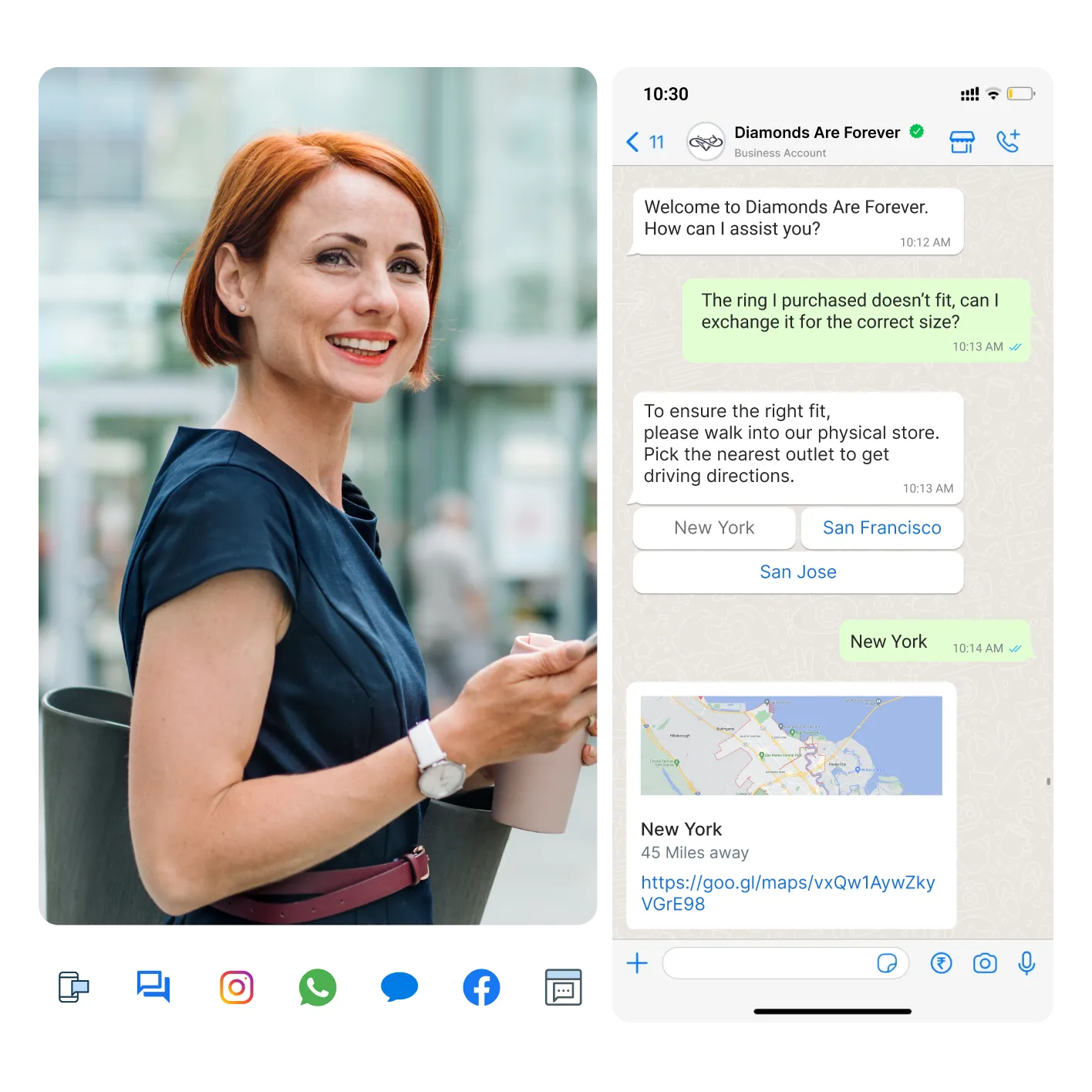
The rest of this guide focuses on the AI agent path, since that is where the real resolution rates (and the real costs) live. If you want the flow-builder route, Freshchat still has it, but you will hit its ceiling fast on anything that is not a scripted question. And if you are still weighing platforms, our AI live chat roundup and the Freshchat vs Freshdesk messaging comparison are good next reads.
Option 1: Freddy AI Agent, the native route
Freddy AI Agent is Freshworks' own AI chatbot, and if you are already paying for Freshchat it is the obvious first stop. It is a no-code, autonomous agent that Freshworks positions as an "always-on digital teammate" rather than a scripted FAQ bot: it reads your knowledge base, answers in natural language, and can even take actions like processing refunds or checking order status by connecting to backend systems.
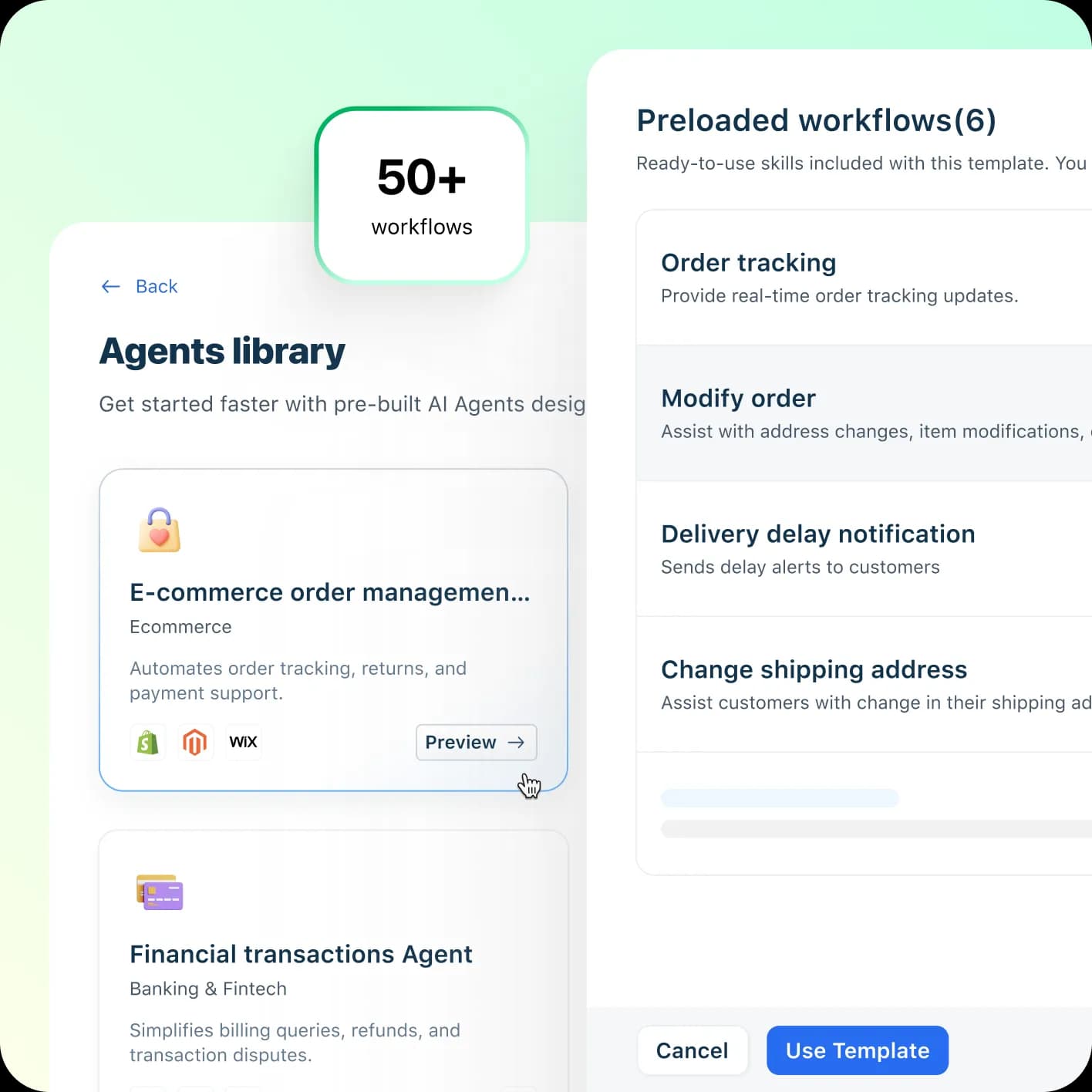
The headline numbers Freshworks publishes are strong: up to 80% of queries resolved, an average conversational resolution time of under two minutes, and a claimed 60% lift in agent productivity. It ships two ways: pre-built Vertical AI Agents loaded with 50+ agentic workflows (order tracking, modify order, delivery-delay alerts), or a blank custom agent you build yourself.
Worth keeping in mind: those figures are vendor self-claims on a marketing page, not independent benchmarks, and the customer proof points behind the 80% number (like PhonePe) are enterprise deployments with a lot of tuning behind them. Treat 80% as a ceiling someone hit, not a default you will get on day one.
How to set up Freddy AI Agent in Freshchat
The setup itself is refreshingly light. Here is the path, start to finish:
- Open AI Agent Studio. From your Freshchat/Freshdesk Omni admin, head to the Freddy AI Agent area. This is where every bot is built and managed.
- Pick a starting point. Either grab a Vertical AI Agent template that matches your use case (e-commerce order management, financial transactions, and so on) or start a custom agent from scratch.
- Connect your knowledge. Point Freddy at your knowledge base and any FAQs or documents you have ready. As one Freshworks product manager puts it on their own page, "if you have your FAQs and data ready, you can just give those to it and have a new AI agent ready within minutes."
- Add workflows and actions. For anything transactional (tracking an order, changing a subscription), wire up the relevant agentic workflows and connect the backend apps they need, such as Shopify or Stripe.
- Set escalation rules. Decide when Freddy should hand a conversation to a human, and confirm it passes full context across so the customer never has to repeat themselves.
- Test, then publish to your channels. Try it with real questions, then turn it on across web chat, WhatsApp, social, and email.
If you have ever set up a Freshdesk chatbot, this will feel familiar. The friction, when it shows up, tends to be in the bot configuration and the docs rather than the basic onboarding, which is a theme in user reviews below.
How the chatbot actually decides what to answer
Under the hood, every AI chatbot (Freddy included) runs the same basic loop, and understanding it is the difference between a bot you trust and one you quietly turn off. The customer asks something, the bot searches whatever knowledge it was given, it forms an answer, and then, ideally, it checks how confident it is before sending anything.
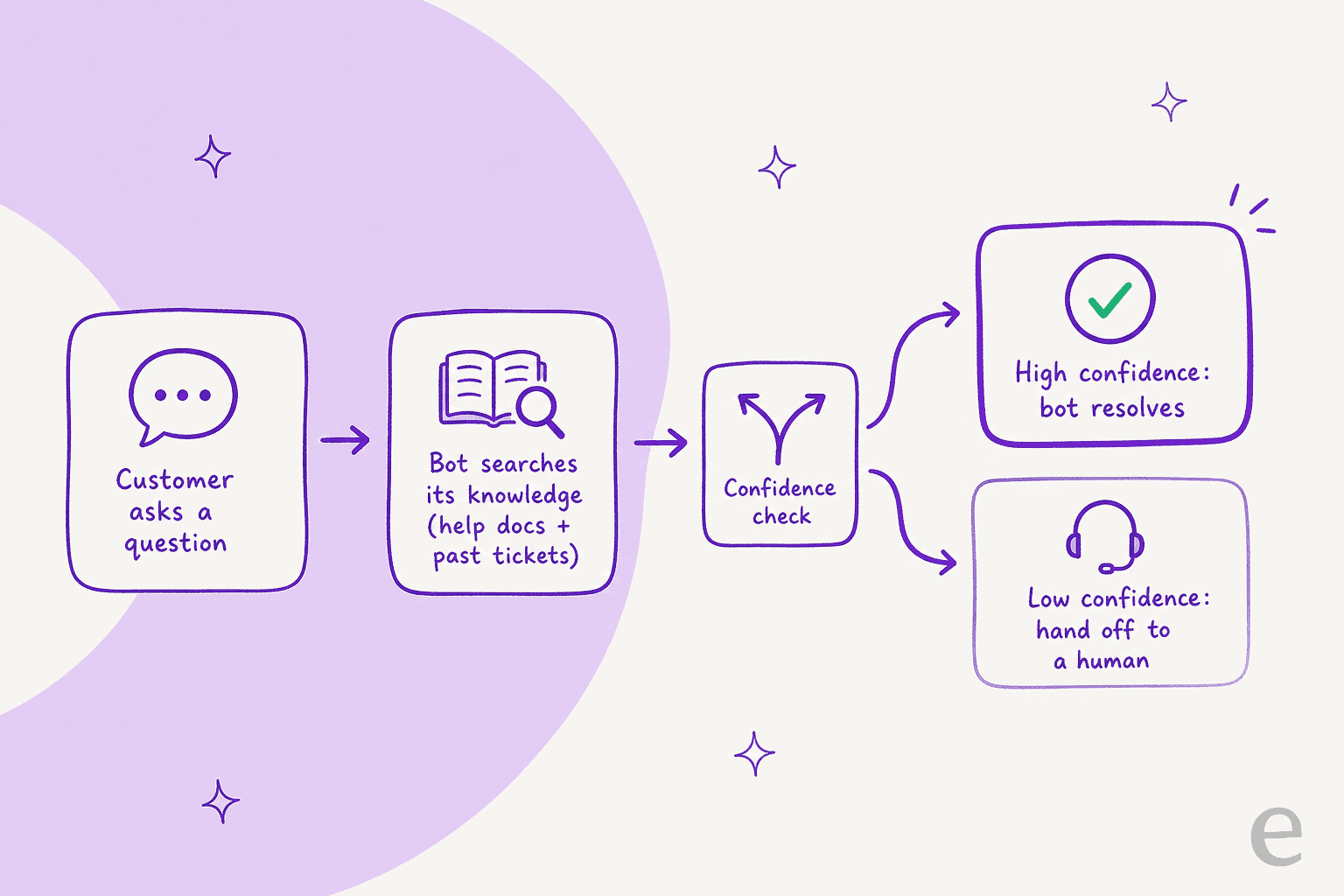
That confidence step is the one people skip, and it is the one that bites. I once sat with a B2B technical support team whose bot cheerfully told customers "yes, we support your car model" for models that were not in their database, all because the knowledge base said "we support all models." The bot was not broken; it was overconfident, answering when it should have deferred. This is why confidence-based routing matters more than raw resolution rate: a bot that answers only what it is sure of, and silently leaves the rest for a human, beats a bot that answers everything and is wrong 15% of the time.
What Freddy costs once you are past the free sessions
Here is where a lot of teams get surprised. Your Freshchat plan and your AI chatbot are billed separately.
| Item | Price (billed annually) | What you get |
|---|---|---|
| Freshchat Free | $0, up to 10 agents | Website chat + email + unified inbox |
| Freshchat Growth | $19 / agent / month | Adds WhatsApp, Instagram, Messenger, SMS, real-time dashboards |
| Freshchat Pro | $49 / agent / month | Adds custom dashboards, routing, multiple SLA policies |
| Freshchat Enterprise | $79 / agent / month | Adds skills-based routing, extra security |
| Freddy AI Agent | First 500 sessions free, then $49 per 100 sessions | The AI chatbot itself, on any plan |
| Freddy AI Copilot | $29 / agent / month (Pro & Enterprise only) | Agent-side assist, not the customer bot |
The line that matters is the Freddy one. A session is defined as all interactions between one customer and the bot inside a 24-hour window, so a chatty support day where one person sends 20 messages is still one session, which is fair. But it also means the bill scales directly with your busy periods, and heavy multilingual volume burns sessions like any other. At roughly $0.49 per session, 2,000 conversations a month past your free allowance is close to $1,000 on top of your seats.
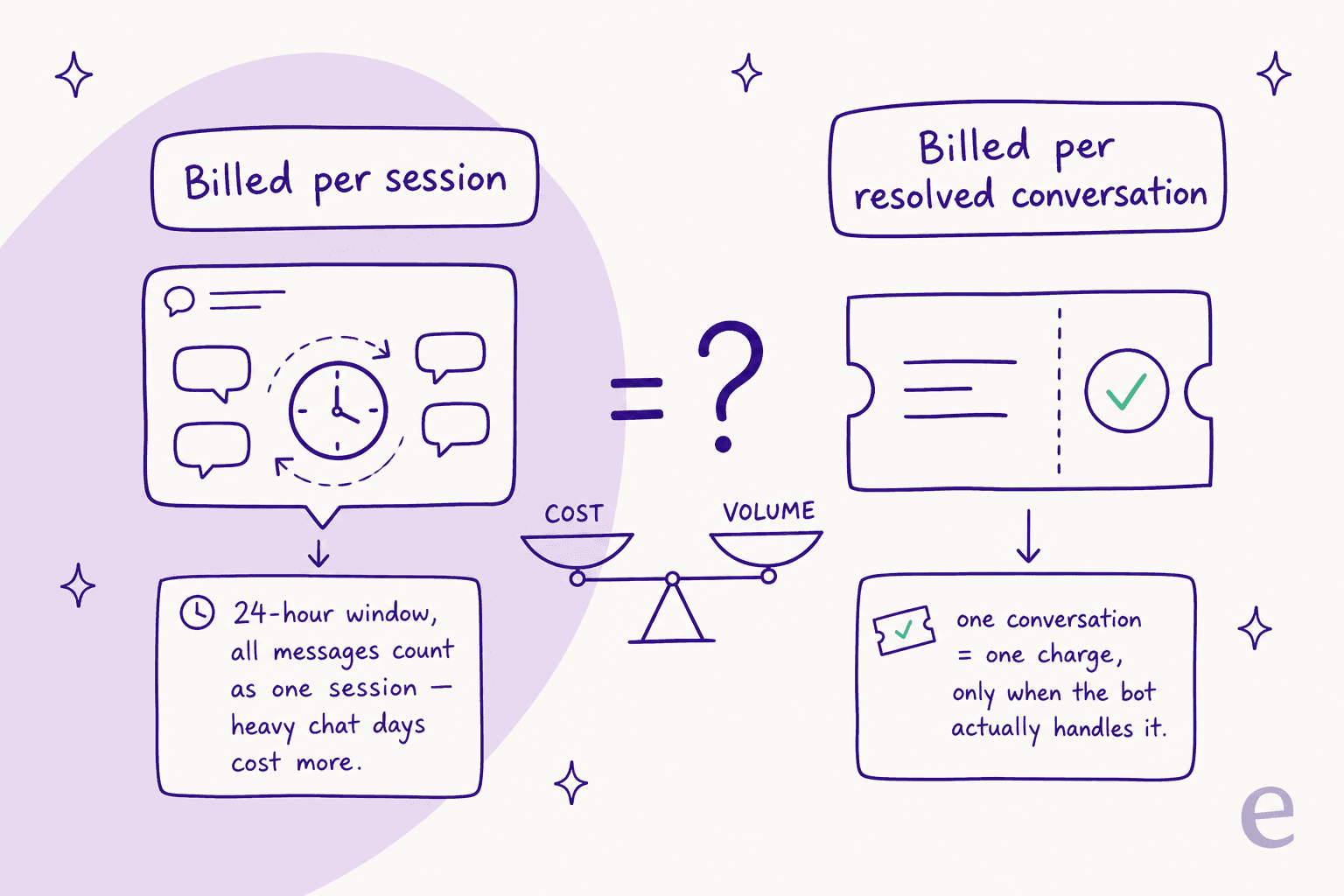
None of this is unreasonable. But it is the number to model before you flip the switch, not after, and it is worth comparing against the full Freshchat pricing picture and the wider cost of running a chatbot.
Where the native bot falls short
Freshchat has a lot going for it. The consistent praise in reviews is for the unified inbox, the ease of onboarding agents, and the price. On G2 it sits at 4.4 from 499 reviews, and Capterra at 4.1 from 128, which is a solid, well-liked product, not a dud.
But when you filter to what users say about the AI specifically, one theme repeats: the bot stays weak, even after they put in the work.
"The bot currently offered is not that great, despite training several times its not upto the mark. They really need to work on this."
"The AI capabilities feel basic and outdated."

Even a reviewer who was invited (and given an incentive) to review flagged the same gap, which is telling:
"What I liked least about Freshchat is the lack of advanced features and integrations compared to some competitors, and the AI capabilities still feel a bit limited."
The pattern is not that Freddy cannot answer anything. It is that teams train it, expect their best agent, and get a slightly generic FAQ bot instead. If that gap is your sticking point, it is worth scanning the Freddy alternatives too. But first, the actual root cause.
What actually makes a chatbot good: train it on solved tickets, not just docs
Here is the reframe I would want a Freshchat team to walk away with. Most bots underperform not because the model is weak, but because of what they were fed. Help-center articles describe how the product is supposed to work. Your solved tickets show how your team actually resolves the messy, real version of the question, with the caveats, the exceptions, and the phrasing customers respond to.
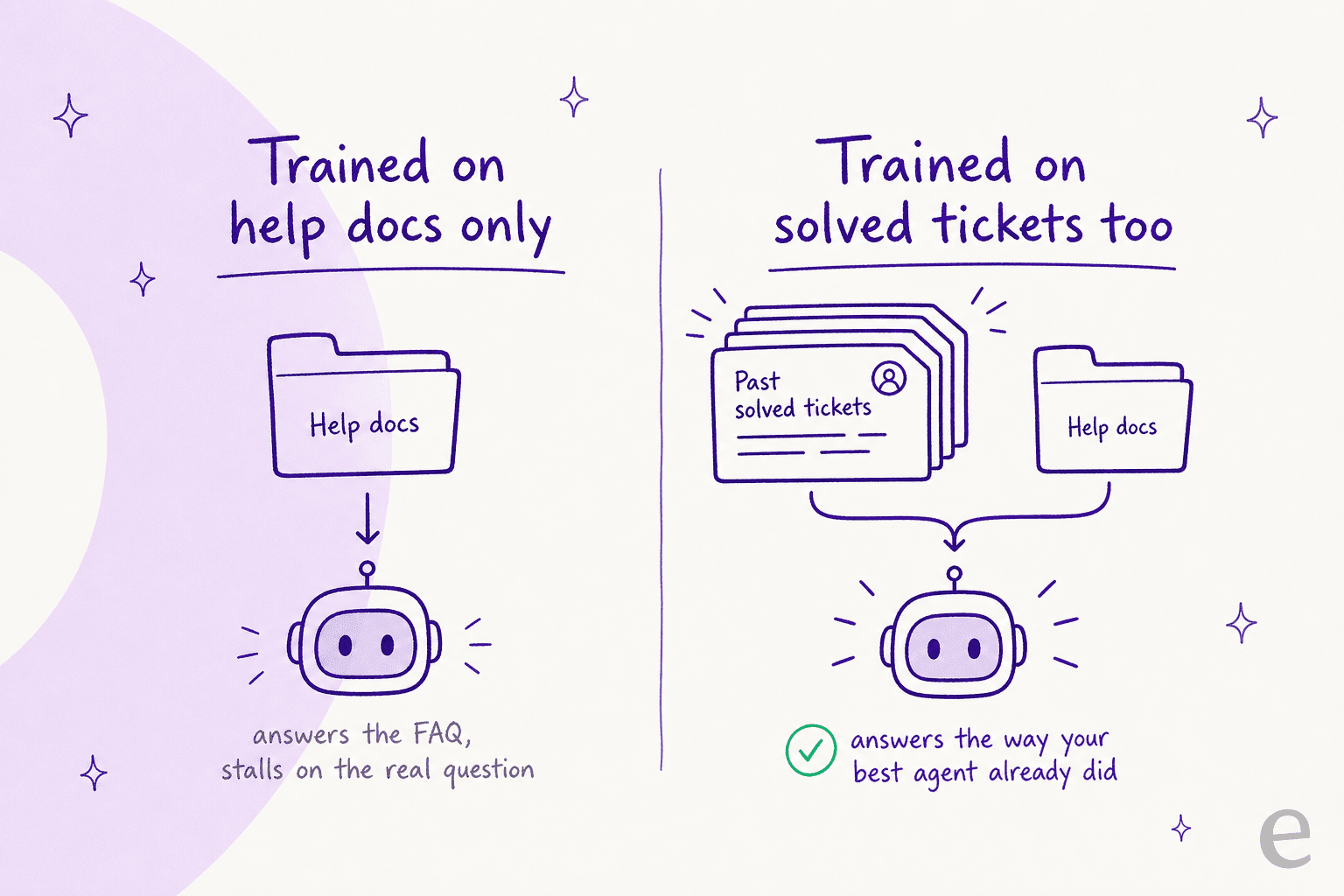
A bot grounded on both reads less like a manual and more like the colleague who has answered this ticket 200 times. This is the single biggest lever on answer quality, and it is the one a docs-only setup leaves on the table. It is also why I never trust a resolution-rate claim on its own: I want to know what the bot was trained on, and whether it was tested against real historical tickets before it went live. On my team we simulate every rollout against a customer's own past tickets first, precisely because we have watched confident-sounding bots quietly give wrong answers, and a demo number tells you nothing about that.
Try eesel
Quick and honest bit of housekeeping first: eesel is not a plug-in that lives inside the Freshchat messenger. Freshchat's in-widget AI is Freddy, full stop. So if your heart is set on the bot appearing natively inside Freshchat's own chat window, Freddy is your tool.
Where eesel fits is the two paths most Freshchat teams actually take next. If you run Freshworks' ticketing side too, eesel plugs straight into Freshdesk and drafts or auto-sends replies in the queue. And for live chat on your own site, eesel deploys its own AI chat bubble or inline widget with a single script tag, the same corner of the page a chat widget already lives in.

The reason to look, given everything above, is what it does about answer quality and trust. eesel trains on your past tickets, help docs, and macros together, so it answers the way your team already does. Its simulation mode replays the bot against thousands of your real historical tickets so you can see coverage and accuracy before a single customer sees it, and confidence-based routing keeps it from replying when it is unsure. Pricing is one fixed monthly price, from $299/month for 500 credits (1 credit per ticket or chat, however long), with no per-seat fee, so you know the bill up front and only tickets it actually works on count, not busy 24-hour windows. For proof it holds up: Gridwise saw eesel resolve 73% of tier-1 requests in the first month, with results showing during a 7-day trial.
If a chatbot you can trust on real customers is the goal, that is the bar worth holding any tool to, Freshchat's Freddy included. You can try eesel free with 100 credits.