


What "an AI chatbot for Re:amaze" actually means
Before you turn anything on, it helps to know that "chatbot" means three different things inside Re:amaze, and people mix them up constantly.
The first is the rule-based Chatbots product: no-code bots built on a visual branching builder. These include the Hello Bot (which asks a vague customer for more detail before escalating), the Order Bot (order-status lookups wired into Shopify, BigCommerce and WooCommerce), the FAQ Bot (which matches a question against your published articles), and fully custom flows. They are deployed through Cues, Re:amaze's proactive-message triggers.
The second is the Re:amaze AI Agent, a customer-facing responder currently marked beta. Instead of following a branching script, it reads your Help Center and answers in natural language. This is the closest thing Re:amaze has to a true AI agent.
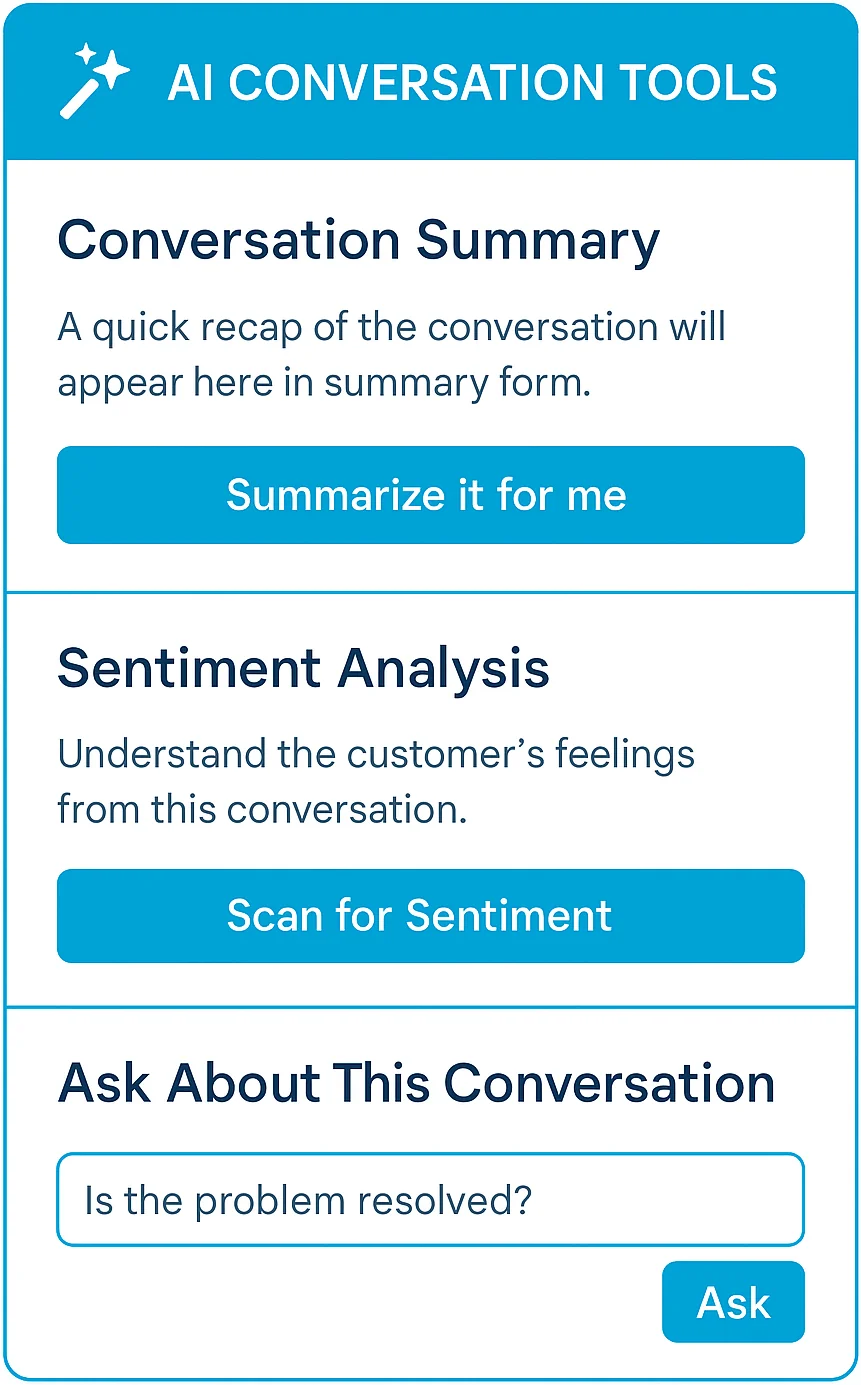
The third is the Re:amaze AI suite (also beta), which is agent-assist rather than customer-facing: it drafts replies, summarizes threads, translates messages and runs sentiment analysis for your human agents. It is powered by OpenAI's GPT models.
So when someone says "I want an AI chatbot for Re:amaze," they usually mean one of the first two: a bot that talks to customers and deflects tickets. Here are your options, from lightest to heaviest lift.
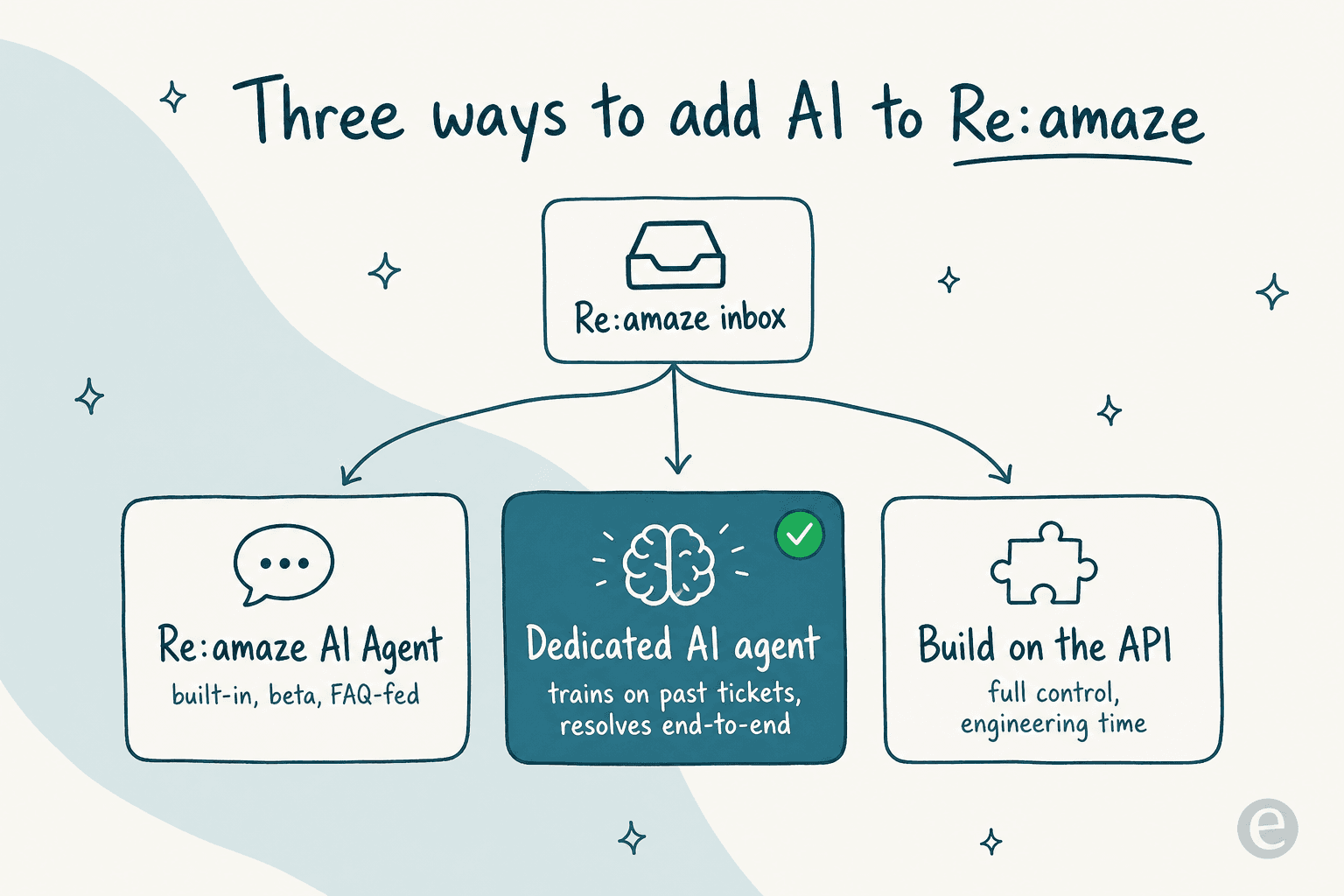
Option 1: turn on Re:amaze's built-in AI
The fastest route is the one you're already paying for. Both the rule-based bots and the AI Agent are included in your Re:amaze subscription, so this is a settings change, not a new tool.
The rule-based Chatbots are the mature, dependable part. The Order Bot in particular is a useful piece of ecommerce automation: a customer asks "where's my order," the bot pulls live status from Shopify without an agent touching it. The Hello Bot quietly does triage by nudging one-line messages ("help!!") into something an agent can actually action. These have shipped for years, work out of the box with Re:amaze Chat, and need no code.
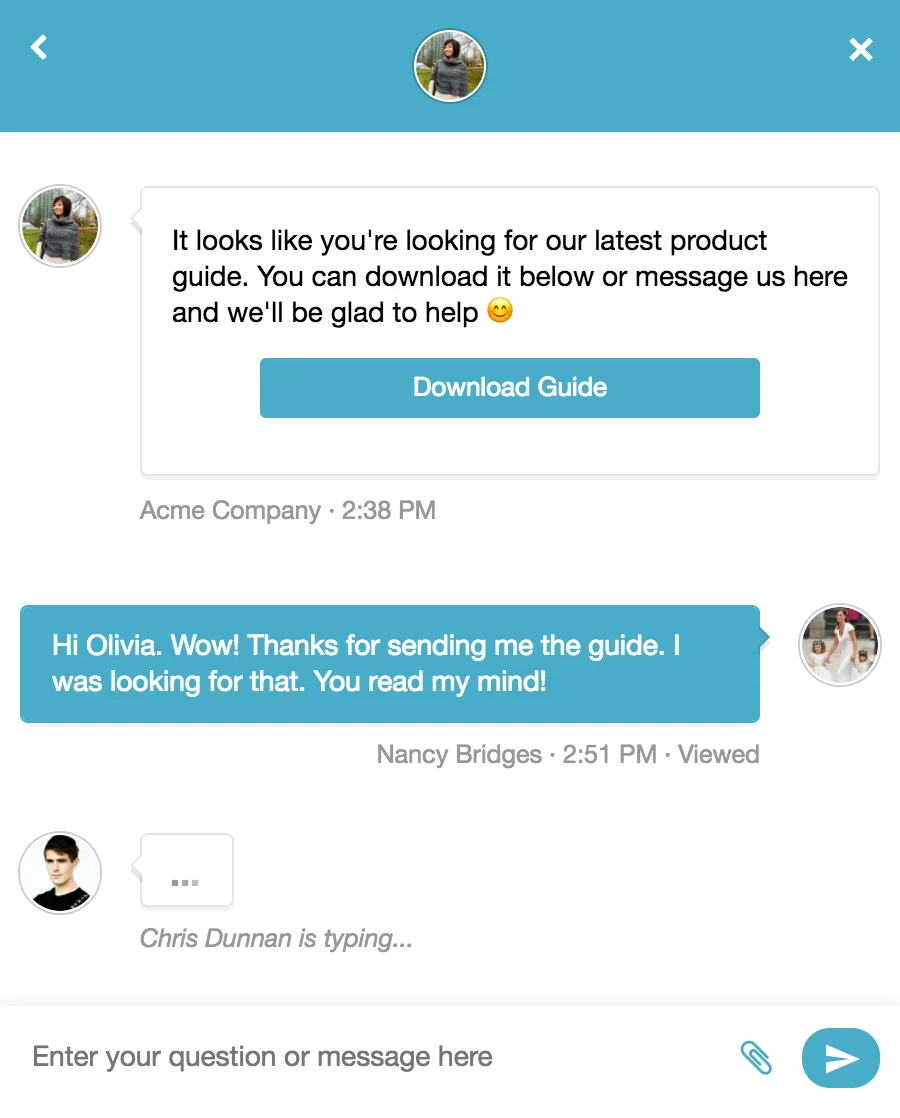
The AI Agent is the newer, more ambitious piece. Re:amaze pitches it as "Autopilot for chat," a 24/7 responder you train with your business details. Its knowledge source is your FAQ and Help Center: "Articles created act as a repository of knowledge that trains your AI Agent and chatbots. Updates made are added as context instantly." That instant-context bit is the good news. The honest caveat is that it is still beta, and FAQ articles are a thin training set. If your help center is written for the wrong audience (a mismatch I see constantly, where docs are written for admins but tickets come from end-users), the bot inherits that gap.
Best for: teams that want FAQ deflection and order lookups live today, with zero new spend, and whose questions are simple enough to answer from a tidy help center.
Option 2: connect a dedicated AI agent
The second route keeps Re:amaze as your inbox and adds a purpose-built AI agent that resolves tickets end-to-end. This is what I'd reach for when the bot needs to actually close conversations, not just match FAQ articles, and when you want answers that sound like your team wrote them.
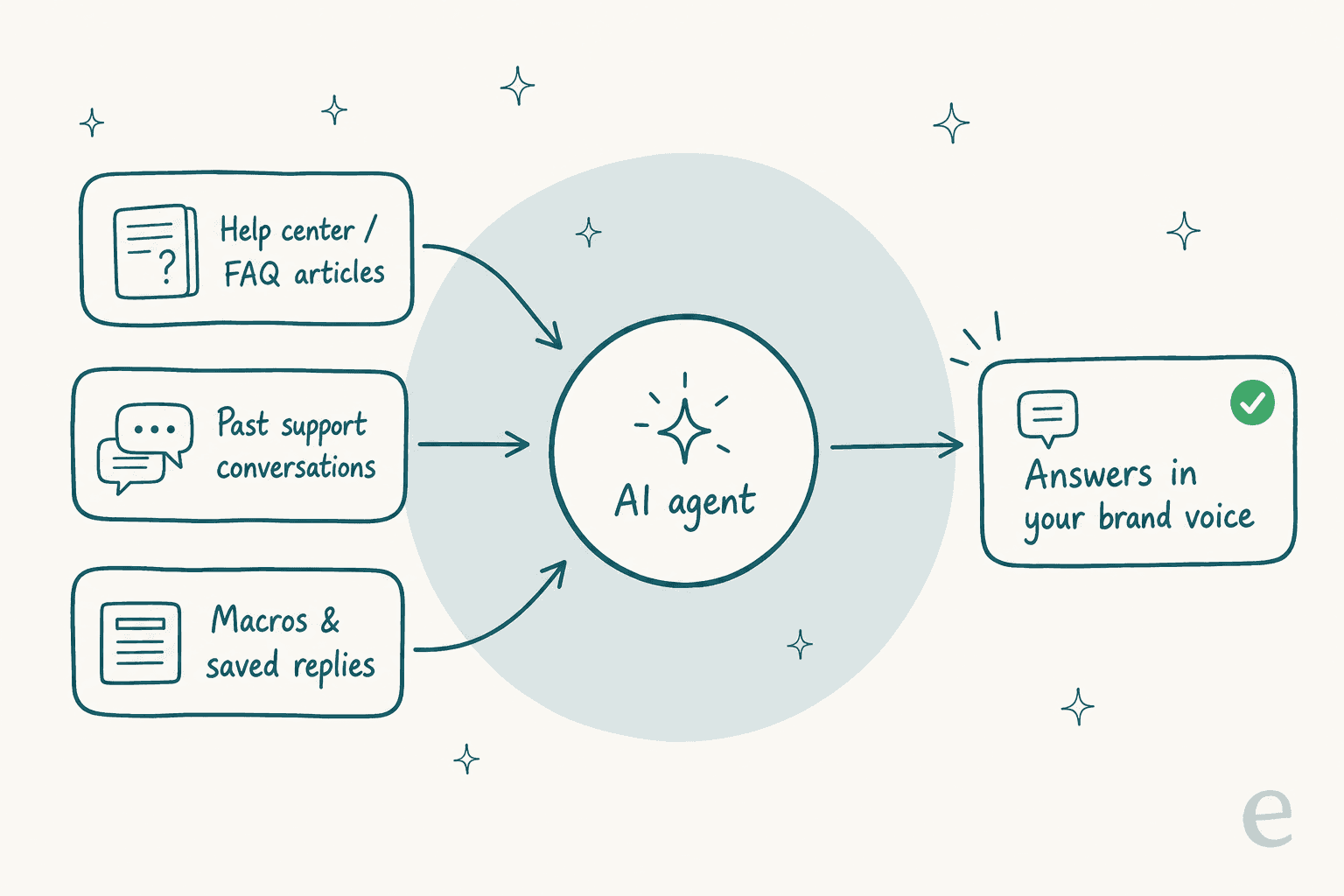
The difference starts with what the agent learns from. A dedicated agent like eesel trains on your help center, your past support conversations, and your saved replies, not just a folder of FAQ docs. Years of resolved tickets become knowledge on day one, so the bot answers in your voice instead of paraphrasing a knowledge-base article. That is the single biggest quality gap between a FAQ-fed beta and a trained agent.
One thing I'll be straight about: eesel does not plug directly into the Re:amaze agent inbox the way it does with Zendesk or Gorgias. Where it fits a Re:amaze setup is on the customer-facing side: you run eesel's AI chat widget on your storefront and connect email, so it deflects and resolves before a ticket ever lands in Re:amaze, then hands anything shaky cleanly to your team inside Re:amaze. If you're an ecommerce team already weighing a switch, it also plugs natively into Shopify and the major helpdesks.
Two things matter more than the integration path here. First, you choose how much rope the agent gets: draft-only mode means a human reviews everything before it sends, autopilot means it resolves on its own. Second, it uses confidence-based routing, so it only answers when it's sure and escalates the rest instead of guessing. I've watched confident-sounding bots quietly give wrong answers, which is exactly why every rollout should be simulated against your historical tickets first.
Best for: teams with real volumes of repetitive tickets who want end-to-end resolution, answers in their existing voice, and predictable cost as volume grows.
Option 3: build your own on the Re:amaze API
The third route is to build a bot yourself against the Re:amaze API and wire in an LLM. It's the most flexible option, and the most expensive in engineering time.
This makes sense if you have very specific logic no off-the-shelf agent handles, an in-house team that wants full control of the model and prompts, and the appetite to maintain it. The trade-off is real: someone owns retrieval quality, hallucination guardrails, escalation logic, and every API change forever. In practice, most teams who "just build our own on the OpenAI API" underestimate the guardrail work, which is the part that keeps a bot from confidently telling a customer the wrong refund policy.
Best for: engineering-led teams with unusual requirements and time to maintain a bot as a product.
The cost question, with real numbers
This is where the routes diverge most, so let's use actual figures.
Re:amaze's own pricing is per seat: Basic is $29 per member per month, Pro is $49, and Plus is $69 (all 10% cheaper billed annually). There's also a flat Starter plan at $59 a month for unlimited members, capped at 500 responded conversations. The rule-based bots are included on every tier.
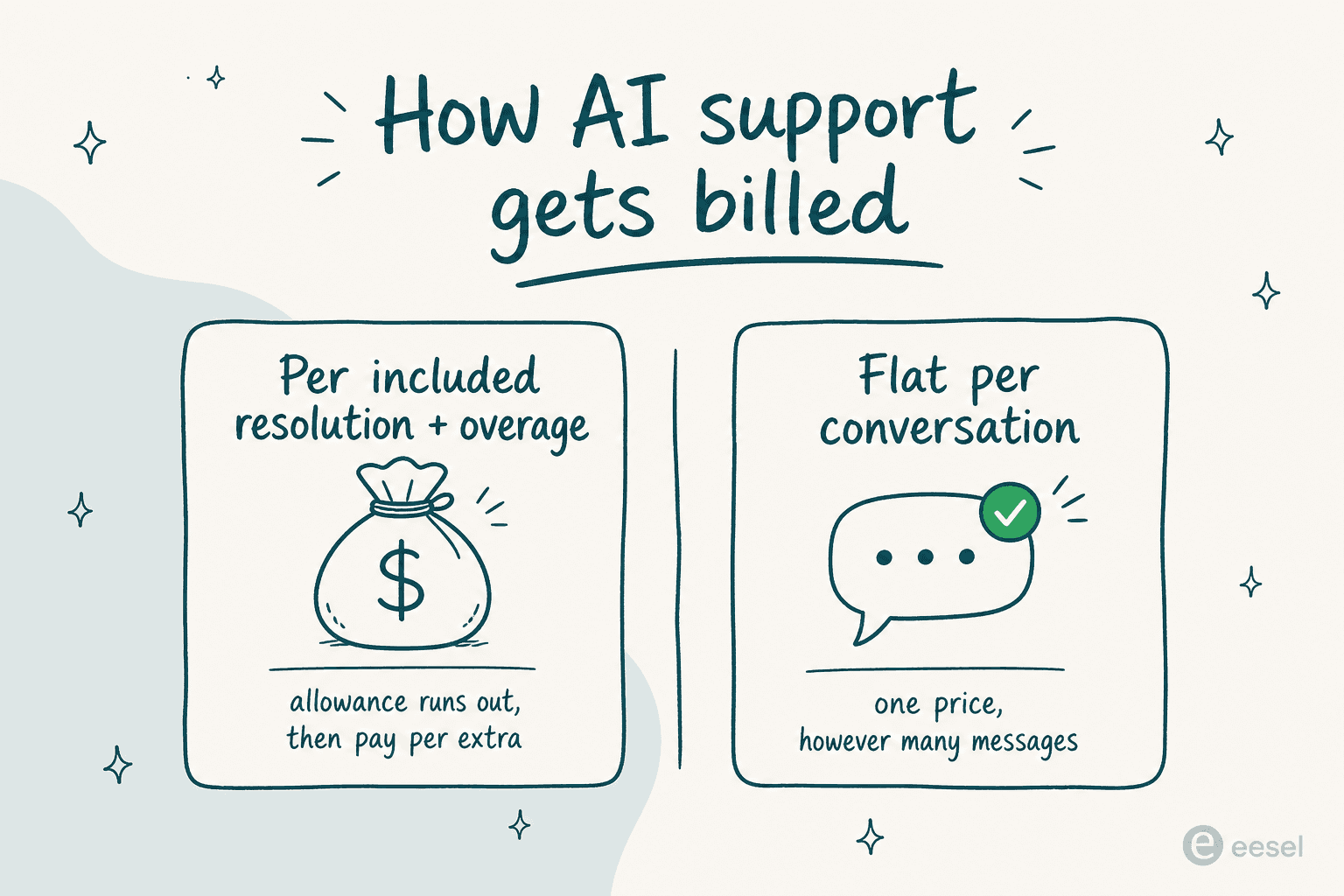
The AI Agent is where the meter runs. Each plan includes a monthly resolution allowance per user (5 on Basic, 10 on Pro, 20 on Plus), and once you pass it, every extra resolution is $0.85. For a small store that's nothing. For a busy queue, it adds up fast: a Plus team of three agents includes 60 resolutions a month, so a store resolving 1,500 tickets with AI would pay roughly 1,440 extra resolutions times $0.85, about $1,224 on top of seats.
That per-resolution-plus-overage shape is the thing to watch. It's the same anxiety I hear from teams on usage-based AI pricing: you can't predict the bill, so you hesitate to let the bot handle more, which defeats the point. A fixed monthly plan (eesel starts at $299/month for 500 credits, no per-seat fee, one credit per conversation however many messages it takes) trades the allowance game for a number you can forecast.
Plug your own numbers in below to see where the crossover sits for your volume.
The numbers aren't the whole story (Re:amaze's cost includes the whole helpdesk, while a dedicated agent sits on top), but the shape is what matters: an allowance-plus-overage model gets less predictable exactly when you're succeeding, and a fixed monthly plan doesn't.
What real Re:amaze users actually say
Re:amaze is well liked, and it's worth saying so plainly. It holds 4.6 out of 5 on G2 across 140 reviews and 4.8 on Capterra from 53. The recurring praise is value for the price and how cleanly the knowledge base flows into chat.
"I loved how easy it was to setup and how the knowledge base integrated into the chat widget. Everything from the customer end looks and feels great."

"Re:amaze allows me to do a lot with minimal time and money investment. It's a real Swiss Army Knife of customer engagement. The fact that they update the product so frequently and add new features makes me feel like I've chosen the right product."
The gripes are just as consistent, and they matter if you're leaning on AI. The knowledge base editor draws complaints, which is a real concern when that same knowledge base is what feeds the AI Agent:
"The only thing I don't love about Re:amaze is the knowledge base system. The editor needs some love. Switching between the editor and the code and the preview is clunky."
And the AI itself is recent enough that there isn't much deep, verifiable community discussion of resolution quality yet. That's not a knock, it's just the reality of a beta feature: you're an early adopter, so simulate before you trust it in front of customers.
How to add an AI chatbot to Re:amaze in under 30 minutes
Here's the fastest path to a working bot, whichever route you pick.
- Get your knowledge base in shape first. Every AI option here (Re:amaze's own AI Agent, or a dedicated agent) leans on your help content. Spend the first ten minutes making sure your top 20 questions have clear, current articles written for customers, not admins.
- Turn on the rule-based bots for the easy wins. In Re:amaze, enable the Order Bot (if you're on Shopify, BigCommerce or WooCommerce) and the FAQ Bot, and attach them to a Cue on your chat widget. That handles "where's my order" and top FAQs immediately.
- Enable the AI Agent in beta, in a limited scope. Point it at your cleanest FAQ category first rather than the whole help center, and watch the first batch of conversations.
- If you need real resolution, connect a dedicated agent. Put an AI chat widget on your site, train it on your past conversations, and keep it in draft mode until the answers are consistently right.
- Simulate before you go live. Run the agent against your historical tickets to see exactly what it would have said, and tune. This is the step most teams skip and later regret.
- Set your escalation rules. Decide the confidence threshold and which ticket types the bot never touches (billing disputes, anything legal), then let it loose on the rest.
The whole first pass fits in a coffee break. The part that takes real judgment isn't setup, it's deciding how much you trust the bot, which is why simulation and draft mode exist.
Try eesel alongside Re:amaze
If Re:amaze's beta AI Agent isn't resolving enough, or the per-resolution bill is climbing faster than you'd like, eesel is worth a look as the AI layer on top. It trains on your past support conversations, not just FAQ articles, so it answers in your team's voice from the first ticket, and it runs on a fixed monthly plan, from $299/month for 500 credits (1 credit per conversation), with no per-seat fee. You can simulate it on your real ticket history before it ever replies to a customer, and keep it in draft mode until you trust it.

It's free to try, and for ecommerce teams it plugs straight into Shopify for order-aware answers. If you're comparing options first, the Re:amaze AI alternatives roundup and the full Re:amaze review are the honest place to start.
Frequently Asked Questions
Does Re:amaze have a built-in AI chatbot?
Yes. Re:amaze ships a rule-based Chatbots product (Hello Bot, Order Bot, FAQ Bot and custom bots) on every plan, plus a newer Re:amaze AI Agent in beta that answers customers from your FAQ articles. If you want the bot to resolve tickets end-to-end rather than match FAQs, a dedicated AI agent is the stronger route.
How much does the Re:amaze AI chatbot cost?
Chatbots are included on all plans (from $29 per member per month). The AI Agent includes 5, 10 or 20 resolutions per user each month on Basic, Pro and Plus, then charges $0.85 per additional resolution. See the full Re:amaze pricing breakdown, or compare it against flat per-conversation pricing.
What does the Re:amaze AI Agent train on?
The AI Agent learns from your Help Center and FAQ articles plus business details you provide, and article updates propagate as context instantly. A dedicated agent goes further, training on your past Re:amaze conversations and macros too, so it answers in your team's voice from day one.
Can I add an AI chatbot to Re:amaze without coding?
Yes. Both the rule-based bots and the AI Agent are no-code and turn on inside your Re:amaze settings. Connecting a dedicated AI chatbot through the live chat widget is also self-serve, and you can keep it in draft-only mode until you trust its answers.
Is a Re:amaze chatbot enough, or do I need a dedicated AI agent?
For simple FAQ deflection and order lookups, the built-in bots are fine. For higher volumes of repetitive customer service tickets, a dedicated agent with confidence-based routing resolves more and hands the rest to a human. The Re:amaze AI alternatives post compares the options.