Re:amaze has built a reputation as a practical helpdesk solution for ecommerce and SaaS companies. Its automation features go beyond simple auto-replies, offering workflow engines, AI-powered chatbots, and smart routing that can reduce manual work for support teams.
But how exactly does Re:amaze automation work? And is it the right fit for your business? This guide breaks down everything you need to know about Re:amaze's automation capabilities, from workflow triggers to AI chatbots, plus how it compares to alternatives like eesel AI.
What is Re:amaze?
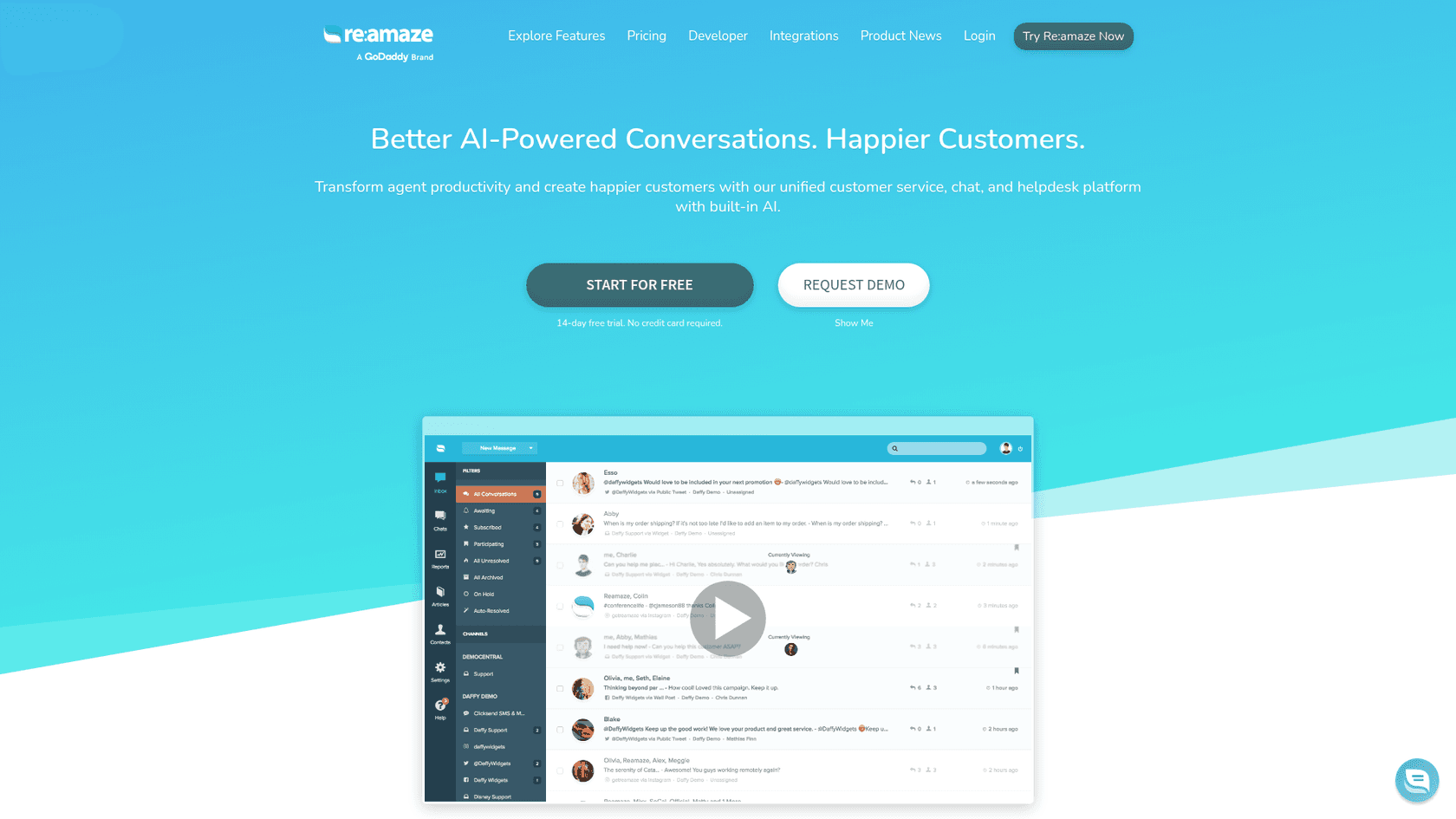
Re:amaze is a multi-channel helpdesk platform that combines email, live chat, social media, SMS, and voice into a single shared inbox. It's designed primarily for ecommerce businesses and SaaS companies that need to manage customer conversations across multiple touchpoints without switching between tools.
The platform sits somewhere between lightweight helpdesks like Help Scout and enterprise solutions like Zendesk. It offers enough automation to handle high-volume support without the complexity (or price tag) of larger platforms. Companies like Printful, BuiltBar, and Animatron use Re:amaze to manage thousands of customer interactions monthly.
If you're evaluating helpdesk automation, you might also want to explore how AI helpdesk tools are changing support workflows across the industry.
How Re:amaze automation works
Re:amaze's automation system centers around workflows: trigger-based rules that perform actions when specific conditions are met. Think of it as an "if this, then that" engine for customer support.
Workflow automation engine
Workflows in Re:amaze can be triggered by various events: a new message arrives, a conversation is created, or a specific time condition is met. Once triggered, the system evaluates rules you define and executes corresponding actions.
The rule system supports both AND and OR logic. For example, you can create a workflow that triggers "if the message comes from email AND contains the word 'refund'" or "if the channel is chat OR the customer has VIP status." This flexibility lets you build fairly sophisticated automation without writing code.
Common workflow actions include adding tags to categorize conversations, assigning conversations to specific agents or departments, sending automated responses, moving conversations between channels, and setting conversation status or priority.
Re:amaze claims that properly configured workflows can reduce response times by more than 50%. While your mileage may vary, the potential for time savings is real, especially for repetitive tasks like routing or initial triage.
Smart assignment and routing
One of Re:amaze's standout features is Smart Assign, a round-robin system that automatically distributes conversations to team members. Instead of manually assigning tickets or letting agents pick their own (which often leads to uneven workloads), Smart Assign balances the load based on who has the fewest open conversations.
The algorithm considers several factors: current conversation load per agent, recent activity (excluding agents who haven't responded in the past week), active shifts and vacation schedules, and role permissions and department membership.
Smart Assign can also work within workflows. For instance, you can set up a rule that automatically Smart Assigns all incoming Facebook messages to your social media team. This keeps conversations moving without manual intervention.
AI-powered automation features
Re:amaze has invested heavily in AI capabilities over the past few years. The platform now offers several AI-driven tools that go beyond basic automation.
AI Agent (Beta)
The Re:amaze AI Agent is the platform's most advanced automation feature. When enabled, it acts as an autonomous support agent that can respond to customer questions without human intervention.
The AI Agent draws from multiple knowledge sources: your FAQ articles and help center content, response templates your team has created, custom instructions and external URLs you configure, and Shopify or WooCommerce product and order data (if integrated).
When a customer asks a question, the AI Agent searches these sources and generates a conversational response. If it cannot find a suitable answer, the conversation escalates to a human agent.
There are some limitations to note. The AI Agent is still in beta, and enabling it disables Re:amaze's classic chatbots (Hello Bot, Order Bot, FAQ Bot). Cue Bots and Workflow Bots continue to function normally. Also, each pricing tier includes a monthly limit on AI resolutions: 20 per user on Basic, 50 on Pro, and 100 on Plus.
Pre-built chatbots
For teams not ready for full AI autonomy, Re:amaze offers several pre-built chatbots that handle specific scenarios:
Hello Bot greets customers and collects initial information before routing to an agent. It's useful for qualifying leads or gathering context upfront.
Order Bot handles order status inquiries by connecting to your ecommerce platform. It works with Shopify, BigCommerce, and WooCommerce to pull real-time order information.
FAQ Bot answers common questions by matching customer queries to your knowledge base articles. It's a straightforward way to deflect simple inquiries without agent involvement.
Shopping Assistant Bot (for Shopify and WooCommerce) recommends products based on customer inquiries, blending support and sales functionality.
All of these bots work out of the box with minimal configuration, though you can customize their responses and behavior.
AI assistance tools
Beyond autonomous agents, Re:amaze includes several AI-powered assistant features for human agents:
Response suggestions: AI generates complete reply drafts based on the customer's message
Article creation assistance: Helps draft FAQ articles by expanding on bullet points or outlines
Message translation: Built-in translation for communicating with customers in different languages
AI spam filtering: Automatically identifies and filters spam messages
These tools aim to speed up agent workflows rather than replace human agents entirely.
Re:amaze pricing and plans
Re:amaze uses a per-user pricing model with four main tiers:
| Plan | Monthly price | Annual price | AI resolutions | Key features |
|---|---|---|---|---|
| Starter | $59 flat | $53.10/mo | Not specified | 500 conversations/mo, unlimited users, all Basic features |
| Basic | $29/user | $26.10/user | 20/user/mo | Unlimited inboxes, chat, social, FAQ, workflows, basic reporting |
| Pro | $49/user | $44.10/user | 50/user/mo | Multi-brand, live view, advanced reporting, SMS/voice, status page |
| Plus | $69/user | $62.10/user | 100/user/mo | Peek screensharing, departments, staff reports, video calls |
| Enterprise | Custom | Custom | Custom | White-glove onboarding, dedicated support |
Source: Re:amaze pricing
The Starter plan is unique: it offers a flat rate for unlimited users but caps you at 500 responded conversations per month. It's designed for very small teams just getting started.
Annual billing saves 10% across all plans. Every plan includes a 14-day free trial with no credit card required.
One thing to watch: AI resolution limits. If you have 5 agents on the Pro plan, you get 250 AI resolutions total per month (50 × 5). For high-volume automation, these limits can become a constraint.
Integrations and connectivity
Re:amaze connects to a wide range of third-party tools, which is essential for automation that spans multiple systems.
Native integrations
The platform offers deep integrations with major ecommerce platforms:
Shopify: View orders, process refunds, create draft orders, access customer data
BigCommerce: Similar order management capabilities
WooCommerce: Full integration for WordPress stores
Magento: Available via extension
Other notable native integrations include Slack (for team notifications), Stripe (for payment management), ShipStation (for shipping data), and various review platforms like Yotpo and Stamped.
Zapier and Make
For connections beyond native integrations, Re:amaze works with Zapier and Make. This opens up thousands of possible automations: create Re:amaze conversations from form submissions, send Slack notifications for high-priority tickets, sync customer data to your CRM, and log support interactions in Google Sheets.
Zapier supports triggers for new contacts, messages, and conversations, plus actions to create contacts, conversations, and messages. Make offers similar capabilities with a visual workflow builder.
API access
Developers can use Re:amaze's JSON API to build custom integrations. The API supports creating and managing conversations, contacts, and messages programmatically. This is useful if you have unique workflow needs that off-the-shelf integrations cannot address.
eesel AI: An alternative approach to support automation
While Re:amaze offers solid automation capabilities, some teams need something different. If you're looking for an AI teammate that learns your business and handles support autonomously, eesel AI takes a fundamentally different approach.

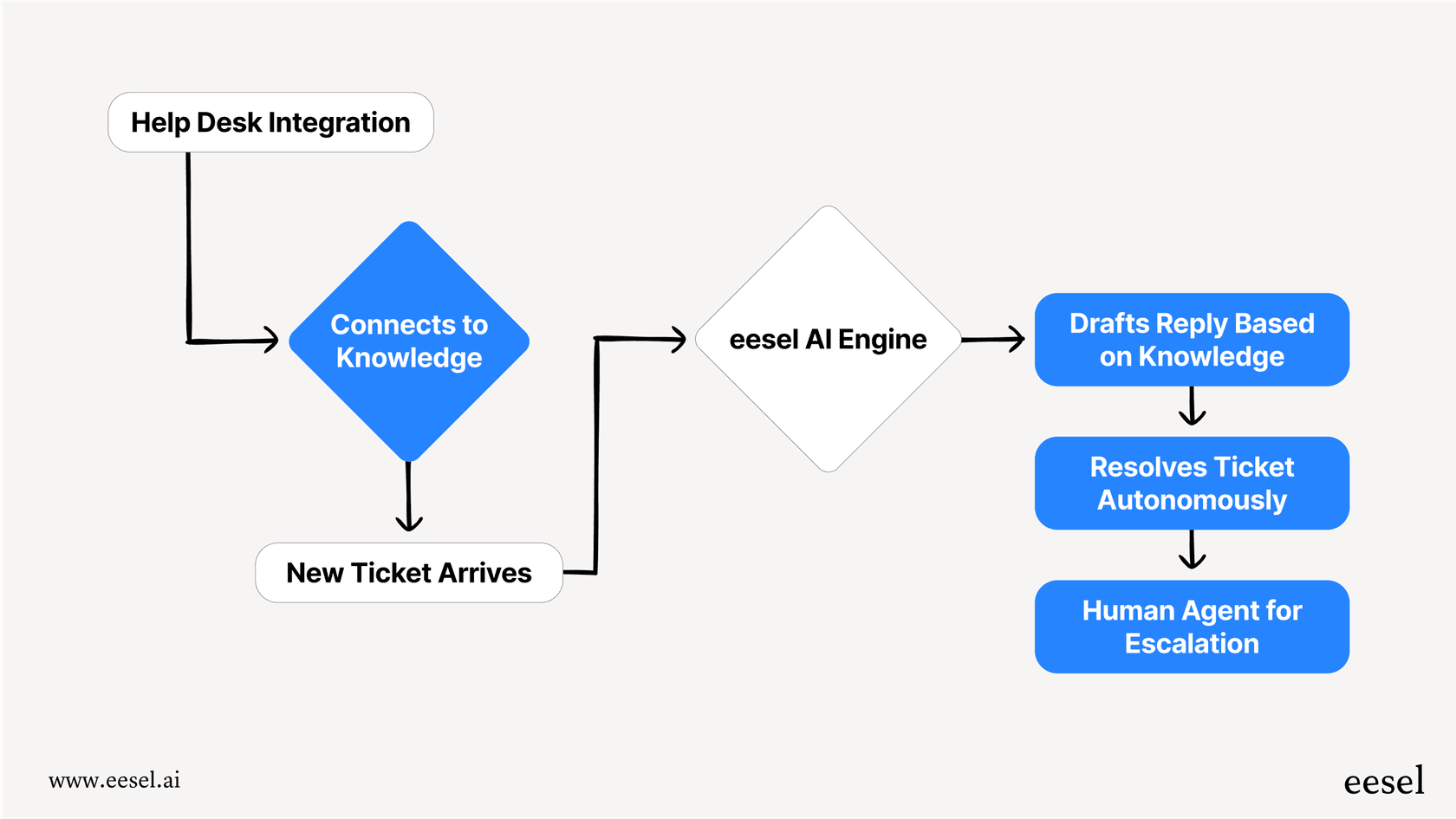
With Re:amaze, you configure workflows and chatbots through a visual builder. It's powerful but requires ongoing maintenance as your business changes. eesel AI, by contrast, functions more like a new hire: you connect it to your helpdesk, it learns from your past tickets and documentation, and it starts handling conversations with oversight.
Here's how the two approaches differ:
| Aspect | Re:amaze | eesel AI |
|---|---|---|
| Setup | Configure workflows and rules | Connect and learn from existing data |
| Control | Visual workflow builder | Plain-English instructions |
| Rollout | Immediate (once configured) | Progressive: start with drafts, level up to autonomy |
| Testing | Live testing with real customers | Simulate on past tickets before going live |
| AI limits | 20-100 resolutions per user/month | Pay per interaction, unlimited bots |
Re:amaze works well if you want granular control over every automation rule and don't mind the maintenance overhead. eesel AI fits better if you want an AI that adapts to your business without constant rule-tweaking.
We integrate directly with Re:amaze if you want to explore how an AI teammate could complement your existing setup. Our AI Agent can handle frontline support while your human team focuses on complex issues.
Getting started with Re:amaze automation
If you decide to move forward with Re:amaze, here are some practical tips for getting the most from its automation features:
Start simple. Build one or two basic workflows before tackling complex automation. A simple auto-tagging rule or routing workflow will teach you how the system works without risking customer experience.
Test thoroughly. Use Re:amaze's testing features to verify workflows before deploying them to live conversations. A misconfigured rule can create more work than it saves.
Monitor and iterate. Check your workflow performance regularly. Which ones are firing? Are they producing the right outcomes? Automation isn't a set-it-and-forget-it system.
Consider AI limits. If you plan to use the AI Agent heavily, calculate your expected resolution volume against your plan limits. Upgrading for more AI capacity may be necessary.
Evaluate alternatives. If you find Re:amaze's automation too rigid or maintenance-heavy, tools like eesel AI offer a different paradigm: AI that learns and adapts rather than following fixed rules.