

What "AI for Salesforce Service Cloud" actually means
I build AI agents at eesel, and I spent a good chunk of this year on our Salesforce integration, which meant living inside Service Cloud's Case object, its knowledge articles, and the Agentforce settings in more detail than I expected. There is a story behind why I was in there at all: earlier in the year a mid-market team running around 900 cases a month walked from a deal because we did not yet connect to Service Cloud natively. That is an expensive way to learn a lesson, and it is why the integration exists. So this is written from inside both routes, not a rewrite of a marketing page.
The confusion worth clearing up first: "AI for Salesforce Service Cloud" is really two different products, depending on who you want doing the work.
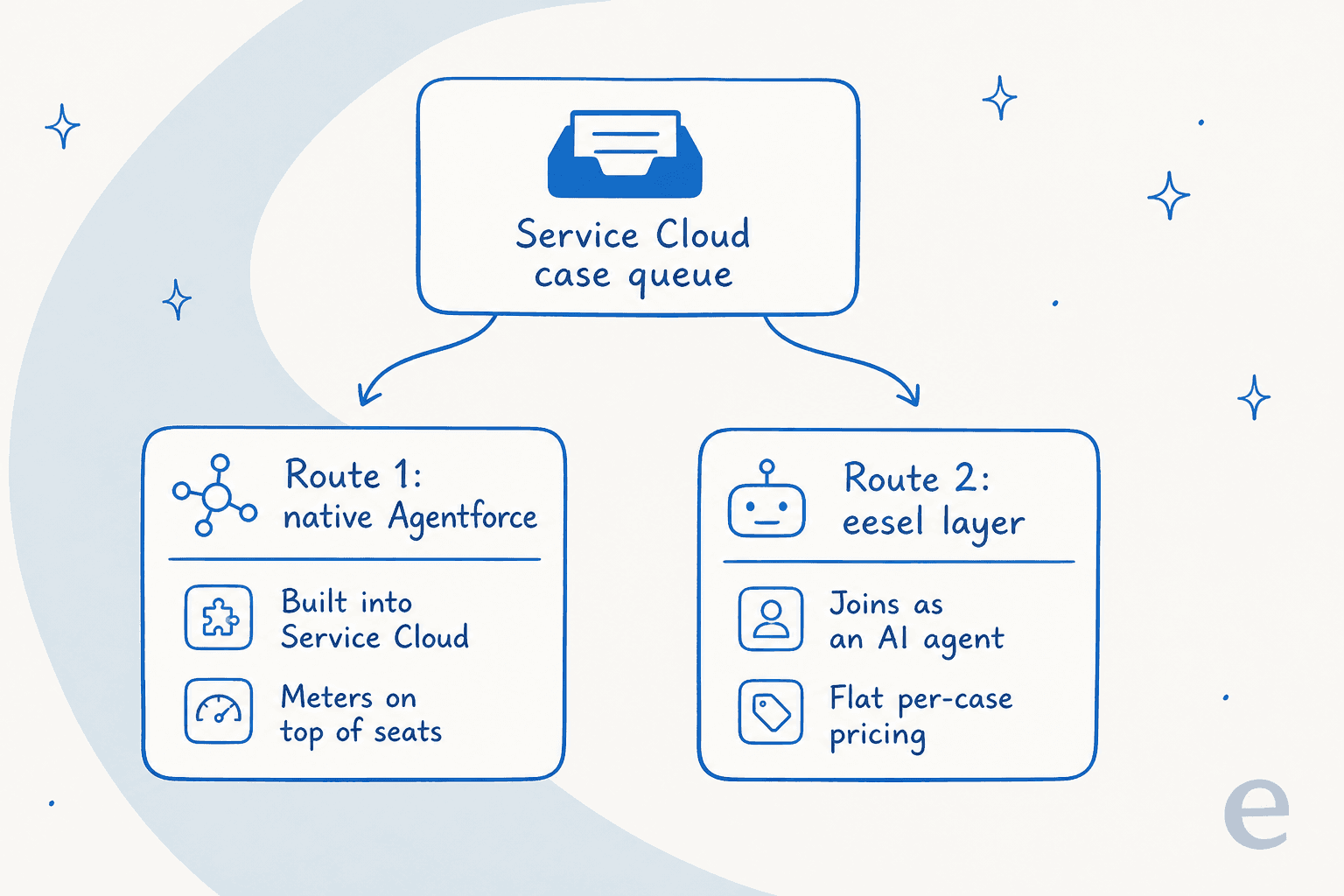
The native route is Salesforce building AI into the Service Cloud you already pay for. The third-party route is a separate AI agent that plugs into Service Cloud and does the case work for you. Both are legitimate. They differ on what they are good at, how they bill, and how quickly you can trust them. Let me walk each one.
Route 1: Salesforce's native Agentforce
Salesforce renamed a lot of this recently, so the names are worth getting straight before anything else. Salesforce Help now states that "Service Cloud is now Agentforce Service," and Service Cloud Voice became "Salesforce Voice." Underneath the rename, the pieces you care about for support are Agentforce and Einstein.
- Agentforce is the autonomous agent. It replies to cases across channels, grounds its answers in your knowledge and CRM data through the Atlas Reasoning Engine, and hands off to a human when it is unsure. It is the part that actually deflects cases. Salesforce also ships a pre-packaged Agentforce Help Agent that "deploys in minutes and only charges for resolutions."
- Einstein is the older layer of predictive and generative AI woven through Service Cloud: reply recommendations, case classification, and next-best-action. Our Einstein features guide goes deeper on where each one fits.
- Einstein Bots is the older, dialog-tree chatbot. It still exists, but on Enterprise it is an add-on at $75 per user per month, and it is a different animal from a generative agent.
If you want the fuller picture of how these layers stack, we wrote a whole piece on Salesforce AI in Service Cloud. The short version is that Agentforce is the headline, and it grounds itself in your Salesforce knowledge and data rather than making things up.
Feeding Agentforce is where it shines, because it is already sitting on your CRM. It grounds answers in your knowledge articles, case history, and live record data without a separate import step. That is the genuine upside of the native route: the AI is not guessing about the customer, because the customer's whole record is right there.
Where the native route gets expensive
The honest catch with Agentforce is the billing shape, and it is a two-parter. First, Agentforce for Service is not included on the mainstream editions. On the Service Cloud pricing page it reads "Available for purchase" on Enterprise and Unlimited, and it is only bundled on the top Agentforce 1 Service edition. So first you pay for the seat, and then you pay for the AI on top.
The editions look like this:
| Edition | Price / user / mo (billed annually) | Agentforce for Service |
|---|---|---|
| Starter Suite | $25 | Not available |
| Pro Suite | $100 | Not available |
| Enterprise | $175 | Available for purchase |
| Unlimited | $350 | Available for purchase |
| Agentforce 1 Service | $550 | Included, plus 2.5M Flex Credits / org / year |
Then the usage meter. The Agentforce pricing page prints two consumption models, and you cannot run both in the same org.
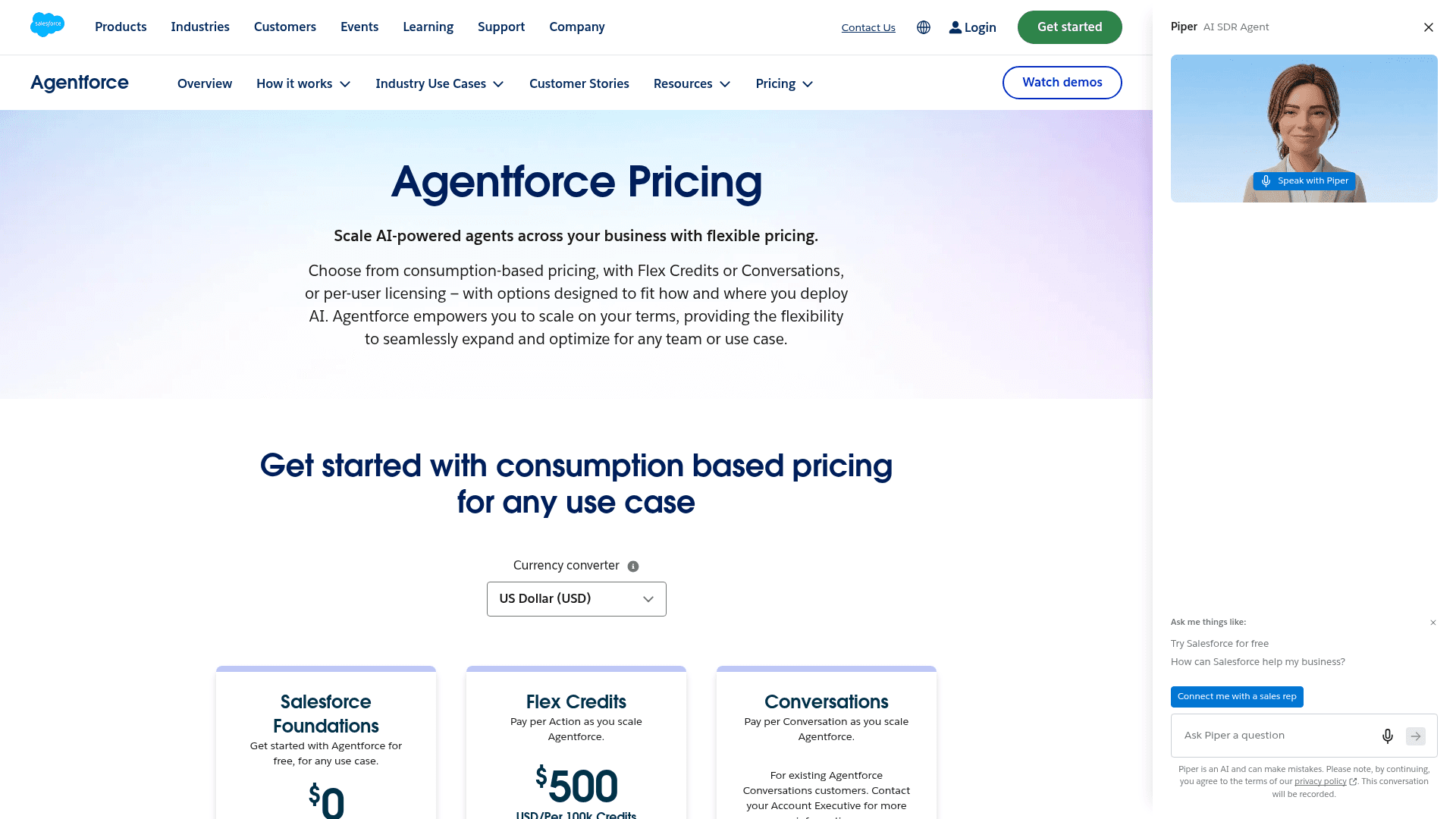
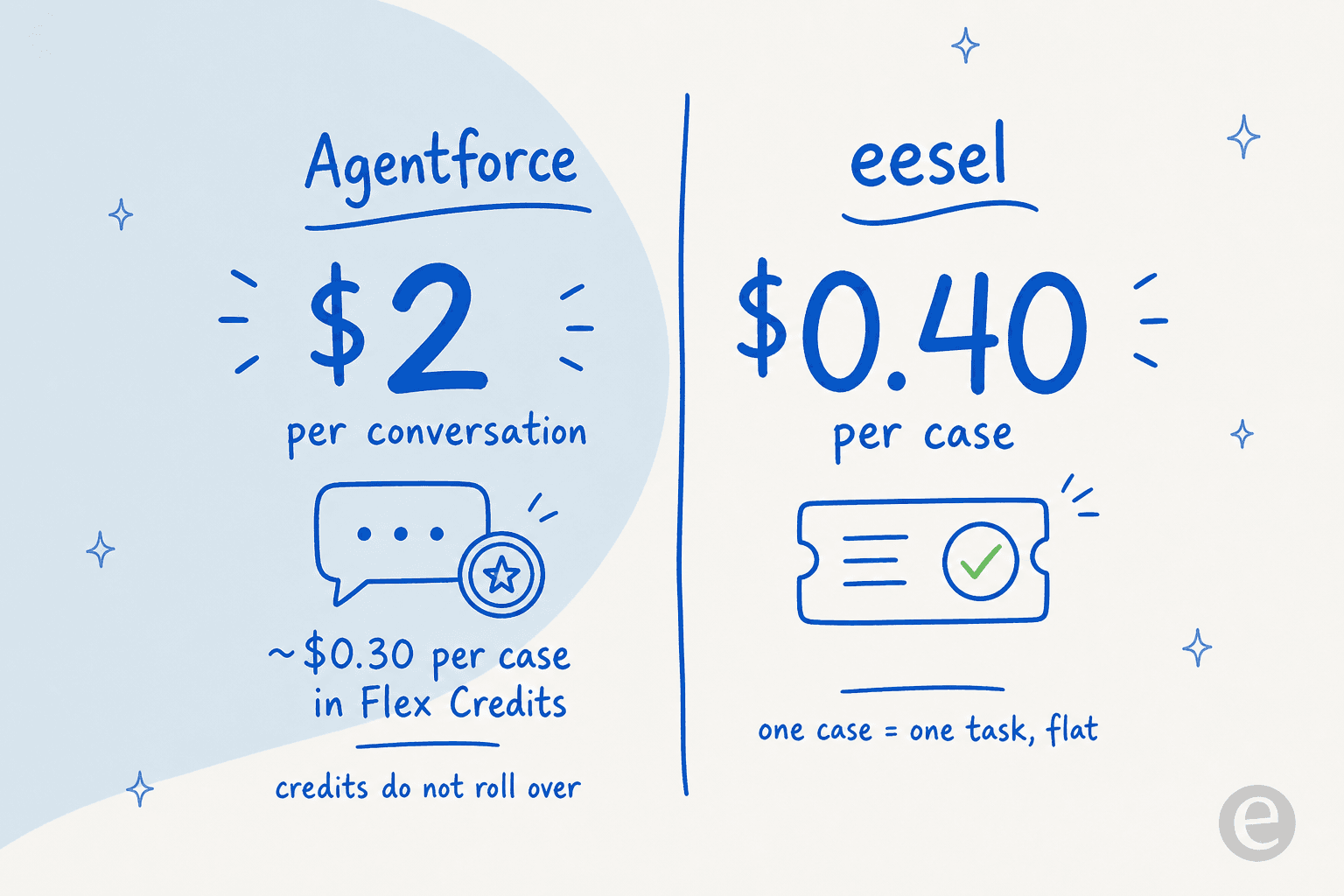
- Conversations: a flat $2 per conversation, pre-purchase only.
- Flex Credits: $500 per 100,000 credits, which is $0.005 per credit. Each agent action burns credits, so the real per-case cost depends on how many actions a case takes. In Salesforce's own worked example on that page, a case that fires three actions costs 60 credits, or about $0.30.
The detail that trips teams up: unused Flex Credits do not roll over. Salesforce's own FAQ says so directly. There is "no overage penalty," but overages bill at your contracted rate, which is not published, and switching from Conversations to Flex Credits later means swapping out all your existing SKUs. None of this is a knock on Salesforce, and the CRM-grounded quality is real. It is just a case where the sticker price of a seat and the true cost of running an agent at volume are two very different numbers, and the meter you pick early is hard to change.
If Agentforce ends up being more platform than you want to run, it is worth knowing there is a healthy market of Agentforce alternatives, and Salesforce does publish a free Agentforce tier (Salesforce Foundations at $0) if you just want to kick the tires.
Route 2: add a third-party AI agent
The other way to add AI for Salesforce Service Cloud is to bring in an agent built specifically to work a support queue, and connect it to Salesforce. This is the route I know best, because eesel is one of these agents.
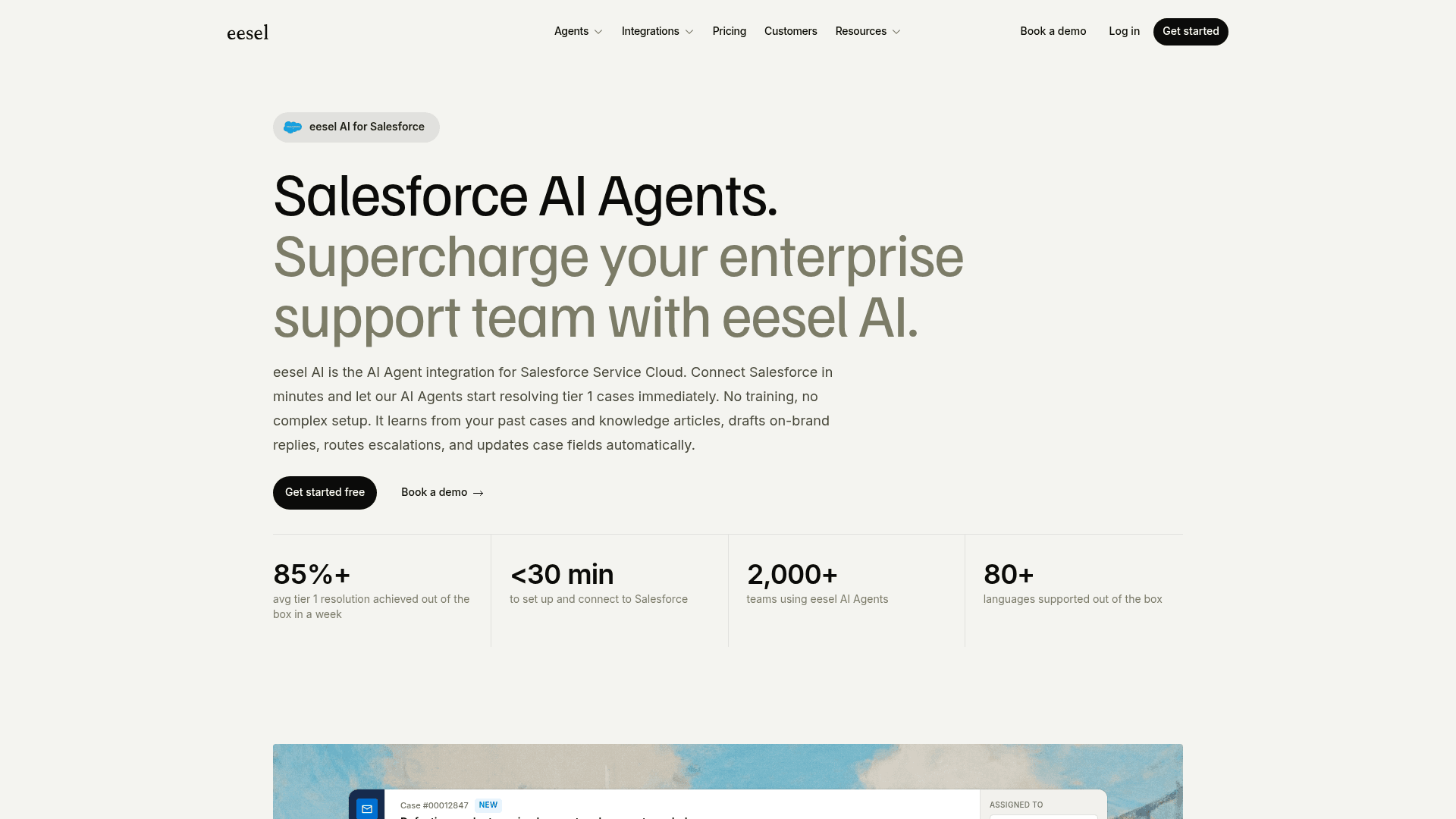
The mental model is different from a chat widget bolted onto your website. eesel joins as a real AI agent inside Service Cloud. It reads cases, drafts and sends replies, adds internal notes, routes cases to queues, and updates case fields like priority, status, and owner, the same actions a human rep takes. It reads contacts, accounts, cases, and opportunities for context, so a reply can reference the customer's actual account rather than a generic answer. There is no separate inbox.
What makes the third-party route quick to trust is where the knowledge comes from and how you test it before go-live.
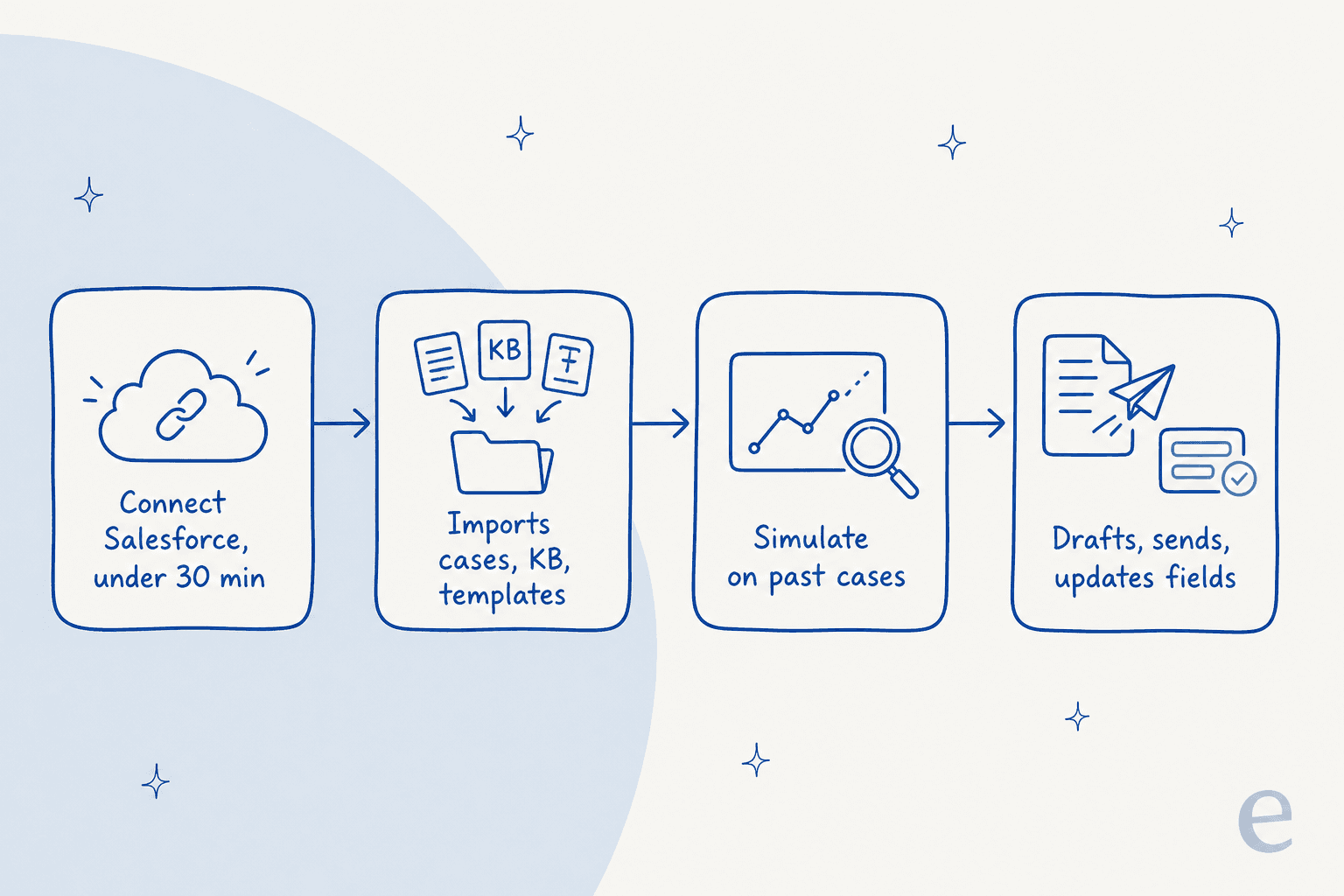
On connection, eesel automatically imports your Salesforce knowledge articles, past cases, and email templates, plus optional sources like Confluence, Notion, or Google Docs. No manual training, no data labeling. On its own Salesforce integration page, eesel publishes a setup time under 30 minutes and an 85%+ average tier-1 resolution out of the box in the first week, across 2,000+ teams.
You configure it by describing what you want, not by wiring a rules engine. Tell it which cases to handle, how to write, and when to escalate, in plain language.
Two more things worth naming, because they are the parts that make the queue-work route feel safe:
- It respects your existing Salesforce setup. eesel works alongside your assignment rules, escalation rules, entitlements, and existing Flow / Process Builder automations rather than replacing them. You can scope which cases it touches by record type, queue, channel, or condition.
- It simulates on your own history. Before it touches a live customer, eesel replays your past Salesforce cases and scores its answers against what your team actually sent, so you get a real read on accuracy instead of a demo-day guess. It does not promise you a resolution rate up front; it shows you how it would have handled cases you have already answered, which is the honest version of that number.
One real customer number for the proof: logistics SaaS CartonCloud runs its Salesforce AI Agents on 717 knowledge items.
"We've seen a reduction in the time spent on rudimentary queries, allowing our agents to spend more time focused on more complex queries."
Native or third-party: which route fits you
Neither route is universally right. Here is the honest split, dimension by dimension.
| Dimension | Native Agentforce | Third-party agent (eesel) |
|---|---|---|
| Where it runs | Inside Service Cloud | Inside Service Cloud, as an agent |
| Minimum plan | Enterprise ($175 / seat) + add-on | Any Service Cloud edition |
| Learns from past cases | Grounds on CRM + knowledge | Yes, automatic on connect |
| CRM context | Native, full record access | Reads contacts, accounts, cases, opportunities |
| Testing before go-live | Sandbox testing | Simulates over your real past cases |
| Billing unit | Per conversation, or credits per action | 1 credit per case handled |
| Headline price | $175+ / seat + $2 / conversation (or ~$0.30 / case in credits) | From $299/mo (500 credits), no seats |
If you are already on Service Cloud Enterprise or above, your reps live in Salesforce all day, and you want AI grounded natively in the CRM record, Agentforce is right there and good at the job. If your priority is resolving repetitive tier-1 cases at real volume, keeping one credit per case with no action-count to model, and testing on your own history first, the third-party route is usually the shorter path. If you are also weighing Service Cloud against other help desks, our Service Cloud vs Zendesk breakdown is a useful sanity check.
The two are not even mutually exclusive. Plenty of teams keep Einstein's assist features on for their reps and let a third-party agent handle the front line of the queue.
What it costs, in real numbers
Sticker prices hide the real bill, so here is a worked example at a small team scale.
Say you run a five-rep support team on Service Cloud Enterprise and you want an autonomous agent handling tier-1. Five seats of Enterprise is $875 per month before any AI, and Agentforce for Service is a paid add-on on top. If the agent handles 1,000 cases in a month on the Conversations model at $2 each, that is $2,000 in usage on top of the seats. On the Flex Credits model it is cheaper per case, roughly $0.30 in Salesforce's own three-action example, so about $300 for those 1,000 cases, as long as your cases really do stay near three actions and you do not let unused credits expire at the end of the term.
Compare the credit-plan route. eesel uses one fixed monthly price by credit batch, where 1 credit is one case no matter how many back-and-forth messages it takes, with no platform fee and no per-seat pricing. Handle those same 1,000 cases and that is the 1,000-credit plan at $499 per month, and it does not change when you add a sixth rep to Salesforce. Because a credit is one case rather than one action, there is no action-count to model. eesel also supports partial rollout: route 400 of your 1,000 cases to the AI and the 500-credit plan at $299 per month covers it, since cases the AI does not work on never use a credit.
Neither model is "cheaper" in the abstract. The native route scales with your seats and your credit or conversation burn; the credit plan scales with your case volume. Pick the one whose meter matches how your team actually grows, and if you want the wider field, our best AI tools for Salesforce roundup lays out the options.
Try eesel for Salesforce Service Cloud
If the route you want is an agent that connects to Salesforce and starts clearing tier-1 cases, that is exactly what eesel for Salesforce is built to do. It connects in under 30 minutes through a no-code flow, learns from your past cases and knowledge articles, and drafts replies with live CRM context so answers reference the customer's actual account, not a generic script.

The one differentiator I would point at: simulation over your real Salesforce history. Before the agent replies to anyone, you see how it would have handled the cases your team already answered, scored against what you actually sent. It is free to try with 100 free credits and no credit card, and it respects the assignment rules, escalation rules, and security setup you already have in Salesforce (with HIPAA available as an add-on, talk to us).