The two ways to add AI to Help Scout
Before the how-to, it helps to be honest about what "AI" even means here, because Help Scout (like most helpdesks) ships two very different things under that one word.
One is customer-facing: an agent that talks to your customers and closes tickets without a human. The other is agent-facing: tools that sit next to your team and help them write, summarize, and tidy replies faster. Adding AI to Help Scout means turning on one or both, and then deciding whether Help Scout's own version is enough or whether you want something that learns from your ticket history.
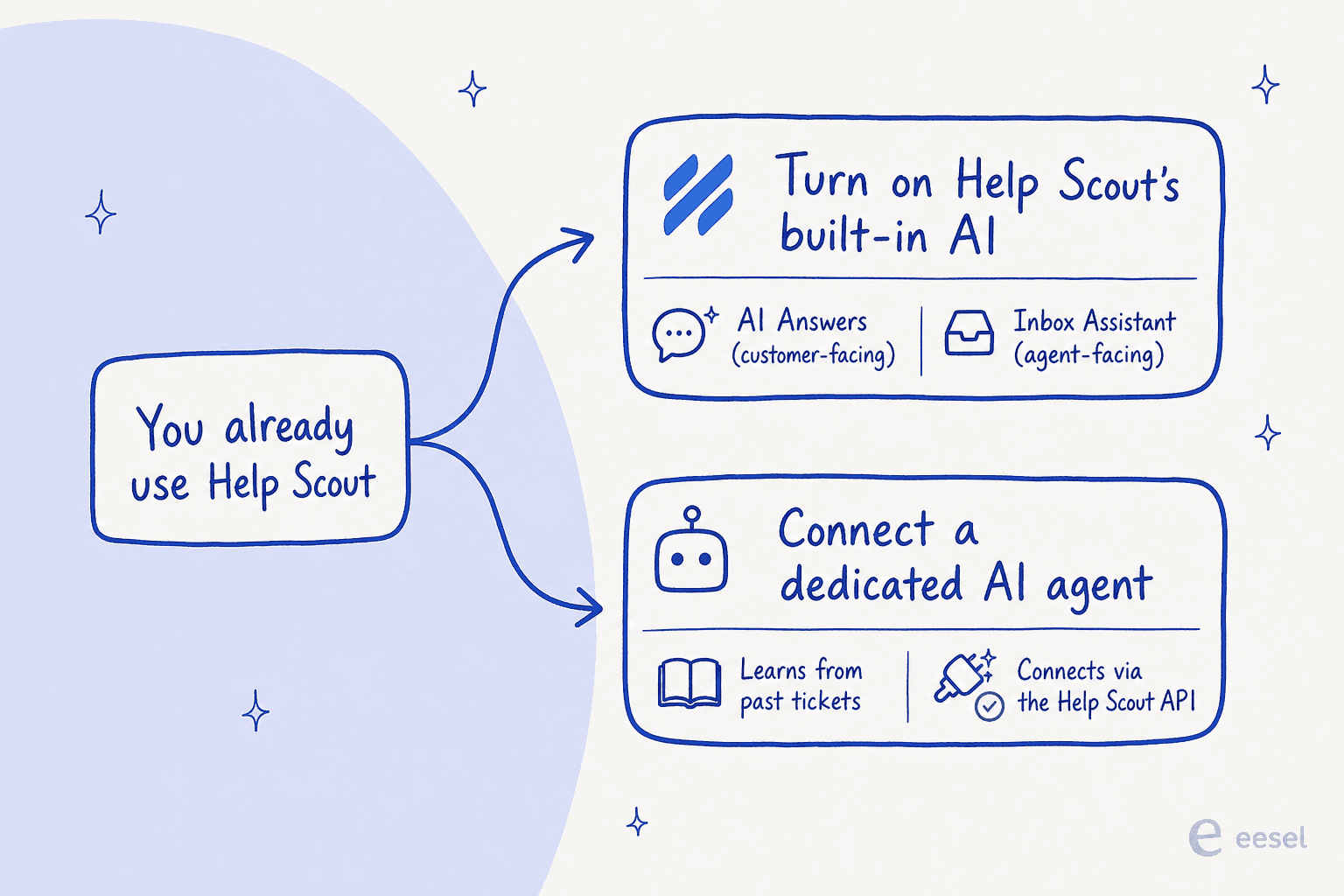
Here's a thing I keep running into that tells you this pairing is real. A prospect I spoke with recently had gone shopping for support tooling by asking an AI assistant and a friend over dinner what to use. Both came back with the same answer: Help Scout for the inbox, eesel for the AI on top. They'd never used either yet, and the recommendation was already "use them together." That's the shape of this decision for a lot of small teams: keep the Help Scout inbox you like, and choose where the AI comes from.
Let me walk through both options.
Option 1: turn on Help Scout's built-in AI
If you're already paying for Help Scout, this is the lowest-friction move, because the AI is part of the platform you've got. Help Scout brands the whole thing "Help Scout AI" and splits it into the two surfaces I mentioned. Here's what they actually do.
AI Answers: the customer-facing agent
AI Answers is the autonomous part. It sits in your Beacon widget and answers customer questions instantly, pulling from your knowledge base, web sources, and custom instructions. Help Scout says companies average a 73.19% resolution rate with it, and a resolution is only counted when the customer doesn't escalate, search the knowledge base, or say they need more help after the reply.
A few things I like about how Help Scout built it: it's clearly labeled as AI to the customer, every AI conversation is auditable inside Help Scout regardless of outcome, and there are no dead ends, so a stuck customer is a couple of clicks from a human. It handles over 50 languages too. The one real limit worth knowing: AI Answers draws on your help content and the web, not your solved tickets, so it's only as good as the knowledge base you've written.
Inbox Assistant: AI for your agents
This is the agent-facing half, and honestly it's the part most small teams get value from first. Inbox Assistant is an umbrella for three tools:
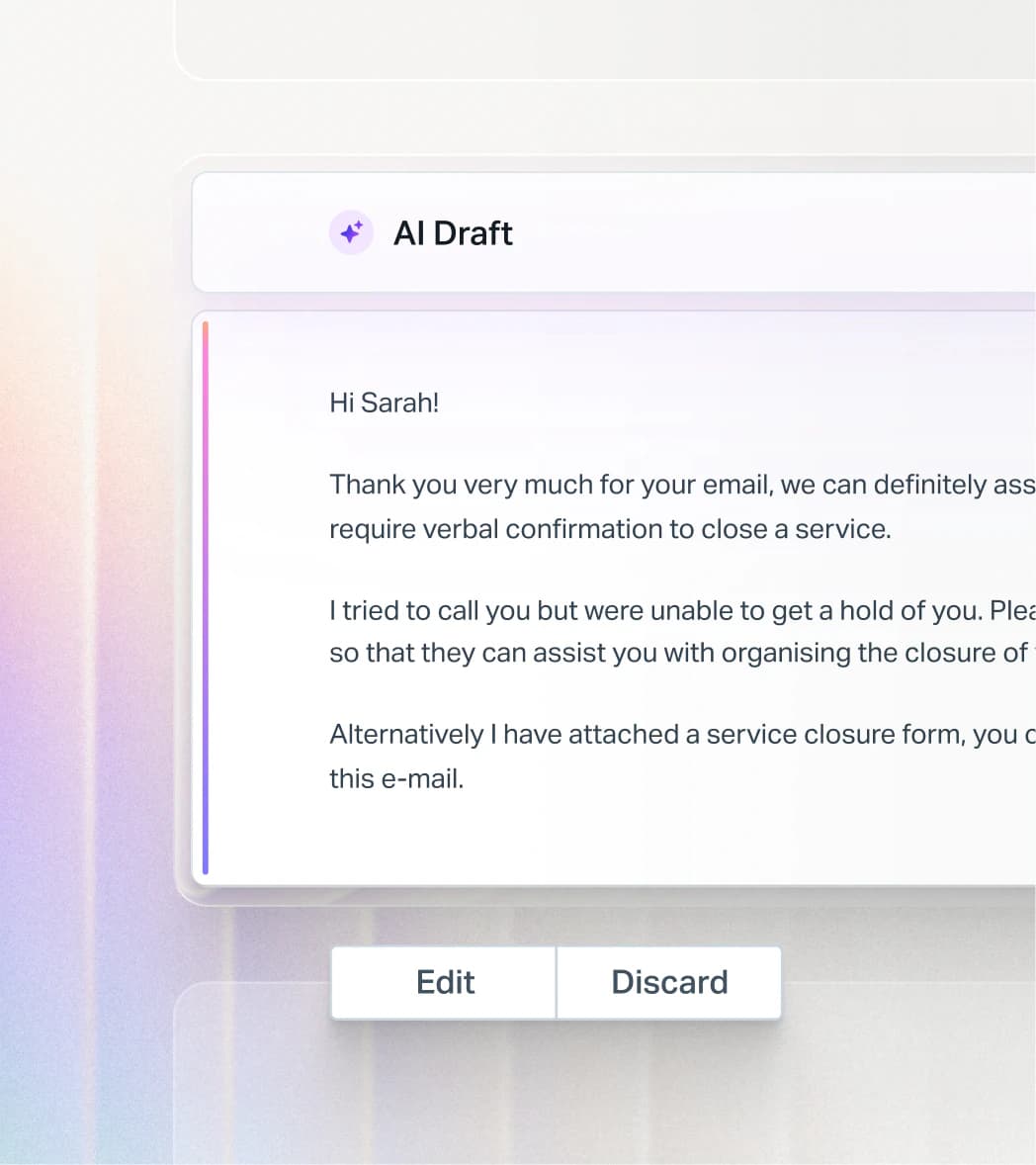
- AI Drafts writes a head-start reply from your sources, and can even draft automatically.
- AI Summarize condenses a long back-and-forth into bullet points so a teammate picking up a thread is caught up in seconds.
- AI Assist adjusts tone, fixes grammar, shortens a rambling reply, or translates text inline.
What Help Scout's AI costs
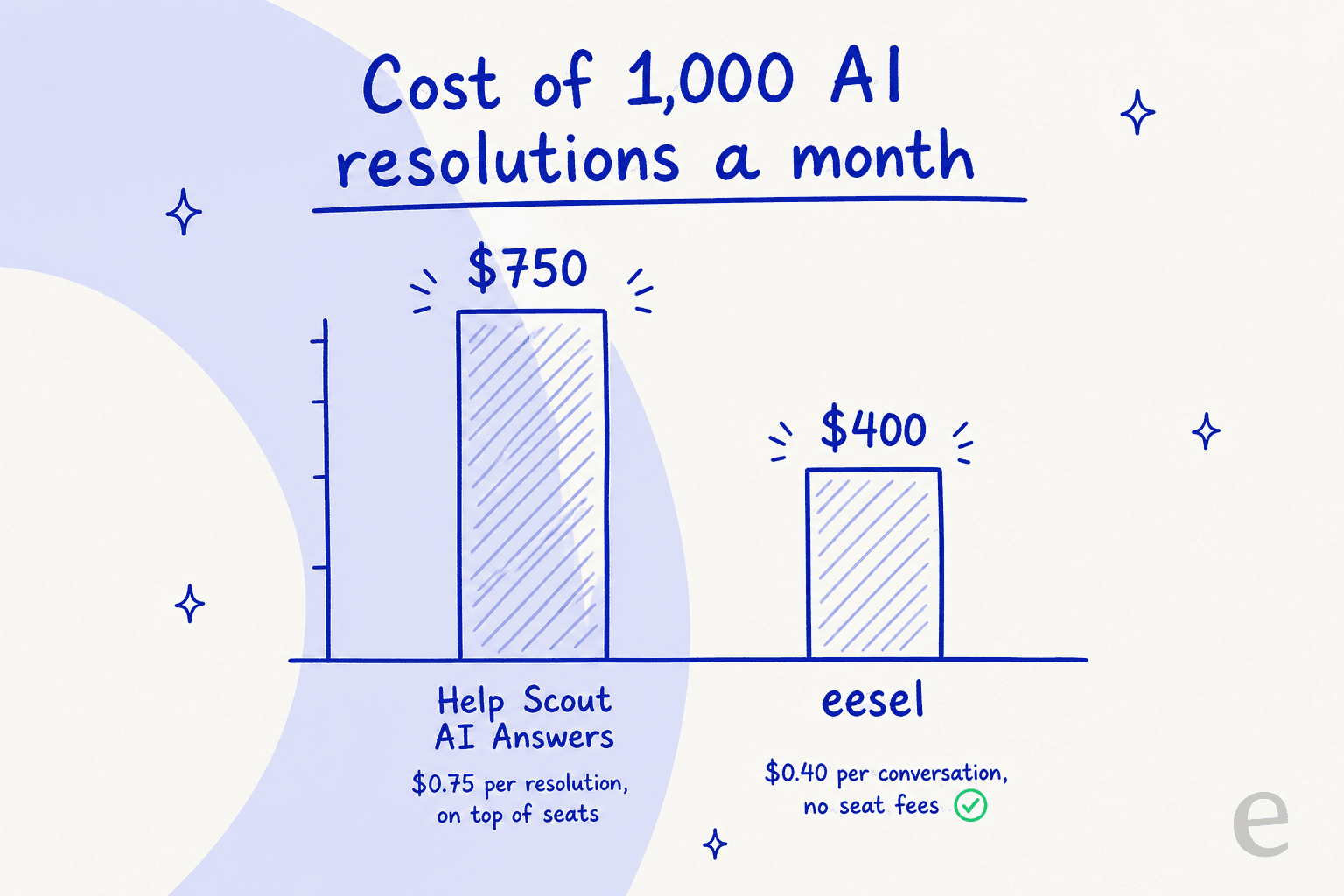
This is where you need to read the fine print. The agent-facing tools are included on your plan: AI Assist is unlimited from Standard up, and AI Drafts plus AI Summarize are unlimited on Plus and Pro. The customer-facing agent is separate and usage-priced: AI Answers is $0.75 per resolution, billed monthly on top of your per-seat plan, with a 3-month free trial of unlimited resolutions for new accounts and a spending cap you can set so it switches off if you hit your limit.
| What you're adding | What it costs | Notes |
|---|---|---|
| AI Assist (tone, grammar, translate) | Included | Unlimited from Standard up |
| AI Drafts and AI Summarize | Included on Plus and Pro | Not on Standard |
| AI Answers (customer-facing agent) | $0.75 per resolution | On top of seats; cap available; 3-month free trial |
| Your Help Scout seats | $25 to $75 per user/mo | See our full Help Scout pricing breakdown |
That per-resolution charge is the number to model carefully. At 1,000 resolved conversations a month it's an extra $750 stacked on top of what you already pay per seat, and it scales straight up with volume.
How to turn it on
The setup is genuinely quick:
- Add your knowledge. Make sure your Docs site is populated, then point AI Answers at it plus any web sources or custom instructions.
- Test it in private. Run AI Answers through real support scenarios before it goes live to anyone.
- Turn on the agents you want. Enable AI Answers in your Beacon, and switch on the Inbox Assistant tools for your team.
- Watch the resolution and escalation reports, then tune your knowledge base where the AI is getting things wrong.
Option 2: connect a dedicated AI agent like eesel
The second path keeps the Help Scout inbox exactly as it is and adds the AI from a specialized tool instead. The reason teams do this comes down to one gap in most native helpdesk AI: it learns from your help center, not from your solved tickets. Your best answers, the phrasing your team has refined over years, the edge cases that never made it into a Docs article: that all lives in conversation history, and a knowledge-base-only agent can't see it.
eesel is built around closing that gap, and it has a native Help Scout integration rather than a bolted-on widget. It joins as a real AI agent inside your Help Scout, reads conversations, drafts and sends replies from your mailbox, adds notes, updates tags, and routes to teammates the way a human agent would.
How it works inside Help Scout
Once connected, eesel automatically imports your Help Scout Docs articles, your past Help Scout conversations, and your saved replies, so there's no manual training step. Then the part I'd push hardest on: you can run it against your real historical tickets in simulation mode to see exactly what it would have answered, where it's weak, and what your resolution rate looks like, all before a single customer sees it.
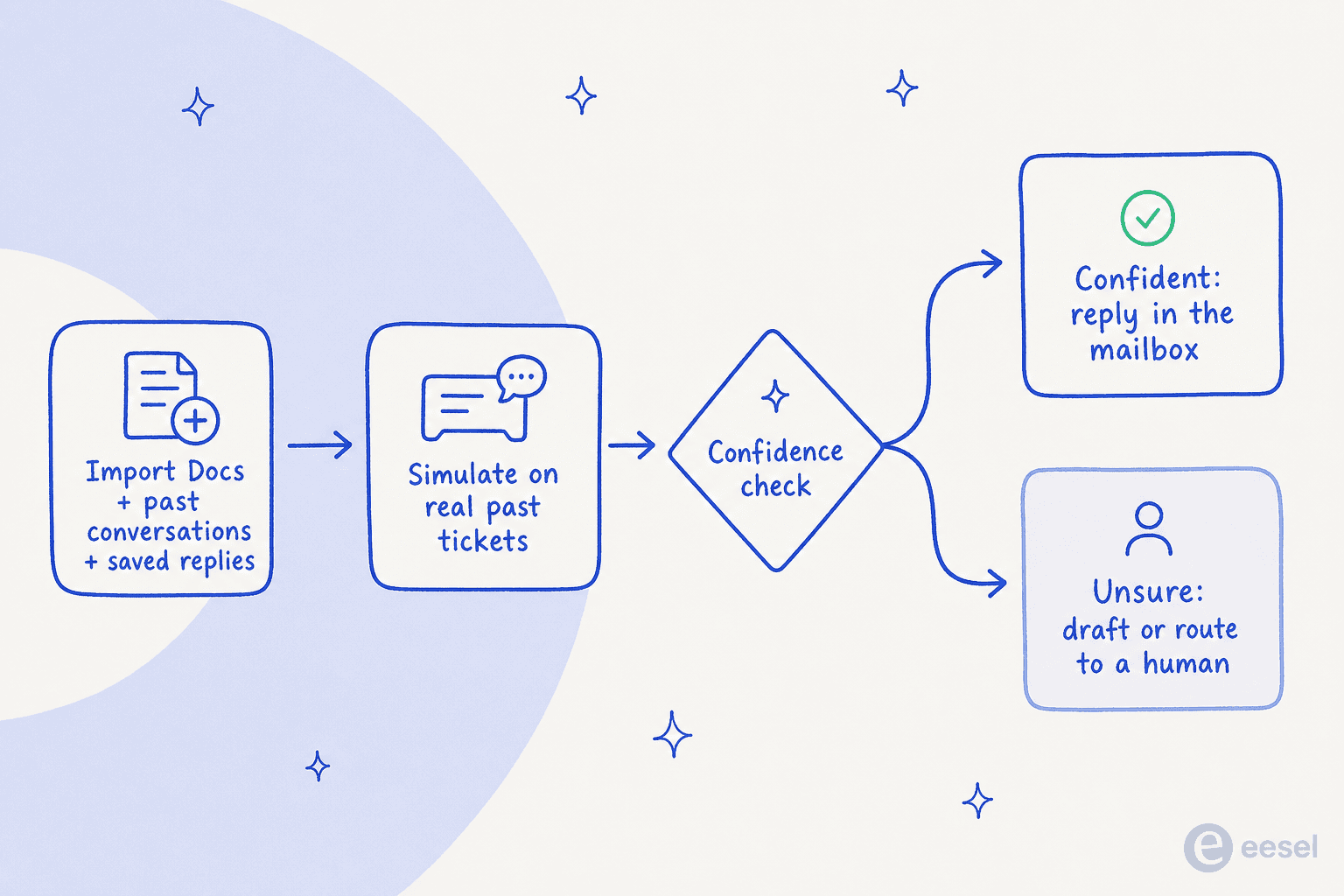
The other piece is control. eesel uses confidence-based routing, so it only auto-replies when it's sure, and otherwise leaves the conversation as a draft or hands it back to your team. You can scope it to specific mailboxes, folders, or tags, run it in draft-only mode at first, and grant more autonomy as you trust it. The integration page claims 85%+ tier-1 resolution out of the box within a week, and it supports 80+ languages with auto-detection.
Setting it up
It's a three-step, no-code connection:
- Authorize through the Help Scout API from the eesel dashboard. Two clicks and you're connected, no developer needed.
- Let it import. eesel pulls in your Docs, past conversations, and saved replies automatically, and you can add Confluence, Notion, or Google Docs as extra sources.
- Simulate, then launch. Run it on past Help Scout conversations to find and fill gaps, then go live in draft mode or on autopilot.
Teams already run this in production. EntryLevel runs multiple eesel agents triaging and responding to Help Scout tickets, and CartonCloud powers Help Scout support from 717 knowledge items.
Native AI vs a dedicated agent: which should you pick?
Both are legitimate. Here's how I'd actually decide.
| Help Scout AI | Dedicated agent (eesel) | |
|---|---|---|
| Best for | Faster replies for existing agents | Autonomously resolving tier-1 tickets |
| Learns from | Knowledge base and web | Past tickets, Docs, and saved replies |
| Setup | Already in your account | 2-click API connect, under 30 min |
| Test before live | Private scenarios | Simulation on real past tickets |
| Customer-facing price | $0.75 per resolution | $0.40 per conversation |
| Per-seat fees | Yes (plan seats) | None |
Pick Help Scout's native AI if your priority is helping your current team write faster, you're at low ticket volume, and you don't want to add another tool. The Inbox Assistant tools are included and good, and there's nothing to integrate.
Pick a dedicated agent if you want AI to actually resolve tickets on its own, you want it learning from your ticket history, or you're at the volume where $0.75 per resolution starts to sting. This is also the better answer if you're weighing a Help Scout alternative anyway, or comparing it against Front or Hiver: you can keep your inbox and still upgrade the AI.
Two things to get right before you flip it on
Whichever route you take, two mistakes show up again and again, and both are avoidable.
Don't let the AI answer what it doesn't actually know. The most common failure I hear about is an over-confident bot. One B2B technical support team I worked with had their agent cheerfully confirm it supported a product model that wasn't in their database, simply because a Docs article said "we support all models." Their summary of the early days was blunt: "trial and error in the beginning." The fix is confidence-based routing and a hard simulation pass on real tickets before launch, so you see those failures in a test and not in a customer's inbox.
This is also why one CX lead running 7,000 tickets a month told us, plainly:
"The AI will never be able to answer 100% of the questions, but if it tries and just answers 'sorry I don't know this,' I cannot go and check all my 7,000 tickets... I need an AI who is only handling the tickets that it's confident to handle and all the other ones, leave them alone."
a CX lead running 7K tickets a month
Model the cost at your real volume, not today's. Usage pricing is fine until it isn't. Help Scout's own community felt this when the company switched pricing models in 2025, with one long-time user writing that they'd lost all trust over the flip-flopping. Whatever you choose, run the math at the volume you expect in a year, including any per-seat fees, before you commit.
Try eesel on your Help Scout inbox
Want an AI agent for Help Scout that actually learns from the tickets you've already solved? eesel connects to Help Scout through the API in a couple of clicks, imports your Docs and past conversations on day one, and lets you simulate it on real history before it replies to anyone. It's $0.40 per conversation with no per-seat fees, and it's free to try, so you can see your real resolution rate before you pay anything.

Frequently Asked Questions
How do I add AI to Help Scout for free?
How much does it cost to add AI to Help Scout?
What is the difference between AI Answers and Inbox Assistant in Help Scout?
Can Help Scout AI learn from my past tickets?
How do I connect a third-party AI agent to Help Scout?


Article by
Rama Adi Nugraha
Rama is a software engineer at eesel AI with two years of experience writing about B2B SaaS, AI tools, and customer support technology. Based in Bali, Indonesia, he brings a developer's perspective to product comparisons — cutting through marketing copy to what the integrations and APIs actually do.