Live Chat Alternative alternatives: 8 Wix replacements for 2026

Rama Adi

Katelin Teen
Last edited October 20, 2026

Why look for a Live Chat Alternative replacement?
The app on the Wix App Market adds a call button that rings your phone and a send-us-a-message form. It has 4.2 stars from 1,027 reviews, but when I read the reviews for my full Live Chat Alternative review, 81% were written between 2016 and 2018. As of 21 October 2026 both vendor websites, livechatalternative.com and freecallinc.com, return no address when I look them up.
That is the practical reason people are searching. A contact button that depends on a vendor you can't reach is a risk, and the app was never live chat to begin with. Its plans were $0 (3 minutes per call), $4.99 (60 minutes), $9.99 (120 minutes) and $14.99 (250 minutes), monthly only.
So the replacement question is really three questions:
- Do you want visitors to call you? A button that rings or dials your phone.
- Do you want to chat with visitors yourself? A widget and an inbox.
- Do you want visitors answered when you can't reply? An AI that reads your pages.
How I picked these eight
Each one installs on a Wix site, has public pricing, and has a vendor that is actively selling it. I took prices only from the vendor's pricing page or the Wix listing, and where a vendor shows a yearly and a monthly price I say which one I'm quoting. I left out tools that only do one narrow job on a different platform, and tools I couldn't price from a primary source.
One surprise while checking: Wix Chat, the old free chat, is being replaced. Wix says Smart Chat is designed to replace it, and the earlier Wix AI Site Chat became Smart Chat too. So when a guide tells you to "use Wix Chat", it is out of date.
How do the eight compare?
| Tool | Best for | Calls | Live chat | AI answers | Free plan | Paid from | Gets onto Wix via | Wix listing rating |
|---|---|---|---|---|---|---|---|---|
| Wix Smart Chat | Native, no extra account | No | Yes, free | Yes, trial of 50 conversations | Manual chat free | Paid AI quota plans, priced in your dashboard | Wix App Market | 2.8 from 158 reviews |
| Chatway | Chat plus AI plus a phone button | Phone chat button | Yes | $0.50 per resolved conversation | 50 conversations a month, 1 seat | $31 a month billed yearly | Wix App Market | 5.0 from 373 reviews |
| Tidio | Chat plus automation flows | No | Yes | Lyro, from $32.50 a month | 50 billable conversations a month | $24.17 a month billed annually | Tidio's Wix integration | G2 4.6 (vendor figure) |
| tawk.to | Free chat, no seat fees | No | Yes, free | AI Assist from $29 a month | Free, with a small branding label | $29 a month to remove branding | Embed HTML element | None on Wix |
| LiveChat | Teams that live in an inbox | No | Yes | AI Agent, 10 resolutions on Essential | 14-day trial, no card | $19 per user a month billed annually | Wix App Market | 3.9 from 74 reviews |
| Smartarget Call | Closest swap for a call button | One-tap call button | No | No | Homepage only, with a Powered by label | $6.25 a month | Wix App Market | 4.9 from 145 reviews |
| Chaty | WhatsApp and Messenger buttons | Call button included | Via Chatway link | No | Up to 500 visitors a month | $12.50 a month (Wix default view) | Wix App Market | 5.0 from 1,594 reviews |
| eesel | An AI teammate that answers and hands off | Phone channel set up with eesel | Hands over to a person | Yes, from your pages | 100 credits to try | $299 a month for 500 credits | Script in Wix Custom Code | Not on Wix App Market |
The ratings are the star averages on each vendor's own Wix listing, so they measure the Wix app, not the company. A 5.0 for Chaty tells you its install flow is smooth; a 2.8 for Wix Smart Chat tells you the AI chat has frustrated a lot of people, with 69 of its 158 ratings at one star.
1. Wix Smart Chat
Best for: a site that should keep everything inside Wix, with no second login.
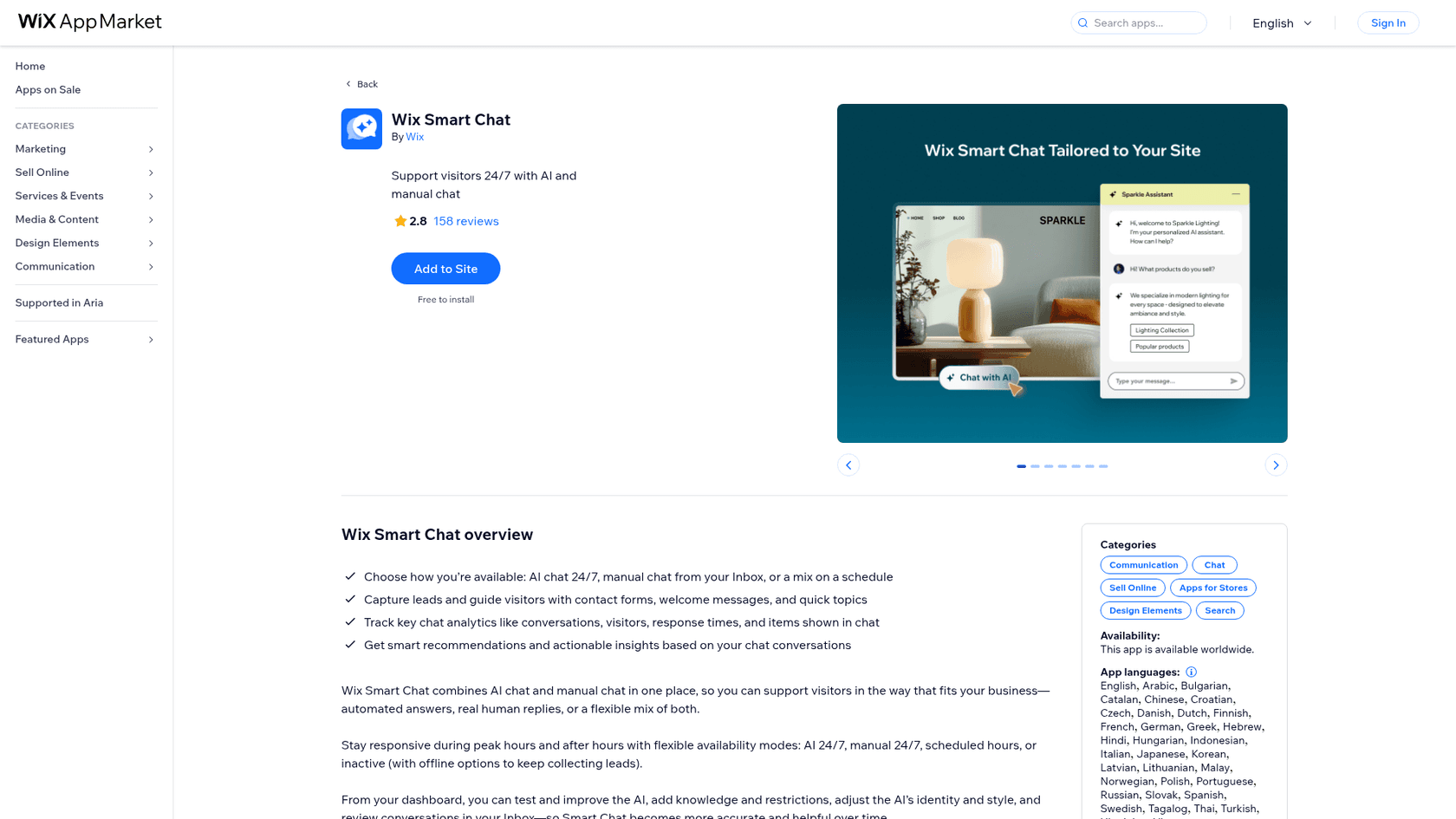
Wix Smart Chat is Wix's own chat. It combines AI answers drawn from your site content and manual chat you reply to from your Wix Inbox, and you can run either one alone or schedule them by hour. It is the app Wix now points to in place of Wix Chat.
Pros
- Free to install, and manual chat is free if you never switch the AI on.
- Chat, leads and history live in the Wix Inbox you already open.
- You can set per-hour modes: AI only, manual only, or both.
Cons
- The AI side runs on a quota. Installs after March 19, 2025 get a trial of 50 conversations, and when it runs out the chat goes offline until you upgrade.
- The Wix listing shows
2.8from 158 reviews, with 69 one-star ratings, so read recent reviews before you rely on it. - No call button. It replaces the chat half of Live Chat Alternative, not the call half.
Pricing: free to install; manual chat free; AI conversations are a trial of 50 in total, then paid quota plans that you choose from the Quota tab in your dashboard.
Verdict: start here if you only want to reply to people yourself and spend nothing. Be honest about whether you will reply at night, because the AI quota is the part that runs out.
2. Chatway
Best for: a small team that wants live chat, an AI chatbot and a phone or WhatsApp button in one widget.
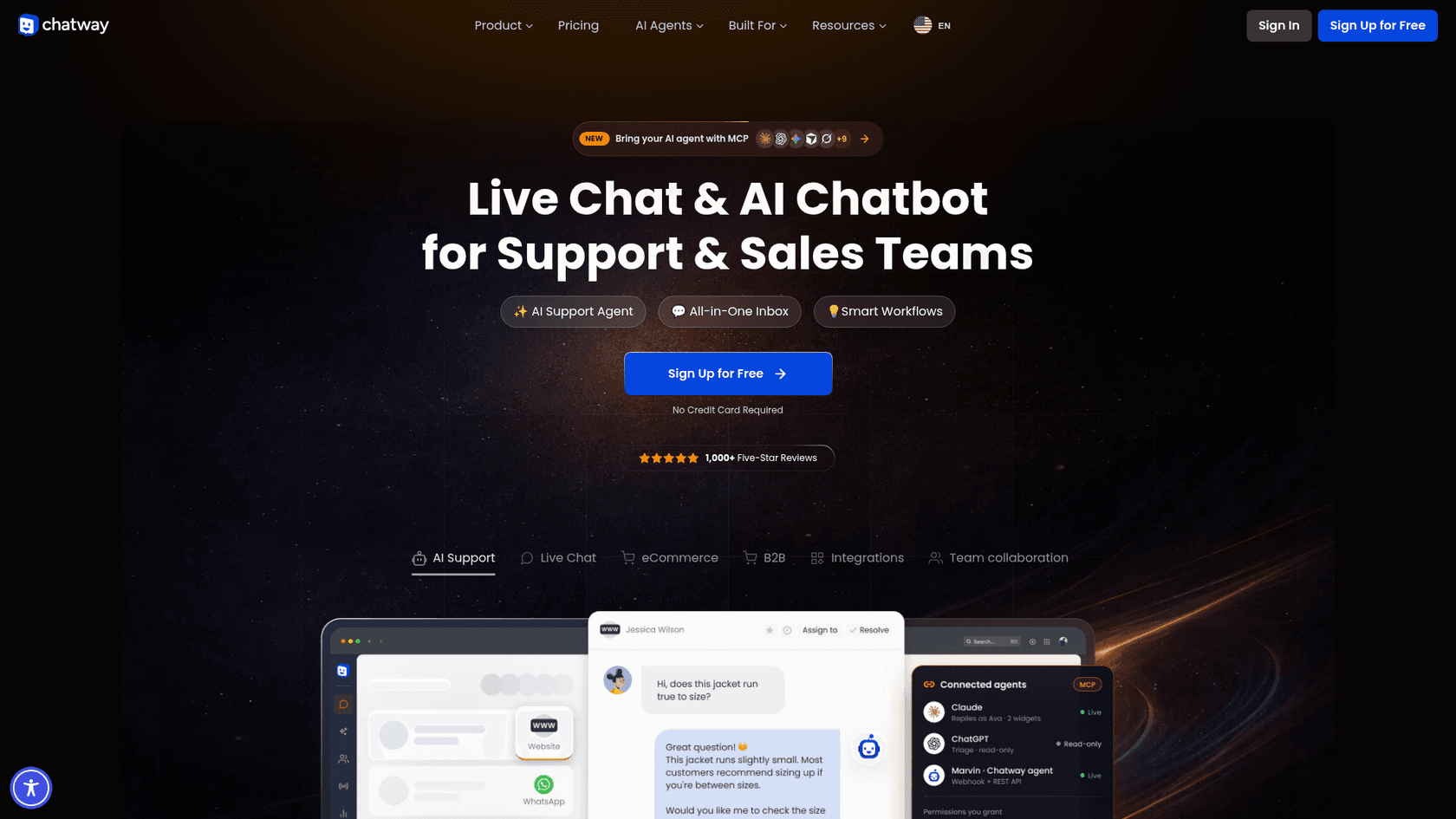
Chatway is made by Poptin and sells live chat, an AI support agent, a shared inbox and buttons for WhatsApp, Messenger, Instagram and a phone number. It also exposes an MCP and API so an AI agent can read conversations.
Pros
- The free plan includes 50 conversations a month, mobile apps for iOS and Android, canned replies and social chat buttons.
- Its Wix listing is
5.0from 373 reviews, and installs from the Wix App Market. - AI is billed only when it resolves a question, at
$0.50per resolved conversation, with 10 AI conversations free on any plan.
Cons
- The Wix listing says a Premium site is required.
- The jump from free to paid is steep: Business is
$31a month billed yearly ($39billed monthly), and it includes two seats and 200 conversations. - The phone option is a chat button for your number, so test how it behaves on desktop before you rely on it.
Pricing: Free $0 (50 conversations, 1 seat); Business $31 a month billed yearly (200 conversations, 2 seats); Plus $159 a month billed yearly (1,000 conversations, 10 seats). Extra seats $19 a month each.
Verdict: the best all-rounder for a one-to-three person Wix business that wants chat now and AI later. Check the monthly conversation cap against your real traffic before you pay.
3. Tidio
Best for: online stores and service sites that want chat plus automated flows like discount offers and lead capture.
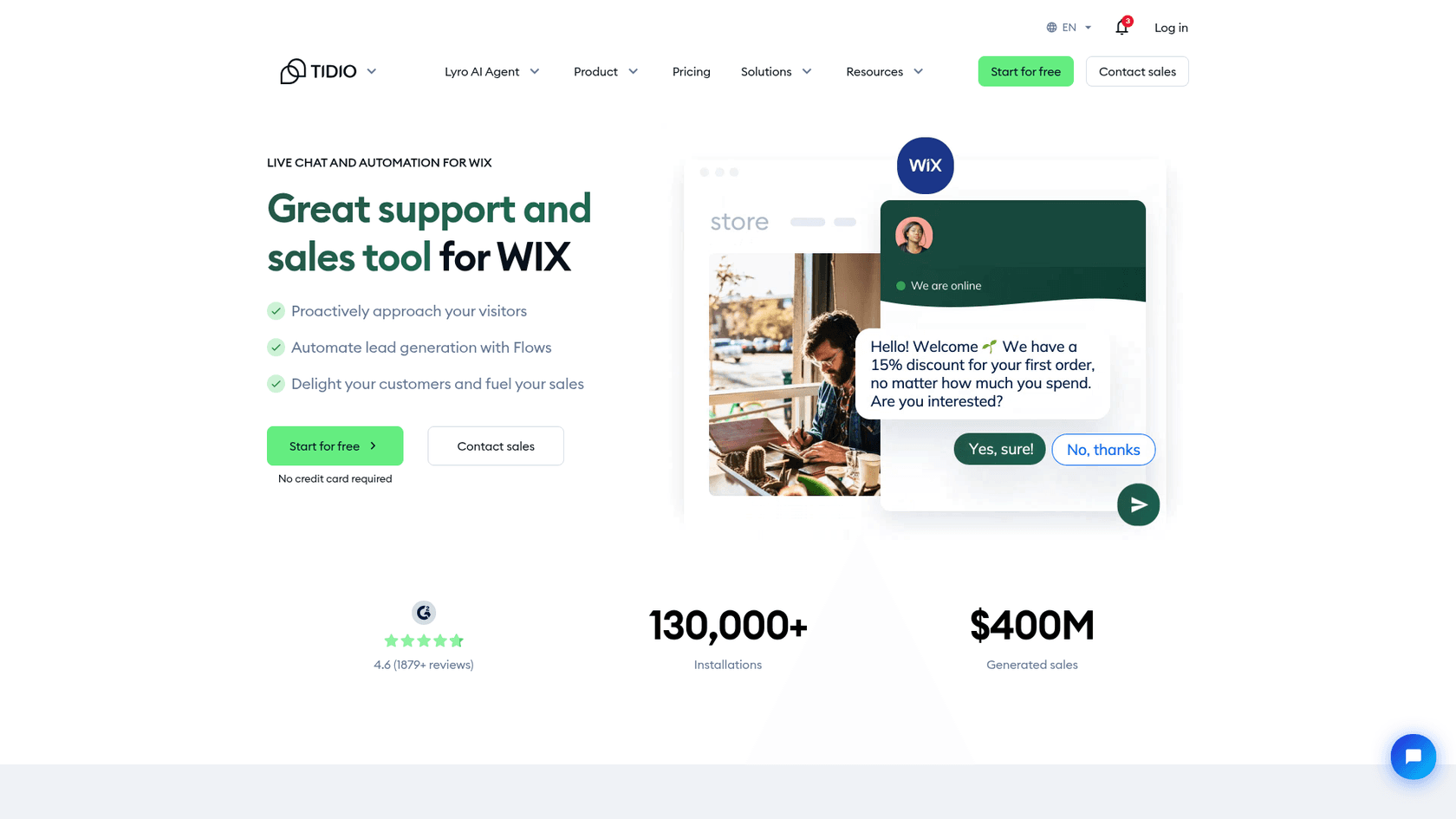
Tidio is a live chat and automation platform with an AI agent called Lyro. It has a dedicated Wix integration page that shows a store chat offering a first-order discount, and it quotes 130,000+ installations. My Tidio review goes deeper on the product.
Pros
- The free plan includes 50 billable conversations a month and 100 Flows visitors reached.
- Starter runs
$24.17a month billed annually for 100 billable conversations, with live chat and ticketing. - Lyro, the AI agent, can answer from your content and hand off to a person.
Cons
- Lyro is priced separately: it starts at
$32.50a month for 50 AI conversations, on top of the chat plan. - The free plan's 50 Lyro conversations are one-off, not monthly.
- Billing is by conversation volume, so a busy week can move you up a tier. See my Tidio pricing breakdown.
Pricing: Free $0; Starter $24.17 a month billed annually; Growth from $49.17 a month billed annually; Plus from $300 a month plus usage; Lyro AI Agent from $32.50 a month.
Verdict: pick Tidio if you sell on Wix and want proactive messages and discount flows, not only a reply box. Budget for chat and Lyro together, since the AI is a second line item.
4. tawk.to
Best for: a free live chat with no per-seat fee, for someone who will answer chats themselves.
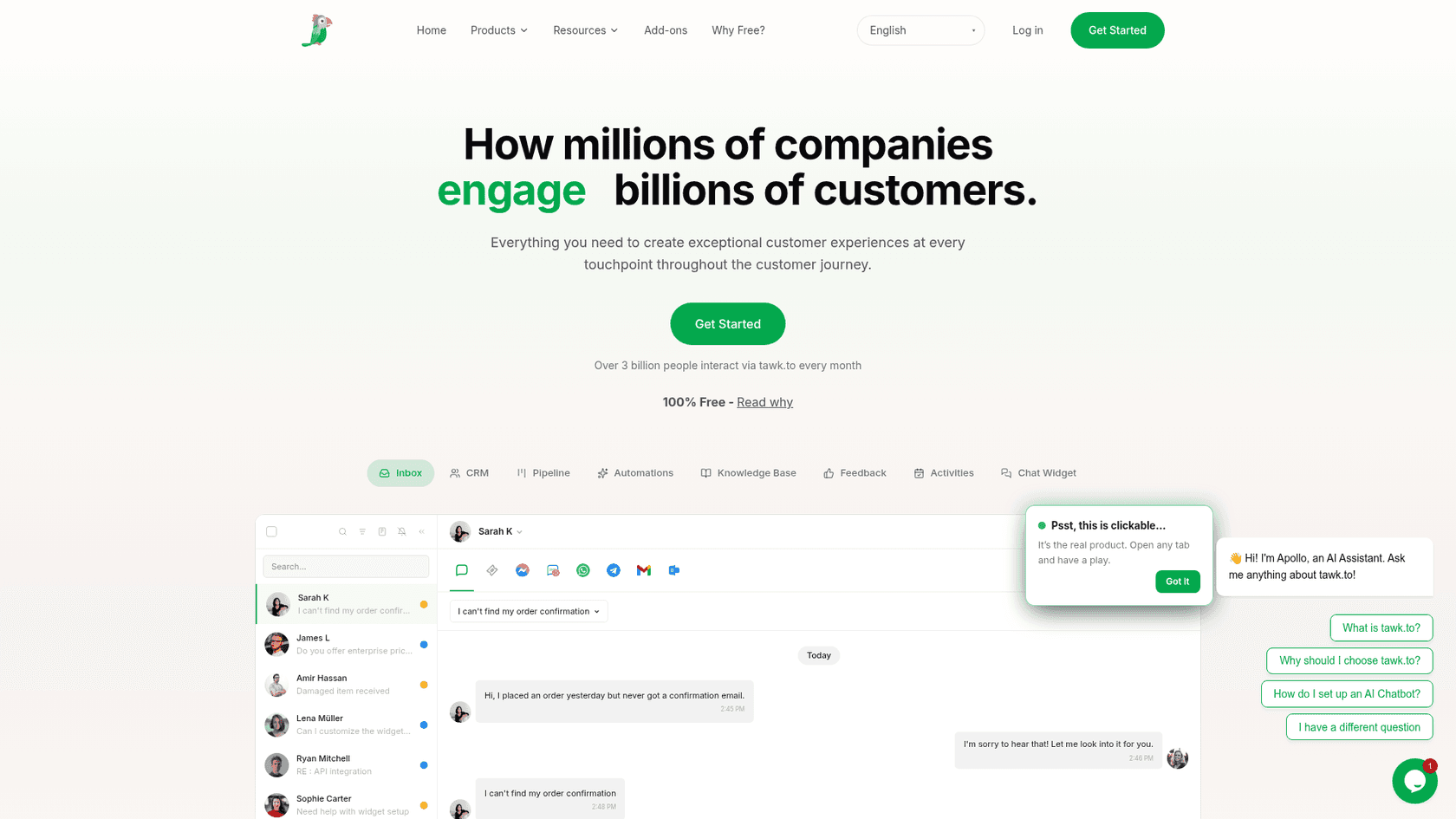
tawk.to gives its live chat away free and earns from add-ons: removing the "Powered by tawk.to" label costs $29 a month, its AI Assist chatbot starts at $29 a month, and it sells hired chat agents at $1 an hour, all on its pricing page. If you outgrow it, my tawk.to alternatives guide covers the next step up.
Pros
- Live chat is free, and there are no seat fees.
- tawk.to's Wix guide walks through pasting the widget code into an Embed HTML element, with no coding.
- It includes a free knowledge base and ticketing.
Cons
- There is no Wix App Market listing, so you set it up by hand, and its guide notes the instructions are for desktops and laptops.
- Unbranded chat and AI both cost
$29a month each, so the "free" version carries a label on your site. - The Embed HTML method places the widget as an element, so check it appears on every page you want.
Pricing: Free for life with a Powered by tawk.to label; $29 a month to remove branding; AI Assist from $29 a month; hired agents $1 an hour.
Verdict: the cheapest way to get real text chat on Wix. It suits you if you will actually be at your inbox, and it fits less well if you want automatic answers without paying extra.
5. LiveChat
Best for: a team that already works from a shared inbox and wants its Wix site routed into it.
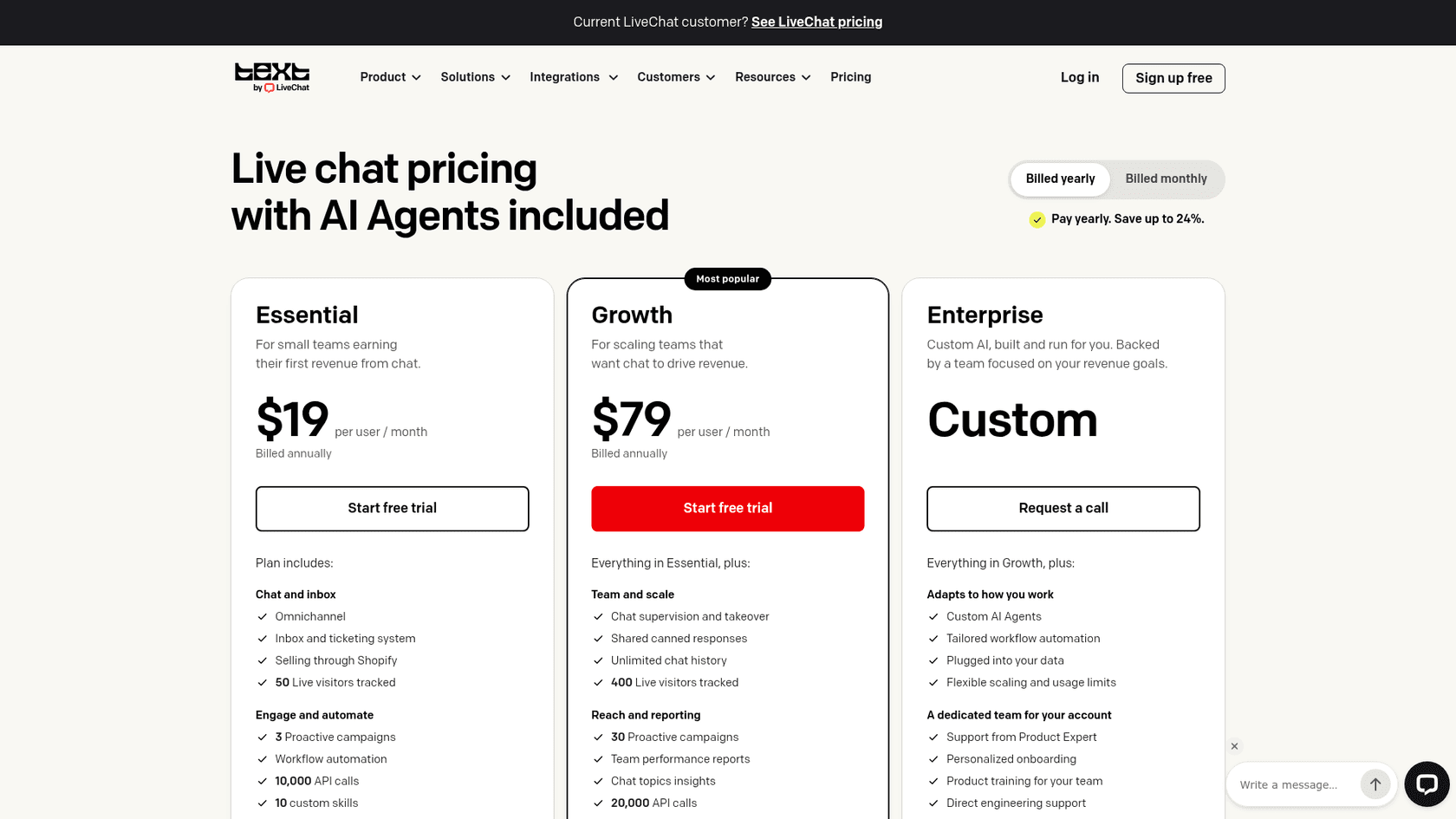
LiveChat's new trials now live as Text plans. Text is the next product from the LiveChat team and adds a shared inbox, ticketing and an AI Agent in one subscription. Current LiveChat customers keep their plan and price. I compare the old plans in LiveChat pricing.
Pros
- LiveChat's own Wix page says you connect several Wix sites to one account and answer from its mobile apps.
- The 14-day trial asks for no credit card.
- Essential includes an AI Agent and 10 AI resolutions a month.
Cons
- Pricing is per user: Essential is
$19per user a month billed annually ($25billed monthly), Growth$79($99monthly). Two people on Growth is$158a month. - It is built for teams, so a solo owner pays for features they won't use.
- The Wix app listing, billed by Text, shows its own Starter and Team plans, so check which price you are buying. It is
3.9from 74 reviews.
Pricing: Essential $19 per user a month billed annually; Growth $79 per user a month billed annually; Enterprise custom.
Verdict: worth it only if more than one person will be in the inbox. For one owner on a small Wix site, tawk.to or Wix Smart Chat covers the same job for less. For a head-to-head, see Tidio vs LiveChat.
6. Smartarget Call
Best for: the closest swap for what Live Chat Alternative actually did, a call button.
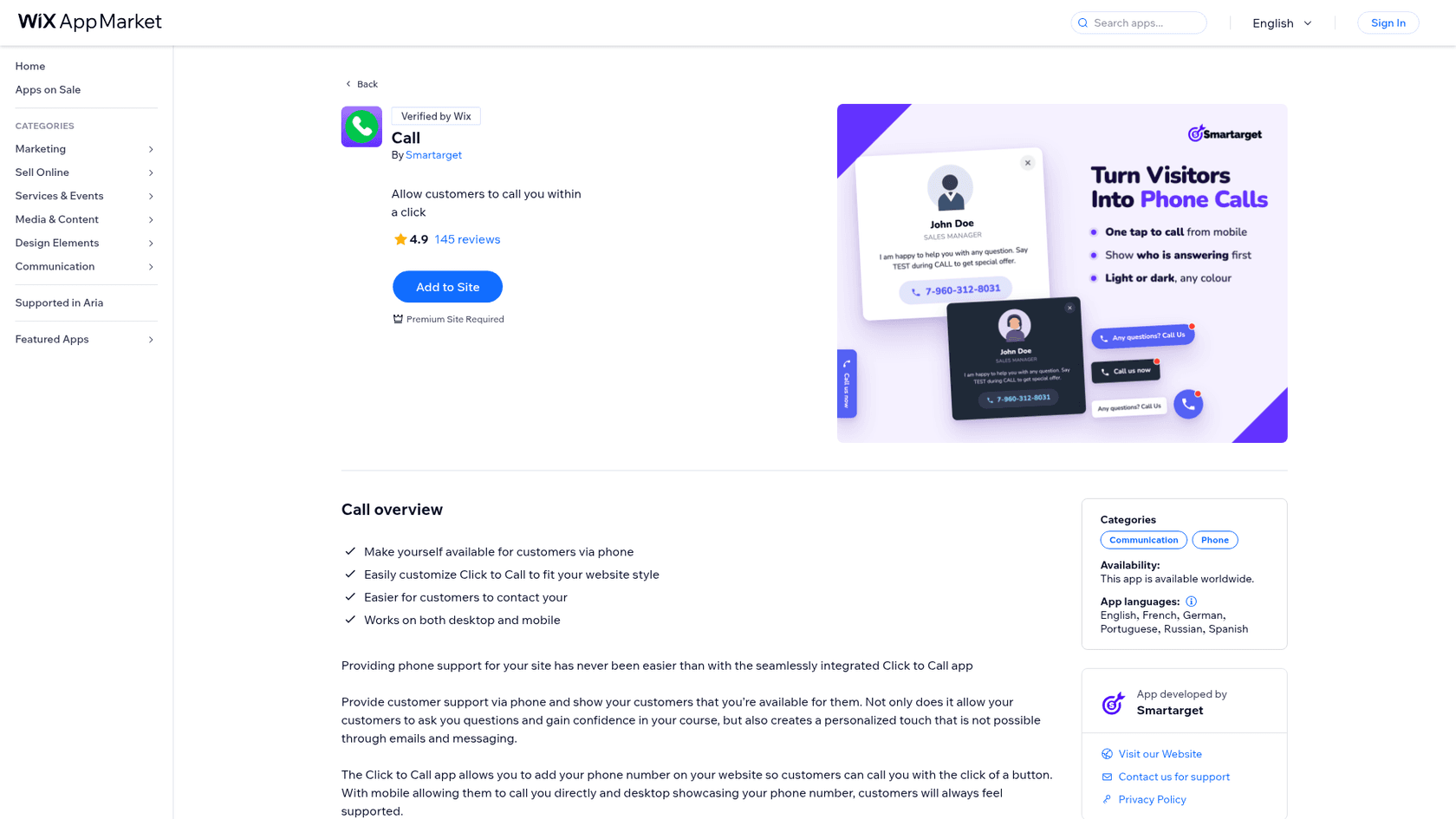
Smartarget's Call app puts a click-to-call button on your site that works on mobile and desktop. On mobile it opens the dialer; on desktop it shows your number. That is a different mechanism from Live Chat Alternative, which rang your phone from the visitor's browser.
Pros
- The Wix listing is
4.9from 145 reviews and is Verified by Wix. - Pro costs
$6.25a month, close to the old paid plans. - Customizable button styles, light or dark.
Cons
- The free plan shows the app on the homepage only and adds a Powered by Smartarget message.
- A Premium Wix site is required.
- It does not do chat or messages, so you need a second tool for after hours.
Pricing: Free (homepage only, Powered by Smartarget message); Pro $6.25 a month (all pages, no branding), as shown on the Wix listing.
Verdict: the right pick if a phone call is what closes your sales, like a trade, clinic or studio. Pair it with a chat tool, because calls only help when someone is free to pick up.
7. Chaty
Best for: sending visitors to the apps you already use, such as WhatsApp, Messenger and Telegram.
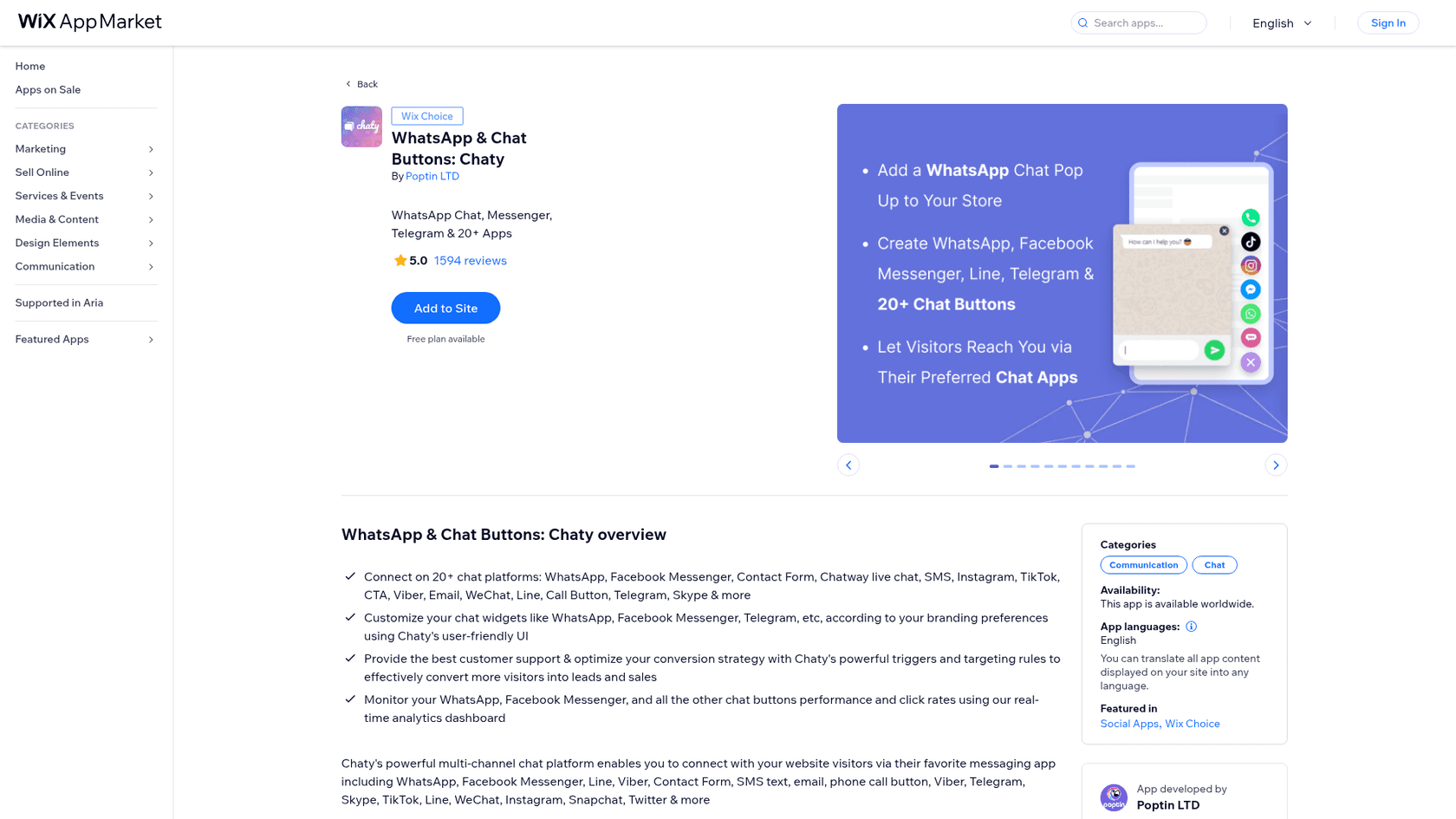
Chaty is made by Poptin, the same company as Chatway. It adds a floating menu of more than 20 contact buttons, including WhatsApp, Messenger, SMS, email, a call button and a link to Chatway live chat.
Pros
- The Wix listing is
5.0from 1,594 reviews with a Wix Choice badge. - A free plan covers up to 500 visitors a month, with unlimited widgets and channels.
- Replies stay in apps you already check on your phone.
Cons
- It is a button menu, not an inbox: the conversation happens in WhatsApp or Messenger, so there is no shared history on your site.
- Paid plans are priced by visitors: Basic
$12.50a month for 10,000 visitors, then$33for 50,000 and$66for 150,000, on the listing's default view. - No AI of its own.
Pricing: Free (500 visitors a month); Basic $12.50 a month (10,000 visitors); Pro $33 a month (50,000); Growth $66 a month (150,000), billed by Poptin per the Wix listing.
Verdict: a good fit when your customers already message you on WhatsApp. It sends the conversation there; it doesn't help you answer.
8. eesel
Best for: a Wix site where questions arrive when you can't answer, and you want an AI to reply from your own pages and pass the hard ones to you.
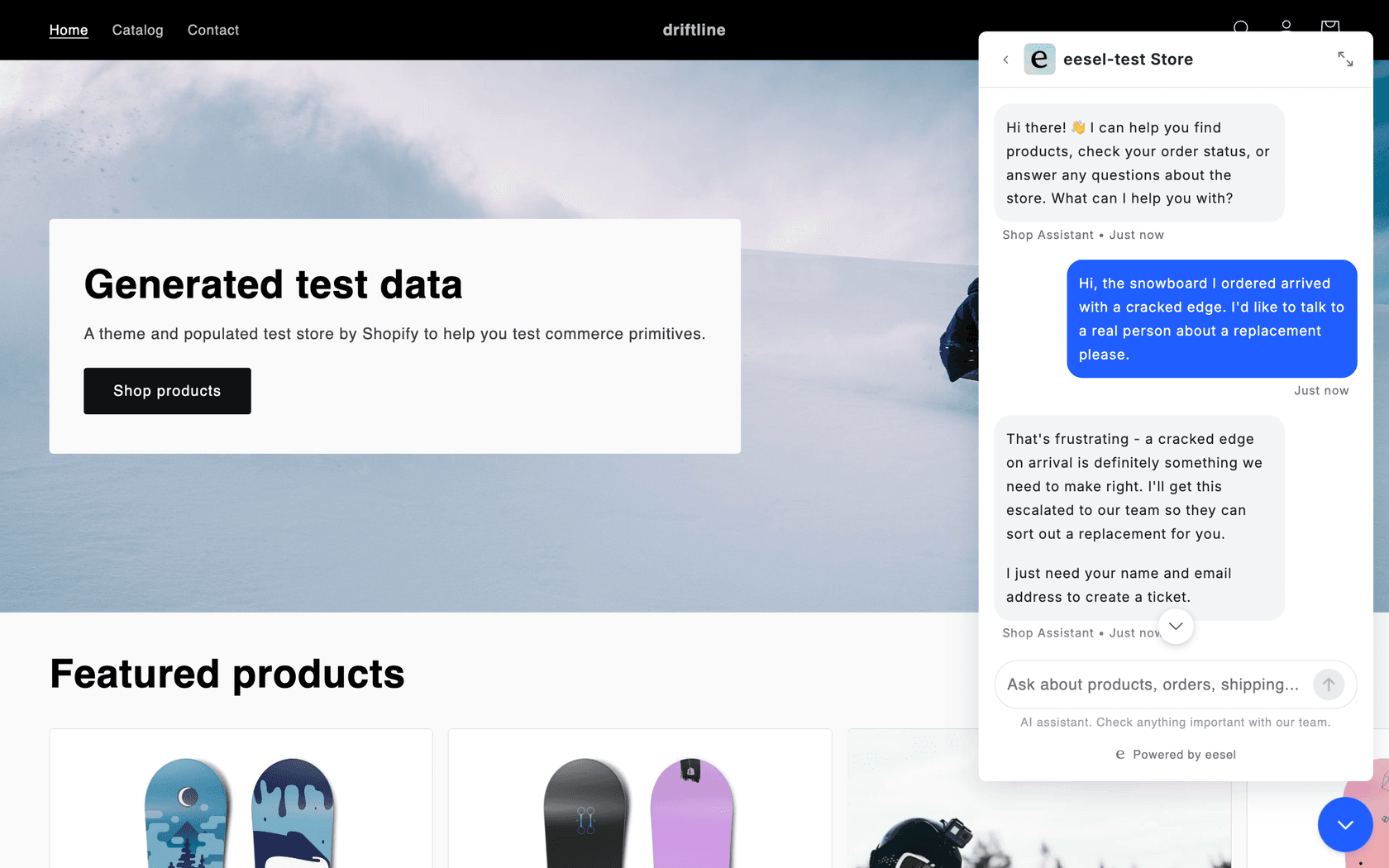
eesel is an AI teammate platform, and the one I'd put on a Wix site is the AI helpdesk teammate. Its chat bubble is a floating button that answers visitors from your pages and help center, links the page it used, and hands the conversation to a person. I work on the integrations, and here is where it differs from the chat widgets above: it is built to answer, not to wait for you.
Pros
- It answers from your own site and links the page it used. A hardware support team told us on a sales call that a chat bubble was only acceptable if it cited the page behind each answer and escalated to a ticket when it couldn't, which is why the bubble links the page it used and can open a ticket.
- BEAUTEK runs it as a chat on its site: 77 website chats in one month (8 August to 8 September 2026), and 20 Zendesk tickets created from chats that needed a person. Its phone line is staffed 8:30 to 16:30 on weekdays, and the shop is open all the time.
- Norden-Frisia, a German ferry line, runs one agent across its website chat bubble, a public chat link and Zendesk, and scales its plan up for summer and down for winter.
- Original Bootcamp answers its Freshdesk tickets from about 1,700 pages of its own site, and sends anything about a booking to a person.
Cons
- It is not the cheapest. Plans start at
$299a month for 500 credits, so at 100 chats a month a free widget is the sensible start. - Wix installs it as a script, and Wix says custom code needs a published site with a connected domain. On a free Wix subdomain you can't use that route.
- It is not on the Wix App Market and has no Wix star rating, and phone calls are set up with eesel's team, not by a Wix button.
Pricing: Free $0 (100 credits to try); Teammate $299 a month for 500 credits, scaling to $1,749 for 5,000; one credit per ticket or chat, however long, per eesel's pricing page.
Verdict: pick it when answering is the problem, not routing. If you'd rather answer yourself, pick one of the cheaper tools above. See eesel for website chat and my guide to setting up AI live chat.
What happens at 9 pm?
The question that separates these apps is not features, it is what happens when a visitor writes and nobody is at the desk. A call button rings a phone you aren't holding. A live chat widget keeps the message for the morning. An AI chat answers from your pages and leaves you a note.
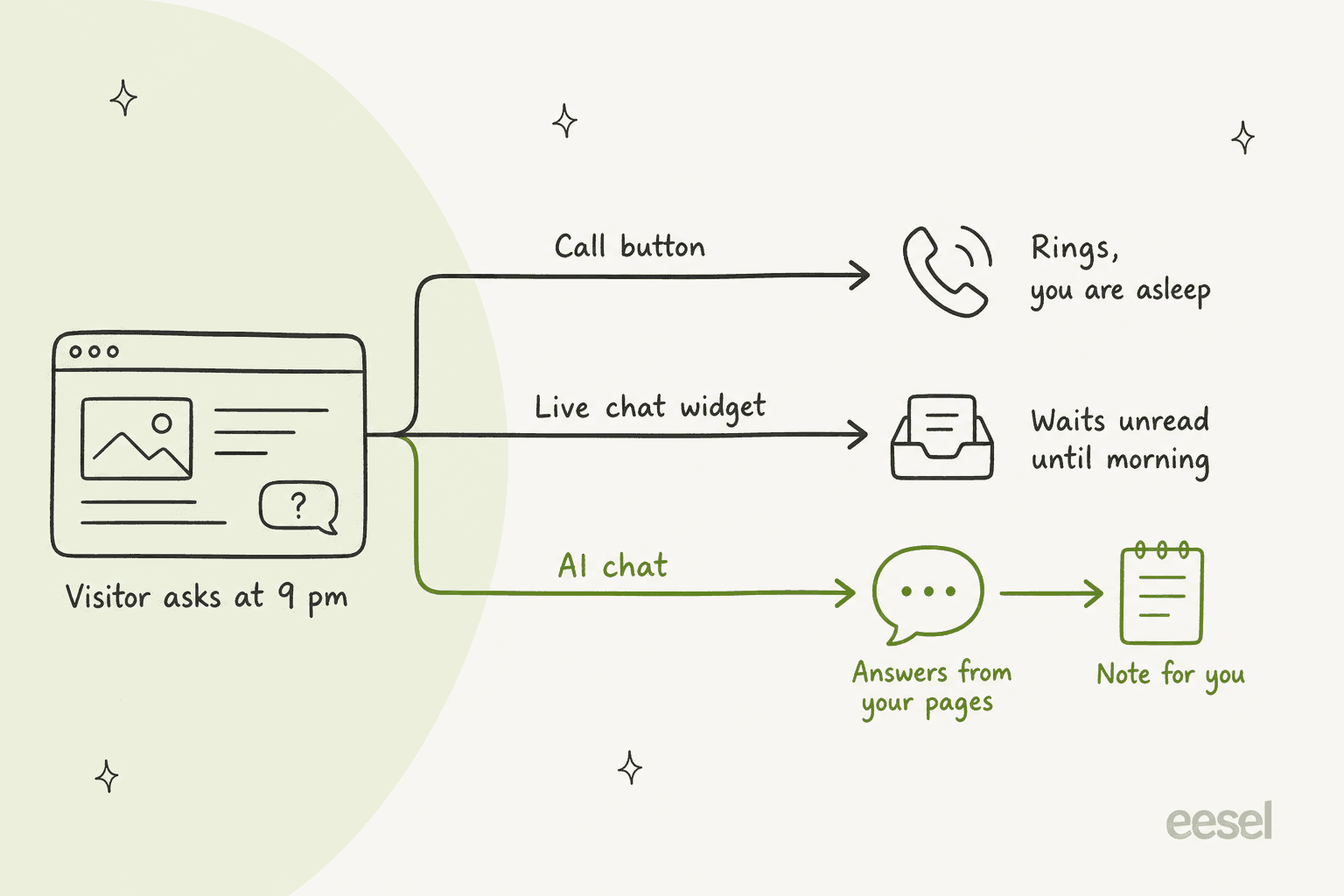
That is why I would not treat these as interchangeable. Live Chat Alternative had a business-hours switch for exactly this reason: the call button disappeared after hours and a message form took its place. If your hours are 9 to 5, the same pattern works with a chat tool and a good after-hours setup. If a lot of your enquiries come outside those hours, read how 24/7 support with AI works. And for the handover itself, human handoff best practices is the part that decides whether an AI chat helps or annoys.
What would 100 chats a month cost?
A small Wix site with about 100 chats a month, one person replying, looks like this on each vendor's own price.
| Tool | Covers ~100 chats a month? | Monthly cost |
|---|---|---|
| Wix Smart Chat (manual only) | Yes, manual chat is free | $0 |
| tawk.to | Yes | $0, or $29 without branding |
| Chatway | Free plan stops at 50; Business covers 200 | $31 billed yearly |
| Tidio | Starter covers 100 billable conversations | $24.17 billed annually |
| LiveChat (Text) | One seat on Essential | $19 billed annually |
| Smartarget Call | Calls only | $6.25 |
| eesel | 500 credits cover it | $299 |
The honest read is that for 100 chats a month, you don't need to spend more than about $30, unless you want the AI to answer for you. That is the one thing the cheap plans either cap or sell separately, and it's the thing worth paying for if your questions come when you're away. If you're weighing that trade-off, my pieces on chatbot ROI and AI chatbot vs live chat help.
Which one should you pick?
- Visitors should call you: Smartarget Call, plus a free chat tool for after hours.
- You'll answer chats yourself, for free: Wix Smart Chat (manual) or tawk.to.
- You want chat and a phone button in one place: Chatway.
- You sell online and want discount flows: Tidio.
- Your customers live on WhatsApp: Chaty.
- More than one person is in the inbox: LiveChat.
- You want answers while you're busy: Wix Smart Chat's AI mode if the quota is enough, otherwise eesel.
If you're still on the fence, my website live chat software comparison and adding live chat guide cover the install side. For a store, see live chat for ecommerce and Wix ecommerce pricing. Small teams choosing tooling more broadly might also like AI for small businesses and helpdesk software for small business.
Try eesel on your Wix site
If your problem is visitors writing when you can't reply, eesel's AI helpdesk teammate answers from your own pages and hands the hard ones to you with a note, the way BEAUTEK runs it next to a phone line that is only staffed on weekdays. Start with the free 100 credits, paste one script into Wix Custom Code, and test it on your published site from desktop and mobile. Try eesel, or see the pricing first.
Frequently Asked Questions
What are the best Live Chat Alternative alternatives for Wix?
It depends on the job. For a replacement call button, Smartarget Call is the closest. For text chat you answer yourself, Wix Smart Chat or tawk.to cost nothing to start. For answers when you're busy, Wix Smart Chat's AI mode, Tidio, Chatway or an AI teammate like eesel. My broader live chat alternatives list covers non-Wix sites too.
Is there a free alternative to Live Chat Alternative on Wix?
Yes. Wix Smart Chat's manual chat is free, tawk.to's live chat is free with a small Powered by tawk.to label, and Chatway's free plan allows 50 conversations a month. Smartarget Call has a free plan too, but it only shows on your homepage. If free is the goal, my guide to a free AI chatbot lists what the limits really are.
Does tawk.to work on Wix?
Yes. tawk.to's own help article shows how to paste the widget code into a Wix Embed HTML element, so no coding is needed. If you're still choosing, my tawk.to alternatives guide explains where its free model runs out.
Which Wix live chat app has AI built in?
Wix Smart Chat combines AI and manual chat and answers from your site content, Tidio sells its Lyro AI agent from $32.50 a month, and Chatway charges $0.50 per resolved AI conversation. eesel's chat bubble is the fourth option, priced by credits. See AI live chat for how these differ from a normal widget.
How do I add eesel's chat bubble to a Wix site?
Copy the one-script snippet from your eesel dashboard and paste it into Wix's Custom Code settings. Wix says the site must be published and have a connected domain first. My walkthrough on adding an AI agent covers the steps, and the chat bubble page lists the settings.
How much does an AI chat for a small Wix site cost?
From nothing to $299 a month depending on the tool: Wix Smart Chat gives 50 free AI conversations in total, Chatway lets you try 10 AI conversations free, and eesel starts at $299 a month for 500 credits, one credit per chat. For the wider maths, read chatbot cost and AI for small business.
What should I do before removing Live Chat Alternative?
Install the new widget, publish, and send yourself a test from desktop and mobile before you uninstall the old one. Then cancel any paid plan in your Wix billing settings. If you want the full picture of the old app first, read my Live Chat Alternative review.