10 best AI customer support software alternatives in 2026

Riellvriany Indriawan

Katelin Teen
Last edited October 12, 2026
Why support teams leave the AI they already have
I'm on eesel's support team, and I hear from a lot of teams who are halfway out of another AI tool. The reasons repeat. In eesel's own sales calls this year, two separate teams running Zendesk said they'd tried the native AI and found it expensive and inadequate. A Freshdesk team that tested Freddy AI said eesel's answers came out more precise. A B2B hardware company had to replace its AI because the vendor changed how it did business. None of them were unhappy with AI as an idea. They were unhappy with the specific tool sitting in their queue.
When I line those calls up against what support leads post publicly, the same four problems show up.
1. The bill is hard to predict. Per-resolution and per-interaction pricing both sound fair until you try to forecast them. One fintech ops lead told us a 3,000-interaction monthly allowance would have run out in about a day and a half at their volume, since every ticket meant several back-and-forth messages. That allowance was eesel's own old per-interaction plan, and it's a big part of why eesel now bills per ticket instead. Ticket-based plans have their own version of this:
"The main frustration with Gorgias is the pricing model, which is based on ticket volume rather than a flat monthly fee. As our order volume grows and customer inquiries increase, the cost scales up quickly in ways that can be difficult to predict and budget for."
Mitchell O., G2, VP of Sales and Acquisition

2. Nobody agrees on what "resolved" means. If you pay per resolution, the vendor's definition of a resolution is your invoice. Zendesk now runs an LLM check on each conversation and only bills "Verified" resolutions (resolution tiers), which is a real improvement. Buyers still worry about the old failure mode:
"who knows if the bot is just leaving the customer hanging and marking it as a resolution."

3. The handoff is where it falls apart. An AI that resolves 50% of tickets but fumbles the other 50% creates more work than it saves. One Gorgias user on Reddit put it bluntly: "I find that most of the responses have an error that I have to apologize for after the handoff" (r/ecommerce). Read up on AI escalation before you trust any vendor's handoff demo.
4. It only knows your help center. Most built-in agents learn from published articles, URLs and files. Your best answers usually live in resolved tickets and macros, and several tools on this list don't read either. That gap is why the knowledge base work never seems to end.
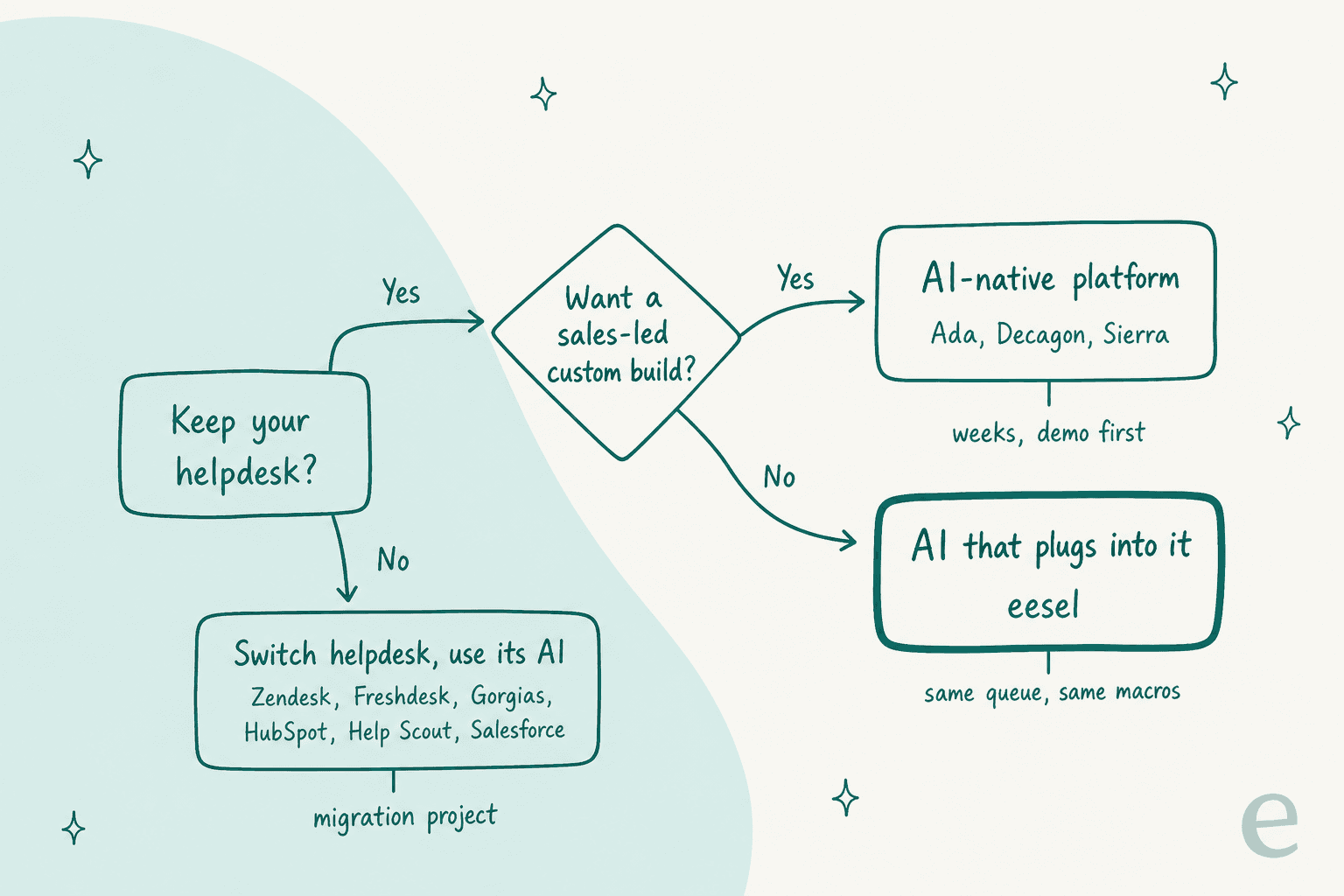
That decision tree is the whole post in one picture. The ten alternatives below fall into three groups: AI built into a helpdesk, AI-native platforms that sit in front of one, and AI that plugs into the helpdesk you already have.
How I compared these alternatives
I went through each vendor's own pricing page, help docs and trust center on October 12, 2026, and pulled user reviews from G2, Capterra, Reddit and Hacker News. For each tool I checked five things:
- Which helpdesk it needs. Does it run on top of your current setup, or does it come with its own?
- The billing unit. Per resolution, per session, per conversation, per action, or per ticket handled. They are not the same thing, and the difference shows up in your cost per resolution.
- How you test it before go-live. Questions you write, simulated customers, or a replay of your own past tickets.
- What it learns from. Help center only, or also past tickets and macros.
- Security. SOC 2, ISO 27001, HIPAA and GDPR, from each vendor's own trust page.
I didn't count vendor-reported resolution rates as evidence, because every vendor counts them differently. If you want the full buying process rather than a shortlist, my earlier guide on how to choose one walks through it step by step.
AI customer support software alternatives compared
Prices are list prices for the AI part only, in USD, as published on October 12, 2026. "Billed if unresolved" means you pay for a conversation the AI touched but didn't close on its own.
| Tool | Best for | Helpdesk it needs | Billing unit | Published AI price | Billed if unresolved? | Pre-launch test | Learns from past tickets? | Free trial | SOC 2 | ISO 27001 | HIPAA | Setup |
|---|---|---|---|---|---|---|---|---|---|---|---|---|
| eesel | Keeping your current helpdesk | Zendesk, Freshdesk, Gorgias, HubSpot, Help Scout, Front, Salesforce, Jira SM | Ticket or chat handled (1 credit) | $299/mo for 500 up to $1,749/mo for 5,000 | Yes, 1 credit per ticket it works | Replays your past tickets vs your team's replies | Yes, on a full connection | 100 free credits, no card | Type II audit in progress | Not stated | BAA on Enterprise | Self-serve |
| Zendesk AI agents | Teams staying on Zendesk | Zendesk | Verified automated resolution | $1.50 committed, $2.00 pay-as-you-go | No | Written scenarios (early access) + test widget | No | 14-day trial | Type II | 27001:2022 | BAA available | Guided self-serve |
| Freddy AI Agent | Freshdesk Omni teams | Freshdesk | Session (24h chat, 72h email) | $49 per 100 sessions, 500 free once | Yes | Up to 100 written queries; email can import 50 solved tickets | Test input only | 14-day trial | Type 2 | 27001:2022 | Not stated | Self-serve |
| Gorgias AI Agent | Shopify stores | Gorgias + Shopify | Automated interaction + ticket fee | $0.85 to $1.00 per automated interaction | Ticket fee yes, automation fee no | Preview chat, rerun one ticket at a time | No (closed tickets for coaching) | Free trial, no card | Type II | Not stated | BAA listed | Self-serve |
| Agentforce | Orgs run on Salesforce | Salesforce Service Cloud | Conversation, or action via Flex Credits | $2 per conversation, or $0.10 per action | Yes on per-conversation | Testing Center: generated, knowledge Q&A or CSV cases | No | 200K free credits with Foundations | Yes | 27001:2022 | Service Agent covered with BAA | Admin-heavy |
| HubSpot Customer Agent | HubSpot-run support teams | HubSpot help desk (Pro or Enterprise) | Resolution (50 HubSpot Credits) | $0.50 per resolution | No, but manual assignment doesn't stop the charge | Preview + batch tests (beta) built from past themes | Drafts Q&A from 90 days of tickets for approval | 14 days free agent use | Type II | Not claimed | HIPAA attestation, Enterprise for sensitive data | Self-serve + $1,500 onboarding |
| Help Scout AI Answers | Small teams on Help Scout | Help Scout (Beacon chat) | Resolution | $0.75 per resolution, monthly cap | No | Test tab, questions you write | Suggests improvements only | 3 months free resolutions | Type 2 | Not stated | Pro plan only | Self-serve |
| Ada | Enterprise chat, email and voice | Standalone, hands off to Zendesk, Salesforce or email | Not published | Demo only | Unclear | Written scenarios, up to 3,000 runs a day | No | Not stated | Type 2 | Not stated | HIPAA report, BAA not stated | Vendor-assisted |
| Decagon | Enterprises with engineers to spare | Standalone, over Zendesk, Salesforce and others | Per conversation (most) or per resolution | Demo only | Yes on per-conversation | AI-generated mock customers, can seed from transcripts | Seeds tests from transcripts | Not stated | Type II | 27001:2022 | Listed, BAA not stated | Sales-led |
| Sierra | Enterprises that want outcome pricing | Standalone, over contact centers | Agreed outcome | Demo only | Mostly no | AI-generated mock users graded by an AI judge | Seeds tests from coaching transcripts | Not stated | Type II | 27001:2022 | HIPAA report, BAA not stated | Vendor team, "weeks" |
Two things jump out. First, only one tool on the list replays your real past tickets and grades itself against what your team actually sent; everything else tests on questions you write or customers an AI invents. Second, three of the ten won't tell you a price until you've sat through a demo.
What each alternative would cost on your volume
A pricing grid doesn't tell you much when every vendor bills a different unit. So here's the same math done for you. Type your volume, pick how often the AI resolves a ticket on its own, and see the AI line item for every tool that publishes a price.
Plug in your own monthly volume and resolution rate to see where flat per-ticket pricing beats per-resolution pricing. List prices only, helpdesk seats excluded.
If you'd rather read it as a table, here's one scenario: 2,000 tickets and chats a month, with the AI resolving half of them (1,000) on its own.
| Tool | How the AI part is billed | AI cost at 2,000/mo, 50% resolved |
|---|---|---|
| eesel | 2,000-credit plan, 1 credit per ticket or chat | $849 |
| Zendesk AI agents | 1,000 verified resolutions x $1.50 committed | $1,500, minus 5 to 15 included per agent |
| Freddy AI Agent | 2,000 sessions x $0.49 | $980 (500 free sessions once per account) |
| Gorgias AI Agent | 1,000 automated interactions x $0.90 | $900, plus your plan's ticket fees |
| Help Scout AI Answers | 1,000 resolutions x $0.75 | $750, Beacon chat widget |
| Agentforce, per conversation | 2,000 x $2 | $4,000 |
| Agentforce, Flex Credits | 2,000 x 3 actions x $0.10 | $600, plus Data 360 credits |
| HubSpot Customer Agent | 1,000 resolutions x $0.50 | $500, minus 3,000 included credits on Pro (60 resolutions) |
| Ada, Decagon, Sierra | Not published | Quote only |
The honest takeaway: if your AI only resolves 20% of tickets, per-resolution pricing will usually beat a flat plan, and I'd tell you to stay on it. The flat plan starts winning once the AI is doing real work. At 50% resolved, eesel's 2,000-credit plan costs $849 while 1,000 Zendesk resolutions cost $1,500. Seats are a separate line on every helpdesk-native option, and eesel doesn't charge for them at all.
1. eesel
Best for: teams who like their helpdesk but not the AI that came with it.
eesel is where I work, so weigh this section accordingly. It's an AI teammate platform: you hire a ready-made teammate for a specific job, and for support that's the AI helpdesk teammate. It doesn't replace your helpdesk. It joins the queue you already run in Zendesk, Freshdesk, Gorgias, HubSpot, Help Scout, Front, Salesforce Service Cloud or Jira Service Management (see the integrations list), and works tickets there with your macros, tags and views intact.
That matters most when the thing you want to replace is the AI, not the helpdesk. You don't migrate tickets, retrain agents or rebuild triggers. You switch off the old bot and let a different one draft into the same queue.
What it does well
- Learns from your past tickets. "On a Full connection. It reads your help center, macros and past tickets so it knows how your team answers before it touches anything" (eesel docs). A Quick start connection reads only the public help center.
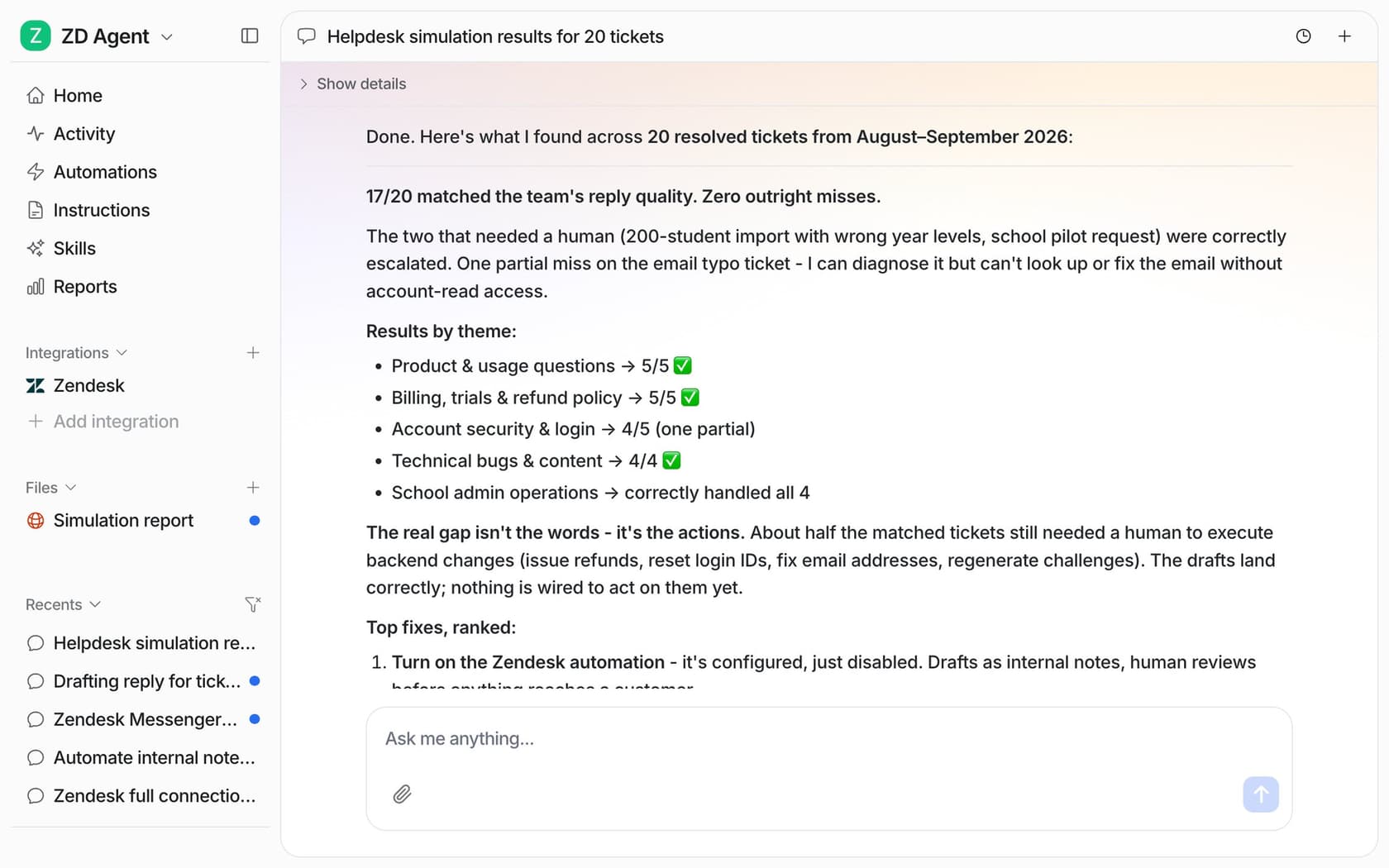
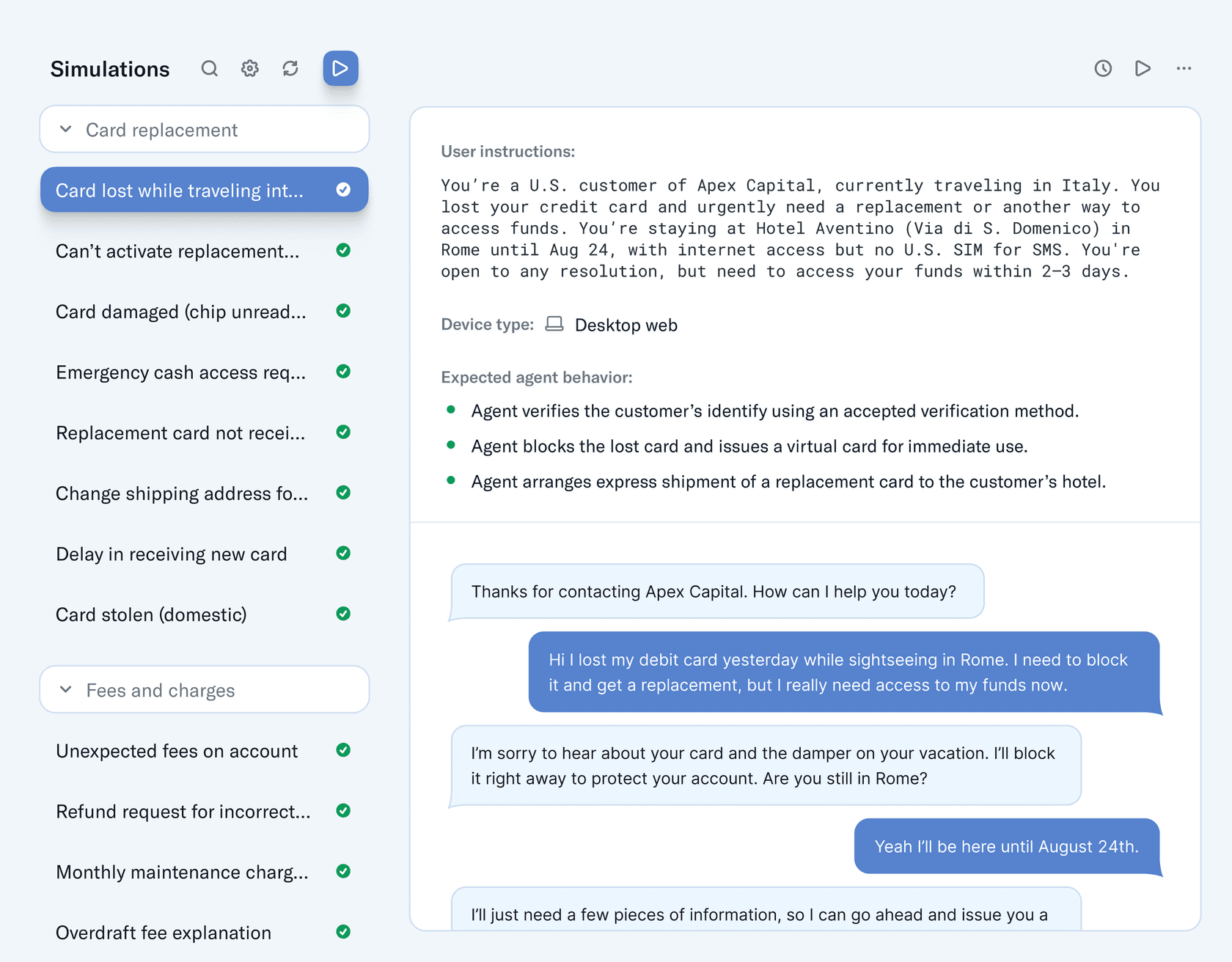
- Tests on your real history. The Simulation skill "replays your past tickets and scores its answers against what your team actually sent" (docs). In the run above, 17 of 20 replies matched, two tickets were correctly escalated to a human, and one was a partial miss.
- Starts supervised. Every action is set to Auto, Needs approval or Disabled, and the docs recommend keeping "refunds, cancellations and anything that costs money behind an approval" (Actions and Approvals).
- Runs from a terminal too. The eesel CLI drives the same teammate and workspace as the dashboard:
eesel integrations connect zendesk, theneesel automationsto wire up what it does on new tickets, andeesel approvalsto clear anything waiting on a human. Coding agents like Claude Code, Codex and Cursor can run those same commands, which is handy if your ops team scripts everything. More on that in the AI agent CLI post.
Pricing
From eesel pricing: a ticket or chat the agent works on is 1 credit, "however long". There's no seat fee, and tickets you tell it to leave alone (spam, auto-replies) don't count.
| Credits per month | Price per month |
|---|---|
| 100 (Free) | $0, no card |
| 500 | $299 |
| 1,000 | $499 |
| 2,000 | $849 |
| 3,000 | $1,149 |
| 4,000 | $1,449 |
| 5,000 | $1,749 |
| More than 5,000 | Custom |
Plans step up every 500 credits in between. Overage is off by default; turn it on and extra credits are $0.80 each up to a cap you set. Enterprise adds SSO, HIPAA with a signed BAA and custom data residency.
Pros and cons
Pros:
- Keeps your helpdesk, history and workflows in place.
- Pre-launch replay against your own resolved tickets.
- Flat monthly price with unlimited seats, easy to forecast.
Cons:
- You pay per ticket handled, not per resolution, so a ticket the AI works but hands to a human still uses a credit.
- SOC 2 Type II is still in progress; the observation period runs to December 31, 2026 (security page).
- HIPAA is Enterprise only. Earlier this year, a US healthcare team on Zendesk walked away from eesel because a BAA wasn't available yet.
Verdict
Pick eesel if your helpdesk is fine and the AI is the problem. Skip it if you need a SOC 2 report in hand this quarter, or if your AI resolves so few tickets that paying per resolution is cheaper (the calculator above will show you).
2. Zendesk AI agents
Best for: teams staying on Zendesk who want the AI inside the same contract.
If you're unhappy with Zendesk's AI, it's worth checking whether you're unhappy with the current version. Zendesk removed the Essential vs Advanced split this year, so agentic reasoning, procedures and "external API integrations" are now "included across Zendesk Suite and Support plans" (Zendesk announcement). Essential agents go away entirely on December 10, 2026. For a deeper walk-through, see my team's Zendesk AI review.
What it does well
- Native everything. Messaging, email and voice, with escalations landing in the same agent workspace.
- Fairer billing than before. Only "Verified" resolutions draw down your allowance, after an LLM checks that the customer's request "was satisfactorily resolved" (resolution tiers). Assisted escalations don't count.
- No-code actions. An integration builder and action flows for order lookups and account changes (About actions).
Pricing
From the Zendesk pricing page: $1.50 per automated resolution on a commitment, $2.00 pay-as-you-go. Plans include 5 (Team), 10 (Professional) or 15 (Enterprise) per agent per month, capped at 10,000 a year. Seats start at $19 per agent per month on Support Team (annual). The full breakdown is in our Zendesk AI pricing guide.
Pros and cons
Pros:
- One vendor, one login, one bill.
- You don't pay for escalated conversations.
- 80+ languages, per Zendesk.
Cons:
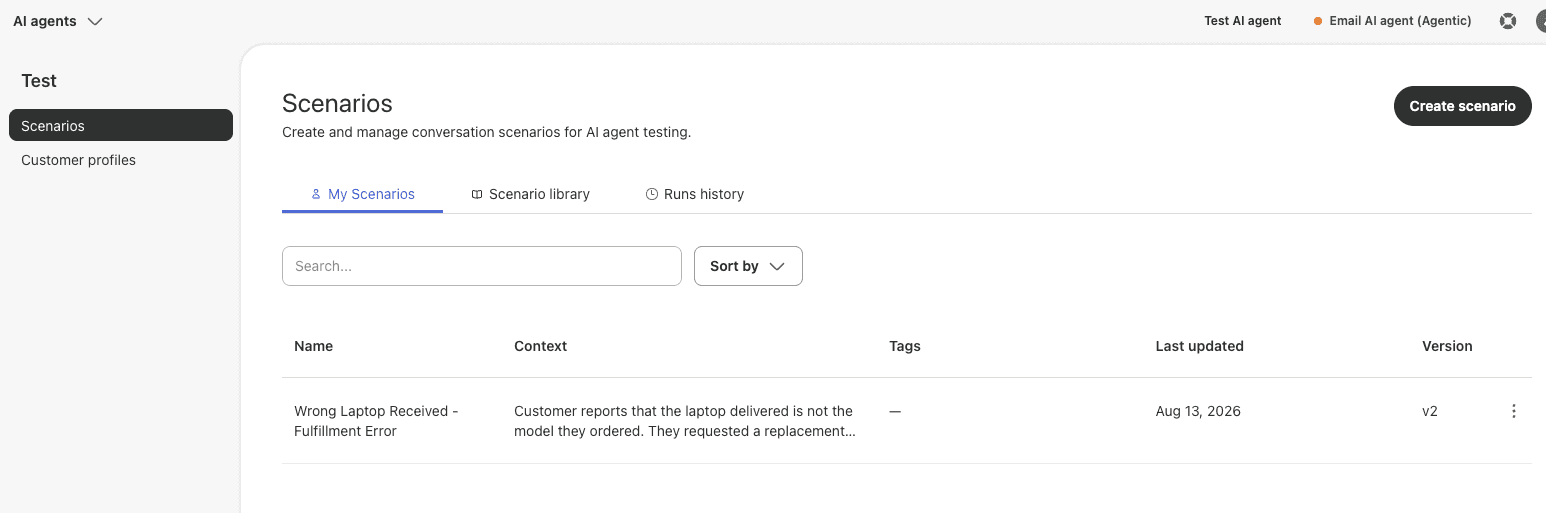
- The conversation simulator is early access, messaging-only, and built for "fictional data", so you test on scenarios you write, not your ticket history.
- Past tickets aren't listed as a knowledge source.
- Forecasting is still on you:
"Up to this day, Zendesk has not yet shared any forecasting tool for AR. Not sure if anyone us techy on this thread, but how hard is developing that mechanism really? So hard to plan ahead without a forecast :("
Verdict
Stay with Zendesk's AI if your resolution rate is low and you like a single vendor. If you're leaving because the answers are weak, look at the Zendesk AI alternatives that run on top of Zendesk instead of replacing it.
3. Freshdesk Freddy AI Agent
Best for: Freshdesk Omni teams who want chat and email AI without another vendor.
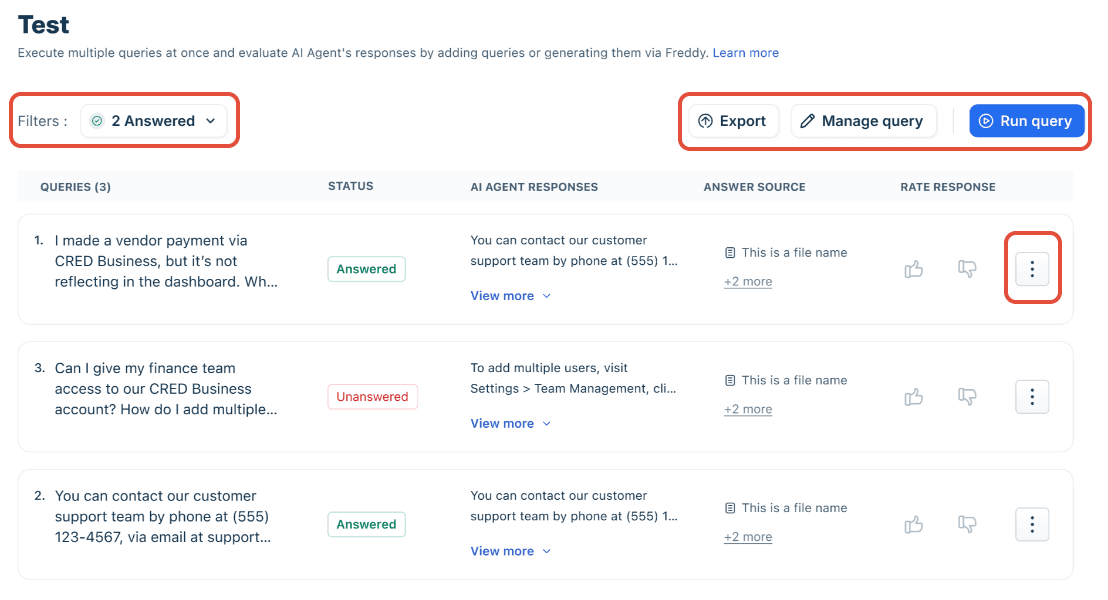
Freddy AI Agent lives in Freshworks' AI Agent Studio and runs on current Freshdesk Omni plans (Growth, Pro, Enterprise). The email agent "works directly in the Freshdesk ticket inbox", which is a nice touch if most of your volume is email (Email AI Agent setup). Our Freddy AI guide covers the wider Freddy family.
What it does well
- Bulk testing. Up to 100 test queries per run on chat, or 50 AI-generated sample queries from your knowledge (Test and optimize).
- Real tickets as test input on email. The email Evaluate tool can "Import tickets to use solved historical tickets", up to 50 per run.
- Workflow library. Templates for order status and refunds, plus an API block for your own systems.
Pricing
From the Freshdesk Omni pricing page: seats from $29 per agent per month (annual), the first 500 Freddy AI Agent sessions free once per account, then "$49/100 sessions". A session is everything inside 24 hours on chat or a 72-hour window on email, resolved or not. Copilot for human agents is a separate $29 per agent per month. More in the Freddy AI pricing breakdown.
Pros and cons
Pros:
- Cheap per-session rate ($0.49) with no resolution argument to have.
- Email agent works inside the existing ticket inbox.
- ISO 27001 and SOC 2 Type 2 on the trust center.
Cons:
- You pay for sessions that end in a handoff.
- Imported tickets are graded Answered or Unanswered, not compared with the reply your agent actually sent.
- Only on Omni plans; "Not available in previous plans."
Verdict
Freddy is a sensible pick if you're already on Freshdesk Omni and most of your volume is simple. If you're on an older Freshdesk plan or want the AI to learn from how your team writes, compare the Freddy alternatives that plug into Freshdesk.
4. Gorgias AI Agent
Best for: Shopify stores that want the AI to cancel orders and edit addresses on its own.
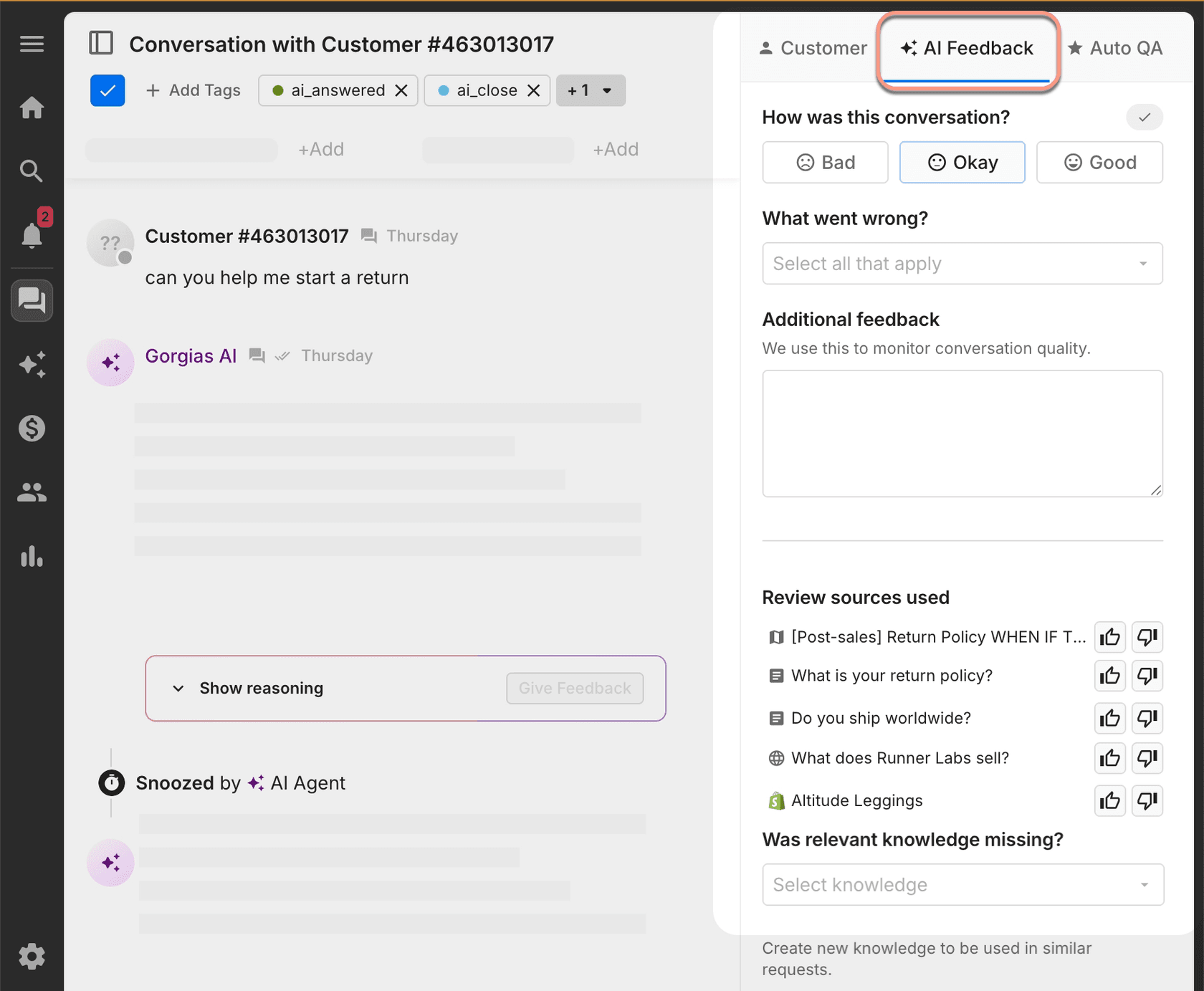
Gorgias is the ecommerce helpdesk, and its AI Agent leans hard into that. Connect Shopify and it gets actions like Cancel order, Edit shipping address and Reship order for free with no extra setup (Gorgias docs). It also hands over automatically on anger, legal threats or a request for a human, and you can mark whole intents as "Handover" on the AI coverage page. See the Gorgias AI overview for the rest.
What it does well
- Order actions out of the box for Shopify, plus Recharge, Loop and shipping apps.
- Built-in handover rules that can't be switched off for sensitive topics.
- Playground testing against a fake or real customer profile, including rerunning an existing ticket after you change a setting (test conversations).
Pricing
From Gorgias pricing and its billing docs: you pay a ticket fee on every ticket the helpdesk replies to, plus an automation fee of $1.00 (Starter), $0.90 (Basic and Pro) or $0.85 (Advanced) when "the customer does not require the involvement of a human agent within 72 hours". Bundles with AI run from $40 a month (Starter, 50 tickets) to $1,430 (Advanced, 5,000 tickets). Details in Gorgias AI Agent pricing.
Pros and cons
Pros:
- Strongest native Shopify actions on this list.
- Automation fee only applies when no human steps in for 72 hours.
- Free trial with no card.
Cons:
- Full functionality is Shopify-only, one AI Agent per store.
- "Does AI Agent use my macros? No," per Gorgias's own docs, and past tickets aren't a knowledge source.
- Testing is one conversation at a time, and test actions can touch real orders unless you use a fake profile.
"The AI Agent is powerful, but the training and knowledge base configuration can be complex. There are a lot of rule nuances and automation layers that require careful setup, and the learning curve can be steep when optimizing for more advanced use cases."
Hannah S., G2, Operations Specialist, Mid-Market
Verdict
If you run Shopify on Gorgias and want refunds and cancellations handled end to end, it's hard to beat. If your store isn't on Shopify, or you want the AI to write like your agents do, look at Gorgias AI Agent alternatives that read your Gorgias history.
5. Salesforce Agentforce
Best for: service orgs that already run on Salesforce and have an admin to spare.
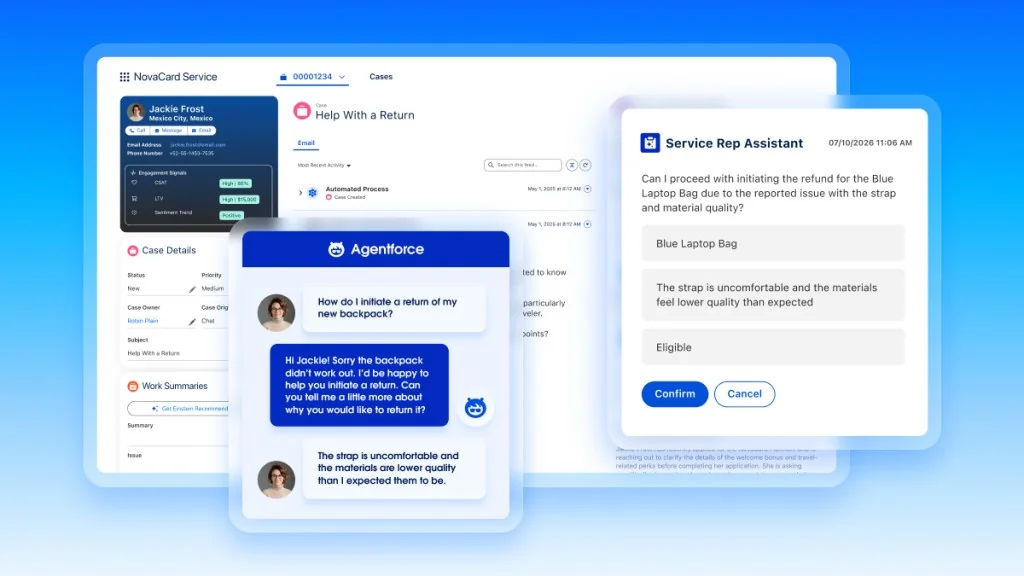
Agentforce is Salesforce's agent platform, and the Service agent is the customer-facing part. It lives inside Salesforce, needs Enterprise, Performance, Unlimited or Developer Edition, and grounds answers through Data Libraries, which require Data 360 and "consume Data 360 credits" (Salesforce Help). If that sentence felt like a lot, that's the honest preview of the setup. Our Agentforce customer service post goes deeper.
What it does well
- Two billing models you can pick between, per conversation or per action.
- A real testing center. Generate test cases from your agent's actions, build Q&A tests from your knowledge, or upload up to 1,000 cases by CSV (Testing Center considerations). As of Summer '26, Testing Center runs don't consume Flex Credits.
- Enterprise compliance. SOC 2, ISO 27001:2022 and ISO 42001, and the Service Agent is on Salesforce's HIPAA covered services list with a BAA (Salesforce compliance).
Pricing
From the Agentforce pricing page: $2 per conversation, or Flex Credits at $500 per 100,000 credits, where a standard action is 20 credits ($0.10). You can't mix the two in one org. Salesforce's own chart shows why the choice matters:
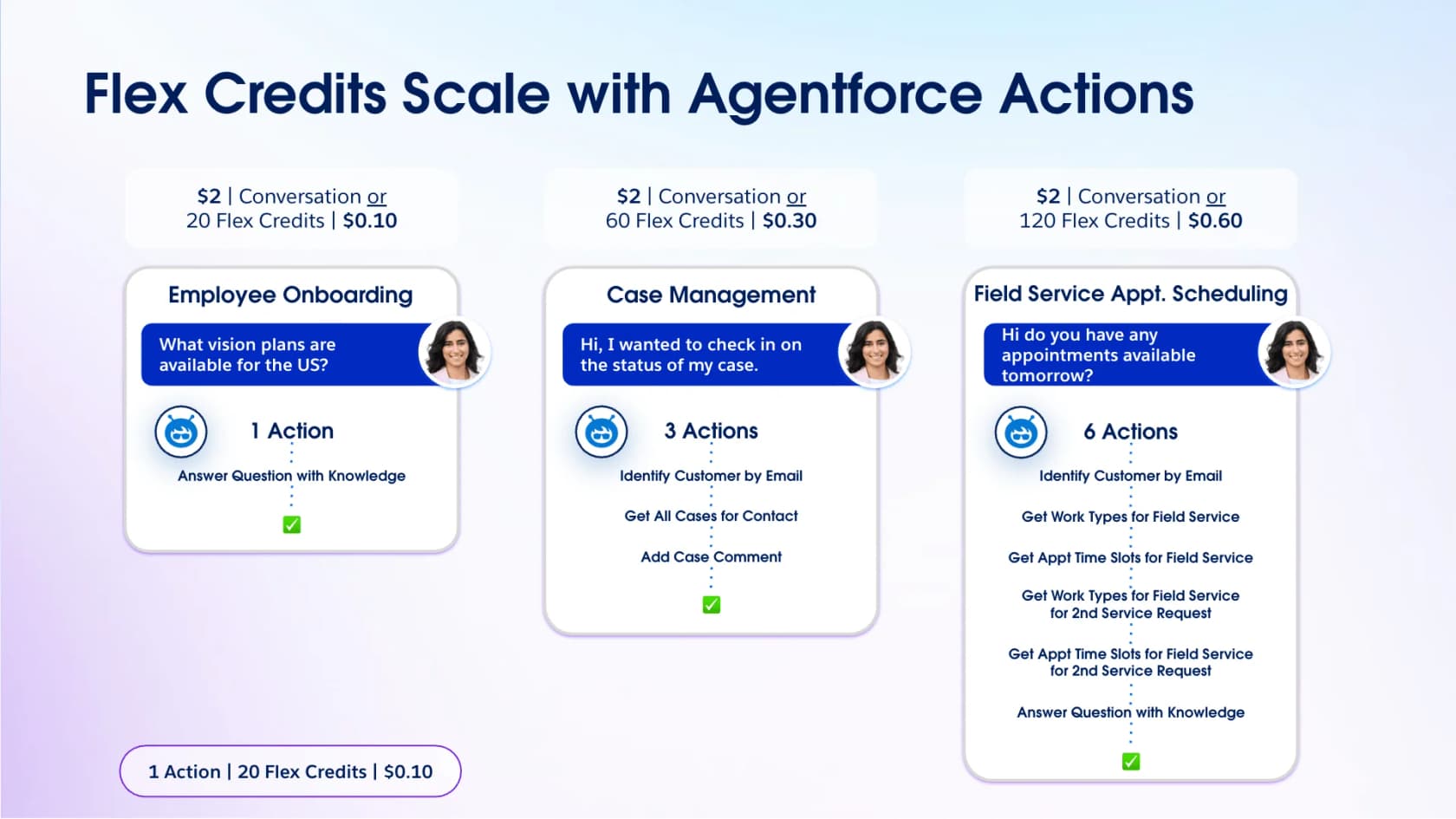
On top of that sit Service Cloud seats ($195 or $395 per user per month for the tiers where Agentforce for Service is an add-on) and Data 360 credits. Full math in our Agentforce pricing guide.
Pros and cons
Pros:
- Per-action Flex Credits can be far cheaper than $2 a conversation for simple flows.
- Structured, bulk testing with CSV upload.
- Strongest compliance paperwork on this list.
Cons:
- Salesforce-only, with Data 360 as a dependency for knowledge answers.
- Testing is generated or written cases; the docs describe no replay of real past cases.
- Needs a confident admin:
"What I dislike most is that Agentforce can require significant setup, testing, and ongoing optimization to ensure the responses and actions are accurate. The quality of the experience also depends heavily on how well the underlying Salesforce data is structured and maintained."
Katherine D., G2, Mid-Market
Verdict
Pick Agentforce if Salesforce is your system of record and you have admin capacity. If you want AI on Service Cloud cases without Data 360 and a build project, the Agentforce alternatives list is the better starting point.
6. HubSpot Customer Agent
Best for: teams running support in HubSpot's help desk who want the AI priced per resolution.
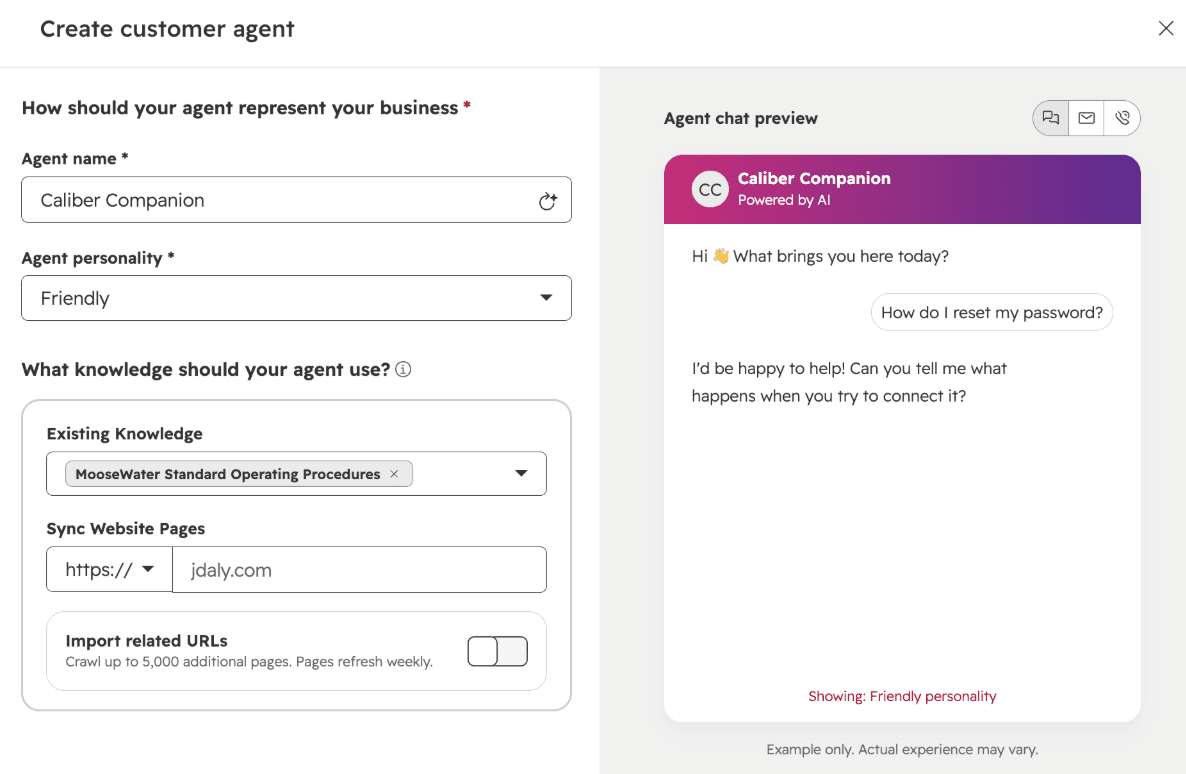
HubSpot's Customer Agent (formerly Breeze Customer Agent, now part of Agent Hub) answers on chat, email, forms, WhatsApp, Facebook Messenger and phone (beta). Every one of those channels has to connect to a HubSpot inbox or help desk workspace, so in practice it needs HubSpot as your helpdesk (Understand the customer agent). It also halved its price in April. See our Breeze customer agent guide for the setup.
What it does well
- Knowledge from your tickets, with a human in the loop. "Generate knowledge" analyzes the last 90 days of resolved tickets and drafts Q&A pairs for you to approve (HubSpot KB).
- Batch testing (beta). Write test questions or generate them from themes in past conversations, then mark answers "Looks good" or "Looks bad", up to 8 test sets (batch testing).
- CRM context. You can test as a specific CRM contact or segment, and previews don't use credits.
Pricing
From the customer agent page: $0.50 per resolution, paid as 50 HubSpot Credits at $0.010 each. It needs a Professional or Enterprise plan; Service Hub Professional is listed at $90 or $100 per seat with 3,000 credits a month (enough for 60 resolutions), plus a one-time $1,500 onboarding fee (Service Hub pricing). New Pro seats get 14 days of free agent usage.
Pros and cons
Pros:
- Lowest published per-resolution price on this list.
- Drafts knowledge from your real resolved tickets.
- SOC 2 Type II and a HIPAA attestation on the Trust Center.
Cons:
- "Resolved" includes any conversation where the agent cited a source or took an action and the customer didn't ask for a human within 72 hours. A manual or workflow assignment to a rep "does not, by itself, prevent the conversation from being counted as resolved."
- Email threads reopened after 72 hours can be billed a second time.
- Answers can drift early on:
"It can be very broad, and at the beginning, it would recommend things outside of the knowledge base or try to make things up. So we had to add boundaries to it and tighten up the knowledge base."
Nolan M., G2, Small-Business
Verdict
If HubSpot is already your CRM and help desk, the Customer Agent is cheap to try and easy to scope. Read the resolution rules carefully before you forecast. If you want AI on HubSpot tickets that learns your team's voice from the start, the HubSpot Service Hub AI alternatives are worth a look.
7. Help Scout AI Answers
Best for: small teams on Help Scout who want a cheap, capped chat assistant.
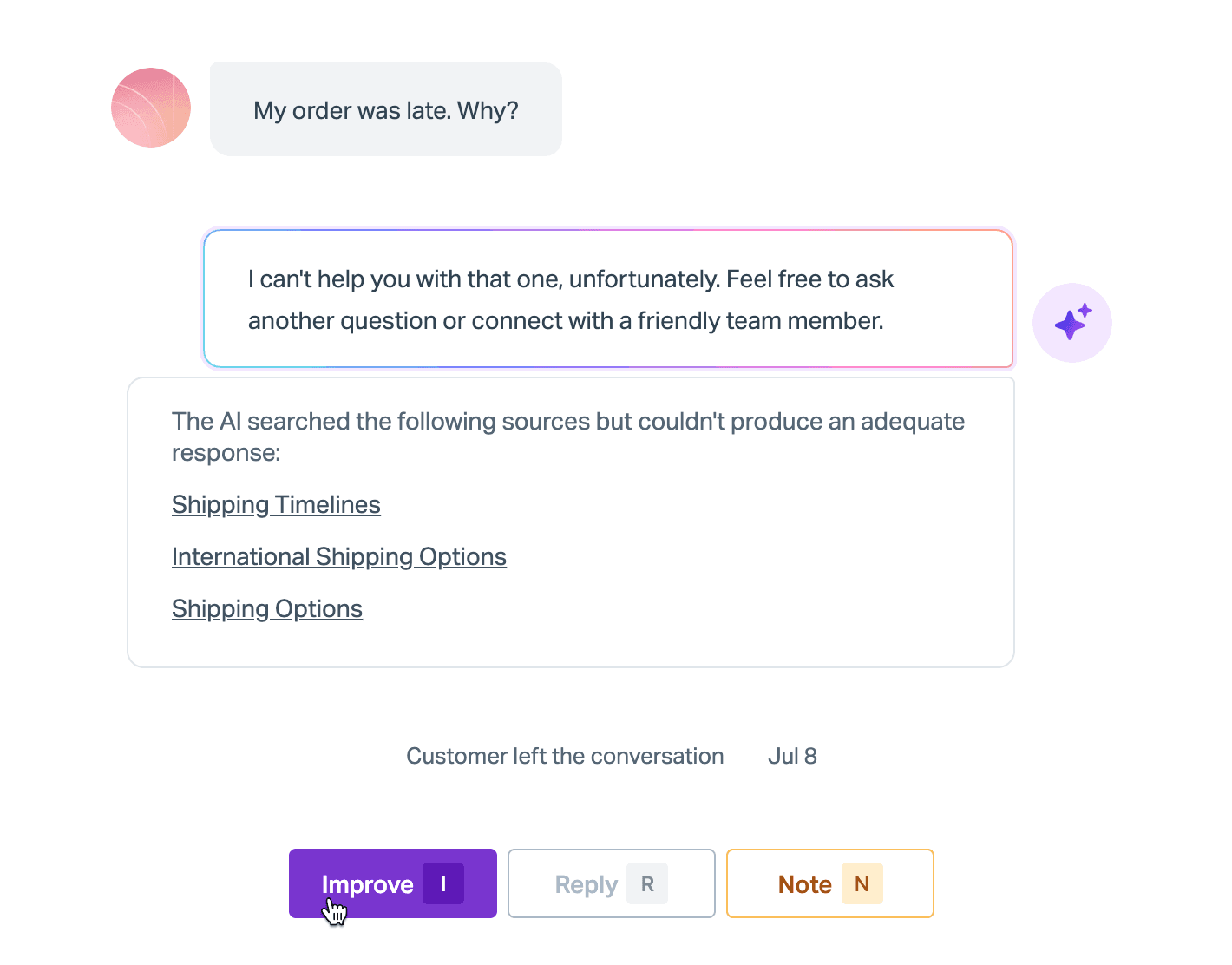
Help Scout's AI Agent is the place you configure AI Answers: knowledge, tone, guardrails and connections, reused across every Beacon (Help Scout's chat widget) (AI Agents in Help Scout). It answers from your Docs sites, public URLs, PDFs, Word and Excel files and Google Docs. It's the lightest-weight option here, which is the point. Our best AI for Help Scout roundup covers the add-on options too.
What it does well
- The clearest resolution definition on the list. No charge if the customer escalates, searches the help center, asks more, or clicks "I still need help", and at most one charge per conversation (Help Scout pricing FAQ).
- A hard monthly cap. When you hit it, AI Answers switches off for the rest of the cycle.
- Guardrails that send chosen topics straight to your team.
Pricing
From Help Scout pricing: $0.75 per resolution, billed monthly, with prepaid discounts and three months of free, unlimited resolutions for new accounts. Seats are $25, $45 or $75 per user per month on annual billing, plus a free plan for up to 5 users.
Pros and cons
Pros:
- Low per-resolution price with a hard monthly cap.
- The clearest rules on what counts as resolved.
- Test tab conversations aren't billed.
Cons:
- AI Answers runs in the Beacon widget; the docs I checked don't describe it replying to email tickets.
- Past conversations only feed "Suggested Improvements" that a person approves; they aren't a knowledge source.
- HIPAA is only on the Pro plan, and AI features need a separate healthcare addendum (Help Scout and HIPAA).
"The new AI features takes a lot of the anxiety out of how to respond in a respectful and professional manner."
CJ B., Capterra, Director of Customer Advocacy

Verdict
Great for a small team that mostly needs chat deflection on top of good docs. If most of your volume arrives by email, look at Help Scout AI alternatives that work inside the mailbox.
8. Ada
Best for: large teams that want a managed AI agent across chat, email and voice.
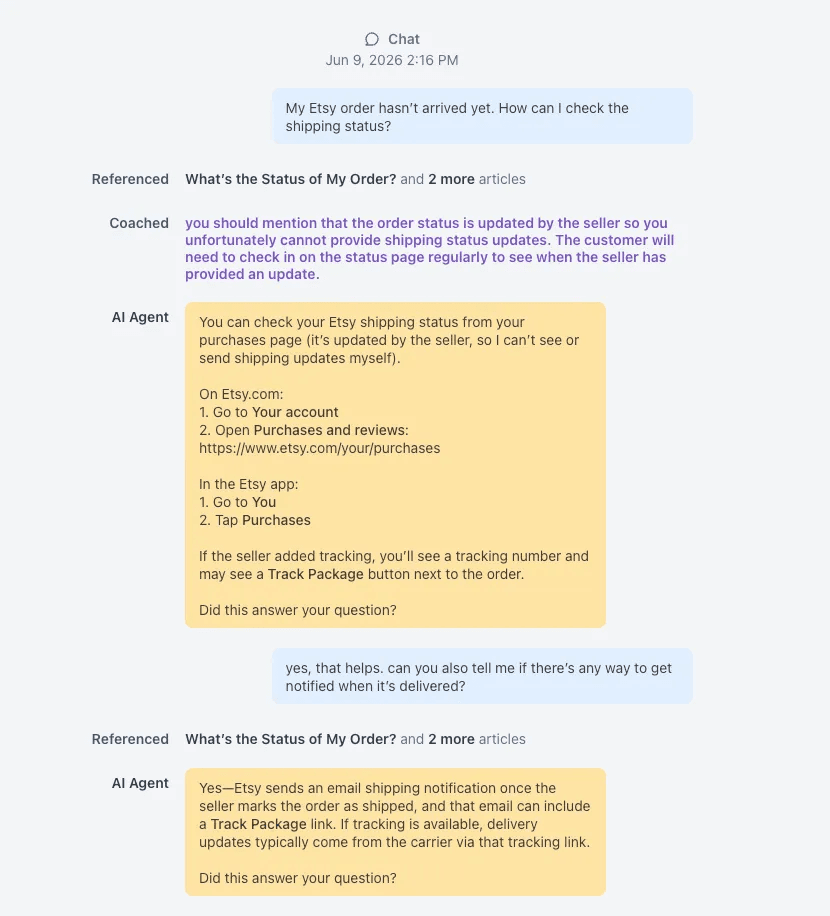
Ada is a standalone AI agent that sits in front of your helpdesk and hands off to Zendesk, Salesforce, or any platform that accepts email-to-ticket (handoff docs). It's built for enterprises; the pricing page is a demo form that opens by asking for your yearly contact volume. Our Ada review has the long version.
What it does well
- High-volume simulations. Up to 3,000 simulation runs a day and 1,000 stored test cases, with pass or fail against 1 to 10 expected outcomes (Simulations).
- Voice testing that places a real call to the agent.
- 60 supported languages, per Ada's docs.
Pricing
No public price. Ada's own blog argues for charging per conversation "regardless of outcome" over per resolution (Ada blog), but doesn't say what it charges. See Ada CX pricing for what's known.
Pros and cons
Pros:
- Serious testing volume for regression checks.
- Works across chat, email and voice.
- SOC 2 Type 2 and a HIPAA report on its trust center.
Cons:
- Simulation actions "are not mocked" and run against your live systems.
- Five active customer-facing API tools per agent by default; more goes through your Ada team.
- Setup can lean on hands-on work:
"The setup process for flows sometimes requires more manual work and testing than expected, especially when compared to platforms that offer stronger built-in discovery features or self-optimizing flows."
Silvia H., G2, Customer Experience Manager, Mid-Market
Verdict
Ada fits an enterprise with a dedicated AI owner and a vendor relationship budget. If you want to see a price before a demo, compare the Ada alternatives first.
9. Decagon
Best for: enterprises with engineers who want to own the agent's logic in code.
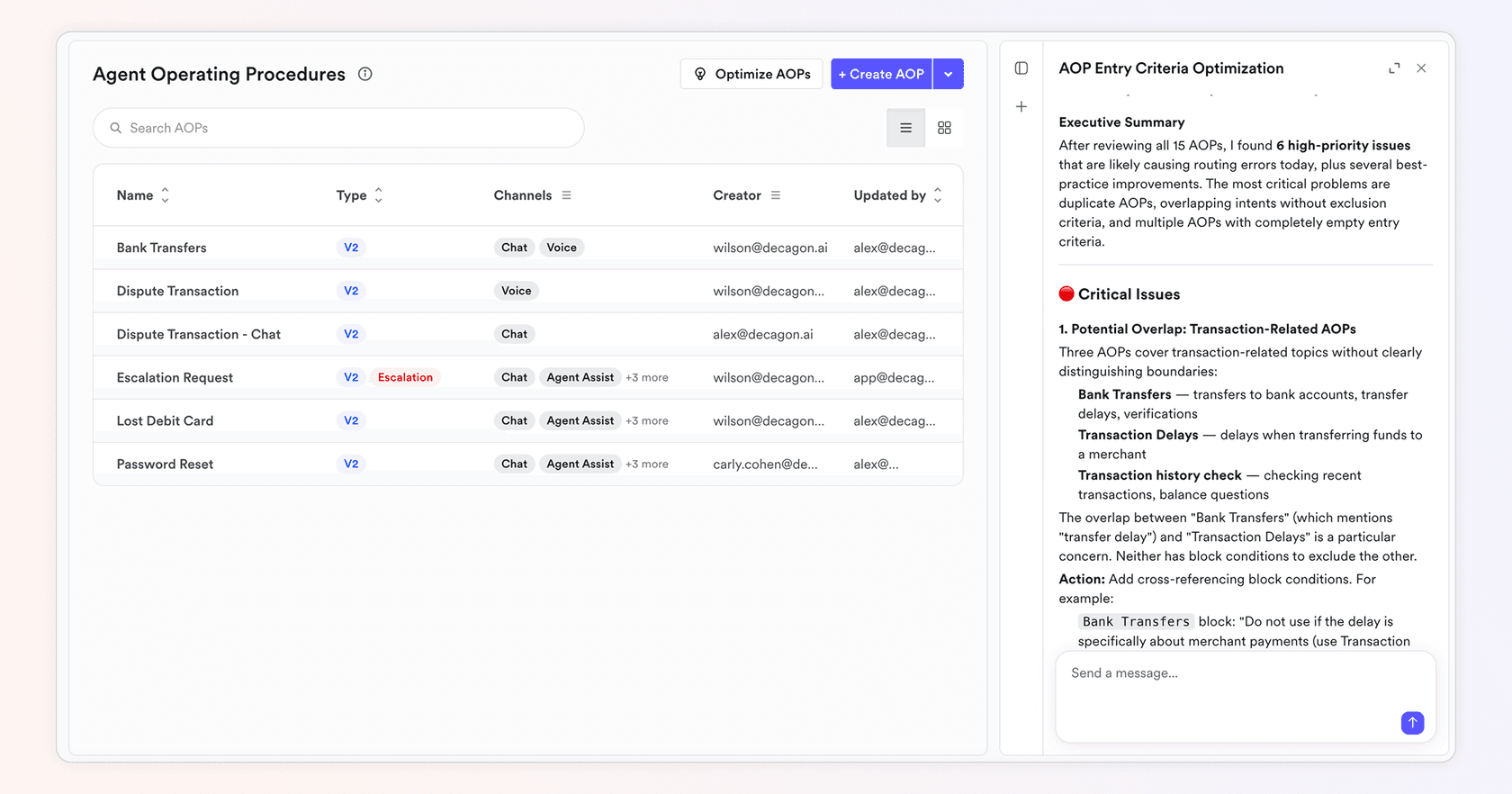
Decagon builds agents from Agent Operating Procedures (AOPs), written in natural language "the same way you train human agents with SOPs", with sensitive steps like refunds validated in code (AOPs). Technical teams version them with Git. It sits over Zendesk, Salesforce and other helpdesks. Our Decagon review covers it in depth.
What it does well
- Simulations seeded from reality. You can "upload historical transcripts from conversations where AI or human agents struggled and turn them into grounded test cases" (Decagon blog).
- CI/CD-ready tests, auto-generated from AOPs and production conversations.
- Suggestions that draft help-center content from how your best agents resolved the same issue.
Pricing
No public price. Decagon's own post says "the majority of our customers gravitate towards per-conversation pricing," a fixed rate for every incoming conversation (Pricing the AI Agent Economy). See Decagon pricing.
Pros and cons
Pros:
- Code-level control for teams that want it.
- Transcript-seeded simulations catch real failure modes.
- SOC 2 Type II and ISO 27001:2022 (trust center).
Cons:
- Sales-led, no self-serve trial.
- Simulations use mock personas, not a replay graded against your team's actual reply.
- Tuning takes time:
"The main downside is that it takes some time to set up and fine-tune everything properly. At the beginning, you need to review the responses quite closely to make sure they match your tone and business rules."
Verified reviewer, G2, Logistics and Supply Chain, Enterprise
Verdict
Decagon suits an enterprise CX org with engineering support. If you don't have engineers to assign, it's the wrong shape. The Decagon alternatives list has lighter options.
10. Sierra
Best for: enterprises that want to pay for outcomes and have a vendor team build the agent.
Sierra pairs its Agent Studio (no code) and Agent SDK (code) with "an expert agent development team that has supported hundreds of deployments", and promises to "deploy in weeks" (Sierra). Its pitch is outcome-based pricing, which is the opposite end of the billing spectrum from a flat per-ticket plan. If you're torn between the two enterprise picks, read Decagon vs Sierra.
What it does well
- Outcome pricing. "If the conversation is unresolved, in most cases, there's no charge" (Sierra blog).
- Heavy simulation. Mock users in many languages and tones, graded by a second agent; Sierra says customers run "over 35,000 tests (and growing) each day".
- Voice Sims that test calls from noisy places.
Pricing
No public price. Outcomes are "clear, agreed-upon criteria" set per contract, and greeter or routing flows can be billed per conversation instead. More in Sierra AI pricing.
Pros and cons
Pros:
- Mostly no charge for unresolved conversations.
- Vendor team does a lot of the building.
- SOC 2 Type II, ISO 27001:2022 and ISO 42001 (trust center).
Cons:
- "In most cases" appears twice in the pricing language; the outcome definition lives in your contract.
- Sierra itself says complex workflows and integrations "still require code."
- Not built for a small team that wants to start this afternoon.
Verdict
Sierra makes sense when you're a large consumer brand with budget and an appetite for a partnership. For everyone else, the Sierra alternatives are a faster path.
How to switch without breaking your queue
Switching AI tools is mostly a risk-management job. Here's the order I'd do it in, based on the switches I've watched from the support side:
- Export the numbers you'll judge the new tool on. Current resolution rate, reopen rate and AI CSAT, by topic. Without a baseline, every vendor will look better.
- Run the replacement on past tickets before customers. If the tool can't replay your history, write 30 to 50 test cases from your messiest real tickets, not the vendor's demo script.
- Run both side by side in draft mode. Let the new AI write internal notes while the old one keeps answering. Compare a week of drafts.
- Move one topic at a time. Order status first, refunds last. Keep anything that costs money behind an approval.
- Turn the old tool off before its renewal date, not after. Check whether committed resolutions or prepaid sessions expire.
The most common mistake I see is trusting the AI's own confidence as the handoff trigger. A builder on Reddit put it well: "The model sounds surest right before it's wrong" (r/AI_Agents). Hand off on visible signals instead, like the same order asked about twice, and read up on AI hallucinations before going fully autonomous.
Try eesel on the helpdesk you already have
If the reason you're shopping is the AI and not the helpdesk, eesel is the alternative built for exactly that. Connect your helpdesk, let it read your past tickets and macros, and run a simulation on last month's tickets before it touches a customer. You'll see how many of its replies match what your team sent, topic by topic, and where it would have escalated.

The free plan gives you 100 credits with every integration, no card. When you're ready, plans start at $299 a month for 500 tickets or chats, with unlimited seats. Try eesel free, or browse eesel pricing first.