10 best Voiceflow alternatives in 2026: builders vs ready-made agents

Rama Adi

Katelin Teen
Last edited October 12, 2026
Why teams look past Voiceflow
I build integrations at eesel, so I spend a lot of time inside other people's agent platforms, and I'll say it plainly: Voiceflow is one of the best visual agent builders around. Its G2 score sits at 4.5 out of 5 from 115 reviews, the canvas mixes scripted workflows with goal-driven playbooks, and voice is a real strength. Reddit agrees:
"If you want fully hosted: Voiceflow is probably the most production-ready low-code option. Steep learning curve at first but once you get it the agents are solid."

So why does "Voiceflow alternatives" keep getting searched? From the reviews and threads I read for this post, plus our own Voiceflow review, four reasons come up.
1. The bill is hard to predict. Voiceflow's pricing page shows no plan prices; they live inside the app. Usage runs on credits: per the credits pricing table, one credit is $0.005, every customer message costs 1 credit, a phone minute costs 10, and model tokens come on top (our Voiceflow pricing guide breaks it down). A G2 reviewer flagged the entry tier too:
"I would like if Voiceflow would add more seats for the pricing. Currently, they're only issuing two seats for the lowest price of $60."

2. Someone has to own the build. Voiceflow gives you the parts. Writing instructions, designing playbooks, scripting tests and fixing edge cases is your team's job. One DTC brand owner who tested a stack of agent tools put it bluntly:
"Voiceflow - Powerful if you code. Built custom logic that actually works. Took 40 hours. Non-technical people will suffer. Rating: 8/10 for devs, 2/10 for everyone else."
3. It doesn't learn from your past tickets, and its tests can't replay them. The knowledge base imports web pages, files and Zendesk Help Center articles, not solved tickets. Tests are conversations you script or an AI plays a user you describe. This one matters more than it sounds. On eesel's sales calls, the single most requested capability is training the AI on the customer's own past tickets. Teams know their best answers already live in their ticket history.
4. Voice and launch have edges. Voiceflow's own phone numbers are US and Canada only and "currently don't support outbound calling" per the outbound docs. And the most painful review I found this autumn was about launch day:
"Ran into lots of issues when we pushed our Voiceflow chat to production and it impacted a live session we had which caused a lot of frustration with our users and impacted our session NPS. And we had to wait for 4 days for their support team to respond."
One thing that is no longer a reason to leave: since September 24, 2026, live agent handoff works on all Voiceflow plans through the handoff step, with native connections to Genesys, Ujet, Kustomer, Dixa and Zendesk.
Builders vs ready-made agents: pick the camp first
When I asked ChatGPT what a team on Voiceflow should look at next, its answer split the market the same way I would: platforms that let you "build and customize AI agents like Voiceflow," and "ready-made customer support AI that requires less development." That split is the real decision.
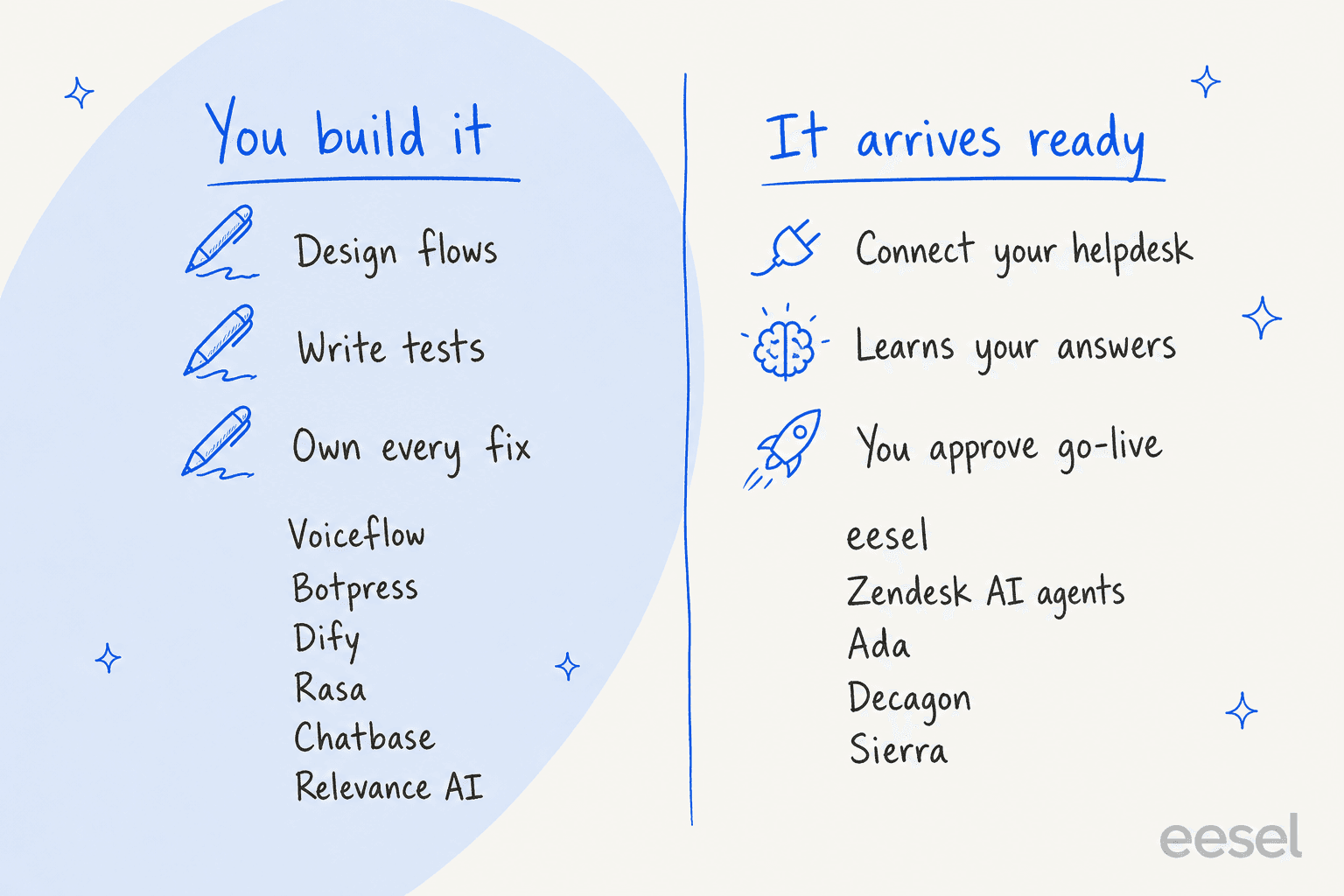
Moving from one builder to another makes sense when the builder itself is the problem: pricing model, hosting, a missing channel, a framework your engineers prefer. It doesn't make sense when the problem is that nobody has time to keep building. One of our churned customers told our founder that "long term we will just build our own, which is so possible now with AI." I hear that line a lot. Building is possible. Owning the agent every week after launch is the part teams underestimate, which is why our build vs buy guide spends most of its time on maintenance.
The ready-made camp splits again. Decagon, Sierra and Ada are enterprise platforms where the vendor's team helps you set up the agent. Zendesk AI agents live inside one helpdesk. eesel is a self-serve AI teammate that works inside the helpdesk you already have.
Voiceflow alternatives at a glance
Here's how the ten compare on the things support teams ask about most. Prices are the public figures on each vendor's site as of October 12, 2026.
| Tool | Camp | Starting price | Billing unit | Free tier | Self-host | Voice | Human handoff | Learns from past tickets | Pre-launch testing | Security | G2 |
|---|---|---|---|---|---|---|---|---|---|---|---|
| Voiceflow (baseline) | Builder | Shown in app | Credits: $0.005 each, 1 per message | 100 one-time credits | No (private cloud on Enterprise) | Yes, US/CA numbers | All plans: Zendesk, Genesys, Kustomer, Dixa, Ujet | No | Scripted tests, AI-simulated users | SOC 2 II, ISO 27001, GDPR, HIPAA | 4.5 (115) |
| eesel | Ready-made teammate | $299/mo for 500 credits | 1 credit per ticket or chat | 100 credits | No | No | Works inside your helpdesk | Yes | Replays past tickets vs your team's replies | GDPR, SOC 2 II underway | n/a |
| Botpress | Builder | $150/mo (annual) | Per conversation | 100 conversations | No (legacy v12 only) | Enterprise only | Botpress Desk or HITL (Plus+) | No | Emulator, simulations, evals | SOC 2, GDPR | 4.5 (514) |
| Dify | Builder | $590/yr | Message credits | Yes | Yes, open source | No | Human Input node only | No | Batch runs, third-party evals | SOC 2 II, ISO 27001, GDPR | 4.1 (20) |
| Rasa | Builder (pro-code) | Quote | Not published | 1,000 conversations/mo | Yes | Yes | Custom action you write | No | E2E tests, simulation | Runs in your infrastructure | 4.0 (11) |
| Chatbase | Builder (simple) | $40/mo | Message credits | No (7-day trial) | No | Yes (Standard+) | Tickets to 10 helpdesks; live chat in its own inbox | Zendesk/Salesforce, Pro ($500) | Simulated-customer tests | SOC 2 II, GDPR, HIPAA (Ent.) | 4.8 (46) |
| Relevance AI | Builder (ops agents) | $19/mo (annual) | Per action + vendor credits | No | No | Outbound calls (Team+) | Approvals, Slack/email alerts | No | Evals (Enterprise) | SOC 2 II, GDPR | 4.3 (20) |
| Zendesk AI agents | Ready-made, in Zendesk | $55/agent/mo + $1.50 per resolution | Verified resolution | 14-day trial | No | Yes (GA Sept 2026) | Native escalation | Partial (history shapes intents) | Test widget, simulator (early access) | SOC 2, ISO 27001, GDPR, HIPAA BAA | 4.3 (7,095)* |
| Ada | Ready-made, enterprise | Quote | Not published | No | No | Yes, 42 languages | 25 partners incl. Zendesk, Salesforce, Gorgias | No | Authored simulations | SOC 2, HIPAA, GDPR, PCI DSS | 4.6 (174) |
| Decagon | Ready-made, enterprise | Quote | Per conversation or resolution | No | No | Yes, 70+ languages | Zendesk, Salesforce | Partly (seeds procedures) | Auto-generated simulations | SOC 2 II, ISO 27001, GDPR, PCI | 4.8 (29) |
| Sierra | Ready-made, enterprise | Quote | Per outcome | No | No | Yes, 55+ languages | Routes to a person with a summary | Not stated | Simulations, regression tests | SOC 2, ISO 27001, HIPAA, FedRAMP High | 4.5 (131) |
*Zendesk's G2 score covers the whole Zendesk product, not AI agents alone.
How to pick: a two-minute decision tree
Click through the questions below. Each branch ends at the one or two tools I'd trial first for that situation.
Click a branch to open it. Each answer names the tool I'd trial first, based on the pricing and handoff facts in the table above.
How I picked these alternatives
I started from the searches ChatGPT ran when I asked it, as a support lead would, what to look at after building on Voiceflow: Botpress, Stack AI, Relevance AI, Zendesk AI, Ada, Decagon, Sierra and Dify all came up. I kept the tools a Voiceflow team would realistically shortlist and checked each against five things:
- Real pricing, read from the vendor's own pricing page or docs on October 12, 2026.
- Human handoff: where the conversation goes when the AI can't help, and on which plan.
- Knowledge: what it learns from, and whether past tickets are one of the inputs.
- Testing before launch: scripted scenarios, simulations, or a replay of real conversations.
- What real users say on G2, Reddit and Hacker News.
StackAI came up in the searches too, but its pricing page lists only a Free plan and a quote-only Enterprise plan, and it has no ticket handoff, so it's better suited to internal workflows than a support queue. For a wider view beyond these ten, our roundups of AI customer support agents and AI chatbot builders cover more ground.
1. eesel
Best for: support teams on a helpdesk who want an agent that already knows their answers, without a build project.

Full disclosure: I work on eesel. I've put it first because it's the clearest example of the other camp, and I'll be as specific about where it doesn't fit as I am about the others.
eesel is an AI teammate platform. For support, you hire the AI helpdesk teammate: it connects to Zendesk, Freshdesk, Gorgias and other helpdesks, reads your past tickets and help center, and drafts or sends replies inside the queue your agents already work. There's no canvas and no flow to design. You give it instructions in plain English and approve what it's allowed to do.
Where it beats Voiceflow
- It learns from your ticket history. The answers your team already wrote become its training material, alongside your help center and docs. Voiceflow's knowledge base doesn't import tickets.
- You can test on real history before launch. eesel runs a simulation over hundreds of your past tickets and compares its answers with what your team actually sent, so you see the gaps before a customer does. That's the test Voiceflow's scripted scenarios can't run.
- No seats, every feature. A ticket or a chat is one credit however long it runs, per the eesel pricing page.
- A real terminal surface. If you liked Voiceflow's API, the eesel CLI lets a person, a script or a coding agent like Claude Code check status, edit instructions and approve pending actions, with JSON output and a
--dry-runflag on writes.
Where it falls short
- No phone channel of its own. If voice calls are your main channel, Voiceflow, Sierra or Decagon fit better.
- You don't design flows. Teams that want pixel-level control over every turn of a scripted conversation will miss a canvas.
- Compliance is still maturing. SOC 2 Type II is underway rather than complete, and HIPAA is an add-on on custom terms.
Pricing
| Plan | Price | Credits |
|---|---|---|
| Free | $0 | 100 credits to try everything |
| 500 credits | $299/month | A ticket or chat = 1 credit |
| 1,000 credits | $499/month | Same |
| 2,500 credits | $999/month | Same |
| 5,000 credits | $1,749/month | Same |
| More than 5,000 | Talk to us | Custom |
Overage is off by default; turn it on with a cap and extra credits are $0.80 each. Paying a year upfront gets two months free.
Verdict
My take: pick eesel if your conversations live in a helpdesk and the honest reason you're leaving Voiceflow is that nobody has time to keep building. Skip it if voice is the job. Our eesel vs Zendesk AI comparison shows how it stacks up against the native option.
2. Botpress
Best for: builders who like the Voiceflow way of working but want simpler billing and a built-in place to hand chats to humans.
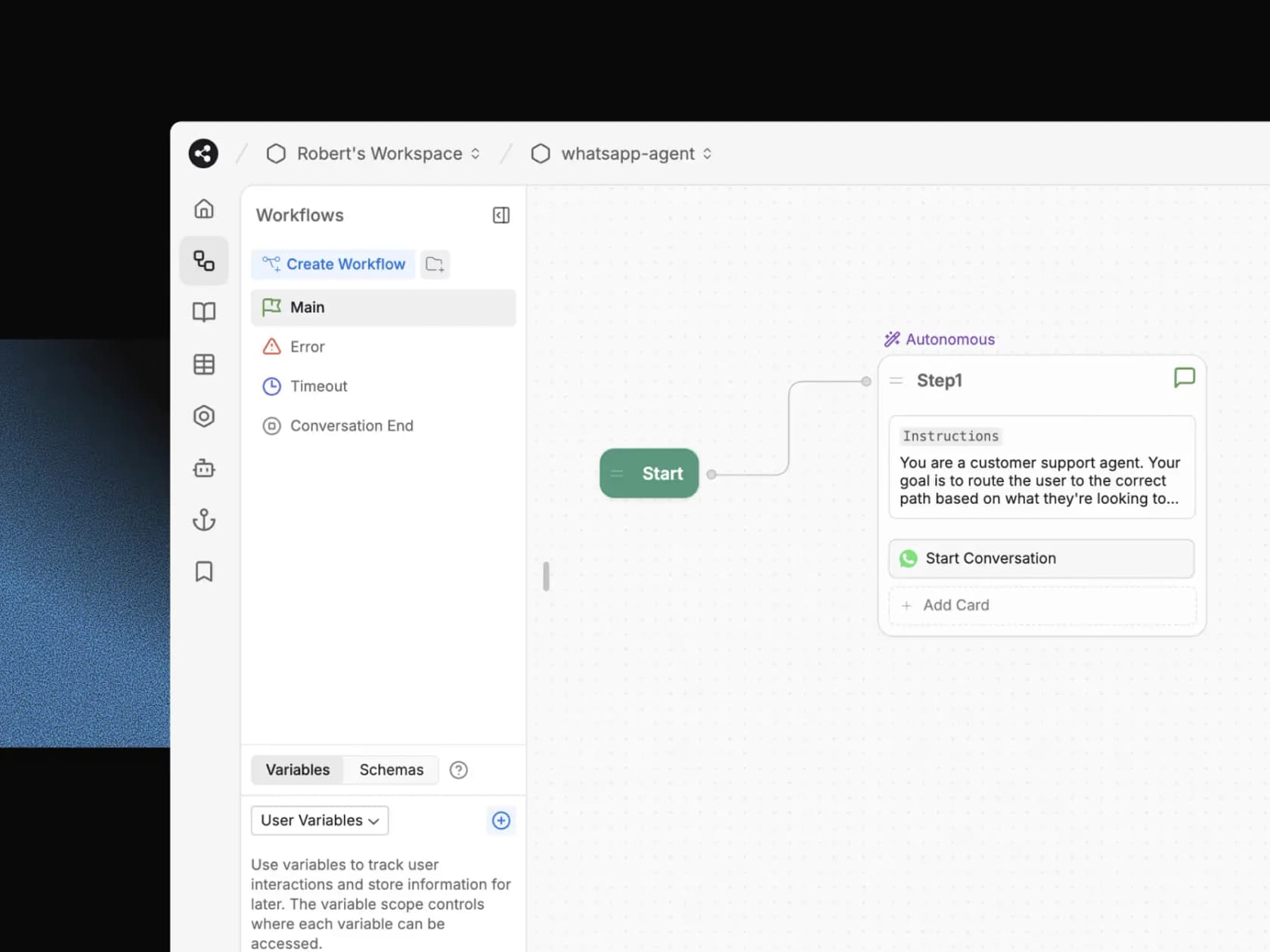
Botpress is the closest like-for-like Voiceflow alternative. You get a visual Studio, a TypeScript ADK for code-first teams, and Desk, an AI helpdesk where escalated conversations land. It has the biggest review base on this list: 4.5 out of 5 from 514 reviews on G2. One Redditor comparing the two drew the line I'd draw:
"Voiceflow is quite user friendly, but not as good with more complex workflows. So if you're just using the agent to answer FAQs, then this is great, but if you're looking to integrate with many tools, or you want an AI agent that does more, like troubleshoot, qualify leads, etc., then I'd go with Botpress."
Where it beats Voiceflow
- Per-conversation billing with AI spend included. You count conversations, not messages and tokens.
- Handoff has a home. New workspaces hand off to Botpress Desk; the Zendesk integration can create tickets and assign a Zendesk agent in the same conversation.
- Stronger testing than it used to have. Simulations, conversation replay in preview, and ADK evals with an LLM judge.
Where it falls short
- Voice is Enterprise only, per the pricing page.
- No past-ticket learning. The knowledge base takes files, websites, web search, Notion and Google Drive.
- Cost visibility is still a complaint. A G2 reviewer who likes the product wrote:
"I would also like more transparency and easier control over AI usage and costs, as it can sometimes be difficult to predict how different parts of a workflow affect overall consumption."
Pricing
| Plan | Price | Included | Extra conversations |
|---|---|---|---|
| Free | $0 | 100 conversations, 3 seats | No overages |
| Plus | $150/mo billed annually | 250 conversations, WhatsApp, HITL | $65 per 100 ($0.65 each) |
| Team | $750/mo billed annually | 1,500 conversations, unlimited seats, routing | $50 per 100 ($0.50 each) |
| Enterprise | Custom | Voice, SLA, security review | Custom |
Verdict
My take: the right move if your team enjoys building and you mainly need chat. If voice matters, check Enterprise pricing before you migrate. More detail in our Botpress review and Botpress vs eesel comparison.
3. Dify
Best for: technical teams who want an open-source builder they can self-host.
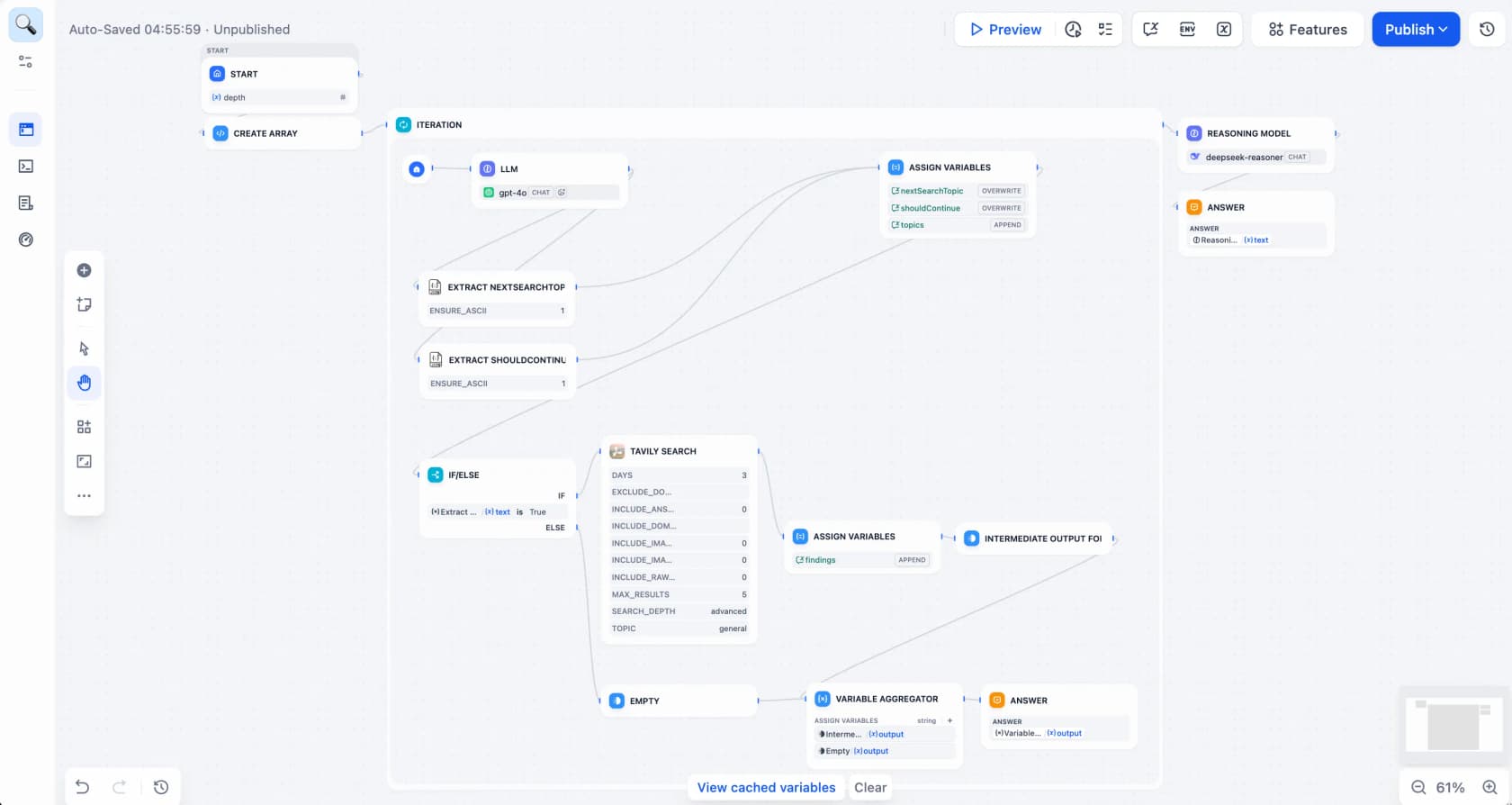
Dify is an open-source platform for building LLM apps: workflows, RAG pipelines and agents on a visual canvas. Its own tutorials include a customer service bot with a knowledge base, which tells you how it thinks about support: as one app you assemble.
Where it beats Voiceflow
- You can run it yourself. The GitHub repo ships a Docker Compose setup, under a license based on Apache 2.0 with extra conditions.
- Cheap to start. Professional is
$590a year on the pricing page, and once credits run out you plug in your own model API key. - A real compliance story for a builder. Dify reports SOC 2 Type II, ISO 27001 and GDPR for the second year running in its compliance update.
Where it falls short
- No native helpdesk or live handoff. The documented publish options are a web app, API, embed and MCP server. The closest thing to handoff is the Human Input node, which pauses a workflow for a reviewer.
- No voice, WhatsApp or SMS channel out of the box.
- Testing is do-it-yourself. Batch runs from a CSV plus third-party tools like LangSmith or Langfuse.
Pricing
| Plan | Price | Included |
|---|---|---|
| Sandbox | Free | 200 one-time message credits, 1 member |
| Professional | $590/year | 5,000 credits/month, 3 members, 50 apps |
| Team | $1,590/year | 10,000 credits/month, 50 members, 200 apps |
| Enterprise | Custom | SSO, multiple workspaces, commercial license |
| Community Edition | Free (self-hosted) | Core features, single workspace |
Verdict
My take: a great fit for an engineering team that wants control and doesn't mind wiring support channels itself. A support team without developers will spend its first month on plumbing. Our list of open-source chatbot platforms has more self-hosted options.
4. Rasa
Best for: engineering-led teams in regulated industries that need chat and voice on their own infrastructure.
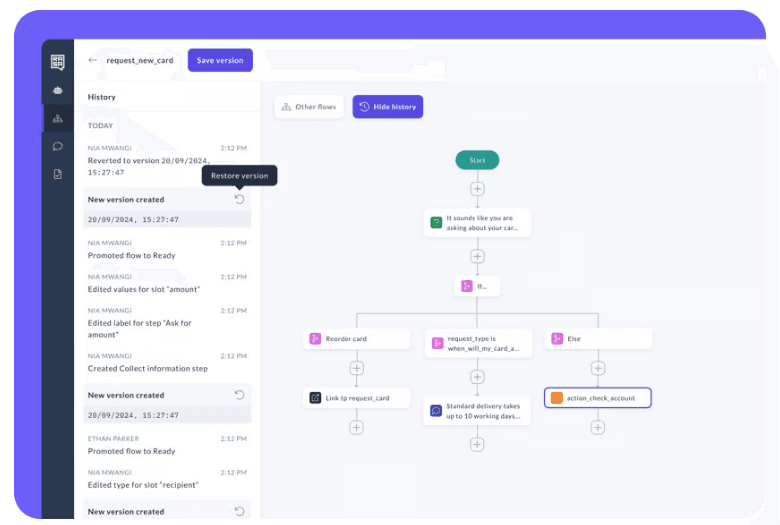
Rasa is the pro-code end of the builder camp. It claims "2 out of 3 top US banks run agents on Rasa," and its docs now introduce Mantle, a new orchestrator that builds agents from skills written in natural language, alongside the older Rasa Pro and Studio.
Where it beats Voiceflow
- Deploy anywhere. Self-managed on-prem or private cloud, or a managed service, per the pricing page.
- Deep voice options. Twilio, Genesys Cloud, AudioCodes, Vonage and more, with barge-in handling on streaming channels.
- Serious testing. Scripted end-to-end tests for CI plus simulation and evaluation with an LLM judge.
Where it falls short
- Handoff is code you write. The default human handoff pattern just tells the user the assistant can't help; routing to a person needs a custom action. There are no native helpdesk connectors.
- No public prices beyond the free tier.
- It's built for specialists. A G2 reviewer summed it up:
"Its prime audience are machine learning specialists going for 99% in terms of performance. However, that also means it is highly complex."
Pricing
| Plan | Price | Included |
|---|---|---|
| Free Developer Edition | $0 | 1 bot, up to 1,000 external or 100 internal conversations a month |
| Enterprise | Quote only | Full platform, premium 24/7 support |
Verdict
My take: the pick when data residency or a bank-grade review rules out hosted tools and you have engineers to spare. Overkill for a team that left Voiceflow because building was too much work.
5. Chatbase
Best for: small teams that want a website support bot live in an afternoon.
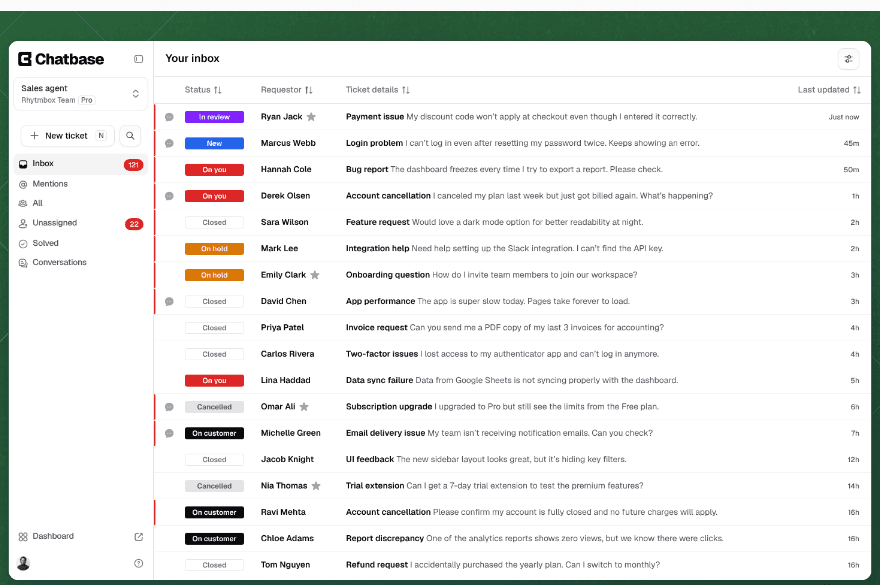
Chatbase sits at the simple end of the builder camp: point it at your docs, set some actions, embed the widget. It now has its own helpdesk inbox, voice via Twilio or SIP, and a strong G2 score of 4.8 from 46 reviews.
Where it beats Voiceflow
- Much less to build. No canvas; you configure sources and actions.
- It can learn from tickets. "Tickets" is a data source: closed tickets from Salesforce or Zendesk, one platform at a time, on the Pro plan.
- New simulated tests. Tests let an AI customer talk to your agent while a judge model grades the result against your success criteria.
Where it falls short
- Live handoff stays inside Chatbase. The live chat action only hands off to Chatbase's own Helpdesk. For Zendesk, Freshdesk or Gorgias you get an escalation ticket, not a live transfer.
- Prices went up. Hobby moved from $32 to $40, Standard from $120 to $150 and Pro from $400 to $500 since June, and the free plan is gone.
- Detailed flows need upkeep. From a mid-market CX lead on G2:
"The more detailed the workflow becomes, the more maintenance it needs. Firmware releases can change the troubleshooting path, so we need to re-update all the documentation."
Pricing
| Plan | Price | Message credits/mo | Notable |
|---|---|---|---|
| Hobby | $40/mo | 700 | 1 agent, integrations |
| Standard | $150/mo | 4,000 | Helpdesk, voice, API |
| Pro | $500/mo | 15,000 | Tickets as a source |
| Enterprise | Custom | Higher | SSO, HIPAA-eligible |
Extra credits are $40 per 1,000, and yearly billing is 20% off.
Verdict
My take: good for an FAQ bot on a small budget, but past-ticket learning only arrives at $500 a month and live handoff doesn't reach your existing helpdesk. See our Chatbase pricing breakdown and Chatbase alternatives if those limits bite.
6. Relevance AI
Best for: ops and go-to-market teams building agents for many jobs, with support as one of them.
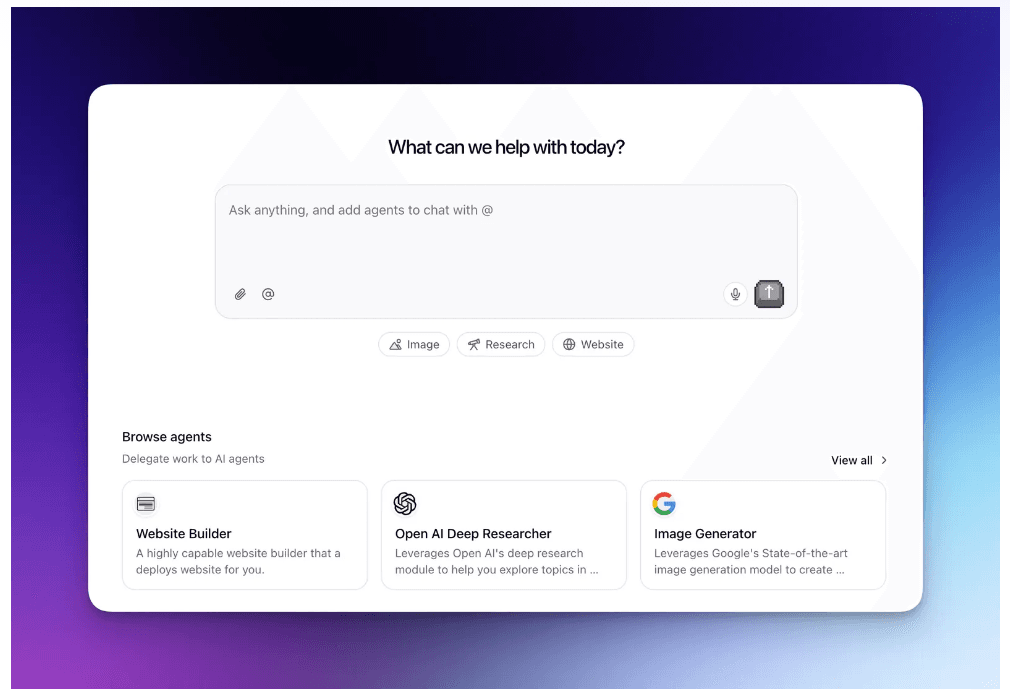
Relevance AI builds teams of agents it calls an AI Workforce. Its docs pitch the Pro plan "for solo GTM operators," and the flagship examples are sales and research. Support shows up as a documented use case: triage, reply drafting from a knowledge base, and article drafting from resolved tickets.
Where it beats Voiceflow
- Low entry price. Pro is $19 a month on annual billing, per the pricing docs.
- Agents beyond support. One workspace can run sales, research and ops agents next to a support one.
- A publish gate on quality. Evals can block publishing below a minimum pass rate, though agent evaluations are listed as Enterprise only.
Where it falls short
- No live chat transfer to a person. Escalation means approval modes and Slack or email alerts you build, per the approvals docs.
- Zendesk triggers are Enterprise only. Tool steps that create or read tickets work on all plans, but reacting to new tickets needs Enterprise, per the Zendesk docs.
- Billing is per action, so a busy support agent can burn through 2,500 actions faster than you'd expect. Top-ups are $80 per 1,000.
Pricing
| Plan | Price | Actions/mo | Notable |
|---|---|---|---|
| Pro | $19/mo annual ($29 monthly) | 2,500 | 2 builders, email and Slack escalations |
| Team | $234/mo annual ($349 monthly) | 7,000 | Calling agents, A/B tests, analytics |
| Enterprise | Custom | Custom | Zendesk/Salesforce triggers, evals, SSO |
Verdict
My take: pick it if support is one of several agent jobs you're building. For a support queue alone, the missing live handoff and Enterprise-gated ticket triggers are hard to work around. More in our Relevance AI pricing guide.
7. Zendesk AI agents
Best for: teams already on Zendesk Suite who want the AI from the same vendor as their helpdesk.
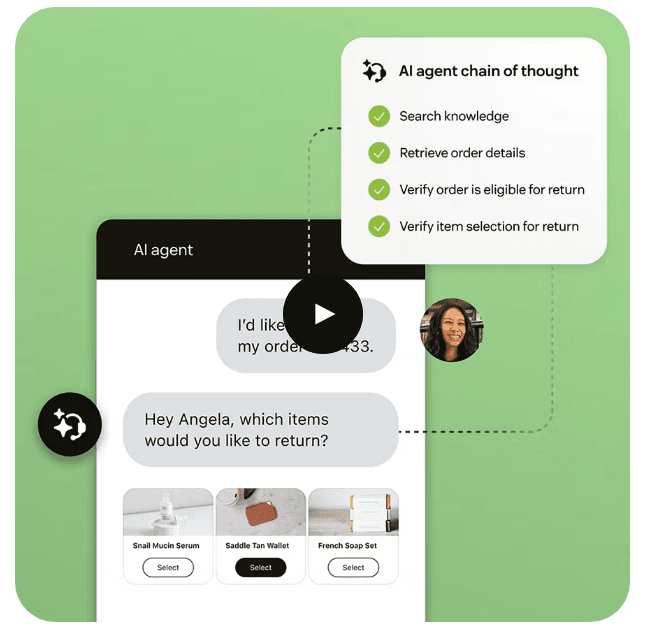
Zendesk AI agents answer on messaging, email and, since September 1, 2026, voice. One thing older comparisons get wrong: the Essential vs Advanced split is going away. Essential has been legacy since May 11, 2026, per Zendesk's AI agent docs, and becomes unavailable on December 10, 2026.
Where it beats Voiceflow
- Nothing to integrate. Escalation is native, and voice calls transfer to a person with the ticket history attached.
- Fairer resolution billing than before. Since May 18, 2026, resolution tiers mean assisted escalations and contained resolutions are free; only LLM-verified resolutions count.
- Enterprise compliance. SOC 2, ISO 27001 and a HIPAA BAA through Advanced Compliance.
Where it falls short
- Two bills. Seats first, then
$1.50per committed resolution or$2.00pay-as-you-go, per the pricing page. Our Zendesk AI pricing guide does the math. - Past tickets shape intents, not answers. You can import historical conversations to cluster intents, but I found nothing saying it trains generative answers on them.
- Testing is still catching up. The conversation simulator is in early access and runs scenarios you write; the sandbox is Enterprise only.
Pricing
| Item | Price |
|---|---|
| Suite Team (includes AI agents) | $55/agent/month annual ($69 monthly), 5 resolutions per agent |
| Suite Professional | $115/agent/month annual ($149 monthly), 10 resolutions per agent |
| Committed automated resolutions | $1.50 each |
| Pay-as-you-go resolutions | $2.00 each |
| Suite Enterprise | Talk to sales |
Verdict
My take: the low-friction choice if you're all-in on Zendesk and fine paying per resolution. If you're on Freshdesk or Gorgias, or want the agent to learn from ticket history, look elsewhere. Our Zendesk AI alternatives list has options.
8. Ada
Best for: large enterprises with high contact volume and a budget for a guided rollout.
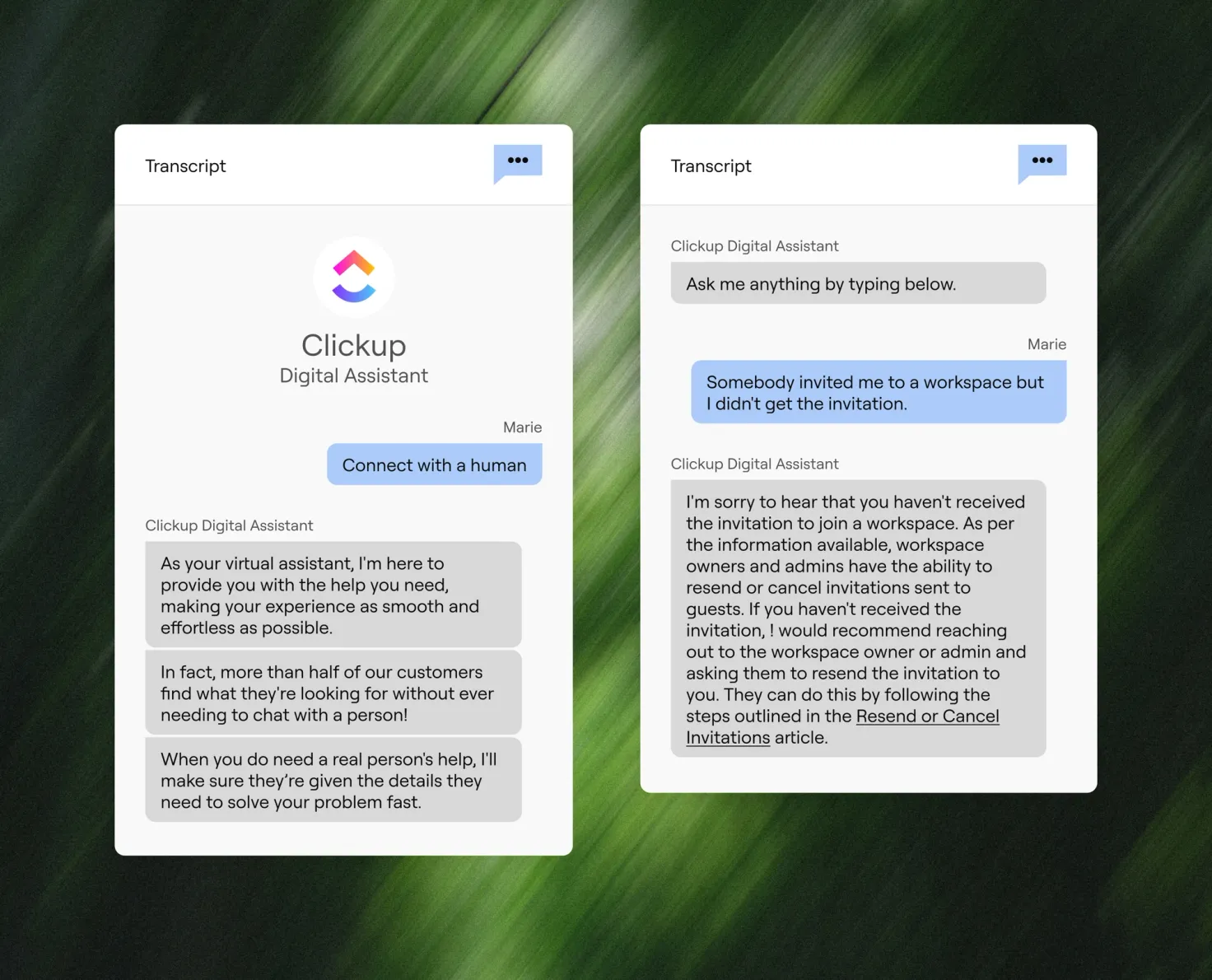
Ada calls itself "the AI customer service platform built for enterprise," trusted by 350+ global enterprises. You or Ada's experts configure knowledge, Playbooks and Actions, and it runs across chat, email and voice in 42 languages for voice. G2 reviewers rate it 4.6 from 174 reviews, and Playbooks get the praise:
"My favourite feature is the playbooks. You can write out what you want, and the Ada system takes your thoughts and turns them into an effective protocol for your chatbot to use."
Where it beats Voiceflow
- Broad handoff coverage. The integrations page lists 25 partners including Zendesk, Salesforce, Gorgias, Kustomer, NICE CXone and ServiceNow, with messaging, email or voice handoff tagged per partner.
- Bulk simulations. Simulations run up to 3,000 multi-turn tests a day, including voice simulations that place a real call.
Where it falls short
- Quote only. The pricing page is a demo form that asks for your annual contact volume.
- No past-ticket learning. Knowledge comes from connected knowledge bases, website import and an API. Simulations use test cases you author, not your real history.
- Pricing gets pushback from some customers. One mid-market reviewer on G2 wrote: "Pricing could be more competitive for the services provided."
Pricing
Ada publishes no plans or rates. Expect an annual contract sized by contact volume; our Ada pricing guide covers what's known.
Verdict
My take: a strong enterprise option if you want a vendor team helping you build. A team leaving Voiceflow for lower cost or less work won't find either here. See our Ada review for more.
9. Decagon
Best for: enterprise CX teams who want to write agent logic in plain English with engineering guardrails.
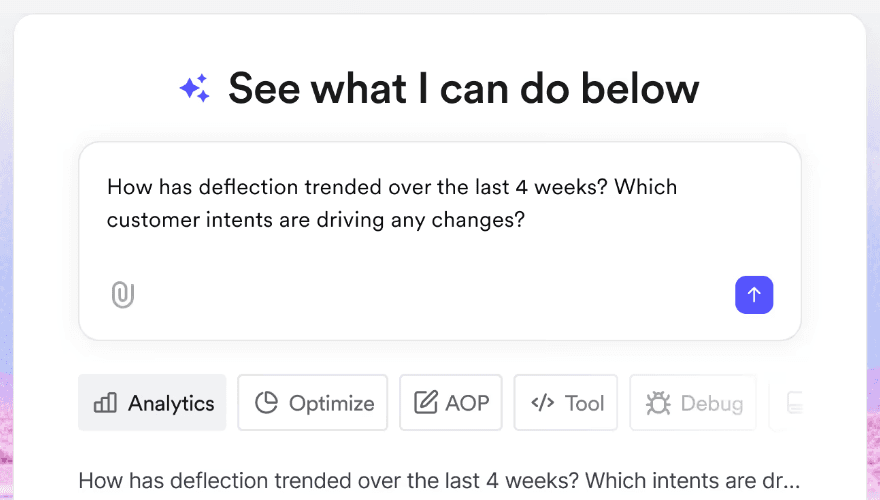
Decagon has CX teams write agent behaviour as Agent Operating Procedures in natural language, while engineers keep Git-based version control. It covers chat, email and voice in 70+ languages, and G2 reviewers give it 4.8 from 29 reviews.
Where it beats Voiceflow
- History seeds the agent. Duet Autopilot analyzes "past customer interactions to automatically generate Agent Operating Procedures."
- Testing at scale. Its Simulations suite auto-generates tests, runs on a schedule and plugs into CI/CD.
- Strong certifications. The Trust Center lists SOC 2 Type II, ISO 27001:2022 and PCI DSS 4.0.1.
Where it falls short
- No public price, no trial. Decagon's pricing post explains per-conversation and per-resolution models but no rates.
- Narrow helpdesk list. Live escalation is named for Zendesk and Salesforce.
- Setup takes effort. From an enterprise logistics reviewer:
"The main downside is that it takes some time to set up and fine-tune everything properly. At the beginning, you need to review the responses quite closely to make sure they match your tone and business rules."
Pricing
| Model | How it works |
|---|---|
| Per conversation | Fixed rate per incoming conversation; most customers choose this |
| Per resolution | Higher rate per resolved conversation, no charge for escalations |
No dollar figures are published. Our Decagon pricing guide has more context.
Verdict
My take: a good fit for a large team on Zendesk or Salesforce that wants enterprise testing and can live with a sales cycle. Not a fit if you need to start this month on a card.
10. Sierra
Best for: large consumer brands that want a premium, vendor-built agent across chat and phone.
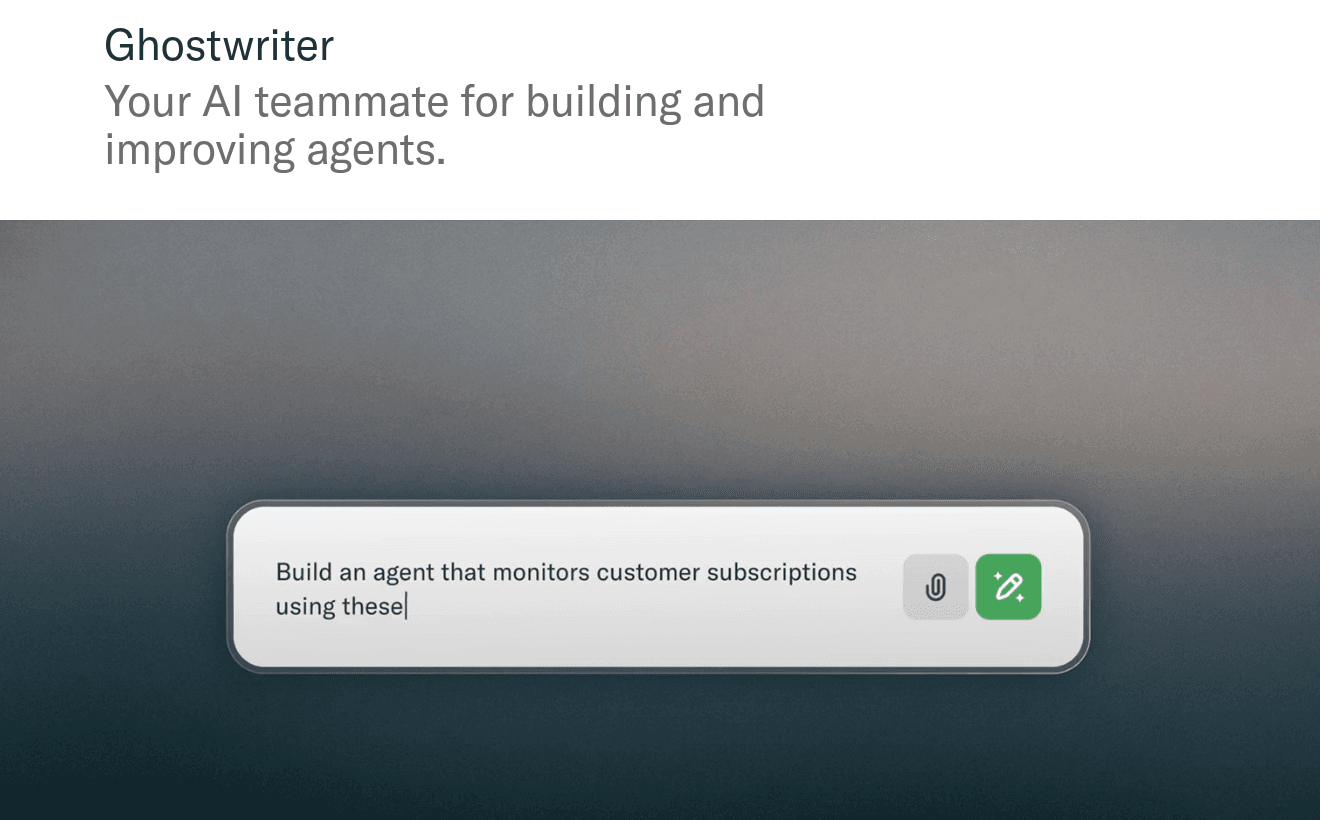
Sierra builds agents with a no-code Agent Studio, a code-first Agent SDK and Ghostwriter, which Sierra calls "your AI teammate for building and improving agents." The builder itself sits behind a login, so the shot above is as close to the product as the public site gets. G2 reviewers rate it 4.5 from 131 reviews, up from 14 reviews in August.
Where it beats Voiceflow
- Voice depth. Inbound and outbound calls in 55+ languages, plus card and ACH payments over the phone on PCI Level 1 infrastructure, per its voice page.
- Testing is a first-class feature. Simulations, AI-powered evaluations, regression testing and voice simulations.
- The longest compliance list here, including FedRAMP High and ISO 42001, per its trust page.
Where it falls short
- Built for big budgets. Pricing is outcome-based with no public rates and no trial. A Hacker News commenter put it this way:
"I don't think businesses that previously had zero phone support can afford Sierra."

- No helpdesk named publicly. Handoff routes to a person with a summary, but the site doesn't list which helpdesks it connects to.
- Past-ticket training isn't stated as a feature.
Pricing
Sierra charges per outcome, such as a resolved conversation or a saved cancellation, and says escalations are in most cases not charged. Everything else is a quote; our Sierra pricing guide covers what's known.
Verdict
My take: the premium pick for a consumer brand where phone support carries the business. Most teams leaving Voiceflow are not that buyer.
What each billing model costs at 1,000 conversations a month
The tools above bill in four different units, and that difference moves your bill more than the headline price.
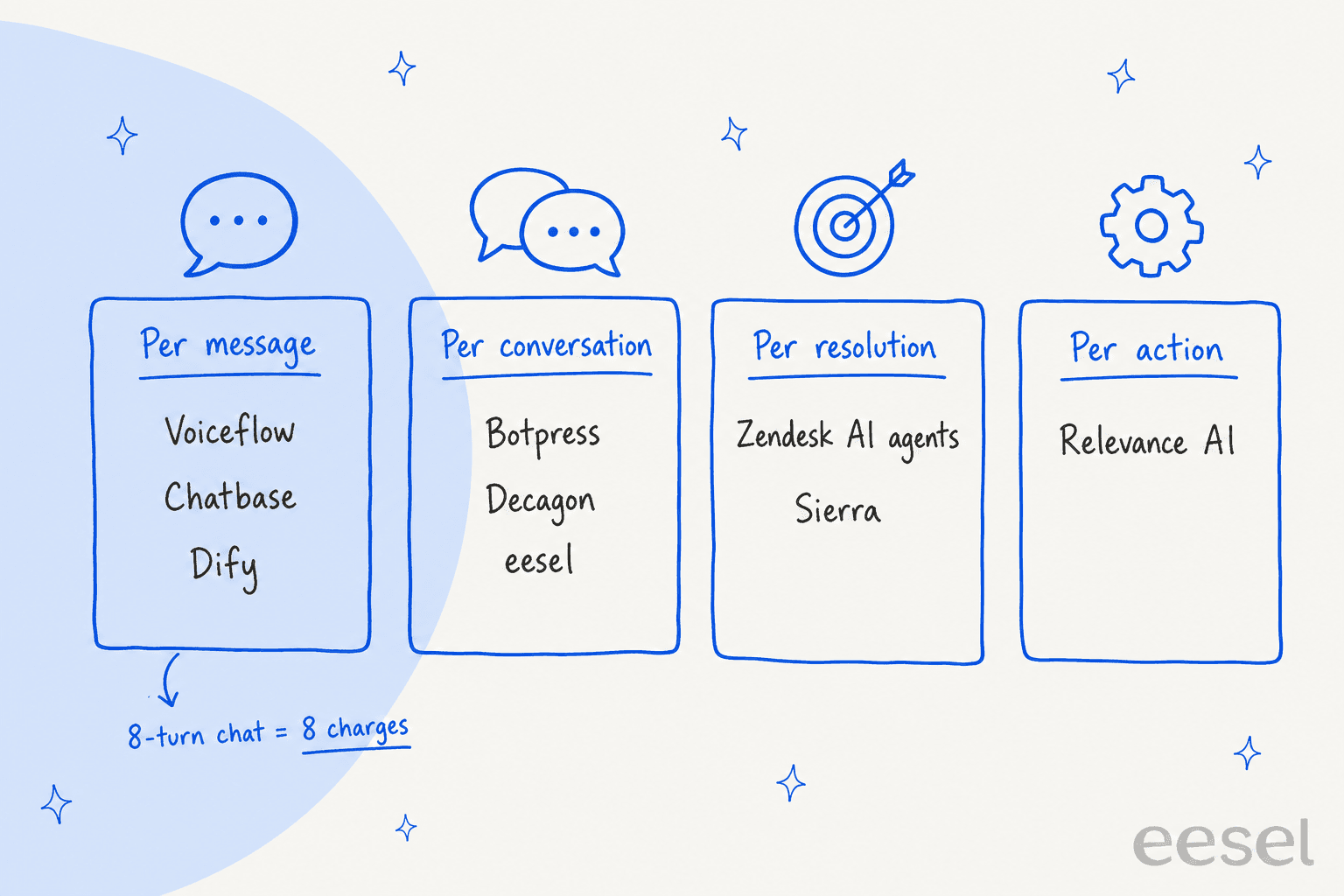
Here's a worked example for a team handling 1,000 AI conversations a month, averaging 6 customer messages each. I've only included tools with public rates.
| Tool | How the bill is built | Monthly cost |
|---|---|---|
| Voiceflow | 6,000 messages at $0.005 plus tokens (about $0.0054 a turn on gpt-6-luna) | About $32 in usage, plus the plan fee in the app |
| Voiceflow on a bigger model | Same, on claude-sonnet-4-6 (about $0.018 a turn) | About $108 in usage, plus the plan fee |
| Botpress Plus | $150 + 750 extra conversations in packs of 100 at $65 | $670 |
| Botpress Team | $750 covers 1,500 conversations | $750 |
| Zendesk AI agents | 600 verified resolutions (60%) at $1.50, plus Suite seats | $900 + seats |
| eesel | 1,000 credits, every feature, no seats | $499 |
The cheapest-looking line isn't the cheapest team. Voiceflow's usage is low, but the person building and maintaining the agent costs more than every row in this table. That's the real reason the build vs buy question exists, and why our chatbot cost guide counts people, not just platform fees.
What to test before you switch
ChatGPT's advice to a team on Voiceflow was the same as mine: "I wouldn't migrate purely because another platform has more features." Migrations fail because the new agent answers your real customers worse than the old one, and you find out live.
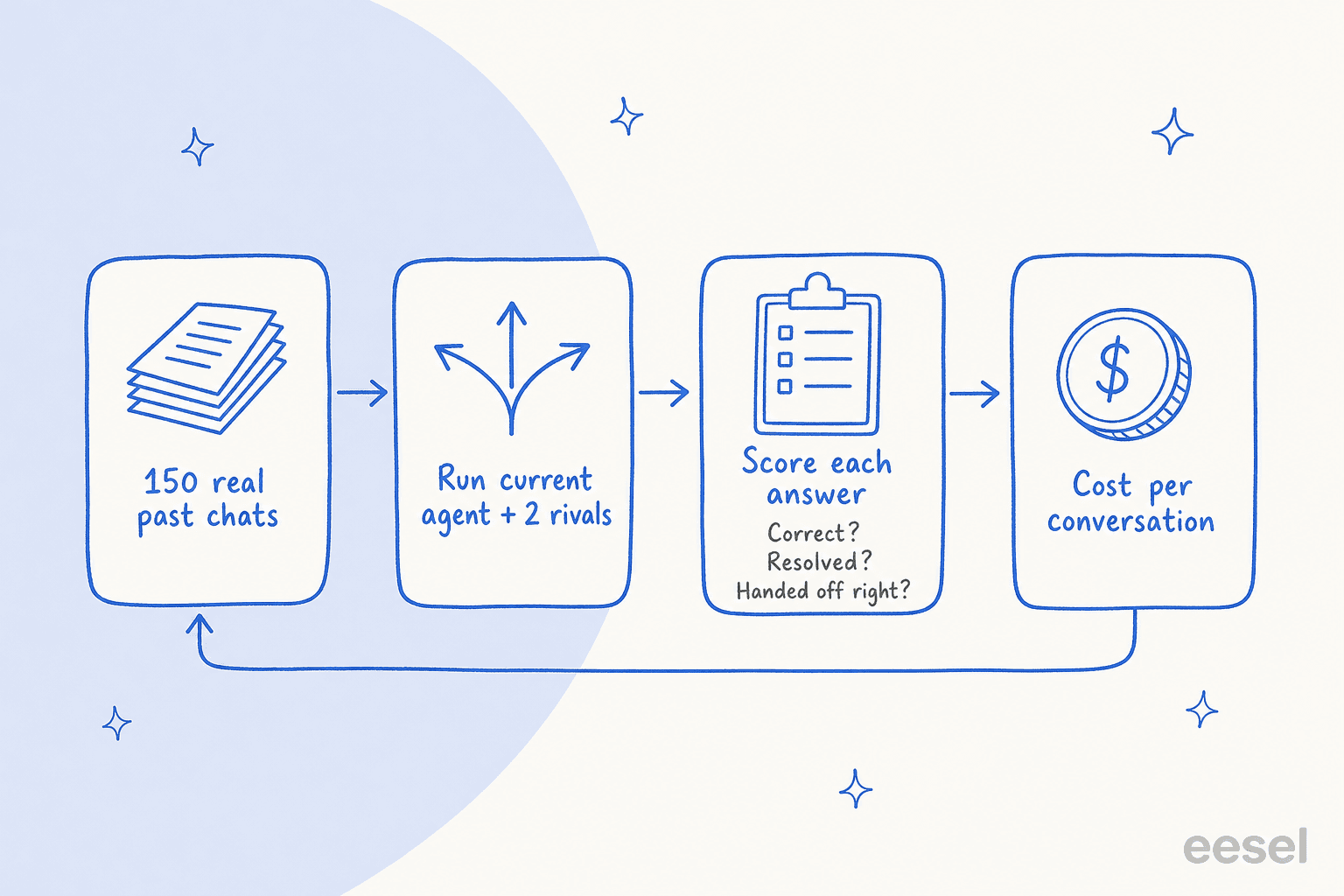
So run a bake-off on your own history before you sign anything:
- Pull 100 to 200 real, anonymized conversations from the last few months. Include the messy ones: refunds, angry customers, questions your docs don't answer.
- Run them through your current Voiceflow agent and two or three alternatives. Same questions, same knowledge.
- Score every answer on three things: was it correct, would it have resolved the issue, and did it hand off when it should have?
- Check the actions. If the agent looks up orders or updates tickets, confirm those API calls fire correctly.
- Work out the cost per conversation at your real volume, not the plan's headline price.
Here's the catch: most tools on this list can't run step 1 for you. Voiceflow, Botpress, Rasa, Chatbase, Ada, Zendesk, Decagon and Sierra all test against scenarios someone writes, or that an AI generates. That's useful, but it only covers the questions you thought of. Testing even costs money on some builders; one Voiceflow user on X found that out mid-build:
"I've been working on a chat agent in Voiceflow and I ran out of credits while testing but well, Postman to the rescue"
At eesel, we've watched confident-sounding bots give wrong answers in ways no hand-written test predicted. That's why every eesel rollout starts with a simulation over hundreds of your past tickets, comparing what the AI would have said with what your team actually sent. Our guide to AI agent handoff and the chatbot escalation post cover what "handed off right" should look like when you score.
Try eesel
If you came to this page because your Voiceflow agent needs a builder you don't have, eesel is the shorter path. It joins Zendesk, Freshdesk or Gorgias like a new hire, learns from your past tickets and help center, and shows you how it would have answered real conversations before it touches a live one. A ticket or chat is one credit, with every feature and no seat fees.

Start with 100 free credits, connect your helpdesk, and run the simulation on your own tickets. Try eesel.