

What is Voiceflow?
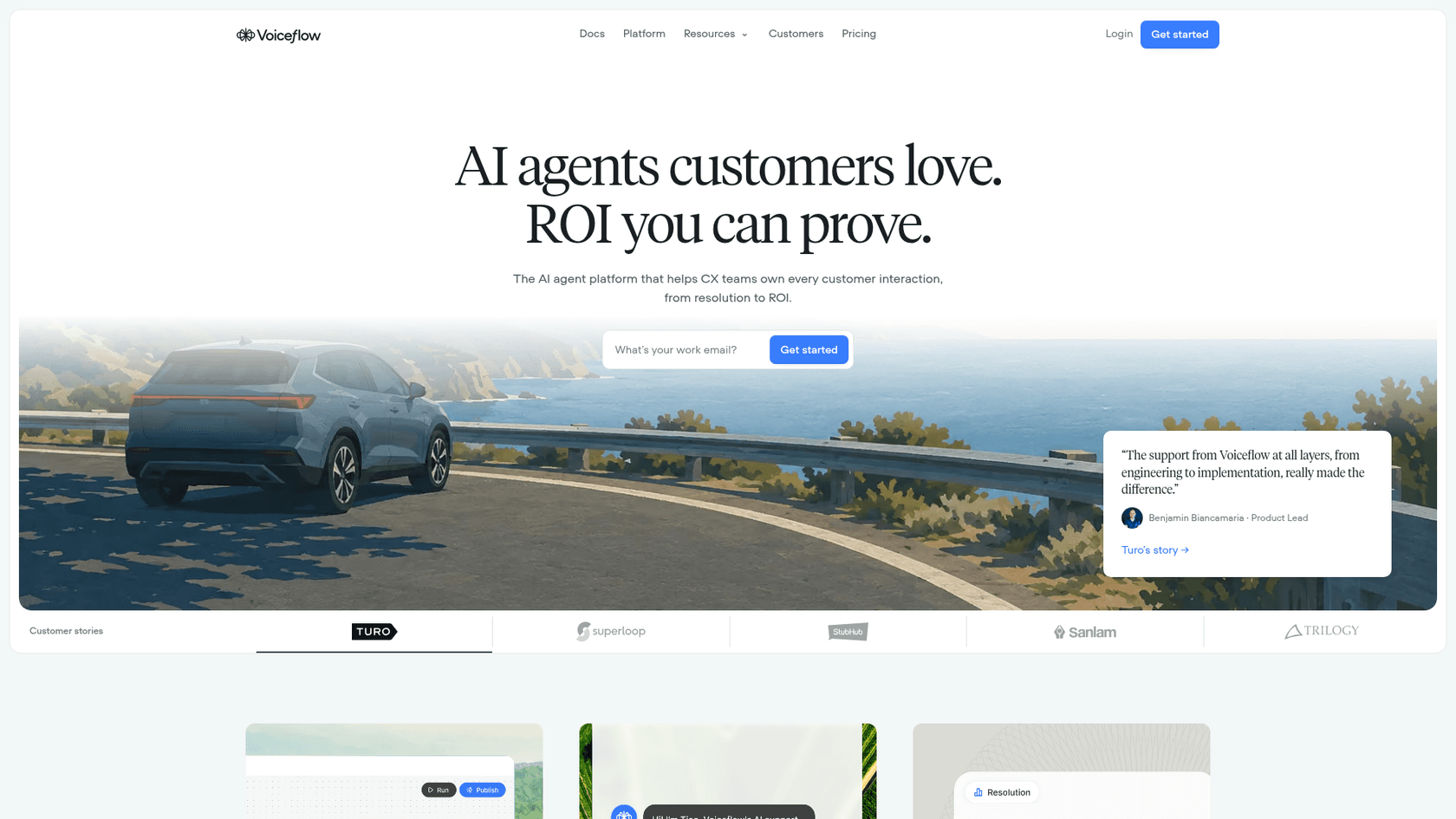
Voiceflow calls itself "the AI agent platform that helps CX teams own every customer interaction, from resolution to ROI." In plainer words: it's where a support or CX team designs an AI agent, connects it to its data and tools, and puts it in front of customers on chat and voice.
I build AI agents at eesel, and for the last few years my team has put them on live support queues and watched what holds up. So I read Voiceflow the way an engineer reads a competitor: the docs first, the marketing second. The docs are good, and they're honest about what the platform expects from you.
A few numbers from Voiceflow's own homepage, for scale:
4k+customers and200k+users10K+live agents in production500 msvoice latency and99.95%agent uptime- Named customers including Turo, StubHub, Sanlam, Trilogy and JPMorgan Chase
The strongest proof point on the page comes from Trilogy's VP of Customer Support, Colin Guilfoyle: "Of the 7,000 tickets in central support, 59% were solved completely by AI." That's a real support outcome, not a vanity stat, and it's worth knowing what kind of team got there. Trilogy's own testimonial on the same page credits a platform that combines "visual flows with strong API capabilities" plus "a code editor and functions, for the development-oriented people."
Voiceflow started life as a tool for conversation designers, and that DNA is still visible. Testimonials come from conversation designers at Allstate, Optum, Rocket Mortgage and JPMorgan Chase. If you're comparing it against simpler AI chatbots, keep that in mind: the product assumes someone's job is to design conversations. That's also the line between an AI agent and a traditional chatbot: Voiceflow gives you the parts for the agent, and the design work is yours.
How a Voiceflow agent works
Every Voiceflow agent has the same shape, and it's a good model of how most conversational AI platforms work now. At the top sits a global prompt that applies to every turn (personality, goal, tone, guardrails). Under it are instructions that decide how the agent routes requests. And under those are skills, which come in two types: playbooks and workflows.
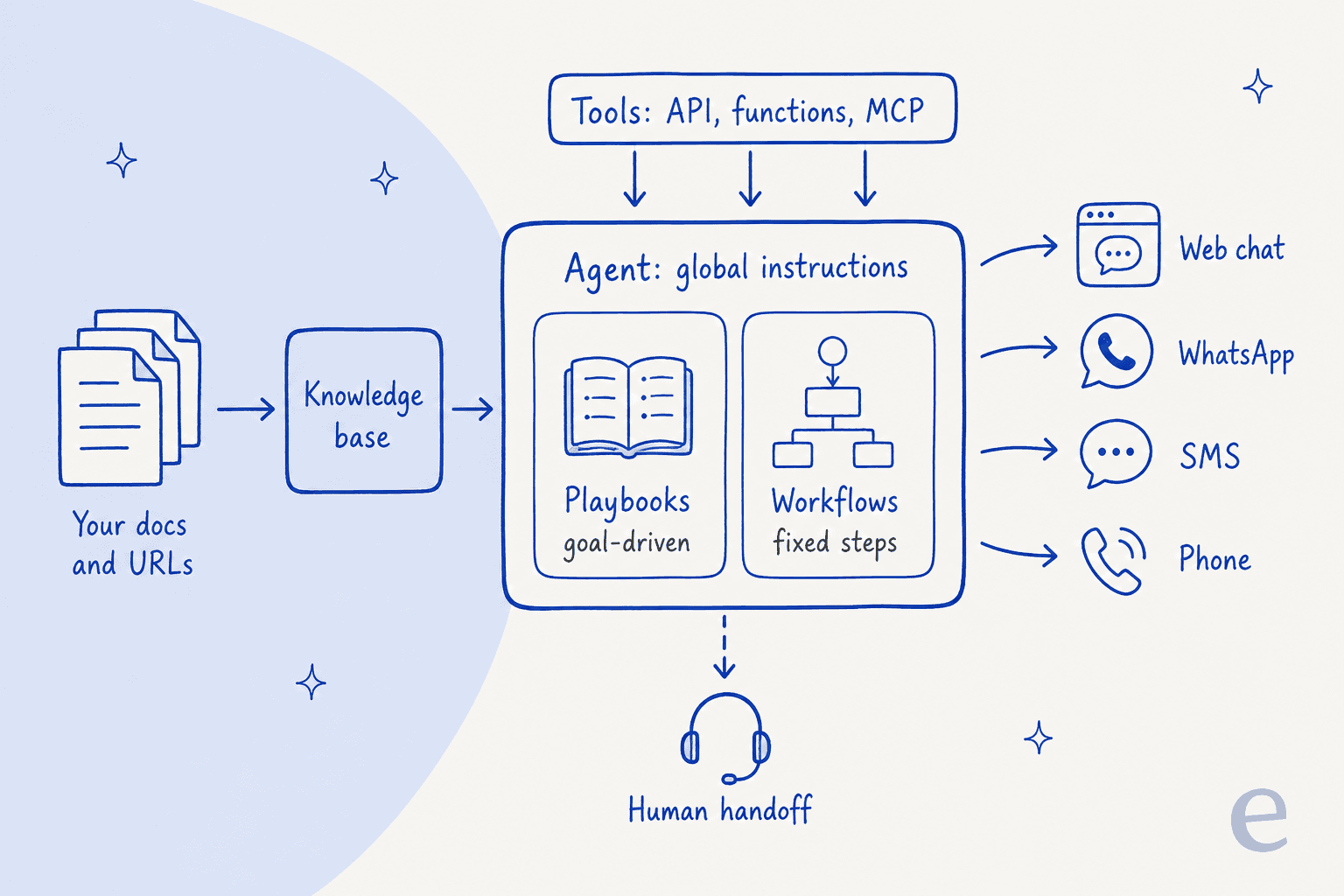
This design is the V4 framework, which Voiceflow made generally available in March 2026 per its changelog. Older projects built on the "Conversation flow" framework can switch to the agentic one, but the switch is one way: "once a project moves to agentic, it cannot move back." Voiceflow is candid about why it pushes everyone forward. Its own docs say most teams that start with conversation flow "eventually hit a ceiling - the maintenance cost overtakes the control it was supposed to provide."
Playbooks and workflows
A playbook is goal-driven. You describe an outcome ("resolve a support ticket, qualify a lead, process a return") and the model works out how to get there. A workflow is the opposite: a drag-and-drop canvas where "every step executes in order, exactly as you designed it."
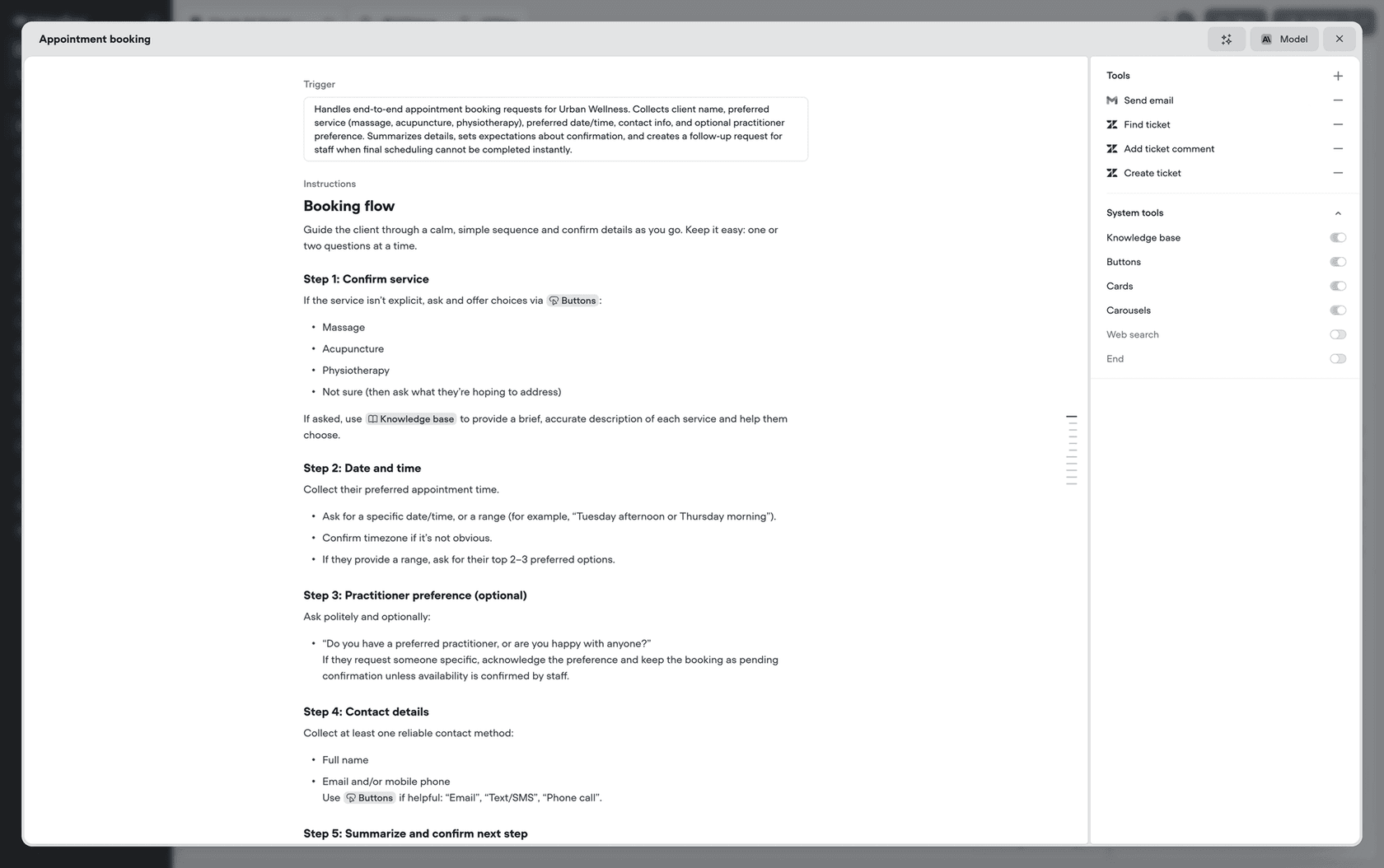
Voiceflow's build overview gives a simple rule: playbook when flexibility matters more than predictability, workflow when "the process has strict business logic." Workflows can nest playbooks and other workflows, so one identity check can be reused across returns, account and payment flows.
Two details from the docs matter more than they look:
- Context drops when a playbook starts. "Once a playbook is active, agent-level instructions are no longer in context - only the playbook's own instructions are." Guardrails you wrote at the top need repeating inside each playbook that should follow them.
- The fix is usually your writing. Voiceflow's own advice for a misbehaving playbook: "start by improving the instructions - they're almost always the culprit." Changing the model "should be a last resort."
That second point is the honest center of the product. A Voiceflow agent is exactly as good as the instructions someone on your team writes and maintains.
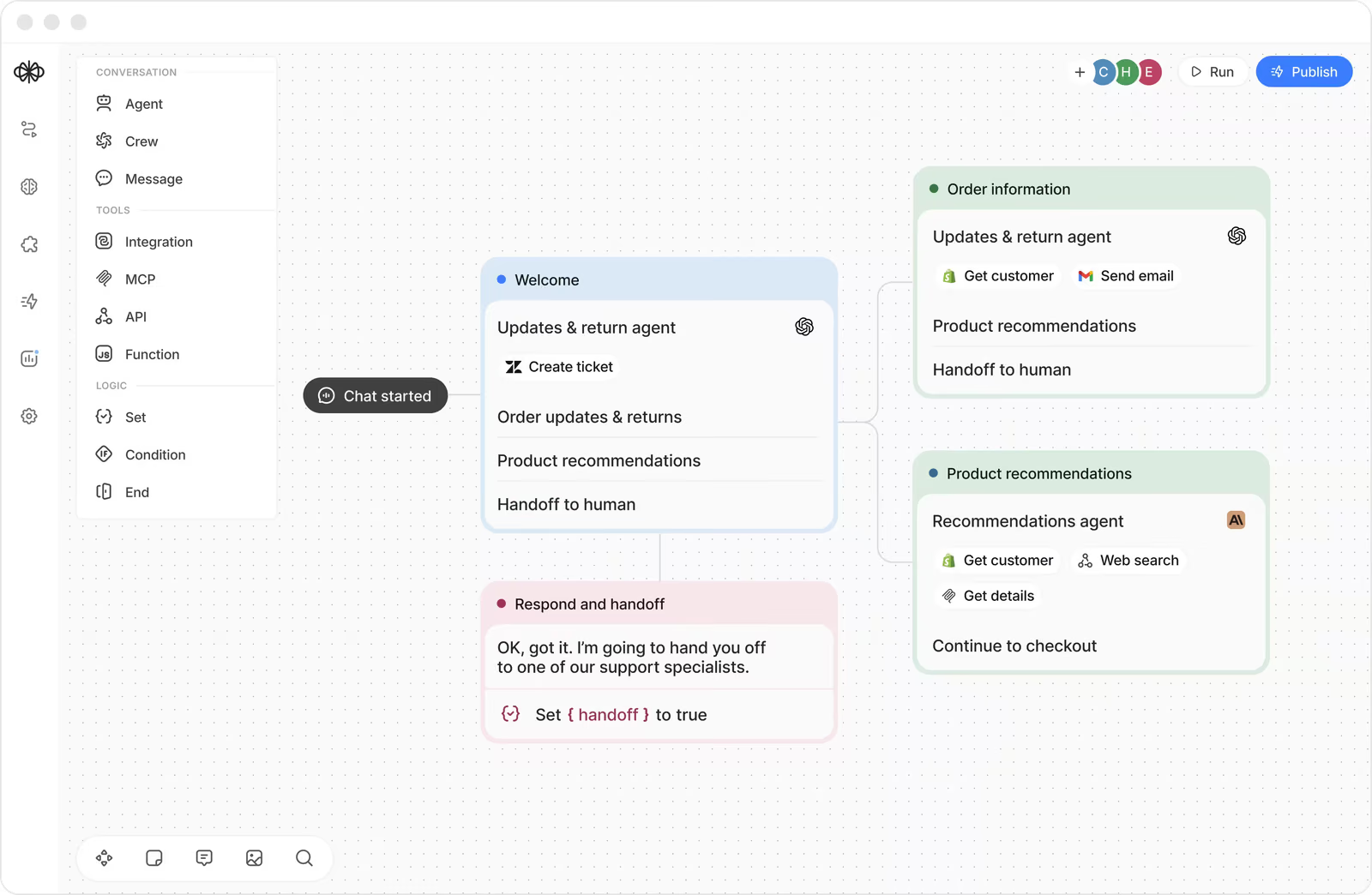
Since August 2026 there's help with that writing. Voiceflow added Atlas, an in-app copilot (still in beta) that edits the agent when you ask, and by default "pauses and asks before anything that changes your project." It's a real quality-of-life gain. It doesn't change who owns the result.
Knowledge base
Voiceflow's knowledge base is classic retrieval: you import content, it gets chunked, and the agent pulls the most relevant pieces into each answer. It's the same retrieval idea behind most AI agents and chatbots. Sources are public web pages, sitemaps, PDF, TXT and DOCX files up to 10 MB, CSV and XLSX tables, plain text, Zendesk Help Center articles and Shopify data.
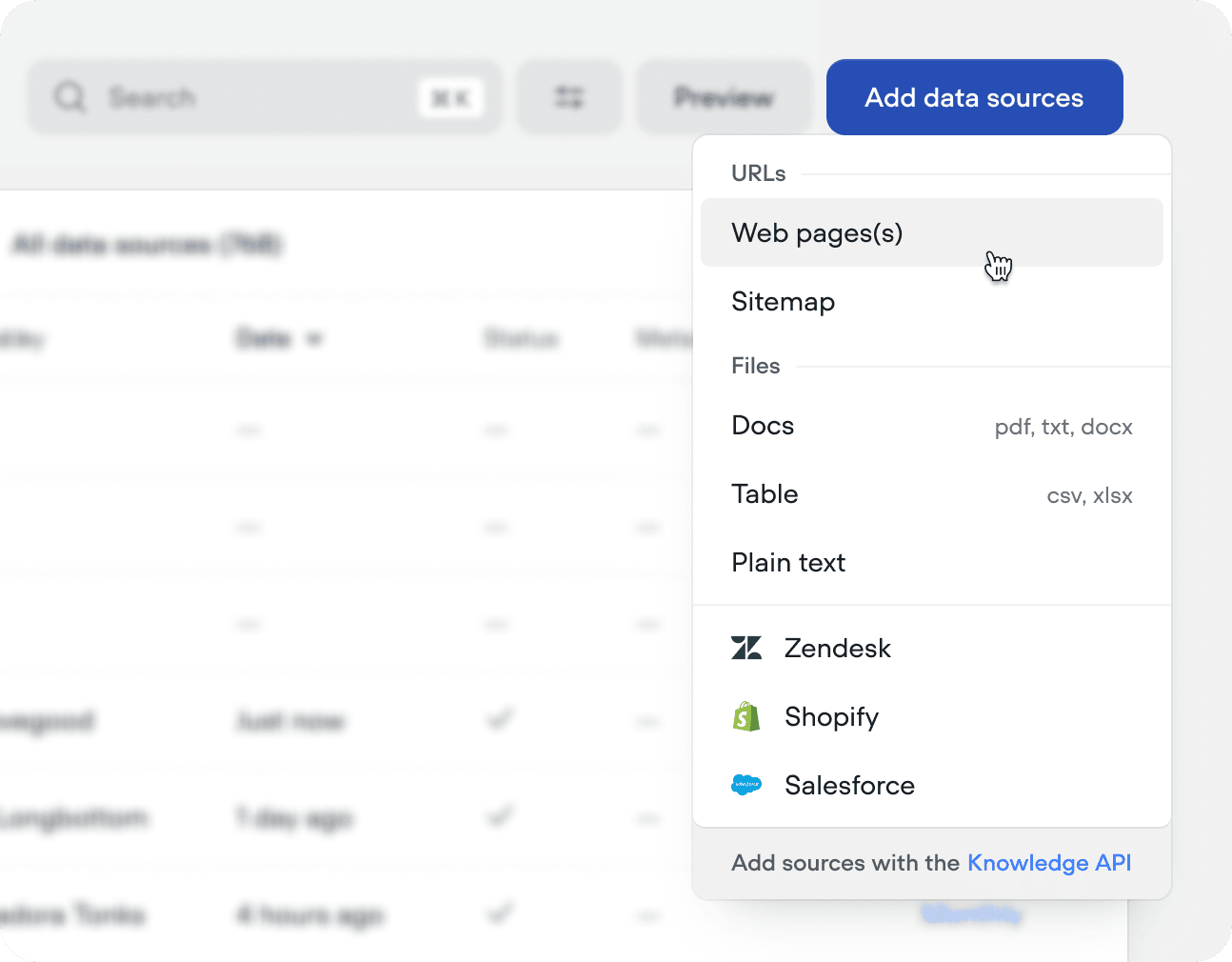
The limits worth knowing before you plan around it:
- No ticket history. The Zendesk source pulls Help Center articles, not solved tickets. Nothing in the knowledge base docs ingests past conversations, so the tone and fixes your agents actually use don't get learned automatically.
- No internal wikis in the source table. Confluence, Notion, Google Drive and SharePoint aren't listed. You'd export files or push content through the Knowledge API.
- Daily refresh at best. URL and integration sources sync never, daily, weekly or monthly, and edits only go live after you publish the environment.
- Smart chunking costs credits. The optional AI chunking modes "consume credits on each sync."
Retrieval returns 3 chunks per query by default (adjustable from 1 to 10), per the query settings docs. If your help center is thin, this is where a Voiceflow agent will feel thin too, which is true of any AI knowledge base.
Tools, MCP and the API
Agents take actions through tools. The integrations page lists eight native ones (Zendesk, Salesforce, HubSpot, Shopify, Airtable, Google Sheets, Gmail and Twilio), plus any REST API, custom JavaScript functions and MCP servers. The Zendesk tool, for example, can create and update tickets, add comments, and look up tickets, users and groups mid-conversation.
The developer surface grew a lot in 2026. Per the changelog, Voiceflow added personal access tokens, an MCP server you can authenticate with a token, secrets and integrations managed through the API and a CLI, line-by-line prompt patching ("edit a single line in a 20,000-line prompt"), and a tool execution API. If your team likes to manage agents as code, this is a real plus, and it's the same direction we took with the AI agent CLI pattern. Our guide to AI agent API integration covers why that matters.
Channels: chat, WhatsApp, SMS and phone
Voiceflow's homepage pitches "one agent, every channel your customers start from": web, app, WhatsApp, SMS and voice. If WhatsApp is your main channel, our WhatsApp chatbot guide covers the policy side. For a website bot (see our AI chatbot for websites guide), the web chat widget is a script snippet you paste after publishing, with text and voice modes. Only the Business plan can remove Voiceflow branding.
Voice is where Voiceflow stands out from most AI chatbot builders. From the phone docs:
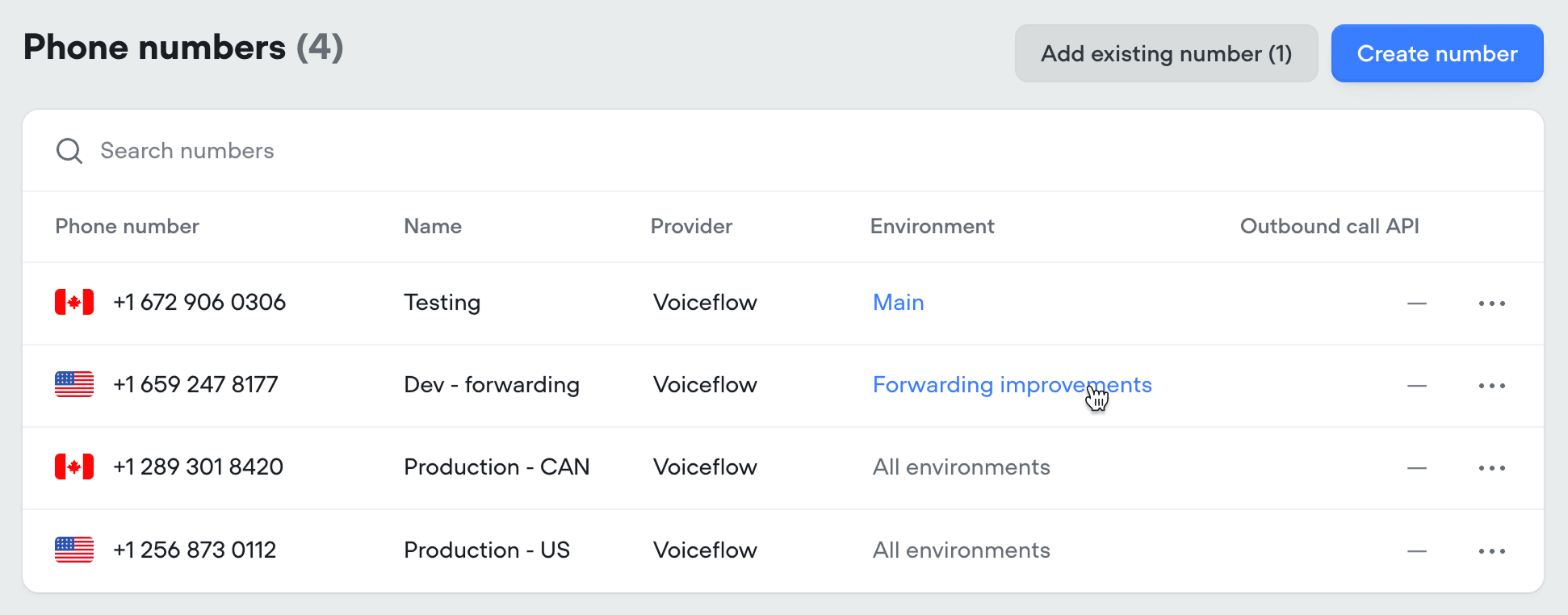
- Numbers: Voiceflow numbers (US and Canada only), Twilio, Vonage or Telnyx.
- Outbound calls: supported on Twilio, Vonage and Telnyx numbers. Per the outbound docs, "Voiceflow phone numbers currently don't support outbound calling." Outbound shares one concurrency pool with inbound.
- Transfers: the call forward step sends callers to a number or SIP address, with DTMF extensions.
- Length: calls can now run up to
60minutes (changelog, August 2026).
Voiceflow is also leaning into contact centers. Its contact center automation page says voice agents sit on top of Genesys, NICE CXone, Five9, Amazon Connect, ServiceNow and Twilio Flex, and that "most teams are live on their existing platform the same day." If you're shopping for an AI call center agent, Voiceflow belongs on the shortlist.
Testing and evaluations
This is the part of any agent platform I care most about, because it decides whether you find a bad answer before or after a customer does. Voiceflow has two separate features.
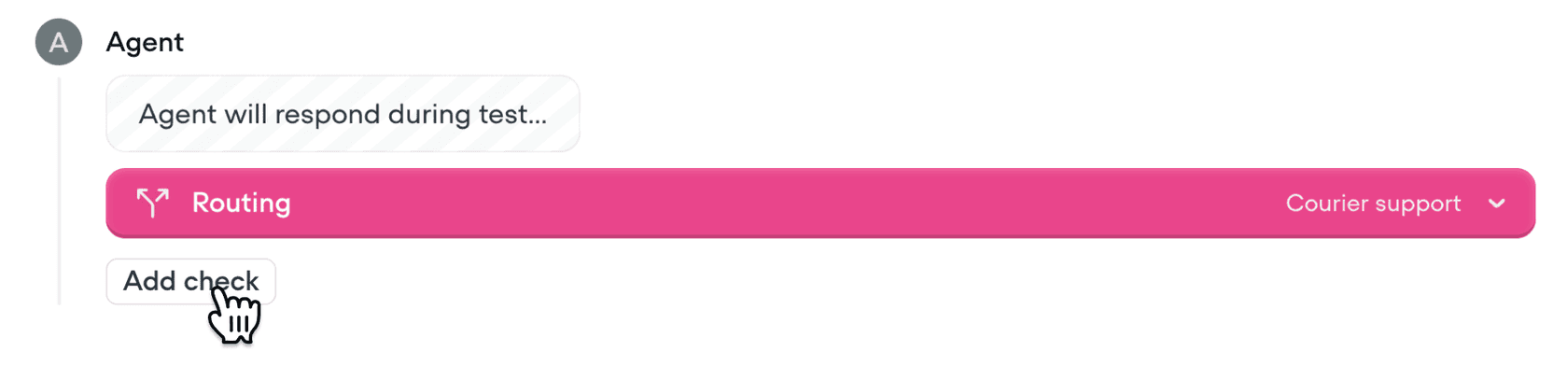
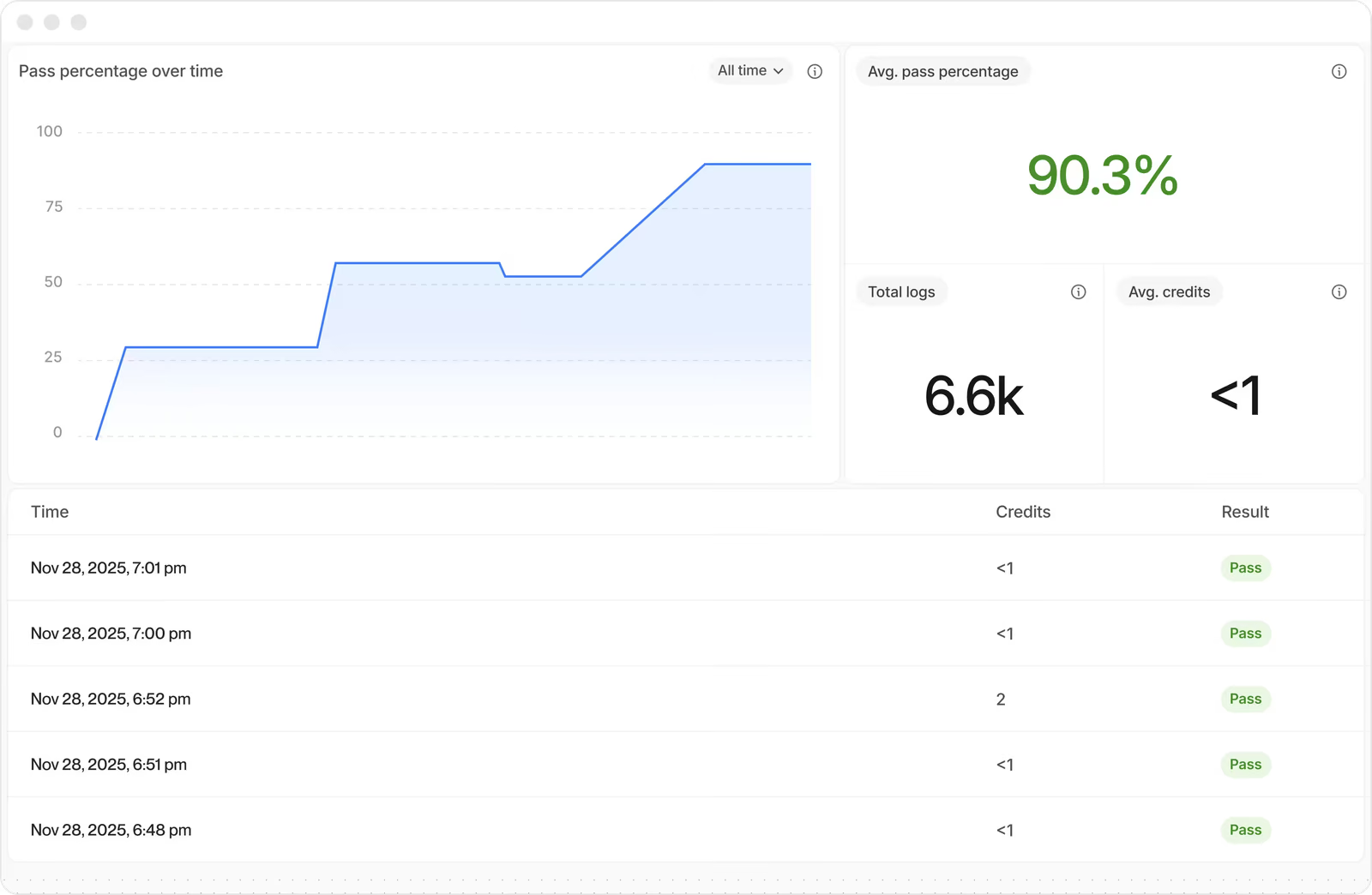
Tests run before launch. Each one is a conversation you script (exact user messages) or a "Simulation" where an AI plays a user you describe. Checks confirm the response (exact match or an AI judge), where the agent routed, and which tools it called. Tests "never run automatically," and they consume credits like real conversations.
Evaluations run after the fact. An LLM scores transcripts against criteria you define, with built-in customer satisfaction, deflection and resolution metrics. You can run them retroactively on historical conversations, but only on the agent's own Voiceflow transcripts.
Two things I'd flag to any support lead:
- Resolution is generous by design. The docs say plainly: "A conversation still counts as Resolved when the customer never confirms the fix worked." Read the resolution number as a ceiling.
- There's no replay of your real history. You can't push last month's helpdesk tickets through a new agent and compare its answers with what your team actually sent. You write the tests, or Atlas writes them for you (added September 2026), and you validate with real users through a traffic split.
That second point is the one I'd weigh hardest. At eesel I've watched confident-sounding bots give wrong answers in ways no hand-written test predicted, which is why every eesel rollout is simulated against historical tickets first. Your past tickets already contain the weird questions. Scripted tests only contain the ones you thought of.
Human handoff
Since September 24, 2026, live agent handoff is available on all plans. The handoff step connects natively to Genesys, Ujet, Kustomer, Dixa and Zendesk, and Voiceflow says "we add providers on request." The agent passes the transcript and variables, relays files, logs the human's replies back to Voiceflow, and can hand the customer back to AI afterwards.
The Zendesk path has a specific shape worth knowing. Handoffs run over Zendesk messaging, "each handoff opens a messaging ticket," and agent replies carry the brand name rather than the human's name. If your Zendesk team works email tickets rather than messaging, check that fit early, and compare against the best AI chatbots for Zendesk. Our handoff best practices guide and chatbot escalation post cover what a good handover looks like.
Security and compliance
This is one of Voiceflow's clearest strengths. Its homepage carries SOC 2 Type II, ISO/IEC 27001:2022, GDPR and HIPAA badges, each with its own compliance page. The security page says customer data is never used to train models and model providers are set to zero data retention.
Two smaller notes from the docs: SSO and advanced security features are Enterprise-only per the billing overview, and in the chat widget "PII redaction does not currently apply to uploaded files." For regulated teams weighing HIPAA-compliant AI, Voiceflow's paperwork is ahead of many builders.
Voiceflow pricing
Here's the awkward part. The pricing page shows no dollar figures at all. It has two tracks: "For Agencies & Partners" with a free trial, and "For Businesses" with "Book a demo / Request pricing."
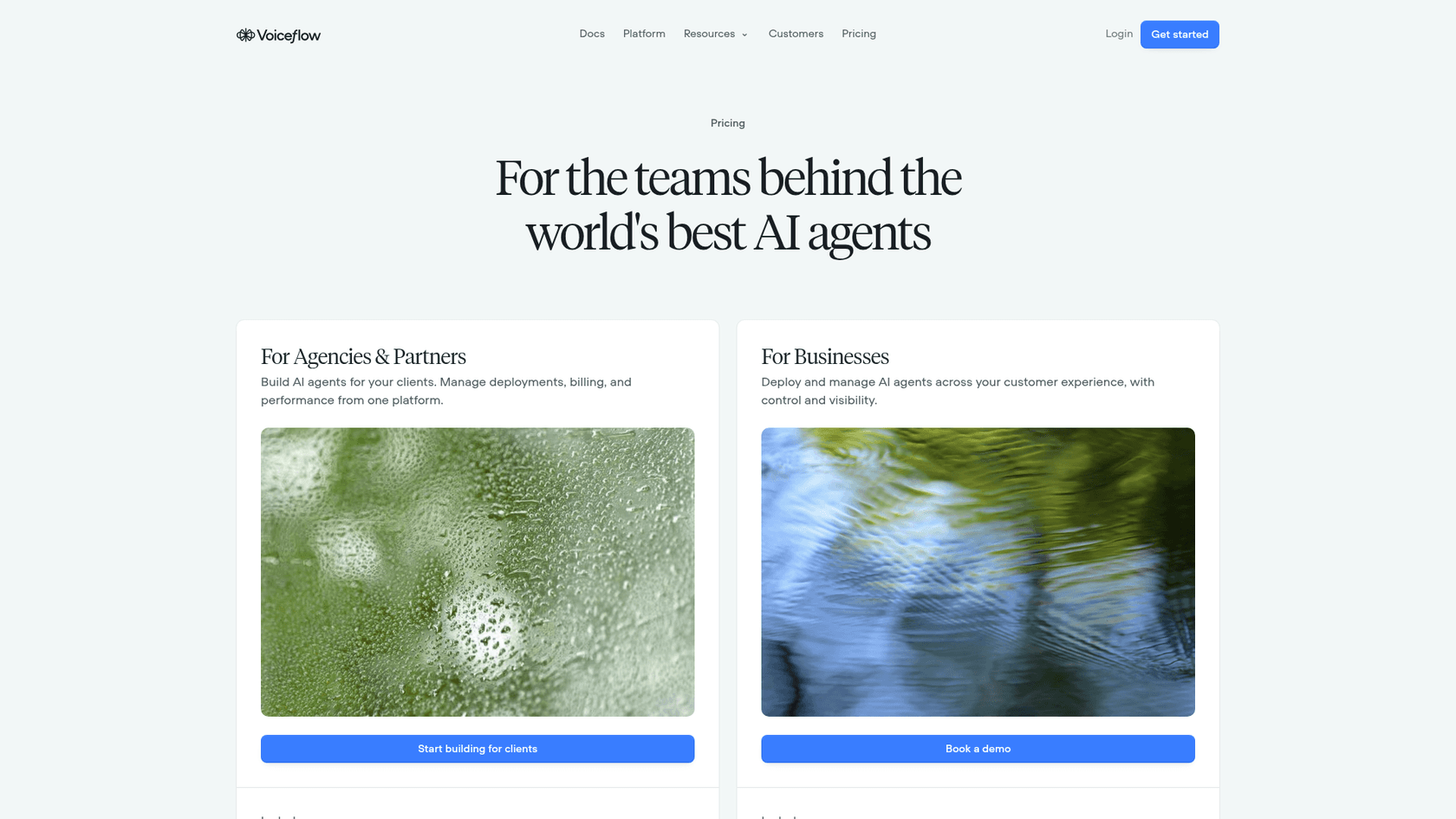
The billing docs explain the structure: "a monthly plan fee, optional add-ons like editor seats and phone numbers, and credit-based usage," billed at the organization level. Current prices live inside the app under Plans and Billing. The last public plan prices are in Voiceflow's April 2025 credits announcement, so treat them as historical.
| Plan | What it's for (per billing docs) | Last public price (Apr 2025) |
|---|---|---|
| Free | Trying it out. One-time credit grant that doesn't renew, "not suitable for production" | $0 |
| Pro | Individual builders. All LLM models, higher agent limit | $60, $90 or $120/month |
| Business | Growing teams. LLM fallback models, priority support, branding removal | $150, $250 or $500/month |
| Enterprise | Unlimited product usage, SSO, private cloud hosting, custom credits | Custom contract |
| Editor seats | Some free seats per paid plan; viewers free and unlimited | $50/month each |
Voiceflow's own G2 listing still shows Pro at $60 and Business at $150 per editor a month, and one G2 reviewer notes the $60 tier comes with "only... two seats."
The usage side is public, in the credits pricing table. One credit is $0.005.
| What you use | Credits | Dollars |
|---|---|---|
| A user chat message | 1 | $0.005 |
| A phone minute | 10 | $0.05 |
| voiceflow-flash-4.2, per 1K tokens in / out | 0.06 / 0.2 | $0.0003 / $0.001 |
| voiceflow-core-4.2, per 1K tokens in / out | 0.56 / 1.76 | $0.0028 / $0.0088 |
| claude-haiku-4-5, per 1K tokens in / out | 0.25 / 1.25 | $0.00125 / $0.00625 |
| claude-sonnet-4-6, per 1K tokens in / out | 0.75 / 3.75 | $0.00375 / $0.01875 |
| gpt-6-sol, per 1K tokens in / out | 0.5 / 2.5 | $0.0025 / $0.0125 |
Voice adds speech-to-text (from $0.0024 a minute with Soniox) and text-to-speech (ElevenLabs is $0.045 per 1K characters).
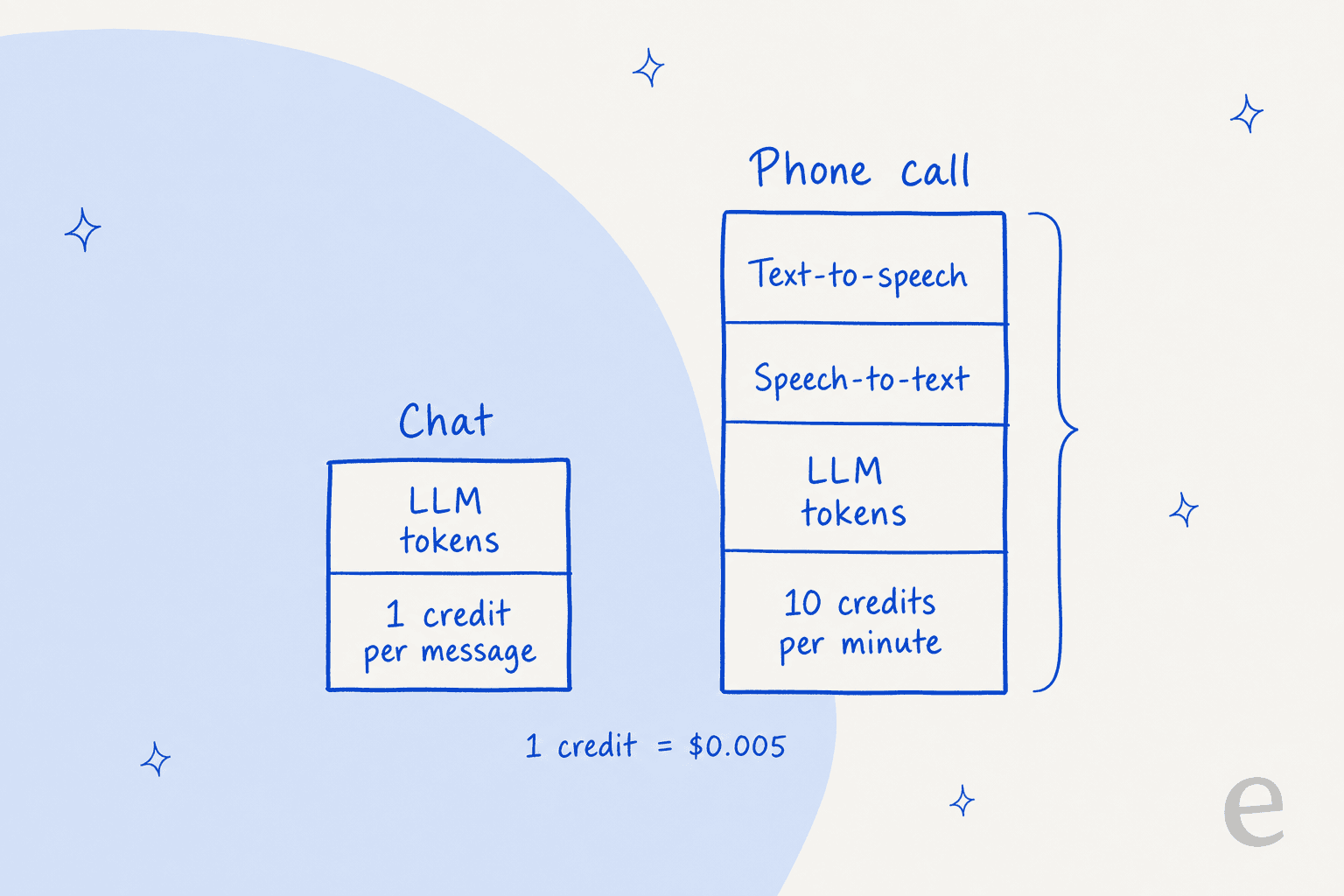
Let me make that concrete. Take a six-message support chat on voiceflow-core-4.2, assuming each turn sends 3,000 input tokens (prompt, retrieved chunks and history) and gets 200 back. Each turn is 1 message credit plus 2.03 token credits, so the chat costs about 18.2 credits, or roughly $0.09. At 2,000 chats a month that's about $182 in usage, before the plan fee and seats. A five-minute phone call with ten agent turns on the same model, about 2,000 characters of agent speech, lands near 91 credits, about $0.45, once minutes and speech are added.
Try your own numbers. The token counts are the lever, and Voiceflow's transcripts show step-level credit use, so you can pull real figures from a test run.
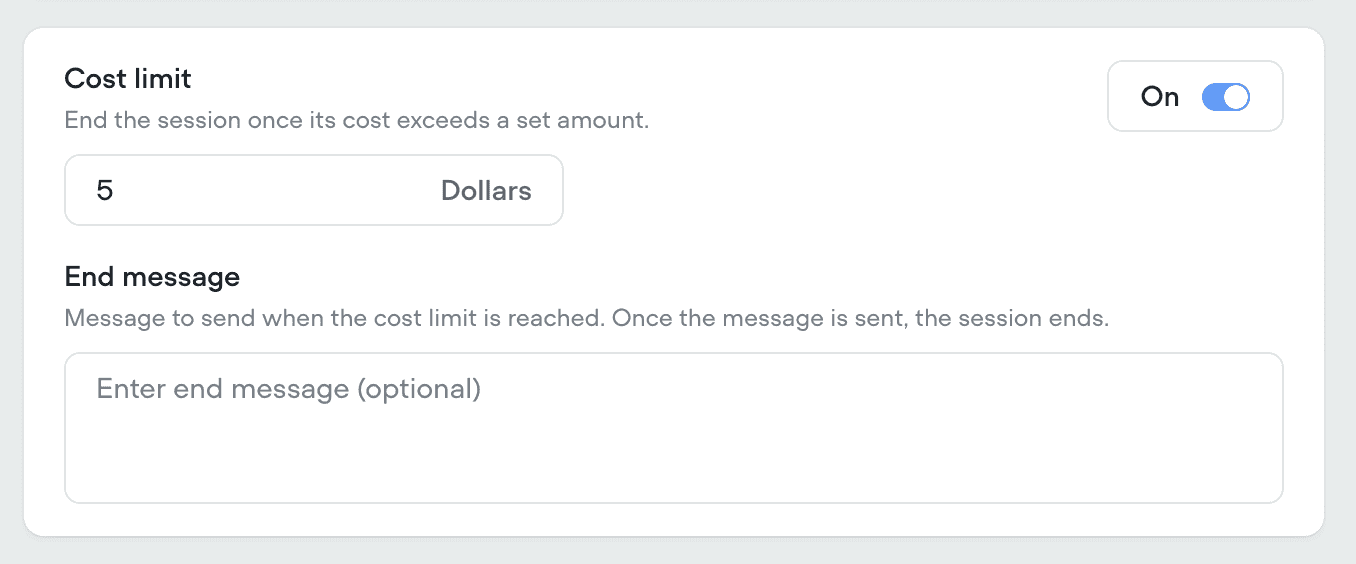
Two cost controls arrived in 2026 that I'd switch on from day one: a cost limit per conversation that ends a session once it passes a dollar amount, and phone calls that get declined (rather than connected to a silent agent) when your organization runs out of credits.
For plan-by-plan detail and budgeting tips, see our full Voiceflow pricing breakdown. For context on what's normal across the category, our AI customer service cost guide and chatbot development cost post are useful.
What users say about Voiceflow
On G2, Voiceflow sits at 4.5/5 from 115 reviews (down from 4.6 in July), with 72% five-star and 25% four-star. G2's sub-scores put ease of use at 8.8 and quality of support at 8.5. The reviewer base leans small: 70 small business, 17 mid-market, 13 enterprise, and 35 reviewers are agencies.
The praise is consistent: the visual builder and how fast you get from idea to working prototype.
"It's very easy to create an MVP, taking an idea all the way to a final project. This makes it easier to present the project clearly and secure a budget for it."

"Easy to use and powerful. We've been using it for five years now, and we have no plans to switch."
The complaints cluster around cost and seats. One reviewer's line sums up the builder trade-off neatly:
"The price was too high for a chatbot I need to develop myself"
"The model tokens sometimes get used up too quickly"
And the most recent low score is about production reliability. A September 2026 review rated 0.5/5 describes issues after pushing chat to production and says "we had to wait for 4 days for their support team to respond." One review isn't a trend, but it's a reason to ask about support response times for your plan before launch.
Outside G2, the cost theme goes back a while. Before the April 2025 switch to credits, a builder on Reddit described a knowledge-base bot with "just a couple capture cards and KB card" and wrote:
"the problem now is that the token usage is WAAAAY to much, like 2700 for a simple conversation using GPT 3.5-turbo"

The model has changed since, but the lesson holds: on any token-billed builder, your prompt and retrieval design set the bill. And on testing, a Hacker News commenter put the gap I described earlier more bluntly:
"many of the voice AI agent builders are using SDKs and builder tools (Voiceflow, Vapi, Bland, Vocode, etc). Observability is usually already baked-in pattern with these SDKs (testing I'm not so sure of)."

Who Voiceflow fits, and who it doesn't
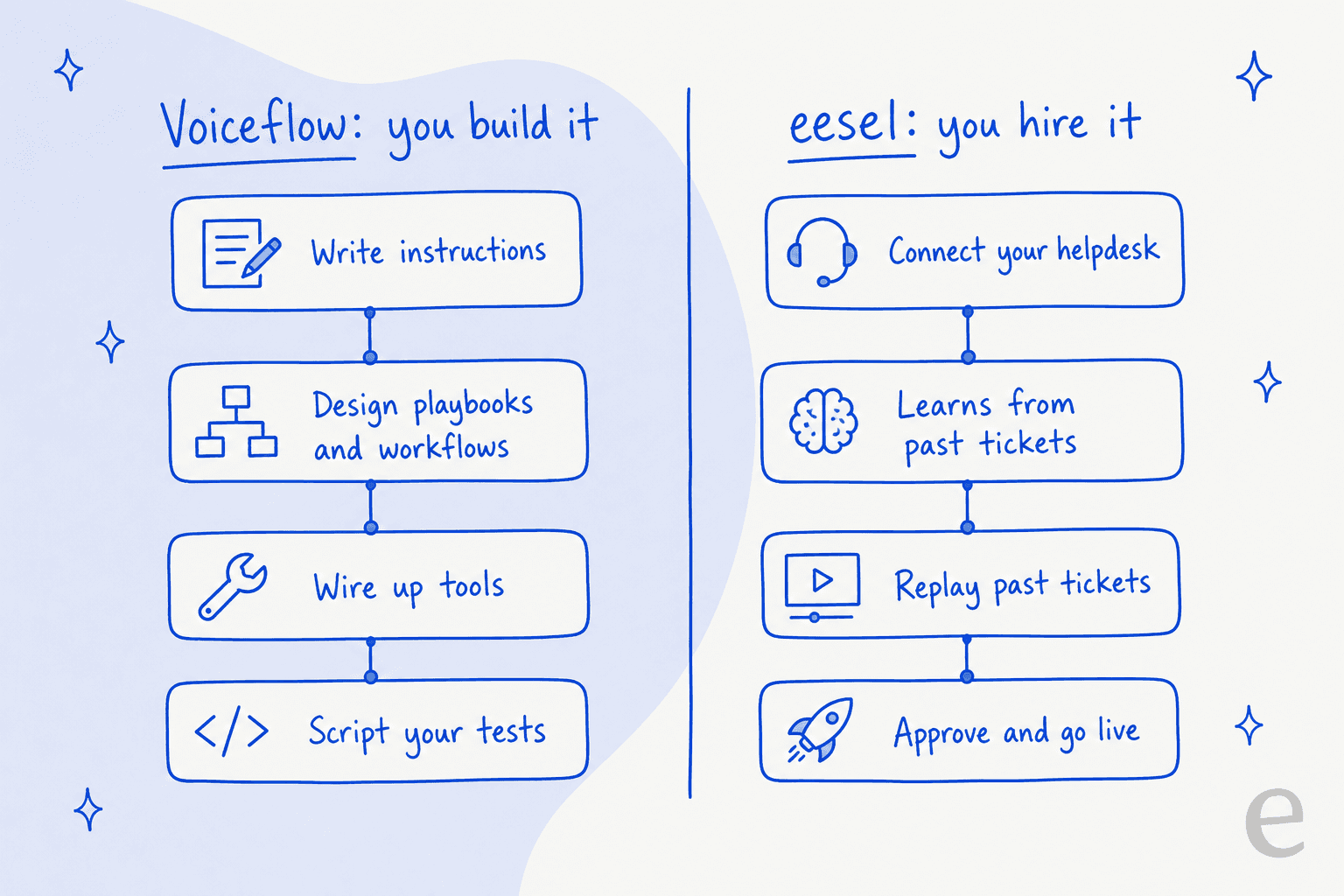
After going through the docs, my read is simple. Voiceflow gives you excellent tools for building an agent. It doesn't give you the agent. The question is whether you have someone whose job is to be its builder.
Voiceflow is a strong fit if:
- You have a conversation designer or a CX engineer with time to own the agent.
- Voice and the phone matter, especially on top of Genesys, Five9 or Amazon Connect.
- You need SOC 2 Type II, ISO 27001 and HIPAA paperwork today.
- You're an agency building agents for several clients. The agency track, multi-client workspaces and white-labeling exist for exactly this (see our chatbot reseller guide), and our AI customer service for agencies post covers the model.
Look elsewhere if:
- Nobody on the team has time to write and maintain prompts. The docs say instruction quality is "almost always the culprit" when something goes wrong.
- Your best knowledge lives in past tickets, Confluence or Notion rather than a public help center.
- You want to test against real history before launch, not hand-written scenarios.
- You need predictable monthly spend. Credits scale with model choice and token counts.
I hear the build-versus-buy question on our own calls all the time. One engineering lead at a crypto hardware company with a 300+ article Confluence knowledge base put it like this when explaining why they didn't build:
"We could try to write our own LLM application but we didn't want to invest our time into that. We wanted something that we would not have to maintain."
That's the real decision. If you're weighing Voiceflow against other builders, our Botpress deep dive, Botpress alternatives list and Cognigy overview are the closest comparisons. If you're weighing building against hiring, read on.
Voiceflow vs a hired AI teammate
For a builder-vs-teammate comparison on another platform, see Botpress vs eesel. Here's how Voiceflow lines up against eesel's AI teammates, specifically the helpdesk one, on the points that usually decide it for support teams.
| Voiceflow | eesel | |
|---|---|---|
| What you get | A platform to build, test and host agents | A ready-to-work helpdesk teammate |
| Who sets it up | Your builder writes prompts, playbooks and workflows | You connect your helpdesk and docs; it starts drafting |
| Learns from past tickets | No, knowledge base is docs and articles | Yes, plus help center, Confluence, Notion and Google Drive |
| Pre-launch testing | Scripted tests and AI-simulated users | Replays your past tickets and compares with what your team sent |
| Where it works | Web chat, WhatsApp, SMS, phone | Inside Zendesk, Freshdesk, Gorgias and more, plus Slack and a chat bubble |
| Voice and phone | Yes, a core strength | No phone channel |
| Pricing | Plan fee + seats + credits (in-app); 1 credit = $0.005 | $299/month for 500 credits; a ticket or chat is 1 credit; no seat fees |
| Compliance | SOC 2 Type II, ISO 27001, GDPR, HIPAA | GDPR; SOC 2 Type II underway; HIPAA with a BAA on Enterprise |
Two things I want to be fair about. First, on raw usage Voiceflow can be cheaper per chat: my worked example above came out near $0.09 before plan fees, while eesel's smallest plan works out to about $0.60 a ticket. What you're paying for with eesel is that nobody on your team has to design, script and maintain the agent. Second, if you need phone support, Voiceflow does something eesel doesn't.
Where eesel is the better fit is the most common support case, the one most AI agents for customer service are built around: an email or chat queue in a helpdesk, a team without spare engineering time, and years of tickets that already show how good answers look. eesel reads those tickets, drafts in your team's voice, and before it answers a single customer you can run it against hundreds of your past tickets to see where it would have gone wrong. For teams that prefer a terminal, the eesel CLI lets a person, a script or a coding agent like Claude Code check status, edit instructions and approve actions without opening the dashboard.
Try eesel
If you're looking at Voiceflow because your support queue needs an AI agent, not because you want to become an agent builder, eesel is the shorter path. It joins Zendesk, Freshdesk or Gorgias like a new hire, learns from your past tickets and help center, and shows you how it would have handled real conversations before it touches a live one. Every feature and integration is included, with no seat fees.

You can start free with 100 credits and no card. Try eesel on your own queue and compare its drafts to what your team actually sent.