The 8 best GPT-Live alternatives in 2026

Rama Adi

Katelin Teen
Last edited July 12, 2026
How I picked these (and how they differ)
There are dozens of AI voice tools, and most of them are one of two components dressed up as a product: a text-to-speech engine (like Cartesia Sonic 3) or a speech-to-text model. Those matter, but they aren't GPT-Live alternatives, because GPT-Live is a full conversational system, not a single model. If you want the wider category, our roundups of conversational AI platforms and the best voice assistants cast a broader net than this list does.
So I kept the list to real-time, back-and-forth voice AI you can actually hold a conversation with, then judged each on four things: how natural the conversation feels, whether there's an API you can build on, what it really costs, and whether it's any use for customer support. That last one is where I have the most scar tissue.
The single most important technical difference between these tools is architecture, and it's worth thirty seconds because it explains everything else:
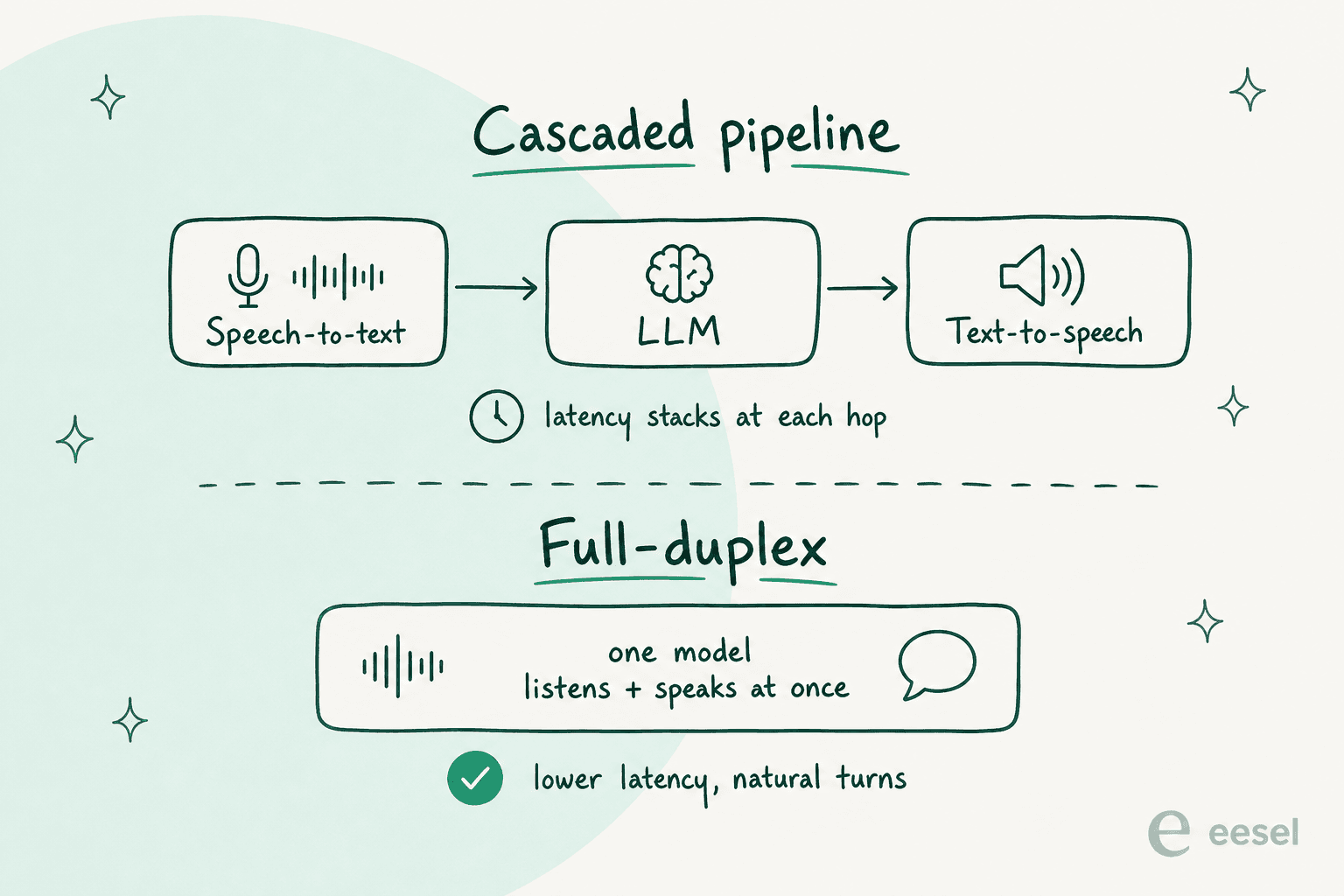
Most "voice agent" platforms are cascaded: they chain a speech-to-text model into an LLM into a text-to-speech model. It works, but latency stacks at every hop, which is why one Reddit builder described the "robotic" feel as an architecture problem, not a bug. GPT-Live and Gemini Live are full-duplex: one system listens and speaks at once, so it's lower-latency and can be interrupted mid-sentence. Keep that split in mind as you read; it's the difference between the assistants that feel alive and the builders you have to tune yourself.
The 8 best GPT-Live alternatives in 2026 at a glance
Here's the whole field in one table before I go deep on each. The channel column is the one buyers skip and then regret: a consumer assistant can't be deployed on your support line, and a phone-only builder won't touch your email queue.
| Tool | Best for | Voice type | Public API? | Starting price | Primary channel |
|---|---|---|---|---|---|
| Gemini Live | Android + Google users | Full-duplex | Via Gemini API | Free | Consumer app |
| ElevenLabs | Building voice agents | Cascaded (turn-taking) | Yes | Free, then $0.08/min | Voice + phone (build) |
| Hume AI | Emotionally-aware voice | Speech-to-speech | Yes | $0.04–$0.07/min | Voice (build) |
| Sesame | Most natural-sounding voice | Full-duplex | Open weights | Free | Demo + open source |
| Amazon Alexa+ | Smart home + Prime homes | Conversational | No | Free with Prime, else $19.99/mo | Echo devices |
| Grok | Live X + web data | Real-time voice | $0.05/min (dev) | Free tier | Consumer app |
| Vapi | Developers, phone agents | Cascaded (BYO stack) | Yes | $0.05/min + models | Phone (build) |
| Retell AI | Contact-center automation | Cascaded (BYO stack) | Yes | $0.07–$0.31/min | Phone (build) |
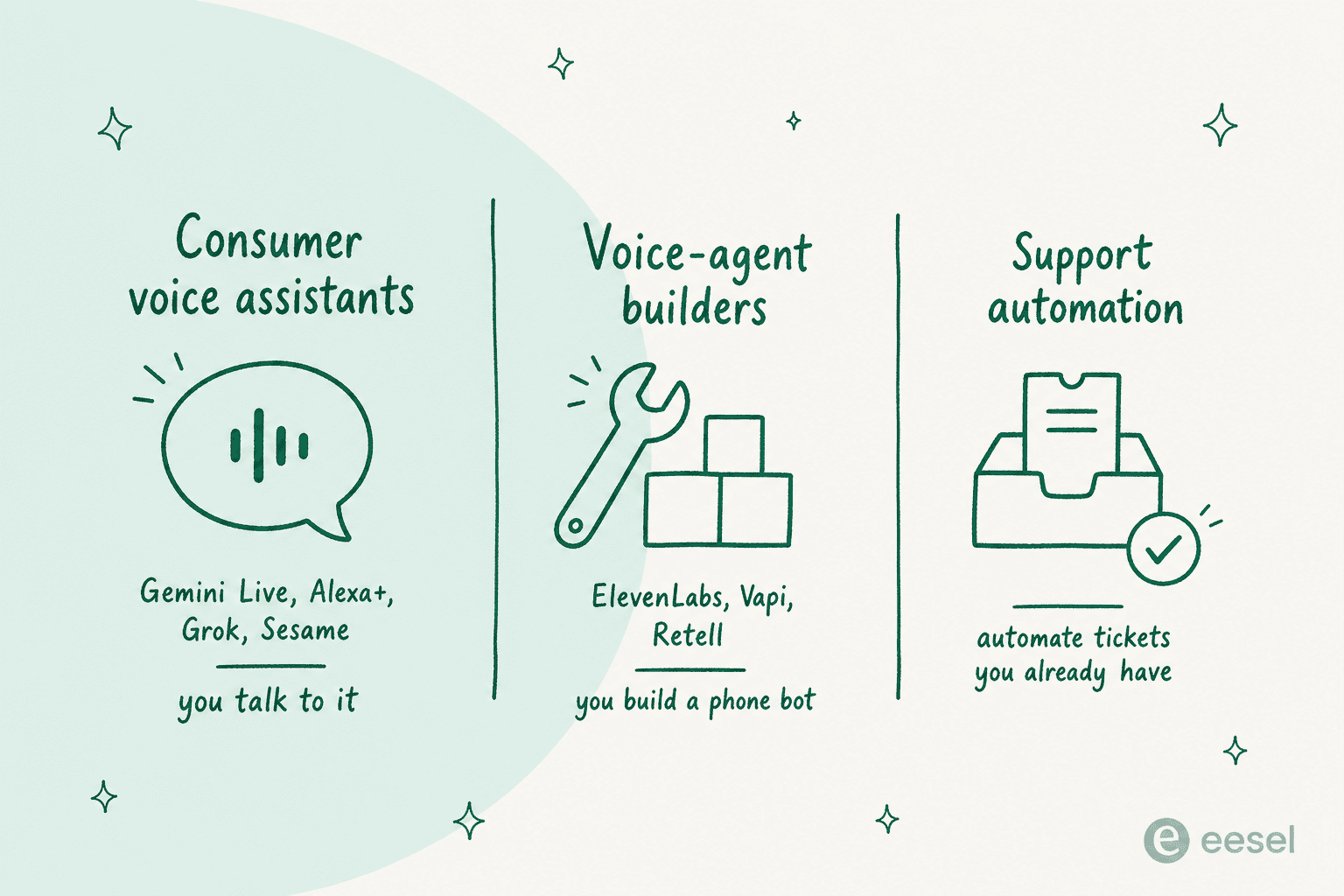
And the reframe I keep coming back to: those three groups are answering three different questions. This is the map I'd hand anyone comparing them.
1. Google Gemini Live
Best for: Android and Google-ecosystem users who want a free, hands-free assistant that works inside the apps they already use.
Gemini Live is the most direct GPT-Live alternative there is, and the one every "ChatGPT finally caught up to Gemini" comment is really about. It's the real-time voice-and-camera mode inside the Gemini app: you talk out loud, interrupt mid-sentence, and can point your phone camera or share your screen so it reasons over what you're looking at. That camera-and-screen-sharing bit is the headline, because it's exactly what GPT-Live can't do at launch.
Under the hood it runs on the Gemini model family, with the low-latency 3.5 Flash the natural fit for live voice. The real advantage is distribution: it's baked into Android and can act inside your actual Gmail, Docs, and Sheets, which no standalone voice app can match.
Pros:
- Does video and screen sharing today, which GPT-Live doesn't.
- Free on the base plan, and paying doesn't even "unlock" Live, it just raises usage limits.
- Native to Android and the wider Google suite.
Cons:
- Many of the surrounding agentic features are gated to the US and English only.
- Per-tier voice usage caps aren't published as concrete numbers.
Pricing: Gemini Live is available on the free tier and every paid plan. Paying only buys higher usage limits and adjacent features: Google AI Plus is $4.99/mo, Google AI Pro is $19.99/mo, and Google AI Ultra runs from $99.99/mo up to $199.99/mo. Our Gemini pricing guide has the full grid.
Verdict: If you're on Android or live in Google Workspace, this is your GPT-Live. It's free, it does the camera trick GPT-Live can't, and it's already on your phone. iPhone-first users who live in the OpenAI world will still prefer GPT-Live; everyone else should start here. For more options in this lane, see our Gemini alternatives roundup.
2. ElevenLabs Conversational AI
Best for: developers and product teams who want to build a real-time voice agent, with best-in-class voices and the freedom to plug in their own model.
This is the first entry that answers a different question. You don't "use" ElevenLabs the way you use GPT-Live; you build on it. Its Conversational AI product (branded ElevenAgents) coordinates four parts: fine-tuned speech-to-text, your choice of LLM, ElevenLabs' famously good low-latency text-to-speech, and a proprietary turn-taking model that decides when the agent should talk.
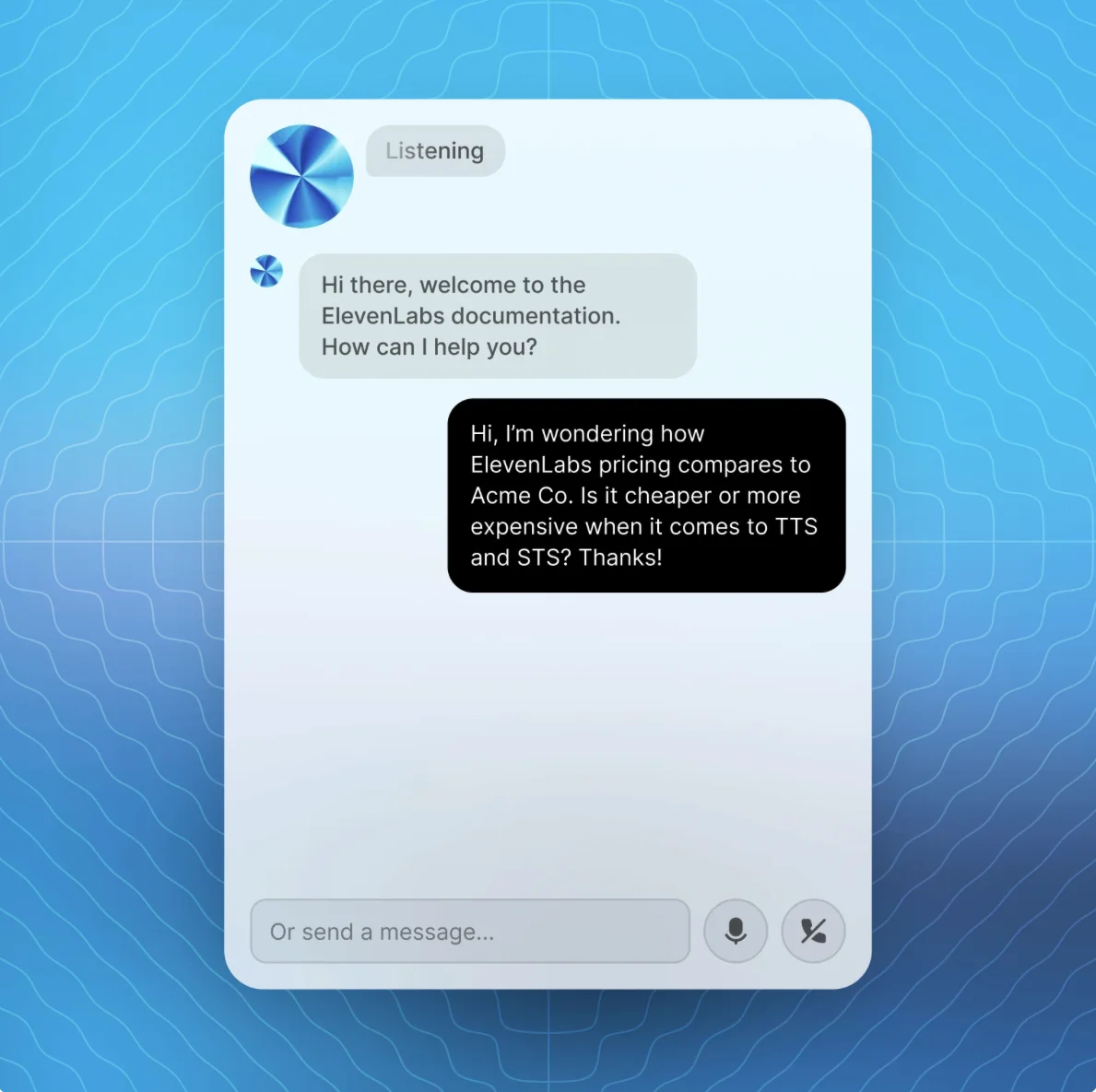
The reason it's here and GPT-Live's API isn't: this one actually ships. You get SDKs for React, Swift, Kotlin and React Native, an embeddable widget, a raw WebSocket API, and native telephony. It's genuinely LLM-agnostic, so you can point it at Claude, Gemini, or GPT and swap later.
Pros:
- The best voice quality in this roundup, across 70+ languages.
- Truly model-agnostic, with a strong developer toolkit.
- Real telephony and a free tier to prototype on.
Cons:
- Cost is multi-layered: platform minutes, LLM, and telephony are billed separately.
- Burst usage beyond your concurrency limit doubles the per-minute rate.
Pricing: the ElevenAgents tab runs Free ($0, 15 min), Starter ($6), Creator ($22), Pro ($99), Scale ($299) and Business ($990), with extra minutes at $0.08/min and burst at $0.16/min, before the LLM and telephony you stack on top. Full detail in our ElevenLabs pricing write-up.
Verdict: If voice quality is non-negotiable and you have engineers, ElevenLabs is the one I'd reach for first. Just go in clear-eyed on the stacked billing, and read the ElevenLabs reviews on real-world cost before you commit. Not building anything? Skip it, it's not a consumer product.
3. Hume AI (EVI)
Best for: teams building assistants where how something is said matters as much as what's said: coaching, wellness, and empathetic support.
Hume AI takes the one angle nobody else really owns: emotion. Its Empathic Voice Interface (EVI) is a speech-to-speech system that measures the prosody of your voice, the tune, rhythm and timbre, and shapes both its words and its own tone in response. Instead of a flat, chirpy assistant, you get one that can hear that you're frustrated and dial its delivery accordingly.
The current models are EVI 3 (English-only, fast) and EVI 4-mini (11 languages, but it needs a supplemental LLM). It handles interruptions and tone-based turn-taking, and you can bring your own model from Anthropic, OpenAI, or Google.
Pros:
- Genuine emotional intelligence, backed by Hume's own prosody research.
- Natural interruption handling and voice customization.
Cons:
- The best model, EVI 3, is English-only; multilingual costs more and adds complexity.
- Sessions cap at 30 minutes, and concurrency is tightly gated by tier.
Pricing: billed per minute, from $0.07/min on Starter down to $0.04/min on Business, with a free tier (5 minutes) to try it. See our Hume AI pricing breakdown for the full table.
Verdict: For an emotionally-aware companion, Hume is the most interesting pick on this list, and there's nothing quite like it. For dry, transactional support, that emotion layer is overkill and you'd be better off with a builder like ElevenLabs. Weigh it against the field in our Hume AI alternatives guide.
4. Sesame
Best for: anyone chasing the single most natural-sounding voice, and developers who want open weights instead of a closed API.
Sesame is the one that went viral for sounding too real. Its companions, Maya and Miles, are built around a "voice presence" thesis, and in the company's own no-context listening tests, people couldn't reliably tell its speech from a real human recording. The tech underneath is CSM, its Conversational Speech Model.
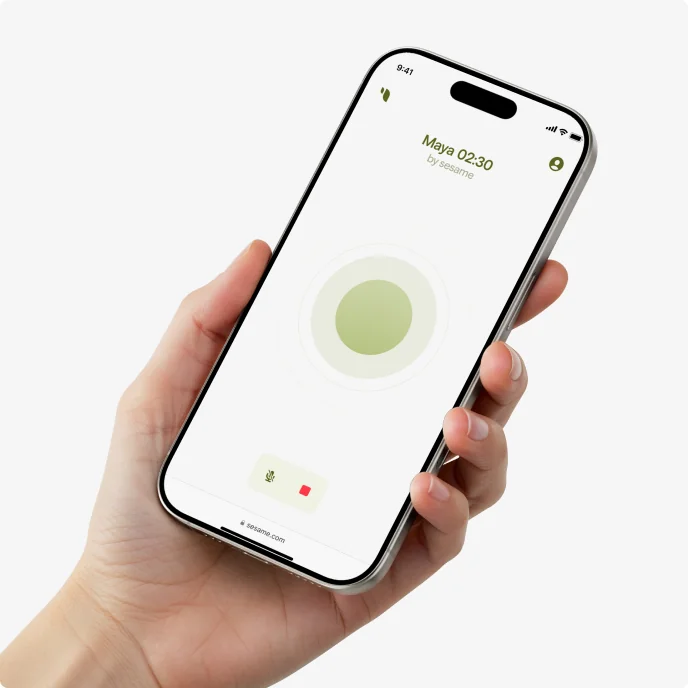
The twist that makes it a real alternative: Sesame open-sourced the CSM weights under Apache 2.0. So while GPT-Live is a closed box, you can actually download and run Sesame's speech model yourself. The catch is that it's a research and demo play, with AI eyewear promised for later, not a product you deploy.
Pros:
- Arguably the most human-sounding voice available right now.
- Open weights, which is rare in real-time voice.
Cons:
- No API product, no pricing, nothing for business or support use.
- English-first, and it's more a preview than a finished thing.
Pricing: free. The web and mobile demos are free, and the CSM weights are free on GitHub. There's no subscription and no commercial API yet.
Verdict: Try Maya for ten minutes to feel where voice AI is heading; it's genuinely startling. But if you need to ship something, Sesame isn't it yet. It's the research lab everyone else is quietly benchmarking against.
5. Amazon Alexa+
Best for: Prime households with Echo devices who want a proactive, conversational assistant for the home.
If GPT-Live is voice AI for your phone, Alexa+ is voice AI for your house. Amazon's generative-AI overhaul of Alexa is conversational ("conversations, not commands"), agentic (it can orchestrate tens of thousands of services and navigate the web to finish multi-step tasks), and it runs across the 600M+ Alexa devices already in the wild.
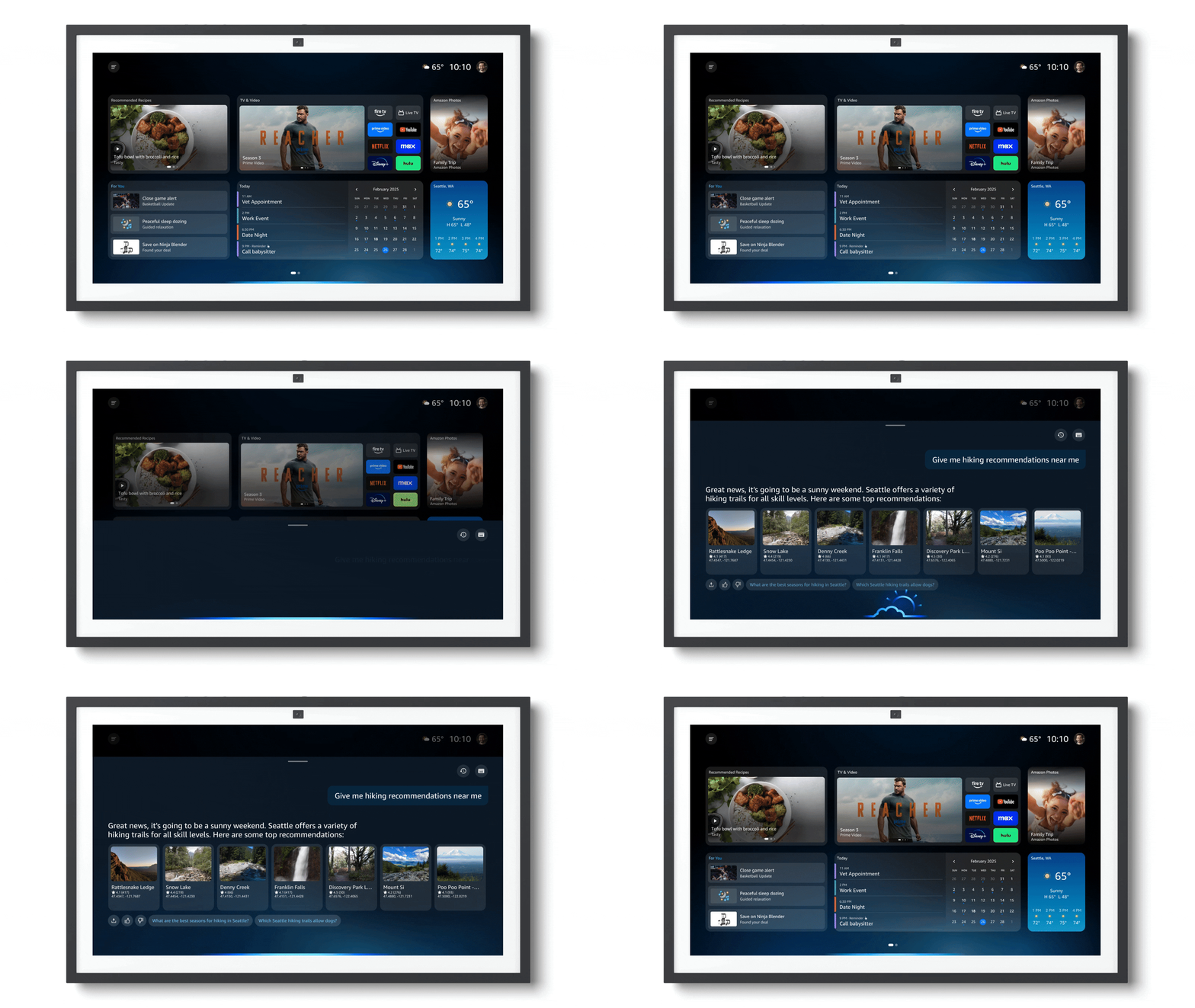
Its edge over everything else here is reach into the physical world: smart home, shopping, reservations, all hands-free across your devices. Its ceiling is that it's a consumer assistant and nothing more.
Pros:
- Unmatched smart-home and device ecosystem.
- Genuinely agentic across a huge range of real-world services.
Cons:
- Consumer-only: no developer API, no support or helpdesk use.
- The best experience assumes you've bought into Echo hardware.
Pricing: Amazon states it plainly: $19.99/month, or free for Prime members. Prime itself is $14.99/month, so for a Prime home Alexa+ adds nothing. There's also a capped free tier on desktop and app.
Verdict: If you own Echo devices and pay for Prime, Alexa+ is effectively free and a real upgrade. For anyone thinking about business voice, it's the wrong aisle entirely. It's a household assistant, not a platform.
6. Grok
Best for: users who want an opinionated, real-time voice assistant wired into live X and web data.
Grok's voice mode is xAI's answer to GPT-Live: low-latency, interruptible voice conversation in the Grok app, grounded in live X (Twitter) and web data. That live-data grounding is its genuine differentiator; ask about something breaking and it's pulling from what's happening now, not a training cutoff. It runs on Grok 4.5, xAI's current flagship, with a library of 21 new flagship voices.
For developers, there's a separate Grok Voice Agent Builder at a verified $0.05/min, with a free phone number and SOC 2 / HIPAA eligibility, which is more than GPT-Live offers builders today.
Pros:
- Real-time X and web grounding, a real edge for current events.
- Expressive voices and sub-second latency, plus a dev builder that actually exists.
Cons:
- Grok's less-filtered, "truth-seeking" positioning has drawn recurring tone controversy.
- Consumer SuperGrok and X Premium+ prices sit behind a sign-in, so plan for a paid tier if you're a heavy user.
Pricing: there's a free voice tier in the Grok app; heavier use needs a SuperGrok or X Premium+ subscription. The developer Voice Agent Builder is $0.05/min.
Verdict: If you're already in the X ecosystem and want an assistant with a pulse on the internet, Grok is a fair GPT-Live swap. If you want a neutral, buttoned-up assistant for work, its personality is a feature you'll spend time fighting.
7. Vapi
Best for: developers who want to build phone voice agents with full control over the model stack.
Now we're firmly in build-it-yourself territory. Vapi is an orchestration platform for real-time voice agents that make and receive phone calls. Every assistant is assembled from swappable speech-to-text, LLM, and text-to-speech providers, so it's bring-your-own-key and provider-agnostic. Vapi claims sub-500ms latency and says it has supported over a billion calls.
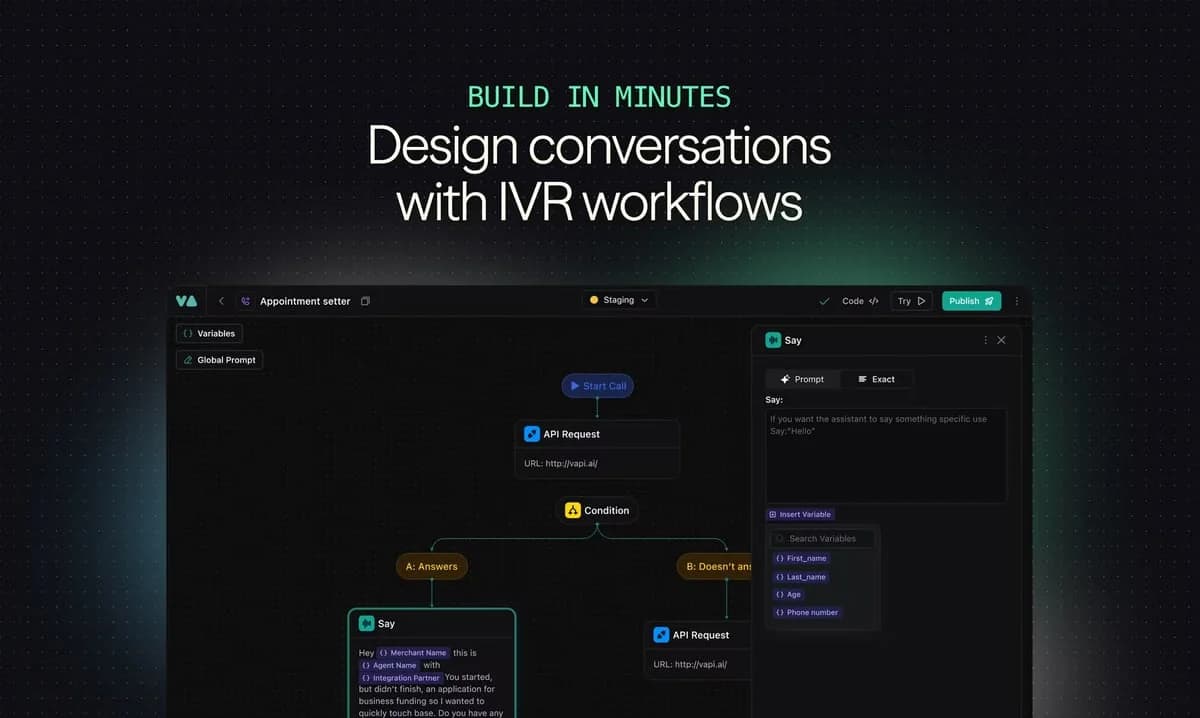
The community read is consistent: developers love the flexibility, and the recurring complaint is latency you have to tune. As one builder put it, weighing the whole cascaded approach:
"The core problem I found with the Retell/Vapi approach was the latency that chaining 3 services sequentially together added. STT provider → LLM → TTS provider. Each hop adds latency and you're managing 3 WebSocket connections plus your own VAD and turn-taking logic."

Pros:
- Total flexibility: pick your own STT, LLM and TTS, and zero out model markup with your own key.
- Real inbound and outbound telephony at low latency.
Cons:
- You own the whole stack, so latency tuning and cost forecasting fall on you.
- Costs stack across platform, models, telephony and add-ons.
Pricing: Vapi hosting is $0.05/min for calls, with underlying model costs passed through at cost (free if you bring your own key), plus $10/line/month beyond the included concurrency. HIPAA is a $2,000/mo add-on.
Verdict: For a technical team building a bespoke AI call center agent, Vapi is powerful and cheap on paper. Just know the "on paper" per-minute figure hides the model and telephony you bolt on, and the latency tuning is real work.
8. Retell AI
Best for: teams that want a purpose-built platform for phone and contact-center voice automation, without wiring the raw APIs themselves.
Retell AI is Vapi's closest sibling: another orchestration layer for real-time phone agents, but pitched more at contact-center outcomes than raw building blocks. It wraps the production glue you'd otherwise write yourself: fallback, denoising, interruption handling, voicemail detection, transfers, plus a testing playground and post-call analytics.

Community testing skews positive on its turn-taking, and builders share concrete results, like this customer-service trial:
"38 calls (76%) were fully handled by Retell AI. Customers answered, gave info, and the AI logged everything without needing a human."
Pros:
- A full voice-agent stack (build, test, telephony, analytics) so you skip the plumbing.
- Genuinely no-commitment usage-based pricing, with $10 in free credits.
Cons:
- Per-minute cost stacks opaquely across four or five components.
- It's voice and phone-first, not an omnichannel helpdesk.
Pricing: true pay-as-you-go at $0.07–$0.31/min, composed of Retell's $0.055/min infra plus your chosen TTS, LLM, and telephony. A typical stack lands around $0.115/min. The Retell AI pricing guide breaks down every layer, and the Retell AI reviews cover real usage.
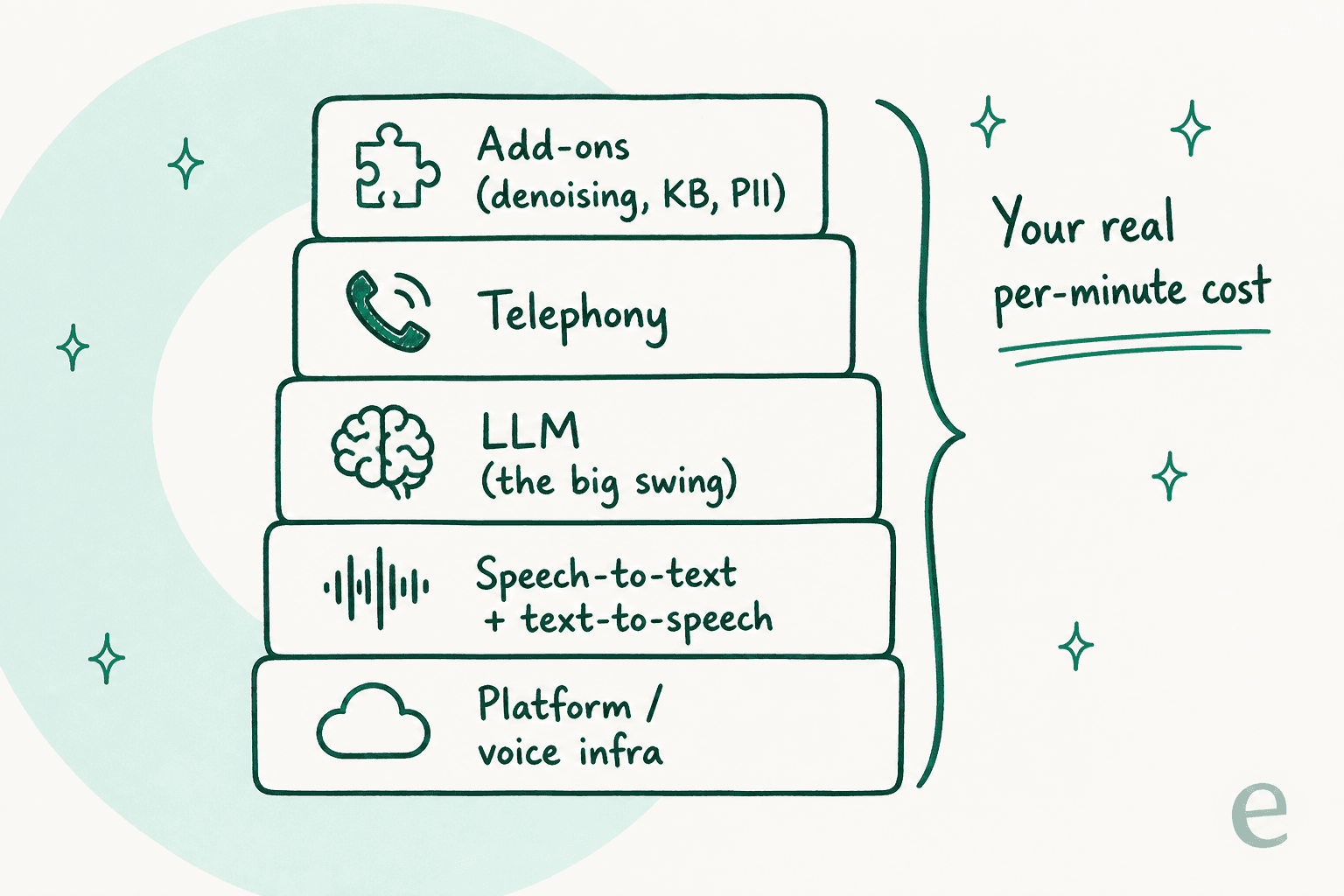
That per-minute figure is deceptively simple, which is exactly the trap. Here's what actually adds up when you deploy a voice-agent builder like Retell or Vapi:
Verdict: If your use case is specifically phone automation (reception, appointment-setting, outbound qualification), Retell is more turnkey than Vapi and a strong pick. If you also need email, chat, and web deflection, a phone-only tool leaves most of your support volume untouched, which brings me to the real point.
The thing every voice demo hides
Here's my actual take, having spent years shipping AI agents onto live support queues at eesel.
Every tool above is impressive, and the voice race is genuinely exciting. But if you landed here because you're evaluating voice AI for a support team, I want to save you a detour: the interface was never the hard part. Turn-taking, latency, natural voices, these are solved or solving. The thing that actually breaks support AI in production is confidence: knowing when to answer and when to shut up.
I've watched a smooth-sounding bot answer a customer wrong, and a more natural voice doesn't fix that, it makes the wrong answer sound more convincing. One CX lead put the whole problem in a sentence:
"The AI will never be able to answer 100% of the questions, but if it tries and just answers 'sorry I don't know this,' I cannot go and check all my 7,000 tickets to see if the AI actually made a good answer, then the point is a little bit gone. I need an AI who is only handling the tickets that it's confident to handle."
a DTC supplements CX lead handling ~7,000 tickets a month
The other quiet truth: most support volume isn't voice. It's email and chat tickets, the stuff a customer types at 11pm. A phone voice agent, however good, doesn't touch that queue, and it's the same reason the cost math on AI support only works when the AI knows its own limits. That's why, for most teams, the higher-leverage move isn't waiting on a voice API, it's automating the text tickets you already have with an AI helpdesk agent inside the helpdesk you already run. When voice does matter, tools like Zendesk voice AI agents and Salesforce voice agents sit right on top of that same queue.
Where eesel fits
I work on eesel, and it's deliberately not on the list above, because it's answering that third question, not competing on voice charisma. eesel is an AI for customer service that plugs into your existing stack (Zendesk, Freshdesk, Gorgias, Help Scout, and more), trains on your past tickets and help center, and then only auto-replies when it's confident, quietly leaving the rest for your team.

Two things make it fit where the voice tools don't. First, before it answers anyone, you can simulate it on thousands of your real past tickets to see exactly what it would have said, so you're deploying on evidence, not a demo. In the first month, one customer, Gridwise, saw eesel resolve 73% of tier-1 requests. Second, it's model-agnostic, so when GPT-Live's API finally does land, a proper AI agent for customer service is what lets you plug it in on your terms. If you're comparing options, our roundup of the best customer service AI puts it in context. Try eesel free, no sales call needed.