The 8 best MetaText alternatives in 2026

Kurnia Kharisma Agung Samiadjie

Katelin Teen
Last edited September 28, 2026

Wait, what actually happened to MetaText?
I have spent enough years putting AI on live support queues to be suspicious when a tool's homepage stops matching its reviews, and MetaText is a clean example of why. The MetaText homepage today reads "the open directory for AI models, datasets and tools", a free catalog that compares 5,000-plus priced LLMs across 89 providers, with benchmark leaderboards, datasets, MCP servers and even an AI jobs board.
That is a genuinely useful thing, but it is not what MetaText sold two years ago. The original product described itself as a way to "create and deploy custom NLP models in minutes", a no-code tool for text classification, entity extraction and sentiment analysis trained on your own documents. The company pivoted, and the legacy app is effectively gone, its old application no longer resolves, and the /about and /product pages now return 404s.
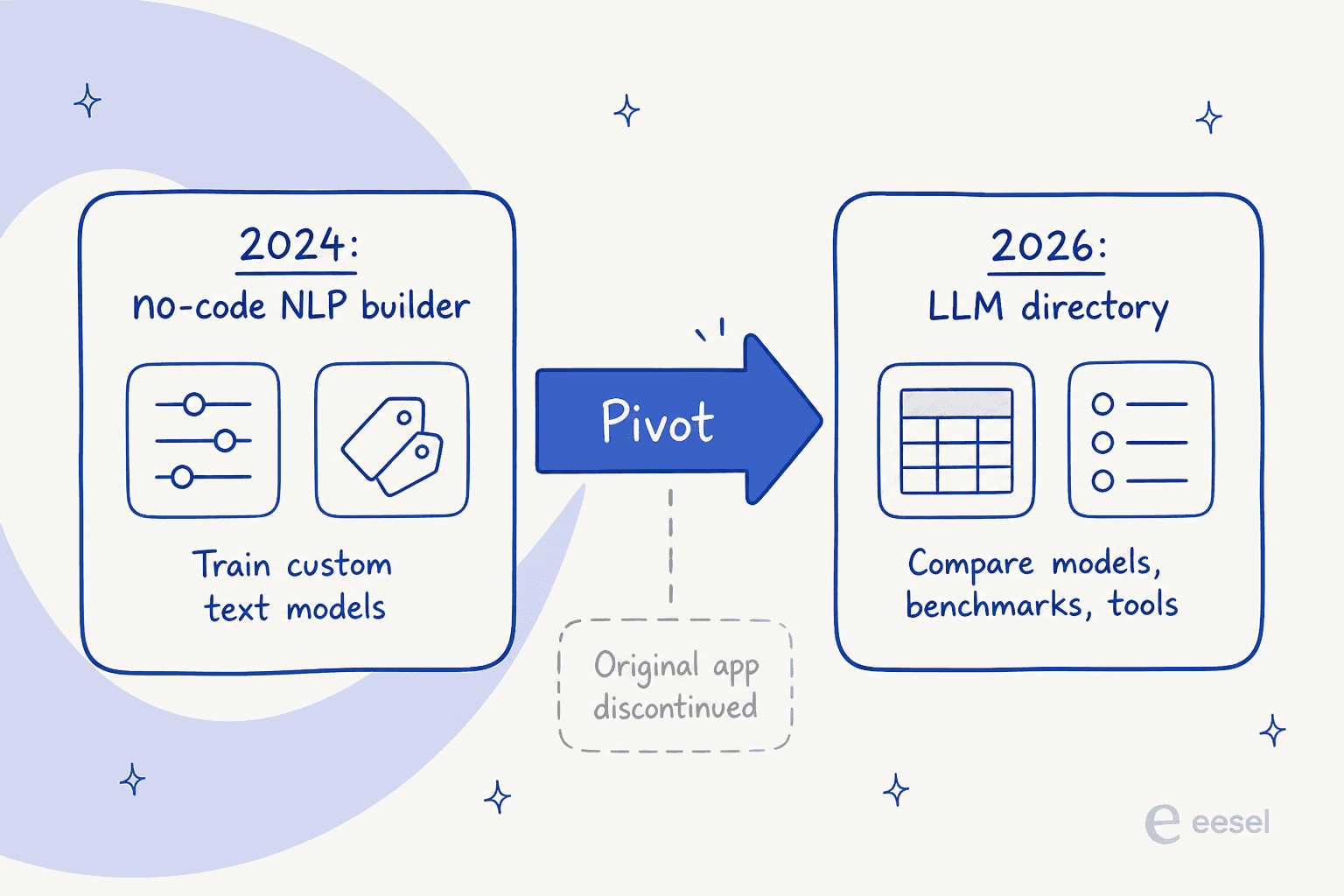
So before you pick an alternative, get clear on which MetaText you actually miss:
- You want the directory. If you use MetaText to compare model cost, context windows and benchmark scores, it still does that well and it is free. Artificial Analysis and OpenRouter cover the same ground with their own strengths. You do not need the rest of this guide.
- You want to build AI on your own content. This is the harder gap to fill, and it is the eesel-relevant one. If MetaText was how you turned your help center, docs or tickets into an AI that answers questions, you need a tool that does that job today. That is the list below.
Why people are looking for a MetaText alternative
The honest reason most people are here is churn, not curiosity. When a tool you built a workflow on gets abandoned mid-pivot, you are forced to shop whether you wanted to or not. The early MetaText reviews were warm, buyers praised the model accuracy and the responsive founder team, and then the support and updates dried up after the company changed direction. That is a familiar and painful pattern, and it is a perfectly good reason to move.
But there is a deeper lesson worth taking from it, and a support lead on Reddit put it better than any vendor page:
"Your AI is only as good as the data you train on. Look for a tool that can plug in to your existing KB, help you make new articles, learn from your past tickets, learn from any internal documentation you may have in Google Docs. Don't change support tooling just for the AI features."

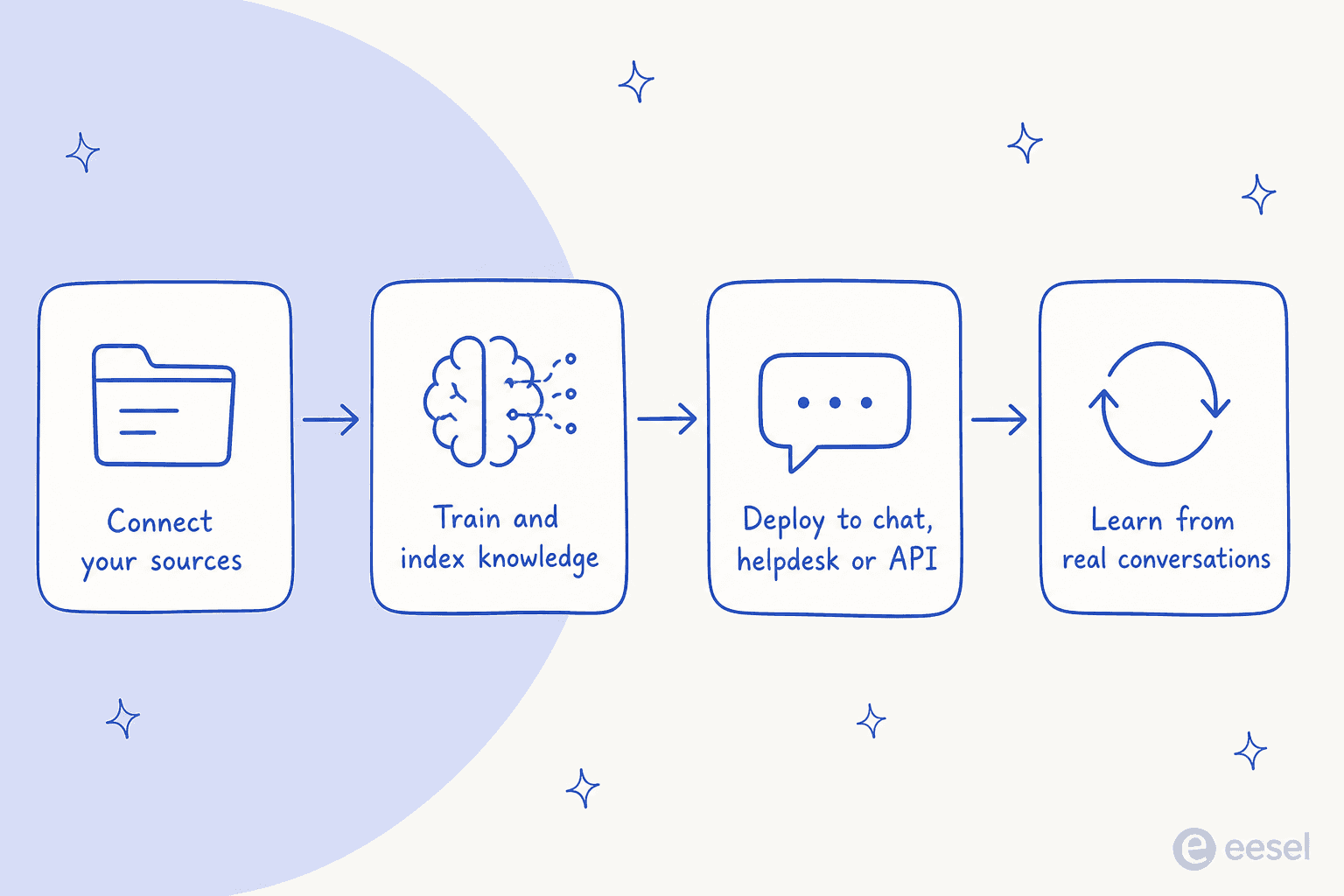
That is the real bar for a MetaText replacement. Almost every tool here follows the same basic shape: connect your sources, let it index and learn your knowledge, deploy it somewhere your users are, and let it improve from real conversations. Where they differ is how much work each stage costs you, and how much of it you have to build yourself.
What to look for in a replacement
After running enough of these rollouts, the questions I would ask before switching are pretty consistent:
- Where does it deploy? A website chat widget is not the same as an agent inside Zendesk or Freshdesk. If your support already lives in a help desk, an AI that only lives on your marketing site is solving a different problem.
- What is the billing unit? Some tools bill per message, some per conversation, some per ticket resolved, some per model credit. These are not comparable, and the difference shows up hard on your invoice at volume.
- Can you test before you trust it? The single biggest risk with support AI is a confident wrong answer to a real customer. A tool that lets you simulate against your own history first is worth a lot more than one where you flip a switch and hope.
- How much building is on you? Some of these are ready-to-work teammates; others are kits you assemble. Neither is wrong, but you should know which you are buying.
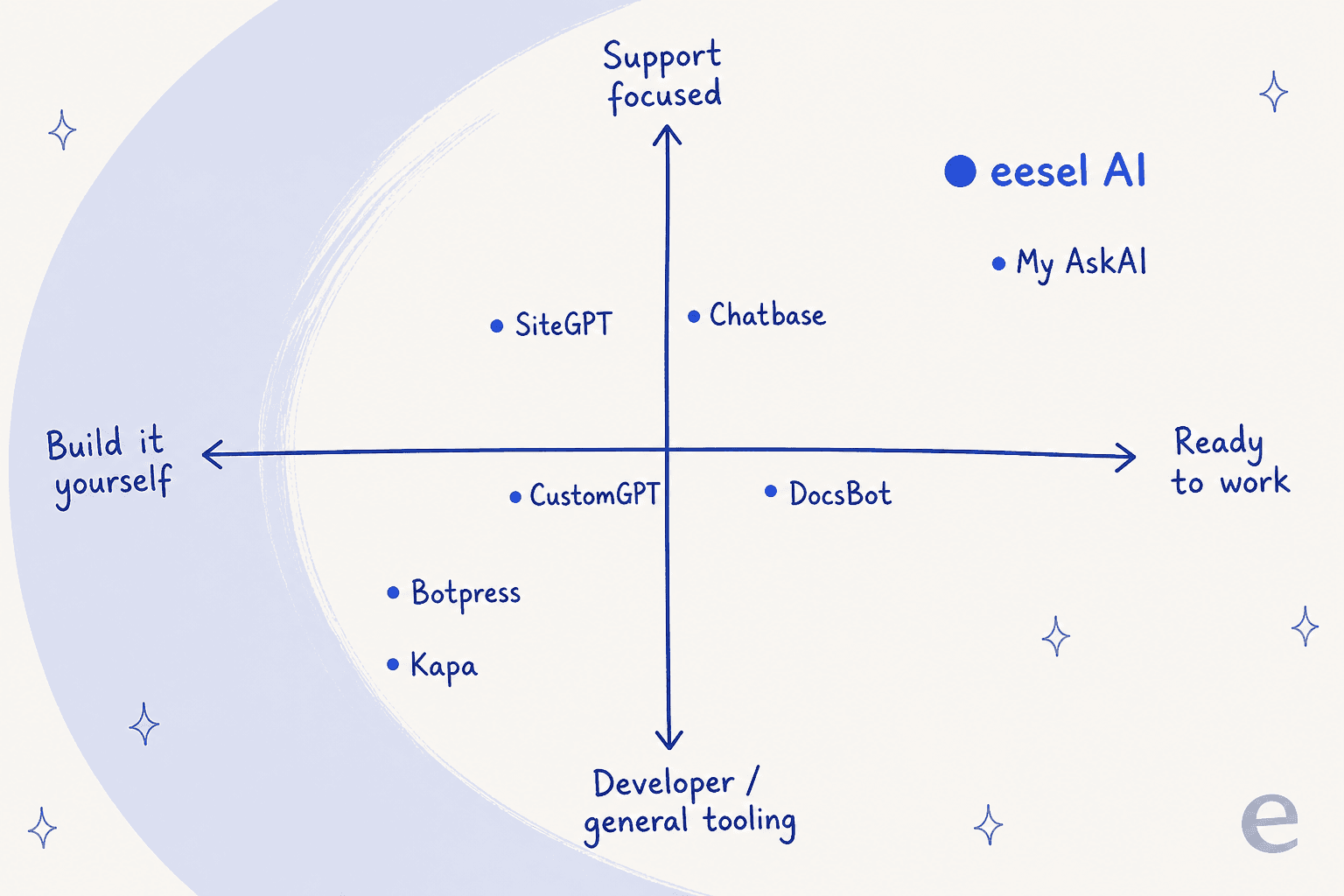
Here is roughly how the eight sort out on the two axes that matter most, how much you build yourself, and how support-focused each one is:
The 8 best MetaText alternatives at a glance
| Tool | Best for | Starting paid price | Billing unit | Free tier | Deploys into |
|---|---|---|---|---|---|
| eesel AI | AI support on your existing help desk | $299/mo (500 credits) | Ticket or chat handled | Yes (100 credits) | Zendesk, Freshdesk, Gorgias, Slack, chat widget |
| Chatbase | A quick multichannel support bot | $32/mo | Message credit | Yes | Website, chat, email, voice |
| SiteGPT | A DIY website chatbot | $39/mo (yearly) | Message | Trial only | Website widget |
| CustomGPT | Source-cited answers | $99/mo | Query + storage | Trial only | Website, livechat, API |
| DocsBot | Knowledge automation with actions | $49/mo | AI credit | Yes | Website, Slack, API |
| My AskAI | Cheap per-ticket deflection | ~$0.10/ticket | Ticket | Trial (30 days) | Your existing help desk |
| Botpress | Building custom agent flows | $150/mo (yearly) | Conversation | Yes | Web, Slack, WhatsApp, more |
| Kapa | Developer and docs Q&A | Quote only | Quote only | Trial (14 days) | Docs widget, API, MCP |
Prices are the entry paid plan as of September 2026. Free tiers and billing units vary a lot, so read the per-tool notes before you compare sticker prices.
1. eesel AI
Best for: teams who want an AI support agent working inside the help desk they already use, without a rebuild or a sales call.

I work on eesel AI, so treat this as the insider's pitch, but the reason it leads this list is that it targets the exact gap MetaText left. MetaText made you build a model and then figure out where to put it. eesel skips the building. It is an AI teammate you hire for a job, and the support teammate joins your existing queue already knowing your company.
It connects to helpdesks like Zendesk, Freshdesk, Gorgias and Help Scout, and pulls knowledge from your help center, past tickets, Confluence, Google Docs and more. The first agent can be live in under 30 minutes, which is the opposite of the multi-week model-training projects MetaText's old tool implied.
The feature I would flag hardest for anyone burned by an abandoned tool is simulation. Before it answers a single live customer, eesel replays hundreds of your past tickets and scores its answers against what your team actually sent, so you see the gaps and can tune the instructions in plain language first. It is the "test before you trust it" bar from the criteria above, built in.

Because MetaText's directory catalogs MCP servers and agent skills, it is worth knowing eesel is not dashboard-only either. It ships a public CLI plus an MCP server, so the same teammate and workspace you manage in the dashboard can also be driven from a terminal, wired into scripts, or operated by coding agents like Claude Code, Codex and Cursor. If part of what you liked about MetaText was programmatic, agent-friendly access to AI, that is the piece eesel carries forward, only pointed at a support agent that actually resolves tickets instead of a model you still have to deploy.
Real users tend to like that it rides on top of their stack rather than replacing it:
"we didn't gel well with zendesk's ai, so we went with an app (eesel ai) for zen and integrated with our slack and stuff instead. we're happy with it so far... pretty sure our t1 tickets are mostly deflected plus tickets drafted."
Pros:
- Works inside your current help desk, so you do not change support tools just for AI.
- Simulation on your real ticket history before go-live.
- Unlimited seats and agents on every plan, plus a CLI and MCP for scripted control.
Cons:
- It is built for support and internal Q&A, not for training a raw text-classification model the way legacy MetaText did.
- HIPAA and a signed BAA are Enterprise-only.
Pricing: Free to start with 100 credits and no card. Paid plans run 500 credits for $299/mo, 1,000 for $499, 2,500 for $999 and up, where one credit is a ticket or chat handled regardless of how many messages it takes. Enterprise adds SSO, HIPAA and a BAA.
Verdict: if your MetaText use case was really "answer customer and internal questions from our own knowledge", this is the most direct swap, and the simulation-first approach is the safest way to trust it.
2. Chatbase
Best for: teams who want a support bot live across chat, email and voice without much setup.
Chatbase is one of the best-known AI chatbot builders, and it has grown from a simple "train GPT on your docs" widget into a broader agent platform that claims 10,000-plus businesses. You point it at your content, it trains an agent, and you deploy across web chat, email and even telephony on the higher tiers.
It is a strong, general fit for the MetaText "build AI on your data" job. The catch to watch is the pricing model: it bills in message credits, and the tiers step up steeply. The free plan also deletes inactive agents after 14 days, so it is a trial surface more than a home for a production bot.
Pros:
- Fast to stand up, with a genuinely generous set of channels at the top.
- Actions and integrations (Stripe, Zendesk) on paid tiers.
Cons:
- Message-credit billing gets expensive as volume climbs.
- Free-plan agents are deleted after 14 days of inactivity.
Pricing: Free ($0, 50 message credits); Hobby $32/mo (500 credits); Standard $120/mo (4,000 credits); Pro $400/mo (15,000 credits); Enterprise custom. Extra credits are $40 per 1,000.
Verdict: a solid general pick if you want a multichannel bot quickly, but model the credit math at your real volume before committing.
3. SiteGPT
Best for: a small team that wants a DIY website chatbot from a URL, fast.
SiteGPT is unapologetically the self-serve, founder-led end of the market: paste a URL, train a bot on your site and help center, embed it, done. The homepage promise is literal, "it's like having ChatGPT specifically for your product", and for a straightforward website support bot it delivers on that.
It is a two-person operation, which cuts both ways. You get a focused, no-nonsense product, but not the integration depth or enterprise machinery of the bigger names. If you were a solo MetaText buyer who mostly wanted a website answer bot, SiteGPT is the spiritual successor.
Pros:
- Genuinely quick URL-to-bot setup with no sales call.
- Learns and refines from real chat history.
Cons:
- Lighter on helpdesk integrations than support-first tools.
- Overage messages are sold in $59 packs of 5,000.
Pricing: 7-day trial (card required). Starter $39/mo, Growth $79/mo, Scale $259/mo (all effective yearly; monthly is higher), Enterprise custom.
Verdict: a clean, affordable choice for a website chatbot; look elsewhere if you need the bot to live inside your help desk.
4. CustomGPT.ai
Best for: teams that care most about grounded, source-cited answers.
CustomGPT.ai is a no-code, RAG-based agent builder with one clear differentiator: it is built around trustworthy answers. Its pitch is an AI that "knows when to say I don't know", and every response links back to its source. For anyone whose worry about support AI is hallucination, that anti-hallucination framing is the headline.
You connect websites, docs, helpdesks and media, customize the agent, and deploy on your site, in livechat or via API, with a "go live in 15 minutes" promise. It sits in the middle of this list: more polished than the tiny DIY tools, less support-native than eesel or My AskAI.
Pros:
- Source citations on every answer, which builds trust fast.
- Broad content connectors and API access.
Cons:
- Entry price is higher than the small builders.
- More general-purpose than support-specialized.
Pricing: 7-day trial (card required). Standard $99/mo, Premium $499/mo, Enterprise custom. Annual billing saves about 10%.
Verdict: the pick when citable, defensible answers matter more than deep helpdesk integration.
5. DocsBot AI
Best for: turning docs and content into AI agents that also take actions.
DocsBot turns your docs, websites, files and tickets into custom agents that give instant answers and, increasingly, take actions across your tools. Under the hood it runs an agentic RAG pipeline with selectable models, and it aims at support, documentation and operations teams alike.
It is a natural fit for the MetaText "knowledge into AI" job, with a workable free tier for testing. Just keep an eye on the AI-credit meter: usage starts at 1x per message and climbs for bigger models and actions, so heavy automation can consume credits faster than the headline plan suggests.
Pros:
- Real free tier and a clear plan ladder.
- Actions and API on top of Q&A.
Cons:
- AI-credit consumption is hard to predict for action-heavy use.
- Extra team users are Business-plan and up only.
Pricing: Free ($0, 100 credits); Personal $49/mo (5k); Standard $149/mo (15k); Business $499/mo (60k); Enterprise custom. Annual billing gives roughly two months free.
Verdict: a strong knowledge-automation option, especially if you want answers plus actions from your documentation.
6. My AskAI
Best for: cheap, high-volume ticket deflection on top of your existing help desk.
My AskAI takes the same "don't replace your help desk" stance eesel does, and competes hard on price. It layers an AI agent on top of tools you already run, imports your help center, SOPs and past tickets, then drafts and sends replies inside your existing setup. Its pitch is blunt, "pricing so good, we don't need to hide it behind a sales call", from $0.10 per ticket.
If your priority is raw cost per ticket and you already have a help desk you like, it is one of the cheapest ways to add deflection. It is lighter on the deep configuration and testing tooling of the support-first platforms, but for many teams the price is the point.
Pros:
- Very low per-ticket cost and transparent pricing.
- Sits on your current help desk, no rip-and-replace.
Cons:
- Fewer configuration and simulation controls than eesel.
- Plan card prices beyond the per-ticket rate are not always clearly rendered.
Pricing: 30-day free trial (no card). Priced from $0.10/ticket; the Scale plan includes 2,000 tickets/month with $0.10 per extra ticket; Enterprise from $999/mo.
Verdict: the value pick for per-ticket deflection when you want cheap and simple over deeply configurable.
7. Botpress
Best for: builders who want to design custom agent flows and take real actions.
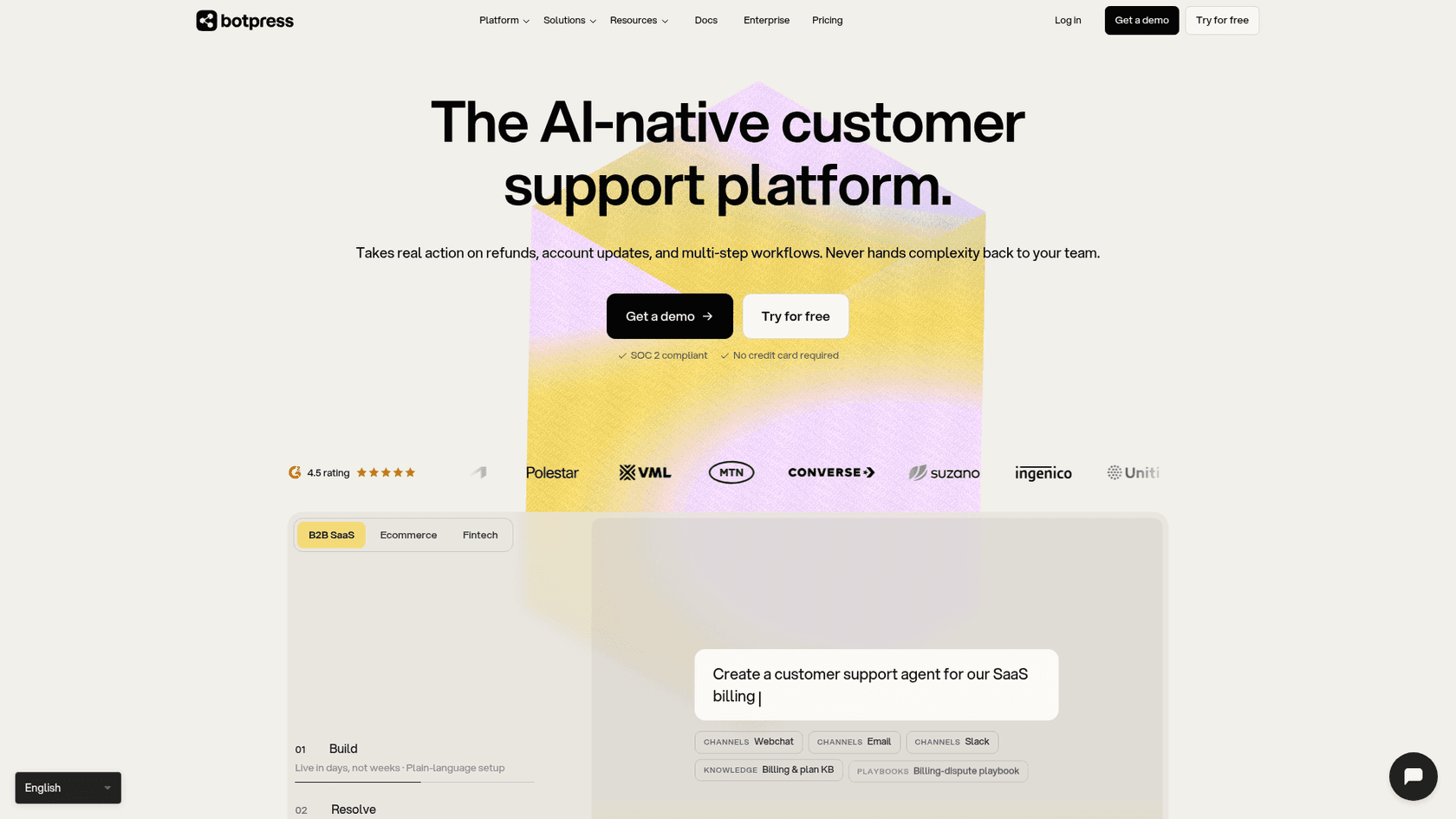
Botpress is the most build-it-yourself option here. It pairs a no-code visual Studio with a code-first Agent Development Kit and its own AI-native helpdesk, and positions its agents as ones that "resolve" tickets by taking real action on refunds, account updates and multi-step workflows, rather than just answering FAQs.
That power comes with more assembly. If you have the appetite (or the developers) to design flows, Botpress gives you a lot of rope. If you wanted MetaText because it was no-code and low-effort, this is a step up in complexity, so weigh that honestly.
Pros:
- Deep customization, from visual flows to full code.
- Unlimited AI agents on paid plans and no per-seat cost.
Cons:
- Steeper learning curve than the point-and-click builders.
- Free-plan reporting is limited (no custom date ranges or exports).
Pricing: Free ($0, 100 conversations); Plus $150/mo (250 conversations); Team $750/mo (1,500 conversations); Enterprise custom. Extra conversations run $0.50 to $0.65 each.
Verdict: the right call when you want to build sophisticated, action-taking agents yourself and have the time to invest.
8. Kapa.ai
Best for: developer-facing docs and technical Q&A, including via API and MCP.
Kapa.ai started as an "ask AI" widget for technical documentation and has repositioned around agent context: connect your unstructured knowledge (docs, tickets, code, community threads, API specs) and serve accurate, cited context to agents via API or MCP. It does the retrieval and grounding; the agent does the reasoning.
For developer tools and technical products with heavy documentation, it is excellent, and its MCP angle overlaps neatly with what MetaText's directory catalogs. It is also the least self-serve option here: pricing is quote-only, so expect a sales conversation rather than a signup.
Pros:
- Strong at technical, cited retrieval over developer knowledge.
- API and MCP access for feeding your own agents.
Cons:
- Quote-only pricing, no public monthly figure.
- Aimed at developer docs more than frontline customer support.
Pricing: 14-day free trial with hard limits, then Growth and Enterprise both "contact us". Third-party market data suggests averages around $3,000/year, but that is an estimate, not Kapa's official price.
Verdict: the best fit for developer docs and agent-grounding infrastructure; overkill if you just want a support bot on a website.
What these actually cost, and why it is hard to compare
The sticker prices above are close to useless on their own, because these tools do not bill for the same thing. A "message" on SiteGPT, a "message credit" on Chatbase, an "AI credit" on DocsBot, a "conversation" on Botpress, and a "ticket" on eesel or My AskAI are all different units.
Here is a rough, apples-to-apples way to think about it. Say you handle 1,000 support conversations a month:
- On eesel AI, 1,000 tickets handled maps to the 1,000-credit plan at $499/month, with one credit per conversation no matter how many back-and-forth messages it contains.
- On My AskAI, at roughly $0.10/ticket, 1,000 tickets is about $100/month, though configuration is lighter.
- On Botpress, 1,000 conversations sits above the Plus allowance, so you are into Team ($750/month) or buying conversation packs.
- On Chatbase, the unit is a message, not a conversation, so a chat with ten replies burns ten credits, and the effective cost depends heavily on how chatty your conversations are.
The lesson from MetaText applies to pricing too: read the billing unit, not the headline number. A tool that looks cheap per message can be pricier than a per-conversation tool once real customers start replying.
How to choose the right MetaText alternative
Strip it down to what you were using MetaText for.
If it was the directory, you already have your answer: keep using MetaText's directory or move to Artificial Analysis or OpenRouter. None of the tools above replace that.
If it was building AI on your own content, match the tool to your setup. Already run a help desk and mainly want to deflect tickets? Start with eesel AI or My AskAI. Want a quick website chatbot? Chatbase or SiteGPT. Care most about cited answers? CustomGPT. Documentation-heavy or developer-facing? DocsBot or Kapa. Want to build the logic yourself? Botpress.
And whatever you pick, do the thing the abandoned-tool refugees wish they had insisted on: test it against your own reality before you rely on it, and choose something that integrates with the stack you already have rather than forcing a migration.
Try eesel AI
If your MetaText use case was really about answering customer and internal questions from your own knowledge, eesel AI is the most direct replacement on this list. It hires in as a support teammate, plugs into Zendesk, Freshdesk, Gorgias and Slack in minutes, learns from your help center and past tickets, and lets you simulate its answers on your own ticket history before it ever talks to a customer.

Unlike the tool you are replacing, it is free to start with 100 credits, no credit card and no sales call. Try eesel and have an agent running on your own knowledge this afternoon.
Frequently Asked Questions
What happened to MetaText.ai?
Which MetaText alternative is best for customer support?
How much do MetaText alternatives cost?
Do I still need a MetaText alternative if I only want to compare LLM prices?


Article by
Kurnia Kharisma Agung Samiadjie
Kurnia is a software engineer and writer at eesel AI with two years of SEO experience, writing about AI tools, helpdesk software, and customer support. He pairs a developer's understanding of how these products are built with search-driven research into what actually ranks and resonates with the people searching for them.