Enterprise Bot alternatives 2026: 7 options, priced and compared

Rama Adi

Katelin Teen
Last edited October 27, 2026
The best Enterprise Bot alternative depends on which of three buckets you are in. If phone calls and a regulated, multilingual contact center are the job, shortlist Cognigy, Kore.ai or Ada, which are quote-only like Enterprise Bot. If you already run Zendesk or Salesforce, start with their built-in AI agents, which publish $1.50 to $2.00 per automated resolution at Zendesk and $2 per conversation at Salesforce.
If the work is email and chat inside a helpdesk, the shorter path is an AI teammate you can test on your own tickets first. I build eesel's integrations, and in security-gated demos the pattern I hear most is the same: a B2B buyer whose internal review was a hard gate before any trial, asking whether tickets with card numbers and passwords stay inside their environment. eesel answers with a published $299 a month for 500 credits, EU or US data residency on every plan, and a 100-credit free start. smava, a German loan marketplace, ran about 27,000 Zendesk tickets through it in a single month.
eesel is not a phone product. If voice is your core channel, skip it and pick from the first group.
Why do teams look for Enterprise Bot alternatives?
Enterprise Bot is a capable product. It is a Swiss conversational AI suite with voice, chat, email and agent assist, and its customers include SWICA, TransPennine Express and Yuh. I rated it 3.5 out of 5 in my Enterprise Bot review, mostly because of how hard it is to evaluate, not because of what it does.
Four things push teams to look around:
- Quote-only pricing. There is no pricing page, G2 says the vendor has not listed prices, and Capterra shows "Get Price" with no free trial. I list what each source says in Enterprise Bot pricing.
- A thin public record. G2 shows 4.7/5 from 13 reviews, and Capterra marks nine of its ten reviews as vendor-invited and dated January 2022.
- Setup effort. A financial services reviewer on Capterra called building the flows, content and translations time-consuming.
- Fit. The depth is in voice, Genesys and NICE connectors and on-premise hosting. A team whose queue is email and chat in a helpdesk pays for depth it does not use. The Freshworks Marketplace app installs by emailing the vendor.
None of that makes Enterprise Bot a bad choice for a phone-first insurer. It makes it a hard one to compare, which is the real job of this post.
How should you compare Enterprise Bot alternatives?
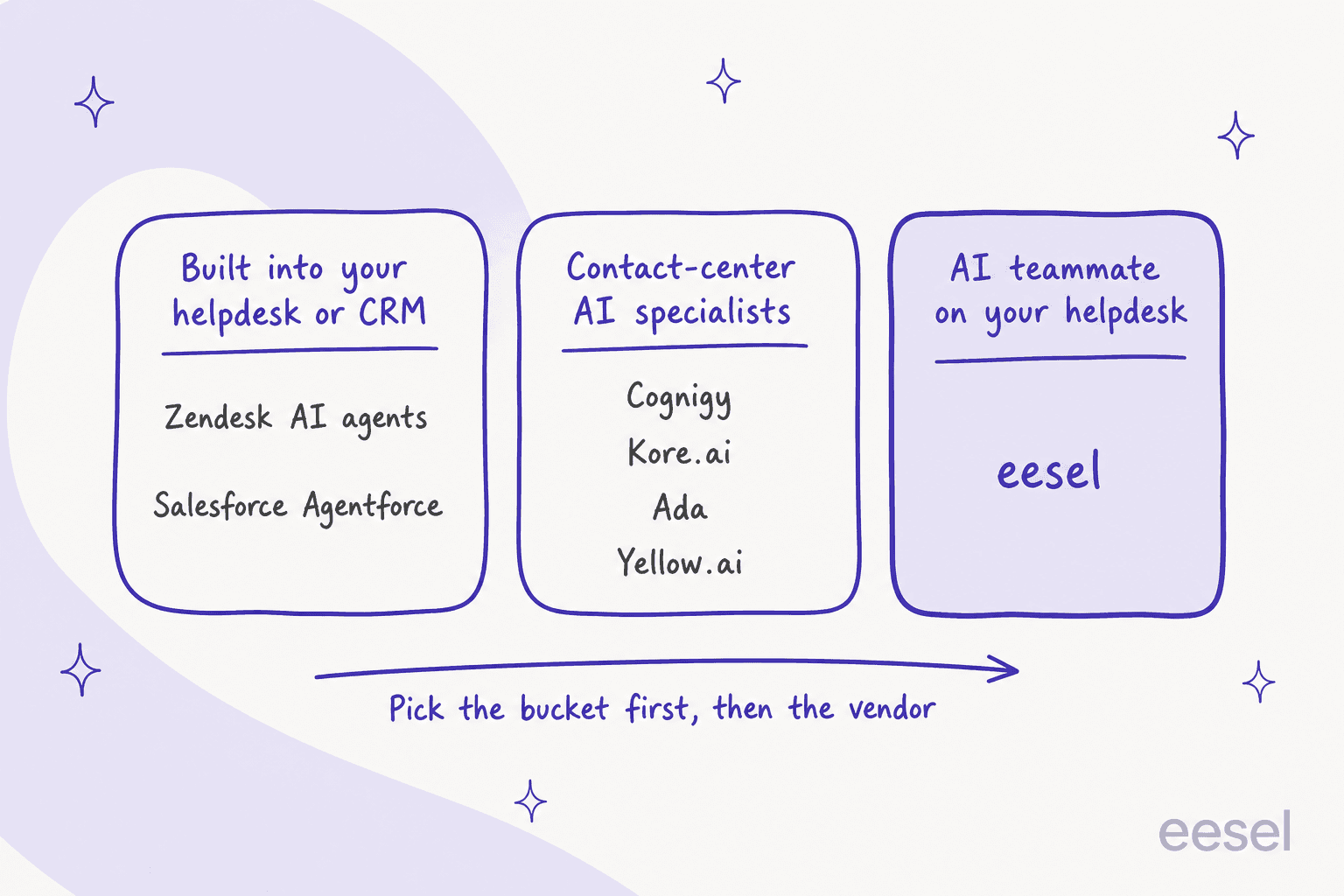
When I asked ChatGPT what a buyer on Enterprise Bot should look at, its answer sorted tools into three groups, and I think that framing is right. Pick the group first, because the tools inside one group are comparable and the tools across groups mostly are not.
Within a group, I scored every tool on the same six questions, which match what enterprise buyers ask in procurement:
- Resolution without a person. What does it count as resolved, and does the vendor publish how it counts? Read the automated resolution and containment rate definitions before you compare two percentages.
- Handoff quality. Does a person get the transcript and context, and can you control when it escalates?
- Security and data residency. Which certifications does the vendor list, and where can the data live? My notes on SOC 2 and GDPR cover what to ask for.
- Auditability. Can you trace why the AI said what it said?
- Total cost at your volume. One number for one buyer, not a rate card.
- A test on your own enquiries. Can you try it before a contract?
I priced everything below from the vendor's own page. Where a vendor only offers a demo, the table says so instead of guessing.
Enterprise Bot alternatives compared at a glance
| Tool | Bucket | Pricing model | Public price | Free trial | Voice | Channels | Certifications the vendor lists | Hosting and data residency | Best for |
|---|---|---|---|---|---|---|---|---|---|
| Enterprise Bot (baseline) | Contact-center specialist | By quote, modular licensing | None | No | Yes (AIVA) | Voice, chat, email, agent assist | SOC 2, GDPR; ISO, PCI DSS, HIPAA on voice page | Managed in four regions, on-premise or dedicated VPC | Regulated, multilingual phone-first teams |
| eesel | AI teammate on your helpdesk | Credits per ticket or chat, fixed monthly plan | $299/month for 500 credits, up to $1,749 for 5,000 | 100 credits, no card | No | Helpdesk, Slack, chat bubble, email, extension | SOC 2 Type II audit in progress; GDPR DPA; HIPAA BAA on Enterprise | EU or US on every plan; custom on Enterprise | Email and chat on Zendesk, Freshdesk and similar |
| Zendesk AI agents | Built into helpdesk | Per automated resolution | $1.50 committed, $2.00 pay as you go, plus seats from $55 | 14-day Suite Professional trial | Yes | Email, messaging, chat, voice, 80+ languages | HIPAA BAA available | Data center location add-on (US, APAC, EEA, UK) | Teams already on Zendesk |
| Cognigy | Contact-center specialist | By quote | None | No, demo first | Yes | Voice, chat, messaging, agent copilot | ISO 27001, ISO 27701, ISO 42001, SOC 2 Type II, TISAX, BSI C5, PCI DSS, HIPAA, GDPR | Not stated on pages I read | Large contact centers building voice agents |
| Ada | Contact-center specialist | By quote | None | No, custom demo | Yes | Voice, email, chat, messaging apps, SMS, Instagram | SOC 2, HIPAA, GDPR, PCI DSS, AIUC-1 | Not stated on pages I read | High-volume digital support with enterprise controls |
| Kore.ai | Contact-center specialist | By quote | None | No, demo first | Yes | Voice and digital agents, agent assist, quality management | Not listed on pages I read | Not stated on pages I read | Enterprises with voice, agent assist and QA in one platform |
| Salesforce Agentforce | Built into CRM | Per conversation or Flex Credits, or per user | $2 per conversation; $500 per 100k Flex Credits | Salesforce Foundations starts at $0 | Yes (Agentforce Voice) | Customer-facing and employee agents | Not on pricing page | Not on pricing page | Teams that run service on Salesforce |
| Yellow.ai | Contact-center specialist | Per resolution after a free allowance | Free plan: 500 a month, then $0.99 per resolution | Free plan | Yes (VoiceX) | 35+ channels on Enterprise | SOC 2 Type II, ISO 27001, ISO 27701, HIPAA | Not stated on pages I read | Teams that want a free start and 35+ channels |
What does each tool cost for the same buyer?
Prices only help when they count the same thing. Here is how each vendor counts.
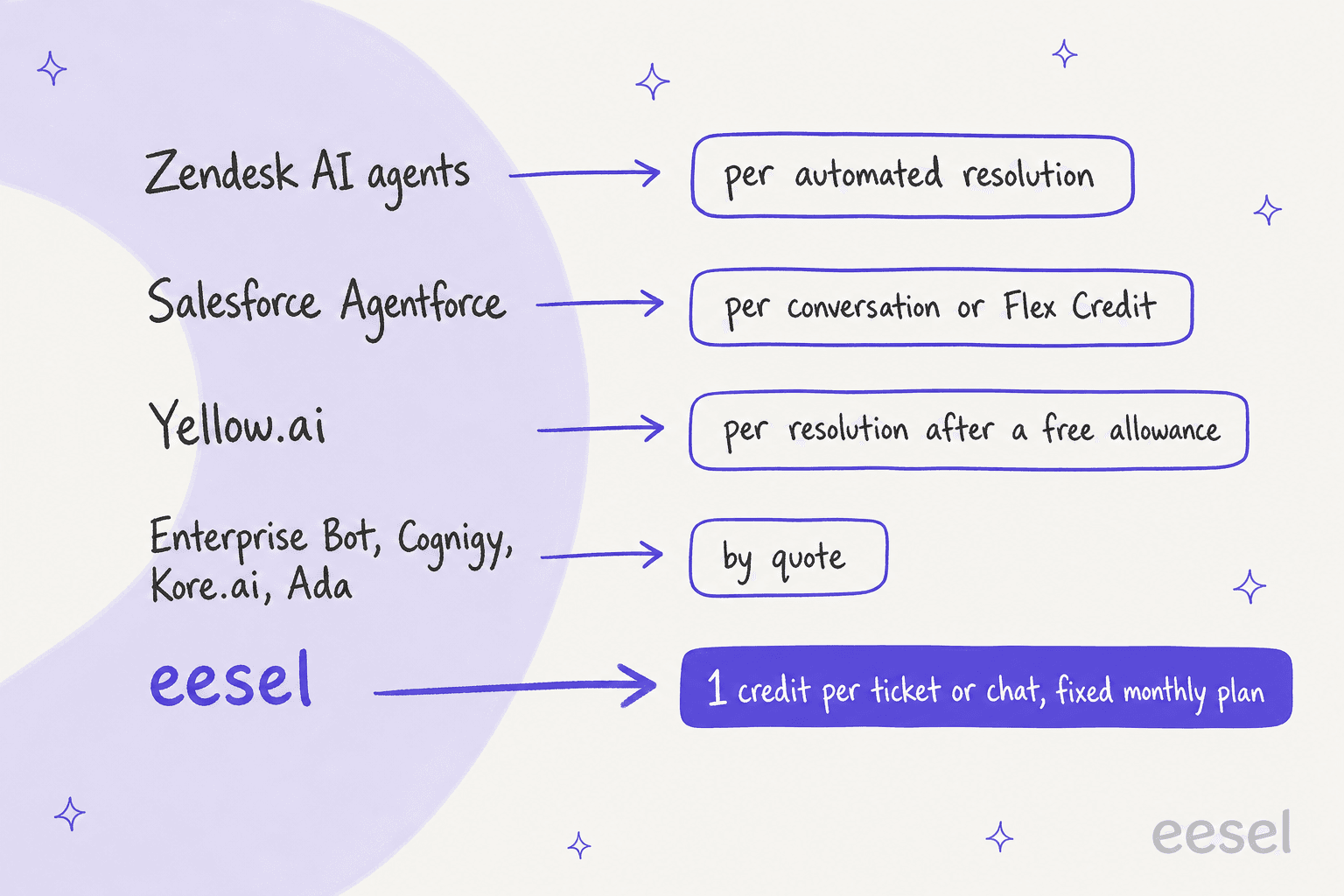
So I priced one buyer. Take a team that gets 5,000 customer conversations a month. For this example I assume the AI resolves 60% of them, which is 3,000. That is my assumption, so swap in your own rate.
| Tool | How the bill is built | Monthly cost for this buyer |
|---|---|---|
| Zendesk AI agents | 3,000 resolutions at $1.50 committed, or $2.00 pay as you go | $4,500 committed, $6,000 pay as you go, plus agent seats |
| Salesforce Agentforce | 5,000 conversations at $2 | $10,000 if every conversation is billed |
| Yellow.ai (Free plan) | 3,000 resolutions, first 500 free, then $0.99 | $2,475 |
| eesel | 5,000 credits, 1 per ticket or chat | $1,749 flat |
| Enterprise Bot, Cognigy, Kore.ai, Ada | Quote | Not public |
Two cautions. Resolution-based prices charge you only for what the AI finishes, while eesel's credit is spent on every ticket or chat it touches, so the gap narrows if your resolution rate is high. And Yellow.ai's free plan is limited to one AI agent and limited channels, so the Enterprise tier will price differently. For a wider view of unit economics, my Zendesk AI pricing and Agentforce pricing posts break the same maths down per vendor.
1. eesel
Best for: teams whose volume is email and chat in a helpdesk and who want to test the AI on real tickets before talking to sales.
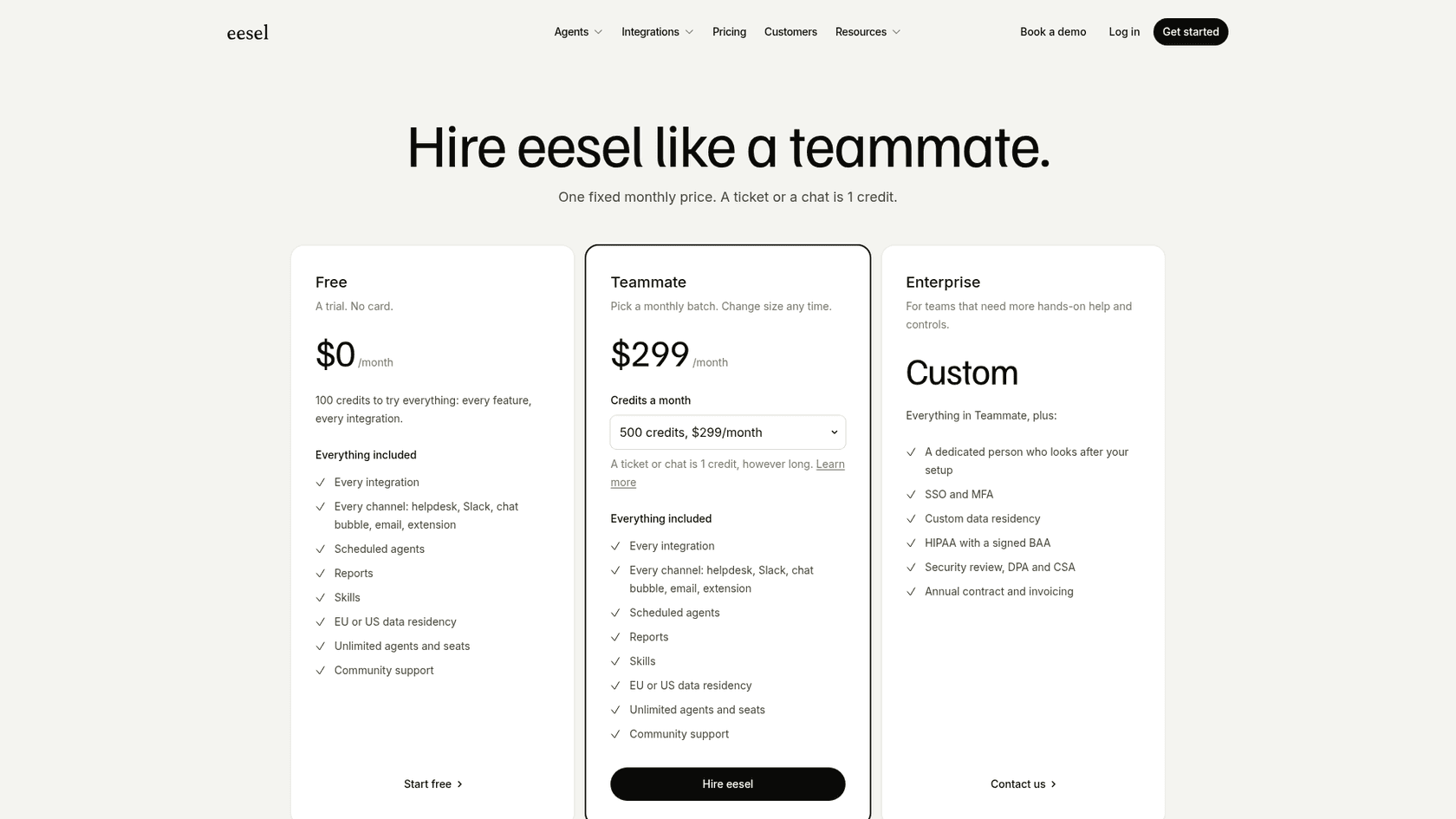
I work on eesel, so read this entry with that in mind. eesel is an AI teammate that joins your helpdesk the way a new hire would. It connects to Zendesk, Freshdesk and similar tools, reads your macros, help center and past tickets, and then either drafts replies for your agents or answers on its own. Norden-Frisia, a German ferry line, connected Zendesk during a trial week, signed up within days, and now runs one bot across Zendesk, its website chat and a public chat link, answering from 346 FAQs, macros and past tickets.
The part that matters for an enterprise buyer is the test. You can run the AI helpdesk teammate against your past tickets and read what it would have said before it touches a customer. That is the "test with your own enquiries" step from my checklist, built into the product instead of left to a proof of concept.
On regulated work, smava is the closest match to an Enterprise Bot customer. Its Zendesk received about 27,000 tickets in the month I looked at (8 August to 8 September 2026), almost all in German. eesel categorised 14,600 of them and prepared 15,300 draft replies from about 820 macros and help center articles, using the macro text word for word. Koffer.ch drafts Freshdesk replies in German, French, English and Italian, whichever language the customer wrote in.
Pricing: the pricing page lists a Free plan with 100 credits and no card, then Teammate plans from $299 a month for 500 credits up to $1,749 for 5,000, with unlimited agents and seats and EU or US data residency on every plan. A ticket or chat is 1 credit however long it runs. Enterprise adds SSO and MFA, custom data residency, a signed HIPAA BAA, a security review with DPA and CSA, and invoicing.
What I like:
- The price is on the page and does not change with how long a conversation runs.
- It works inside the helpdesk you already use, so agents do not learn a new inbox.
- Copilot first, autopilot later is a normal path, which suits teams that cannot risk a wrong auto-reply.
Where it falls short:
- No phone agent. If calls are your core channel, this is the wrong bucket.
- SOC 2 Type II is an audit in progress, with the observation period starting 1 October 2026, per the security page. No ISO 27001 is listed. If your procurement requires those today, ask for the security pack.
Verdict: pick it if email, chat and tickets are the work and you want a published price and a test on your own history. Skip it if you need voice or an on-premise install. For the wider category, see my guide to AI helpdesk chatbots.
2. Zendesk AI agents
Best for: teams already on Zendesk that want AI inside the ticketing system they run.
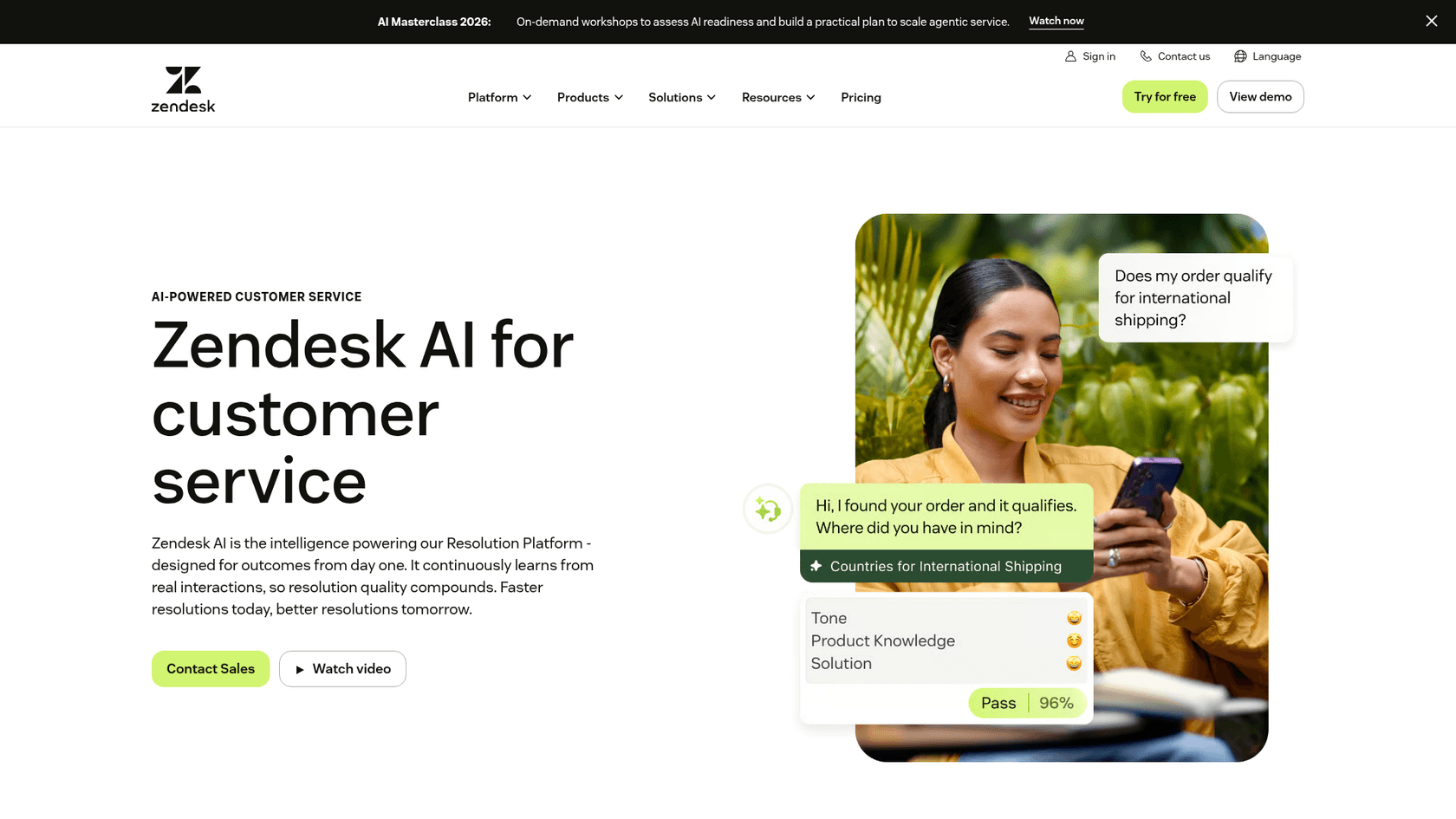
Zendesk sells its AI agents as part of the Zendesk suite. Per its AI page, the generative features run on a modular setup that can use several frontier and open source models. The pricing page lists AI agents for voice, translation into 80+ languages, and quality assurance that analyses every conversation across human and AI agents.
The difference from Enterprise Bot is where the logic lives. Zendesk's AI sits next to your tickets, macros and help center, so handoff to a human is a ticket assignment, not an integration project. The cost is that you are buying the suite.
Pricing: Suite Team is $55 per agent per month billed yearly and Suite Professional is $115. Suite Enterprise with Copilot is Talk to Sales. AI agents bill by automated resolution: $1.50 each on a committed volume and $2.00 pay as you go, with some resolutions included per agent on each plan. A Data center location add-on lets you choose the US, APAC, the EEA or the UK, with some restrictions.
What I like:
- A per-resolution price means you do not pay for conversations the AI could not finish.
- Voice, messaging and email are in one suite, with a BAA available for HIPAA.
- A 14-day trial of the Professional plan, so you can see it in your own account.
Where it falls short:
- It is a suite purchase. If you only want AI on a different helpdesk, it does not apply.
- Pay-as-you-go resolutions are
$0.50more than committed ones, so volume forecasting matters.
Verdict: the natural pick for Zendesk shops. If you want the same job on top of Zendesk from a separate vendor, compare Zendesk AI alternatives, and see my Zendesk pricing guide for the seat side.
3. Cognigy
Best for: large contact centers that want voice and chat agents sitting on top of the contact center platform they already run.
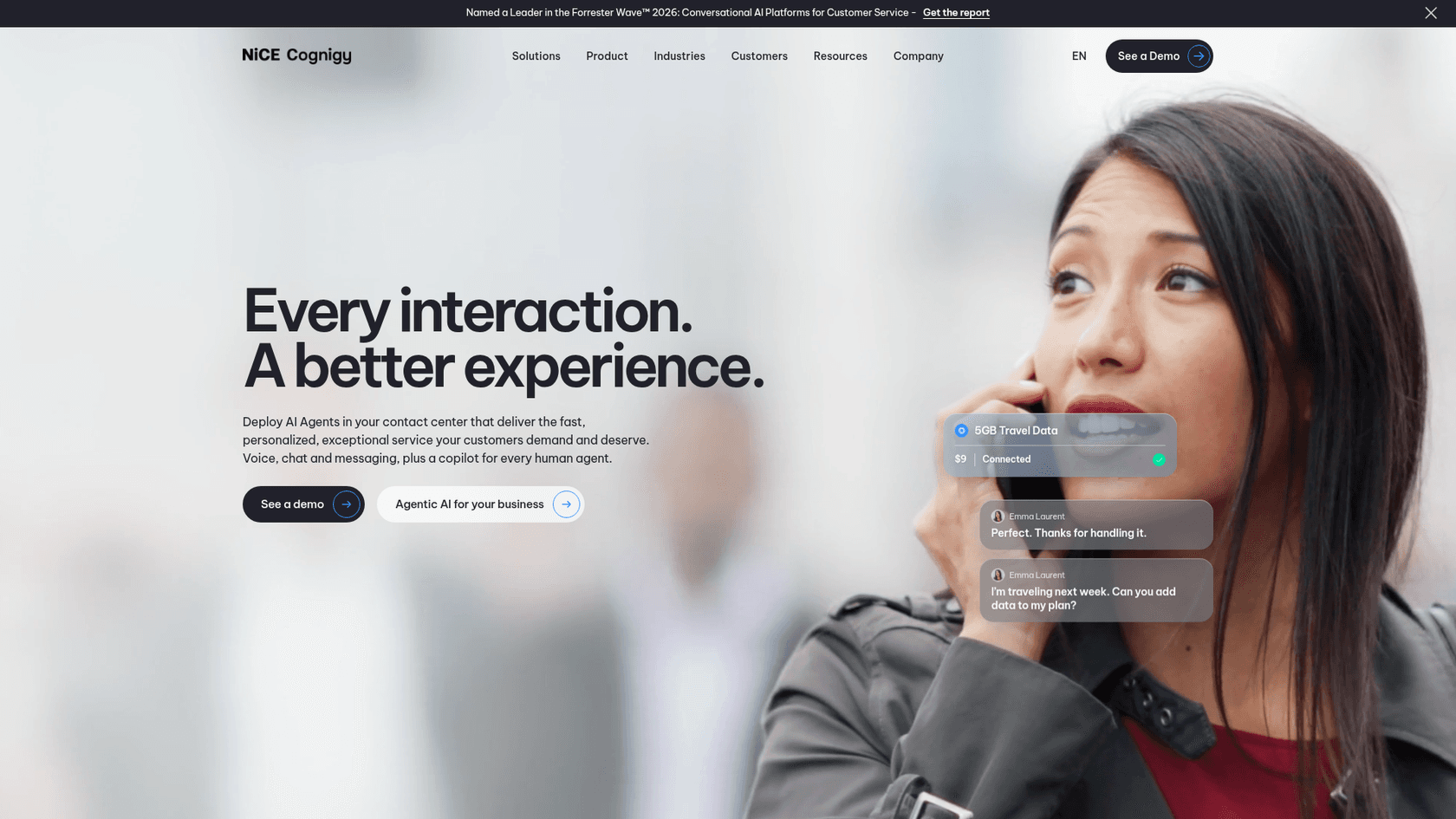
Cognigy is now called NiCE Cognigy. Its homepage describes AI agents for voice, chat and messaging, plus a copilot for human agents, and the "See a demo" page promises to show agents "running on the contact center you already have". It lists Bosch, Toyota, Nestle, Lufthansa Group, DHL and ERGO among its customers, which is the same kind of list Enterprise Bot publishes, only larger.
Its Trust Center is the most complete I found in this group: ISO 27001, ISO 27701, ISO/IEC 42001, SOC 2 Type II, TISAX, BSI C5 Type II, PCI DSS, HIPAA and GDPR. For a European regulated buyer, BSI C5 and TISAX are not small details. Cognigy also says it was named a Leader in the Forrester Wave for conversational AI platforms in Q2 2026, which is vendor-reported. I covered the platform in more depth in my Cognigy overview.
Pricing: quote-only. The /pricing page I tried returns a 404, and every call to action leads to a demo. That puts it in the same position as Enterprise Bot on transparency.
What I like:
- Security and compliance coverage that is easy to verify in a public Trust Center.
- Voice, chat and an agent copilot from one vendor, with contact center integrations as a named product area.
Where it falls short:
- No public price and no self-serve trial, so the first real test is after a sales cycle.
- It is built for contact center teams. A small helpdesk team would carry more platform than it needs.
Verdict: the closest like-for-like to Enterprise Bot for phone-first enterprises. Choose it over Enterprise Bot when its certification list or your contact center vendor decides the matter. My conversational AI platforms roundup puts it next to similar tools.
4. Ada
Best for: enterprises that want one AI agent across chat, email, voice and messaging apps, with a built-in way to test changes.
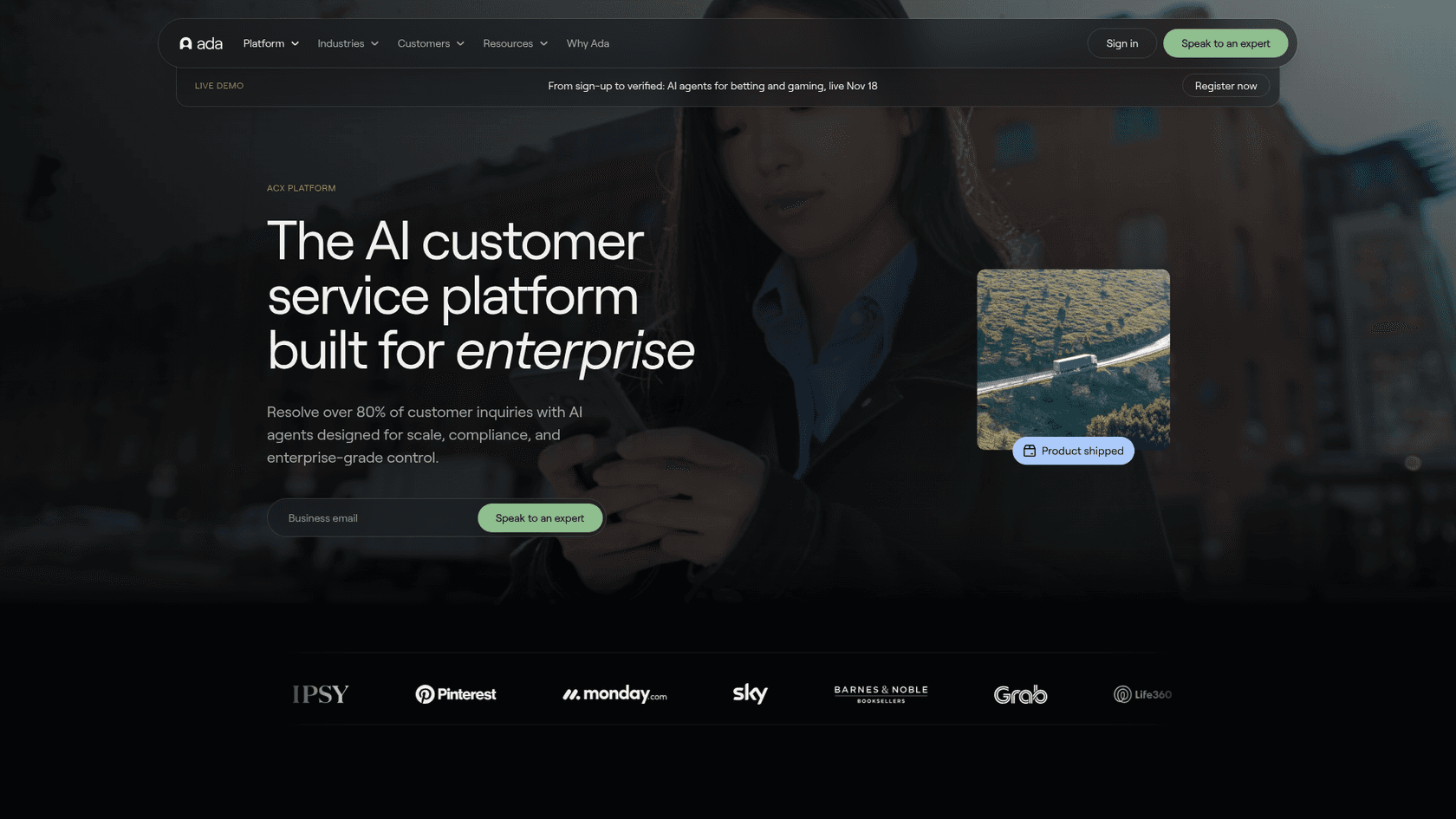
Ada's platform page claims its agents resolve over 80% of customer inquiries, a vendor figure. The product has three parts: a Reasoning Engine that decides what to do, a Conversation Hub that deploys the agent across voice, email, chat, Messenger, WhatsApp, SMS, Instagram and in-app, and a Performance Center with Playbooks, Coaching and Simulations. Simulations let you test a change before it goes live, which is the testing idea I like most about this category.
On security, Ada lists SOC 2, HIPAA, GDPR, PCI DSS and AIUC-1, and says it has zero data retention policies with its LLM providers. Its security page links the SOC 2 Type 2 and HIPAA reports behind a request. The company says it is trusted by 350+ enterprises.
Pricing: not published. The page that would hold prices is a "Schedule your custom demo" form that asks your annual ticket volume, from under 50K to 10M+, and promises a 30-minute call. See my Ada pricing and Ada review posts for what I could verify.
What I like:
- Simulations and Playbooks give you a controlled way to change behavior.
- The channel list is broad, including voice and several messaging apps.
Where it falls short:
- Quote-only, with a volume form in front of the price.
- It sits beside your helpdesk as a separate layer, so you manage two systems.
Verdict: a strong fit for digital-first support teams at scale. If you are weighing it against others, my Ada alternatives list is the next read.
5. Kore.ai
Best for: enterprises that want voice agents, agent assist and quality management on one platform, with full tracing of every agent action.
Kore.ai's customer experience page splits the product into voice and digital AI agents, agent assistance and quality management. It says every agent action and outcome is traced and auditable, "100% observability", and that you can test agent quality, safety and accuracy across scenarios and personas before and after deployment. It also says fewer than 8% of interactions are ever reviewed because of cost and time, and sells automated quality management as the fix.
The homepage shows customer logos including American Express Global Business Travel, AT&T, Bosch, Cigna and MetLife, and cites Leader placements from Gartner and Forrester, which are vendor claims. I did not find a certification list or hosting options on the pages I read, so ask for them.
Pricing: no public price. The /pricing URL I tried returns "This page could not be found", and every button says Get demo. My Kore.ai pricing post covers what is known.
What I like:
- Auditability is a headline feature, which maps to what regulated buyers ask about.
- Quality management across all conversations, not a sample.
Where it falls short:
- Demo-first buying, with no way to try it yourself.
- A broad platform, which means a longer path to a first live use case.
Verdict: worth a call if auditability and voice are your top two criteria. Read my Kore.ai review and Kore.ai alternatives before you book.
6. Salesforce Agentforce
Best for: teams that run customer service on Salesforce and want AI agents working against CRM data.
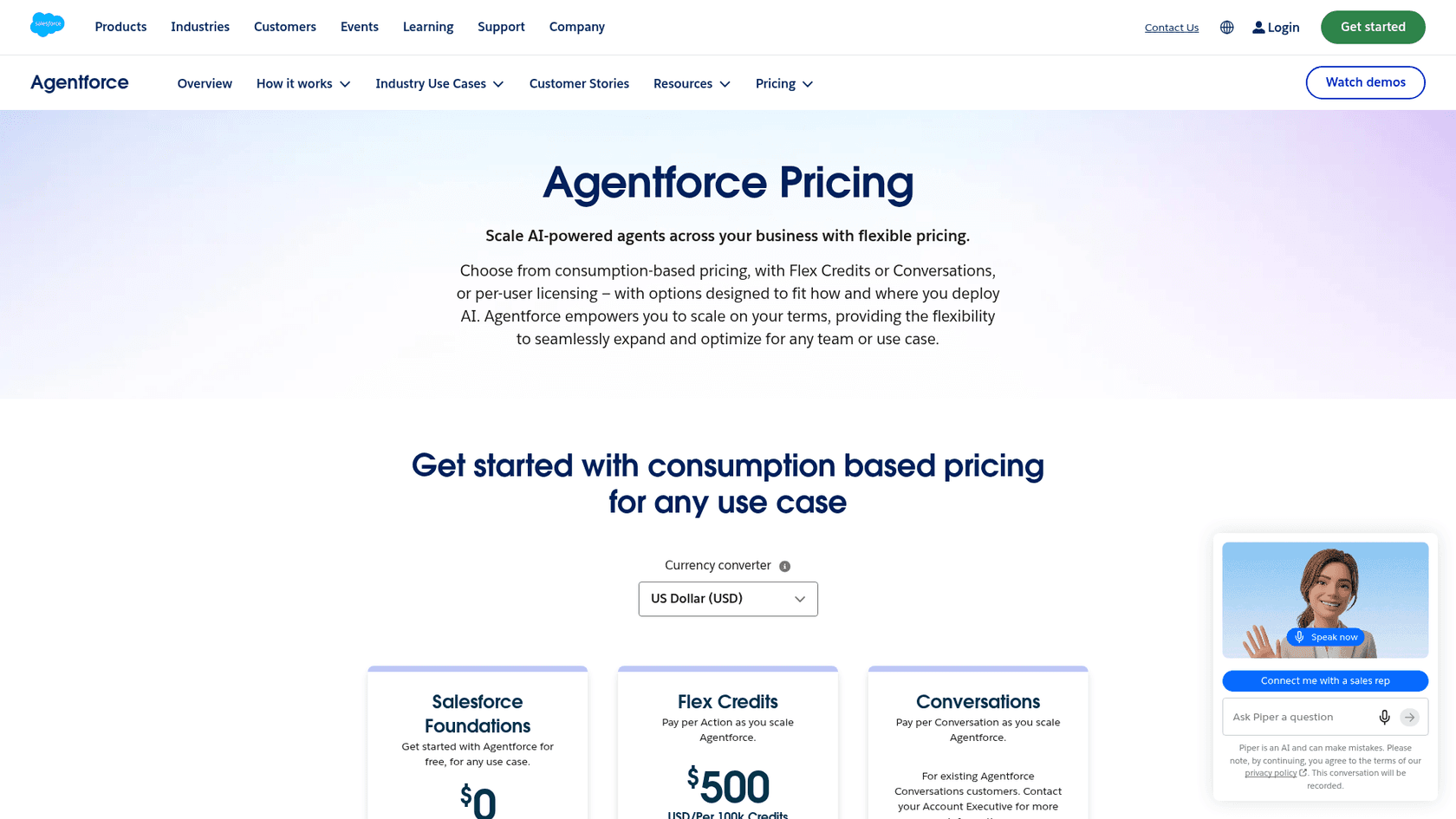
Agentforce is Salesforce's agent layer. Its pricing page offers three ways to pay: Flex Credits, conversations, or per-user licensing. The value is the CRM link: agents run inside Salesforce and work from your own CRM records, where Enterprise Bot connects to Salesforce from the outside. I compare the details in my Agentforce review.
A former Salesforce developer evangelist described the customer service side plainly on Hacker News in January 2025:
"Again, performance depends on who implements it, but while functional, it’s not better than other tools."

That is one practitioner's view and a year and a half old, so treat it as a prompt to test, not a verdict.
Pricing: Salesforce Foundations starts at $0. Conversations are $2 each. Flex Credits are $500 per 100,000, and the page's own example prices an action at 20 credits, or $0.10. Per user, the Agentforce add-on is $125 a month and Max Edition starts at $550 a month with 2.75M Flex Credits per org per year. The page says to contact a sales rep for detailed pricing.
What I like:
- A free starting point and a published rate card, rare for a platform of this size.
- Deep CRM context for agents.
Where it falls short:
- Three pricing models in one page make a total cost hard to forecast. Per-conversation billing at
$2also adds up quickly at volume. - It assumes Salesforce is your system of record. If it is not, much of the value disappears.
Verdict: the sensible pick if Salesforce already runs your service. If it does not, see Agentforce alternatives and my Agentforce pricing breakdown.
7. Yellow.ai
Best for: enterprises that want a free start, many channels and voice from one vendor.
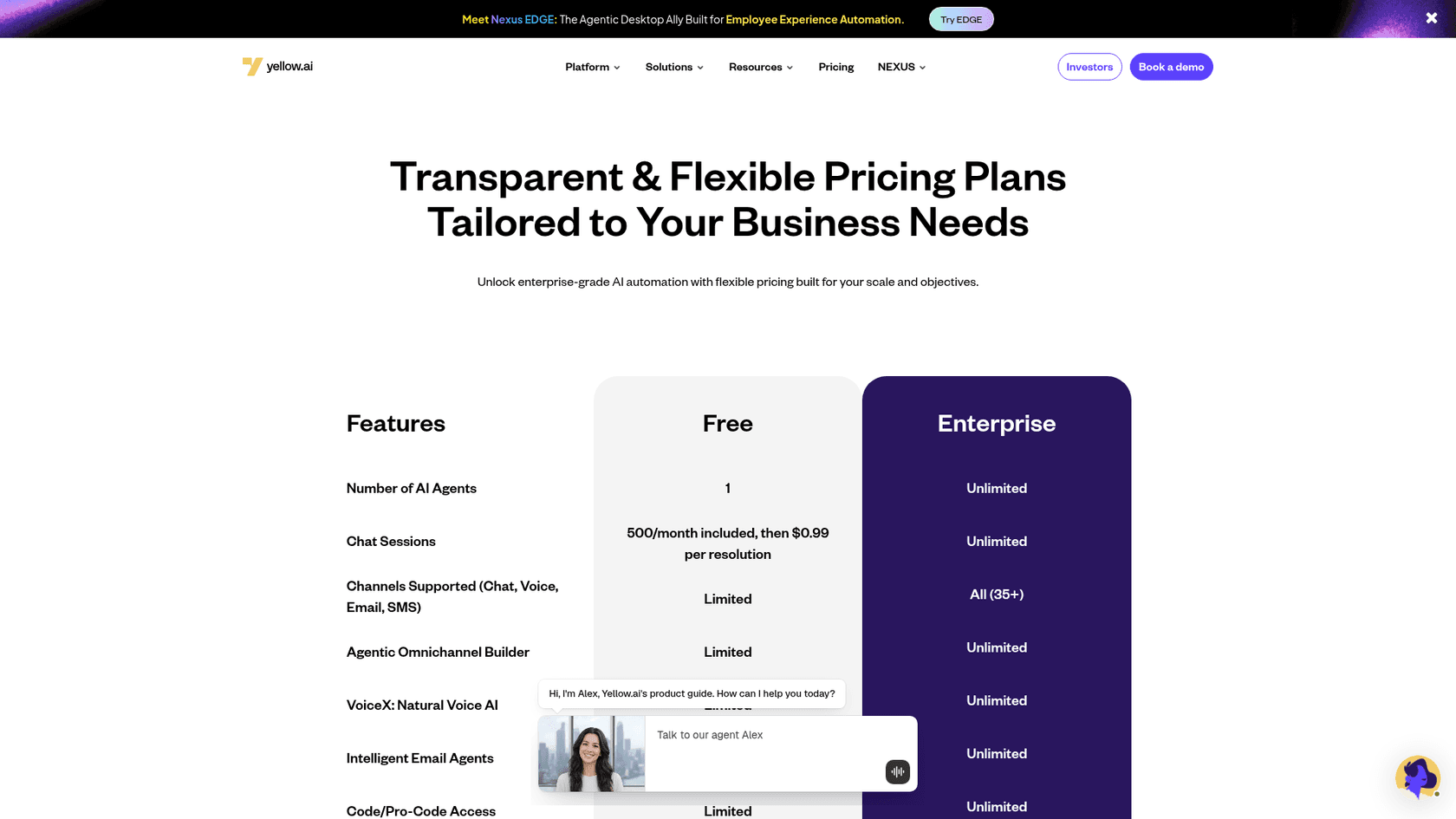
Yellow.ai is the one vendor here that publishes a Free plan next to an Enterprise tier. The pricing page shows Free with one AI agent and "500/month included, then $0.99 per resolution", and Enterprise with unlimited agents and sessions and 35+ channels, including VoiceX voice AI and email agents. The homepage lists HIPAA, ISO 27001, ISO 27701 and SOC 2 Type II.
The customer quotes on the pricing page are the vendor's own, so they are best cases. I go through public user feedback in my Yellow.ai reviews post.
Pricing: the Free plan is the only published price, with $0.99 per resolution after 500 a month. Enterprise is custom and sits behind a "Book a demo" button. More in my Yellow.ai pricing post.
What I like:
- A real free plan, so you can build before you talk to anyone.
- Voice and 35+ channels in the Enterprise tier.
Where it falls short:
- The free plan is limited on channels, so it shows you the builder, not the full product.
- Enterprise pricing is still by demo.
Verdict: a reasonable choice when you want to try before you buy and expect to grow into many channels. See Yellow.ai alternatives if it is on your list.
How do you test these tools on your own tickets?
The vendor case studies for all of these tools are strong, and all are vendor-published. The only comparison that holds up is your own data. The check I would run is the same for every tool.
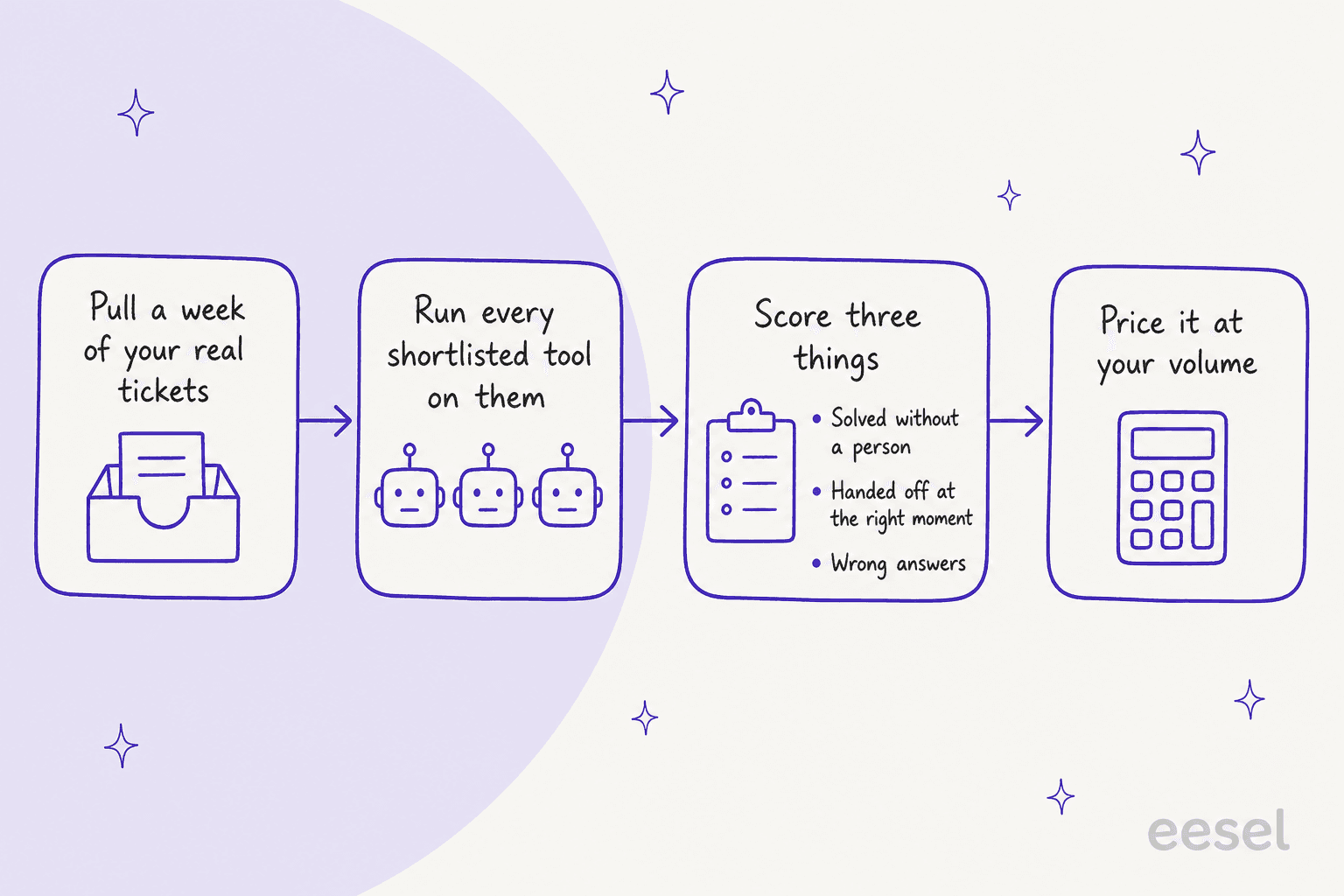
Score "wrong answers" separately from "solved". A tool that resolves 70% and gets 5% wrong is more expensive than one that resolves 55% and gets 1% wrong, because a wrong answer costs a customer and an apology. Count how each vendor defines first contact resolution and resolution rate, and look at how the tool guards against an AI hallucination. Enterprise buyers in eesel's sales calls have walked away from a tool that could not promise to auto-reply only to tickets it could handle, so check for a confidence-based handoff.
If a vendor will not let you run a test without a contract, that is information too. My chatbot for enterprises, best AI customer support chatbot and best AI helpdesk for B2B guides go through the same checklist by use case.
Which Enterprise Bot alternative should you pick?
Here is how I would decide, by situation.
- Phone calls are the majority of volume, and you are in a regulated sector: Cognigy or Kore.ai first, Ada if digital channels matter more. See my guides on conversational AI for insurance and conversational AI for banking.
- You live in Zendesk: start with Zendesk AI agents, then test eesel on the same tickets.
- You live in Salesforce: start with Agentforce, and price it per conversation and per Flex Credit both.
- Email and chat on a helpdesk, you want a published price: eesel, with the free 100 credits.
- You want to try before you sign anything: eesel, Yellow.ai's Free plan, Salesforce Foundations or a Zendesk trial. The rest are demo-first.
Every tool I covered has a limit that only shows up on your tickets, which is why the test matters more than the table.
Try eesel on your Zendesk or Freshdesk tickets
If your queue is mostly email and chat, eesel is the lower-effort way to replace a quote-only bot. The AI helpdesk teammate connects to your helpdesk, learns from your macros, help center and past tickets, and you can read what it would have written on a real week of tickets before any customer sees a reply.

smava runs it on regulated loan tickets in German, Koffer.ch drafts Freshdesk replies in four languages, and Norden-Frisia answers ferry passengers on three channels. Pricing is on the page: $299 a month for 500 credits, up to $1,749 for 5,000, with unlimited seats, and 100 free credits to start. Try eesel on a week of your tickets before you book anyone's demo, including ours.
Frequently Asked Questions
What are the best Enterprise Bot alternatives?
For phone-heavy contact centers, Cognigy, Kore.ai and Ada are the closest matches. For teams already on Zendesk or Salesforce, the native AI agents are the shortest path. For email and chat on a helpdesk with a published price, eesel starts at $299 a month. My Enterprise Bot review explains who the original fits.
Why do teams switch away from Enterprise Bot?
The reasons I see most are quote-only pricing with no free trial, a small public review base, setup that reviewers call time-consuming, and a Freshdesk app that is still version 1.0. Teams whose volume is email and chat also find the contact center depth is more than they use. The details are in my Enterprise Bot pricing breakdown.
Which Enterprise Bot alternative has public pricing?
Zendesk lists $1.50 per automated resolution on a commitment and $2.00 pay as you go, Agentforce lists $2 per conversation, Yellow.ai lists $0.99 per resolution after 500 free a month, and eesel lists $299 to $1,749 a month. Cognigy, Kore.ai and Ada are quote-only, like Enterprise Bot. For the cost side in general, see my guide to AI customer service cost.
Is there a free Enterprise Bot alternative I can test?
eesel gives 100 free credits with no card, Yellow.ai has a Free plan, Salesforce lets you start with Salesforce Foundations at $0, and Zendesk offers a 14-day trial of its Suite Professional plan. Enterprise Bot, Cognigy, Kore.ai and Ada route you to a demo first. If you want to test on past tickets, start with the AI helpdesk agent.
Which alternative is best for voice and phone support?
Cognigy, Kore.ai, Ada and Yellow.ai all sell voice agents, and Zendesk and Agentforce have voice options inside their suites. eesel does not sell a phone agent, so a call-center-first team should look elsewhere. My guides to AI voice agents and AI call center agents go deeper.
How should an enterprise team evaluate these tools?
Run each tool on a week of your own tickets and score three things: how many it solves without a person, whether it hands off at the right moment, and how many answers are wrong. Then price it at your real volume. My notes on implementation mistakes cover what teams skip.