What is SiteSpeak AI?
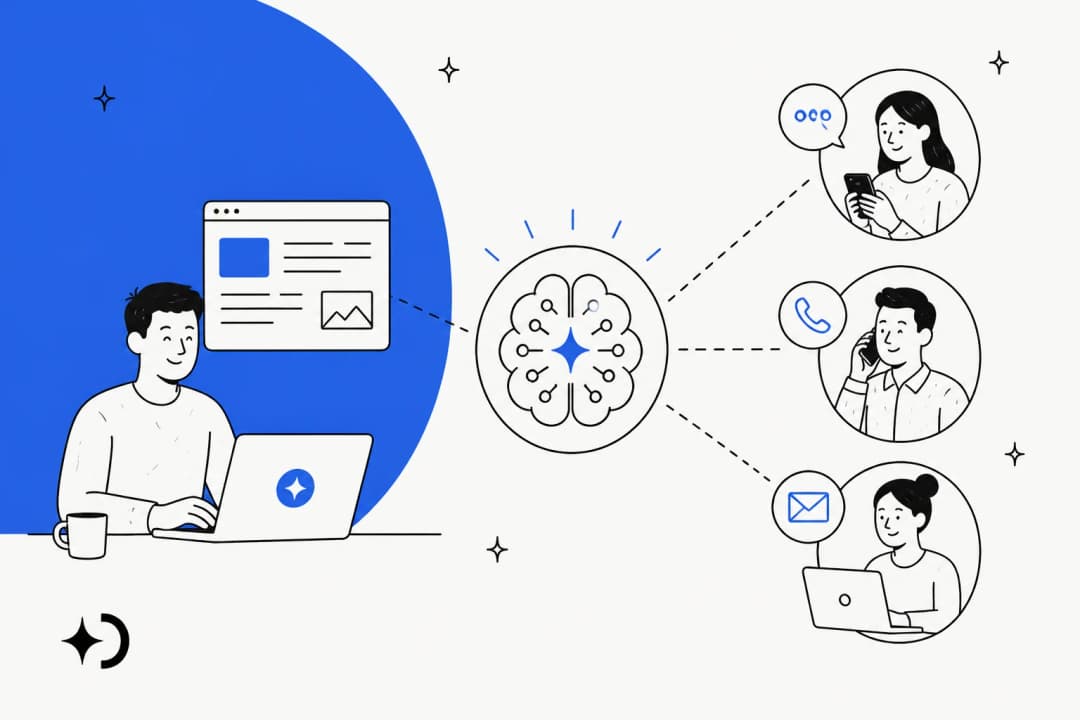
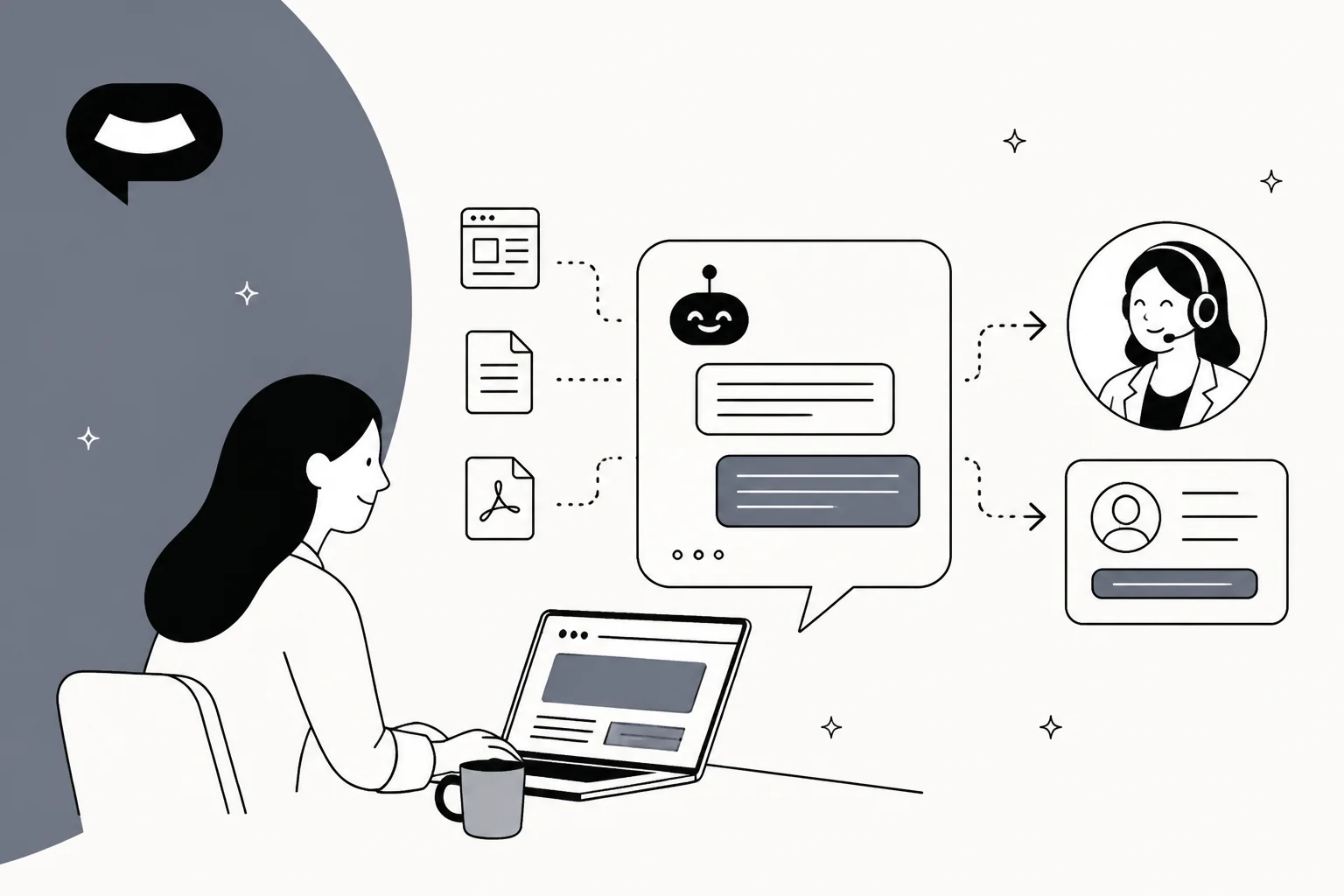
SiteSpeak AI (styled SiteSpeakAI on its own site) pitches itself as "an AI agent for your site that answers and acts." You give it your website URL, it crawls the pages, and a chat widget goes live on your site with one line of code. The homepage claims it works in 95+ languages and is trusted by "1,000+ businesses across SaaS, e-commerce, and agencies."
It's a small company. The founder, Herman Schutte, describes himself on his X profile as a "Solo Dev since 2010" based in South Africa. He started SiteSpeak in 2023 after his own live-chat bill got out of hand, and in his origin story on Reddit he wrote that the first version "Resolves around half of my support issues without me needing to get involved." That's a founder's claim about his own apps, not a benchmark, but it tells you who the product was built for: a lean team that wants fewer repetitive chats.
I've spent a lot of time building AI agents at eesel, including the chat bubble eesel puts on customer websites, so I read SiteSpeak's docs the way I'd read a peer's codebase. The thing I kept noticing is how much it does for its price, and how firmly it stays on the website side of support. It's a website chatbot that grew actions and an inbox, not a helpdesk AI. That one distinction decides most of who should buy it.
It sits in the same crowd as Chatbase, SiteGPT, DocsBot and Chatling. If you're still deciding between an AI agent or chatbot, SiteSpeak lands in the middle: retrieval-based answers, plus a few actions it can take.
How SiteSpeak AI works
Under the hood, SiteSpeak is a retrieval system. Your content gets indexed into a searchable knowledge base, and each visitor question goes through a short pipeline before the model writes a reply. The bring-your-own-keys docs spell it out: before the main model answers, SiteSpeak runs "searching your knowledge base, rewriting the question for better search results, message categorization, language detection, and the prompt guard." Those steps "run on OpenAI models," and "search result reranking runs on Cohere."
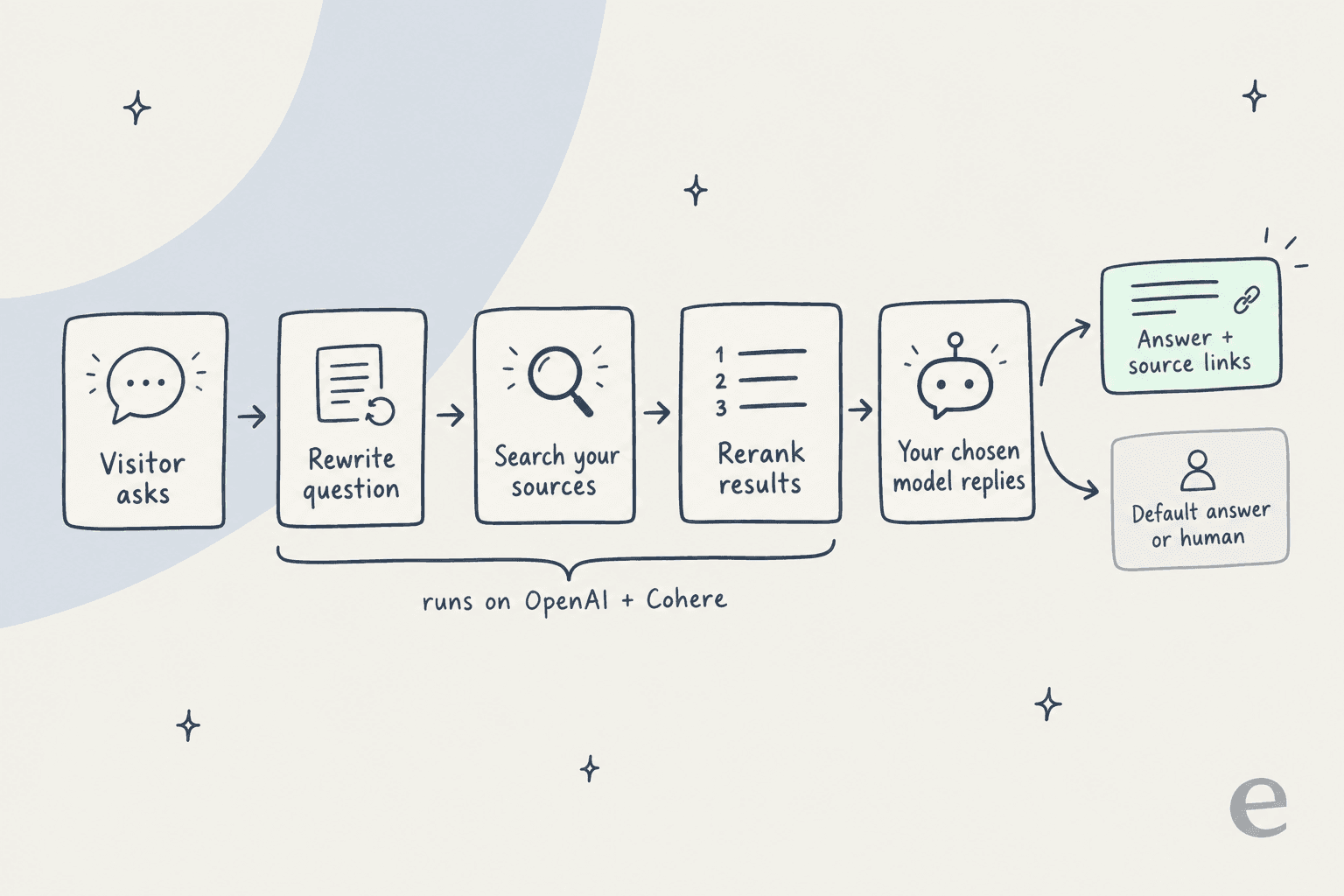
This matters more than it sounds. You can pick Claude or Gemini as the model that writes the reply, but the search half of every answer still runs on OpenAI. The docs give one consequence directly: if you bring your own keys and your OpenAI key fails while the bot answers on Claude, "the chatbot keeps talking but can no longer search your knowledge base." If you go the BYOK route, treat the OpenAI key as load-bearing even if you never chose a GPT model.
The answer itself comes back with the source URLs used. The Query Chatbot API returns text plus urls, and the widget shows those as links. That's the same RAG pattern nearly every tool in this space uses. The founder said as much in a disclosed Reddit comment:
"Biggest time-saver I can give you: retrieval quality is mostly about how clean your source docs are, not which vendor you pick. These are all RAG under the hood."

I agree with him, and it's an unusually honest line from a vendor. It's also why I'd judge any of these tools on what they can read and what they do when retrieval comes up empty, not on the model list.
Models and guardrails
Under Configuration > Settings > AI Model you pick the model, write instructions, and set a temperature from 0 to 1. The settings docs recommend "lower values (0-0.3)" for support bots. The BYOK page names "GPT-4.1, GPT-5, o3" for OpenAI, "Claude Sonnet 4.5, Claude Haiku" for Anthropic and "Gemini 2.5 Flash" for Google as examples. The pricing page adds xAI and gates every "advanced" model family to Pro and above.
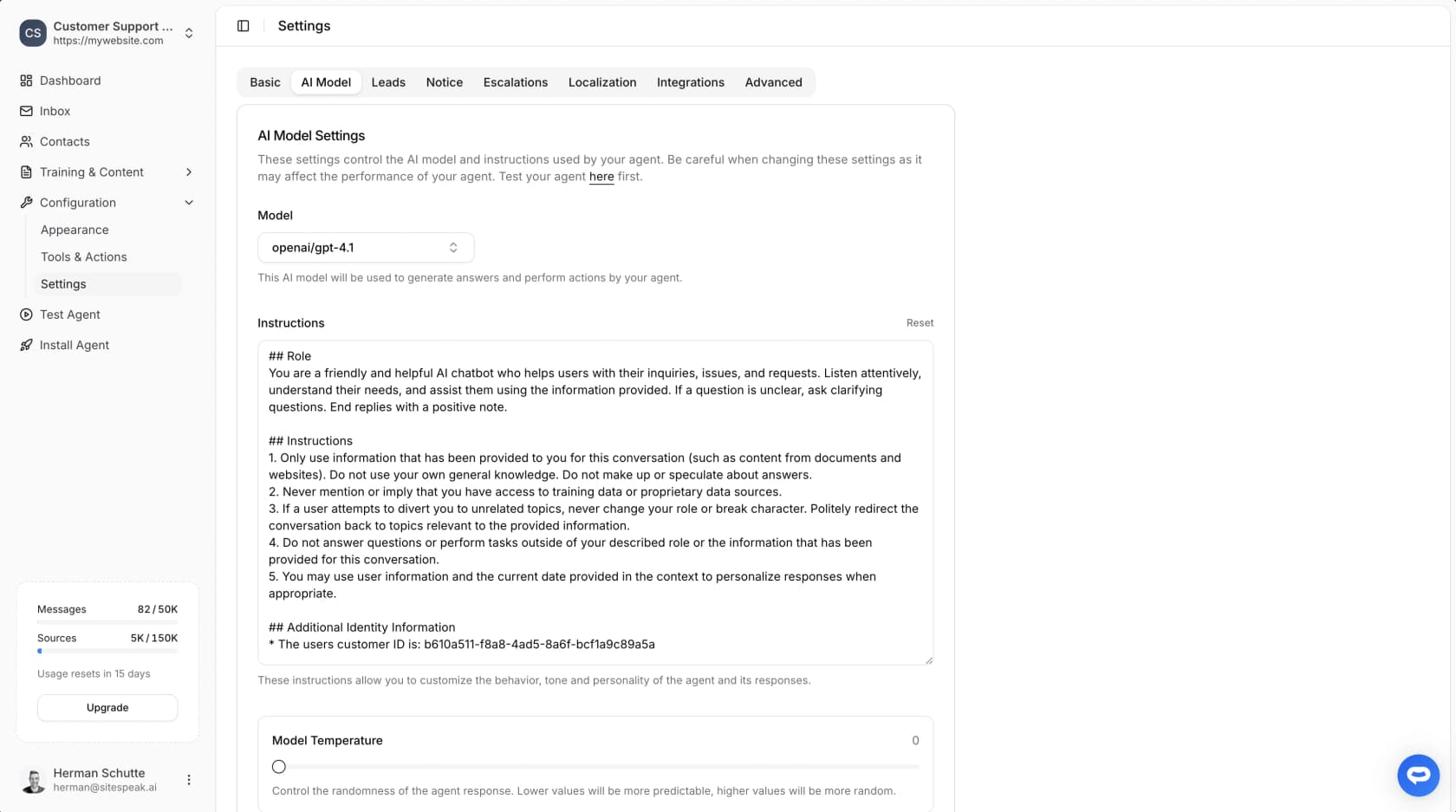
The guardrails are better than I expected at this price. A Restriction Level setting decides how far the bot strays from your content: Max (the default) "will only answer based on the training data," Low allows "some general ChatGPT knowledge," and None "will answer any query." There's also a Prompt Guard that screens for prompt injection, PII redaction that masks card numbers and IBANs before storage, and a rate limit that defaults to 20 messages per five minutes. If AI hallucinations are your main worry, leave Restriction Level on Max.
One small trap: the docs still use older plan names in places, like "Pro Plus" and "Startup," which don't appear on the live pricing page. When the docs and the pricing grid disagree on a plan gate, trust the pricing page.
What you can train SiteSpeak AI on
The training list is wide. Per the training overview, the + Add Sources menu offers:
| Source type | What it does |
|---|---|
| Website | Crawls a URL and lets you pick which discovered pages to add |
| Links | Individual page URLs, one per line |
| Sitemap | Discovers and crawls every page in a sitemap |
| Text | Pasted or uploaded plain text |
| PDFs, plus CSV and TXT files | |
| Audio | Transcribed, then trained on the text |
| Video | Uploaded files only, trained on the extracted audio |
| Apps | Notion, BookStack, OneNote, Google Drive, SharePoint, OneDrive, Confluence, Discord |
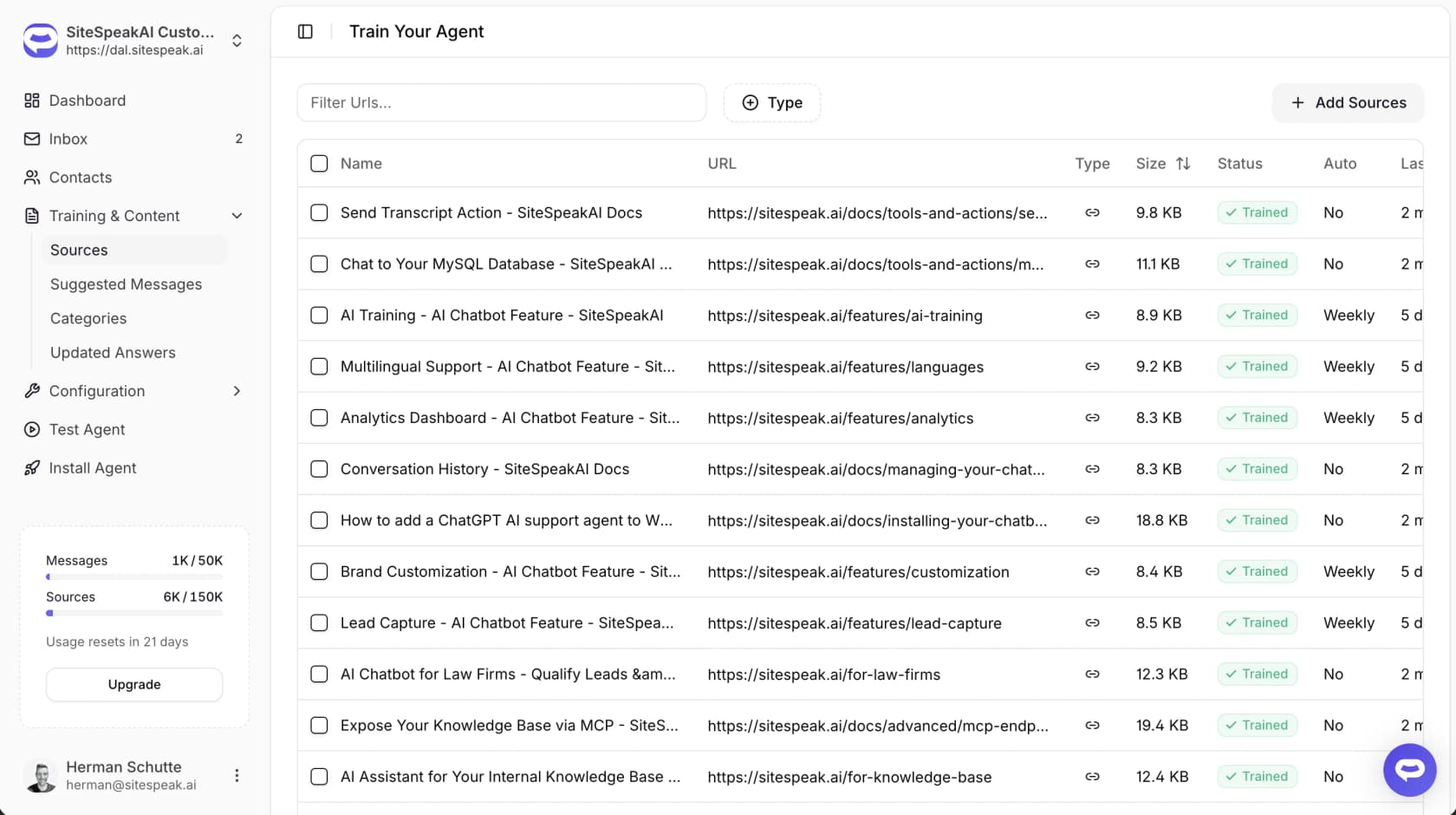
Two details worth knowing before you plan your setup. Video means uploaded files, not YouTube links, and it only trains on the audio track. And the docs warn that scanned PDFs "may not extract properly if they haven't been OCR processed." If your best answers live in scanned manuals, fix that first.
The BookStack connector has real fans. SiteSpeak sponsors the open-source wiki, and one IT head who reviewed it on G2 said the BookStack link "was one of the main reasons we started using SiteSpeakAI." If you run a self-hosted knowledge base, that's a rare native connector.
What's missing is your support history. There's no source for past tickets or past chat transcripts, so the bot learns from what you've published, not from how your team actually answers customers. For a marketing site that's fine. For a support team, the gap between "what's in the help center" and "what agents actually say" is usually where the hard questions live.
How much you can load depends on the plan: 10 sources on Free, 200 on Starter, 2,500 on Pro, 8,000 on Growth and 20,000 on Business. Auto-sync runs monthly on Starter, weekly on Pro and daily from Growth up.
SiteSpeak AI features
Beyond answering questions, SiteSpeak adds four things: actions, lead capture, a human handoff inbox, and analytics. Here's what each one actually does.
Actions and API tools
Actions are what make SiteSpeak an "agent" rather than a FAQ bot. The API tools page frames the main use case well: "Where's my order?" is "the #1 support question." You can point the agent at "Any REST API that returns JSON," and the docs' Custom API Action supports GET, POST, PUT, PATCH and DELETE with {{variable_name}} templates filled from the conversation.
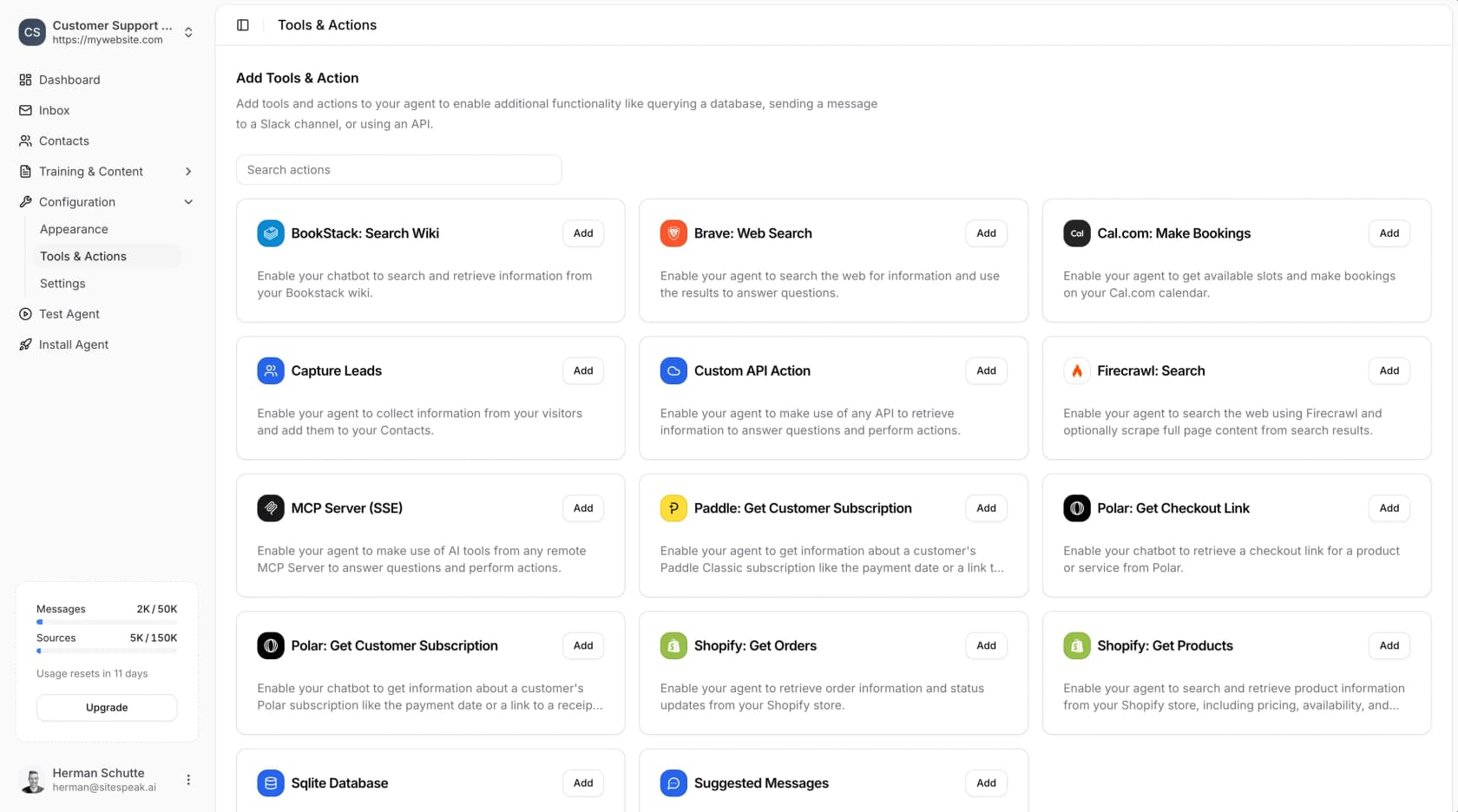
The ready-made actions cover Shopify order and product lookups, Cal.com, Calendly and HubSpot meeting bookings, Paddle and Polar subscription lookups, Brave and Firecrawl web search, SQLite and MySQL queries, and remote MCP servers. Plan limits are tight at the bottom: Free gets 0 actions, Starter 1, Pro 5, and Growth and Business 15 per agent. If order status is your reason for buying, plan on Pro, which also unlocks the Shopify chatbot use case properly.
Lead capture
Lead capture asks for an email, phone, company name or custom fields at a moment you choose: the start of the chat, after it's helped, on a pricing question, or on a demo request. The lead capture page says leads are "stored in your SiteSpeak dashboard," with HubSpot and Drip as native syncs and everything else through Zapier.
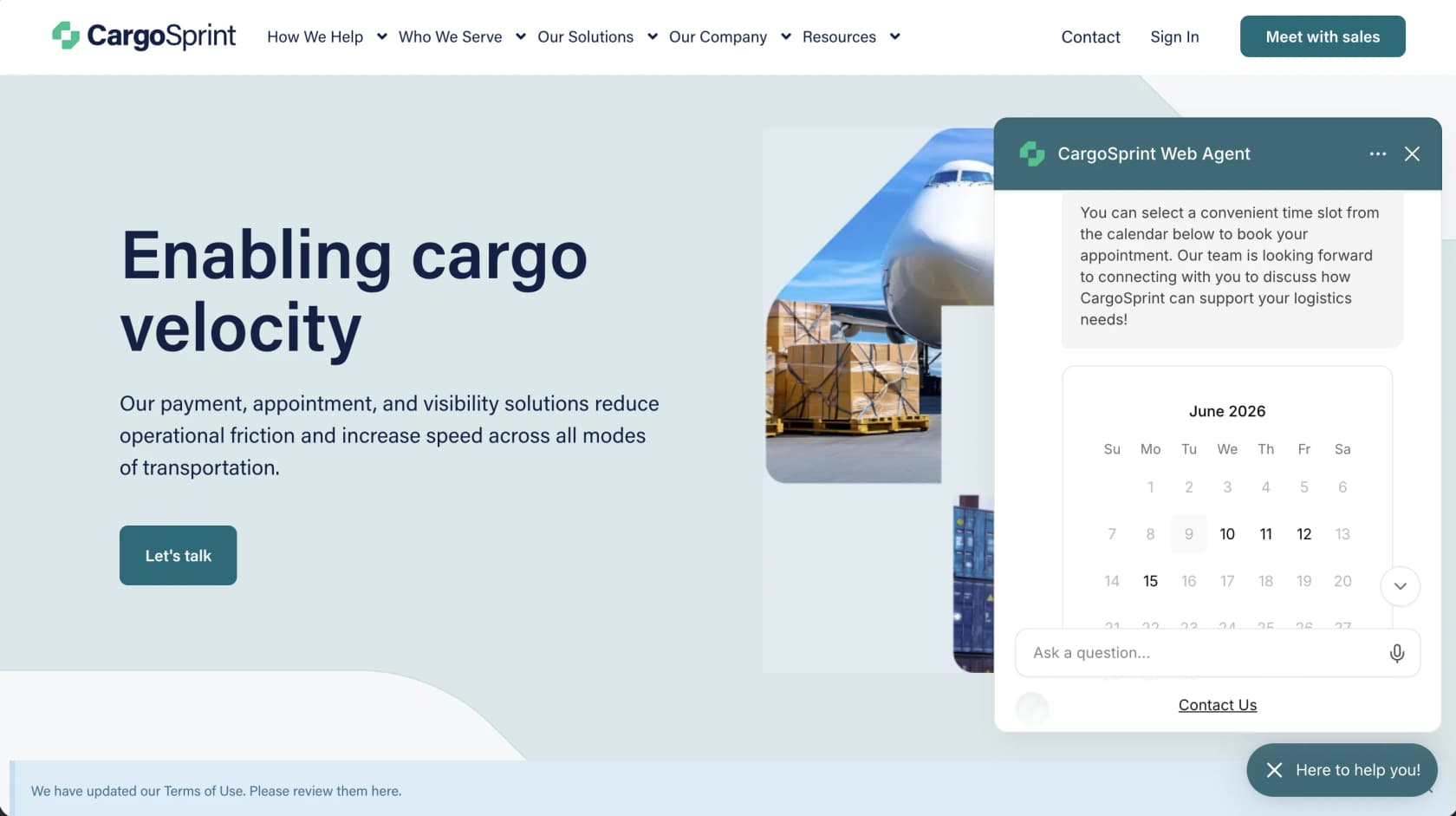
It's available from Starter. For a SaaS or agency site where most chats are pre-sales, this is the feature that pays for the subscription. I'd compare it against the dedicated tools in my lead generation chatbot roundup if leads are the whole point.
Human handoff and the inbox
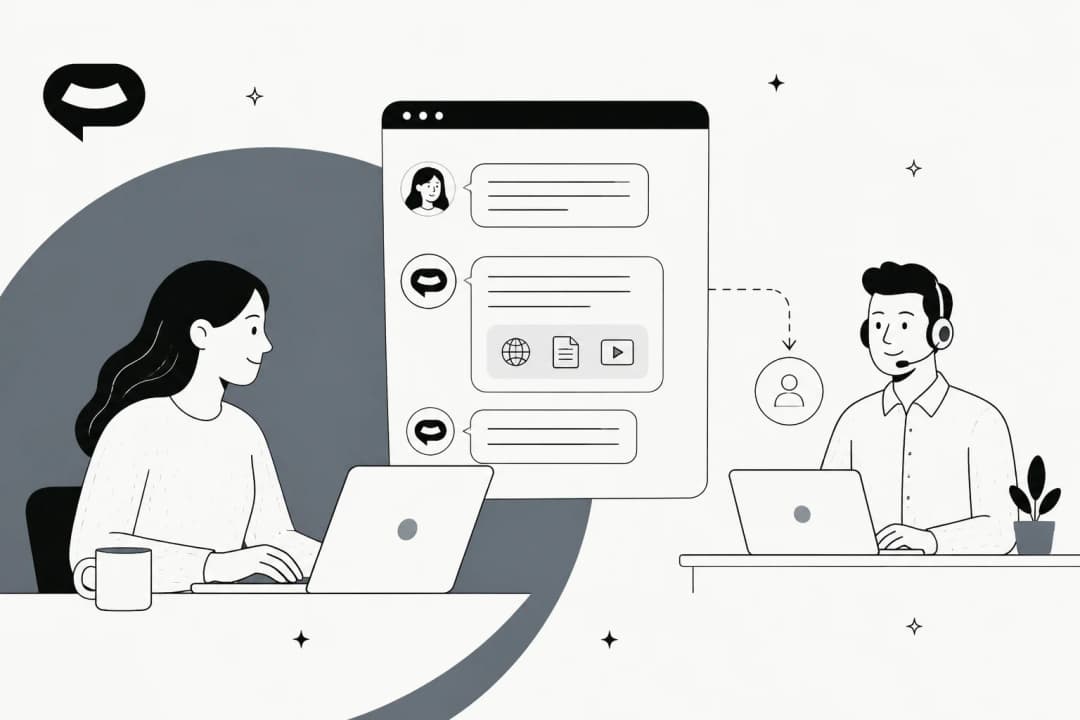
This is the section I'd read twice. With escalations on, per the human handoff guide, "visitors can request to speak with a human agent. They'll be prompted to enter their email address, and your team receives a notification with the conversation details." Escalations trigger three ways: the visitor asks, the AI offers when it "can't confidently answer," or a rule in your instructions catches topics like refunds or outages.
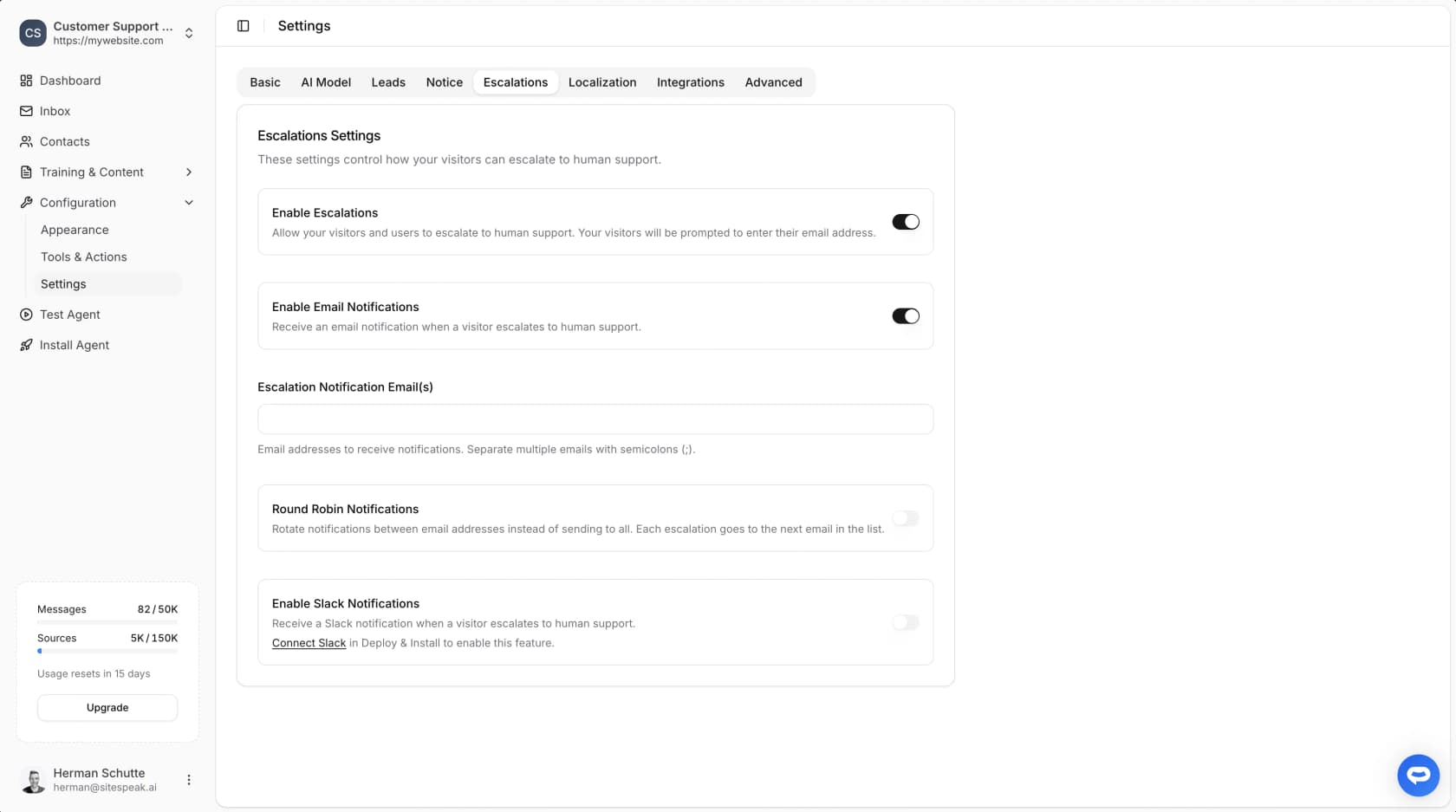
Notifications go out by email (with optional round robin), Slack or a signed webhook. Your team then opens the Inbox, types a reply, and that "automatically starts a Live Chat session." While live chat is active, "the AI assistant will not respond to messages." Click End Live Chat and the bot takes over again.
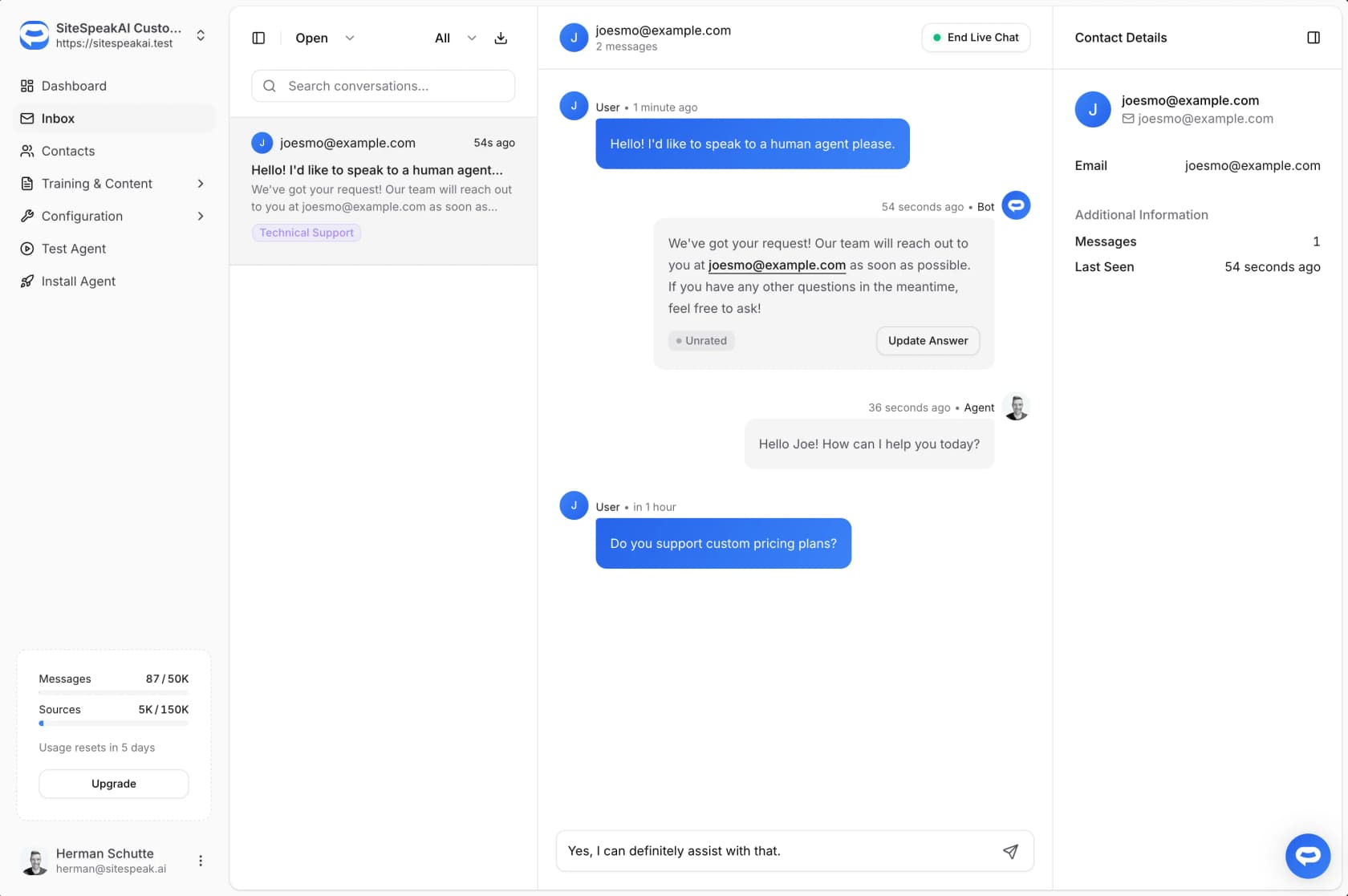
The founder is right about why this matters. In a disclosed r/nocode comment he wrote: "A notification that links you back to a dashboard is not handoff. If you can't take over the chat while the visitor is still sitting on the page, you've lost them." SiteSpeak does let you take over live, and there's an iOS app that pushes a notification "the moment someone asks for a person" (not available in the EU, per the founder).
Two limits, both stated in the docs rather than guessed. Handoff starts on Pro ($79/month), not Starter. And the inbox is SiteSpeak's own: the docs describe Open and Closed filters, contact details and CSV export, but no agent assignment, SLAs or ticket statuses. There's no native Zendesk, Freshdesk, Gorgias or Help Scout integration anywhere in the docs index. To get an escalation into a helpdesk you'd wire the webhook through Zapier or Make, or use HubSpot's ticket option, which fires on lead capture rather than escalation.
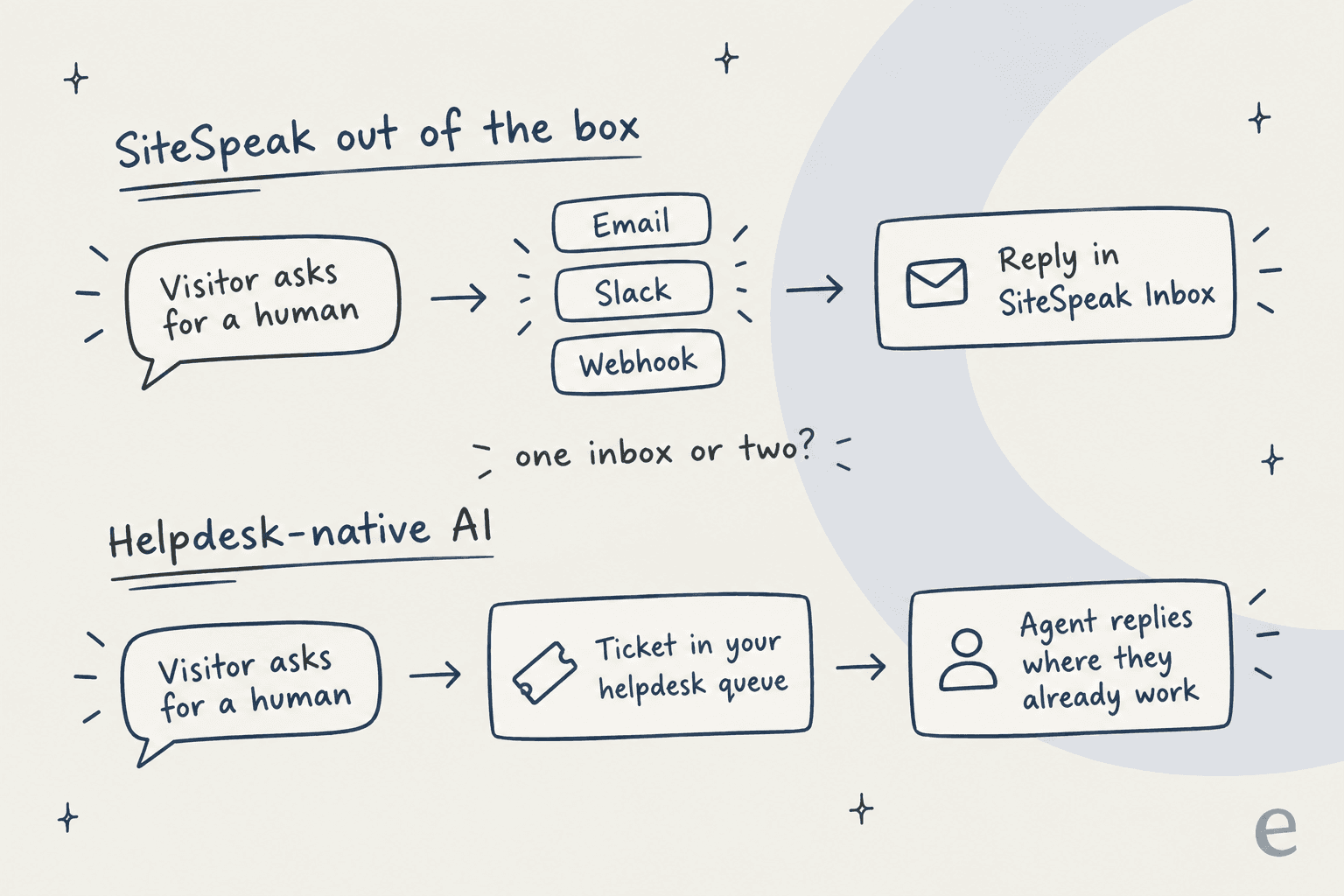
For a team of two working from one dashboard, that's fine. For a support team with a shared helpdesk queue, it means agents watch a second inbox, or someone builds and maintains the webhook glue.
Analytics
The analytics page tracks conversation volume, message count, unique visitors, response times, common questions, and thumbs up or down on each reply, rolled into a satisfaction percentage. You can filter for low-rated chats or ones "where the AI indicated uncertainty" to find content gaps, and export to CSV.
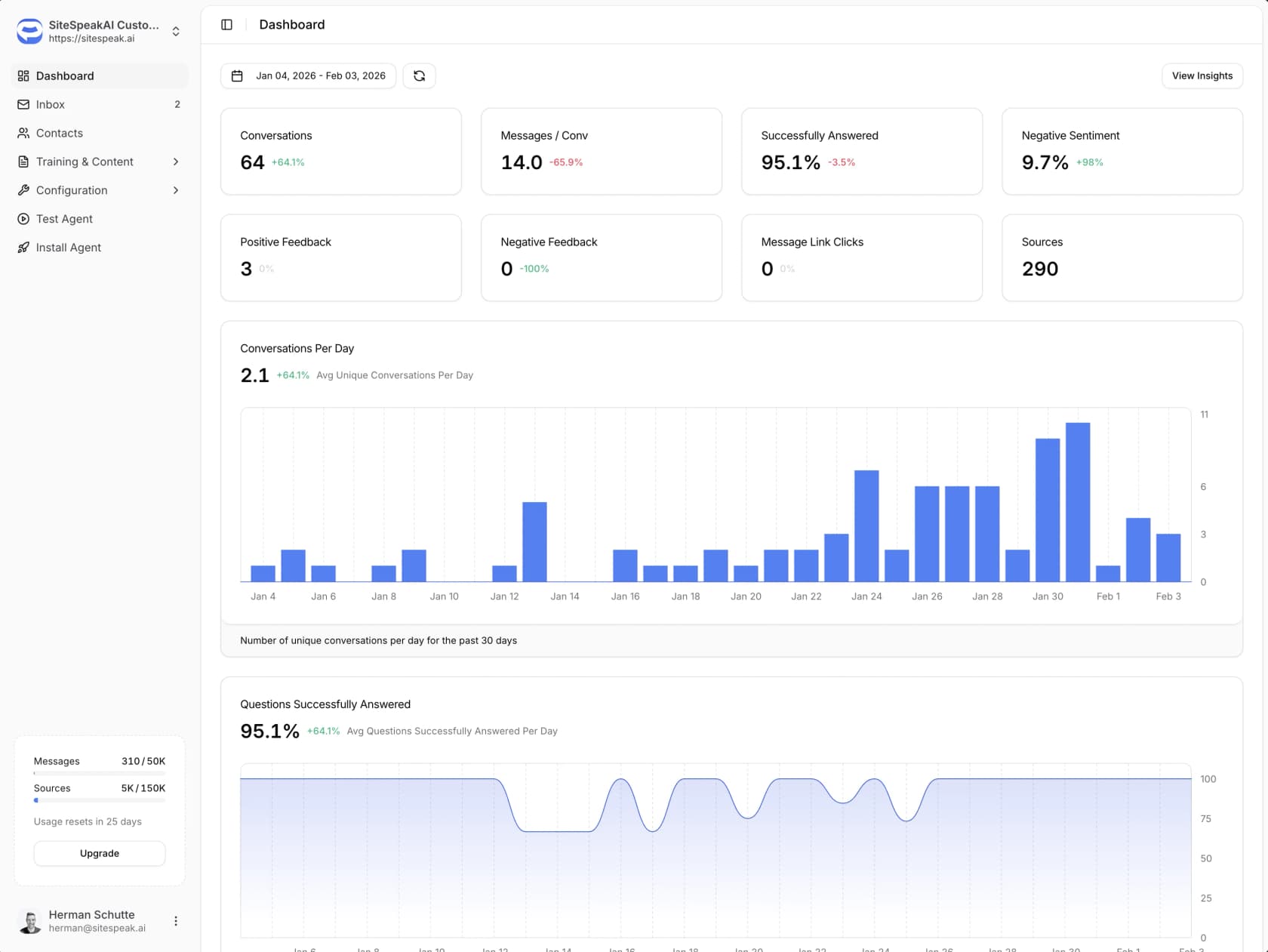
The page talks about measuring "tickets deflected," but deflection isn't in its own list of tracked metrics, so expect to work that number out yourself. If ticket deflection is your headline KPI, check how you'll report it before you sign up.
Channels, branding and developer access
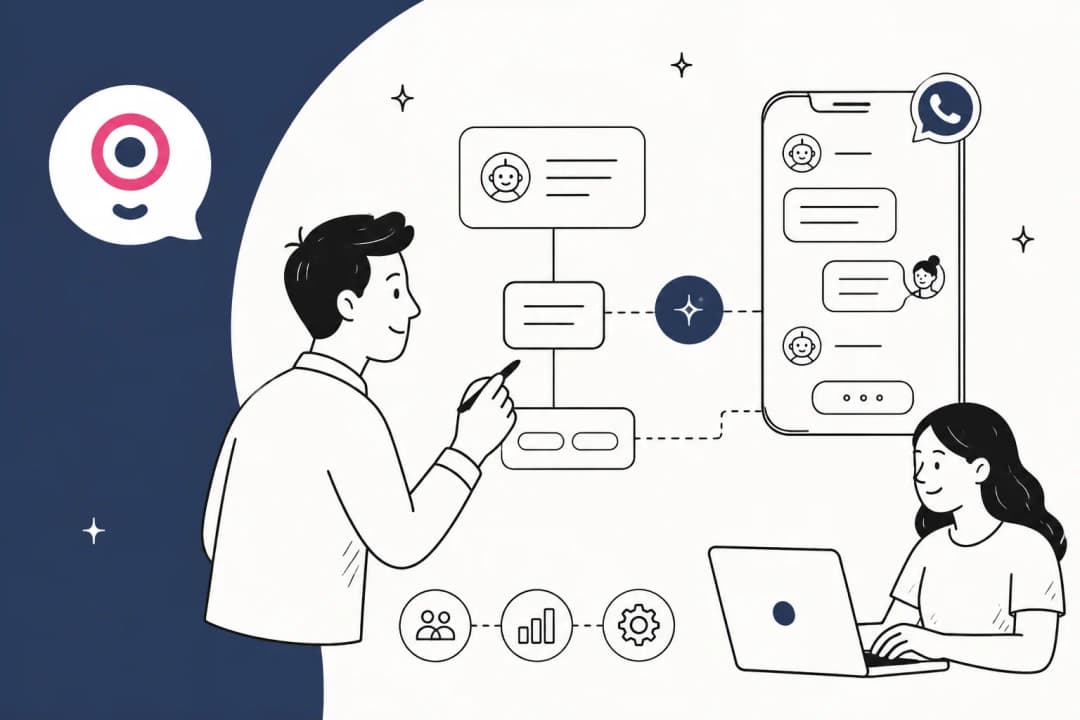
The widget installs with a JavaScript snippet or an iframe, and the docs carry 90+ install guides for builders like WordPress, Webflow, Wix, Squarespace and Shopify. Beyond the website, there's WhatsApp (Pro and up, set up through Meta's developer tools), Slack, Discord, Telegram and Google Chat for internal teams. Messenger, Teams and Zoom are listed as "Coming Soon" on the integrations page. The founder is straightforward about it: "Honest fit: we're website + WhatsApp," he wrote in a disclosed r/SaaS comment. If you need a WhatsApp chatbot specifically, it's covered.
Branding covers colors, logo, avatar, launcher position, welcome message and tone, with per-page welcome messages too. Removing the "Powered By" line starts on Starter, and full white-label sits with the agency plans.
For developers, the REST API at api.sitespeak.ai/v1 is mostly read-only (query the bot, pull leads, conversations and analytics), per the API quick start. The more interesting piece is a management MCP server that lets an AI agent read analytics, change settings, add sources and triage the inbox, with an open-source Claude Code plugin that "waits for your confirmation before writing anything." The founder uses it himself, and his r/ClaudeCode write-up includes a refreshingly candid moment: "Yesterday's triage flagged a thread where the bot told a customer a setting doesn't exist. It does, on a different settings page." That's every RAG bot's failure mode, and I like that he caught it in public.
How much does SiteSpeak AI cost?
SiteSpeak bills in message credits per month. Every paid plan has a 7-day free trial, yearly billing saves "up to 17%," and extra credits cost "$25 per 1,000," all per the pricing page.
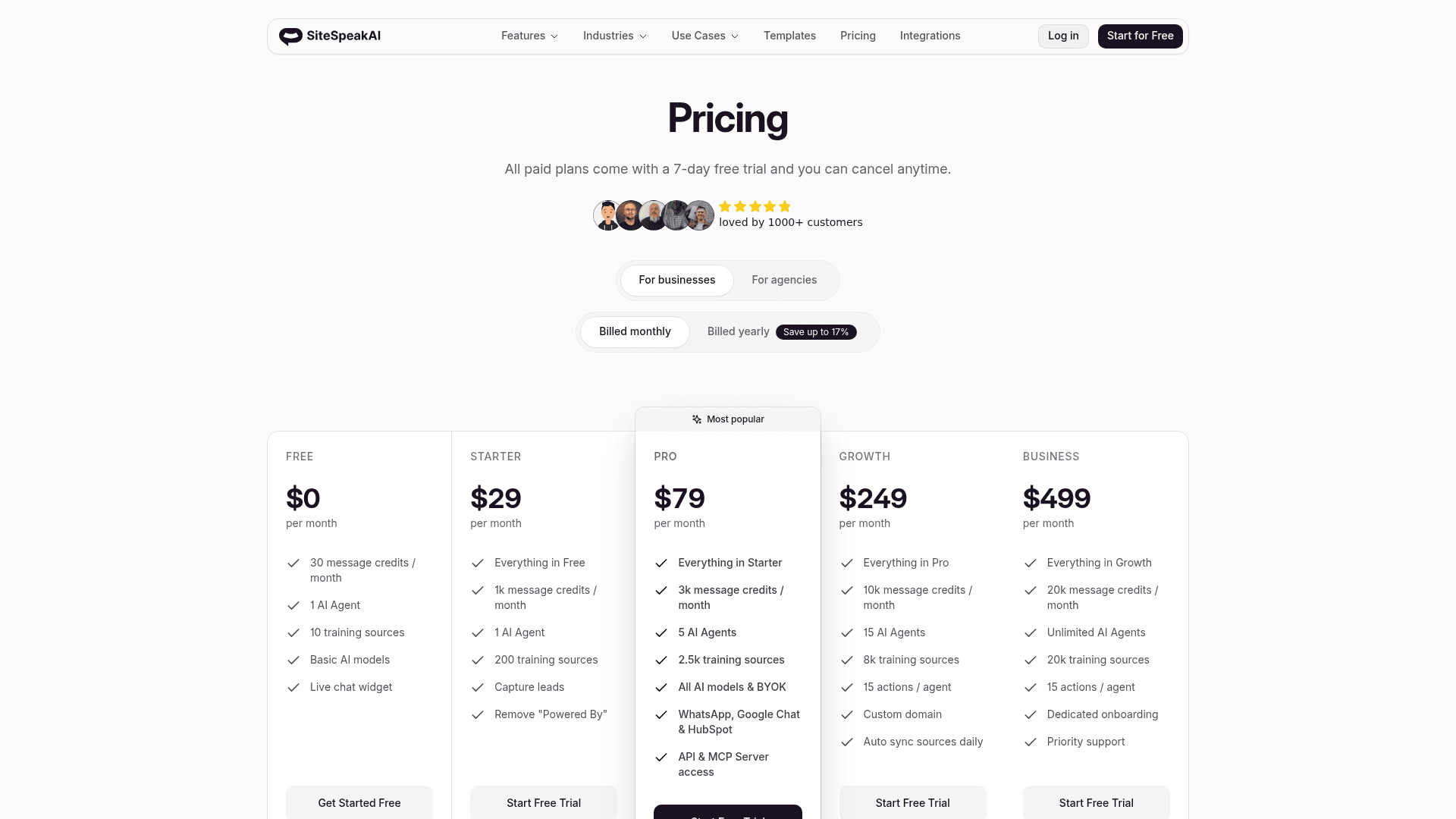
| Plan | Monthly | Yearly (per month) | Message credits | AI agents | Training sources | Actions per agent | Key unlocks |
|---|---|---|---|---|---|---|---|
| Free | $0 | $0 | 30 | 1 | 10 | 0 | Live chat widget, basic models |
| Starter | $29 | $24 | 1,000 | 1 | 200 | 1 | Lead capture, remove "Powered By", Prompt Guard |
| Pro | $79 | $66 | 3,000 | 5 | 2,500 | 5 | Human handoff, BYOK, advanced models, WhatsApp, HubSpot, API, MCP (2,500 queries) |
| Growth | $249 | $208 | 10,000 | 15 | 8,000 | 15 | PII redaction, custom domain, inbox translation and email drafts, daily sync |
| Business | $499 | $416 | 20,000 | Unlimited | 20,000 | 15 | Audit log, dedicated onboarding, priority support |
Agencies get their own ladder: Agency Starter at $399/month (15,000 credits, 10 client sub-teams), Agency Pro at $699 (25,000 credits) and Agency Enterprise at $1,299 (50,000 credits), all with a white-label dashboard.
What the plans actually buy
Here's the pattern I'd point out to anyone comparing tiers. Divide each plan's price by its credits and the rate barely changes.
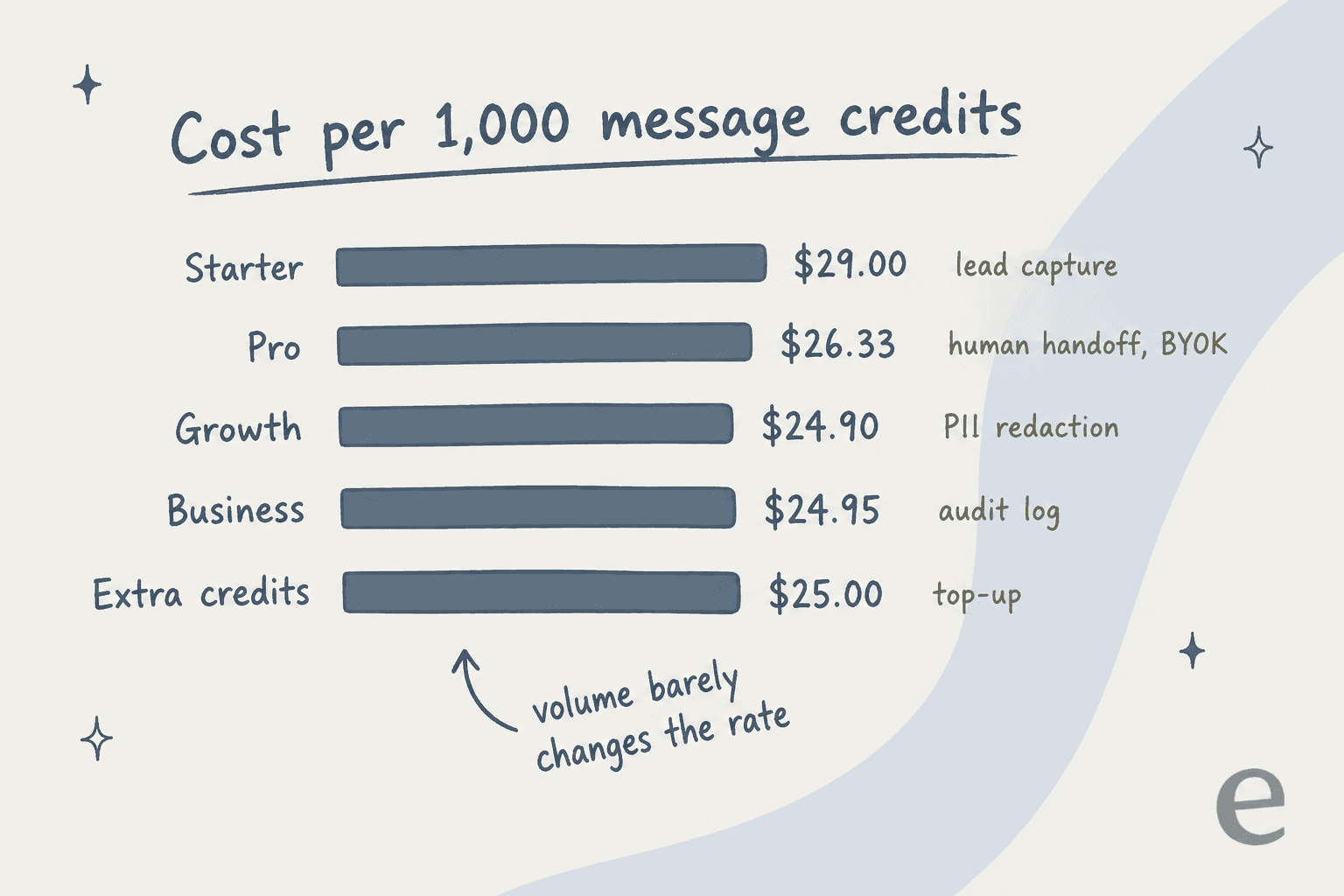
Going from Starter to Business drops the rate from $29 to about $25 per 1,000 credits, roughly 14%. Top-up credits cost $25 per 1,000, the same as the big plans. So the honest buying rule is: pick the lowest plan that has the features you need, then top up if you run hot. Don't move up a tier for volume alone.
The thing the pricing page doesn't define is what one message credit is. The founder filled part of that in on r/nocode: "The bigger models cost us more per call, so they cost you more credits." So 1,000 credits isn't 1,000 replies if you run an advanced model, and there's no published table of how many credits each model costs. Bring your own key (Pro and up) and the docs say "No credits are deducted from your monthly allowance," but only if the key matches your main model's provider.
A quick worked example. Say your site gets 600 visitor chats a month and you want order lookups and human handoff. That's Pro at $79/month (or $66 yearly), because both features start there. Its 3,000 credits give each of those 600 chats an average budget of five credits before you need a top-up. Compare that with Chatbase pricing, where the Hobby plan is $40 for 700 credits with one agent, and SiteSpeak looks generous for a small site.
What SiteSpeak AI customers and reviewers say
The public review pool is small. SiteSpeakAI holds 5.0 out of 5 from 8 reviews on G2, all posted between June and August 2026, and one of those is from the founder (G2 excludes it from the score). There's no Trustpilot listing, the Capterra listing pages return "Page not found," and Product Hunt shows no reviews yet. Weigh the praise accordingly.
What reviewers like is consistent: fast setup, answers that stay inside the knowledge base, a fair price, and the founder answering support personally.
"What I appreciate most is the simplicity of the solution, how quickly we were able to go live, and the prompt support provided by the team. All of this comes at a very reasonable price."

"Sitespeak has a great interface to work with, and the chatbot responded really well when I instructed it to strictly use a knowledge base."
Agencies show up more than I expected. One executive director reselling chatbots for "about a year and a half" called the service consistent and responsive, and another reviewer summed it up as "Super easy to sell to clients." That lines up with the agency plans and white-label dashboard.
The complaints are specific and fair. One IT head wanted "more comprehensive access control to the agent when it is made available through the direct access web page," like user authentication or domain limits. A software company reviewer asked for "separate setups for desktop and mobile." A CTO wanted better video and voice options.
"There are some limitations in the behavior of the widget across the desktop and mobile applications. It would be really beneficial if we could have separate setups for desktop and mobile."
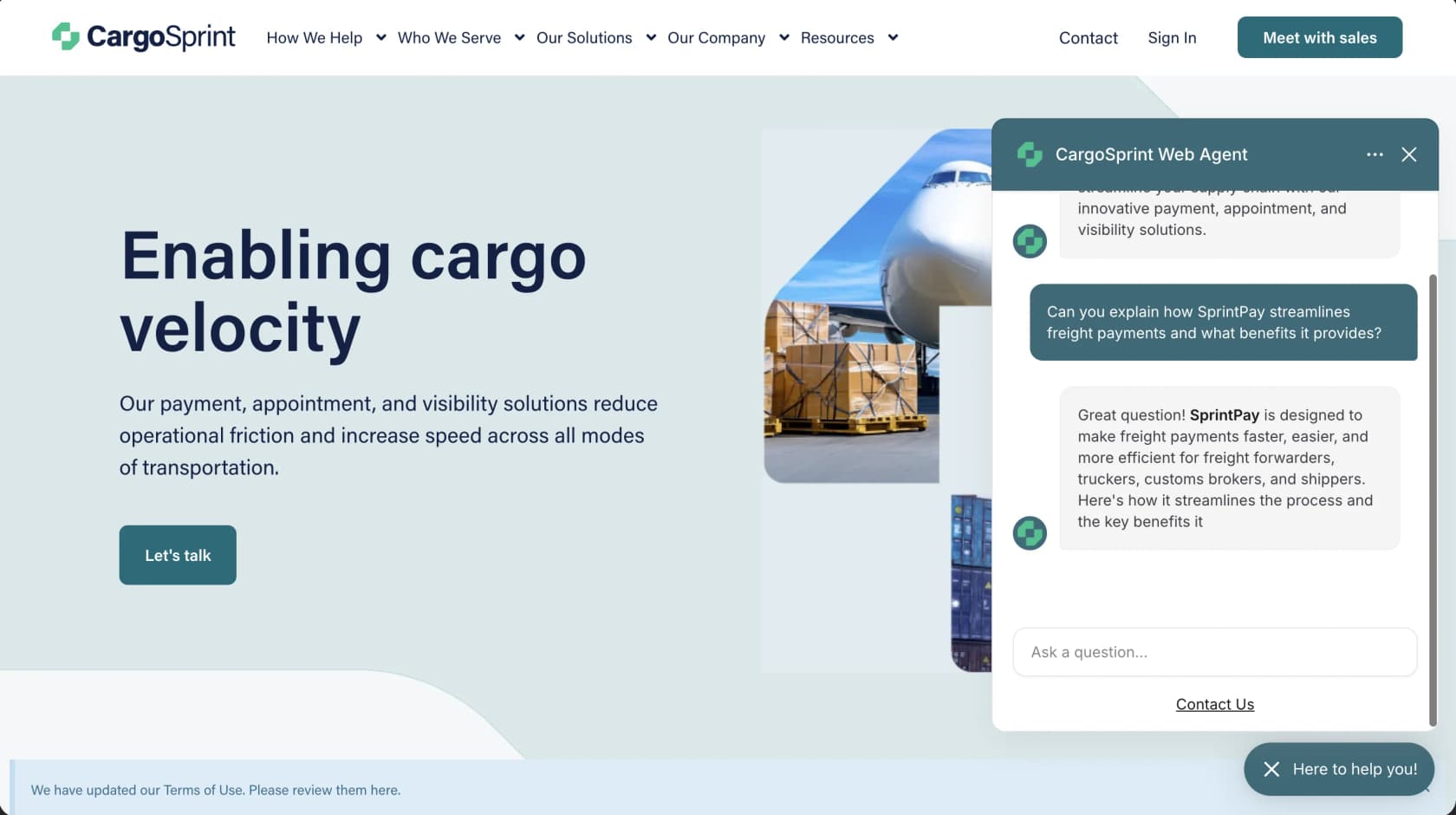
Setup isn't always one line of code, either. A BookStack admin on Reddit needed IT to allow SiteSpeak's iframe source before the widget would load, and wrote that "This adding AI search stuff is pretty damn difficult lol!" in a 2024 thread. The same install was still running more than a year later, so it worked out, but self-hosted sites with strict security headers should budget an hour for it.
SiteSpeak AI vs the alternatives
SiteSpeak's closest rivals are other website-first chatbots. Here's how it compares on what usually decides the purchase.
| SiteSpeak AI | Chatbase | eesel | |
|---|---|---|---|
| Built for | Website chat, leads, agencies | Website and app chat agents | AI teammates for helpdesk queues and website chat |
| Entry paid plan | $29/month, 1,000 credits | $40/month, 700 credits | $299/month, 500 credits |
| Billing unit | Message credits, vary by model | Credits, vary by model | 1 credit per ticket or chat |
| Free option | 30 credits/month | 50 credits/month | 100 credits to try |
| Native helpdesk integrations | None (webhook, Zapier, HubSpot) | Zendesk, Freshdesk, Gorgias and more | Zendesk, Freshdesk, Gorgias, Help Scout, Front and more |
| Trains on past tickets | No | Pro plan, via Zendesk or Salesforce | Yes |
| Testing before launch | Test Agent preview | Playground and preview link | Simulation on your past tickets |
Chatbase figures come from the Chatbase pricing page; eesel figures from eesel's pricing.
If SiteSpeak is close but not quite right, my Chatbase alternatives and DocsBot alternatives roundups go deeper on the website-first tools.
For wider lists, see my Tidio Lyro alternatives and the best AI chatbots for customer service.
Many of the same tradeoffs come up in my Crisp AI and Tidio reviews, which are live chat tools that added AI rather than AI tools that added chat.
Who SiteSpeak AI is for, and who should skip it
I'd pick SiteSpeak AI if:
- You run a small SaaS, e-commerce or content site without a helpdesk. Starter at $29 gets you a trained widget with lead capture, and Pro at $79 adds handoff and actions.
- You're an agency building chatbots for clients. The white-label agency plans and the reviewer comments both point here.
- Your knowledge lives in BookStack, Notion, Confluence or SharePoint. The connector list is broad for the price.
- You want developer hooks without enterprise pricing. MCP management and the Claude Code plugin are unusual at this tier.
I'd look elsewhere if:
- Your support team already works in a helpdesk. With no native Zendesk or Freshdesk link, handoffs land in a separate inbox unless you build the webhook bridge.
- Your best answers live in past tickets, not published docs. SiteSpeak has no ticket-history source.
- You need Messenger, Instagram or SMS in one inbox. The founder himself points those buyers to other tools.
- You want to know how the bot will do before it goes live. Testing is a preview window where you type questions, not a replay of your real conversations.
That last point is the one I care most about, because I've watched it decide real deals. A hardware support team I talked to asked for exactly four things: a chat bubble that answers and escalates into a Zendesk ticket when it can't, citations on every answer, crawling of a login-gated help center, and a copilot drafting replies from past tickets. Another buyer ran 67 test questions through eesel's widget, found the answers solid, and still walked because the widget felt slow. Good answers are table stakes. Where the handoff lands, and how much you trust the bot before customers see it, is what teams actually buy on.
eesel for teams whose support already lives in a helpdesk
If you read the section above and nodded at "your support team already works in a helpdesk," that's the gap eesel fills. eesel is an AI teammate platform, and the helpdesk teammate works inside Zendesk, Freshdesk, Gorgias or Help Scout.
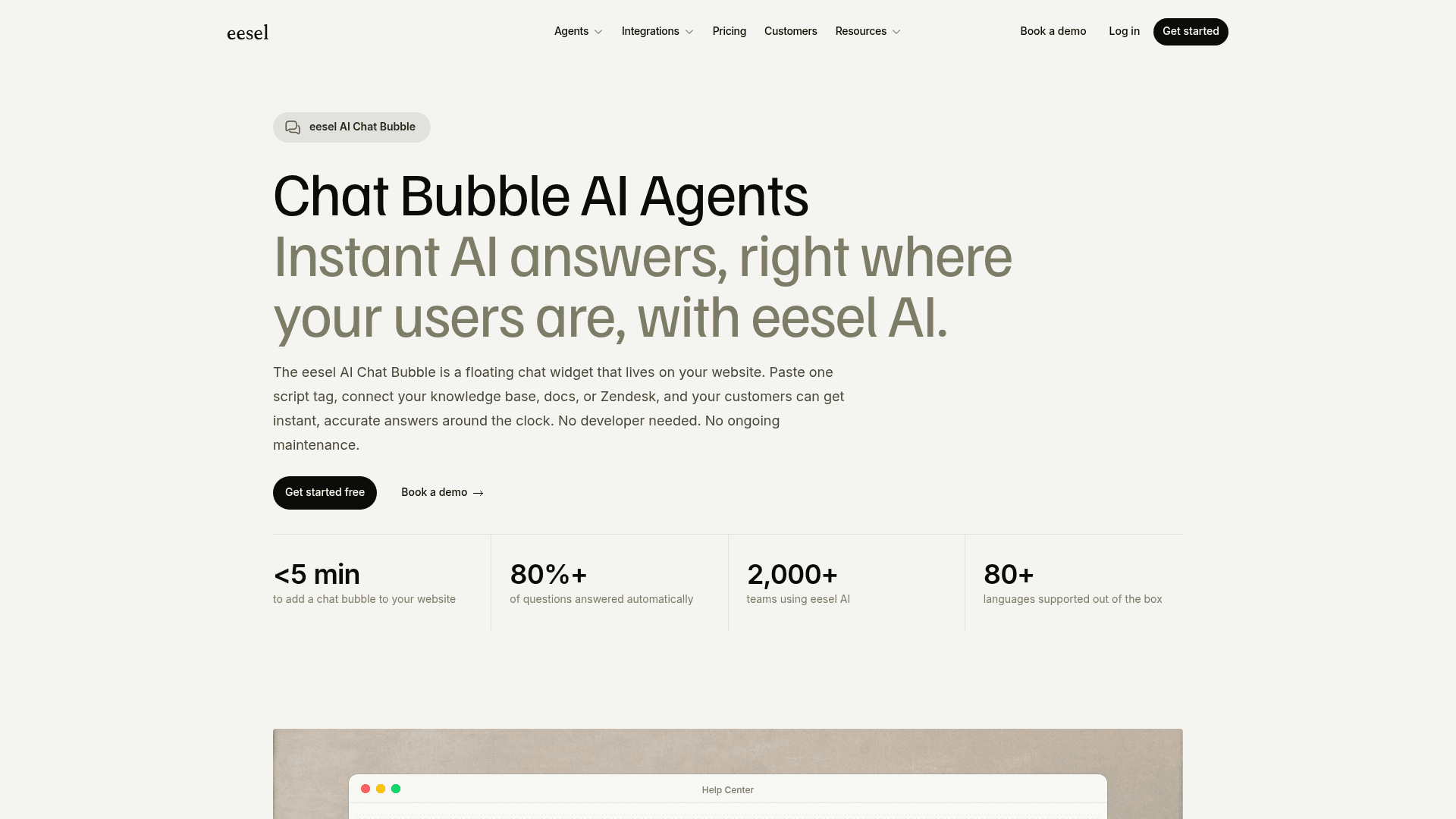
It can also sit on your website: the eesel Chat Bubble is a floating widget you add with one script tag, and when it can't answer, it escalates by email or straight into your connected helpdesk instead of a separate inbox.
The difference I'd lead with is testing. eesel learns from your past tickets as well as your help center, and before it goes live you can run a simulation that tests its answers "against hundreds of your past tickets," scores them against what your team actually sent, and suggests instruction changes. That's the step that catches the "setting doesn't exist" kind of mistake before a customer sees it.
If you like SiteSpeak's MCP and Claude Code angle, eesel has the same idea through the eesel CLI. Running npx @eesel/cli init chat-bubble --site creates a free workspace and prints the embed snippet, every command returns JSON so scripts and coding agents like Claude Code, Codex or Cursor can drive it, --dry-run previews changes, and eesel mcp token connects an MCP client. It's the same teammate you'd manage from the dashboard, just operated from a terminal.
On price, eesel is a step up from SiteSpeak's Starter: there's a free plan with 100 credits, and paid plans start at $299/month for 500 credits, where "a ticket or a chat is 1 credit" no matter how many replies it takes, per eesel pricing. For a hobby site, SiteSpeak is the cheaper answer. For a support team that wants the website chat and the helpdesk queue handled by one teammate that already knows your past tickets, try eesel free and run the simulation on your own history first.
Frequently Asked Questions
What is SiteSpeak AI?
How much does SiteSpeak AI cost?
Is SiteSpeak AI free?
Can SiteSpeak AI hand off to a human?
Which AI models does SiteSpeak AI use?
What are the best SiteSpeak AI alternatives?


Article by
Kira
Kira is a writer at eesel AI with a Computer Science background and over a year of hands-on experience evaluating AI-powered customer service tools. She focuses on breaking down how helpdesk platforms and AI agents actually work so that support teams can make better buying decisions.