


The best AI chatbot for Wix in 2026 is Tidio for most small sites: Lyro answers from your pages and FAQs, and a person can take over in the same inbox. If you want a Wix App Market install, Chatway is the pick, and you only pay $0.50 when its AI resolves a chat. The real decision isn't the install. It's where the bot learns from and how it bills for AI, because all nine tools here meter AI differently, from shared Wix credits to per-seat fees. eesel fits when answers need to come from your help docs and helpdesk as well as your site, at 1 credit per chat however long.
What makes an AI chatbot good on a Wix site?
I work a support queue every day, and the first thing I check on any bot is what it does when it doesn't know. A Wix visitor asking about delivery areas or opening hours doesn't care which widget you picked. They care whether the answer is right, and whether a human shows up when it isn't.
So I judged every tool on two things before anything else:
- Where it learns from. Your public Wix pages are a start, but the answers that matter (refund edge cases, booking rules, the price you changed last week) often live in a help center, a PDF or past conversations. A bot trained only on your site will guess at the gaps.
- How it hands off. "Talk to a human" can mean a live inbox where you jump into the chat, a ticket in your helpdesk, or just a card with your email address. Those are very different experiences for a customer who's already annoyed.
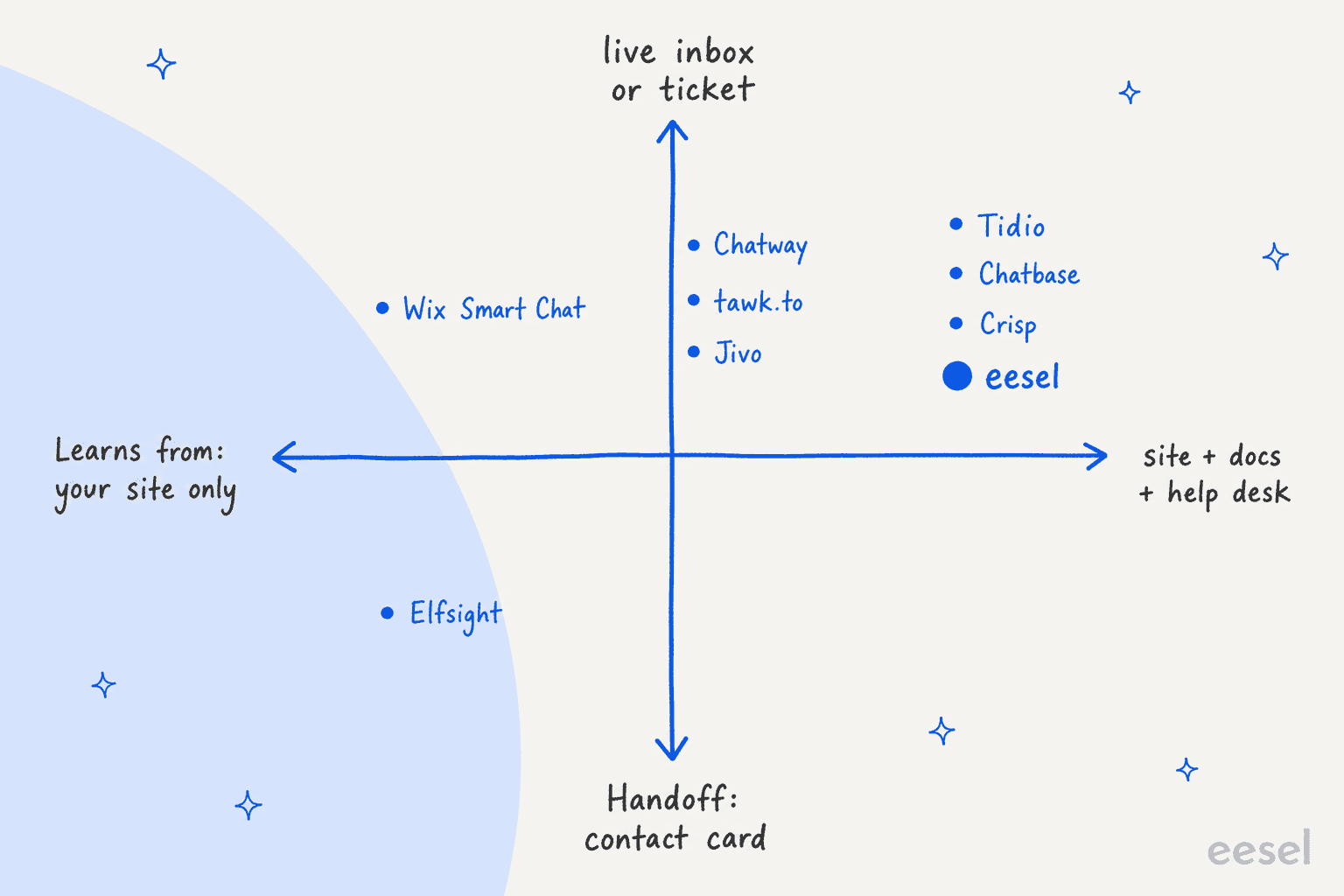
Then come the two Wix-specific checks. Can it install from the Wix App Market, or does it need a Custom Code snippet (which needs a paid plan and a connected domain)? And how does it charge for AI, because that number moves with your traffic, not your team size.
Here's why the "where it learns" question matters so much on Wix specifically. Wix's own chatbot reviews are full of owners who trained the bot and still got wrong answers:
"I spent considerable time building a knowledge base, training the AI agent, and creating custom rules for my restaurant. Initially, the results looked promising, but over time the AI began providing incorrect information, including wrong addresses, incorrect business hours, and even phone numbers that were not associated with the business."
That's not unique to Wix. Any AI chatbot for a website can drift if it can't see the right sources or nobody tests it. It's why the team I work with simulates answers against real questions before a bot goes live. On eesel's side, Beautek, a German B2B equipment supplier, answered 77 website chats in German in a month, from about 6,700 pages and documents across its site, supplier sites, Zendesk, Google Drive and Notion, and turned 20 of those chats into Zendesk tickets for the sales team. The bubble says plainly that it's an AI answer and gives the team's phone number for anything important.
If you'd rather have a coding agent do the setup, the eesel CLI can create the chat bubble, connect your Wix site's URL, upload a refund-policy PDF and ask test questions before anything goes live. Pasting the snippet into Wix's Custom Code panel is still a step you do in Wix yourself.
How I picked these
I started from what a Wix owner would actually search, then checked what ChatGPT recommends for the same question. It shortlisted Wix Smart Chat, Tidio, Chatbase and Chatway and framed the choice mostly as install path. I kept those four and added five more that have a documented Wix install: Crisp, tawk.to, Elfsight, Jivo and eesel.
For each one I read the vendor's pricing page, its Wix install guide, its AI docs, and its Wix App Market listing where one exists, all checked on 2026-11-16. Every price in this post comes from the vendor's own page. I didn't run each tool on a live Wix site for months; I read the docs and listings closely and priced each one for the same buyer. Where a vendor doesn't publish something (a security cert, a per-model credit cost), I say so instead of filling the gap.
Ordering is on the merits for a typical small Wix business, not alphabetical and not eesel-first. If you're specifically leaving Wix's own chat, my Wix Smart Chat alternatives post is sorted by that job instead.
The 9 best AI chatbots for Wix at a glance
| Tool | Best for | Wix install path | Paid Wix plan or domain needed | Free plan | Starting paid price | AI billing unit | Trains on | Human handoff | Security certs | Wix listing rating |
|---|---|---|---|---|---|---|---|---|---|---|
| Tidio | AI plus live chat in one inbox | Custom Code | Yes, connected custom domain | Yes, 50 Lyro chats once | Starter $29/mo; Lyro from $39/mo | Per Lyro conversation | Website, FAQs, Zendesk articles | Live chat inbox, handoff rules | SOC 2 report, GDPR, CCPA | No listing |
| Chatway | App Market install, pay per resolution | Wix App Market | Yes, Premium site (listing) | Yes, 50 chats + 10 AI chats | Business $39/mo ($31 yearly) | $0.50 per resolved chat | Text, links, help docs | One-click human takeover | None published | 5.0 (378) |
| eesel | Answers from site, docs and helpdesk | Custom Code script | Yes, connected domain (Wix rule) | 7-day trial, 100 credits | $299/mo for 500 credits | 1 credit per chat | Website, help center, Drive, Notion, Confluence, Zendesk, files | Helpdesk ticket or email | SOC 2 Type II audit in progress, GDPR | No listing |
| Chatbase | Custom AI agents, model choice | Custom Code | Yes, connected domain (Wix rule) | No, 7-day trial | Basic $150/mo ($120 yearly) | Credits per model request | Website, files, Notion, Q&A, closed tickets | Live chat in Chatbase Helpdesk or ticket | SOC 2 Type II, GDPR | No listing |
| Wix Smart Chat | Zero setup, already on Wix | Wix App Market (Wix's own) | No | Yes, up to 120 credits/mo | In Wix plans from $17/mo (yearly) | Shared Wix AI credits | Public site + training rules | Manual chat from Wix Inbox | None published for the AI chat | 2.7 (163) |
| Crisp | Cheap AI per conversation | Custom Code | Yes, connected domain | Yes, no AI | Mini $45/mo | Token credits per Hugo conversation | Snippets, knowledge base, crawl, past chats, files | Escalates to operators | None stated on pricing page | Third-party connector, 0 reviews |
| tawk.to | Free live chat with optional AI | Embed HTML element | Not stated by tawk.to | Yes, chat free + 100 AI credits | AI Assist Growth $29/mo | Credits per AI reply | Knowledge base, FAQs, docs, crawled pages | Escalation to agents, even free | Not checked | Third-party app, 0 reviews |
| Elfsight | Lowest cost for light traffic | Custom Code or Embed HTML | Yes, Premium plan (per Elfsight) | Yes, 50 AI messages/mo | Basic $6/mo ($5 yearly) | AI messages per month | Website scan, files, Q&A | Contact card (email, call, WhatsApp) | None published | No AI chatbot listing |
| Jivo | Omnichannel inbox, free Wix sites | App Market or Custom Code | No on App Market route | Yes | Basic $28/agent/mo; AI Agent $69/agent | Per agent seat | Website + uploaded knowledge base | Agents watch and join any time | No SOC 2 or HIPAA claim | 3.8 (69) |
A note on the ratings column: only Wix Smart Chat, Chatway and Jivo have their own Wix App Market listings with reviews. Tidio's Wix marketing page still shows an old rating from its retired App Market app, so I left it out rather than quote a number that no longer exists.
Why does the AI meter matter more than the sticker price?
Every tool on this list has a monthly price, and almost none of them tell you what AI actually costs at your traffic until you do the maths. The billing units are all different:
- Wix Smart Chat spends AI credits from your site plan, shared with Wix's other AI tools. When they run out, the chat goes offline.
- Tidio sells Lyro conversation quotas, about $0.70 to $0.78 each on the self-serve tiers.
- Chatway charges $0.50 per resolved conversation and nothing for chats the AI escalates.
- Chatbase, tawk.to and Elfsight count requests, replies or visitor messages, so a long chat costs more than a short one.
- Crisp bills token-based credits per Hugo conversation, which it estimates at $0.05 to $0.10 each.
- Jivo charges per agent seat. eesel charges 1 credit per chat, however long.
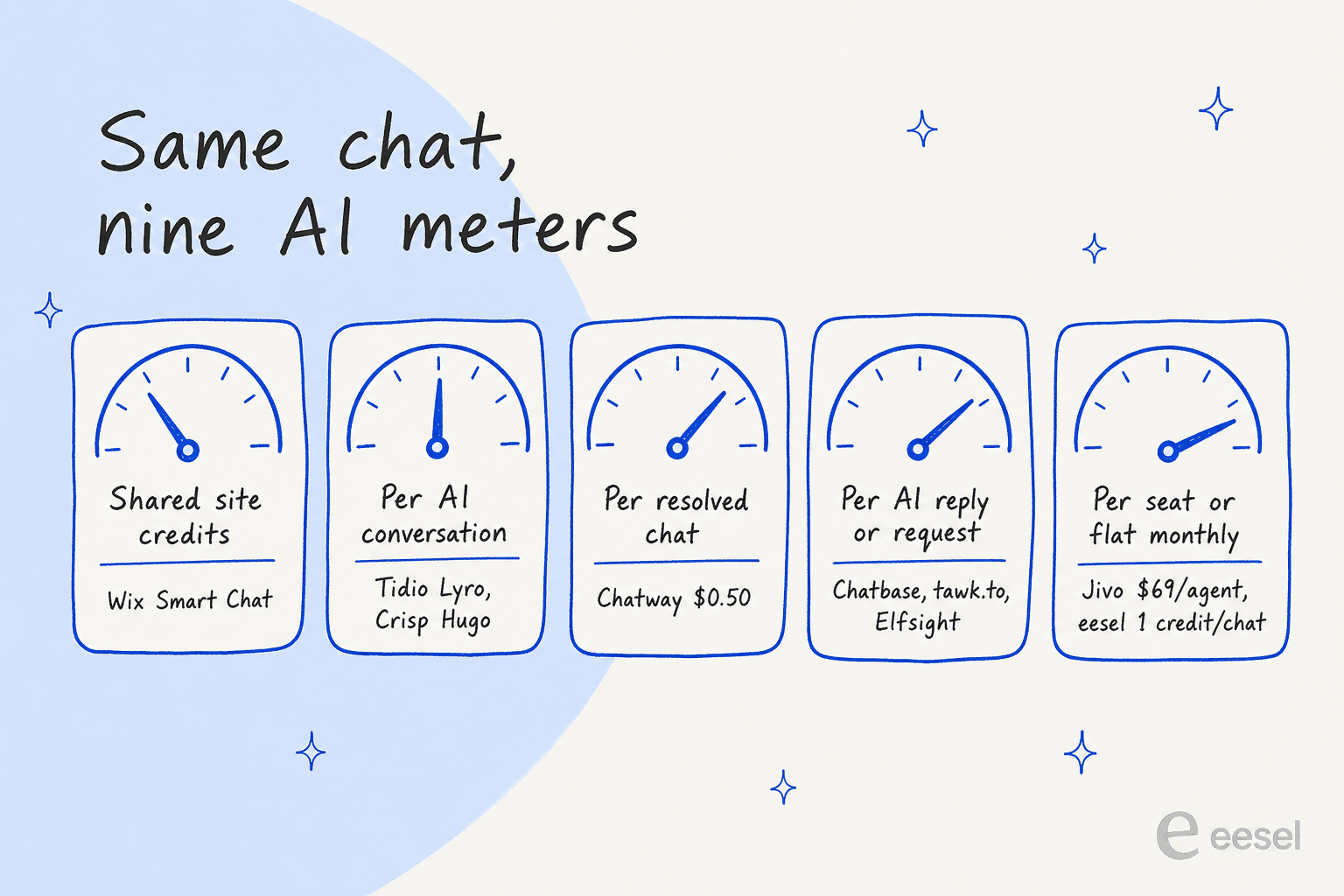
The practical upshot: a bot that's cheap at 50 chats a month can be the expensive one at 1,000, and the reverse. A per-reply meter rewards short answers; a per-seat meter rewards a big team; a per-resolution meter only charges when the bot actually closed the chat. Drag the sliders below to see where your own volume lands.
1. Tidio
Best for: a small Wix business that wants an AI agent and a live chat inbox in one tool, with clean handoff to a person.
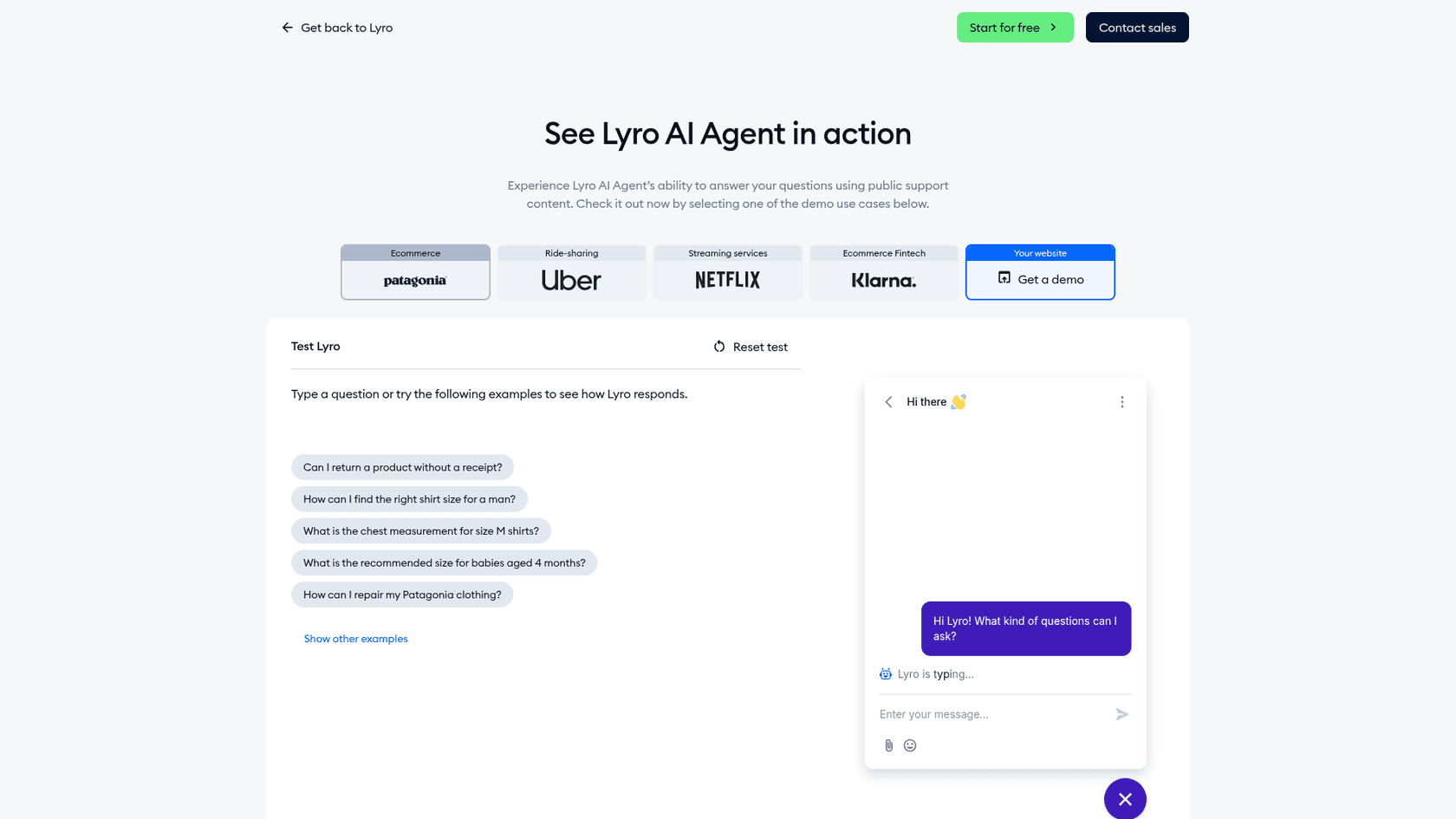
Tidio is a live chat, helpdesk and automation platform with an AI agent called Lyro. It's the tool I'd hand to most Wix owners first, because the AI and the human side live in the same place: Lyro takes the chat, and when it can't answer, you're already in the inbox where it lands.
How it works on Wix
Tidio no longer has a Wix App Market app. Its guide says the Wix app stopped being supported on September 30, 2024, so the install is a Custom Code snippet: Wix Settings > Development & integrations > Custom Code, paste the script from Tidio, choose all pages, place it in Body - End. Tidio says you need a Wix plan that supports a connected custom domain, and the site must be published. If you set Tidio up through the old Wix plugin before October 2024, Tidio asks you to register a new account.
What I liked
- Lyro learns from your support content by scraping your site and FAQs, and can import Zendesk articles. Tidio says it "works only with the content and guidance you provide," and you get 5 guidance rules on the self-serve plans.
- Handoff is first-class. You set escalation rules, watch conversations live and jump in any time. Lyro runs on Claude plus Tidio's own models.
- One Lyro conversation counts once, however many questions the visitor asks inside it.
- Tidio publishes a completed SOC 2 report and lists GDPR and CCPA compliance on its security page. Tidio also says its customers average a 75% Lyro resolution rate, which is the vendor's own figure.
Watch out for
- The free plan gives 50 Lyro conversations once, not every month. A monthly Lyro quota starts at $39.
- Human conversations are billed separately from Lyro conversations, so a chat that Lyro hands to you can count on both meters.
- Running Lyro inside Zendesk or Salesforce is a Premium feature.
One G2 reviewer with a mid-market team put the widget trade-off well:
"The main frustration is with the widget's home screen and the 'chat with us' button, which is a bit ambiguous for users and doesn't allow for a more guided intro or clear separation between AI and live agent options."

Pricing
From Tidio's pricing page, checked 2026-11-16:
| Plan | Monthly | Billed yearly (per month) | Included |
|---|---|---|---|
| Free | $0 | $0 | 50 billable conversations/mo, 50 Lyro conversations once, up to 10 seats |
| Starter | $29 | $24.17 | 100 billable conversations |
| Growth | from $59 (250) up to $349 (2,000) | from $49.17 | 250 to 2,000 billable conversations |
| Plus | from $300 + usage | same | Custom, Lyro from 300 conversations |
| Premium | Contact sales | Custom |
| Lyro AI Agent quota | Monthly price |
|---|---|
| 50 conversations | $39 |
| 100 | $75 |
| 150 | $110 |
| 200 | $140 |
| 300 | $210 |
| 500 | $350 |
| 750 | $525 |
| 1,000 | $700 |
That ladder works out to about $0.70 to $0.78 per Lyro conversation. Tidio's Lyro page mentions "$0.5 per conversation," but the self-serve tiers above are what you'll actually pay. More detail in my Lyro pricing breakdown and my Tidio review.
Verdict: pick Tidio if you want the AI and your own live replies in one inbox and you're on a paid Wix plan with a connected domain. Skip it if your volume is high and mostly simple, because the per-conversation Lyro price adds up past a few hundred chats. The deciding factor is the Lyro ladder at your volume. If it doesn't fit, my Lyro alternatives list has options.
2. Chatway
Best for: Wix owners who want a native App Market install and only want to pay when the AI actually resolves a chat.
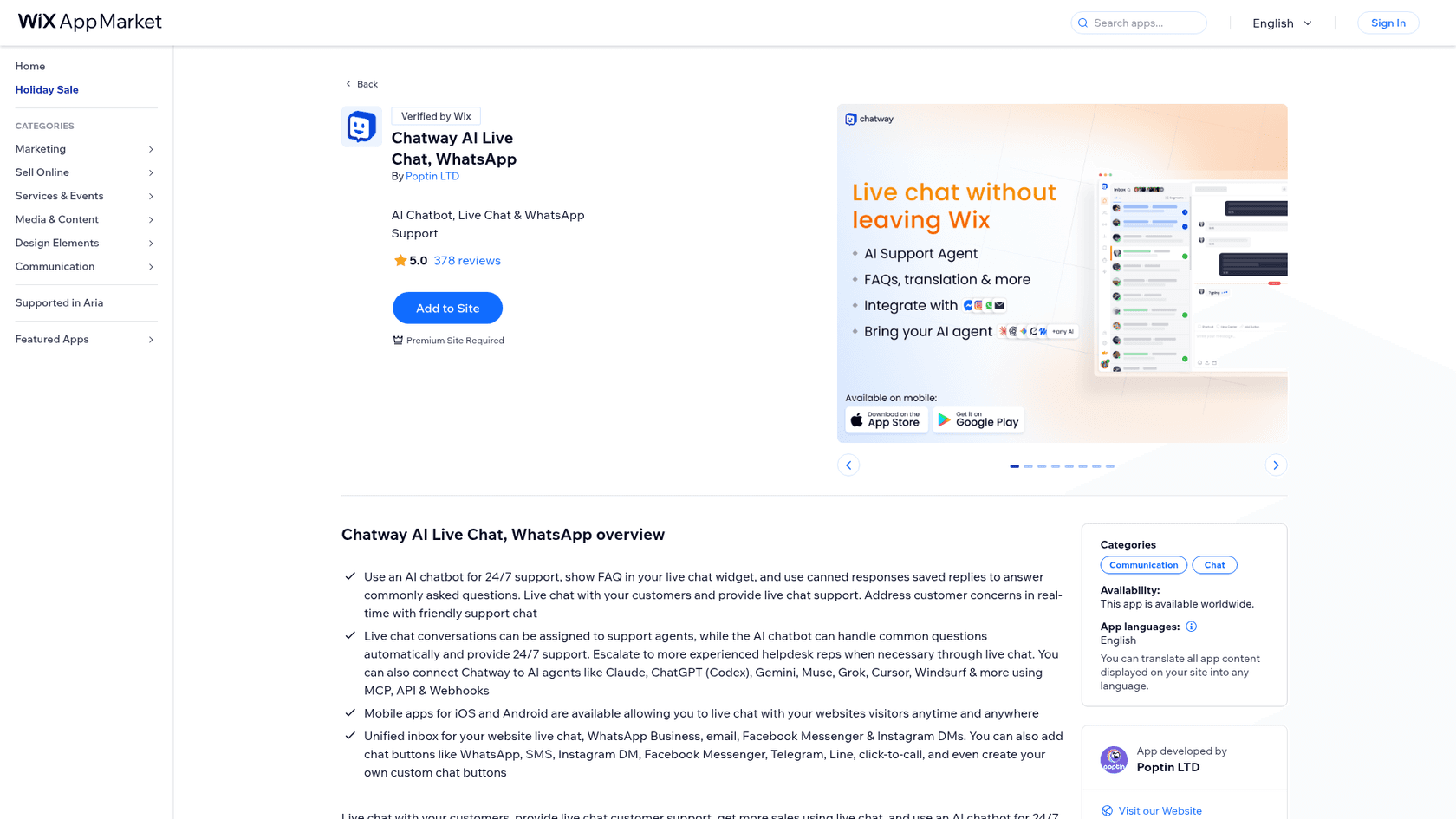
Chatway is a live chat and shared inbox from Poptin, with an optional AI Support Agent. It has the best-rated AI chat listing I found on the Wix App Market: 5.0 from 378 reviews.
How it works on Wix
It's a real Wix App Market app, verified by Wix. From your Wix dashboard you open Apps, search "chatway," click Add to Site, agree, and create a Chatway account with your Wix email pre-filled (install guide). No code. The catch is on the listing itself: Premium Site Required.
What I liked
- The AI bills only when it resolves a chat: $0.50 each, and it works on every plan including Free, with 10 free AI conversations to start.
- Human takeover is one click, and you can hand the chat back to the AI afterwards.
- It trains on text and website links you give it, plus help docs and policies.
- Bring-your-own AI through MCP, webhooks and an API is on every plan, so you can connect Claude or ChatGPT tooling yourself.
- iOS and Android apps for replying on the go.
Watch out for
- Plan conversation caps (50, 200 or 1,000 a month) apply on top of AI charges. At the cap the widget stays visible, but you can't reply to new chats.
- Chatway publishes no security certifications on the pages I checked.
- Order and cart data connectors cover Shopify and WooCommerce, not Wix Stores.
Pricing
From Chatway's pricing page:
| Plan | Monthly | Billed yearly (per month) | Seats | Live chat conversations/mo |
|---|---|---|---|---|
| Free | $0 | $0 | 1 | 50 |
| Business | $39 | $31 | 2 (extra seat $19, or $16 yearly) | 200 |
| Plus | $199 | $159 | 10 | 1,000 |
| Enterprise | Custom | Custom | Custom | Custom |
| AI Support Agent add-on | $0.50 per resolved conversation |
There's a 14-day trial of the premium features. My Chatway pricing post walks through the plan caps in more detail.
Verdict: pick Chatway if you want an App Market install, a free plan to start, and an AI bill that tracks results. Skip it if you're on a free Wix site (it needs Premium) or need the bot to read a full help center and helpdesk history. The deciding factor is the resolved-only meter. My Chatway review has the longer take.
3. eesel
Best for: a Wix business whose answers live in docs, a help center or a helpdesk, not just on the site, and that wants a predictable price per chat.
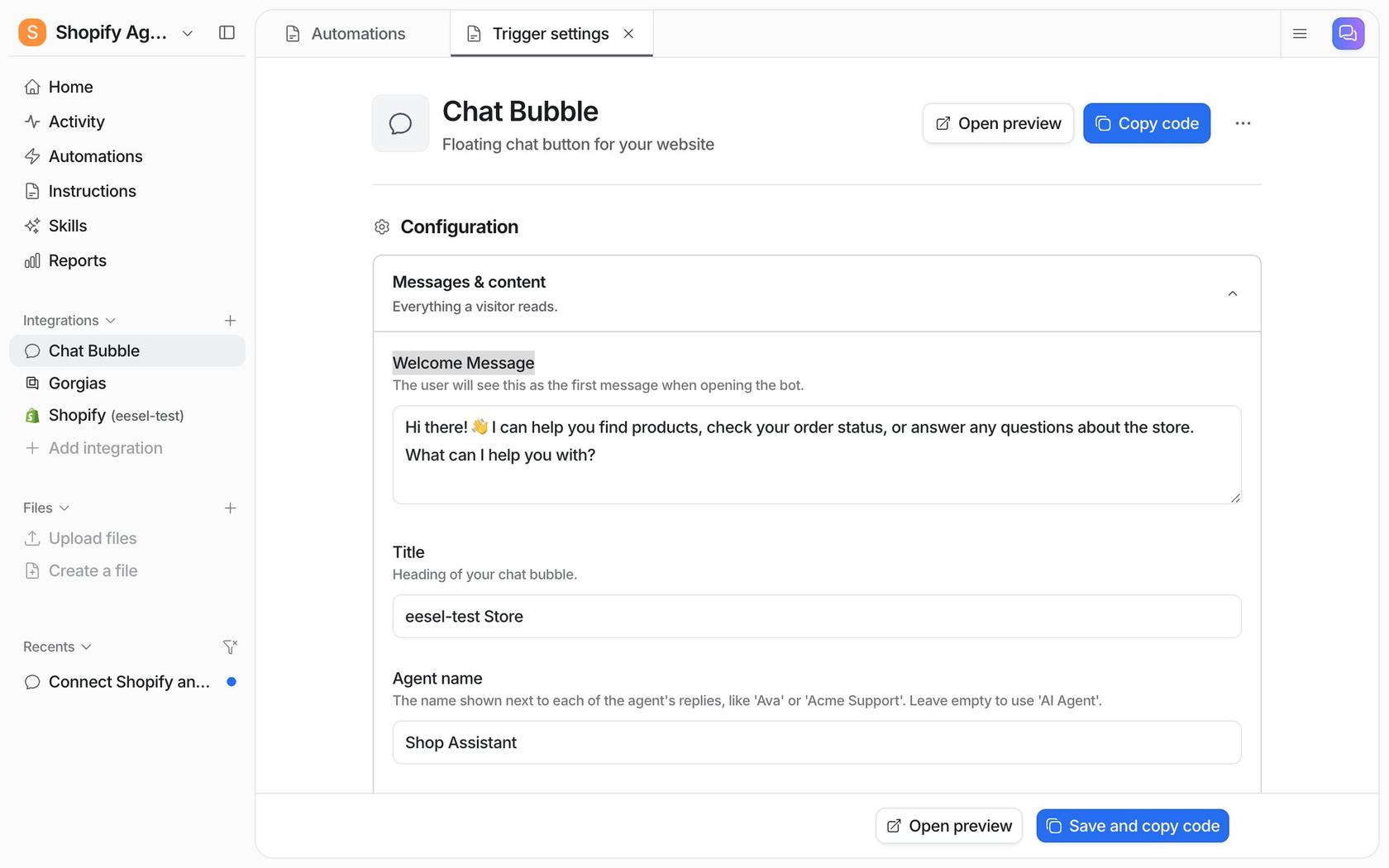
This is the tool I work on. eesel is an AI teammate, and the chat bubble is one of the channels it works in: a floating widget that answers visitors from the sources you connect. The same teammate can also work your helpdesk tickets, so the bubble and your inbox share one set of knowledge and instructions.
How it works on Wix
There's no Wix App Market app. You paste one async script tag before the closing body tag, which on Wix means a Custom Code snippet. eesel's FAQ names Wix among the sites it works on: "If you can add a script tag, you can add the chat bubble." I'll be straight: eesel's docs show Shopify and Next.js walkthroughs, not a Wix-specific one, so you're following Wix's own Custom Code steps.
What I liked
- It learns from far more than your Wix pages: a website crawl, help center, Google Drive, Notion, Confluence, Zendesk and Freshdesk articles (plus past Zendesk tickets), Shopify and uploaded files.
- Handoff is rule-based. You can have it create a helpdesk ticket with the visitor's name and email, or send an email, which works for a Wix-only site with no helpdesk.
- You set tone, topics and escalation by talking to the agent, and you can limit the bubble with a plain rule like "Only show the chat bubble on product pages."
- Answers can be tested before going live, and the bubble auto-translates to the visitor's browser language (80+ languages, per eesel's page).
This setup scales the way small Wix sites tend to grow. Norden-Frisia, a German ferry line, runs one agent called CaptAIn across its website chat bubble, a public chat link and Zendesk, and when a chat can't be closed the bot creates a Zendesk ticket. Nordbutiker runs a bubble on each of its stores, each one crawled from that store's own sitemap.
Watch out for
- The entry price is $299 a month for 500 credits. For a Wix site with a few dozen chats a month, that's far more than Elfsight or a free tawk.to setup.
- The free tier is a 7-day trial with 100 credits, not an ongoing free plan.
- Live human chat inside the bubble needs Zendesk Messenger or Freshchat connected. Without a helpdesk, handoff is a ticket or an email, not a live takeover.
- eesel's SOC 2 Type II audit is in progress, with the report expected in 2027 (Trust Center). GDPR is covered on every plan, and HIPAA BAAs are on Enterprise.
Pricing
From eesel's pricing page: "A ticket or a chat is 1 credit, however long." No seat fees.
| Plan | Price | Credits per month |
|---|---|---|
| Free trial | $0 | 100 credits for 7 days |
| Teammate | $299/mo | 500 |
| Teammate | $499/mo | 1,000 |
| Teammate | $699/mo | 1,500 |
| Teammate | $849/mo | 2,000 |
| Teammate | $999/mo | 2,500 |
| Teammate | $1,149 to $1,749/mo | 3,000 to 5,000 |
Optional overage is $0.80 per extra credit up to a cap you set, and paying yearly gets two months free.
Verdict: pick eesel if your best answers live outside your Wix pages, or if you also want the same AI on your helpdesk queue. Skip it if you have under a hundred simple chats a month and no helpdesk; a cheaper widget will do. The deciding factor is the knowledge sources.
4. Chatbase
Best for: someone who wants to build a custom AI agent, choose the model, and add actions, with a helpdesk inbox included.
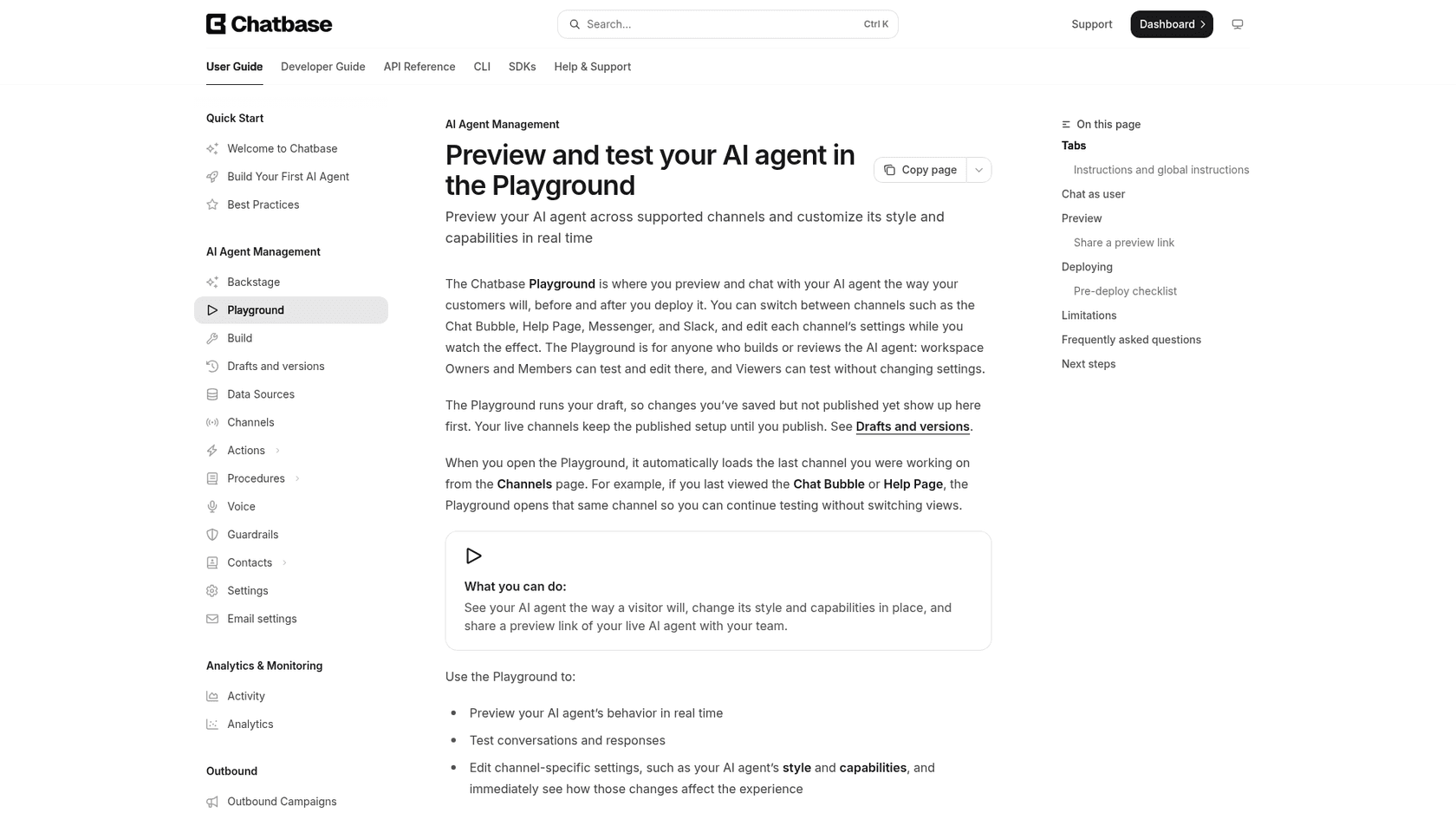
Chatbase builds AI agents trained on your data and deploys them to a website chat bubble, messaging apps, email and phone. ChatGPT named it in its Wix shortlist, and it's the most configurable option here.
How it works on Wix
No App Market app. Chatbase's Wix guide has you copy the website widget script from the agent's Channels > Chat Bubble > Deploy, then add it through Wix Embed Code > Custom Code, pick pages and placement, and apply. The guide only asks for "a Wix website you can edit," but Wix's own rule for Custom Code still applies: published site, connected domain.
What I liked
- The widest set of training sources after eesel: website crawl or sitemap, PDFs and Word files, text snippets, Q&A pairs, Notion, and closed Zendesk or Salesforce tickets. Changes go live in about a minute, and Basic re-reads sources weekly.
- Two handoff routes: a live chat action that passes the visitor to a person in the Chatbase Helpdesk inbox, or an escalation ticket into Zendesk, Freshdesk, HubSpot, Help Scout, Gorgias and others.
- SOC 2 Type II, GDPR support, and a clear statement that customer data isn't used to train models (security page).
Watch out for
- No free plan, just a 7-day trial, and the entry plan is $150 a month.
- Credits are spent per model request, not per conversation. With actions on, one reply can take several requests, and per-model credit costs aren't on the pricing page.
- Training storage is 40 MB per agent; extra is $25 per 10 MB a month.
A G2 reviewer who rolled it out for a municipality made the point I'd make about any of these tools:
"The agent is only as good as its source information, and thus the rollout took more work on the content cleanup side than some stakeholders anticipated."
Pricing
From Chatbase's pricing page:
| Plan | Monthly | Billed yearly (per month) | Message credits/mo | Seats | Notes |
|---|---|---|---|---|---|
| Basic | $150 | $120 | 4,000 (+500 test) | 3 | 1 agent, 8 actions, 40 MB |
| Business | $500 | $400 | 15,000 (+1,000 test) | 5 | Tickets and Zendesk macros as sources |
| Enterprise | Custom | Custom | Custom | Unlimited | SSO, HIPAA-eligible |
Add-ons: $40 per 1,000 extra credits (they don't expire), $99 a month to remove the Chatbase branding, $25 a month per extra agent. My Chatbase pricing post explains the credit maths.
Verdict: pick Chatbase if you want to tune the model, add actions and own the agent's behaviour in detail. Skip it if you just want a bot that answers FAQs on a small site, because $150 a month is a lot for that. The deciding factor is how much control you need. If it feels like too much, see my Chatbase alternatives.
5. Wix Smart Chat
Best for: a Wix owner who wants something running today with no code and no extra bill.
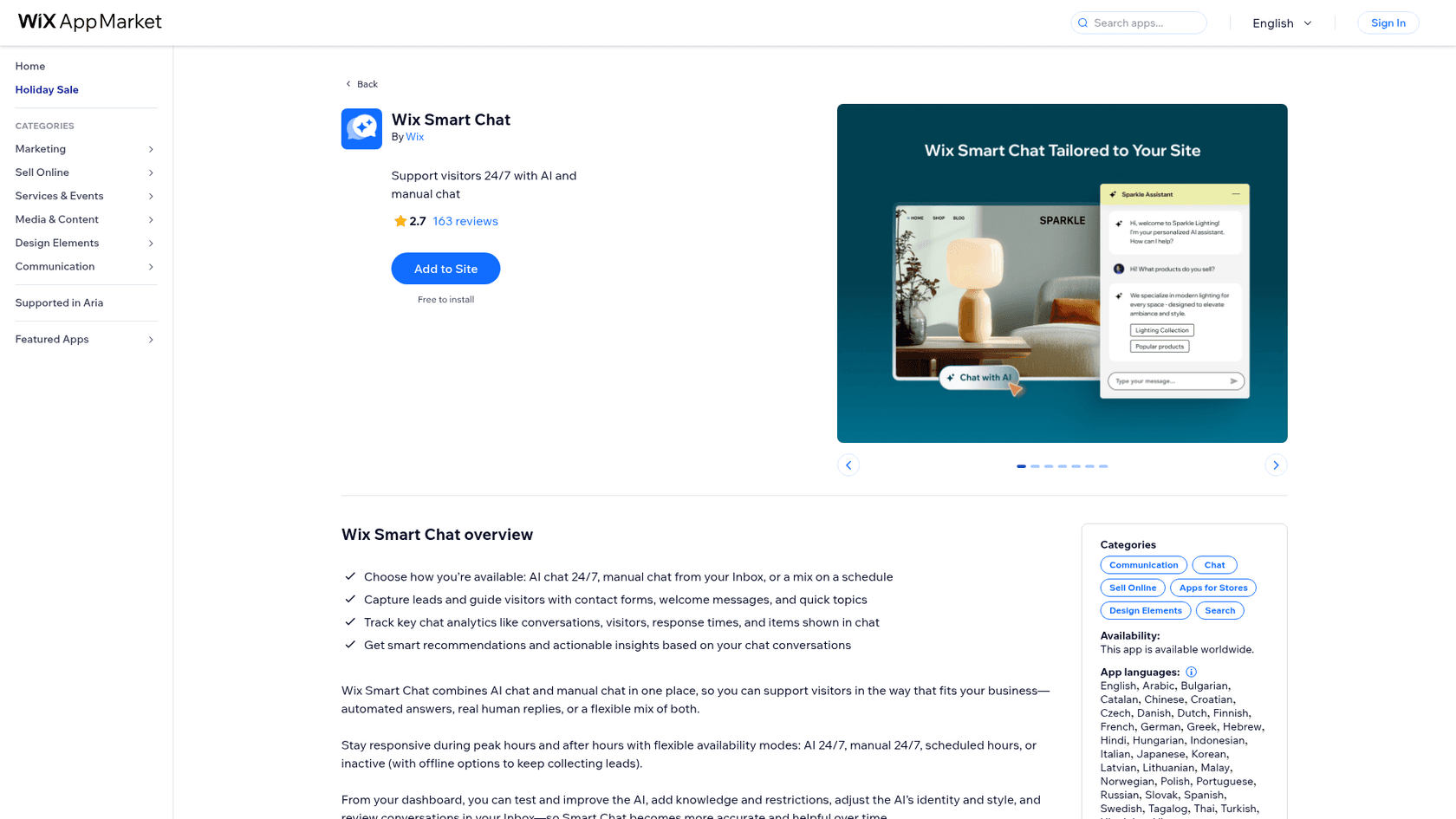
Wix Smart Chat is Wix's own chat app, combining AI answers and manual chat. It replaced Wix AI Site Chat and the old Wix Chat. It's still the easiest place to start, and I'd rank it higher if the reviews were better.
How it works on Wix
It's native. Open the App Market listing, click Add to Site, choose Manual Chat or AI Chat 24/7, and publish (setup guide). Dashboard settings apply immediately; widget changes need a publish. Free to install, and no Premium plan is shown as required.
What I liked
- No snippet, no domain requirement, no separate account. It runs in the same Inbox you already use for Wix messages, where you can also send payment requests and coupons.
- You can exclude pages from AI answers, set tone, and write training rules for products, policies or topics to avoid. Testing in the dashboard doesn't use credits.
Owners who put in the training time do report it working:
"This works great for my business. I had a hard time using in the beginning but you really need to invest the time and effort to train it. Once it is properly trained it will do what you want it too."
Watch out for
- The listing sits at 2.7 from 163 reviews, and 72 of those are 1-star. Recent ones describe stale prices and answers about pages that weren't finished. Wix itself warns the app "may present inaccurate or misleading information."
- It learns from your public site plus rules you write. There's no documented way to train it on past chats or a separate help center.
- AI credits are shared with Wix's other AI tools, there are no top-ups on Premium plans, and when credits run out the chat goes offline.
- One reviewer said Wix automations aren't supported; Wix replied that triggers for new visitors and form submissions are coming back.
Pricing
Smart Chat has no separate price. It uses AI credits from your Wix plan, and the counts are Wix's estimates.
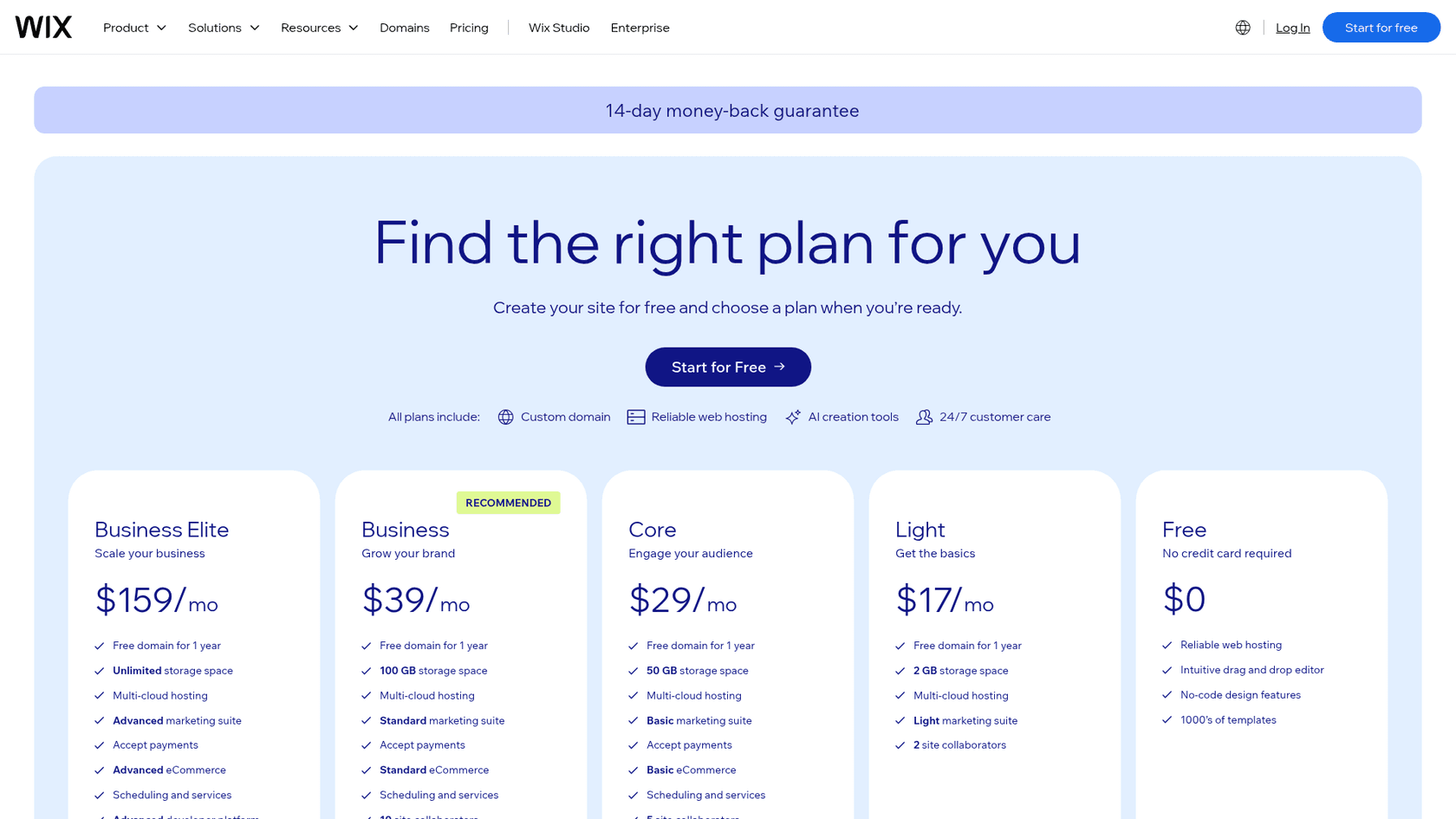
| Wix plan | Price (billed yearly) | Smart Chat AI actions per month (estimate) |
|---|---|---|
| Free | $0 | 30 credits a day, up to 120 a month |
| Light | $17/mo | Up to 150 |
| Core | $29/mo | Up to 200 |
| Business | $39/mo | Up to 300 |
| Business Elite | $159/mo | Up to 1,000 |
Wix Studio sites currently get AI features at no extra cost. My Wix Smart Chat pricing post covers the credit rules.
Verdict: pick Wix Smart Chat if you want zero setup and your traffic fits inside your plan's credits. Skip it if wrong answers would cost you bookings, or if your traffic spikes past the ceiling. The deciding factor is accuracy, so test it hard before trusting it. My Wix Smart Chat review has more.
6. Crisp
Best for: a small team that wants a shared inbox across chat, email and messaging, with AI priced per conversation at a low rate.
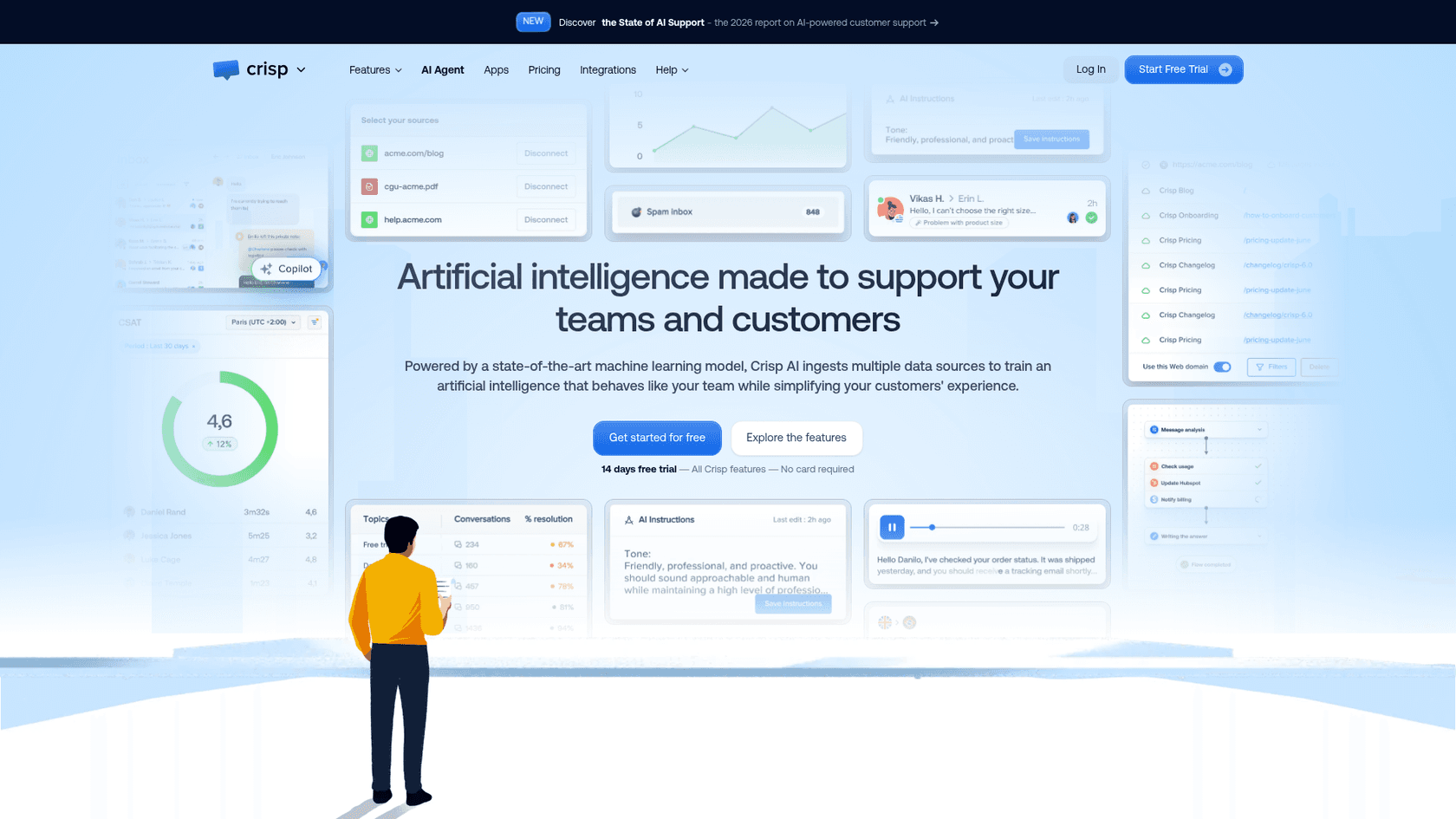
Crisp is a shared inbox and live chat platform priced per workspace, not per seat, with an AI agent called Hugo included from the Mini plan up.
How it works on Wix
Crisp's Wix help article uses Custom Code: paste the script into Settings > Development & Integrations > Custom Code, all pages, Body end. It notes Wix Custom Code "requires a published site with a connected domain." There's also a third-party Crisp Connector app by MarketForge that links an existing workspace without a script, with no reviews yet.
What I liked
- Hugo learns from Q&A snippets, the Crisp knowledge base, a website crawl, conversation history and uploaded files.
- Crisp's own estimate is $0.05 to $0.10 per Hugo-handled conversation, which is the lowest per-chat AI rate here if it holds for your chats.
- Hugo has a confidence threshold, so if it can't find the answer it says so. Mobile and desktop apps come on every plan, including Free.
Watch out for
- The Free plan has no AI credits. Hugo starts on Mini at $45 a month with $5 of credits.
- When credits run out, Hugo stops answering unless you've turned on pay-as-you-go. Testing and the Playground also use credits.
- Seat caps apply (2, 4, 10, 20+), and the pricing page lists no security certifications beyond two-factor login.
Pricing
From Crisp's pricing page, per workspace per month:
| Plan | Monthly | Seats | Included Hugo credits |
|---|---|---|---|
| Free | $0 | 2 | None |
| Mini | $45 | 4 | $5 (about 90 conversations) |
| Essentials | $95 | 10 | $25 (about 450 conversations) |
| Plus | $295 | 20+ | $75 (about 1,350 conversations) |
| Enterprise | Custom | Custom | Custom |
No yearly price is published; you can switch to yearly inside the app. There's a 14-day trial, and nonprofits and students get 50% off. More in my Crisp pricing post.
Verdict: pick Crisp if you want cheap per-conversation AI and an inbox that also covers email and WhatsApp. Skip it if you're on a free Wix site or want AI on a free plan. The deciding factor is the per-conversation rate. Not sure? Here are some Crisp alternatives.
7. tawk.to
Best for: a budget-first Wix owner who mostly answers chats personally and wants a bit of AI on top.
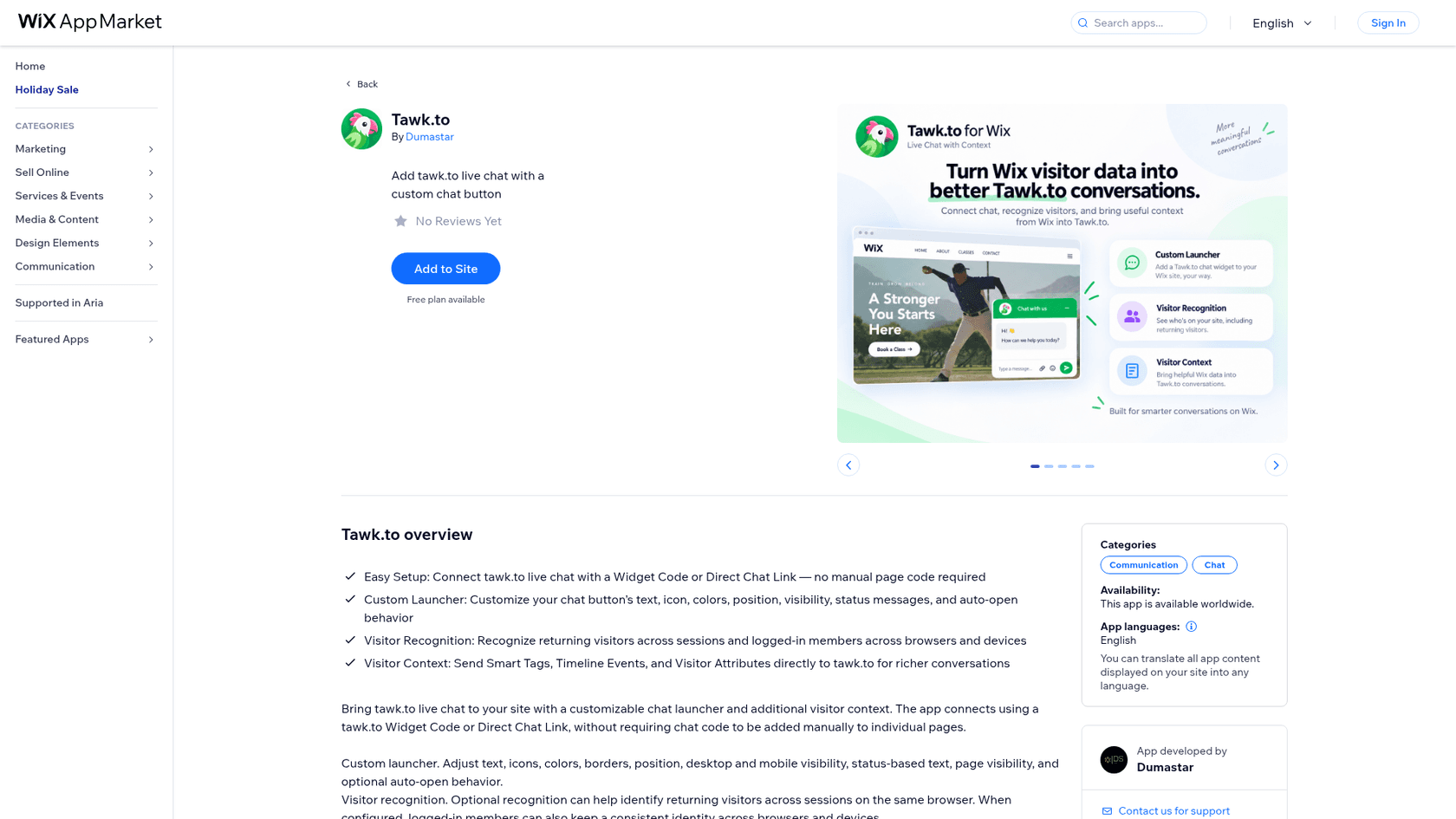
tawk.to gives away live chat, a shared inbox, ticketing and a knowledge base for free, with unlimited team members, and charges for add-ons like its AI Assist.
How it works on Wix
tawk.to's Wix guide uses an Embed HTML element: copy the widget code, add Embed Code > Embed HTML in the Wix Editor, paste, drag it into the footer to show on every page, optionally pin it, then publish. The guide doesn't mention a Premium plan, and I didn't confirm whether a free Wix site can run it. There's also an unofficial Dumastar app with a free plan and no reviews yet.
What I liked
- The chat itself costs nothing, and even the free AI tier includes escalation to your human agents with the full context attached.
- AI Assist learns from your knowledge base, shortcut FAQs, documents and crawled pages, and its answers update when you edit an article.
- Testing in the AI settings doesn't use credits.
One small-business director on G2 liked the setup and wanted more from the AI:
"It would be helpful to see the exact entry page or link a visitor used to land on the website. Also, the AI agent could be more powerful if it could learn from external documentation or knowledge bases."
Watch out for
- Credits are per reply: the default Auto model costs 3 credits per reply, so the free 100 credits is about 33 replies a month.
- The Wix guide is desktop-only and places the widget as a page element, not a site-wide script.
- Removing the "Powered by tawk.to" branding is a separate $29 a month add-on. I didn't re-check tawk.to's security pages for this post.
Pricing
From tawk.to's AI Assist billing help article. The whitelabel price is on its add-ons page.
| Item | Monthly | Yearly | Included |
|---|---|---|---|
| Live chat, inbox, ticketing, knowledge base | $0 | $0 | Unlimited team members |
| AI Assist Hobby | $0 | $0 | 100 credits, 1 AI agent, 100 crawled pages |
| AI Assist Growth | $29 | $290 | 1,000 credits, 3 AI agents, 500 pages |
| AI Assist Business | $99 | $990 | 5,000 credits, 5 AI agents, 2,000 pages |
| AI Assist Enterprise | $399 | $3,990 | 20,000 credits, 10 AI agents, 10,000 pages |
| Extra credits | $30 per 1,000 | Never expire | |
| Whitelabel | $29 | Per property |
Verdict: pick tawk.to if you answer most chats yourself and want a free inbox with light AI help. Skip it if you want the AI to carry most of the volume, because per-reply credits climb fast with long chats. The deciding factor is how chatty your visitors are. My tawk.to alternatives post covers what free chat trades away.
8. Elfsight
Best for: a low-traffic Wix site that wants an AI FAQ bot for a few dollars a month and doesn't need a live inbox.
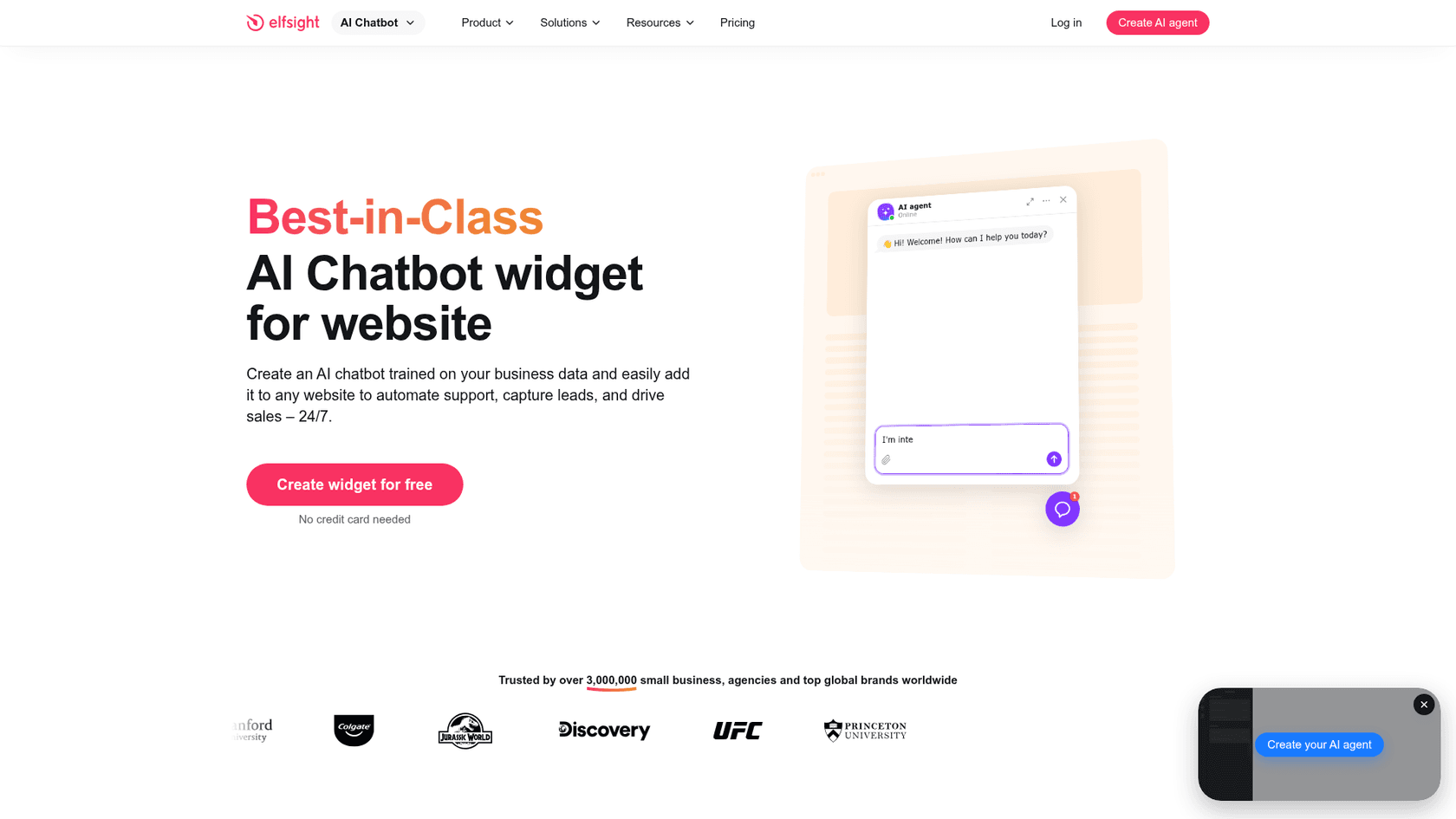
Elfsight makes 90+ website widgets, and its AI Chatbot builds an agent from your site URL, captures leads and answers FAQs.
How it works on Wix
There's no Elfsight AI Chatbot app on the Wix App Market. Its Wix guide offers an inline Embed HTML element or a floating bubble through Custom Code (all pages, Body end). Elfsight says this needs a Wix Premium plan, because the free plan doesn't support external code. Paid Elfsight plans include free installation help.
What I liked
- Setup is fast: give it your URL and it builds a knowledge base, then add PDFs, Word, slides, text or Q&A.
- The cheapest paid AI here: Basic is $6 a month for 300 AI messages.
- The widget UI comes in 78 languages and follows the visitor's language.
Watch out for
- Handoff is a contact card (email, call or WhatsApp), not a live inbox. Chats arrive as email transcripts and a history view.
- If the answer isn't in your content, Elfsight says the bot replies from general AI knowledge or says it can't help, so check that behaviour before launch.
- The view cap matters: going over your monthly widget views temporarily deactivates the app (Free is 200 views), and the bot pauses at the message limit.
Pricing
From Elfsight's AI Chatbot pricing:
| Plan | Billed yearly (per month) | Monthly | AI messages/mo | Views/mo |
|---|---|---|---|---|
| Free | $0 | $0 | 50 | 200 |
| Basic | $5 | $6 | 300 | 5,000 |
| Pro | $10 | $12 | 1,000 | 50,000 |
| Premium | $20 | $24 | 3,000 | 150,000 |
| Enterprise T1 | $30 | $42 | 6,000 | 300,000 |
| Enterprise T4 | $80 | $112 | 20,000 | Unlimited |
Branding removal is Enterprise-only, and there's a 14-day money-back guarantee. See my Elfsight pricing post for the tiers in detail.
Verdict: pick Elfsight if you get light traffic and mostly need FAQ answers plus lead capture. Skip it if you want to take over chats live. The deciding factor is the handoff. For other options, see my Elfsight alternatives.
9. Jivo
Best for: a Wix business on the free plan, or a team that wants chat, social messaging, calls and a CRM in one inbox.
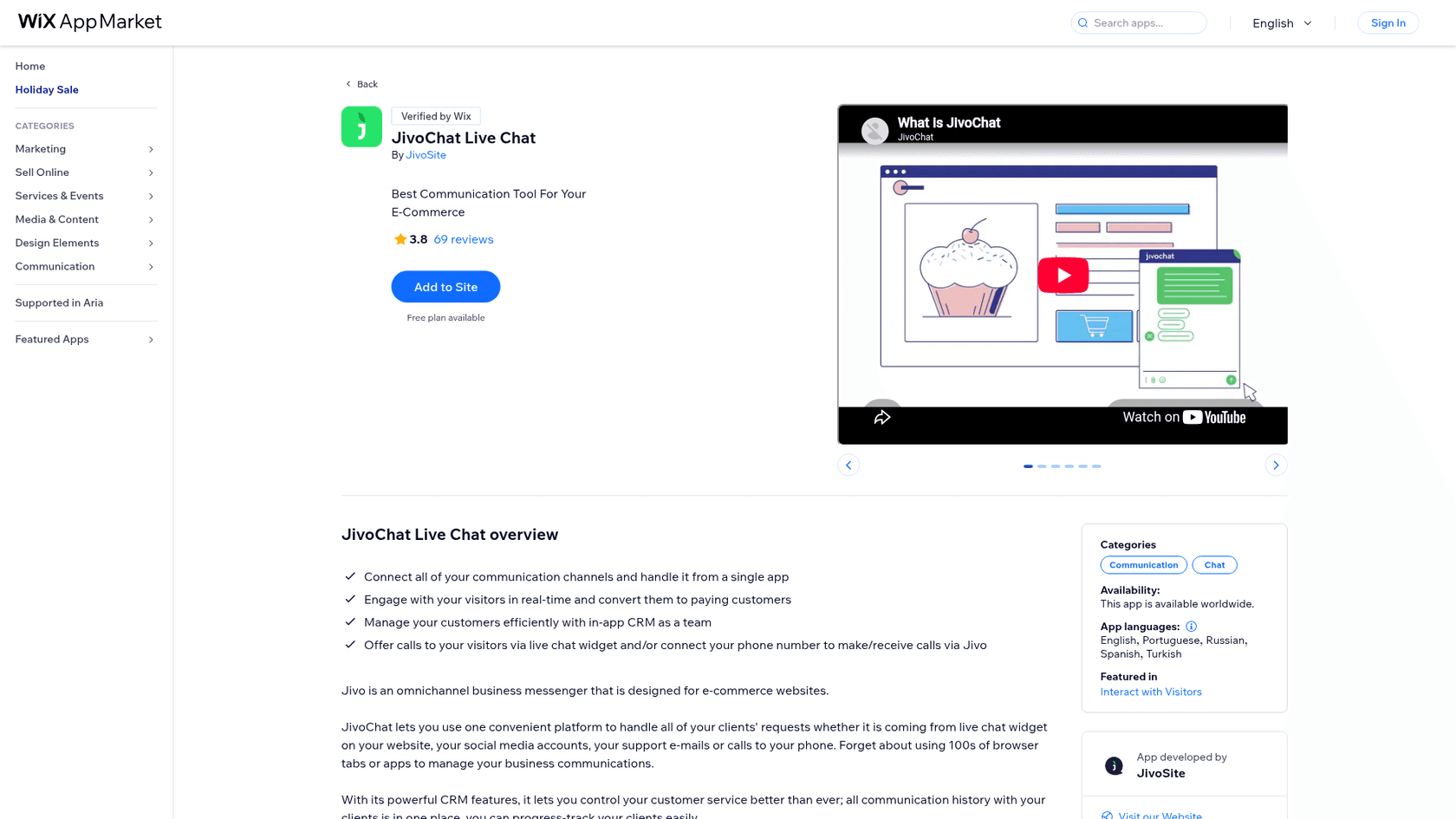
Jivo (JivoChat) is an omnichannel business messenger first, with a paid AI Agent add-on. It's ninth here because the AI is the add-on, not the core.
How it works on Wix
Jivo's Wix guide lists three routes. Custom Code is "available only for paid versions of Wix." The App Market app is "available for free Wix users", though on mobile a Wix button replaces Jivo's own widget icon. An HTML embed box also works but drops the mobile version and Google Analytics.
What I liked
- The only tool here with an AI chat route its guide says works on a free Wix site.
- The AI Agent only uses your website and the knowledge base you upload, and agents can watch any conversation and join at any time.
- Unlimited conversations and sites on every plan, and a widget in 25 languages.
Watch out for
- AI is priced per agent seat: $69 per agent a month on top of a plan, so cost follows team size, not chat volume.
- The Wix App Market listing shows older prices than Jivo's own page; trust the vendor page.
- Its rating is 3.8 from 69 reviews, and one recent reviewer said the widget never appeared and couldn't be removed. Jivo's AI Agent runs on OpenAI.
Pricing
From Jivo's pricing page, per agent per month, billed yearly:
| Plan | Price | Highlights |
|---|---|---|
| Free | $0 | Website chat, social channels, offline forms, apps |
| Basic | $28 | Proactive invitations, canned answers, Jivo CRM |
| Professional | $42 | WhatsApp, telephony, chatbot integration |
| Enterprise | $56 | Chat routing, mobile SDK, Chat API |
| AI Agent add-on | $69 per agent | Answers from your site and knowledge base |
Monthly billing isn't printed as a list price; the calculator shows discounts of 10% for 3 months and 30% for a year.
Verdict: pick Jivo if you're on a free Wix plan, or you want one inbox for website chat, Instagram, Telegram and calls. Skip it if you want AI to do most of the answering on a small budget. The deciding factor is the per-seat AI price.
What does an AI chatbot for Wix cost a small business?
Here's one buyer, priced the same way across all nine: a small Wix business with about 300 chats a month, one or two people answering, and roughly 4 bot replies per chat. I've counted AI cost on top of whatever Wix plan you already pay for. Where a tool bills per reply or per request, I used the cheapest credit cost the vendor publishes.
| Tool | The maths | Monthly AI cost |
|---|---|---|
| Elfsight | 300 chats x 4 visitor messages = 1,200 messages, so Premium (3,000) | $24 monthly ($20 yearly) |
| Wix Smart Chat | Business plan covers up to 300 chat actions | $39 billed yearly, the whole site plan |
| Crisp | Mini $45 + 300 x $0.05 to $0.10, minus $5 included | $55 to $70 |
| Jivo | AI Agent $69 x 1 or 2 agents (yearly), Free plan | $69 to $138 |
| Chatway | 300 x $0.50, only for resolved chats | $90 at 60% resolved, $150 at 100% |
| tawk.to | 300 x 4 replies x 3 credits = 3,600 credits, so Business (5,000) | $99 |
| Chatbase | 1,200 credits at 1 per reply, inside Basic's 4,000 | $150 ($120 yearly) |
| Tidio | Lyro 300-conversation tier | $210, plus Starter $29 if handoffs pass 50 |
| eesel | 300 chats = 300 credits, Teammate 500 | $299 |
Two things stand out. Wix Smart Chat is cheapest if you're already on its Business plan, but 300 is the top of that plan's estimate, and the credits are shared with Wix's other AI tools. And eesel is the most expensive at this volume; the 200 spare credits only pay off if you also point it at a helpdesk queue or your chats grow. If your volume is closer to 1,000, rerun it in the calculator above, because the order changes.
How do you add an AI chatbot to a Wix site?
There are two routes, and which one a tool uses decides whether a free Wix site can run it.
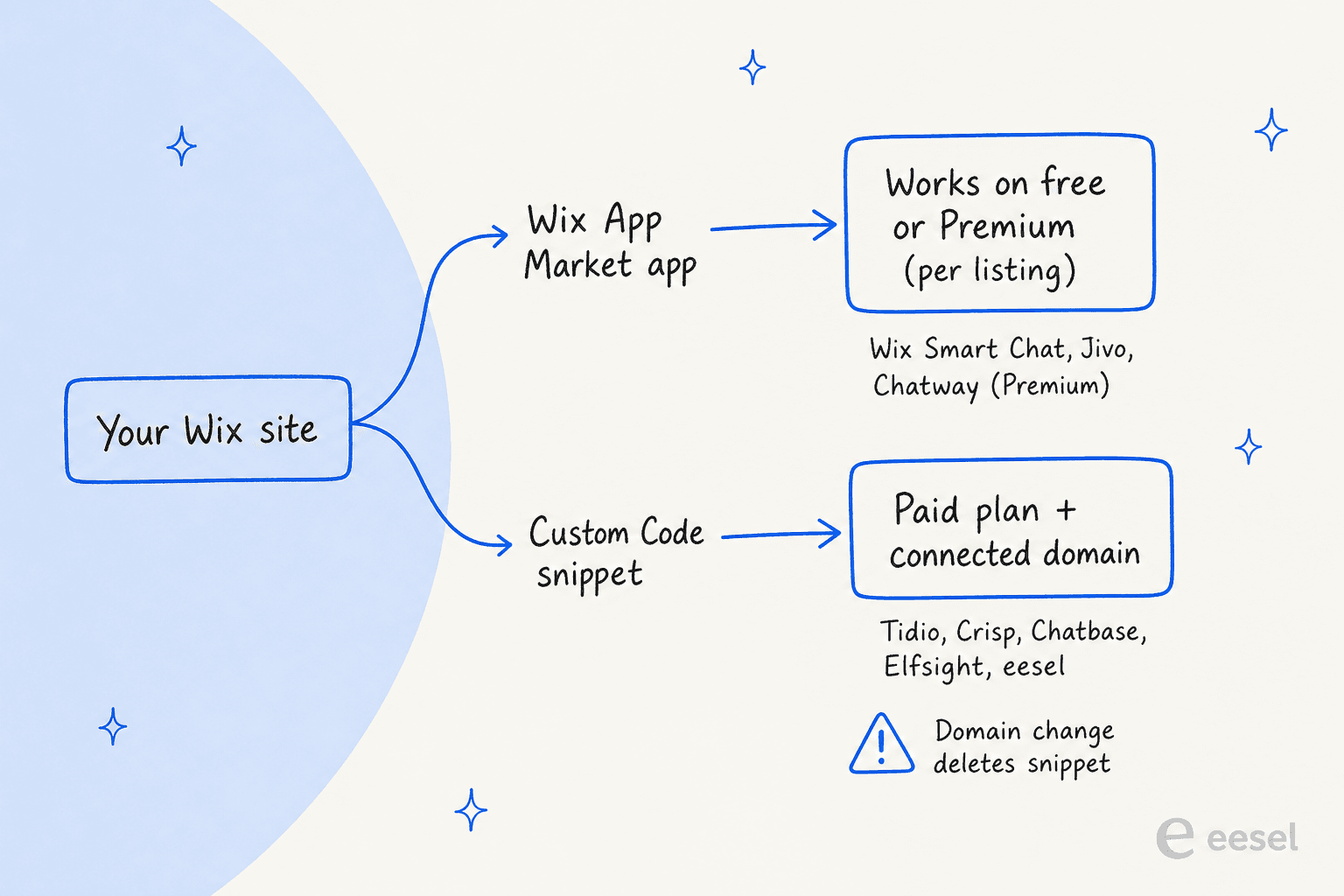
Route A: Wix App Market app (Wix Smart Chat, Chatway, Jivo)
- In your Wix dashboard, open the App Market and search for the app.
- Click Add to Site and approve the permissions.
- Create or connect the vendor account, set up the AI, and publish your site.
Route B: Custom Code snippet (Tidio, Crisp, Chatbase, Elfsight, eesel)
- Copy the widget script from the chatbot's dashboard.
- In Wix, go to Settings > Development & integrations > Custom Code and click Add Custom Code.
- Paste the snippet, name it, choose All pages, and place it in Body - end.
- Click Apply, then check the live site in a private window.
The gotchas, all from Wix's Custom Code article:
- Custom Code needs a published site with a connected domain.
- Changing your site's domain deletes the code snippets, so re-add the chatbot after any domain move.
- Wix doesn't support third-party code; if the widget misbehaves, you contact the chatbot vendor.
- A December 2025 security change can block snippets that worked before until the vendor updates them.
- Wix recommends categorizing custom code for GDPR cookie consent.
For a longer walkthrough of the human side, my guide on setting up AI live chat covers greetings, hours and handoff rules, and training a chatbot covers the knowledge side.
Try eesel on your Wix site
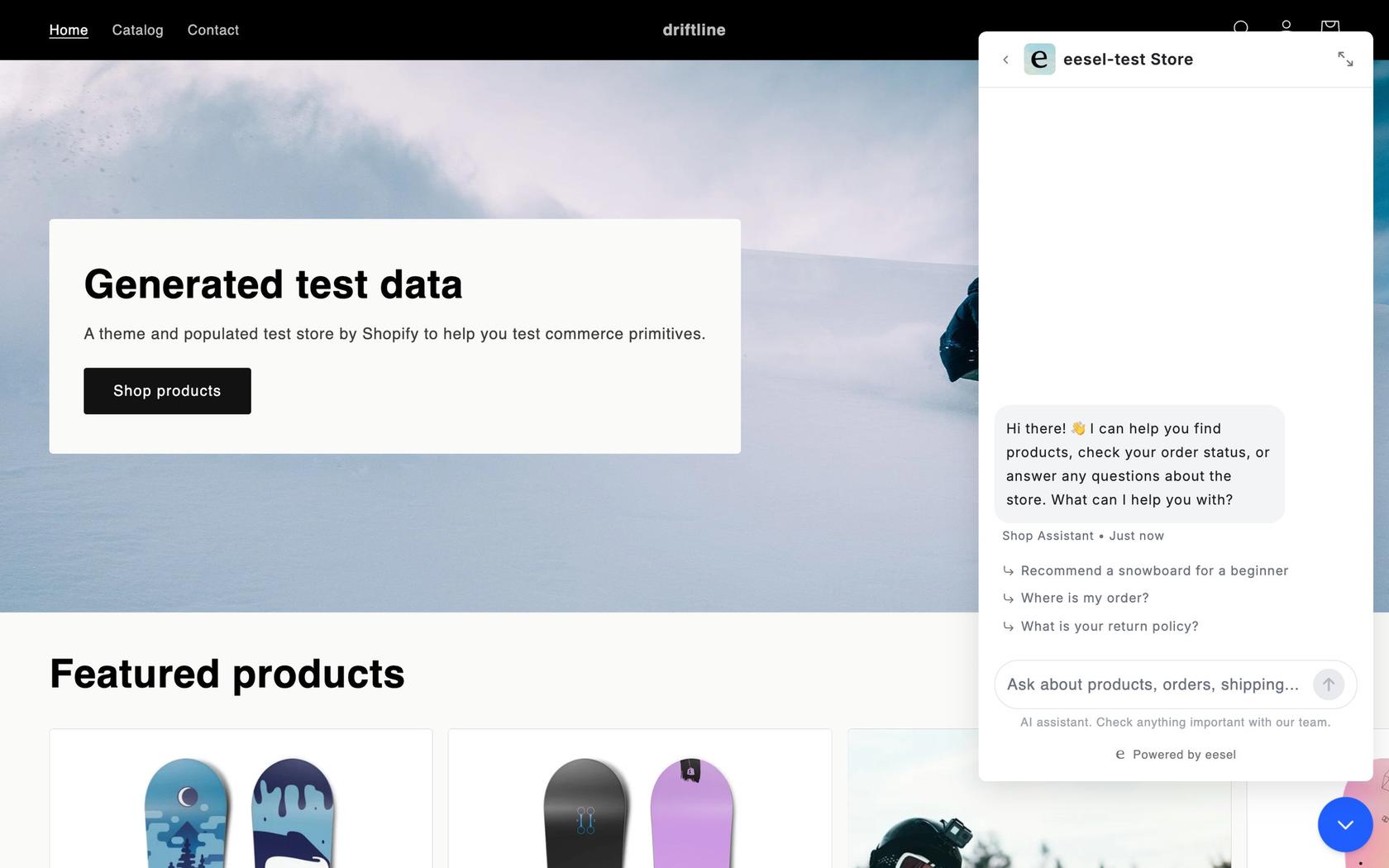
If your Wix visitors ask questions whose answers live in a help center, a Google Doc or your helpdesk, eesel's chat bubble answers from all of it, and anything it can't close becomes a helpdesk ticket or an email to you. It's 1 credit per chat however long, with a free 7-day trial of 100 credits and Teammate plans from $299 for 500 credits on the pricing page. IC Intracom runs a bubble on each of its two stores, answering from about 2,100 product records, and handled 34 website chats in its first month.
Frequently Asked Questions
What is the best AI chatbot for Wix?
For most small Wix sites, Tidio is the best AI chatbot for Wix: Lyro answers from your site and FAQs and hands off inside the same live chat inbox. Chatway is the pick if you want a Wix App Market install and pay only for resolved chats, and eesel fits when answers need to come from docs and a helpdesk too. My customer service chatbot roundup covers tools beyond Wix.
Does Wix have a built-in AI chatbot?
Yes. Wix Smart Chat is Wix's own AI and manual chat app. It answers from your public site content plus training rules you write, and it runs on the AI credits in your Wix plan, from up to 120 a month on the free plan to up to 1,000 on Business Elite. My Wix Smart Chat review goes deeper.
Can I add ChatGPT to my Wix site?
Not as a one-click ChatGPT button. Chatbase lets you pick OpenAI, Anthropic, Gemini and other model families for an agent you embed through Wix Custom Code, and Chatway lets you connect ChatGPT or Claude through MCP, webhooks and its API. A raw model with no knowledge of your business tends to guess, which is the main AI chatbot problem to avoid.
Is there a free AI chatbot for Wix?
A few have free tiers with small AI allowances: Wix Smart Chat on the free Wix plan (up to 120 credits a month), tawk.to AI Assist Hobby (100 message credits a month), Elfsight Free (50 AI messages a month) and Chatway Free (10 AI conversations to start). Tidio gives 50 Lyro conversations once. My chatbot cost guide explains what happens past the free limits.
How much does an AI chatbot for Wix cost per month?
For a small Wix business with about 300 chats a month, I worked it out at roughly $24 on Elfsight Premium, $55 to $70 on Crisp Mini, $90 to $150 on Chatway, $99 on tawk.to Business, $150 on Chatbase Basic, $210 for Tidio Lyro and $299 on eesel. Wix Smart Chat is in the Business plan at $39 a month billed yearly. The full maths is in my Wix Smart Chat pricing post for the Wix side.
Can an AI chatbot on Wix hand chats to a real person?
Most can, in different ways. Tidio, Chatway, Crisp, tawk.to and Jivo hand off inside a live chat inbox, Chatbase can route to its own helpdesk or open a ticket, eesel creates a helpdesk ticket or sends an email, and Elfsight shows a contact card with email, phone or WhatsApp. My post on AI chatbot vs live chat covers when each model fits.