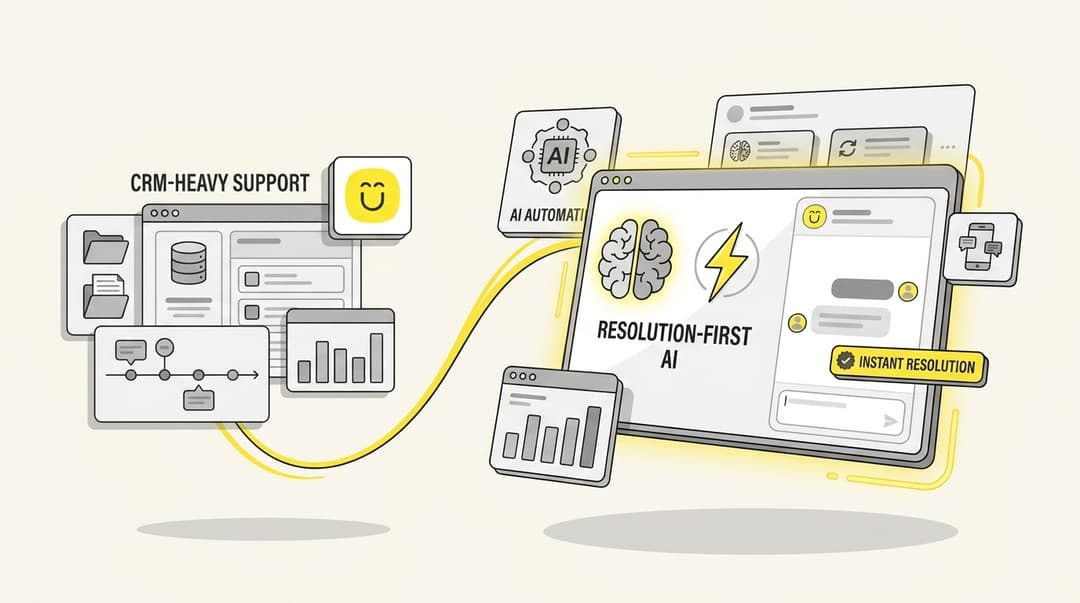
Crisp.chat has served over 400,000 users since 2015, offering a straightforward messaging platform for small businesses. But as your support needs grow, you might find yourself bumping into its limitations. The basic AI struggles with complex queries, the pricing gets tricky when you need more seats, and most teams plateau at around 30-40% automation.
I tested seven of the best Crisp alternatives to see which ones actually deliver on their promises. This updated guide also includes Chatloom, reviewed using its published product information. It breaks down what each platform does well, where they fall short, and which one fits your specific needs.
What is Crisp.chat?
Crisp is an all-in-one messaging platform founded in France in 2015. It offers live chat, a chatbot builder, knowledge base, co-browsing, and multi-channel support. The platform works well for startups and small businesses that need basic customer communication tools.
Pricing breakdown:
| Plan | Price | Includes |
|---|---|---|
| Free | $0 | Personal websites only, 2 seats |
| Pro | $25/workspace/mo | 4 seats, unlimited history, triggers |
| Unlimited | $95/workspace/mo | Unlimited seats, chatbots, analytics |
The workspace-based pricing looks attractive at first. But here is the catch: when you need more than four seats, you either jump to the $95 plan or create multiple workspaces. That gets clunky fast.
Common complaints from users include limited AI training options, a resolution rate that plateaus early, and customization restrictions that become frustrating as you scale.
How I evaluated these Crisp alternatives
I looked at each platform through the lens of real support scenarios. Here is what mattered most:
- AI resolution capabilities - Not just chatbots, but true autonomous resolution
- Pricing transparency - How costs scale as you grow
- Integration ecosystem - Whether it plays nicely with your existing stack
- Ease of setup - How quickly you can go live
- Action execution - Can it actually complete tasks, or just draft replies?
Comparison table: Crisp alternatives at a glance
| Platform | Best For | Starting Price | AI Resolution | Key Differentiator |
|---|---|---|---|---|
| eesel AI | AI-first autonomous support | $0.40 per ticket | Up to 81% | Teammate model, plain-English control |
| Intercom | Enterprise engagement | $29/seat/mo + $0.99/resolution | 60-66% | Fin AI, proactive messaging |
| Zendesk | Large teams, ticketing | $55/agent/mo | 50-58% | Comprehensive help desk suite |
| Chatloom | AI replies on WhatsApp, Instagram and web | Free plan available | Not independently verified | No-code agent trained on your content |
| Gorgias | E-commerce/Shopify | $10/mo + usage | 60-62% | Shopify-native actions |
| Freshdesk | Growing teams | Free-$19/agent/mo | 45-50% | Omnichannel, Freshworks ecosystem |
| Help Scout | Simple, human support | $25/agent/mo | 40-45% | Shared inbox, personal tone |
| Tidio | Small business, budget | Free | Basic | Easy setup, free tier |
The 8 best Crisp alternatives
1. eesel AI

Best for: Teams ready to embrace true AI autonomy
Unlike Crisp's basic chatbots, eesel AI operates as a fully autonomous teammate. It learns your business from past tickets, help center articles, and connected docs in minutes (not weeks). Then it handles tickets end-to-end, from reading the request to taking action and closing the loop.
What makes eesel different is the teammate model. You do not configure it like a tool. You hire it like a team member. Start with eesel drafting replies for review. As it proves itself, level up to full autonomy. Define escalation rules in plain English: "If the refund is over $500, loop me in first." No coding required.
Before going live, you can run bulk simulations on your past tickets to measure quality and tune prompts. This lets you verify performance before customers see a single AI response.
Key features:
- Up to 81% autonomous resolution in mature deployments
- Learns instantly from existing data (no manual training)
- Takes real actions: looks up orders, processes refunds, updates records
- Progressive rollout: start guided, level up to autonomy
- Flat pricing (not per-agent or per-resolution)
Pricing:
| Plan | Price | Includes |
|---|---|---|
| Team | $239/mo (annual) | 3 bots, 1,000 tickets/mo, Copilot, Slack |
| Business | $639/mo (annual) | Unlimited bots, 3,000 tickets/mo, AI Agent, bulk simulation |
| Custom | Contact sales | Unlimited everything, multi-agent orchestration |
Pros:
- True autonomous resolution, not just chatbot responses
- Learns your business instantly from existing data
- Flat pricing removes cost shock at scale
- Pre-go-live testing builds confidence
Cons:
- Higher starting price than entry-level tools
- Best for teams ready to embrace AI autonomy (not those wanting basic chat)
2. Intercom
Best for: Enterprise teams needing comprehensive engagement tools
Intercom bills itself as "the only helpdesk designed for the AI Agent era." Its Fin AI Agent sits at the center of the platform, handling conversations across email, chat, phone, WhatsApp, and social channels.
Fin uses multi-turn reasoning to understand context across long conversations. It integrates with your CRM and product data to give personalized responses rather than generic replies. When it hits its limits, Fin hands off to human agents with full context.
The platform also includes Copilot for human agents, proactive messaging tools, and extensive analytics. But this sophistication comes at a cost.
Key features:
- Fin AI Agent with advanced reasoning
- Omnichannel support (email, chat, phone, WhatsApp, social)
- Proactive engagement based on behavior signals
- 450+ app integrations
Pricing:
| Plan | Price (annual) | Key Features |
|---|---|---|
| Essential | $29/seat/mo | Fin AI ($0.99/outcome), Messenger, Shared Inbox |
| Advanced | $85/seat/mo | Workflows, round-robin, 20 Lite seats |
| Expert | $132/seat/mo | SSO, HIPAA, multibrand, 50 Lite seats |
Pros:
- Advanced AI reasoning and context awareness
- Strong proactive engagement capabilities
- Comprehensive feature set for large teams
Cons:
- Expensive at scale (per-seat + per-resolution pricing)
- Complex for smaller teams
- Resolution-based pricing creates unpredictable costs
3. Zendesk
Best for: Large teams needing scalable infrastructure
Zendesk has been the 800-pound gorilla in support software for years. Its AI offerings now include AI Agents (Essential and Advanced tiers), Copilot for agents, and extensive automation capabilities.
The platform shines when you need enterprise-grade features: custom roles, sandbox environments, audit logs, and complex routing rules. With 1,800+ apps in its marketplace, Zendesk integrates with virtually everything.
The tradeoff is complexity. Getting the most from Zendesk requires investment in setup, training, and ongoing administration. AI features also require add-ons on lower tiers.
Key features:
- Comprehensive ticketing and help desk
- AI Agents with essential and advanced tiers
- Omnichannel (email, messaging, phone, social)
- 1,800+ app integrations
Pricing:
| Plan | Price (annual) | Key Features |
|---|---|---|
| Support Team | $19/agent/mo | Email ticketing, basic automations |
| Suite Team | $55/agent/mo | AI agents (Essential), messaging, 1 help center |
| Suite Professional | $115/agent/mo | Copilot, 5 help centers, skills routing, HIPAA |
| Suite Enterprise | $169/agent/mo | Sandbox, custom roles, up to 300 help centers |
Pros:
- Mature, reliable platform
- Comprehensive feature set for enterprises
- Strong ecosystem and integrations
Cons:
- Per-agent pricing adds up quickly
- AI features require add-ons
- Steep learning curve
4. Chatloom
Best for: Small businesses that want AI replies across WhatsApp, Instagram and their website
Chatloom is an AI agent that answers on WhatsApp, Instagram and your website from your own content. Free plan, no coding.
Teams can add their website, documents and FAQs, choose the agent's tone, and test conversations before going live. For WhatsApp, Chatloom connects through Meta's guided setup using your business number. When a customer needs a person, your team can take over with the conversation history available.
Key features:
- Answers informed by your website, documents and FAQs
- WhatsApp, Instagram and website chat support
- No-code setup and configurable tone
- Human handoff with conversation context
Pricing: Free plan available. Check current plan limits before choosing a tier. Meta bills applicable WhatsApp messaging fees separately.
Pros:
- Brings AI answers to the messaging channels customers already use
- Uses your own business content
- No coding required to get started
- Supports human takeover when needed
Cons:
- WhatsApp setup requires connecting an eligible business number
- Meta's messaging rules and any applicable fees still apply
- Answers depend on keeping your source content accurate and current
5. Gorgias
Best for: E-commerce stores on Shopify
Gorgias built its reputation as the support platform for e-commerce. Its deep Shopify integration lets you view order history, process refunds, and manage returns without leaving the helpdesk. The AI Agent can handle order tracking, subscription changes, and even product recommendations.
Unlike per-seat pricing, Gorgias charges based on ticket volume. This can work in your favor if you have a small team handling high volume, or against you during busy seasons like Black Friday.
Key features:
- Native Shopify, Magento, BigCommerce integrations
- Order-aware AI (check status, process refunds, handle returns)
- Revenue tracking from support interactions
- Social media comment management
Pricing:
| Plan | Price | Includes |
|---|---|---|
| Starter | $10/mo | 50 tickets, 3 seats |
| Basic | $60/mo | 300 tickets, 500 seats |
| Pro | $360/mo | 2,000 tickets, revenue stats |
| Advanced | $900/mo | 5,000 tickets, dedicated email server |
AI Agent add-on: $0.90/resolution (annual) or $1.00/resolution (monthly)
Pros:
- Native e-commerce actions (refunds, order lookups)
- Revenue impact tracking
- Fast setup for Shopify stores
Cons:
- Limited outside e-commerce use cases
- Usage-based pricing can spike during busy periods
6. Freshdesk
Best for: Growing teams wanting affordable omnichannel support
Freshdesk offers a generous free tier (up to 10 agents for 6 months) and competitive pricing for growing teams. Under the Freddy AI umbrella, it provides AI agents, copilot features, and analytics.
The platform covers all major channels: email, chat, phone, and social. Its automation builder lets you create workflows without coding. For teams already using other Freshworks products (Freshsales, Freshservice), the integration is seamless.
Freddy AI's capabilities lag behind dedicated AI platforms, but the price-to-feature ratio is hard to beat for budget-conscious teams.
Key features:
- Omnichannel inbox (email, chat, phone, social)
- Freddy AI for response suggestions
- No-code automation builder
- Free tier for up to 10 agents
Pricing:
| Plan | Price (annual) | Key Features |
|---|---|---|
| Free | $0 | Up to 10 agents for 6 months |
| Growth | $19/agent/mo | Ticketing, knowledge base, custom fields |
| Pro | $55/agent/mo | Freddy AI (500 sessions), 5,000 collaborators |
| Enterprise | $89/agent/mo | AI Copilot, skill-based routing, approval workflows |
Pros:
- Generous free tier
- Intuitive interface
- Good value for growing teams
Cons:
- AI feels supplementary rather than core
- Limited knowledge access outside Freshworks ecosystem
7. Help Scout
Best for: Small to medium teams prioritizing human support
Help Scout takes a different approach. Instead of pushing heavy automation, it focuses on making human support efficient and personal. The shared inbox feels like email but with collaboration features. Docs (the knowledge base) integrates seamlessly with the inbox.
AI features exist but stay lightweight: AI Drafts help agents write faster, AI Summarize condenses long conversations, and AI Answers (as an add-on) handles basic self-service.
If your brand values human connection over automation, Help Scout delivers.
Key features:
- Shared inbox for team collaboration
- Knowledge base (Docs) with AI Answers
- Beacon live chat widget
- Customer profiles and history
Pricing:
| Plan | Price (annual) | Key Features |
|---|---|---|
| Free | $0 | 5 users, 1 inbox, 1 docs site |
| Standard | $25/user/mo | 25 users, 2 inboxes, AI Assist |
| Plus | $45/user/mo | 50 users, 5 inboxes, unlimited AI Drafts |
| Pro | $75/user/mo | Unlimited users, 10 inboxes, SSO, HIPAA |
AI Answers add-on: $0.75/resolution
Pros:
- Easy to use with minimal training
- Maintains human feel in conversations
- Good knowledge base integration
Cons:
- Lightweight AI features
- Limited automation compared to AI-native platforms
8. Tidio
Best for: Small businesses and startups on tight budgets
Tidio gets you up and running in minutes. The free plan includes live chat, basic chatbots, and up to 50 conversations per month. Lyro AI adds automated responses for common questions.
The platform targets smaller e-commerce stores with Shopify and WooCommerce integrations. While it lacks the depth of enterprise tools, it covers the basics well at a price point that works for bootstrapped businesses.
Key features:
- Visual chatbot builder
- Lyro AI for automated responses
- 35+ chatbot templates
- E-commerce integrations (Shopify, WooCommerce)
Pricing:
| Plan | Price | Includes |
|---|---|---|
| Free | $0 | 3 operators, 50 conversations, basic chatbot |
| Starter | $29/mo | Increased limits |
| Growth | $59/mo | Advanced features |
| Tidio+ | $749/mo | Enterprise features |
Pros:
- Generous free plan
- Quick setup (minutes, not hours)
- Good for basic chat automation
Cons:
- Limited AI capabilities on lower tiers
- Scaling gets expensive
- Not designed for complex workflows
Choosing the right Crisp alternative for your team
Here is a quick decision framework:
- For AI-first autonomous support: eesel AI. If you want AI that actually resolves tickets end-to-end with up to 81% automation, this is your choice.
- For enterprise engagement: Intercom. Comprehensive features for large teams, but budget for the per-resolution pricing.
- For comprehensive help desk: Zendesk. Mature platform with every feature imaginable, if you can handle the complexity.
- For AI messaging across WhatsApp, Instagram and web: Chatloom. No-code setup using your own content, with human handoff.
- For e-commerce: Gorgias. Deep Shopify integration and revenue-focused features.
- For budget-conscious growth: Freshdesk. Generous free tier and solid features for the price.
- For simple human support: Help Scout. Clean, personal, and easy to use.
- For basic needs on a budget: Tidio. Free plan gets you started, though you will outgrow it eventually.
How to migrate from Crisp without downtime
Switching support platforms does not have to disrupt your customers:
- Export your data. Pull conversations and contacts from Crisp using CSV export.
- Import to the new platform. Most alternatives offer import tools or templates.
- Run parallel for a week. Keep Crisp active while testing the new platform.
- Rebuild core workflows. Focus on your top 5-10 support scenarios first.
- Test automation on a small slice. Before full rollout, run AI on a subset of tickets.
- Switch the embed code. Update your website widget when you are ready.
- Monitor for a week. Watch resolution rates and escalation patterns.
Final verdict: The best Crisp alternative in 2026
If you are ready to move beyond basic chatbots, eesel AI offers the most compelling upgrade path. The teammate model, progressive autonomy, and pre-go-live testing address the biggest risks of AI adoption. Flat pricing means no surprise bills when volume spikes.
For teams not ready for full AI autonomy, Intercom and Zendesk offer proven enterprise paths. Gorgias dominates for e-commerce. Freshdesk and Help Scout serve budget-conscious and human-first teams respectively.
The right choice depends on where you are today and where you want to be in six months. Start with the problem you are solving, not the features you want, and work backwards from there.
Frequently Asked Questions
Do you need a paid plan to get the best Crisp alternative features?
What should you look for in a Crisp alternative before buying?
How long does it take to migrate from Crisp to an alternative?
Can you keep using Crisp while testing an alternative?


Article by
Riellvriany Indriawan
Riell is a designer and writer at eesel AI with about two years of experience researching CX platforms, AI chatbots, and helpdesk software. She combines her design background with a sharp eye for how these tools actually look and feel in practice — making her comparisons unusually visual and user-focused.