


What is Chatway?
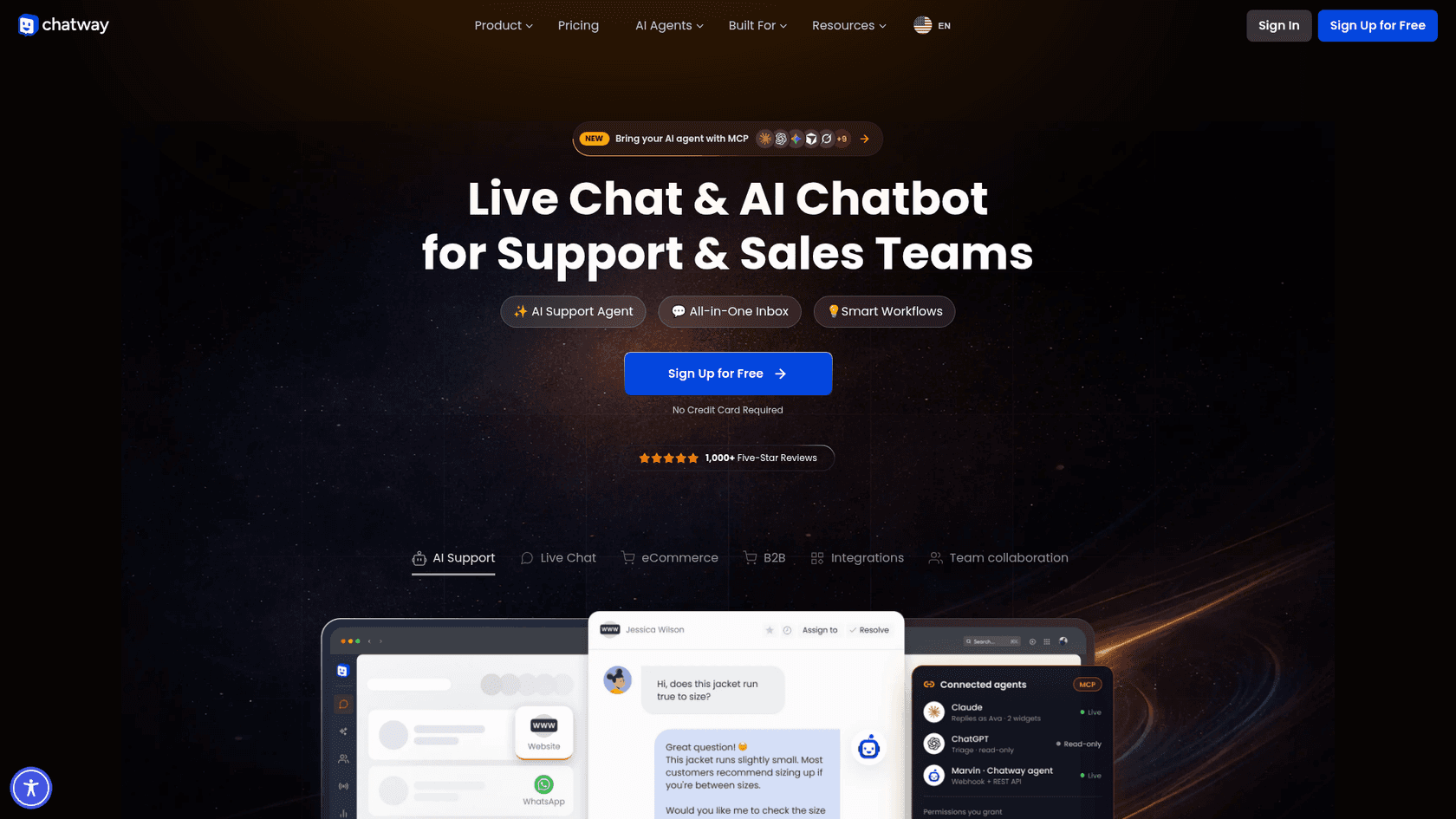
Chatway is a live chat widget, shared inbox and AI chatbot for small business websites. It installs through a WordPress plugin, apps for Shopify, Wix, Square, BigCommerce, Ecwid, Big Cartel, Duda, Thinkific, Nuvemshop, Tiendanube and Shoptet, or a JavaScript snippet on any site. On the Shopify App Store the developer is listed as Premio, and its Capterra replies are signed by Poptin, so the same team is behind those products. The WordPress plugin first appeared in November 2023.
| Chatway at a glance | |
|---|---|
| What it is | Website live chat, shared inbox, AI Support Agent, help center |
| Install base | 30,000+ active WordPress installs (WordPress.org) |
| WordPress rating | 5.0 from 770 ratings: 765 five-star, none one-star |
| Other ratings | 4.9 on Shopify (287), G2 (91), Capterra (80) and Trustpilot (258) |
| Version | 1.5.2, updated October 14, 2026; WordPress 4.7+, tested to 7.1.3 |
| Price | Free plan; paid from $39 a month; AI at $0.50 per resolved chat |
| Channels | Website chat, WhatsApp Business, Messenger, Instagram DMs, email (Business and up) |
| Store data | Shopify and WooCommerce carts, orders and products (Business and up) |
| Developer access | REST API, webhooks and an MCP server on every plan |
The vendor's own headline figure is "Trusted by over 50,000 businesses", across all the platforms combined.
How Chatway works
On WordPress, setup is three steps: install the plugin, create a free account from the plugin's signup screen, and the widget appears on your site. You can answer chats from the WordPress admin, the Chatway web app, or the iOS and Android apps. When logged-in WordPress users start a chat, their name, email and profile picture sync over automatically, which saves the "who am I talking to?" message.
Everything lands in one inbox. Agents can assign chats, leave private notes, use canned responses and tags, see who is on the site right now through live visitors, and start a chat with them. The widget itself has the usual live chat features: FAQs inside the widget, a pre-chat contact form, triggers by time or scroll, page and country targeting, working-hours messages, and separate desktop and mobile designs.
Adding the AI Support Agent
The AI agent is where Chatway has moved fastest. Per its setup guide, you name the agent, set its hours (24/7 by default), write extra instructions in a prompt field, edit the AI disclaimer, and then add data sources. A source can be a public link (Chatway pulls in the pages linked from it), a CSV of URLs, pasted text, or Q&A pairs, one at a time or in bulk by CSV. Your team can take over any chat in one click and hand it back to the AI later.
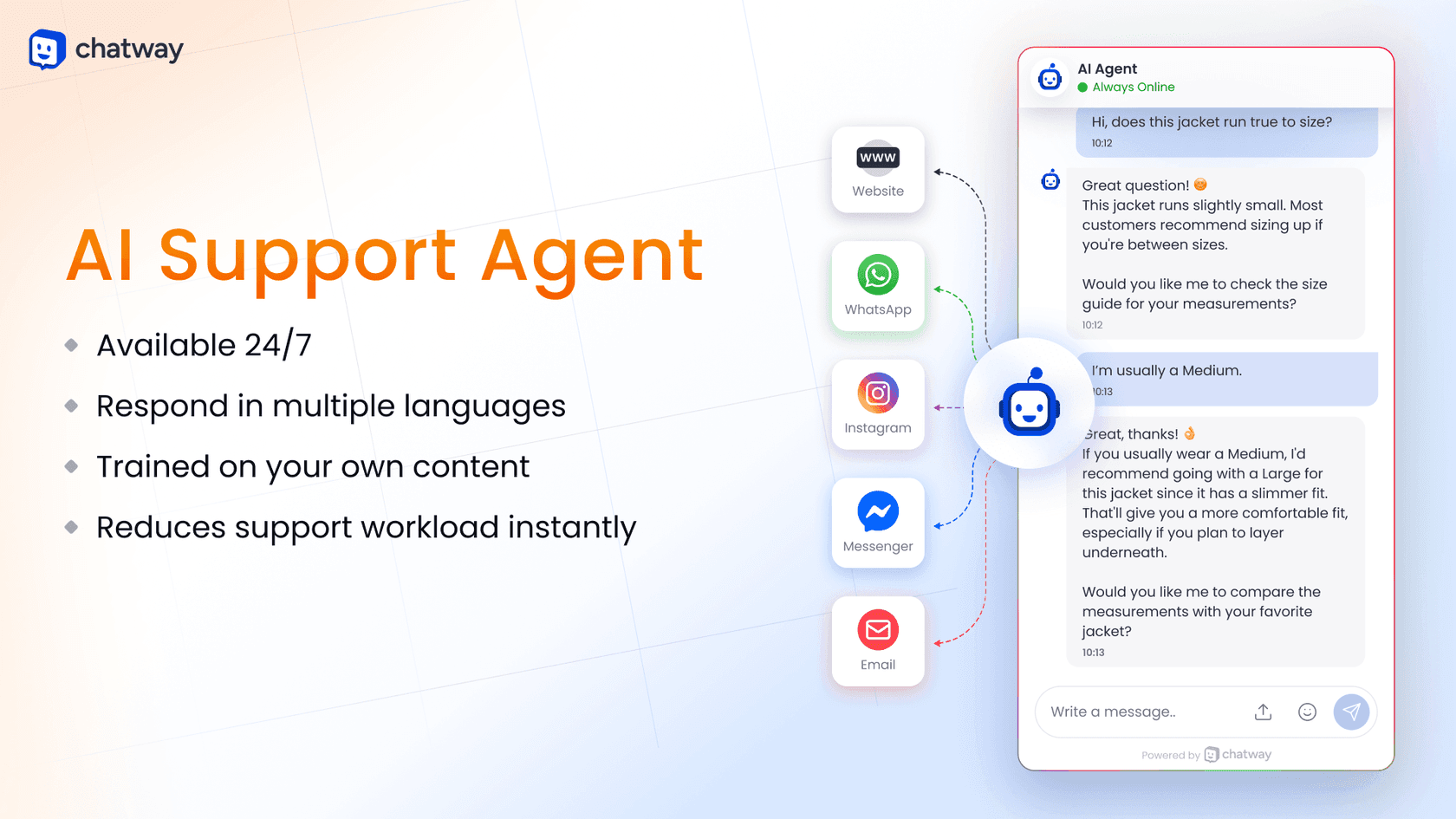
The agent answers on the website and, once connected, on WhatsApp, Messenger, Instagram and email too. On Plus you can create several AI agents and assign each to a different widget, which suits a business with two brands or two sites.
What Chatway does well
Chatway's strengths are the ones small teams feel first: price, polish and the store data. Here is where it stands out.
A free plan that is actually usable
The Free plan includes 1 seat, 50 conversations a month, 30 days of history, mobile apps, FAQs, canned responses, widget styling and social chat buttons, and it starts with 14 days of Plus features. That is more than a lot of free live chat software tiers give you. Reviewers notice it.
"I receive an email and a push notification from the app when someone chats with me. Customers report a very intuitive experience as well. I love the free plan to ensure the product will work for us in the long run. It has a very generous free plan."

On WordPress.org, a small business owner wrote in October 2026 that they run on the free version and that the paid features make more sense for someone with a larger audience. That matches what I read: the free plan is built for a one-person shop, not as a demo.
AI you pay for only when it resolves
Most chat tools bundle AI into a pricier plan. Chatway sells it as an add-on on every plan, including Free, at $0.50 per resolved conversation, with 10 AI conversations free to start. There is no forced upgrade. For a site with 100 chats a month where the AI resolves 60, that is $30 of AI on top of whatever plan you are on. It is one of the simplest chatbot pricing models I have seen.
One wording difference to know about: the pricing page says you pay per resolved conversation, while the setup guide says "one credit will be used for every conversation handled by the AI agent." If your AI hands a lot of chats to people, ask Chatway which rule your bill follows.
Shopify and WooCommerce data inside the chat
On Business and up, Chatway syncs Shopify or WooCommerce so agents see the shopper's cart, cart value and order history next to the chat, and can share product cards, coupons and order status without switching tabs. Visitors can check their own order status in the widget. Version 1.5.2, released October 2026, added WooCommerce order tracking in the widget and let the AI agent read WordPress pages, products, orders, carts and checkout abandonment data directly, without setting up WooCommerce API keys.
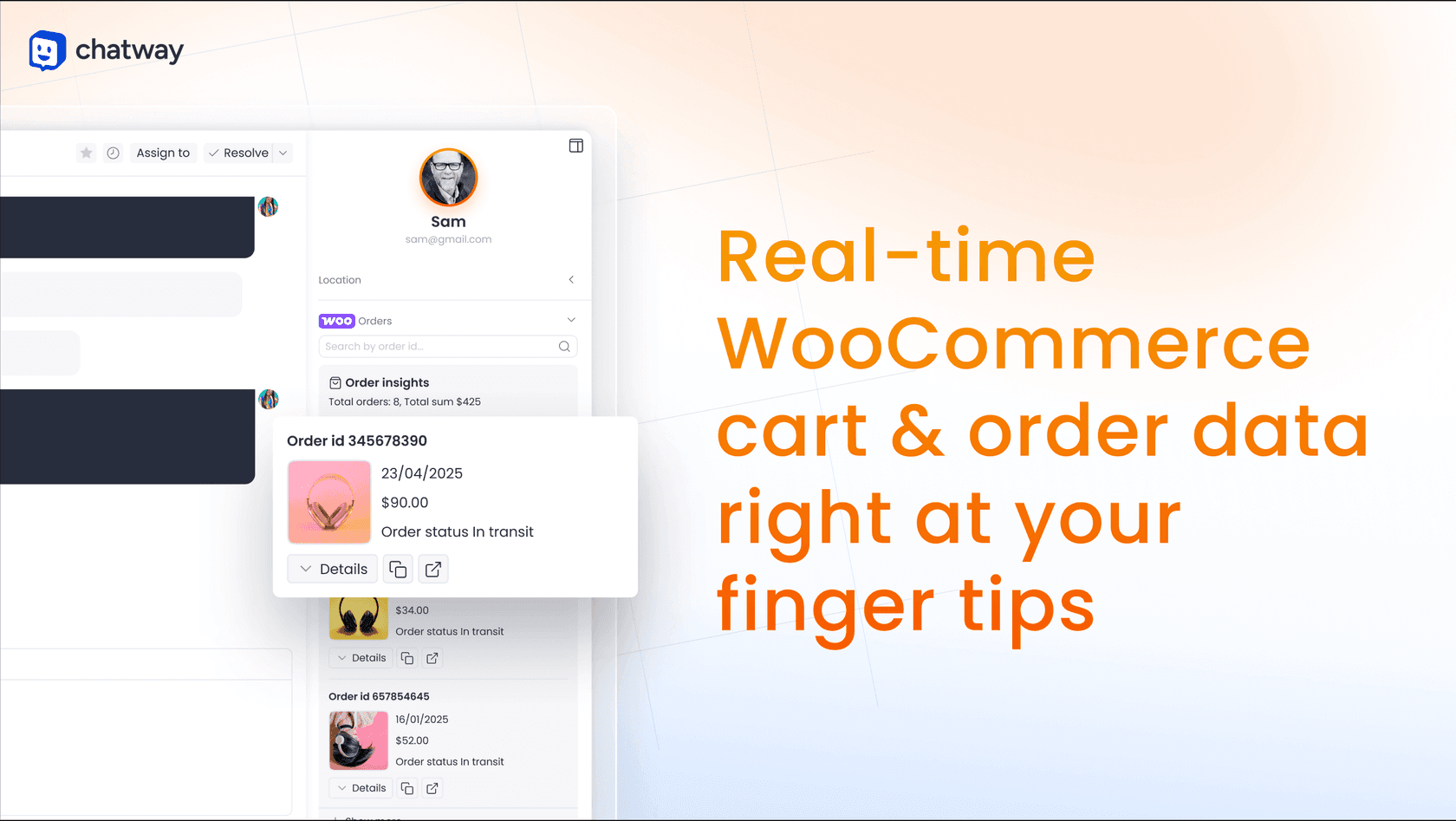
For a store, "where is my order?" is the question that never stops, and having the order in the chat is what turns it into a ten-second reply. My guide to WISMO automation covers what else helps there.
One inbox for chat, WhatsApp, Instagram, Messenger and email
From Business up, WhatsApp Business, Messenger, Instagram DMs and email join website chat in one inbox. Email works by giving you a @chatwaymail.com address and having you forward your existing mailbox to it, with step-by-step guides for Gmail, Outlook, Yahoo and iCloud. Live translation shows a visitor's message in your language, and the widget can be translated into 20+ languages. For a small team running a WhatsApp chatbot in one app and site chat in another, this is a real tidy-up.
Room for your own AI, through MCP, webhooks and an API
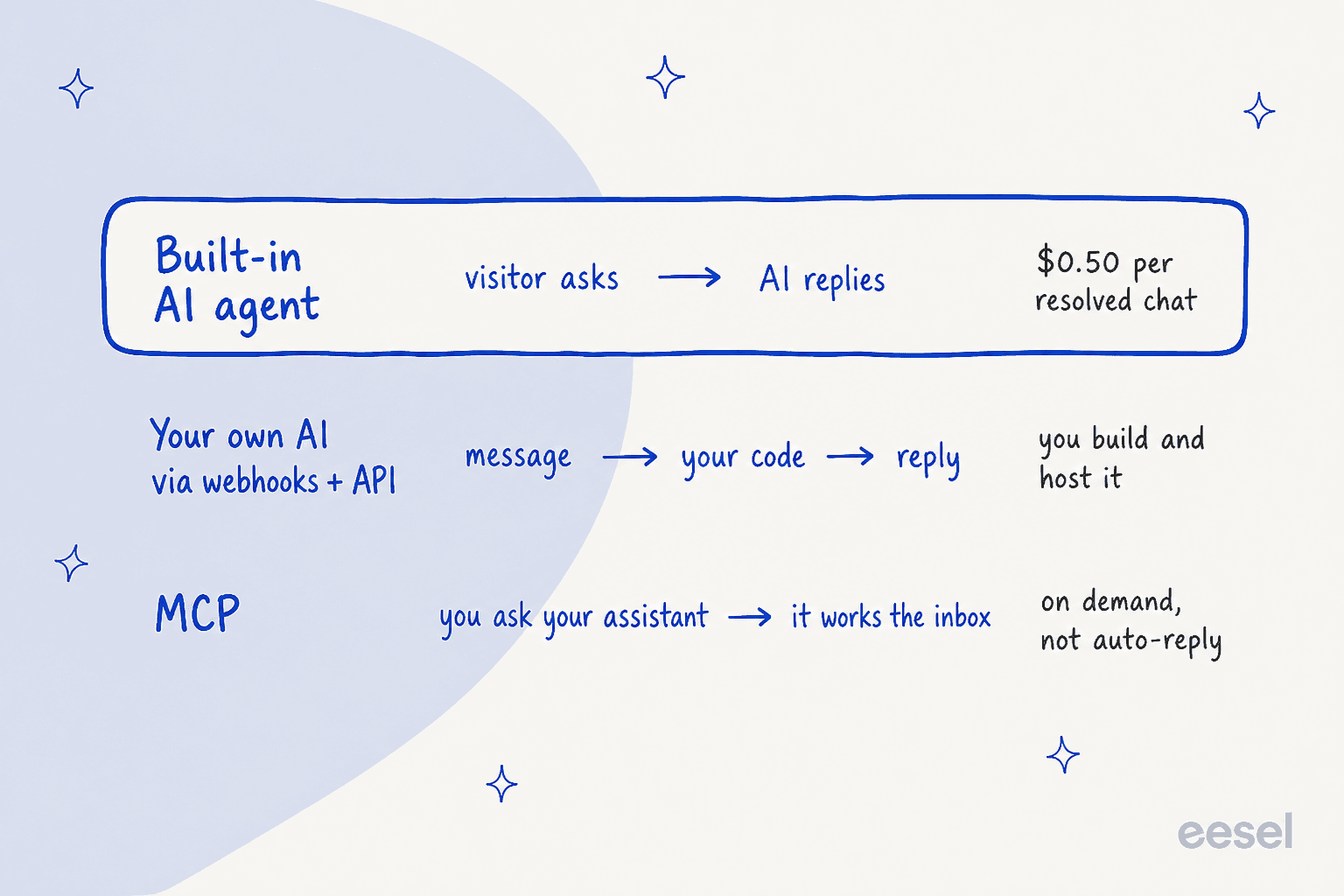
This is the part most chat plugins skip. Every Chatway plan, Free included, comes with a REST API, signed webhooks and an MCP server (MCP is the standard that lets assistants like Claude or ChatGPT use another app's tools). The MCP docs list 21 tools, from searching conversations and sending replies to tagging, resolving and handing off to a human, each behind a permission you grant.
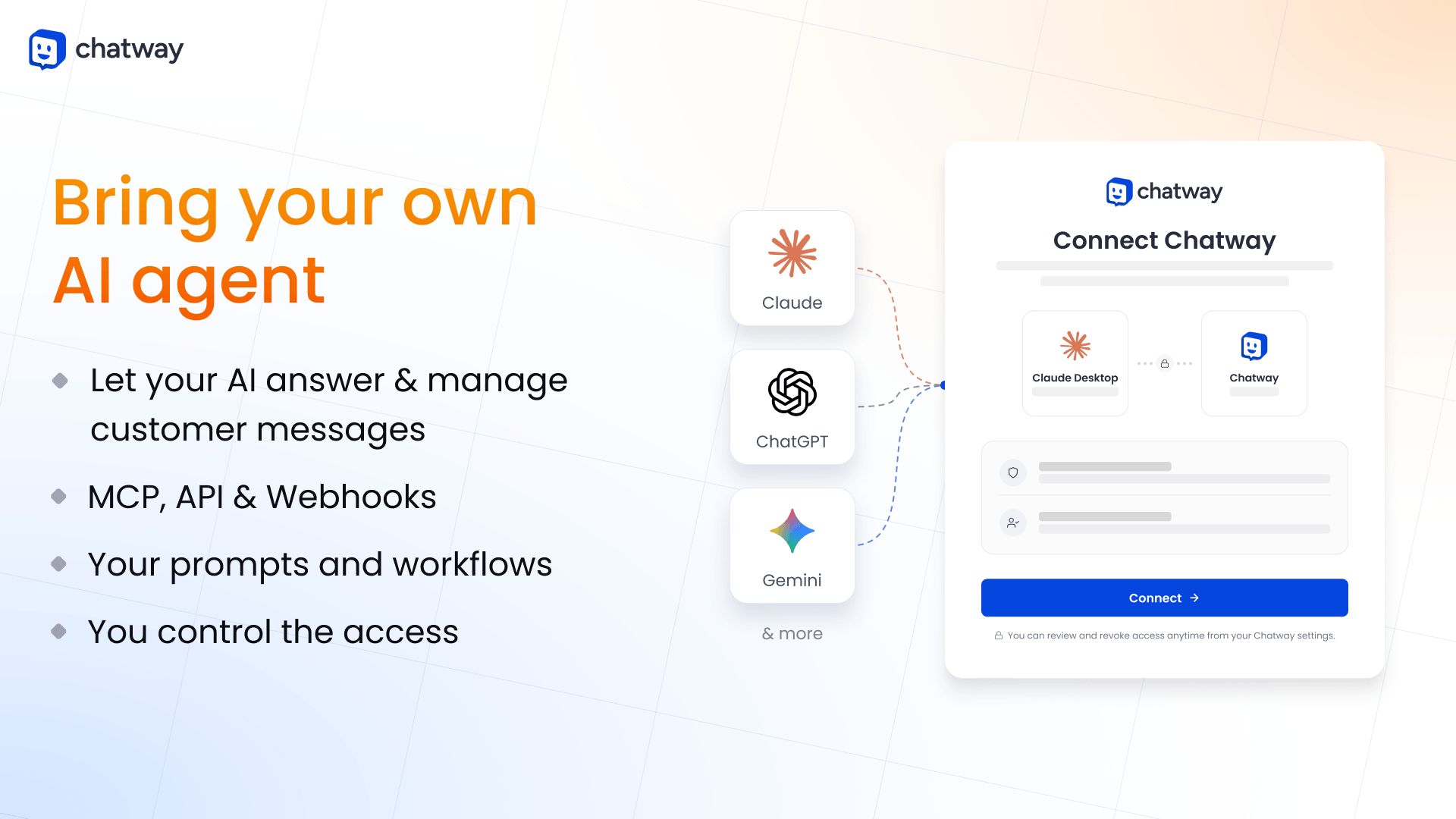
The docs are honest about what each path does, which I appreciated. Chatway says plainly that "connecting MCP alone does not create an automatic customer-reply workflow." MCP is for a person working the inbox through an assistant. To have your own model answer visitors automatically, you wire up webhooks and the API and host that code yourself.
Where Chatway falls short
None of these are reasons to skip Chatway on a small site. They are the things I would plan around before a busy season.
The AI learns from what you hand it, not from your history
Chatway's AI is "trained only on the data sources you provide like text and website links," per its pricing FAQ, and the setup guide adds that every link must be publicly accessible. Store data aside, the sources are public pages, pasted text and Q&A pairs. I did not find past chats or tickets on the list, or connectors for private docs in tools like Google Docs or Notion.
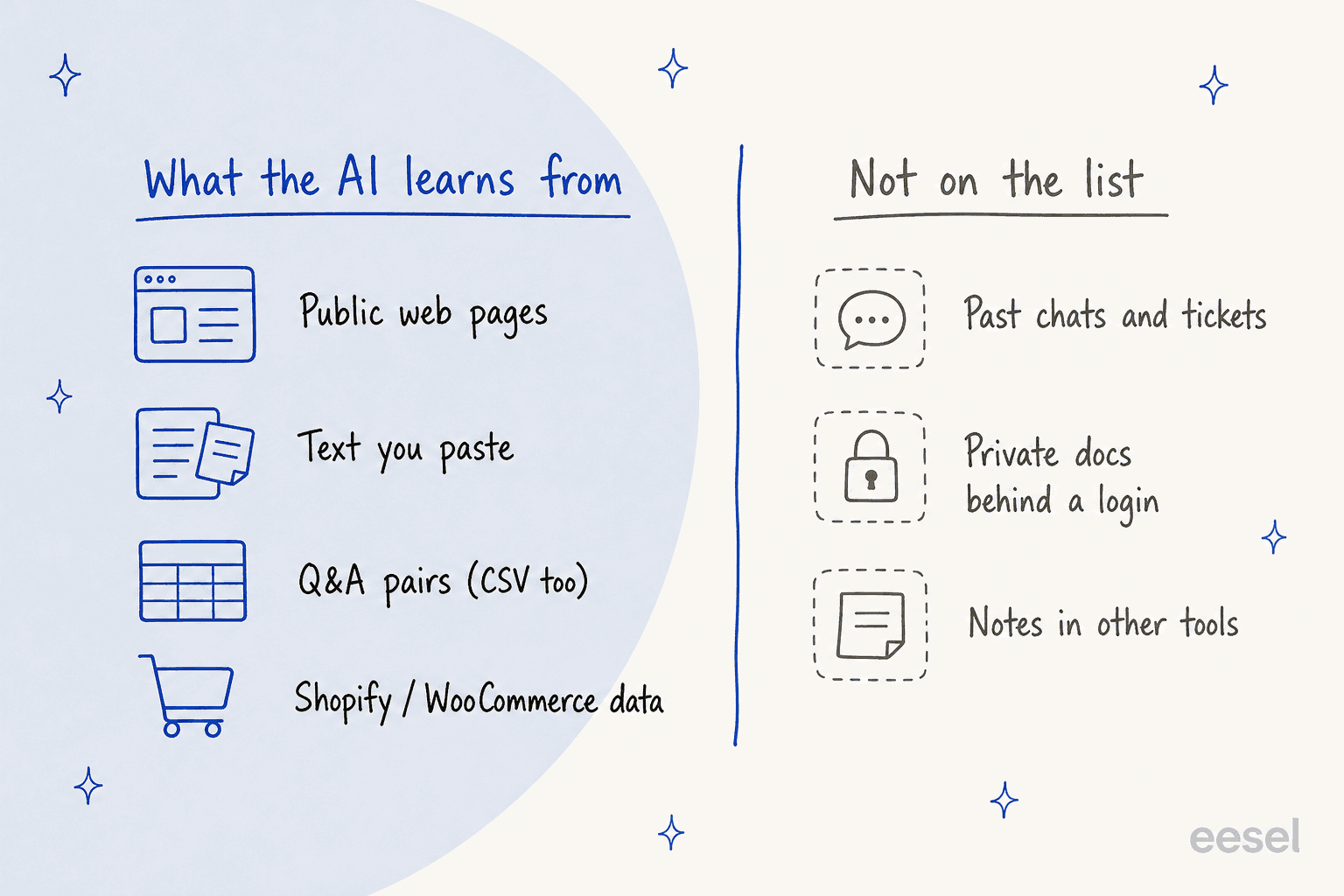
For a store with a tidy FAQ and good product pages, that is enough. For a team like the supplements brand above, whose real answers live in SOPs and old replies, it means writing a lot of Q&A pairs by hand before the AI is useful. The fix is either that writing work, or an AI that reads your history, which my guide to training AI on past tickets walks through. Either way, test it on real questions first; my notes on testing an AI agent show how.
A hard monthly conversation cap
Every plan has a monthly conversation limit: 50 on Free, 200 on Business, 1,000 on Plus. Per the pricing page, the limit counts conversations handled by your team and through the API, MCP and webhooks. When you reach it, "your widget stays visible, but you can't reply to new conversations." On Business and Plus you can reset early, and "each reset charges you for your current plan again."
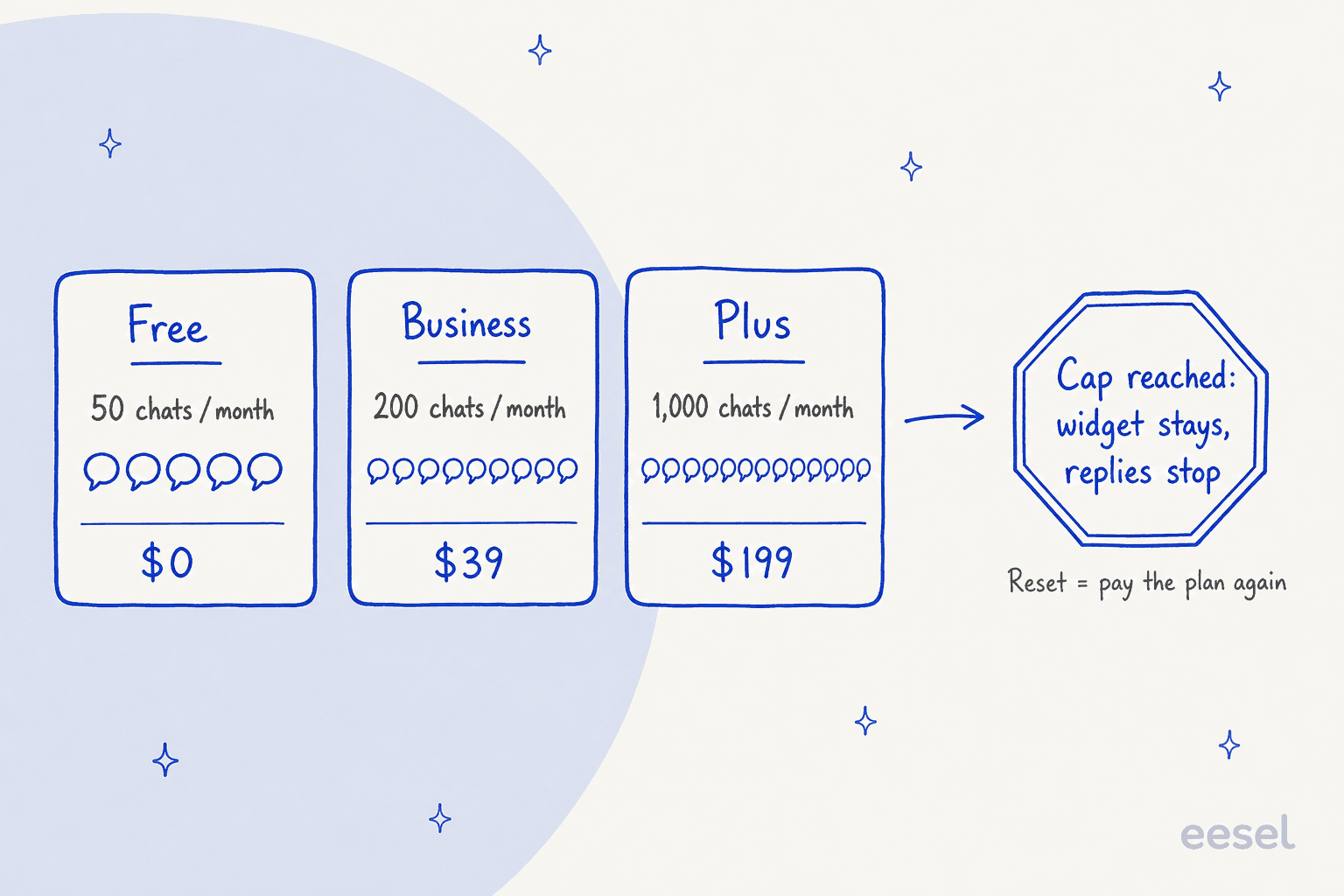
In practice, a Business store that gets 450 chats in a holiday month pays its $39 plan three times to keep replying. That is still cheap, but it is a cliff, not a slope, and the visitor on the wrong side of it sees a widget nobody can answer. My guide to after-hours support covers what happens to unanswered chats.
The good channels start on Business
On Free, WhatsApp, Instagram and Messenger are buttons that send the visitor to that app, and the conversation leaves Chatway. Connecting them to the inbox, plus email, live translation, store sync, automations, the help center and removing Chatway branding, all start on Business. Multiple widgets, multiple inboxes and team routing start on Plus at $199 a month. So "free" is for one person on one site; a two-brand business lands on Plus quickly.
Reviews are glowing, and very uniform
Chatway's ratings are about as high as ratings get: on WordPress.org, 765 of 770 are five stars, and 96% of Shopify ratings are five stars. Trustpilot shows 4.9 from 258 reviews with its own note that the company "hasn't invited customers recently, so reviews may not be representative." I read that as a happy user base, with a grain of salt for how polished the numbers look.
The low-star Shopify reviews are few, and they cluster. A UK cleaning supplies store wrote in September 2026 that WhatsApp would not connect and kept dropping, and Chatway's developer replied that it had confirmed both the WhatsApp and an automation issue. A printer shop in April 2026 found the admin confusing and kept seeing upgrade prompts. Two older 2024 reviews describe being messaged by the team for reviews more often than they liked.
Fine for basics, lighter for advanced setups
The most common critique in otherwise positive reviews is that Chatway is simple, which cuts both ways.
"One thing I liked least about Chatway is that some customization options are a bit limited compared to more advanced chat platforms. It would be great to have more control over the widget design and additional automation features."
A customer support user added a performance note:
"What I liked least about Chatway was that it can sometimes be slow to load, especially during busy periods. The delays occasionally affect the flow of communication and response time when handling customer inquiries."
Automations are counted too: 2 workflows on Business and 15 on Plus. That is plenty for greetings, surveys and tags, and tight if you want routing rules for every page and product line.
Chatway pricing
Chatway has four plans and one AI add-on. Monthly prices below, with yearly billing in brackets.
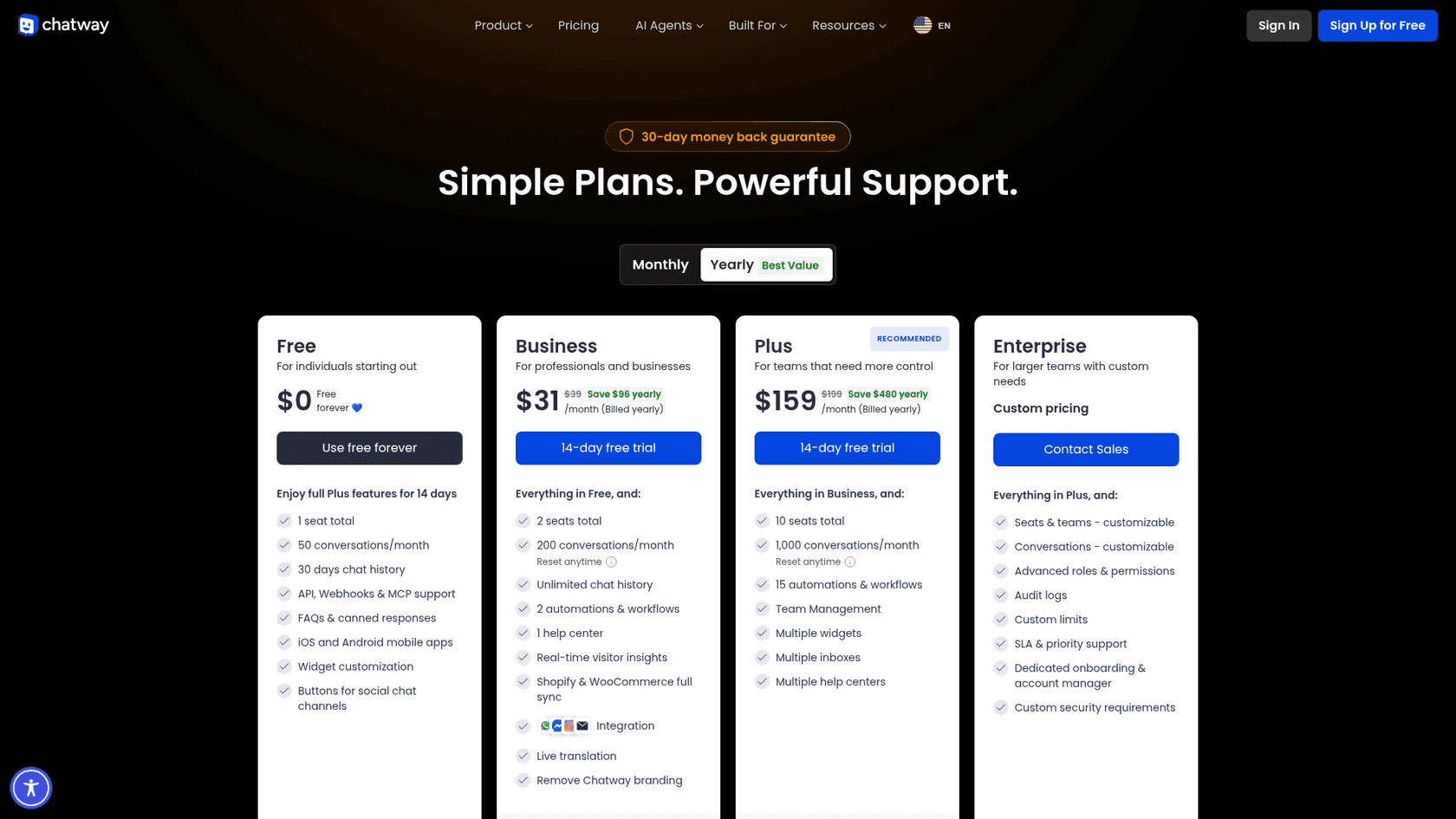
| Plan | Price per month | Seats | Conversations a month | Notable extras |
|---|---|---|---|---|
| Free | $0 | 1 (no other agents) | 50 | 30-day history, mobile apps, FAQs, API, webhooks, MCP |
| Business | $39 ($31 yearly) | 2 | 200 | Unlimited history, channel inbox, store sync, live translation, 2 automations, 1 help center, no branding |
| Plus | $199 ($159 yearly) | 10 | 1,000 | 15 automations, teams, multiple widgets, inboxes and help centers |
| Enterprise | Custom | Custom | Custom | Roles and permissions, audit logs, SLA and priority support, account manager |
| AI Support Agent | $0.50 per resolved conversation | Any plan | 10 free to start | Website plus connected channels, multiple languages |
Prices are in USD from Chatway's pricing page on October 21, 2026. Extra seats on Business and Plus are $19 a month ($16 yearly). Paid plans come with a 14-day free trial and a 30-day money-back guarantee, and the Shopify listing shows yearly totals of $372 for Business and $1,908 for Plus.
Here is how the cap, seats and AI add up for your numbers.
Plug in your monthly chats, the number of people replying, and how much you expect the AI to resolve to see the cheapest Chatway plan and where the cap bites.
Two notes on the numbers. Business and Plus cost almost the same per conversation at their caps (about 20 cents each), so the reason to move up is seats, inboxes and automations, not volume. And the AI cost scales with you: at 1,000 chats with half resolved by AI, the add-on is $250 a month on top of Plus. For context, my LiveChat pricing guide shows what a per-seat chat tool costs at the same size.
Chatway pros and cons
| Pros | Cons |
|---|---|
| Free plan with apps, FAQs, API and MCP | Hard monthly conversation cap on every plan |
| AI at $0.50 per resolved conversation, on any plan | AI learns from public pages, text and Q&A, not past chats |
| Shopify and WooCommerce carts and orders in the chat | Channel inbox, store sync and translation start on Business |
| WhatsApp, Instagram, Messenger and email in one inbox | Multiple widgets and inboxes need Plus at $199 a month |
| MCP server with 21 permissioned tools | Limited widget customization, per some reviewers |
| Runs on WordPress, Shopify, Wix and 10+ other platforms | Ratings very uniform; some recent WhatsApp connection issues |
Chatway or eesel: which one fits?
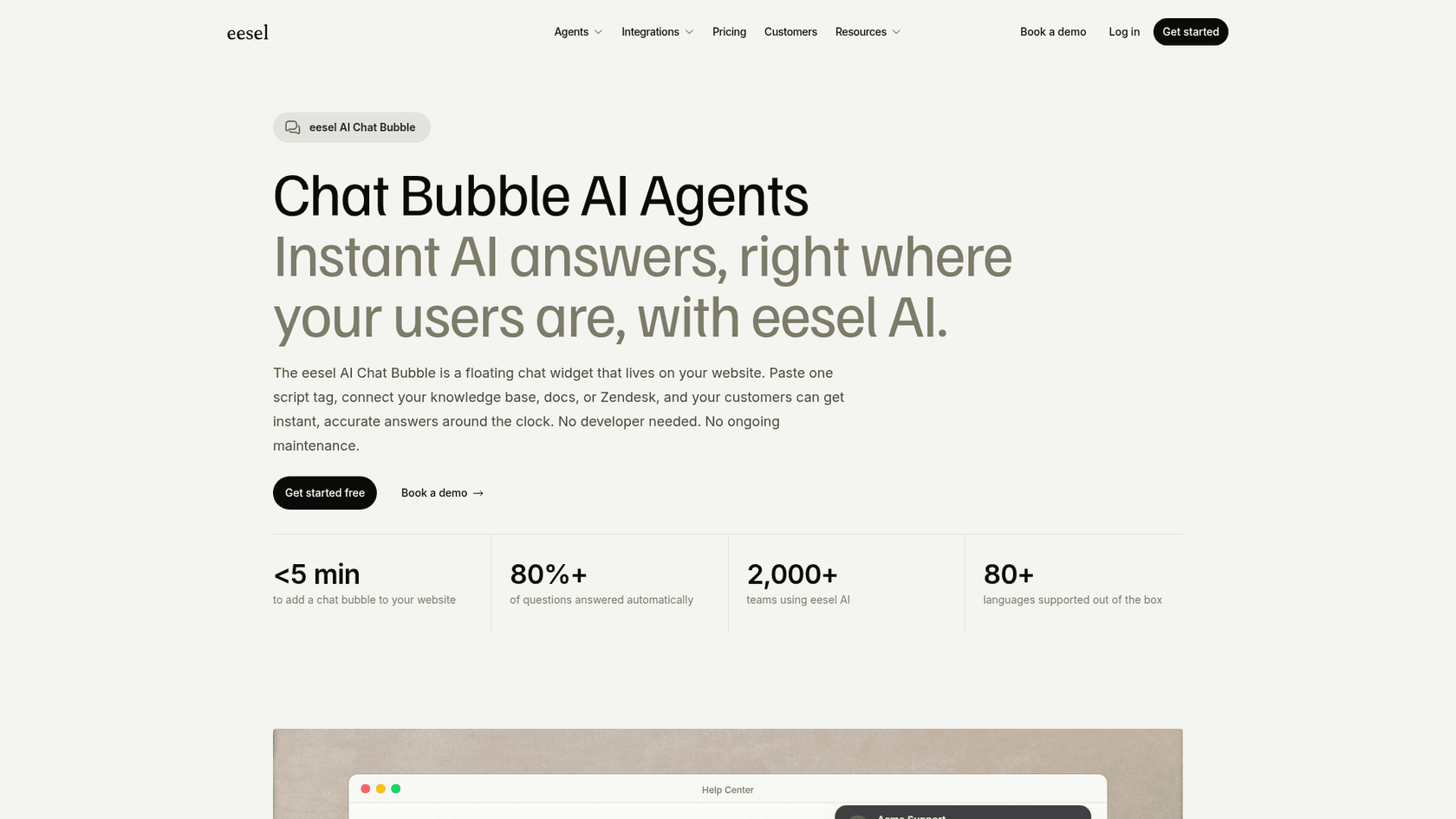
These two overlap on the website chat, and they take different bets. Chatway is a chat app first: a widget, an inbox your team works in, and an AI that answers from the pages and Q&A you add. eesel is an AI teammate for support: it plugs into the helpdesk or inbox you already have, learns from your help center, docs and past tickets, and its chat bubble is one of the places it works.
The difference shows in what the AI knows on day one. eesel's chat bubble goes on a WordPress or WooCommerce site with one script tag, reads your site, help center and past tickets, and answers in 80+ languages. SamCart runs one eesel agent on Freshdesk email tickets and a separate one on its website chat, each with its own greeting, both answering from about 280 help center articles plus past tickets. Question Beauty has Messenger, email and website chat all landing in Gorgias, where eesel tags each ticket, looks up the Shopify order and replies: 990 tickets in one month, 960 replies sent and 280 closed without a person.
On price, Chatway is cheaper for a small site, and I would say so to anyone asking. eesel is one fixed monthly plan: free to try with 100 credits, then from $299 a month for 500 credits, where one chat or ticket is 1 credit however long it runs. That buys the AI reading your history, working in your helpdesk for ecommerce, and taking actions like order lookups. If you get 100 chats a month and your FAQ covers them, Chatway plus its AI add-on is the better deal. If your team already lives in Zendesk, Freshdesk or Gorgias and the answers are in old tickets, the AI helpdesk teammate is the one I would test.
Since Chatway leans on MCP, one note on eesel's side of that: the eesel CLI runs the same teammate from a terminal. npx @eesel/cli init chat-bubble --site https://your-site.com creates a chat bubble that reads your site and prints the embed snippet, with no account needed for a 7-day workspace, and eesel chat "what is your return policy?" tests answers before a shopper sees them. Every eesel workspace is also an MCP server, so Claude Code or Cursor can run the setup for you.
Chatway alternatives
If Chatway is not the right fit, the shortlist depends on why. For a chat-first tool with a deeper bot builder, start with my Tidio review. If free and unlimited matters most, see my tawk.to alternatives. Teams that want a shared inbox should read my Crisp live chat breakdown.
On WordPress specifically, my 3CX Live Chat review covers the free chat that turns into a phone call, and my AI Engine review covers AI inside WordPress itself. My roundup of AI WordPress plugins has the wider list.
For Shopify stores, my Chatty review covers another AI chat with a usage-based price, and the list of Shopify chatbot apps compares the rest.
If you are still weighing a bot against a person, my explainer on AI chatbots vs live chat frames the trade-off, and the guide to chat handoff covers the moment the AI should step back.
Verdict: 4 out of 5 for small sites and stores
Chatway earns 4 out of 5. The free plan is usable on its own, the app is polished on web and mobile, the WooCommerce and Shopify data in the chat is useful for any store, and pricing the AI at $0.50 per resolution with no plan upgrade is a fair, simple model. The MCP server and API are more than most chat plugins offer at any price.
It loses a point on two things you only feel at scale. The monthly cap turns a busy month into a reset bill or a widget nobody can answer, and the AI only knows what you write down for it, so a team whose knowledge lives in old replies has homework before the AI helps. For a one-person shop with a clear FAQ, install it. For a growing team with a real support history, test it against an AI that learns from that history.
Try eesel on your WordPress or Shopify site
If you like Chatway's chat but want the AI to answer from your past tickets, not only the pages you add, eesel's chat bubble goes on WordPress or Shopify with one script tag and learns from your help center, docs and ticket history. It hands real cases to your team with the chat attached, the way IC Intracom's store chats pass sales and technical questions to the right inbox with the transcript. Try eesel free with 100 credits and test it on your real questions before a customer sees it.
Frequently Asked Questions
Is Chatway really free?
Yes. The Free plan is $0 forever with 1 seat, 50 conversations a month and 30 days of chat history, and it includes the mobile apps, FAQs and canned responses. The AI agent works on Free too, at $0.50 per resolved conversation after 10 free ones. Compare it with other free website chat tools before you commit.
How much does Chatway cost?
Business is $39 a month ($31 billed yearly) for 2 seats and 200 conversations, and Plus is $199 a month ($159 yearly) for 10 seats and 1,000 conversations, per Chatway's pricing page. Extra seats are $19 a month, and the AI agent is $0.50 per resolved conversation on any plan. My chatbot cost guide shows how that compares.
What happens when I hit my Chatway conversation limit?
The widget stays on your site, but you cannot reply to new conversations until the month renews. On Business and Plus you can reset early, which charges your plan again and starts a new billing cycle. If chats spike in season, plan for that, or use an AI live chat priced per chat instead of per block.
Does the Chatway AI chatbot learn from past chats?
Not from what I found. Chatway's help docs list public web links, pasted text, Q&A pairs and Shopify or WooCommerce store data as the sources. If your best answers live in old tickets, see my guide to training AI on past tickets, which is how eesel's chat bubble learns.
Is Chatway good for WooCommerce stores?
It is one of its strongest areas. On Business and up, agents see a shopper's cart and orders in the chat, can share products and coupons, and visitors can track orders in the widget. Version 1.5.2 also lets the AI agent read WooCommerce data directly. For more options, see my WooCommerce AI roundup.
Does Chatway work with WhatsApp, Instagram and Messenger?
Yes, on Business and above you can connect WhatsApp Business, Facebook Messenger, Instagram DMs and email to the same inbox, and the AI agent can answer on them. On the Free plan these are buttons that send visitors to the other app. My WhatsApp support roundup covers the channel in more depth.
Is Chatway better than Tidio or tawk.to?
Chatway's free plan is more generous on features than most, and its AI is priced per resolution rather than as a bundle. tawk.to is free with unlimited chats, and Tidio has a deeper chatbot builder. See my Tidio review and tawk.to alternatives for the trade-offs.
What is the best Chatway alternative for AI answers?
If you want the AI to learn from your past tickets and work inside a helpdesk like Zendesk, Freshdesk or Gorgias, an AI helpdesk teammate such as eesel fits better. For other picks, my AI live chat software list compares the field.